The Smell of Molten Projects in the Morning

Ed Nisley's Blog: Shop notes, electronics, firmware, machinery, 3D printing, laser cuttery, and curiosities. Contents: 100% human thinking, 0% AI slop.

Tag: Improvements

Making the world a better place, one piece at a time

  • Laser Cutter: Moving Mirror 3

    Laser Cutter: Moving Mirror 3

    With Mirror 1 and Mirror 2 aligned, the next step is positioning the laser head to put the beamline at the center of both the aperture and Mirror 3 inside:

    OMTech CO2 Mirror 3 mount - realigned - Z screws
    OMTech CO2 Mirror 3 mount – realigned – Z screws

    Raising the laser tube by 5 mm put the head’s Z axis screws in the middle of their slots. This had the additional benefit of letting me rotate the head slightly around the X axis to make it perpendicular with the bed, thus fixing its mysterious from-the-factory misalignment.

    Centering the beamline horizontally required a few iterations of Mirror 2’s position along the Y axis, but eventually produced this result:

    Beam Alignment - Mirror 3 detail - 2023-09-16
    Beam Alignment – Mirror 3 detail – 2023-09-16

    Those are five manual pulses with the head at the corners and center of the platform. I put the 3M target on the mirror rotated 90° from the proper orientation with the stretched scale aligned vertically and parallel to the slightly oval beam mark.

    The F target shows the beam position inside the head just above the focus lens:

    Beam Alignment - Focus detail - 2023-09-16
    Beam Alignment – Focus detail – 2023-09-16

    The little target in the middle gets centered on the nozzle by feel and shows the beam position within a 2 mm circle. The initial position was off against the side of the nozzle, but slight twiddling of the Mirror 3 screws centered it.

    I centered the lower F target at the beam position using the red dot aiming pointer, then pulsed the laser to put a pinhole almost exactly at the graticule center. The larger scorch shows the beam size with the platform lowered 10 mm from the focus level. The Z axis leadscrews are not particularly precise and the platform moves by about a millimeter in X and Y as they rotate, so that’s about as good as it gets.

    After all that, the laser behaves at least as well as it ever did and I feel better about having the beamline actually travel along the center of the optical path.

    Now, back to cutting out interesting shapes …

  • Laser Cutter: Moving Mirror 2

    Laser Cutter: Moving Mirror 2

    With Mirror 1 moved 10 mm to the right (as seen from the front of the cabinet), Mirror 2 must move 5 mm to fix the problem that started this whole thing and put the beam in the center of the mirror:

    Beam Alignment - 2M detail - 2023-09-16
    Beam Alignment – 2M detail – 2023-09-16

    This puts the bracket holding Mirror 2 closer to the center of its x axis adjustment range:

    OMTech CO2 Mirror 2 mount - realigned - X screws
    OMTech CO2 Mirror 2 mount – realigned – X screws

    Remember, the flange is fixed to the gantry and the bolts move with the mirror mounting bracket.

    Raising the laser tube by 5 mm requires Mirror 2 to go upward by a bit to put the beam at the center:

    OMTech CO2 Mirror 2 mount - realigned - YZ screws
    OMTech CO2 Mirror 2 mount – realigned – YZ screws

    The least awful way to make simultaneous X and Z axis adjustments seems to be by feel. Tighten the screws just enough to prevent the bracket from moving easily, then slide it while aligning the top edge with respect to the flange on the gantry.

    When it feels about right, stick a target to the aperture, fire a pulse, check the results, and iterate until it is actually right.

    The two screws holding the mirror mount to the bracket sit in slots allowing some adjustment in the Y axis, as well as a slight amount of rotation. AFAICT, the mount was rotated enough that the test pulses passed through the center of the aperture, but hit the mirror off-center as shown in the top picture. I aligned the aperture parallel with gantry, which should put the holder at 45° to the beamline, and hoped for the best.

    With the pulse mostly centered, twiddle Mirror 1’s alignment to make the beam parallel to the Y axis, which eventually produced these results, with each target getting a pulse at each end of the Y axis travel:

    Beam Alignment - Mirror 2 detail - 2023-09-16
    Beam Alignment – Mirror 2 detail – 2023-09-16

    Not perfect, but much better than where it started.

  • Laser Cutter: Moving Mirror 1

    Laser Cutter: Moving Mirror 1

    Raising the laser tube 5 mm required nothing more than cutting and inserting 5 mm spacers and finding slightly longer M4 screws:

    OMTech CO2 laser tube - 5 mm Z supports
    OMTech CO2 laser tube – 5 mm Z supports

    I used an ancient adjustable inside caliper to put the tube the same distance from and aligned parallel to the partition.

    Sliding the tube an inch to the left provided enough space to drill & tap two new holes for the Mirror 1 mount to move the beamline 10 mm along the X axis:

    OMTech CO2 Mirror 1 mount - redrilled screw holes
    OMTech CO2 Mirror 1 mount – redrilled screw holes

    I briefly considered crunching rivnuts in there, but the mirror mount expects to sit flat on the floor with no room for rivnuts. So it goes.

    Although Mirror 1’s mount has some vertical adjustment, the central stem was already close to its maximum extension, so I cut a 5 mm plywood pad to raise the base:

    Laser Mirror 1 - baseplate scan
    Laser Mirror 1 – baseplate scan

    Despite what the lighting suggests, it’s concave. The image was clean and contrasty enough to just trace into vectors with LightBurn, then Fire The Laser to cut the spacer:

    OMTech CO2 Mirror 1 mount - 5 mm Z shim
    OMTech CO2 Mirror 1 mount – 5 mm Z shim

    If you’re wondering how that worked with the tube jacked up, Mirror 1 sitting on the scanner, and the beamline in disarray, there’s considerable benefit in doing things out of the obvious narrative sequence.

    Reassemble the mirror, square the entrance aperture to the partition, fire a couple of test shots to center the mirror on the beamline:

    Beam Alignment - Mirror 1 detail - 2023-09-16
    Beam Alignment – Mirror 1 detail – 2023-09-16

    And that part’s done.

  • Laser Cutter: Beamline Realignment

    Laser Cutter: Beamline Realignment

    Although the most recent mirror alignment exercise put the laser beam parallel to the axes and centered in the aperture perpendicular to the beam, a target directly on Mirror 2 showed the beam was badly off-center:

    Beam Alignment - 2M detail - 2023-09-16
    Beam Alignment – 2M detail – 2023-09-16

    Because that target is sitting flat on the mirror, the beam appears wider than it is tall. The horizontal graticule divisions are 1.4 mm apart to allow direct measurements: the spot is really circular and 3 mm in diameter.

    Poking around inside the cabinet reminded me that all of the mirrors sat with their adjustments jammed at one end of their range, rather than being more-or-less centered.

    Mirror 2, in particular, was up against all three limits. The slots behind these two screws allow the mount to slide along the X axis:

    OMTech CO2 Mirror 2 mount - X screws
    OMTech CO2 Mirror 2 mount – X screws

    Seen from the front of the cabinet, those same two screws set the mirror position in the Z axis:

    OMTech CO2 Mirror 2 mount - Y Z screws
    OMTech CO2 Mirror 2 mount – Y Z screws

    As you may imagine, using those two screws to secure the mirror at a specific location in both X and Z at the same time is … challenging.

    The two screws directly under the mirror set its position along the Y axis and allow a slight rotation around Z to fine-tune the alignment of the perpendicular aperture used for mirror alignment; unlike the other two axes, the mirror wasn’t jammed against the end of the slots.

    Moving the laser beam horizontally toward the center of Mirror 2 requires one or more of:

    • Moving Mirror 2 farther away from the center of the cabinet, but it is already at that end of the X axis slots above
    • Moving the laser tube toward the back of the cabinet, which also requires moving Mirror 1, which is almost at the end of its adjustment range.
    • Moving Mirror 1 closer to the laser tube, which its adjustment slots do not permit

    Mirror 1 sits on a pedestal with a slotted base allowing adjustments along the Y axis:

    OMTech 60W laser beam test - mirror 1
    OMTech 60W laser beam test – mirror 1

    The pedestal could move a few millimeters to the rear, but the screw on the far side is even closer to its limit.

    Moving the laser beam spot upward on the mirror requires:

    • Lowering the mirror, which is obviously impossible given the position of the Z axis slots around the adjusting screws
    • Raising the laser tube

    Mirror 3, inside the laser head on the gantry, was also sitting at the lowest possible point in its adjustment range:

    OMTech CO2 Mirror 3 mount - Z screws
    OMTech CO2 Mirror 3 mount – Z screws

    All of which suggested I should resign myself to adjusting the beamline:

    • Raise the laser tube by 5 mm
    • Move Mirror 1 closer to the laser tube by about 10 mm

    Raising the tube gets both Mirror 2 and Mirror 3 off their Z axis adjustment limit, but requires raising Mirror 1.

    Moving Mirror 1 gets Mirror 2 off its X axis adjustment limit.

    Nothing changes the position of Mirror 2 on its Y axis screws, but that adjustment will help fine-tune the beamline into Mirror 3.

    So I cut some 5 mm plywood spacers and nerved myself.

  • Cheap Rechargeable Kitchen Scale: FAIL

    Cheap Rechargeable Kitchen Scale: FAIL

    While pondering what to do with the shattered kitchen scale, I got a bottom-dollar replacement touting its rechargeable lithium battery. After giving it the obligatory charge-before-using, I put it in service. Five days later, its battery was dead flat discharged.

    So I gutted it to extract the battery:

    Cheap digital scale - lithium cell
    Cheap digital scale – lithium cell

    It’s a cute little thing, isn’t it?

    Much to my surprise, the obligatory battery rundown test showed it matches its 0.74 W·hr label:

    Kitchen Scale - Charge1
    Kitchen Scale – Charge1

    We all know where this is going, right?

    Crunche a connector on the battery, another on the scale, and make up a suitable current tap for a meter:

    Cheap digital scale - current measurement setup
    Cheap digital scale – current measurement setup

    Which looked like this:

    Cheap digital scale - active current
    Cheap digital scale – active current

    That’s about what I found for the craptastic scale running from a pair of CR2032 primary cells, so it’s not out of line.

    Turn off the scale and measure the idle current:

    Cheap digital scale - inactive current
    Cheap digital scale – inactive current

    Do you think I got a dud?

    For all I know, the little microcontroller under the epoxy blob is running a continuous attack on my WiFi network, with the intent of siphoning off all my sensitive bits. Ya never know.

    Dividing the battery’s 200 mA·hr rating by 4 mA says it really should be dead in 50 hours, which is close enough to five days: diagnosis confirmed!
    Rather than fight, I switched to a battery with more capacity:

    Cheap digital scale - NP-BX1 replacement
    Cheap digital scale – NP-BX1 replacement

    It’s long past its prime, but ought to last for a month, which is about as long as the shattered scale survived on a similar battery.

    Sheesh & similar remarks.

  • Moonlander Elevators

    Moonlander Elevators

    What else would you call things that raise the back of a Moonlander keyboard:

    Moonlander elevators - installed
    Moonlander elevators – installed

    The Moonlander comes with two adjustable struts, one for each keyboard half, which should hold the things at whatever angle you like. I put wood blocks underneath for better support, but finally gave up and laid out a quartet of elevators on scrap 3 mm acrylic:

    Moonlander elevators - laser cutting
    Moonlander elevators – laser cutting

    The upper hole is 30 mm from the base and that’s the only one I needed, so they’re even easier to make than they look.

    Done!

  • Gelatin Capsule Filler Plate

    Gelatin Capsule Filler Plate

    Being a guy of a certain age with a diagnosis of Low Bone Density, I must increase my calcium intake. Rather than add a few hundred calories a day of calcium-rich food that my waistline does not need, I’ll see what adding 600 mg of calcium citrate can do.

    Being a guy of a certain type, I prefer to fill my own capsules, which of course involves Quality Shop Time:

    Gelatin 000 Capsule Fill Plate - cutting
    Gelatin 000 Capsule Fill Plate – cutting

    Quite some years ago, for reasons not relevant here, I acquired several of what were called “manual capsule filling machines” from the usual online sources. During the ensuing years, such devices have fallen under the purview of the DEA and vanished from the import market, leaving (AFAICT) one USA-ian supplier.

    The key difference between “machines” for different capsule sizes is the plate holding the capsule bodies:

    Gelatin 000 Capsule Fill Plate - installed
    Gelatin 000 Capsule Fill Plate – installed

    A complete machine includes three other capsule-size-related parts:

    • A plate holding the caps
    • A plate with conical holes used to shake caps & bodies into their respective plates
    • A guide plate helping mate caps with bodies

    In normal use, you put the “shake plate” on the body or cap plate, dump a pile into it, and shake until most of the caps / bodies fall into the holes. Then you manually insert the rest, invert any that fell in backwards, and generally mess around until they’re all properly oriented in their sockets. After filling the capsules, you put the cap + guide plates atop the bodies, press down firmly, and (ideally) produce 100 filled and sealed capsules.

    It turns out Size 000 capsules are sufficiently chonky that I have no trouble capping the bodies by hand without those other parts, so making just the body plate seemed Good Enough™. The story might be different for Size 1 capsules.

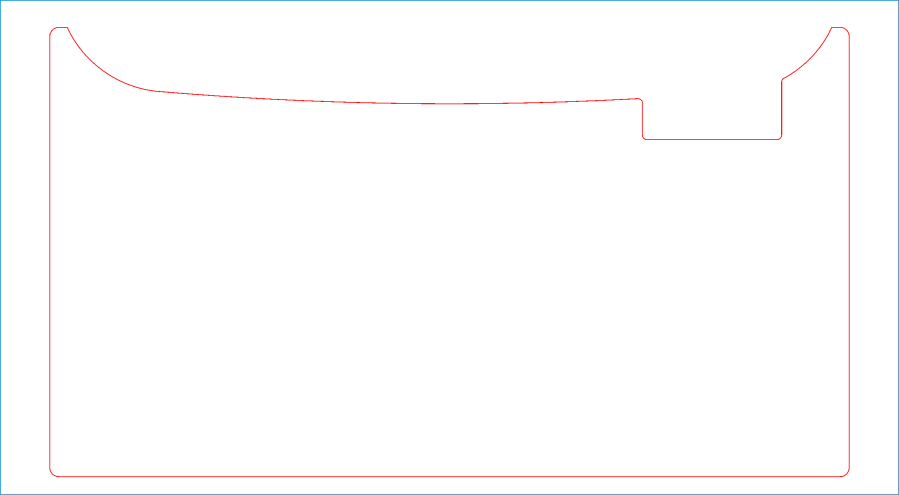
    The external dimensions and screw holes match the original plate, so this one fits the same base:

    Gelatin 000 capsule plate - LB layout
    Gelatin 000 capsule plate – LB layout

    Make one plate and four spacing clips from 6 (-ish) mm acrylic.

    If you can think of anything to do with 100 3/8 inch cylinders of 1/4 inch acrylic, clue me in.

    Size 000 bodies are close enough to 3/8 inch that I cleaned up the holes with a step drill for a nicer fit. Perhaps making the plate from 3 mm acrylic would produce better results.

    Four springs around the screws in the corners support the plate to allow pressing the caps in place. I adjusted the screws to put the top of the plate at exactly the height of the bodies above the blue base place, producing a smooth surface for scraping suspicious white powder into the bodies:

    Gelatin 000 Capsule Fill Plate - filled
    Gelatin 000 Capsule Fill Plate – filled

    Iterate filling and tamping until the capsule contents are firm-but-not-overstuffed, then press the plate downward and secure it with the spacer clips:

    Gelatin 000 Capsule Fill Plate - capped
    Gelatin 000 Capsule Fill Plate – capped

    The clips hold the plate at the proper distance to let the caps slip over the bodies and lock in place. This is tedious, but much faster than doing the entire process on individual capsules one-by-one.

    With the caps locked in place, flip the whole thing above a bowl, remove the clips, press the plate against the base, and 100 finished capsules shower into the bowl.

    You could build a complete filler without having the blue base plate & springs, but I’ll leave that project to your imagination.

    The LightBurn layout as a GitHub Gist:

    Loading
    Sorry, something went wrong. Reload?
    Sorry, we cannot display this file.
    Sorry, this file is invalid so it cannot be displayed.

    No, I am not making one for you. :grin: