Ed Nisley's Blog: Shop notes, electronics, firmware, machinery, 3D printing, laser cuttery, and curiosities. Contents: 100% human thinking, 0% AI slop.
Tag: Improvements
Making the world a better place, one piece at a time
Having accumulated a bunch of used activated alumina desiccant, I figured now was a good time to try regenerating it. Industrial applications use dry gas and very high temperatures, but perhaps holding it over 100 °C for a few hours will suffice for my purposes.
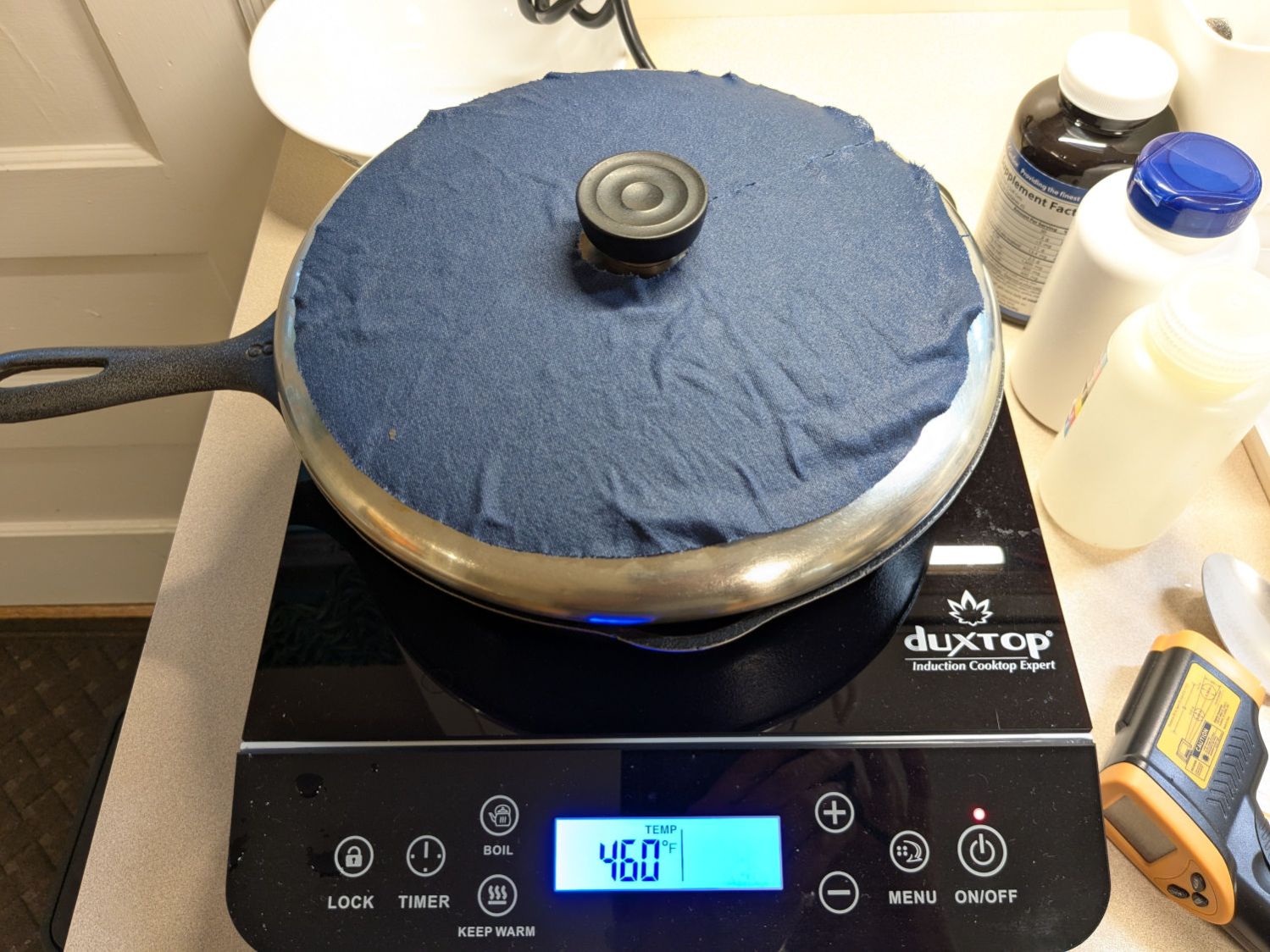
After an hour the surface temperature was around 150 °F, so I covered the pan with a water-cooled lid to see if any vapor condensed on it:
Alumina regeneration – lid cooling
It did, indeed, so I alternated covering and exposing the pan, which was likely a waste of my time, until the alumina dried enough that the lid didn’t collect any condensation. The whole process took just under four hours with the cooktop set to its maximum of 460 °F for most of the time.
The beads then cooled to room temperature in a covered dish:
Alumina regeneration – final cooling
The beads weighed 626 g at the start of the adventure and sweated down to 593 g, parting with 33 g = 1.2 oz of water in the process for a loss of 5.6%. I have no idea how dry they are now, but they’re an ounce drier than before.
The upstairs Sewing Room came with a couch-like bed incorporating a roll-out trundle bed. It doesn’t get a lot of use, but it lacks wheel locks and tends to scoot away unless you get into it rather more carefully than seems reasonable.
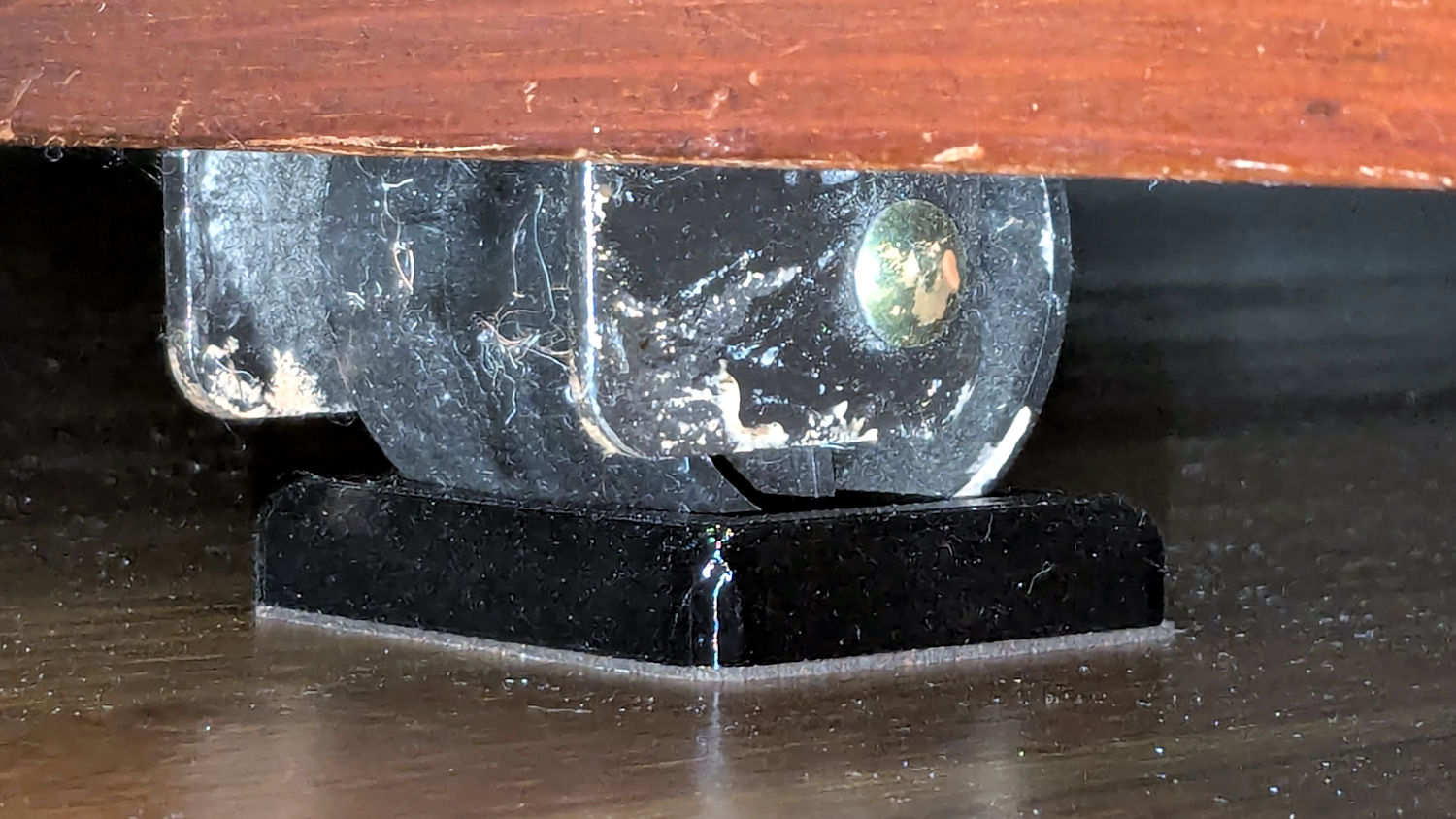
So I made a pair of stops to capture the wheels:
Rolling Bed Stops – installed
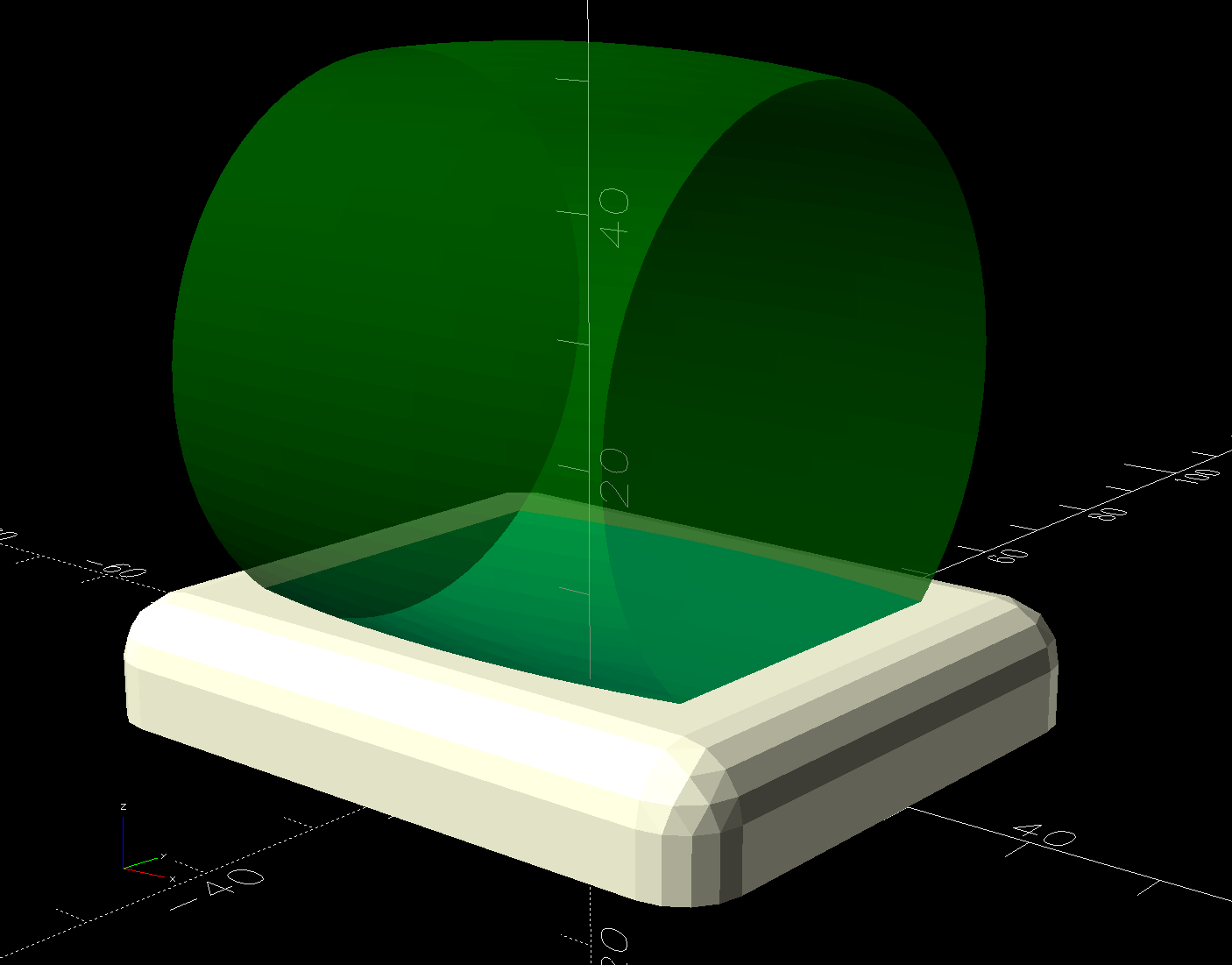
The solid model shows they’re just plastic blocks minus a model of the roller wheel:
Rolling Bed Stops – solid model – show view
I like the wood-grain effect of the doubly curved recess on printed plastic layers, even if nobody will ever see it:
Rolling Bed Stops – PrusaSlicer
The OpenSCAD code also exports a projection of the block as an SVG file to laser-cut the cork pad.
Roll the trundle bed into position, push the stops against the wheels, lift and pull forward an inch, let it down, and the wheels snap into those recesses.
These are considerably fancier than some of the other wheel stops / feet around the house, if only because I got to use the Chord Equation to solve for the radius of the circle parallel to the axle for a snug socket.
This file contains hidden or bidirectional Unicode text that may be interpreted or compiled differently than what appears below. To review, open the file in an editor that reveals hidden Unicode characters.
Learn more about bidirectional Unicode characters
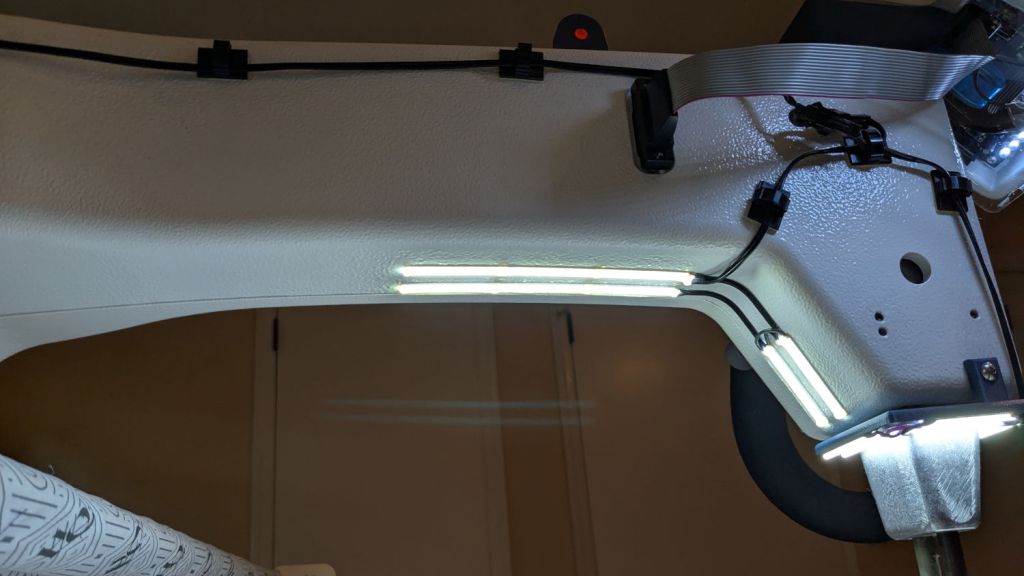
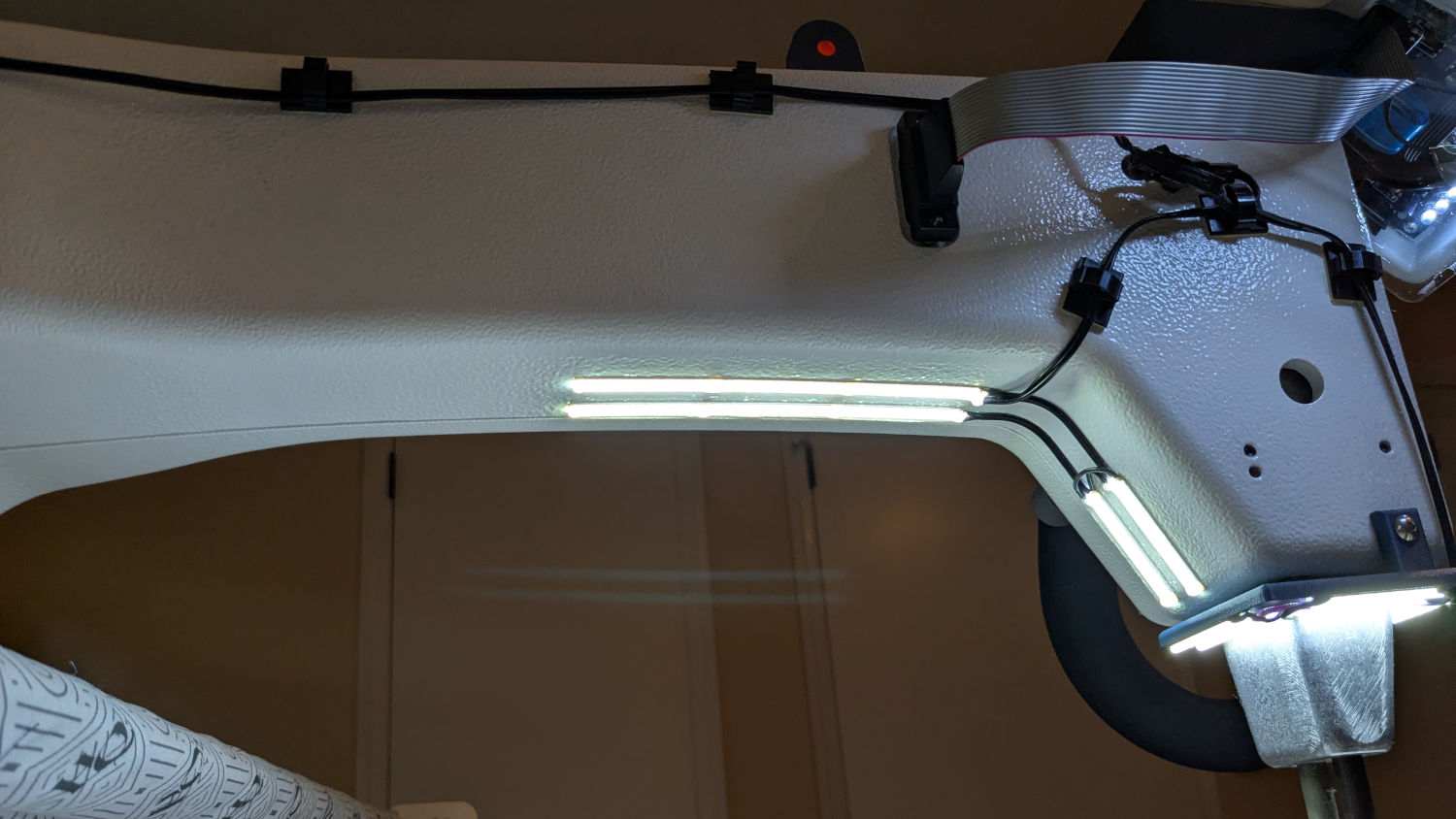
With the nose ring lights in place, I soldered up eight more 24 V LED strips to light the quilt under the HQ Sixteen’s arm:
HQ Sixteen – under-arm lights – bottom view
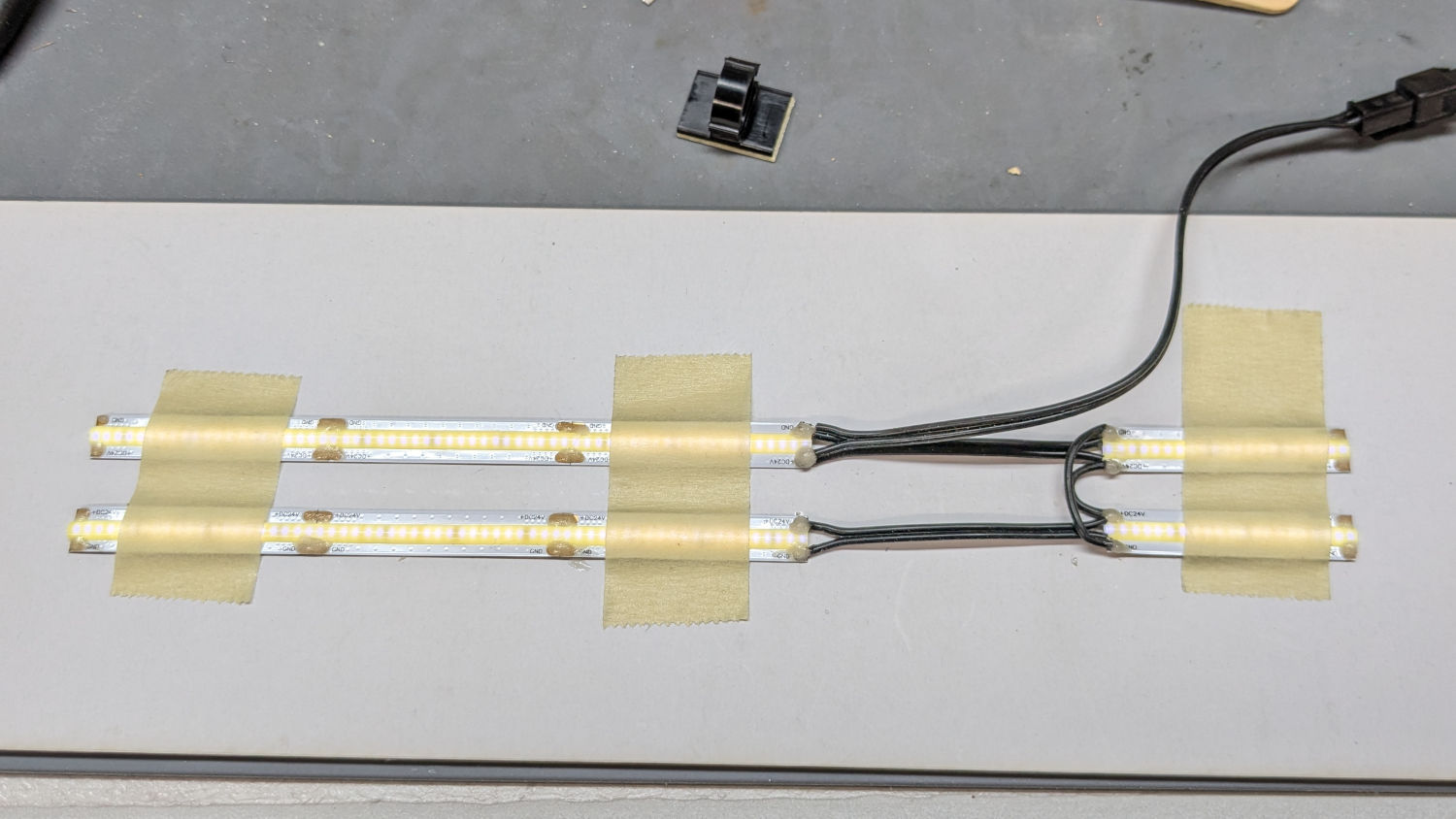
A simple fixture aligned the strips for soldering:
HQ Sixteen – under-arm lights – soldering fixture
I intended to peel the masking tape off the glossy cardboard, then use it to keep the strips aligned while I pressed the PSA adhesive on the back of the strips to the machine. The silicone molded over the LEDS turned out to be supremely un-stick-able to the tape and the strips got far more handling than I planned, but I think the adhesive will work.
The cable from the power supply now has a pair of JST SM connectors on the end. Although crimping two conductors into the same pin is not good practice, all 14 of the LED strips draw an aggregate of maybe 130 mA, so I think it’ll suffice.
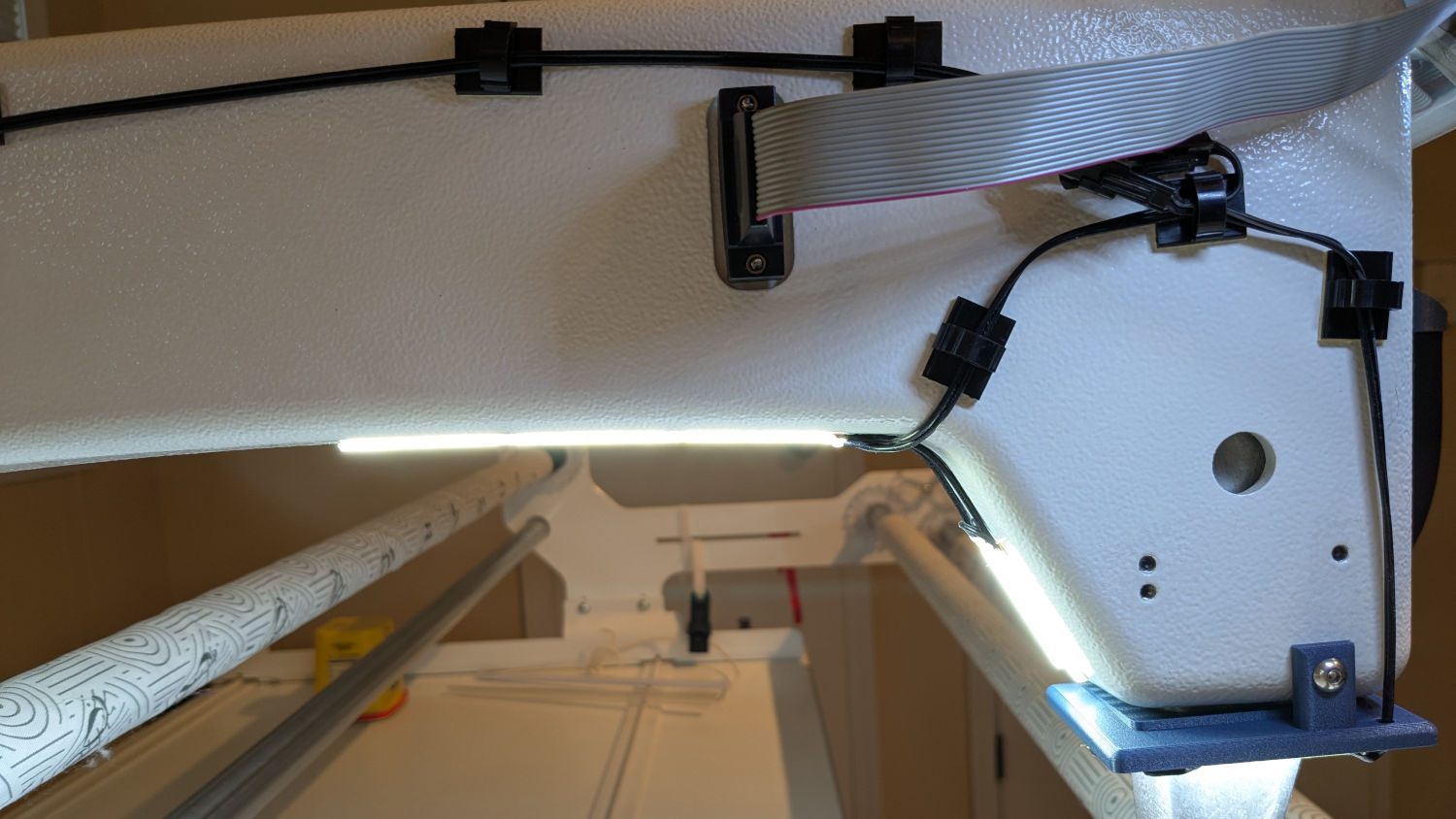
The JST connectors hide behind the ribbon cable going to the machine’s front panel, so there’s not a lot of basis for arguing they’re unsightly:
HQ Sixteen – under-arm lights – side view
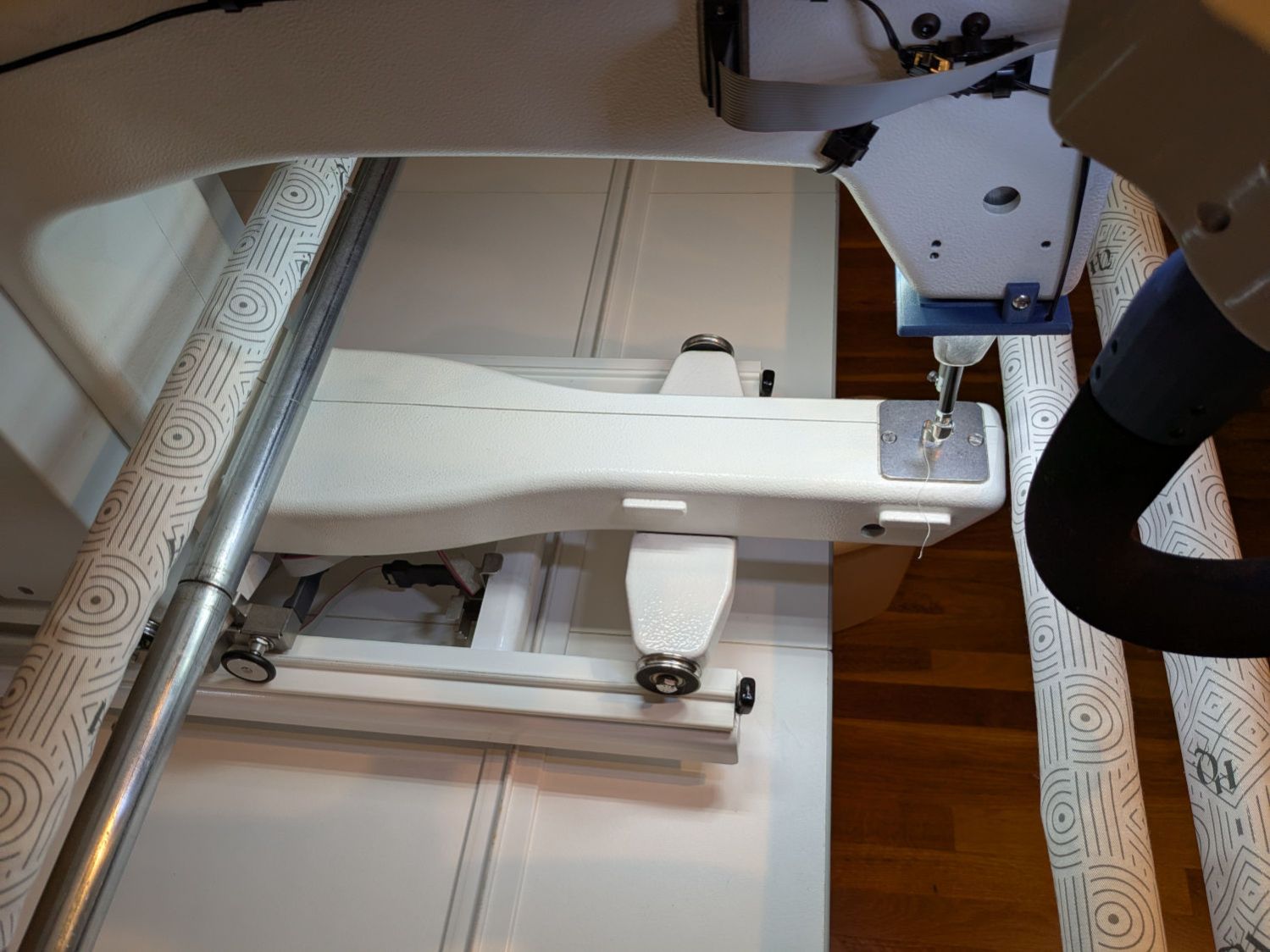
The finished part of the quilt passes under the bottom bar on the left (the rear of the machine table) and forms an ever-increasing roll around the top bar; the white fabric leader attaches to the edge of the quilt. The LED strips illuminate the in-progress part of the quilt under the arm and should be far enough forward to not snag on the rolled-up finished part.
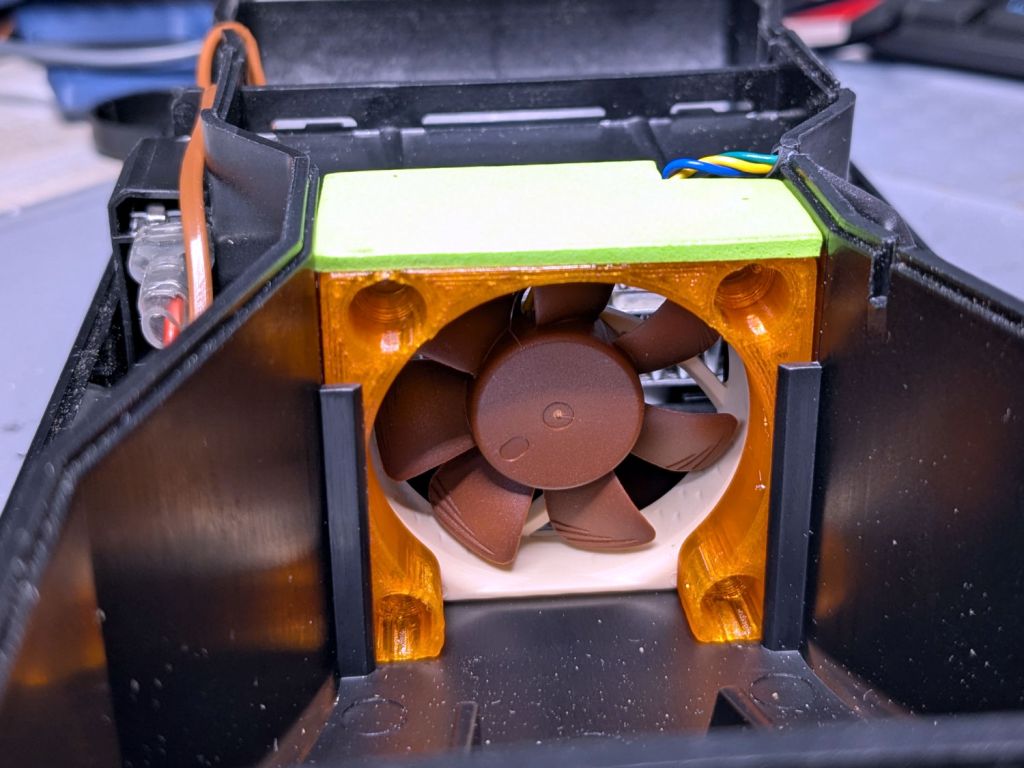
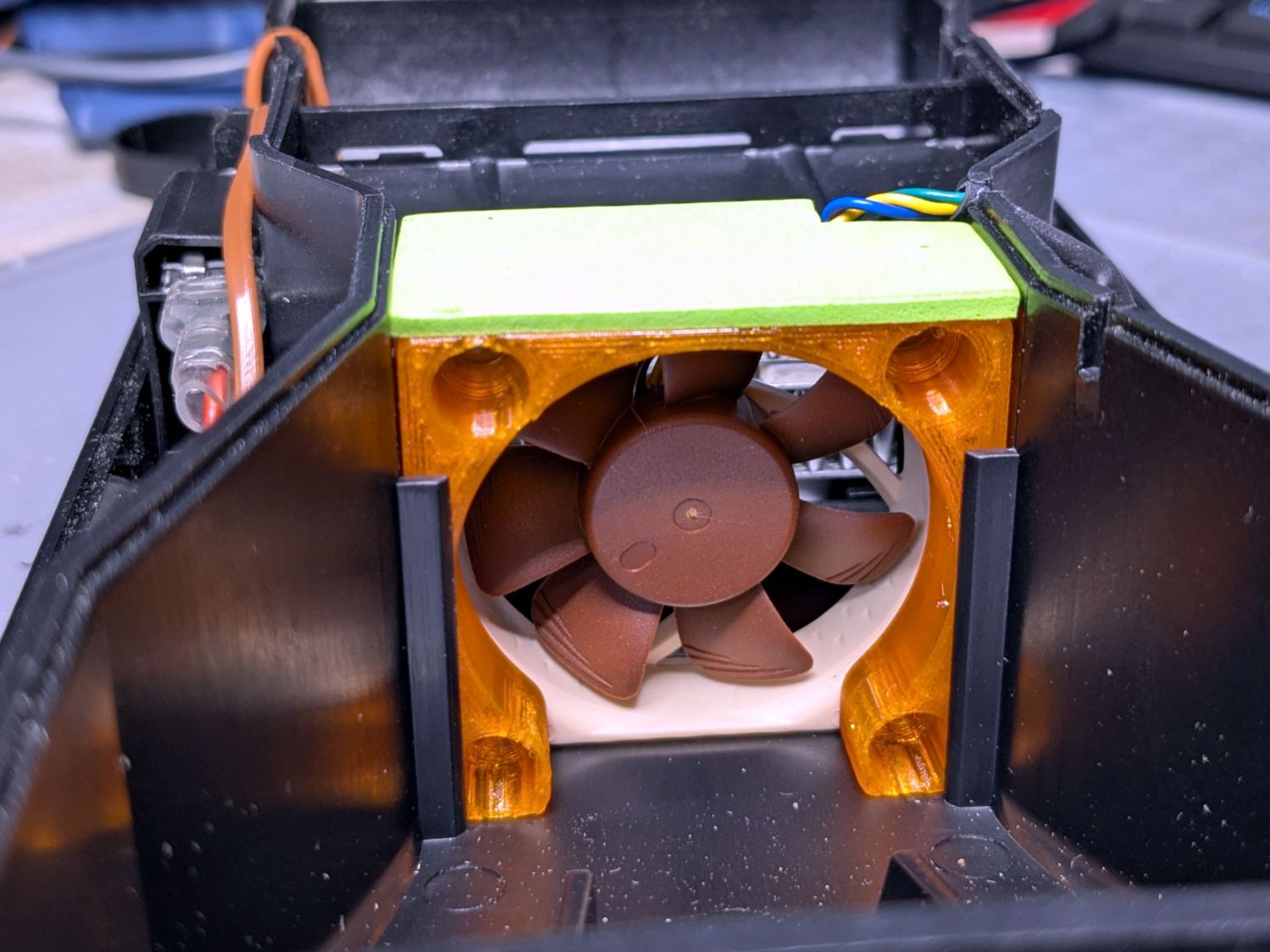
The OEM fan inside the PolyDryer is annoyingly loud, even to my deflicted hearing, so I printed a Noctua NF-A4x10 fan adapter and installed a much quieter fan:
PolyDryer – Noctua fan installed
The adapter is upside-down from the suggested orientation, I didn’t bother screwing it to the fan because it has sleeves fitting into the fan screw holes, the slot holds everything together, the vivid green EVA foam sheet sits atop a craft adhesive sheet (both cut with scissors!) ensuring they don’t part company, and it works just fine.
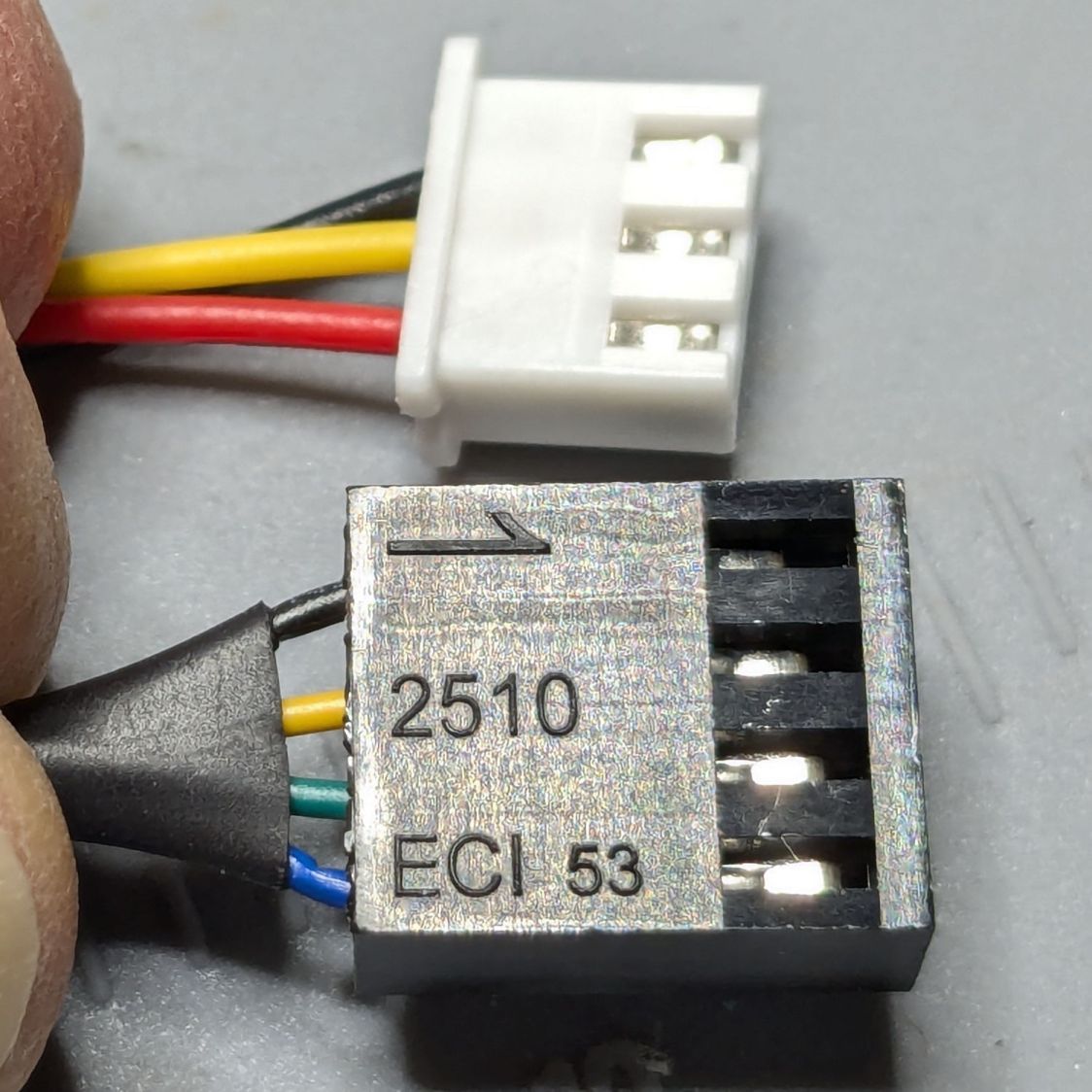
Of course, the OEM fan has a three-wire cable and the Noctua has a four-wire cable:
PolyDryer – OEM vs Noctua fan cables
Although you can’t quite make it out on the white plastic, both connectors have their Pin 1 marks adjacent to each other. I oriented them like that to put the pin release latches on top; a foolish consistency is the hobgoblin of small minds.
Fortunately, Noctua documents their pinout, a bit of probing verified the OEM fan pinout (which does not match the Noctua 3-wire pinout), and the Basement Warehouse Wing emitted an assortment of matching JST XHP connectors. Chop off the black connector and rewire it in a 3-pin XHP connector:
Pin 1 = OEM Red → Noctua Yellow = +24 V
Pin 2 = OEM Yellow → Noctua Green = Tachometer
Pin 3 = OEM Black → Noctua Black = Ground / Common
unused = Noctua Blue = PWM Speed Control
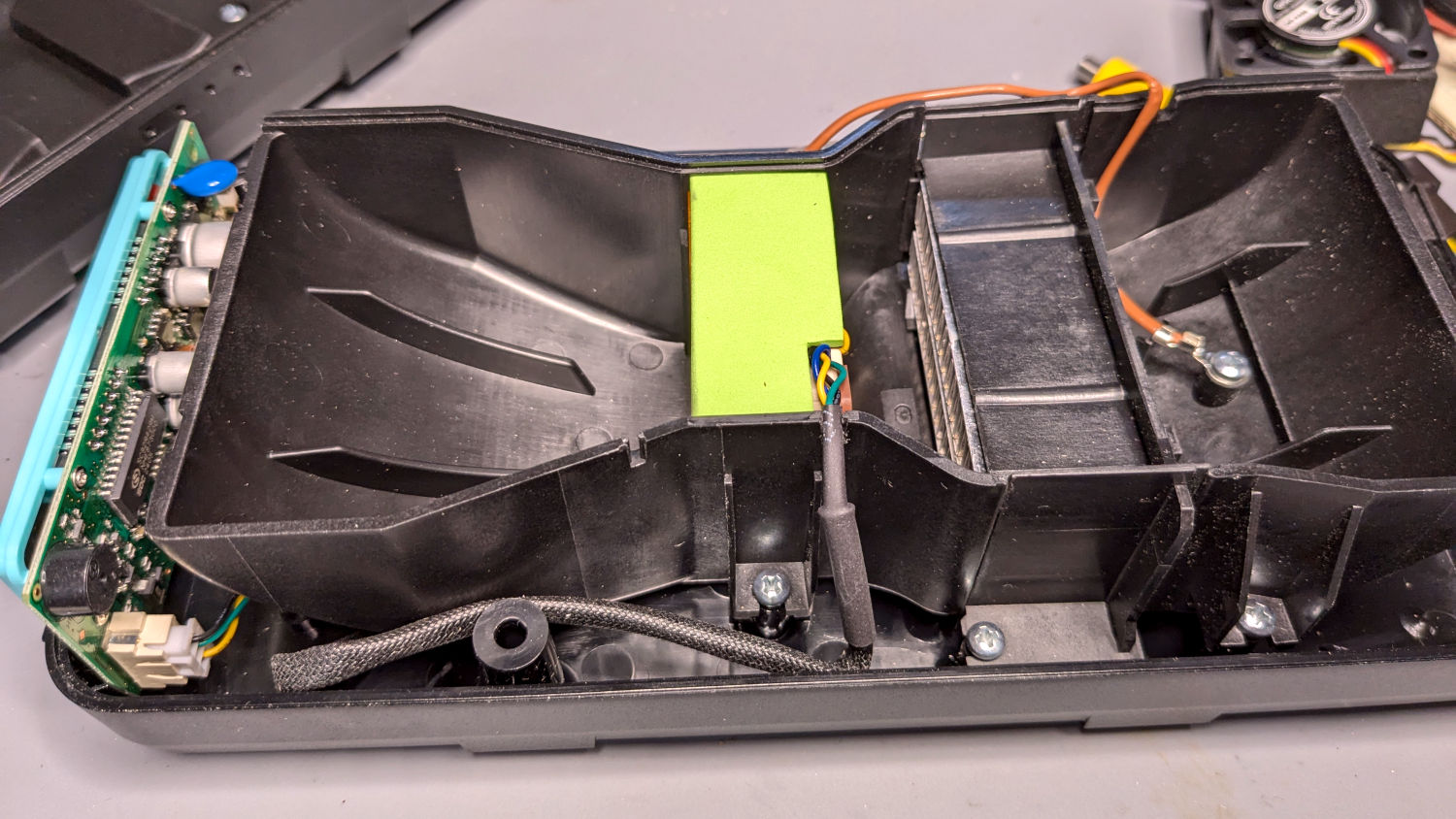
Which is barely visible plugged into the control PCB on the left:
PolyDryer – Noctua fan wiring
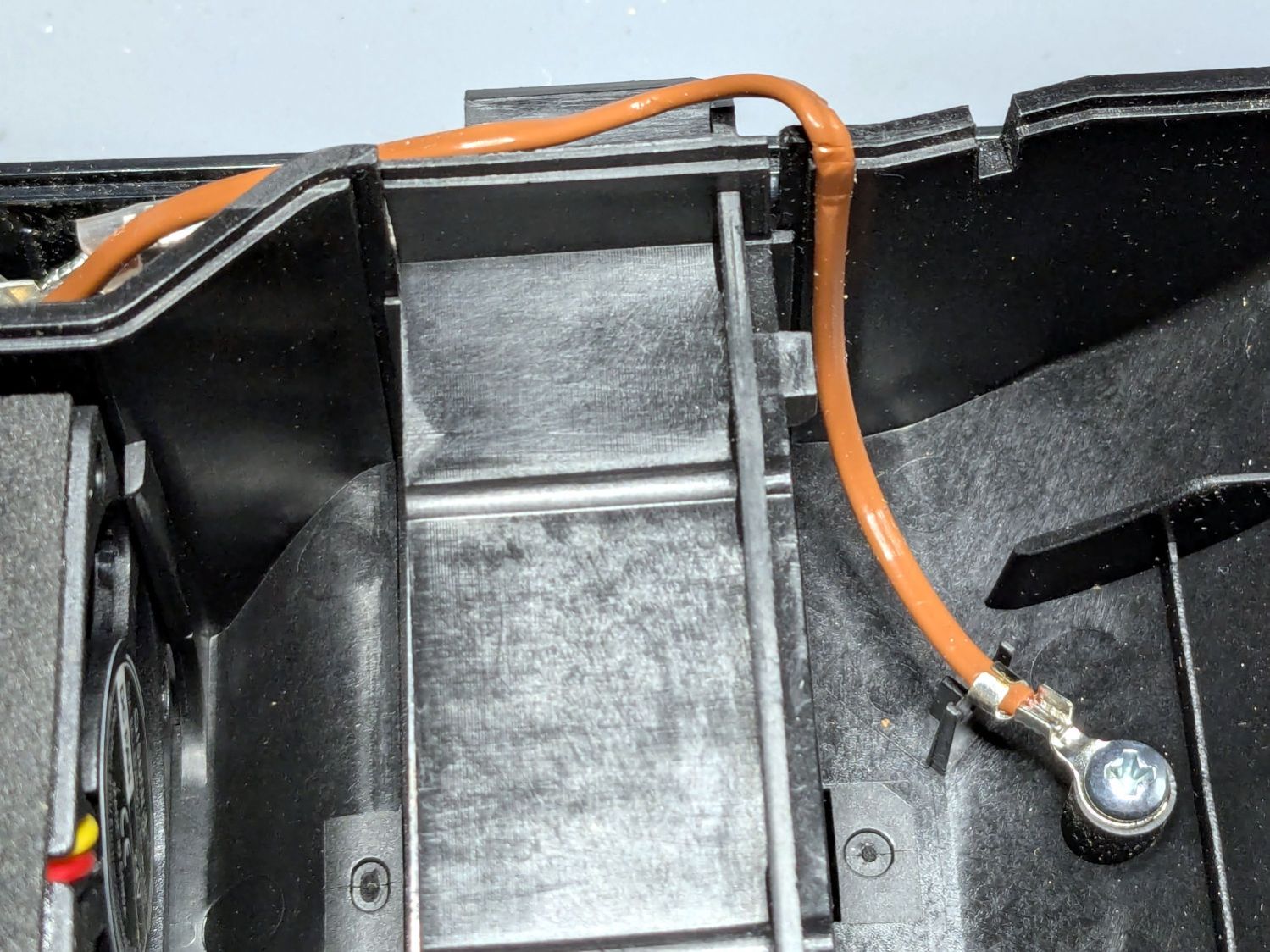
The brown thermocouple wire in the upper right didn’t start out in the notch intended to pass it out of the air flow downwind of the heater:
PolyDryer – crunched thermocouple wire
The wire is exceedingly stiff and requires some persuasion, but it will eventually stay in that slot.
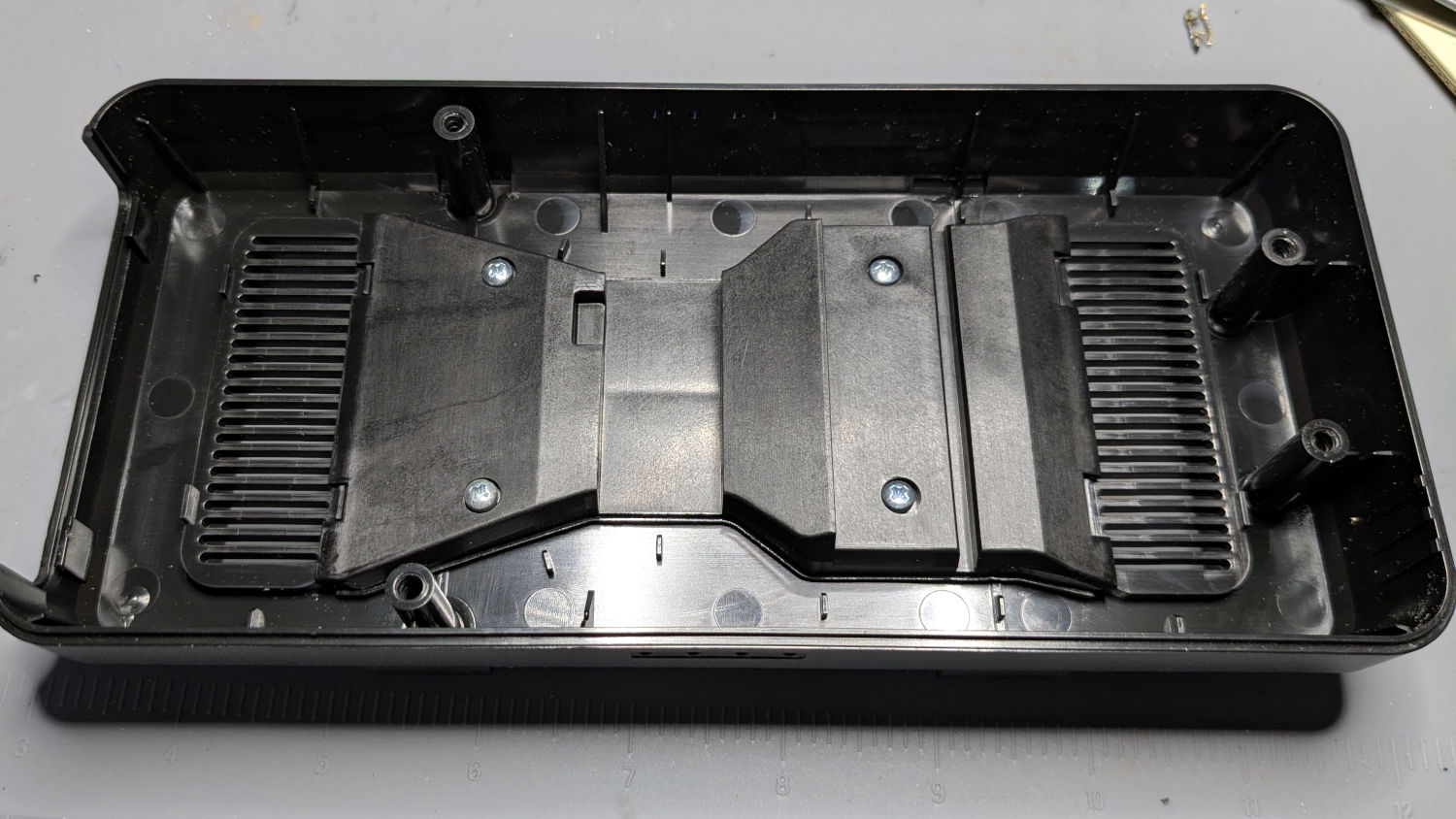
One of the PolyDryer modifications (which I can no longer find) suggested improving the vent openings, because the default slats block more than half of the surface area:
PolyDryer – molded vent slats
I chopped out all but three of the slats and stuffed an arch of aluminum window screen into each recess:
PolyDryer – vent screens installed
Admittedly, it looks a bit raggedy:
PolyDryer – vent screen – detail
As far as I can tell without actually measuring anything, the air flow has increased.
Now, to see how whether all that makes any difference.
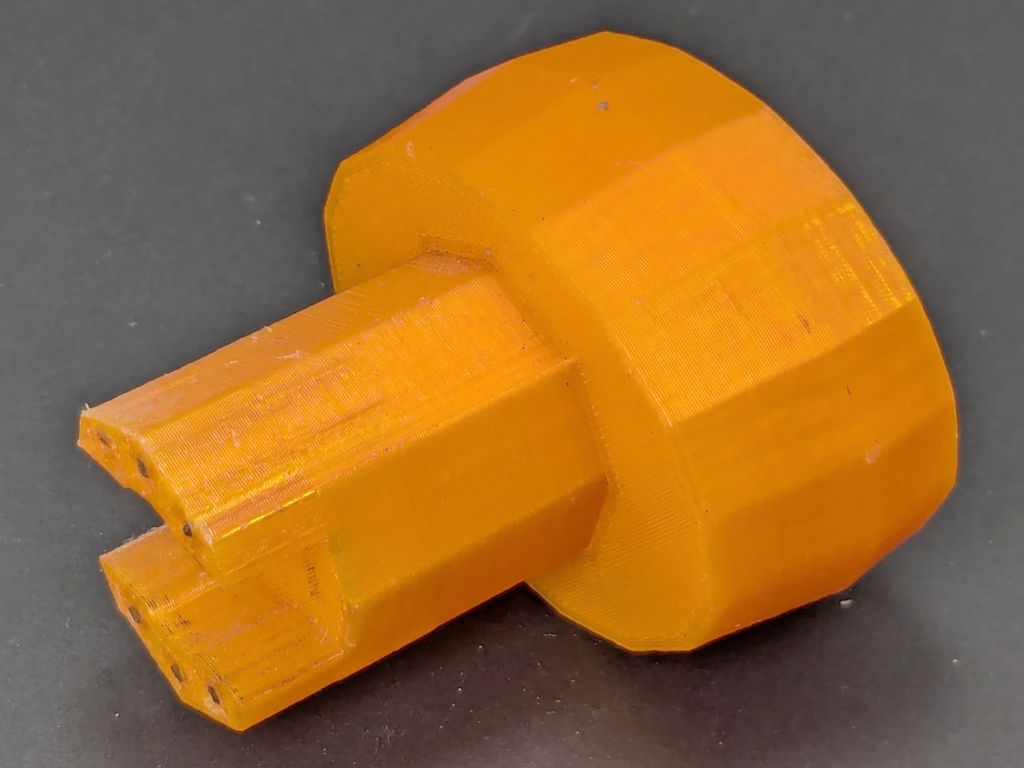
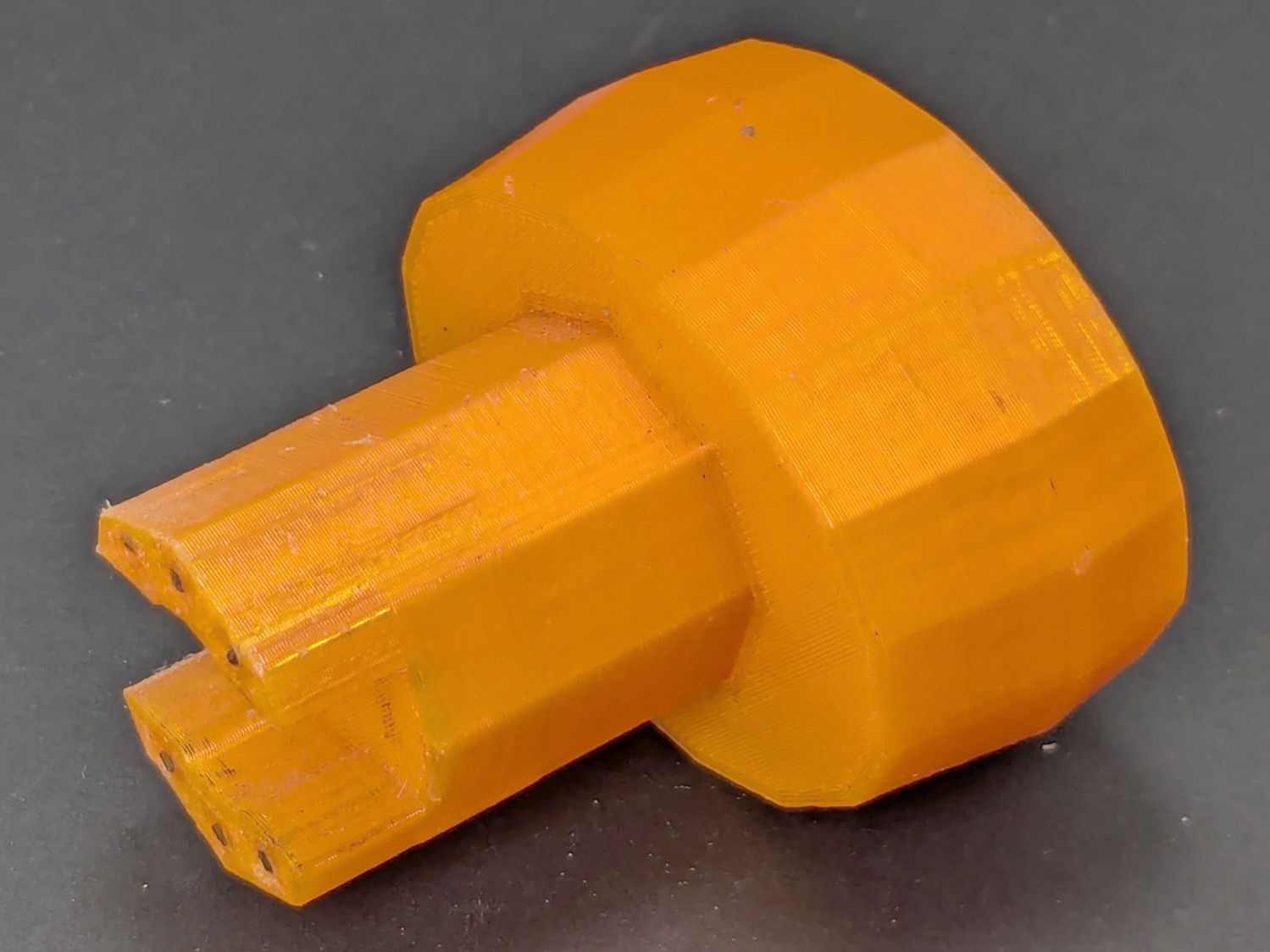
Mary found the wrench I made five years ago in the bottom of her tool bucket:
Hose Valve Knob – five years later
Having moved away from the garden with all the valves that wrench turned, it can now go into the 3D Printed Sample Box for use in the unlikely event I ever give another talk on the subject.
I’d design it differently these days, what with BOSL2 in my sails, but it got the job done.
With the quilt off the HQ Sixteen, I could install the 24 V power supply for the Nose Ring Lights:
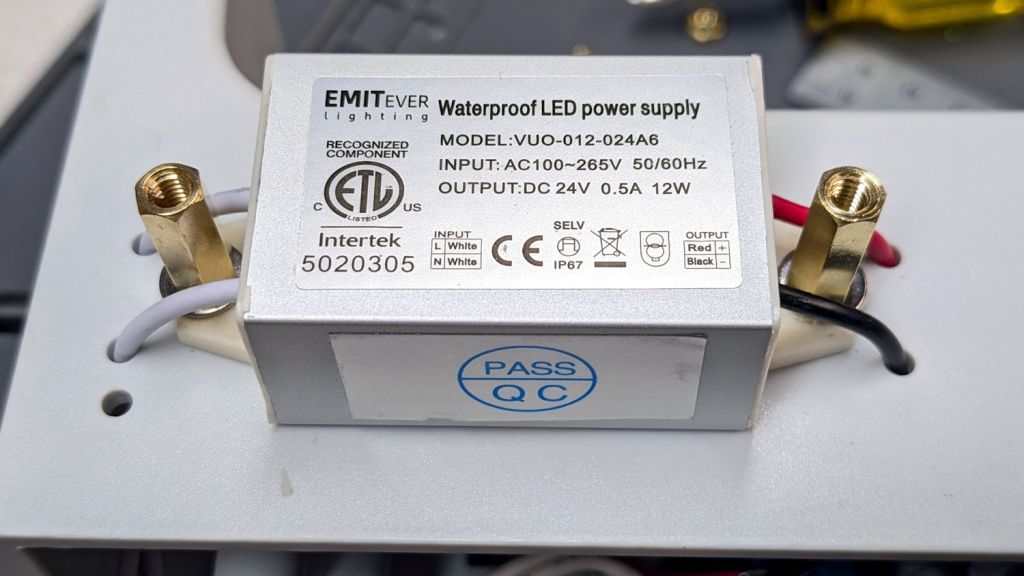
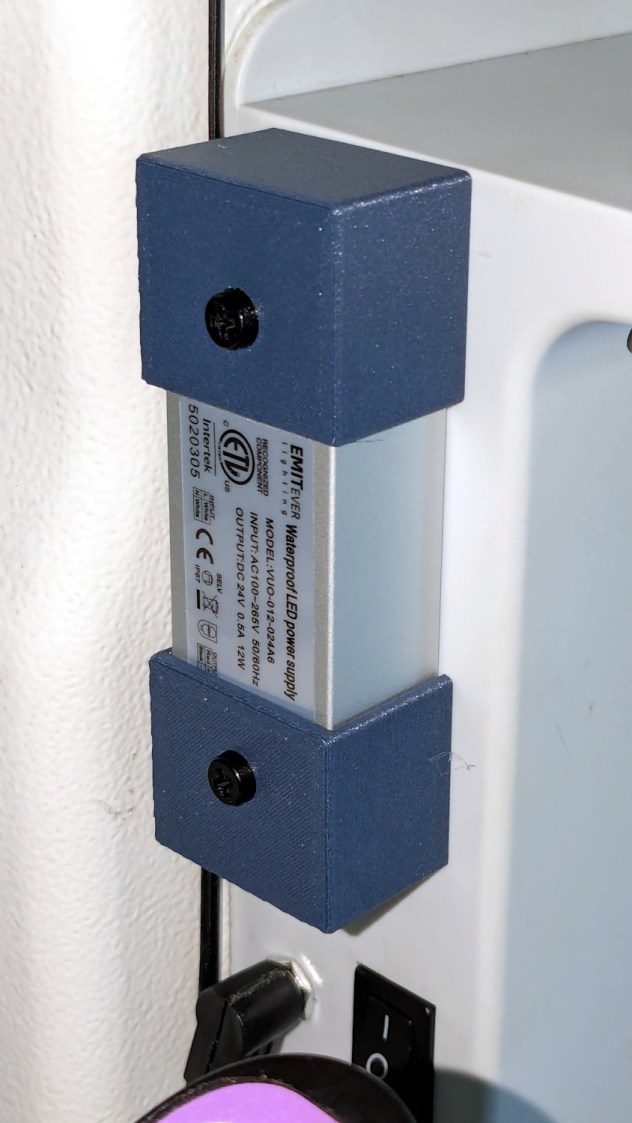
HQ Sixteen Nose Ring Lights – power supply installed
IMO, black nylon screws look spiffier than brass.
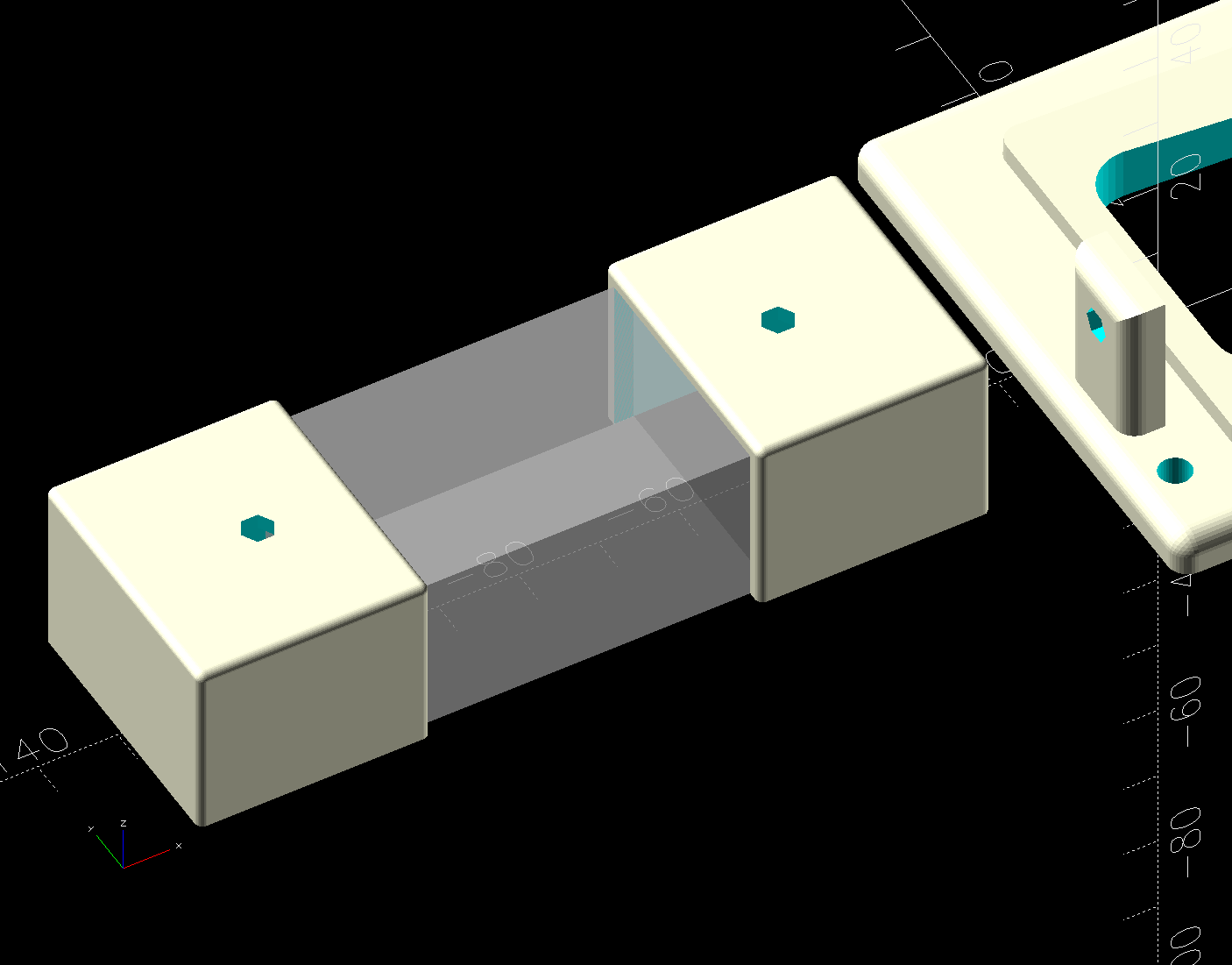
The solid model shows the covers have a 2 mm overlap with the power supply case to keep them lined up:
HQ Sixteen Nose Ring Lights – power supply cover – solid model
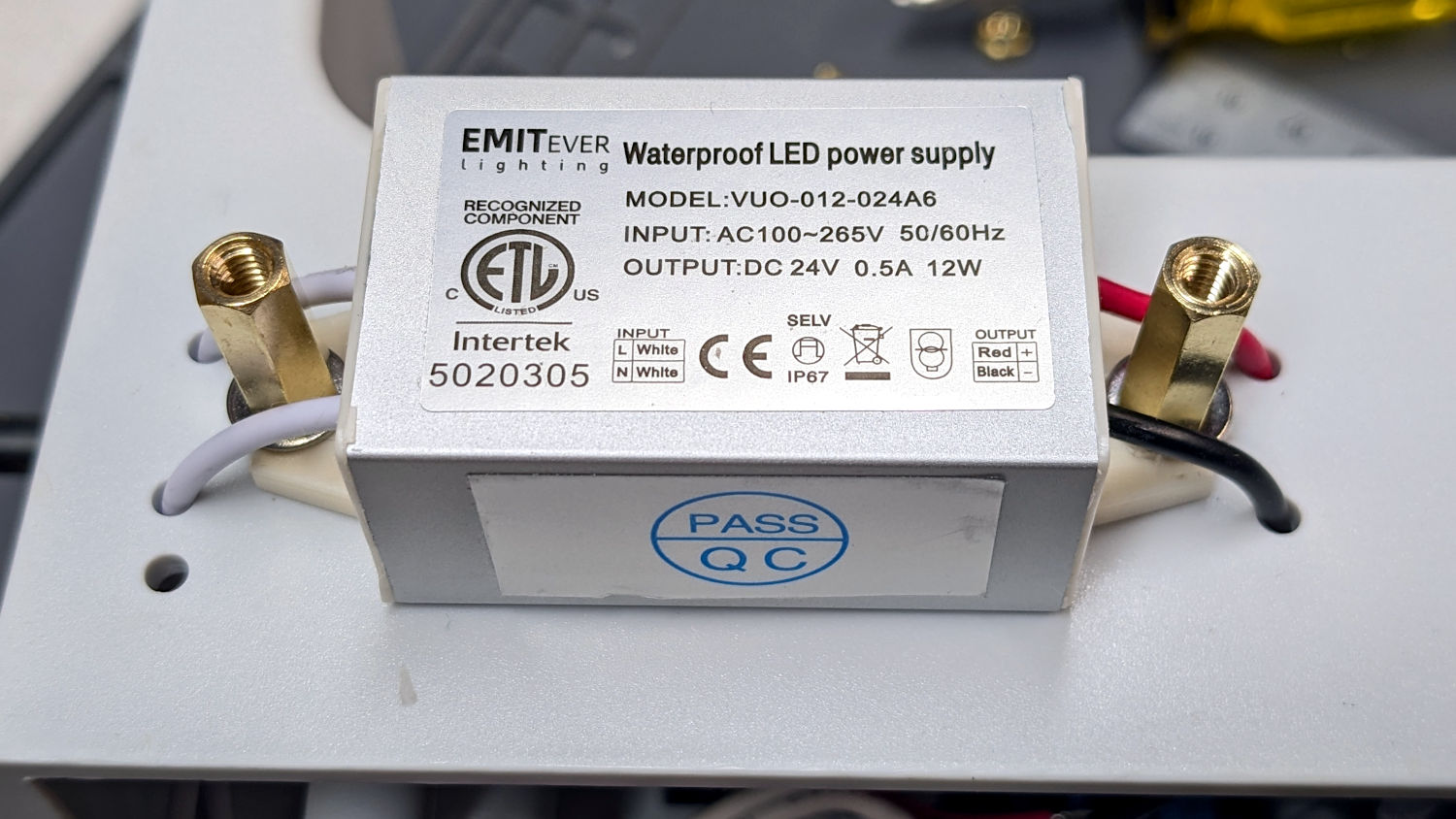
I managed to reuse three of the five holes from the previous 12 V power supply and drill only three more:
HQ Sixteen Nose Ring Lights – power supply detail
The tops of the power supply ears aren’t quite flat, giving the standoffs a slight tilt that the covers mostly drag back into alignment.
The M4 brass standoffs screw into holes tapped in the thick plastic, thus eliminating nuts inside the power pod:
HQ Sixteen Nose Ring Lights – power supply wiring
The yellow silicone tape wraps two pairs of Wago connectors that dramatically simplify electrical connections in anything with enough space for their chonky bodies.
In the unlikely event you need such things, the original post links the OpenSCAD source code.
With the power supply in place, I think I can put some LED strips under the arm of the machine to light up more of the quilt than the nose lights can reach. More pondering is in order.
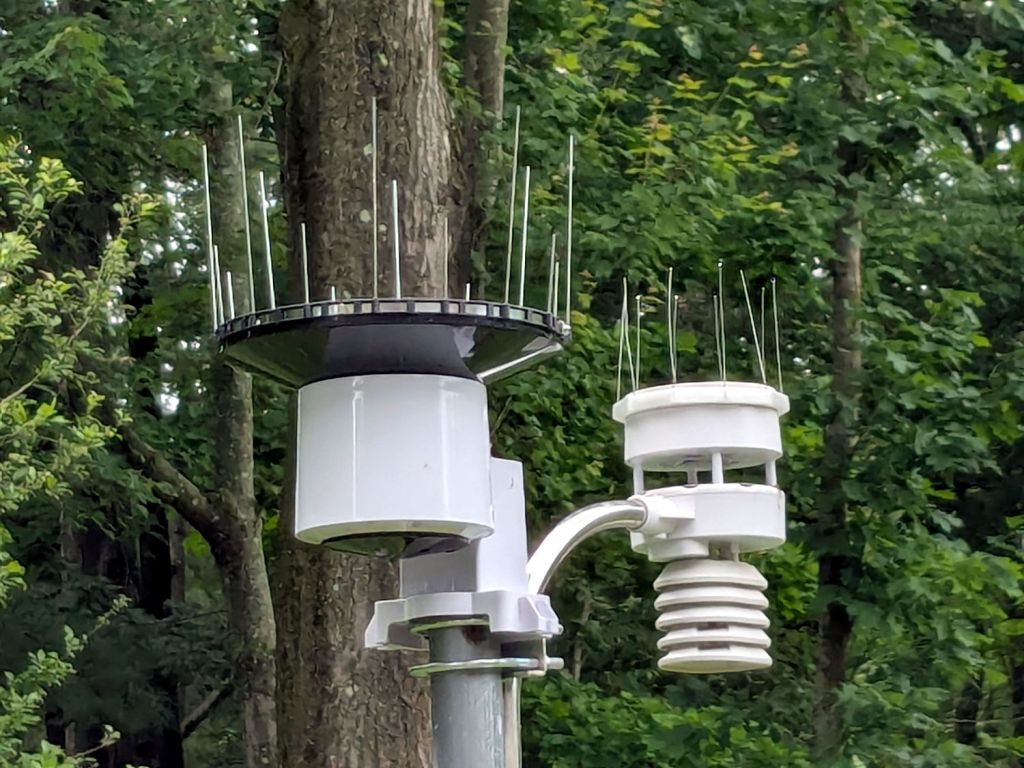
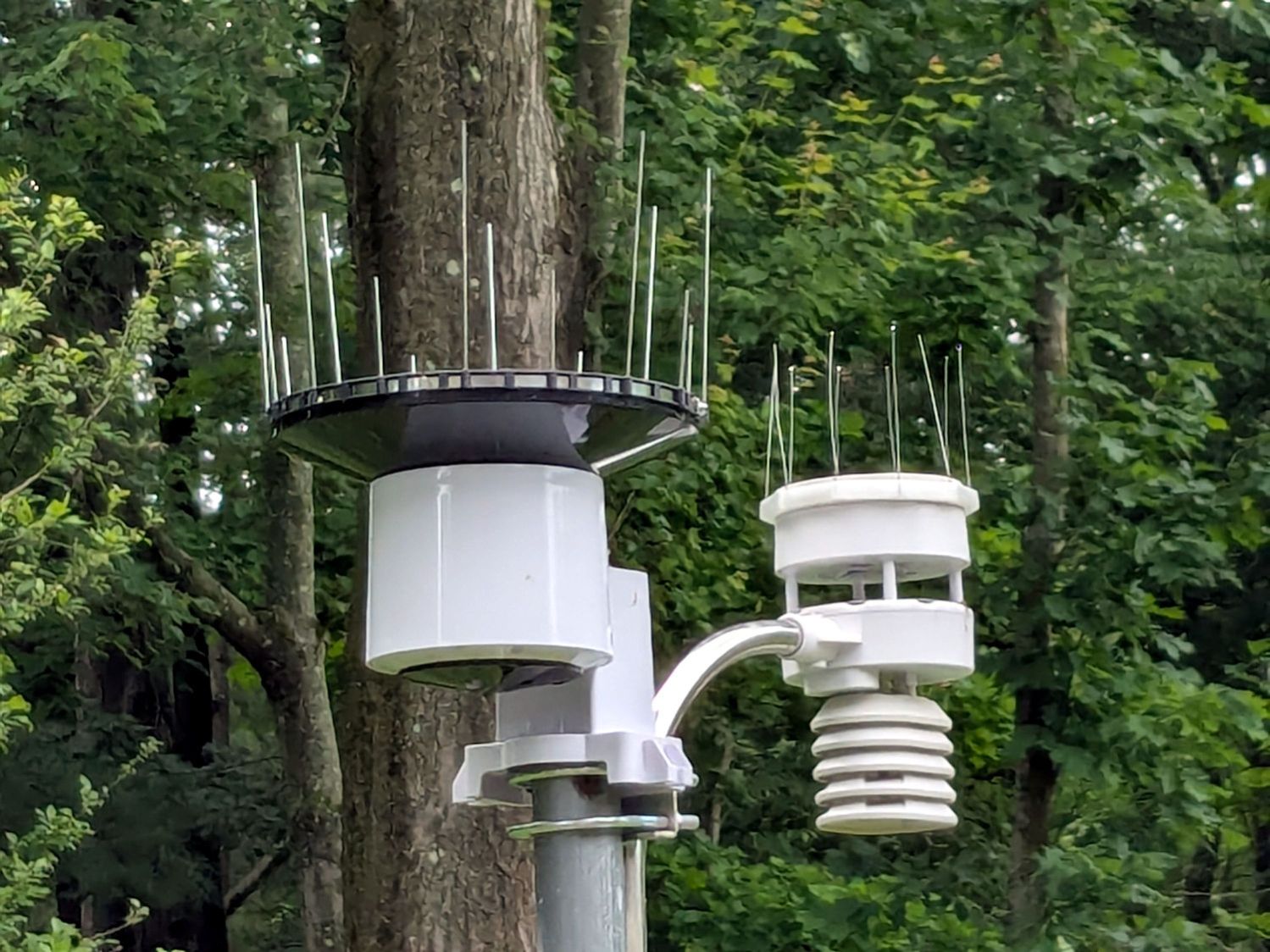
A critter made off with our battered plastic rain gauge, so I set up an Ambient Weather WS-5000 station to tell Mary how much rain her garden was getting. I added the Official Bird Spike Ring around the rain gauge to keep birds off, but robins began perching atop the anemometer while surveying the yard and crapping on the insolation photocell.
After a few false starts, the anemometer now has its own spikes:
Weather station with additional spikes
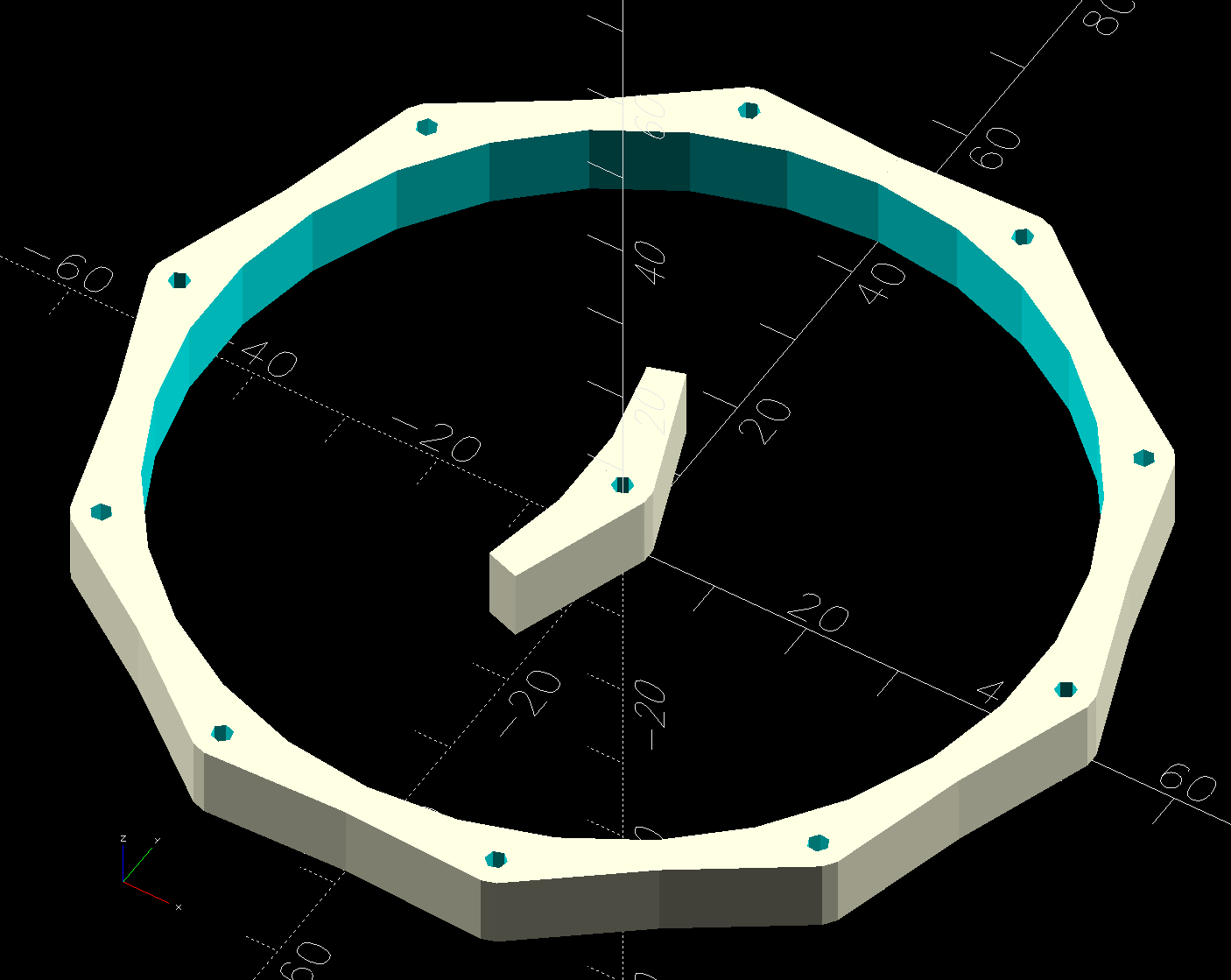
It’s a snugly fitting TPU ring:
Weather Station Spikes – build test piece
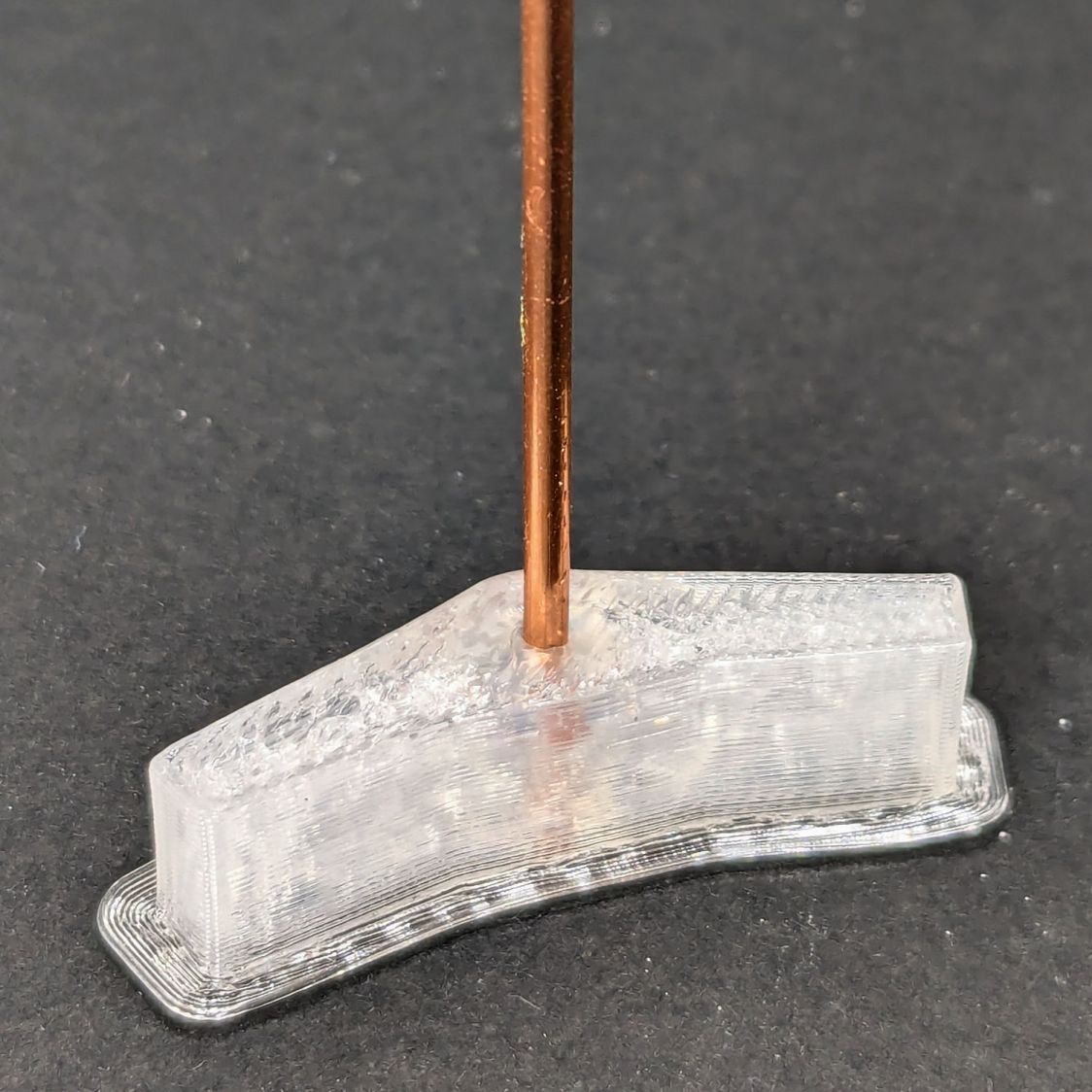
The spikes are Chromel A themocouple wire, because a spool of the stuff didn’t scamper out of the way when I opened the Big Box o’ Specialty Wire. As you can tell from the picture, it’s very stiff (which is good for spikes) and hard to straighten (which is bad for looking cool).
The shape in the middle is a hole diameter test piece. Next time around, I’ll use thicker 14 AWG copper wire:
Weather station spikes – test piece
The test piece showed I lack good control over the TPU extrusion parameters on the Makergear M2, as holes smaller than about 2 mm vanish, even though the block’s outside dimensions are spot on. This application wasn’t too critical, so I sharpened the wire ends and stabbed them into the middle of the perimeter threads encircling the hole.
This file contains hidden or bidirectional Unicode text that may be interpreted or compiled differently than what appears below. To review, open the file in an editor that reveals hidden Unicode characters.
Learn more about bidirectional Unicode characters