The Smell of Molten Projects in the Morning

Ed Nisley's Blog: Shop notes, electronics, firmware, machinery, 3D printing, laser cuttery, and curiosities. Contents: 100% human thinking, 0% AI slop.

Tag: Improvements

Making the world a better place, one piece at a time

  • Handi-Quilter HQ Sixteen: Handlebar Grip Angle Adjustment

    Handi-Quilter HQ Sixteen: Handlebar Grip Angle Adjustment

    With the handlebar assembly angled to let Mary see the LCD panel, the grips no longer meet her hands at the proper angle:

    HQ Sixteen - remounted handlebars in use
    HQ Sixteen – remounted handlebars in use

    Each grip has two buttons intended for thumb operation, but at that angle her thumbs lack oomph.

    So I added a compensating angle just under the handlebar control assembly:

    HQ Sixteen - grip angle blocks installed
    HQ Sixteen – grip angle blocks installed

    Restoring the front part to vertical means she can walk up to the machine, grab the grips at a neutral wrist angle, and start sewing.

    Which required several iterations:

    HQ Sixteen - grip angle block evolution
    HQ Sixteen – grip angle block evolution

    The pictures show various setups as we installed, tried, tweaked, and replaced nearly everything along that progression from left to right. They’re similar, but the details made all the difference.

    This is an overview of the adapter, with details to follow over the next few days.

    The solid model shows how the pieces go together:

    Handlebar Grip Mount - show view - solid model
    Handlebar Grip Mount – show view – solid model

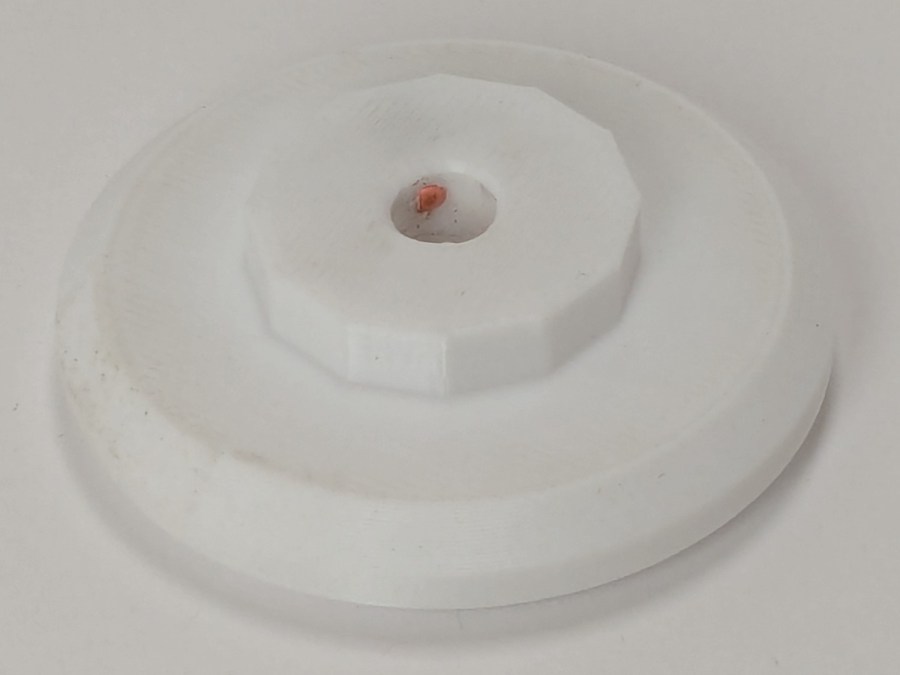
    The white chip on top fills the space between the surface of the base and the top of the plug, with some lettering just for pretty.

    The greenish plug (not its real color!) sticks into the handlebar control base, where its dimples capture four setscrews. The original grips extended only halfway into the base, leaving the top pair of tapped setscrew holes empty:

    HQ Sixteen - unused grip setscrews
    HQ Sixteen – unused grip setscrews

    The ribbon cable carries signals from the pushbuttons into the base assembly:

    HQ Sixteen - handlebar ribbon cable entry
    HQ Sixteen – handlebar ribbon cable entry

    Looks like a guillotine to me, too, but the foam rubber cover prevents the grips from sliding any further into the base:

    HQ Sixteen - base angle vs original grip
    HQ Sixteen – base angle vs original grip

    Despite the metric socket head cap screws used elsewhere on the machine, those are 10-32 setscrews. Took me a while to figure that out, as 10-32 setscrews are visually indistinguishable from M5 setscrews, but neither screw will thread into the other’s nuts even though their wrenches are equally sloppy fits in the other screw.

    The angle adapter block has an intricate geometry:

    Handlebar Grip Mount - show detail - solid model
    Handlebar Grip Mount – show detail – solid model

    Because I don’t know the proper angle, the OpenSCAD model includes enough trig to adjust from 10° to 30°, with the default at 20° to set the front of the grips vertical. The lower part of the block can extend to lower the grips if that turns out to be necessary, but we’ll start with zero millimeters.

    The grips slide into the bottom of the angle block where they’re captured by four M4 setscrews threaded through square nuts:

    HQ Sixteen - grip angle square nuts
    HQ Sixteen – grip angle square nuts

    The big washer over on the right sits under the screw I used to pull the nuts into their recesses, where they sit firmly without adhesive.

    The first iterations used heat-staked brass inserts that didn’t provide enough griptivity against the torque generated by shoving the grips sideways. I probably applied more force than they’ll ever see in real life, but I’m no Hulk and I didn’t like the feel.

    The upper plug gets glued into the lower angle with JB PlasticBonder urethane adhesive. Had they been finished, the first two iterations would have had screws through the angle block into brass inserts in the plug, but I realized adhesives would work much better. A pair of index marks aligns the two pieces:

    HQ Sixteen - grip angle alignment marks
    HQ Sixteen – grip angle alignment marks

    It’s early days, but the machine fits her much better than it did before.

    The OpenSCAD source code as a GitHub Gist:

    // Handiquilter HQ Sixteen front handlebar grip angle mount
    // Ed Nisley – KE4ZNU
    // 2024-11-29
    include <BOSL2/std.scad>
    Layout = "Show"; // [Show,Build,Plug,Block,Covers,Cover]
    Material = "All"; // [All,Cover,Text]
    // Angle w.r.t. base
    GripAngle = 20; // [10:30]
    // Plug glued, not screwed
    PlugGlue = true;
    // Square nuts, not inserts
    SquareNuts = true;
    // Additional length of bottom
    AddLength = 0; // [0:20]
    // Separation in Show display
    Gap = 5; // [0:20]
    /* [Hidden] */
    HoleWindage = 0.1;
    Protrusion = 0.1;
    NumSides = 2*3*4;
    ID = 0;
    OD = 1;
    LENGTH = 2;
    Grip = [19.7,22.4,20.0]; // (7/8)*INCH = 22.2 mm + roughness, LENGTH=OEM insertion depth
    GripRadius = Grip[OD]/2; // used everywhere
    Plug = [15.0,Grip[OD],45.0]; // inserts into handlebar base
    PlugRim = [Plug[ID],25.0,10.0]; // … sits against handlebar base
    BaseScrewPositions = [[11.0,12.0],[27.0,29.0]]; // setscrew offsets from rim top: side,rear
    BaseCutout = [Plug[OD]/2,Plug[ID],10]; // cable cutout into base
    BaseCutoutOffset = 18.0; // … centerline position w.r.t. rim
    WallThick = 7.0; // should at least fit insert length
    SupportSag = 0.4; // vertical sag over support structure
    MidLength = AddLength + 3.0; // total length allowing for grip tube stop
    TopOD = PlugRim[OD] + 2*WallThick;
    BotOD = Grip[OD] + 2*WallThick;
    BaseScrew = [4.0,4.8 + HoleWindage,1.0]; // HQ 10-32 screws, LENGTH=capture dent
    Insert = [5.4,6.0,6.0]; // M4 inserts in plug rim
    //Insert = [4.0,5.0,5.0]; // M4 inserts in plug rim
    Screw = [3.5,4.0,1]; // M4 screws through angle block to inserts
    ScrewHeadOD = 7.4 + 0.4; // M4 BHCS head + comfort
    SquareNut = [4.0,7.0,3.0 + 0.4]; // M4 square nut LENGTH + inset allowance
    NutInset = GripRadius – sqrt(pow(GripRadius,2) – pow(SquareNut[OD],2)/4);
    PinOD = 1.2; // plug reinforcing pins
    NumPins = 5;
    CoverThick = [3.5,9.5]; // low and high sides of grip covers
    CoverAngle = atan((CoverThick[1] – CoverThick[0])/Plug[OD]);
    LogoText = ["Sew","Fine"];
    LogoFont = "Fira Sans Condensed:style=SemiBold";
    LogoSize = 7.5;
    LogoColor = "Red";
    LogoThick = 0.8;
    //———-
    // Simulator for aluminum plug replacing handlebar in base
    module BasePlug() {
    difference() {
    union() {
    tube(Plug[LENGTH],(Plug[OD] – HoleWindage)/2,Plug[ID]/2,anchor=DOWN);
    tube(PlugRim[LENGTH],PlugRim[OD]/2,PlugRim[ID]/2,anchor=DOWN);
    }
    up(BaseCutoutOffset + PlugRim[LENGTH])
    left(Plug[OD]/4)
    resize(BaseCutout)
    yrot(90) zrot(180/8)
    cylinder(d=1,h=1,$fn=8,center=true);
    up(PlugRim[LENGTH])
    right(PlugRim[OD]/2 – 1.0)
    cube([2.0,1.0,1.0],center=true);
    for (i = [0:NumPins – 1])
    zrot(i*360/NumPins + 180/NumPins)
    down(Protrusion)
    right((Plug[OD] + Plug[ID])/4)
    zrot(180/6)
    cylinder(d=PinOD,h=2*PlugRim[LENGTH],$fn=6);
    for (k = [0:1]) // recesses in plug to capture base setscrews
    for (a = [0:1])
    up(PlugRim[LENGTH] + BaseScrewPositions[k][a])
    zrot(a*90)
    right(Plug[OD]/2)
    yrot(90) zrot(180/8)
    cylinder(d=BaseScrew[OD],h=2*BaseScrew[LENGTH],$fn=8,center=true);
    if (!PlugGlue)
    for (a = [0:1]) // inserts for angle block screws
    up(PlugRim[LENGTH]/2)
    zrot(a*90)
    yrot(90) zrot(180/8)
    cylinder(d=Insert[OD],h=2*PlugRim[OD],$fn=8,center=true);
    }
    }
    //———-
    // Block fitting against handlebar base with handlebar angle
    module AngleBlock() {
    difference() {
    hull() {
    up((TopOD/2)*sin(GripAngle))
    xrot(GripAngle)
    cylinder(d=TopOD,h=PlugRim[LENGTH],$fn=NumSides);
    for (a = [1:2:GripAngle+1])
    up((TopOD/2)*sin(a-1))
    hull() {
    xrot(a)
    cylinder(d=TopOD,h=0.1,$fn=NumSides);
    xrot(a-1)
    cylinder(d=TopOD,h=0.1,$fn=NumSides);
    }
    down(Grip[LENGTH] + MidLength)
    cylinder(d=(Grip[OD] + 2*WallThick),h=0.1,$fn=NumSides);
    }
    up((TopOD/2)*sin(GripAngle))
    xrot(GripAngle)
    down(SupportSag)
    cylinder(d=(PlugRim[OD] + HoleWindage),
    h=PlugRim[LENGTH] + SupportSag + Protrusion,
    $fn=NumSides);
    up((TopOD/2)*sin(GripAngle))
    sphere(d=PlugRim[ID],$fn=NumSides);
    cylinder(d=PlugRim[ID],h=(TopOD/2)*sin(GripAngle),$fn=NumSides);
    down(MidLength + Protrusion)
    cylinder(d=(Grip[ID] – 2.0),h=(MidLength + 2*Protrusion),$fn=NumSides);
    down(Grip[LENGTH] + MidLength + Protrusion)
    cylinder(d=(Grip[OD] + HoleWindage),h=(Grip[LENGTH] + Protrusion),$fn=NumSides);
    up((TopOD/2)*sin(GripAngle))
    xrot(GripAngle)
    up(PlugRim[LENGTH])
    right(PlugRim[OD]/2 + 0.9)
    cube([2.0,1.0,1.0],center=true);
    if (!PlugGlue) {
    for (a = [0:1])
    up((TopOD/2)*sin(GripAngle))
    xrot(GripAngle)
    up(PlugRim[LENGTH]/2)
    zrot(a*90)
    yrot(90) zrot(180/8)
    cylinder(d=Screw[OD],h=3*PlugRim[OD],$fn=8,center=true);
    for (a = [0:3])
    up((TopOD/2)*sin(GripAngle))
    xrot(GripAngle)
    up(PlugRim[LENGTH]/2)
    zrot(a*90)
    right(TopOD/2 – 2.0)
    yrot(90) zrot(180/8)
    cylinder(d=ScrewHeadOD,h=TopOD,$fn=8,center=false);
    }
    if (SquareNuts) {
    for (a = [0:1])
    for (k = [1,3])
    down(k*Grip[LENGTH]/4 + MidLength)
    zrot(a*90)
    right(BotOD/2)
    yrot(90) zrot(180/8)
    cylinder(d=SquareNut[ID],h=BotOD,$fn=8,center=true);
    for (a = [0:1])
    for (k = [1,3])
    down(k*Grip[LENGTH]/4 + MidLength)
    zrot(a*90)
    right(GripRadius + SquareNut[LENGTH]/2 – NutInset/2)
    yrot(90)
    cube([SquareNut[OD],SquareNut[OD],SquareNut[LENGTH] + NutInset],center=true);
    }
    else {
    for (a = [0:1])
    for (k = [1,3])
    down(k*Grip[LENGTH]/4 + MidLength)
    zrot(a*90)
    right(BotOD/2)
    yrot(90) zrot(180/8)
    cylinder(d=Insert[OD],h=BotOD,$fn=8,center=true);
    }
    }
    }
    //———-
    // Chip fitting against handlebar base matching top angle
    // Text will be invisible until sliced
    module GripCover(loc=LEFT,matl="Cover") {
    if (matl == "Text" || matl == "All")
    color(LogoColor)
    down(matl == "All" ? 0.01 : 0.0)
    text3d(LogoText[loc == LEFT ? 0 : 1],LogoThick,LogoSize,LogoFont,
    orient=DOWN,anchor=TOP,atype="ycenter");
    if (matl == "Cover" || matl == "All")
    difference() {
    intersection() {
    yrot(loc == RIGHT ? -CoverAngle : CoverAngle)
    cylinder(d=Plug[OD],h=(CoverThick[0] + CoverThick[1]),anchor=CENTER);
    cube(2*Plug[OD],anchor=BOTTOM);
    }
    text3d(LogoText[loc == LEFT ? 0 : 1],LogoThick,LogoSize,LogoFont,
    orient=DOWN,anchor=TOP,atype="ycenter");
    }
    }
    //———-
    // Build things
    if (Layout == "Cover") {
    GripCover(LEFT,Material);
    }
    if (Layout == "Covers") {
    left(Plug[OD]) GripCover(LEFT,"Cover");
    left(Plug[OD]) GripCover(LEFT,"Text");
    right(Plug[OD]) GripCover(RIGHT,"Cover");
    right(Plug[OD]) GripCover(RIGHT,"Text");
    }
    if (Layout == "Plug")
    BasePlug();
    if (Layout == "Block")
    AngleBlock();
    if (Layout == "Show") {
    up((TopOD/2)*sin(GripAngle) + Protrusion)
    xrot(GripAngle)
    up(Plug[LENGTH] + CoverThick[1] + Gap)
    yrot(180 + CoverAngle)
    GripCover(RIGHT,"All");
    up((TopOD/2)*sin(GripAngle) + Protrusion)
    xrot(GripAngle)
    up(Gap)
    color("Lime",0.75)
    BasePlug();
    render()
    difference() {
    AngleBlock();
    back(50) right(50)
    cube(100,center=true);
    }
    color("Silver",0.5)
    down(MidLength + Gap)
    tube(3*Grip[LENGTH],GripRadius,Grip[ID]/2,anchor=TOP);
    }
    if (Layout == "Build") {
    mirror_copy([1,0,0]) {
    right(BotOD) {
    up((TopOD/2)*sin(GripAngle) + PlugRim[LENGTH]*cos(GripAngle) + Protrusion)
    xrot(180 – GripAngle)
    AngleBlock();
    back(1.5*max(TopOD,BotOD))
    BasePlug();
    }
    }
    fwd(60) {
    left(Plug[OD]) GripCover(LEFT,"Cover");
    right(Plug[OD]) GripCover(RIGHT,"Cover");
    }
    fwd(60) {
    left(Plug[OD]) GripCover(LEFT,"Text");
    right(Plug[OD]) GripCover(RIGHT,"Text");
    }
    }
  • Windows 11 for the Linux Guy: Remote Desktop Protocol

    Windows 11 for the Linux Guy: Remote Desktop Protocol

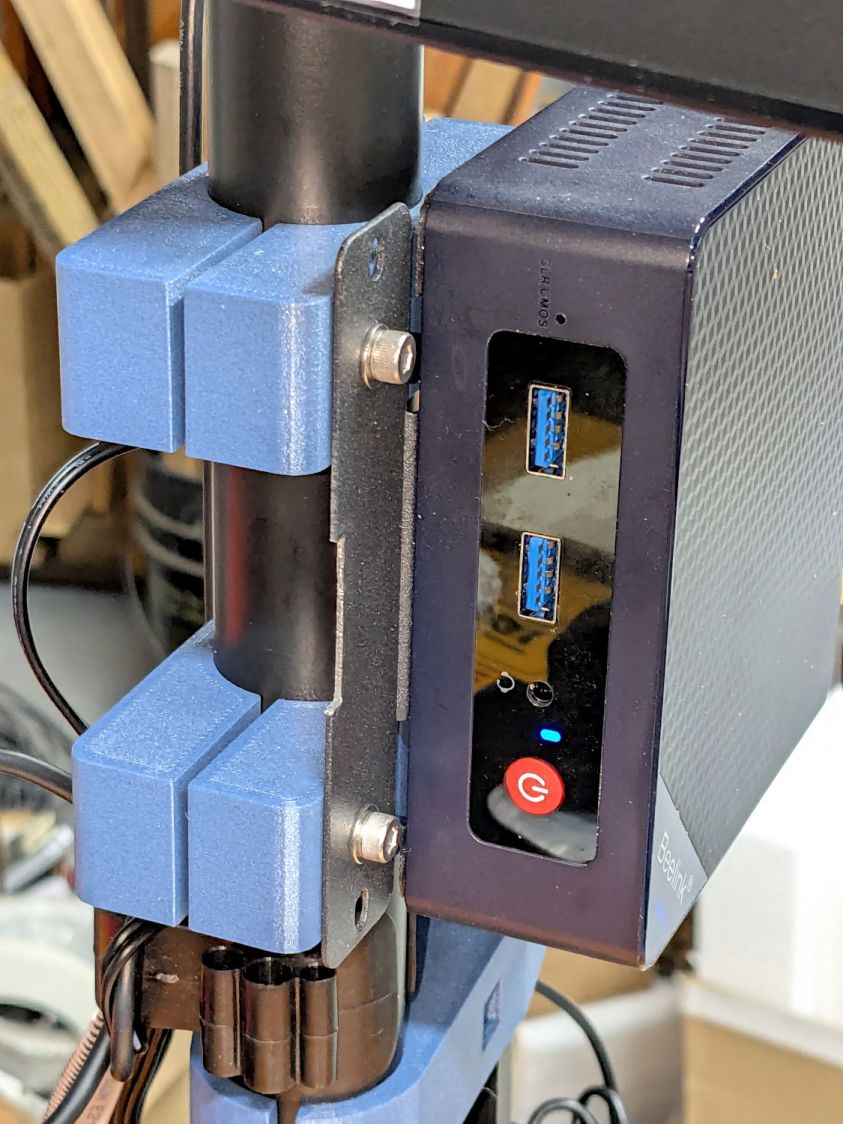
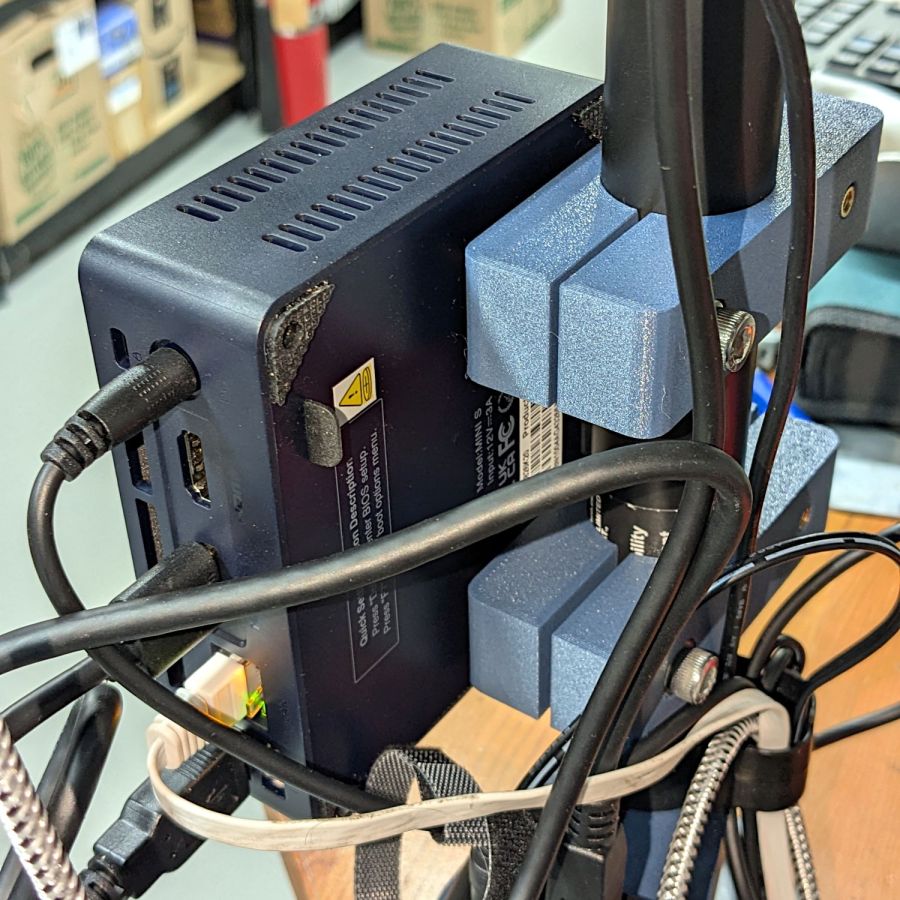
    With Windows 11 and LightBurn running on a little PC perched atop the laser in the basement:

    BeeLink Win 11 PC - overview
    BeeLink Win 11 PC – overview

    I wanted to work with that desktop from my Comfy Chair upstairs, because I’m unwilling to stand up a Windows box specifically for another LightBurn installation, along with a nightmare KVM switch tangle for all the displays / keyboards / trackballs I run with Linux.

    At the Win 11 PC, turn on Remote Desktop connections:

    Remote Desktop enable
    Remote Desktop enable

    The Administrator is automatically allowed access, but I also allowed access for my local User (who does not have a Microsoft account), which requires the Administrator’s password. You’ll want to store that in a password manager, because typing line noise gets tedious.

    Upstairs on the Comfy Chair at the Linux box, install Remmina from the repository, then tweak some preferences:

    Remmina prefs - General
    Remmina prefs – General

    This being a LAN connection, pick the highest quality scaling, although that shouldn’t matter with a fullscreen display. I added a screen resolution matching my desktop landscape monitor:

    Remmina config - screen resolutions
    Remmina config – screen resolutions

    Somewhat to my surprise, selecting an RDP screen resolution larger than the HDMI monitor on the Win 11 box worked perfectly.

    Because the remote display will fill the entire screen in fullscreen mode, set the toolbar to “Peeking” mode making it barely visible at the top of the screen:

    Remmina prefs - Appearance
    Remmina prefs – Appearance

    I have yet to (figure out how to) enable the hotkey turning fullscreen mode on and off, so if the toolbar isn’t readily available there is no way to get out of fullscreen mode.

    Set up the RDP connection to the Win 11 box, using either the static IP address or whatever name the router assigns:

    Remmina config - Basic
    Remmina config – Basic

    I set the Win 11 box for a static IP address, then told the router to assign that IP to the box if it ever woke up asking for an address through a DHCP request. The process differs depending on which router you have and may not be needed. I (try to) nail down all the IP addresses, so anything using DHCP will be obviously in need of attention.

    Select the highest quality compression:

    Remmina config - Advanced
    Remmina config – Advanced

    With all that set up, double-clicking the appropriate line should fire up an RDP connection, perhaps with a peephole view of the Win 11 desktop:

    Remmina - small RDP window
    Remmina – small RDP window

    Hit the Toggle Fullscreen icon (hollow square, fifth down) to embiggen it:

    Remmina - fullscreen RDP window
    Remmina – fullscreen RDP window

    Your Win 11 desktop will be different; that’s the Apollo 17 lunar module ascent stage.

    The thin line along the center top is the Remmina toolbar, peeking over the edge. Move the mouse cursor up there to roll it down into view:

    Remmina - fullscreen RDP window - detail
    Remmina – fullscreen RDP window – detail

    Because this is a fullscreen view, hitting the Toggle Fullscreen icon (highlighted blue) is the only way out. It required a disturbing number of iterations before realizing none of the hotkeys worked, then figuring out how to enable toolbar peeking.

    Moving the mouse pointer to the bottom of the screen rolls up the Win 11 Task Bar (which I always set to Hide mode to get it out of the way):

    Remmina - fullscreen - task bar
    Remmina – fullscreen – task bar

    I pinned the LightBurn icon to the task bar where it’s easy to hit, as that’s the whole point of the exercise.

    And then It Just Works™:

    Remmina - fullscreen LightBurn
    Remmina – fullscreen LightBurn

    Because this is Windows, one user can sign onto the box from either the local keyboard or the RDP connection, but not both.

    Being an Old School type of guy, I reflexively save my work before trotting either upstairs or downstairs and signing on wherever I end up, but it’s the same file in the same program on the same hardware.

    The performance over the LAN and through Remmina is good enough to make the fullscreen session feels exactly like running LightBurn locally. In truth, LightBurn is not a particularly resource-heavy program.

    Then I deleted both Linux installations from the LightBurn license portal …

  • Vole Traps: End of Season

    Vole Traps: End of Season

    A highly effective way to bait a rat trap for garden voles:

    Rat trap - still baited
    Rat trap – still baited

    The trap is a Victor M205 (in a 12-pack as M326) with a big yellow plastic bait pedal. The bait is pieces of walnut, secured to the pedal with generous strands of hot melt glue. The trick involves mechanically capturing the walnut by slobbering glue over & around it, forcing the vole to pull & tug while gnawing the last bit of goodness.

    Which generally ends badly:

    Rat trap - gnawed bait
    Rat trap – gnawed bait

    I do not begrudge the critters a fancy last meal; it’s gotta be better than their usual diet of carrots / radishes / turnips.

    Voles have no qualms about eating the bait from a sprung trap with a dead compadre a few millimeters away:

    Rat trap - empty bait
    Rat trap – empty bait

    They will sometimes eat the walnuts and their dead compadre.

    The plastic pedals work much better than the old-style metal pedals at holding the steel arm wire. The wire slides freely on the plastic, in contrast to the previous high-friction metal-on-metal latch.

    Some of the traps were entirely too sensitive and required slightly bending the tip of the arm wire upward to increase the friction on the plastic plate. Always always always handle armed traps by the wooden edges beside the kill bar, so when it accidentally snaps your fingers are nowhere near the business end.

    After I figured out how to properly bait the traps and we set out half a dozen traps in the most attractive crops, Mary’s garden produced 54 dead voles over the course of 90 days, sometimes in groups of three or four at a time. While this did not prevent all the crop damage, it definitely reduced the problem.

    Next year we’ll start early and probably reach triple digits by midsummer.

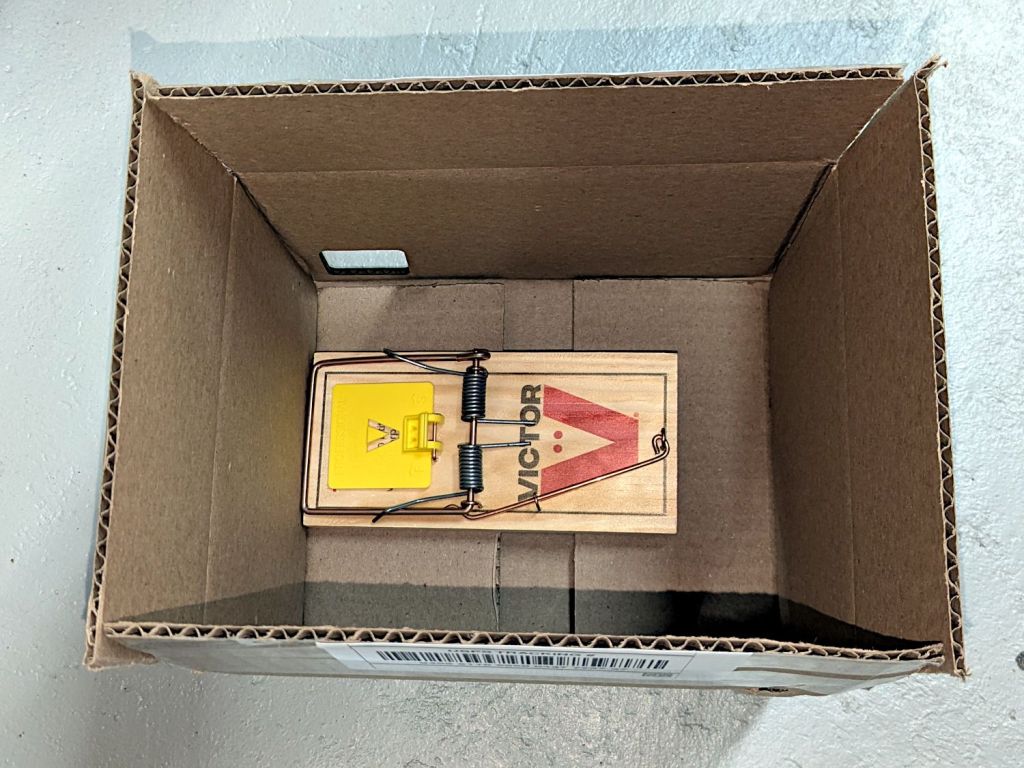
    The same technique with Victor M035 mouse traps (in 12-packs as M035-12) is brutally effective on house mice.

  • Handi-Quilter HQ Sixteen: Front Handlebar Angled Mount

    Handi-Quilter HQ Sixteen: Front Handlebar Angled Mount

    So as to not bury the lede, I remounted the front handlebar unit of Mary’s Handi-Quilter HQ Sixteen long-arm sewing machine so she can see the control panel with its small LCD:

    HQ Sixteen - remounted handlebars in use
    HQ Sixteen – remounted handlebars in use

    The new and old white LEDs produce distinctly different colors and intensities on the practice quilt fabric.

    The original HQ Sixteen design bolted squarely atop the arm:

    HQ Sixteen - original front handlebar mount
    HQ Sixteen – original front handlebar mount

    The control surface is, admittedly, angled slightly forward, but Mary was unable to see the lower few lines of the LCD without standing on tiptoe.

    Begin with a crude tracing of the mating surfaces:

    Front handlebar base tracings
    Front handlebar base tracings

    Import the image into Inkscape and lay some shapes on it:

    Front handlebar base layout - Inkscape
    Front handlebar base layout – Inkscape

    Import the SVG into LightBurn and cut templates to verify the hole positions:

    HQ Sixteen - handlebar bolt templates
    HQ Sixteen – handlebar bolt templates

    Obviously that took more than one try.

    Rationalize the outlines, clean things up, and organize the shapes into useful named layers:

    Front handlebar base layout - Inkscape layers
    Front handlebar base layout – Inkscape layers

    Save as an Inkscape SVG, import into OpenSCAD, and extrude the layers defining all those shapes into a solid model:

    Handlebar Base Mount - solid model
    Handlebar Base Mount – solid model

    That’s the most recent iteration; earlier ones appear in various pix.

    I had intended to use either square nuts or heat-set inserts, but it turned out to be easier to just slam BOSL2 threaded nuts into the front plate and be done with it:

    Handlebar Base Mount - solid model - hex nuts
    Handlebar Base Mount – solid model – hex nuts

    The trick is to sink the nuts around a hole sized slightly larger than the screw’s nominal diameter, letting the threads fill empty space.

    The handlebar base is mounted symmetrically along the machine arm centerline aligned with the two screws on the right. The rear block is offset to the left to clear the machine cover on the right, so the hull() wrapped around the two looks weird.

    The front plate stands proud of the rest by dint of incorporating only a small slice of its back face into the hull() filling the gaps between the two. It’s not particularly stylin’, but it’s pretty close.

    Finding the correct angle for the front plate required a couple of iterations, but they all built successfully:

    HQ Sixteen - handlebar mount - on platform
    HQ Sixteen – handlebar mount – on platform

    Putting the threaded holes vertical created nicely formed threads that accepted the screws without hassle.

    The block screws firmly to the arm and the handlebar unit screws to the block:

    HQ Sixteen - remounted handlebars - side
    HQ Sixteen – remounted handlebars – side

    The display now faces front:

    HQ Sixteen - remounted handlebars - front
    HQ Sixteen – remounted handlebars – front

    I eventually replaced those black oxide screws with shiny stainless ones, just for pretty.

    The nine LEDs under the display now do a great job of lighting up the front of the machine’s arm, rather than the fabric at the needle, but fixing that will be a whole ‘nother project.

    The handlebar grips with their control buttons now tilt at a somewhat inconvenient angle, which is also a whole ‘nother project.

    Early reports from the user community are overwhelmingly positive.

    The OpenSCAD source code and the SVG layout as a GitHub Gist:

    Loading
    Sorry, something went wrong. Reload?
    Sorry, we cannot display this file.
    Sorry, this file is invalid so it cannot be displayed.
    // Handiquilter HQ Sixteen front handlebar base mount
    // Ed Nisley – KE4ZNU
    // 2024-11-22
    include <BOSL2/std.scad>
    include <BOSL2/threading.scad>
    Layout = "Show"; // [Build,Show,Block,Holes]
    HandlebarOffset = [0,-30.0,14.0]; // pure empirical values
    HandlebarAngle = [60,0,0];
    FrameBlockThick = 35.0; // how much meat they need
    HandlebarThick = 12.0;
    /* [Hidden] */
    Holes = [[-19.0,0,0],[0,0,0],[0,12.5,0]]; // Must match SVG hole coordinates
    FrameCenter = [-45,-65]; // coordinates of corner hole center
    HoleCenter = [-40,-20];
    Protrusion = 0.1;
    module AdapterBlock() {
    union() {
    hull() {
    linear_extrude(height=FrameBlockThick,convexity=10)
    translate(FrameCenter)
    import("Front Handlebar Layout.svg",layer="Machine Frame");
    translate(HandlebarOffset)
    rotate(HandlebarAngle)
    linear_extrude(height=0.05*HandlebarThick,convexity=10)
    translate(HoleCenter)
    import("Front Handlebar Layout.svg",layer="Handlebar Base");
    }
    translate(HandlebarOffset)
    rotate(HandlebarAngle)
    linear_extrude(height=HandlebarThick,convexity=10)
    translate(HoleCenter)
    import("Front Handlebar Layout.svg",layer="Handlebar Base");
    }
    }
    module AdapterHoles() {
    linear_extrude(height=FrameBlockThick,convexity=10)
    translate(FrameCenter)
    import("Front Handlebar Layout.svg",layer="Machine Holes",convexity=2);
    translate([0,0,FrameBlockThick – 7.0])
    linear_extrude(height=7.0 + Protrusion,convexity=10)
    translate(FrameCenter)
    import("Front Handlebar Layout.svg",layer="Machine Counterbore",convexity=2);
    translate(HandlebarOffset) // cut clearance for nut threads
    rotate(HandlebarAngle)
    linear_extrude(height=HandlebarThick + Protrusion,convexity=10)
    translate(HoleCenter)
    import("Front Handlebar Layout.svg",layer="Handlebar Holes",convexity=2);
    }
    module Adapter() {
    union() {
    difference() {
    AdapterBlock();
    AdapterHoles();
    }
    # translate(HandlebarOffset) // add threads inside holes
    for (c = Holes)
    rotate(HandlebarAngle)
    translate(c)
    threaded_nut(10.0,6.2,HandlebarThick,1.0, // flat size, root dia, height, pitch
    bevel=false,ibevel=false,anchor=BOTTOM);
    }
    }
    // Build things
    if (Layout == "Block")
    AdapterBlock();
    if (Layout == "Holes")
    # AdapterHoles();
    if (Layout == "Show")
    Adapter();
    if (Layout == "Build")
    rotate([180,0,0] – HandlebarAngle)
    Adapter();
  • Prusa MK4 Input Shaper vs. Resonance Test Box

    Prusa MK4 Input Shaper vs. Resonance Test Box

    Although the laser ramp test fixture looked good, Brent wondered what a real test box would reveal about the Prusa MK4’s Input Shaper resonance control.

    Loading the STL into PrusaSlicer, adding a text label to remind me which way it printed, then slicing with my PETG-CF profile shows the “Actual Speed”, which seems to take acceleration into consideration:

    PrusaSlicer preview - actual speed
    PrusaSlicer preview – actual speed

    The colors in the legend don’t quite match the colors on the model, but the greenish layers with the jolts trundle along in the mid-20 mm/s range and the blue-ish straight-through layers at 30-ish mm/s.

    Eryone PETG-CF has a somewhat fuzzy appearance that seems not characteristic of other brands, so I’ll try something else when these spools run out:

    MK4 Resonance Test Box - overview
    MK4 Resonance Test Box – overview

    The right side of the box (as oriented on the platform) got all the layer retractions and came out festooned with PETG hairs:

    MK4 Resonance Test Box - right side
    MK4 Resonance Test Box – right side

    You can check my labels by tracking the small retraction zit sticking up from the top layer; I got it wrong the first time. Open the images in a new tab to see more pixels.

    The front:

    MK4 Resonance Test Box - front side
    MK4 Resonance Test Box – front side

    The left:

    MK4 Resonance Test Box - left side
    MK4 Resonance Test Box – left side

    And the rear:

    MK4 Resonance Test Box - rear side
    MK4 Resonance Test Box – rear side

    You can barely see the shadow of the “Rear” text on the surface, even though the wall is two threads thick and the text is indented by 0.2 mm, about half the thread width.

    As far as I can tell, the MK4 Input Shaper compensation does a great job of suppressing resonance or wobble in all directions.

    Looks good to me!

  • White LED QC Escape

    White LED QC Escape

    Judging from the dates codes on the ICs inside, Mary’s HandiQuilter Sixteen long-arm machine is about two decades old and many of the white LEDs in the front handlebars have gone dark:

    HQ Sixteen - dead handlebar LEDs
    HQ Sixteen – dead handlebar LEDs

    The vertiginous view looks upward into the handlebar at the top of the machine (more on this later). The PCBs run strings of three series LEDs from a 16 VDC supply with a 390 Ω ballast resistor (oddly enough, on the ground end of the string), so one failed LED takes down all three.

    I decided to replace all the LEDs, on the principle they’re surely dimmer than they used to be and to take advantage of a decade or so of improvement in white LEDs (yes, I have old stock).

    After discovering that the HandiQuilter engineers violated the Principle of Least Surprise by orienting adjacent LED strings in opposite directions, I found one of the strings still didn’t light up.

    Pop quiz: which one of these LEDs caused the problem?

    5 mm LEDs - swapped polarity
    5 mm LEDs – swapped polarity

    To the best of my knowledge, all 5 mm round LED packages mark the cathode lead with a flat edge. It’s easy to remember, as the cathode side of the schematic symbol has a bar: straight bar = straight edge.

    Inside, the LED chip’s cathode lead is bonded to the reflective cup, with the anode lead wire-bonded to the top.

    Took me a while to see what was wrong, too.

    For whatever it’s worth, the backward LED works fine.

  • Quilting Ruler Rack: Expedient Base

    Quilting Ruler Rack: Expedient Base

    Mary is at least the third owner of a steel rack, originally intended to hold packages of retail stuff, which now holds (much of) her collection of quilting rulers:

    Quilting Ruler Rack Base - overview
    Quilting Ruler Rack Base – overview

    Obviously, it was never intended to hold heavy acrylic sheets, but it worked surprisingly well, right up to the point where too many of the rulers collected on two adjacent columns of pegs and overbalanced the whole affair atop her while she attempted to remove a ruler.

    Subsequent accident recreation showed the rack toppled when the weight of the rulers on the two adjacent columns of hooks moved the center of mass outward, just inside the line between those feet, whereupon the slightest tug on a ruler pulled it over.

    Measurements revealed the four legs do not sit on a square contact patch, are not parallel to the radii from the center point, and are not uniformly distant from the center. Rather than committing to a finished product, I made a cardboard prototype to verify a bigger base would solve the problem and I could capture all those feet.

    You don’t have such a rack, so the exact dimensions don’t matter, but the LightBurn layout looks like this:

    Quilting Ruler Rack Base
    Quilting Ruler Rack Base

    The disk is two cross-laid sheets for stiffness, with marks burned on the top to help align the feet more-or-less around the center point.

    The oblong rings fit around the feet to capture them, so cut eight or twelve to make four stacks a bit taller than the wire diameter.

    The H shape then glues atop the rings to hold the feet in place. They’re not removable, but a razor knife will eventually solve that problem.

    I slobbered hot melt glue across the cardboard disks to hold them together, glued and aligned the rings where the feet dented the disks, stood the rack in the rings, and glued the H plates.

    About an hour elapsed from the sound of the crash to the rack once again standing quietly beside the fabric cabinets.

    We’ll run this for a while and eventually replace it with a plywood disk and screwed-in-place clamps for the feet, which will surely call for wood surface preparation / stain / seal treatment.