Ed Nisley's Blog: Shop notes, electronics, firmware, machinery, 3D printing, laser cuttery, and curiosities. Contents: 100% human thinking, 0% AI slop.
Tag: Improvements
Making the world a better place, one piece at a time
The weakest fluorescent shop light fixtures always fail during cold weather (apart from the usual early tube failures) and this winter’s cold spells triggered the usual carnage, so I picked up half a dozen (cheap) 22 W LED T8 tubes and set about rewiring three defunct (cheap) fluorescent fixtures from the recycle heap. The new LED tubes run directly from the AC line; you must remove the fluorescent fixture’s ballasts / capacitors / starters and rewire the “tombstone” lampholders accordingly.
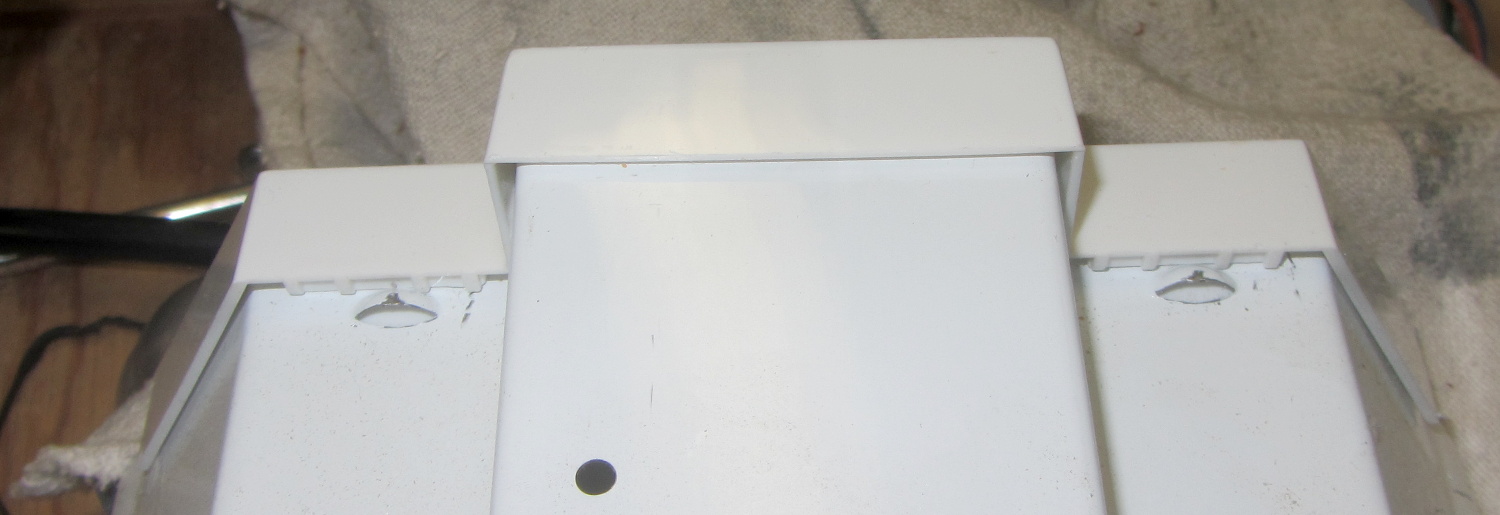
The first challenge, as always, involved taking the fixtures apart. Turns out prying the endcap away from the fixture enough to clear the pair of bumps punched into the metal does the trick:
Fluorescent Shoplights – endcap latches
Each endcap contains the ballast inductor / choke and power-factor correction capacitor for one tube. The inductors from one shoplight had a fancy plastic tab that might have held the capacitor in place, but that’s about the only difference:
Fluorescent Shoplights – ballasts
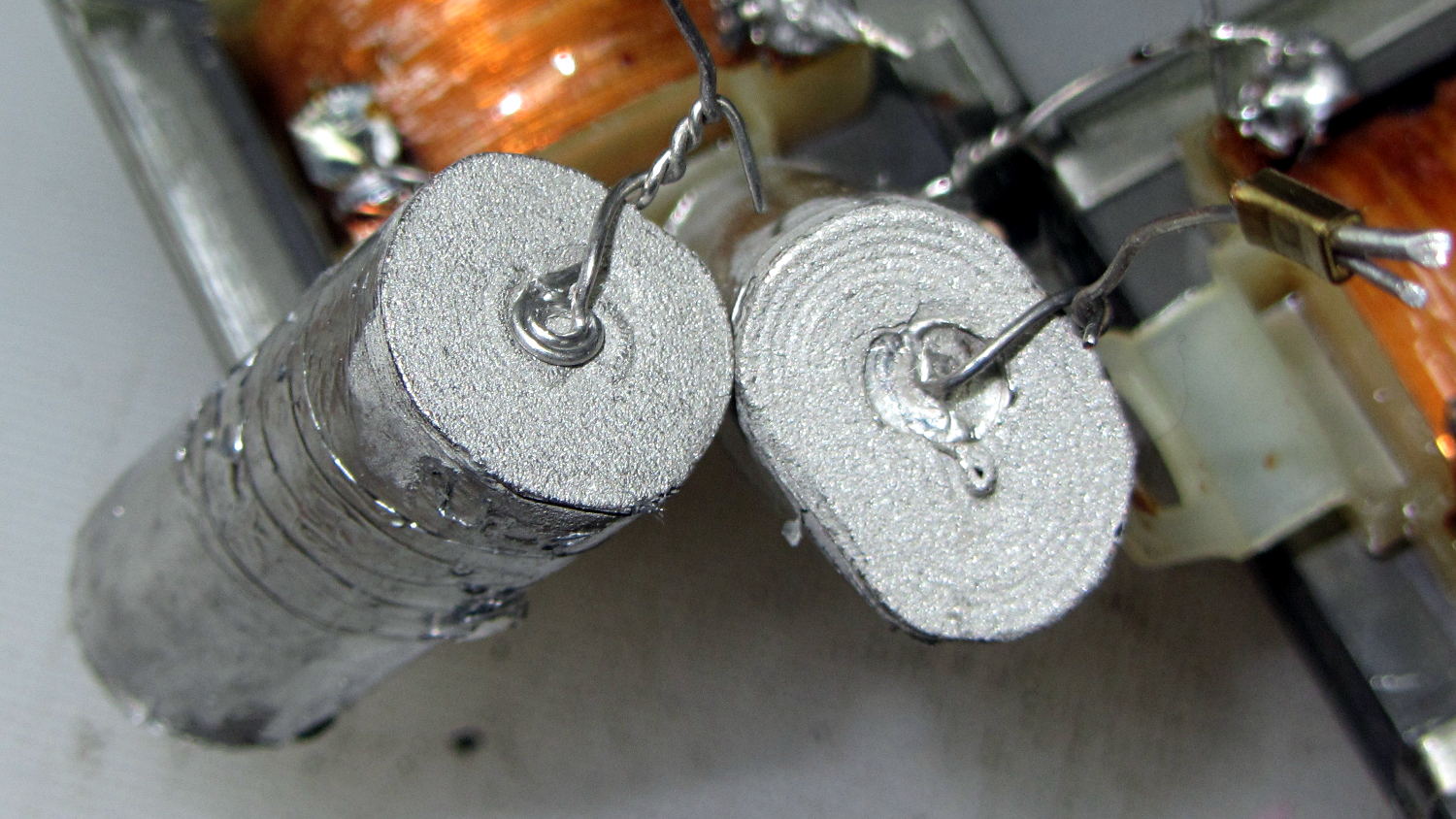
The 150 kΩ resistor has its leads twisted around the capacitor leads without benefit of that fancy solder stuff one might think necessary for a good connection.
The capacitor contacts use the minimum possible amount of material:
Fluorescent Shoplights – capacitor termination
I think the caps use metallized Mylar film, but who knows?
The inductors measure 280 mH and the caps a whopping 5 µF. I might trust the inductors in a low-voltage circuit, but the caps have no redeeming features and went directly to the trash.
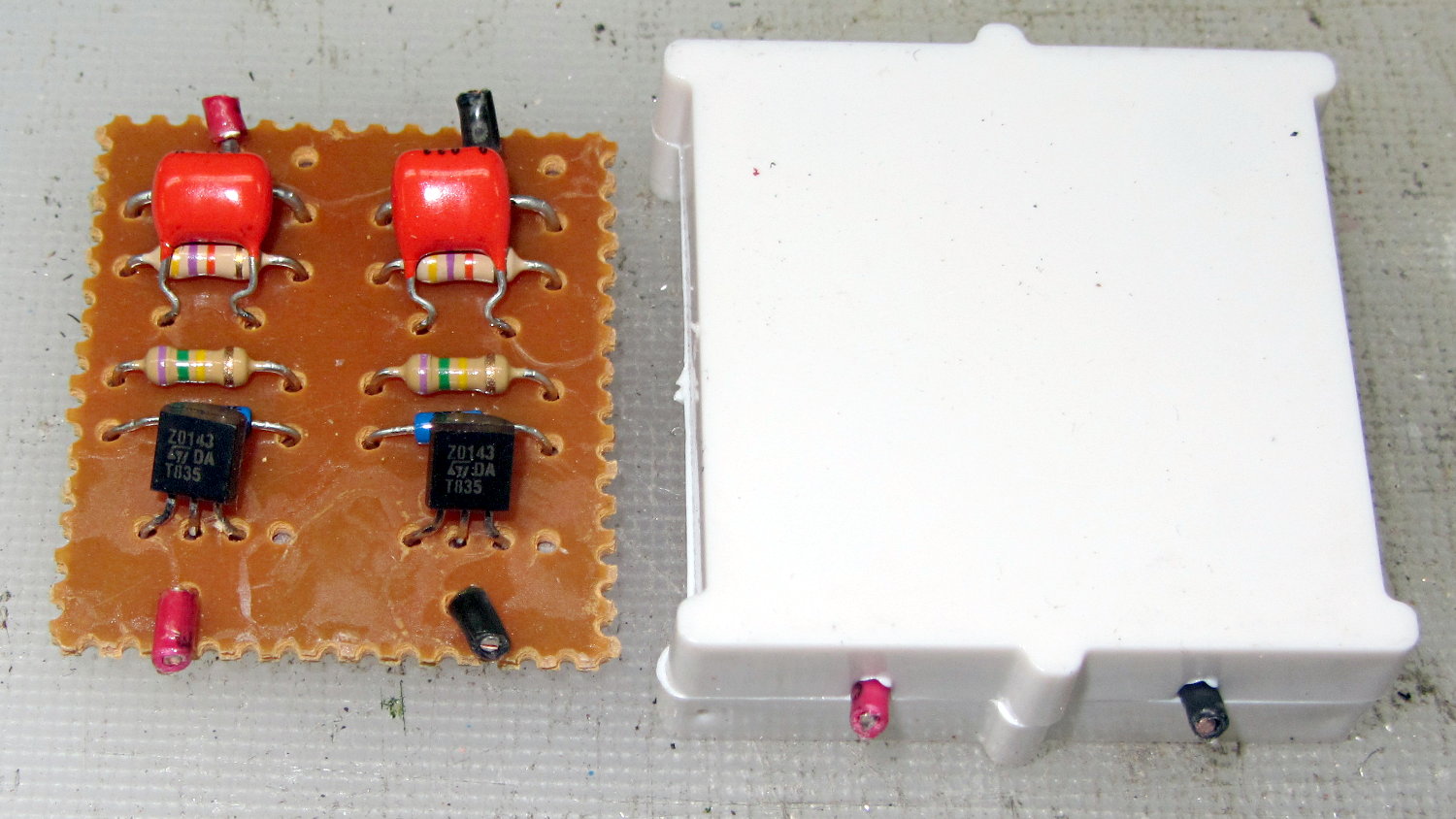
The starter PCB lived in the center of the fixture:
Fluorescent Shoplights – starter circuit
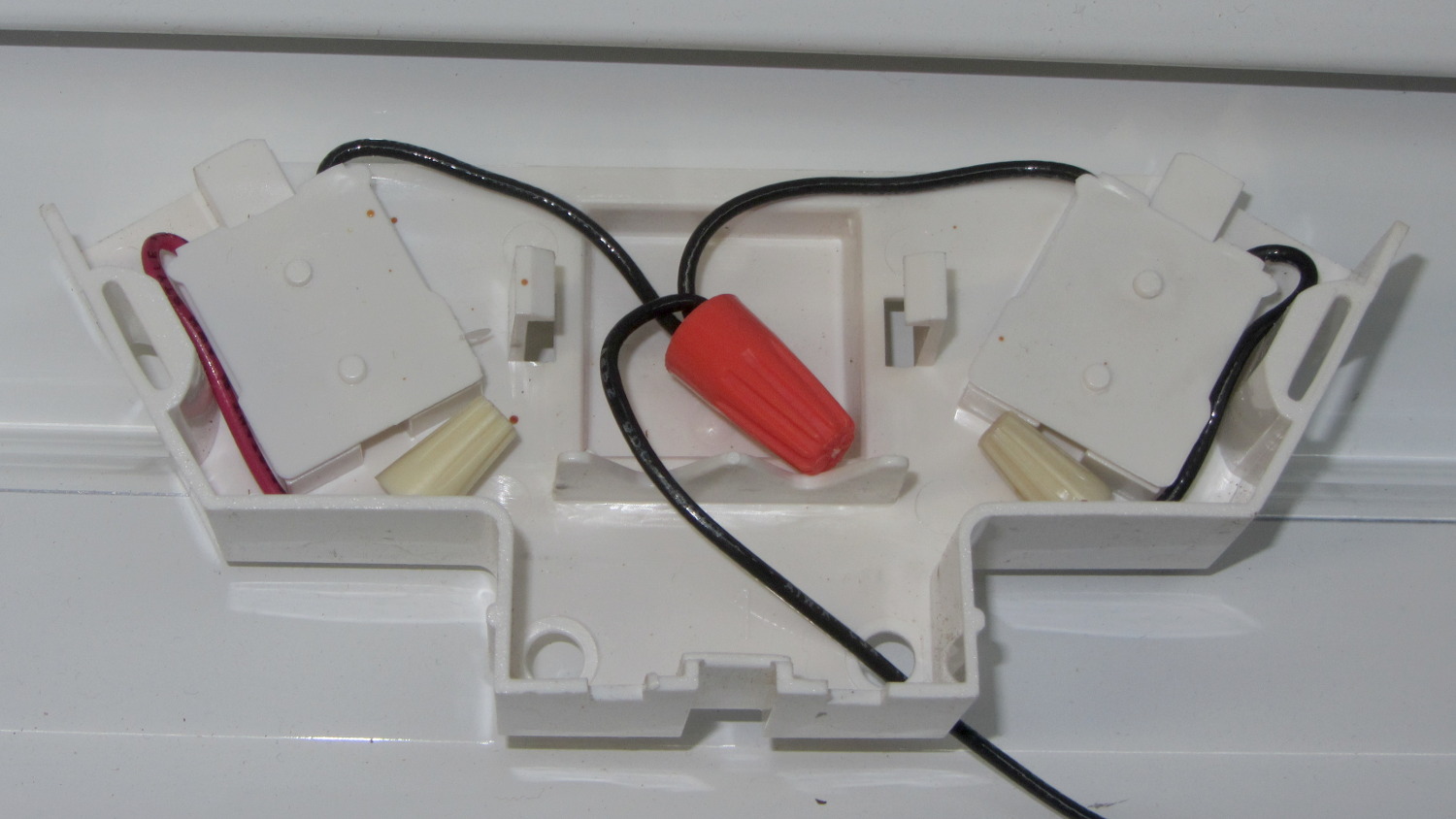
I deliberately picked LED tubes with the AC line contact on one end and the neutral contact on the other, so as to not put line and neutral contacts in the same tombstone. After rewiring, the neutral endcap looks like this:
Fluorescent Shoplights – neutral endcap
The other endcap holds the power cord and has a green earth ground wire snaking out to a little tab passed into a slot punched in the metal case. I replaced the tab with an actual screw / solderless connector / toothed washer, but have no pix to show for it.
The LED tubes run at 6500 K and contrast harshly with the warm-white tubes in the fluorescent shoplights. I went with the highest light output, because even the best (cheap) LED tubes produce barely half the output of the fluorescents: 2000-ish lumens vs 3900-ish.
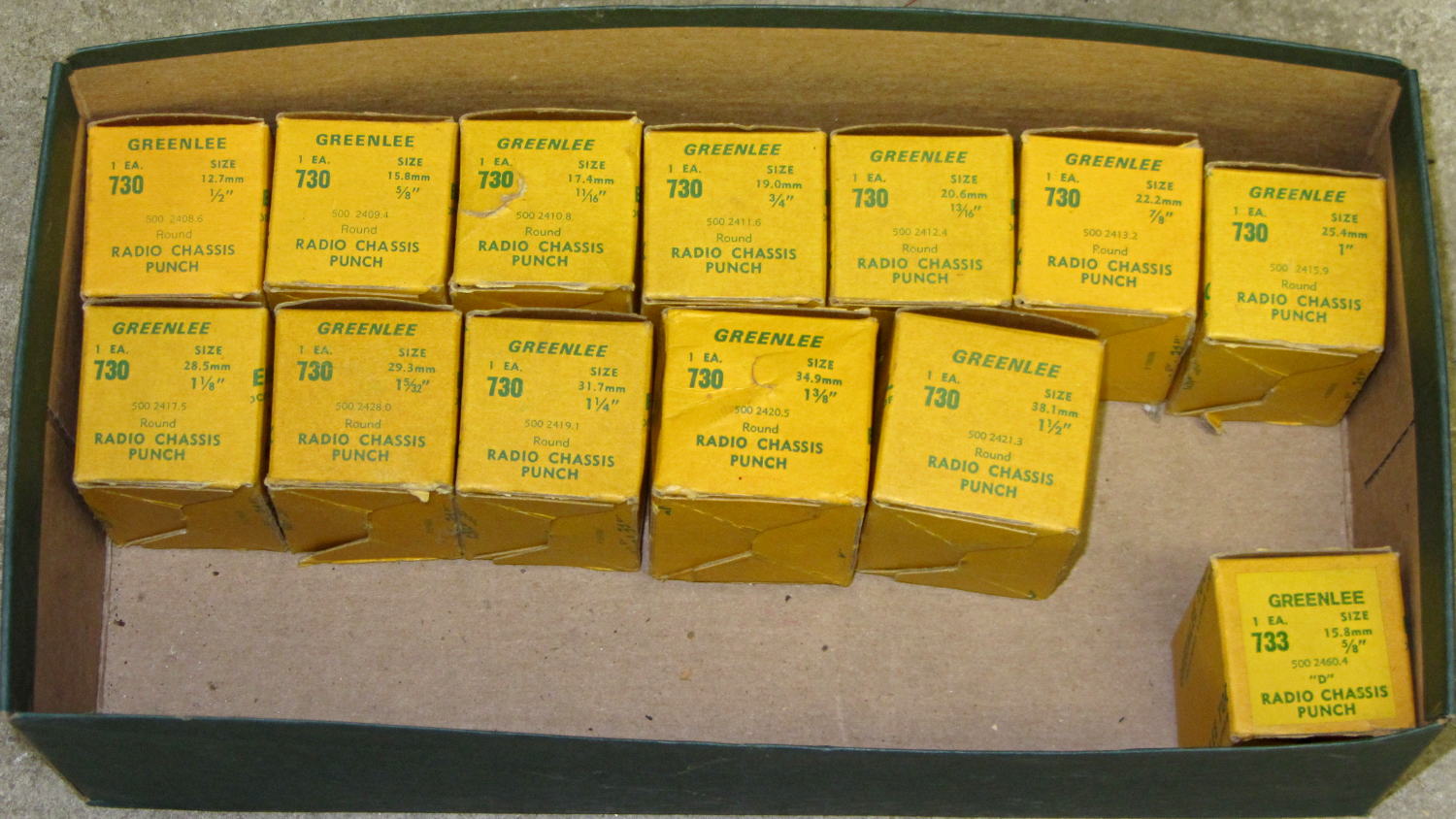
This set of punches is probably worth its weight in, uh, tool steel, because Greenlee got out of the Radio Chassis Punch business quite a while ago:
Greenlee 730 Radio Chassis Punch Assortment
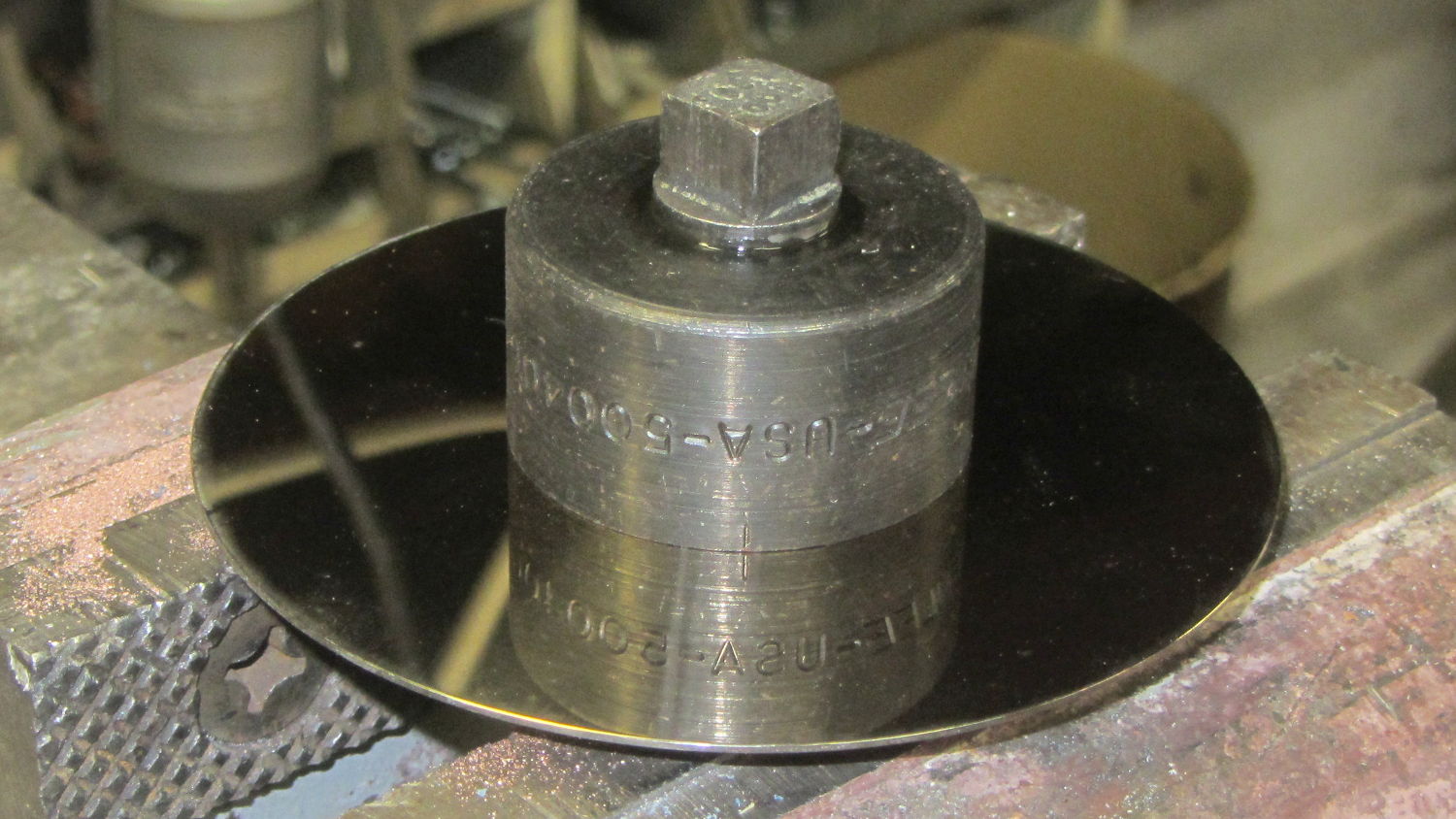
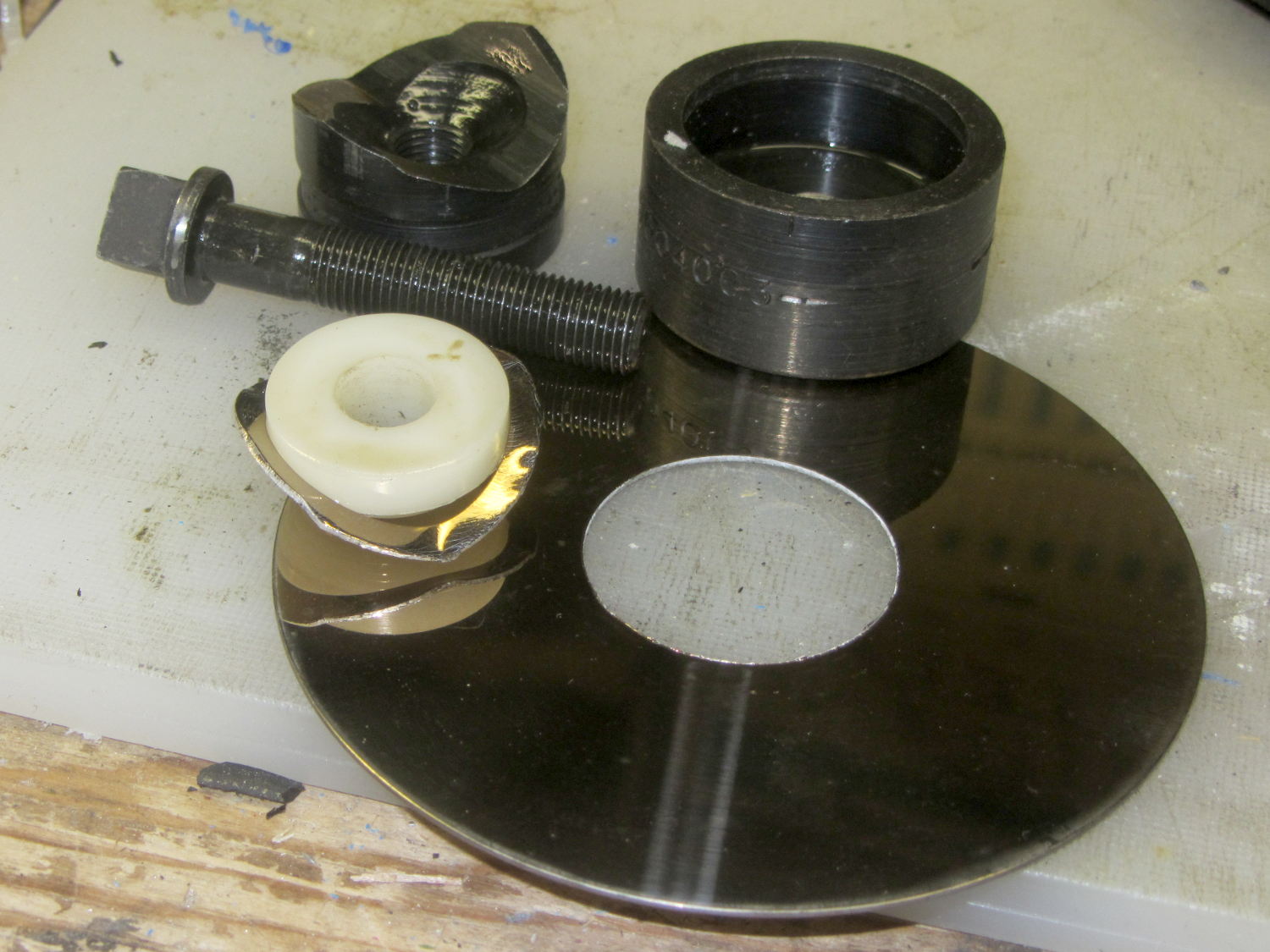
As far as a Greenlee punch is concerned, a hard drive platter looks a lot like thin aluminum sheet:
Greenlee punched drive platter
I lathe-turned that white bushing to align the hard drive platter around the screw inside the punch. The right way to make that bushing in this day & age definitely involves 3D printing, but I was standing next to the lathe and spotted a nylon rod in the remnants bucket underneath.
The inner ring crumples around the bushing inside the die, while the platter outside remains flat & undamaged through the entire experience.
I match-marked the socket & “plate cap lead” holes on the punched platter and introduced it to Mr Drill Press, but the right way to do that for more than one socket / plate involves a Sherline mill fixture and some CNC.
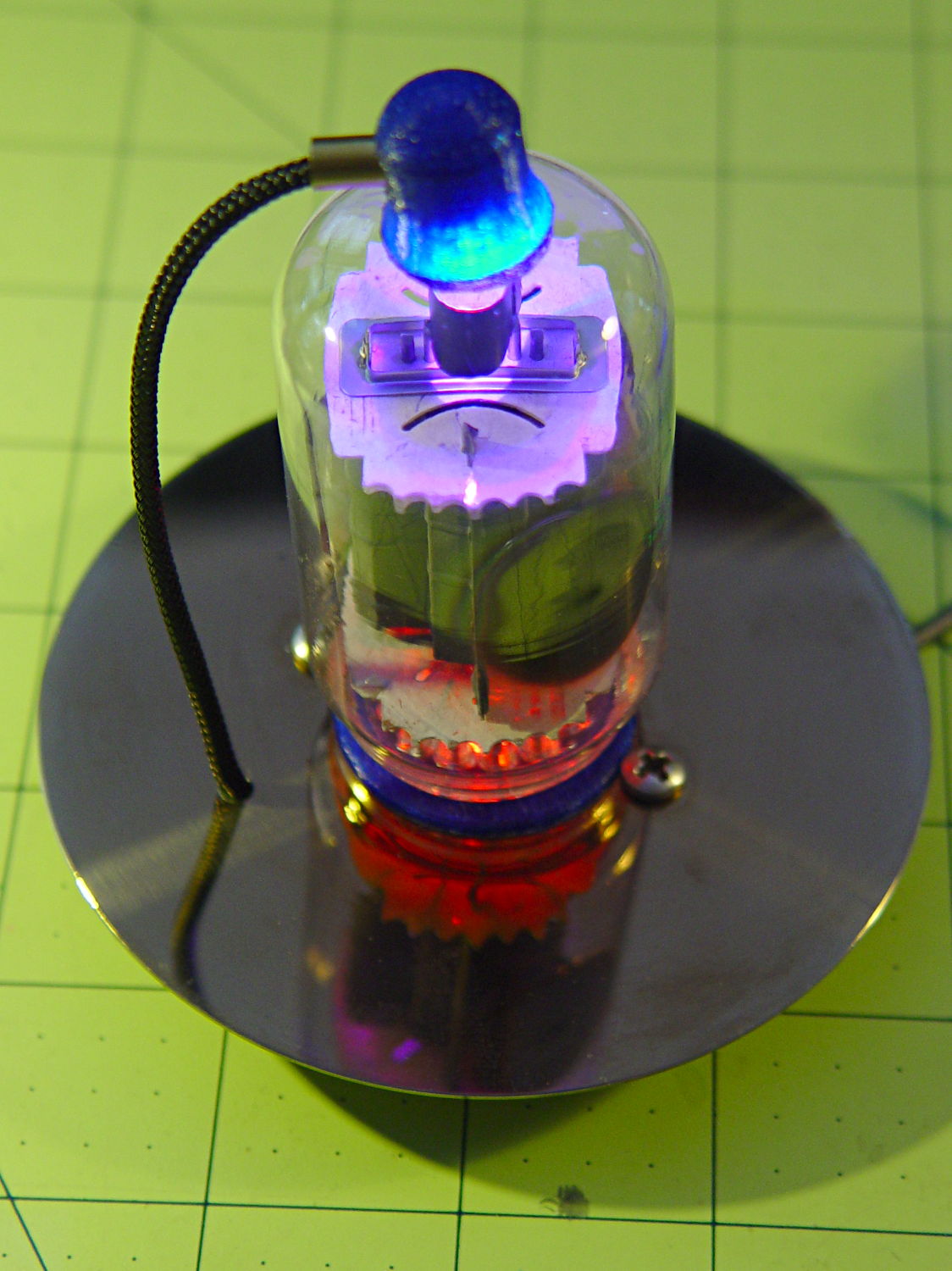
And then It Just Worked:
Vacuum Tube LEDs – IBM 21HB5A drive platter socket
That’s obviously a proof of concept; the socket rests on the desk with the rest of the tubes / sockets / Neopixels tailing off to the right. The plate cap lead should pass through a brass tube fitting on the platter, just for pretty.
The 7- and 9-pin sockets have a raised disk that’s slightly smaller than the 25 mm hard drive hole; the easiest fix involves slightly enlarging the disk to match the hole. Although CDs / DVDs have a 15 mm hole and Greenlee punches work surprisingly well on polycarbonate, if I’m going to CNC-drill the screw / wire holes anyway, CNC milling the middle hole should go quickly and eliminate a messy manual process.
Come to think of it, that big tube would look better in the middle of a DVD amid all those nice diffraction patterns from the RGB LEDs in the cap…
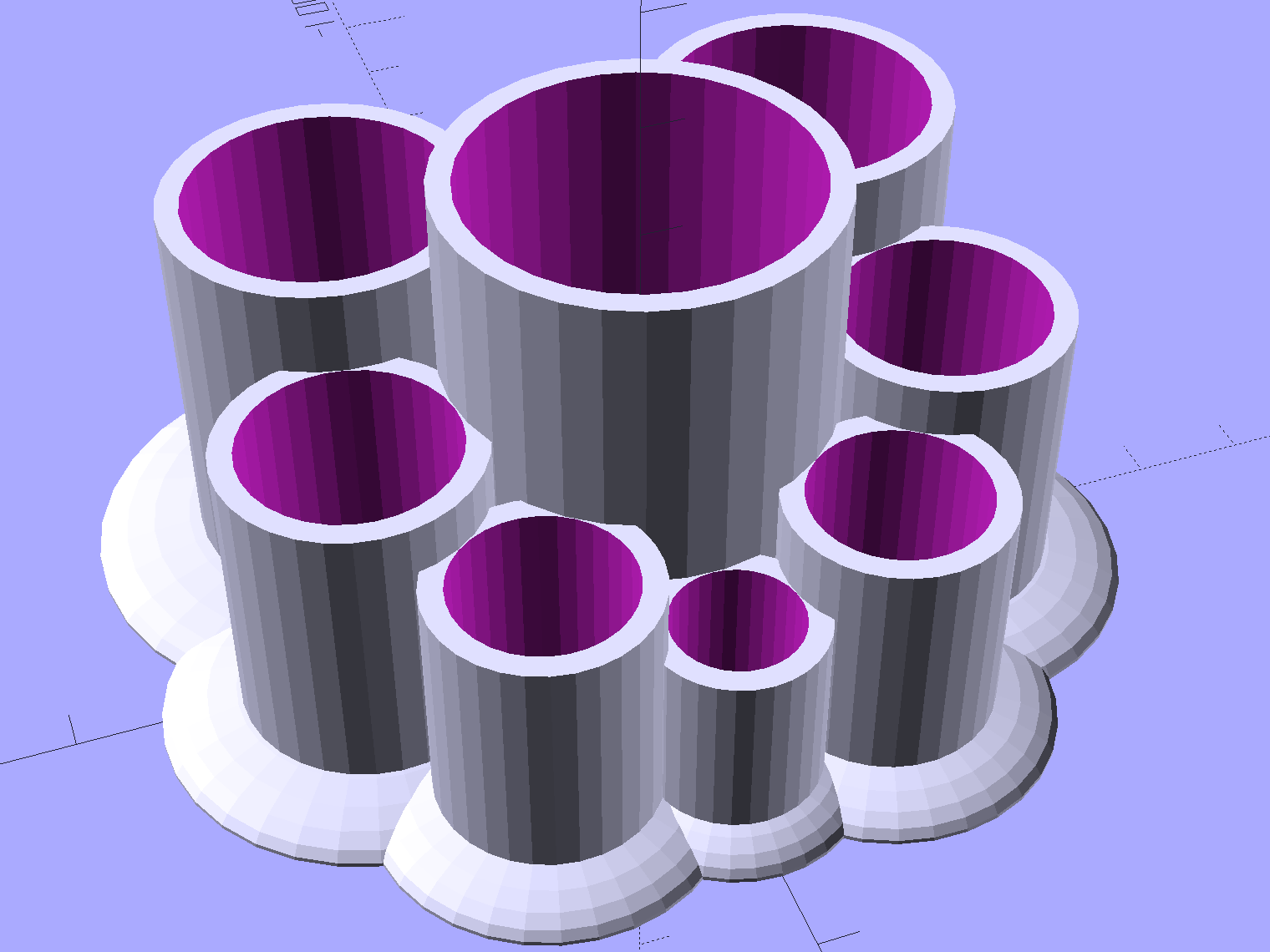
Mary asked for a less angular version of the Lip Balm Holder, which gave me a chance to practice my list comprehension:
Improved Lipstick and Balm Holder
You hand the OpenSCAD program a list of desired tube diameters in the order you want them, the program plunks the first one (ideally, the largest diameter) in the middle, arranges the others around it counterclockwise from left to right, then slips a lilypad under each tube.
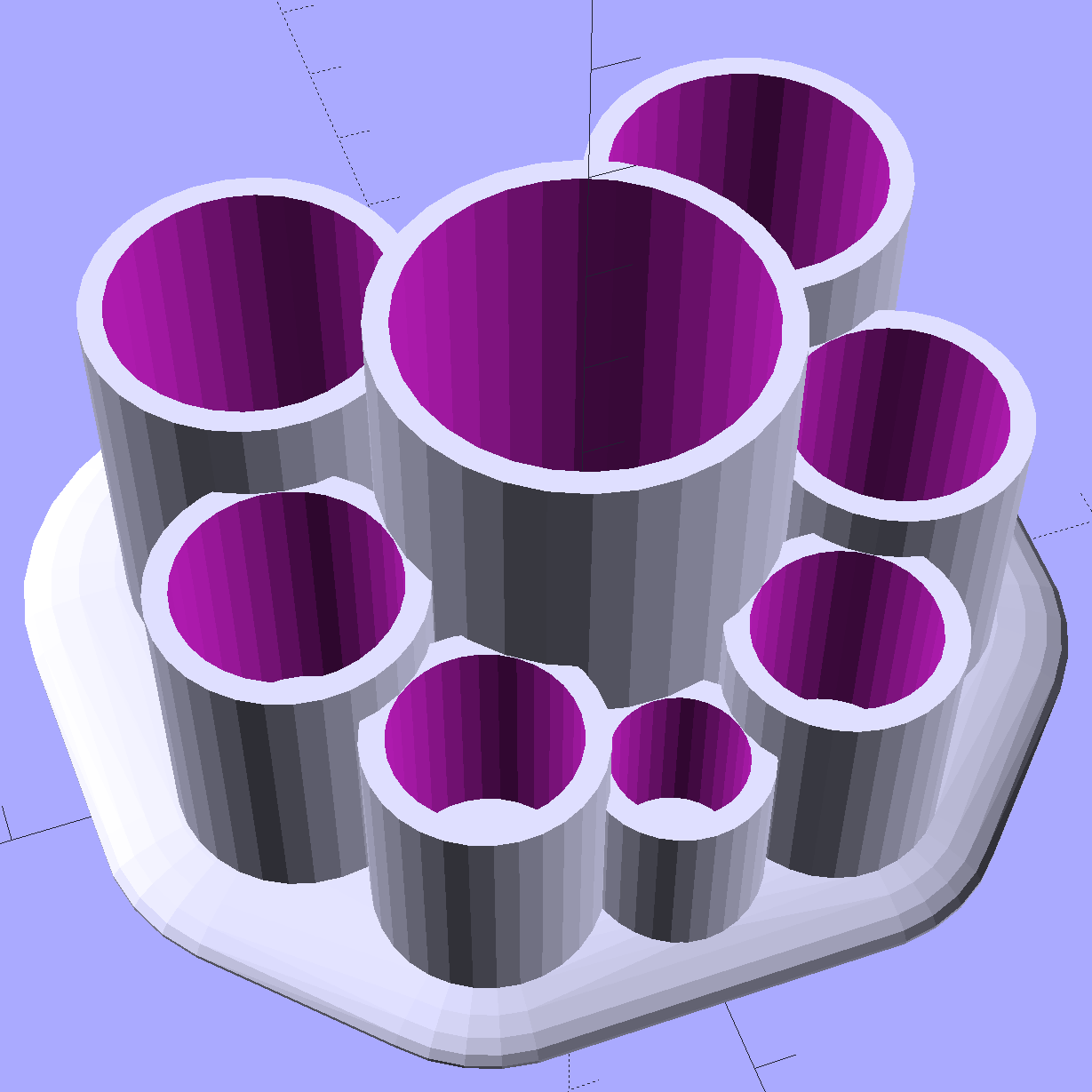
As long as you don’t ask for anything egregiously stupid, the results look reasonably good:
Improved Lipstick and Balm Holder – 8 tubes
As before, each tube length is 1.5 times its diameter; the lipsticks / balms fit loosely and don’t flop around.
Given the tube diameters and the wall thickness, list comprehensions simplify creating lists of the radii from the center tube to each surrounding tube, the center-to-center distances between each of the outer tubes, and the angles between successive tubes:
// per-tube info, first element forced to 0 to make entries match RawDia vector indexes

Radius = [0, for (i=[1:NumTubes-1]) (TubeRad[0] + TubeRad[i] + Wall)];			// Tube[i] distance to center pointRadius = [0, for (i=[1:NumTubes-1]) (TubeRad[0] + TubeRad[i] + Wall)];			// Tube[i] distance to center point
echo(str("Radius: ",Radius));

CtrToCtr = [0, for (i=[1:NumTubes-2]) (TubeRad[i] + TubeRad[i+1] + Wall)];		// Tube[i] distance to Tube[i+1]
echo(str("CtrToCtr: ",CtrToCtr));

Angle = [0, for (i=[1:NumTubes-2]) acos((pow(Radius[i],2) + pow(Radius[i+1],2) - pow(CtrToCtr[i],2)) / (2 * Radius[i] * Radius[i+1]))];
echo(str("Angle: ",Angle));

TotalAngle = sumv(Angle,len(Angle)-1);
echo(str("TotalAngle: ",TotalAngle));
The angles come from the oblique triangle solution when you know all three sides (abc) and want the angle (C) between a and b:
C = arccos( (a2 + b2 - c2) / (2ab) )
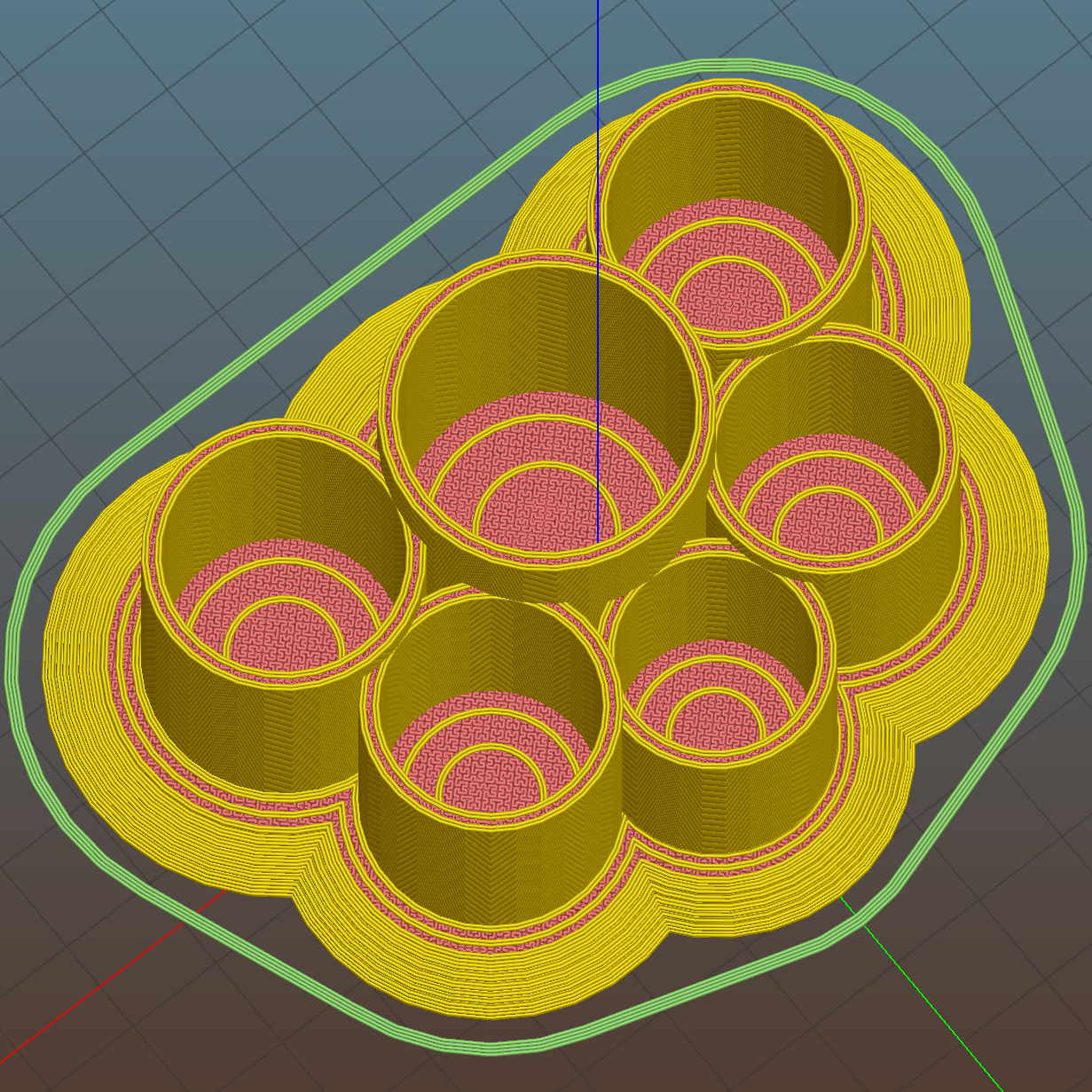
Peering down inside, the Slic3r preview shows the lily pads are the tops of squashed spheres:
Improved Lipstick and Balm Holder – Slic3r preview
The pads are 2.0 times the tube diameter, which seemed most pleasing to the eye. They top out at 2.0 mm thick, which might make the edges too thin for comfort.
I’m awaiting reports from My Spies concerning the typical diameter(s) of lipstick tubes, then I’ll run off a prototype and see about the lily pad edges.
The OpenSCAD source code as a GitHub gist:
This file contains hidden or bidirectional Unicode text that may be interpreted or compiled differently than what appears below. To review, open the file in an editor that reveals hidden Unicode characters.
Learn more about bidirectional Unicode characters
It turns out that non-alkalized / non-Dutch-process cocoa has a much lower surface energy than good old Hershey’s, to the extent that my Fireball Cocoa Recipe produces powder bombs, even after far more stirring than I’m willing to exert.
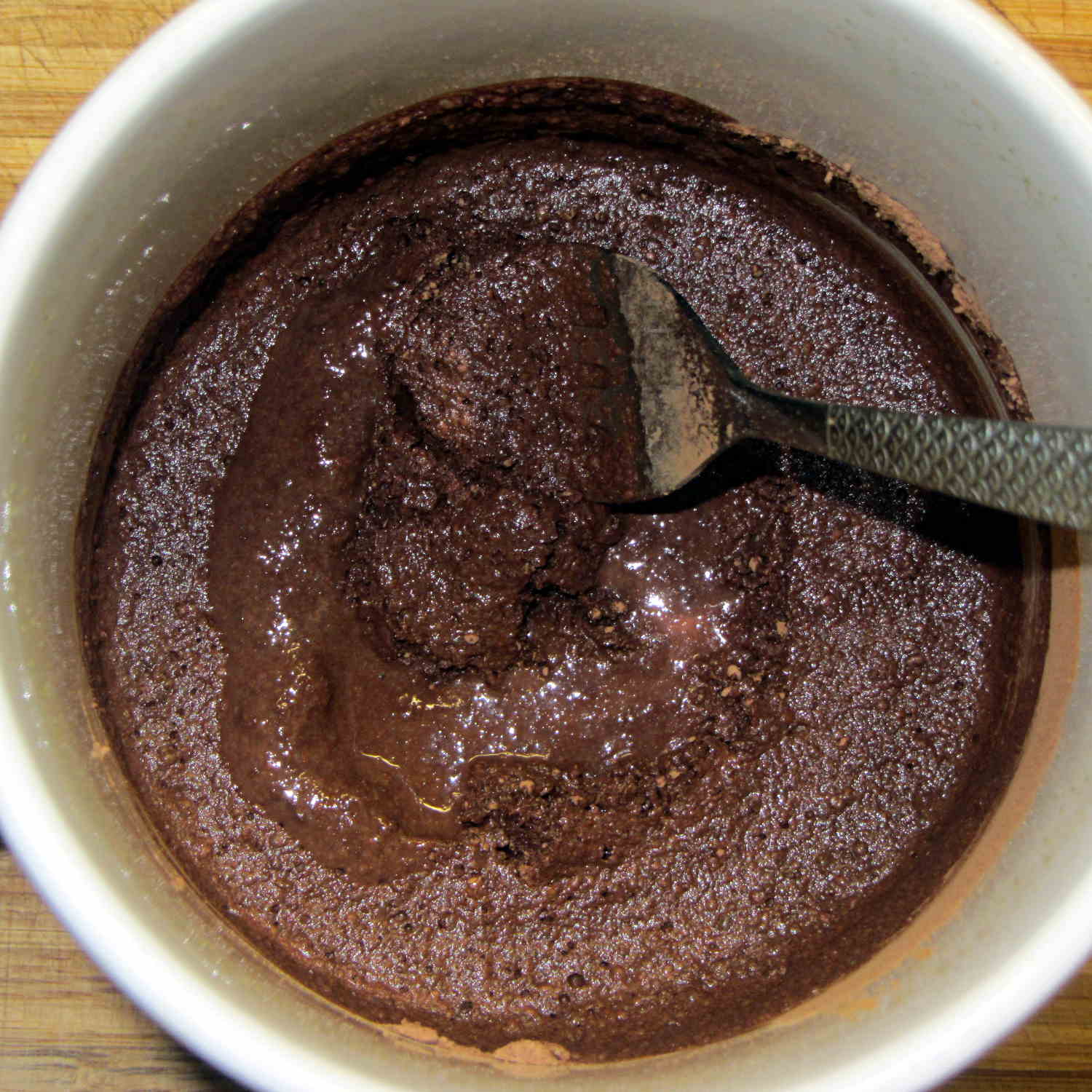
The trick is to stir the mud for a while, then let it set for 15 minutes:
Cocoa mud
That apparently gives the cocoa time to get along with the milk and join forces. Stir it up again, let it sit for a few minutes, then proceed with the recipe: smooooth cocoa with no powder bombs.
A bit more Vietmamese cinnamon is no bad thing, either …
Mostly, I don’t worry about the accumulation of old kernels building up in /boot and sudo apt-get autoremove may scrub most of them, but sometimes it doesn’t when I’m doing something else and I must wade through the accumulation of old packages in Synaptic. Removing all those packages by hand gets tedious, but I’m reluctant to unleash a rarely used script on the clutter for fear of creating a worse problem.
The iterator in this burst of Bash line noise:
for f in $(ls /boot | grep vmlinuz | cut -d\- -f2,3 | sort | head -n -1) ; do dpkg -l | grep "^ii\ \ linux-" | grep $f | cut -d" " -f 3 >> /tmp/pkgs.txt ; done
… parses the list of kernels in /boot into version numbers, finds the corresponding installed packages, sorts them in ascending order, discards the last entry so as to not uninstall the most recent kernel, and passes each line of the resulting list into the loop.
N.B: The grep argument has two spaces after the ii that WordPress would destroy without the escaping backslashes. You can try "^ii linux-", but if the loop puts nothing in the file, that’s why.
Given each kernel version number, the loop extracts the package names from the installed kernel packages and glues the result onto a file that looks like this:
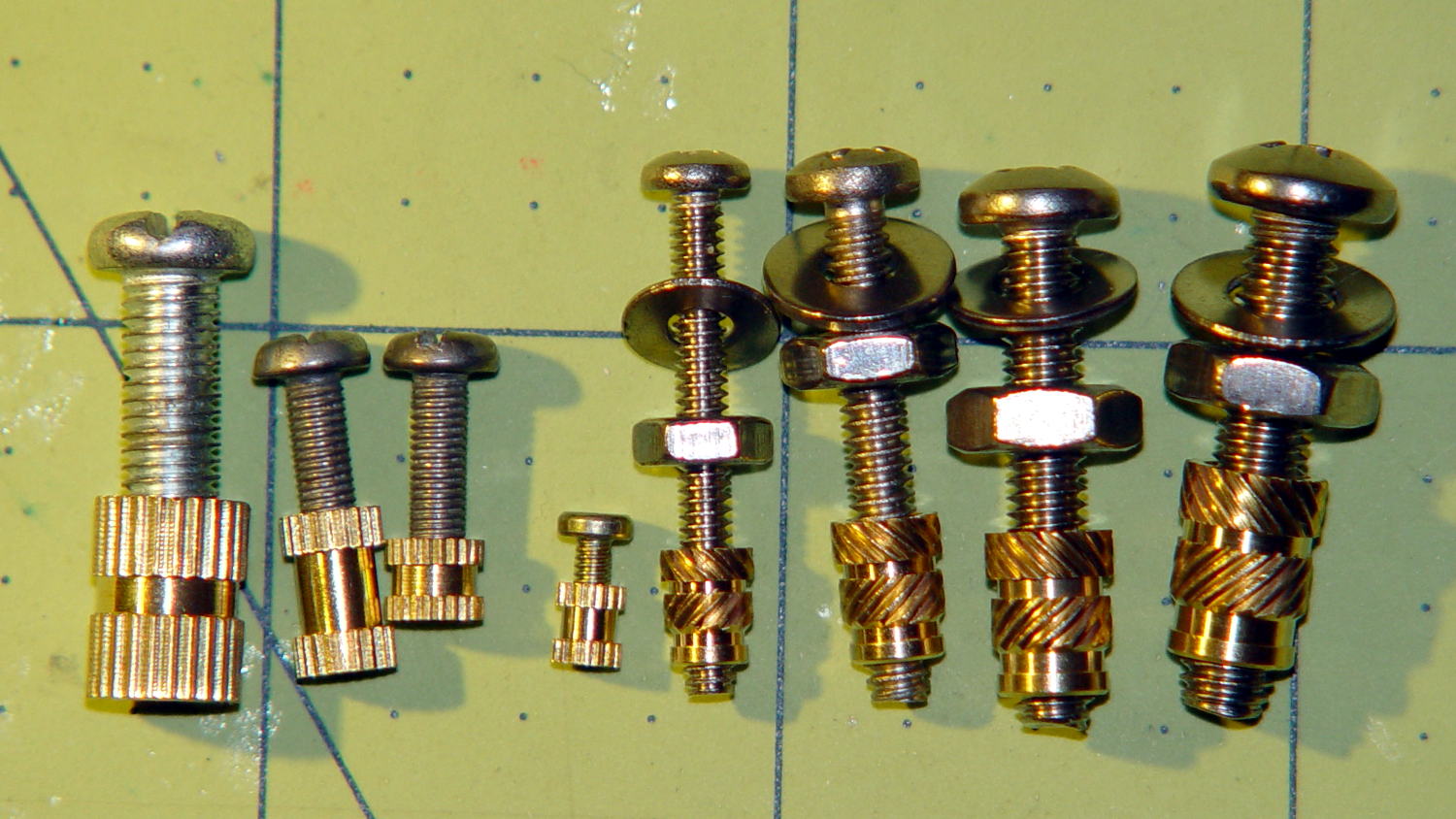
The nice stainless steel screws on the right range from 4-40 to 10-32, which suffice for nearly everything I build around here.
Unlike the splined metric inserts on the left, these inserts have actual knurls and ridges that should hold them firmly in place. The specs give hard-inch dimensions, of course, that (seem to) correspond to the root diameter of the knurls. You can find nice engineering drawings of precise tapered holes (by drilling down into the Heat-Set Inserts for Plastics item on that page), but a few metric measurements of the actual parts on hand should suffice for my simple needs.
Thread: overall length x small rim OD x (knurl length x larger knurl OD)
4-40: 5.8 x 3.9 x (4.0 x 4.6)
6-32: 7.1 x 4.7 x (4.6 x 5.5)
8-32: 8.1 x 5.5 x (5.9 x 6.3)
10-32: 9.5 x 6.3 x (7.0 x 7.1)
Rather than fussing with a tapered hole, just punch a cylinder with the small rim OD (to clear the screw) through the part and put a cylinder with the knurl OD x length at the surface.
Using cylinders without diameter correction will make them slightly undersized for heat bonding. The usual 3D printing tolerances don’t justify anything fussier than that.
Using PolyCyl diameter correction will make the holes nearly spot on for epoxy bonding: butter ’em up, ram ’em in, pause for curing, done.
The extension surfaces on the Sears sewing table in the Basement Sewing Room unfold from the top, leaving the hinges exposed:
Sears Sewing Table – hinge
Alas, quilts snag on the squared-off ends of the hinges, a situation that is not to be tolerated…
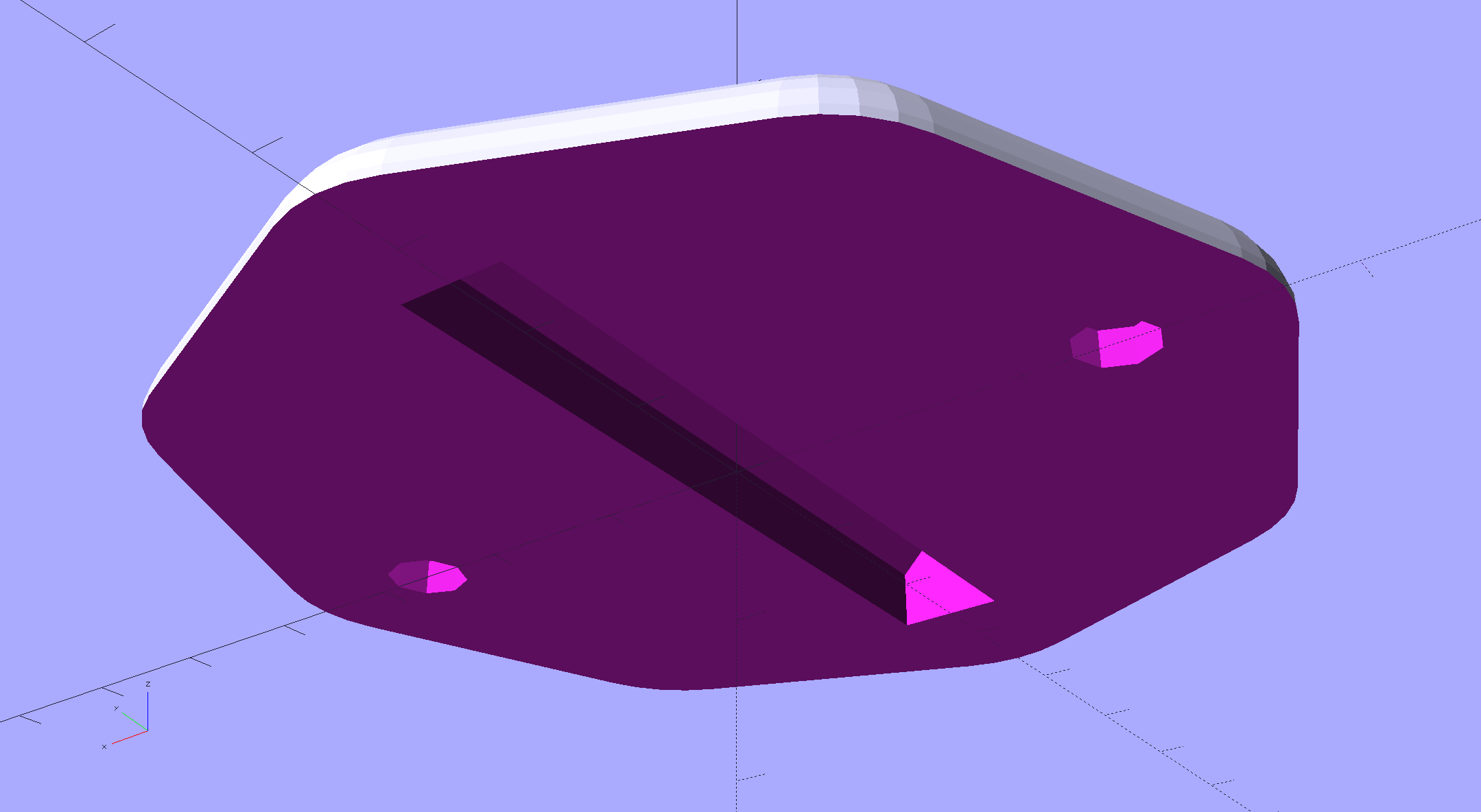
This protective cap isn’t as small as we’d like, but it must be that thick to cover the hinge, that long to cover the squared-off ends, and that wide for symmetry:
Sears Sewing Table Hinge Cover – solid model
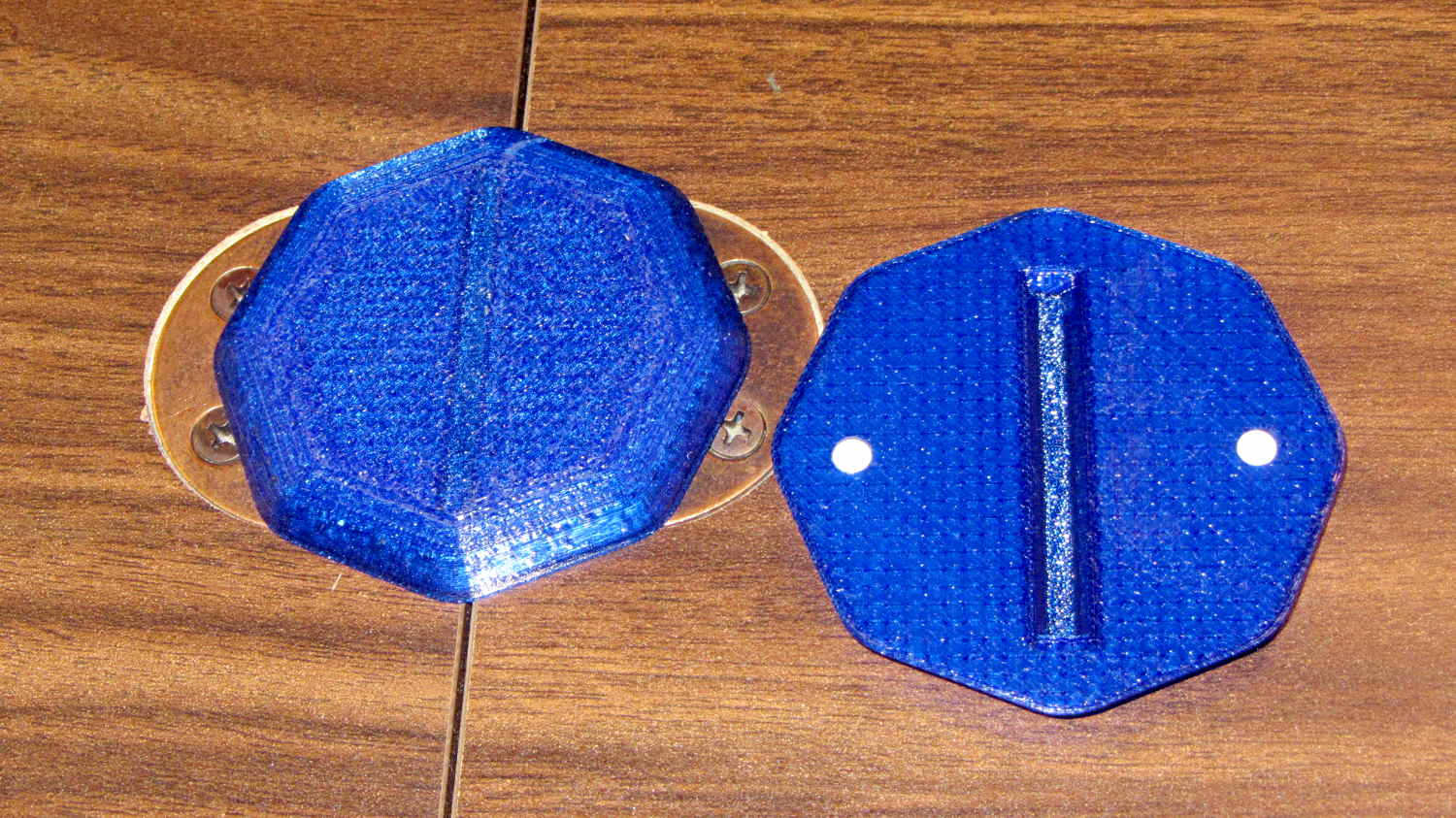
Two neodymium magnets fit in the holes and secure the cover to the all-steel “bronzed” hinges:
Sears Sewing Table – hinge covers
We’re not sure how well that will work in the long term, but early returns seem promising.
It could be slightly narrower left-to-right and maybe fewer vertices should be oriented differently.
This file contains hidden or bidirectional Unicode text that may be interpreted or compiled differently than what appears below. To review, open the file in an editor that reveals hidden Unicode characters.
Learn more about bidirectional Unicode characters