Ed Nisley's Blog: Shop notes, electronics, firmware, machinery, 3D printing, laser cuttery, and curiosities. Contents: 100% human thinking, 0% AI slop.
For a pure indicator, it’d be easier to slap a spot on the screen with the Adafruit GFX library’sfillRect() function. If you’re setting up a generic button handler, then button bitmap images make more sense.
Being that type of guy, I want a visible indication that the firmware continues trudging around the Main Loop. The standard Arduino LED works fine for that (unless you’re using hardware SPI), but the Adafruit 2.8 inch Touch-screen TFT LCD shield covers the entire Arduino board, so I can’t see the glowing chip.
Given a few spare pixels and the Adafruit GFX library, slap a mood light in the corner:
Adafruit TFT – heartbeat spot
The library defines the RGB color as a 16 bit word, so this code produces a dot that changes color every half second around the loop() function:
millis() produces an obvious counting sequence of colors. If that matters, you use random(0x10000).
A square might be slightly faster than a circle. If that matters, you need an actual measurement in place of an opinion.
Not much, but it makes me happy…
There’s an obvious extension for decimal values: five adjacent spots in the resistor color code show you an unsigned number. Use dark gray for black to prevent it from getting lost; light gray and white would be fine. Prefix it with a weird color spot for the negative sign, should you need such a thing.
Hexadecimal values present a challenge. That’s insufficient justification to bring back octal notation.
In this day and age, color-coded numeric readouts should be patentable, as casual searching didn’t turn up anything similar. You saw it here first… [grin]
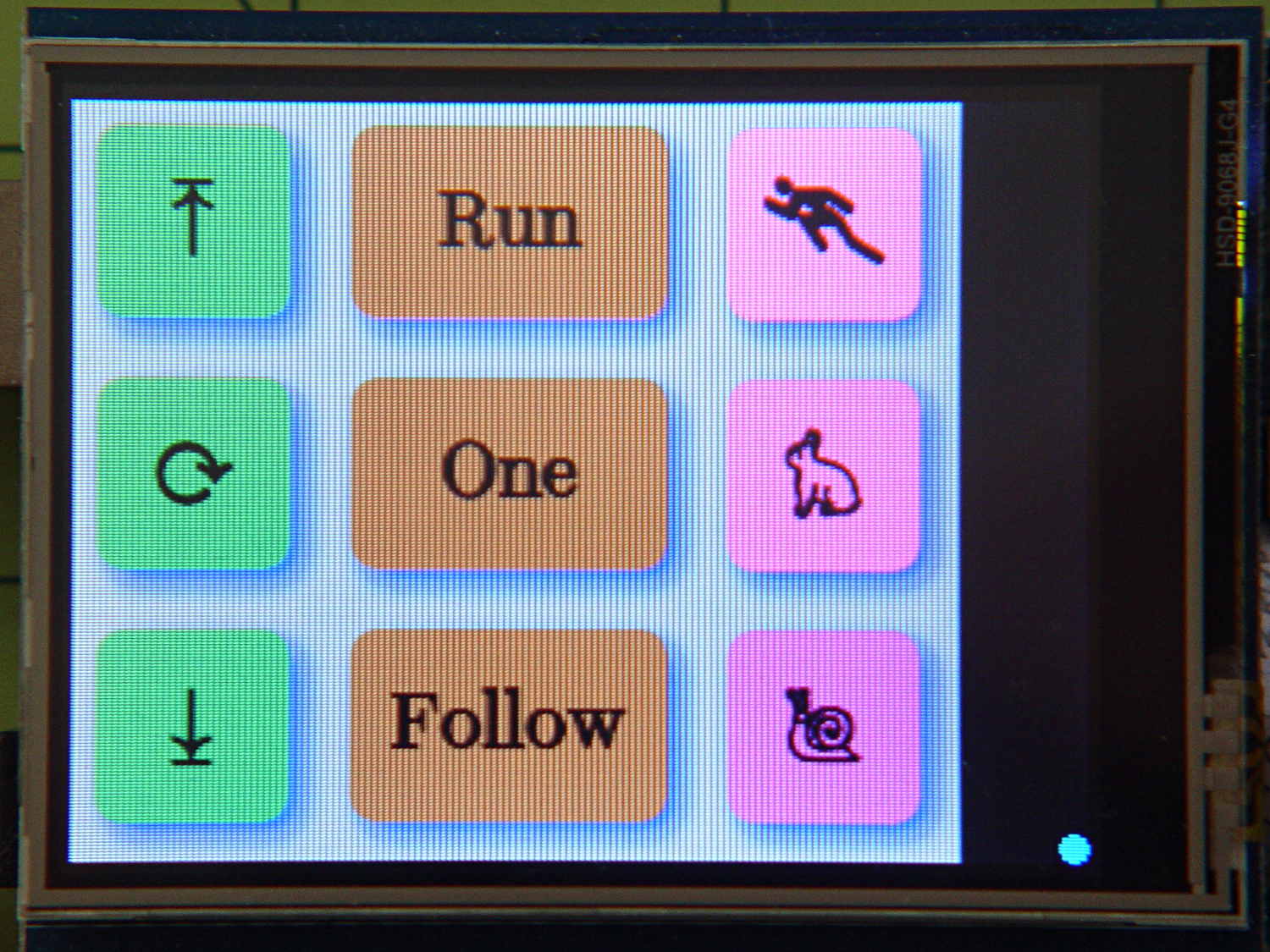
Now that I think about it, a set of tiny buttons that control various modes might be in order.
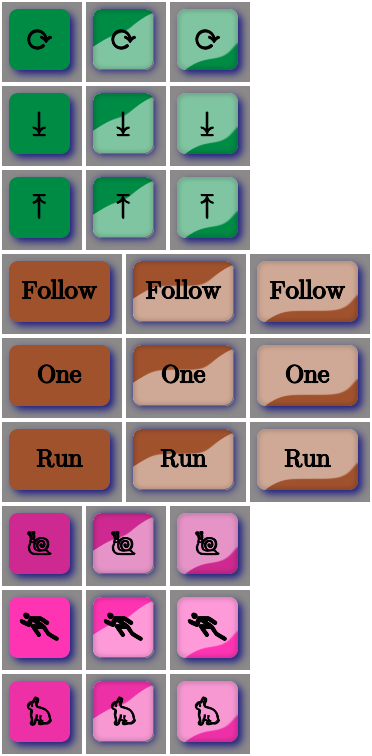
Aren’t those just the ugliest buttons you’ve ever seen?
The garish colors identify different functions, the crude shading does a (rather poor) job of identifying the states, and the text & glyphs should be unambiguous in context. Obviously, there’s room for improvement.
The point is that I can begin building the UI code that will slap those bitmaps on the Arduino’s touch-panel LCD while responding to touches, then come back and prettify the buttons as needed. With a bit of attention to detail, I should be able to re-skin the entire UI without building the data into the Arduino sketch, but I’ll start crude.
The mkAll.sh script that defines the button characteristics and calls the generator script:
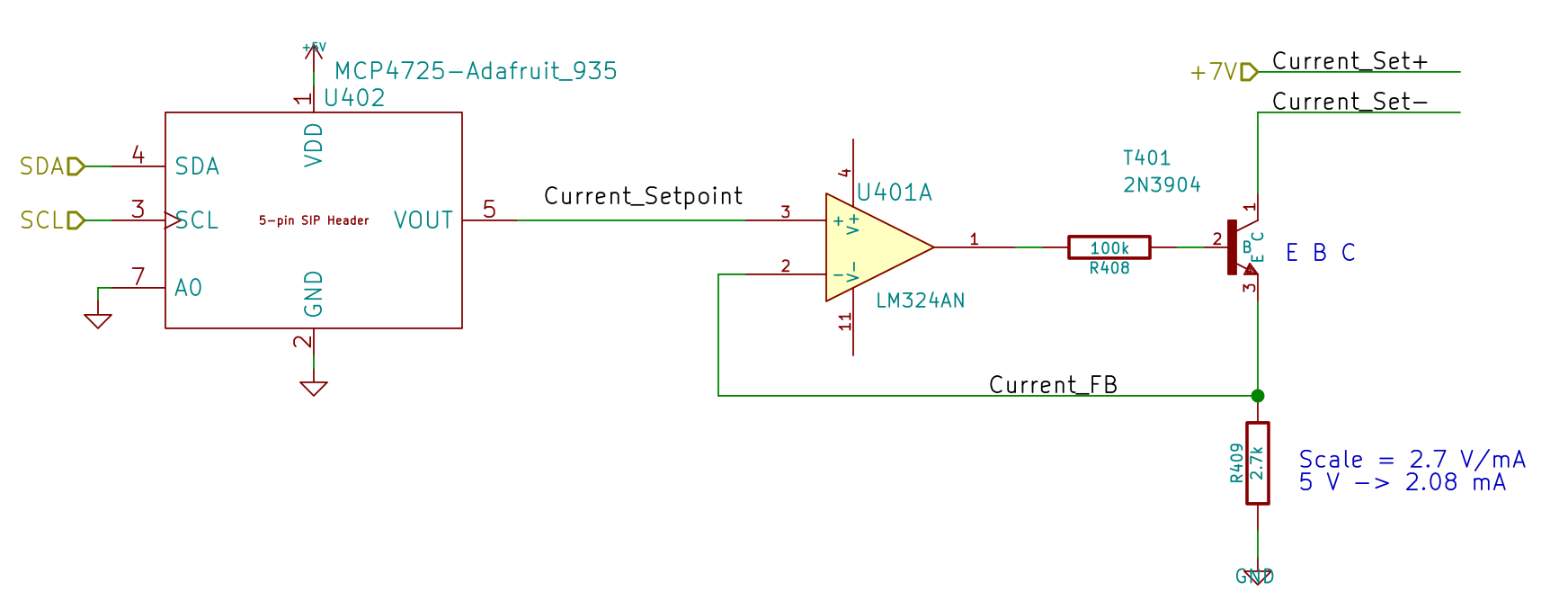
Because the motor will draw more current during pulsed operation, the ET227 needs more base drive. The existing circuit topped out around 2.5 A, so I reduced the current sampling resistor by a bit:
Optoisolator Driver
If you care about the exact current, you’d use a 1% resistor, but if you care about the current, you’ll be doing closed-loop feedback to compensate for the transistor gain variations. Compared to those, the resistor doesn’t matter.
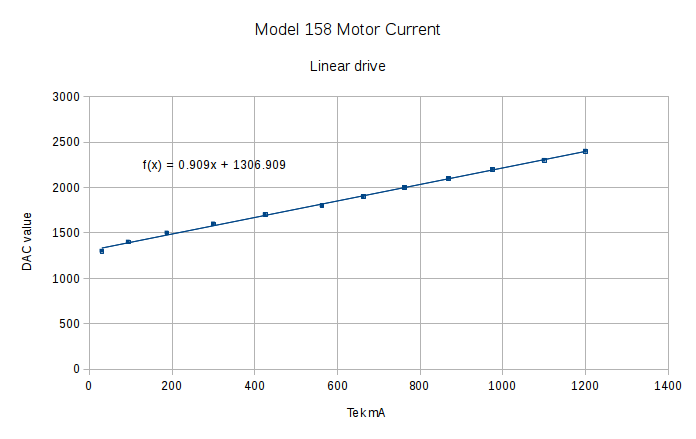
Running the MCP4725 DAC through its range produces a nice graph:
Current Calibrate – DAC – 270k Hall 2.7k opto
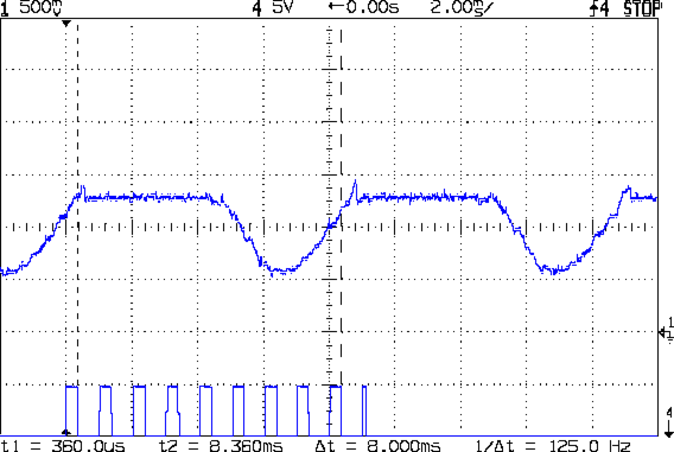
The X axis comes from the Tek Hall-effect current probe, so the numbers don’t depend on the ferrite toroid & differential amp calibration. They do, of course, require a bit of eyeballometric calibration to extract the flat top from the waveform, as shown by this old waveform:
Motor current – ADC sample timing
Ya gotta start somewhere.
The linear fit to those dots gives the DAC value required to produce the observed current, at least for these particular transistors at whatever temperature they’re at in a rather chilly Basement Laboratory.
Of course, the observed current tops out at 1.2 A: the motor’s peak current during normal linear operation. The line looks so pretty that I’ll assume it continues upward to the maximum 12-bit DAC value of 4095 and the corresponding ET227 current. Working backwards, that will be 3.1 A and should suffice for all but the highest peaks at high line voltage.
Reducing the differential amp gain fits a higher current into the Arduino’s fixed 5 V ADC range:
Hall Sensor Differential Amp
Those are 1% resistors, chosen from the heap for being pretty close to what I needed. Given that it’s an LM324 op amp, we’re not talking instrumentation grade results here.
The same calibration run that produced the DAC plot gave these values:
Current Calibrate – ADC – 270k Hall 2.7k opto
The linear fit gives the actual current, as seen by the Tek probe, for a given ADC reading.
The trimpot controls the offset voltage at zero current; working backwards, ADC = 0 corresponds to 140 mV, a bit higher than the actual 90 mV. Close enough, at least for a linear fit to eyeballed data, sez I.
Working forward, the maximum ADC value of 1023 corresponds to 4 A, which should suffice.
A Circuit Cellar reader sent me a lengthy note describing his approach to slow-motion AC motor drives, designed for an already ancient truck mounted radar antenna back in 1972-ish, that prompted me to try it his way.
The general idea is to pulse the motor at full current for half a power line cycle with an SCR (rather than a triac) at a variable pulse repetition rate: the high current pulse ensures that the motor will start turning and the variable repetition frequency determines the average speed. As he puts it, the motor will give off a distinct tick at very low speeds and the maximum speed will depend on how the motor reacts to half-wave drive.
Note that this is not the chopped-current approach to speed control: the SCR always begins conducting at the first positive-going 0 V crossing after the command and continues until the motor current drops to zero. There are no sharp edges generating high-pitched acoustic noise and EMI: silence is golden.
The existing speed control circuitry limits the peak current and assumes that the motor trundles along more-or-less steadily. That won’t be the case when it’s coasting between discontinuous current pulses.
When I first looked at running the motor on DC, these measurements showed the expected relationship:
Kenmore Model 158 AC Motor on DC – Loaded and Unloaded RPM vs Voltage
Eyeballometrically, the slowest useful speed will be 2 stitch/s = 120 shaft RPM = 1300 motor RPM. At that speed, under minimal load, the motor runs on about 20 V and draws 550 mA. At that current, the 40 Ω winding drops 22 V, which we’ll define as “about 20 V” for this discussion, so the back EMF amounts to pretty nearly zilch.
That’s what you’d expect for the fraction of a second while the motor comes up to full speed, but in this case it never reaches full speed, so the motor current during the pulses will be limited only by the winding resistance. At the 200 V peak I’ve been using for the high-line condition, that’s about 5 A peak, although I’d expect 4 A to be more typical.
So, in order to make this work:
the optocoupler driving the base needs more current
the differential amp from the Hall effect sensor needs less gain
Given the ease with which I’ve pushed the hulking ET227 transistor out of its SOA, the motor definitely needs a flyback diode to direct the winding current away from the collector as the transistor shut off at the end of the pulse. Because it’s running from full-wave rectified AC, the winding current never drops to zero: there will definitely be enough current to wreck the transistor.
The firmware needs reworking to produce discrete pulses at a regular pace, rather than slowly adjusting the current over time, but that’s a simple matter of software…
The first task: produce an equation that converts raw ADC values into actual motor current. This is not quite the same as the DC calibration, because the motor current is neither clean nor stable.
Step the output current setpoint in 50 mA increments from 450 mA to 1100 mA and remain at each setpoint for 10 seconds while dumping measurements every 500 ms. The ADC count comes from the sampling / sorting / selection process that attempts to pick out either the not really flat top of the current-limited waveform or the peak of the non-limited sine wave.
Convert the raw data dump into a spreadsheet to get a block like this for each current setpoint:
Motor RPM
Shaft RPM
Setpoint mA
DAC count
ADC count
Noisy mA
Comp mA
Setpoint: 600
DACvalue: 2372
3797
334
600
2372
266
724
540
4465
399
600
2372
263
715
532
4734
416
600
2372
265
721
538
4834
438
600
2372
263
715
532
4829
433
600
2372
264
718
535
4857
438
600
2372
264
718
535
4900
438
600
2372
265
721
538
4859
436
600
2372
266
724
540
4887
445
600
2372
265
721
538
4926
446
600
2372
263
715
532
4884
438
600
2372
265
721
538
4890
442
600
2372
264
718
535
4913
440
600
2372
264
718
535
4866
436
600
2372
263
715
532
4895
434
600
2372
264
718
535
4890
442
600
2372
266
724
540
4884
438
600
2372
266
724
540
4913
442
600
2372
265
721
538
4913
441
600
2372
266
724
540
4878
436
600
2372
264
718
535
265
The lone number on the bottom row is the computed average of the ADC counts for the block, which I did in the spreadsheet rather than in the firmware.
During each ten second interval, set the scope voltage cursor to the eyeballed “correct” value of the motor current waveform, as measured on the Tek current probe. There’s no way to automate this, because only the human eyeball can pick out the, ah, true current measurement amid all the clutter:
Calibrate – Hall amp – Tek 200 mA-div
For each current setpoint value, create a line with the manually measured true voltage from the scope trace, the calculated true current (using the Tek probe’s front panel scale), along with the DAC setpoint and the average ADC values extracted from each block of that giant data dump:
Setpoint mA
Scope mV
Actual mA
DAC count
ADC count
450
21.80
436
2205
197
500
25.94
519
2261
225
550
29.06
581
2316
245
600
31.56
631
2372
265
650
34.38
688
2427
285
700
36.88
738
2483
304
750
39.69
794
2538
324
800
42.19
844
2594
340
850
45.00
900
2649
350
900
47.50
950
2705
361
850
46.86
937
2649
356
800
43.75
875
2594
348
750
41.25
825
2538
335
700
39.06
781
2483
318
650
36.56
731
2427
302
600
34.38
688
2372
285
550
32.50
650
2316
270
500
30.31
606
2261
253
450
27.81
556
2205
237
400
25.63
513
2150
220
Plot each actual motor current against the corresponding average ADC value:
ADC Calibration Curve
The linear fit breaks down toward 1 A, because measuring the actual peak of a noisy sine wave doesn’t work well, but the values aren’t all that far off.
Given an ADC value, that equation converts it directly into the actual motor current as estimated by the human eyeball, taking into account all the measurement weirdness. The Hall sensor produces a voltage that’s linearly related to the current, so the reasonable linearity of the data says that the sampling / sorting / selection process actually produces pretty nearly the correct result across the entire operating current range.
Note that the equation doesn’t depend on the DAC output calibration; the ADC and Tek probe simply measure whatever current happens to pass through the motor for that DAC value. The current through the ET227 transistor doesn’t seem to change over the ten seconds required to take the manual measurement, so it’s all good.



 The Smell of Molten Projects in the Morning