Ed Nisley's Blog: Shop notes, electronics, firmware, machinery, 3D printing, laser cuttery, and curiosities. Contents: 100% human thinking, 0% AI slop.
Category: Software
General-purpose computers doing something specific
A discussion on the MHV LUG mailing list pointed to the Gibson Research DNSBench utility. Letting it chew on all the nameservers it can find, then mulling over the results for a bit, produced this short list:
NY Public Library: 68.88.88.2
Level 3 Comm: 4.2.2.3 or .5
Yale: 130.132.1.10 or 11
NTT: 129.250.48.98
Feed those into Network Manager (or /etc/resolv.conf) in some permuted order and away you go… at least if you’re near Poughkeepsie and using Optimum Online. Change anything and the results will differ.
I’d been using OpenDNS at 208.67.22[02].22[02], but the new ones test out as marginally faster and are certainly more diverse. Who knew NYPL ran a DNS?
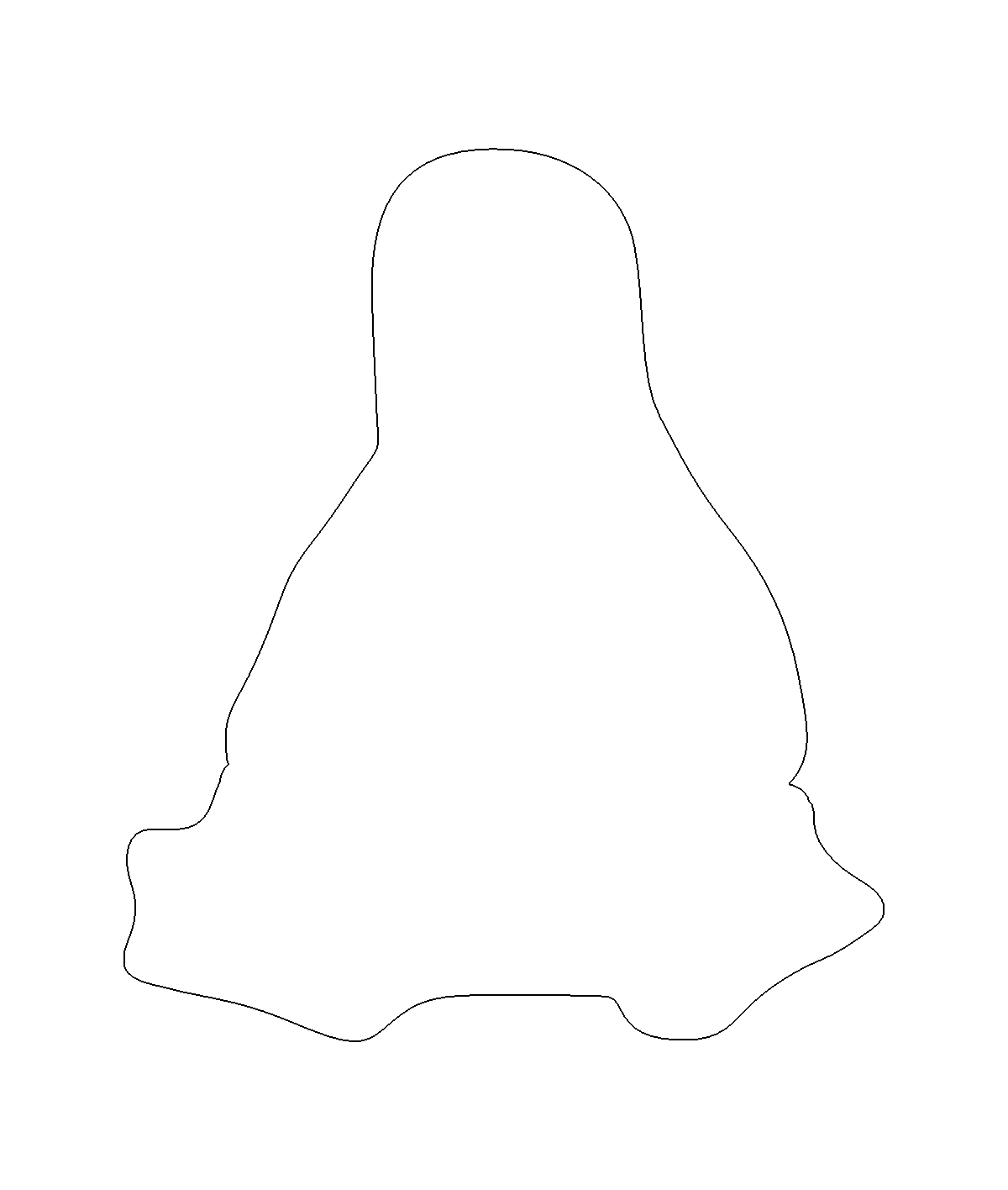
For Tux pix, one should start with Larry Ewing’s drawings; I used the EPS version to get a scalable vector drawing. Run it through The GIMP, close the outline at the flippers, fill with black, save as PNG. Then import into Inkscape, trace the outline, and something like this pops out:
Tux Outline
The reason for using Inkscape is that OpenSCAD imports a very limited subset of all possible DXF files and, while Inkscape can (with some care) produce a DXF format that OpenSCAD can import, somehow the shape lacked interior fill. Sean took a slightly different approach with the same tools and managed to create a useful DXF file that produced this chunk o’ bits:
Tux Slab – solid model
The DXF import still didn’t work dependably, so I exported the Tux Slab from OpenSCAD to an STL file; if you want to extrude a solid Tux, that’s probably the way to go. Importing the STL in the next steps worked fine.
The Parametric Cookie Cutter by nateoostendorp creates thin cutter walls by subtracting a linear dimension from the X- and Y-axis extents of the shape. Unfortunately, Tux has crazy flipper feet that didn’t respond well to that; the walls developed gaps at the inflection points from self-intersections.
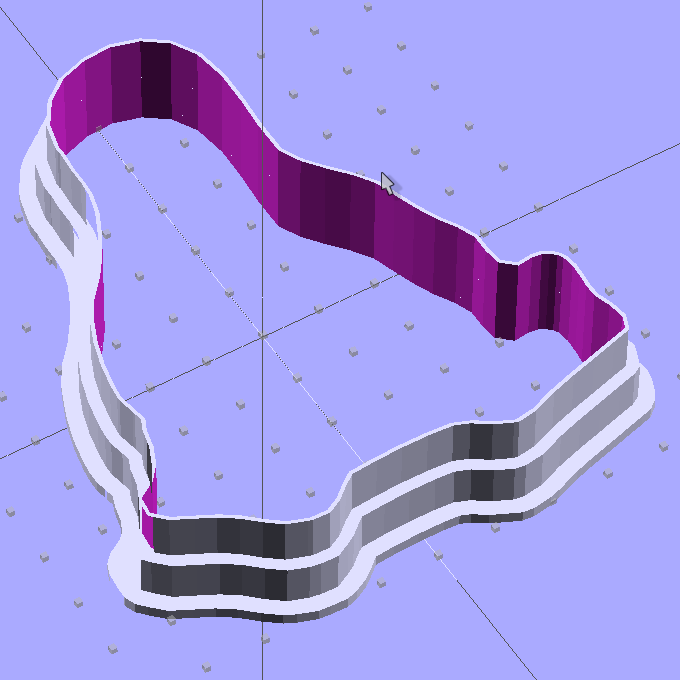
So I started from scratch with a Minkowski sum, which in this case amounts to rubbing a cylinder all over the Tux shape, then intersecting the resulting mega-penguin-post with a slab of the appropriate thickness sitting on the Z=0 plane. The Minkowski enlarges the XY outline by the cylinder’s radius and the Z thickness by twice the cylinder’s height, which I picked to be grossly excessive. Three Minkowskis produce the lip, wall, and tip of the cutter, which then stack up with a Tux-shaped hole subtracted from their midst:
Tux Cookie Cutter – solid model
The thicknesses and heights all derive directly from the extrusion parameters used to print the thing, because there’s not much room for roundoff. The middle section (the wall) is four threads wide, but Skeinforge divides the interior pair of threads into shorter sections with breakpoints at each sharp corner. The cutter section (the lip) is one thread wide, because I couldn’t get a good result with two threads.
The OpenSCAD preview has trouble with the Minkowski result and produces weird rendering glitches, but the CGAL model comes through fine. Note that Tux now has the opposite chirality, a gross oversight that became obvious only after the third cutter emerged from the Basement Laboratory. Here’s the second cutter:
Tux Cutter – reversed
Each cutter takes about 35 minutes to build, so I boiled the highlights down into a thrilling 6 minute movie.
The OpenSCAD source code, into which you can substitute your very own STL shape file:
// Tux cookie cutter using Minkowski sum
// Ed Nisley KE4ZNU - Sept 2011

//- Extrusion parameters - must match reality!

ThreadThick = 0.33;
ThreadWidth = 2.0 * ThreadThick;

function IntegerMultiple(Size,Unit) = Unit * ceil(Size / Unit);

MaxSize = 110;				// larger than any possible dimension ...

//- Cookie cutter parameters

Size = 100;

TipHeight = IntegerMultiple(8,ThreadThick);
TipThick = 1*ThreadWidth;

WallHeight = IntegerMultiple(7,ThreadThick);
WallThick = 4*ThreadWidth;

LipHeight = IntegerMultiple(1.5,ThreadWidth);
LipThick = IntegerMultiple(5,ThreadWidth);

//- Wrapper for the shape of your choice

module Shape(Size) {
  Tux(Size);
}

//- A solid slab of Tux goodness in simple STL format
// Choose magic values to:
//		center it in XY
//		reversed across Y axis (prints with handle on bottom)
//		bottom on Z=0
//		make it MaxSize from head to feet

module Tux(Scale) {
  STLscale = 250;
  scale(Scale/STLscale)
	translate([105,-145,0])
	  scale([-1,1,24])
		import_stl(
		  file = "/mnt/bulkdata/Project Files/Thing-O-Matic/Tux Cookie Cutter/Tux Plate.stl",
		  convexity=5);
}

//- Given a Shape(), return enlarged slab of given thickness

module EnlargeSlab(Scale, WallThick, SlabThick) {

	intersection() {
	  translate([0,0,SlabThick/2])
		cube([MaxSize,MaxSize,SlabThick],center=true);
	  minkowski() {
		Shape(Scale);
		cylinder(r=WallThick,h=MaxSize);
	  }
	}

}

//- Put peg grid on build surface

module ShowPegGrid(Space = 10.0,Size = 1.0) {

  Range = floor(50 / Space);

	for (x=[-Range:Range])
	  for (y=[-Range:Range])
		translate([x*Space,y*Space,Size/2])
		  %cube(Size,center=true);

}

//- Build it

ShowPegGrid();

//cube(5);

difference() {
  union() {
	translate([0,0,(WallHeight + LipHeight)])
	  EnlargeSlab(Size,TipThick,TipHeight);
	translate([0,0,LipHeight])
	  EnlargeSlab(Size,WallThick,WallHeight);
	EnlargeSlab(Size,LipThick,LipHeight);
  }
  Shape(Size);					// punch out cookie hole
}
My first pass at the NEMA 17 motor mount bracket used additive modeling, glomming together several blocks made from cube primitives:
The motor mounting plate, less five holes
Two side struts to stiffen the motor plate
The baseplate, minus two mounting holes
Makes perfect sense to me; perhaps I’m an additive kind of guy. That produced an OpenSCAD model with positive surfaces for the various parts and negative surfaces inside the holes:
NEMA 17 Mount – additive model
Compile that through CGAL, export as STL, inhale into RepG 25, and you (well, I) get what looks to be a fine object in the preview pane:
NEMA 17 RepG preview – additive
Then run it through Skeinforge 40, which emits a flurry of messages along these lines:
[19:11:08] Warning, the triangle mesh slice intersects itself in getLoopsFromCorrectMesh in triangle_mesh.
[19:11:08] Something will still be printed, but there is no guarantee that it will be the correct shape.
[19:11:08] Once the gcode is saved, you should check over the layer with a z of:
[19:11:09] 0.165
The usual searching suggested that sometimes Skeinforge has problems with coincident surfaces, such as between the motor mount plate and the struts and the base, or coincident edges where two blocks abut. Judging from the messages, the problem ran all the way to the top of the struts. Oddly, Skeinview didn’t show any problems, so the G-Code was (presumably) OK.
Error messages tend to make me twitchy, though. I modified the OpenSCAD code to extend the struts 0.1 mm inside the base and ran that model through the software stack, which produced not a single complaint about anything, anywhere.
Success!
However, painful experience has caused me to review the G-Code for every single object with the Skeinlayer plugin, which, right on cue, revealed this interesting anomaly:
NEMA 17 Mount – Skeinview – Bad gcode
That happened for every layer in the square motor mount plate: the lower right corner is fine, the upper left seems to be the negative of the actual solid model. The holes are filled, the plate is empty. The Skirt outline ignores the smaller holes, goes around the large one, and continues on its merry way.
I putzed around for a while and discovered that the failure seems acutely sensitive to the side strut thickness. Yeah, like that makes any sense.
Any variations along those lines that I tried generated either:
A flurry of mesh error messages, with seemingly good G-Code
No error messages whatsoever, with totally bogus G-Code
Running the STL files through netfabb Cloud Service produced the same diagnostic for both:
Number of holes: 3
Number of shells: 2
Mesh is not manifold and oriented.
 We unfortunately have not yet enough experience with the occuring server loads, that we can securely enable shell merging at the moment.
However, the repaired STL files produce correct G-Code: evidently OpenSCAD spits out bogus STL data. The fact that RepG/SF treats the two files differently suggests improved diagnostics would be in order, but that’s in the nature of fine tuning.
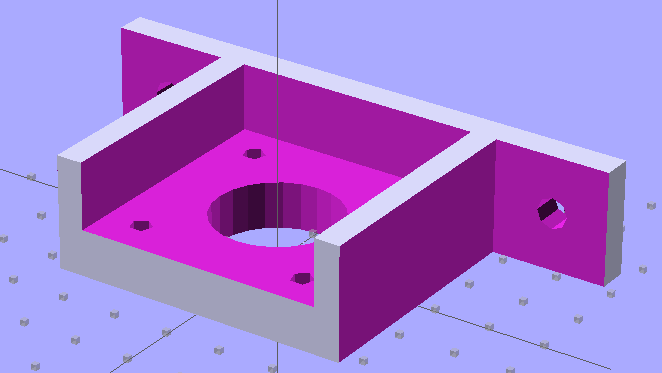
So I junked the additive model and went subtractive, chewing the recesses out of one huge block:
NEMA 17 Stepper Mount – solid model
That worked:
Number of holes: 0
Number of shells: 1
Mesh is manifold and oriented.
I like processes that don’t emit error messages or result in mysterious failures, although it’s not obvious that subtractive modeling will always produce correct results. Heck, I’m not sure I can think in terms of negative volumes all that well.
The OpenSCAD code for the additive model, with a highlight on the conditional that will trigger the two errors:
OpenSCAD depends on CGAL for all the 3D heavy lifting, which puts any STL export problems further upstream. I suppose I could open Yet Another RepG ticket to get better diagnostics, but the others haven’t gotten much attention so far and I suppose it’s not really their problem anyway.
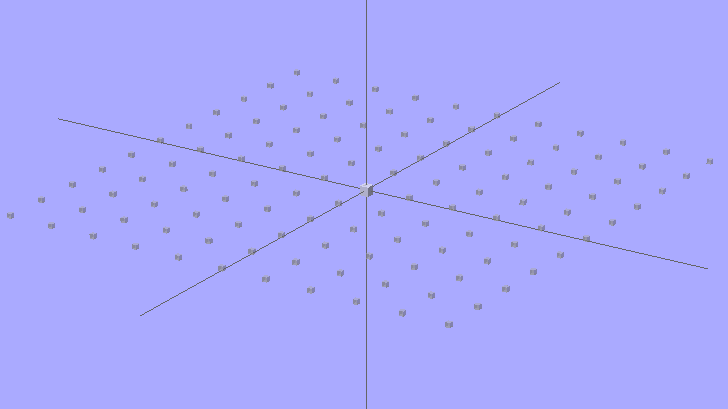
It looks about the same as before, only now it’s transparent gray. The 2-unit cube in the middle marks the “your object goes there” spot; the % prefix on the grid cubes causes OpenSCAD to ignore them.
OpenSCAD Build Surface Grid – revised
The OpenSCAD source code:
module ShowPegGrid(Space = 10.0,Size = 1.0) {

Range = floor(50 / Space);

for (x=[-Range:Range])
for (y=[-Range:Range])
translate([x*Space,y*Space,Size/2])
%cube(Size,center=true);

}

ShowPegGrid();
cube(2,center=true);
OK, this resembles dynamiting fish, but I can’t help myself. A cute little Lenovo Q150 with a D525 dual-core Atom and nVidia ION graphics just arrived, which, perforce, has Windows 7 preinstalled. The first step is to get Windows activated, updated, and settled down… the second step being, of course, to shrink that partition to a nub and install Linux for actual use.
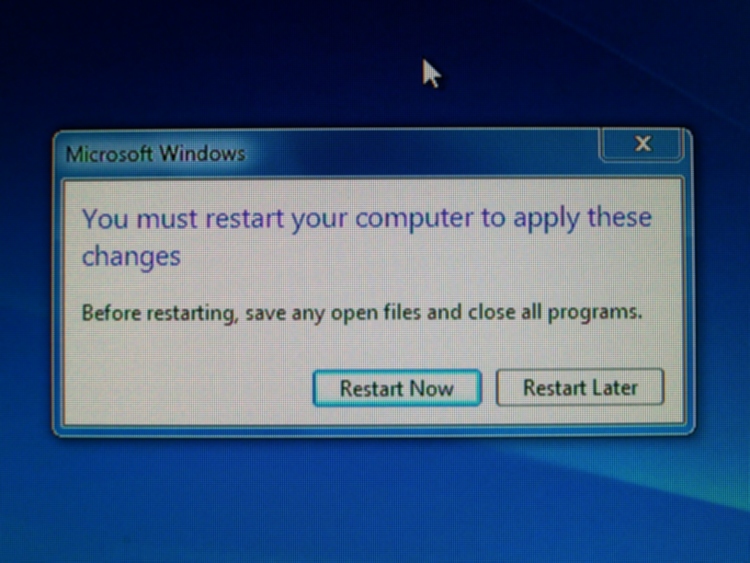
After a bit of huffing & puffing, reading (*) & clicking of many EULAs, and the first round of updates:
Windows 7 – You must restart your computer
Every time I see that, I think of the old dialog box joke:
Mouse motion detected. Windows NT must reboot to apply this change. [OK]
Then it had to update .NET, which produced this unbelievable body count of changes:
Windows 7 – Applying update operation
And then another few rounds of updates, the last of which evidently crashed & burned. The Get help with this error link was, mmm, unhelpful; it simply reported they hadn’t the foggiest idea what went wrong. Rebooting and retrying the automated updates presumably worked:
Windows 7 – Some updates were not installed
Doing all of that while puttering around with other stuff occupied the better part of a day, after which one owns a PC with an operating system installed. Yeah, you do get a UI that exposes IE 9, but if you want to do something with the PC, well, that requires installing applications.
I loves me my default Windows desktop background, from a long-ago crash inside a VM:
BSOD – fatal app exception
(*) Yes, I do read them, mostly for comic relief. The general practice of forcing you to scroll through a sheaf of typewriter-formatted pages in a 2×3 inch peephole centered in a huge monitor suggests that they really don’t want you to know what’s going on. Anyone who suggests buying commercial software because it has a reputable company standing behind it has obviously never gone to the trouble of reading the relevant EULA.
After printing the Barbie Pistol, I discovered that moving the Z stage to anything less than the absolute maximum was a Bad Idea, so I changed end.gcode to simply home the Z axis to the top. That worked fine in RepG 24, but after printing a few things with RepG 25, I discovered that the Z axis now has uncommanded motion after that homing step: a G0 F4000 X0 causes the Z stage to drop by anywhere from a few millimeters to half the total travel.
Of course, the uncommanded Z motion depends on something imponderable, but it’s consistent for any given setup. This chunk of G-Code causes about 10 mm of downward Z motion:
G21 (set units to mm)
G90 (set positioning to absolute)
(- coarse home axes -)
G162 Z F1000 (home Z to get nozzle out of danger zone)
G161 Y F4000 (retract Y to get X out of front opening)
G161 X F4000 (now safe to home X)
M132 X Y Z A B (fetch home offsets from EEPROM)
G0 F4000 X0 Y0 Z30 (pause at center to build confidence)
(- draw square)
G0 F4000 X-45 Y-45 Z10 (to front left corner)
G1 Y45 F4000
G1 X45
G1 Y-45
G1 X-45 (return to front left)
(- move to eject position)
G162 Z F1500 (home Z to get nozzle away from object)
(G0 F4000 Z113) (this would work fine)
G0 F4000 X0 (center X axis)
G0 F4000 Y40 (move Y stage forward)
As nearly as I can tell, homing an axis trashes its coordinate value, so the only thing you can do next is set the axis coordinate value with G92 or M132. Given that those values are now stored in EEPROM, maybe it’s be a good idea to simply use them, without requiring another command after each homing command?
You’d want home offset values for both the maximum and minimum limits, to accommodate printers with limits on both ends of the axis, rather than the single offset now stored. The two homing commands (G161 and G162) could pick the appropriate offset, if a valid one was stored, and leave the coordinate unchanged (but not trashed!) otherwise.
It would be handy, while doing the fast / coarse home stuff, to switch to G91 relative positioning mode and back off the switches by 2 mm by using a simple G0 X2 Y2 Z-2 that doesn’t depend on knowing the exact coordinates of the endpoint, but it seems relative positioning doesn’t work for any but the most trivial cases.
After some fiddling, this short routine produces a very fast, very long, fully coordinated XY move to some position in the +X +Y direction at the G1 X2 F100 command after the G91 command sets relative motions; it should move 2 mm away from the X switch. When the machine arrives at the new (unexpected) position, it then does the expected slow 2 mm Y and Z moves:
G21 (set units to mm)
G90 (set positioning to absolute)
(- coarse home axes)
G162 Z F1000 (home Z to get nozzle out of danger zone)
G161 Y F4000 (retract Y to get X out of front opening)
G161 X F4000 (now safe to home X)
(- back off switches)
G91
G1 X2 F100
G1 Y2 F100
G1 Z-2 F100
G90
I gave up and used an absolute move with hardcoded XYZ coordinates that should be pretty close to the stored values.






 The Smell of Molten Projects in the Morning