The Smell of Molten Projects in the Morning

Ed Nisley's Blog: Shop notes, electronics, firmware, machinery, 3D printing, laser cuttery, and curiosities. Contents: 100% human thinking, 0% AI slop.

Category: Science

If you measure something often enough, it becomes science

  • Laser-Engraved CD Stress Cracking

    Laser-Engraved CD Stress Cracking

    Given the cracking caused by vector patterns on CDs and DVDs, seeing stress cracks open up on large-area engravings came as no surprise:

    Laser engraved CD cracking - D
    Laser engraved CD cracking – D

    They start smaller in the more closely engraved areas:

    Laser engraved CD cracking - A
    Laser engraved CD cracking – A

    But eventually spread over the entire surface:

    Laser engraved CD cracking - C
    Laser engraved CD cracking – C

    They’re not always straight:

    Laser engraved CD cracking - B
    Laser engraved CD cracking – B

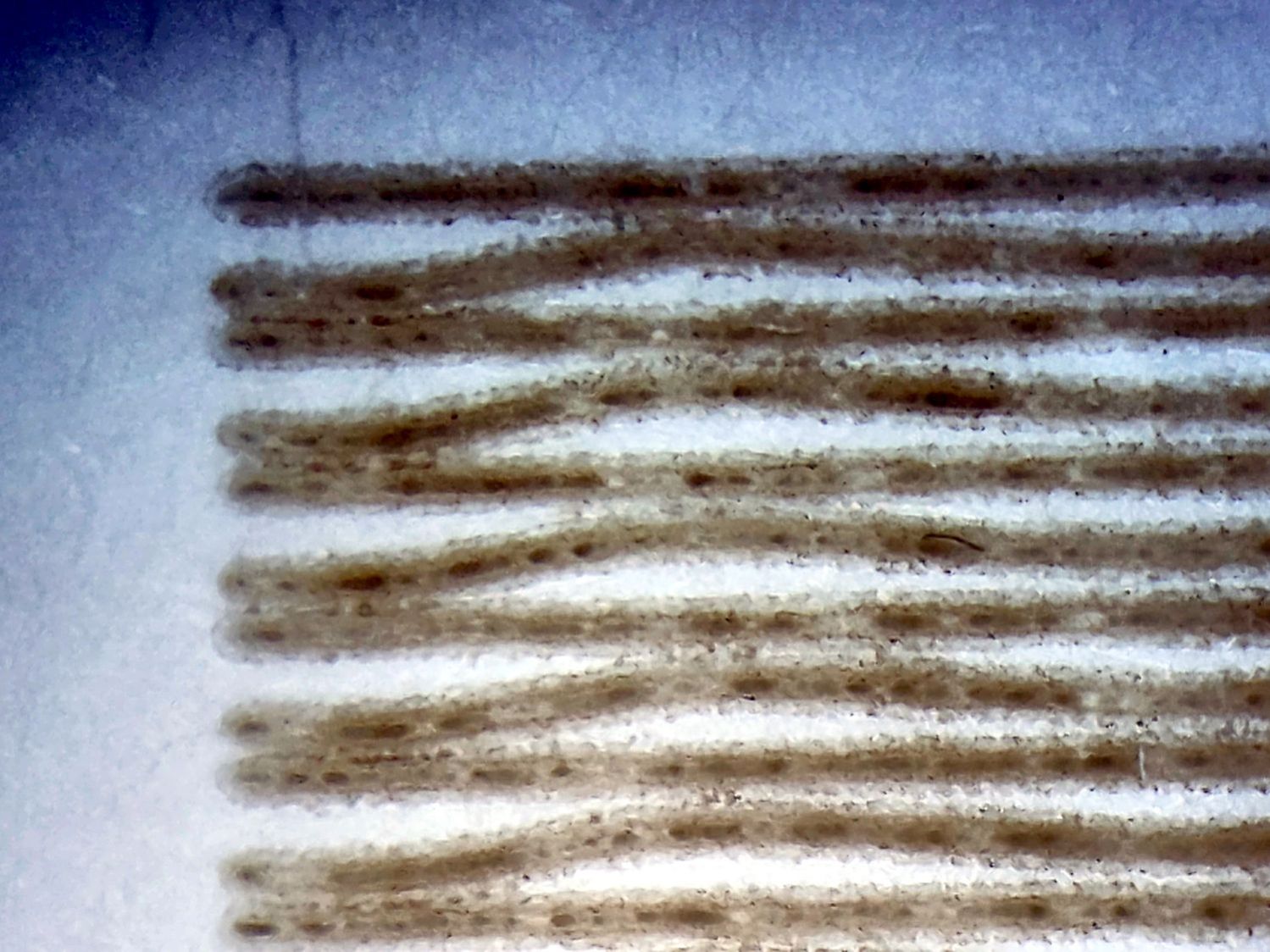
    And aren’t aligned with the engraving path:

    Laser engraved CD cracking - B detail
    Laser engraved CD cracking – B detail

    My threat model says those discs are definitely unreadable …

  • HLP-200B Laser Power Meter: Mirror Losses

    HLP-200B Laser Power Meter: Mirror Losses

    With the manual laser pulse button in place, I measured the beam power at the entry and exit planes of Mirror 1 and Mirror 2, with the differences indicating something about the reflectivity (or lack thereof) of the molybdenum mirrors. Given that the losses are on the order of a few percent, tops, I expected this to be below the repeatability of the measurements.

    The Mirror 1 entry point is basically the same as the laser tube exit:

    HLP-200B - Laser tube exit
    HLP-200B – Laser tube exit

    The Mirror 1 exit plane is perpendicular to that, just behind the mirror, but there is no way I can get a picture of the arrangement. Suffice it to say I do not want to ever put any body parts that close to an operating laser tube again.

    The HLP-200B meter turned out to be exactly the right length to stand on its own in front of Mirror 2, although I needed a few test shots to figure out the lateral positioning:

    HLP-200B Mirror 2 entry check
    HLP-200B Mirror 2 entry check

    The Mirror 2 exit measurements were hand-held, with the meter braced against the mirror mount brackets on the gantry:

    HLP-200B Mirror 2 exit
    HLP-200B Mirror 2 exit

    Without further ado, the results:

    M1 EntryM1 ExitM2 EntryM2 Exit
    35.531.230.332.9
    28.330.629.132.6
    31.822.827.828.9
    30.329.029.428.5
    26.928.428.727.0
    31.131.728.626.9
    30.729.029.029.5
    2.993.270.842.67

    The bold line gives the average of the six measurements at each position, with the sample standard deviation below that.

    As expected, the pulse-to-pulse variations swamp any actual differences between the entry and exit power levels; Mirror 2 does not have a net power gain. A 2% loss in the mirror is 0.6 W at 30 W, obviously far too small for the HLP-200B meter to resolve.

    I must once again set up the photocell to measure the stray IR scattered around the beam, measure the actual tube current, then see if the two vary as much as the HLP-200B says the beam power does.

  • Laser-Engraved PETG / PETG-CF

    Laser-Engraved PETG / PETG-CF

    Prompted by scruss’s report of successfully “engraving” PLA, I had to try this:

    Laser engraved PETG-CF
    Laser engraved PETG-CF

    It’s blue PETG-CF from the scrap box, done at 500 mm/s and 20% of a 60 W laser and came out looking really nice.

    I did a pass at 10%, low enough that the laser barely fired, and the mark was, correspondingly, barely visible: no color change and only a slight depth. Obviously, you’d want to tune for best picture depending on whatever you were trying to achieve.

    The results on black PETG, also from the scrap box, were somewhat less attractive:

    Laser engraved PETG - bottom surface
    Laser engraved PETG – bottom surface

    That’s at 500 mm/s with power at 10% and 20, so the outcome definitely depends on the material. That surface was against the platform when it was printed on the Makergear M2, explaining the glossy smooth threads.

    The other side was rougher and needed more power to punch a visible result into the plastic:

    Laser engraved PETG - top surface
    Laser engraved PETG – top surface

    All in all, the PETG-CF result looks usable, particularly for small-ish annotations on a flat surface where full-on multimaterial printing would take forever without adding much value.

  • HLP-200B Laser Power Meter: Variation Across the Platform

    HLP-200B Laser Power Meter: Variation Across the Platform

    It’s generally accepted that laser cutter performance varies across the platform due to differences in path length, with (in my OMTech 60 W machine) the rear left corner having more power because it’s closest to the laser tube and the front right corner having less power because it’s farthest away.

    Having measured the path lengths, set the laser pulse power to 25%, then plotted the power measurements against path length:

    HLP-200B Laser Power Meter - 60 W across platform measurements
    HLP-200B Laser Power Meter – 60 W across platform measurements

    I was mildly surprised at the minimal path length difference between the two corners and the center, but it’s due to the meter case reducing the distance along the X axis without a similar change along Y. In real life, you’d snuggle the HLP-200B sensor against the boundaries of the platform and measure the corresponding distances.

    Given the size of the standard deviation bars, you can surely draw different conclusions, but the linear fit suggests the beam loses 3.5 W per meter of path length: 3.9 W from left rear to right front. Using meters for the distance multiplies the coefficient by 1000 and brings the digits up out of the noise; don’t believe more than two digits.

    Although the beam diverges, the HLP-200B sensor is much larger than the beam and captures all the energy even in the front right corner, so beam divergence doesn’t matter and any square-law effect doesn’t apply.

    If I had measured the power at the tube exit, it would be around 34 W and the error bars would surely justify that expectation, too.

    Assuming the path loss in watts is proportional to the tube exit beam power, calling it 10% would be about right. That would definitely reduce the cutting performance in the front right corner if the power setting was barely adequate elsewhere on the platform.

  • OMTech 60 W Laser: Path Length Measurements

    OMTech 60 W Laser: Path Length Measurements

    Just to see if it worked, I tried measuring the path length between the laser tube exit and various spots on the platform with a laser distance measuring tool / rangefinder:

    Laser Path Length setup - distance meter
    Laser Path Length setup – distance meter

    That is a reenactment based on actual events.

    The trick is to put a retroreflective panel at the tube exit:

    Laser Path Length setup - retroreflector
    Laser Path Length setup – retroreflector

    The key under the tube comes from the key switch on the front panel, which is locked in the OFF position. That way, I can’t fire the CO₂ laser without opening the rear hatch to retrieve the key, whereupon I’ll most likely notice the retroreflective target I forgot earlier.

    Protip: Always set things up so you must make two mistakes before the bad thing happens. I’m certain to make one mistake, but I can generally catch myself before making the second mistake.

    Then it’s just a matter of positioning the base of the rangefinder on the laser head and convincing the targeting dot to go backward through the mirrors to the retroreflector:

    Laser Path Length setup - retroreflector target
    Laser Path Length setup – retroreflector target

    Which is a reenactment with a laser pointer through Mirror 2 to Mirror 1 to the reflector. If I had a few more hands, this stuff would be way easier.

    Then drive the laser head around the platform and make measurements:

    Path length measurements
    Path length measurements

    The distances down the left side are at the Mirror 2 entrance aperture, the rest are at the Mirror 3 entrance on the laser head. I think the measurements are within ±50 mm of the “true” path length at any given spot, because I did not jog the head to exact coordinates. The two values in the front right corner suggest ±10 mm repeatability with my slack process and cross-checking the various differences along the axes comes out reasonably close.

    Don’t believe all the digits.

    Doing this for real would involve figuring the offset from the Mirror 3 entrance to the HLP-200B Laser Power Meter target, then positioning the rangefinder at that point:

    HLP-200B Laser Power Meter - platform center
    HLP-200B Laser Power Meter – platform center

    My rangefinder (an ancient Bosch GLR_225) can use four different measurement origins; I used the default “end of the case” setting, put that end flush-ish against the mirror entrance aperture, and declared it Good Enough™.

  • HLP-200B Laser Power Meter: First Measurements

    HLP-200B Laser Power Meter: First Measurements

    The HLP-200B Laser Power Meter arrives without much in the way of specifications:

    The HLP-200B Laser Power Meter Handheld comes fully calibrated at 10.6 μm (CO2). Each laser power meter we calibrate is directly traceable to NIST absolute standards because we use GOLD standards as a reference for each calibration. You will obtain the most accurate result possible

    A line in the description says “+/- 3% within the central section”, but that’s not much help. Back in the day, any error percentage referred to the meter’s full-scale value, which would be ±6 W for a 200 W meter.

    So I plunked the meter in the middle of the laser platform:

    HLP-200B Laser Power Meter - platform center
    HLP-200B Laser Power Meter – platform center

    Then took five measurements at each of ten power levels:

    PWM %10203040506070809099
    °C17.217.918.419.019.420.320.020.020.519.4
    Tube Current34710141618202224
    W7.121.042.051.859.163.067.869.674.764.0
    6.019.837.248.952.756.065.169.672.471.8
    6.421.139.345.656.553.261.160.774.675.2
    5.617.837.140.455.353.255.164.274.973.5
    6.017.736.945.154.553.162.269.972.270.9
    Avg Power6.219.538.546.455.655.762.366.873.871.1
    std dev0.571.662.194.292.394.264.784.161.344.29

    That’s easier to digest from a graph:

    HLP-200B Laser Power Meter - 60 W platform center measurements
    HLP-200B Laser Power Meter – 60 W platform center measurements

    The absurdity of computing the sample standard deviation from five measurements taken at each power level does not escape me, but this just surveys the situation.

    Earlier measurements of the tube current vs. PWM setting, using an RMS value computed by the oscilloscope’s firmware, produced a plot resembling the brown points (read the mA scale on the right) at the high end and differing greatly on the low end. These values come from the power supply’s digital meter, but the straight-line fit doesn’t look absurdly forced and the zero intercept seems plausible. I *assume* it’s actually measuring the tube current, rather than displaying a value computed from the PWM input, but I don’t know for sure.

    The rather sketchy paperwork accompanying the laser had one handwritten “21 mA” seemingly corresponding to 60 W output, which looks approximately correct. The instruction manual has a table of power vs. current suggesting that 65-ish W corresponds to 18 mA, with 100 W at 23 mA; it’s unclear whether that is for the 60 W tube in the machine or applies to the entire range of available tubes. The manual recommends not using more than 95% PWM, with which I heartily agree.

    Because my meter stand holds the target in the same position relative to the beam during successive measurements much better than I could by hand, I think the pulse-to-pulse variation comes from meter and tube repeatability.

    Earlier measurements with a grossly abused Gentec ED-200 joulemeter suggested the laser has some pulse-to-pulse timing variation, down in the millisecond range, but produced roughly the right power for middle-of-the-range PWM settings. This meter integrates the beam power over about ten seconds, so I think variations will be due to (possible) tube power changes and meter repeatability, rather than timing errors.

    Obviously, you must not depend on any single-shot measurement to fall within maybe 10% or several watts of the right answer.

    With all that in mind and assuming the meter is delivering approximately the right numbers on average, the power supply overcooks the tube at any PWM setting above 50%. I’ve noticed some beam instability / defocusing over 80% while cutting recalcitrant materials, which is surely due to the tube not lasing properly. I generally avoid doing that.

    The log fit to the measured power looks better than I expected, although I’m unprepared to compute natural logs in my head.

    Hey, it’s my idea of a good Christmas present …

  • HLP-200B Laser Power Meter: Holder / Stand

    HLP-200B Laser Power Meter: Holder / Stand

    The overall measurement process for the HLP-200B laser power meter requires more coordination than I can muster on a dependable basis, so a third hand seemed in order:

    HLP-200B Power Meter - target setup
    HLP-200B Power Meter – target setup

    In actual use, a pair of finger-crushingly strong magnets laid on the base hold it firmly to the honeycomb.

    Because a CO₂ laser beam is invisible, the only way to know where it hits is to char a bit of paper:

    HLP-200B Power Meter - target detail
    HLP-200B Power Meter – target detail

    With that evidence, I can jog the platform up-and-down and the gantry front-and-back to center the beam on the paper target and, thus, on the sensor behind it. That process happens at each test position across the platform:

    HLP-200B Power Meter - targets
    HLP-200B Power Meter – targets

    The meter shuts down a mere six seconds after completing each measurement, which means I must keep the lid open, listen carefully, and react quickly. Firing the laser thus requires defeating the lid interlock specifically wired to prevent that from happening:

    Laser lid interlock sensor
    Laser lid interlock sensor

    Rather than install a switch to bypass the interlock, I taped a steel cover harvested from defunct electronics over the sensor:

    Laser lid interlock sensor - bypassed
    Laser lid interlock sensor – bypassed

    Which has the useful side effect of preventing me from closing the lid with the interlock defeated.

    The holder is just slightly larger than the meter’s handle and some clamps produced a snug fit while the glue cured:

    HLP-200B Power Meter - holder gluing
    HLP-200B Power Meter – holder gluing

    The holder keeps the meter sensor at the same position vertically and within about a millimeter horizontally. The laser beam seems to be around 5 mm in diameter (the scorches above come from the hottest central part), so the beam should hit the same position on the sensor during successive measurements, making them far more repeatable than my waving it around by hand.

    The LightBurn SVG layout as a GitHub Gist:

    Loading
    Sorry, something went wrong. Reload?
    Sorry, we cannot display this file.
    Sorry, this file is invalid so it cannot be displayed.