The Smell of Molten Projects in the Morning

Ed Nisley's Blog: Shop notes, electronics, firmware, machinery, 3D printing, laser cuttery, and curiosities. Contents: 100% human thinking, 0% AI slop.

Category: Recumbent Bicycling

Cruisin’ the streets

  • It’s Right on Red After Stopping

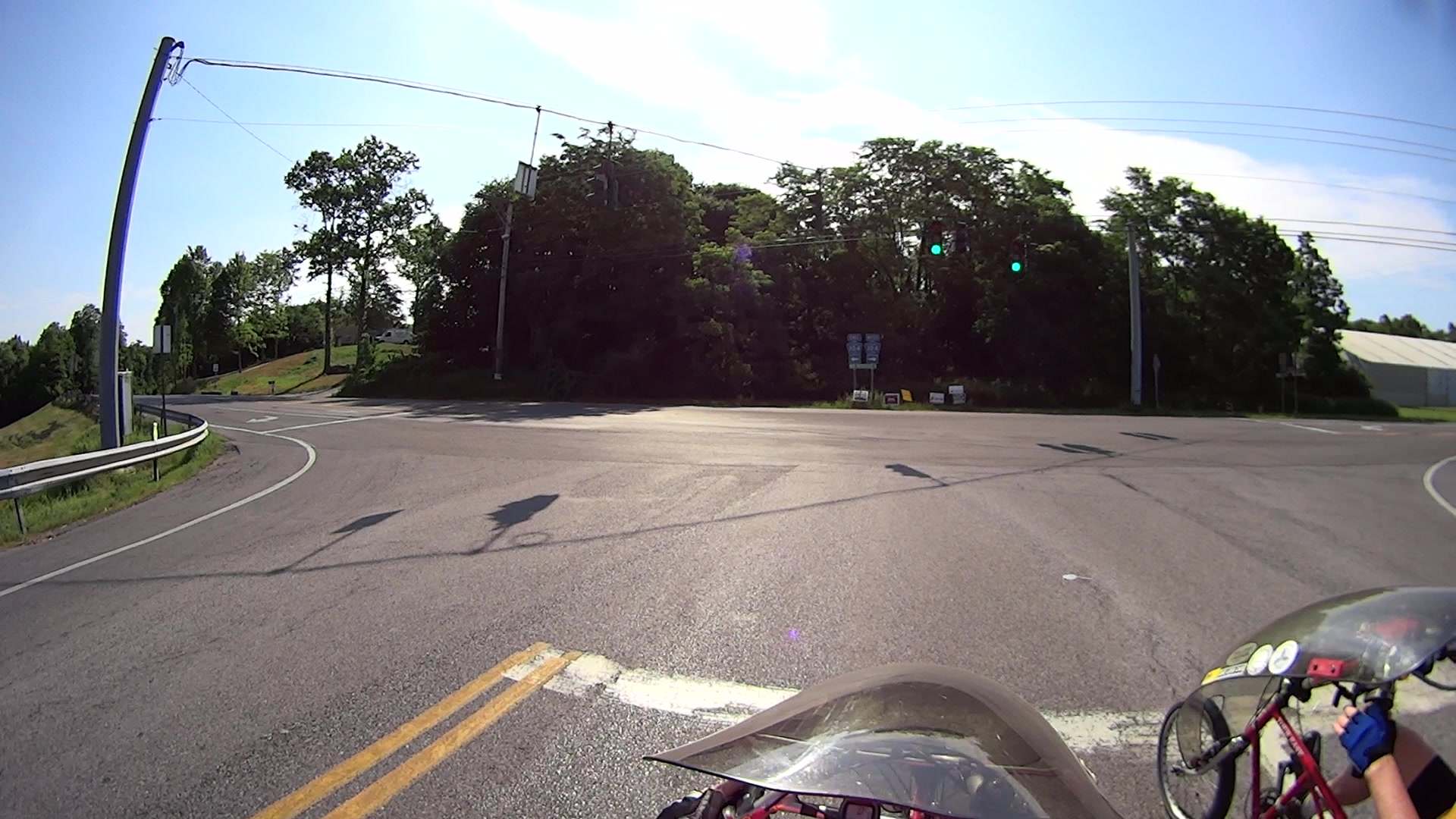
    I’m returning home after accompanying Mary to her morning of volunteering in the Locust Grove veggie gardens. The Locust Grove gate faces predominantly left-turning traffic from Beechwood Avenue, so I’ll be watching the vehicles approaching head-on.

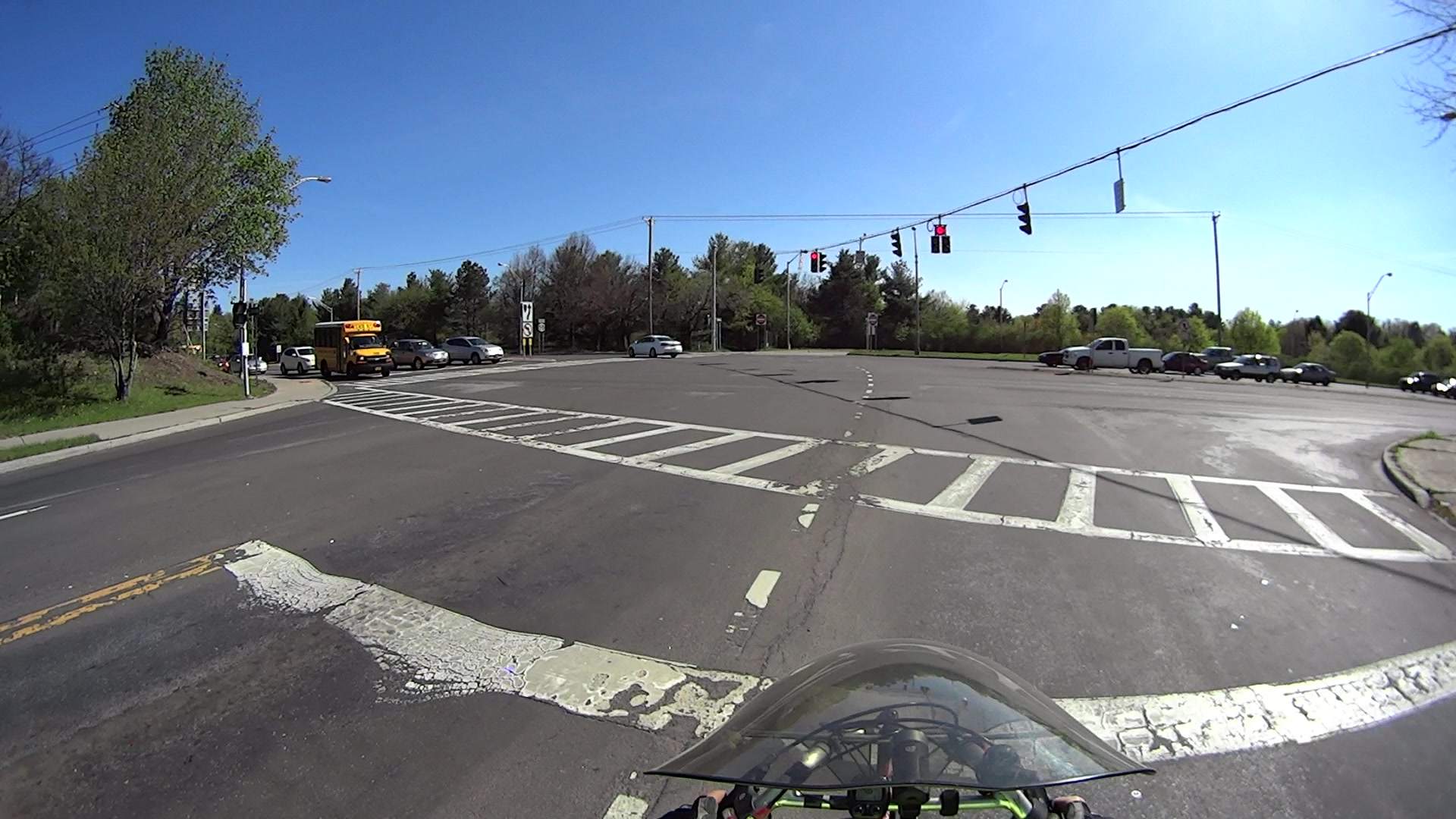
    T = 0.000 – Signal turns green:

    Rt 9 Locust Grove - Right on Red - front camera - 0135
    Rt 9 Locust Grove – Right on Red – front camera – 0135

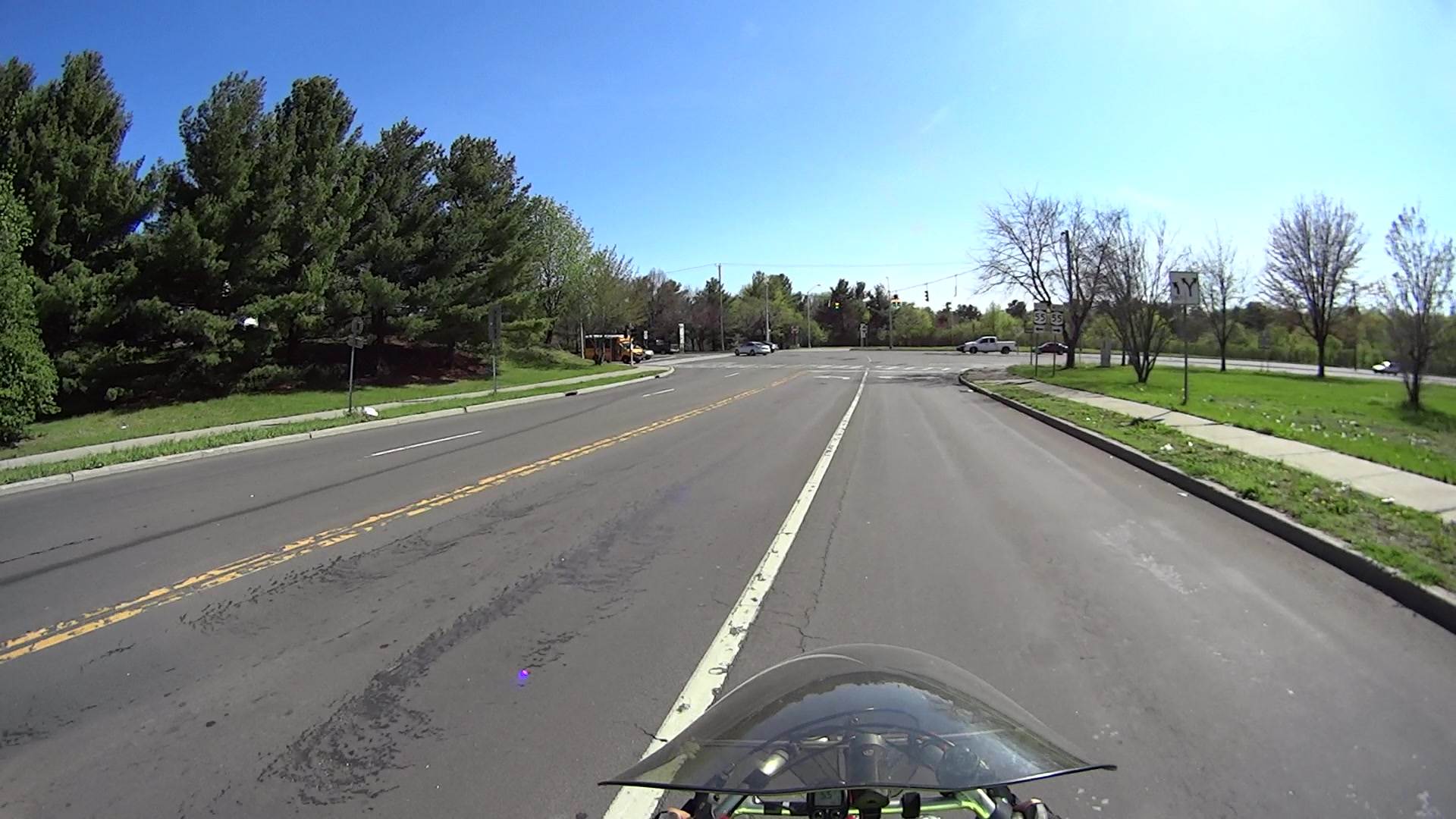
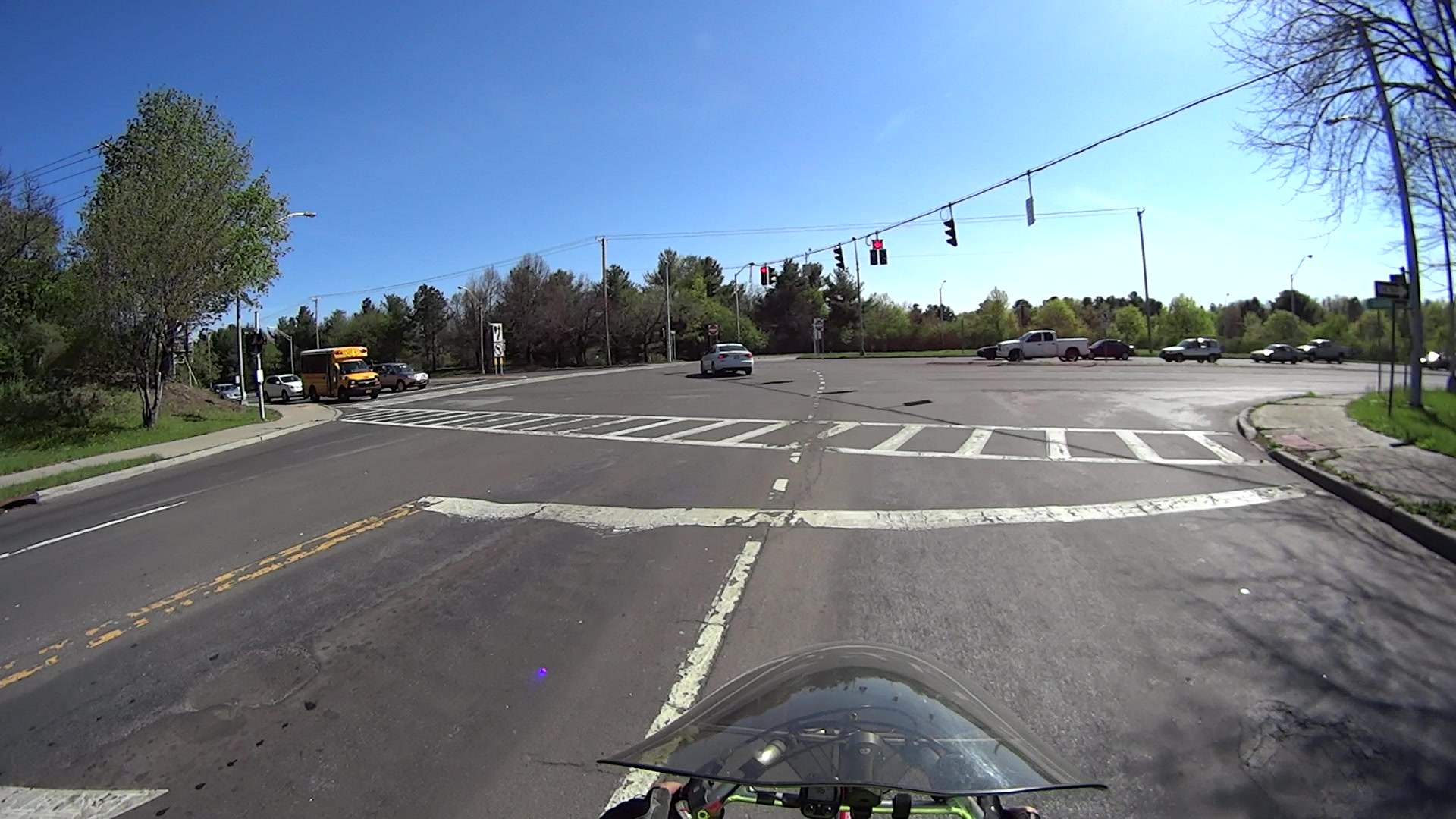
    T = 2.500 – Entering the intersection:

    Rt 9 Locust Grove - Right on Red - front camera - 0270
    Rt 9 Locust Grove – Right on Red – front camera – 0270

    I don’t start pedaling until the signal in my direction actually turns green, because drivers have been known to blow through intersections with a fresh red signal. Two seconds seems like a reasonable delay.

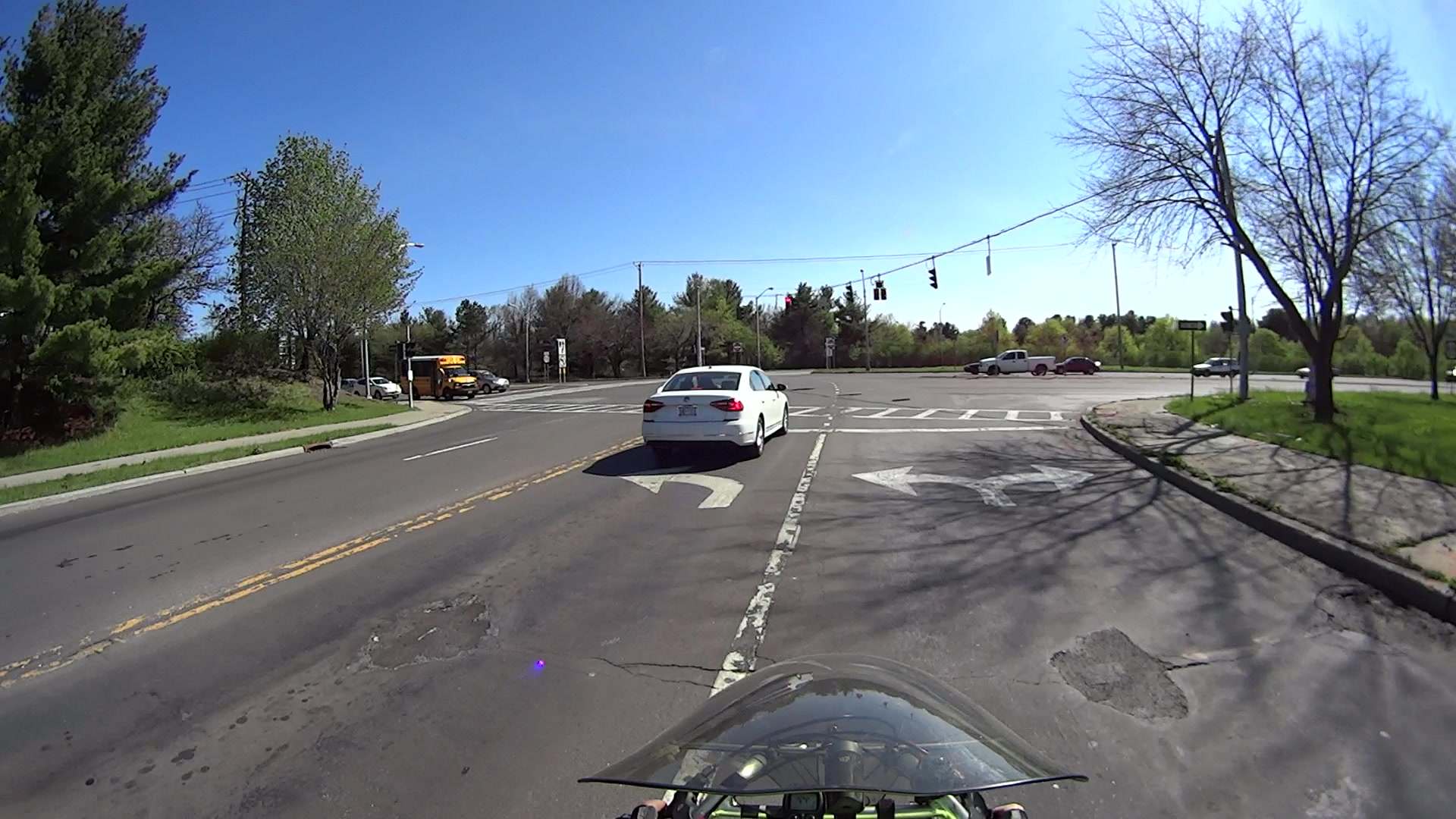
    T = 5.500 – Three lanes later, nearing the midline of Rt 9 and still accelerating:

    Rt 9 Locust Grove - Right on Red - front camera - 0465
    Rt 9 Locust Grove – Right on Red – front camera – 0465

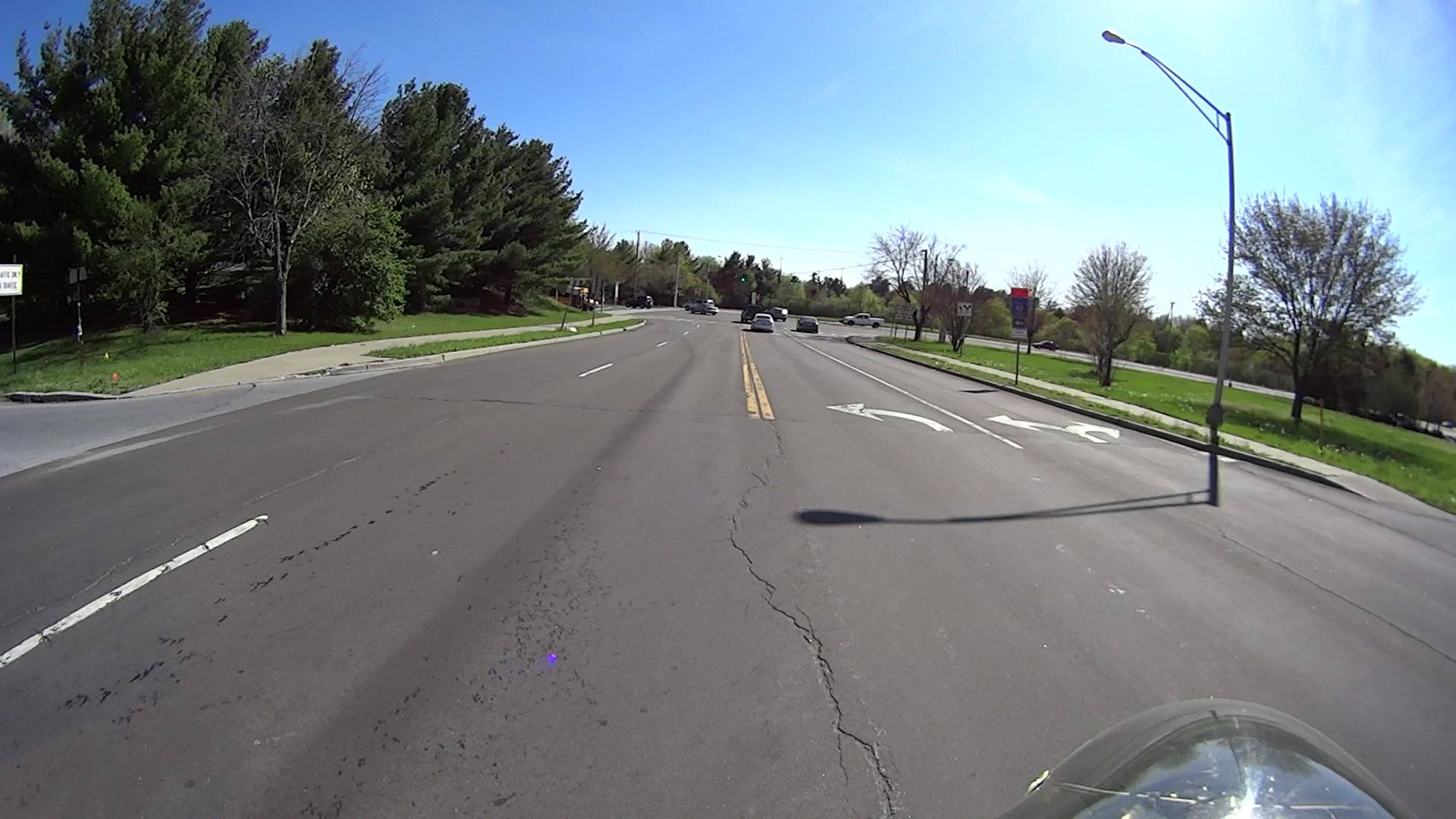
    T = 5.917 – The black car in the right lane is moving and I begin to look that way:

    Rt 9 Locust Grove - Right on Red - front camera - 0490
    Rt 9 Locust Grove – Right on Red – front camera – 0490

    I cannot tell from the video whether the driver actually stopped (as you’re required to do for “right on red after stop“, but nobody actually does) or just slowed into a rolling stop for the turn.

    Why not slam to a stop in the middle of Rt 9 in front of the left-turning traffic? Come for a ride with me and we’ll try that out. I’ll shout “LOOK OUT!” at some inopportune time when you’re in the middle of traffic and not expecting it, whereupon you must hit the brakes and deal with the consequences.

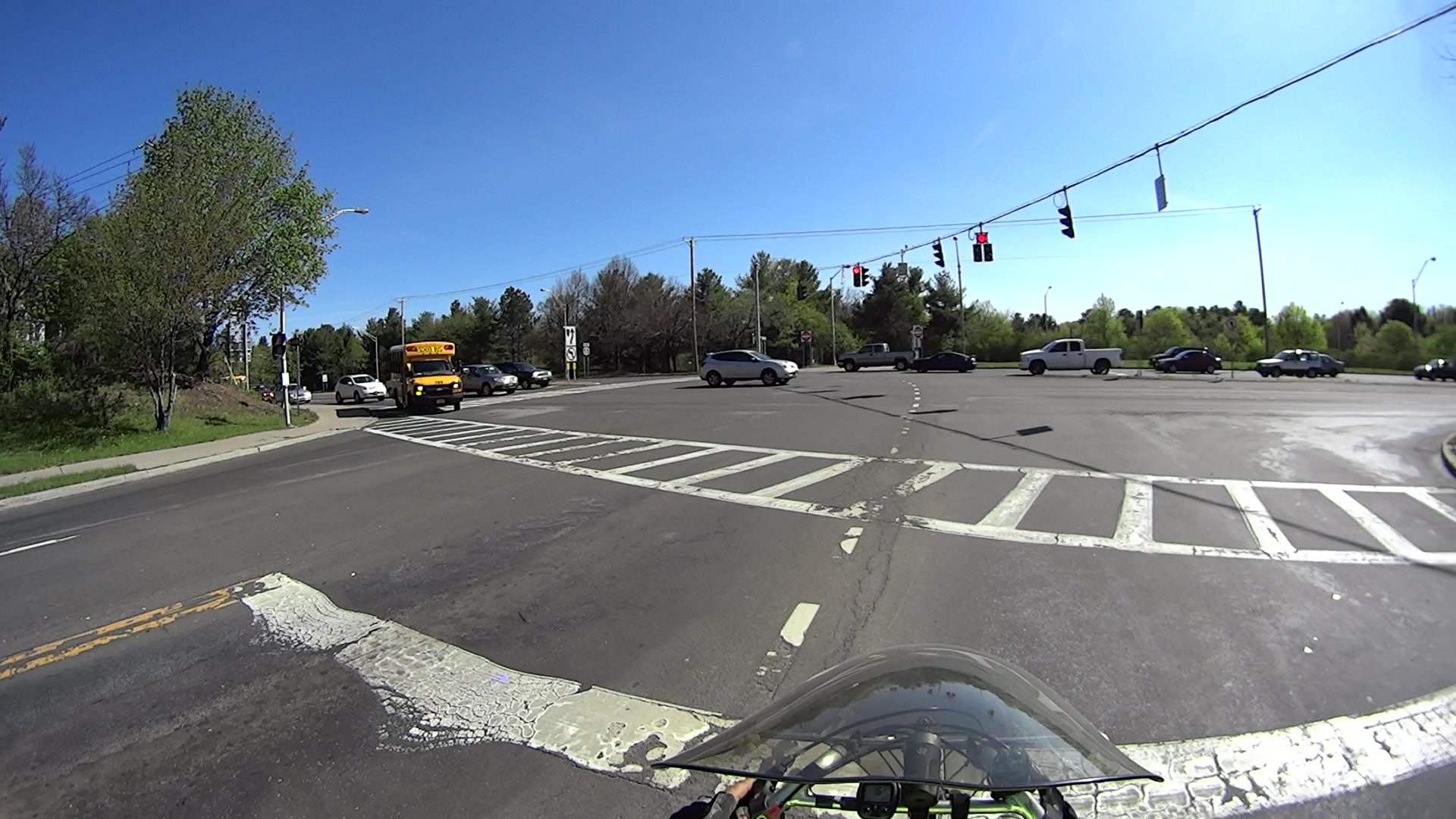
    T = 7.117 – One second later, I’m beginning to veer left, directly toward the stream of oncoming traffic turning toward me:

    Rt 9 Locust Grove - Right on Red - front camera - 0562
    Rt 9 Locust Grove – Right on Red – front camera – 0562

    In round numbers, the black car moved 35 feet in 1.2 s between those frames: 30 feet/s = 20 mph.

    T = 7.750 – The white car on my right continues turning and I’ll definitely clear its rear:

    Rt 9 Locust Grove - Right on Red - front camera - 0600
    Rt 9 Locust Grove – Right on Red – front camera – 0600

    The black car has moved another 15 feet in 633 ms: 24 feet/s = 16 mph.

    I’m wearing the vest part of my fluorescent green jacket over a fluorescent green shirt with fluorescent green gloves. By now, I think I’ve been sighted, at ten feet and closing.

    T = 8.383 – The only clear area lies directly ahead of the oncoming silver car:

    Rt 9 Locust Grove - Right on Red - front camera - 0638
    Rt 9 Locust Grove – Right on Red – front camera – 0638

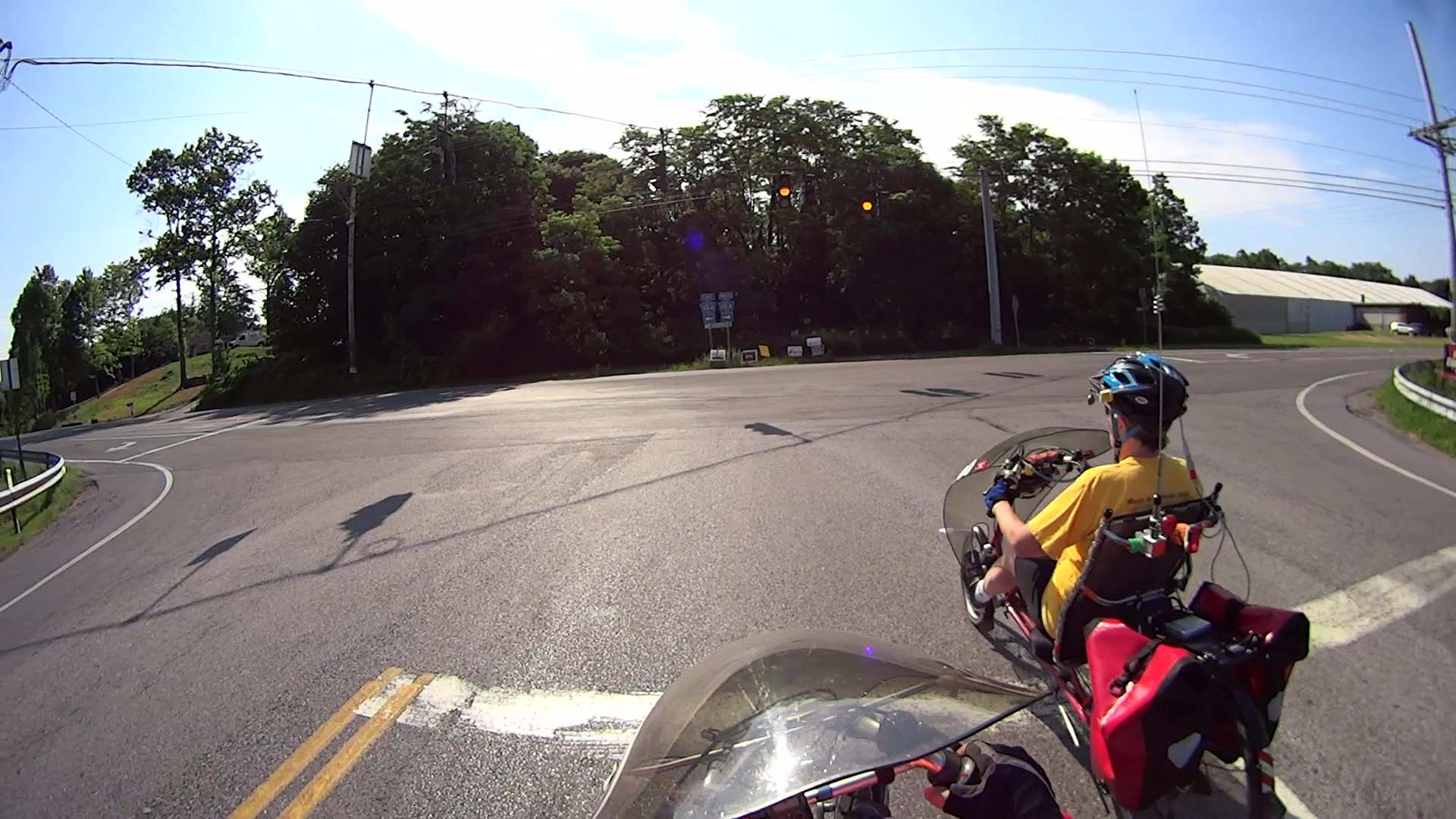
    T = 9.000 – I’m approaching the yellow line, probably won’t sideswipe the silver car, and the black car is now braking:

    Rt 9 Locust Grove - Right on Red - front camera - 0675
    Rt 9 Locust Grove – Right on Red – front camera – 0675

    T = 9.583 – The black car has nearly stopped:

    Rt 9 Locust Grove - Right on Red - front camera - 0710
    Rt 9 Locust Grove – Right on Red – front camera – 0710

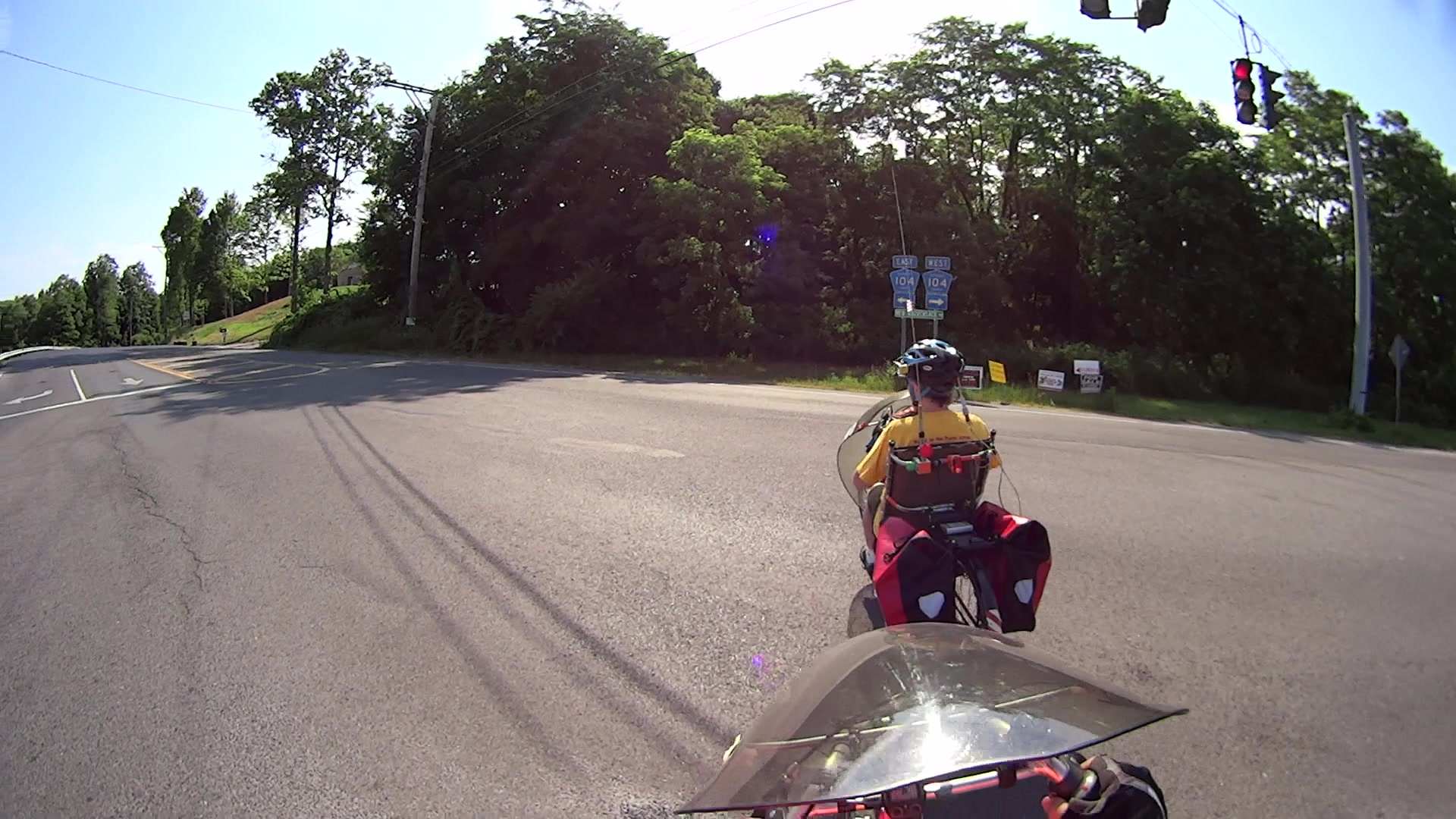
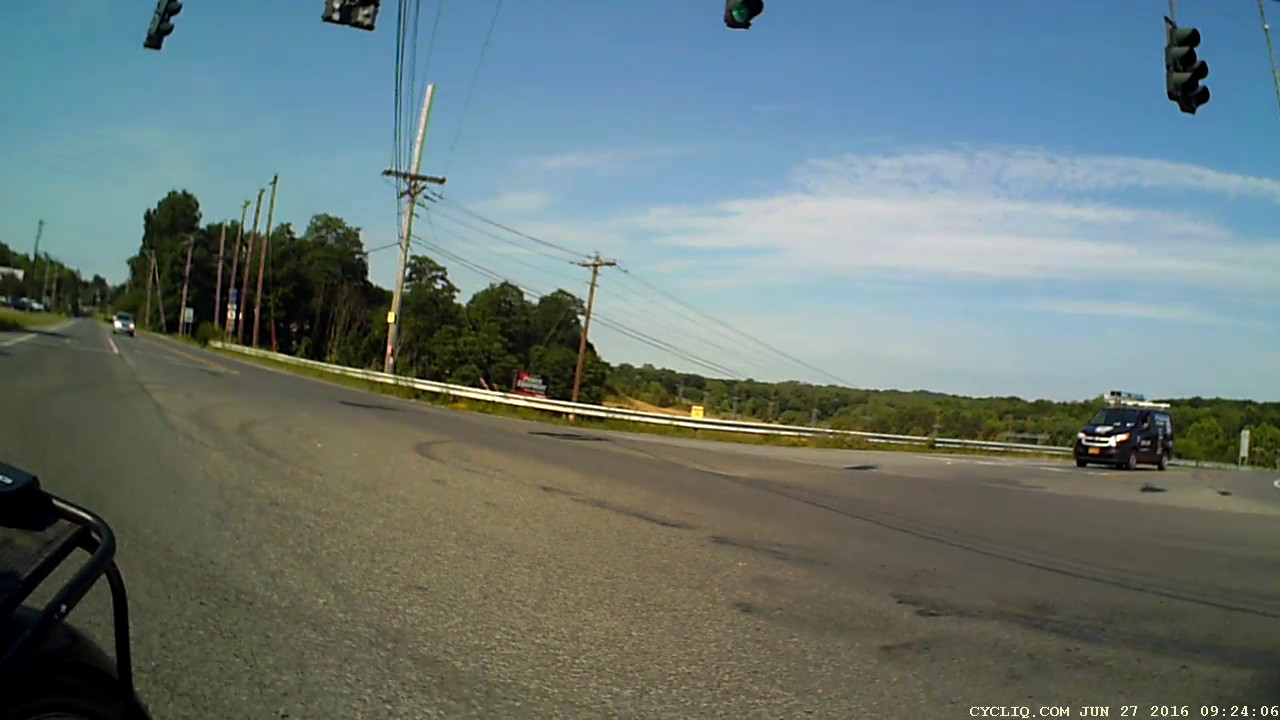
    The wide-angle lens on the HDR-AS30V makes it look like I had plenty of room. The Fly6 rear camera shows why I had reason for concern:

    Rt 9 Locust Grove - Right on Red - rear camera - 0323
    Rt 9 Locust Grove – Right on Red – rear camera – 0323

    I’m still moving, the black car is slowing:

    Rt 9 Locust Grove - Right on Red - rear camera - 0332
    Rt 9 Locust Grove – Right on Red – rear camera – 0332

    T = 9.767 – Props to this driver for not starting quickly:

    Rt 9 Locust Grove - Right on Red - front camera - 0781
    Rt 9 Locust Grove – Right on Red – front camera – 0781

    Elapsed time: four seconds from spotting the black car not stopping in the right-turn lane.

    I moved back to the right side of the lane and continued the mission, but decided I didn’t need a jaunt across town to the rail trail before the rain set in to get my heart rate up.

  • Road Conditions: 2816 Rt 376 Northbound Sinkhole

    We must dodge this sinkhole on every northbound ride, which means about four times a week:

    Rt 376 2016-01-15 - Northbound milepost 1110 - sinkhole
    Rt 376 2016-01-15 – Northbound milepost 1110 – sinkhole

    It’s been sinking, month by month, ever since I reported it to NYSDOT last July. They dispatched a work crew that did a remarkable job of patching everything around the sinkhole (note the asphalt obliterating the center line), but somehow missed the actual hole on the shoulder, despite the picture I sent. Just before snow season, a second crew patched many small holes along Rt 376 from Red Oaks Mill to Hooker Avenue, but, once again, missed this one.

    If it doesn’t look like much, let’s go for a check ride.

    This section of Rt 376 forms part of NYS Bike Route 9.

  • Road Conditions: Drain Grates on Vassar Road near Red Oaks Mill

    Apart from having a wheel-catcher grid, this one seems survivable:

    Drain grate 1 - 43 Vassar Rd
    Drain grate 1 – 43 Vassar Rd

    You can avoid it as long as you stay alert.

    This beauty, however, stops cars dead in their tracks:

    Drain grate 2 - 35 Vassar Rd
    Drain grate 2 – 35 Vassar Rd

    Drivers who pass cars making a left turn into the strip mall on the other side slam to a stop if they’re lucky enough to see that crater before it claims their right front tire; the grid is about a foot down from grade. The scrapes and scuffs on the far side show that, if it wasn’t for bad luck, some folks wouldn’t have no luck at all.

    Obviously, you can’t bicycle through that one.

    This grate, directly across Vassar Road, would count as a serious pothole in any other context:

    Drain grate 3 - 40 Vassar Rd
    Drain grate 3 – 40 Vassar Rd

    The pavement remains in better shape, because it’s just to the left of the strip mall entrance, but, again, the grate is about a foot below grade. Those scrapes on the far side suggest some folks didn’t notice that in time.

    If I rode any further to the right, perhaps just on the other side of the fog line, my wheels would be on the steep slope from the fog line down to the grid. It’s survivable as long as you expect it and keep a tight grip on the handlebars.

    Vassar Road, formally known as Dutchess County Route 77, forms part of NYS Bike Route 9.

  • Sony HDR-AS30V Camera: Power Requirement

    A recent ride got rained out after 27 minutes:

    Rain Riding - 2016-03-25
    Rain Riding – 2016-03-25

    We didn’t get much more than damp and planned the ride with a bail-out route home, so it was all good.

    The camera ran from STK Battery A, which had gone flat 37 minutes into a recent ride, so I popped it in the battery tester and drained the rest of its charge:

    Sony NP-BX1 - STK A 27 min vs full - 2016-03-25
    Sony NP-BX1 – STK A 27 min vs full – 2016-03-25

    The dotted section says it had 0.85 W·h remaining after 27 minutes. Hand-positioning a copy of that curve against the full charge and discharge curve says the camera required 2.8 W·h. Eyeballometrically averaging the voltage over the leading part of the curve as 3.8 V says the battery delivered 0.74 A·h = 2.8 W·h / 3.8 V, then dividing that by 27/60 says the camera draws 1.6 A. That’s less than the 2 A guesstimate from previous data, but I don’t trust any of this for more than about one significant figure.

    Running the camera for 27 minutes requires 2.8 W·h, meaning 37 minutes should require 3.8 W·h. The curve says that’s the capacity at the 2.8 V test cutoff, suggesting the camera also has a 2.8 V cutoff.

    Looking at the discharge curves from yesterday’s post:

    Sony NP-BX1 - STK ABCD - 2015-11-03 vs 2016-03-24
    Sony NP-BX1 – STK ABCD – 2015-11-03 vs 2016-03-24

    If all that hangs together, the C and D batteries should run the camera for just slightly longer than the A battery, but that doesn’t seem to be the actual result: they’re much better than that.

    More rides are indicated …

  • Monthly Science: Five Months of Lithium Cell Wear

    I’ve marched the four STK NP-BX1 lithium batteries through the Sony HDR-AS30V camera in constant rotation since last November. The A battery drained 35 minutes into an ordinary ride on a pleasant day, so charging and measuring the entire set seemed in order:

    Sony NP-BX1 - STK ABCD - 2015-11-03 vs 2016-03-24
    Sony NP-BX1 – STK ABCD – 2015-11-03 vs 2016-03-24

    The dotted curves come from early November 2015, when the batteries were fresh & new, and the solid curves represent their current performance.

    It’s been a mild winter, so we’ve done perhaps 75 rides during the last 150-ish days. That means each battery has experienced under 20 discharge cycles, which ought not make much difference.

    The B battery started out weak and hasn’t gotten any better; I routinely change that one halfway into our longer rides.

    The A battery started marginally weaker than C and D, but has definitely lost its edge: the voltage depression at the knee of the curve might account for the early shutdown.

    Figuring that the camera dissipates 2.2 W, a battery that fails after 35 minutes has a capacity of 1.3 W·h. That suggests a cutoff voltage around 3.8 V, which makes absolutely no sense whatsoever, because the C and D batteries deliver at least 75 minutes = 2.8 W·h along similar voltage curves.

    The B battery goes in the recycle heap and we’ll see how the A battery behaves on another ride…

  • Road Conditions: 695 Rt 44 Squeeze Play

    You can’t hear the horn that’s been honking for the last few seconds (sequence numbers = 1/60 s) as we approach 695 Dutchess Turnpike (a.k.a. Rt 44, a.k.a. NYS Bike Route 44):

    Rt 44 at 695 - H2 Overtaking - front camera - 0113
    Rt 44 at 695 – H2 Overtaking – front camera – 0113

    You’ll note my fluorescent green shirt reflected in all that chrome. You can’t see the groceries tucked into the two under-seat bags; I’m not towing the trailer.

    He gave us a surprising amount of clearance, given the aggressive honking:

    Rt 44 at 695 - H2 Overtaking - front camera - 0186
    Rt 44 at 695 – H2 Overtaking – front camera – 0186

    That’s one reason I ride a bit to the left of Mary’s track.

    We’re riding to the left of the fog line along that stretch of Rt 44, because the upcoming shoulder and right edge aren’t usable. Despite that, the honking pushed Mary over the decaying fog line:

    Rt 44 at 695 - H2 Overtaking - front camera - 0369
    Rt 44 at 695 – H2 Overtaking – front camera – 0369

    She crossed back before the worst part, although the camera doesn’t do justice to the 3D aspect of the crumbling asphalt:

    Rt 44 at 695 - H2 Overtaking - front camera - 0489
    Rt 44 at 695 – H2 Overtaking – front camera – 0489

    If you think that pavement doesn’t seem all that bad, let’s go for a ride, OK?

    The events behind us show what happens when somebody in a really big vehicle really wants to squeeze past a bicyclist in a constricted lane.

    Looks like he’s easing over enough to get by (sequence numbers = 1/30 s):

    Rt 44 at 695 - H2 Overtaking - rear camera - 0155
    Rt 44 at 695 – H2 Overtaking – rear camera – 0155

    Looks snug, but I’ve seen worse:

    Rt 44 at 695 - H2 Overtaking - rear camera - 0185
    Rt 44 at 695 – H2 Overtaking – rear camera – 0185

    That was close, but perhaps not atypical for Hummer drivers:

    Rt 44 at 695 - H2 Overtaking - rear camera - 0257
    Rt 44 at 695 – H2 Overtaking – rear camera – 0257

    Now he can rev up and cross the double-yellow line:

    Rt 44 at 695 - H2 Overtaking - rear camera - 0305
    Rt 44 at 695 – H2 Overtaking – rear camera – 0305

    Total elapsed time from first honk to when I finished shouting out the license plate: 16 s.

    At the next traffic signal and the better part of 70 s from the first honk, he turned left and we turned right, pretty much simultaneously:

    Rt 44 at 695 - H2 Overtaking - rear camera - 2274
    Rt 44 at 695 – H2 Overtaking – rear camera – 2274

    In lighter news, the green-painted manhole cover suggests some construction may be in-plan:

    Rt 44 at 695 - H2 Overtaking - front camera - 0697
    Rt 44 at 695 – H2 Overtaking – front camera – 0697

    I’m not holding my breath for an improvement over the status quo, though.

    Part of the problem may be that Hummers aren’t nearly the fashion statement they used to be; that failed Chinese deal didn’t help their image in the least.

    FWIW and much to my surprise, H2s have chickenshit horns …

  • Fly6 Directory / File Naming Convention & Mass Deletion Thereof

    There is, somewhat to my surprise, a standard for digital camera directory and file names, although it looks rather ad hoc and ex post facto to me, and the Cycliq Fly6 camera follows it to the, ah, letter.

    In their implementation, we have nnnymmdd, where:

    • nnn = a unique, but not necessarily sequential, number
    • y = last digit of year
    • mm = month
    • dd = day

    That produces these entries in my NAS hard drive full of bicycle action camera “footage”:

    ll /mnt/video/Fly6/DCIM/
    total 0
    drwxr-xr-x 2 ed root 0 2015-12-10 14:18 10051210
    drwxr-xr-x 2 ed root 0 2015-12-21 12:47 10051221
    drwxr-xr-x 2 ed root 0 2015-12-24 20:26 10151224
    drwxr-xr-x 2 ed root 0 2015-12-25 14:42 10251225
    drwxr-xr-x 2 ed root 0 2015-12-26 15:26 10351226
    drwxr-xr-x 2 ed root 0 2015-12-31 16:37 10451231
    drwxr-xr-x 2 ed root 0 2016-01-16 16:56 10560115
    drwxr-xr-x 2 ed root 0 2016-01-16 16:56 10660116
    drwxr-xr-x 2 ed root 0 2016-01-31 13:28 10760131
    drwxr-xr-x 2 ed root 0 2016-02-04 12:59 10860204
    drwxr-xr-x 2 ed root 0 2016-02-07 17:05 10960207
    drwxr-xr-x 2 ed root 0 2016-02-20 13:08 11060220
    drwxr-xr-x 2 ed root 0 2016-02-21 12:03 11160221
    drwxr-xr-x 2 ed root 0 2016-02-22 14:02 11260222
    drwxr-xr-x 2 ed root 0 2016-03-06 18:16 11360306
    drwxr-xr-x 2 ed root 0 2016-03-07 14:33 11460307
    drwxr-xr-x 2 ed root 0 2016-03-08 14:57 11560308
    drwxr-xr-x 2 ed root 0 2016-03-09 13:48 11660309
    drwxr-xr-x 2 ed root 0 2016-03-10 11:24 11760310
    drwxr-xr-x 2 ed root 0 2016-03-11 13:51 11860311
    drwxr-xr-x 2 ed root 0 2016-03-12 16:04 11960312
    drwxr-xr-x 2 ed root 0 2015-11-22 17:02 12051122
    drwxr-xr-x 2 ed root 0 2015-11-25 19:14 12151125
    drwxr-xr-x 2 ed root 0 2015-11-29 17:42 12251129
    drwxr-xr-x 2 ed root 0 2015-11-30 16:53 12351130
    drwxr-xr-x 2 ed root 0 2015-12-05 16:35 12451205
    drwxr-xr-x 2 ed root 0 2015-12-07 16:53 12551207
    drwxr-xr-x 2 ed root 0 2015-12-08 14:05 12690102
    

    Annoyingly, the first three digits are not in ascending order of date, perhaps because the firmware recycles numbers previously used for now-deleted directories.

    The year digit 9 in the last directory (12690102) came from the camera’s default 2009 startup date. You set the camera’s clock by editing its configuration file and rebooting that sucker, which I hadn’t done when I got a new Fly6 as a warranty replacement for the old one; apparently the battery shook itself loose after half a year of riding.

    Deleting the directories created last November and December goes a little something like this:

    rm -rf /mnt/video/Fly6/DCIM/???51[12]*
    

    You probably want to dry-run that with a directory listing command (perhaps ls -al) just to be sure it will wipe out what you want and nothing else.

    Within each directory, the file names follow a more rigid hhmmnnnn format:

    • hh = hour
    • mm = minute
    • nnnn = ascending sequence number

    Which produces a set of files like this:

    ll /mnt/video/Fly6/DCIM/11960312/
    total 6.6G
    -rwxr-xr-x 1 ed root 607M 2057-09-06 19:40 13120005.AVI
    -rwxr-xr-x 1 ed root 810M 2057-09-06 19:40 13190006.AVI
    -rwxr-xr-x 1 ed root 962M 2057-09-06 19:40 13290007.AVI
    -rwxr-xr-x 1 ed root 573M 2057-09-06 19:40 13390008.AVI
    -rwxr-xr-x 1 ed root 523M 2057-09-06 19:40 13470009.AVI
    -rwxr-xr-x 1 ed root 596M 2057-09-06 19:40 13570010.AVI
    -rwxr-xr-x 1 ed root 672M 2057-09-06 19:40 14070011.AVI
    -rwxr-xr-x 1 ed root 716M 2057-09-06 19:40 14150012.AVI
    -rwxr-xr-x 1 ed root 505M 2057-09-06 19:40 14250013.AVI
    -rwxr-xr-x 1 ed root 497M 2057-09-06 19:40 14350014.AVI
    -rwxr-xr-x 1 ed root 221M 2057-09-06 19:40 14450015.AVI


    The NAS drive does not, for reasons I cannot explain, record the actual file creation timestamp; touch-ing the file afterward does update the timestamp correctly. So it goes.

    The camera attempts to write the files in 10:00 minute chunks, but, because it deletes files (or, perhaps, entire directories) one-by-one in FIFO style, the actual file duration / size seems limited by the space made available by the deletions. The default 8 GB MicroSD card has something like 6.6 GB available and holds a bit under two hours of video; I should bump that to a 16 GB card to get a complete record of longer rides.