Ed Nisley's Blog: Shop notes, electronics, firmware, machinery, 3D printing, laser cuttery, and curiosities. Contents: 100% human thinking, 0% AI slop.
In what’s surely a change intended to better meet the needs of their customers, the newspaper changed the crossword layout just a little teeny bit, so my previous script needed a tweak:
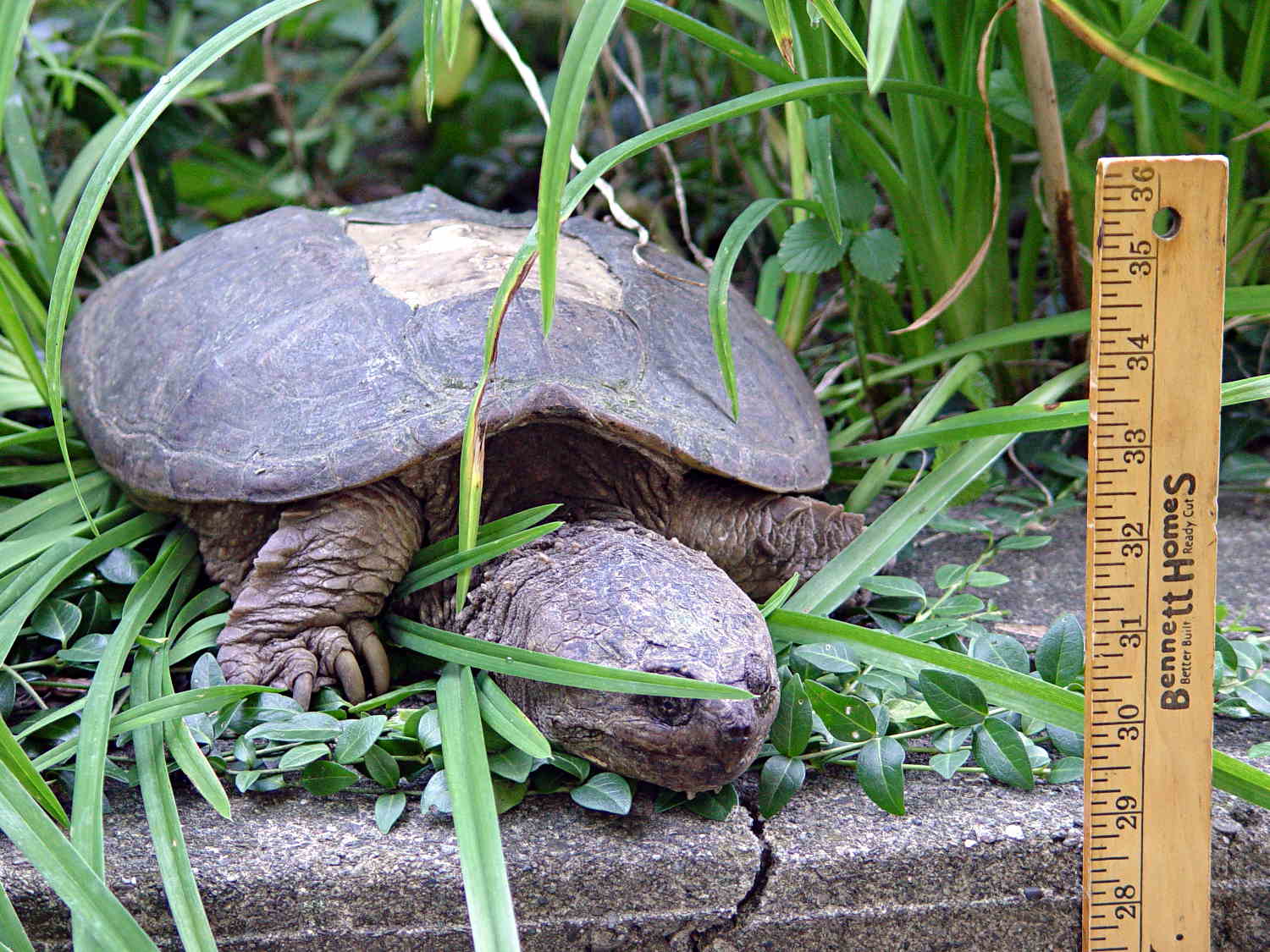
That’s a fairly large snapping turtle in the middle of the Dutchess Rail Trail, between Morgan Lake and the Violet Avenue tunnel.
Snappers can move just under the speed of light for about a foot in order to latch onto you, but they’re not quite as fast while turning around: always pass to their rear. You do not attempt to save them from their folly at being in the middle of the road / trail / driveway: they have absolutely no patience with meddlers.
Turtles lay eggs around this time of year, which means they’re on the move, which means they cross roads, which means they get mashed. We’ve seen maybe half a dozen smashed turtles on our usual routes.
Quite some years ago, we found one of its relations in the flower garden beside our house, where it climbed at least 18 inches of vertical concrete block to see what was inside. It was about two feet long, jaws to tail, and obviously a survivor:
Snapping Turtle on wall
Those missing plates probably didn’t help its attitude in the least.
It eventually klonked down to the driveway without our assistance:
Snapping Turtle on driveway
After a pause for gimbal unlocking and compass recalibration, it ambled off toward the Mighty Wappingers Creek. The wall gets much shorter to the right, which is likely where it climbed up.
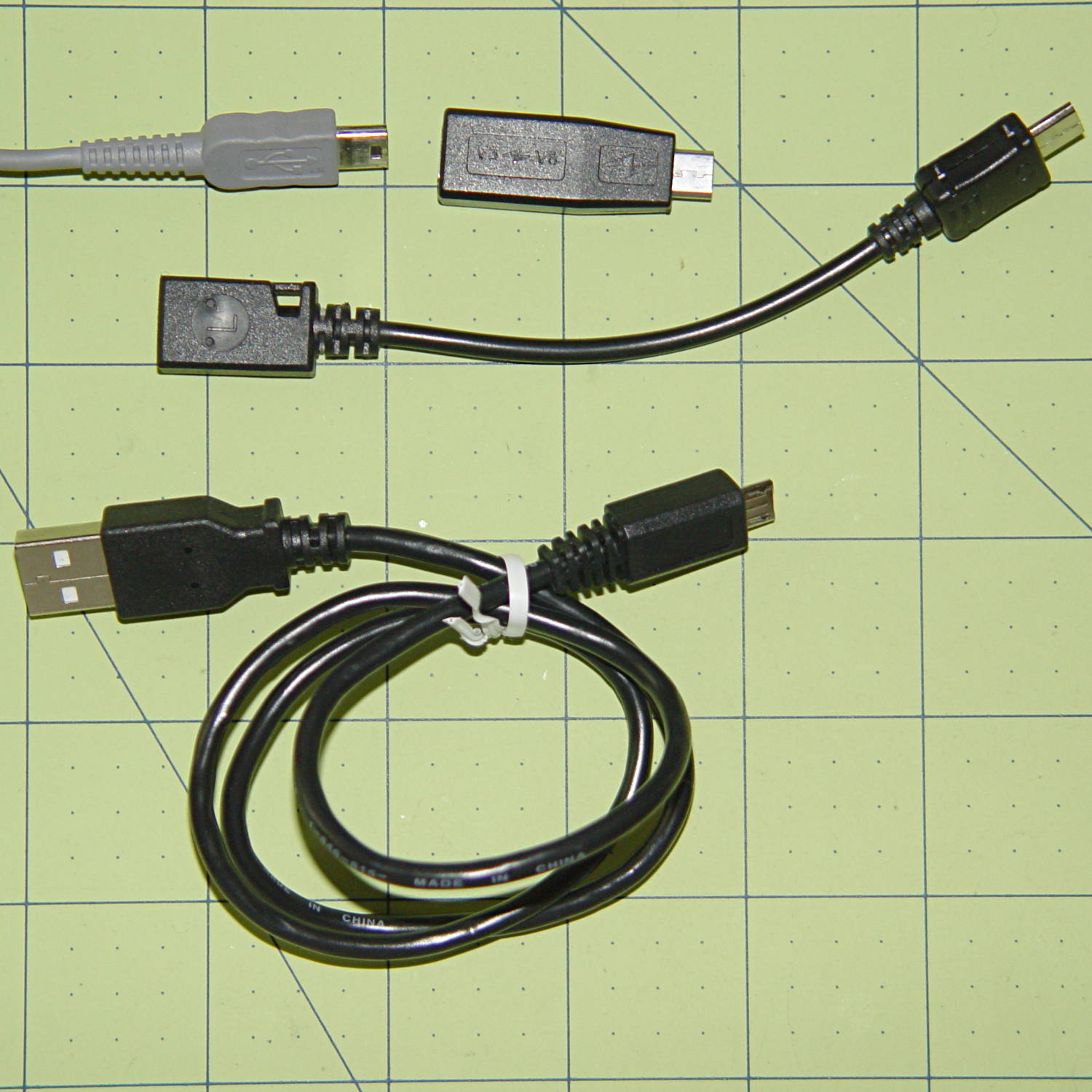
The Sony HDR-AS30V camera has a USB Micro-B jack. One might think all three of these cables / adapters should work:
USB Micro-B adapters
But no:
The blocky Mini-to-Micro adapter on the top has no data lines
The Mini-to-Micro adapter cable works
The lower cable produces dependable disconnects
There is, of course, no way to determine any of that, except by trying each one to see what happens; the product descriptions diverge from the truth in myriad ways.
The camera came with a Micro-B cable that undoubtedly worked, but you try keeping track of one particular USB cable amid all the others.
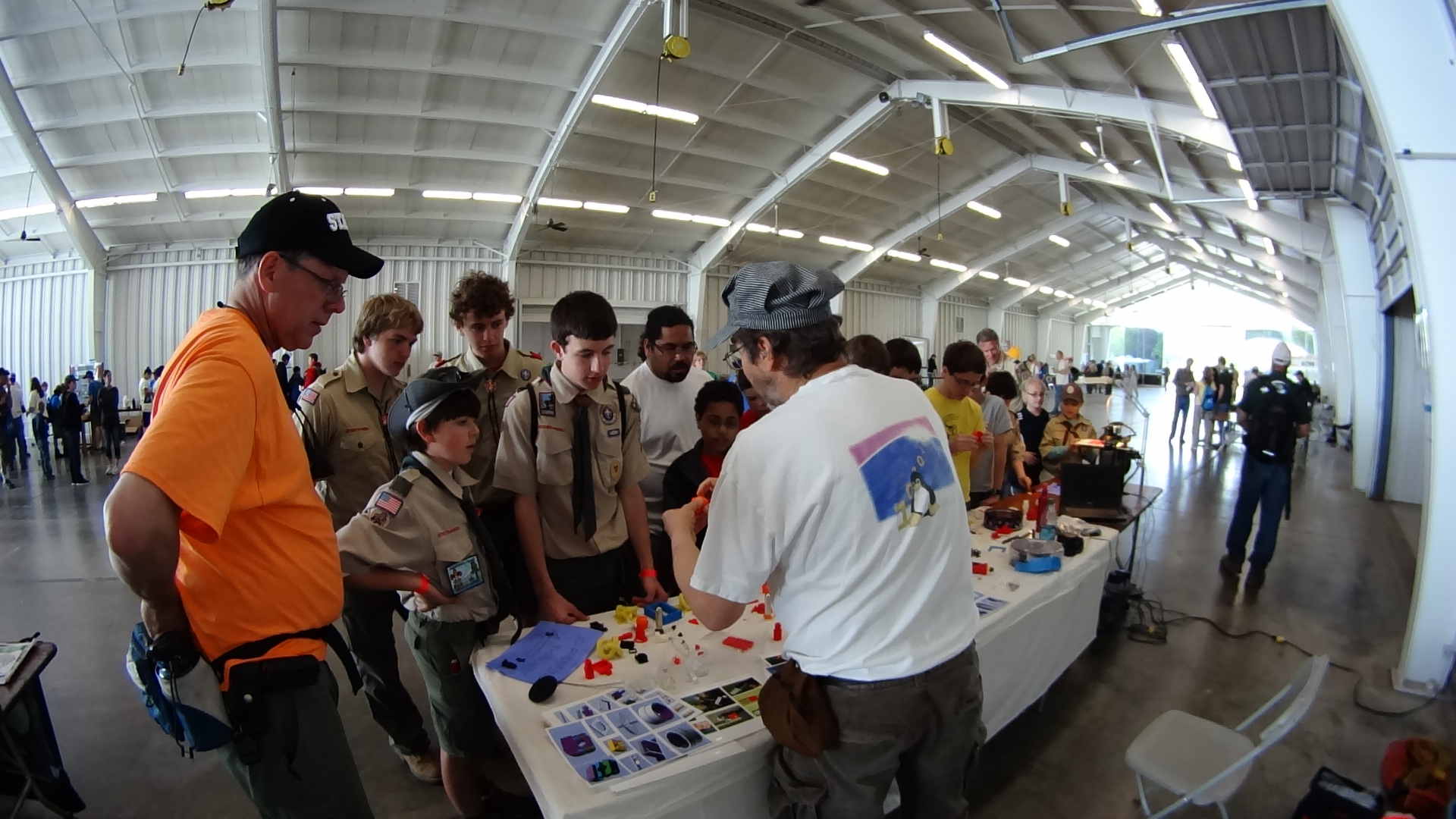
The Sony HDR-AS30V perched atop a tripod behind the table, where only one errant Scout bumped it, recording one image every 5 seconds. The non-adjustable focus seems biased for selfies, but the compression definitely produces softer images in subdued lighting conditions, so it’s hard to say.
Each NP-BX1 battery lasts about 2.5 hr in that mode and I brought all three, but simply forgot to install the third one. As a result, we don’t get to see the last 2+ hours… it was a long day.
The “image processing” behind the movie went a little something like this, modulo a few edits to elide my blundering around:
sudo mount /dev/sdb1 /mnt/backup
sudo mount -o uid=ed /dev/sdd1 /mnt/part
mkdir /mnt/backup/Video/2014-05-17
rsync -au /mnt/part/DCIM/100MSDCF/ /mnt/backup/Video/2014-05-17
rsync -au /mnt/part/DCIM/101MSDCF/ /mnt/backup/Video/2014-05-17
cd /tmp
mkdir Video
cd Video
sn=1 ; for f in /mnt/backup/Video/2014-05-17/*JPG ; do printf -v dn 'dsc%05d.jpg' "$(( sn++ ))" ; cp -a $f $dn ; done
mkdir Shrink
for f in *jpg ; do convert $f -resize 50% Shrink/$f ; done
cd Shrink/
avconv -r 30 -i dsc%05d.jpg -q 5 3DPrinting-q5.mp4
mv 3DPrinting-q5.mp4 "3D Printing Demo - HV Scout CamporALL 2104.mp4"
One could, of course, do all that in fewer steps, if one knew the answers ahead of time, which should may apply when I refer back to this post.
Using rsync -au to copy the files from the camera to the 2 TB backup drive neatly solves the problems that occur when the camera’s USB port abruptly disconnects itself during the copy: rsync can recover without losing or trashing any files. Alas, after the camera disconnects, it requires a power cycle to recover its wits.
The USB camera connection reads data at 6 MB/s. Removing the MicroSD card and jamming it in the card-reader slot on my monitor runs at 18 MB/s. Apart from the fact that the MicroSD card seems so flimsy, I wonder how long the spring-detent latch inside the camera will continue working. On the other paw, when the USB port finally breaks, it’ll take the GPS assist data path along with it.
Not shown: the rename 'y/A-Z/a-z/' *JPG that converts the original filenames to lowercase, which I did after the fact. Because blundering around, OK?
The 3964 original 1920×1080 images, hot from the camera, weigh in at 2.2 GB and the half-size video emerged at 118 MB. The default avconv quality setting produces surprisingly crappy results, so I used -q 5. Some after-the-fact fiddling showed that -qscale 5 produces the same file size with about the same apparent quality.
None of that matters, because Youtube set the maximum resolution to 480 and applied ruthless compression. Now I know better…
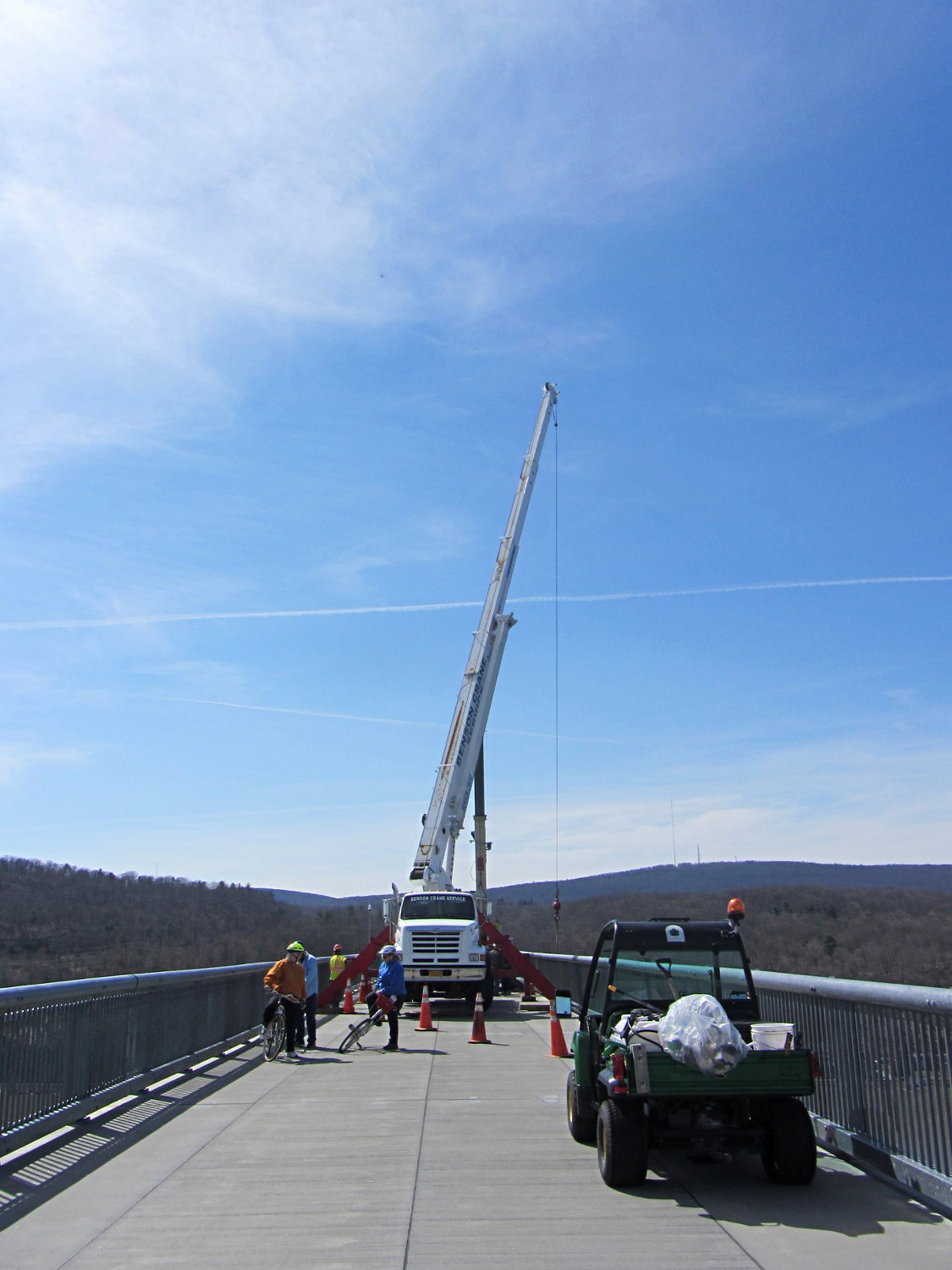
We planned to ride west on the Walkway and return east on the Mid-Hudson bridge, but encountered an obstruction in mid-span:
Maintenance Crane on Walkway Over the Hudson
Pedestrians and cyclists on diamond-frame (a.k.a., “wedgie”) bikes could sneak past the outrigger legs on the south (left) side of the crane, although that’s surely a Bad Idea for worksite safety. Our big ‘bents wouldn’t fit through, so we just turned around and enjoyed the ride home; a good time was had by all.
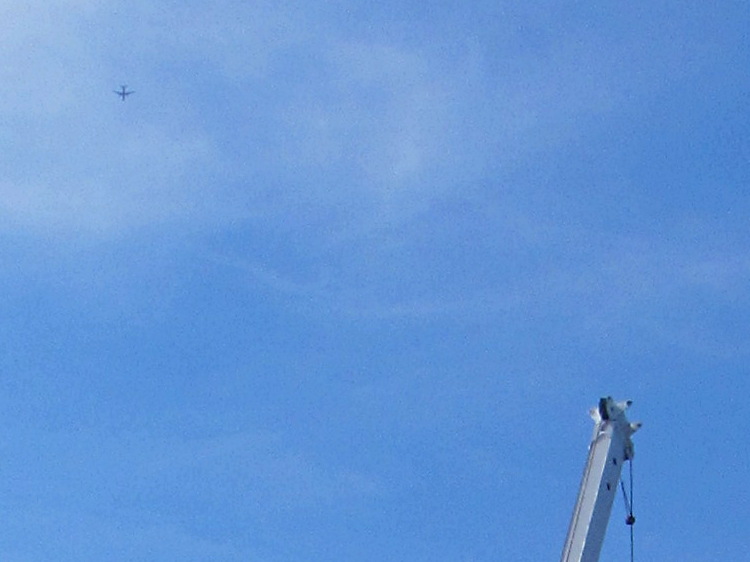
While tweaking that picture, I noticed a speck of dirt on the monitor that, upon closer investigation, turned out to be a hidden object:
Maintenance Crane on Walkway Over the Hudson – airplane