The Smell of Molten Projects in the Morning

Ed Nisley's Blog: Shop notes, electronics, firmware, machinery, 3D printing, laser cuttery, and curiosities. Contents: 100% human thinking, 0% AI slop.

Category: Photography & Images

Taking & making images.

  • Road Conditions: Grand Avenue at Westbound Arterial

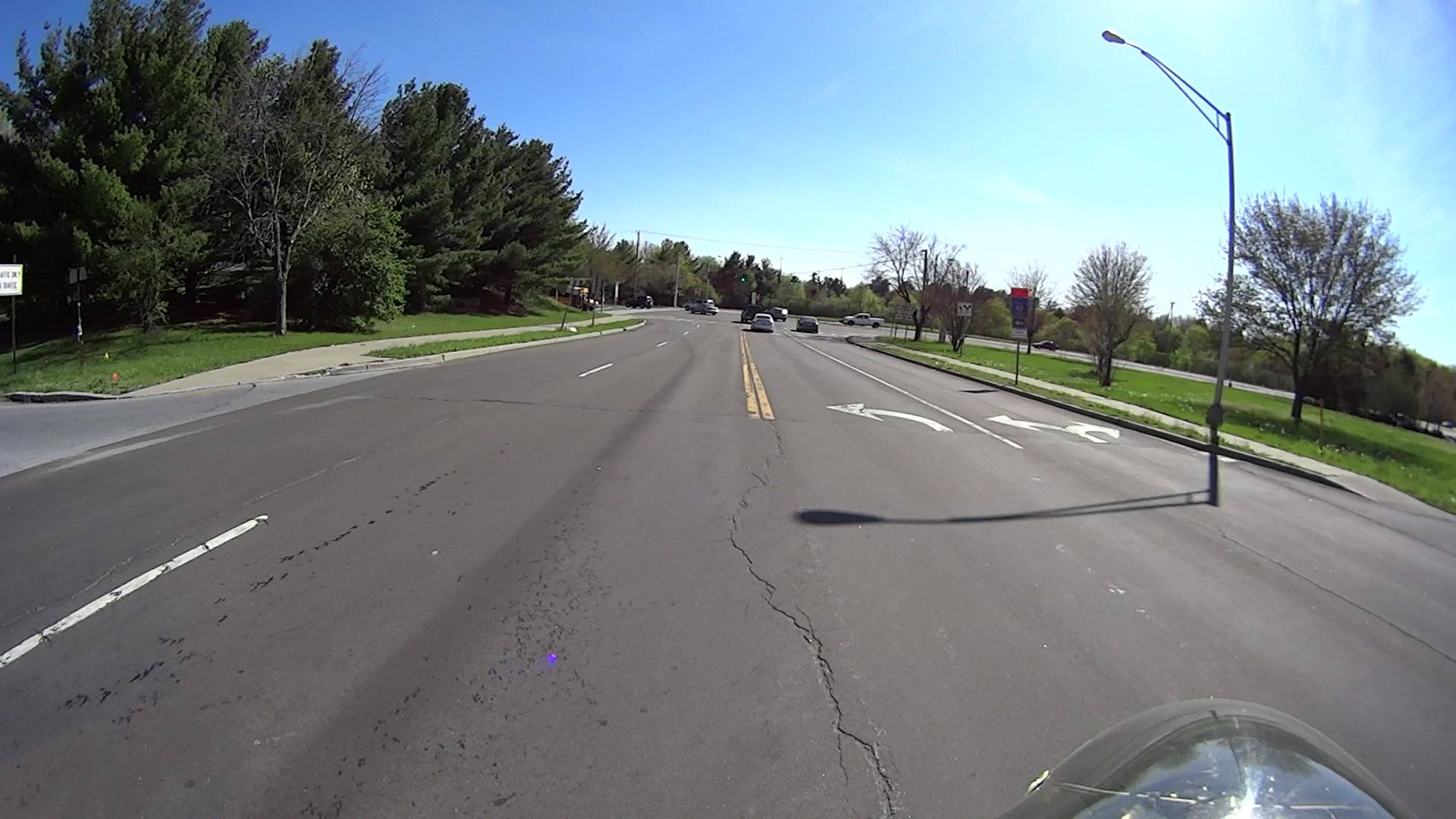
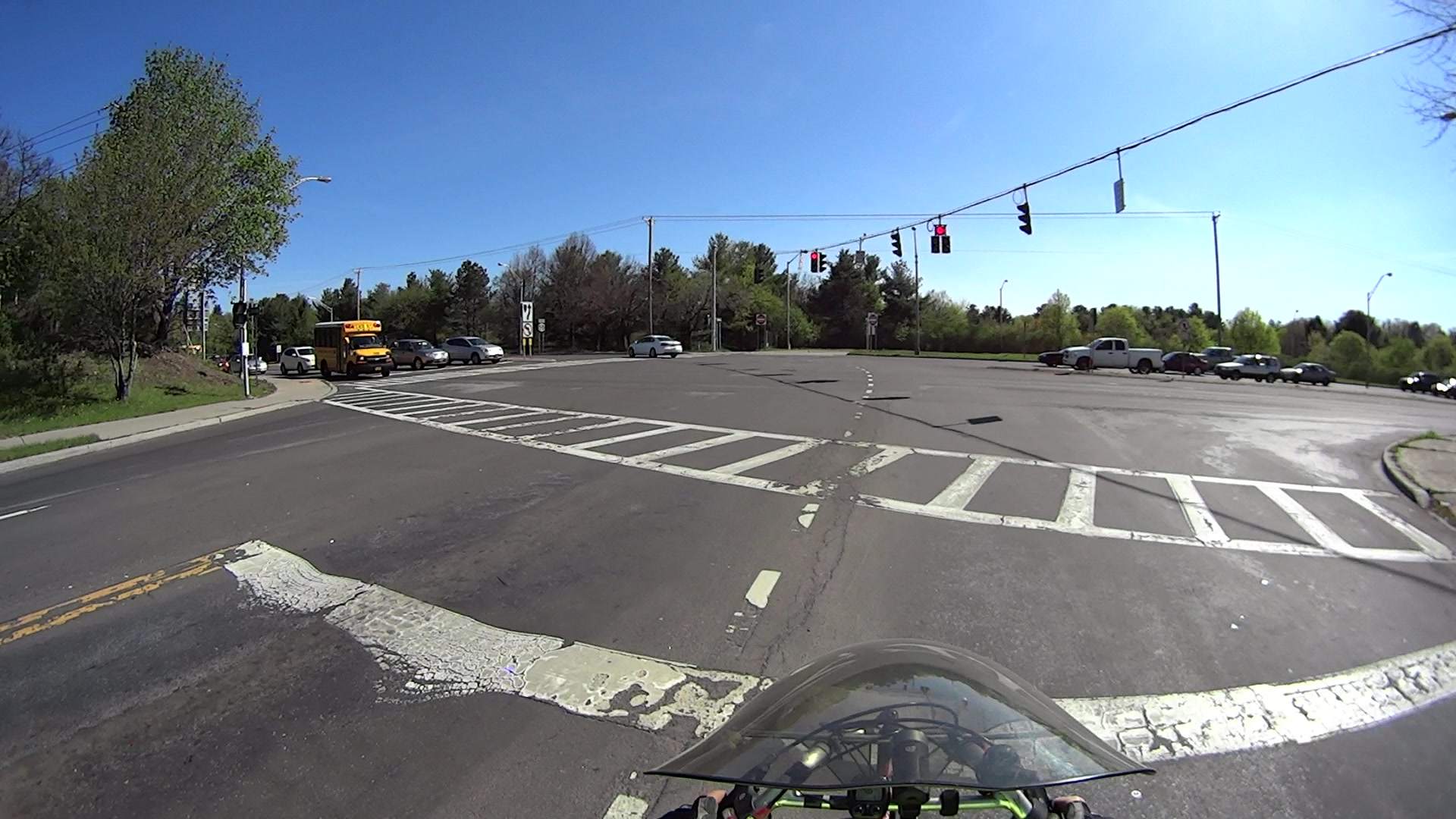
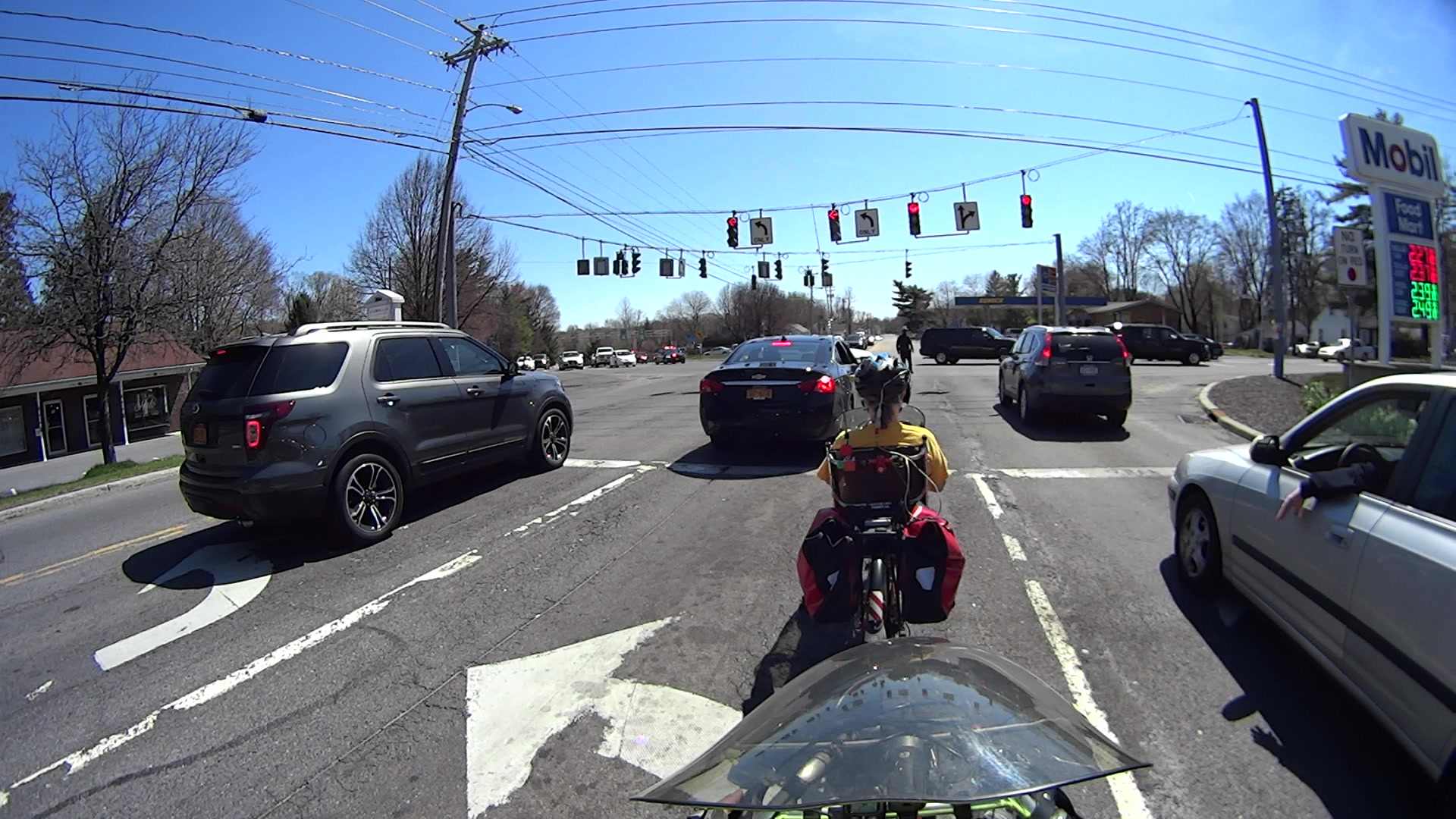
    Just because I hadn’t done so for quite a while, I rode Grand Avenue from Beechwood north to the rail trail. The rotted asphalt at the Westbound Arterial (a.k.a. Maple St, at that point) intersection makes it easy to spot the quadrupole sensor loop:

    Grand at Arterial WB - front camera - 0193
    Grand at Arterial WB – front camera – 0193

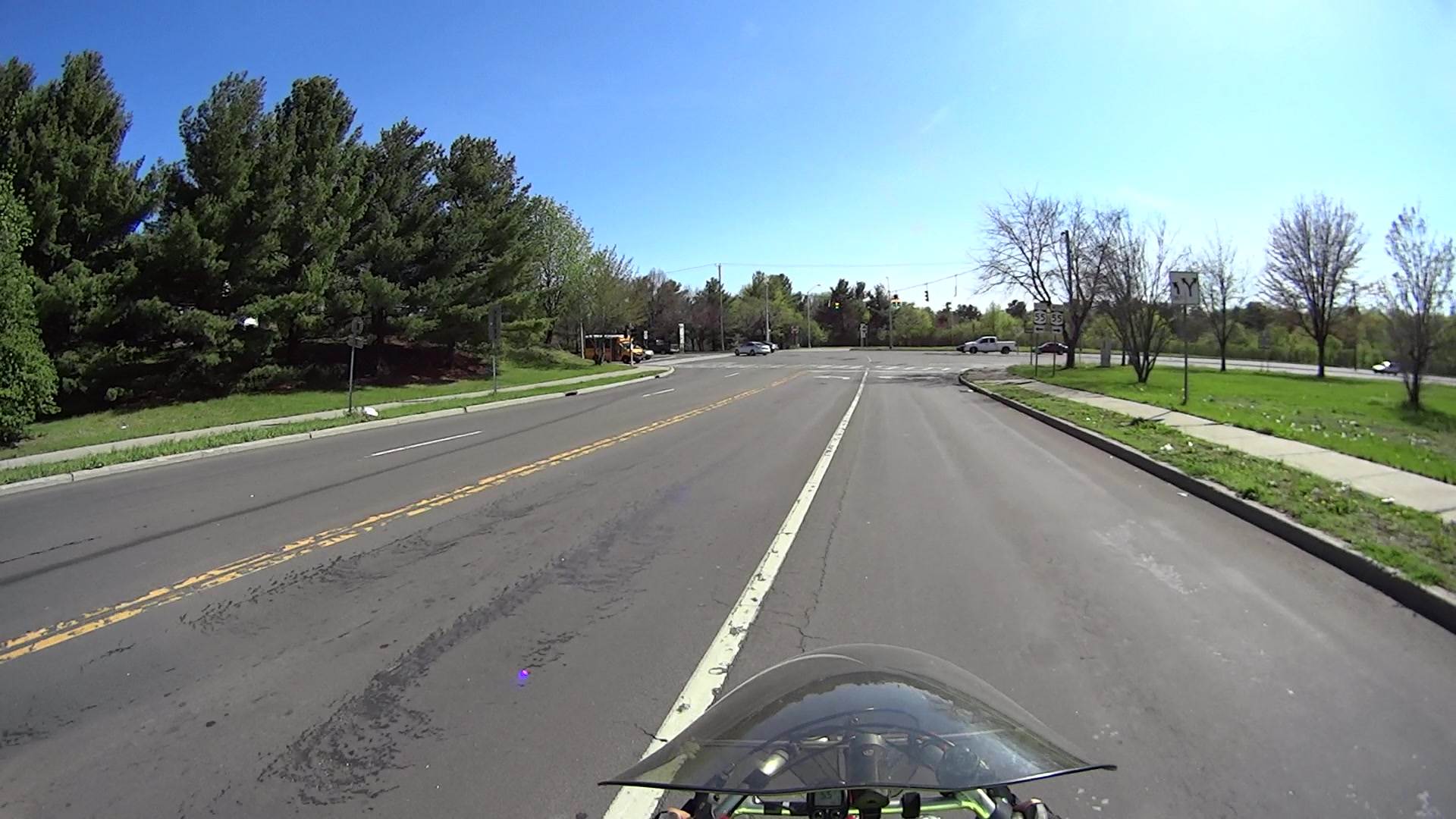
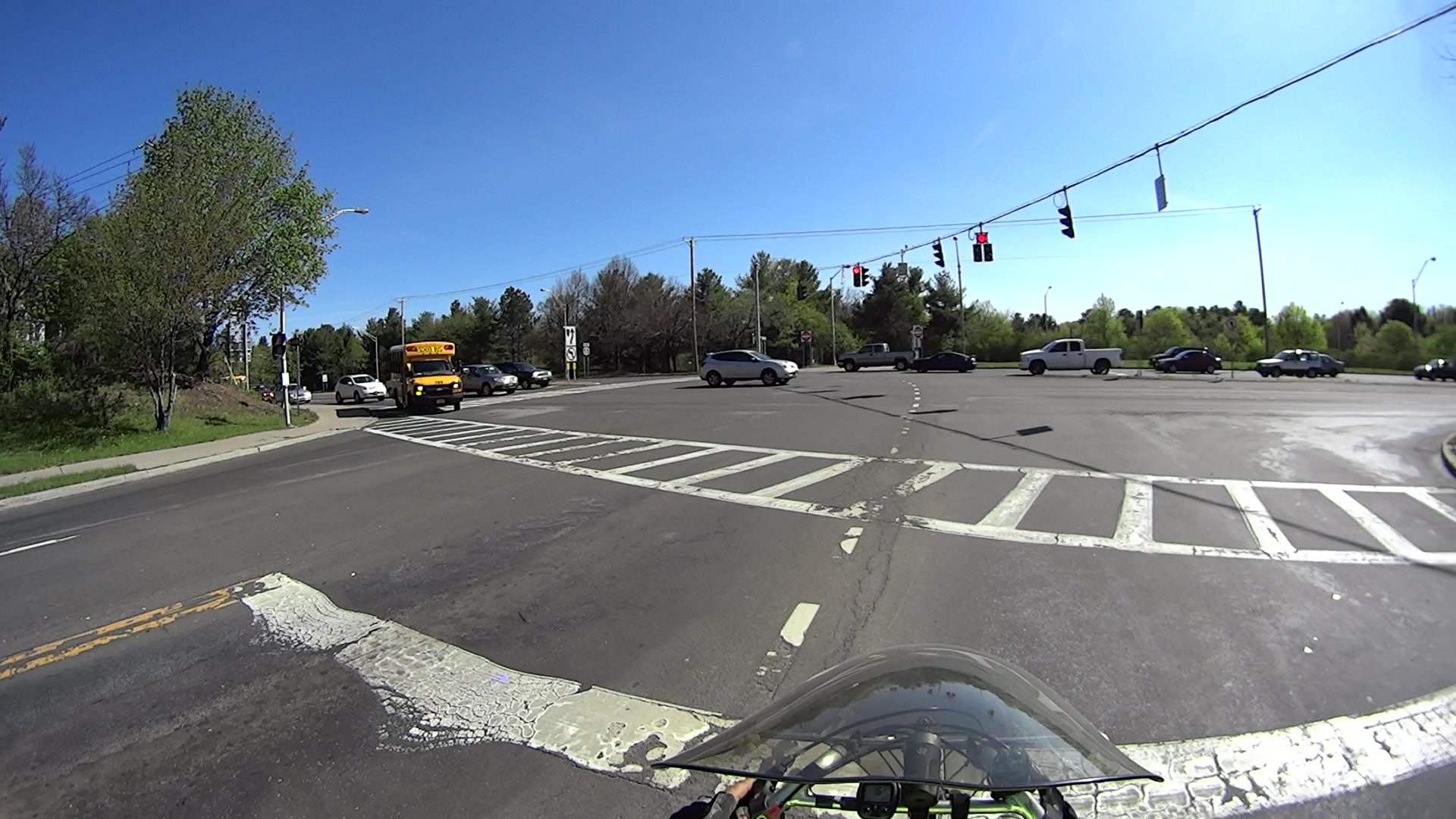
    After half a minute, with no traffic pulling up behind me, I eased the bike over the central wire:

    Grand at Arterial WB - front camera - 1693
    Grand at Arterial WB – front camera – 1693

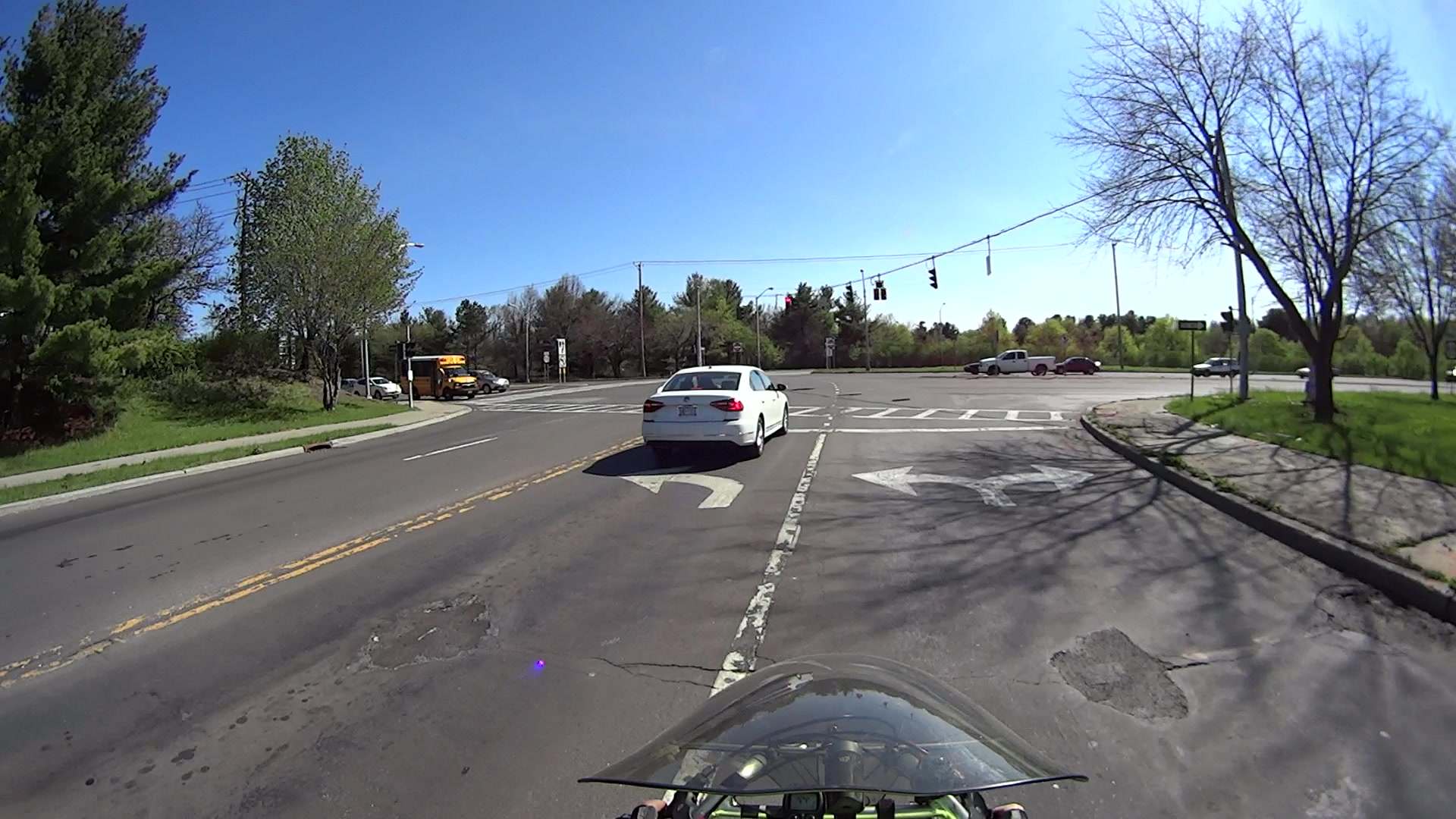
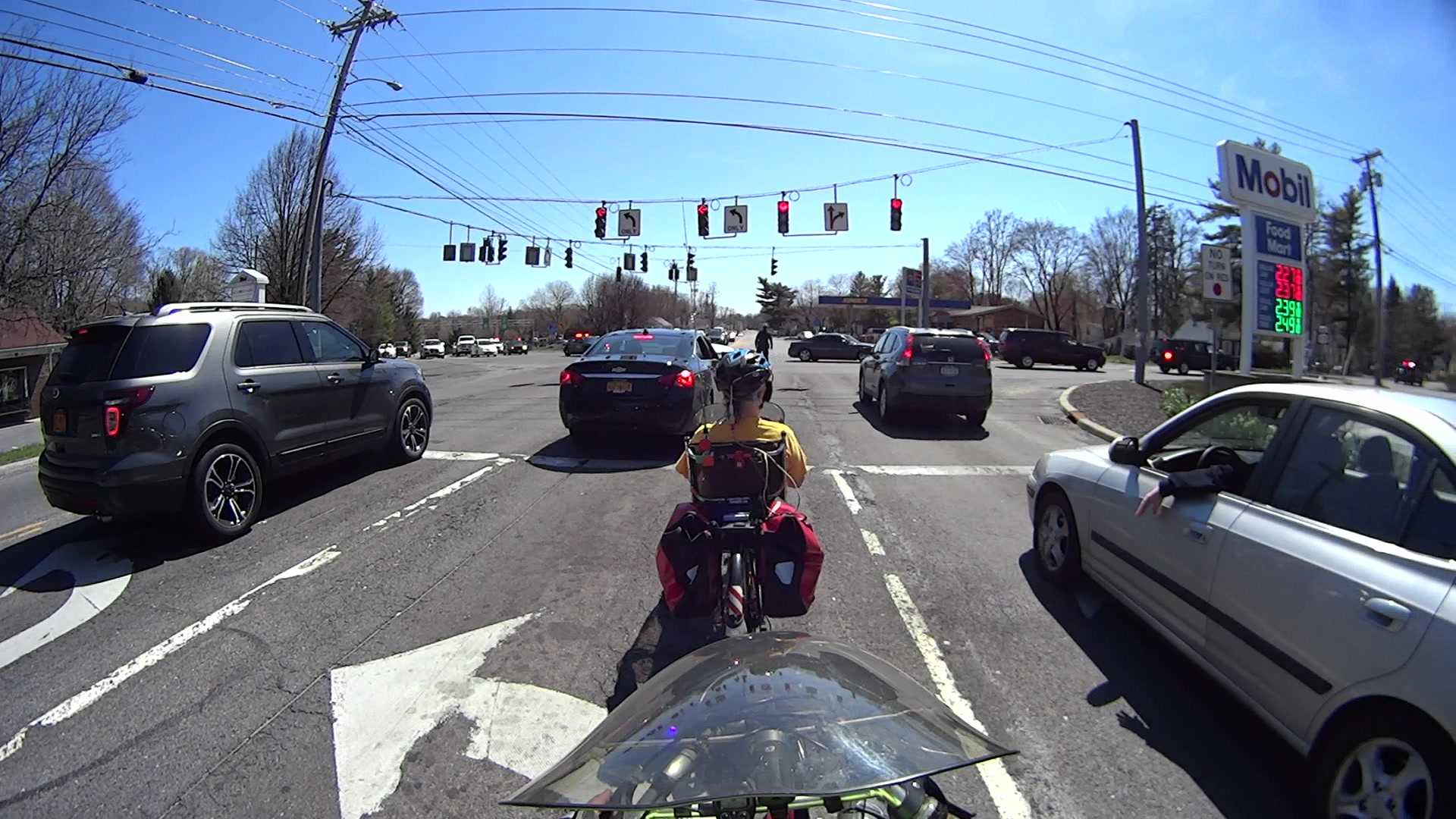
    Which is exactly as awkward as it seems:

    Grand at Arterial WB - front camera - 1945
    Grand at Arterial WB – front camera – 1945

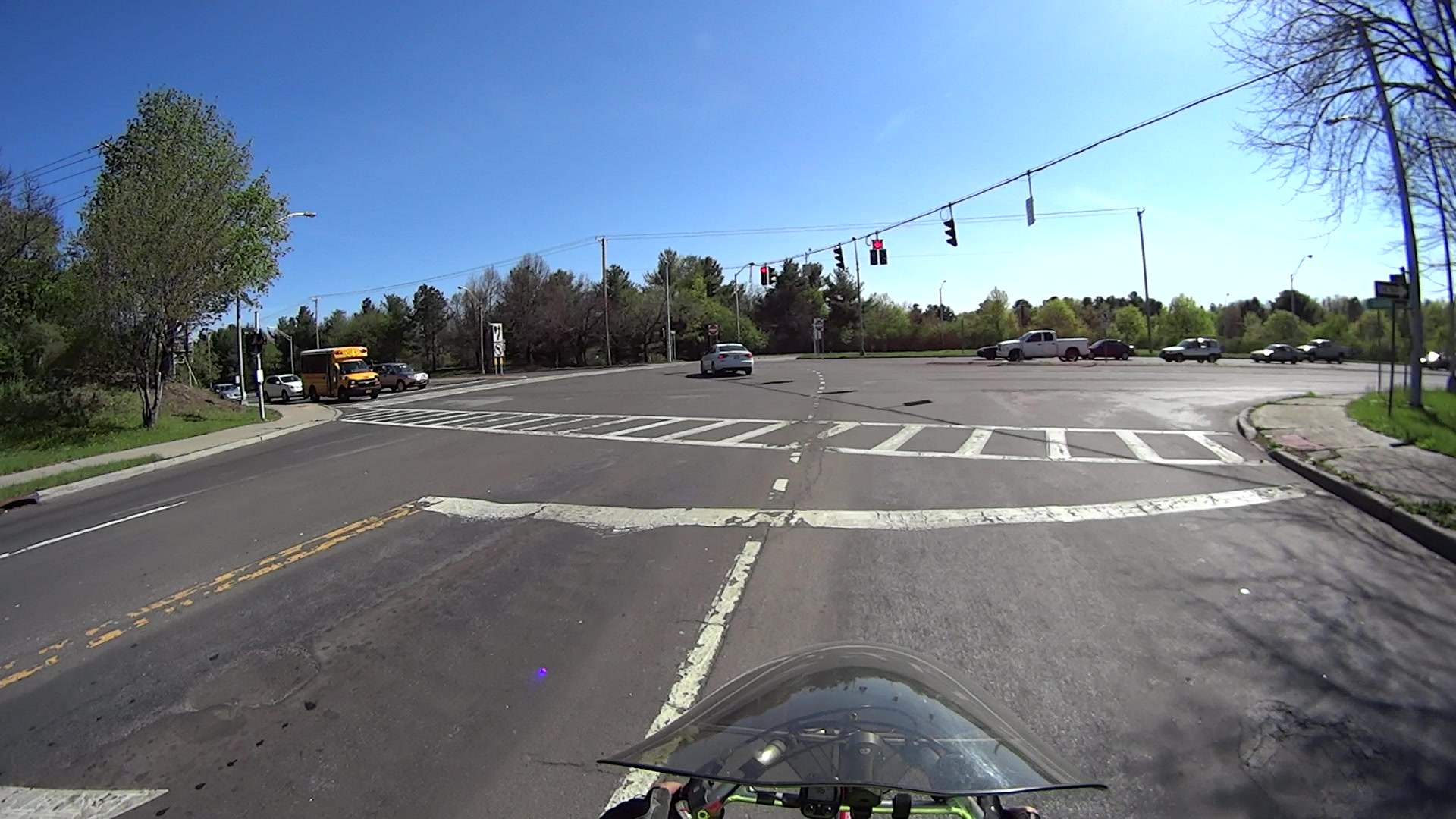
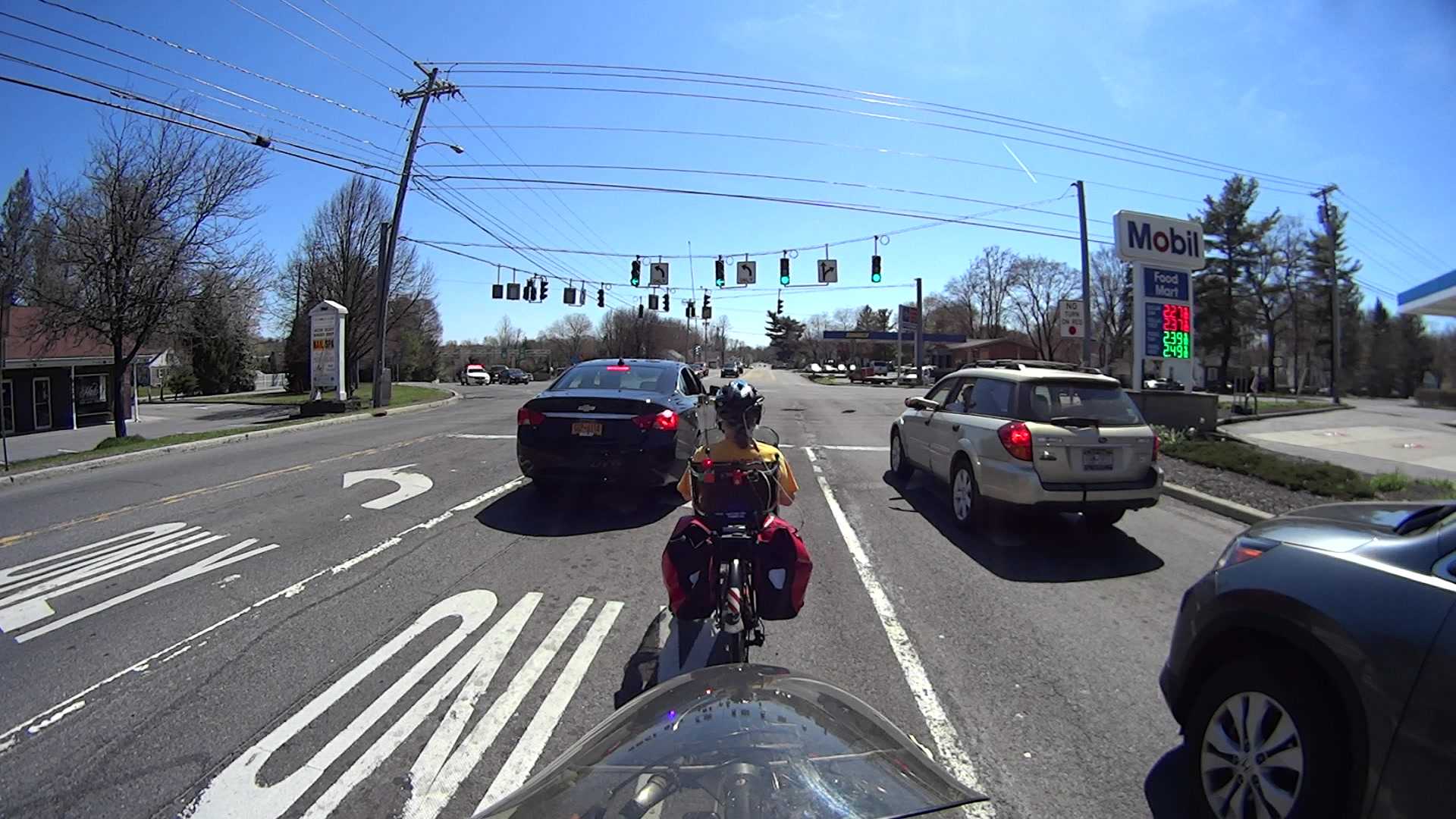
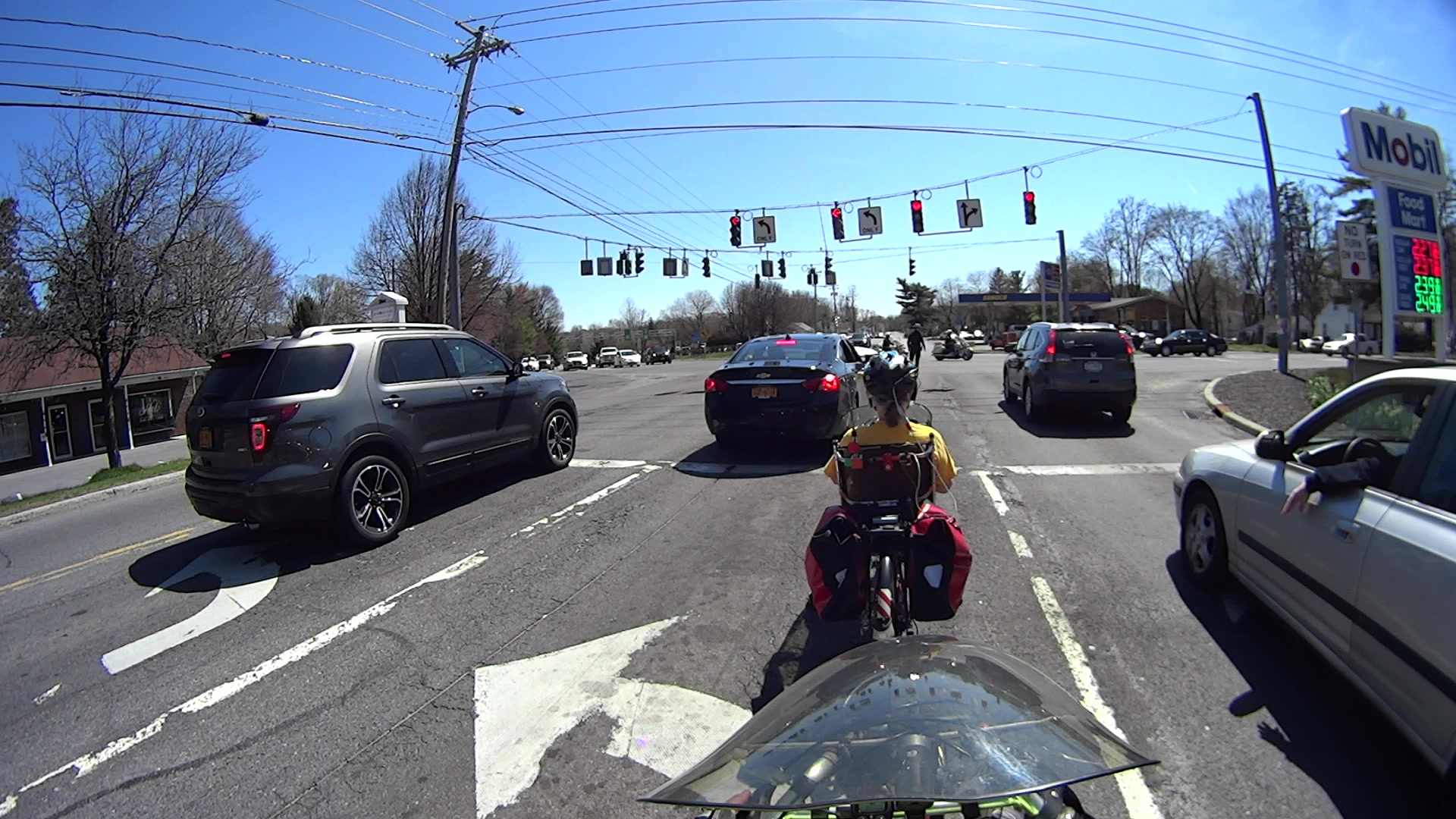
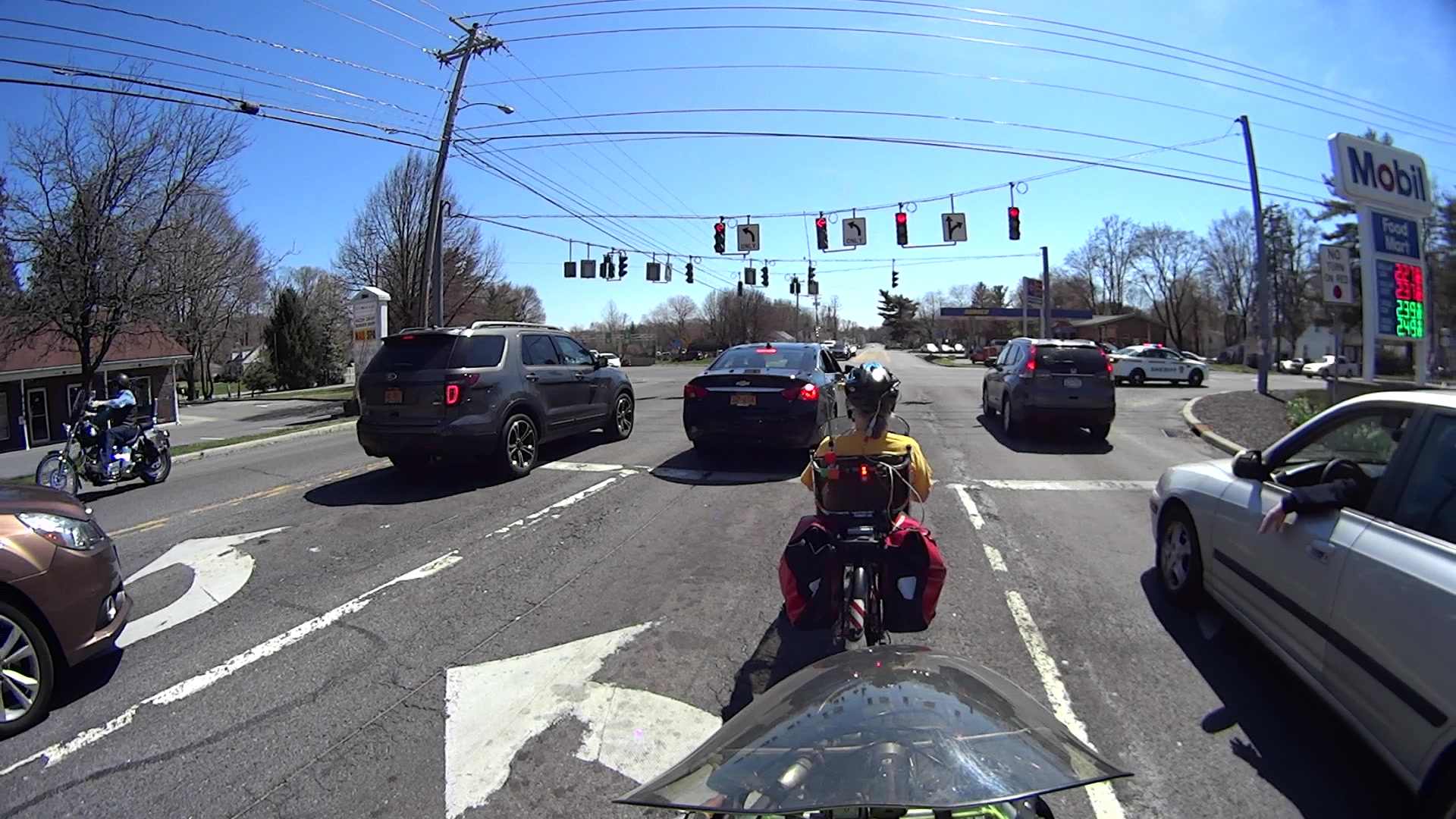
    Much to my surprise, the sensor tripped:

    Grand at Arterial WB - front camera - 3044
    Grand at Arterial WB – front camera – 3044

    That’s about 50 s from the time I rolled over the first of the two sensor loops, which is fast enough for me. It’s unusual to find a sensor loop that detects a bike, though.

    A bit over 6 s seconds later, I’ve cleared the intersection:

    Grand at Arterial WB - front camera - 3445
    Grand at Arterial WB – front camera – 3445

    The rear camera shows that the light remains green:

    Grand at Arterial WB - rear camera - 1085
    Grand at Arterial WB – rear camera – 1085

    And it stays green:

    Grand at Arterial WB - rear camera - 1121
    Grand at Arterial WB – rear camera – 1121

    About 11 s after turning green, a car approaches the sensor loop:

    Grand at Arterial WB - rear camera - 1228
    Grand at Arterial WB – rear camera – 1228

    I think that reset the signal timing, so that light remained green for nearly 23 s:

    Grand at Arterial WB - rear camera - 1581
    Grand at Arterial WB – rear camera – 1581

    It turned red after 26 s:

    Grand at Arterial WB - rear camera - 1671
    Grand at Arterial WB – rear camera – 1671

    As nearly as I can tell, the minimum green time for this intersection is 12 s.

    So life is good: the sensor loop detects a bicycle and the signal remains green for long enough to a bike to clear the intersection. If only all intersections worked that way!

    Compare that with the minimum 7 s for the Burnett Blvd intersection and you (well, I) wonder why crossing six lanes requires 5 s less than crossing three lanes. Perhaps different standards apply to this single-direction cross-traffic flow that make it much more difficult than Burnett’s bidirectional cross traffic?


  • American Optical Microscope Illuminator: New Bulb!

    A classic American Optical microscope illuminator emerged from a box, minus its bulb. Some rummaging turned up a reference for AO bulbs, so I knew I needed a GE 1460 prefocused bulb. Those seem to be a bit rare these days, with 1460X bulbs sharing the same base with a slightly different glass envelope shape. As nearly as I can tell, as long as the filament sits in the same location relative to the base, it’s all good. Five bucks and a few days brought a new 1460X bulb to the bench, a few drops of Caig DeoxIT slicked the holder’s rather gritty contact patches, and the new bulb fit perfectly:

    Microscope Illuminator - 1460X bulb - detail
    Microscope Illuminator – 1460X bulb – detail

    And it lit up just fine, too:

    Microscope Illuminator - 1460X bulb - turned on
    Microscope Illuminator – 1460X bulb – turned on

    That’s running at the lowest of three selectable voltages: 5, 6, and 7.5 VAC, respectively. Given that the bulb spec says 6.5 V (at 2.75 A!), you best have a spare bulb on hand if you need the highest setting. At the nominal 6.5 V, it’s good for 100 hours; 6 V should eke out many more hours.

    A generously articulated arm holds the illuminator for desk work:

    American Optical Model 651 Microscope Illuminator - on base
    American Optical Model 651 Microscope Illuminator – on base

    That long snout fits into the pair of holes in the arm of my stereo zoom microscope to cast a bright light directly on the subject. The LED ring light makes that less necessary than before, although sometimes distinct shadows help pick out the details:

    Microscope Illuminator Test
    Microscope Illuminator Test

    That’s the failed WS2812B LED from the Noval tube, which again shows I need a USB camera with better resolution …

    The data plate on the bottom of the illuminator, should someone need it:

    American Optical Model 651 Microscope Illuminator - data plate
    American Optical Model 651 Microscope Illuminator – data plate

    The optics cast an image of that white-hot filament out into space, so I think the diffuse active area of a white LED wouldn’t produce the same amount of light on the target. I have some Pirhana LEDs, though, so (when this bulb fails) I’ll see about that.

  • Discrete LED Aging

    We all know that LED brightness decreases with age. An exit sign in Vassar’s Skinner Hall shows what that looks like in real life:

    Exit Sign - LED aging
    Exit Sign – LED aging

    The LEDs on the other side of the sign look about the same: a few very bright spots, a few very dim ones, and a whole bunch in the middle.

    It’s hard to judge by eye, but the brightest LEDs look much more than a factor of two brighter than the dimmest ones.

    An LED with a 50,000 hour lifetime will have 50% of its initial brightness at EOL and a year has 8,766 hours, so the LEDs will reach half-brightness in a bit under six years. I think discrete LEDs went out of style around the turn of the millennium, so it’s three half-lives old: the dimmer LEDs must be around 1/8 brightness.

    In case of an actual emergency, just follow me out the door, OK?

  • Monthly Image: April Snow

    An unusually late two-day snowstorm laid down half a foot of snow starting in the evening of April 3:

    Norway Spruce  with April snow
    Norway Spruce with April snow

    Up until then, the weather had been running a bit warmer than usual, which seems to be the new normal, and this snowfall put more snow on the ground than we’d seen all winter.

    The snow took some critters by surprise:

    Sparrow - nest box in April snow
    Sparrow – nest box in April snow

    Most of the snow melted during the sunny 40 °F day after the storm, but overnight lows in the teens wiped out most of the spring flowers and buds.

  • It’s Right on Red After Stopping

    I’m returning home after accompanying Mary to her morning of volunteering in the Locust Grove veggie gardens. The Locust Grove gate faces predominantly left-turning traffic from Beechwood Avenue, so I’ll be watching the vehicles approaching head-on.

    T = 0.000 – Signal turns green:

    Rt 9 Locust Grove - Right on Red - front camera - 0135
    Rt 9 Locust Grove – Right on Red – front camera – 0135

    T = 2.500 – Entering the intersection:

    Rt 9 Locust Grove - Right on Red - front camera - 0270
    Rt 9 Locust Grove – Right on Red – front camera – 0270

    I don’t start pedaling until the signal in my direction actually turns green, because drivers have been known to blow through intersections with a fresh red signal. Two seconds seems like a reasonable delay.

    T = 5.500 – Three lanes later, nearing the midline of Rt 9 and still accelerating:

    Rt 9 Locust Grove - Right on Red - front camera - 0465
    Rt 9 Locust Grove – Right on Red – front camera – 0465

    T = 5.917 – The black car in the right lane is moving and I begin to look that way:

    Rt 9 Locust Grove - Right on Red - front camera - 0490
    Rt 9 Locust Grove – Right on Red – front camera – 0490

    I cannot tell from the video whether the driver actually stopped (as you’re required to do for “right on red after stop“, but nobody actually does) or just slowed into a rolling stop for the turn.

    Why not slam to a stop in the middle of Rt 9 in front of the left-turning traffic? Come for a ride with me and we’ll try that out. I’ll shout “LOOK OUT!” at some inopportune time when you’re in the middle of traffic and not expecting it, whereupon you must hit the brakes and deal with the consequences.

    T = 7.117 – One second later, I’m beginning to veer left, directly toward the stream of oncoming traffic turning toward me:

    Rt 9 Locust Grove - Right on Red - front camera - 0562
    Rt 9 Locust Grove – Right on Red – front camera – 0562

    In round numbers, the black car moved 35 feet in 1.2 s between those frames: 30 feet/s = 20 mph.

    T = 7.750 – The white car on my right continues turning and I’ll definitely clear its rear:

    Rt 9 Locust Grove - Right on Red - front camera - 0600
    Rt 9 Locust Grove – Right on Red – front camera – 0600

    The black car has moved another 15 feet in 633 ms: 24 feet/s = 16 mph.

    I’m wearing the vest part of my fluorescent green jacket over a fluorescent green shirt with fluorescent green gloves. By now, I think I’ve been sighted, at ten feet and closing.

    T = 8.383 – The only clear area lies directly ahead of the oncoming silver car:

    Rt 9 Locust Grove - Right on Red - front camera - 0638
    Rt 9 Locust Grove – Right on Red – front camera – 0638

    T = 9.000 – I’m approaching the yellow line, probably won’t sideswipe the silver car, and the black car is now braking:

    Rt 9 Locust Grove - Right on Red - front camera - 0675
    Rt 9 Locust Grove – Right on Red – front camera – 0675

    T = 9.583 – The black car has nearly stopped:

    Rt 9 Locust Grove - Right on Red - front camera - 0710
    Rt 9 Locust Grove – Right on Red – front camera – 0710

    The wide-angle lens on the HDR-AS30V makes it look like I had plenty of room. The Fly6 rear camera shows why I had reason for concern:

    Rt 9 Locust Grove - Right on Red - rear camera - 0323
    Rt 9 Locust Grove – Right on Red – rear camera – 0323

    I’m still moving, the black car is slowing:

    Rt 9 Locust Grove - Right on Red - rear camera - 0332
    Rt 9 Locust Grove – Right on Red – rear camera – 0332

    T = 9.767 – Props to this driver for not starting quickly:

    Rt 9 Locust Grove - Right on Red - front camera - 0781
    Rt 9 Locust Grove – Right on Red – front camera – 0781

    Elapsed time: four seconds from spotting the black car not stopping in the right-turn lane.

    I moved back to the right side of the lane and continued the mission, but decided I didn’t need a jaunt across town to the rail trail before the rain set in to get my heart rate up.

  • LED Bulbs: Train Station Chandelier

    The three big chandeliers in the Poughkeepsie Train Station now sport LED bulbs:

    Poughkeepsie Train Station - LED bulbs
    Poughkeepsie Train Station – LED bulbs

    All three had 36 working bulbs and, with a bit of good QC, should continue that way for a long, long time.

    LED bulbs don’t have the intense point-source brilliance of clear tungsten bulbs and even the warm-white ones tend toward the cool end of the spectrum, but they’re Good Enough …

  • Fly6 Directory / File Naming Convention & Mass Deletion Thereof

    There is, somewhat to my surprise, a standard for digital camera directory and file names, although it looks rather ad hoc and ex post facto to me, and the Cycliq Fly6 camera follows it to the, ah, letter.

    In their implementation, we have nnnymmdd, where:

    • nnn = a unique, but not necessarily sequential, number
    • y = last digit of year
    • mm = month
    • dd = day

    That produces these entries in my NAS hard drive full of bicycle action camera “footage”:

    ll /mnt/video/Fly6/DCIM/
    total 0
    drwxr-xr-x 2 ed root 0 2015-12-10 14:18 10051210
    drwxr-xr-x 2 ed root 0 2015-12-21 12:47 10051221
    drwxr-xr-x 2 ed root 0 2015-12-24 20:26 10151224
    drwxr-xr-x 2 ed root 0 2015-12-25 14:42 10251225
    drwxr-xr-x 2 ed root 0 2015-12-26 15:26 10351226
    drwxr-xr-x 2 ed root 0 2015-12-31 16:37 10451231
    drwxr-xr-x 2 ed root 0 2016-01-16 16:56 10560115
    drwxr-xr-x 2 ed root 0 2016-01-16 16:56 10660116
    drwxr-xr-x 2 ed root 0 2016-01-31 13:28 10760131
    drwxr-xr-x 2 ed root 0 2016-02-04 12:59 10860204
    drwxr-xr-x 2 ed root 0 2016-02-07 17:05 10960207
    drwxr-xr-x 2 ed root 0 2016-02-20 13:08 11060220
    drwxr-xr-x 2 ed root 0 2016-02-21 12:03 11160221
    drwxr-xr-x 2 ed root 0 2016-02-22 14:02 11260222
    drwxr-xr-x 2 ed root 0 2016-03-06 18:16 11360306
    drwxr-xr-x 2 ed root 0 2016-03-07 14:33 11460307
    drwxr-xr-x 2 ed root 0 2016-03-08 14:57 11560308
    drwxr-xr-x 2 ed root 0 2016-03-09 13:48 11660309
    drwxr-xr-x 2 ed root 0 2016-03-10 11:24 11760310
    drwxr-xr-x 2 ed root 0 2016-03-11 13:51 11860311
    drwxr-xr-x 2 ed root 0 2016-03-12 16:04 11960312
    drwxr-xr-x 2 ed root 0 2015-11-22 17:02 12051122
    drwxr-xr-x 2 ed root 0 2015-11-25 19:14 12151125
    drwxr-xr-x 2 ed root 0 2015-11-29 17:42 12251129
    drwxr-xr-x 2 ed root 0 2015-11-30 16:53 12351130
    drwxr-xr-x 2 ed root 0 2015-12-05 16:35 12451205
    drwxr-xr-x 2 ed root 0 2015-12-07 16:53 12551207
    drwxr-xr-x 2 ed root 0 2015-12-08 14:05 12690102
    

    Annoyingly, the first three digits are not in ascending order of date, perhaps because the firmware recycles numbers previously used for now-deleted directories.

    The year digit 9 in the last directory (12690102) came from the camera’s default 2009 startup date. You set the camera’s clock by editing its configuration file and rebooting that sucker, which I hadn’t done when I got a new Fly6 as a warranty replacement for the old one; apparently the battery shook itself loose after half a year of riding.

    Deleting the directories created last November and December goes a little something like this:

    rm -rf /mnt/video/Fly6/DCIM/???51[12]*
    

    You probably want to dry-run that with a directory listing command (perhaps ls -al) just to be sure it will wipe out what you want and nothing else.

    Within each directory, the file names follow a more rigid hhmmnnnn format:

    • hh = hour
    • mm = minute
    • nnnn = ascending sequence number

    Which produces a set of files like this:

    ll /mnt/video/Fly6/DCIM/11960312/
    total 6.6G
    -rwxr-xr-x 1 ed root 607M 2057-09-06 19:40 13120005.AVI
    -rwxr-xr-x 1 ed root 810M 2057-09-06 19:40 13190006.AVI
    -rwxr-xr-x 1 ed root 962M 2057-09-06 19:40 13290007.AVI
    -rwxr-xr-x 1 ed root 573M 2057-09-06 19:40 13390008.AVI
    -rwxr-xr-x 1 ed root 523M 2057-09-06 19:40 13470009.AVI
    -rwxr-xr-x 1 ed root 596M 2057-09-06 19:40 13570010.AVI
    -rwxr-xr-x 1 ed root 672M 2057-09-06 19:40 14070011.AVI
    -rwxr-xr-x 1 ed root 716M 2057-09-06 19:40 14150012.AVI
    -rwxr-xr-x 1 ed root 505M 2057-09-06 19:40 14250013.AVI
    -rwxr-xr-x 1 ed root 497M 2057-09-06 19:40 14350014.AVI
    -rwxr-xr-x 1 ed root 221M 2057-09-06 19:40 14450015.AVI


    The NAS drive does not, for reasons I cannot explain, record the actual file creation timestamp; touch-ing the file afterward does update the timestamp correctly. So it goes.

    The camera attempts to write the files in 10:00 minute chunks, but, because it deletes files (or, perhaps, entire directories) one-by-one in FIFO style, the actual file duration / size seems limited by the space made available by the deletions. The default 8 GB MicroSD card has something like 6.6 GB available and holds a bit under two hours of video; I should bump that to a 16 GB card to get a complete record of longer rides.