Ed Nisley's Blog: Shop notes, electronics, firmware, machinery, 3D printing, laser cuttery, and curiosities. Contents: 100% human thinking, 0% AI slop.
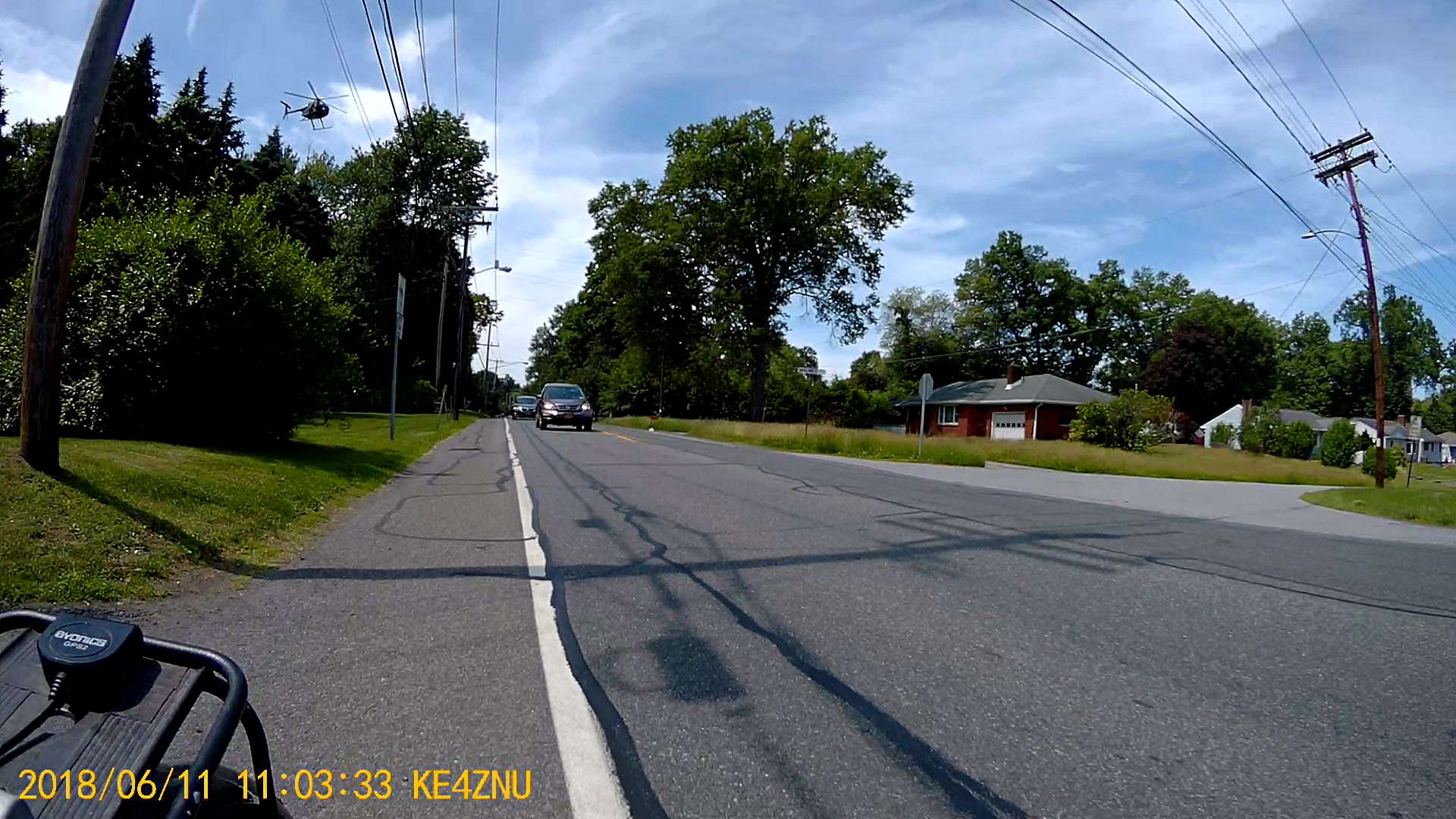
We heard God’s Own Weedwhacker off to the right as we approached Jackson Drive on the way home:
Chopper over power lines – Vassar Rd near Jackson Dr – 2018-06-11
The chopper followed the power lines, just over the treetops, with the downdraft thrashing the leaves:
Chopper over power lines – Vassar Rd near Jackson Dr – rear camera – 2018-06-11
Long ago, I attended a talk about using choppers for power line inspection and maintenance. Apparently, someone with nerves of ice can replace insulator supports and aeolian dampers on high-tension lines while perched on a chopper hovering very very close to the conductors. Pilots with experience getting troops into and out of hot LZs are in high demand.
I’m sure they give the E911 call center a heads-up before taking off …
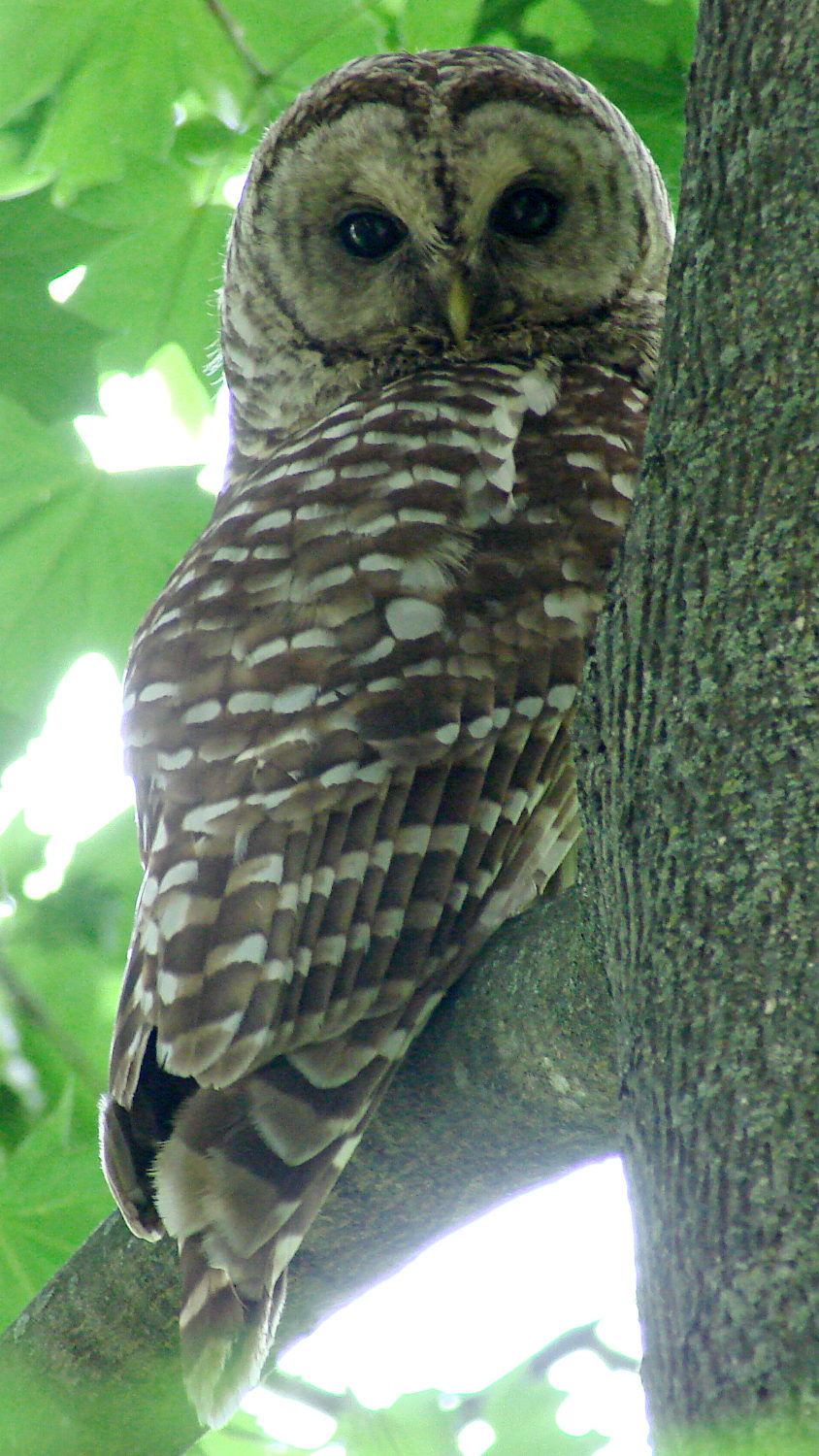
A pair of Barred Owls set up housekeeping nearby and we’ve watched them swoop down on rodents in the yard. We hope they succeed in raising their owlets!
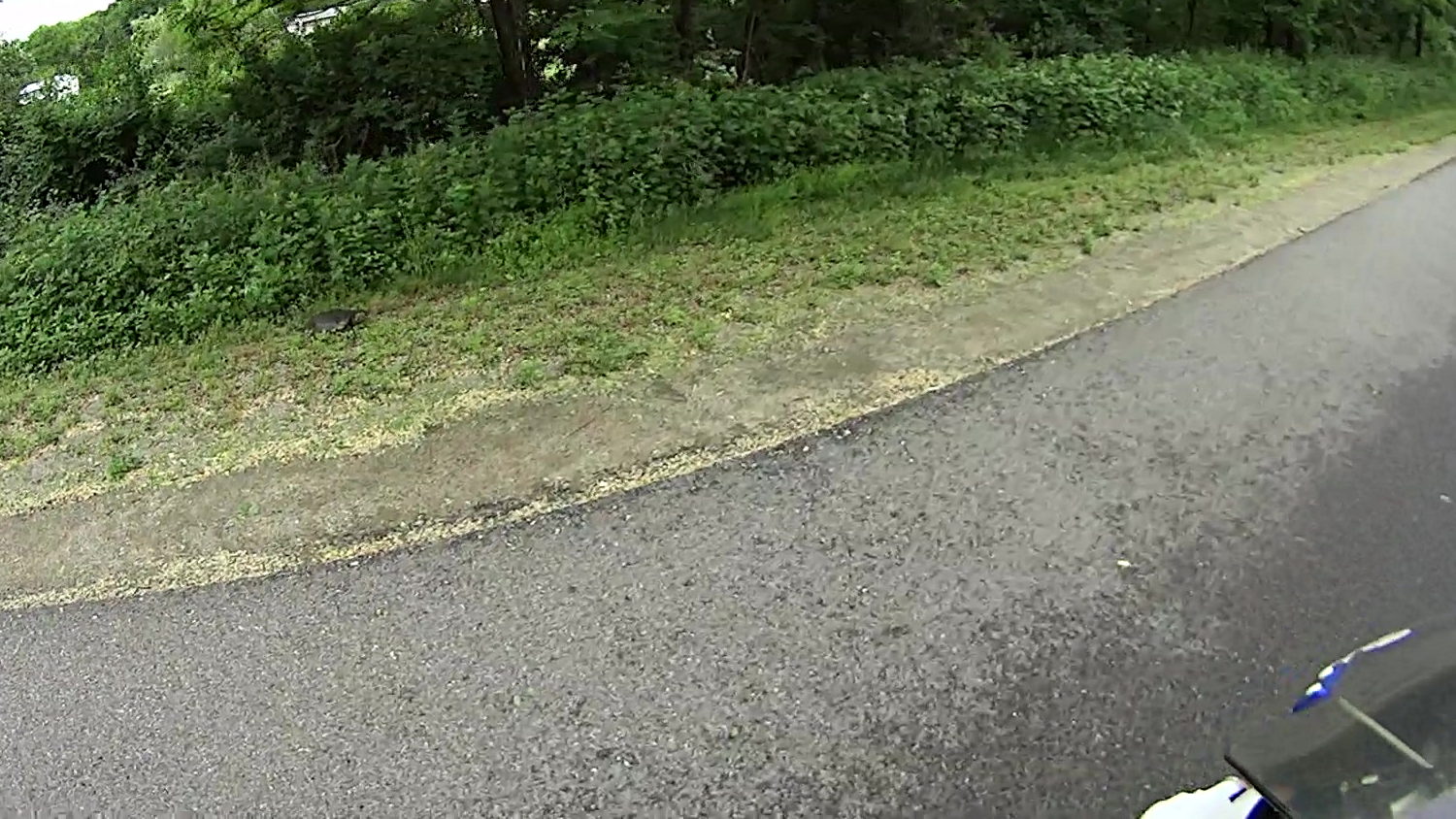
Spotted another big turtle ready to cross the Dutchess Rail Trail along Daley Rd:
Rail Trail Turtle – 2018-06-04
This must be the best season ever for turtles crossing vast expanses of asphalt, because I don’t recall seeing this many turtles during any previous spring. Confirmation bias in full effect, to be sure.
The picture is a dot-for-dot crop from the Sony HDR-AS30V helmet camera, demonstrating why image compression has more to do with resolution than the number of dots.
New shoots from the Japanese Knotweed stand just north of Maloney Rd have begun punching through the asphalt along the edge of the shoulder.
This section is in the purview of NYS DOT’s Dutchess South Residency, extending south of Red Oaks Mill to the end of Rt 376 near Hopewell. In contrast, DOT’s Dutchess North Residency continues to keep Rt 376 well-trimmed northward from Red Oaks Mill to Poughkeepsie. I’ve never gotten any explanation why the two Residencies have such strikingly different weed-control standards.
This little critter was chugging across the Dutchess Rail Trail near the ponds north of Page Industrial Park, so I stopped to lend a hand:
Tiny Turtle Dorsal – Rail Trail – 2018-05-23
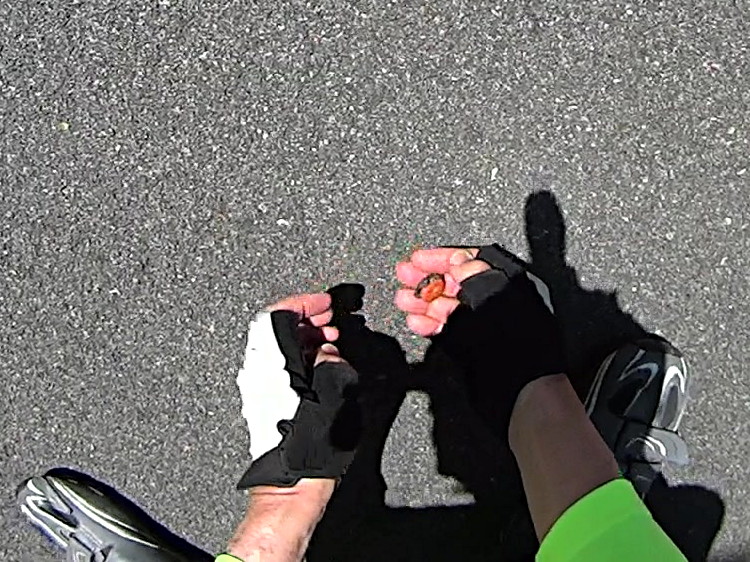
The plastron looked like a brightly colored jewel:
Tiny Turtle Ventral – Rail Trail – 2018-05-23
Perhaps plastrons start out with all the pigment they’ll ever have, then fade from bright orange to yellow-brown as they spread out.
If you’re not paying attention, you’d think “pebble” or “dog turd”. Neither of which you should ride over, of course, but … teleporting a tiny turtle to the drainage ditch on the far side seemed to increase the world’s net happiness.
The pix are tight crops from the AS30V’s 170° FOV images, which means they’re way grittier than you’d expect from a “full HD” image.
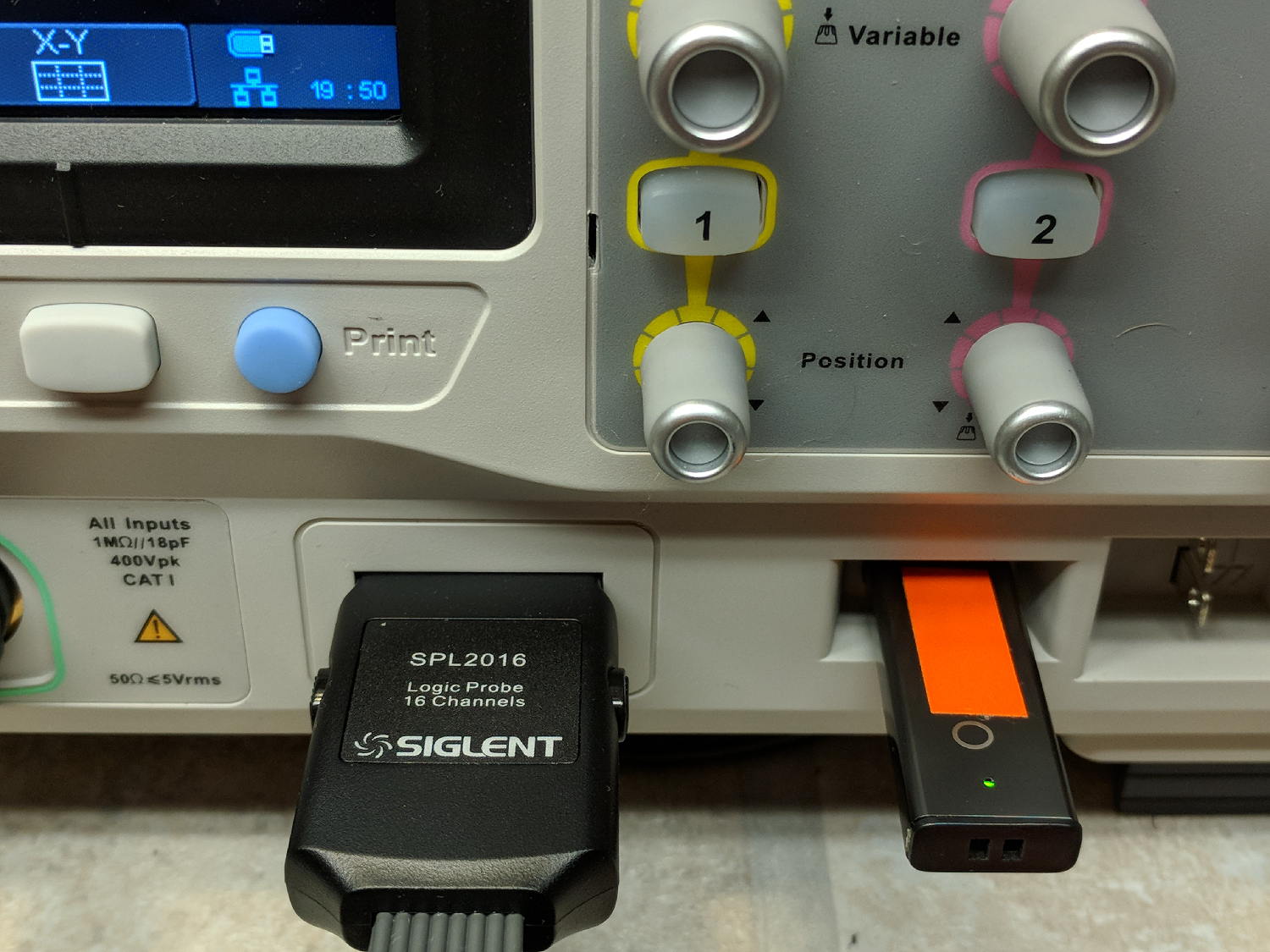
Poking the Print button on the front of the Siglent SDS2304X scope saves the screen to a BMP file (in the /BMP directory) on a USB flash drive plugged into its front-panel port:
Siglent SDS2304X Front Panel – Print Button – USB port
Which produces files like these:
ll --block-size=1 /path-to-USB-stick/BMP/
total 2318336
drwxr-xr-x 2 ed ed    4096 May 23 13:13 ./
drwxr-xr-x 4 ed ed    4096 Dec 31  1969 ../
-rw-r--r-- 1 ed ed 1152054 May 23 13:13 SDS00001.BMP
-rw-r--r-- 1 ed ed 1152054 May 23 13:13 SDS00002.BMP
The files are 1152054 bytes long, as specified by the BMP header inside the file:
hexdump -C /path-to-USB-stick/BMP/SDS00001.BMP | head
00000000  42 4d 36 94 11 00 00 00  00 00 36 00 00 00 28 00  |BM6.......6...(.|
00000010  00 00 20 03 00 00 e0 01  00 00 01 00 18 00 00 00  |.. .............|
00000020  00 00 00 94 11 00 00 00  00 00 00 00 00 00 00 00  |................|
00000030  00 00 00 00 00 00 01 01  01 01 01 01 01 01 01 01  |................|
00000040  01 01 01 01 01 01 01 01  01 01 01 01 01 01 01 01  |................|
*
00000880  01 01 01 01 01 01 01 01  01 01 01 01 01 01 1e 1e  |................|
00000890  1e 1e 1e 1e 1e 1e 1e 1e  1e 1e 1e 1e 1e 1e 1e 1e  |................|
*
00000990  1e 1e 1e 1e 1e 1e 01 01  01 01 01 01 01 01 01 01  |................|
The first 14 bytes contain the Bitmap file header, with the file size in Little-Endian order in the four bytes at offset +0x02: 0x00119436 = 1152054.
The four bytes at offset +0x0A give the offset of the pixel data: +0x36. That’s the series of 0x01 bytes in the fourth row. Unlike most images, BMP pixel arrays start at the lower left corner of the image and proceed rightward / upward to the last pixel at the upper right corner.
The data between the Bitmap file header and the start of the pixel data contains at least a Device Independent Bitmap header, identified by its length in the first four bytes at offset +0x0E. In this case, the length of 0x28 = 40 bytes makes it a Windows (no surprise) header.
The two bytes at +1C give the bits-per-pixel value: 0x18 = 24 = 3 bytes/pixel, so parse the pixels in RGB order.
The four bytes at +0x12 give the bitmap width in pixels: 0x320 = 800. Each pixel row must be a multiple of 4 bytes long, which works out fine at 2400 bytes.
The tail end of the file shows one dark pixel at the upper right:
hexdump -C /path-to-USB-stick/BMP/SDS00001.BMP | tail
00118330  00 cc 00 00 cc 00 00 cc  00 00 cc 00 00 cc 00 00  |................|
00118340  cc 00 00 cc 00 00 cc 00  00 cc 00 00 cc 00 00 cc  |................|
00118350  00 00 cc 00 00 cc 00 00  cc 0f 0f 75 1e 1e 1e 1e  |...........u....|
00118360  1e 1e 1e 1e 1e 1e 1e 1e  1e 1e 1e 1e 1e 1e 1e 1e  |................|
*
00118ad0  1e 1e 1e 01 01 01 1e 1e  1e 1e 1e 1e 1e 1e 1e 1e  |................|
00118ae0  1e 1e 1e 1e 1e 1e 1e 1e  1e 1e 1e 1e 1e 1e 1e 1e  |................|
*
00119430  1e 1e 1e 01 01 01                                 |......|
Which looks like this, expanded by a factor of eight (clicky for more dots to reveal the situation):
Screenshot – upper right corner – 8x expansion
The scope can also transfer a screenshot over the network:
lxi screenshot -a 192.168.1.42 /tmp/lxi-shot.bmp
Loaded siglent-sds screenshot plugin
Saved screenshot image to /tmp/lxi-shot.bmp
Which has the same header:
hexdump -C /tmp/lxi.bmp | head
00000000  42 4d 36 94 11 00 00 00  00 00 36 00 00 00 28 00  |BM6.......6...(.|
00000010  00 00 20 03 00 00 e0 01  00 00 01 00 18 00 00 00  |.. .............|
00000020  00 00 00 94 11 00 00 00  00 00 00 00 00 00 00 00  |................|
00000030  00 00 00 00 00 00 01 01  01 01 01 01 01 01 01 01  |................|
00000040  01 01 01 01 01 01 01 01  01 01 01 01 01 01 01 01  |................|
*
00000880  01 01 01 01 01 01 01 01  01 01 01 01 01 01 1e 1e  |................|
00000890  1e 1e 1e 1e 1e 1e 1e 1e  1e 1e 1e 1e 1e 1e 1e 1e  |................|
*
00000990  1e 1e 1e 1e 1e 1e 01 01  01 01 01 01 01 01 01 01  |................|
But the resulting file is three bytes = one pixel (!) too large:
ll --block-size=1 /tmp/lxi.bmp
-rw-rw-r-- 1 ed ed 1152057 May 23 19:09 /tmp/lxi.bmp
The tail end of the file:
hexdump -C /tmp/lxi.bmp | tail
00118330  00 cc 00 00 cc 00 00 cc  00 00 cc 00 00 cc 00 00  |................|
00118340  cc 00 00 cc 00 00 cc 00  00 cc 00 00 cc 00 00 cc  |................|
00118350  00 00 cc 00 00 cc 00 00  cc 0f 0f 75 1e 1e 1e 1e  |...........u....|
00118360  1e 1e 1e 1e 1e 1e 1e 1e  1e 1e 1e 1e 1e 1e 1e 1e  |................|
*
00118ad0  1e 1e 1e 01 01 01 1e 1e  1e 1e 1e 1e 1e 1e 1e 1e  |................|
00118ae0  1e 1e 1e 1e 1e 1e 1e 1e  1e 1e 1e 1e 1e 1e 1e 1e  |................|
*
00119430  1e 1e 1e 01 01 01 01 01  0a                       |.........|
Because the file header doesn’t include those three bytes, they don’t go into the image and the resulting screenshot is visually the same.
Which looks like a picket-fence error, doesn’t it? I’d lay long odds the erroneous loop runs from 0 to NUMPIXELS, rather than 0 to NUMPIXELS-1. Raise your hand if you’ve ever made that exact mistake.
I have no practical way to determine whether the error is inside the scope or the LXI network code, but given Siglent’s overall attention to software fit-and-finish, I suspect the former.
One can convert BMP files to the much more compact PNG format:
convert /tmp/lxi.bmp /tmp/lxi.png
convert: length and filesize do not match `/tmp/lxi.bmp' @ warning/bmp.c/ReadBMPImage/829.
Yes. Yes, there is a mismatch.
The space savings is impressive, particularly in light of PNG being a lossless format:
ll /tmp/lxi.*
-rw-rw-r-- 1 ed ed 1.1M May 23 19:09 /tmp/lxi.bmp
-rw-rw-r-- 1 ed ed  14K May 23 19:17 /tmp/lxi.png
The time-of-day clock in my M20 often resets when I change the battery in the middle of a bike ride.
I turn the camera off, wait for the status light to go out, remove the battery, install the new battery, turn it on, and the time-of-day displayed on the screen has reset to 2016-01-01 00:00:00.
I’m using firmware 1.3.1 (the latest), genuine and fully charged SJCAM batteries, and swap the batteries as fast as I can. Sometimes it works, but maybe half of my bike rides end years before they start! [grin]
It seems my turned-off M20 is extremely sensitive to the power fluctuations occurring during a battery change.
What do you recommend?
Thanks …
Their reply:
The capacity of internal memory battery on main board is very small due to hardware limitation so it can save date and setting for about 10 seconds after pulling out battery.
Would you please check it again ?
I’d call that a design screwup, not a “hardware limitation”. Perhaps I don’t understand how putting a slightly larger capacitor on the PCB, in place of the one that’s already there, would pose a problem.
They also recommend checking with my “re-seller”, but, seeing as how I bought it directly from their nominally official Amazon store, so:
In case they are not able to offer help, SJCAM Technical Department offers a maintenance service. The steps of such service are:
1. You ship the camera directly to our Technical Department address at your own cost (it is located in Shenzhen, China).
2. We check and repair the camera. The repair process usually takes about 3-5 working days.
3. We ship the camera back to you.
Note: The whole process usually takes about 20-30 days, and if your camera doesn’t have damage on the main-board, screen or lens, the maintenance will be free, but we charge 15$ as return shipping cost.
As usual, round trip shipping to Shenzen costs half the price of the M20 camera package, a fact I’m sure they’re well aware of. I did a warranty return to Australia with the Cycliq Fly6, before replacing the battery myself, and (re)learned valuable lessons about warranties and batteries.
I turned SJCam’s offer down, which prompted a curious proposal:
You can send back your camera to SJCAM factory and then we can replace internal memory battery for you.
So the “hardware limitation” has morphed into a (presumably inadequate) internal battery that, when replaced, will resolve the problem. Huh.
Note: you can’t use the M20’s “Car mode” with the timestamp function, because you must remove the battery to let the camera start when the USB power goes on. Unlike basically all other cameras-with-clocks, the M20 wasn’t designed to run its internal clock without a battery.
Improving my battery change speed definitely has the best ROI. Alas, my dexterity has a definite upper limit …





 The Smell of Molten Projects in the Morning