Ed Nisley's Blog: Shop notes, electronics, firmware, machinery, 3D printing, laser cuttery, and curiosities. Contents: 100% human thinking, 0% AI slop.
The Butterfly Bush in front of the house attracts all kinds of insects, including Monarch Butterflies (shown here on the Goldenrod planted in the garden):
Monarch on Goldenrod – left
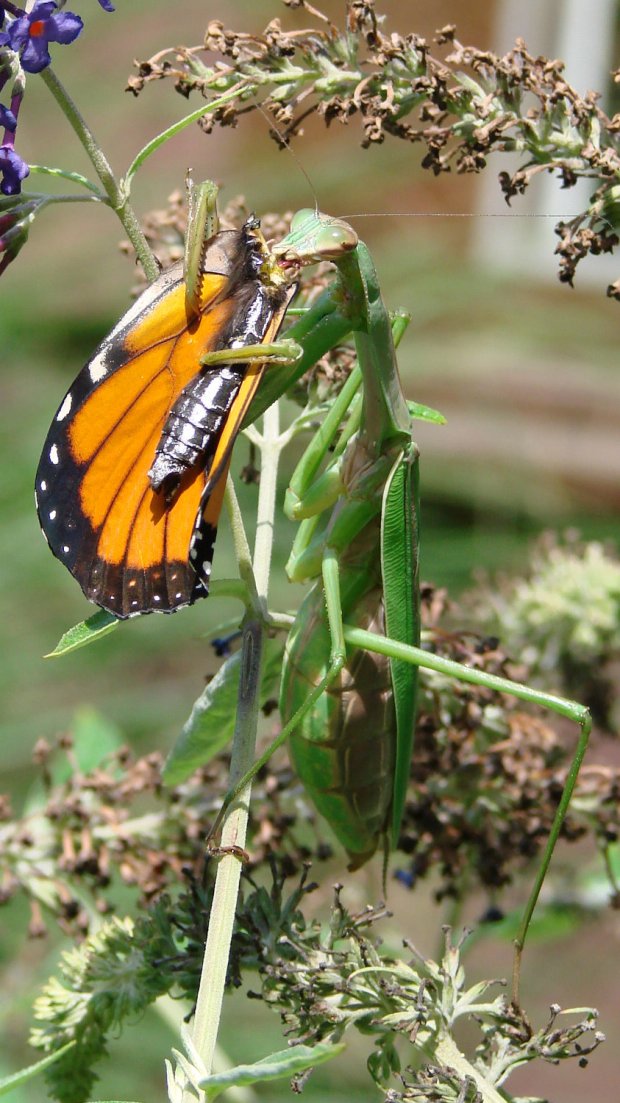
This year, the bush also attracted a Praying Mantis:
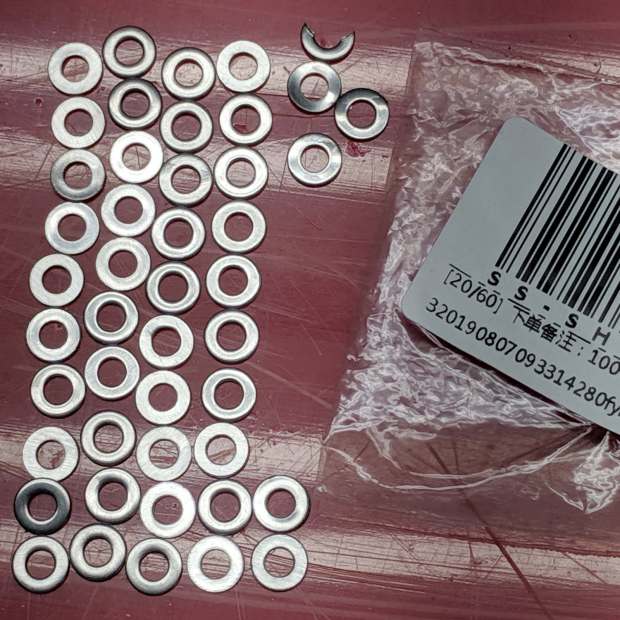
Ordered 100 stainless steel M3 washers from a “US Seller”, received this:
M3 stainless steel washers – short count
Yeah, it looked a bit short to me, too.
The chopped and bent washers in the upper right corner suggest the seller got floor sweepings from his source, which is about what you’d expect for a bottom-dollar vendor.
The seller refunded half, which wasn’t particularly generous, but I wasn’t ready to go to the mat for two bucks.
NYS DOT Region 8 Dutchess South recently did enough over-the-rail clearcutting to make Rt 376 bicycle-able from Red Oaks Mill to Maloney Rd!
To the best of our memories and judging from the tree stumps along the rail, it’s been a decade since DOT last clearcut that section; the Japanese Knotweed has definitely taken over since then.
Here’s what the Knotweed looked like in June, just north of Maloney Rd, after a trimming in May:
Rt 376 at Maloney – knotweed overgrowth – 2019-06-07
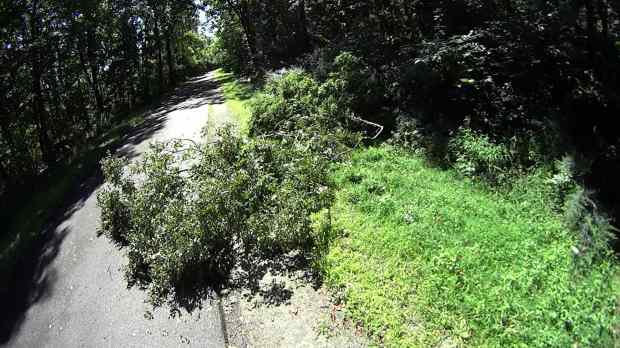
Now, it’s not nearly so snug out there:
Rt 376 Clearcut – 20 – 2019-08-29
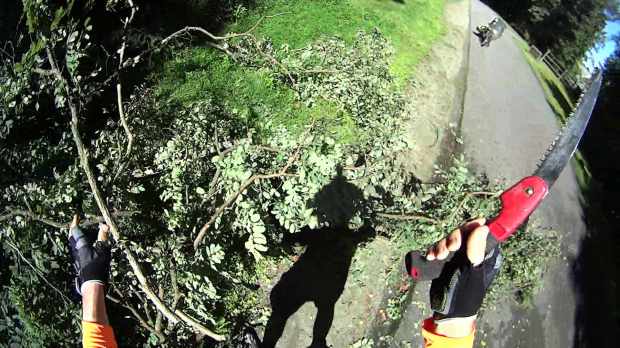
Here’s a slide show starting with Dutchess North’s routine grass mowing in Red Oaks Mill and ending with Dutchess South’s clearcut just north of Maloney Rd:
The Wappinger Creek bridge seems to be a no man’s land between the two Residencies, but we can generally take the lane:
Rt 376 Clearcut – 03 – 2019-08-29
We hope Dutchess South’s over-the-rail maintenance will become an annual event and prevent the brush from taking over again.
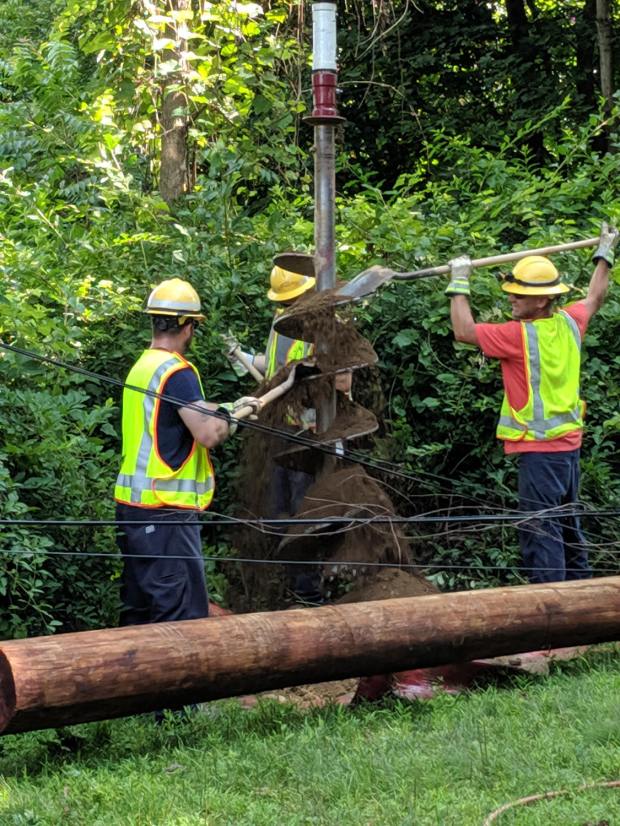
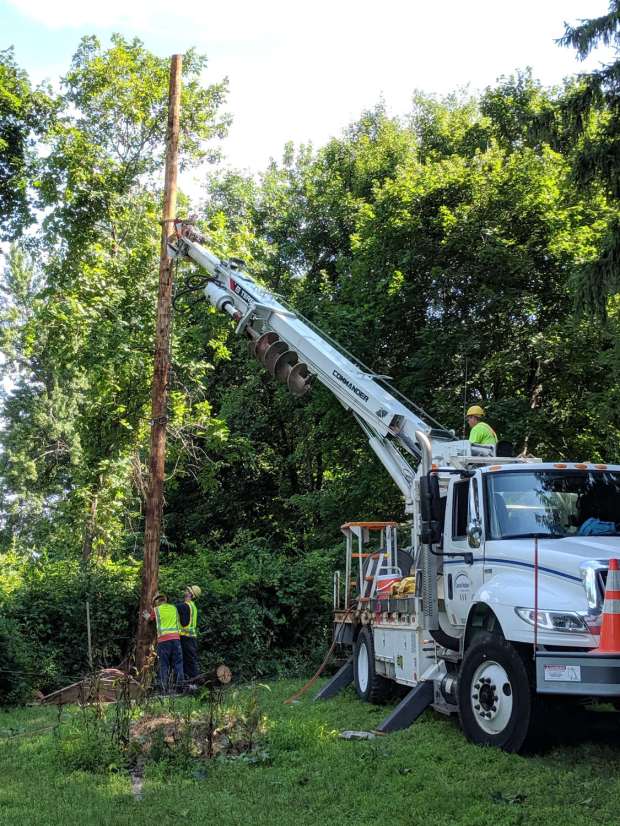
Verily, given the right tools, any job becomes do-able:
New Utility Pole – installing
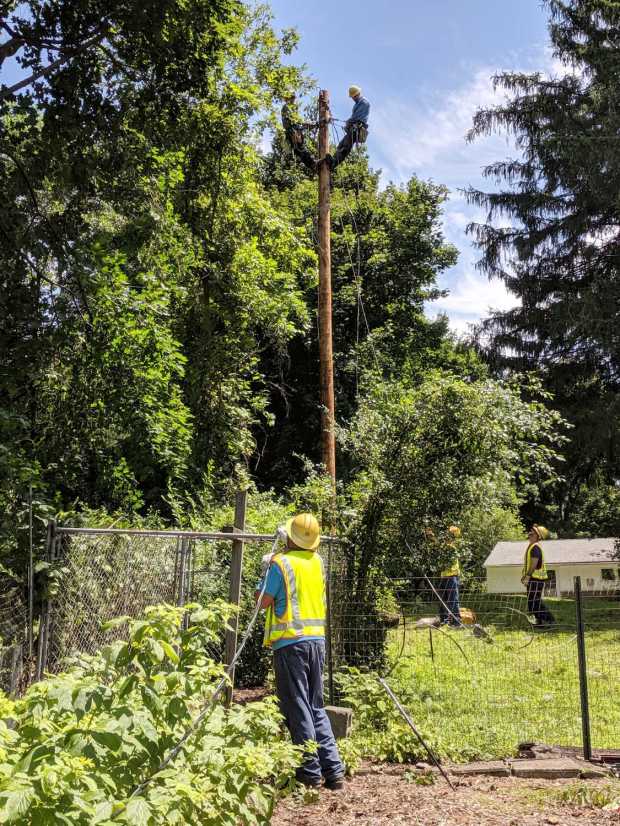
It was fascinating for me and just another day at the office for everybody else:
New Utility Pole – wiring
They nailed the original pole tag to the new pole, complete with the original 1940 nail:
New Utility Pole – pole tag 144701
I expect this pole will outlive me, just as the original pole outlived the folks who built our house.
The most memorable comment came from the person doing the CHG&E damage assessment, who really really wanted this to not be their problem: “Anybody could steal a pole tag and nail it on that pole.” I asked what location their records showed for the pole tag, whereupon the conversation moved on.
Second-place award: no, we were not interested in trenching underground lines 300 feet along the property line, at our expense, to avoid an “unsightly” pole.
For unknown reasons, I was supposed to figure out which telecom utilities had wired the pole, notify them, and wait for them to tack their cables to the new pole. I called both Verizon and Altice / Optimum, got service tickets, and watched them close the tickets without further action. I tried re-opening the Verizon ticket and was told somebody would be there within 48 hours. An Optimum guy showed up, promised a quick return visit from a team with proper equipment, but nothing happened.
I suppose having no customer at the end of the cable removed any motivation to clear their hardware off our lawn, so, after two weeks, I deployed the bolt cutter, rolled up the cables, and scrapped ’em out.
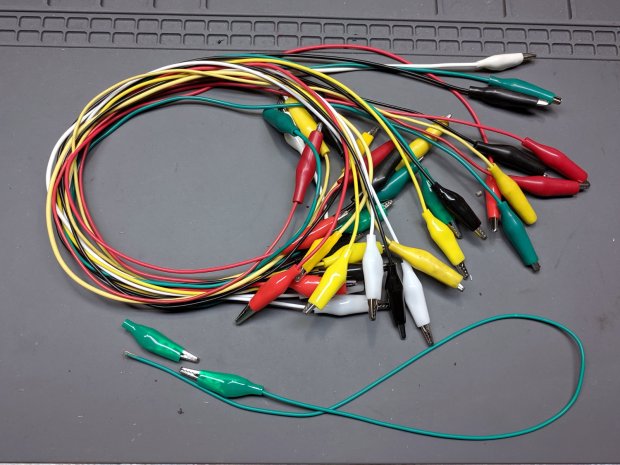
So this happened when I grabbed an alligator clip lead:
Dual Alligator Clip Collection
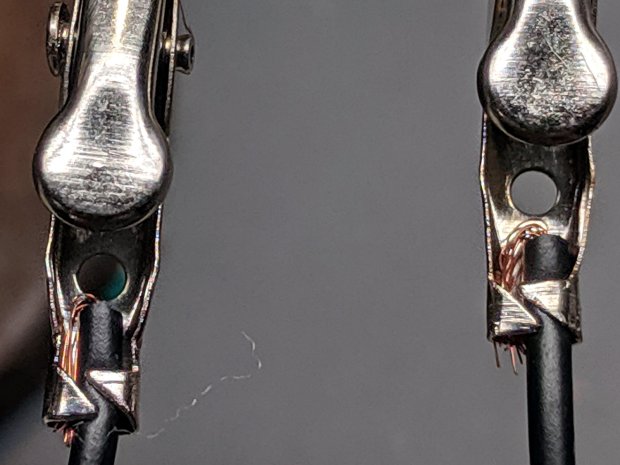
My coax cable and clip lead collection includes everything from “I’ve had it forever” to “Recent cheap crap”, including much of Mad Phil’s collection. Some of the recent crap included Chinese clip leads with what can charitably be described as marginal connections:
Alligator clips – bent wire
The insulation may provide some compliance in the crimp, but the alligator clip itself consists of cheap steel which won’t hold a crimp, even if it was crimped firmly to start with.
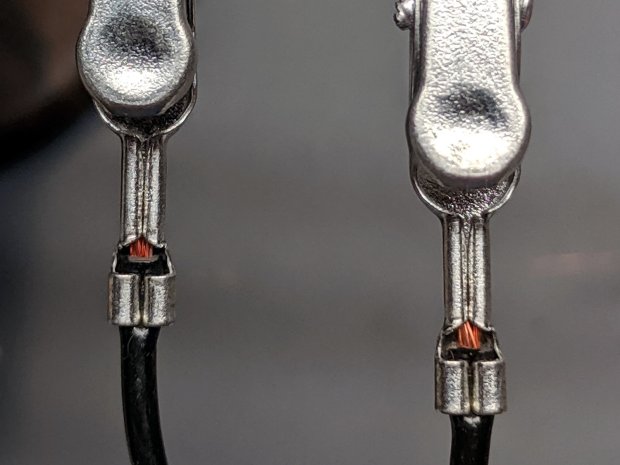
As a rule, the crimps aren’t particularly good:
Black Dual Alligator – as manufactured
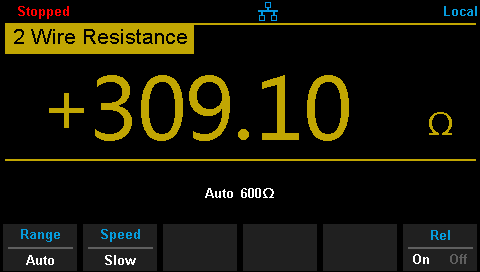
The most obvious effect is high end-to-end resistance:
Black Dual Alligator – before – A
Yes, yes, 122 Ω in an alligator clip lead is high.
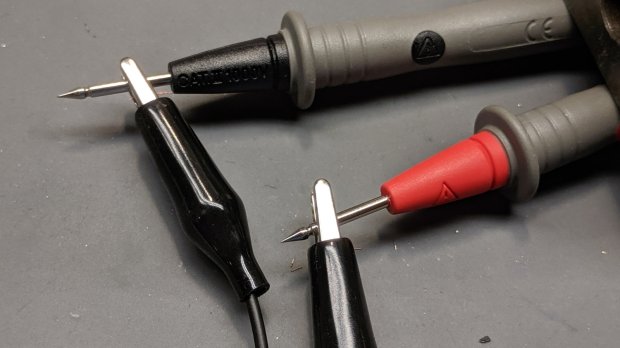
The test setup isn’t particularly intricate:
Black Dual Alligator – test setup
The lackadaisical crimps also have unstable resistances:
Black Dual Alligator – before – B
So I figured I may as well repair the lot of ’em.
I stripped the lead back to expose fresh copper, soldered it to the clip, then re-crimped the clip around the insulation for some token strain relief:
Black Dual Alligator – soldered
I won’t win any soldering awards, but the resistance is way better than before:
Black Dual Alligator – after
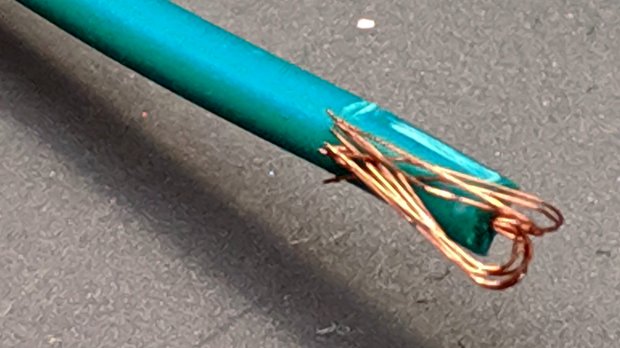
If more than half an ohm seems a tad high for a foot of copper wire, you’re right. My slightly magnetized bench screwdriver shows it’s not copper wire:
Copper-plated steel wire
I’d say it’s copper-plated steel, wouldn’t you?
Those of long memory will recall the non-standard ribbon cable I used as a 60 kHz loop antenna. In this case, the Chinese manufacturer figured nobody would notice or, likely, care. Given the crappy overall quality of the end product, it’s a fair assumption.
While I was at it, I pulled apart my entire collection just to see what was inside and fix the ailing ones. These clips date back to the dawn of time, with what started as excellent crimps:
Crimped Alligator Clips – as manufactured
Alas, after I-don’t-know-how-many decades, they’re not longer gas-tight, so I soaked a dollop of solder into each one:
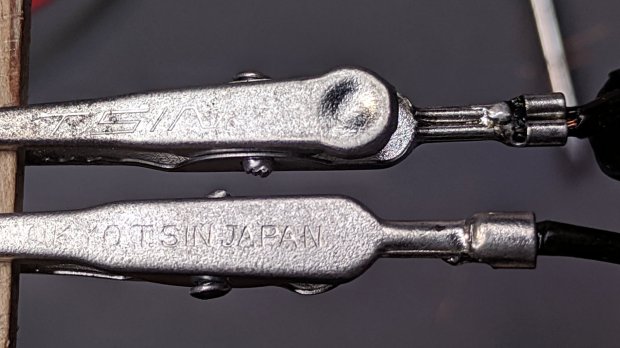
Crimped Alligator Clips – soldered – Made In Japan
Chekkitout: “Made In Japan”.
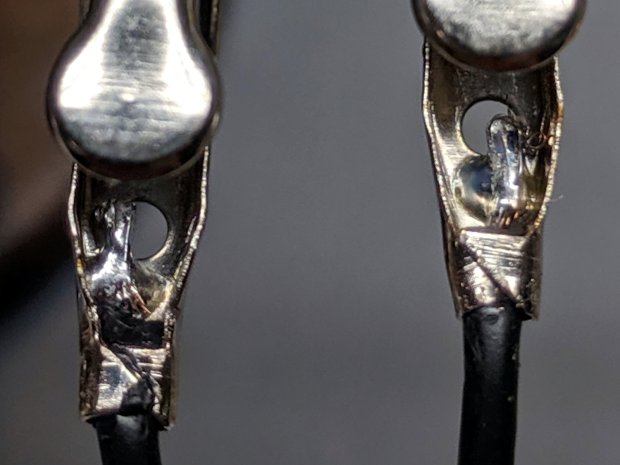
Someone, perhaps me wearing a younger man’s clothes or, less likely, Mad Phil in a hurry, solved a similar problem with bigger blobs and no strain relief:
Crimped Alligator Clips – cut and soldered
So, now I have a slightly better collection of crappy alligator clip leads. The copper-plated steel wires will eventually fail, but it should become obvious when they do.
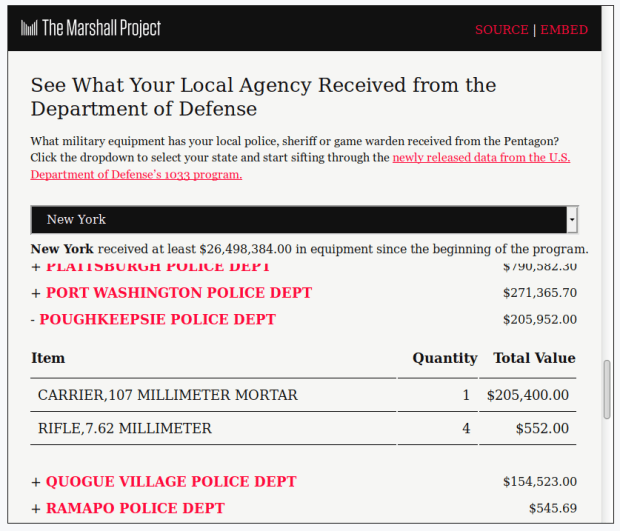
Marshall Project – Poughkeepsie 107 mm Mortar Carrier
The M106 is an impressive hunk of tracked armor, although it seems unsuited for urban warfare and would certainly scuff up the streets pretty badly. I don’t know if they scrapped the M106 in favor of the MRAP.

























 The Smell of Molten Projects in the Morning