Ed Nisley's Blog: Shop notes, electronics, firmware, machinery, 3D printing, laser cuttery, and curiosities. Contents: 100% human thinking, 0% AI slop.
My OMTech 60 W laser cutter has a stepper motor Z axis drive that has worked flawlessly since it arrived. However, it recently developed a periodic klonk during autofocusing and manual jogging, loud enough to shake the platform and rattle the cabinet’s bottom plate.
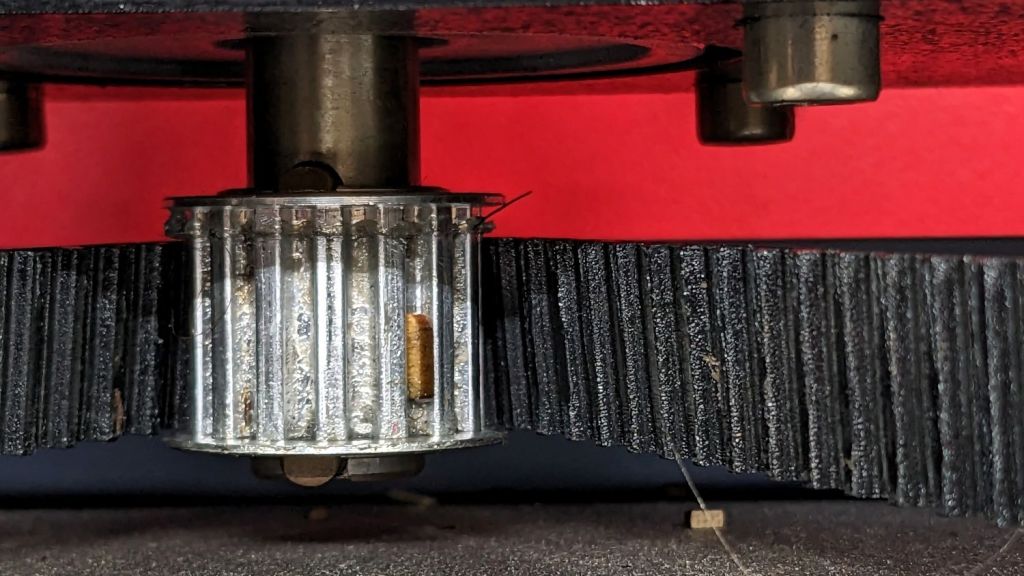
A few minutes of poking around revealed the klonk happened on each turn of the Z axis leadscrews, which quickly led to finding the cause:
Craft Stick – swarf in belt drive
It’s a rectangular wood chip, perfectly sized to jam into the Z axis motor pulley driving the belt: a belt tooth lifts up on the chip as the pulley turns, then klonks as it slips off the other side. The motor pulley and all four leadscrew pinons have the same number of teeth, so they’re all at the same point in their rotation when the belt slams down onto the pulley.
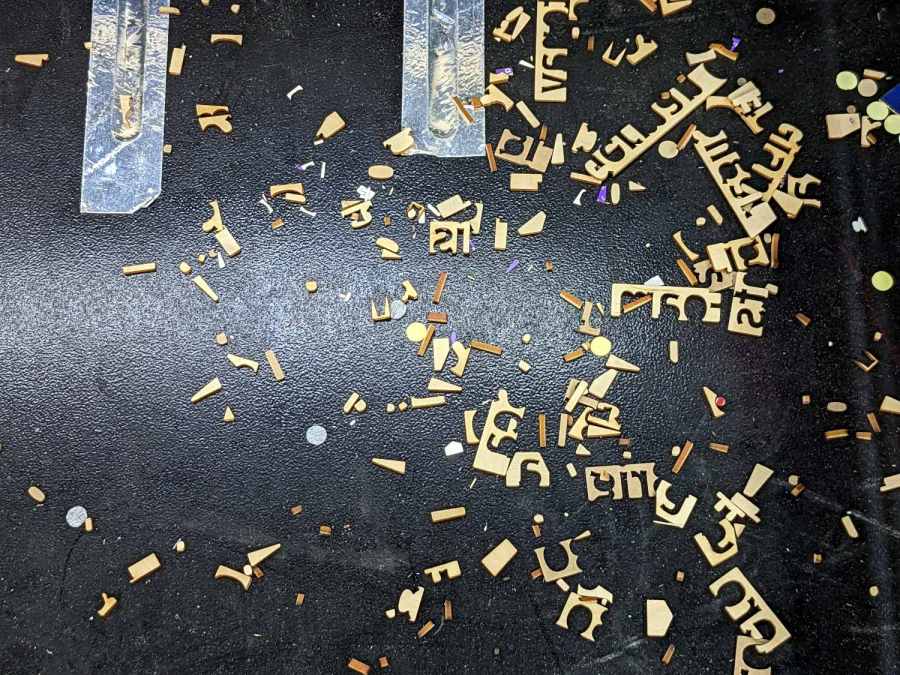
Where might such a thing come from? Well, I recently finished a batch of plant markers and hadn’t yet cleaned out the “chip tray” which is also just the bottom plate of the cabinet:
Craft Stick – swarf
I briefly considered building a guard for the motor pulley, but the belt most likely carried it from elsewhere. The leadscrews have an ample coating of grease that was also smeared elsewhere on the cabinet, making the belt sticky enough to catch such things.
The chip tray is once again pretty clean and the platform behaves normally again.
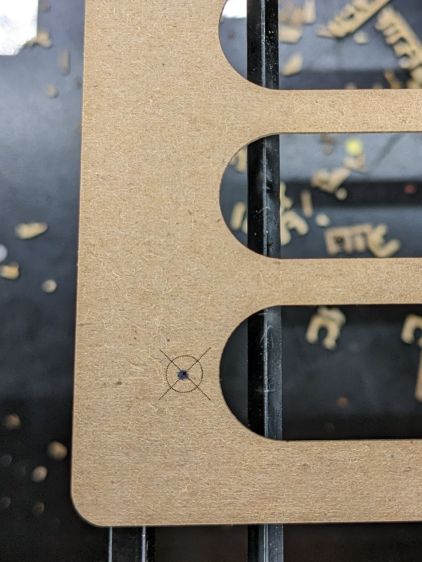
Jog the laser to the upper-right target on the fixture, click the upper-right target in the template, and tell P-n-C that’s the First Target. Jog to the lower-left target, click the lower left target, and that’s the Second P-n-C Target:
Craft Stick Markers – fixture target detail
The colored circles indicate the targets on the template:
Craft Stick Markers – LB PnC layout
Select the Align No Scaling option, because the template and the fixture are exactly the same size.
Click-n-drag to select the entire template (because you should always use Cut Selected Graphics), then frame it Just To Be Sure. The red dot pointer (or whatever you use) should kiss the fixture’s perimeter all the way around.
Make sure the fill layer happens before the cut layer, then Release The Laser:
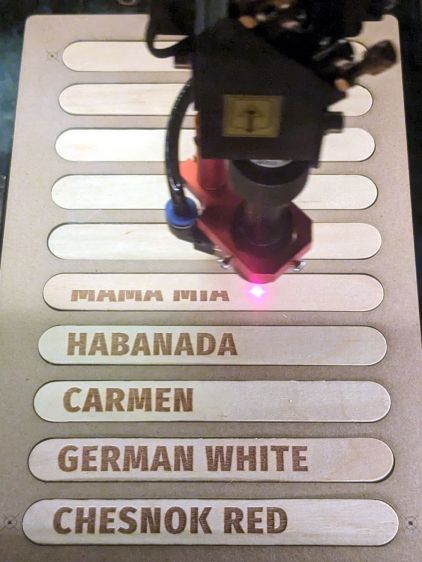
Craft Stick Markers – engraving
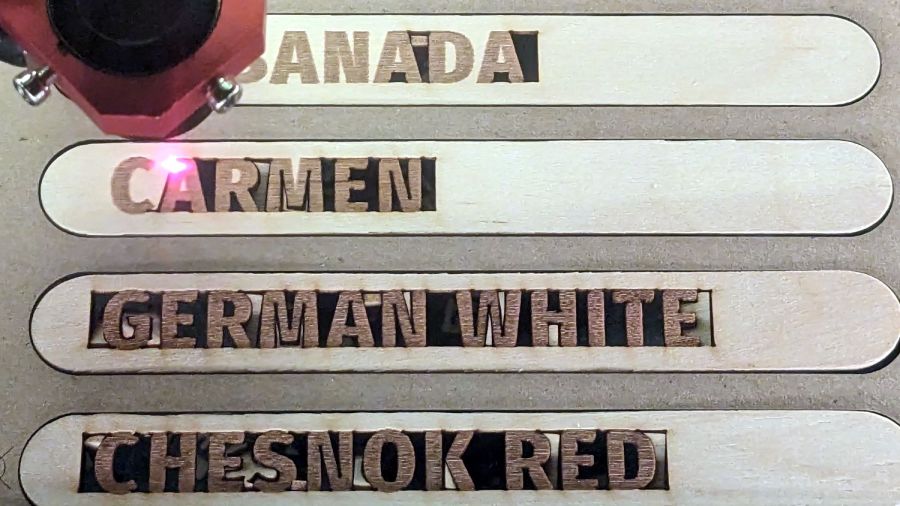
The cut layer trims around the engraved letters to leave them standing in the rectangle:
Craft Stick Markers – cutting
Some of the smaller bits won’t fall out as they’re cut, but a sharp thwack ejects them easily enough.
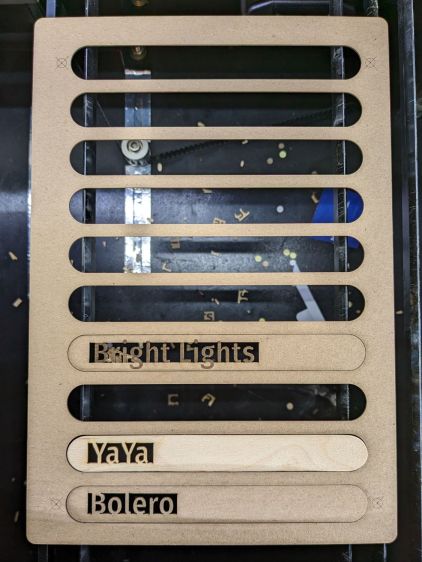
Producing a set of ten sticks takes maybe seven minutes:
Craft Stick Markers – fixture second fill
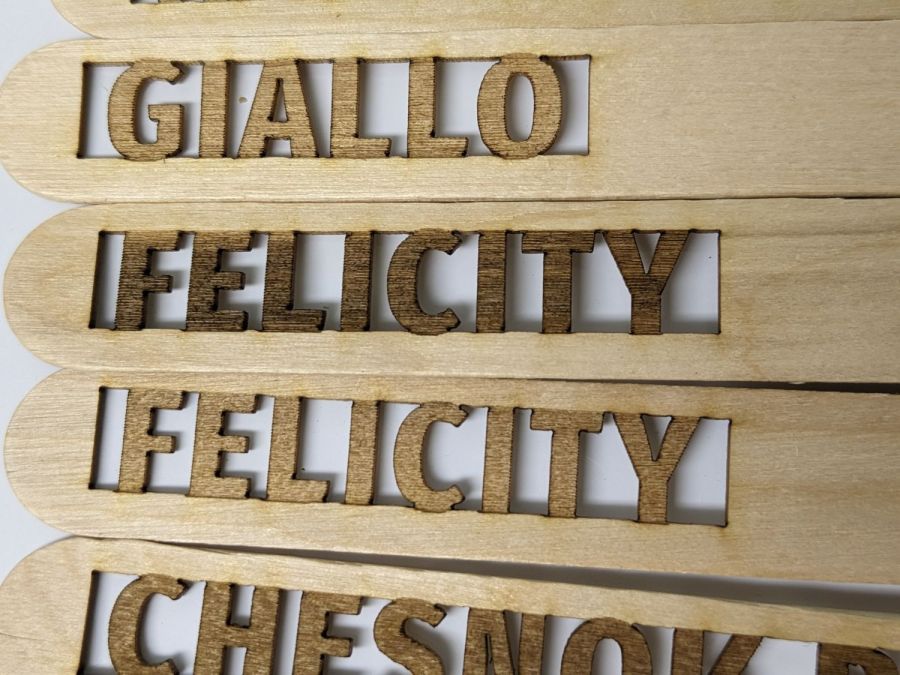
Because craft sticks aren’t intended for fine woodworking, don’t expect consistent engraving results:
Craft Stick Markers – wood engraving difference
Applying a finish would definitely improve their appearance, but most such chemicals don’t belong in an organic vegetable garden.
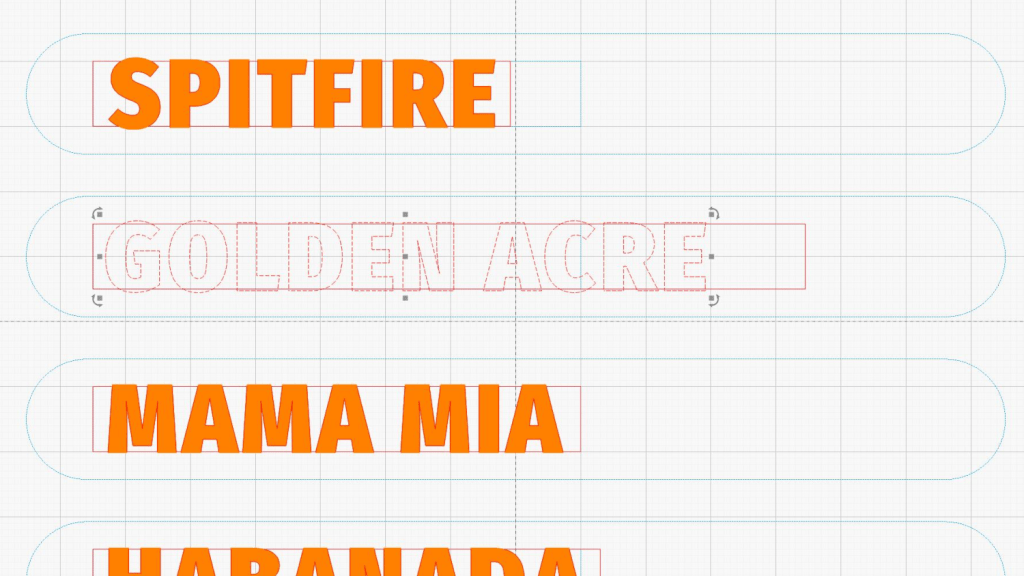
Putting the entire fixture layout onto a tool layer produces a template to align the text on the sticks:
Craft Stick Plant Markers – fixture layout
The rectangles mark where you put cut layer rectangles around the text in each stick. The sticks are 18 mm wide, so a 10 mm cutout leaves what should be enough wood along the edges. The rectangle length is a serving suggestion, as you must adjust the cut rectangle to fit the text.
Group everything except the four targets into a single object so you won’t inadvertently move only a part of it. The targets must remain separate to work with the Print-and-Cut alignment. With that set up, Lock the position of the entire layout to prevent you from moving any part of it.
Starting with a blank tag in the template:
Craft Stick Markers – LB template – base
Draw a rectangle in a cut layer to match the template, which is easy if you have Object Snap set up properly:
Craft Stick Markers – LB template – rectangle
Add your text in a chunky font like Fira Sans Condensed Heavy, set to 15 mm tall with 5 mm horizontal spacing:
Craft Stick Markers – LB template – lowercase text
LightBurn aggressively snaps a new text cursor to the nearest pre-existing text, so you may be forced to click far away from where you want to place the text, type the text, then move the finished string. LightBurn will also snap the text to the display grid as you drag it around, so hold the Ctrl key down to disable snapping while you eyeball the proper alignment with the rectangle. Leave about 2 mm between the left edge of the rectangle and the first letter to make an easily visible space.
Although you can use lowercase letters, uppercase letters have the compelling advantage of being attached both top and bottom, so retype the text if you forgot about the Caps Lock key:
The 15 mm font height I’m using seems to be the overall maximum from the top of the tallest letter to the bottom of the lowest descender, not the height of any specific capital letter, all of which extend beyond the cut rectangle by about half a millimeter. That’s crucial to make this thing work, so tune the font and its height appropriately.
Select the text string when you have it properly aligned:
Craft Stick Markers – LB template – text selected
Hit Ctrl-D to duplicate the text, tap the ↑ (Up) arrow key to move the copy out of the way, and set it to the fill layer.
Now the magic happens.
Select the rectangle, Shift-select the text, and Boolean Subtract (Alt minus) the text from the rectangle:
Craft Stick Markers – LB template – subtracted text
Realize that you have screwed up by not shortening the right side of the rectangle to leave about 2 mm of open space. Bang on Ctrl-Z to undo the last step, shorten the rectangle, Shift-select the text again, then subtract the text from the rectangle:
Craft Stick Markers – LB template – properly subtracted text
Select the filled copy and whack the ↓ (Down) arrow key to move it back over the cut layer:
Craft Stick Markers – LB template – overlaid text
Now the filled layer will toast the characters to a nice brown and the cut layer will remove the background rectangle.
After finishing the text dance for all the markers, the template should look something like this:
Craft Stick Markers – LB PnC layout
The cheerful circles come from LightBurn’s Print-and-Cut Wizard aligning the template with the fixture holding the craft sticks on the laser platform, about which more tomorrow.
A good rule of thumb says never do any more work than absolutely necessary, so the rest of the fixture comes from linear arrays replicating the stick slots and targets:
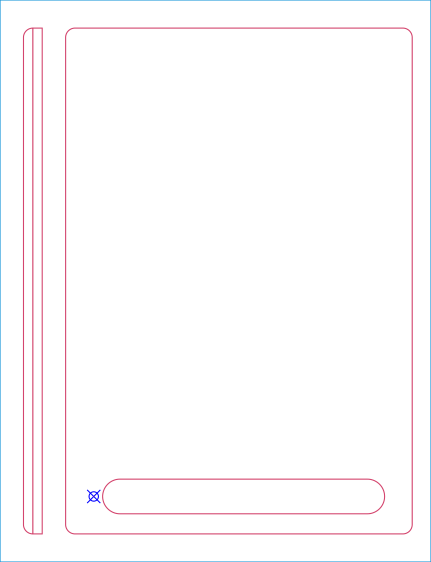
Craft Stick Plant Markers – fixture cut layout – full
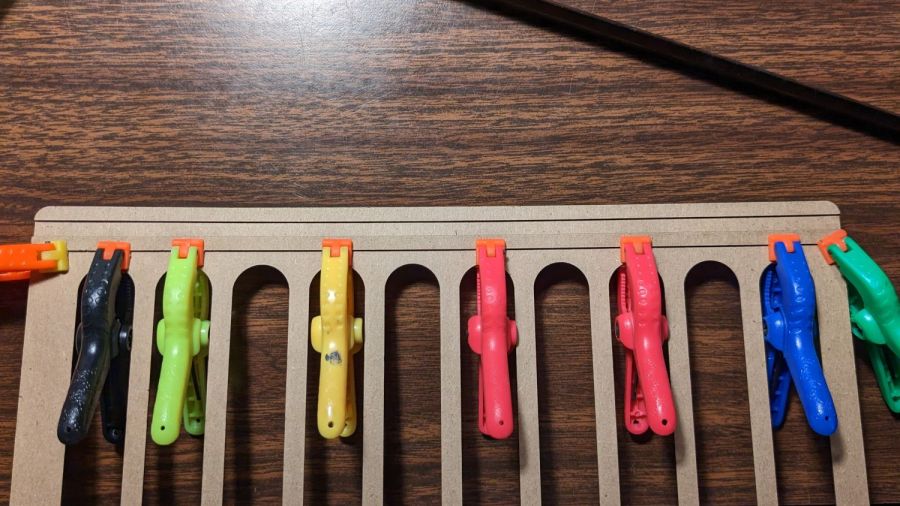
The two strips over on the left (with a common cut down the middle) get glued to the underside of the fixture:
Craft Stick Markers – fixture rail gluing
They’re exactly 5 mm apart to bracket one of the knife-edge bars supporting the fixture. The bar is upside-down to put its flat side upward:
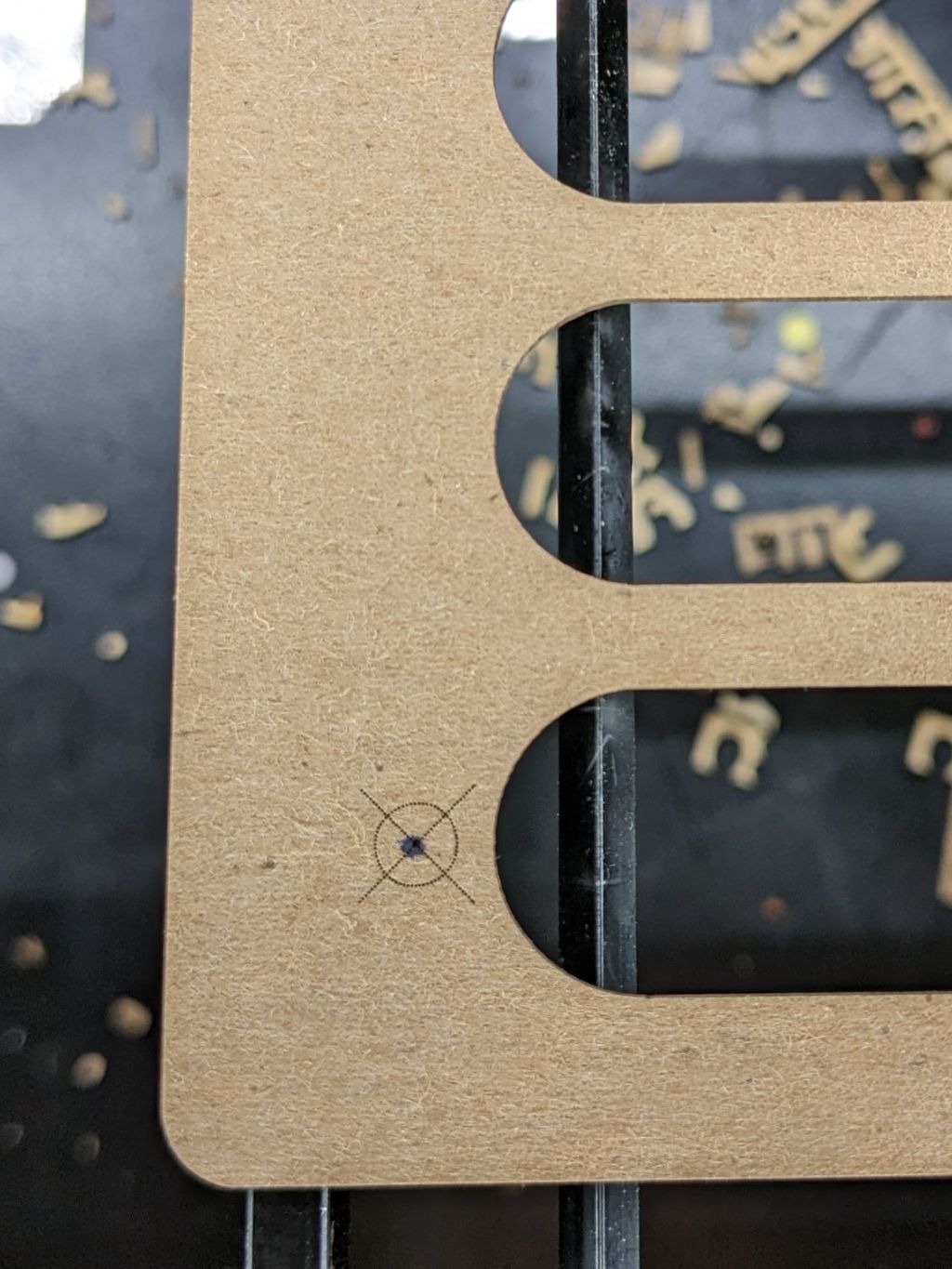
Craft Stick Markers – fixture target detail
Yes, the fixture is made of chipboard, mostly because it’s about the same thickness as a craft stick and it’s cheap & readily available. Each target gets an ink blot to make it more conspicuous; there is also a tiny hole burned through the chipboard at the center to mark the other side for the strips.
Two knife-edge bars (sharp side up) support the sticks near their ends, well out of the cutting path, to prevent scorch marks:
Craft Stick Markers – fixture overview
It’s worth noting the knife-edge bars are 5 mm wide and the platform spaces them on 3/8 inch = 9.525 mm centers. Not 10 mm, not 9.5 mm, exactly 3/8 inch. Kinda like the platform leadscrews: a 4 mm lead thread driven by a belt with 0.2 inch pitch. Only in America.
This doodle captures the key dimensions down there in the corner to work out where the strips should go:
Craft Stick Plant Markers – fixture vs laser bar spacing doodle
Now, to convert names from a garden map into plant markers …
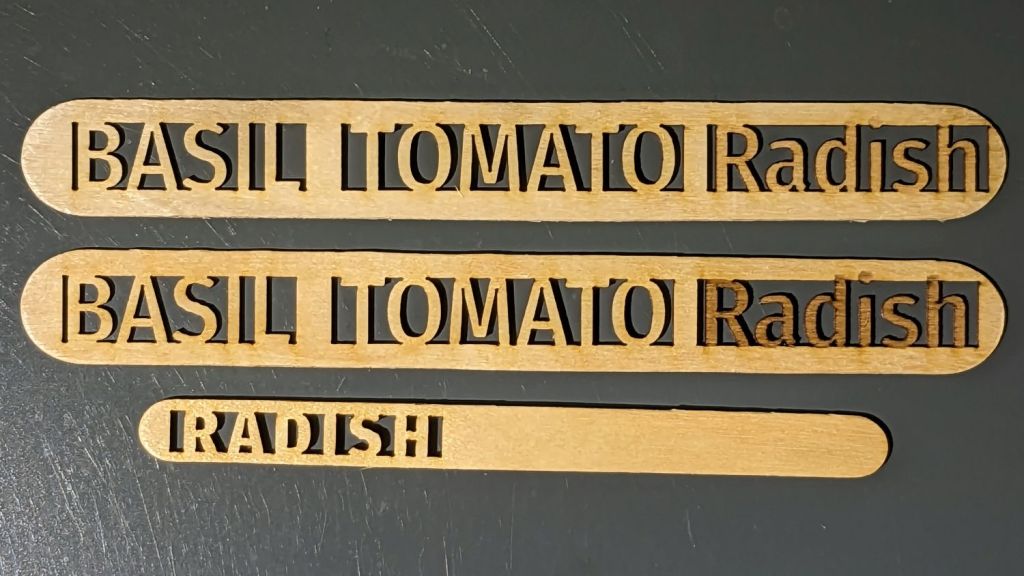
Inspired by a LightBurn forum post I can no longer findonce again tracked down, I tried my hand at popsicle craft stick plant markers:
Plant Markers – craft stick tests
You’d have only one name on the end of each stick, with the uncut section jammed into the ground: these are test pieces to demonstrate capability.
Wood is better than acrylic because it checks all the eco-friendly attribute boxes. Admittedly, craft sticks don’t exactly grow on trees, but we seem to ignore such externalities in nominally eco-friendly products.
Bonus: a recurring revenue stream from the replacement market!
The design, such as it is, involves subtracting the letters from a rectangle maybe half a millimeter short of their top & bottom extents and a few millimeters longer than their length. Using a chonky font with generous letter spacing may prevent prompt disintegration by weathering:
Plant Marker – craft sticks – LB layout
Engraving the letters marks their uncut sections outside the rectangle, although we know laser char on wood-ish materials fades in sunlight. The two big sticks have Radish engraved with varying density; the darker version looks better against a lighter background never found in an actual garden.
Mary thinks they might be a nice fundraiser for the next Master Gardener Plant Sale.
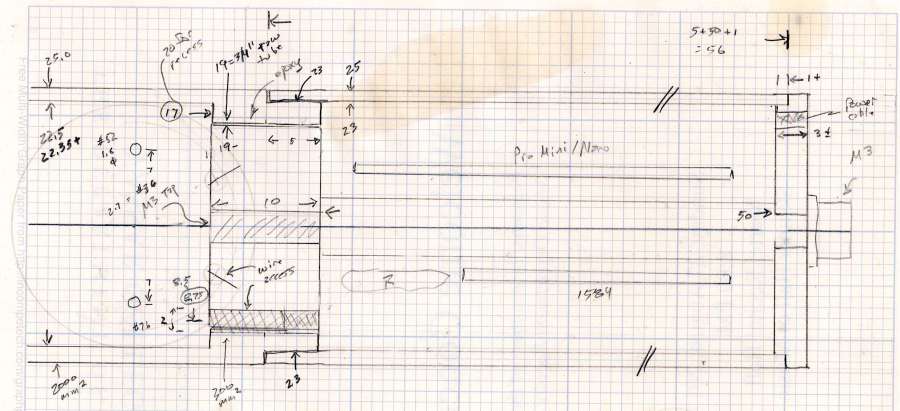
Having acquired some thick-wall (1 inch OD, ¾ inch ID) aluminum tube, making the LED heatsink and lens holder for a running light generates a lotless scrap. A new doodle gives the dimensions in a rather Picasso-ish layout:
Running Light – dimension doodles
The back end of the tube gets turned down to 23 mm OD and cleaned up to 19 mm ID, then scored to give the epoxy something to grip:
Front Running Light – Heatsink shell scoring
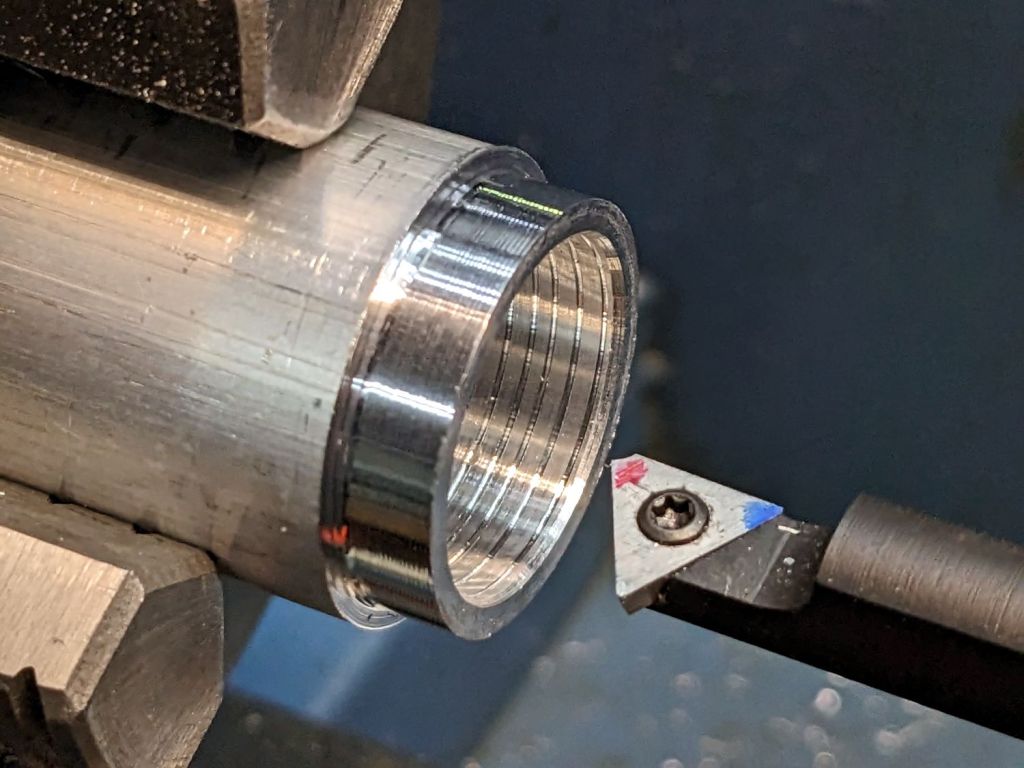
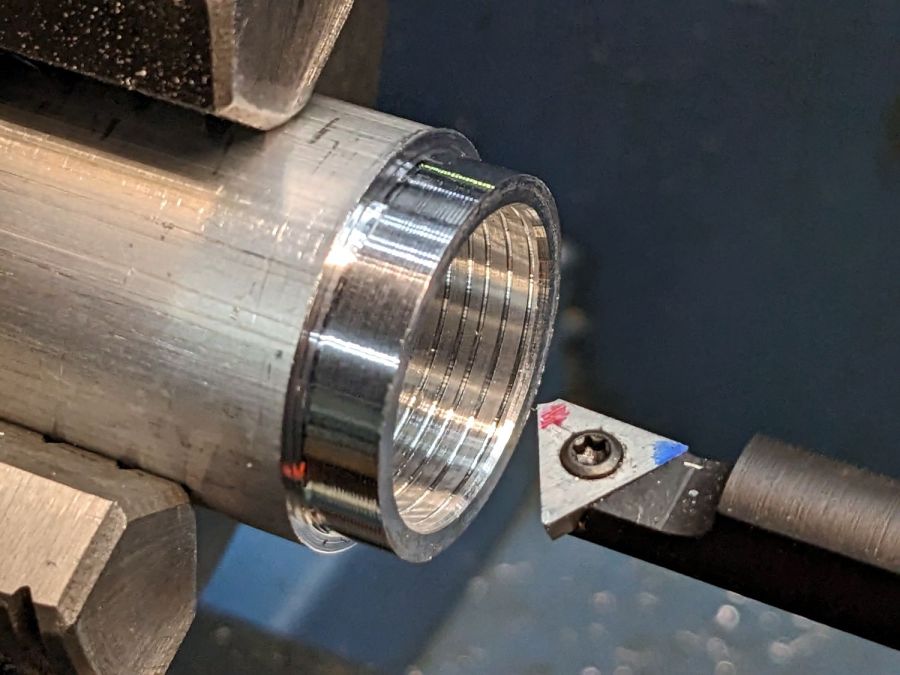
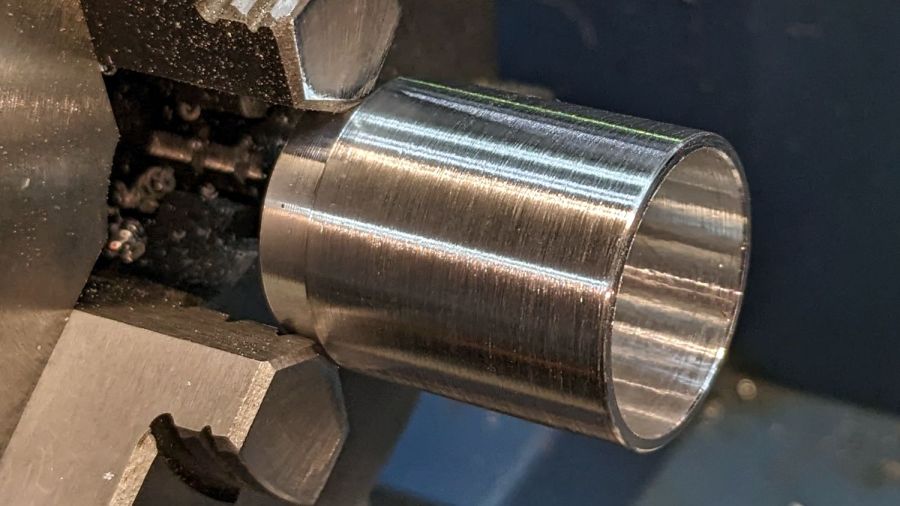
The front end gets bored to 22.5 mm for the lens holder and has its OD cleaned up to 25 mm:
Front Running Light – finished shell
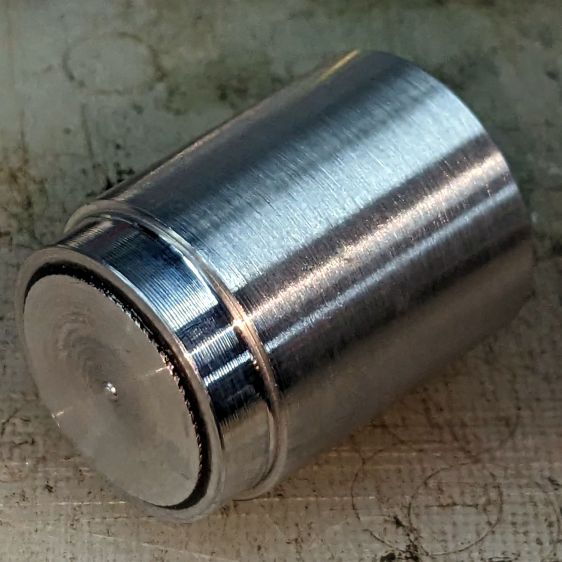
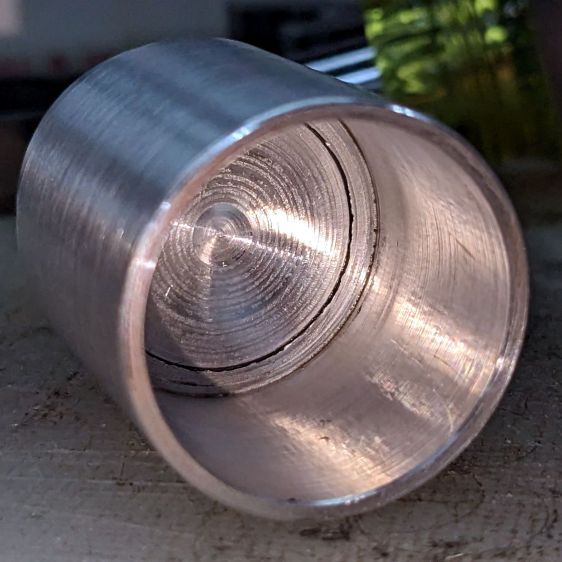
Clean up the end of a ¾ inch rod to 19 mm OD, knurl it a little to increase the OD ever so slightly and improve its griptivity, slice off a bit more than 10 mm, butter it up with JB Weld epoxy, and shove it into the shell with its front end aligned and its back end sticking out:
Front Running Light – epoxied plug in shell – rear
Face off the back end and the front end looks fine as assembled:
Front Running Light – epoxied plug in shell – front
Grab it in the Sherline mill’s three jaw chuck to:
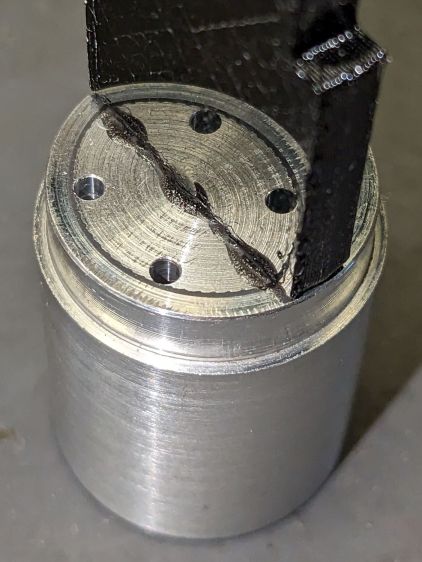
Drill & tap the M3 central hole for the stud holding the circuit plate to the back end
Drill 1.6 mm blind holes for the circuit plate pins
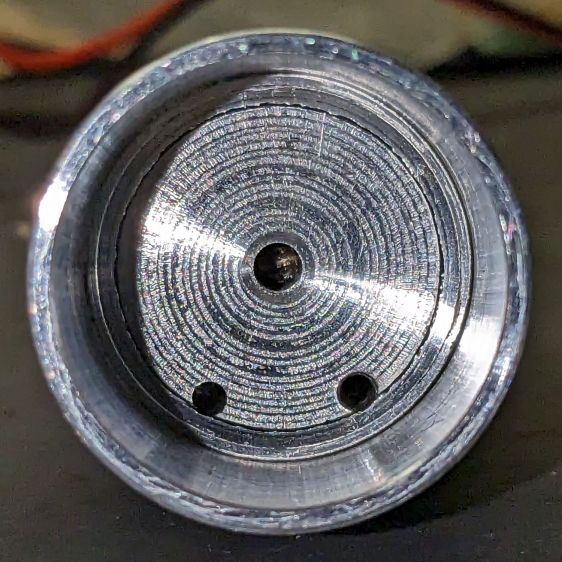
Drill 2 mm through holes for the LED wires, 60° apart
Which looks like this from the front:
Front Running Light – drilled heatsink – front
And like this with the circuit plate screwed & glued to the rear:
Front Running Light – circuit plate mounted
Clean up the OD of some ¾ inch PVC pipe to 25 mm, bore it out to 23 mm.
While the Sherline is set up, drill a pair of 2 mm holes in the lens holder for the wires, aligned so they’ll match the heatsink holes.
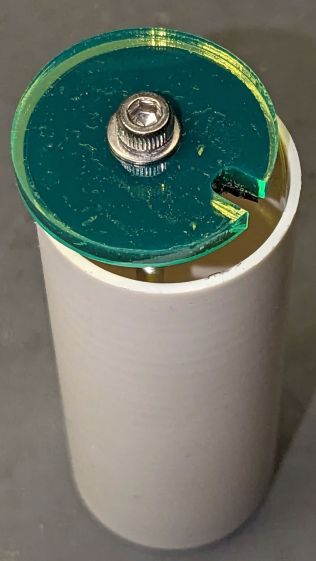
Because we live in the future, laser-cut the rear cap from some edge-lit acrylic with a black inner disk:
Front Running Light – PVC tube – end cap
Cutting that cap with the notch included is now trivially easy, compared to the previous machining.













 The Smell of Molten Projects in the Morning