Ed Nisley's Blog: Shop notes, electronics, firmware, machinery, 3D printing, laser cuttery, and curiosities. Contents: 100% human thinking, 0% AI slop.
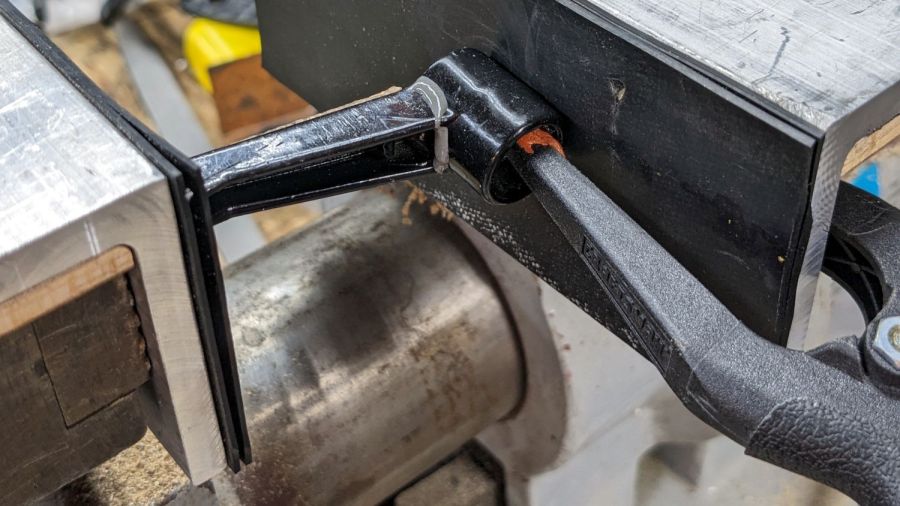
I finally managed to whack the mini-lathe’s carriage stop handle with the chuck, prompting a quick repair:
Carriage Stop – handle epoxy clamping
I probably should have epoxied a rod into the recess under the handle, seated in a drilled hole into the hub, but let’s see how long this quick-n-dirty version lasts.
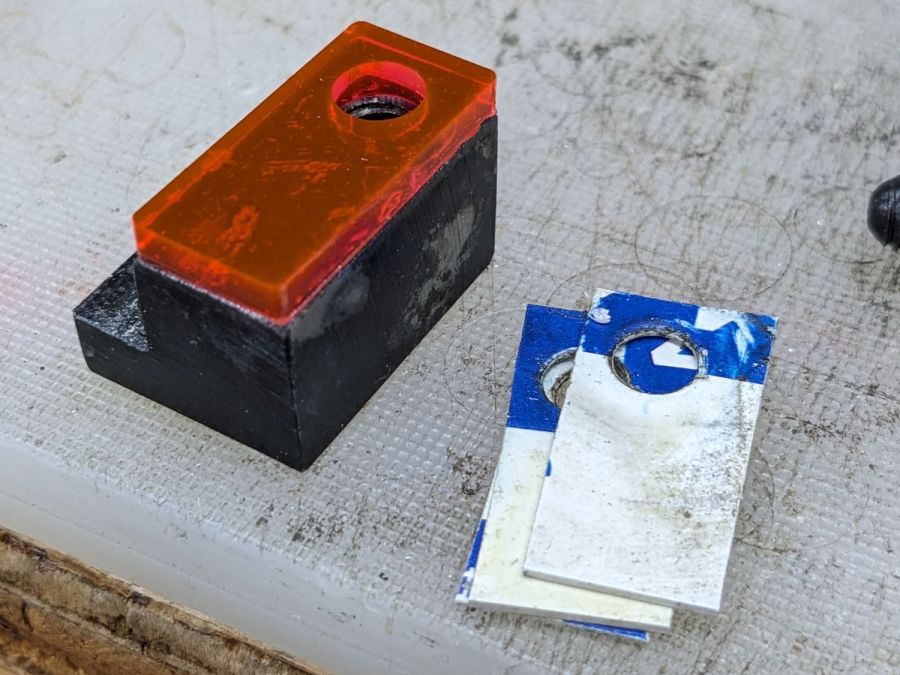
While I had the hood up epoxy was curing, I lasered a block of edge-lit acrylic to replace the credit card shims:
Carriage Stop – spacer
Which turned out to be one itsy too thick. Rather than sand / machine it down, the step over on the left grew a little brass shim:
Carriage Stop – spacer and shim
Both pieces depend on snippets of adhesive sheet to hold them in place, which seems reasonable because they’re always in compression. That also eliminates the hole and pin I originally thought would be necessary; living in the future is just grand.
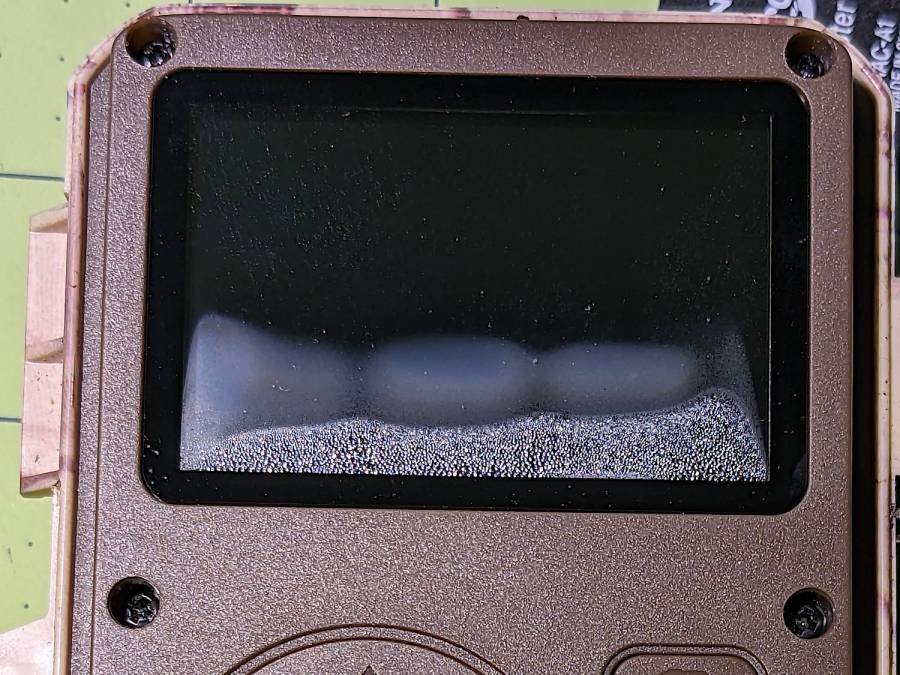
The SJCAM M50 camera gasket seems unable to cope with The New Normal weather conditions around here:
SJCAM M50 – screen condensation
I think this was probably another case of diurnal pumping, given the exceedingly hot days and cool nights in late July.
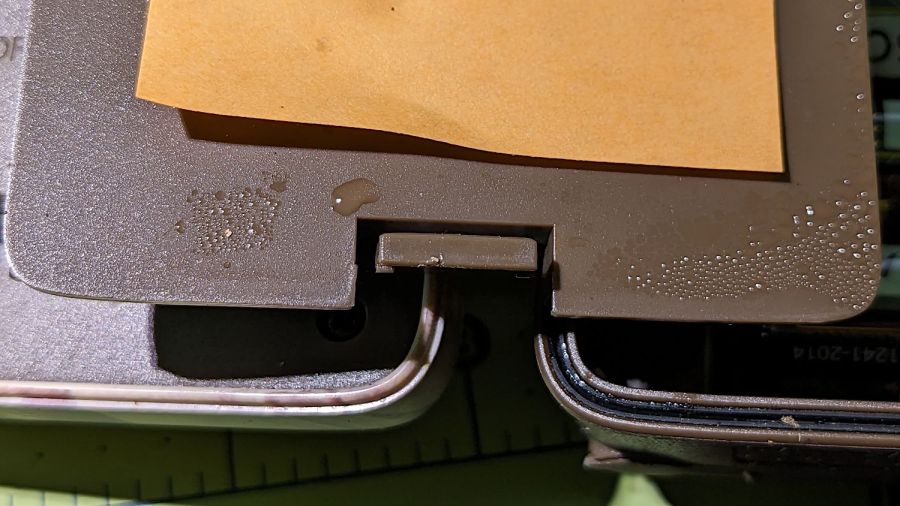
Plenty of water condensed on the bottom of the battery compartment cover:
SJCAM M50 – battery lid condensation
And inside the compartment around the AA cells:
SJCAM M50 – battery compartment condensation
Unlike the previous leak, the camera lens wasn’t involved, so I did not disassemble the case. I let the opened camera (without batteries) dry out in the hot hot sun for the rest of the day and it seemed fine by evening.
Keeping it out of full sunlight during the day definitely limits the locations I can use.
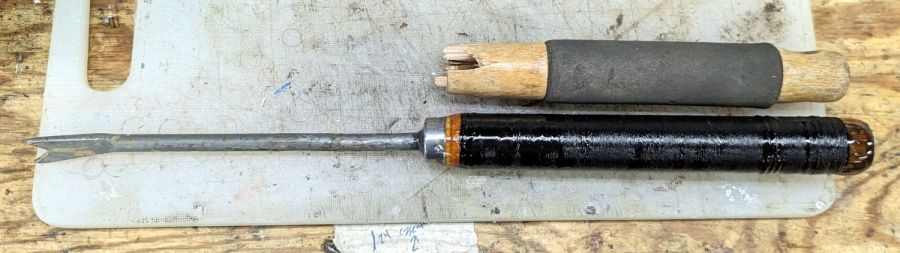
You might expect the tang to extend well into the handle, but that’s not what you get in a cheap tool:
Dandelion Weeder – ferrule detail
The Bucket o’ Rod-like Materials had a rake handle about the right diameter, so I sawed off a suitable length, set up the steady rest with a bushing, and turned the end to match the ferrule:
Dandelion Weeder – end turning
Pound the ferrule into place and drill the new handle to fit the tang:
Dandelion Weeder – drilling setup
The handle seemed a bit raw and, as it was already chucked in the lathe, got a synthetic string wrap with clear epoxy coating:
Dandelion Weeder – string epoxy
The pourable epoxy is reaching the end of its shelf life, but seemed entirely suitable for the purpose. I wrapped two layers of string around the dry handle, laid paper over the lathe bed, slathered epoxy over the whole affair, and let the lathe turn dead-slow for most of the day to even out the coat.
The next day: hammer the blade mostly straight again, smear JB QuikWeld on the tang and into the hole, gently hammer them together, chuck the blade, apply more epoxy to the ends, and let it turn:
Dandelion Weeder – end epoxy
A careful inspection reveals my casual disregard of the finer points of tool handle craftsmanship, but it came out surprisingly pretty:
Dandelion Weeder – repaired
The blade remains the finest butter-soft cheap steel and still doesn’t extend the length of the handle, but Quality Shop Time™ is not to be sniffed at.
And, hey, nary a trace of 3D printing or laser cutting!
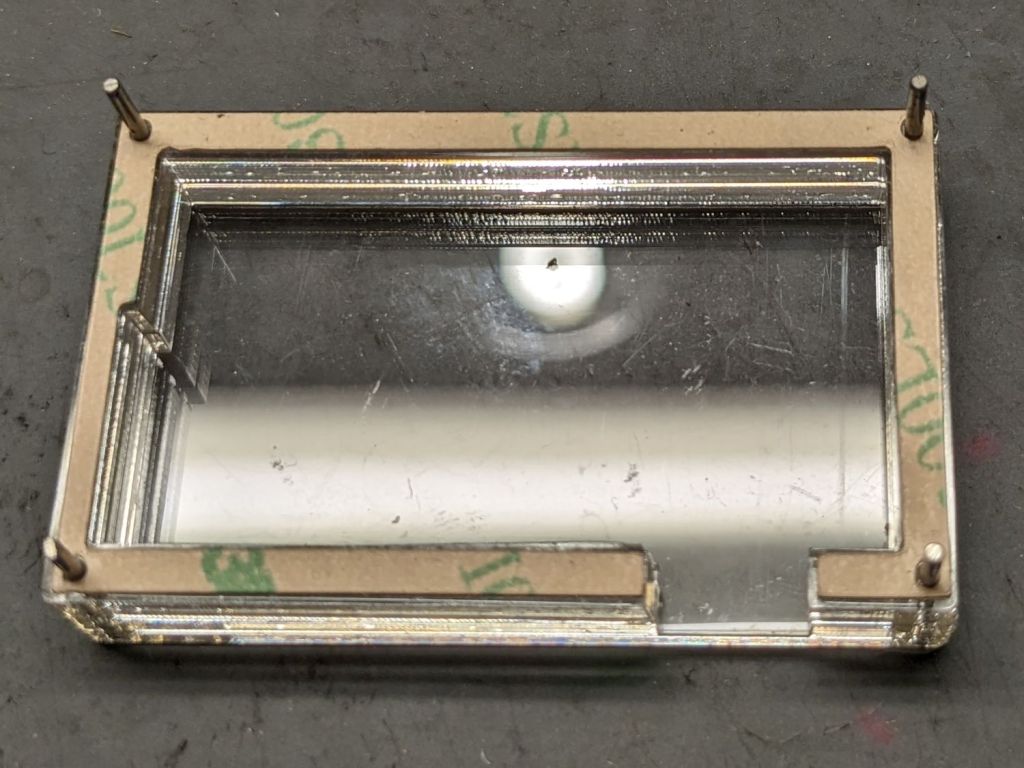
The four corner holes hold locating pins in the layered acrylic base:
SJCAM M20 Battery Replacement – case layers
Those pins got cut slightly shorter to fit in the battery holder; in this photo they’re serving to align the layers and adhesive sheets while I stacked them up.
The geometry is straightforward, with the outer perimeter matching the 3D printed battery holder:
SJCAM M20 Car-Mode Battery Hack – battery case
Cut one base and two wall layers from 3 mm (or a bit less) transparent acrylic, plus three adhesive sheets. I stuck adhesive on both sides of one wall layer, using the pins to align the adhesive, stuck the layer to the base, then topped it with the second wall layer, again using the alignment pins.
The motivation for transparent layered acrylic is being able to see the charge controller’s red and green status LEDs glowing inside the box. This probably isn’t required, but seemed like a Good Idea™ for the initial version.
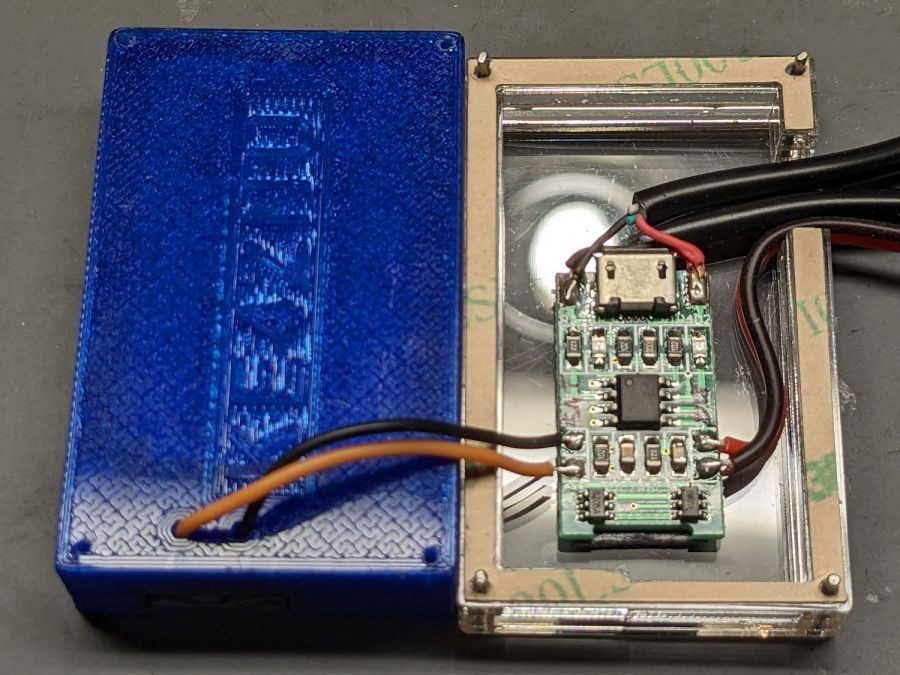
With all that in hand, wire it up:
SJCAM M20 Battery Replacement – charger wiring
The USB charger PCB sits atop a layer of double-sided foam tape. After verifying that the circuitry worked, I globbed the wires in place with hot-melt glue to make it less rickety than the picture suggests.
The alert reader will have noticed the holes in the 3D printed NP-BX1 holder were drilled, not printed. In the unlikely event I need another case, the holes will automagically appear in the right place.
I haven’t yet peeled the protective paper off that top adhesive sheet to make a permanent assembly:
SJCAM M20 Battery Replacement – trial install
We use the car so infrequently that it’ll take a while to build up enough confidence to stick it together and stick it to the dashboard.
On the whole, it’s ugly but sufficient to the task.
A doodle with key dimensions, plus some ideas not surviving contact with reality:
SJCAM M20 Car-Mode Battery Hack – case doodle
I truly hope this entire effort is a waste of time.
The circuit board is the charge controller for the evicted high-voltage lithium pouch cell, but I started by connecting an ordinary lithium cell with a Schottky diode to the PCB’s battery terminals.
This worked about as poorly as you’d expect, because the lower battery voltage minus the forward drop of the diode minus whatever happens in the PCB put the final voltage below the camera’s instant low-battery shutdown.
The terminals connecting to the camera in the rectangular bump are soldered to the back of the PCB, but the whole affair snaps out of the battery case. Unsoldering the PCB from the terminals, gingerly soldering directly to them, and adding a bulk storage capacitor produced a better result:
SJCAM M20 Battery Replacement – circuitry
The cap stores just enough energy to keep the camera happy while writing to the Micro-SD card, although the LCD screen dims slightly during each pulse.
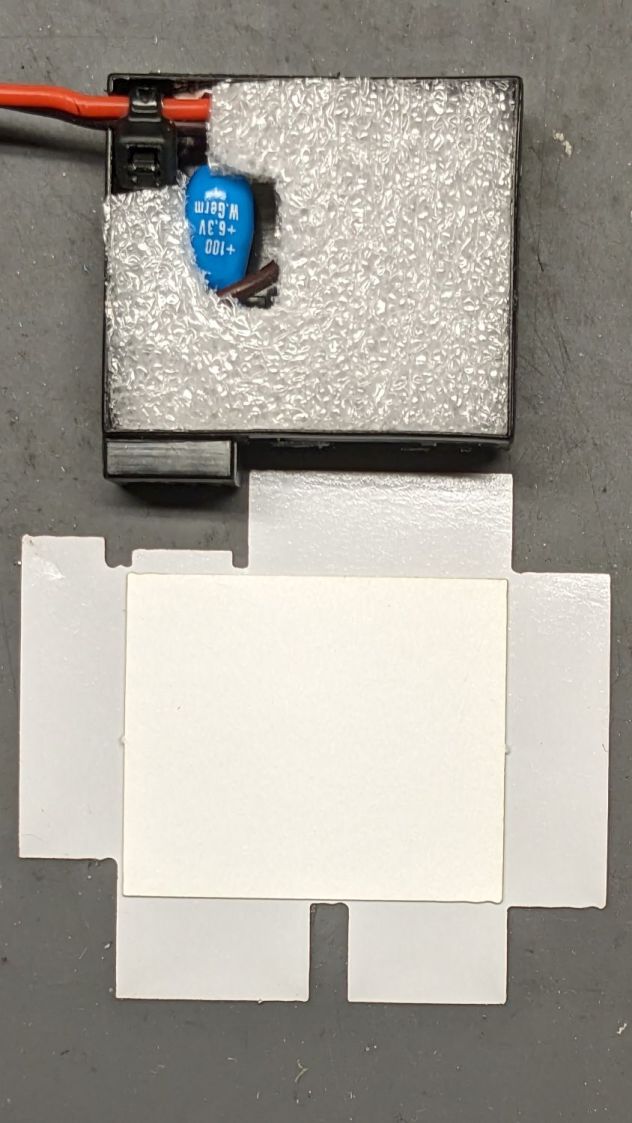
Cut a pad from a sheet of closed-cell foam that happened to be exactly the right thickness:
SJCAM M20 Battery Replacement – wrapper layout
The elaborate thing below the case is a cardboard pad atop the sticky side of a PSA non-PVC vinyl sheet, laser-cut to fit:
SJCAM M20 Battery Replacement – case wrapper top
The bottom view, showing the latch retaining the contact block:
SJCAM M20 Battery Replacement – case wrapper bottom
Admittedly, that’s the last iteration of the wrapper, starting with a hand-trimmed Kapton tape version and three paper versions to get the dimensions right before trying vinyl. Looks good to me!
The final geometry has a 0.5 mm radius on all the corners:
SJCAM M20 Car-Mode Battery Hack – battery wrapper
The fillets reduced (but did not eliminate) mechanical oscillations while slinging the laser gantry around those corners. If I don’t point them out, maybe nobody will notice.
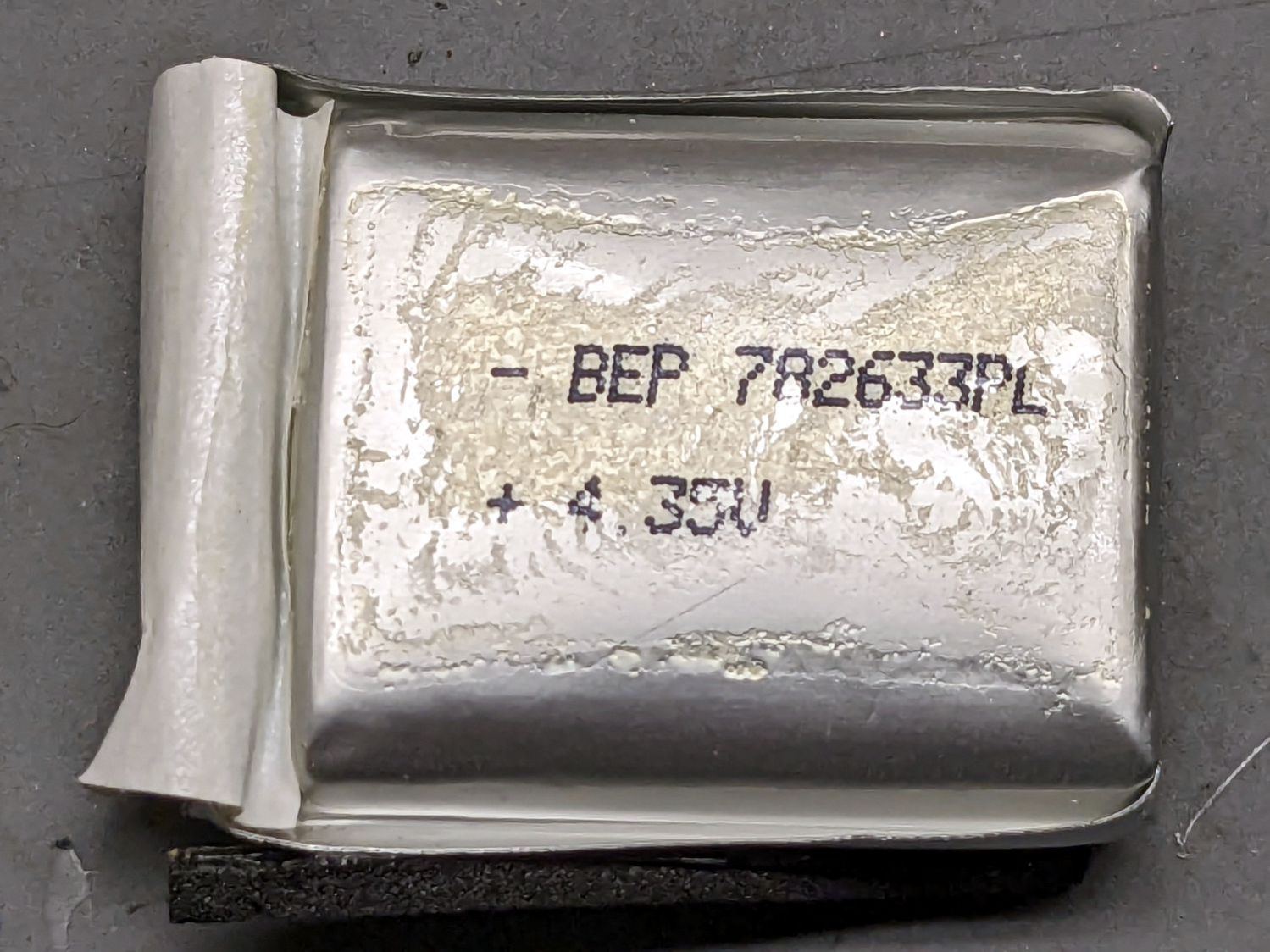
The PSA vinyl is marginally thicker than the original plastic wrapper, so the battery fits very snugly into the camera. On the other paw, getting the swollen battery out required a major effort; this one should not get tighter.
SJCAM no longer sells those batteries and nobody else does, either, surely because the +4.35V marking shows they’re a special-formula high-voltage lithium mix that doesn’t work with ordinary chargers. Worse, you can’t substitute an ordinary (i.e. cheap) battery, because applying a high-voltage charger to a 4.2 V cell makes Bad Things™ happen.
Mashing all that together, I wondered if I could use one of the many leftover low-voltage NP-BX1 batteries from the Sony AS30V helmet camera without starting a dashboard fire, by preventing the camera from charging the battery, while still using it when the USB input is inactive (which, for our car, is pretty nearly all the time).
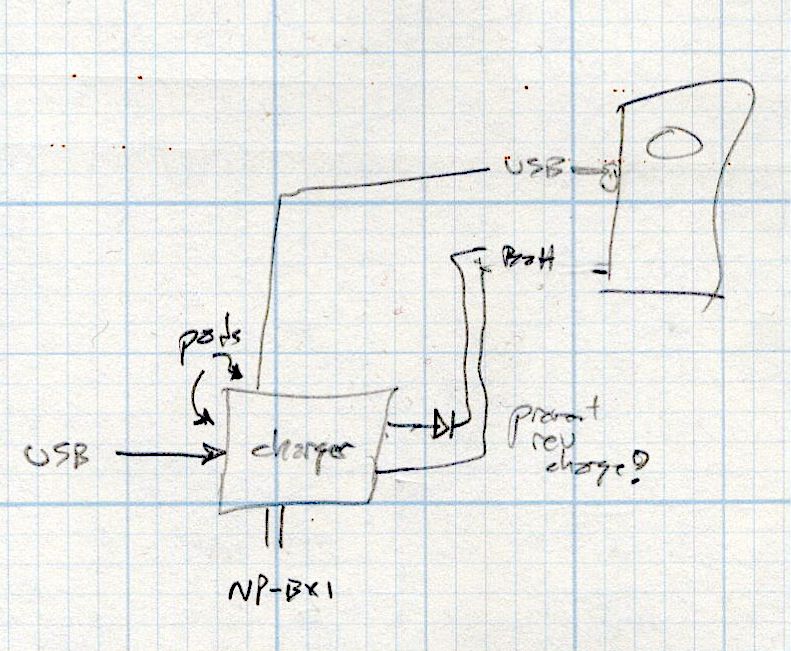
The circuitry, such as it is, uses a cheap 1S USB charge controller and a Schottky diode:
SJCAM M20 Car-Mode Battery Hack – circuit doodle
Power comes in on the left from a USB converter plugged into the Accessory Power Outlet in the center console and goes out to the camera’s USB jack, using a butchered cable soldered to the charge controller’s pads in the middle. The controller manages the NP-BX1 battery as usual, but a diode prevents the camera from trying to send charge current into the controller.
This should just barely work, as the diode reduces the battery voltage by a few hundred millivolts, so the camera will see the fully charged low-voltage battery as a mostly discharged high-voltage battery.
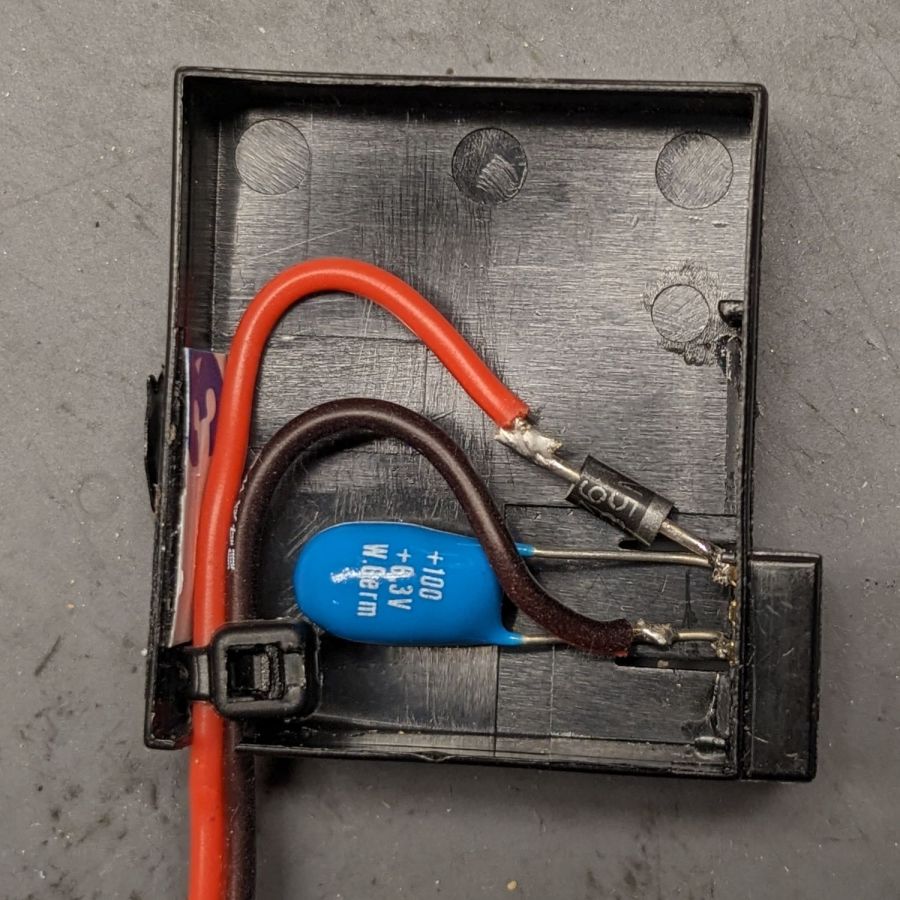
Suiting action to words:
SJCAM M20 Battery Replacement – circuitry
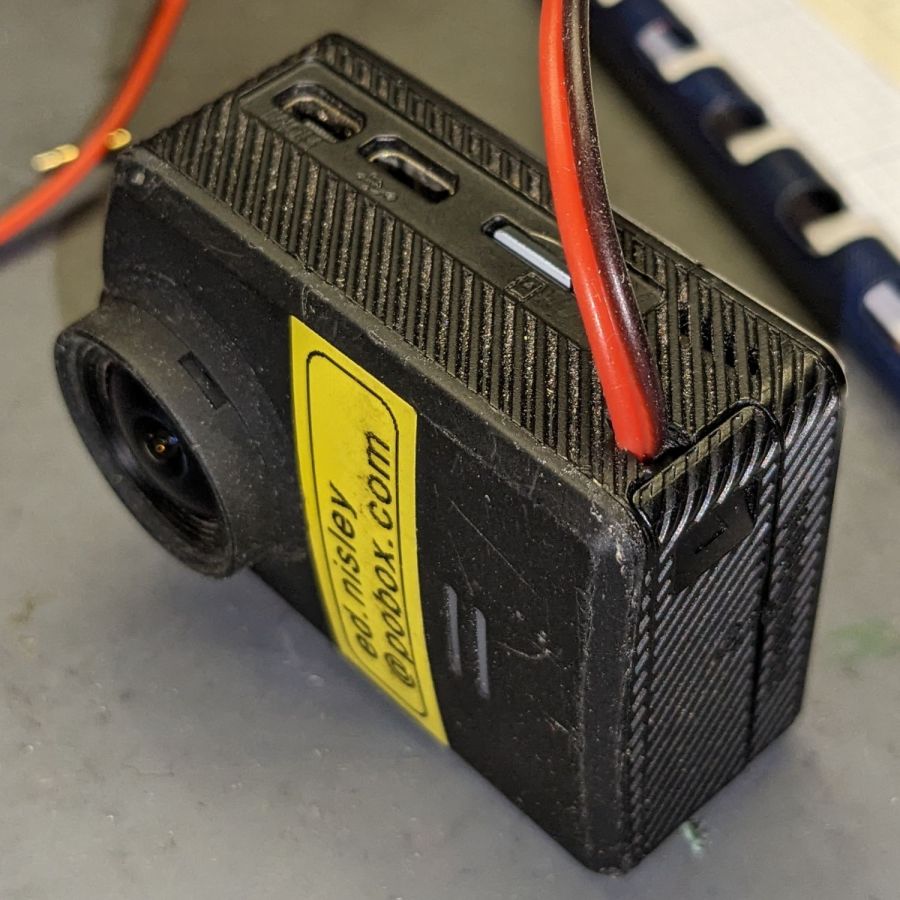
It’s built inside the gutted remains of an M20 battery case. The 100µF tantalum cap provides local buffering to prevent the camera from browning out during bursts of file activity while recording. The wire emerges through holes gnawed in the battery case and the camera housing:
SJCAM M20 Battery Replacement – camera cable exit
The charge controller on the other end of the wire lives in a layered laser-cut acrylic case attached to a modified version of the venerable 3D printed NP-BX1 battery holder:
SJCAM M20 Battery Replacement – charger wiring
More on the cases tomorrow.
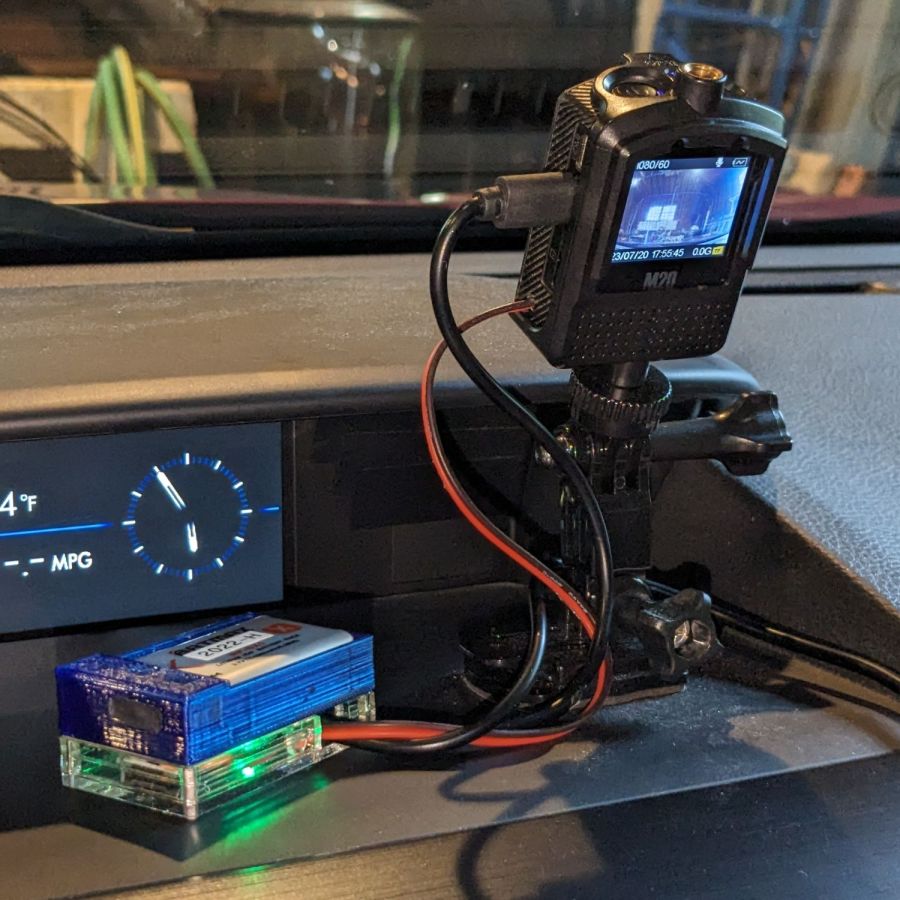
Putting it all together, the lashup goes a little something like this:
SJCAM M20 Battery Replacement – trial install
The battery pack will eventually get stuck to the dashboard underneath the overhang, out of direct sunlight. Things get hot in there, but with a bit of luck the battery will survive.
The rakish tilt puts the hood along the bottom of the image, although raising the camera would reduce tilt and cut down on the skyline view:
SJCAM M20 Car-Mode Battery Hack – test ride
The battery icon instantly switches from “charging” to “desperately low” when the USB power drops, which is about what I expected, but the camera continues to record for about ten seconds before shutting down normally.
The NP-BX1 battery in the holder comes from the batch of craptastic BatMax batteries with a depressed starting voltage. An actual new cell with a slightly higher voltage would keep the camera slightly happier during those last ten seconds, but … so far, so good.
Another possibility would be a trio of 1.5 V bucked lithium AA cells, with the diode to prevent charging and minus the charger.













 The Smell of Molten Projects in the Morning