The Smell of Molten Projects in the Morning

Ed Nisley's Blog: Shop notes, electronics, firmware, machinery, 3D printing, laser cuttery, and curiosities. Contents: 100% human thinking, 0% AI slop.

Category: Machine Shop

Mechanical widgetry

  • Sillcock Faucet Alignment Wedge: Getting the Angle Right

    Sillcock Faucet Alignment Wedge: Getting the Angle Right

    A pair of frost-free sillcock faucets arrived to replace the house’s leaky and un-repairable hose bibs. The faucet must be mounted at a 5° angle to let the water drain out when it’s closed:

    Everbilt Frost-Free Sillcock faucet - installation
    Everbilt Frost-Free Sillcock faucet – installation

    One might expect the Alignment Wedge included with the faucet to have a 5° angle. Because I can both measure and math, it has a 1° angle.

    Well, I can fix that.

    Start by scanning the bottom (widest side) of the wedge and apply GIMP’s Select by color tool:

    Sillcock faucet alignment wedge - GIMP color selection
    Sillcock faucet alignment wedge – GIMP color selection

    After a little manual cleanup in Quick Mask mode, apply a 1 mm inset to ensure it snaps around the pipe, convert the selection to a path, export it as an SVG image, and import it into OpenSCAD to cut the angle:

    // Sillcock faucet alignment wedge
    // Ed Nisley KE4ZNU - May 2024
    
    MaxThick = 5.0;
    Tilt = -5.0;
    
    PlateOA = [60,40,MaxThick];   // XY = original angle plate size
    
    difference() {
      linear_extrude(height=MaxThick,convexity=5)
        offset(r=-1.0)
          import("/mnt/bulkdata/Cameras/2024/Shop Projects/Sillcock Faucets/Sillcock faucet angle washer - outline.svg",
                 center=true);
       translate([-PlateOA.x/2,-PlateOA.y/2,MaxThick])
         rotate([Tilt,0,0])
            cube(PlateOA,center=false);
    }
    

    The solid model goes into PrusaSlicer for duplication & slicing:

    Sillcock faucet alignment wedge - PrusaSlicer layout
    Sillcock faucet alignment wedge – PrusaSlicer layout

    And comes off the printer looking just about like you’d expect:

    Sillcock faucet alignment wedge - OEM vs printed
    Sillcock faucet alignment wedge – OEM vs printed

    The far side of both wedges are 5 mm tall, but you can see the difference four more degrees makes in the front.

    It’s even more obvious from the edge:

    Sillcock faucet alignment wedge - on pipe
    Sillcock faucet alignment wedge – on pipe

    The wood siding where these will fit is perfectly vertical, so getting the wedge angle right isn’t really optional.

    I must drill the existing hole in the sill plate out to 1-1/8 inch to clear the pipe fittings, plus the wood around the screws holding the current bibs to the wall will surely need some buttressing, but all that’s in the nature of fine tuning.

    FWIW, this was the first 3D print after the move and I’m happy to say the M2 had no any need of adjustments.

    The WordPress AI image generator apparently ignored the post text and produced a stylin’ picture of an arched bathroom faucet over a rimless sink, which I shall leave to your imagination.

  • C-Power KK-800A Calculator Dress Panel Re-gluing

    C-Power KK-800A Calculator Dress Panel Re-gluing

    Long ago, I got Mary a cheap “desk calculator” with a vital function: it beeps cheerfully with each keypress. Nothing lasts forever and the aluminum dress panel around the keys has been gradually working its way loose.

    So, we begin …

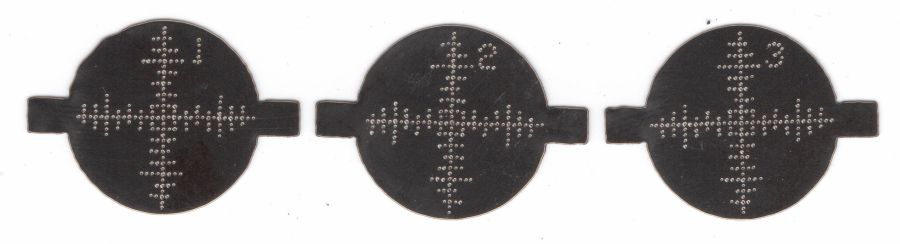
    Gingerly remove the panel, un-bend and flatten it, lay it on the scanner, and cover with black paper:

    C-Power calculator keyboard cover
    C-Power calculator keyboard cover

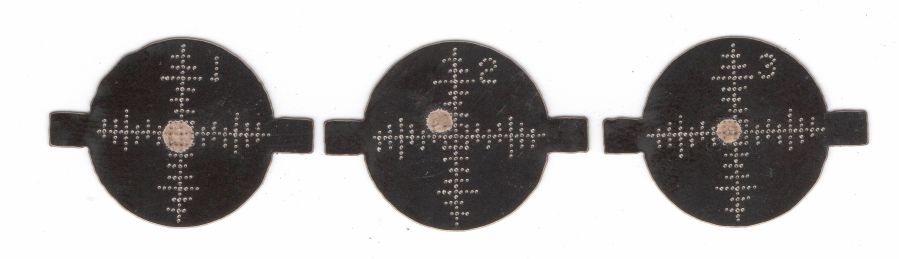
    Blow out the contrast, threshold the image, do a little touchup, and get a binary mask:

    C-Power calculator keyboard cover - mask
    C-Power calculator keyboard cover – mask

    Import into LightBurn, trace and discard the image, do some shape optimization, add 0.2 mm to the height & width of one key, propagate those dimensions to other keys (Make same width and Make same height FTW), cut a paper prototype to verify the fit, iterate until it drops neatly into place, cut an adhesive sheet, then peel & stick:

    C-Power KK-800A keyboard - adhesive placed
    C-Power KK-800A keyboard – adhesive placed

    The dress panel was held in place by what was once a quick-setting gooey glue that had long since fossilized. Although it gave up on the aluminum, it was not going to come off the calculator body without more struggle than seemed warranted.

    So I stuck the new glue atop the old glue and hoped for the best. You can see traces of the old glue bead through the sheet:

    C-Power KK-800A keyboard - adhesive ready
    C-Power KK-800A keyboard – adhesive ready

    Lay the dress panel in place, burnish between the rows & columns, and it looks about as good as it ever did:

    C-Power KK-800A keyboard - restored
    C-Power KK-800A keyboard – restored

    If the adhesive sheet also gives up on the aluminum, I’ll try some fancy 3M 300LSE adhesive.

    The WordPress AI image generator heard I like keys, so it spat out some keys for my keyboards:

    Calculator keyboard - WP AI image
    Calculator keyboard – WP AI image

    The piano keys seem familiar, the thing in the middle looks eerily like a PDP-11 front panel, and … could that be a folding keyboard in the distance next to an 8-track player from a car dashboard?

  • Sears Sewing Machine Table Latch Fix

    Sears Sewing Machine Table Latch Fix

    The Sears sewing table (Model 853-9635, not that you have one) wrapped around Mary’s Kenmore machine has extension surfaces on both ends:

    Sears Sewing Machine Table - overview
    Sears Sewing Machine Table – overview

    The foot panel is secured by a simple wood latch that fell off the left side:

    Sears Sewing Machine Table - stripped hole
    Sears Sewing Machine Table – stripped hole

    Having some recent experience with this sort of thing, but not wanting to work under there, I waited for a pause in the sewing, then tried to remove just the hinged piece under the top surface. It turns out the joint is glued-and-screwed, so removing the two obvious screws didn’t do anything.

    Dismounting the top surface at its other hinge and hauling the whole assembly to the Basement Shop showed this wasn’t the first time the latch had pulled its pivot screw out of the wood:

    Sears Sewing Machine Table - stripped hole detail
    Sears Sewing Machine Table – stripped hole detail

    The reason the screw pulled out of the top hole / slot is obvious when seen from the edge:

    Sears Sewing Machine Table - screw obstruction
    Sears Sewing Machine Table – screw obstruction

    That’s one of the screws holding the piano hinge in place, but AFAICT the original latch screw also went right across that hole with maybe three threads engaging the wood.

    Moving the pivot half an inch to one side won’t make any difference, so I figured I could sink a threaded insert into the wood. I’d rather use the drill press, but sometimes you gotta do what you gotta do:

    Sears Sewing Machine Table - insert drilling
    Sears Sewing Machine Table – insert drilling

    The combination square gets the drill eyeballometrically perpendicular to the end piece and the drill lies flat on the (underside) of the table surface. Seeing the bit line up with where the hole had to be was confirmation this would be successful; all I had to do was proceed slow-n-steady with the brad-point bit and stop when the tape hit the wood.

    The insert screwed in as expected, without any collisions:

    Sears Sewing Machine Table - insert installed
    Sears Sewing Machine Table – insert installed

    I drilled the wood latch to clear an M5 screw on the drill press, dabbed the screw with threadlocker, and reassembled everything on the bench for curing:

    Sears Sewing Machine Table - latch installed
    Sears Sewing Machine Table – latch installed

    The extension surface on the right side of the table has an identical latch that hasn’t failed yet, but we agreed a preemptive repair is uncalled for.

    The WordPress AI image generator is delivering much less jank, even if the result has little to do with the actual post:

    Sears Sewing Table - WP AI image
    Sears Sewing Table – WP AI image

    Don’t think too much about the shadows, nor the lack of a treadle for what looks a lot like an early Singer Featherweight machine.

  • Magnifying Desk Light: LED-ifying & Base Refooting

    Magnifying Desk Light: LED-ifying & Base Refooting

    My ancient fluorescent magnifying desk lamp emerged from a box and cried out to be used, but the equally ancient 22 W fluorescent ring light was long past its prime and cried out to be replaced with something from the current millennium.

    So I removed the fluorescent ballast / choke from the junction box at the lamp base:

    Magnifying Ring Light - ballast removed
    Magnifying Ring Light – ballast removed

    That’s a grounded outlet in the cover plate serving as a wire termination block. The red crimp connector joins a white wire that formerly went to the ballast with the black wire going to the lamp head; you’ll note the black wire from the line cord going into the same heatstink tubing at the outlet.

    The lamp head had a push-to-start switch, presumably with an internal starting capacitor or some such, but also sporting a pair of terminals behaving like a single-pole push-on / push-off switch. A bit of rewiring, of which there are no pictures, made it work perfectly with the new 13 W LED ring light:

    Magnifying Ring Light - LED ring installed
    Magnifying Ring Light – LED ring installed

    It now sits on a bit of laboratory ironmongery weighing about as much as a small child:

    Magnifying Ring Light - on base
    Magnifying Ring Light – on base

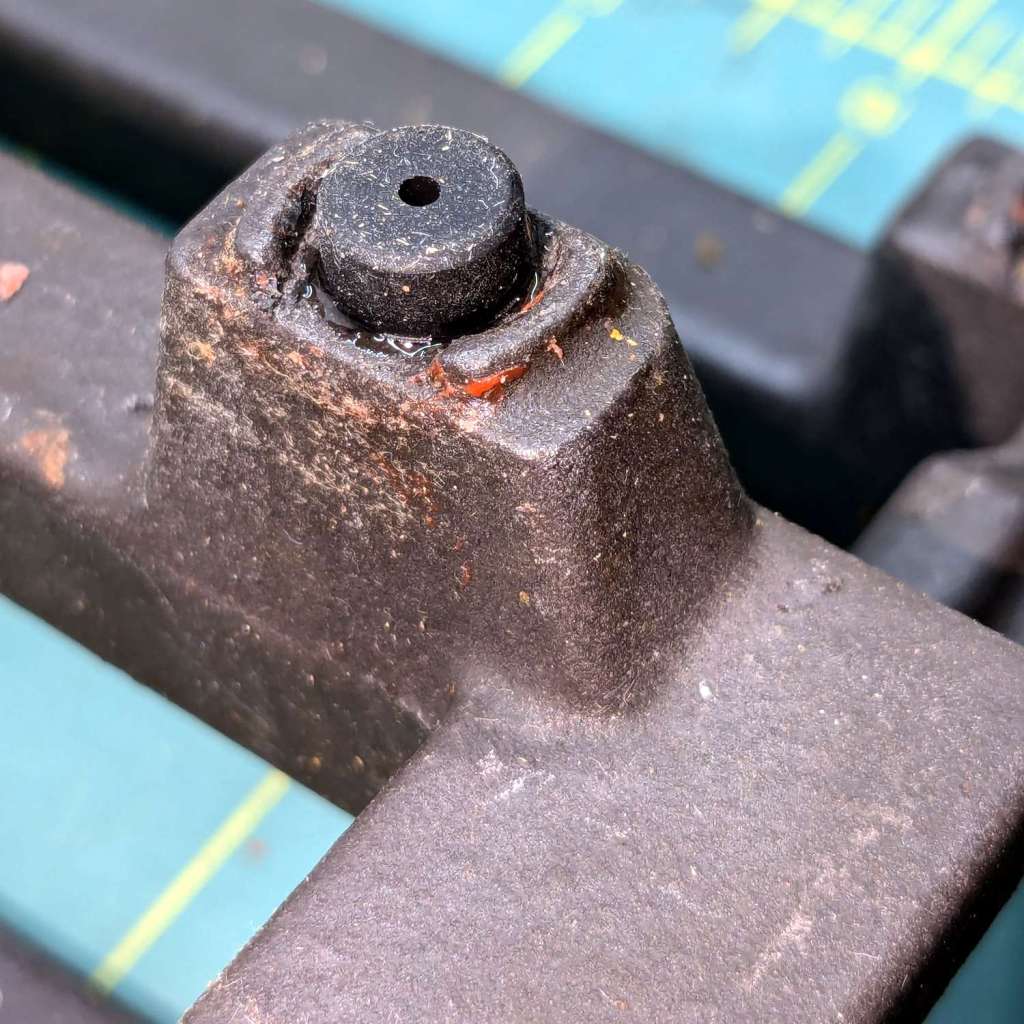
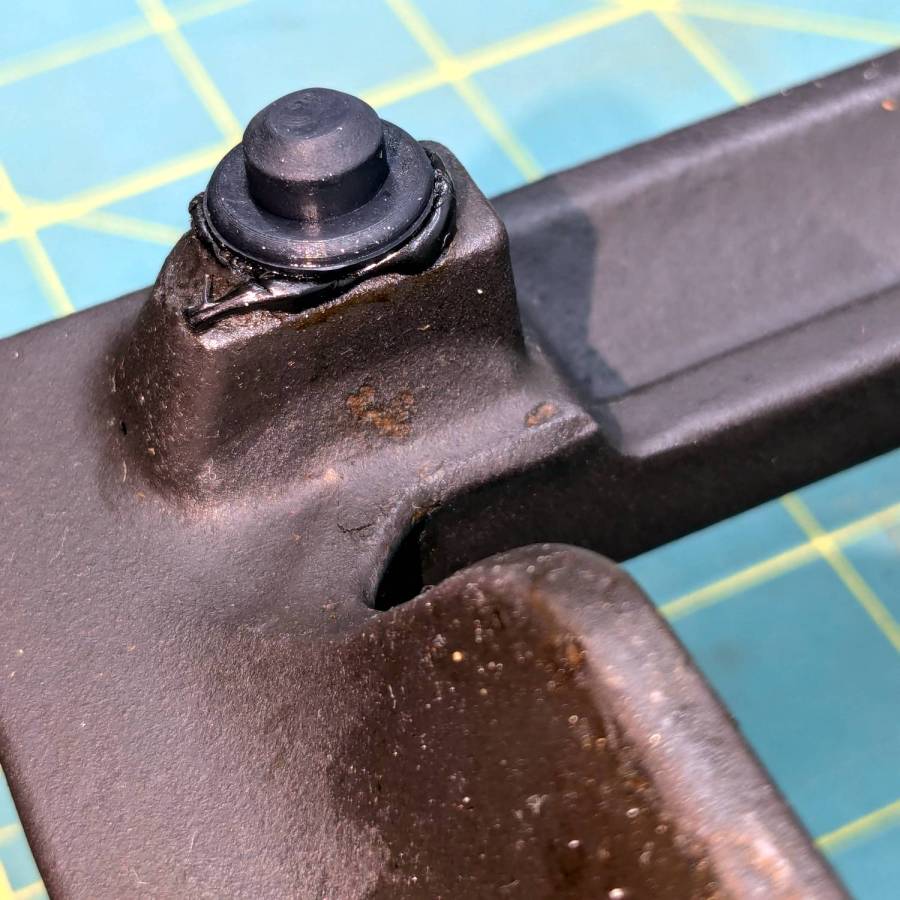
    Although the base has four feet, it sits perfectly flat on my (admittedly battered) surface plate because all four feet have been ground to make that happen:

    Magnifying Ring Light - foot plan view
    Magnifying Ring Light – foot plan view

    Those feet will be hostile to any table / bench top outside their intended laboratory environment. Fortunately, the geometry is simple enough to build directly in LightBurn and cut from a cork disk with PSA backing suited to become a coaster:

    Magnifying Ring Light - cork foot cutting
    Magnifying Ring Light – cork foot cutting

    Which fit well enough, although all four feet are just slightly different:

    Magnifying Ring Light - cork foot
    Magnifying Ring Light – cork foot

    The new Basement Shop™ is coming together and this stuff is getting easier …

    The WordPress AI came up with a plausible steampunk build:

    Magnifying Ring Light - WP AI image 1
    Magnifying Ring Light – WP AI image 1

    Love those flowy feet, although the vertical rod in the back seems misplaced.

    Adding “one-piece base” to the prompt produces contemporary style:

    Magnifying Ring Light - WP AI image 2
    Magnifying Ring Light – WP AI image 2

    Dunno what the dingus on the lower arm might be (perhaps a spring?), but it’s got the right general idea.

  • Plywood Clamp

    Plywood Clamp

    Being in need of a dedicated clamp, I made one from Thingiverse:

    Plywood clamp - overview
    Plywood clamp – overview

    The original gets its clamping force from a gazillion rubber bands, but two wraps of shock cord joined by the guts of an electrical crimp connector worked for my simple needs:

    Plywood clamp - shock cord crimp connector
    Plywood clamp – shock cord crimp connector

    The rounded tips work at any thickness, but introducing them to Ms Belt Sander set them for the specific purpose I have in mind:

    Plywood clamp - flatted tips
    Plywood clamp – flatted tips

    The little cork pads are hand-cut from scraps, because why not.

    Rubbing paraffin (wax, not kerosene) on the circular joint’s bearing surfaces makes the hinge move soooo smoothly.

    The WordPress AI image generator is trying much harder:

    Plywood clamp - WP AI Image
    Plywood clamp – WP AI Image

    The callouts almost make sense, because they’re now ripped from the post text. For sure, I will “crustorilize” my next shop project.

    Gotta love the AI evaluation:

    The content shows a practical and creative approach to making a plywood clamp, supported by clear images. Consider adding a brief introduction to provide context for the project. Additionally, explaining the specific purpose for which the clamp is intended would further engage readers. The use of humor and informal language adds a personal touch, enhancing the connection with the audience. Overall, the engaging content and visual aids make it a compelling read.

  • Laser Cutter: Streaming Camera Support

    Laser Cutter: Streaming Camera Support

    If I’m making something with the laser cutter during a Zoomed SquidWrench meeting, switching the view to a camera inside the cabinet is always a crowd-pleaser. Having tried several locations with various degrees of success, the camera now sits atop a small chipboard box holding it as high as it can get over the front left corner of the platform:

    Laser camera support box - position overview
    Laser camera support box – position overview

    It juuuust barely kisses the head in that corner:

    Laser camera support box - near collision
    Laser camera support box – near collision

    The box is a simple ClosedBox from boxes.py with a jawbreaker URL full of parameters, minus two holes, plus a quartet of shims, all cut from chipboard:

    Camera Support box - LB layout
    Camera Support box – LB layout

    The holes fit a 1/4-20 button head screw for the Logitch C615 camera’s tripod mount and the hex wrench needed to tighten it:

    Laser camera support box - interior
    Laser camera support box – interior

    The box is held together with Genuine Scotch Tape, because I want it to fall apart if it gets hit by the laser head. It’s held to the cabinet with a finger-crushingly strong bar magnet.

    The camera has a reasonably good view of the entire platform:

    Laser Cutter - USB Camera view
    Laser Cutter – USB Camera view

    The camera’s closest focus point sits about halfway across the platform, roughly corresponding to the typical monitor-to-face distance the camera was intended for, but it’s Good Enough™ for the purpose.

  • Harbor Freight Bar Clamp: Plywood Handle

    Harbor Freight Bar Clamp: Plywood Handle

    After only a dozen years, one of the 3D printed replacement handles for my Harbor Freight bar clamps snapped exactly where you’d expect:

    HF bar clamp - plywood handle
    HF bar clamp – plywood handle

    The replacement this time around is laser-cut plywood, with a pair of 3 mm sheets glued together to just about match the original thickness:

    HF bar clamp - plywood handle gluing
    HF bar clamp – plywood handle gluing

    I hacked the OpenSCAD code to use its projection() operation to export the outline of the solid model on the XY plane, inhaled the SVG into LightBurn, replaced the original chunky hole with a Real Circle, cut a pair of them, discovered I messed up the diameter, tweaked that, cut a pair that fit perfectly, and that was that.

    Flushed with success, I cut another pair to replace the (not yet failed) handle in the other HF bar clamp and restarted the failure clock.

    Not as fancy as something milled on the Sherline, but way easier and, if it lasts another decade, I’ll call it a win.

    The WordPress AI had fun with this post:

    HF Bar Clamp Handle - WP AI image
    HF Bar Clamp Handle – WP AI image

    The thing over on the left must be a 3D printer, but what’s floating in the middle? Those hand tools look downright scary.