The Smell of Molten Projects in the Morning

Ed Nisley's Blog: Shop notes, electronics, firmware, machinery, 3D printing, laser cuttery, and curiosities. Contents: 100% human thinking, 0% AI slop.

Category: Machine Shop

Mechanical widgetry

  • Canon SX230HS Lens Cap

    The SX230HS camera lives in my pants pocket, where it gets pressed between my leg and anything I lean against. Turns out that the lens turret end cap isn’t quite thick enough to not bend inward against the leaves that cover the lens, which causes them to hang up. The solution boils down to a hideous external lens cap:

    Canon SX230HS with lens cap
    Canon SX230HS with lens cap

    It’s built from forget-me-not yellow filament for an obvious reason…

    The sheet-metal plate bears against the non-moving rim around the turret. I marked the plate’s diameter with a compass, extracted it from the sheet with left-cutting tin snips, filed off the slivers, rounded the edge, and it snapped right into the recess where a touch of acrylic caulk holds it firmly in place.

    A thin plastic cover would be too flexible and a thicker plastic cover would be too thick; this must fit into an already-snug cloth pouch where a few additional millimeters of girth actually matter. My previous camera taught me that pocket fuzz gets into everything, so a pouch isn’t optional.

    The interior isn’t too inspiring, but you can see what two layers of plastic look like across the bottom:

    SX230HS lens cap - interior
    SX230HS lens cap – interior

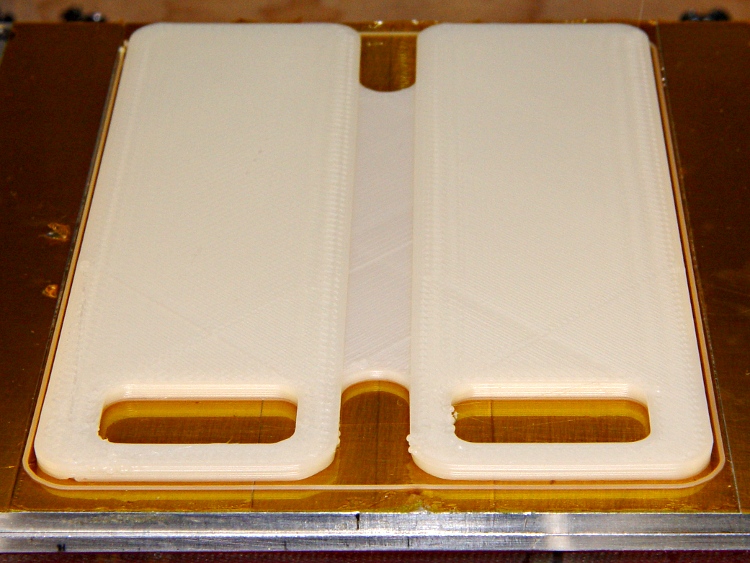
    The front has the shallow recess that captures the metal plate. Because the front builds against the aluminum build platform, I added a support structure inside the recess:

    SX230HS lens cap - support in place
    SX230HS lens cap – support in place

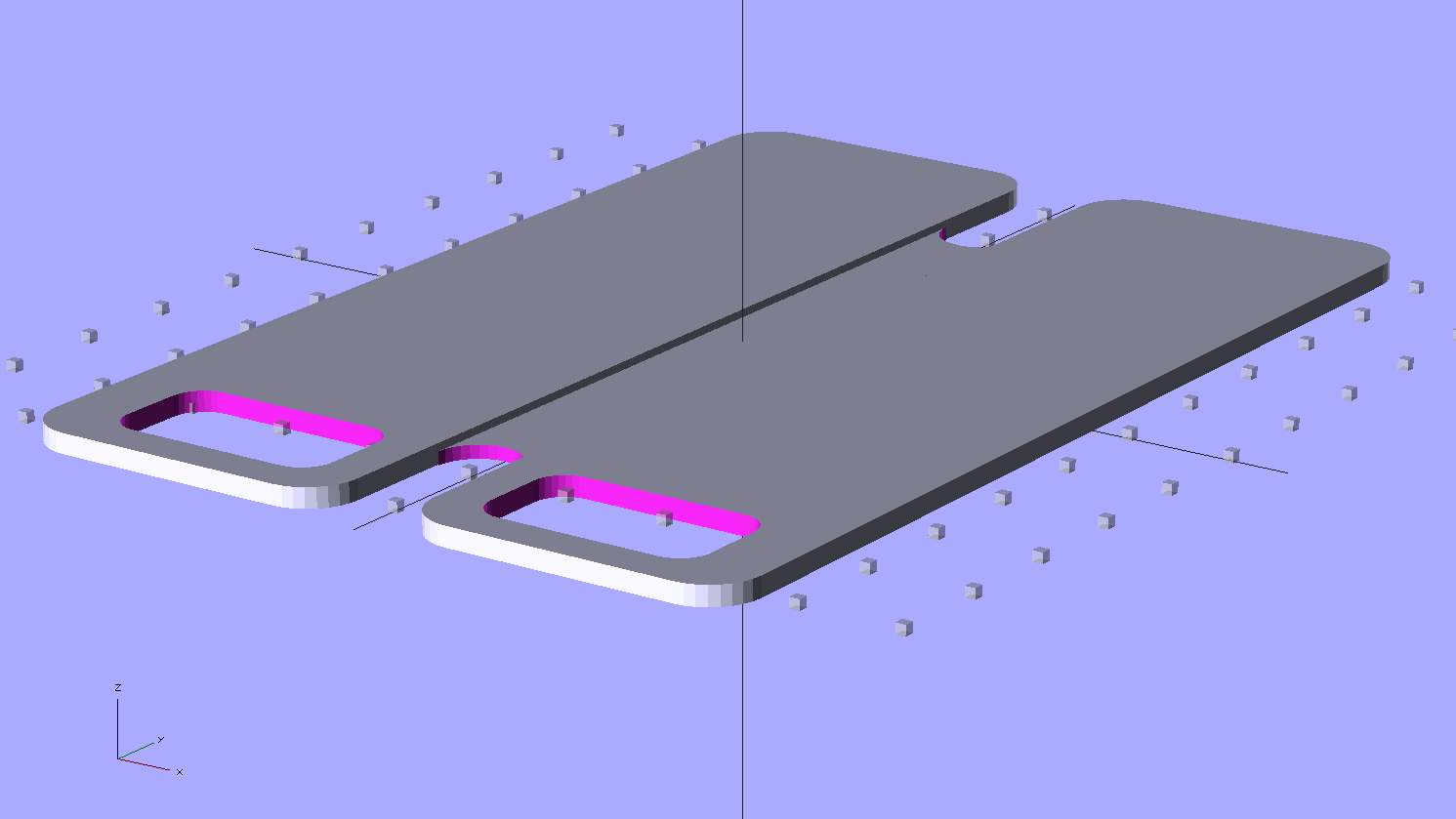
    The solid model gives a better view:

    Lens cap - solid model - bottom view
    Lens cap – solid model – bottom view

    It’s basically a ring with tabs under the recess. The ring OD matches the lens caps’s ID, with a height equal to the recess depth, so only the tabs contact the cap. I removed them by twisting each tab with a needle-nose pliers until the whole thing popped loose:

    SX230HS lens cap - support structure
    SX230HS lens cap – support structure

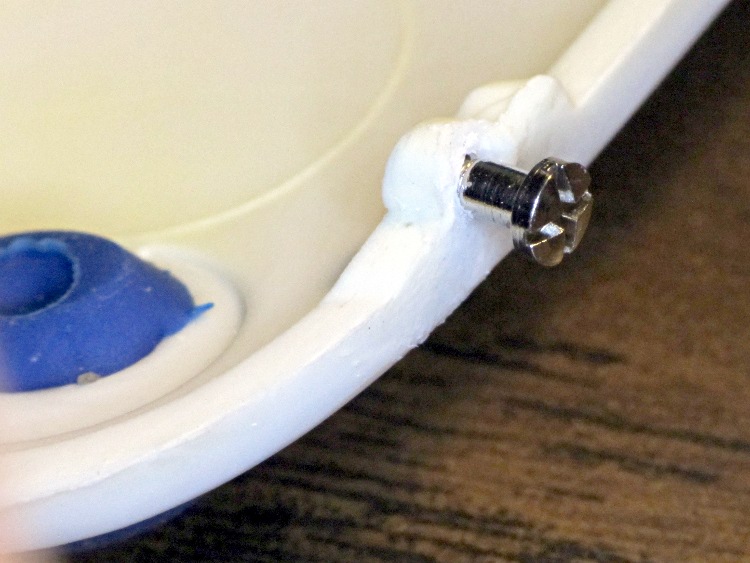
    A bit of scraper and scalpel cleanup and it’s all good. The detail pix show the first trial of the lens cap, which lacks the nice bevel around the front rim.

    The camera is smart enough to notice when something blocks the lens: it immediately shuts down and displays a lens failure error message. That’s probably not a Good Thing on a regular basis, but it doesn’t seem to do any harm.

    FWIW, my previous pocket camera, a Casio EX-Z850 , sported a recessed and somewhat thicker turret end cap that didn’t have this problem. Mary says she’ll make a case for this camera, too, but until then I’m using a pouch from a dinky VOIP phone that just barely holds the camera.

    The OpenSCAD source code:

    // Lens cap for Canon SX230HS
    // Ed Nisley KE4ZNU - Nov 2011
    
    //-------
    //- Extrusion parameters must match reality!
    //  Print with +1 shells, 3 solid layers, 0.2 infill
    
    ThreadThick = 0.33;
    ThreadWidth = 2.0 * ThreadThick;
    
    HoleFinagle = 0.20;
    HoleFudge = 1.00;
    
    function HoleAdjust(Diameter) = HoleFudge*Diameter + HoleFinagle;
    
    Protrusion = 0.1;			// make holes end cleanly
    
    function IntegerMultiple(Size,Unit) = Unit * ceil(Size / Unit);
    
    //-------
    // Dimensions
    
    LensDia = 53.0;
    LensRad = LensDia/2;
    LensLength = 8.0;
    
    PlateThick = IntegerMultiple(0.75,ThreadThick);
    PlateDia = 48.0;
    
    Shell = 2*ThreadWidth;
    Spacer = 2*ThreadThick;
    
    CapOD = LensDia + 2*Shell;
    CapLength = LensLength + Spacer + PlateThick;
    CapSides = 48;
    
    CenterHoleDia = 44.0;
    
    BevelWidth = PlateThick;
    
    NumStruts = 16;
    SupportStrutLen = (PlateDia - ThreadWidth)/2;		// small gap to cap
    
    //-------
    
    module PolyCyl(Dia,Height,ForceSides=0) {			// based on nophead's polyholes
    
      Sides = (ForceSides != 0) ? ForceSides : (ceil(Dia) + 2);
    
      FixDia = Dia / cos(180/Sides);
    
      cylinder(r=HoleAdjust(FixDia)/2,h=Height,$fn=Sides);
    }
    
    module ShowPegGrid(Space = 10.0,Size = 1.0) {
    
      Range = floor(50 / Space);
    
    	for (x=[-Range:Range])
    	  for (y=[-Range:Range])
    		translate([x*Space,y*Space,Size/2])
    		  %cube(Size,center=true);
    
    }
    
    //-------
    
    ShowPegGrid();
    
    difference() {
      PolyCyl(CapOD,CapLength,CapSides);
    
      translate([0,0,(Spacer + PlateThick)])					// lens shell
    	PolyCyl(LensDia,(LensLength + Protrusion),CapSides);
    
      translate([0,0,-Protrusion])								// center hole
    	PolyCyl(CenterHoleDia,(CapLength + Protrusion));
    
      translate([0,0,-Protrusion])								// bevel
    	difference() {
    	  cylinder(r=(CapOD/2 + 2*(BevelWidth + Protrusion)),
    			   h=(2*BevelWidth + Protrusion),
    			   $fn=CapSides);
    	  cylinder(r1=(CapOD/2 - BevelWidth - Protrusion),
    			   r2=(CapOD/2 + BevelWidth),
    			   h=(2*BevelWidth + Protrusion),
    			   $fn=CapSides);
    	}
    
      difference() {
    	translate([0,0,-Protrusion])							// cover plate recess
    	  PolyCyl(PlateDia,(PlateThick + Protrusion));
    	for (Index=[0:(NumStruts - 1)])							// support struts
    	  rotate(Index*360/NumStruts)
    		translate([-ThreadWidth,-SupportStrutLen,0])
    		  cube([2*ThreadWidth,SupportStrutLen,PlateThick]);
      }
    }
    
    difference() {									// support ring
      PolyCyl(CenterHoleDia,PlateThick);
      translate([0,0,-Protrusion])
    	PolyCyl((CenterHoleDia - 4*ThreadWidth),(PlateThick + 2*Protrusion));
    }
    
  • Magic Magnetic Protection

    If this is true, I can scrap out my roll of mu metal shielding:

    Magnetic card protection sleeve
    Magnetic card protection sleeve

    I think they mean the sleeve protects the magnetic stripe from mechanical damage, but wedging those two sentences together certainly suggests the envelope has serious anti-magnetic mojo…

  • Auto Escape Hammer LED Flashlight Hackage

    A cheap auto escape hammer (IIRC, free in the bottom of a tag-sale box filled with stuff I could actually use) has been kicking around the back of the bench for far too long; it had a feeble single-cell incandescent bulb flashlight with the cheapest possible non-switch. I ripped all that out, carved out enough plastic to fit a CR123 lithium cell, hot-melt-glued a real pushbutton switch and 10 mm white LED in place, and soldered it up:

    Lithium cell hacked into auto escape tool
    Lithium cell hacked into auto escape tool

    The CR123 puts out enough juice to light up the LED, but it’d be happier with a bit more current. There’s no limiting resistor, so the LED gets what it gets.

    Augment the screws with a few snippets of Kapton tape, use some real 3M Velcro tape, and it’s all good (albeit ugly on a stick):

    Hacked auto escape hammer
    Hacked auto escape hammer

    Now, there’s no way to test the hammer part of it (perhaps I could visit a junkyard and whack out a few windows for practice?), but at least now we have a disposable flashlight in the van…

  • OpenSCAD: Useful Sizes file

    My Useful Sizes.scad file has been accumulating the dimensions of nuts & bolts & a motor that don’t (seem to) appear elsewhere in the OpenSCAD universe:

    //-- Useful sizes
    
    Tap2_56 = 0.070 * inch;
    Clear2_56 = 0.082 * inch;
    Head2_56 = 0.156 * inch;
    Head2_56Thick = 0.055 * inch;
    Nut2_56Dia = 0.204 * inch;
    Nut2_56Thick = 0.065 * inch;
    
    Tap3_48 = 0.079 * inch;
    Clear3_48 = 0.096 * inch;
    Head3_48 = 0.184 * inch;
    Head3_48Thick = 0.058 * inch;
    Nut3_48Dia = 0.201 * inch;
    Nut3_48Thick = 0.073 * inch;
    
    Tap4_40 = 0.089 * inch;
    Clear4_40 = 0.110 * inch;
    Head4_40 = 0.211 * inch;
    Head4_40Thick = 0.065 * inch;
    Nut4_40Dia = 0.228 * inch;
    Nut4_40Thick = 0.086 * inch;
    
    Tap10_32 = 0.159 * inch;
    Clear10_32 = 0.190 * inch;
    Head10_32 = 0.373 * inch;
    Head10_32Thick = 0.110 * inch;
    Nut10_32Dia = 0.433 * inch;
    Nut10_32Thick = 0.130 * inch;
    
    Tap025_20 = 0.201 * inch;
    Clear025_20 = 0.2660 * inch;
    Head025_20 = 0.492 * inch;
    Head025_20Thick = 0.144 * inch;
    Nut025_20Dia = 0.505 *inch;
    Nut025_20Thick = 0.161 * inch;
    
    NEMA17_ShaftDia = 5.0;
    NEMA17_ShaftLength = 24.0;
    NEMA17_PilotDia = 0.866 * inch;
    NEMA17_PilotLength = 0.080 * inch;
    NEMA17_BCD = 1.725 * inch;
    NEMA17_BoltDia = 3.5;
    NEMA17_BoltOC = 1.220 * inch;
    

    It seems I’m among the few CamelCase holdouts…

  • Logitech Ball Camera Tripod Adapter

    The Logitech notebook webcam that peers into the Thing-O-Matic has terrible dynamic range compensation; turning on the LED ring light washes out the image something awful. An old Logitech ball camera seems better, but it sits atop a rubbery dingus adapted to grip huge old laptops. So I built an adapter with a standard 1/4-20 tripod screw thread in the bottom that ought to make it more useful.

    The old & new mounts compared:

    Logitech ball camera mounts
    Logitech ball camera mounts

    The color change comes from switching to yellow filament for an upcoming larger object.

    The solid model shows those tiny little notches will require a bit of riffler file work:

    Logitech camera tripod adapter - solid model
    Logitech camera tripod adapter – solid model

    The bottom has a blind 1/4-20 tapped hole. Lacking a bottoming tap, not having any broken 1/4-20 taps, and being unwilling to grind the end off a perfectly good taper tap, I filed three notches along a bolt. Ran the taper tap in until it hit bottom, ran the bolt in likewise, and defined the result to be Good Enough:

    Homebrew bottoming tap
    Homebrew bottoming tap

    On the other end, the most probable failure will leave that delicate little post jammed firmly inside the camera’s socket. There’s not enough post to allow printing a small guide hole, but there’s no real need for one; I drilled a #50 hole right down the middle, ran a 2-56 screw into it without tapping the hole, and filed the screw head flat:

    Camera mount with filed screw
    Camera mount with filed screw

    After cleaning up those notches, it snapped solidly into place:

    Logitech ball camera with mount
    Logitech ball camera with mount

    And then the camera sits neatly atop a cheap Gorillapod knockoff:

    Logitech ball camera on tripod
    Logitech ball camera on tripod

    That tiny reddish dot in the middle of the imposing set of rings marks the actual lens, so it’s more of a pinhole camera than anything else. The fixed focus kicks in beyond a meter, but a bit of rummaging in the Box o’ Lenses produced a random meniscus lens that pulled the focus in to maybe 100 mm. Alas, that means the camera must float in mid-air about 15 mm inside the Thing-O-Matic’s box. If I can conjure up a mount that holds the ball inside the box, above-and-forward of the stage, that’d work great. VLC can allegedly rotate the image upside-down, so maybe I can mount it bottom-up.

    Here’s everything I know about those two cameras, with the ball camera on top and the webcam on the bottom:

    Logitech ball and notebook webcam data
    Logitech ball and notebook webcam data

    Apparently it’s easier to put that information on a tag than provide a good old data plate on the camera body.

    The OpenSCAD source code:

    // Tripod mount for Logitech ball camera
    // Ed Nisley KE4ZNU - Oct 2011
    
    include </home/ed/Thing-O-Matic/lib/MCAD/units.scad>
    include </home/ed/Thing-O-Matic/Useful Sizes.scad>
    include </home/ed/Thing-O-Matic/lib/visibone_colors.scad>
    
    //-------
    //- Extrusion parameters must match reality!
    //  Print with +0 shells and 3 solid layers
    
    ThreadThick = 0.33;
    ThreadWidth = 2.0 * ThreadThick;
    
    HoleFinagle = 0.2;
    HoleFudge = 1.02;
    
    function HoleAdjust(Diameter) = HoleFudge*Diameter + HoleFinagle;
    
    function IntegerMultiple(Size,Unit) = Unit * ceil(Size / Unit);
    
    Protrusion = 0.1;			// make holes end cleanly
    
    //-------
    // Dimensions
    
    BallDia = 60.0;				// camera ball
    BallRad = BallDia/2;
    
    BaseDia = 16.0;				// interface at tripod surface
    BaseRad = BaseDia/2;
    
    BaseLength = 10.0;			// to base of ball
    
    BoltDia = Tap025_20;		// standard 1/4-20 thread
    BoltLength = 7.0;
    
    StemLength = 8.5;
    StemDia = 4.7;
    StemRad = StemDia/2;
    
    FlangeWidth = 6.6;
    FlangeThick = 2.6;
    
    NotchSectionDia = 1.4;		// toroid cross-section diameter
    NotchSectionRad = NotchSectionDia/2;
    NotchOffset = 2.3;			// from top of stem
    
    //-------
    
    module PolyCyl(Dia,Height,ForceSides=0) {			// based on nophead's polyholes
    
      Sides = (ForceSides != 0) ? ForceSides : (ceil(Dia) + 2);
    
      FixDia = Dia / cos(180/Sides);
    
      cylinder(r=HoleAdjust(FixDia)/2,h=Height,$fn=Sides);
    }
    
    module ShowPegGrid(Space = 10.0,Size = 1.0) {
    
      Range = floor(50 / Space);
    
    	for (x=[-Range:Range])
    	  for (y=[-Range:Range])
    		translate([x*Space,y*Space,Size/2])
    		  %cube(Size,center=true);
    
    }
    
    //-------
    //
    
    ShowPegGrid();
    
    translate([0,0,BaseLength])
      union() {
    	difference() {
    	  translate([0,0,-BaseLength])
    		cylinder(r=BaseRad,h=2*BaseLength);
    	  translate([0,0,BallRad])
    		sphere(r=BallRad);
    	  translate([0,0,-(BaseLength + Protrusion)])
    		PolyCyl(BoltDia,(BoltLength + Protrusion));
    	}
    	rotate(180/16)
    	  cylinder(r=StemRad,h=StemLength,$fn=16);
    	difference() {
    	  translate([0,0,StemLength/2])
    		cube([FlangeWidth,FlangeThick,StemLength],center=true);
    	  translate([0,0,(StemLength - NotchOffset)])
    		rotate_extrude(convexity=3,$fn=64)
    		  translate([FlangeWidth/2,0,0])
    			circle(r=NotchSectionRad,$fn=16);
    	  translate([0,-FlangeWidth/2,StemLength + sqrt(FlangeWidth)])
    		rotate([0,45,0])
    		  cube(FlangeWidth + 2*Protrusion);
    	  translate([0,FlangeWidth/2,StemLength + sqrt(FlangeWidth)])
    		rotate([0,45,180])
    		  cube(FlangeWidth + 2*Protrusion);
    	}
      }
    
  • Harbor Freight Bar Clamp Failure

    The squeeze handle that tightens the bar clamp cracked exactly where you’d expect: directly across the pivot hole where the miracle engineering plastic thins down to a precarious ridge. The end of the handle is still inside the clamp:

    Bar clamp with broken handle
    Bar clamp with broken handle

    Nothing bonds that plastic, so, in the nature of a quick fix, I cut a steel strap to wrap around the perimeter of the broken section and epoxied the whole mess together:

    Reinforced bar clamp handle
    Reinforced bar clamp handle

    That lasted for exactly 2.5 squeezes and then pulled apart; the epoxy doesn’t really have anything to grab.

    ABS isn’t a good substitute for engineering plastic, so this will require a bit of CNC work on the Sherline. I’ll probably carve the first one from polycarbonate, just because I have a sheet of the right thickness, but it really cries out for aluminum, doesn’t it?

    Why CNC? Well, I’m going to make a handful of handles and get proactive on the other clamps.

    My other bar clamps have much heavier sections in that area, so perhaps the folks supplying Harbor Freight could take a hint? Yeah, but the clamp was cheap, which always conflicts with good. On the other paw, I’ve seen exactly this same clamp priced at not cheap elsewhere.

  • Expedient Handlebar Mirror Repair

    We frequently host touring bicyclists who need a campsite in the Mid-Hudson Valley. The most recent couple has been riding for two years, starting eastward from Paris shortly after their wedding. Yeah, it’s a honeymoon trip.

    After riding through Western and Eastern Europe, the Middle East, and several of the ‘Stans, JeanMarc’s handlebar mirror broke in Kazakhstan. Marie toted the carcass out of the ‘Stans, across India, through China, and then from Montreal to here. They’re biking to Houston, where they’ll fly to Peru, ride south and across the Andes, and work their way across the Atlantic on a cargo ship that eventually docks in Germany. Then, a year from now, they’ll just bike back to Paris.

    Makes you feel like sludge, too, doesn’t it?

    With that as prologue, JeanMarc wondered if I could fix the mirror mount. It started as a 10 mm plastic ball on a molded plastic fitting with an integral worm screw and strap; of course, the ball stem snapped off during a hard landing or some such event that comes naturally during long-distance riding. We kicked around some ideas, rummaged through the heap, and came up with a workable, albeit hideous solution.

    I applied a Dremel slitting wheel to a pair of Zerk grease fittings, sliced off the inlet valve, extracted the valve spring, and cleaned up the residue to leave a somewhat misshapen 9.3 mm (really a scant 3/8 inch) ball-like end. A bit of lathe work converted a chunk of PVC pipe into a sleeve grooved for a metal hose clamp. I drilled two #3 holes, tapped them 1/4-28 (which, believe it or not, is the correct thread for a Zerk), bandsawed the pipe in half, introduced the pieces to Mr Belt Sander to round the edges, screwed Zerks into holes, and wound up with a pair of these:

    Handlebar Mirror Mount - detail
    Handlebar Mirror Mount – detail

    Which looks awful on the handlebars, but we’re pretty sure it won’t break and he has a spare if the mirror on Marie’s bike snaps off:

    Handlebar Mirror Mount - fixed
    Handlebar Mirror Mount – fixed

    The Zerk fitting could unscrew, but the threads aren’t exactly in pristine condition after all that fussing and seem to be jammed firmly in place. If we had more time, I’d have heated the PVC and molded it around the handlebars, but we decided that wasn’t really necessary.

    They rode off into the distance this morning… may you have smooth roads and a tailwind, JeanMarc and Marie!

    JeanMarc and Marie
    JeanMarc and Marie