Ed Nisley's Blog: Shop notes, electronics, firmware, machinery, 3D printing, laser cuttery, and curiosities. Contents: 100% human thinking, 0% AI slop.
Having established that simply replacing the beveled washer wasn’t going to work, I examined the marks left by the valve seat on the washer. Obviously, it wasn’t quite sealing all the way around the seat’s inner diameter: much of the washer had an indentation, but about 1/4 of the perimeter was unmarked.
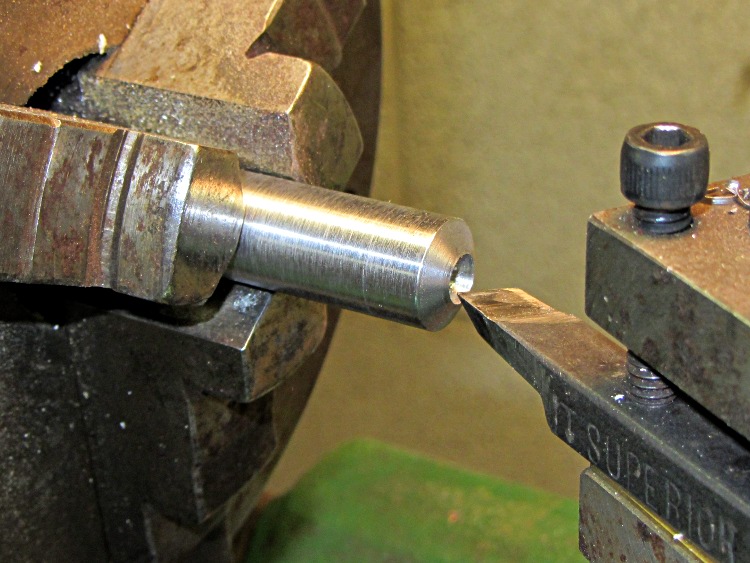
I couldn’t determine if the valve seat was flat or beveled by looking into the partially water-filled body, but I figured that if I could burnish the edge of the ID to make it more even, then whatever was left should seal better against the washer. Measuring the included angle of several different beveled washers showed each size has its own angle, so I turned the end of a steel rod to match the washer installed on the faucet shaft:
Frostproof faucet – lathe-turned burnishing rod
With that in hand, I filed some shallow radial indentations on the bevel, eased it into the faucet body against the seat, and gave it a few turns while pushing firmly. The intention: smooth the existing brass, not cut a new seat.
Although the plan made perfect sense, the faucet leaked much more vigorously with the valve cranked closed.
In retrospect, I should have tried a stack of flat washers in hopes that they would seal across the entire valve seat. However, the screw in the end of the valve stem reached the end of its tapped hole at the right distance for a beveled washer, leaving far more space than any single flat washer could fill, so this obviously wasn’t the right way to go. Here’s the screw again, seated firmly at the bottom of its hole:
Frostproof faucet – valve with washer
At this point, I had to decide whether to continue futzing with the valve or chisel it out of the wall and replace it. Time for a trip to the Big Box Home Repair store to see what’s in stock… which turned out to be an assortment of frostproof valves in 2 inch increments from 6 inches to 12 inches, with the latter about $28. The quality appeared to be marginal, the designs included fragile plastic bits (some of which were already broken in the shipping bags), and it was not obvious that they’d outlast the gardening season. The online reviews were, shall we say, equivocal.
Our house has three frostproof hose faucets, with the closest one to the garden being inside the garage. Unlike ordinary garden faucets (a.k.a., hose bibs), these have the valve seat at the end of a foot-long tube that projects inside the foundation wall where it (usually) can’t freeze. The valve has required increasing amounts of force to turn off (meaning the ancient washer inside has solidified) and the packing around the stem has begun leaking copiously with the faucet turned on (despite tightening the cap).
I’ve been putting this repair off ever since we bought the house, because I knew how it would end, but with no rain for nearly a month before planting season the garden needed water. So, we begin…
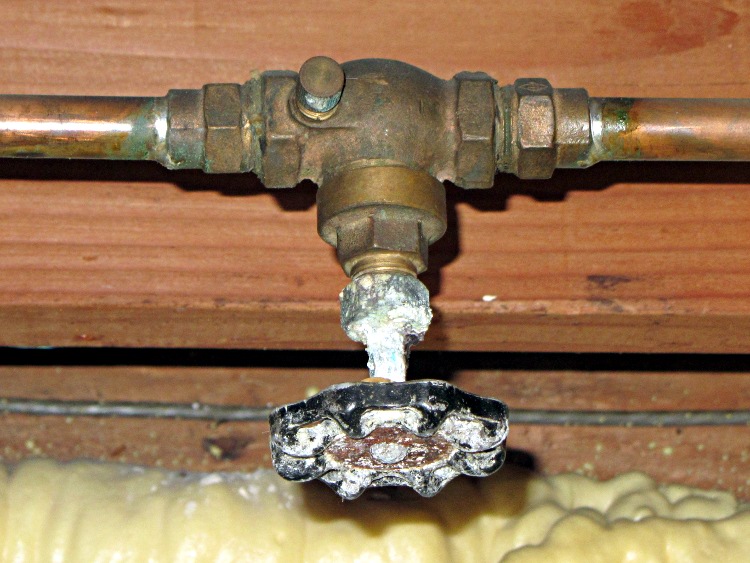
The first complication is that, while there’s a shutoff valve for the faucet, I’m reluctant to turn its corroded-in-place stem for fear of starting up an indoor leak:
Corroded gate valve
The small stem to the left of the valve body is a drain cap, which means that one can, in theory, turn off the valve and remove the cap to drain water from the line to the left. That line leads downhill to the faucet, which will turn out to be critically important later in this story. FWIW, I think it’s a gate valve, given the length of the casting around the stem, but for obvious reasons I haven’t opened it up to find out. If it’s a washer-based valve, it hasn’t been closed in decades and I expect the washer & seat to be in poor condition.
The house has an unusual plumbing arrangement: a direct line from the water inlet to the outdoor faucets, toilet flush valves, and a separate faucet at the kitchen sink. This originally fed well water directly to those points, meaning that the largest water consumers didn’t go through the water softener and they weren’t watering the lawn with soft water. I took pains to preserve that arrangement while replacing the softener and having the town water supply plumbed into the house.
In any event, I shut off the water upstream of the shutoff valve (hence, no toilet flushing for the duration) and proceeded.
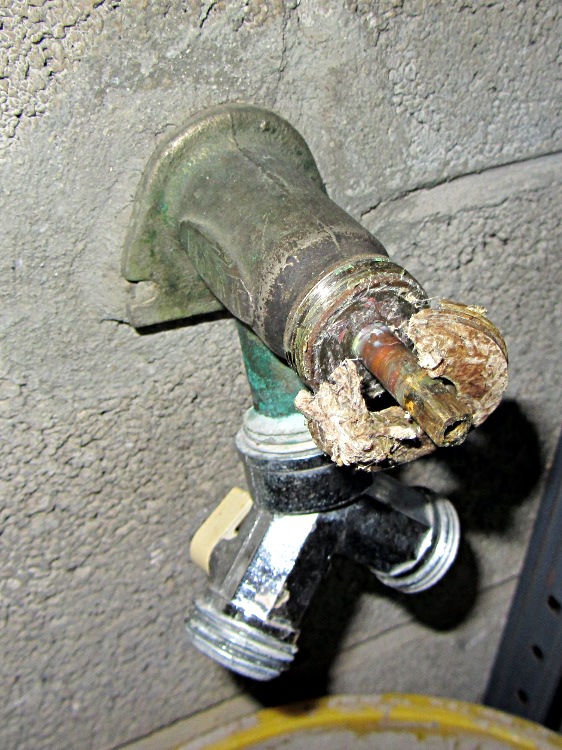
The valve handle came off easily, as did the cap, revealing the crumbling stem packing inside:
Frostproof faucet – stem packing material
Nota bene: the builder firmly cemented the faucet into the foundation wall. The same cement was applied on the inside wall, so removing the faucet requires chiseling out what might be the entire depth of the faucet through the foundation blocks. That’s one of the many reasons I didn’t want to do this project: the possible failure modes looked grim.
With that out of the way, the stem support came loose easily; old-school heavy brass construction works great:
Frostproof faucet – stem support
Unfortunately, unscrewing the stem eventually reached the point where it spun freely, but refused to pull out. That means the washer a foot inside the valve has swollen beyond the minor diameter of the threads near the seal and that means I must destroy the washer to extract it. The usual advice recommends pulling on the stem with pliers, but … suffice it to say that was not sufficient in this situation, not to mention that I didn’t want to goober up the stem.
Here’s the nose of my homebrew slide hammer, with a 10-24 steel screw in the valve stem and a pair of nuts jamming everything in place:
Frostproof faucet – valve handle with slide hammer nose
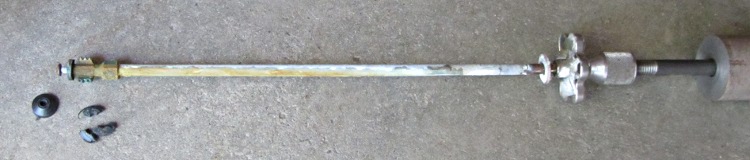
I hoped that the valve handle would prevent the screw from distorting the stem if this operation required force majeure and that part worked out perfectly: a few whacks pulled the stem out and left the washer behind. Some tedious fishing, using various all-thread rods to grab the washer and then fragments of the washer and then fragments of the fragments, eventually produced this tableau:
Frostproof faucet – stem with slide hammer
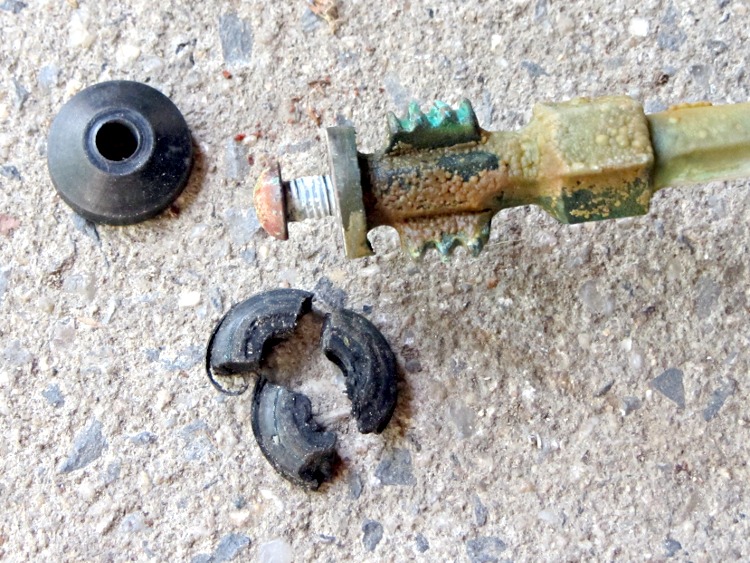
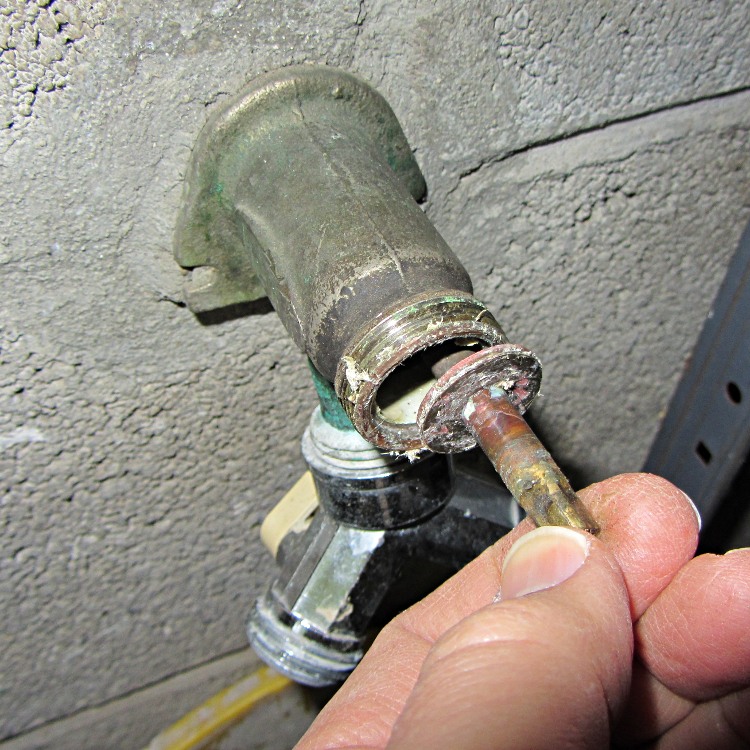
A closeup of the seal end, with the larger fragments of the old washer and a replacement beveled washer of about the right size:
Frostproof faucet – valve with washer
The brass screw turned out easily, the new washer went on, I reassembled everything in reverse order, put new valve packing material under the cap, and… of course, the valve leaked when I turned it off.
A frostproof valve tends to dribble after being shut off, because there’s a foot of nearly horizontal pipe that must drain completely, but this leak was in the gallon-per-hour territory. Obviously, the situation had gone from bad to worse, exactly as I’d expected.
Our re-sealed Kenmore clothes dryer developed a horrible rattle that Went Away with slight pressure here & there on various surfaces. I eventually located the most sensitive spot: inside the lint filter duct, on its upper surface. That suggested something lying atop the duct.
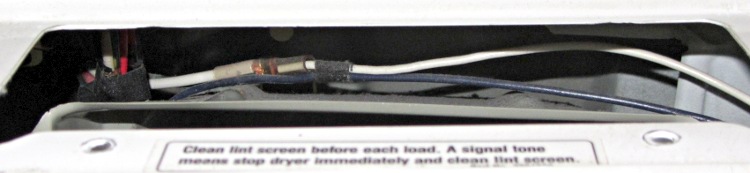
Remove the two screws securing the duct to the top surface, push forward on the back of the control panel, and the front of the top panel pops up. Tilt upward against the springy hinges, peer in above the duct, and what do we find?
Kenmore dryer – wire routing
Yup, wires resting on the duct!
There are no obvious wire guides to be found, so I’m pretty sure those wires were in pretty much that same position when I dismantled the dryer to install the new seal. In any event, they are where they are.
This not being a particularly hot area, I slipped a sheet of closed-cell foam between the wires and the duct, snapped the top down, and screwed the duct in place.
The lower catches on the front panel seem to be loose, too, so a pair of cardboard shims jammed discreetly into the lower edge of the joint on either side soaked up some spare motion with excellent noisemaking potential.
Unfortunately, fixing that rattle exposed another buzz that seems to be a loose plate buried somewhere in the back of the cabinet. Getting in there requires tearing the whole thing apart, which I’m not looking forward to in the least.
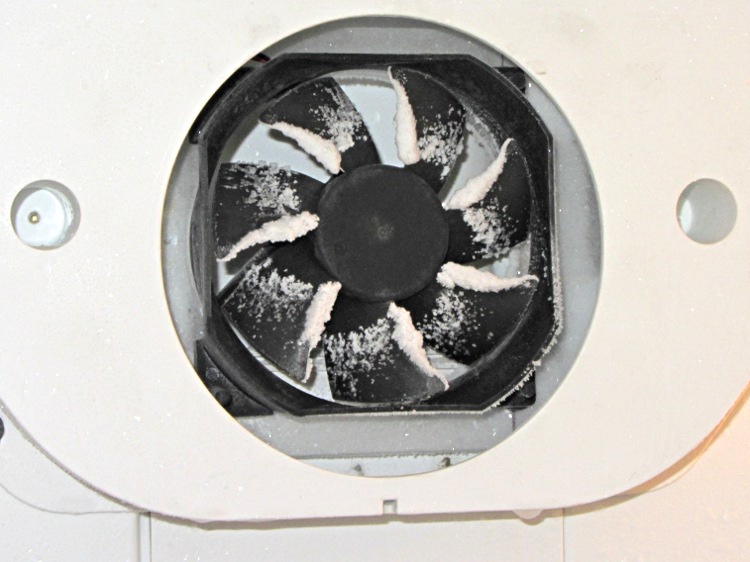
Well, using a PC case fan as a freezer blowerseemed like a good idea at the time: it worked, moved an adequate amount of air, and was pretty nearly silent. Until, that is, frost built up on the blades, water froze inside the frame, and the thing began sounding like a stick running along a picket fence:
Frosted PC case fan in freezer
I replaced the first fan with another having slightly more clearance between the blade tips and the frame, but to no avail.
So I dug the OEM fan (a.k.a., the Freezer Dog) from the heap, dismantled it, and discovered why it was howling. Turns out that the shaft nearest the fan blades was scored inside that bearing:
Freezer motor – scored shaft
A closer look:
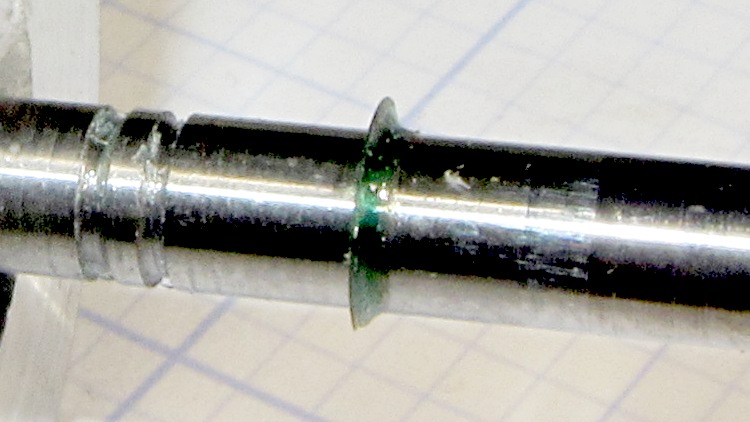
Freezer motor – scored shaft detail
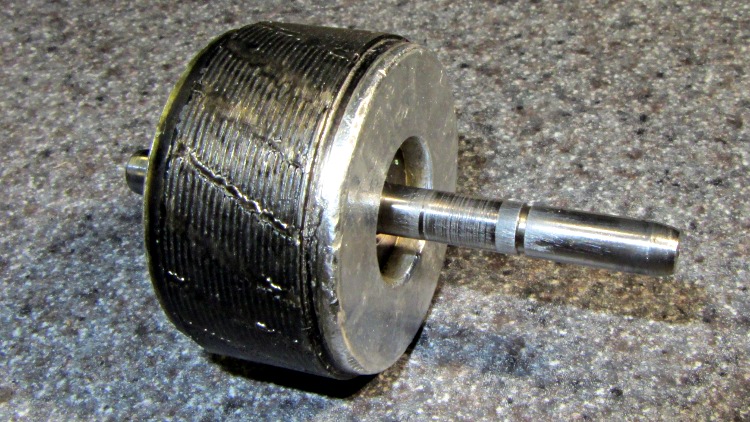
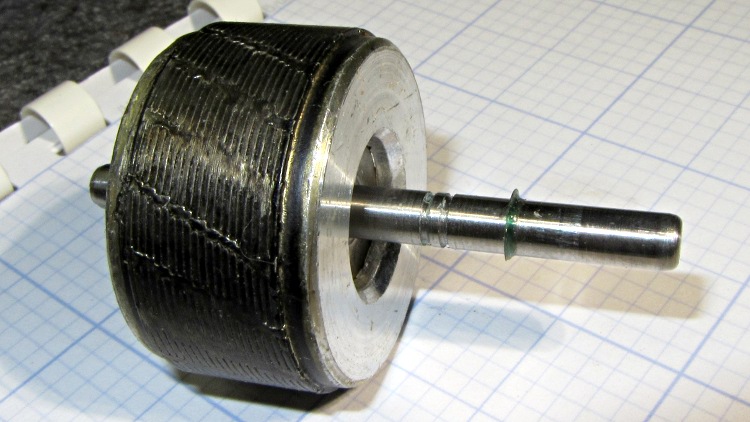
The rest of the shaft looked fine to me, so I put some green Loctite on rotor at the shaft and shoved the long end of the shaft (using the drill press as an arbor press) to put the scored section inside the rotor:
The shaft has several small grooves that probably held lubricant or acted as alignment guides or something useful, but I’m hoping none of that matters. The rotor is turning backwards now, too, which shouldn’t make much difference: it’s pretty much symmetrical.
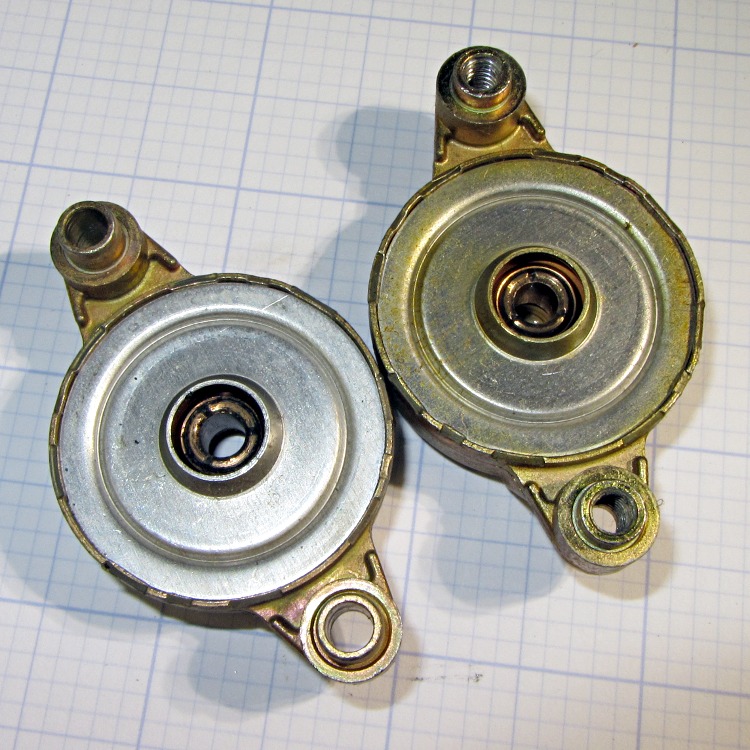
While I had the motor apart, I whacked the bearings with a rod to shrink them a bit:
Freezer fan bearings
Slobbered more STP on the bronze bearings, reassembled everything again, and it’s been quiet for nearly a week.
Perhaps the combination of new shaft surfaces and tweaked bearings will run for a few more years. I still have the “new” replacement fan in a box…
We deployed several granulated-rubber soaker hoses last year and, while they certainly weep enough water, they’re exceedingly brittle: they kink and break with what seems to be ordinary handling.
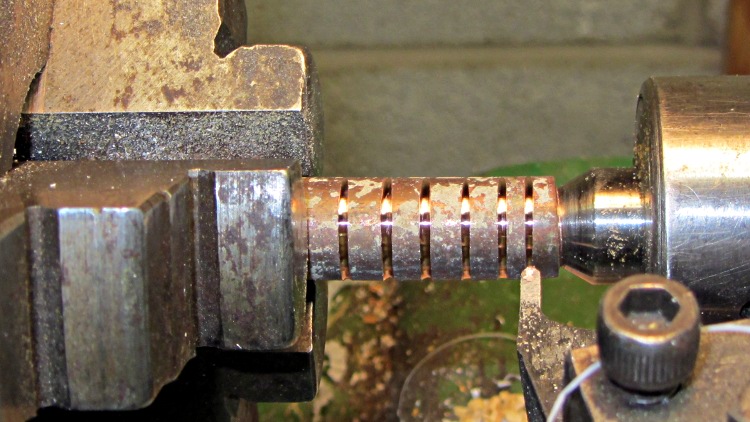
The hose ID is much smaller than ordinary “half inch” hose, so I turned some grooves on a chunk of copper tube that’s a snug fit inside:
Grooving copper tubing
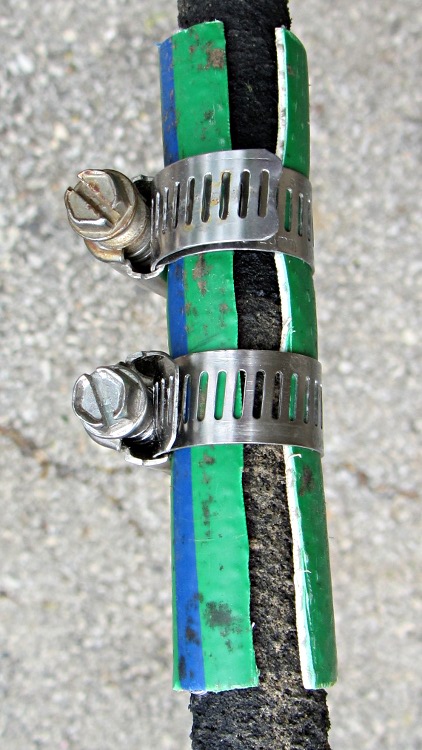
Slitting a piece of scrap hose (ya gotta have stuff) and clamping it around the hose and tubing holds the splice together against the 90 psi water in the Vassar Farms irrigation system and provides a bit of strain relief beyond the ends of the tubing:
Spliced soaker hose
While I was at it I made three more copper splices, because I know they’ll come in handy…
Although that fix continues to work, the second pin failed pretty much as expected:
Brita pitcher lid – second broken pin
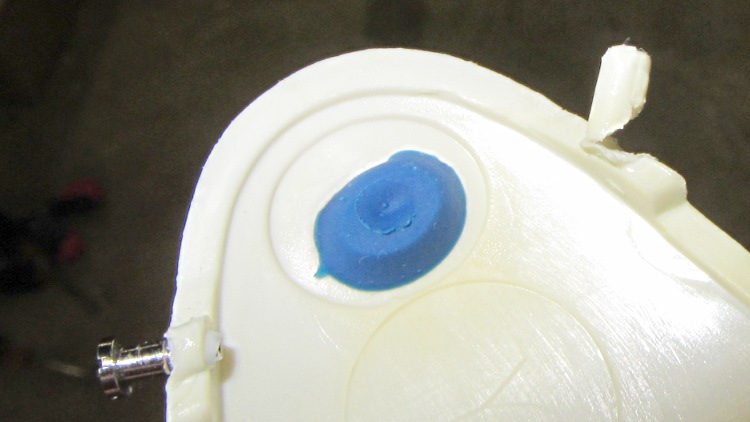
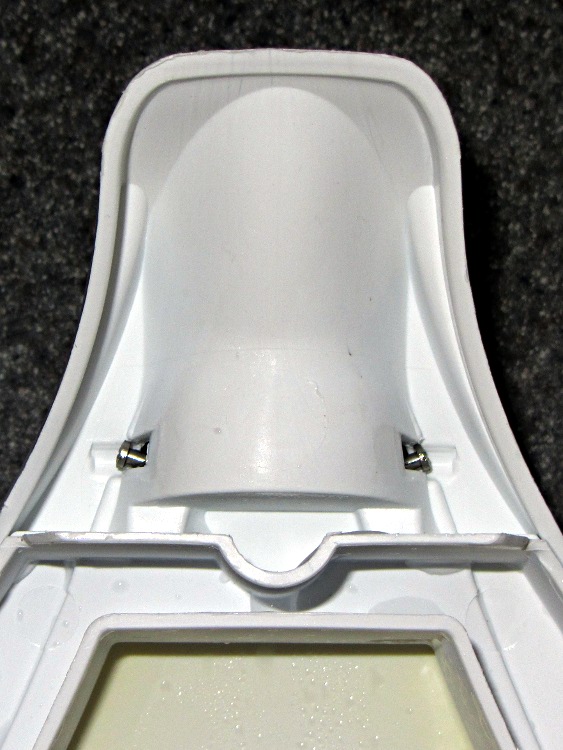
I glued the pin to rebuild the base, sheared the pin off, extracted the matching screw from the Tiny Vial of Teensy Screws, drilled a hole, and forced it in. This shot of the underside of the pitcher lid clearly shows that drilling the hole perpendicular to the edge doesn’t produce the proper alignment, but it works well enough:
Brita pitcher lid – pin angle
The “Smart Pitcher” LCD panel in the lid that counts down six weeks until filter replacement didn’t survive its most recent trip through the dishwasher, so we’re reduced to marking the calendar. How 20th century…


 The Smell of Molten Projects in the Morning