The Smell of Molten Projects in the Morning

Ed Nisley's Blog: Shop notes, electronics, firmware, machinery, 3D printing, laser cuttery, and curiosities. Contents: 100% human thinking, 0% AI slop.

Category: Machine Shop

Mechanical widgetry

  • HQ Sixteen: Horizontal Thread Spool Adapter

    HQ Sixteen: Horizontal Thread Spool Adapter

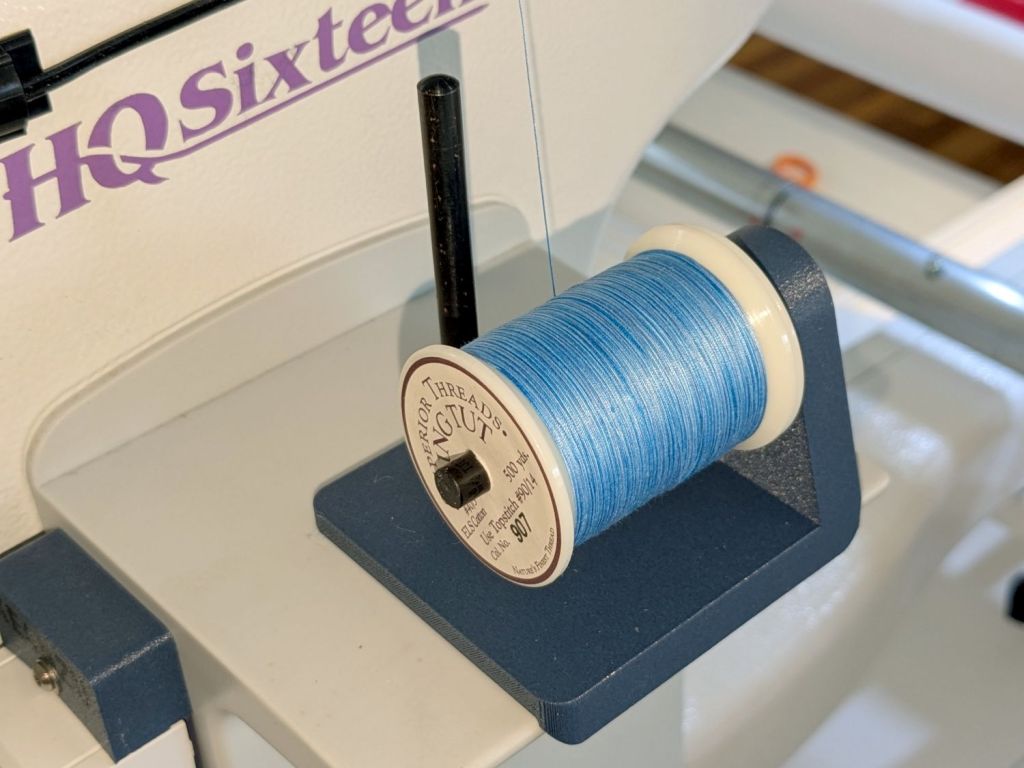
    After watching the thread pull off the spool around the vertical spool adapter in an increasingly tight helix, I built a horizontal adapter:

    HQ Sixteen - horizontal thread spool adapter - installed
    HQ Sixteen – horizontal thread spool adapter – installed

    The thread now pulls off perpendicular to the axis, the way we thought it should, and the helix is gone.

    The adapter base plate fits snugly over the vertical pin, with the lip over the edge stabilizing the whole thing. The spool fits on a ¼ inch acrylic rod tightly press-fit into the side wall and, although it’s not shown here, the vertical adapter press-fits onto the end of the rod to keep the spool from wandering off.

    The solid model shows the arrangement:

    HQ Sixteen - horizontal thread spool adapter - solid model
    HQ Sixteen – horizontal thread spool adapter – solid model

    It builds standing on the wall to prevent any significant overhang:

    HQ Sixteen - horizontal thread spool adapter - PrusaSlicer
    HQ Sixteen – horizontal thread spool adapter – PrusaSlicer

    So we’ve reconfirmed our original knowledge that ordinary thread spools must feed off the side, not over the top. Living in the future with rapid prototyping and simple production is good!

    You can buy a Horizontal Spool Pin Clamp, but what’s the fun in that?

    Fun fact: although the vertical pins on the machine are ¼ inch in diameter, the thread on the end is neither the obvious ¼-20 nor the second-guess 10-32. Instead, it’s M5×0.8, perilously close to the 10-32 thread used in the handlebar setscrews. Don’t apply brute force when this thing doesn’t screw neatly into that hole.

    The OpenSCAD source code as a GitHub Gist:

    // HQ Sixteen – horizontal thread spool adapter
    // Ed Nisley – KE4ZNU
    // 2025-01-26
    include <BOSL2/std.scad>
    Layout = "Show"; // [Show,Build,Base,Wall]
    /* [Hidden] */
    ID = 0;
    OD = 1;
    LENGTH = 2;
    WallThick = 10.0;
    BaseThick = 5.0;
    PinOD = 0.25*INCH; // vertical spool pin
    PinWasher = [PinOD,11.0,2.0]; // pin base washer
    PinOffset = 49.0; // pin center to edge of platform
    Spool = [0.25*INCH,50.0,55.0]; // maximum thread spool
    echo(Spool=Spool);
    SpoolClearance = [5.0,2.0,5.0];
    SpoolOC = [-PinOffset + PinOD/2 + SpoolClearance.x + Spool[OD]/2,
    Spool[LENGTH]/2,
    BaseThick + SpoolClearance.z + Spool[OD]/2];
    BasePlate = [PinWasher[OD] + PinOffset + BaseThick,
    Spool[LENGTH] + SpoolClearance.y + WallThick,
    BaseThick];
    Protrusion = 0.1;
    $fn = 12*3*4; // smooth outer perimeters
    //———-
    // Construct the pieces
    module Base() {
    difference() {
    union() {
    left(BasePlate.x/2 – BaseThick) back((SpoolClearance.y + WallThick)/2)
    cuboid(BasePlate,rounding=BaseThick,edges=[FWD+LEFT,FWD+RIGHT],anchor=BOTTOM);
    back((SpoolClearance.y + WallThick)/2)
    cuboid([BaseThick,BasePlate.y,BaseThick],
    rounding=BaseThick,edges=[FWD+BOTTOM,FWD+RIGHT,BACK+BOTTOM],anchor=LEFT+TOP);
    }
    left(PinOffset) down(Protrusion) {
    cylinder(PinWasher[LENGTH],d=PinWasher[OD]); // washer clearance
    cylinder(2*BaseThick,d=PinOD);
    }
    }
    }
    module Wall() {
    difference() {
    union() {
    hull() {
    right(BaseThick)
    cube([BasePlate.x,BaseThick,WallThick],anchor=FWD+RIGHT+BOTTOM);
    back(SpoolOC.z) right(SpoolOC.x)
    cylinder(d=Spool[OD]/2,h=WallThick);
    }
    back(SpoolOC.z) right(SpoolOC.x)
    cylinder(d=Spool[OD]/2,h=WallThick + SpoolClearance.y);
    }
    back(SpoolOC.z) right(SpoolOC.x) down(Protrusion) zrot(180/8)
    cylinder(d=Spool[ID],h=2*WallThick,$fn=8);
    }
    }
    module Adapter() {
    union() {
    Base();
    back(SpoolOC.y + SpoolClearance.y + WallThick)
    xrot(90)
    Wall();
    }
    }
    //———-
    // Show & build the results
    if (Layout == "Base")
    Base();
    if (Layout == "Wall")
    Wall();
    if (Layout == "Show") {
    Adapter();
    left(PinOffset)
    color("Gray") {
    cylinder(d=PinOD,h=2*SpoolOC.z);
    cylinder(d=PinWasher[OD],h=PinWasher[LENGTH]);
    }
    up(SpoolOC.z) right(SpoolOC.x) back(SpoolOC.y)
    xrot(90)
    color("Green")
    cylinder(d=Spool[ID],h=Spool[LENGTH]);
    }
    if (Layout == "Build")
    up(SpoolOC.y + SpoolClearance.y + WallThick)
    xrot(-90)
    Adapter();

  • Monitor Mount: USB Hub Clamp

    Monitor Mount: USB Hub Clamp

    Along with the Beelink PC, putting the Anker USB hub on the monitor mount pole helped tidy the cables just a little bit:

    Monitor pole clamp - Anker USB hub
    Monitor pole clamp – Anker USB hub

    It’s still jumbled, but at least the cables aren’t wagging the hub.

    This clamp needs only one M6 screw into a square nut:

    Monitor Pole box clamp - solid model
    Monitor Pole box clamp – solid model

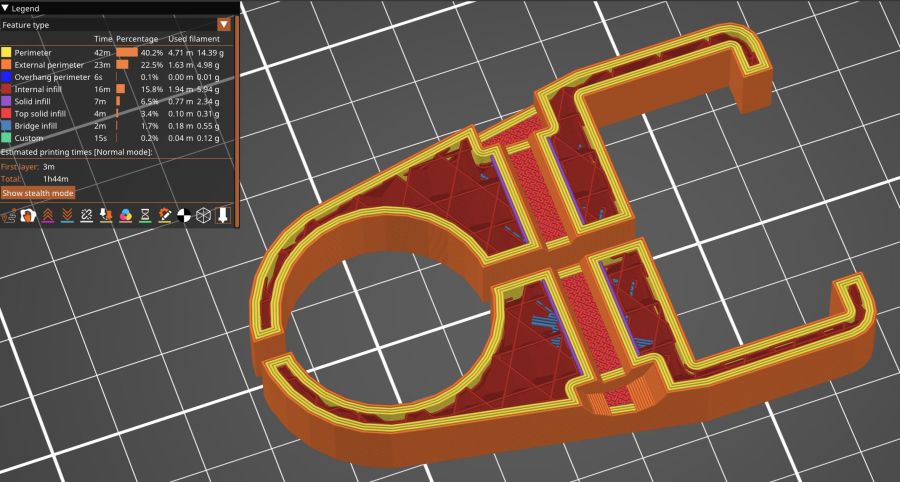
    Again better seen in cross-section:

    Monitor Pole clamp - PrusaSlicer preview
    Monitor Pole clamp – PrusaSlicer preview

    The OpenSCAD code extrudes the shape from a 2D arrangement, then punches the screw through the side:

    // Monitor Pole box clamp
    // Ed Nisley - KE4ZNU
    // 2025-01-23
    
    include <BOSL2/std.scad>
    
    /* [Hidden] */
    
    ID = 0;
    OD = 1;
    LENGTH = 2;
    
    Protrusion = 0.1;
    
    Box = [22.5,45.5,25.0];         // Z is clamp height
    BoxGrip = 5.0;                  // on outer side clearing connectors
    
    PoleOD = 30.5;
    
    WallThick = 5.0;
    
    Kerf = 3.0;                     // clamping space
    Clearance = 2*0.2;              // space around objects
    
    Washer = [6.0,12.0,1.5];        // M6 washer
    Nut = [6.0,10.0,5.0];           // M6 square nut
    
    MidSpace = 35.0;                // pole to box spacing
    
    ClampOAL = Box.x + MidSpace + PoleOD + 2*WallThick;
    
    //----------
    // Build it
    
            difference() {
                linear_extrude(height=Box.z,convexity=5)
                    difference() {
                        hull() {
                            right(MidSpace/2 + Box.x/2)
                                rect(Box + 2*[WallThick,WallThick],rounding=WallThick);
                            left(MidSpace/2 + PoleOD/2)
                                circle(d=PoleOD + 2*WallThick);
                        }
                        right(MidSpace/2 + Box.x/2)
                            square(Box + [Clearance,Clearance],center=true);
                        right(MidSpace/2 + Box.x)
                            square([Box.x,Box.y - 2*BoxGrip],center=true);
                        left(MidSpace/2 + PoleOD/2)
                            circle(d=PoleOD + Clearance);
                        square([2*ClampOAL,Kerf],center=true);
                    }
                up(Box.z/2) {
                    xrot(90)
                        cylinder(d=Washer[ID] + Clearance,h=2*Box.y,center=true,$fn=6);
                    fwd(Box.y/2 - Washer[LENGTH])
                        xrot(90) zrot(180/12)
                            cylinder(d=Washer[OD] + Clearance,h=Box.y,center=false,$fn=12);
                    back(Box.y/2 + Nut[LENGTH]/2)
                        xrot(90)
                            cube([Nut[OD],Nut[OD],2*Nut[LENGTH]],center=true);
                }
            }
    

    The alert reader will have noticed I didn’t peel the protective film off the hub, which tells you how fresh this whole lashup is.

  • Monitor Mount: Beelink Clamp

    Monitor Mount: Beelink Clamp

    Clearing the clutter off the top of the laser put the monitors up on mounts clamped to its wings, which required an adapter between the monitor and the mount’s standard VESA bracket:

    Acer monitor VESA adapter
    Acer monitor VESA adapter

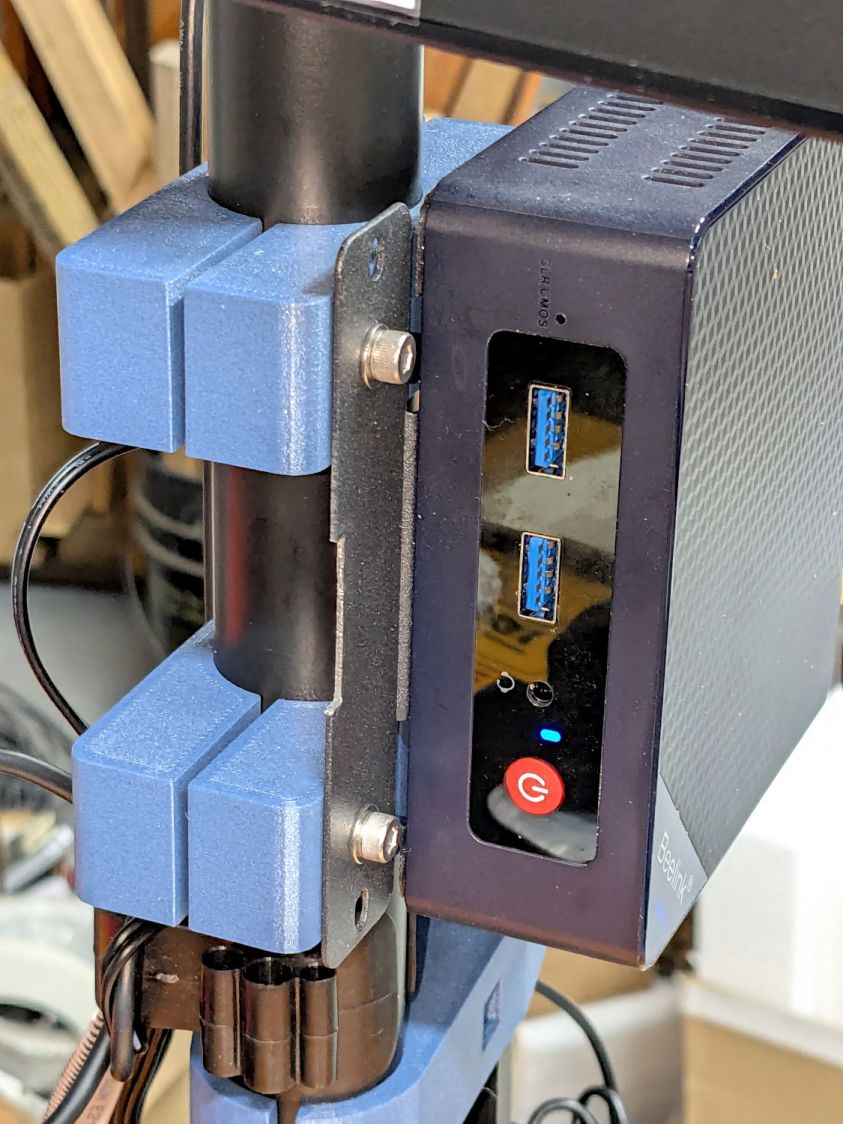
    The Beelink PC has an adapter plate intended to put it on that VESA bracket, too, but a quick test showed the power button pointed downward in an inaccessible spot. I eventually realized the Beelink would fit neatly on the monitor mount’s pole:

    Monitor pole Beelink clamp - front
    Monitor pole Beelink clamp – front

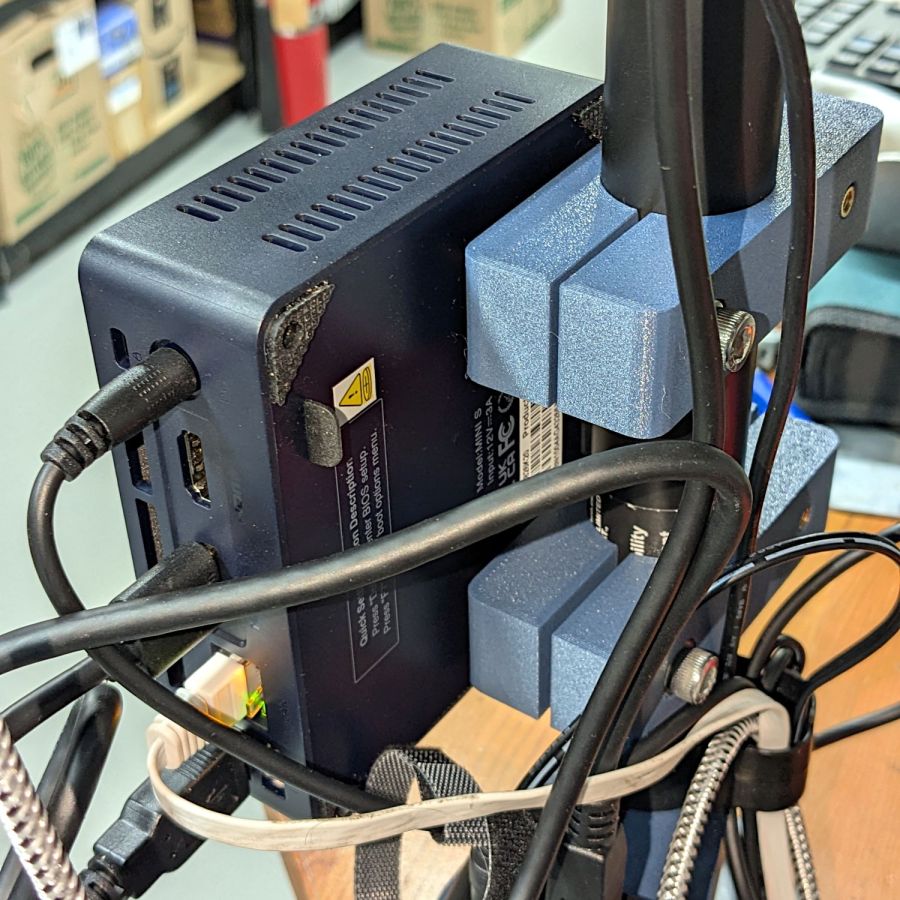
    The view from the other side:

    Monitor pole Beelink clamp - rear
    Monitor pole Beelink clamp – rear

    The clamps have recesses for an M6 square nut and an M4 brass insert:

    Monitor Pole BeeLink clamp - solid model
    Monitor Pole BeeLink clamp – solid model

    Which is better seen in a cross-section:

    Monitor Pole Beelink clamp - PrusaSlicer preview
    Monitor Pole Beelink clamp – PrusaSlicer preview

    The M6 screw uses the same hex wrench as the rest of the monitor mount and the M4 screw fits the VESA bracket. Sometimes, you just gotta go with the flow.

    Pondering those pictures will show why the nut and insert must be on opposite sides. I came that close to building one to throw away.

    The OpenSCAD source code extrudes the overall shape upward, then punches the screw holes & fittings horizontally:

    // Monitor Pole Beelink clamp
    // Ed Nisley - KE4ZNU
    // 2025-01-23
    
    include <BOSL2/std.scad>
    
    /* [Hidden] */
    
    ID = 0;
    OD = 1;
    LENGTH = 2;
    
    Protrusion = 0.1;
    
    PoleOD = 30.3;
    
    WallThick = 5.0;
    
    Kerf = 3.0;                     // clamping space
    Clearance = 2*0.2;              // space around objects
    
    Screw = [6.0,10.0,6.0];         // M6 SHCS, LENGTH = head
    Washer = [6.0,12.0,1.5];        // M6 washer
    Nut = [6.0,10.0,5.0];           // M6 square nut
    
    Insert = [4.0,5.8,10.0];        // M4 insert
    
    ScrewSpace = Washer[OD];        // pole edge to screw center spacing
    
    Block = [4*ScrewSpace + PoleOD + 2*WallThick,PoleOD + 2*WallThick,2*Washer[OD]];       // Z = clamp thickness
    
    //----------
    // Build it
    
            difference() {
                linear_extrude(height=Block.z,convexity=5)
                    difference() {
                        rect([Block.x,Block.y],rounding=WallThick);
                        circle(d=PoleOD + Clearance);
                        square([2*Block.x,Kerf],center=true);
                    }
                up(Block.z/2) {
                    right(PoleOD/2 + ScrewSpace){
                        xrot(90)
                            cylinder(d=Washer[ID] + Clearance,h=2*Block.y,center=true,$fn=6);
                        fwd(Block.y/2 - Washer[LENGTH])
                            xrot(90) zrot(180/12)
                                cylinder(d=Washer[OD] + Clearance,h=Block.y,center=false,$fn=12);
                        back(Block.y/2)
                            xrot(90)
                                cube([Nut[OD],Nut[OD],2*Nut[LENGTH]],center=true);
                    }
                    left(PoleOD/2 + ScrewSpace) {
                        xrot(-90)
                            cylinder(d=Insert[ID] + Clearance,h=2*Block.y,center=true,$fn=6);
                        fwd(Block.y/2 - 1.25*Insert[LENGTH])
                            xrot(90)
                                cylinder(d=Insert[OD] + Clearance,h=Block.y,center=false,$fn=6);
                    }
                }
            }
    

    It’s done in PETG-CF, which looks surprisingly good in a chonky sort of way. I’ll find out how well it withstands moderate clamping forces.

  • HQ Sixteen: Thread Spool Adapter

    HQ Sixteen: Thread Spool Adapter

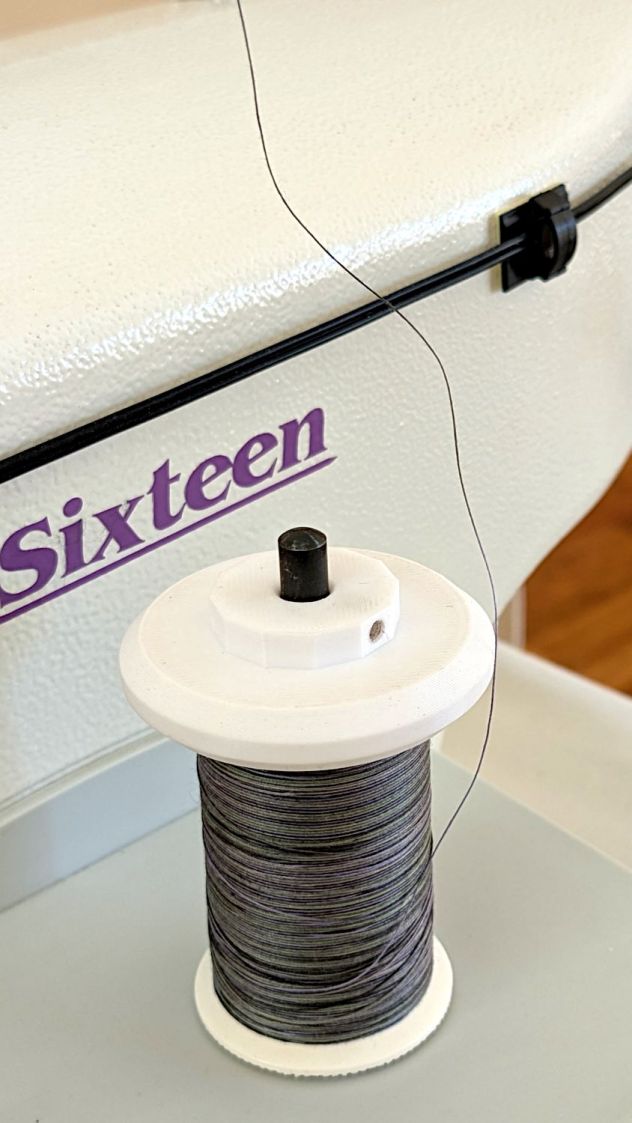
    The HQ Sixteen consumes thread at a prodigious rate, so it’s set up for large thread cones. Mary sometimes uses ordinary thread spools (leftovers from sewing projects) for short practice sessions and wanted an adapter to hold the little things in place:

    Thread spool adapter - installed
    Thread spool adapter – installed

    Those of long memory should recall previous adapters for both sizes and their notes about how thread should peel off spools & cones. I considered an adapter with a horizontal spool axis, but contemporary machines apparently don’t bother with such niceties. We may need a right-angle adapter to let the thread pull off from the side, but we’ll start simple and fix it if needs be.

    Update: It needed fixing.

    The solid model looks about like you’d expect:

    HQ Sixteen - thread spool adapter - solid model
    HQ Sixteen – thread spool adapter – solid model

    The small crosswise hole in the hub gets an M3 setscrew pushing a rubber pellet slightly into the central bore for a friction fit. The OpenSCAD code can distribute any number of such holes, but one seemed entirely adequate.

    The code shrinkwraps a hull() around two cylinders to create the tapered sides, thus giving the thread less surface to drag across. I have PrusaSlicer set to produce scarf joints around the perimeter and the edges came out surprisingly smooth, with only one rough spot requiring deft Xacto knife work. It’s made from white PETG for a smoother finish than PETG-CF.

    The OpenSCAD code consists mostly of constants defining the various physical measurements and a few lines assembling the model:

    // HQ Sixteen - thread spool adapter
    // Ed Nisley - KE4ZNU
    // 2025-01-21
    
    include <BOSL2/std.scad>
    
    /* [Hidden] */
    
    PinOD = 0.25*INCH;
    
    RingOD = 50.0;      // outer perimeter of thread ring
    RingEdge = 3.0;     // height of ring edge & tapers
    RingAngle = 45;     // upper & lower tapers wrt vertical
    
    RingOAH = 3*RingEdge;
    
    ScrewOD = 2.5;      // tap for setscrew compressing rubberdraulic piston
    NumScrews = 1;
    
    HubOD = 25.0;
    HubThick = 2*ScrewOD;
    HubSides = 12;
    
    ScrewCL = RingOAH + HubThick/2;
    
    AdapterOAH = HubThick + RingOAH;
    
    Protrusion = 0.1;
    
    NumSides = 12*3*4;   // smooth outer perimeter
    
    //----------
    // Build it
    
    
    difference() {
        union() {
    
            hull() {
                linear_extrude(RingOAH)
                    circle(r=RingOD/2 - RingEdge*tan(RingAngle),$fn=NumSides);
    
                up(RingEdge)
                    linear_extrude(RingEdge)
                        circle(d=RingOD,$fn=NumSides);
            }
    
            linear_extrude(HubThick + RingOAH)
                rotate(180/HubSides)
                    circle(d=HubOD,$fn=HubSides);
    
        }
    
        down(Protrusion)
            rotate(180/HubSides)
                cylinder(d=PinOD,h=2*AdapterOAH,$fn=HubSides);
    
       for (i=[0:NumScrews-1]) {
            a = i*360/NumScrews;
            zrot(a)
                up(ScrewCL)
                    yrot(90)
                        zrot(180/6)
                            cylinder(d=ScrewOD,h=HubOD,$fn=6);
        }
    
    }
    

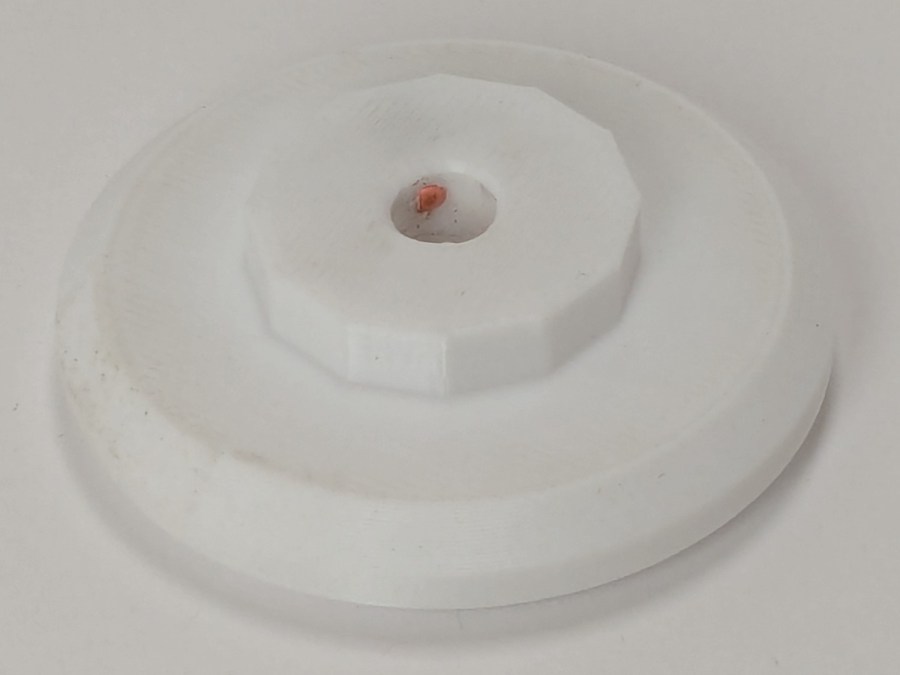
    Putting the adapter in the light box revealed the same problem as photographing white dogs in snowstorms:

    Thread spool adapter - white on white
    Thread spool adapter – white on white

    There was no contrast to be enhanced anywhere, although the rubber pellet definitely stands out.

  • Hotel California: Vole Edition

    Hotel California: Vole Edition

    Although we had considerable success trapping voles during the last half of the 2024 gardening season, Mary found a description of what might be a better technique: a box with small entrance holes taking advantage of rodent thigmotaxis: their tendency to follow walls. The writeup shows nicely made wood boxes, but I no longer have machinery capable of cutting arbitrarily large wood slabs into pieces.

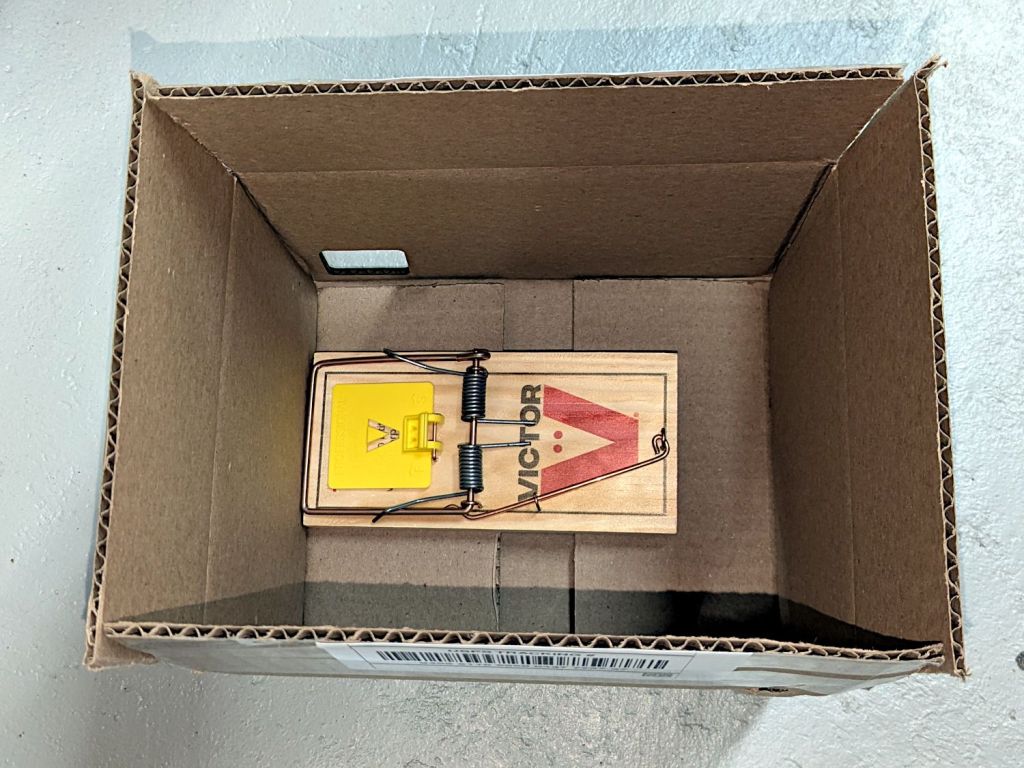
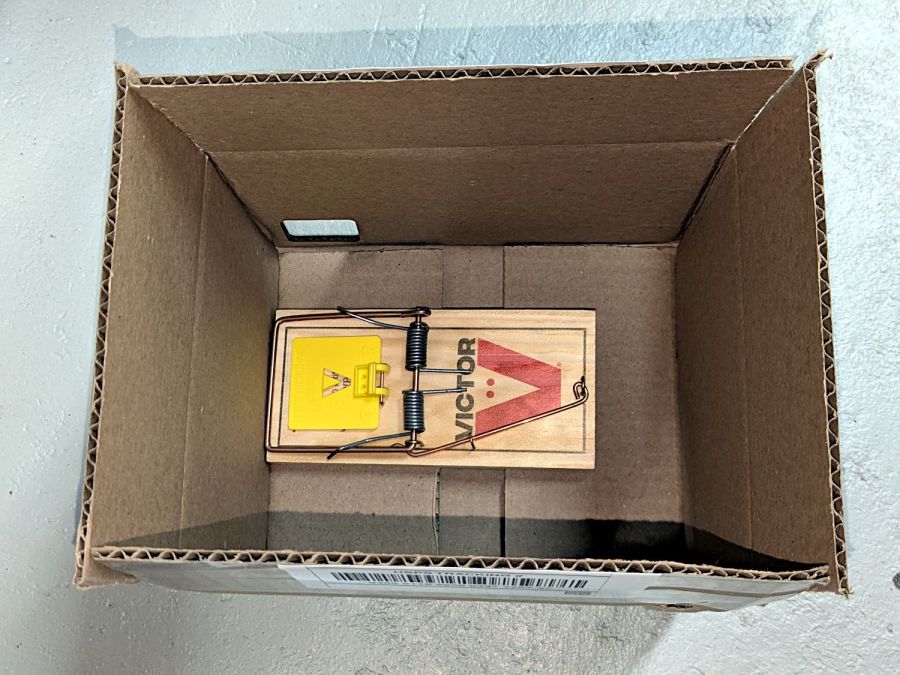
    I do, however, have a vast pile of cardboard boxes:

    Vole Box - large
    Vole Box – large

    That’s a rat-size trap.

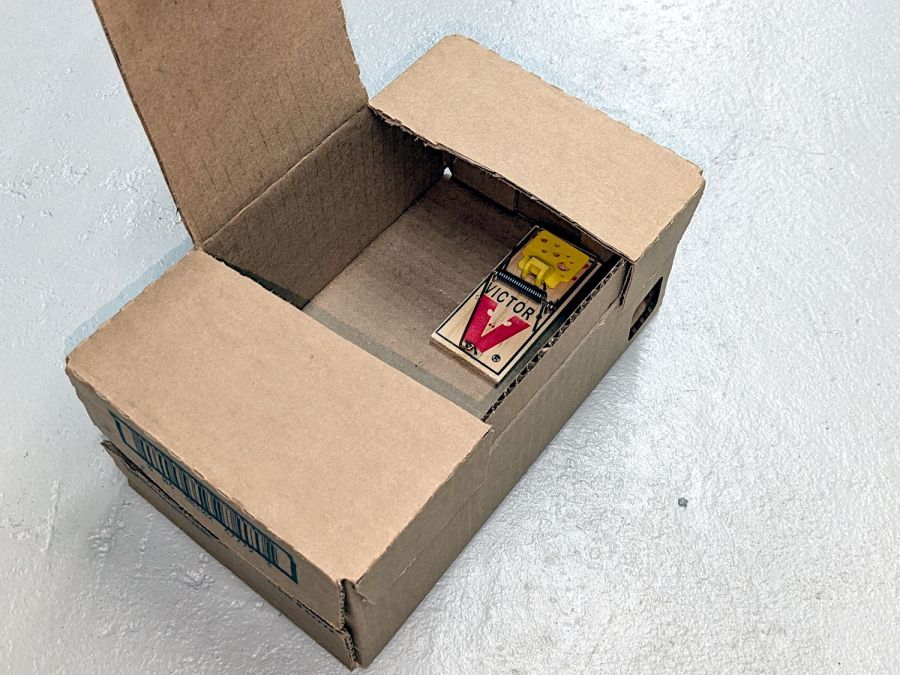
    A smaller box has room for two mouse-size traps (one hidden on the left):

    Vole Box - small
    Vole Box – small

    The general idea: plunk the box in a garden plot, arm the trap(s), close the lid, and eventually a vole will venture inside, whereupon wall-following leads to disaster. Apparently bait is optional, as wall-following inevitably takes them over the trap pedal. I won’t begrudge them a walnut or two, should bait become necessary.

    Cardboard is obviously the wrong material for a box in an outdoor garden, but I figure they’ll survive long enough to show feasibility and I can deploy a lot of small boxes before having to conjure something more durable.

    Yes, those are laser-cut rounded-rectangle holes: 30 mm and 40 mm, assuming voles care about such things.

    Edit: More on voles.

  • Clothes Dryer Inlet Filter Holder

    Clothes Dryer Inlet Filter Holder

    It has always seemed like a Bad Idea™ to run indoor air through the clothes dryer and dump it overboard, particularly during days when the indoor air has been painstakingly (perhaps expensively) heated or cooled. The dryer now lives in a separate room with two doors, so we can close it off from the rest of the house and let it inhale outdoor air through the screen on the storm door.

    Except in winter, when a glass pane covers the screen. Propping the door open just a bit is unattractive, because an open door seems like an invitation to any field mouse looking to upgrade its domicile.

    Given that the dryer exhausts through a length of 4 inch flexible duct, I figured a similar vent, facing inward, mounted on the storm door would admit enough air to keep it happy. Keeping insects and adroit mice out requires a screen:

    Dryer Inlet Vent - filter retainer
    Dryer Inlet Vent – filter retainer

    After taking that picture, I rammed four threaded brass inserts into the holes, thereby eliminating the need for a handful of washers and nuts, some of which were absolutely certain to disappear through gaps in the deck.

    The two blue-gray rings are PETG-CF:

    Dryer Inlet Vent Filter Retainer - solid model
    Dryer Inlet Vent Filter Retainer – solid model

    The small split makes the inner retainer just springy enough to fit over the two small tabs normally locking a dryer hose in place.

    The OpenSCAD code gloms a few shapes together:

    include <BOSL2/std.scad>
    
    /* [Hidden] */
    
    VentID = 102.0;     // diameter at base of vent opening
    VentOD = 107.5;
    
    OpenAngle = 3;
    
    LipWidth = 3.0;         // lip around vent opening
    LipThick = 7.5;
    
    StrutWidth = 2.5;       // wide enough to hold filter
    StrutThick = 3.0;       // tall enough to be rigid
    NumStruts = 3;
    
    Protrusion = 0.1;
    
    NumSides = 360/6;
    
    $fn=NumSides;
    
    //----------
    // Build it
    
    union() {
    
        linear_extrude(LipThick)
            ring(NumSides,d1=VentID - 2*LipWidth,d2=VentID,angle=[OpenAngle/2,360-OpenAngle/2],spin=270);
    
        linear_extrude(StrutThick) {
            circle(r=StrutWidth);
    
            for (i=[0:(NumStruts-1)]) {
                a = 90 + i*360/NumStruts;
                zrot(a)
                    right(VentID/4)
                        square([VentID/2 - LipWidth/2,StrutWidth],center=true);
            }
        }
    
        linear_extrude(LipThick)                // outside trim ring
            ring(NumSides,d1=VentOD,d2=VentOD+2*LipWidth);
    }
    

    The overall union() keeps PrusaSlicer from identifying the thing as a multi-material model. Apparently, it still looks enough like a logo to qualify for special treatment, but I fought it to a standstill.

    Installation awaits an above-freezing day …

  • CD/DVD Data Destruction: Engraving

    CD/DVD Data Destruction: Engraving

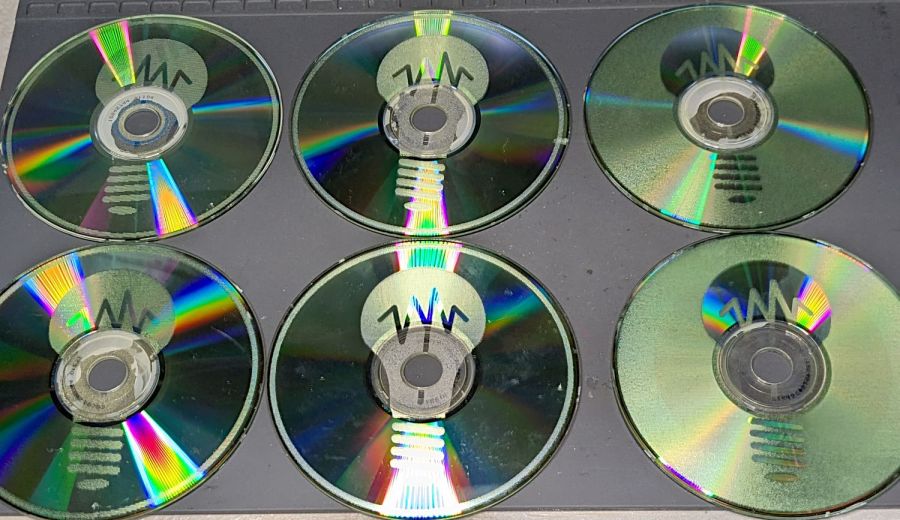
    A LightBurn video suggested large scan line intervals for decorative effects, so I adapted the SCP warning labels to fit 4 inch CD/DVD discs, set up the fixture, and Fired The Laser:

    CD Engraving - fixture
    CD Engraving – fixture

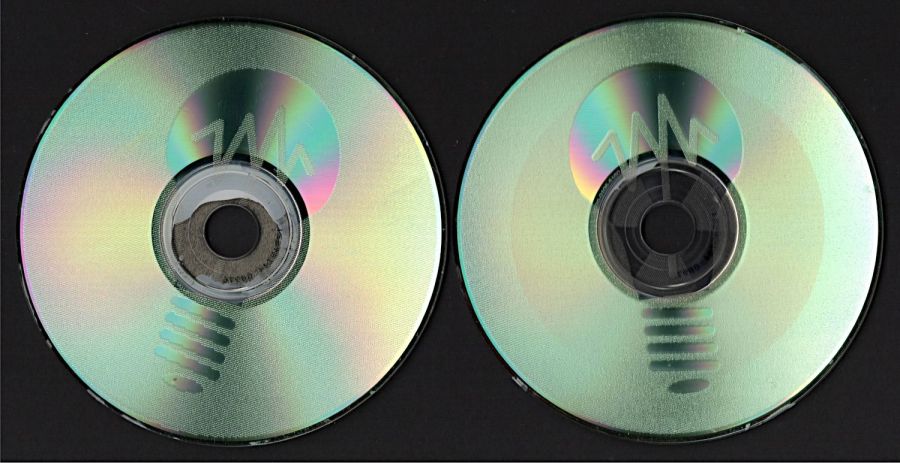
    The overall effect is, in most lighting, subtle:

    CD Engraving - samples 2
    CD Engraving – samples 2

    The pair on the right with inverted engraving areas are bolder:

    CD Engraving - samples 1
    CD Engraving – samples 1

    From a distance these two look similar, but a line interval of 0.50 mm (on the left) produces a distinct lined effect compared to the overall frosty look for 0.25 mm (open in a new tab & zoom in):

    CD Engraving - vary interval
    CD Engraving – vary interval

    The left and right edges of the disc warp upward as the surface melts and cools, pulling the disc into a potato chip shape. Doing large areas with 0.5 mm spacing produces less warp than 0.25 mm.

    The laser barely fires at 10% power (on the right) and produces a line with a distinct granular look compared the smoother result at 20% (on the left), both at 0.50 mm interval to show the lines:

    CD Engraving - vary power
    CD Engraving – vary power

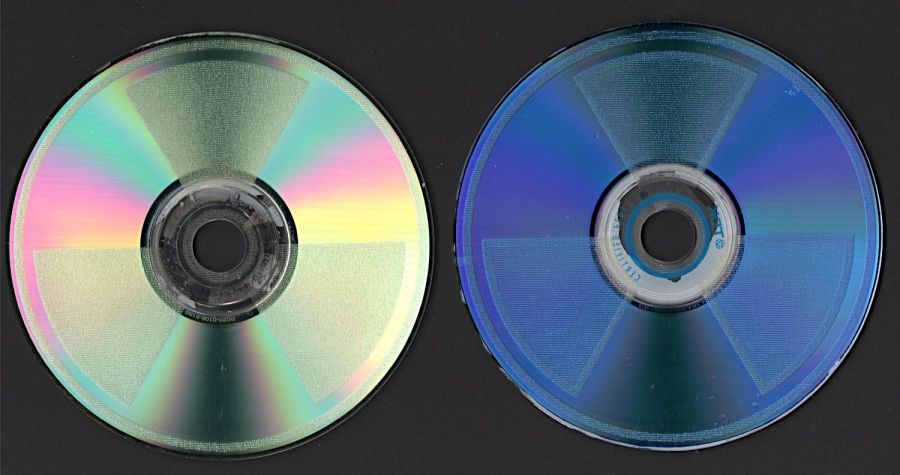
    A 2 mm border at 0.25 mm interval (on the right, with a DVD) appears lighter than the central area at 0.50 mm (the CD on the left does not have the border):

    CD Engraving - interval passes
    CD Engraving – interval passes

    A closer look at the border:

    CD Engraving - low power irregularity
    CD Engraving – low power irregularity

    The reason behind the granular effect at 10% power is more obvious with higher magnification:

    CD Engraving - interval passes - detail
    CD Engraving – interval passes – detail

    The spots off to the right are surface imperfections and dirt, not random laser tube firing.

    The border and the central area happen on two different passes, so it’s comforting to see how closely the scan lines match.

    I glued pairs of discs together with E6000 adhesive to discover whether it’s less awful than cutting and aligning adhesive sheets. Yup, much better, but white adhesive requires better path control to keep it out of the transparent ring around the hub and better quantity control to prevent blobs from squooshing out around the perimeter. Using clear adhesive would help, as would a fresh tube without a plug of cured gunk blocking the nozzle.

    Once again, I have Too Many Coasters.