Ed Nisley's Blog: Shop notes, electronics, firmware, machinery, 3D printing, laser cuttery, and curiosities. Contents: 100% human thinking, 0% AI slop.
That didn’t matter with a three-foot pipe attached directly to the downspouts, but, as part of the driveway project, I routed the house storm drains and wall footing drain pipes about 20 feet down from the new retaining wall, with the two joining into a single outlet. There’s a cleanout plug on the storm drain line, but the footing drain consists of about 50 feet of corrugated and perforated tubing that would be just about the finest possible chipmunk habitat.
In principle, one would simply glue a grate into the final fitting and be done with it, but leaves from the gutter will pack behind the grate, so it must be removable. Leaving the grate loose means it’ll pop out at the slightest provocation and, most likely, roll another hundred feet down the driveway into the street.
Rather than coping with that, I drilled a clearance hole in the elbow and tapped a matching hole in the grate:
Drain pipe grate – hole tapping
I have a few white nylon 1/4-20 cutoffs from the bike fairing clamps, so I wrecked the threads on one and jammed it into a black nylon thumbscrew:
Drain pipe grate – thumbscrew
Now, of course, the critters can still climb down the drainpipes from the gutters and set up housekeeping in the plumbing, but I’m not putting grates where I must climb onto the roof to clear them. A chipmunk dropped from two stories will scamper away; I’d never walk again.
Winding a slit ferrite toroid poses no challenge, so putting 25 turns of 26 AWG wire on it didn’t take long at all:
F50-61 toroid – 25 turns 26 AWG
However, a ferrite toroid doesn’t take kindly to being dropped and I figured that a slit toroid would crack under a stern look, so I decided to wrap some armor around it. A small squeeze bottle offered a cap just slightly larger than the winding, so I used that slitting saw to cut off a suitable ring. The first step was to grab it in the 3 jaw chuck and align its axis parallel to the spindle:
Aligning bottle cap in 3-jaw chuck
I wanted to cut off a slightly taller ring, but the clamping screw on the saw arbor just barely cleared the chuck for a 5 mm ring. I jogged around the chuck jaws to cut two slits in the cap that eventually joined near the back:
Slicing ring from bottle cap
That was about 1000 rpm, no coolant, and slow feed, but also a totally non-critical cut in plastic.
I put a snippet of foam rubber in the slot, put the ring on a Kapton-covered build platform from the Thing-O-Matic, filled it with hot-melt glue, gooshed the toroid in place, and waited for cooling. Trimming and cleaning out the slit produced a hideously ugly, but (I hope) much more durable assembly:
Slit ferrite toroid – with armor
I’m reasonably sure I didn’t crack the ferrite while cleaning out the slit; that hot-melt glue is tenaciously gummy stuff!
The object of the game: cut a slit into a ferrite toroid that will accommodate a Hall effect sensor. Those doodles showed that an FT50 (half-inch OD) toroid would be about right for the cheap AH49/EH49 Hall effect sensors on hand and those doodles shows that the permeability of the ferrite mix doesn’t make much difference. Not being quite sure how this would work out, I figured I’d start with the simplest possible setup and complexicate things until it worked…
A fold of cereal box cardboard cushioned the brittle ferrite in the Sherline’s clamp and the vacuum hose in the background collects airborne grit. I touched off X=Y=Z=0 with the wheel at the center of the toroid’s equator:
Slitting ferrite toroid – first pass
The first pass went swimmingly, with the diamond wheel far more concentric than I expected, using manual jogging along a 0.5 mm deep cut. The wheel is slightly over 0.5 mm thick, measured on the grit, and showed no sign of strain on a 1 mm deep cut at 100 mm/min, so I used manual CNC to run the wheel back and forth along the cut.
After clearing the slot, I moved the wheel upward to + 0.5 mm, repeated the passes with a 1.5 mm depth of cut, then did the same at -0.5 mm. The end result was a nice slot with parallel sides:
Slitting ferrite toroid – complete
The actual gap measured 1.72 mm, not the 1.5 I wanted, which means the flux density will be lower than the previous calculations predict. Assuming the Z axis backlash compensation works as it should, then the kerf is 0.72 mm. Of course, that also assumes the arbor runs true and the wheel cuts symmetrically, neither of which I’d put (or, heck, have put) a lot of money behind. On the other paw, the sensors are 1.5 mm thick (just under the datasheet’s 1.6 mm spec), so +0.1 mm clearance on each side works a whole lot better for me than, say, -0.1 mm.
All in all, there was no excitement, no muss, no fuss, no chipping, no breakage:
A permutation of our *cough* computing resources put the diminutive Lenovo Ideacentre Q150 flat on a desktop, where it was at risk of falling off due to the weight of the cables. It came with a VESA monitor mount bracket designed under the assumption that monitor manufacturers would provide an unused VESA socket and a completely separate desk stand mount, which turned out to be incorrect for all of the monitors in my collection. The IBM (pre Lenovo) monitor it was now driving, however, had exposed screws on its VESA mount, so I adapted a quartet of hulking standoffs to hold the Q150 far enough away to clear the desk stand.
One end had 4-40 tapped holes that I drilled out to clear the VESA mount’s M4x0.7 screws; I sawed the heads off four M4 screws and epoxied them in place. The other end had 8-32 studs that I cut down to fit inside the Q150’s dished mounting bracket:
VESA Mount – standoffs
Working around the mount, one standoff at a time, avoided having to lay the monitor flat on the desk:
VESA Mount – standoffs on monitor
A bit of jiggling put the bracket on the standoffs, held in place by the 8-32 nuts:
Lenovo Q150 VESA Mount on monitor
And then the Q150 snapped into place:
Lenovo Q150 – on VESA Mount
It’s captured by a thumbscrew in the bottom left corner (visible in the previous photo), so it can’t fall out.
Took longer to take the pix and write this up than to finish the project… probably because there wasn’t a trace of CNC in sight.
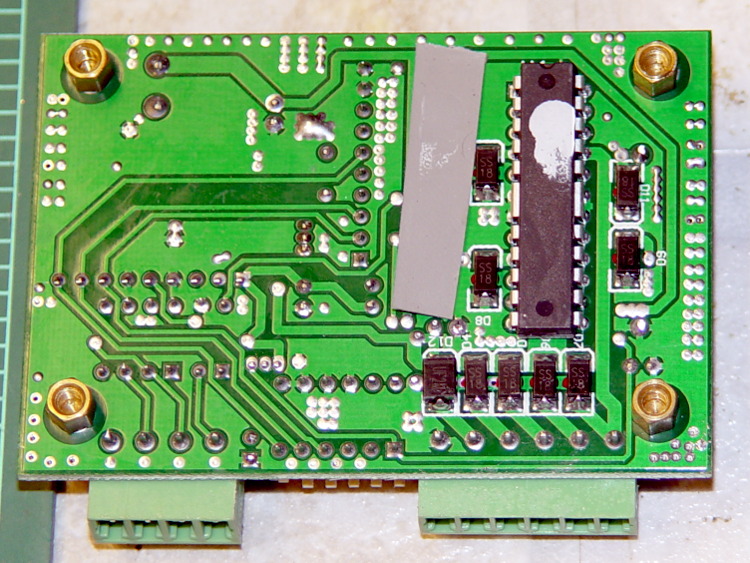
Being in the market for some more-or-less industrial stepper driver bricks, here’s a summary of what’s currently available on eBay from the usual vendors, copied-and-pasted directly from the descriptions with some fluff removed:
M542 Stepper Driver Board Controller
Supply voltage from 20V DC to 50V DC
Output current from 1.0A to 4.5A
Self-adjustment technology, full to half current self-adjustment when motors from work to standstill via switching off SW4
Pure-sinusoidal current control technology
Pulse input frequency up to 300 KHz
TTL compatible and optically isolated input
Automatic half-current reduction as long as switching off SW4 when motors stop
16 selectable resolutions in decimal and binary, up to 51,200 steps/rev
Suitable for 2-phase and 4-phase motors
Support PUL/DIR and CW/CCW modes
Short-voltage, over-voltage, over-current and short-circuit protection, protect the PC, motors, driver etc from being damaged
M542H Stepper Driver Board Controller
Supply voltage from 20V DC to 100V DC
Output current from 1.0A to 4.5A
Self-adjustment technology, full to half current self-adjustment when motors from work to standstill via switching off SW4
Pure-sinusoidal current control technology
Pulse input frequency up to 300 KHz
TTL compatible and optically isolated input
Automatic half-current reduction as long as switching off SW4 when motors stop
16 selectable resolutions in decimal and binary, up to 51,200 steps/rev
Suitable for 2-phase and 4-phase motors
Support PUL/DIR and CW/CCW modes
Short-voltage, over-voltage, over-current and short-circuit protection, protect the PC, motors, driver etc from being damaged
2M542 Stepper Driver Board Controller
Suitable for 2-phase hybrid stepper motors (Outer diameter: 57,86mm)
H bridge bipolar constant phase flow subdivision driver
In round numbers, the M542 seems to be the basic driver for NEMA 17 / 23 /34 steppers. Remember that current isn’t proportional to frame size.
The M542H has a higher voltage limit that may be more useful with larger / multiple-stack motors; higher voltage = higher di/dt for a given inductance = same di/dt for higher inductance.
The 2M542 seems to be slightly different from both of its siblings: higher minimum voltage, slightly lower maximum current, slower step frequency. Many of the listings apply both M542 and 2M542 to the same hardware in the same listing, so it’s not clear what you’d get in the box. Ask first, trust-but-verify?
The MA860H seems appropriate for NEMA 34 / 42 and up , due to the much higher minimum current.
The 2M420 seems to be intended for NEMA 17 /23 class steppers. It’s not available from nearly as many suppliers.
The 2M982 looks like another NEMA 34 /42 and up driver.
The DM1182 seems strictly from industrial, but if you don’t know what you need, it’s a do-it-all killer.
As with all eBay listings, the picture need not match the description and neither may match what actually arrives in the box from halfway around the planet.
We recently replaced a defunct can opener with an OXO opener that removes can lids without creating razor-sharp edges. Unfortunately, the knob doesn’t agree well with Mary’s hand, so I laid out a prototype doorknob-shaped cap (and also removed all the can lids that confronted her):
OXO Can Opener Knob
It prints in four parts: the flat cover and three pillars, with two filament snippets aligning each pillar. The internal openings of this model do not fit the OXO knob’s lobes correctly; a Dremel sanding drum worked wonderfully well to make it fit. The next version should have much smaller pillar bases with a bit more clearance at the top: measurements from the as-adapted pillars will be in order.
Gluing everything together once again justifies having Too Many Clamps:
OXO Can Opener – gluing knob cover
I intended to secure cap to knob with 2-56 screws in those recessed holes and even went so far as to flatten the top of the knob’s lobes in preparation for drilling:
OXO Can Opener – knob flats
However, Dragorn of Kismet gave me a few packets of only slightly outdated Sugru (a great idea that’s far too spendy and short-lived for my shop) that solved the problem:
OXO Can Opener – knob cover with silicone tape
The silicone tape wrap greatly improves the griptitude.
Early returns indicate this works reasonably well, but the top should be more rounded and tapered. It goes without saying that black filament would be much less ugly…
The OpenSCAD source code, with the caveat that the as-printed knob won’t fit without considerable abrasive adjustment:
// OXO Softworks Can Opener
// Enlarged & rounded knob
// Ed Nisley KE4ZNU December 2012
include </mnt/bulkdata/Project Files/Thing-O-Matic/MCAD/units.scad>
include </mnt/bulkdata/Project Files/Thing-O-Matic/Useful Sizes.scad>
// Layout options
Layout = "Cap";
// Overall layout: Build1 Build2
// Parts: Cap Knob
//- Extrusion parameters must match reality!
// Print with +1 shells and 3 solid layers
ThreadThick = 0.25;
ThreadWidth = 2.0 * ThreadThick;
HoleWindage = 0.2;
function IntegerMultiple(Size,Unit) = Unit * ceil(Size / Unit);
Protrusion = 0.1; // make holes end cleanly
//----------------------
// Dimensions
TriLobeRad = 37.5; // radius: center to end of lobe
TriLobeOD = 2*TriLobeRad;
TriLobePeakRad = 23.0; // radius: center to peak height
TriLobeHeight = 22.5;
WingArcRad2 = 48; // Arc between knob lobes, top
WingArcRad1 = WingArcRad2 - 5; //
WingArcOffset = 14.0; // Knob center to arc2 radius
KnobOD1 = 70; // maximum dia without chamfer
KnobOD2 = 65; // top dia
KnobSides = 3*4; // maintain 3-side symmetry
DomeHeight = 8; // dome shape above lobes
KnobHeight = DomeHeight + TriLobeHeight;
DomeOD = KnobOD2 + (KnobOD1 - KnobOD2)*(DomeHeight/KnobHeight);
DomeArcRad = (pow(KnobHeight,2) + pow(DomeOD,2)/4) / (2*DomeHeight);
ScrewDia = Tap2_56;
ScrewHeadDia = Head2_56;
ScrewBase = 0.6*DomeHeight - Head2_56Thick;
AlignPinDia = 3.0;
AlignPinCircleRad = 0.55*(WingArcOffset + KnobOD2/2);
AlignPinDepth = 3.0;
//----------------------
// Useful routines
module PolyCyl(Dia,Height,ForceSides=0) { // based on nophead's polyholes
Sides = (ForceSides != 0) ? ForceSides : (ceil(Dia) + 2);
FixDia = Dia / cos(180/Sides);
cylinder(r=(FixDia + HoleWindage)/2,
h=Height,
$fn=Sides);
}
module ShowPegGrid(Space = 10.0,Size = 1.0) {
Range = floor(50 / Space);
for (x=[-Range:Range])
for (y=[-Range:Range])
translate([x*Space,y*Space,Size/2])
%cube(Size,center=true);
}
//-------------------
// Component parts
module TriKnob() {
intersection() {
difference(convexity=3) {
translate([0,0,-Protrusion])
cylinder(r=TriLobeRad,h=(TriLobeHeight + 2*Protrusion));
for (i=[-1:1])
rotate(i*120)
translate([(WingArcOffset + WingArcRad2),0,-TriLobeHeight/2])
cylinder(r1=WingArcRad1,r2=WingArcRad2,h=2*TriLobeHeight);
}
translate([0,0,TriLobeHeight/2])
cube([2*KnobOD1,2*KnobOD2,TriLobeHeight],center=true);
}
}
module KnobCap() {
difference() {
intersection() {
translate([0,0,(KnobHeight-DomeArcRad)])
rotate(180/KnobSides)
sphere(r=DomeArcRad,$fa=180/KnobSides);
difference(convexity=4) {
rotate(180/KnobSides)
cylinder(r1=KnobOD1/2,r2=KnobOD2/2,h=KnobHeight,$fn=KnobSides);
TriKnob();
}
rotate(180/KnobSides)
cylinder(r1=KnobOD2/2,r2=KnobOD1/2,h=KnobHeight,$fn=KnobSides);
}
for (i=[-1:1])
rotate(i*120) {
translate([-TriLobePeakRad,0,0]) {
PolyCyl(ScrewDia,KnobHeight);
translate([0,0,TriLobeHeight + ScrewBase])
PolyCyl(ScrewHeadDia,KnobHeight);
}
}
for (i=[-1:1]) for (j=[-1,1])
rotate(i*120 + j*(270/KnobSides))
translate([AlignPinCircleRad,0,(TriLobeHeight - AlignPinDepth - Protrusion)])
PolyCyl(AlignPinDia,2*(AlignPinDepth + Protrusion));
}
}
//----------------------
// Build it!
ShowPegGrid();
if (Layout == "Cap")
difference() {
KnobCap();
cylinder(r=KnobOD1,h=Protrusion/2,center=true);
}
if (Layout == "Knob")
TriKnob();
if (Layout == "Build1")
translate([0,0,-TriLobeHeight])
difference() {
KnobCap();
translate([0,0,(TriLobeHeight - Protrusion)/2])
cube([2*KnobOD1,2*KnobOD2,TriLobeHeight+Protrusion],center=true);
}
if (Layout == "Build2")
translate([0,0,TriLobeHeight])
rotate([180,0,0])
difference() {
KnobCap();
translate([0,0,(TriLobeHeight + TriLobeHeight/2)])
cube([2*KnobOD1,2*KnobOD2,TriLobeHeight],center=true);
}
Our Larval Engineer received a logic probe / pulser set for Christmas:
RSR Logic Probe Pulser Set – with formed covers
They’re the low-cost RSR-611 and -620 from the usual eBay vendor, not my ancient HP10525/10526 set, but they should suffice. Perhaps nobody uses logic probes these days, what with most of the parts being too small for even a needle tip, but …
Anyhow, they didn’t have caps over the sharp probe tips, so I rummaged around until I found the stash of cigar tubes (some of which went into that air flow straightener) that were about the right size. I thought about 3D printing an adapter between tubes and probes:
RSR Probe Cap Adapter – solid model
It’s actually a subtractive kind of thing, with a model of the probe tip subtracted from a suitable cylindrical object:
RSR Logic Probe – solid model
But then I realized the tubes were thermoplastic, held each one over a stove burner until the open end went transparent and droopy, rammed it down over the probe tip, and trimmed off the ragged edge. Worked fine, fits securely, and even looks pretty good:
RSR Covers – detail
I’ll never print the adapters, but maybe one of us will tweak the model to do something else…
The OpenSCAD source code:
// RSR Logic Probe / Pulser Cap
// Ed Nisley KE4ZNU December 2012
// Adapts cigar tube to probe body
// Layout options
Layout = "Build";
// Overall layout: Show Build
// Parts: Probe
//- Extrusion parameters must match reality!
// Print with +1 shells and 3 solid layers
ThreadThick = 0.25;
ThreadWidth = 2.0 * ThreadThick;
HoleWindage = 0.2;
function IntegerMultiple(Size,Unit) = Unit * ceil(Size / Unit);
Protrusion = 0.1; // make holes end cleanly
//----------------------
// Dimensions
ProbeDia = 18.0; // dia of main body
ProbeTipDia = 6.8; // dia at end of plastic cone
ProbeTipLen = 30.0; // length of metal ferrule + tip
ProbeConeLen = 17.5; // cone taper length
TubeOD = 17.25;
TubeWall = 0.50;
TubeID = TubeOD - 2*TubeWall;
TubeLen = 15; // slip fit over tube body
BodyLen = 20; // slip fit over probe body
WallThick = 3.5*ThreadWidth; // basic adapter wall thickness
AdapterLen = TubeLen + BodyLen;
AdapterOD = ProbeDia + 2*WallThick;
AdapterSides = 4*4;
//----------------------
// Useful routines
module PolyCyl(Dia,Height,ForceSides=0) { // based on nophead's polyholes
Sides = (ForceSides != 0) ? ForceSides : (ceil(Dia) + 2);
FixDia = Dia / cos(180/Sides);
cylinder(r=(FixDia + HoleWindage)/2,
h=Height,
$fn=Sides);
}
module ShowPegGrid(Space = 10.0,Size = 1.0) {
Range = floor(50 / Space);
for (x=[-Range:Range])
for (y=[-Range:Range])
translate([x*Space,y*Space,Size/2])
%cube(Size,center=true);
}
module Probe() {
union() {
cylinder(r=((ProbeDia + HoleWindage)/2),
h=(BodyLen + 1.2*Protrusion),$fn=2*AdapterSides);
translate([0,0,(BodyLen + Protrusion)])
cylinder(r1=(ProbeDia + HoleWindage)/2,
r2=ProbeTipDia/2,
h=ProbeConeLen,$fn=2*AdapterSides);
cylinder(r=ProbeTipDia/2,h=(BodyLen + ProbeConeLen + ProbeTipLen),$fn=2*AdapterSides);
}
}
module ProbeSleeve() {
difference() {
cylinder(r=AdapterOD/2,h=AdapterLen);
translate([0,0,-Protrusion])
Probe();
PolyCyl((TubeOD + HoleWindage),(AdapterLen + Protrusion),2*AdapterSides);
}
}
//----------------------
// Build it!
ShowPegGrid();
if (Layout == "Show")
ProbeSleeve();
if (Layout == "Build")
translate([0,0,AdapterLen])
rotate([180,0,0])
ProbeSleeve();
if (Layout == "Probe")
Probe();