Ed Nisley's Blog: Shop notes, electronics, firmware, machinery, 3D printing, laser cuttery, and curiosities. Contents: 100% human thinking, 0% AI slop.
My version of the Handi-Quilter HQ Sixteen grip control caps requires some assembly:
Control Button Caps – solid model – build view
Getting the OEM caps off the handlebars required carefully applying torque through a strap wrench, but they eventually came free:
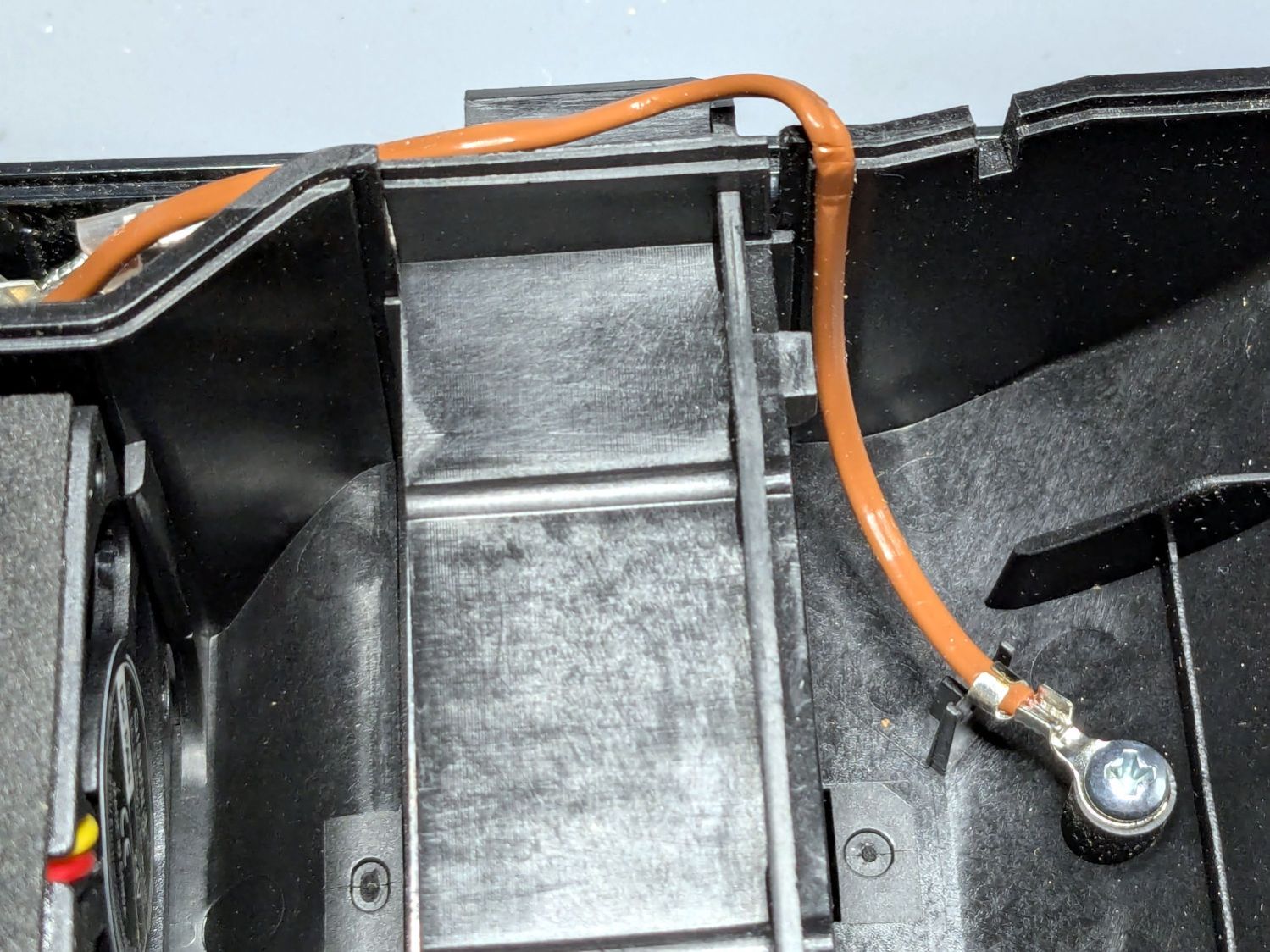
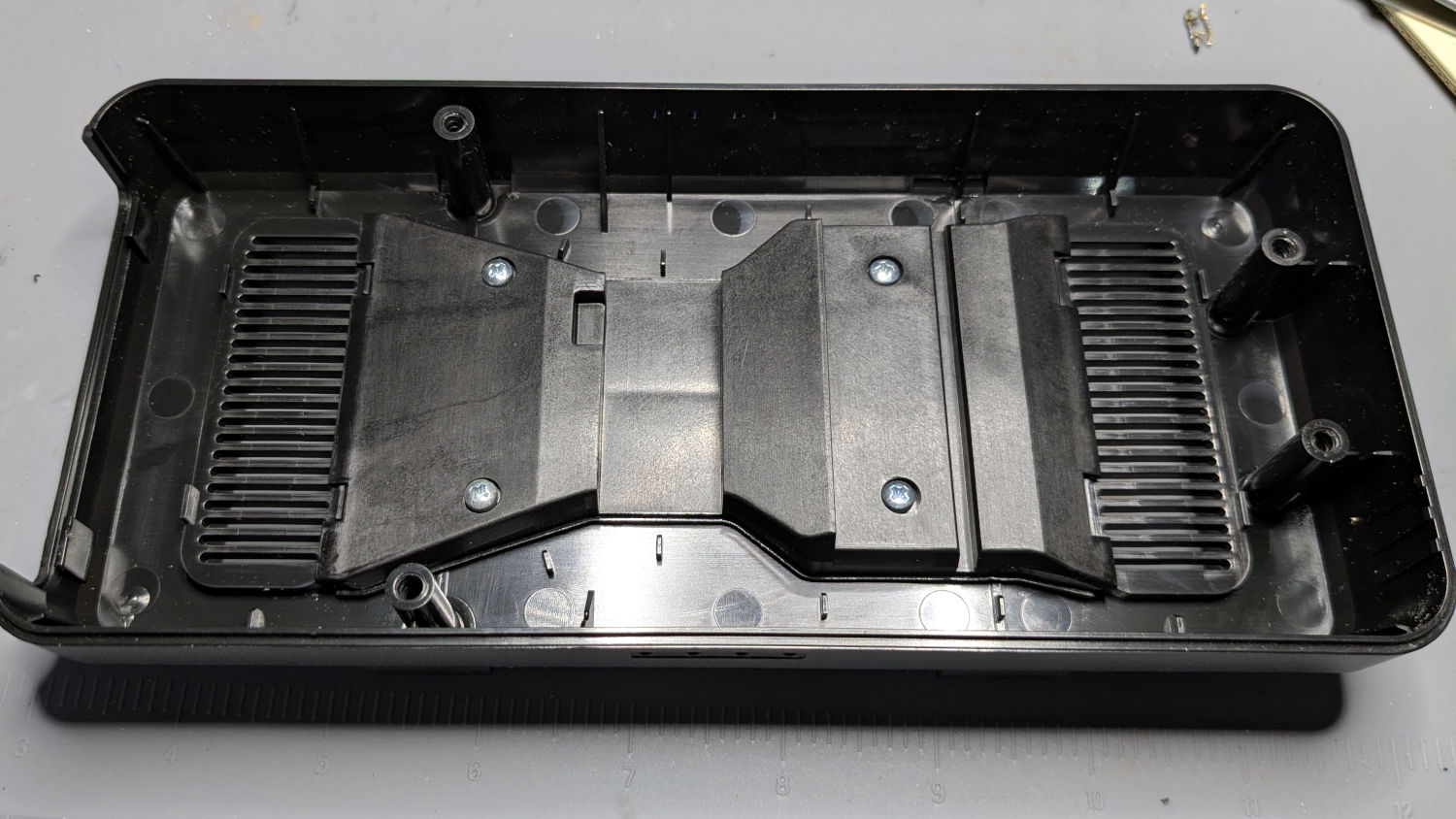
HQ Sixteen – OEM grip cap – screw holes
I don’t know what the unused screw hole between the two gnarly holes was for; perhaps they discovered one hole was inadequate.
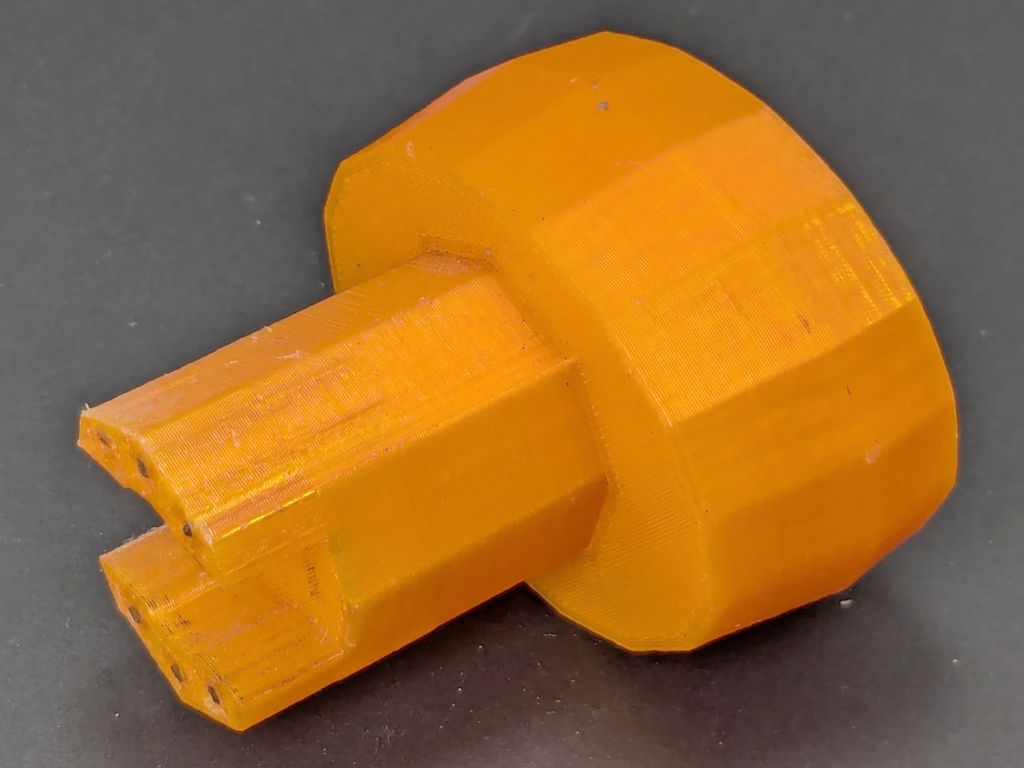
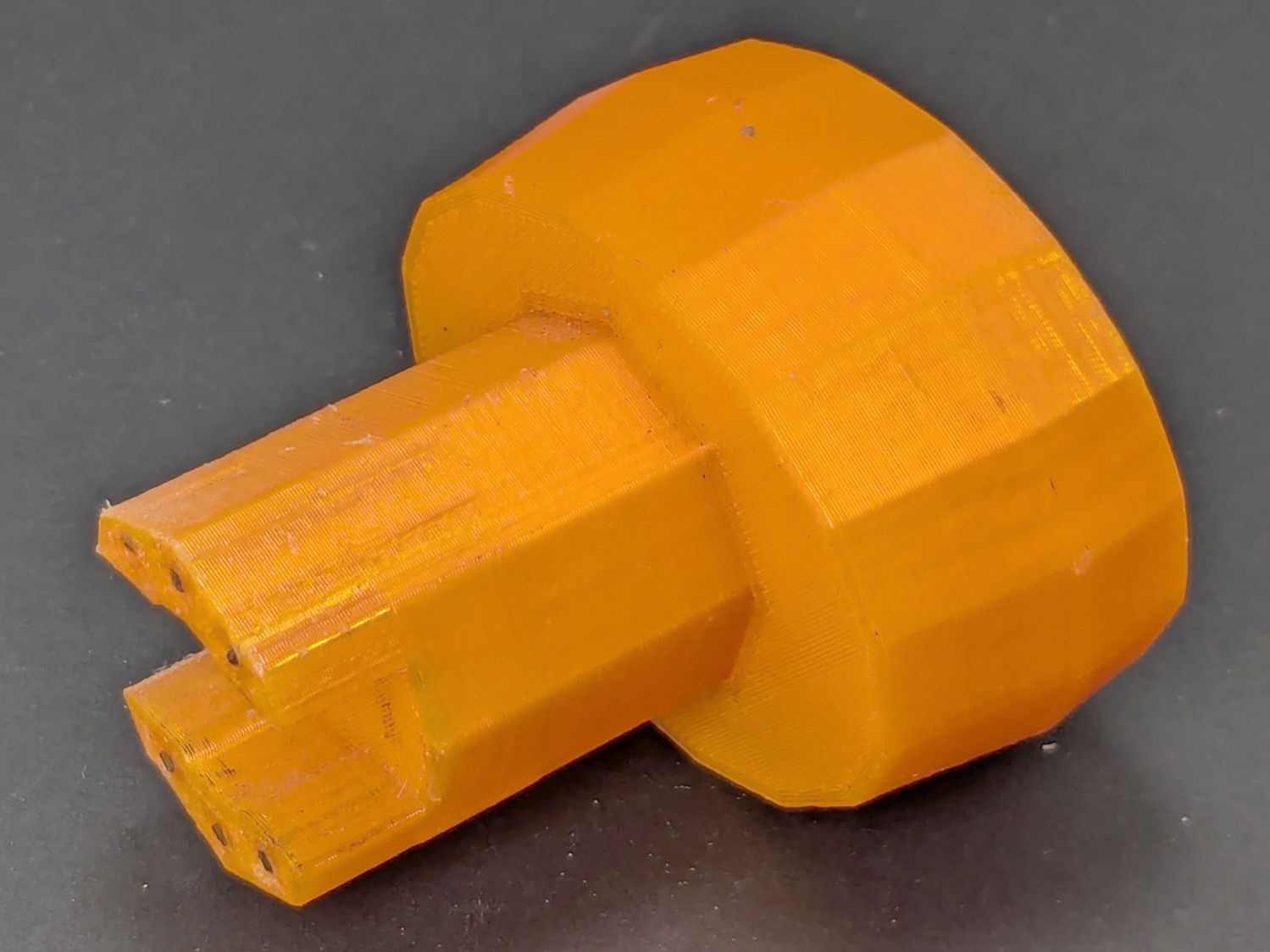
The alert reader will note the two screw holes are not the same distance from the end of the tube, which required rebuilding the plug model to match:
Control Button Caps – solid model – plug holes
Which is why I didn’t glue the plug into the cap before I got the OEM caps off.
Redrill the tube holes to 3 mm, file the burrs from both the OEM and my drilling, smooth the edges, and the plug fit perfectly. Then I seated the M3 square nuts behind those hole and, after installing the new plugs in the handlebars, glued the caps in place with a simple fixture to ensure the front faced forward:
– HQ Sixteen – grip cap faceplate gluingHQ Sixteen – grip cap gluing
The clamp gently compresses the foam enough to hold the flats against the bench block while the JB Plastic Bonder cures.
After verifying all the buttons worked, I glued the faceplates to the cap bodies:
HQ Sixteen – grip cap faceplate gluing
The tape held the faceplate in place while I snugged the clamps.
Modulo my weak graphic design skills, the caps look pretty good:
HQ Sixteen – grip cap installed – right
And, after a bit of wiring yet to be described, the buttons do exactly what their legends suggest:
HQ Sixteen – grip cap installed – left
The white sheet with feeble graphics can be peeled off, so I have another chance to tart it up.
The overall idea was to replace the failing Start/Stop switch while duplicating that switch on both caps. While I was at it, I also duplicated the Needle Up/Down button, because who wants asymmetric caps?
Mary is assembling another quilt and the new switches will get plenty of action …
Setting up the Makergear M2 to print TPU (eSun 95A) involved a cold pull to get the remaining PETG out of the nozzle, some manual flushing, then printing test cubes to figure out a reasonable speed / temperature combination:
Makergear M2 – first TPU test cube
A 10 mm solid cube came out overstuffed and the first 20 mm cube lacked enough infill to hold its top up, but the third cube looked surprisingly good at 230 °C and 30 mm/s with 15% 3D Honeycomb infill:
Makergear M2 – TPU test cubes
With that settled, I conjured pairs of soft (-ish) jaw pads for the far-too-many metal spring clamps having worn out their vinyl pads:
Spring clamp jaws – installed
Those were the first attempt and worked well enough to suggest nicely rounded endcaps instead of flat cylinders:
Spring Clamp Jaws – show view
Unlike the first version, they now build standing on their rectangular clamp jaw opening:
Spring Clamp Jaws – show view
Those two groups have different lengths (1 inch and 1-⅛ inch) with PrusaSlicer combining the OpenSCAD program’s output.
The as-built pads are essentially un-photographable:
Spring clamp jaws – group build
TPU is tough enough to make the single-layer brim un-tearable, but they’re easy enough to separate & trim with scissors. Even the 5 mm brim has a tenuous grip on glass + Suave hair “spray” applied from a dropper bottle, so I should try a BuildTak sheet that’s been on the to-do pile for far too many years.
Similarly, TPU is flexy enough to make a precise fit unnecessary: push firmly to force the pads onto the jaws and you’re done.
This file contains hidden or bidirectional Unicode text that may be interpreted or compiled differently than what appears below. To review, open the file in an editor that reveals hidden Unicode characters.
Learn more about bidirectional Unicode characters
There being nothing like a good new problem to take one’s mInd off one’s old problems, I set the Makergear M2 to printing TPU and made a washer for the Champion Hose Nozzle:
Champion hose nozzle – TPU vs rubber washers
It turns out PrusaSlicer can produce models for simple shapes using the Shape Gallery. Subtracting a 7.5 mm cylinder (as a “negative shape”) from a 12.7 mm = ½ inch cylinder does the trick, with the washer all of 2.5 mm thick.
The ID of the thread inside the nozzle is slightly smaller than 12.7 mm, but TPU is bendy enough to let me push it through sideways and reorient it against the front of the nozzle.
The conical part of the nozzle seals against the washer, leaving only a very slight ooze of water, and opens far enough to produce a jet. The TPU is solid enough to not vibrate in the flow and the nozzle no longer howls at low flow rates.
None of the other nozzles in the box have a washer up in there, so they all depend on a much better machined fit than I achieved.
At least the Champion nozzle is once again usable, should it ever emerge from the bottom of the box.
Last week a wind gust blew my Tour Easy over while resting on its kickstand at Mary’s garden; I rarely depend on the kickstand for that very reason, but some days are like that. Anyhow, the mount for the Sony AS30V helmet camera did exactly what it should by releasing the camera, rather than grinding it into the ground.
I was still using that helmet, albeit with a better mirror mount, but it was getting rather crusty and the hook-n-loop straps were definitely sun-faded, so I built a better mount with an adapter plate matching a new-old-stock helmet from the stash:
Sony AS30V Helmet mount – side view
The white slab atop the helmet curves to match the helmet contour, with the ridge fitting into the vent slot:
AS30 helmet mount – solid model – show view
OK, the helmet isn’t orange, but you get the idea. The sphere has a 153 mm radius, calculated from the Official Sony helmet mount’s bottom curve, minus a ring shaping the central groove:
AS30 helmet mount – solid model – tab ring
This upside-down view shows the interesting parts:
AS30 helmet mount – solid model
The flat side sticks to the camera’s holder with a custom-cut sheet of craft adhesive shaped like this:
AS30 helmet mount – glue
The overall outline of those things comes from a scan of the bottom of the Sony camera holder, passed through Inkscape and LightBurn to generate the curves:
AS30 Baseplate scan
The large notches in the sides pass hook-n-loop straps intended to break away when the helmet hits the ground again. The front tunnel (of two, because symmetry) passes a cable tie preventing the camera from parting company with the mount during normal riding and holding the yellow latch in the Locked position:
Sony AS30V Helmet mount – rear view
It is just barely possible to slide the cable tie over the front of the camera to release the latch.
The camera rides upside-down to protect the lens from scuffs and scrapes. Fortunately, there’s a setting to invert the picture.
For completeness, the front view:
Sony AS30V Helmet mount – front view
The furry patch covers the microphone pores to kill (most of) the wind noise.
The sharp ventral angle matches the helmet’s midline ridge in the back, but obviously isn’t needed over the vent hole in the front. I decided to not bother making a comprehensive model of the hole, not least because I didn’t really know the camera’s exact front-to-back location.
The OpenSCAD source code and baseplate shape as a GitHub Gist:
This file contains hidden or bidirectional Unicode text that may be interpreted or compiled differently than what appears below. To review, open the file in an editor that reveals hidden Unicode characters.
Learn more about bidirectional Unicode characters
This file contains hidden or bidirectional Unicode text that may be interpreted or compiled differently than what appears below. To review, open the file in an editor that reveals hidden Unicode characters.
Learn more about bidirectional Unicode characters
I replaced both screws with stainless steel 1-½ 10-32 socket head screws, with a reshaped head on the drive side, and we’ll see how long these last.
A few days later the continuing creak led to finding a broken gear clamp on the left side of the seat back:
Tour Easy – replacement seat frame clamp
Apart from the atypical lack of grime, you couldn’t tell that’s the replacement clamp, because the broken one looked exactly the same way. The clamp strap broke where it bent around the bottom edge of the seat pan bracket, probably due to the flexing caused by the broken seat stay screw.
A bird box from long ago emerged from the heap and took its place in an upstairs window:
Bird Box window mount – installed
That big open back held an acrylic sheet letting us watch wrens raise their family; snugging it against the window makes that sheet superfluous. We’re hoping to lure the Wreath Finches from their preferred spot by the front door, but we’re open to any birds in need of a nesting spot.
The aluminum angle formerly securing the box to various wood window frames wasn’t going to work here, so I conjured a pair of rotating T-nuts to fit the track in the plastic window frame:
Bird Box window mount – nuts
They’re made from a 5/16-18 T-nut and two layers of 3 mm plywood, all glommed together with E6000-Plus adhesive because it did not scamper out of the way when I opened the Adhesives Cabinet.
Some doodling convinced me a pair of quarter-circles welded back-to-back, minus cutouts for the metal T-nuts, would suffice:
Bird Box window mount – nuts
The radius must be a little less than the width of the opening into the channel (20 mm) and the diameter must be a little more than the width of the channel behind that opening (32-ish mm), so I picked 17 mm. The metal T-nut flange is just over 20 mm, but the spike cutouts (omitted from the LightBurn layout) let it slip through the opening.
A random block of wood positions the box away from the frame enough to clear the outermost flange carrying the screen. Drilling oversize ⅜ inch holes countersunk the top of the T-nut into the block and eliminated excessive alignment fussiness.
Slicing 20 mm off the bolts fit them into the space available, with a pair of stainless washers covering the gaps.
A doodle with measurements you won’t need, but surely handy for mounting something else around here:
An email discussion suggested the Champion hose nozzle might, once upon a time, have had a washer between the conical and cylindrical sections.
So I made one:
Champion hose nozzle – rubber washer
The details:
OD = ½ inch
ID = 9/32 inch
2.5 mm stamp pad rubber
It sealed perfectly, but, just before shutting off, the washer vibrated in the water flow and gave off an ear-shattering (even to my deflicted hearing) howl.
Perhaps a stiffer and thinner washer with a slightly larger OD would work better.
A quick check of similar nozzles in the Box o’ Hydraulics shows none of them feel like they have a compliant washer in there, but any sufficiently old rubber will have long since fossilized.
This seems like a good job for a 3D printed washer with a conical face, made from slightly squishy TPU plastic to ease it past the nozzle’s internal threads. All I need is the ability to print TPU …