Ed Nisley's Blog: Shop notes, electronics, firmware, machinery, 3D printing, laser cuttery, and curiosities. Contents: 100% human thinking, 0% AI slop.
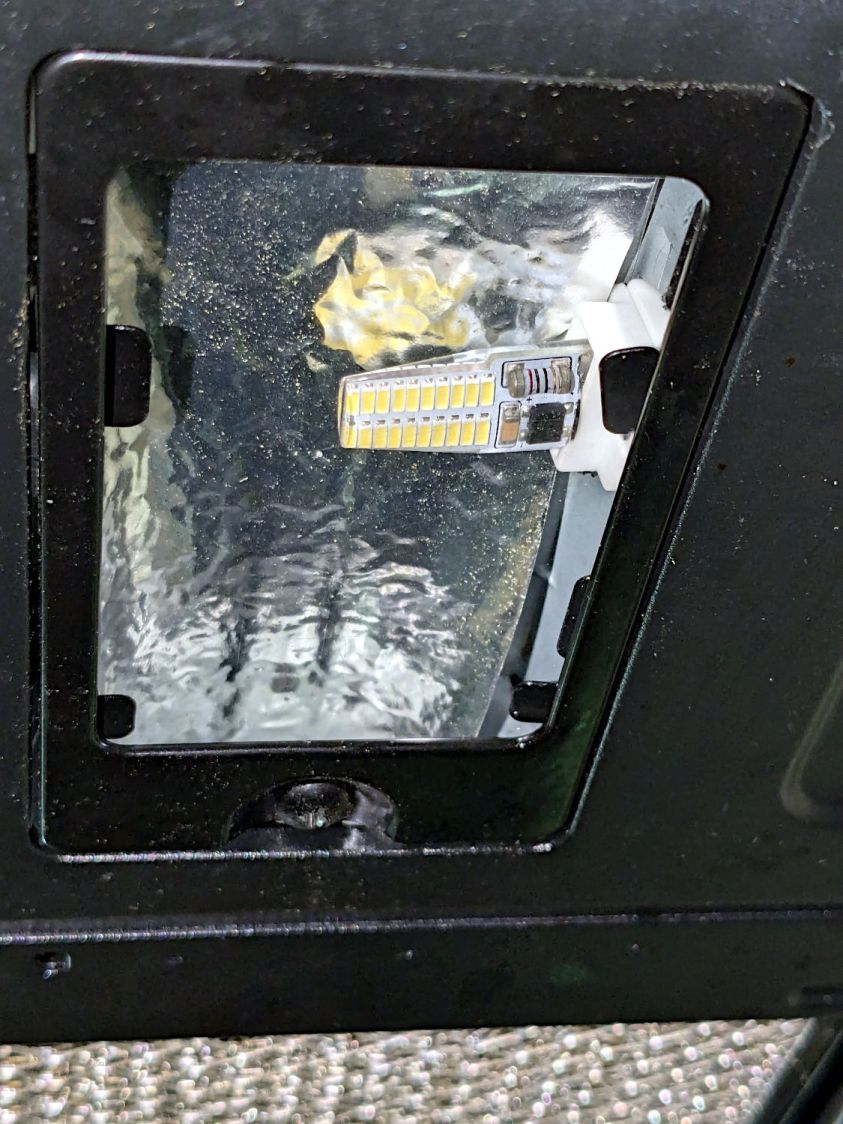
Those are not the best bulbs for the application, as they’re allegedly equivalent to 20-25 W halogens, but I had some on hand from a previous relamping project and they seemed promising.
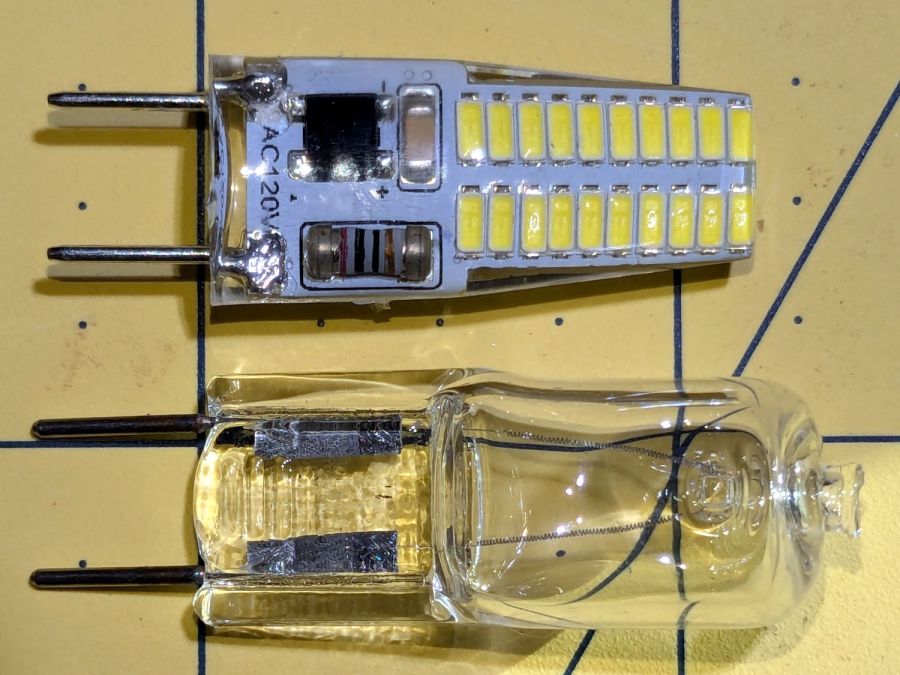
G8 halogens have a flattened section just above the pins that these G8 LED bulbs lack:
G8 halogen vs LED bulb – front view
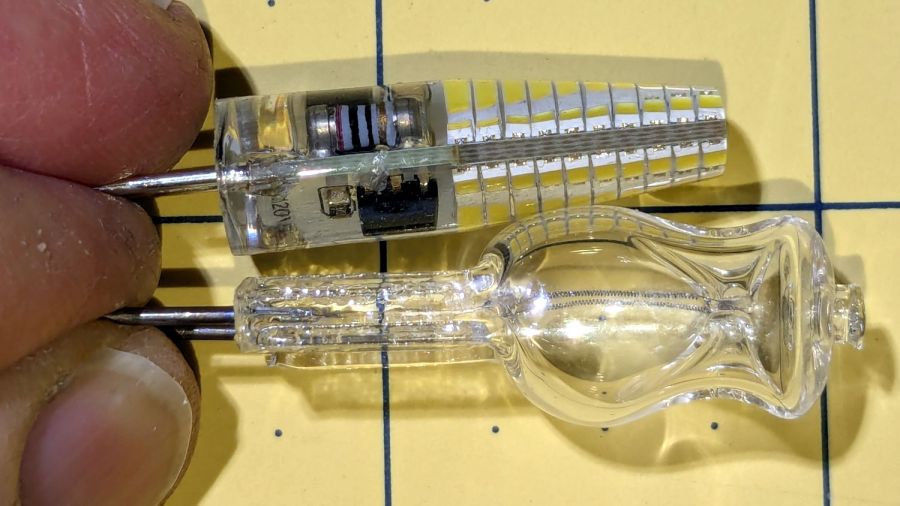
It’s more obvious from the side:
G8 halogen vs LED bulb – side view
The curvature of the soft silicone LED body magnifies the components to look like they fill all the available space, but a little deft X-acto knife work flensed the body down to fit the microwave’s ceramic socket without exposing any of the electrical innards.
Because the LEDs dissipate only 3 W and barely get warm, I replaced the original translucent glass diffuser panels with (yes, laser-cut) clear 3 mm acrylic, then tucked a strip of aluminized mylar above the bulb to bounce some of the light from the upper chips down where it would do more good. I think it’s possible to melt the acrylic with a stovetop mishap, but we don’t make those kinds of recipes.
They’re not daylight shining on the stove, but they’re much brighter than the halogens at maybe 10% of the power.
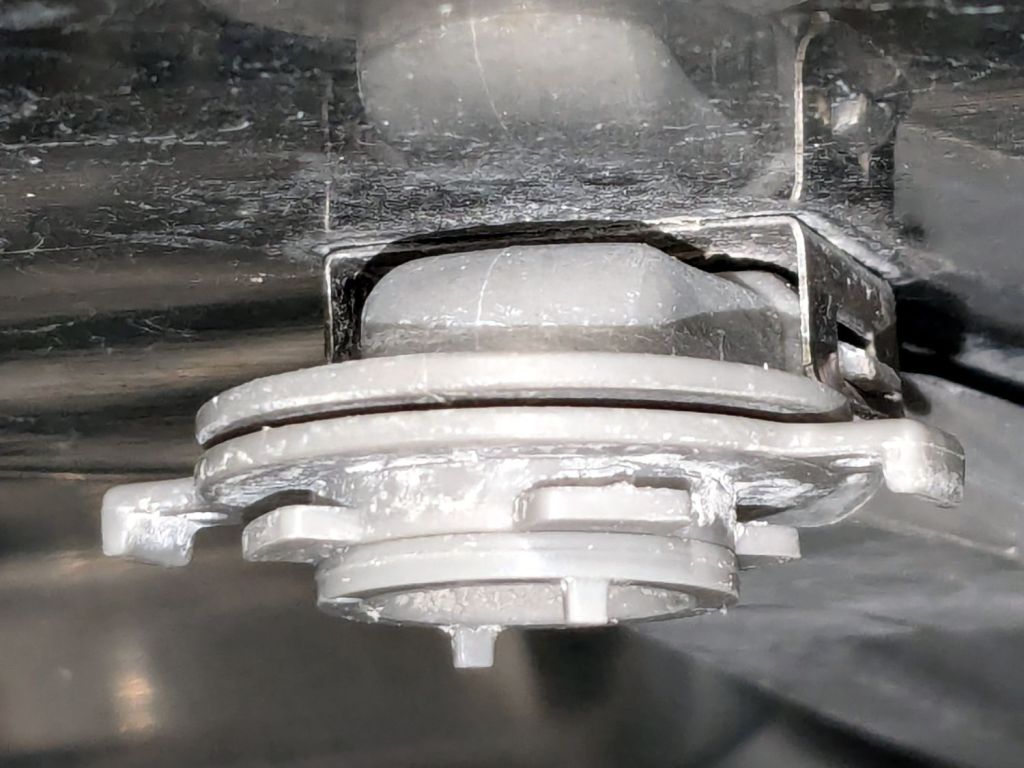
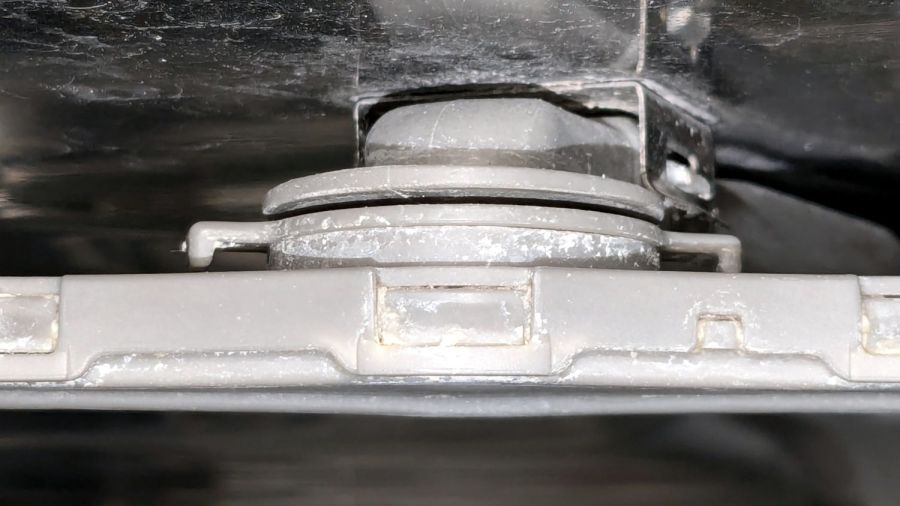
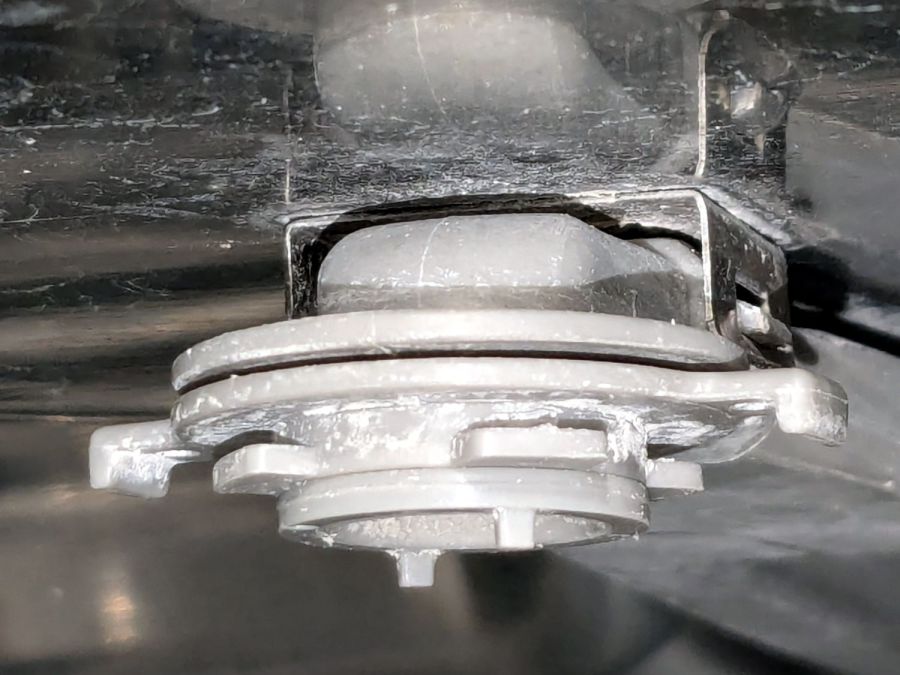
It comes apart by rotating the lock ring (the one with right-angle ears sticking out on either side) 1/8 turn in the other direction from whichever way you think it should rotate. Hold the spray bar, shove the ears, and the spray arm will drop off:
Samsung dishwasher top nozzle – unlocked
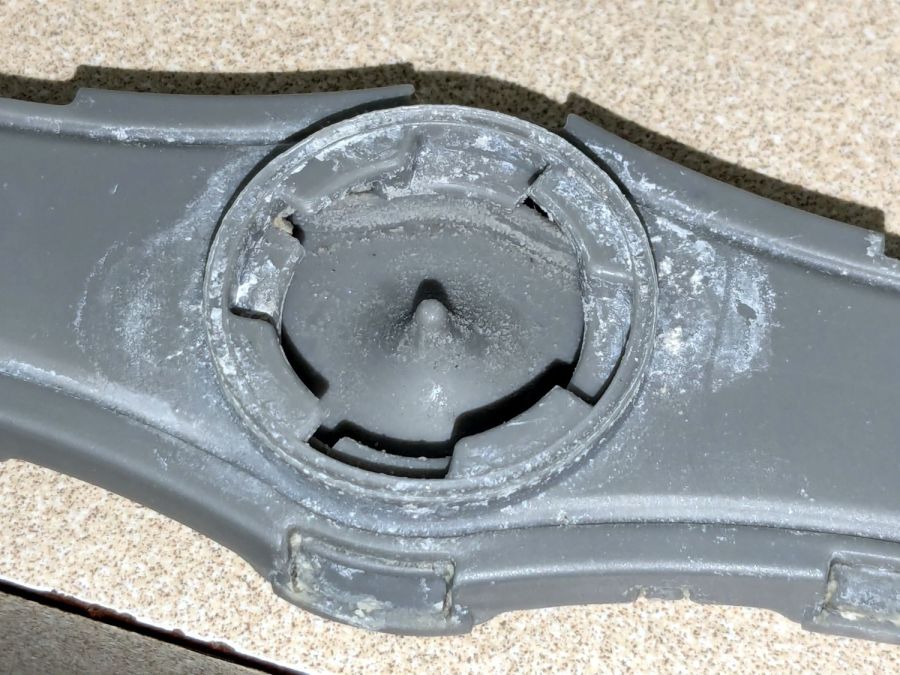
The inside of the spray bar shows the locking details:
Samsung dishwasher top nozzle – sprayer
Now, here’s the tricky part.
The small ring under the locking ring, the one with two square nubbins pointing downward, snaps onto the pipe carrying the water. There’s a shallow notch around the pipe, the inside of the ring has a shallow lip, and the ring holds the whole affair onto the pipe.
Contrary to what I thought, the two nubbins do not latch onto anything. Apparently, they hold the ring in the proper position relative to the arm’s interior and that’s it.
The only way to reassemble the arm is to snap the small ring into place, with the lock ring above it, then install the arm and turn the lock ring 1/8 turn the other way. You (well, I) cannot snap the assembled arm into place, because the nubbins don’t provide enough oomph to seat the small ring on the pipe.
Unless I write that down, I will never remember it …
Protip: Needle nose tweezers are invaluable for picking crud out of the nozzles. Iterate on picking and flushing with water until nothing more comes out, then expect to repeat the process several times as more crud emerges from the depths of the plumbing.
Although it is apparently possible to disassemble the spray arm by unlatching all the snaps along the edge, I’d reserve that for a moment when lives depended on unclogging the nozzles.
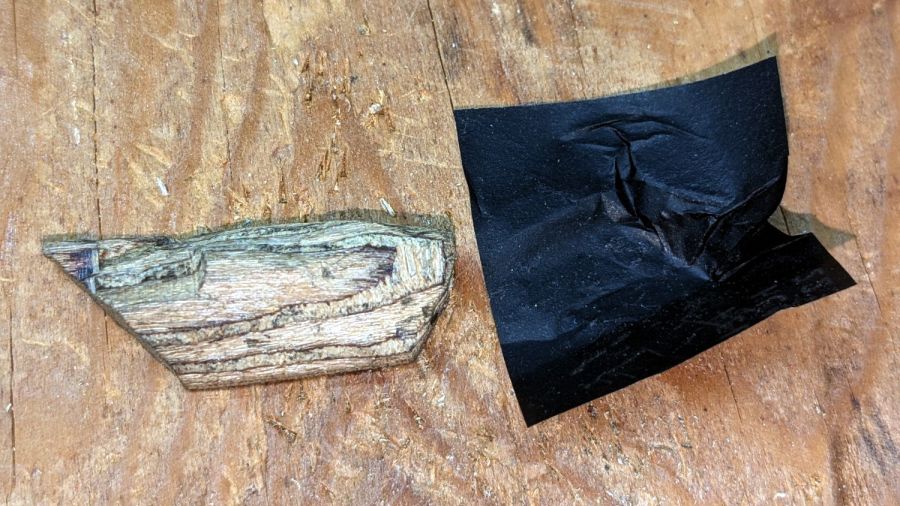
After whittling the wood to kinda-sorta go in there, I pressed it against snippets of carbon paper (remember carbon paper?) to mark the contact points and carve them off:
Wood desk chair – leg filler – carbon paper fitting
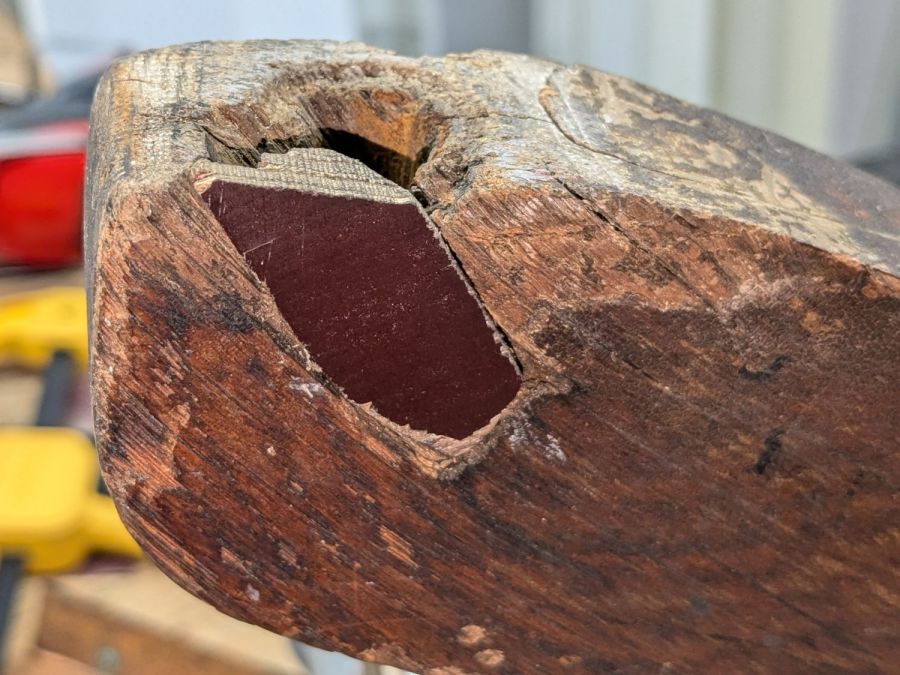
This occupied most of a SquidWrench remote meeting, but eventually sank it flush with the leg:
Wood desk chair – leg filler – side
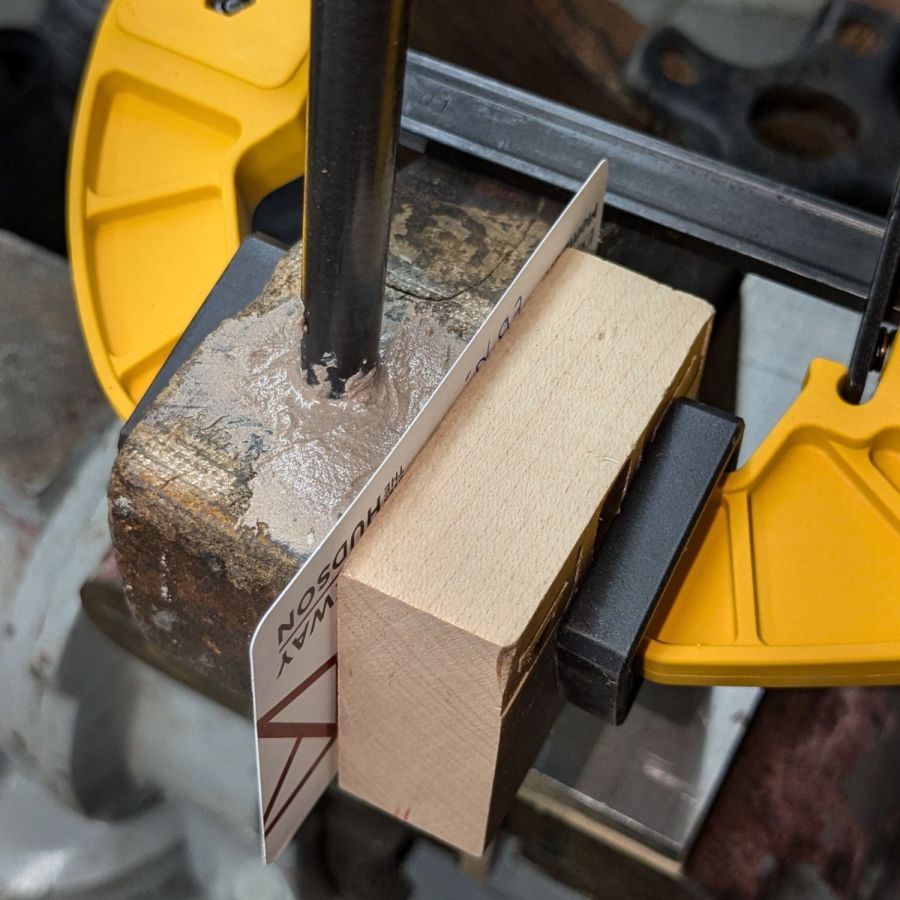
Now, that’s not the prettiest job you’ve ever seen, but it gets worse:
Wood desk chair – leg epoxy shaping
This time around, I tinted the epoxy with brown and black dye, which knocked the color back to something tolerable and increased the curing time well beyond the usual couple of hours. Fortunately, I wasn’t in a hurry and it was pretty much done by the next afternoon.
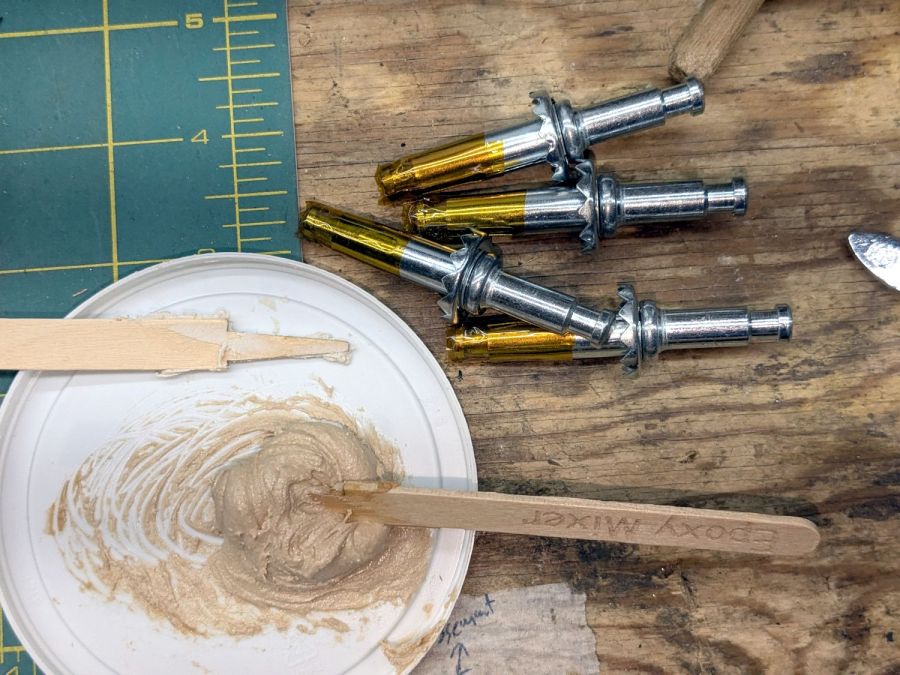
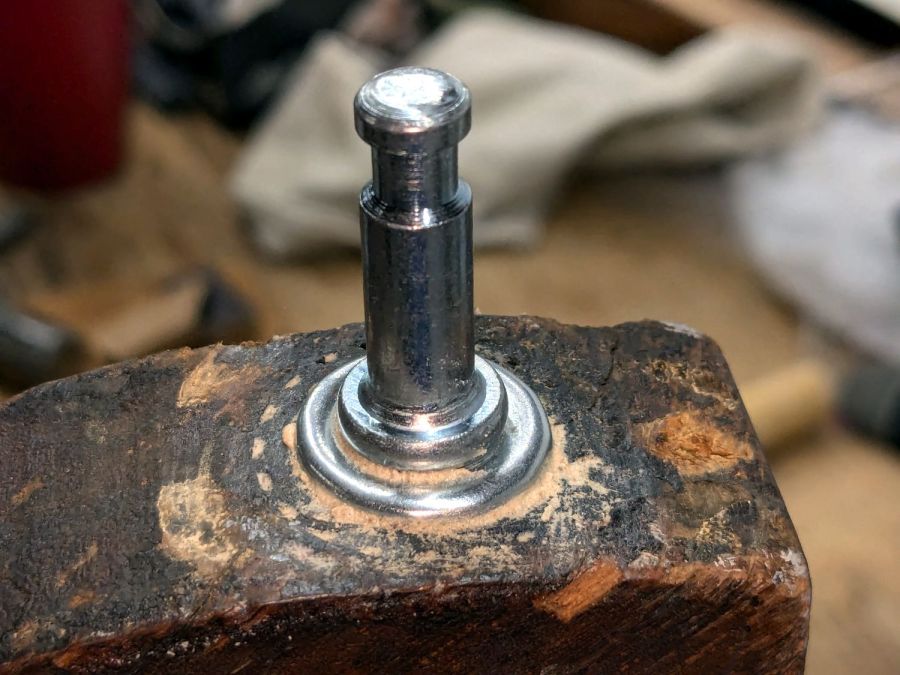
Whereupon I mixed up another bodacious batch of epoxy:
Wood desk chair – caster pin prep
The Kapton tape wrap kept (most of) the epoxy out of the end of the sockets. I buttered up the sockets just below their serrated heads and tapped them into the legs:
Wood desk chair – caster pin installed
Yeah, I wiped that down a little better before another overnight cure left the four pins firmly secured in their legs; the pins still rotate (albeit stiffly) in the sockets, although the casters really swivel on their pins.
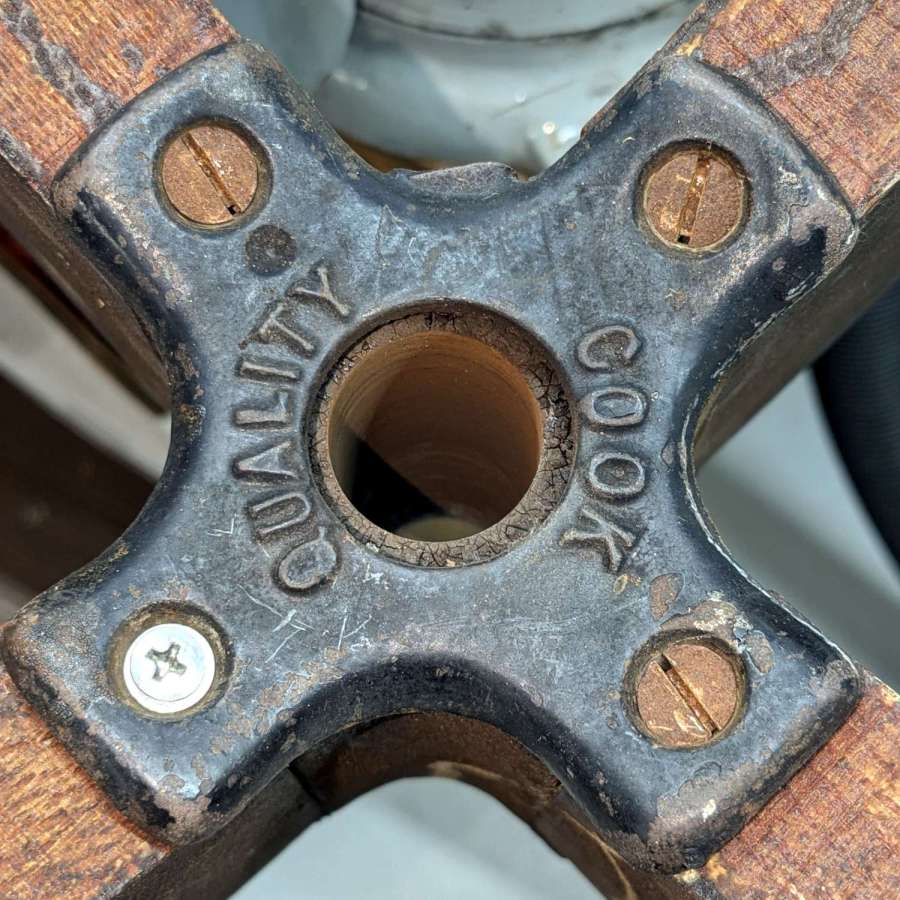
A cast iron fitting of the kind they just don’t make any more holds the legs in place:
Wood desk chair – bottom plate
My screw collection lacks chonky wood screws, but I doubt anybody will ever notice that shiny crosspoint screw.
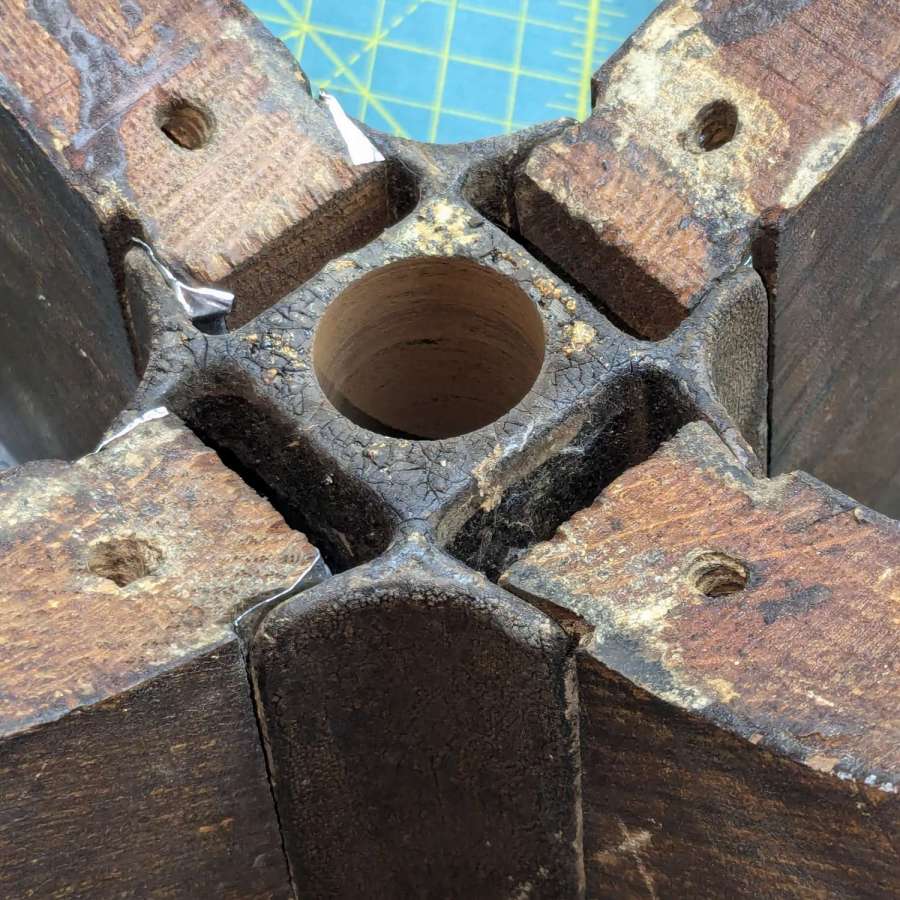
In any event, the plate holds the legs in tapered slots along the cast iron base that also guides the height adjusting leadscrew under the seat:
Wood desk chair – leg wedge shims
The wood dovetails in the legs were a bit worn / shrunken, so I shimmed them with two strips of 3.5 mil = 0.09 mm stainless steel tape on each side and tapped the legs into place with a plastic mallet. The steel is completely invisible from outside and the legs are magically solid, just like they should be.
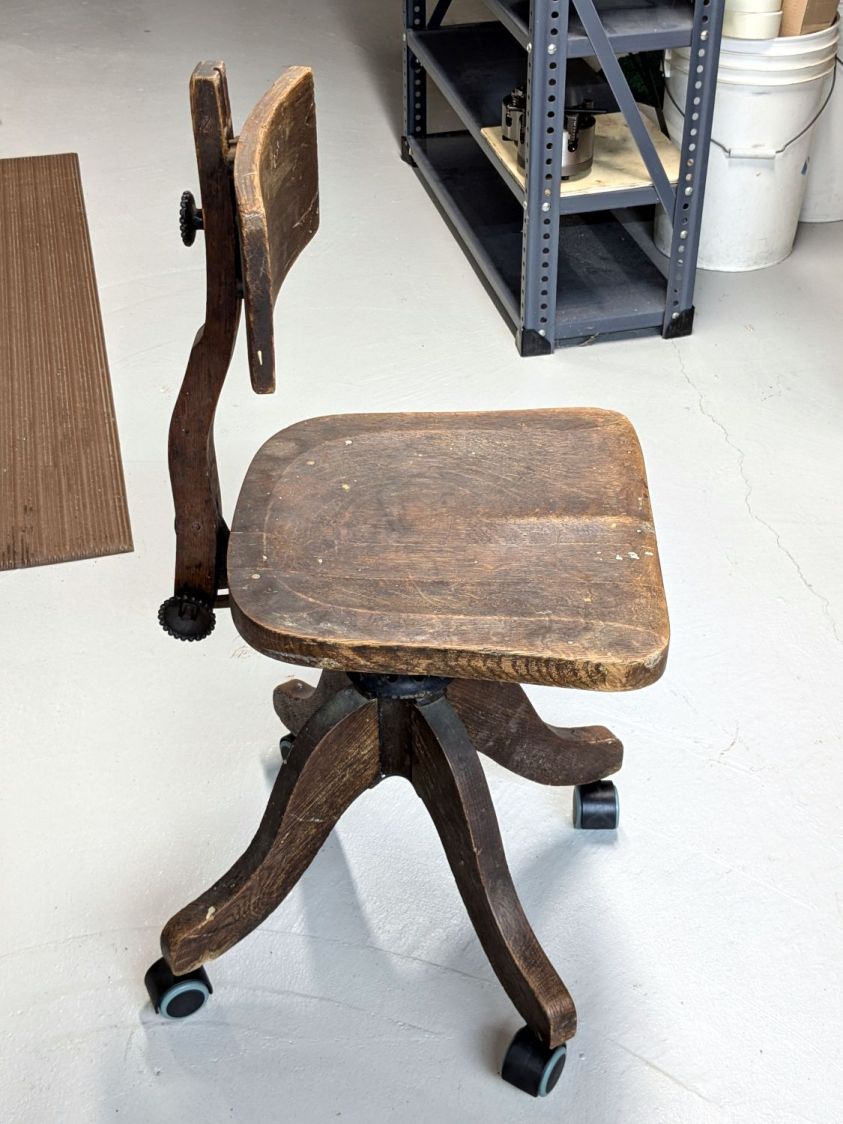
As expected, the new casters clash horribly with the chair’s classic style:
Wood desk chair – repaired
Somewhat to my surprise, it’s now undergoing a field test at Mary’s desk, where it replaces a chair she never liked. The seat adjusts down enough to let her feet reach the floor (which most modern chairs do not) and the edge doesn’t press on the back of her legs. We fiddled with the backrest height / angle / tension and it feels surprisingly good.
You gotta admire something with that kind of durability and repairability.
A good refinishing job would definitely improve its appearance, but that’s well beyond my abilities.
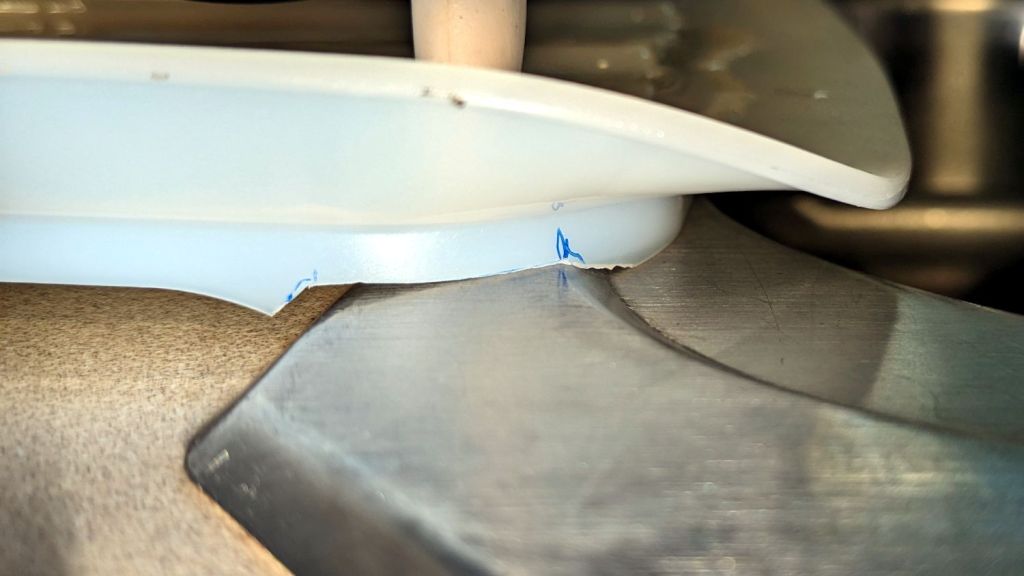
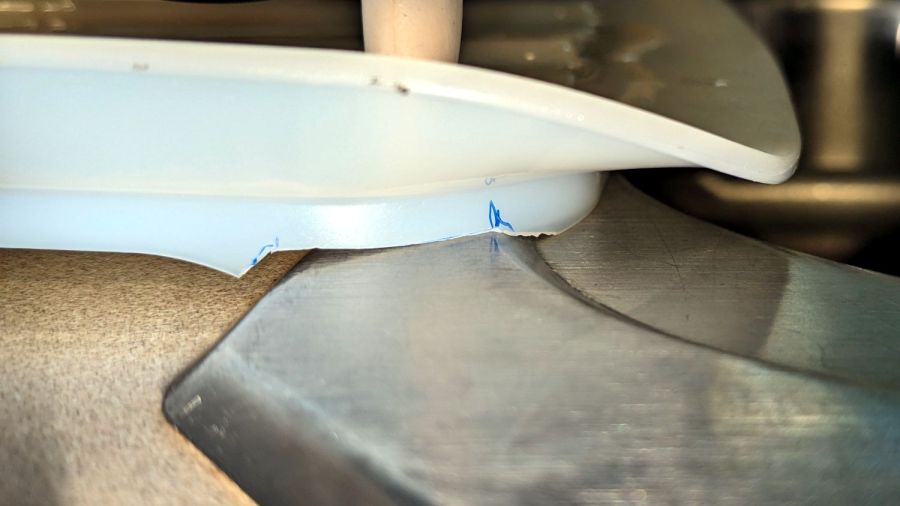
The Screen Filter (DD81-02011A) in our Samsung dishwasher (DW80K7050US) turned out to have a mold defect from the factory that’s been sitting there since the previous owners had it installed back in 2018:
Samsung dishwasher screen filter – gap
The mesh apparently didn’t quite make it into the molded plastic, so that little gap has been letting debris in the wash water circulate through the spray bars and clog the orifices.
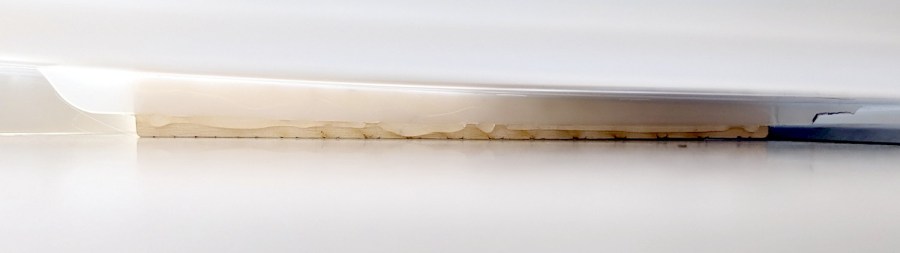
That’s a bead of EVA hot melt glue that will probably withstand the 163 °F = 73 °C “sanitize” cycle we haven’t had any occasion to use and seems no more toxic than anything else around here.
Protip: if your dishwasher has a filter, it’s likely clogged with a nasty accumulation of gunk, too …
A wood desk chair that I’ve known since I was a pup finally got some much-needed attention, although not a restoration. By and large, I’m finally sorting out that corner of the basement and needed to put the chair’s parts back together so I can work on something else.
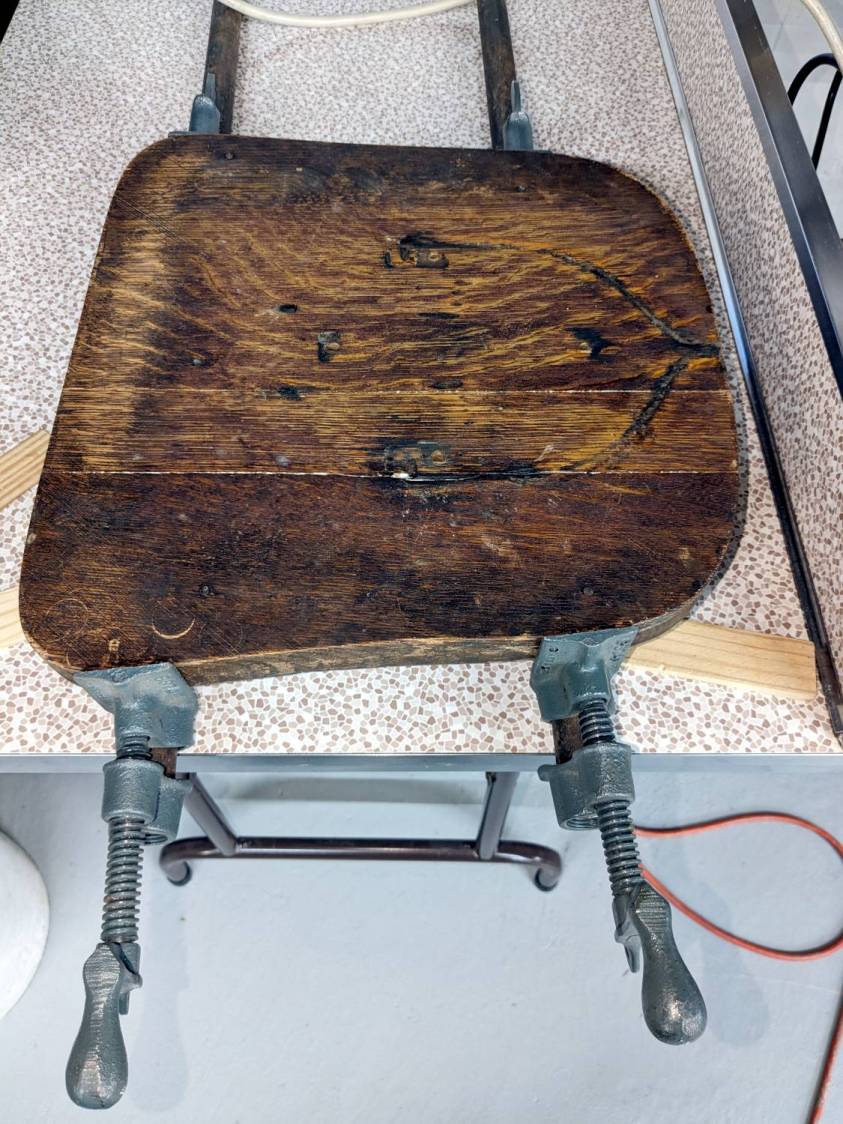
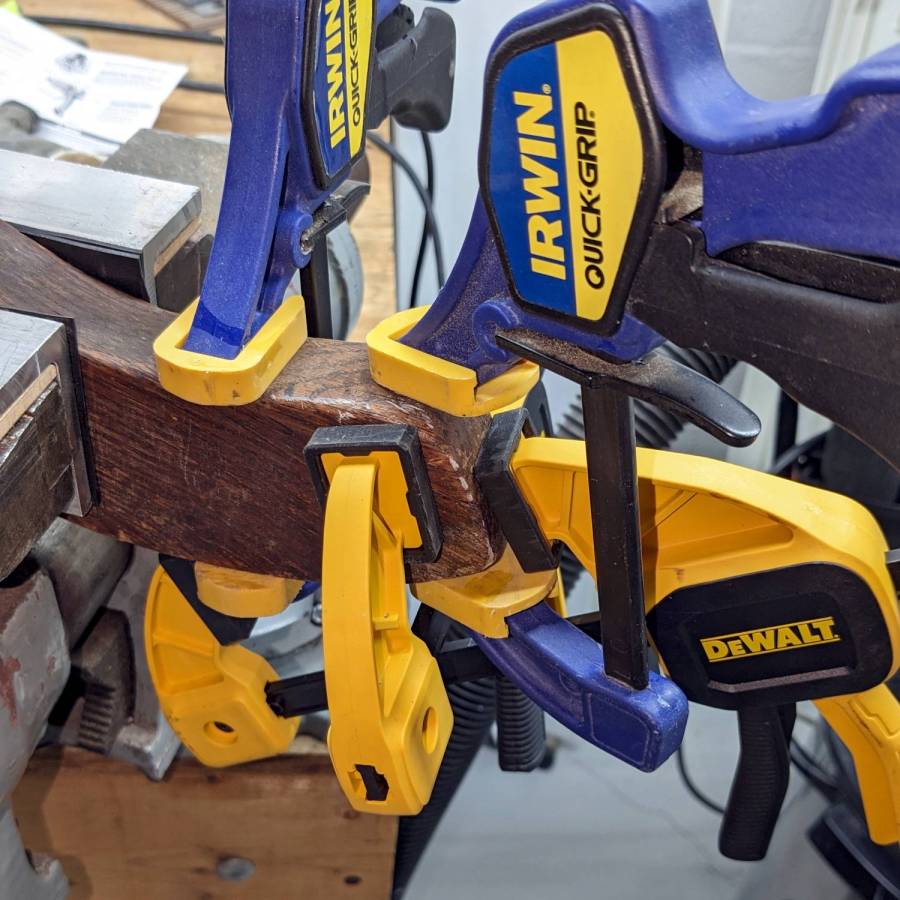
The wood seat consists of several slabs glued along keyed joints, one of which had fractured into a rough mess. Amazingly, the two sides fit perfectly together, albeit with the bottom no longer a planar surface, and glued up just like they should:
Wood desk chair – seat clamping
The chair isn’t up to contemporary office standards, but it has a seat elevation screw, a backrest with adjustable angle & elevation, and even a backrest tension setting:
Wood desk chair – ironwork
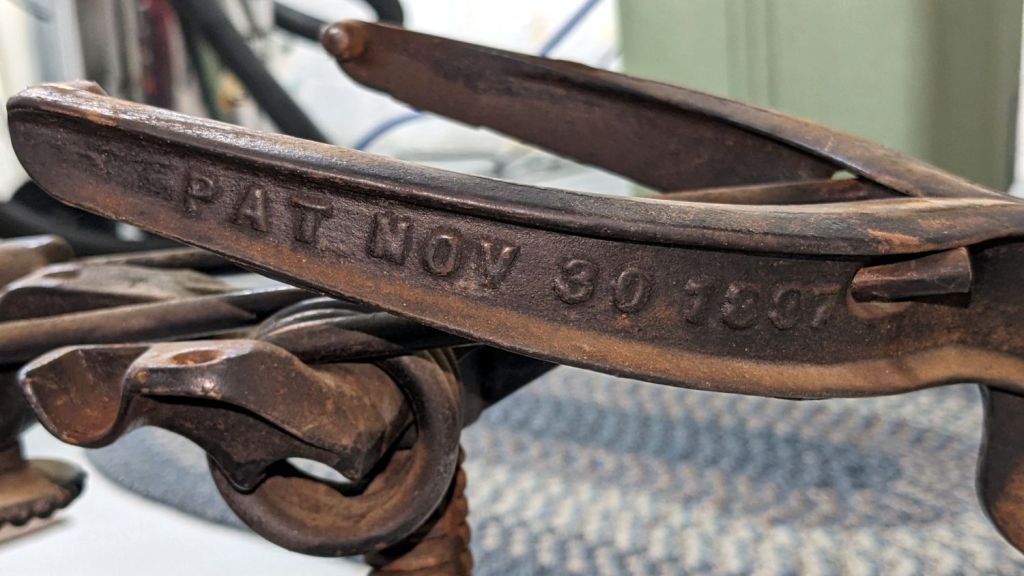
It was the cutting edge of desk chair technology:
Wood desk chair – patented
I vaguely recall it rolled on long-vanished steel-wheeled casters. Somewhat less long ago, one of the legs broke enough to lose its caster socket (about which, more later), so I set about yanking the three remaining sockets:
Wood desk chair – caster socket removal
During that struggle, another leg revealed a neat woodwork joint:
Wood desk chair – leg joint
It’s easy to remove a caster socket when you can bash it from the top!
Gluing that piece back in place required Too Many Clamps™ aligning it with the leg:
Wood desk chair – leg clamping
But the end result looks pretty good:
Wood desk chair – leg glued
They did a nice job of matching the wood grain; I hadn’t noticed that joint while attacking the socket.
Pending restoring the broken leg’s socket, the soon-to-arrive new casters will clash horribly with the chair’s woodwork. At least it’ll roll again and its new plastic wheels won’t scar the floors.
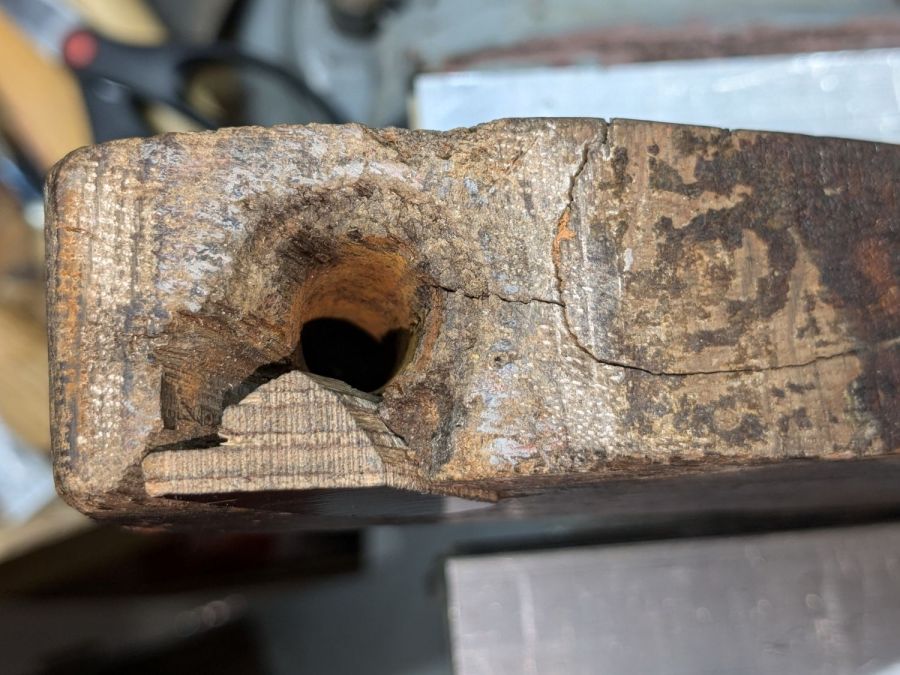
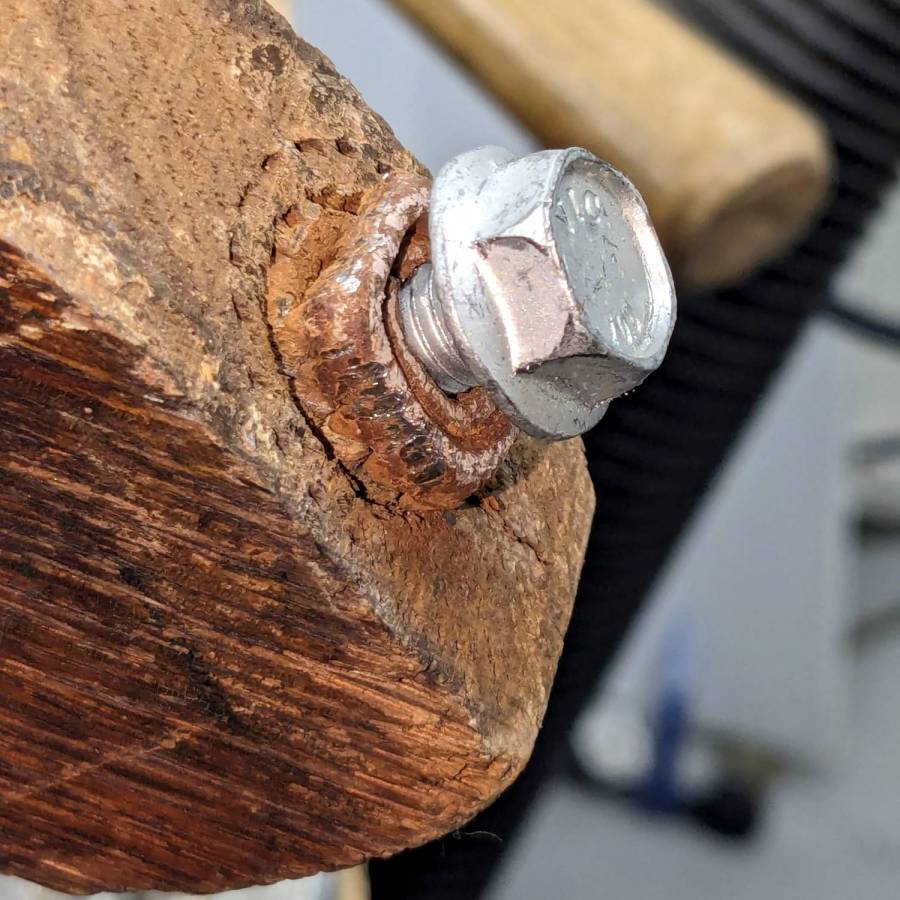
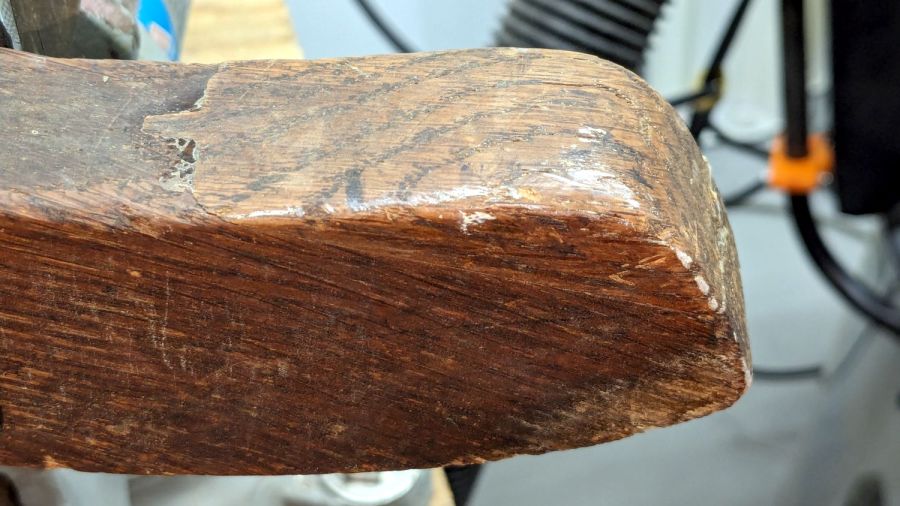
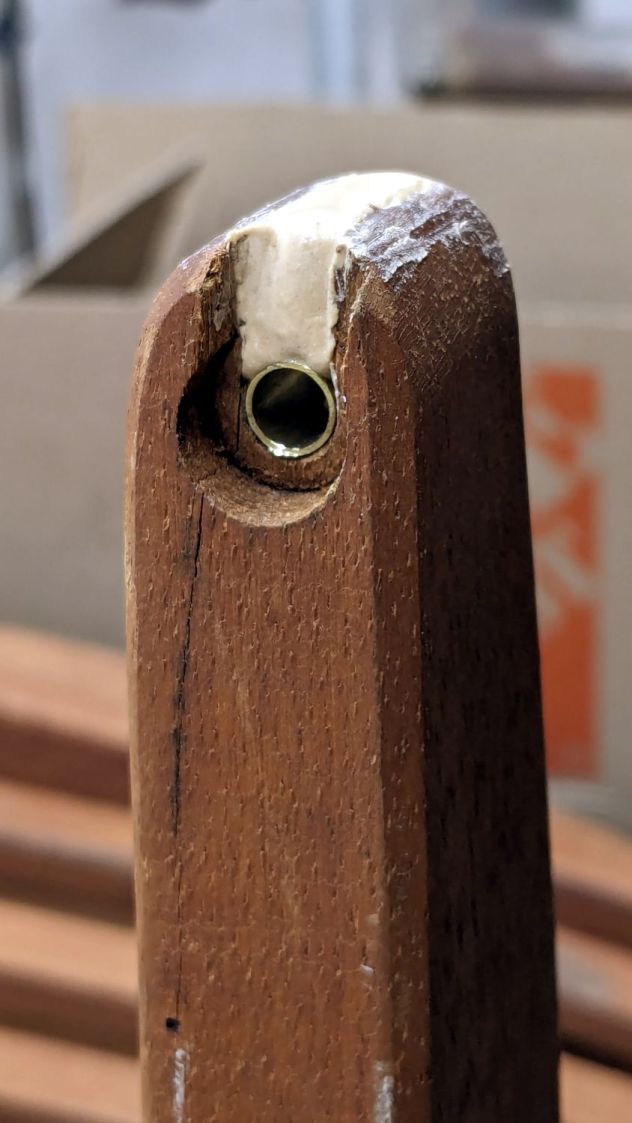
One of the folding wood chairs that Came With The House™ had a loose arm that turned out to be due to a missing chunk of wood:
Wood chair arm – as found
The obvious lay of the grain shows why it failed like that, surely hastened by the crack below the screw.
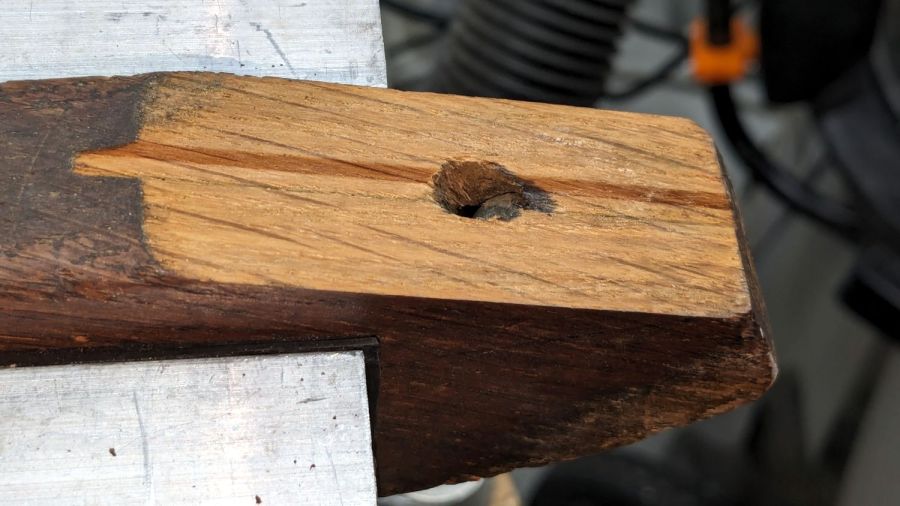
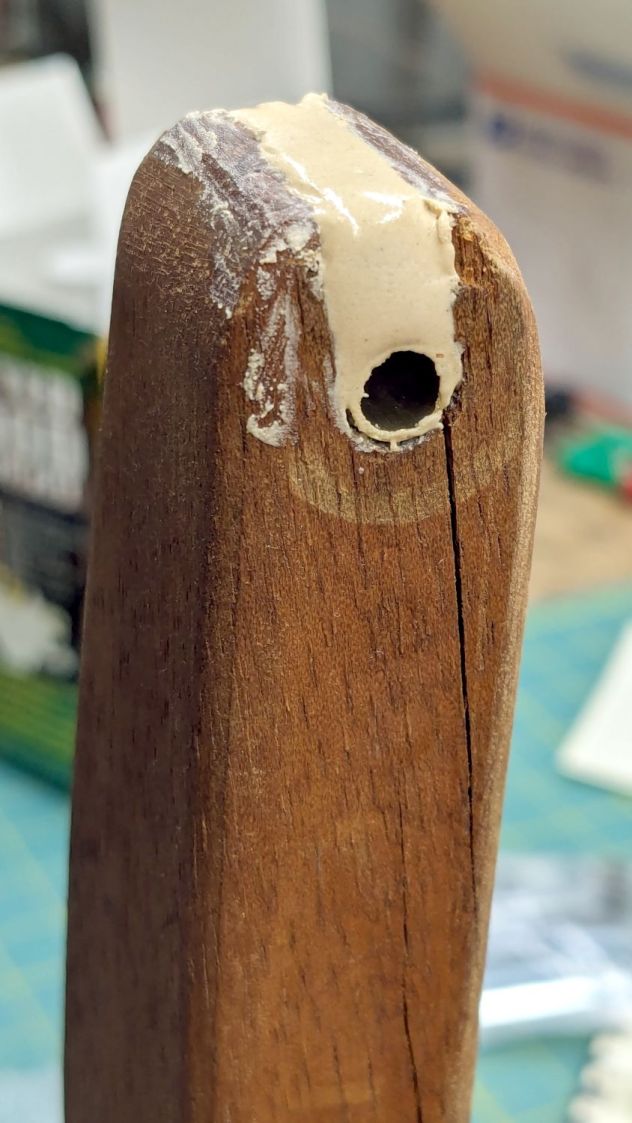
So I cut a snippet of brass tubing that, mirabile dictu, fit both the hole and the M6 screw, mixed up some wood epoxy and buttered it up:
Wood chair arm – brass tube epoxy fill
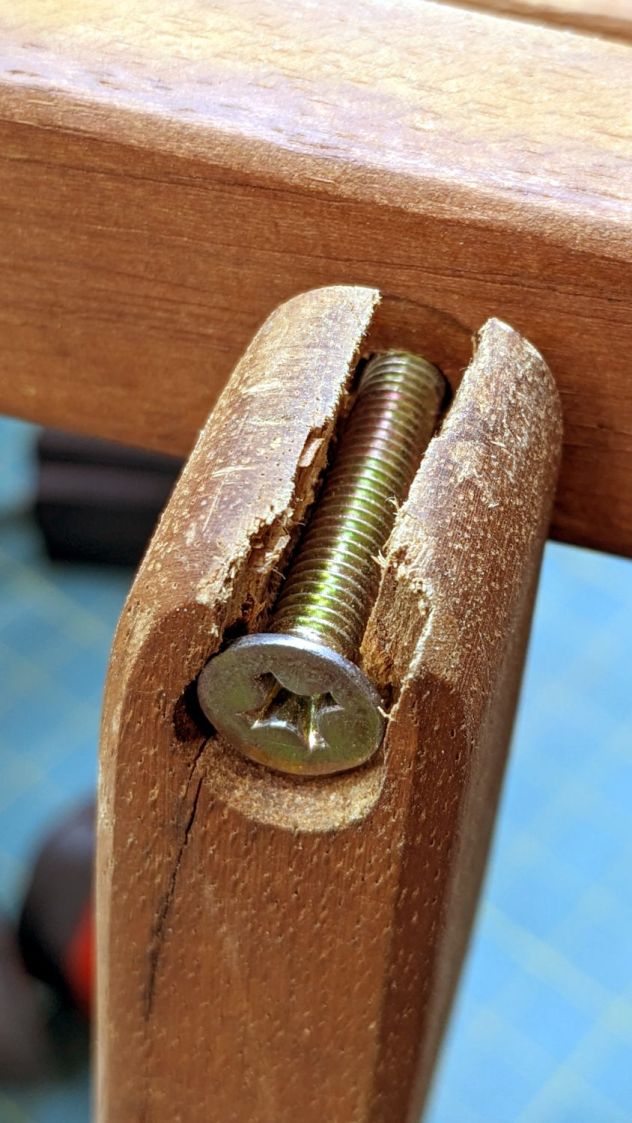
The crack extended entirely through the arm and was more extensive that seemed reasonable to expect the epoxy to handle on its own:
Wood chair arm – splits
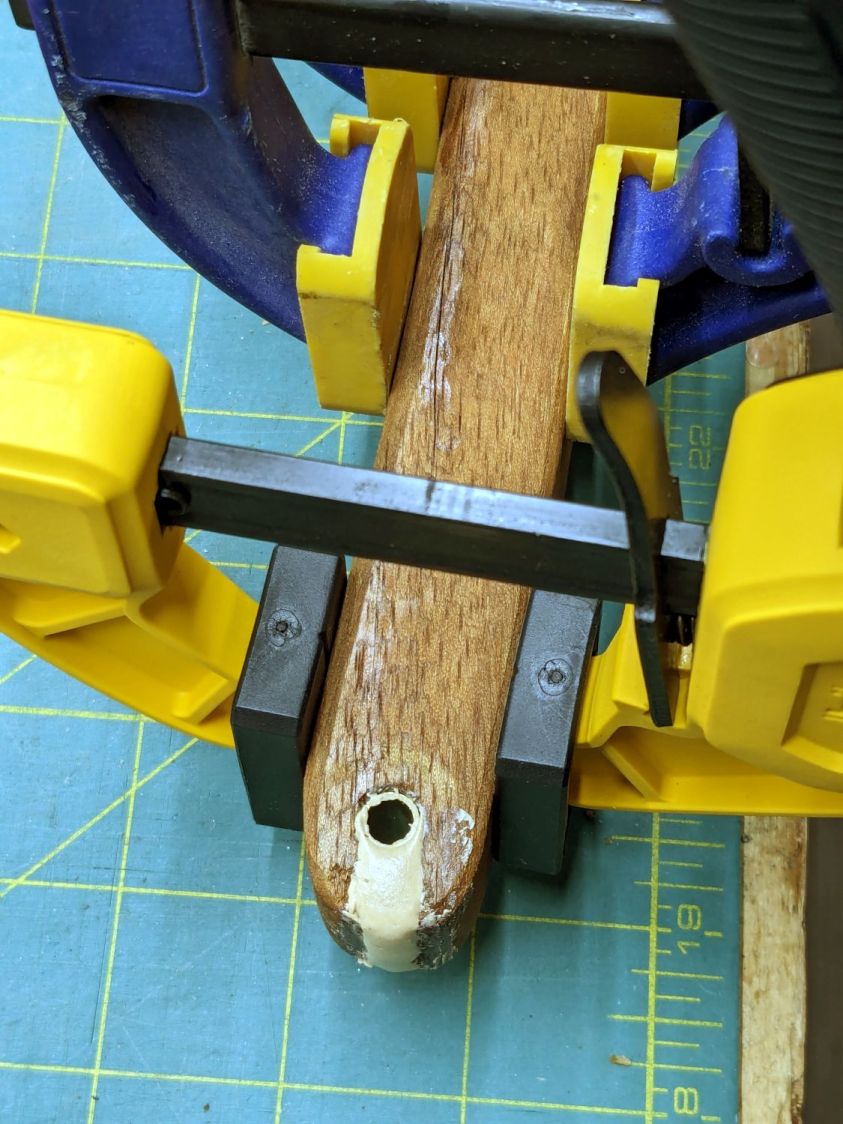
So I slobberedsoaked saturated the cracks with wood hardener and clamped them shut:
Wood chair arm – clamping
The hardener is intended to solidify rotted wood, but it makes a reasonable adhesive and, being much more liquid than ordinary wood glues, seemed like it would penetrate further into the cracks than anything else on hand. We shall see how this works out.
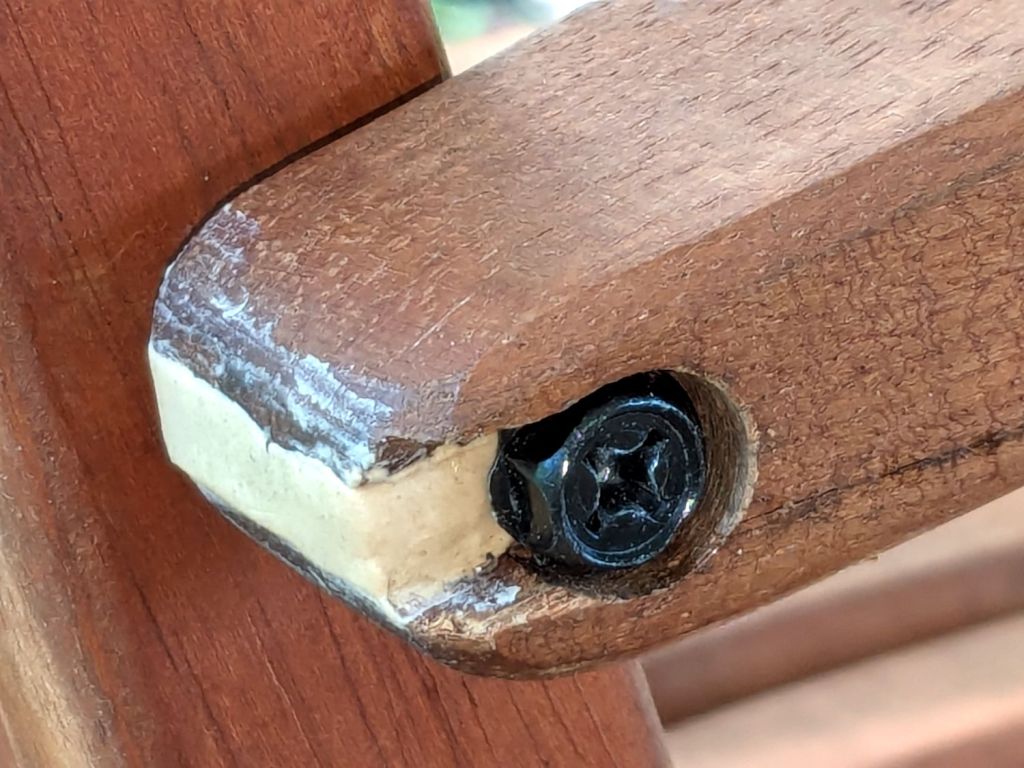
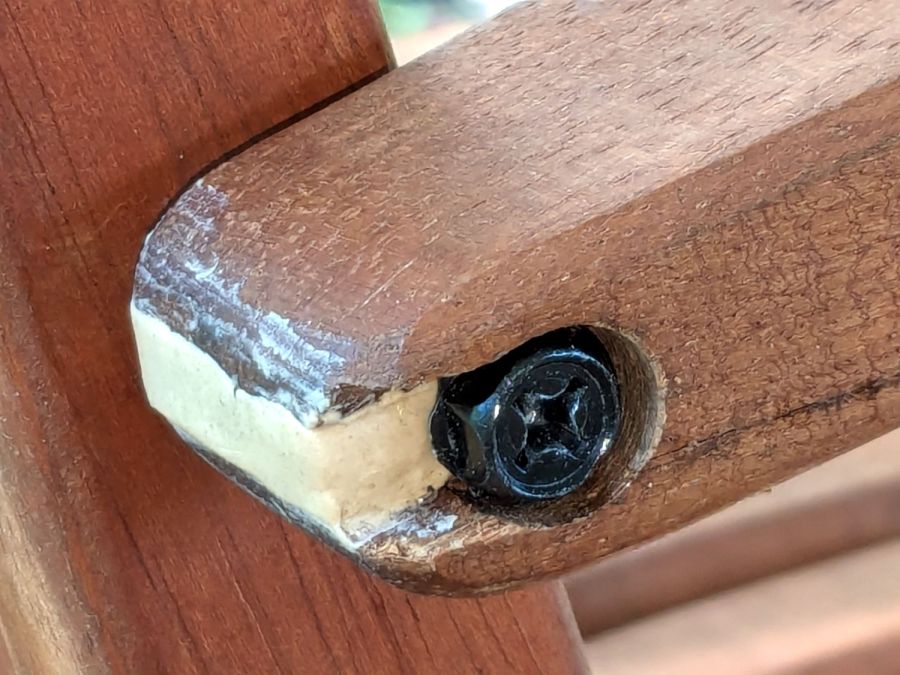
Rummaging in the Drawer o’ M6 Screws produced a better match to the brass tube than the original flat head screw:
Wood chair arm – repaired
It screws into a fancy tee nut in the upright chair rail, where a dot of thread locker should hold it forevermore.
I hit the exposed end with some sandpaper to smooth off the last of those smears and, after a few years, it’ll probably look like it grew there.
It seems all the drain boards under dish drainers are now intended for contemporary under-counter sinks without a rim, which is not the Old School drop-in sink we have in the kitchen. After considerable faffing about, I hacked a fix to make the drain board & drainer fit the sink:
Dish Drainer – sink lip cutout
The crude notch not only lowers the front edge by a few millimeters, it also encourages the lip to stay over the sink, rather than sliding back over the counter and slobbering water everywhere.
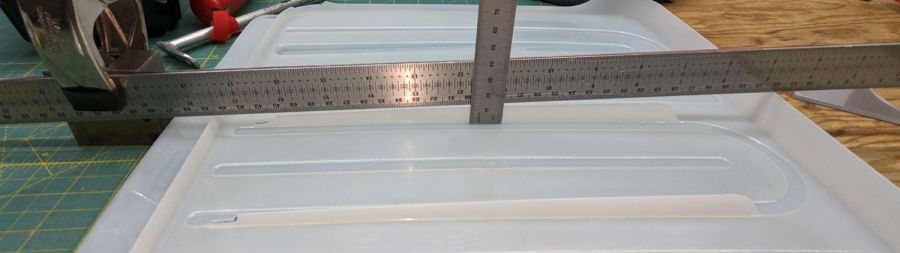
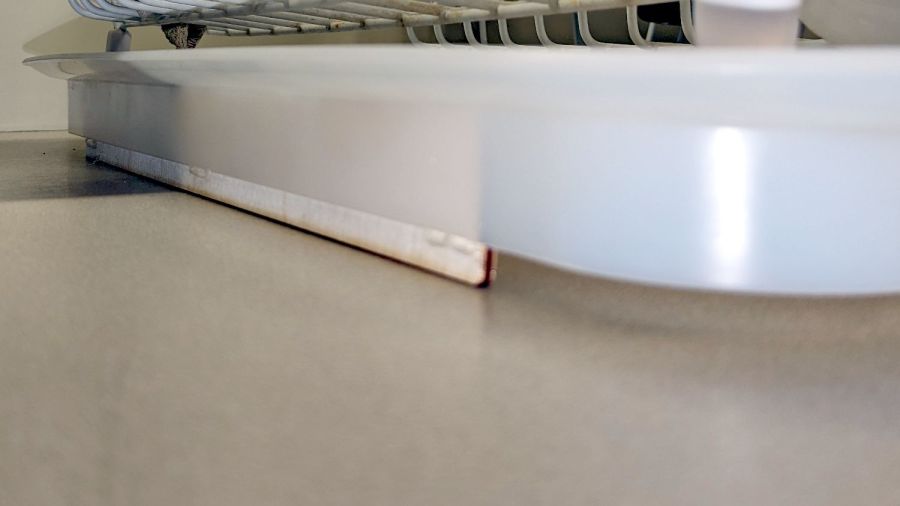
The drain board has stiffening ribs under the center section, cleverly arranged so they do not actually touch the counter. I measured the shape of the board near the ribs:
Dish Drainer – measuring center ribs
And then cut shapes to both support the board and rest on the counter:
Dish Drainer – center support
The board has a swale in the middle, directly over those ribs, requiring more tilt for proper drainage:
Dish Drainer – rear support
Getting all of that flying in formation required several iterations and we’re still not entirely satisfied, but at least the water flows into the sink and does not puddle in the drain board or on the counter.
Stipulated: wood is the wrong material for the job, hot melt glue is breathtakingly ugly, and you want no part of this.