Ed Nisley's Blog: Shop notes, electronics, firmware, machinery, 3D printing, laser cuttery, and curiosities. Contents: 100% human thinking, 0% AI slop.
After nigh onto a year of twice-weekly baking, I finally managed to destroy our Pyrex Bake-A-Round tube, in exactly the manner I expected. Despite liberal buttering-up before inserting the dough, sometimes the bread sticks to the tube and requires a bit of probing with a long knife along the sides to release it. Given that the tube just came out of the oven, I’m holding it one-handed with a pad… it fell over onto the wood cutting-board counter.
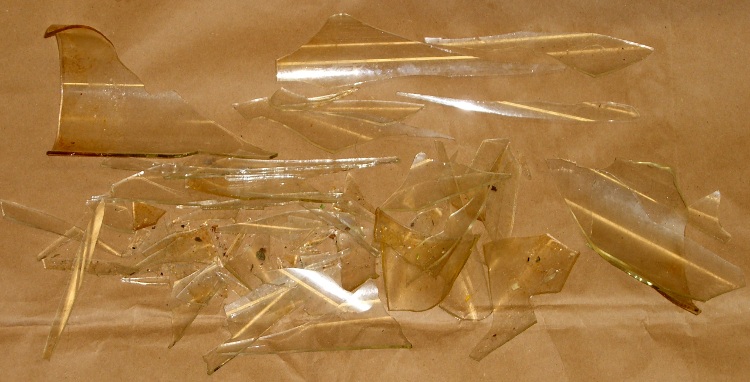
The loaf inside is remarkably akin to a two-pound dead-blow hammer and, as you’d expect, the tube shattered like, uh, glass. Fortunately, I was belly-up to the counter and facing into a corner, so the fragments remained mostly in place.
Shattered Bake-A-Round tube
What surprised me, though, was that (at least for this 30-year-old B-A-R tube) the glass wasn’t tempered. The fragments are long, thin, razor-sharp daggers.
Glass fragments
Now we must get used to eating rectangular bread slices again…
In other good news, there weren’t many minuscule glass fragments on the loaf. I was surprised at how closely baked flax-seed meal resembles either chitin or glass, but a thorough scan with my headband magnifier and a bit of deft brushing cleared the loaf for consumption.
After some of the stuff I’ve eaten over the years, an errant glass chip or two isn’t going to do me a bit of harm. The ladies figured if I was willing to eat it, they couldn’t back down, so it’s all good.
(Top pic with flash, bottom without: it’s hard to take a picture of glass!)
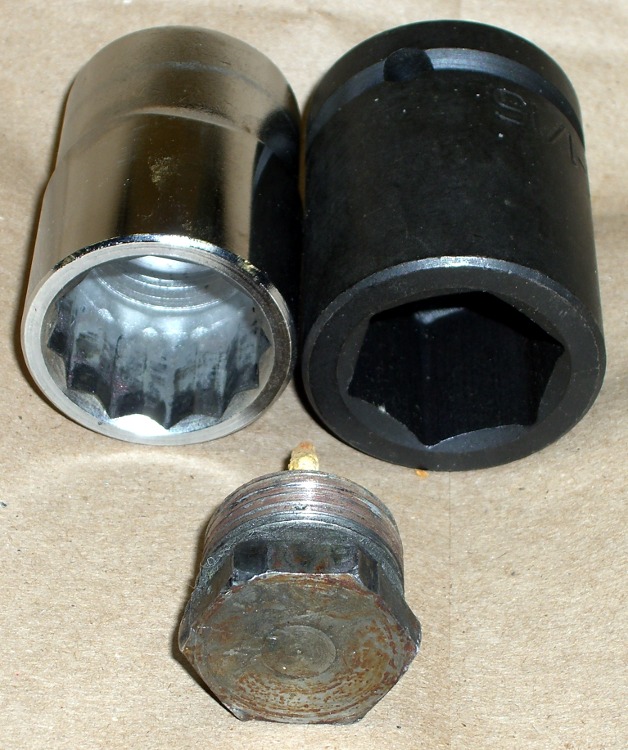
As mentioned there, removing a water heater anode rod generally requires considerable, umm, persuasion. I used a 12-point socket wrench, as I didn’t have a 1-1/16″ impact wrench on hand. Now I do…
The first pic shows the head in front of the two sockets; the 6-point socket on the right will do a much better job of not ruining the anode rod bolt head because it grips along the entire length of all six sides.
Now, in general, you don’t care about ruining the head, because the rod’s pretty much not going to be there by the time you remember to check it. What you do not want: the wrench rips the corners off the head before loosening the thread.
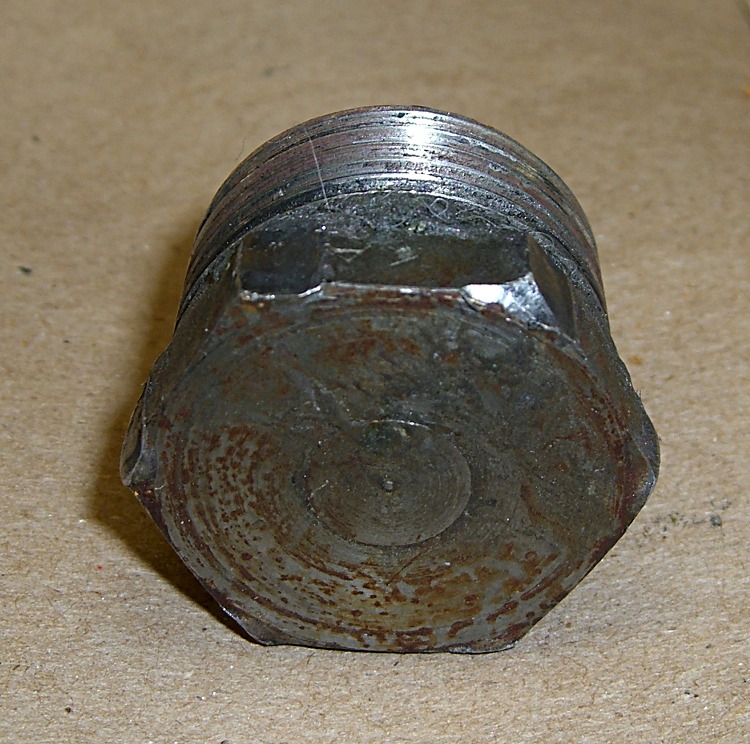
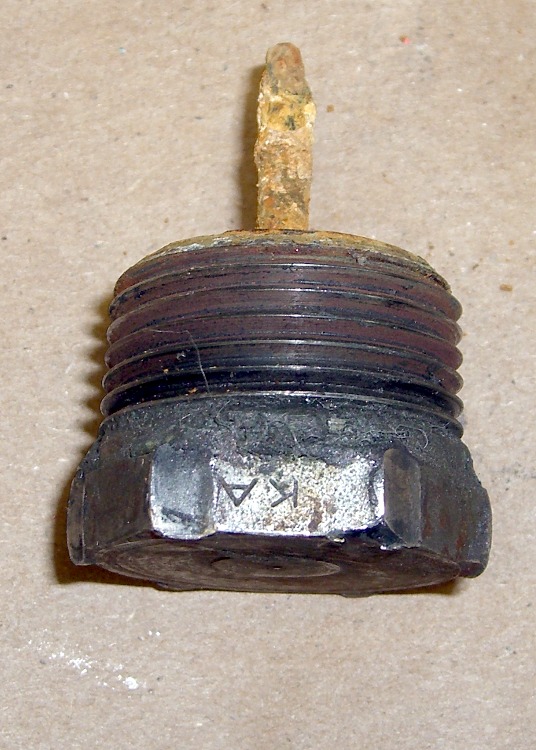
Goobered anode rod headGoobered anode rod head – side view
The thread on this anode rod was in great shape (I’d wrapped it in Teflon tape the last time it was out), but it was still firmly jammed in place. These pix show what the 12-point socket did to the bolt head during the beatdown.
Bottom line: right now, while you’re thinking about it, buy yourself the nice 6-point 1-1/16-inch impact socket you’ll need to extract the anode rod from your water heater. If you don’t already have a honkin’ big breaker bar, get one of those, too; this is no job for a sissy 3/4″-drive ratchet wrench.
The real problem is holding the water heater in place while you beat on the breaker bar. I have yet to see a good solution.
Offset Tank – 2009
That husky 6-point socket isn’t going to fit into the stupidly offset hole in the top of the water heater, even after applying the nibbling tool to get the 12-point socket in place, but that’s in the nature of fine tuning…
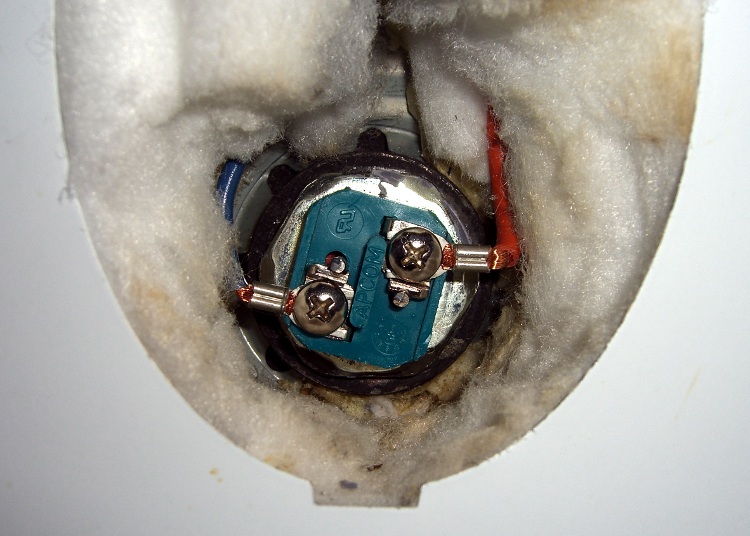
Removing a water heater element is no big deal: apply the appropriate socket (1-1/2 inch for this heater) to the hex head and turn it out. The trouble comes during installation, when you must hold that long rod exactly horizontal inside the tank, gripping the electrical fittings inside a narrow access port amid all the insulation.
My fingers can’t hold the element horizontal and twist it at the same time, so I made a tool: cross-threading the heating element and goobering the threads in the tank port is not an option!
Improvised heating element installation tool
A 32 mm socket just cleared the square blue electrical insulation block and butted against the 1-1/2 inch hex head. Because the block is square and the socket is hex, it was a pretty loose fit, but this was the right general idea.
I put a layer of masking tape on the inside of the socket and covered the electrical connections on the element.
Then I mixed up a batch of Bondo auto-body repair epoxy, buttered up the end of the heating element, and gooshed it into the socket. The Bondo filled in the gaps between hex and square, turning the wrench into a custom-fit tool that firmly gripped the heating element.
Reinstalled heating element
A brief pause for Bondo curing, pop an extension into the socket to use as a handle, return to the water heater, and screw that sucker right in place. Worked like a charm!
There’s a flexible gasket sealing the element to the tank port and I gave the element a few degrees more twist when I tightened it up, so the insulation block isn’t neatly aligned.
Getting the socket off wasn’t too difficult: twist to the side, pull, and the Bondo pops off the masking tape. Peel the tape off the element and it looks pretty much like it did before. The Bondo fell out of the socket when the element came out, so that was easy enough.
I was busy getting the water heat back in action and didn’t take any detailed pix, but I think you get the idea…
While draining the water heater tank, I extracted the anode rod. Well, that was the plan; it took longer to drain the tank than I expected and much longer to get the anode rod out.
The anode rod is basically an aluminum cylinder around a steel-wire core, attached to a steel bolt that screws into the top of the water heater. It has a 1-1/16″ hex head that calls for a rather large socket.
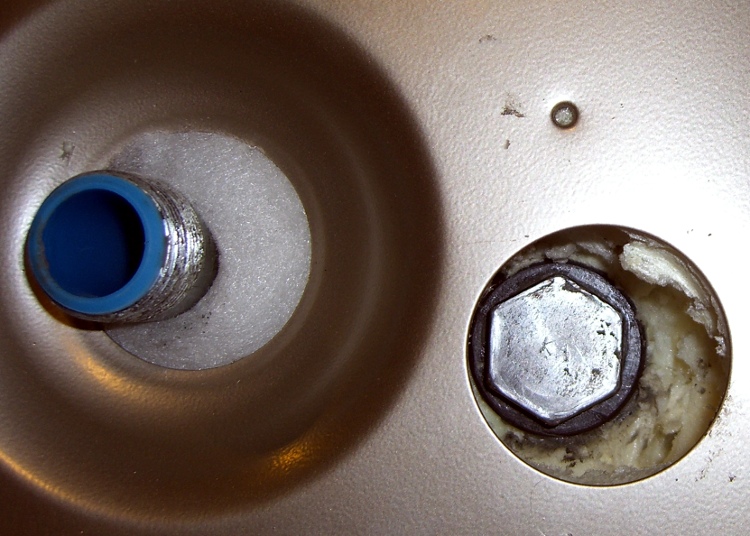
You can see one problem right away: the anode rod’s head is offset in its opening atop the water heater, making it essentially impossible to get an ordinary 1-1/16″ socket onto the thing. No, they didn’t mis-punch the hole… notice that the cold water inlet nipple is offset in its opening. The hot-water nipple is offset, too, just in case you were wondering.
Why is that? Well, the one thing that isn’t offset is the temperature & pressure relief valve on the right-front side of the tank. It seems when Whirlpool’s engineers were tasked with adding more insulation to the shell to get a better efficiency rating, they forgot that T&P valves don’t have arbitrarily long stems. Thus, the inner tank is offset within the shell so the T&P valve can reach outside.
Of course, that means the insulation is thinner on the right-front than the left-rear, you can’t extract the anode rod, and the inlet & outlet nipples rub against the top cover, but so what?
Offset Tank – 2003
The photo is of the Whirlpool water heater I just installed, but it’s identical to this one installed back in 2002 and another installed in 2001 (the one that recently failed). They haven’t seen fit to correct the holes in the top cover in the last seven or eight years:
This on a $400 water heater. “Made with pride in the USA”, indeed.
Anyway, when I installed the heater, I applied a nibbling tool to the top cover and gnawed an opening sufficient to get the socket in and the anode rod out. When I checked the rod in 2004 (after two years), it was corroding, but that’s the way it’s supposed to be: it’s working!
Missing Anode Rod
The recommended inspection interval is three years, but I admit I let it slide for five, based on what I saw earlier. Well, this time the anode rod was well and truly stuck. I eventually clicked an 18-inch breaker bar into the socket and wailed on the end with a two-pound hammer; after far more beating that I really liked, the bolt head loosened and the whole affair unscrewed easily and came out without further protest.
Behold, there’s no rod attached to the head!
I used a 12-point socket for this operation, but I have a six-point impact socket arriving shortly ($0.99 from eBay, plus $2 shipping). A 6-pointer has the advantage of applying force along the sides of the hex head, rather than just the vertices, which reduces the risk of stripping the head. Been there, done that, you’d think I’d learn from my experience, but I needed to get that thing out so I could proceed with the sediment extraction.
[Update: More about why you really want a 6-point socket there.]
There was an ominous clank inside the tank while I was massaging the breaker bar with the hammer. Peering down inside the tank through the rod hole, I spy the remains of the rod standing against the lower heating element, atop the expected pile of sediment in the bottom which is clogging the piddly little drain valve. It’s like looking into the Titanic’s dining room through a rivet hole.
Turns out that the rod had broken off quite some time earlier. After better than an hour of laparoscopic surgery through the lower heating element port, I finally extracted the rod: it was bent double, which means it had been standing upright for a while and eventually folded over. The long section to the right is actually two rod cores folded against each other; the far right end has a neat U-bend.
Corroded anode rod core
OK, I shouldn’t have left it slide for that long…
So it goes. Leaving the rod across the heating element seems like a Bad Thing, plus I should get the rest of the sediment out of the bottom. That’ll be easier if I can flush the tank through the lower element’s port.
I picked up a new magnesium rod at JD Johnson, a local plumbing outlet, for $28. That’s far less than at Water Heater Rescue, an invaluable source of information on the subject. The rod is 36 inches long, half a foot less than the 42 inch original, but that’s close enough; given the limited headroom, it’s easier to get into the tank.
Removing the lower heating element requires a 1-1/2″ socket and the courage to cut back the insulation packed into the element port. More on that tomorrow…
For reasons that aren’t germane here, I’m responsible for two water heaters. Having just replaced one of them, I figured I should do a preemptive drain-and-flush on the other and check its anode rod.
In principle, you just hitch a garden hose to the drain valve, turn it on, and flush the sediment right out of the bottom. In practice, it doesn’t work that smoothly, as the valve has a teeny little opening that instantly clogs with grit.
The first step is to shut off the water, open the drain valve, and disconnect both flexible couplings at the top of the heater. You will move the heater a little bit during this operation and that will cause the flexy connectors to leak, maybe just a little bit, but enough to cause Bad Things to occur.
In the past I’ve used a Y hose connector with a homebrew double-female adapter to blow water into the bottom of the heater; the hose runs to a nearby sink with a male hose thread on the cold-water faucet. The two teardrop-shaped black handles on the Y adapter are ball valve handles (crappy valves, but good enough).
It goes like this:
Close the Y hose valve
Turn on the water at the sink
Open the water heater drain valve
Open the Y drain valve
Watch a brief piddle of water hit the bucket
Close the Y drain valve
Open the Y hose valve to blast water into the tank
Close it again
Open the drain
Repeat as needed
With any luck, you won’t have that much sediment and the drainage will clear after only a few iterations. That didn’t happen here…
Water heater drain valve parts
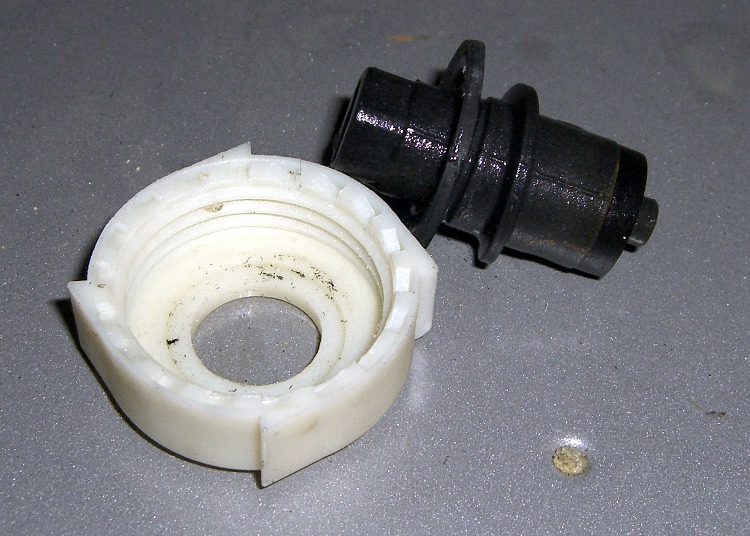
The next step is to apply a strap wrench to the drain valve, remove the cover and core, and see if the larger opening will produce more flow.
Note that the drain valve, at least on this Whirlpool heater, is basically a coarse-thread plug that depends on a rubber disk to seal against the valve body. I’d really rather have a full-flow ball valve down there instead of this piddly little thing.
it is possible to replace the drain valve entirely, but the last time around I applied far more force than I thought prudent to the plastic valve body and got exactly bupkis in the way of rotation. Not wanting to break the damn thing off, I gave up.
Valve cleanout with copper wire
Anyhow, with the guts of the valve out of the way, the flow was still fairly weak. I rammed a copper wire up its snout and dislodged a truly disheartening amount of crud. The opening kept jamming shut, which meant there was a great pile of sediment atop the opening, so I spent quite while wiggling the wire to keep the water flowing and the grit emerging. The pic at at the bottom shows some of the pile; there’s a heaping double handful of sediment on that shovel.
The bottom of the tank is flat, with the valve pretty much flush with the bottom. That means you’ll leave a huge pile of sediment inside unless you swish some water around. That, of course, will clog the valve. Repeat until tired.
When you go to put the valve back together, don’t be surprised if it doesn’t seal. Tighten the cap, put a hose plug on the outlet, and move on.
You can tell by the color of the water that Something Is Not Right inside the tank… more on that tomorrow.
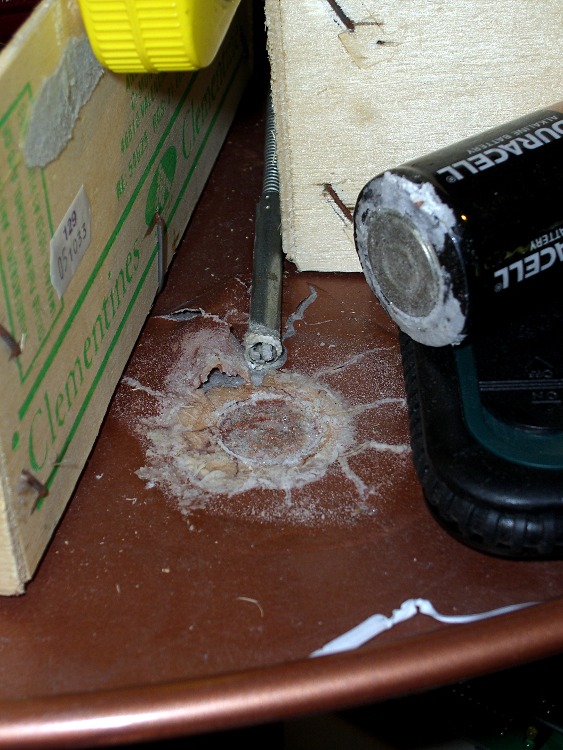
Found this toxic spill while I was looking for a gadget on another shelf: it seems I left an alkaline D cell standing on my electronics parts & tools carousel for much too long.
Amazingly, although the cell’s leakage blistered the paint pretty badly, it didn’t affect the steel carousel!
I wiped most of the crud and dead paint off, then applied white vinegar (which is essentially dilute acetic acid) to neutralize the cell’s potassium hydroxide. The grabber tool sticking out from between the boxes had a pretty good dose of corrosion up the side, but soaking it in vinegar (wow, the bubbles!) removed that and a shot of penetrating oil expelled the rinse water.
It’s definitely not Duracell’s fault: the cell had a best-used-by date in 1997.
For obscure reasons, I have a pair of headsets attached to the PC: one USB that’s used for phone calls and one plugged into a sound card for everything else.
They’ve been cluttering up the corner of the desk for far too long, so I bent up a rack from a surplus coat hanger. Nothing critical, as long as it’s tall enough to hold the mics off the desk and wide enough they don’t clunk together.
The trick is to just drill a hole in the top of the desk and poke the end of the rod into it. That works because my desk has a notch along the edge just exactly the right width to hide the hole!
Hanger Mounted Under Desk
Maybe you don’t want to do this to the top of your desk, in which case maybe you can bend the hanger around the edge and put a screw in the bottom or the desktop. If you don’t look under there very often, the spiders will take over; this one is from the basement desk that I haven’t used for far too long.
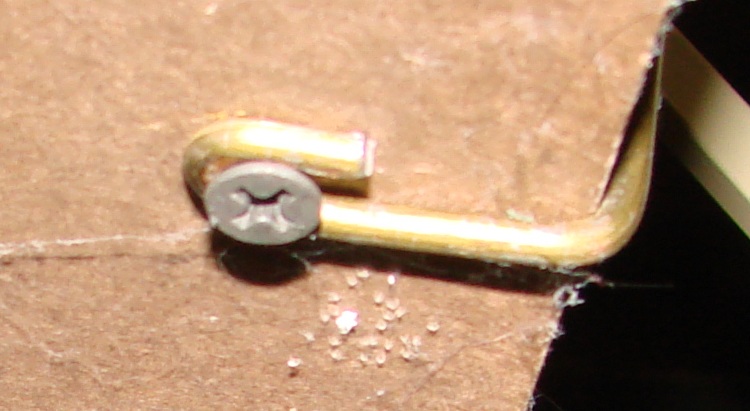
Details of the hanger, not that you can’t figure it out on your own:









 The Smell of Molten Projects in the Morning