Ed Nisley's Blog: Shop notes, electronics, firmware, machinery, 3D printing, laser cuttery, and curiosities. Contents: 100% human thinking, 0% AI slop.
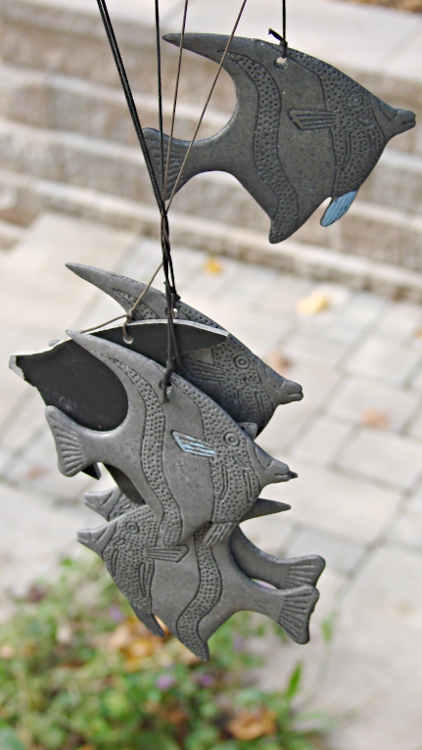
A few days of high & gusty winds braided the cords of the aluminum fish school wind chime hanging over the end of the patio:
It’s obviously an old, much-repaired relic.
My Shop Assistant added those blue fins many years ago, quite some time after she and a friend lost one of the fish while using them as digging implements. An unmarked replacement fish, crudely bandsawed from black-coated aluminum, began swimming in stealth mode amid the school.
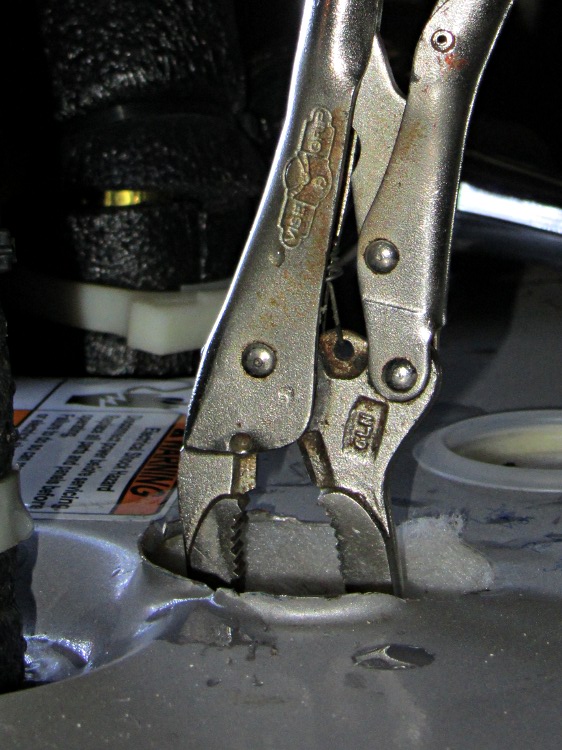
You can see the 3/4 inch socket wrench in the background: I didn’t need the breaker bar this time!
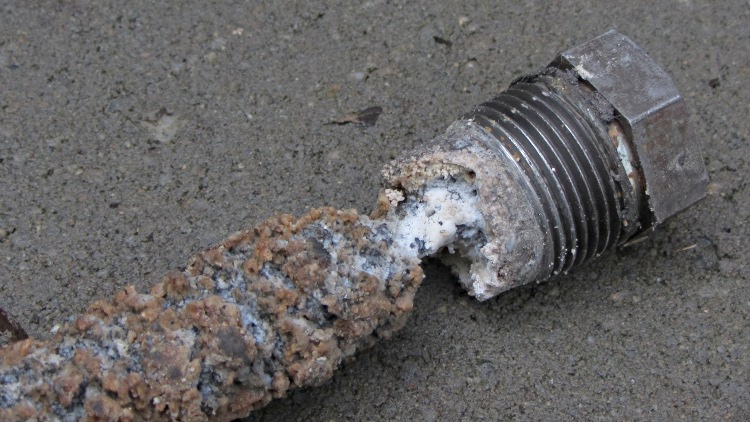
The magnesium anode rod corroded down to the steel core wire just under the bolt head:
Anode rod – bolt
The entire rod was about half a foot shorter than the new one, but I cannot tell whether that much corroded away or rods have gotten longer (they’ve certainly gotten more expensive):
Anode rod – tip
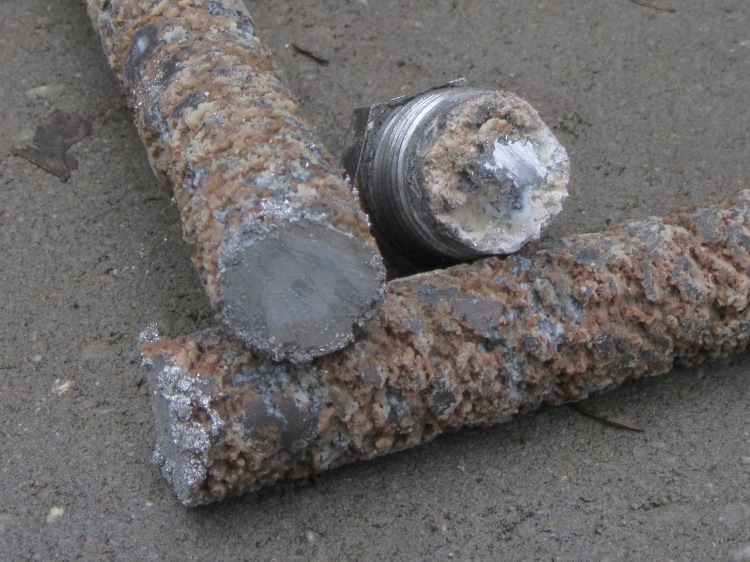
I sawed the rod to get it out of the heater, because I also wanted to see how much magnesium remained inside the corrosion. Quite a lot, as it turned out, so I suppose I could have reinstalled the rod and left it for another few years:
Anode rod – cut ends
I don’t know where all the corrosion products went, because the water heater drained uneventfully, without clogging the valve or depositing a pile of crud at the end of the hose. There were a few particles, but nothing like the residue from the aluminum rod.
Then I cleaned off a new magnesium rod, tilted the water heater to get enough clearance, installed the rod with a wrap of PTFE tape, and reinstalled the water supply lines. I suspect the next owners of the place will be looking at it a decade down the calendar…
If I had more guts and less sense, I’d chuck the bar stubs in the lathe and turn off the corrosion to get some nice steel-core magnesium rods. The prospect of extinguishing a magnesium fire in the basement doesn’t entice me in the least.
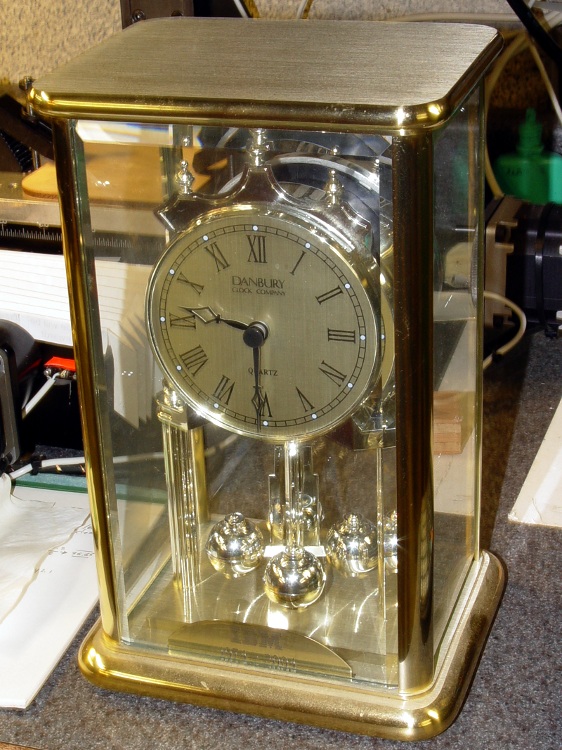
After 30 years, IBM gave Mary a commemorative clock, after which she promptly retired. Back in the day, they used to hand out Atmos clocks (admittedly, on more momentous occasions), but this isn’t one of those. In fact, although it appears to have a torsion pendulum, that’s a separate motor-driven foo-foo which we immediately turned off:
Janus Clock – front
It normally sits on the living room coffee table (which actually holds a myriad plants next to the front window) where, after we scrapped all the upholstered furniture, the two of us can’t both see the clock face from our chairs. Having a spare clock insert from that repair, we had the same bright idea at the same time: we need a clock with two faces! We came up with Janus independently…
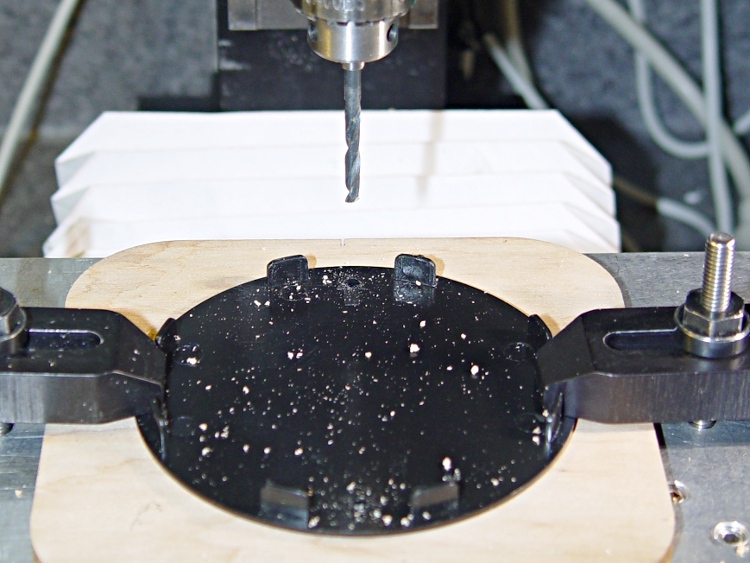
Despite its fancy appearance, the IBM clock consists mostly of brass and plastic, so I had no qualms about having my way with it in the shop. The new clock insert spanned the clock’s gilt plastic back cover, needing only a #1 drill hole for the adjustment stem, and exactly filled the available space between the back cover and the case. Both movements had enough interior clearance for 3-48 brass screw heads and nuts, so I eyeballed the right spots on the new cover, centered the Sherline spindle on the plate, and drilled two clearance holes 6 mm in from the edges on the vertical diameter:
Drilling clock insert cover
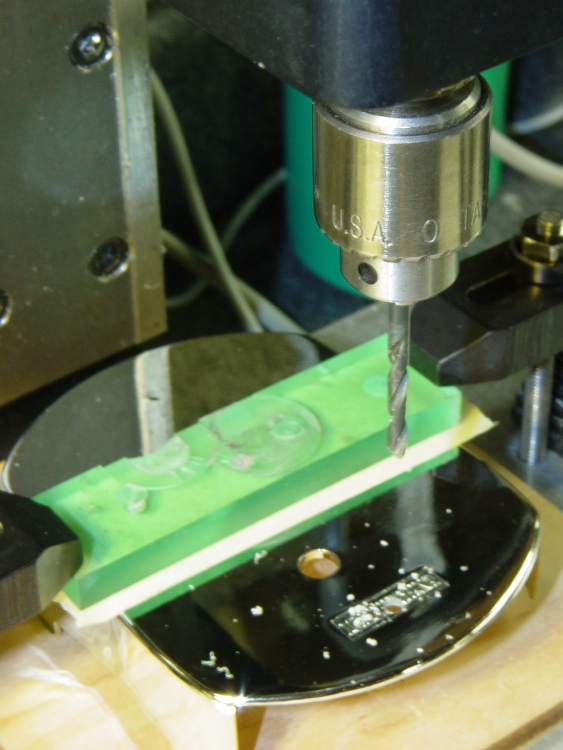
That put them 61.3 mm apart across the diameter, which would be awkward to duplicate by hand. Manual CNC makes it trivially easy to match-drill holes; I clamped down the gilt back cover from the IBM clock, aligned it to the table, located the center, and drilled two 3-48 clearance holes:
Drilling torsion clock cover
The glow from that polycarbonate packing block isn’t quite so nuclear in real life. The clamping force goes down the side panels of the cover, which had enough of a curve to be perfectly stable. Yes, I’m drilling into air, but came down real slow using the Joggy Thing and it was all good.
Assemble the two back covers (the holes matched perfectly), mark the adjustment stem hole, disassemble, hand-drill, reassemble, tighten nuts, and install:
Janus Clock – rear
It does look a bit lumpy from the side, but that’s just because I don’t have any gilding for the black tape wrap:
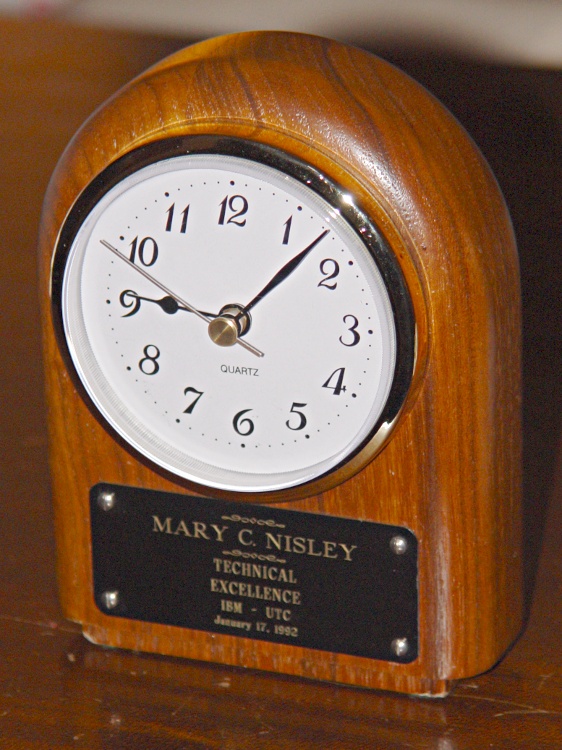
The double-stick foam tape holding the plate on the front aged out a few years later, at which point I cleaned off the solidified goo, drilled 2-56 clearance holes in the plate and tapping holes in the clock base, installed four pan head stainless screws, and neatly aligned the slots. That’s what it should have looked like from the beginning; this was, after all, a Technical award…
The clock movement failed recently and I got a drop-in clock insert from Klockit to put it back in operation. The fit wasn’t quite solid, but two wraps of silicone tape around the case under the ribbed friction-fit band solved that problem.
One new movement cost just about as much as the shipping, so I bought a pair with black and white faces. Mary picked the white face for this clock, which left the black movement as a spare.
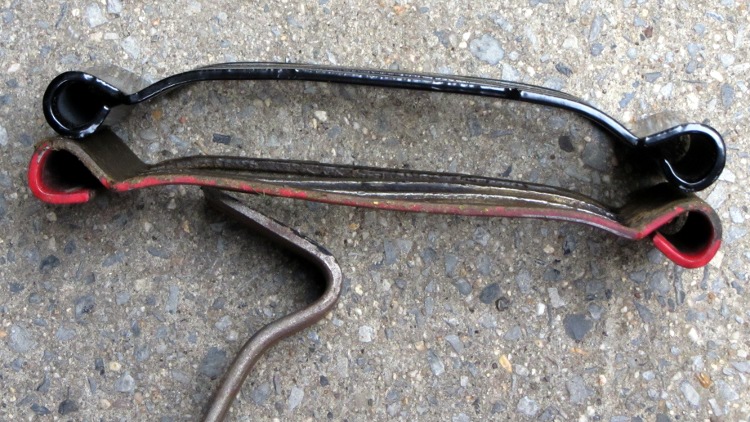
It’s leaf-shredding season again and our MTD Chipper-Shredder began shredding not nearly as well as it had in years gone by. Last season I laid in a stock of replacement parts, so I swapped in a new Shredder Screen (781-0457):
MTD Chipper-Shredder screen
The flail blades (719-0329) on the massive rotating impeller assembly protrude through the parallel openings in the screen, which is where most of the shredding action happens. The old red screen bent outward enough so that the blades pushed the leaves against the screen, rather than through it, producing frequent clogs.
Now it works fine again… although I’ve had just about as much fun shredding leaves as any one person should experience in one month.
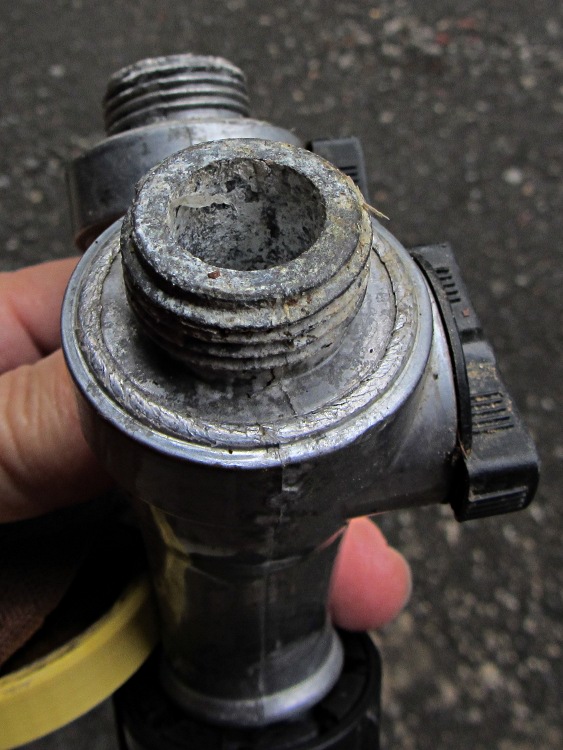
The Vassar Farm Garden requires fairly heavy watering, because it’s in full sun all day long, so we lay in a set of drip lines connected through Y valves to a main feeder line running down one end of the plot. Plastic valves tend to be overly fragile, so this year I tried a few much larger full-flow ball valves with a metallic housing:
Corroded Garden Y Valve
This valve lay on the ground (as they all do) just inside the gate and served as an occasional supply for a short hose with the hand sprinkler head. I don’t know what’s driving this corrosion, but it’s eating the external threads as well as the valve bore.
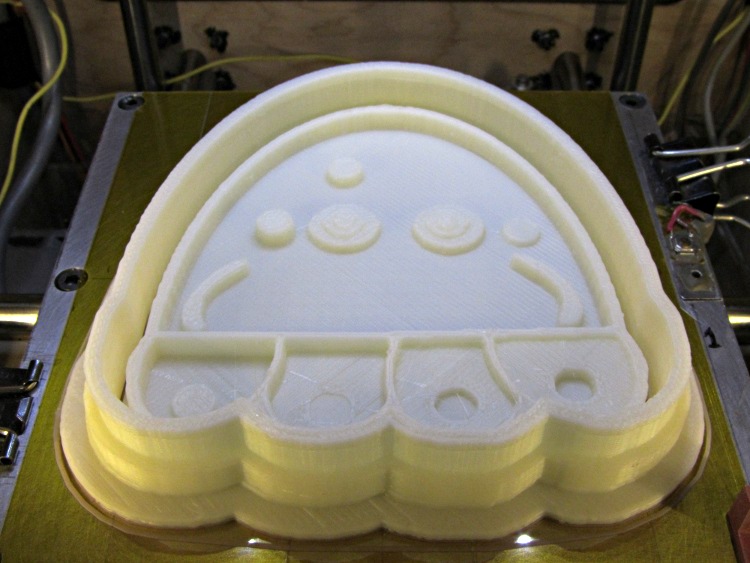
They’re a bit more impressive on the build platform, where the skirt thread around the perimeter extends slightly beyond the usual 100 mm width limit into the no-go zone behind the nozzle wiper. The bizarre lighting from the warm-white front LEDs and the cool-white overhead LED ring emphasizes the 3D features:
Jellyfish Cookie Cutter – on build platform
Somewhat to my surprise, the gritty nature of the bitmap source image didn’t cause a problem. The perimeters consist of many tiny segments, but most of the time goes to filling the interior (20% density, square pattern) and covering the flat surfaces, so the whole thing chugs along at a pretty good pace. Overall, it took something over an hour.
So, given a height-map grayscale image:
Manually tweaked jellyfish-high.png
I (and you!) can automatically create the solid model of a matched cookie cutter and press:
jellyfish-high – Cutter and Press – top view
And then we can produce as many chunks of plastic as needed for our baking session!
Printing that huge block of plastic did, however, uncover two longstanding mechanical problems. More tomorrow…







 The Smell of Molten Projects in the Morning