The Smell of Molten Projects in the Morning

Ed Nisley's Blog: Shop notes, electronics, firmware, machinery, 3D printing, laser cuttery, and curiosities. Contents: 100% human thinking, 0% AI slop.

Category: Home Ec

Things around the home & hearth

  • Can Opener Gear Rebuild

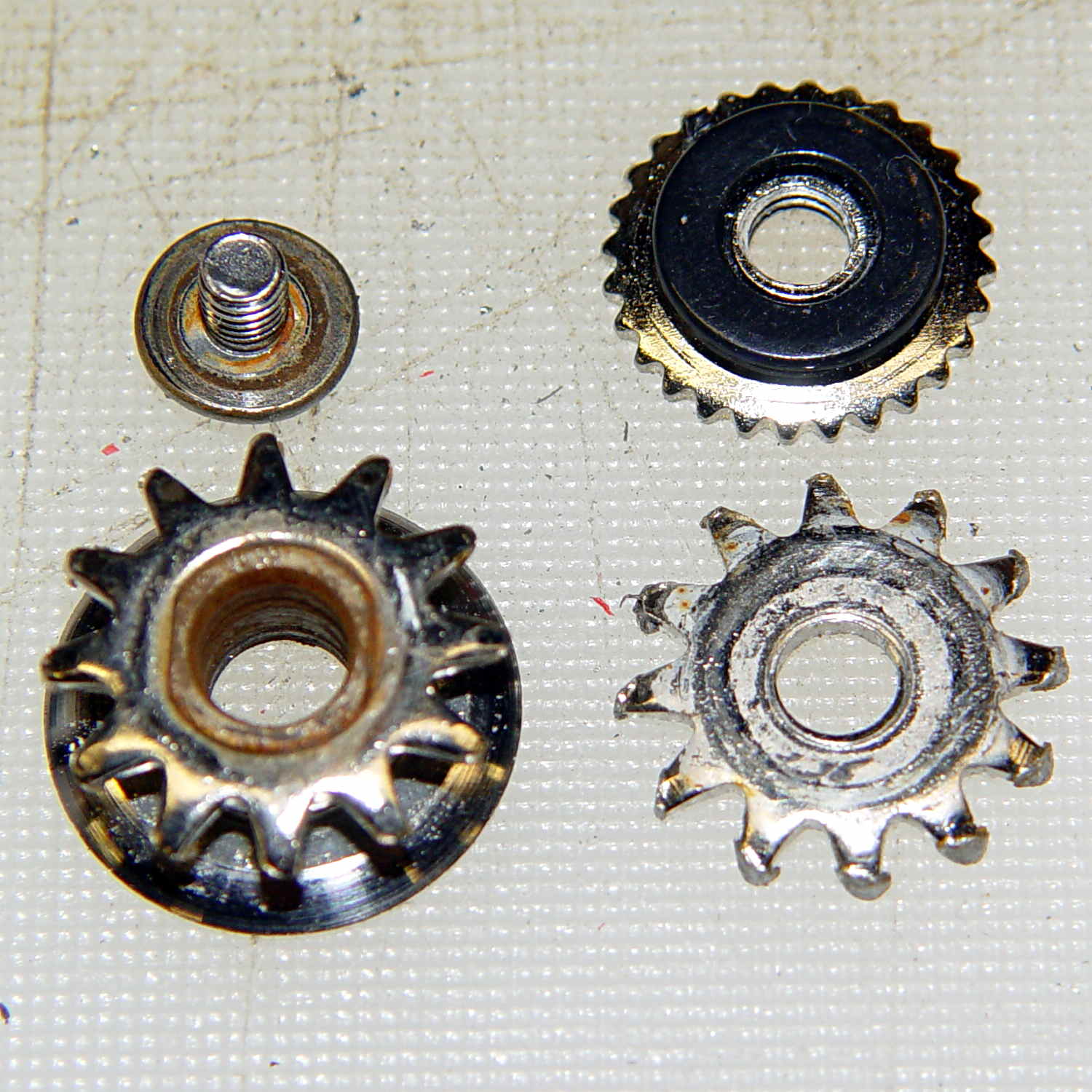
    Cleaning up the wrecked gears on the can opener made it painfully obvious that I had to conjure at least one gear to get the poor thing working again:

    Can opener - gears and cutters
    Can opener – gears and cutters

    Fortunately, those are more in the line of cogs, rather than real gears, so I decided a crude hack would suffice: drill a pattern of holes to define the openings between the teeth, file / grind the teeth reasonably smooth, and then tweak the shape to suit.

    Fitting some small number-size drills between the remains of the teeth showed:

    • A #52 = 52.0 mil = 1.32 mm drill matched the root curvature
    • A #28 = 140.5 mil = 3.57 mm drill was tangent to the small drill and the tooth walls

    Neither of those count as precision measurements, particularly given the ruined teeth, but they’re close enough for a first pass.

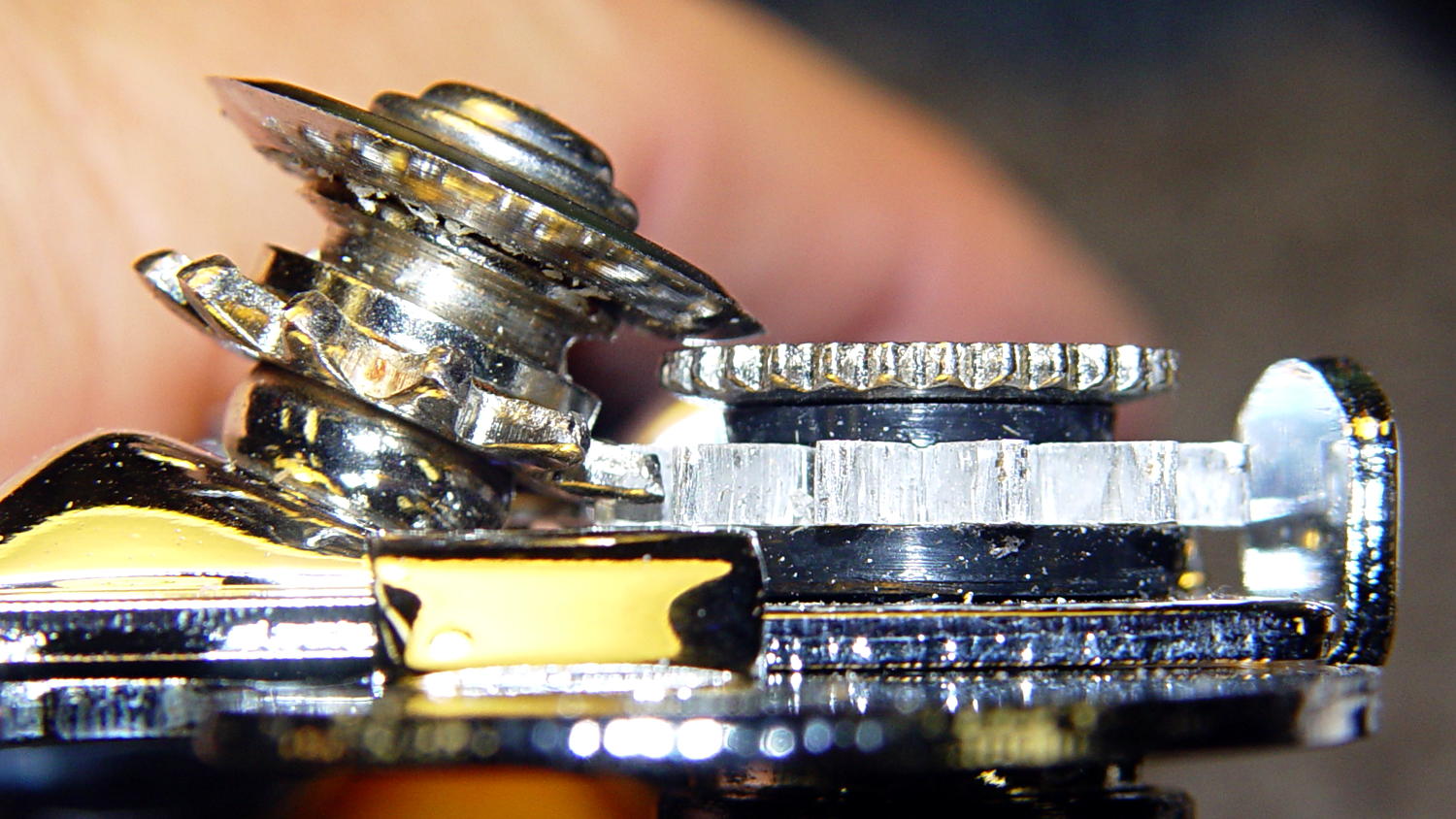
    The OEM drive gear (on the right) has the teeth bent upward to mate with the cutter gear (on the left), but under normal gripping force, the teeth don’t mesh securely and tend to slide over / under / past each other. However, if I were to cut the drive gear from a metal sheet that’s thick enough to engage both the root and the crest of the cutter gear, that should prevent all the slipping & sliding. Some eyeballometric guesstimation suggested 2.5 mm would be about right and the Basement Laboratory Stockpile produced a small slab of 100 mil = 2.54 mm aluminum sheet.

    However, the center part of the gear must have the same thickness as the OEM gear to keep the drive wheel at the same position relative to the cutter blade, which means a bit of pocket milling. I have some small ball burrs that seemed like they might come in handy.

    A recent thread on the LinuxCNC mailing list announced Bertho Stultien’s gcmc, the G-Code Meta Compiler, and this looked like a golden opportunity to try it out. Basically, gcmc lets you write G-Code programs in a C-like language that eliminates nearly all the horrendous syntactic noise of raw G-Code. I like it a lot and you’ll be seeing more of it around here…

    The gcmc source code, down below, include a function that handles automatic tool height probing, using that simple white-goods switch. The literal() function emits whatever you hand it as text for the G-Code file, which is how you mechanize esoteric commands that gcmc doesn’t include in its repertoire. It’s basically the same as my bare G-Code probe routine, but now maintains a state variable that eliminates the need for separate first-probe and subsequent-probe entry points.

    One point that tripped me up, even though I should know better: because gcmc is a compiler, it can’t read G-Code parameters that exist only when LinuxCNC (or whatever) is interpreting the G-Code. You can write parameters with values computed at compile time, but you can’t read and process them in the gcmc program.

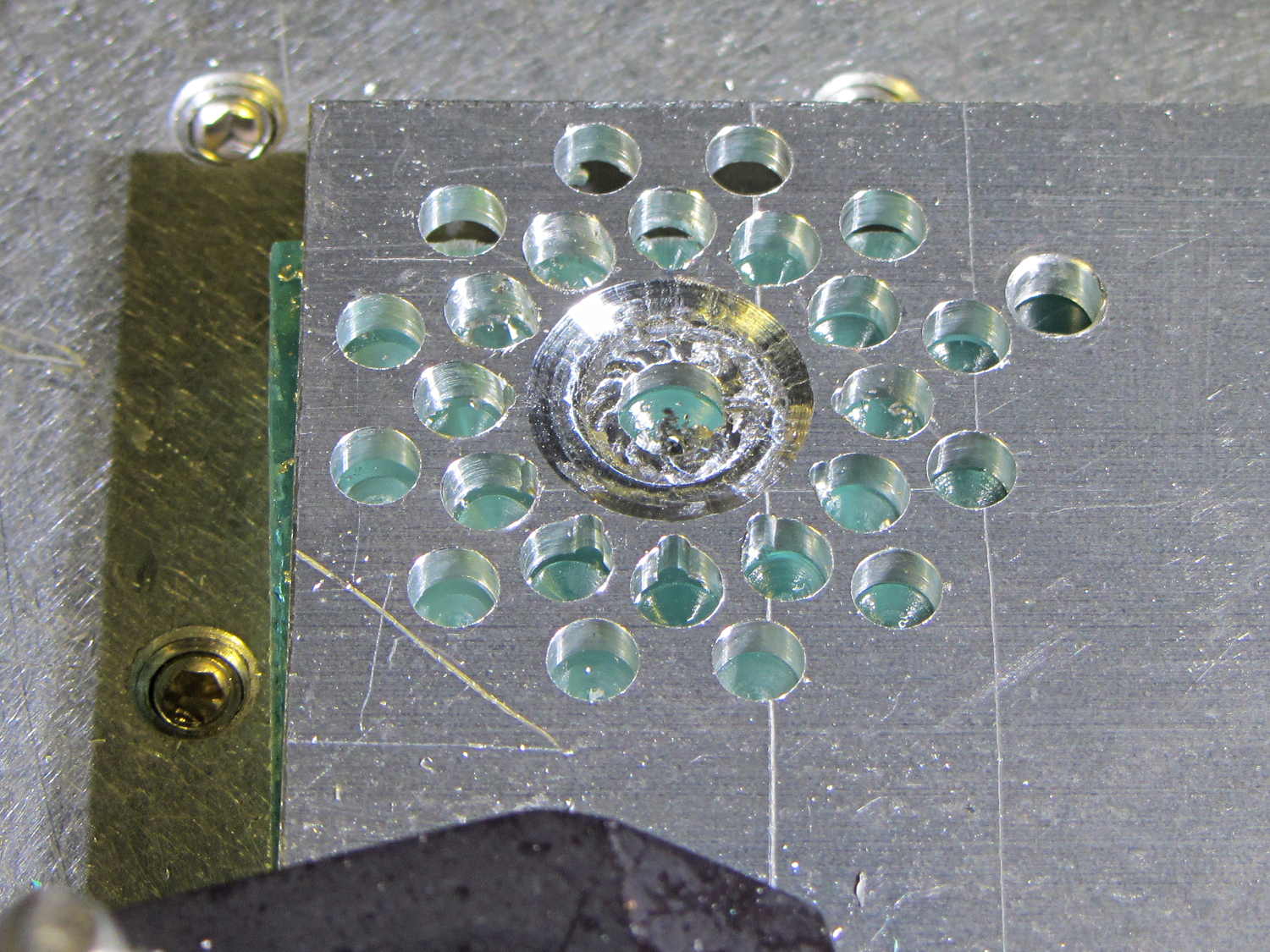
    Anyhow, the first pass produced an array of holes that, as I fully expected, weren’t quite right:

    Can opener gear - first hole pattern
    Can opener gear – first hole pattern

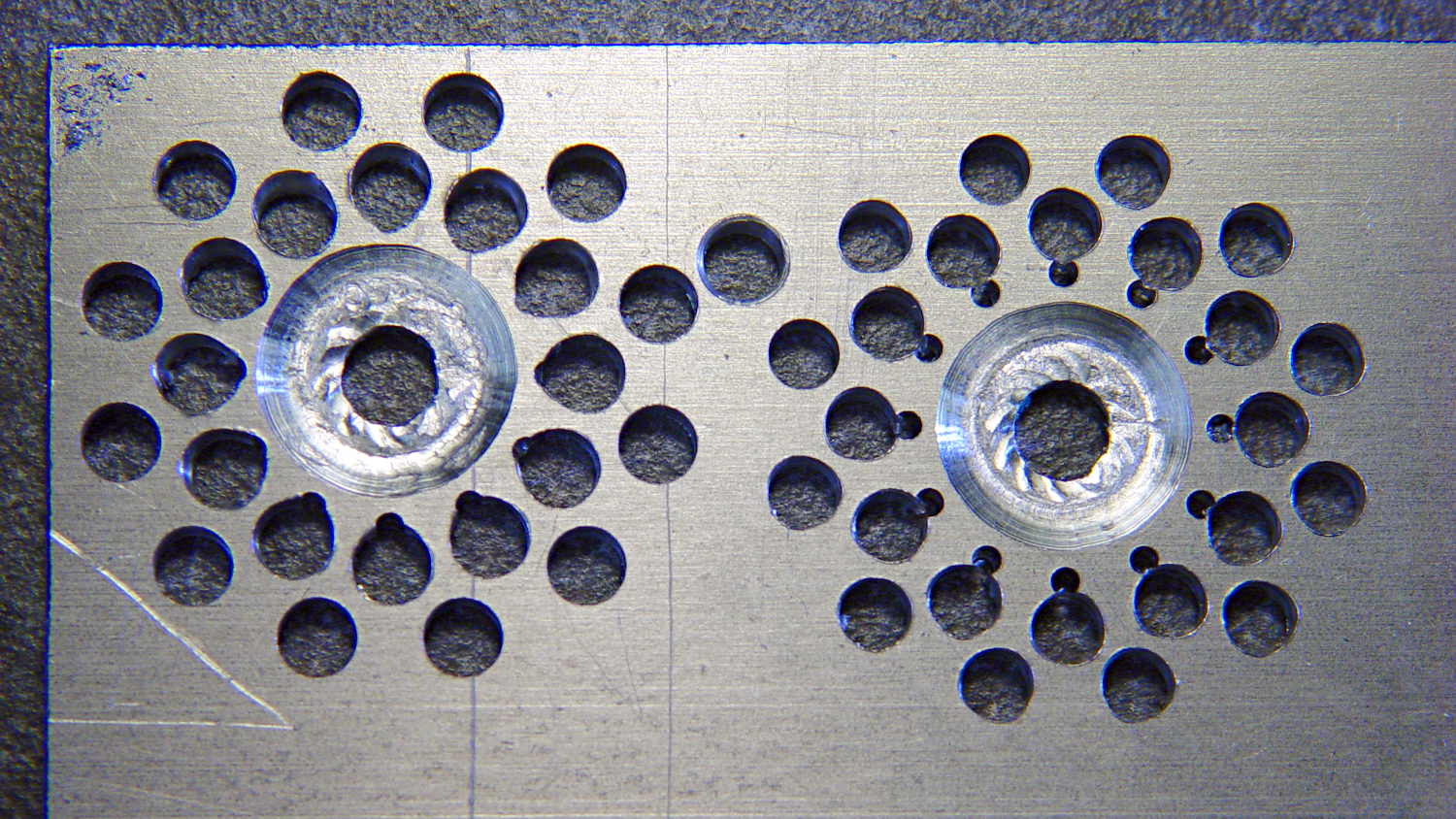
    The second pass got the root and middle holes tangent to each other:

    Can opener gear - second hole pattern
    Can opener gear – second hole pattern

    It also ran a center drill pass for those tiny little holes to prevent their drill from wandering about. The other drills are about the same size as the center drill, so they’re on their own.

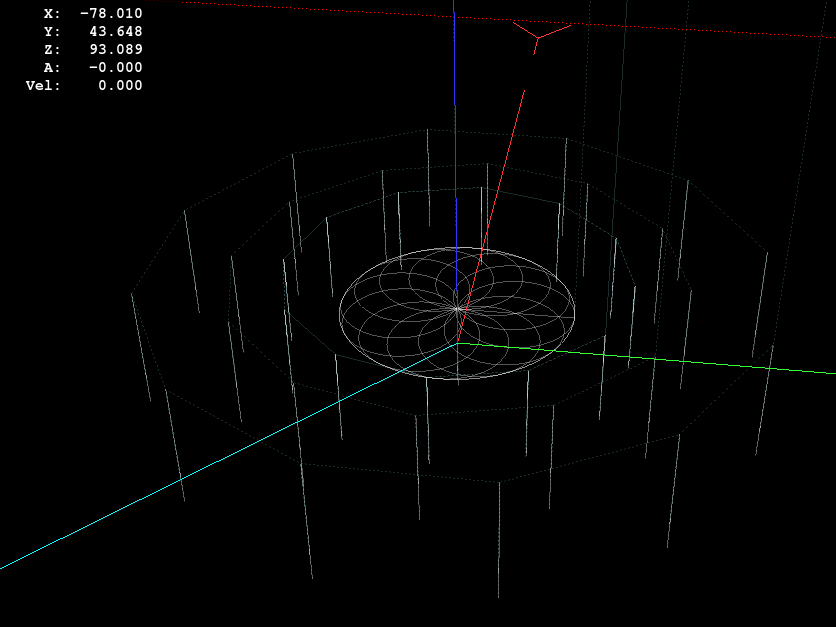
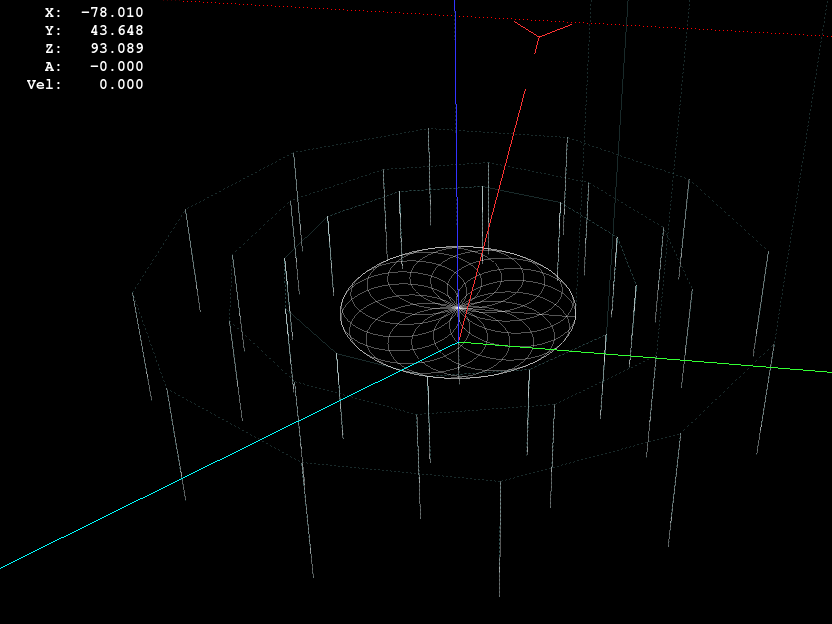
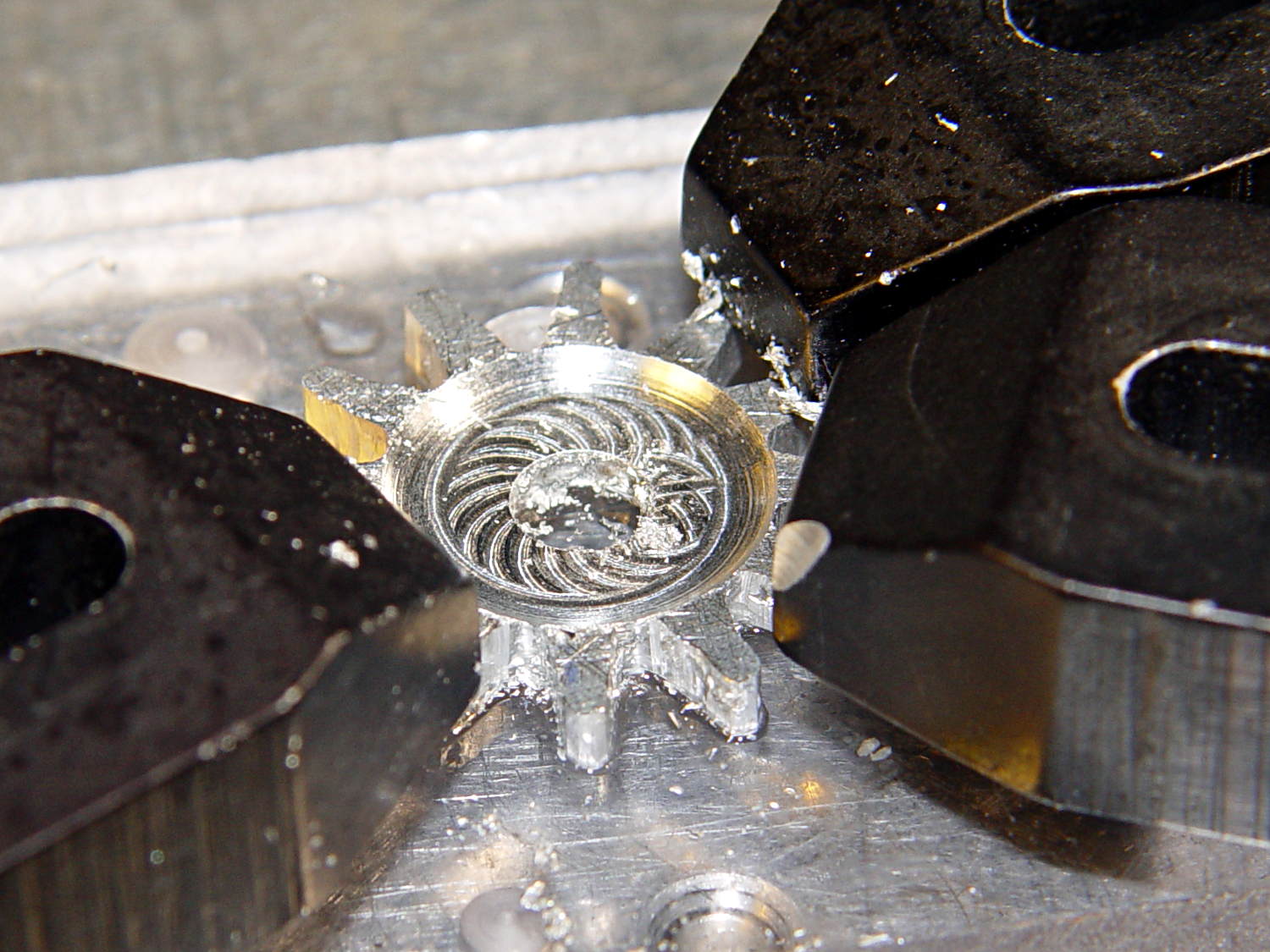
    The rosette around the central hole comes from sweeping the burr in a dozen overlapping circles tangent to the outer diameter, then making a cleanup pass around the OD:

    Can opener gear - 12 leaf rosette
    Can opener gear – 12 leaf rosette

    Incidentally, that stray hole between the two patterns came from the aluminum sheet’s previous life, whatever it may have been. There are three other holes, two of which had flat washers taped to them, so your guess is as good as mine. That’s my story and I’m sticking with it.

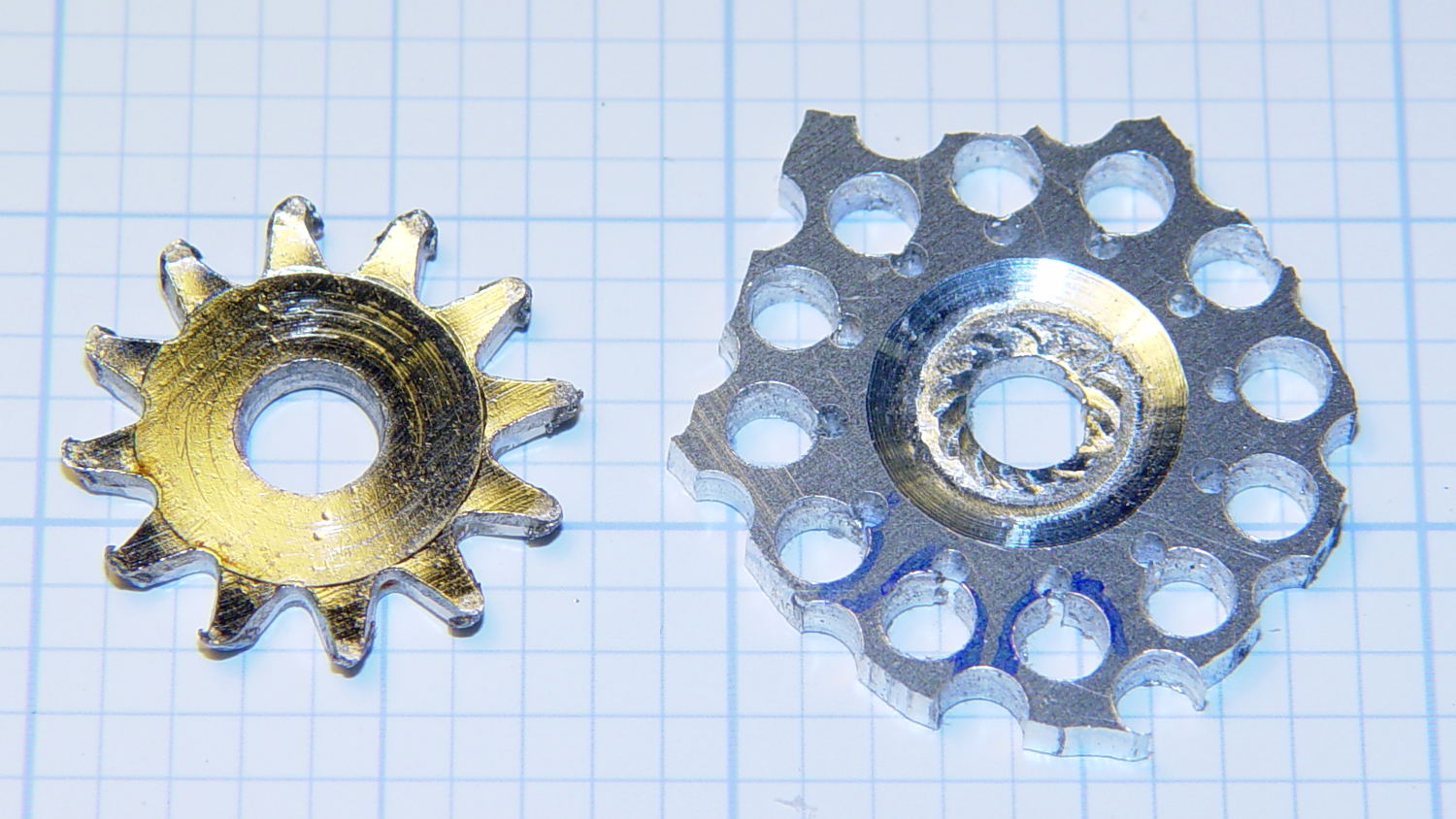
    Introducing the sheet to Mr Bandsaw and cutting through the outer ring produced a bizarre snowflake:

    Can opener gear - cut out
    Can opener gear – cut out

    Cutting off the outer ring of holes turned the incipient gear body into a ragged shuriken:

    Can opener gear - isolated
    Can opener gear – isolated

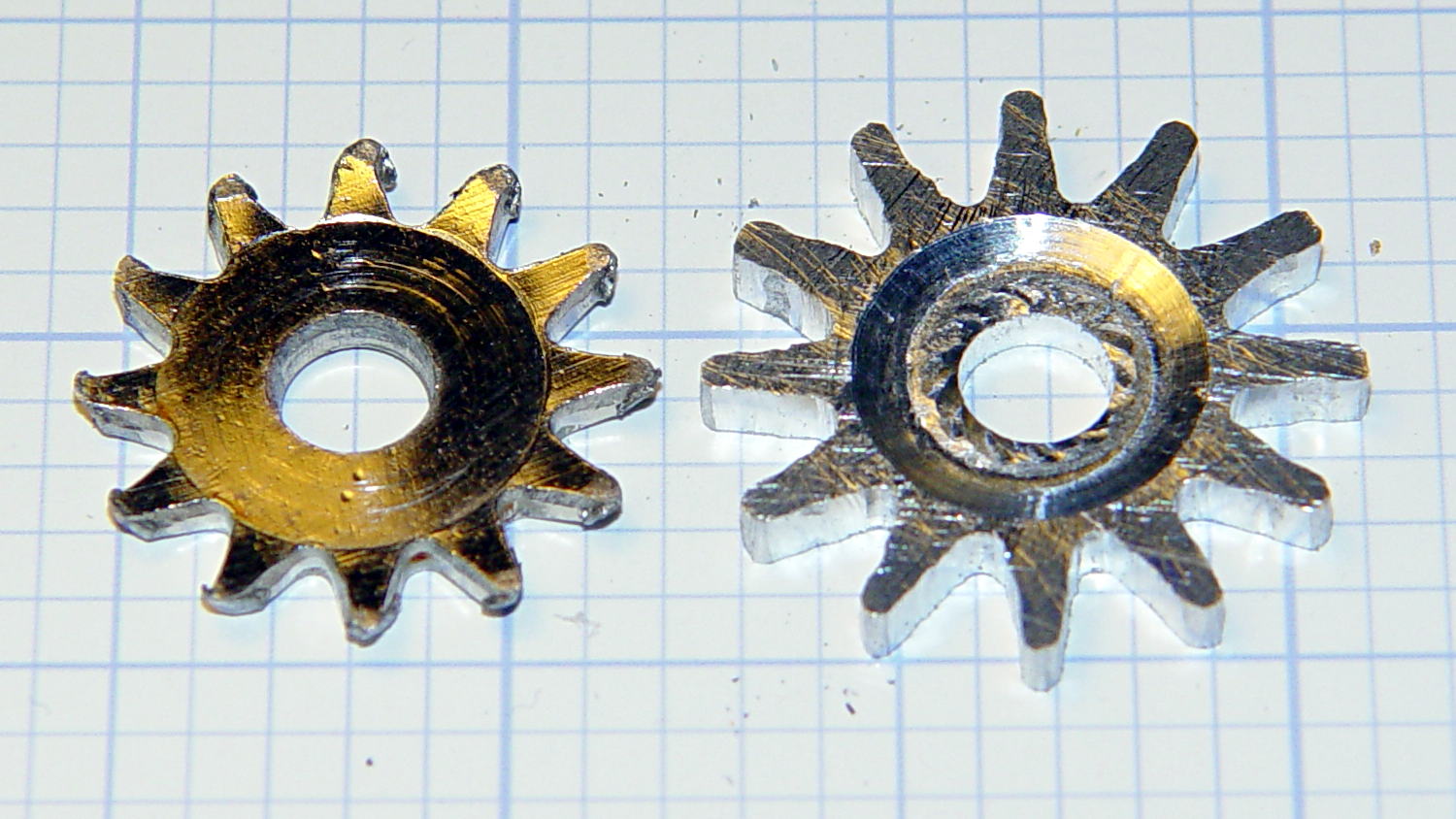
    A few minutes of increasingly deft Dremel cutoff wheel work, poised on the bench vise over the shopvac nozzle to capture the dust, produced a credible gear shape:

    Can opener gear - first pass
    Can opener gear – first pass

    Iterating through some trial fits, re-grinds, and general fiddling showed that the center pocket was too shallow. The cutter wheel should slightly clear the drive wheel, but it’s an interference fit:

    Can opener gear - trial fit
    Can opener gear – trial fit

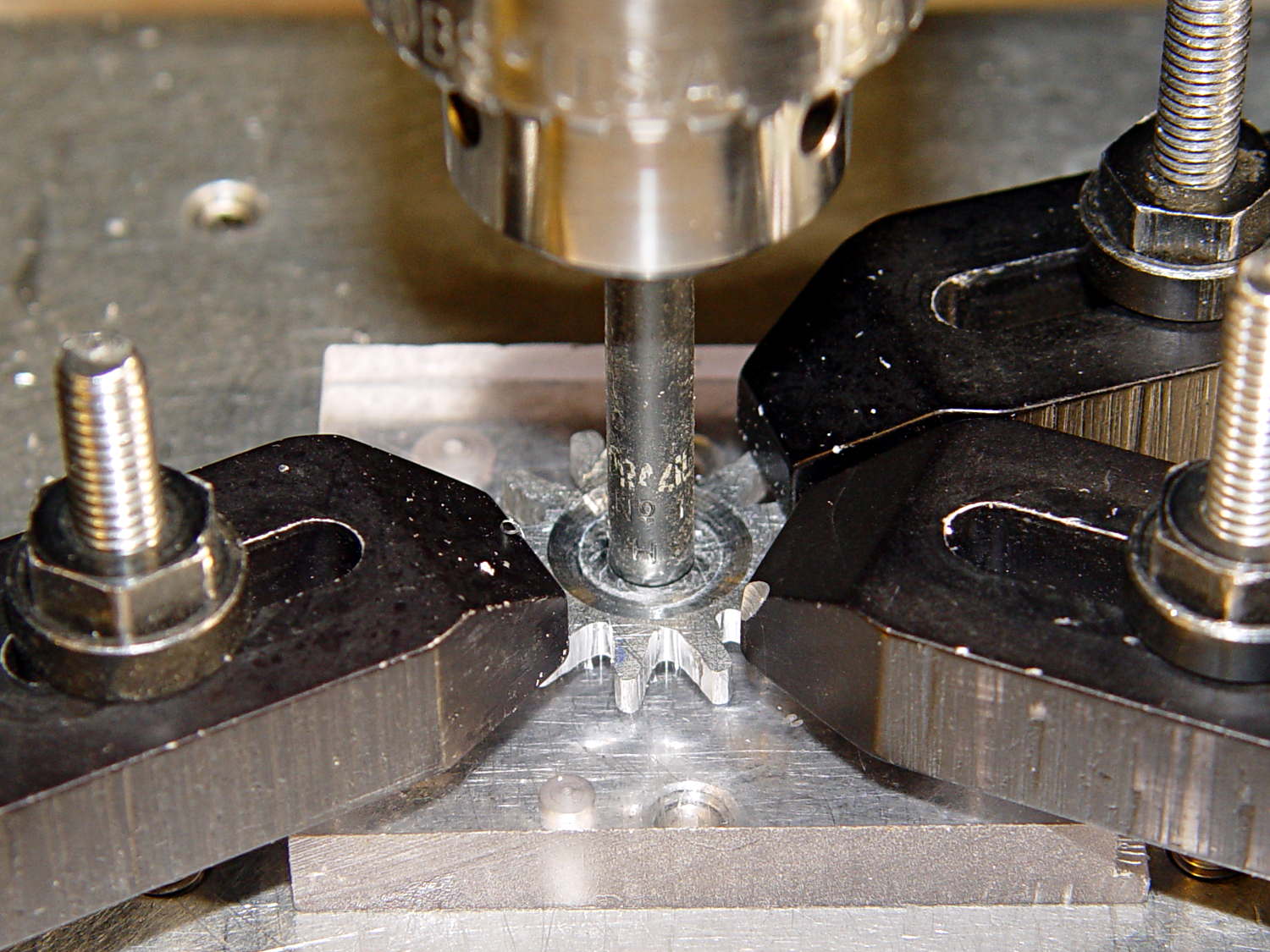
    Which, of course, meant that I had to clamp the [mumble] thing back in the Sherline and re-mill the pocket. The trick is to impale it on the wrong end of a suitable drill, clamp it down, and touch off that spot as the origin:

    Can opener gear - re-centering
    Can opener gear – re-centering

    I took the opportunity to switch to a smaller ball and make 16 little circles to clear the pocket:

    Can Opener Gear - 16 leaf rosette
    Can Opener Gear – 16 leaf rosette

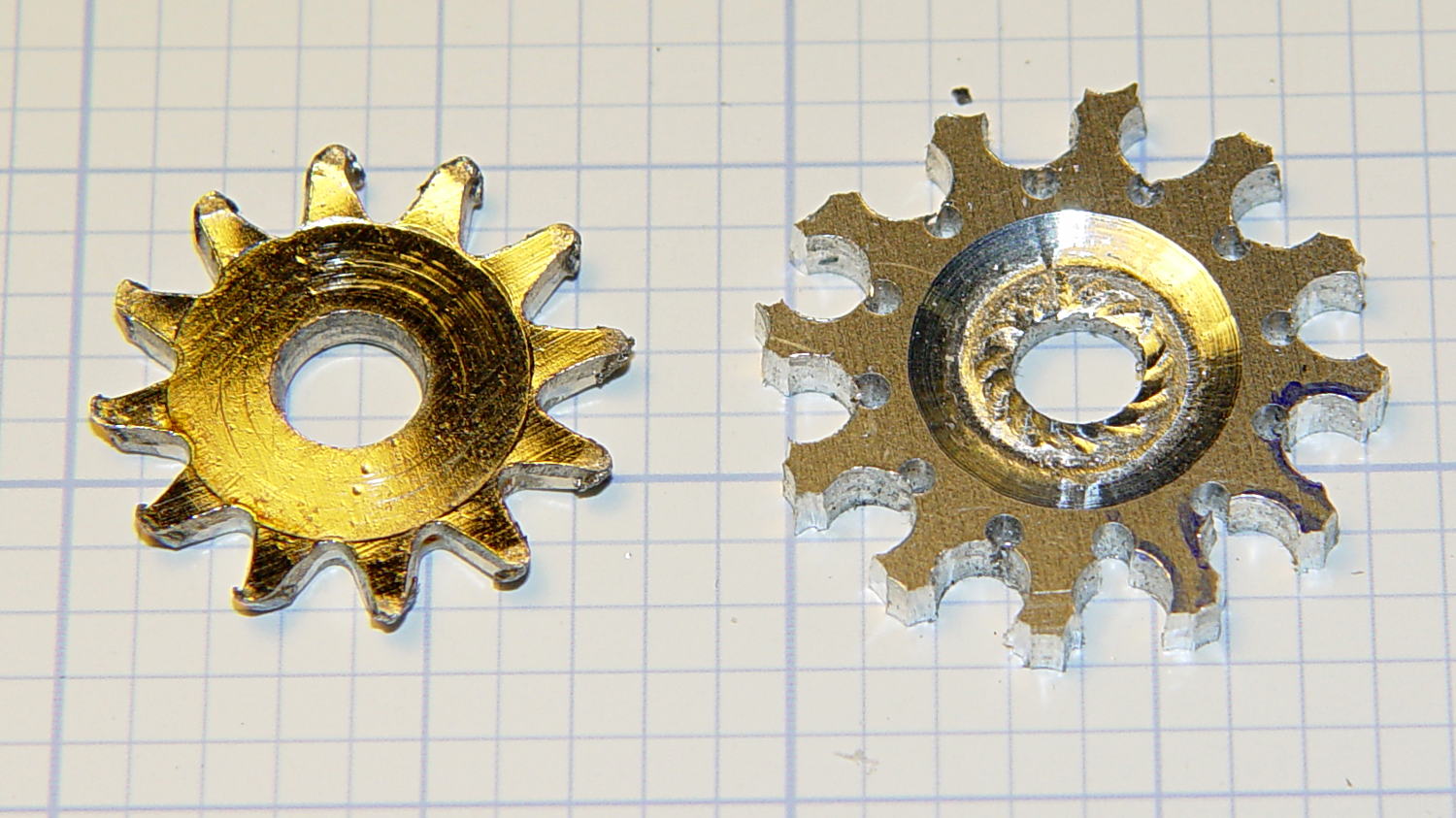
    Now that’s better:

    Can opener gear - deeper pocket
    Can opener gear – deeper pocket

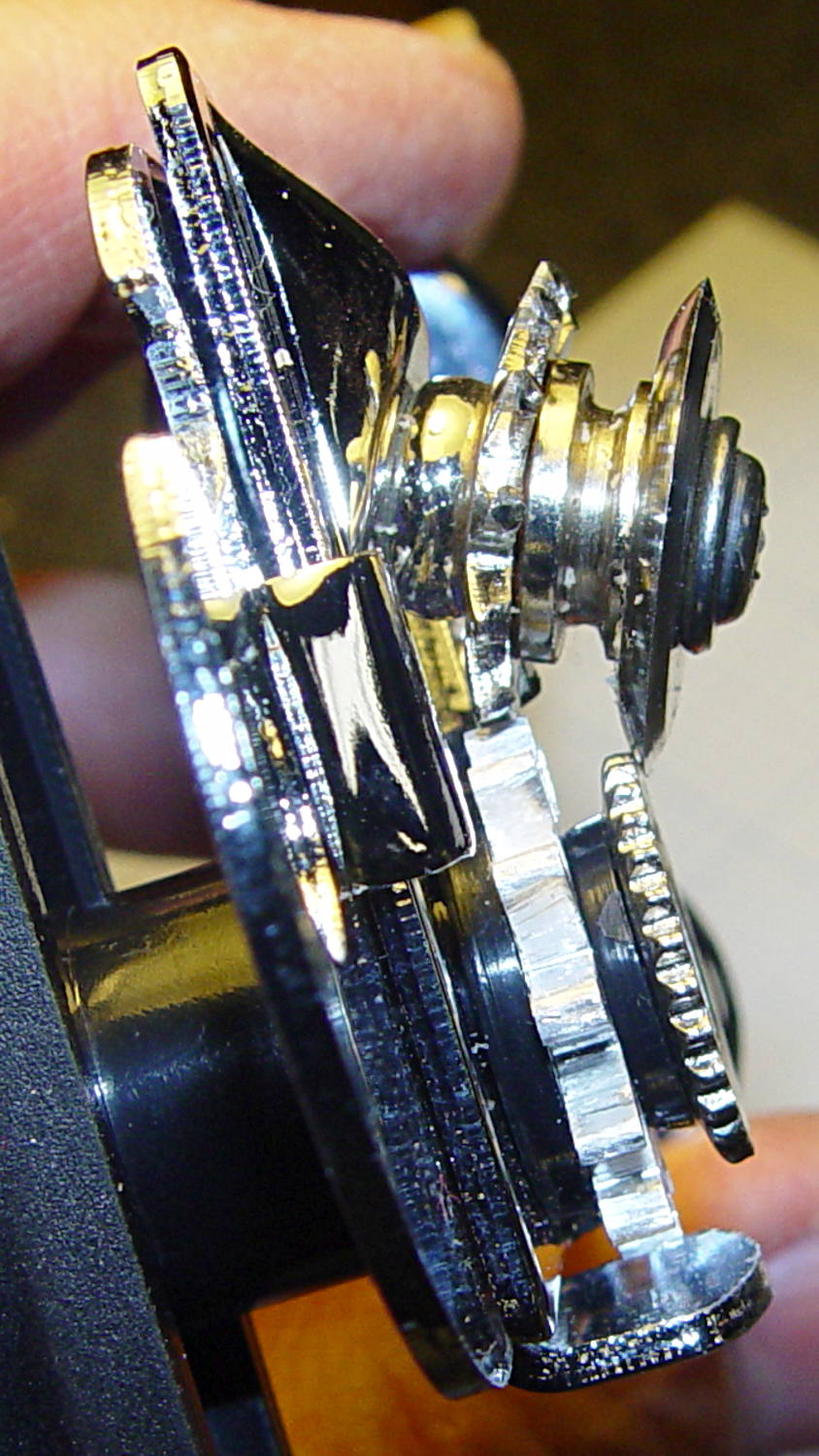
    Another trial fit showed that everything ended up in the right place:

    Can opener gear - final fit
    Can opener gear – final fit

    I gave it a few cranks, touched up any cogs that clashed with the (still misshapen) cutter gear, applied it to a randomly chosen can, and it worked perfectly:

    • Squeeze the levers to easily punch through the lid
    • Crankety crank on the handle, while experiencing none of the previous drama
    • The severed lid falls into the can

    Which is exactly how it’s supposed to work. What’s so hard about that?

    What you can’t see in that picture is the crest of the lowest cutter gear tooth fitting just above the bottom of the drive gear root. Similarly, the crest of the highest drive gear tooth remains slightly above the cutter root. That means the cutter gear teeth always engage the drive gear, there’s no slipping & sliding, and it’s all good.

    Aluminum isn’t the right material for a gear-like object meshed with a steel counterpart, but it’s easy to machine on a Sherline. I’ll run off a few more for show-n-tell and, if when this one fails, I’ll have backup.

    The gcmc source code:

    // Can opener drive gears
    //	Ed Nisley KE4ZNU - February 2014
    //	Sherline CNC mill with tool height probe
    //	XYZ touchoff origin at center on fixture surface
    
    DO_DRILLCENTER	= 1;
    DO_MILLCENTER	= 1;
    DO_DRILLINNER	= 1;
    DO_DRILLOUTER	= 1;
    DO_DRILLTIPS	= 1;
    
    //----------
    // Overall dimensions
    
    GearThick = 2.54;			// overall gear thickness
    GearCenterThick = 1.75;		// thickness of gear center
    
    GearTeeth = 12;				// number of teeth!
    ToothAngle = 360deg/GearTeeth;
    GearOD = 22.0;				// tooth tip
    GearID = 13.25;				// tooth root
    
    SafeZ = 20.0;				// guaranteed to clear clamps
    TravelZ = GearThick + 1.0;	// guaranteed to clear plate
    
    //----------
    // Tool height probe
    //	Sets G43.1 tool offset in G-Code, so our Z=0 coordinate always indicates the touchoff position
    
    ProbeInit = 0;					// 0 = not initialized, 1 = initialized
    ProbeSpeed = 400.0mm;
    ProbeRetract = 1.0mm;
    
    PROBE_STAY = 0;					// remain at probe station
    PROBE_RESTORE = 1;				// return to previous location after probe
    
    function ProbeTool(RestorePos) {
    
    local WhereWasI;
    
    	WhereWasI = position();
    
    	if (ProbeInit == 0) {		// probe with existing tool to set Z=0 as touched off
    		ProbeInit++;
    		literal("#<_Probe_Speed> = ",to_none(ProbeSpeed),"\n");
    		literal("#<_Probe_Retract> = ",to_none(ProbeRetract),"\n");
    		literal("#<_ToolRefZ> = 0.0 \t; prepare for first probe\n");
    		ProbeTool(PROBE_STAY);
    		literal("#<_ToolRefZ> = #5063 \t; save touchoff probe point\n");
    		literal("G43.1 Z0.0 \t; set zero offset = initial touchoff\n");
    	}
    	elif (ProbeInit == 1) {		// probe with new tool, adjust offset accordingly
    		literal("G49 \t; clear tool length comp\n");
    		literal("G30 \t; move over probe switch\n");
    		literal("G59.3 \t; use coord system 9\n");
    		literal("G38.2 Z0 F#<_Probe_Speed> \t; trip switch on the way down\n");
    		literal("G0 Z[#5063 + #<_Probe_Retract>] \t; back off the switch\n");
    		literal("G38.2 Z0 F[#<_Probe_Speed> / 10] \t; trip switch slowly\n");
    		literal("#<_ToolZ> = #5063 \t; save new tool length\n");
    		literal("G43.1 Z[#<_ToolZ> - #<_ToolRefZ>] \t; set new length\n");
    		literal("G54 \t; return to coord system 0\n");
    		literal("G30 \t; return to safe level\n");
    	}
    	else {
    		error("*** ProbeTool sees invalid ProbeInit: ",ProbeInit);
    		comment("debug,*** ProbeTool sees invalid ProbeInit: ",ProbeInit);
    		ProbeInit = 0;
    	}
    
    	if (RestorePos == PROBE_RESTORE) {
    		goto(WhereWasI);
    	}
    
    }
    
    //----------
    // Utility functions
    
    function WaitForContinue(MsgStr) {
    	comment(MsgStr);
    	pause();
    }
    
    function CueToolChange(MsgStr) {
    	literal("G0 Z" + SafeZ + "\n");
    	literal("G30\n");
    	WaitForContinue(MsgStr);
    }
    
    function ToolChange(Info,Name) {
    	CueToolChange("msg,Insert " + to_mm(Info[TOOL_DIA]) + " = " + to_in(Info[TOOL_DIA]) + " " + Name);
    	ProbeTool(PROBE_STAY);
    
    	WaitForContinue("msg,Set spindle to " + Info[TOOL_SPEED] + " rpm");
    	feedrate(Info[TOOL_FEED]);
    }
    
    function GetAir() {
    	goto([-,-,SafeZ]);
    }
    
    //-- compute drill speeds & feeds based on diameter
    //		rule of thumb is 100 x diameter at 3000 rpm for real milling machines
    //		my little Sherline's Z axis can't produce enough thrust for that!
    
    MaxZFeed = 600.0mm;				// fastest possible Z feed
    
    TOOL_DIA = 0;					// Indexes into DrillParam() result
    TOOL_SPEED = 1;					//  spindle RPM
    TOOL_FEED = 2;					//	linear feed
    TOOL_TIP = 3;					//	length of 118 degreee drill tip
    
    function DrillParam(Dia) {
    local RPM,Feed,Tip,Data,Derating;
    
    	Derating = 0.25;			// derate from (100 x diameter) max feed
    
    	RPM = 3000.0;				// default 3 k rpm
    
    	Feed = Derating * (100.0 * Dia);
    	if (Feed > MaxZFeed) {
    		RPM *= (MaxZFeed / Feed);	//  scale speed downward to fit
    		Feed = MaxZFeed;
    	}
    
    	Tip = (Dia/2) * tan(90deg - 118deg/2);
    	Data = [Dia,RPM,Feed,Tip];
    
    	message("DrillParam: ",Data);
    	return Data;
    }
    
    //-- peck drilling cycle
    
    function PeckDrill(Endpt,Retract,Peck) {
    	literal("G83 X",to_none(Endpt[0])," Y",to_none(Endpt[1])," Z",to_none(Endpt[2]),
    			" R",to_none(Retract)," Q",to_none(Peck),"\n");
    }
    
    //----------
    // Make it happen
    
    literal("G99\t;  retract to R level, not previous Z\n");
    
    WaitForContinue("msg,Verify: G30 position in G54 above tool change switch?");
    
    WaitForContinue("msg,Verify: fixture origin XY touched off at center of gear?");
    
    WaitForContinue("msg,Verify: Z touched off on top surface at " + GearThick + "?");
    ProbeTool(PROBE_STAY);
    
    //-- Drill center hole
    
    if (DO_DRILLCENTER) {
    
    	DrillData = DrillParam(5.0mm);
    	ToolChange(DrillData,"drill");
    
    	goto([0,0,-]);
    	goto([-,-,TravelZ]);
    
    	drill([0,0,-1.5*DrillData[TOOL_TIP]],TravelZ,DrillData[TOOL_DIA]);
    	GetAir();
    
    }
    
    //-- Drill inner ring
    
    if (DO_DRILLINNER) {
    
    	DrillData = DrillParam(1.32mm);
    
    	RingRadius = GearID/2.0 + DrillData[TOOL_DIA]/2.0;		// center of inner ring holes
    	HolePosition = [RingRadius,0mm,-1.5*DrillData[TOOL_TIP]];
    
    //	but first, center-drill to prevent drifting
    
    	CDData = DrillParam(1.00mm);			// pretend it's a little drill
    	CDData[TOOL_FEED] = 100mm;				//  ... use faster feed
    
    	CDPosition = HolePosition;				// use center drill coordinates
    	CDPosition[2] = GearThick - 0.25mm;		//  ... just below surface
    
    	ToolChange(CDData,"center drill");
    
    	goto([0,0,-]);
    	goto([-,-,TravelZ]);
    
    	for (Tooth = 0 ; Tooth < GearTeeth ; Tooth++) {
    		drill(CDPosition,TravelZ,2*TravelZ);		// large increment ensures one stroke
    		CDPosition = rotate_xy(CDPosition,ToothAngle);
    	}
    
    //	now drill the holes
    
    	ToolChange(DrillData,"drill");
    
    	goto([0,0,-]);
    	goto([-,-,TravelZ]);
    
    	for (Tooth = 0 ; Tooth < GearTeeth ; Tooth++) {
    		PeckDrill(HolePosition,TravelZ,DrillData[TOOL_DIA]);
    		HolePosition = rotate_xy(HolePosition,ToothAngle);
    	}
    
    	GetAir();
    
    }
    
    //-- Mill center recess
    
    if (DO_MILLCENTER) {
    
    	MillData = [4.50mm,3000,250.0mm,0.0mm];			// spherical ball burr
    
    	Delta = GearThick - GearCenterThick;							// depth to be milled away
    	Inset = sqrt(2.0*Delta*(MillData[TOOL_DIA]/2) - pow(Delta,2));	// toll axis to milled edge
    
    	ToolChange(MillData,"ball burr");
    
    	goto([0,0,-]);							// above central hole
    	goto([0,0,GearThick]);					// vertically down to flush with surface
    	move([0,0,GearCenterThick]);			// into gear blank
    
    	for (Angle = 0.0deg; Angle < 360.0deg; Angle+=360.0deg/16) {	// clear interior
    		circle_cw((GearID/2 - Inset)/2,Angle);
    	}
    
    	move_r([(GearID/2 - Inset),0.0,0.0]);							// clean rim
    	circle_ccw([0.0,0.0,GearCenterThick],2);
    
    	GetAir();
    
    }
    
    //-- Drill outer ring
    
    if (DO_DRILLOUTER) {
    
    	RingRadius += DrillData[TOOL_DIA]/2;		// at OD of inner ring holes
    
    	DrillData = DrillParam(3.18mm);
    	RingRadius += DrillData[TOOL_DIA]/2.0;		// center of outer ring holes
    	HolePosition = [RingRadius,0mm,-1.5*DrillData[TOOL_TIP]];
    
    	ToolChange(DrillData,"drill");
    
    	for (Tooth = 0 ; Tooth < GearTeeth ; Tooth++) {
    		PeckDrill(HolePosition,TravelZ,DrillData[TOOL_DIA]);
    		HolePosition = rotate_xy(HolePosition,ToothAngle);
    	}
    
    	GetAir();
    
    }
    
    //-- Drill to locate gear tooth tip end
    
    if (DO_DRILLTIPS) {
    
    	DrillData = DrillParam(4.22mm);
    
    	RingRadius = GearOD/2.0 + DrillData[TOOL_DIA]/2.0;		// tangent to gear tooth tip
    	HolePosition = [RingRadius,0mm,-1.5*DrillData[TOOL_TIP]];
    	HolePosition = rotate_xy(HolePosition,ToothAngle/2);	// align to tooth
    
    	ToolChange(DrillData,"drill");
    
    	for (Tooth = 0 ; Tooth < GearTeeth ; Tooth++) {
    		PeckDrill(HolePosition,TravelZ,DrillData[TOOL_DIA]);
    		HolePosition = rotate_xy(HolePosition,ToothAngle);
    	}
    
    	GetAir();
    
    }
    
    literal("G30\n");
    comment("msg,Done!");
    

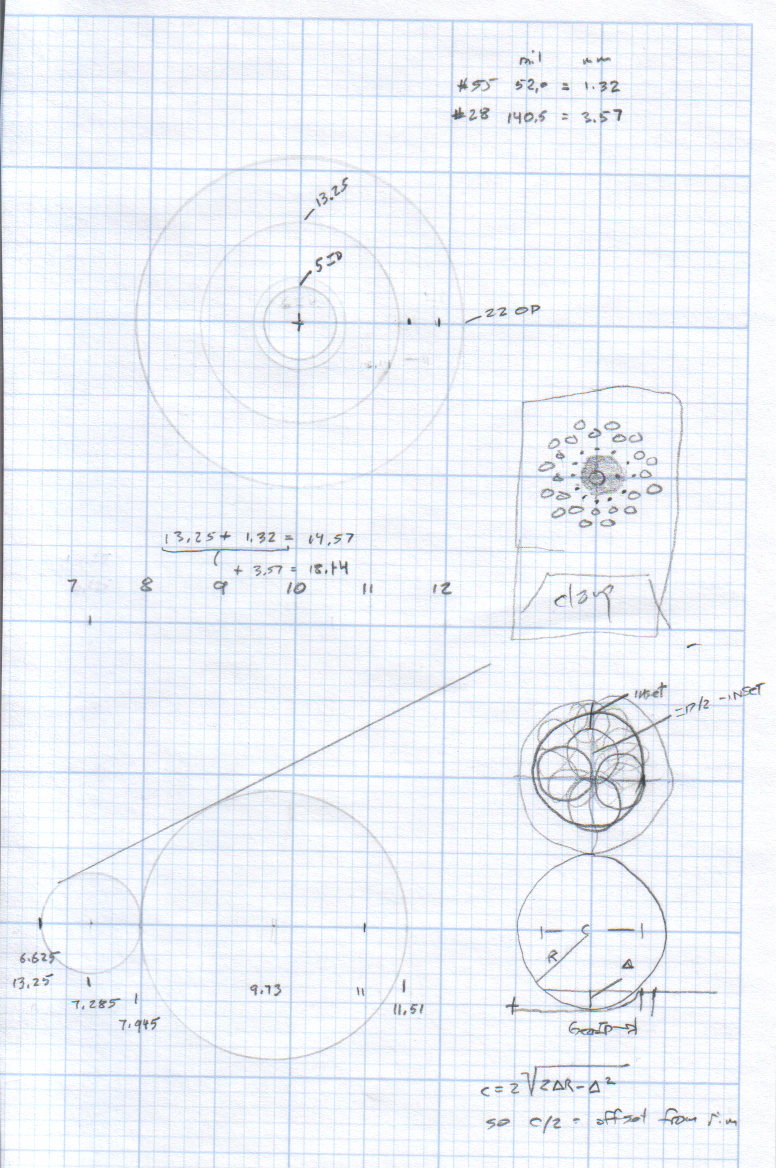
    The original doodle that suggested the possibility:

    Can Opener Gears - Doodle 1
    Can Opener Gears – Doodle 1

    The chord equation at the bottom shows how to calculate the offset for the ball burr, although it turns out there’s no good way to measure the cutting diameter of the burr and it’s not really spherical anyway.

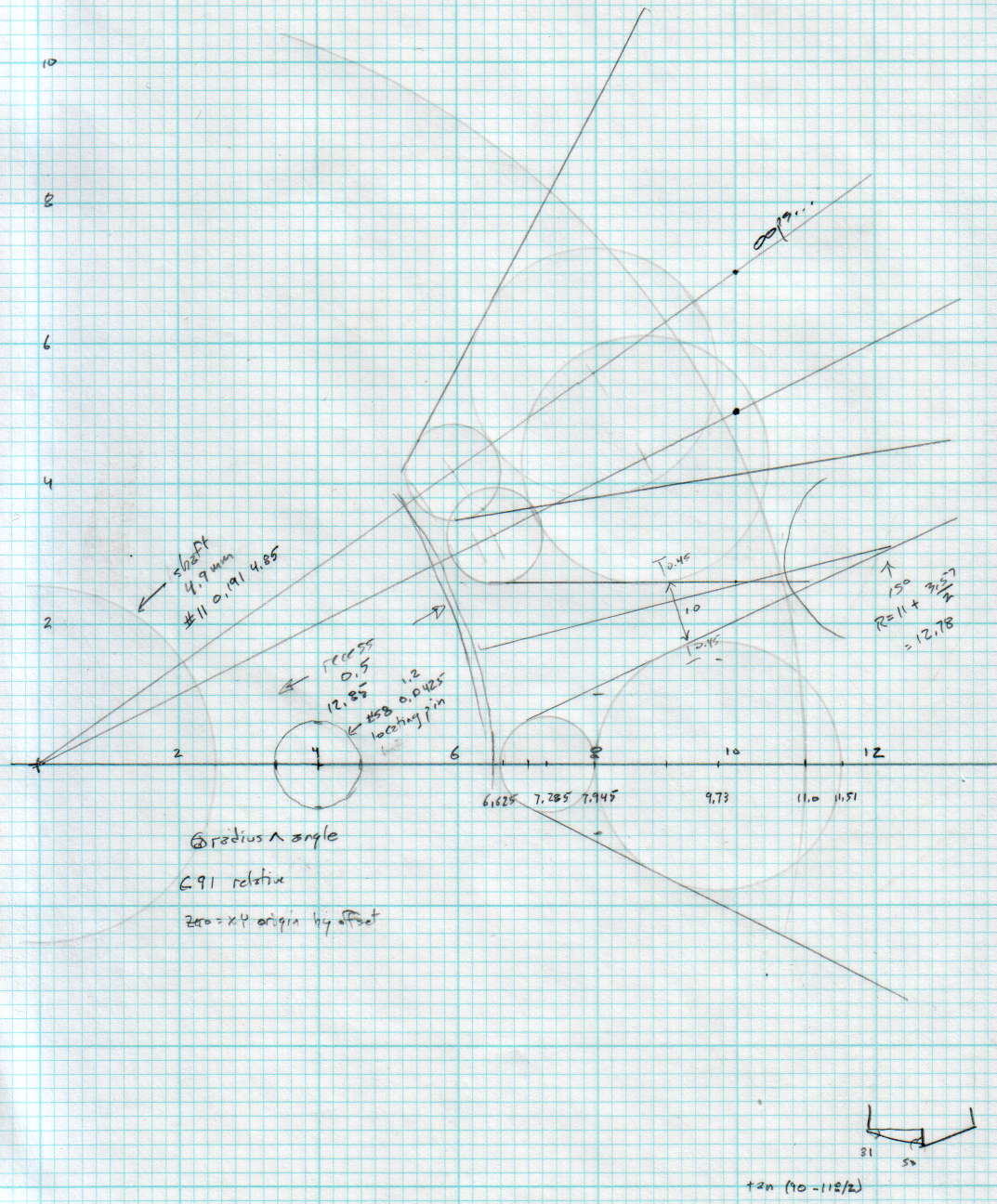
    A more detailed doodle with the key line at a totally bogus angle:

    Can Opener Gears - Doodle 2
    Can Opener Gears – Doodle 2

    The diagram in the lower right corner shows how you figure the length of the tip on a 118° drill point, which you add to the thickness of the plate in order to get a clean hole.
  • Sewing Machine Bulb: LED Replacement Doodle

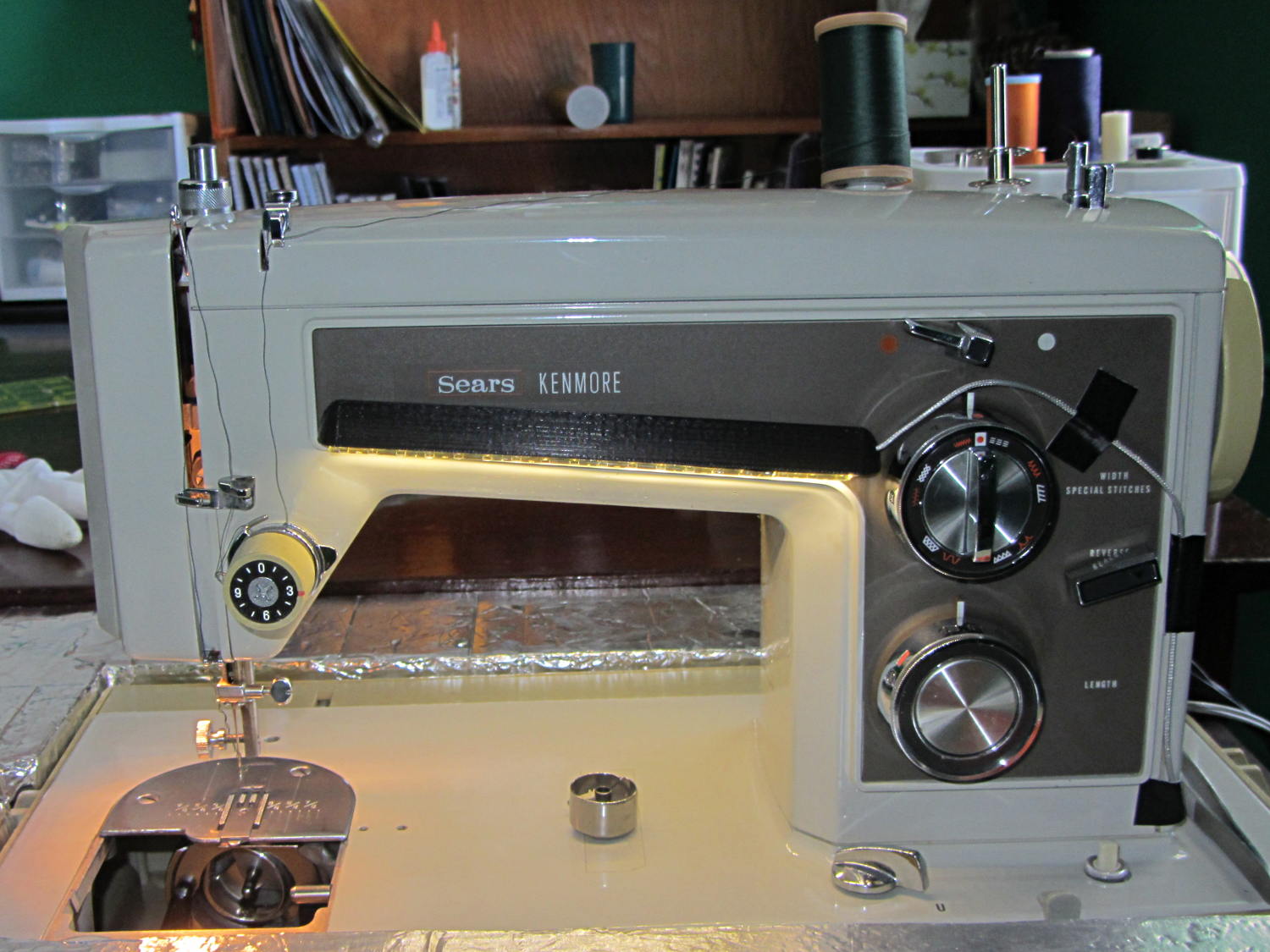
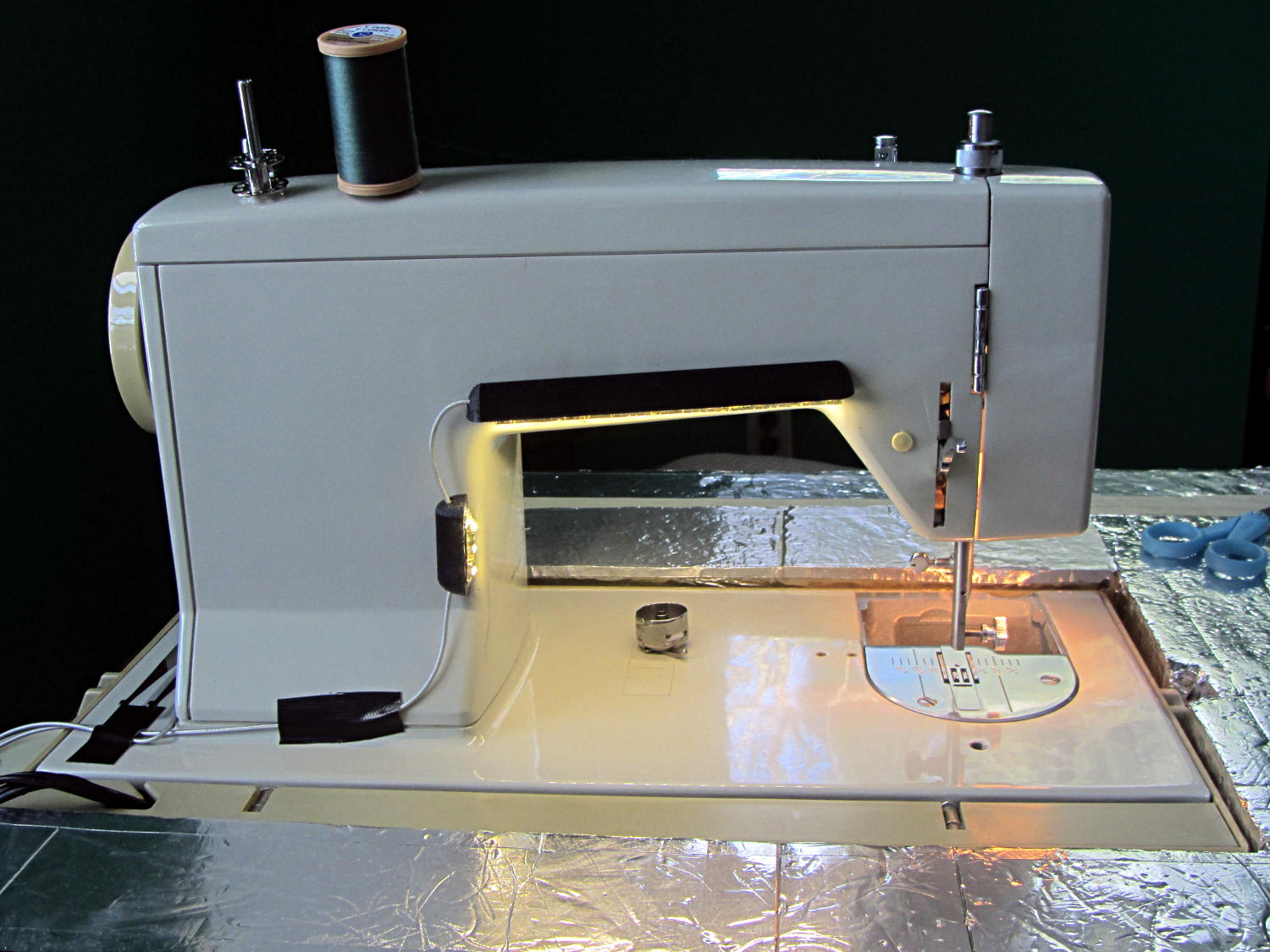
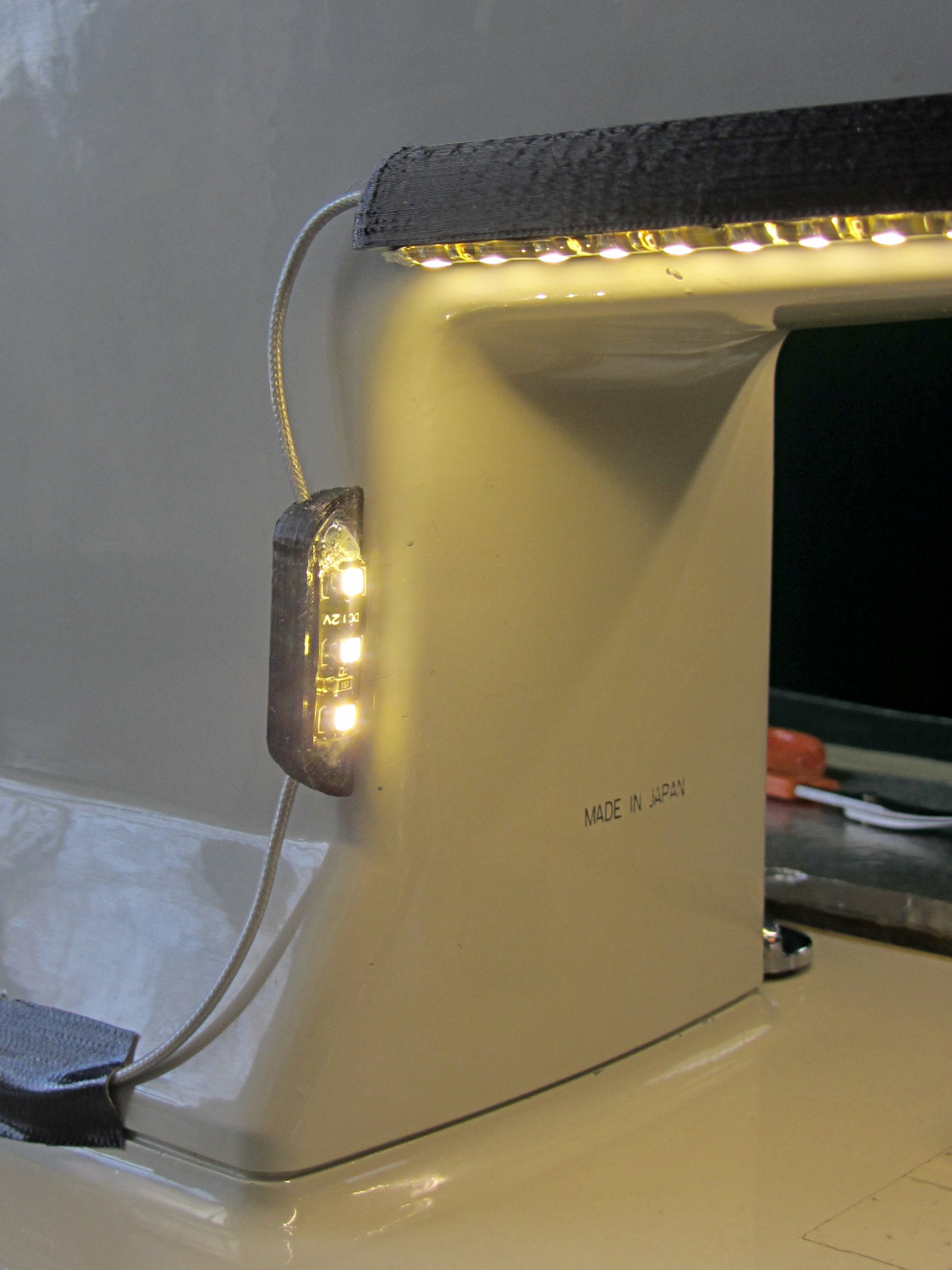
    Mary wants more light directly around the needle of her Kenmore Model 158 sewing machine, as the existing light (a 120 V 15 W incandescent bulb tucked inside the end housing) casts more of a diffuse glow than a directed beam:

    Kenmore Model 158 Sewing Machine - lamp
    Kenmore Model 158 Sewing Machine – lamp

    The end cap fits snugly around the bulb, but I thought a pair of 10 mm white LEDs, mounted side-by-side and aimed downward at the cover plate, would work. Of course, plugging a pair of white LEDs into a 120 VAC socket won’t work, but some judicious rewiring and a new 12 V DC wall wart will take care of that.

    The bulb has a dual-contact bayonet base, with both pins isolated from the shell and connected to the non-polarized (!) line cord through the power switch. I didn’t know it was called a BA15d base, but now I do.

    A 12 V automotive brake/taillight bulb (type 1157, I think) pulled from the Big Box o’ Bulbs has a slightly different pin arrangement that keys the filaments (which are not isolated from the shell) to the surrounding reflector:

    BA15d Bayonet Bulb Bases - 120V vs. 12V pins
    BA15d Bayonet Bulb Bases – 120V vs. 12V pins

    So I conjured a mockup to see if it would fit, using 2-56 screws to mimic whatever hardware might be practical:

    BA15d Bulb - LED Adapter
    BA15d Bulb – LED Adapter

    The solid model shows how it all fits together:

    Sears Lamp LED Adapter - Show view
    Sears Lamp LED Adapter – Show view

    The two tiny ruby-red pins represent filament snippets in alignment holes, barely visible in real life:

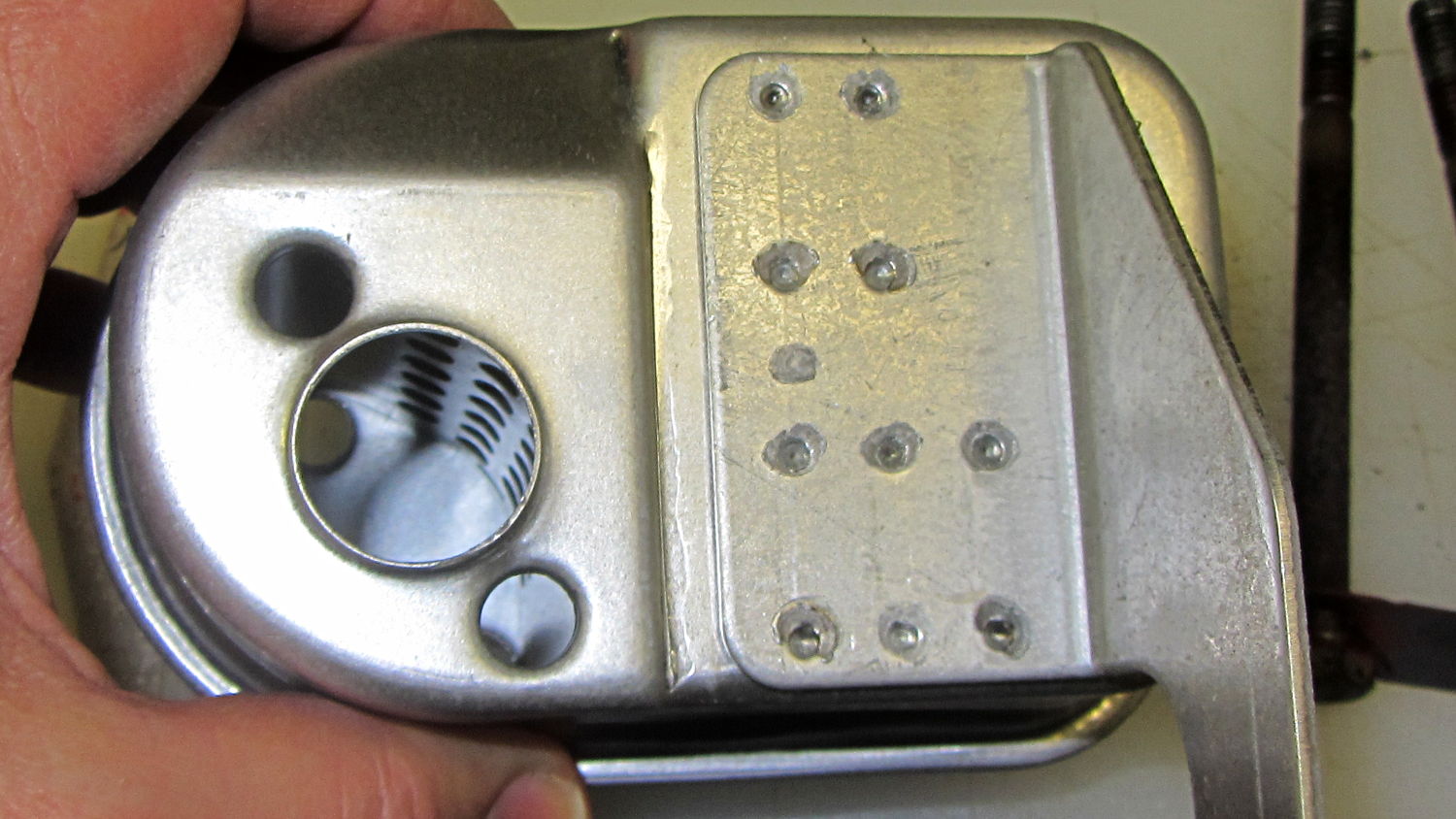
    LED holder parts
    LED holder parts

    I glued those pieces together, using a tiny machinist’s square as a jig to keep them perpendicular:

    LED holder clamping
    LED holder clamping

    Some random 10 mm LEDs served for testing:

    BA15d Bulb - 10 mm LEDs
    BA15d Bulb – 10 mm LEDs

    It actually fit pretty well, ignoring the fact that the LEDs point 90° from the intended direction (so I could see how the holes came out inside the pivot, honest), and lit up the area quite well, but it’s such a delicate affair that removing the entire socket and replacing it with a dedicated metal bracket / heatsink for two high-power SMD LEDs will be better.

    The OpenSCAD source code:

    // Adapter for LEDs in Sears sewing machine lamp socket
    // Ed Nisley - KE4ZNU - January 2014
    
    Layout = "Show";		// Build Show LEDTab LEDPlate ShellMount
    
    //- Extrusion parameters must match reality!
    //  Print with 2 shells and 3 solid layers
    
    ThreadThick = 0.20;
    ThreadWidth = 0.40;
    
    HoleWindage = 0.2;			// extra clearance
    
    Protrusion = 0.1;			// make holes end cleanly
    Gap = 2.0;					// spacing between Show parts
    
    AlignPinOD = 1.70;			// assembly alignment pins: filament dia
    
    inch = 25.4;
    
    //----------------------
    // Dimensions
    
    //-- LED mounting plate
    
    LEDDia = 10.0;				// LED case OD
    LEDFlangeOD = 10.7;
    
    LEDPlateThick = 2.0;		// mounting plate thickness
    LEDMargin = 2.0;
    
    LEDSpaceOC = LEDDia + LEDMargin;		// LED center-to-center distance (single margin between!)
    
    LEDTabLength = 15.0;		// base to screw hole center
    
    LEDTabThick = 4.0;			// tab with hole for mounting screw
    LEDTabScrewOD = 2.0;
    LEDTabWidth = (3.0*2) + LEDTabScrewOD;
    
    LEDMountHeight = 25.0;		// estimated mounting screw centerline to bottom of LEDs
    
    //-- Lamp base adapter
    //		hard inch dimensions!
    
    ShellOD = 0.600 * inch;				// dia of metallic shell
    ShellOAL = 0.66 * inch;				//  ... total length
    ShellInsert = 7/16 * inch;			//  ... length engaging socket
    
    ShellSides = 4*4;
    
    BulbOD = 0.75 * inch;				// glass bulb
    BulbLength = 1.14 * inch;
    
    InsulOD = 0.485 * inch;				// insulating stub around contact pins
    InsulThick = 0.070 * inch;			//  ... beyond end of shell
    
    ContactOD = 2.0;					// contact holes through base (not heads)
    ContactOC = 0.300 * inch;			//  ... center-to-center spacing
    
    BayonetOD = 0.080 * inch;			// bayonet pin diameter
    BayonetOffset = 0.125 * inch;		// from end of metal base
    
    LampOAL = InsulThick + ShellOAL + BulbLength;
    echo(str("Overall Length: ",LampOAL));
    
    //-- Miscellany
    
    //----------------------
    // Useful routines
    
    module PolyCyl(Dia,Height,ForceSides=0) {			// based on nophead's polyholes
    
      Sides = (ForceSides != 0) ? ForceSides : (ceil(Dia) + 2);
    
      FixDia = Dia / cos(180/Sides);
    
      cylinder(r=(FixDia + HoleWindage)/2,
               h=Height,
               $fn=Sides);
    }
    
    module ShowPegGrid(Space = 10.0,Size = 1.0) {
    
      Range = floor(50 / Space);
    
    	for (x=[-Range:Range])
    	  for (y=[-Range:Range])
    		translate([x*Space,y*Space,Size/2])
    		  %cube(Size,center=true);
    }
    
    //-- Tab for screw mounting LED holder
    //		AddLength remains below Z=0 for good union
    
    module LEDTab() {
    
    	difference() {
    		linear_extrude(height=LEDTabThick)
    			hull() {
    				circle(d=LEDTabWidth);
    				translate([LEDTabLength/2,0,0])
    					square([LEDTabLength,LEDTabWidth],center=true);
    			}
    		translate([0,0,-Protrusion])
    			rotate(180/6)
    				PolyCyl(LEDTabScrewOD,(LEDTabThick + 2*Protrusion),6);
    		for (i=[-1,1])
    			translate([LEDTabLength/2,i*LEDTabWidth/4,LEDTabThick/2])
    				rotate([0,90,0]) rotate(180/4)
    					PolyCyl(AlignPinOD,(LEDTabLength/2 + Protrusion),4);
    	}
    }
    
    //-- Plate holding LEDs
    
    module LEDPlate() {
    
    	difference() {
    		union() {
    			linear_extrude(height=LEDPlateThick)
    				hull() {
    					for (i=[-1,1])
    						translate([i*LEDSpaceOC/2,0,0])
    							circle(d=(LEDDia + 2*LEDMargin));
    					translate([0,(LEDFlangeOD/2 + LEDTabWidth/2),0])
    						square([LEDTabThick,LEDTabWidth],center=true);
    				}
    		}
    		for (i=[-1,1])
    			translate([i*LEDSpaceOC/2,0,-Protrusion])
    				rotate(180/12)
    					PolyCyl(LEDDia,(LEDPlateThick + 2*Protrusion),12);
    		for (i=[-1,1])
    			translate([0,(i*LEDTabWidth/4 + LEDFlangeOD/2 + LEDTabWidth/2),3*ThreadThick]) rotate(180/4)
    				PolyCyl(AlignPinOD,(LEDTabLength/2 + Protrusion),4);
    
    	}
    }
    
    //-- Bulb shell mounting adapter
    
    module ShellMount() {
    
    	difference() {
    		union() {
    			cylinder(r1=InsulOD/2,r2=ShellOD/2,h=(InsulThick + Protrusion),$fn=ShellSides);
    			translate([0,0,InsulThick])
    				cylinder(r=ShellOD/2,h=(LampOAL - LEDMountHeight + LEDTabWidth/2),$fn=ShellSides);
    		}
    
    		translate([0,ShellOD,(InsulThick + BayonetOffset)])		// bayonet pin hole
    			rotate([90,0,0]) rotate(180/4)
    				PolyCyl(BayonetOD,2*ShellOD,4);
    
    		translate([0,ShellOD,(InsulThick + LampOAL - LEDMountHeight)])		// LED mount screw hole
    			rotate([90,0,0])
    				PolyCyl(LEDTabScrewOD,2*BulbOD,6);
    
    		translate([0,0,(InsulThick + ShellOAL + LampOAL/2)])		// slot for LEDTab mount
    			cube([2*ShellOD,(LEDTabThick + 2*Protrusion),LampOAL],center=true);
    
    		for (i=[-1,1])											// contact pin holes
    			translate([i*ContactOC/2,0,-Protrusion])
    				rotate(180/6)
    					PolyCyl(ContactOD,2*LampOAL,6);
    	}
    
    }
    
    //- Build it
    
    ShowPegGrid();
    
    if (Layout == "LEDTab")
    	LEDTab();
    
    if (Layout == "LEDPlate")
    	LEDPlate();
    
    if (Layout == "ShellMount")
    	ShellMount();
    
    if (Layout == "Show") {
    	LEDPlate();
    	translate([-LEDTabThick/2,(LEDFlangeOD/2 + LEDTabWidth/2),(LEDTabLength + LEDPlateThick + Gap)])
    		rotate([0,90,0])
    			LEDTab();
    	for (i=[-1,1])
    #	translate([0,(i*LEDTabWidth/4 + LEDFlangeOD/2 + LEDTabWidth/2),(LEDPlateThick + Gap/4)])
    		rotate(180/4)
    		cylinder(r=AlignPinOD/2,h=Gap/1,$fn=4);		// fake the pins
    
    	translate([0,(LEDFlangeOD/2 + LEDTabWidth/2),(LampOAL - LEDTabWidth/2)])
    		rotate([0,180,0]) rotate(90)
    			ShellMount();
    }
    
    if (Layout == "Build") {
    	translate([0,LEDDia,0])
    		LEDPlate();
    
    	translate([-10,-(LEDMargin + LEDTabWidth),0])
    		rotate(-90)
    			LEDTab();
    
    	translate([10,-(LEDMargin + LEDTabWidth),0])
    		ShellMount();
    }
    

    The original doodles for the bulb dimensions and adapter layout:

    Bulb dimensions - adapter doodles
    Bulb dimensions – adapter doodles
  • Chocolate Molds: Software Stack

    This derives directly from the cookie cutter / press stack, so check that series for more background and explanation. Some height map thoughts and preliminary doodling led up to this.

    We start with a tiny grayscale image file that defines the height of each point in the mold:

    Tux
    Tux

    Feed that file into a Bash script:

    ./MakeMold.sh Tux.png

    And a corresponding STL file pops out:

    Tux positive mold - solid model - oblique
    Tux positive mold – solid model – oblique

    The MakeMold Bash script orchestrates the whole thing:

    #!/bin/bash
    DotsPerMM=3.0
    MapHeight=5
    ImageName="${1%%.*}"
    rm ${ImageName}_* ${ImageName}-positive.stl
    echo Normalize and prepare grayscale image...
    convert $1 -type Grayscale -depth 8 -trim +repage -flip +set comment ${ImageName}_prep.png
    echo Create PGM files...
    convert ${ImageName}_prep.png -compress none ${ImageName}_map.pgm
    convert ${ImageName}_prep.png -white-threshold 1 -compress none ${ImageName}_plate.pgm
    echo Create height map data files...
    ImageX=`identify -format '%[fx:w]' ${ImageName}_map.pgm`
    ImageY=`identify -format '%[fx:h]' ${ImageName}_map.pgm`
    echo Width: ${ImageX} x Height: ${ImageY}
    cat ${ImageName}_map.pgm   | tr -s ' \012' '\012' | tail -n +5 | column -x -c $((8*$ImageX)) > ${ImageName}_map.dat
    cat ${ImageName}_plate.pgm | tr -s ' \012' '\012' | tail -n +5 | column -x -c $((8*$ImageX)) > ${ImageName}_plate.dat
    echo Create mold positive...
    time openscad -D fnPlate=\"${ImageName}_plate.dat\" \
    -D fnMap=\"${ImageName}_map.dat\" -D Height=$MapHeight \
    -D ImageX=$ImageX -D ImageY=$ImageY -D DotsPerMM=$DotsPerMM \
    -o ${ImageName}-positive.stl MoldPositive.scad
    

    The first convert normalizes the grayscale file and produces a PNG file in a standard format.

    The next two convert operations translate that PNG file into uncompressed PGM files with the data as ASCII text required by OpenSCAD’s surface() function. It’s not in the proper format, however, so a few lines of Bash-fu rearrange the data into DAT files; the extension is arbitrary.

    Then OpenSCAD eats those files along with a bunch of configuration settings and spits out a solid model of the positive mold in STL format.

    The MakePositive.scad OpenSCAD source code:

    // Mold positive pattern from grayscale height map using Minkowski sum
    // Ed Nisley KE4ZNU - February 2014 - adapted from cookie press, added alignment pins
    
    //-----------------
    // Mold files
    
    fnMap = "SqWr_map.dat";					// override with -D 'fnMap="whatever.dat"'
    fnPlate = "SqWr_plate.dat";				// override with -D 'fnPlate="whatever.dat"'
    
    DotsPerMM = 3.0;						// overrride with -D DotsPerMM=number
    
    MapHeight = 5.0;						// overrride with -D MapHeight=number
    
    ImageX = 100;							// overrride with -D ImageX=whatever
    ImageY = 100;
    
    MapScaleXYZ = [1/DotsPerMM,1/DotsPerMM,MapHeight/255];
    PlateScaleXYZ = [1/DotsPerMM,1/DotsPerMM,1.0];
    
    echo("Press File: ",fnMap);
    echo("Plate File: ",fnPlate);
    
    echo(str("ImageX:",ImageX," ImageY: ", ImageY));
    echo(str("Map Height: ",MapHeight));
    echo(str("Dots/mm: ",DotsPerMM));
    echo(str("Scale Map: ",MapScaleXYZ,"  Plate: ",PlateScaleXYZ));
    
    //- Extrusion parameters - must match reality!
    
    ThreadThick = 0.25;
    ThreadWidth = 2.0 * ThreadThick;
    
    //- Buid parameters
    
    PlateThick = IntegerMultiple(1.0,ThreadThick);		// solid plate under press relief
    
    PinOD = 1.75;				// locating pin diameter
    PinDepth = PlateThick;		//  ... depth into bottom surface = total length/2
    PinOC = 20.0;				// spacing within mold item
    
    echo(str("Pin depth: ",PinDepth," spacing: ",PinOC));
    
    //- Useful info
    
    function IntegerMultiple(Size,Unit) = Unit * ceil(Size / Unit);
    
    HoleWindage = 0.2;
    
    Protrusion = 0.1;						// make holes & unions work correctly
    
    MaxConvexity = 5;						// used for F5 previews in OpenSCAD GUI
    
    ZFuzz = 0.2;							// numeric chaff just above height map Z=0 plane
    
    //-----------------
    // Import plate height map, slice off a slab to define outline
    
    module Slab(Thick=1.0) {
    	intersection() {
    		translate([0,0,Thick/2])
    			cube([2*ImageX,2*ImageY,Thick],center=true);
    		scale(PlateScaleXYZ)
    			difference() {
    				translate([0,0,-ZFuzz])
    					surface(fnPlate,center=true,convexity=MaxConvexity);
    				translate([0,0,-1])
    					cube([2*ImageX,2*ImageY,2],center=true);
    			}
    	}
    }
    
    //- Put peg grid on build surface
    
    module ShowPegGrid(Space = 10.0,Size = 1.0) {
    
    	Range = floor(50 / Space);
    
    	for (x=[-Range:Range])
    	  for (y=[-Range:Range])
    		translate([x*Space,y*Space,Size/2])
    			%cube(Size,center=true);
    }
    
    //-- convert cylinder to low-count polygon
    
    module PolyCyl(Dia,Height,ForceSides=0) {			// based on nophead's polyholes
    
      Sides = (ForceSides != 0) ? ForceSides : (ceil(Dia) + 2);
    
      FixDia = Dia / cos(180/Sides);
    
      cylinder(r=(FixDia + HoleWindage)/2,
               h=Height,
    	   $fn=Sides);
    }
    
    //-- Locating pin hole with glue recess
    //  Default length is two pin diameters on each side of the split
    
    module LocatingPin(Dia=PinOD,Len=0.0) {
    
    	PinLen = (Len != 0.0) ? Len : (4*Dia);
    
    	translate([0,0,-ThreadThick])
    		PolyCyl((Dia + 2*ThreadWidth),2*ThreadThick,4);
    
    	translate([0,0,-2*ThreadThick])
    		PolyCyl((Dia + 1*ThreadWidth),4*ThreadThick,4);
    
    	translate([0,0,-(Len/2 + ThreadThick)])
    		PolyCyl(Dia,(Len + 2*ThreadThick),4);
    
    }
    
    //- Build it
    
    //ShowPegGrid();
    
    echo("Building mold");
    union() {
    	difference() {
    		Slab(PlateThick + Protrusion);
    		for (i=[-1,1])
    			translate([0,i*PinOC/2,0])
    				rotate(180/4) LocatingPin(Len=2*PinDepth);
    	}
    	translate([0,0,PlateThick])							// cookie press height map
    		scale(MapScaleXYZ)
    		difference() {
    			translate([0,0,-ZFuzz])
    				surface(fnMap,center=true,convexity=MaxConvexity);
    			translate([0,0,-1])
    				cube([2*ImageX,2*ImageY,2],center=true);
    		}
    }


    The molds have alignment pin holes in the back:

    Tux positive mold - solid model - backside
    Tux positive mold – solid model – backside

    That match up with the holes in a baseplate:

    SqWr Positive Mold Framework - 2x3 pinsThe plate holds the molds in place, perhaps with tapeless sticky, while you’re slathering silicone goop to make the negative mold:

    Tux Positive Mold Framework - 2x3 array
    Tux Positive Mold Framework – 2×3 array

    As you might expect, the OpenSCAD file that generates the plate-with-holes can also embed the positive molds atop the plate, so you could get a solid (well, infilled at 20%) chunk of plastic without attaching the molds. I’d rather do the plate separately from the molds, so you can recycle the plate for many different molds. Your mileage may vary.

    The Positive Mold Framework.scad OpenSCAD source code:

    // Positive mold framework for chocolate slabs
    // Ed Nisley - KE4ZNU - January 2014
    
    Layout = "FramePins";		// FramePins FrameMolds Pin
    
    //- Extrusion parameters must match reality!
    //  Print with 2 shells and 3 solid layers
    
    ThreadThick = 0.20;
    ThreadWidth = 0.40;
    
    Protrusion = 0.1;			// make holes end cleanly
    
    HoleWindage = 0.2;
    
    //----------------------
    // Dimensions
    
    FileName = "Tux-positive.stl";	// overrride with -D
    
    Molds = [2,3];					// count of molds within framework
    
    MoldOC = [40.0,45.0];			// on-center spacing of molds
    MoldSlab = 1.0;					// thickness of slab under molds
    
    BaseThick = 5.0;
    
    BaseSize = [(Molds[0]*MoldOC[0] + 0),(Molds[1]*MoldOC[1] + 0),BaseThick];
    echo(str("Overall base: ",BaseSize));
    
    PinOD = 1.75;					// locating pin diameter
    PinLength = 2.0;				//  ... total length
    PinOC = 20.0;				// spacing within mold item
    
    //----------------------
    // Useful routines
    
    //- Put peg grid on build surface
    
    module ShowPegGrid(Space = 10.0,Size = 1.0) {
    
    	RangeX = floor(100 / Space);
    	RangeY = floor(125 / Space);
    
    	for (x=[-RangeX:RangeX])
    		for (y=[-RangeY:RangeY])
    			translate([x*Space,y*Space,Size/2])
    			%cube(Size,center=true);
    
    }
    
    module PolyCyl(Dia,Height,ForceSides=0) {			// based on nophead's polyholes
    
      Sides = (ForceSides != 0) ? ForceSides : (ceil(Dia) + 2);
    
      FixDia = Dia / cos(180/Sides);
    
      cylinder(r=(FixDia + HoleWindage)/2,
               h=Height,
    	   $fn=Sides);
    }
    
    // Locating pin hole with glue recess
    //  Default length is two pin diameters on each side of the split
    
    module LocatingPin(Dia=PinOD,Len=0.0) {
    
    	PinLen = (Len != 0.0) ? Len : (4*Dia);
    
    	translate([0,0,-ThreadThick])
    		PolyCyl((Dia + 2*ThreadWidth),2*ThreadThick,4);
    
    	translate([0,0,-2*ThreadThick])
    		PolyCyl((Dia + 1*ThreadWidth),4*ThreadThick,4);
    
    	translate([0,0,-(Len/2 + ThreadThick)])
    		PolyCyl(Dia,(Len + 2*ThreadThick),4);
    
    }
    
    module LocatingPins(Length) {
    	for (i=[-1,1])
    	translate([0,i*PinOC/2,0])
    		rotate(180/4)
    		LocatingPin(Len=Length);
    }
    
    //-- import a single mold item
    
    module MoldItem() {
    	import(FileName,convexity=10);
    }
    
    //-- Overall frame shape
    
    module Frame() {
    
    //	translate([0,0,BaseSize[2]/2])		// platform under molds
    //		cube(BaseSize,center=true);
    
    	difference() {
    		hull()
    			for (i=[-1,1], j=[-1,1])
    				translate([i*BaseSize[0]/2,j*BaseSize[1]/2,0])
    					sphere(r=BaseThick);
    		translate([0,0,-BaseThick])
    			cube(2*BaseSize,center=true);
    	}
    
    }
    
    //- Build it
    
    ShowPegGrid();
    
    if (Layout == "Pin")
    	LocatingPin(Len=PinLength);
    
    if (Layout == "Frame")
    	Frame();
    
    if (Layout == "FramePins")
    	difference() {
    		Frame();
    
    		translate([-MoldOC[0]*(Molds[0] - 1)/2,-MoldOC[1]*(Molds[1] - 1)/2,0])
    			for (i=[0:Molds[0]-1],j=[0:Molds[1]-1])
    				translate([i*MoldOC[0],j*MoldOC[1],BaseSize[2]])
    					LocatingPins(BaseThick);
    	}
    
    if (Layout == "FrameMolds") {
    	Frame();
    	translate([-MoldOC[0]*(Molds[0] - 1)/2,-MoldOC[1]*(Molds[1] - 1)/2,0])
    		for (i=[0:Molds[0]-1],j=[0:Molds[1]-1])
    			translate([i*MoldOC[0],j*MoldOC[1],BaseThick - MoldSlab + Protrusion])
    			MoldItem();
    }
    

    And then it’s time to pour some chocolate… which someone else knows how to do much better than I!

  • Chocolate Mold Array: Solid Model Doodling

    Given an STL file generated from a height map image, import it into OpenSCAD:

    SqWr solid model - OpenSCAD - oblique view
    SqWr solid model – OpenSCAD – oblique view

    Then slide a plate under six copies to produce a positive model for a casting mold:

    SqWr Positive Mold Framework - 2x3
    SqWr Positive Mold Framework – 2×3

    This is one of the few cases where the compiled-and-rendered version looks better, as though you’d shrink-wrapped it in gold foil:

    SqWr Positive Mold Framework - 2x3 - gold
    SqWr Positive Mold Framework – 2×3 – gold

    The height map STLs each have  a bazillion tiny facets that take forever-and-a-day (well, the better part of half an hour for this set) to render, not to mention that the whole array would take two hours to print… and then be used once or twice to produce the flexy silicone negative mold.

    So it’s better to have a generic frame with alignment pin holes that you print once:

    SqWr Positive Mold Framework - 2x3 pins
    SqWr Positive Mold Framework – 2×3 pins

    Better yet, just CNC-drill those holes in a nice, flat acrylic / polycarbonate slab.

    Insert and glue filament snippets as alignment pins, trim about 1 mm over the surface to fit the small molds.

    The OpenSCAD program can punch matching holes in the back of the small mold:

    SqWr solid model - OpenSCAD - oblique bottom
    SqWr solid model – OpenSCAD – oblique bottom

    Or you could print out an array of the things with holes:

    SqWr solid model - 2x3 array - bottom
    SqWr solid model – 2×3 array – bottom

    It’s not clear having OpenSCAD labor for half an hour to generate and emit a single STL file spanning all six molds is a win. Given that you don’t care about the mold-to-mold spacing, having Slic3r duplicate the same small STL file half a dozen (or more!) times would probably be a net win.

    There’s no reason the OpenSCAD program that creates the original STL from the height map image can’t punch alignment pin holes, too, which would avoid this import-and-recompile step. If you’re going with a CNC-drilled plate, then it would make even more sense to not have a pair of OpenSCAD programs.

    Anyhow.

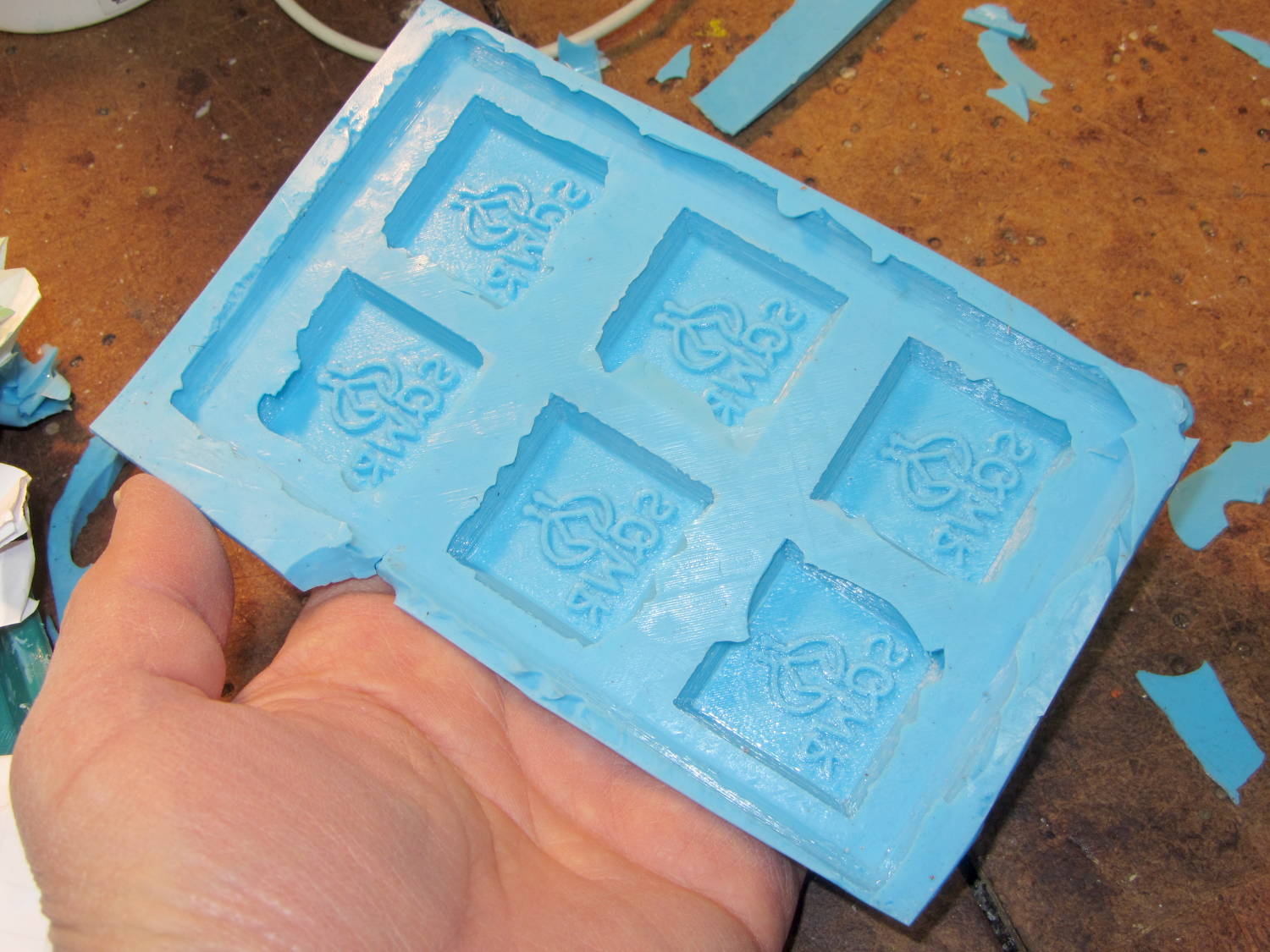
    Apply a handful of small molds to the backing plate with tapeless sticky, butter it up with mold release agent, slather on silicone putty, flip it over to produce a smooth surface “under” the small molds (so you can rest it flat on a table when pouring molten chocolate into the cavities), cure, peel, and you’d get a pretty good negative mold.

    This may not make any practical sense, but it was easy & fun to see what’s possible…

    The OpenSCAD source code:

    // Positive mold framework for chocolate slabs
    // Ed Nisley - KE4ZNU - January 2014
    
    Layout = "FramePins";		// Molds FramePins FrameMolds Frame Single Pin
    
    //- Extrusion parameters must match reality!
    //  Print with 2 shells and 3 solid layers
    
    ThreadThick = 0.20;
    ThreadWidth = 0.40;
    
    Protrusion = 0.1;			// make holes end cleanly
    
    HoleWindage = 0.2;
    
    //----------------------
    // Dimensions
    
    FileName = "SqWr-press.stl";	// overrride with -D
    
    Molds = [2,3];					// count of molds within framework
    
    MoldOC = [40.0,40.0];			// on-center spacing of molds
    MoldSlab = 1.0;					// thickness of slab under molds
    
    BaseThick = 5.0;
    
    BaseSize = [(Molds[0]*MoldOC[0] + 0),(Molds[1]*MoldOC[1] + 0),BaseThick];
    echo(str("Overall base: ",BaseSize));
    
    PinOD = 1.75;					// locating pin diameter
    PinLength = 2.0;				//  ... total length
    PinSpace = 15.0;				// spacing within mold item
    
    //----------------------
    // Useful routines
    
    //- Put peg grid on build surface
    
    module ShowPegGrid(Space = 10.0,Size = 1.0) {
    
    	RangeX = floor(100 / Space);
    	RangeY = floor(125 / Space);
    
    	for (x=[-RangeX:RangeX])
    		for (y=[-RangeY:RangeY])
    			translate([x*Space,y*Space,Size/2])
    			%cube(Size,center=true);
    
    }
    
    module PolyCyl(Dia,Height,ForceSides=0) {			// based on nophead's polyholes
    
      Sides = (ForceSides != 0) ? ForceSides : (ceil(Dia) + 2);
    
      FixDia = Dia / cos(180/Sides);
    
      cylinder(r=(FixDia + HoleWindage)/2,
               h=Height,
    	   $fn=Sides);
    }
    
    // Locating pin hole with glue recess
    //  Default length is two pin diameters on each side of the split
    
    module LocatingPin(Dia=PinOD,Len=0.0) {
    
    	PinLen = (Len != 0.0) ? Len : (4*Dia);
    
    	translate([0,0,-ThreadThick])
    		PolyCyl((Dia + 2*ThreadWidth),2*ThreadThick,4);
    
    	translate([0,0,-2*ThreadThick])
    		PolyCyl((Dia + 1*ThreadWidth),4*ThreadThick,4);
    
    	translate([0,0,-(Len/2 + ThreadThick)])
    		PolyCyl(Dia,(Len + 2*ThreadThick),4);
    
    }
    
    module LocatingPins(Length) {
    	for (i=[-1,1])
    	translate([i*PinSpace/2,0,0])
    		LocatingPin(Len=Length);
    }
    
    //-- import a single mold item
    
    module MoldItem() {
    	import(FileName,convexity=10);
    }
    
    //-- Overall frame shape
    
    module Frame() {
    
    	translate([0,0,BaseSize[2]/2])		// platform under molds
    		cube(BaseSize,center=true);
    
    }
    
    //- Build it
    
    ShowPegGrid();
    
    if (Layout == "Pin")
    	LocatingPin(Len=PinLength);
    
    if (Layout == "Single")
    	difference() {
    		MoldItem();
    		LocatingPins(PinLength);
    	}
    
    if (Layout == "Frame")
    	Frame();
    
    if (Layout == "Molds") {
    	translate([-MoldOC[0]*(Molds[0] - 1)/2,-MoldOC[1]*(Molds[1] - 1)/2,0])
    	for (i=[0:Molds[0]-1],j=[0:Molds[1]-1])
    		translate([i*MoldOC[0],j*MoldOC[1],0])
    			difference() {
    				MoldItem();
    				LocatingPins(PinLength);
    			}
    }
    
    if (Layout == "FramePins")
    	difference() {
    		Frame();
    
    		translate([-MoldOC[0]*(Molds[0] - 1)/2,-MoldOC[1]*(Molds[1] - 1)/2,0])
    			for (i=[0:Molds[0]-1],j=[0:Molds[1]-1])
    				translate([i*MoldOC[0],j*MoldOC[1],BaseSize[2]])
    					LocatingPins(BaseThick);
    	}
    
    if (Layout == "FrameMolds") {
    	Frame();
    	translate([-MoldOC[0]*(Molds[0] - 1)/2,-MoldOC[1]*(Molds[1] - 1)/2,0])
    		for (i=[0:Molds[0]-1],j=[0:Molds[1]-1])
    			translate([i*MoldOC[0],j*MoldOC[1],BaseThick - MoldSlab + Protrusion])
    			MoldItem();
    }
    
  • Oxygen Sensor Wrench Pricing

    The price for this specialized wrench used to extract oxygen sensors took a big jump some time after I added a link to it:

    Northern Tool Sensor Socket - Absurd Lowest Price
    Northern Tool Sensor Socket – Absurd Lowest Price

    Were it not for the very specific part number that’s certainly not available anywhere else, you could take advantage of their “Guaranteed Lowest Prices” to make a quick $494.

    As my buddy dBm puts it: “Such a deal!”

  • Can Opener Drive Gear: FAIL

    The fancy OXO can opener doesn’t work well on #10 cans, so we bought a not-bottom-dollar can opener with comfy handles to replace the one that convinced us to get the OXO. After maybe a year, tops, it gradually stopped working well, too, which prompted a trip to the Basement Shop Workbench.

    The symptoms:

    • The handle wouldn’t move the cutter during maybe 1/4 of its revolution
    • It pushed the handles apart during another quarter turn

    Look carefully and you’ll see the teeth sticking out slightly more on the right side of the drive wheel:

    Can opener - drive gear misalignment
    Can opener – drive gear misalignment

    When those protruding teeth line up with the gear behind the cutter wheel, the handles open and the drive wheel loses its grip. When the low side lines up with the cutter gear, the gears very nearly disengage.

    Taking it apart shows that both “gears” (which is using the term loosely) have been pretty well chewed up:

    Can opener - gears and cutters
    Can opener – gears and cutters

    Destroying those gears should require a lot more strength than either of us can deploy on a regular basis, which suggests they used mighty soft steel. It’s not obvious, but the drive gear hole is just slightly larger than the screw thread OD; it doesn’t ride on an unthreaded part of the screw shaft.

    I’m not in the mood for gear cutting right now, so I filed down the wrecked teeth and buttoned them up with some attention to centering the gear. The can opener works, but sheesh this is getting tedious…

  • Quilting Pin Caps: More!

    These quilting pin caps are slightly longer than the previous version and, due to the M2’s smaller nozzle, have slightly thinner single-thread walls. Because Slic3r does a better (although not ideal) job of path planning than Skeinforge, it’s easier to create an array of the caps in the solid model than to manually add duplicates in Slic3r:

    Quilting Pin Cap - array
    Quilting Pin Cap – array

    They look like egg cases from Prometheus:

    Quilting pin cap array - on platform
    Quilting pin cap array – on platform

    Fill with silicone caulk on waxed paper and they look even more like that:

    Quilting pin caps - silicone fill
    Quilting pin caps – silicone fill

    Fast-forward a few days, rub off the excess caulk, trim off a few blobs, and they’re ready for presentation:

    Quilting pin caps - finished
    Quilting pin caps – finished

    In use, they look about like you’d expect:

    Quilting pin caps - in use
    Quilting pin caps – in use

    The pin caps I made from a 5 gallon bucket’s O-ring gasket didn’t work out well, as the plastic didn’t like being poked with pins and put up a stiff resistance. Silicone caulk has exactly the right consistency.

    When Mary ramps up a full-scale quilt, we’ll need a few hundred of the things. The commercial version has dropped to 40 cents each, which makes all this worthwhile.

    The OpenSCAD source code:

    // Quilting pin caps
    // Ed Nisley KE4ZNU April 2012
    //	January 2013 - modify for Slic3r and M2
    
    //- Extrusion parameters must match reality!
    //  Print with +1 shells and 3 solid layers
    
    ThreadThick = 0.20;
    ThreadWidth = 0.40;
    
    HoleWindage = 0.2;
    
    function IntegerMultiple(Size,Unit) = Unit * ceil(Size / Unit);
    
    Protrusion = 0.1;			// make holes end cleanly
    
    //----------------------
    // Dimensions
    
    ID = 5.0;
    OD = ID + 2*ThreadWidth;
    Length = 8.0;
    Sides = 8;
    
    CapArray = [6,6];			// XY layout of caps
    CapsOC = OD + 2.0;			// OC spacing
    
    //----------------------
    // Useful routines
    
    module PolyCyl(Dia,Height,ForceSides=0) {			// based on nophead's polyholes
    
      Sides = (ForceSides != 0) ? ForceSides : (ceil(Dia) + 2);
    
      FixDia = Dia / cos(180/Sides);
    
      cylinder(r=(FixDia + HoleWindage)/2,
               h=Height,
    	   $fn=Sides);
    }
    
    module ShowPegGrid(Space = 10.0,Size = 1.0) {
    
      RangeX = floor(100 / Space);
      RangeY = floor(125 / Space);
    
    	for (x=[-RangeX:RangeX])
    	  for (y=[-RangeY:RangeY])
    		translate([x*Space,y*Space,Size/2])
    		  %cube(Size,center=true);
    
    }
    
    module PinCap() {
    	rotate(180/Sides) {
    		difference() {
    		PolyCyl(OD,Length,8);
    		translate([0,0,-Protrusion])
    			PolyCyl(ID,(Length + 2*Protrusion),8);
    		}
    	}
    
    }
    
    //----------------------
    // Build them!
    
    ShowPegGrid();
    
    translate([(-CapsOC*(CapArray[0] - 1)/2),(-CapsOC*(CapArray[1] - 1)/2),0])
    	for (i=[0:(CapArray[0] - 1)],j=[0:(CapArray[1] - 1)])
    		translate([i*CapsOC,j*CapsOC,0])
    			PinCap();
    

    They seem to work pretty well…