The Smell of Molten Projects in the Morning

Ed Nisley's Blog: Shop notes, electronics, firmware, machinery, 3D printing, laser cuttery, and curiosities. Contents: 100% human thinking, 0% AI slop.

Category: Electronics Workbench

Electrical & Electronic gadgets

  • Tektronix AM503 Current Probe Amplifier: Failed Electrolytic Capacitor

    The same Tektronix AM503 current probe amp with the slightly disconnected JFET developed a nasty 120 Hz hum, which can mean only one thing:

    Tek AM503 - corroded capacitor
    Tek AM503 – corroded capacitor

    Dunno how I missed that while I had the cover off, but there it is. For future reference it’s C165, 47 µF 50 V, with an 8709 date code.

    This being a PCB made back in the old days, likely with self-adhesive tape strips, the component pads inside ground and power pours lack thermal isolation decorations.

    The solder joints on the bottom side looks better than these, honest:

    Tek AM503 - replaced capacitor
    Tek AM503 – replaced capacitor

    The new cap is 56 µF 50 F, which seems Close Enough.

    The other caps have reasonable ESRs, but I must lay in a stock of high-voltage ‘lytics, as the “new” one is definitely old enough to know better, too.

    Now that I check, the amp still produces a very low amplitude 2 MHz sine wave on its 1 mA/div and 2 mA/div settings, suggesting Something Is Not Right™ in the front end, but it works well enough to let me defer that fix until later.


  • Frayed Power Drop

    The neutral conductor is down to its last three strands:

    Damaged neutral - over Redondo near pole 62859
    Damaged neutral – over Redondo near pole 62859

    Perhaps the power drop got snagged twice, because there’s a splice only a few feet away:

    Damaged neutral and splice - over Redondo near pole 62859
    Damaged neutral and splice – over Redondo near pole 62859

    Spotted overhead on Redondo near Rt 376 during an evening walk. I reported it using Central Hudson’s dead streetlight page, because there seems no other way to get their attention. It may be the homeowner’s responsibility, in which case a second splice will surely appear after the next power outage.

  • Raspberry Pi I2C Bus Timing vs. BNO055 Clock Stretching

    An Adafruit BNO055 connected to a Raspberry Pi 3 I2C bus, despite knowing it won’t work:

    I2C 100kHz - BNO055 SCL 1 mA-div - B7 Rd error
    I2C 100kHz – BNO055 SCL 1 mA-div – B7 Rd error

    The I2C bus ticks along at 100 kHz (nominal) = 62.5 kHz (actual), as described a while ago.

    The three digital traces along the bottom are D0 = SCL, D1 = SDA, and D2 = trigger raised when the Python program detects an error.

    The upper trace shows the SCL current (1 mA/div) between the Pi and the BNO055, as described yesterday, with the latter stretching the clock whenever the current goes negative.

    The fourth burst is the BNO055 sending the chip’s temperature in response to a simple request:

    
    temp_c = bno.read_temp()


    A closer look at the last transaction:

    I2C 100kHz - BNO055 SCL 1 mA-div - B7 Rd error - SCL glitch
    I2C 100kHz – BNO055 SCL 1 mA-div – B7 Rd error – SCL glitch

    I commend to your attention a useful tutorial on I2C bus protocols / transactions / signalling.

    Over on the left, the BNO055 has SCL held low (-2 mA) during the ACK phase of the previous byte. The first upward SCL edge marks the ACK, with the BNO055 holding SDA low during the edge until the Pi drops SCL.

    The BNO releases SDA when SCL goes low again, whereupon SDA goes high, exactly as it should.

    Now, things gets ugly.

    The -1 mA current on SCL shows both the Pi (+1 mA) and the BNO (-2 mA) are pulling SCL low.  The BNO is clock-stretching after the ACK, which the Pi can’t handle.

    The Pi seems to think the rising edge of SCL occurs when it stops pulling SCL down, at the point where the SCL current goes from -1 mA to -2 mA, halfway though the high SDA pulse. It reads SDA at that point and receives an incorrect binary 1 bit from SDA, because the BNO hasn’t yet seen a rising SCL edge.

    The SCL rising edge occurs when the BNO055 releases SCL and produces the SCL sliver.

    Here’s a very close look at the sliver:

    I2C 100kHz - BNO055 SCL 1 mA-div - B7 Rd error - Pi SCL mistiming
    I2C 100kHz – BNO055 SCL 1 mA-div – B7 Rd error – Pi SCL mistiming

    The two vertical cursors bracketing the sliver mark the 16 µs SCL timing produced by the Pi’s SCL clock, which is not the 10 µs you’d expect at 100 kHz.

    The right cursor sits on the next rising edge, so the left cursor marks where SCL should rise: exactly where the Pi releases its hold on SCL and expects it to pop up.

    That error happens about 6% of the time, producing a chip temperature 128 °C higher than reality. The other 94% of the reads either work correctly or, perhaps, encounter a bogus SDA state coincidentally delivering a binary zero that looks good.

    Here’s a sample of a “good” read:

    I2C 100kHz - BNO055 SCL 1 mA-div - B7 Rd OK - long SCL high
    I2C 100kHz – BNO055 SCL 1 mA-div – B7 Rd OK – long SCL high

    The stop bit is now off to the right, so the last rising SCL edge is the ACK. Counting leftward eight edges from the ACK, the left cursor marks where the SCL edge should be for bit B7. Instead it occurs instantly after the BNO releases its hold on SCL, shown by the transition from -2 mA to 0 mA. I don’t know the setup and hold times for the Pi’s I2C port, but 250-ish ns seem aggressive; I think the data transitions should happen close to the down-going SCL edges.

    Running the I2C bus at 200 kHz seems to work fine, but it still has the same aggressive SDA-to-SCL setup time. Here’s a close look at the same situation as in the previous photo, with SCL set for 200 kHz:

    I2C 200kHz - BNO055 SCL 1 mA-div - Rd OK - 250 ns SDA-SCL setup
    I2C 200kHz – BNO055 SCL 1 mA-div – Rd OK – 250 ns SDA-SCL setup

    This being a read, the BNO sets SDA to whatever it should be, then releases its clock-stretching hold on SCL about 200 ns later. The Pi raises SCL shortly thereafter and it apparently Just Works. Maybe it’s Good Enough to be consistent, but I’d like to run more tests before trusting it.

    Anyhow, that’s how the Pi’s I2C hardware doesn’t handle a chip using clock stretching.

  • Raspberry Pi I2C vs. Bosch BNO055 Clock Stretching: SCL Current Visualization

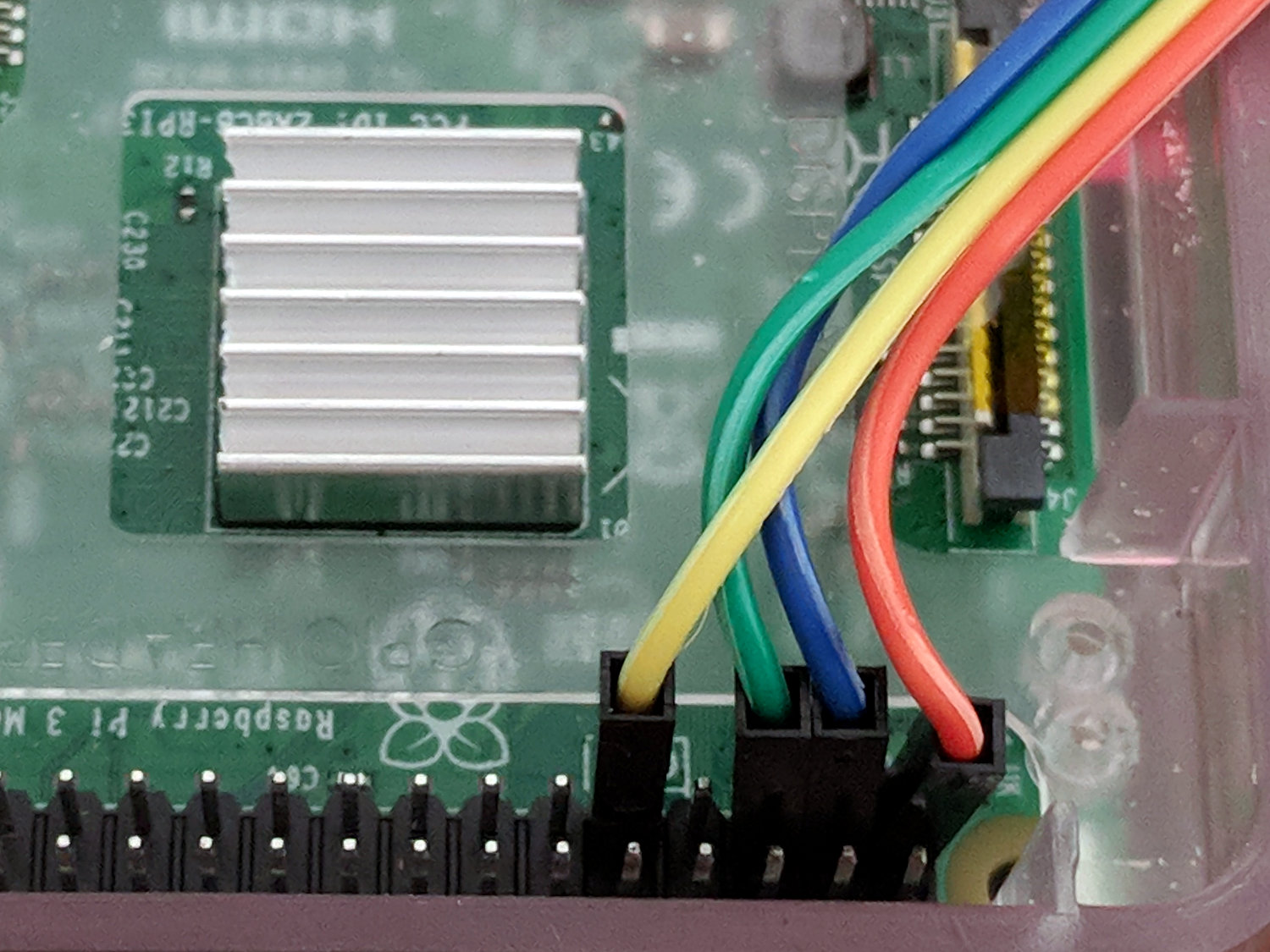
    Clipping a Tek A6302 Hall effect current probe around the I2C SCL line between a Raspberry Pi and an Adafruit BNO055 sensor breakout board:

    RPi I2C SCL current probe
    RPi I2C SCL current probe

    The arrow on the probe points toward the Pi, so (conventional) current flowing through the 10 kΩ pulldown resistors into the Pi will be positive and current flowing from the Pi into the BNO055 will be negative.

    The top (yellow, analog) trace shows the current (1 mA/div) flowing through SCL:

    I2C 100kHz - BNO055 SCL 1 mA-div - B7 Rd error
    I2C 100kHz – BNO055 SCL 1 mA-div – B7 Rd error

    The four distinct current levels show the clock state:

    • +1 mA = Pi pulling low
    • 0 mA = SCL high, no sinks active
    • -1 mA = Pi and BNO055 pulling low (clock stretching!)
    • -2 mA = BNO055 pulling low

    The 0 mA baseline isn’t exactly at zero, because the AM502 amp has thermal drift like you wouldn’t believe, particularly with the gain cranked to 1 mA/div.

    The probe + amp calibration seems slightly bogus: a 3.3 V supply pulled to ground at the Pi through the 10 kΩ resistor on the BNO055 breakout should deliver 0.33 mA, not nearly 1 mA. It’s close enough for now; I should cook up a probe calibration fixture.

    The BNO055 sinks about 2 mA, which suggests a 1.6 kΩ pullup to 3.3 V on the Pi. Although you’re supposed to have one pullup on the I2C bus lines, some casual searching with the obvious keywords shows the Pi has 1.8 kΩ resistors on board.

    Huh. Who knew?

    So Adafruit’s advice to add 2.2 or 3.3 kΩ pullups at the BNO055 (admittedly, for a Beaglebone, not a Pi, but I suspect some folks miss such details) lowers the parallel resistance to about 1 kΩ, just about as low as you should go. It is not obvious to me that reducing the resistance by a factor of two will change the bus timing by enough to rescue a marginal situation (stipulated: the Pi is beyond marginal). TI has a useful App Note  on the subject of I2C pull up resistance calculations.

    Anyhow, I now have a way to examine the Pi’s clock stretching bugginess in grim detail, which is the point of this exercise. Note that the hardware bug has remained un-fixed (probably tagged WONTFIX) in all Pi silicon versions, including the Pi 3 as of 2018.

  • Raspberry Pi: Nominal vs. Actual I2C Speeds

    Two lines in /boot/config.txt enable the I2C hardware and set the I2C bus speed:

    dtparam=i2c_arm=on
    dtparam=i2c_arm_baudrate=200000
    

    However, the actual SCL frequency comes from dividing the CPU’s core clock by an even integer, so you can’t always get what you want. The Pi 3 ticks along at 1.2 GHz (actually 1.1 GHz, because marketing) from a core clock of 550 MHz, so a 200 kHz clock calls for a 2750 divider: 550 MHz / 2750 = 200 kHz.

    Actually measuring the SCL frequencies suggests something else is going on:

    I2C 200kHz - actual 125kHz
    I2C 200kHz – actual 125kHz

    D0, the bottom trace, is SCL, D1 is SDA, and D2 is a trigger output not used in this setup. The yellow analog trace is the current in the SCL line between the Pi and the BNO055, about which more later.

    So a 200 kHz nominal frequency produces a 125 kHz actual frequency.

    The BNO055 pulls the clock low (“clock stretching”), which can (and does) cause problems, but it’s not active during the main part of the transfer where the Pi determines the SCL frequency.

    More measurement along those lines produces a table:

    CPU Core Clock: 550 MHz
    I2C SCL kHz
    Nominal Ratio Actual Ratio
    250 2200 156.20 3521
    200 2750 125.00 4400
    150 3667 92.59 5940
    125 4400 78.12 7040
    100 5500 62.50 8800
    50 11000 31.25 17600
    25 22000 15.63 35189
    10 55000 6.25 88000

    Apparently, the code converting the nominal I2C rate in config.txt uses a table of divider values intended for another CPU core clock. AFAICT, the boot code could divide the actual core clock by the desired I2C frequency to produce the appropriate value.

    I have no particular desire to Use The Source to figure out what’s going on …

    [Update: Perhaps this comes along with CPU clock throttling due to temperature. For completeness, I should dump the temperature and actual clock speed.]

  • M2 DIY Thermistor Rebuild: Autopsy

    Not much to my surprise, my hack-job thermistor rebuild went bad:

    M2 - thermistor - assembly 2
    M2 – thermistor – assembly 2

    Having nothing to lose, I heated the brass tube over a butane flame to wreck the epoxy, which blew out with a satisfactory bang and filled the Basement Laboratory with The Big Stink.

    Much to my surprise, the active ingredient still worked:

    M2 DIY thermistor corpse
    M2 DIY thermistor corpse

    The multimeter reported absolutely no intermittent dropouts for as long as I was willing to watch the trace while doing other things:

    DIY Thermistor Autopsy - Resistance Trend
    DIY Thermistor Autopsy – Resistance Trend

    So it must be my crappy soldering technique.

    A brace of real M2 thermistors will arrive shortly …

  • Raspberry Pi 3 I2C vs. Bosch BNO055 Absolute Orientation Sensor

    I’ve been coaching a high-school student (and his father!) on the intricacies of building a self-balancing robot; they’re doing all the hard work and I’m running interference with techie bugs. This one turned out to be particularly nasty.

    It seems all versions of Raspberry Pis have an I2C bus hardware problem preventing them from working correctly with Adafruit’s Bosch BNO055 (yes, “bee en oh zero five five”) Absolute Position Sensor. The problem has been variously diagnosed as being due to the Pi’s inability to handle clock stretching in arbitrary parts of the I2C transaction and the BNO055 chip’s exquisite sensitivity to I2C bus levels, but it’s worse than that.

    Reading the chip’s temperature sensor once every second produced this output:

    BNO055 Sensor - Temperature Register vs I2C
    BNO055 Sensor – Temperature Register vs I2C

    He now knows why you must always leading-zero-fill binary values.

    The shorter values say the chip ran at 26 °C, which means the longer values have a bogus binary 1 in bit 7. I2C bus transfers proceed MSB-first, so the Pi occasionally reads a bogus 1 at the first clock transition while reading the single temperature byte from the BNO055.

    After some flailing around, we observed two types of I2C bus transactions.

    Without clock stretching:

    BNO055 - Normal I2C transaction
    BNO055 – Normal I2C transaction

    With clock stretching:

    BNO055 - Clock-stretched I2C transaction
    BNO055 – Clock-stretched I2C transaction

    Contrary to what one might think from the lead-in description, the non-stretched version always produces the incorrect leading bit and the stretched version usually delivers the correct result.

    He had previously installed the clock stretch workaround and we verified it was active. Turning it off had no effect, as did turning it back on again. The value uses units of the SCL period, so the modified value of 20000 produces 20×103 counts of 1/(100 k bit/s) = 2 s, far longer than any delay we observed. In fact, the default 640 μs would (apparently) suffice for the BNO055.

    I installed the Adafruit-recommended pullup resistors and we verified they had no effect.

    We noticed, but I did not record, nasty positive-going pulses on both SDA and SCL which were not due to noise or supply problems. As far as I can tell, the Pi does not maintain control over the I2C bus lines during some phases of the transaction, perhaps when the BNO055 invokes clock stretching, allowing the pullups to produce narrow upward glitches crossing the logic threshold. This will merit further study.

    The solution, such as it is, seems to require slowing the I2C bus transactions to 25 kb/s, by inserting a line in the /boot/config.txt file:

    dtparam=i2c_arm_baudrate=25000
    ... dummy line to reveal underscores ...

    Slowing to 50 kb/s produced intermittent errors, while 25 kb/s seemed to completely eliminate them. This contradicts suggestions of proper operation at any speed other than the default 100 kb/s. Note: this applies to a single-byte data value and longer transactions remain to be tested.

    I want to verify that the lower rate also eliminates the glitches, which will require running the Pi with the scope plumbed into its guts for some time. For obvious reasons, he’d rather get the robot working, so, until he encounters more problems, I won’t see the hardware …

    Update: There’s now a way to do I²C with software bit-banging in a reasonably easy way. Thanks to Simon Blake for pointing this out!