The Smell of Molten Projects in the Morning

Ed Nisley's Blog: Shop notes, electronics, firmware, machinery, 3D printing, laser cuttery, and curiosities. Contents: 100% human thinking, 0% AI slop.

Category: Electronics Workbench

Electrical & Electronic gadgets

  • Sonicare Essence: Final Battery Replacement

    After a bit over five years, the NiMH cells in my ancient Philips Sonicare Essence toothbrush finally gave out:

    Sonicare recharge dates - 2017-2018
    Sonicare recharge dates – 2017-2018

    Down near the end, the poor thing barely gave one brushing after an overnight charge.

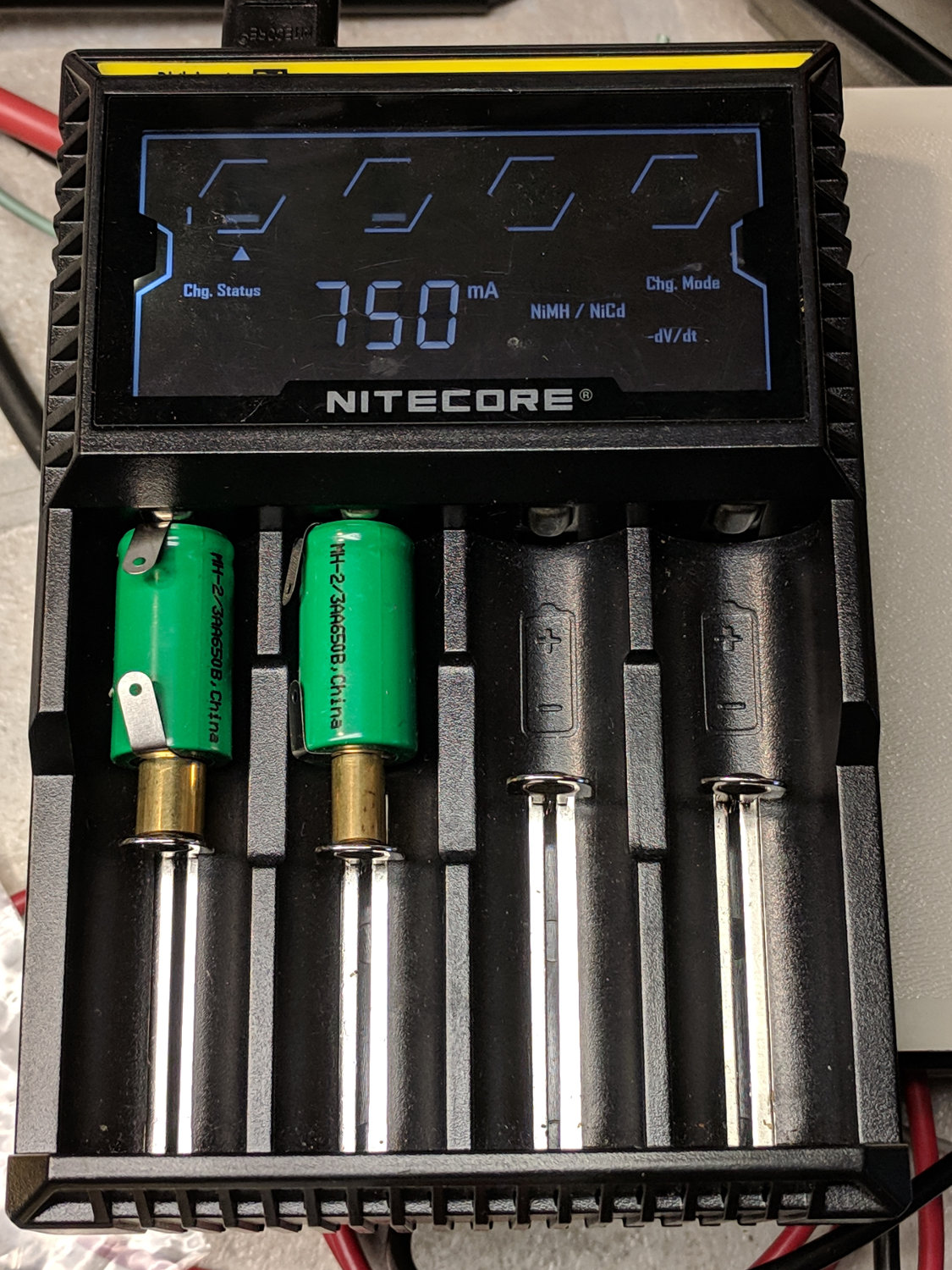
    While I was dismantling the case, I charged the last two new-old-stock NiMH cells:

    Sonicare Essence - charging short cells
    Sonicare Essence – charging short cells

    They arrived the same five years ago as the deaders in the toothbrush, but haven’t been used in the interim and charged well enough. The NiteCore D4 charger arrived after they did and isn’t really intended for 2/3 AA cells, so I used short brass tubes to make up the difference. I should have used the 300 mA low-current charging option (press-and-hold the Mode button for a second), although it didn’t overcook them at 750 mA.

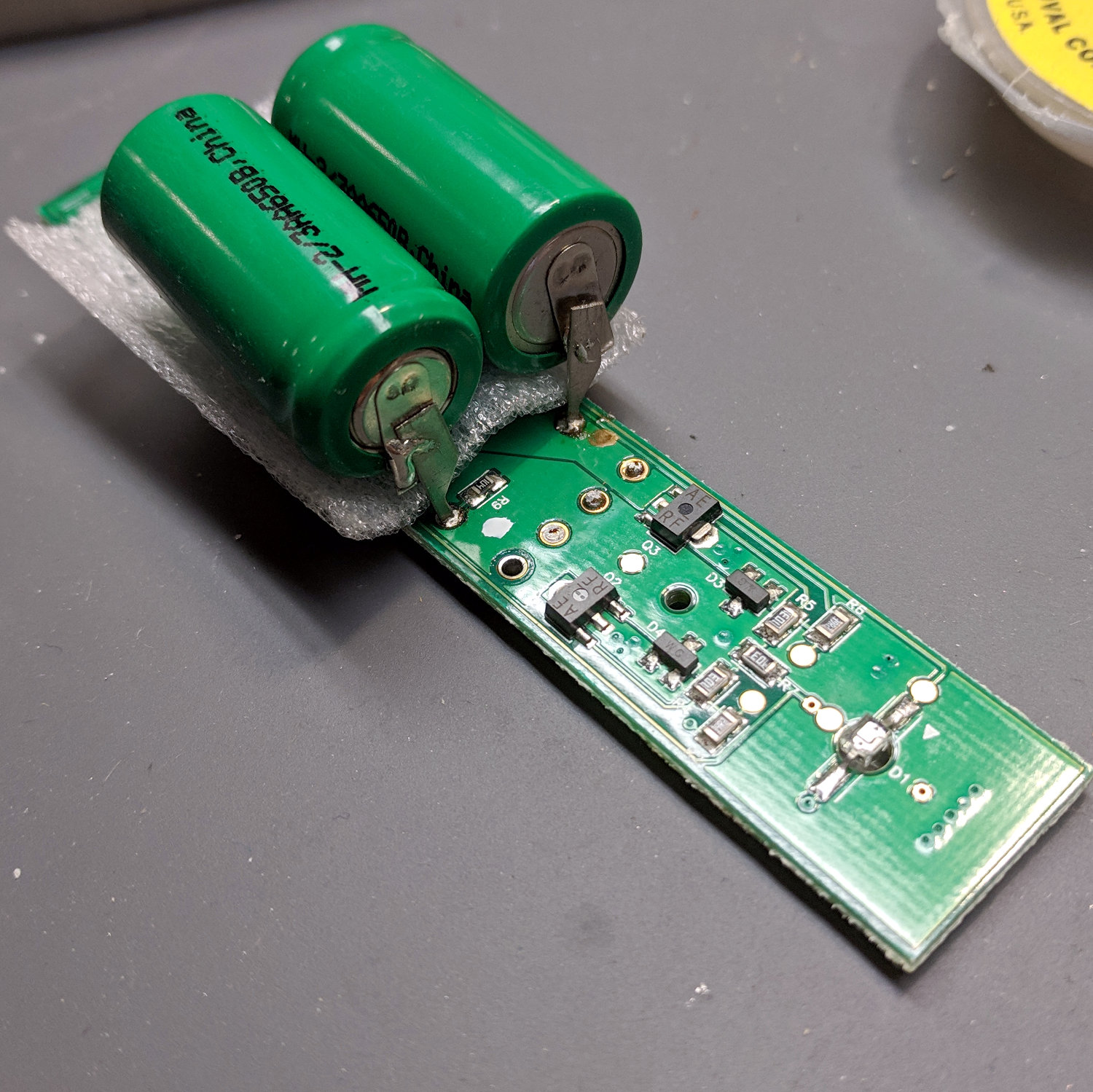
    The process went pretty much as before, with the new cells soldered in place atop the PCB:

    Sonicare Essence - batteries on PCB
    Sonicare Essence – batteries on PCB

    And the PCB tucked back into the case:

    Sonicare Essence - batteries installed
    Sonicare Essence – batteries installed

    I applied a solder bridge to the BLINKY pads, which seemed to disable the blinking and turn the LED on full with the toothbrush in the charger. Without waiting for a full charge cycle, I sucked the solder off the pads and restored the previous blinkiness.

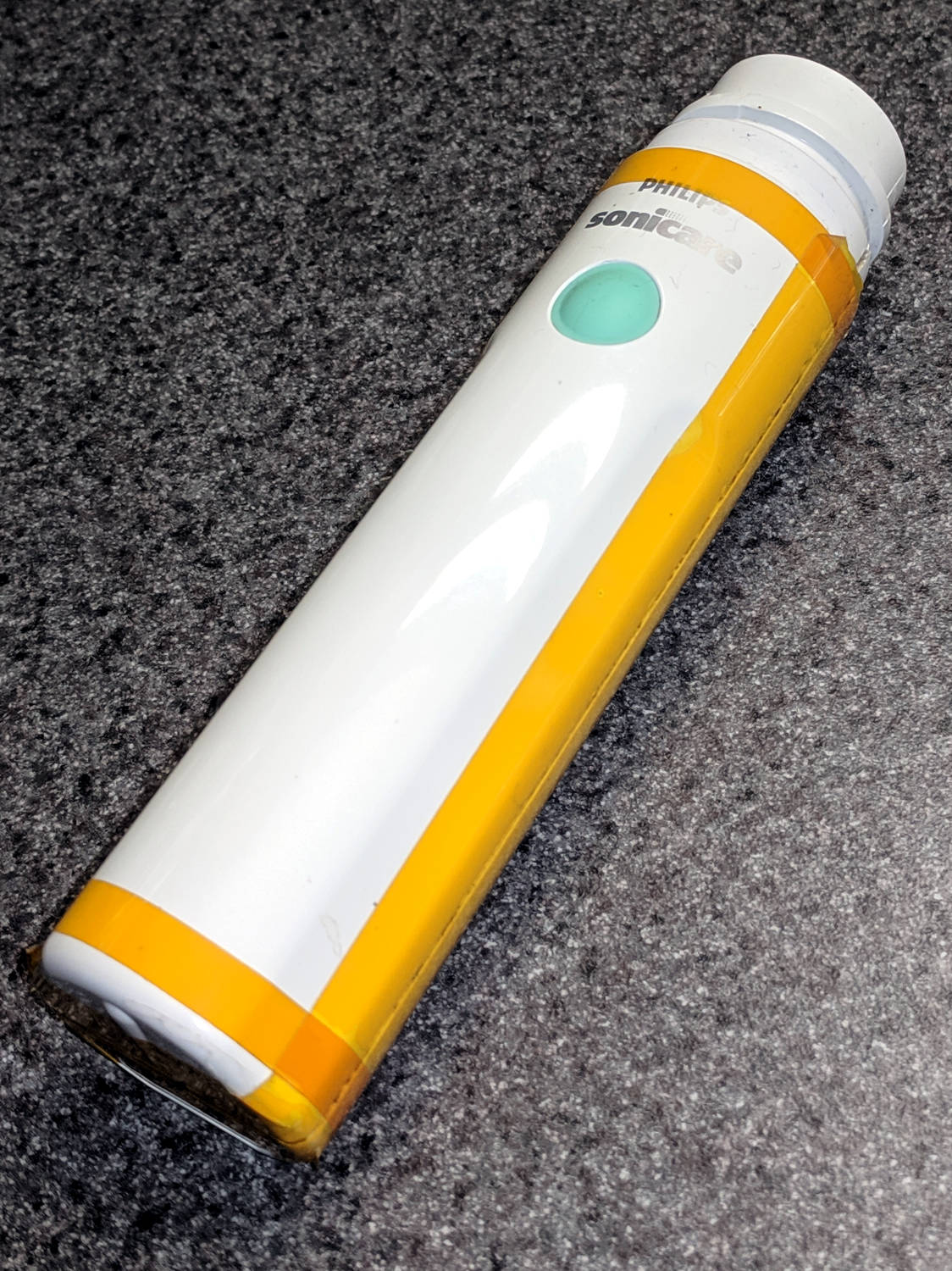
    A few strips of Kapton tape and it’s back in operation:

    Sonicare Essence - retaped
    Sonicare Essence – retaped

    The first charge lasted for two weeks, so things are looking good again. When the stock of knockoff replacement brush heads wears out, it’ll be time to get a whole new toothbrush … even if the batteries aren’t completely dead yet.

  • Astable Multivibrator: SMT LED Ballast Resistor

    The original astable multivibrator ran from a dead CR123 primary lithium cell:

    CR123A Astable - front
    CR123A Astable – front

    With a terminal voltage falling from barely 3 V, the LED drew about 3 mA (1 mA/div), tops, without a ballast resistor:

    Astable - CR123A 2.8 V - 1 mA -green
    Astable – CR123A 2.8 V – 1 mA -green

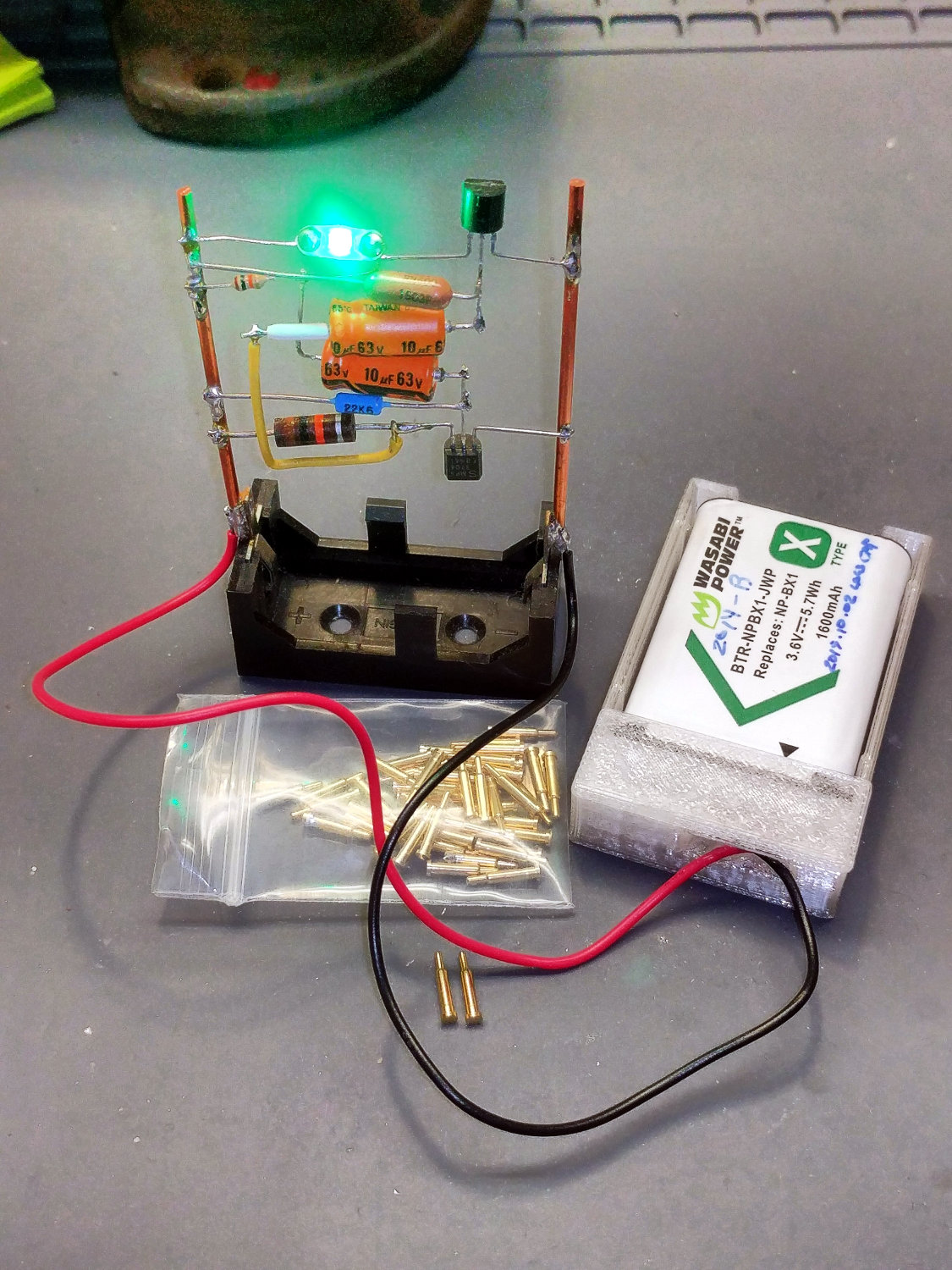
    Hacking in a charged NP-BX1 secondary lithium cell boosted the supply to 4 V:

    NP-BX1 Holder - SMT pogo pins
    NP-BX1 Holder – SMT pogo pins

    Which, diodes being the way they are, raised the LED current to nearly 400 mA (100 mA/div):

    Astable - NP-BX1 4V - base V - 100mA-div
    Astable – NP-BX1 4V – base V – 100mA-div

    Somewhat to my surprise, a few weeks of abuse didn’t do any obvious damage to the LED, but I added a resistor while I was soldering up another holder:

    Astable - 51 ohm SMD ballast
    Astable – 51 ohm SMD ballast

    There’s not quite enough room for a 1/8 W axial resistor, so why not blob in a surface-mount resistor?

    Which cuts the current down to a mere 15 mA (10 mA/div) from a lithium battery at 4 V:

    Astable - NP-BX1 - 51 ohm ballast - 10ma-div
    Astable – NP-BX1 – 51 ohm ballast – 10ma-div

    It’s still blindingly bright, but now I don’t feel bad about it.


  • Astable Multivibrator: NP-BX1 Base

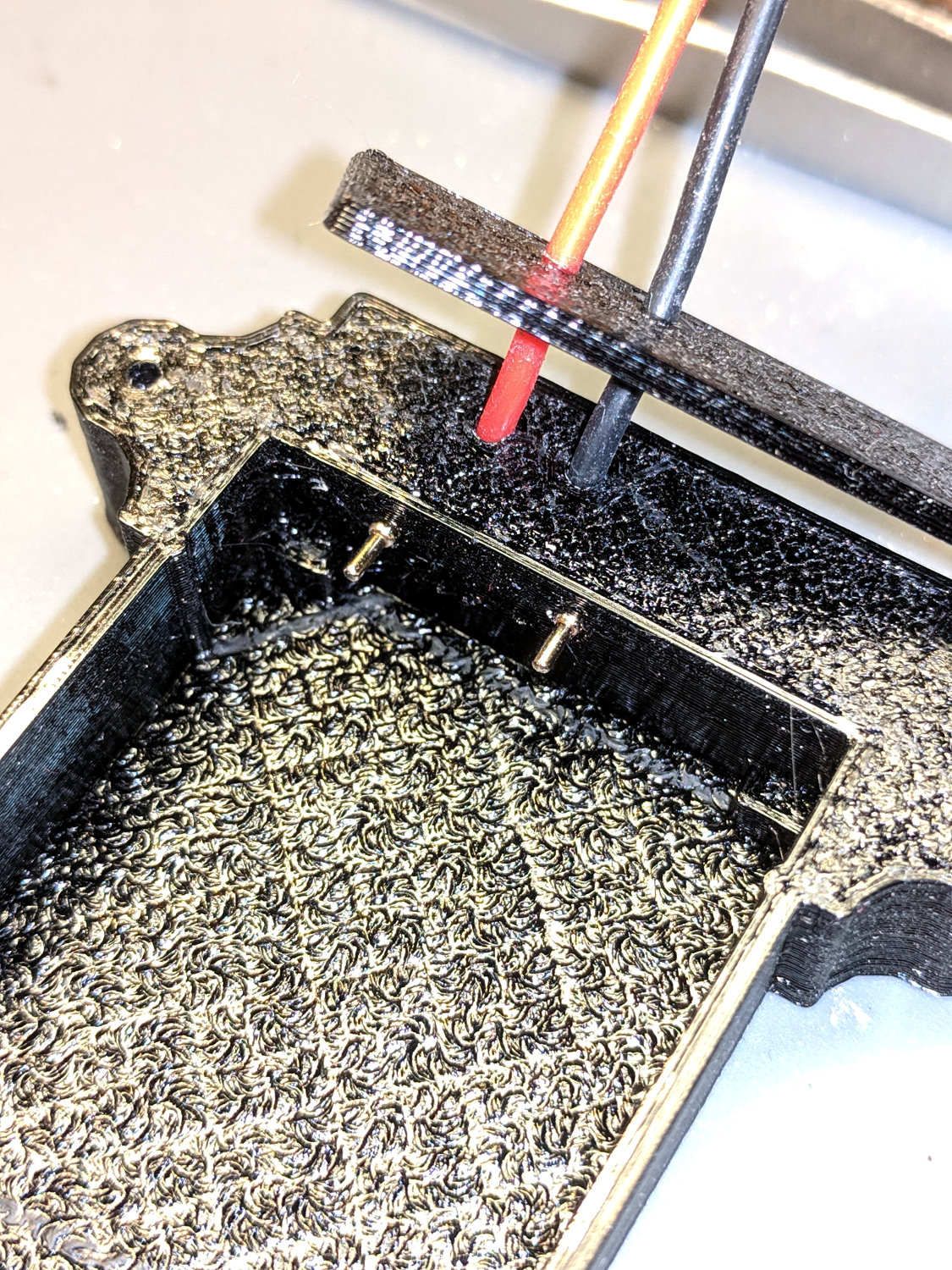
    Adapting the NP-BX1 battery holder to use SMT pogo pins worked well:

    NP-BX1 Holder - SMT pogo pins
    NP-BX1 Holder – SMT pogo pins

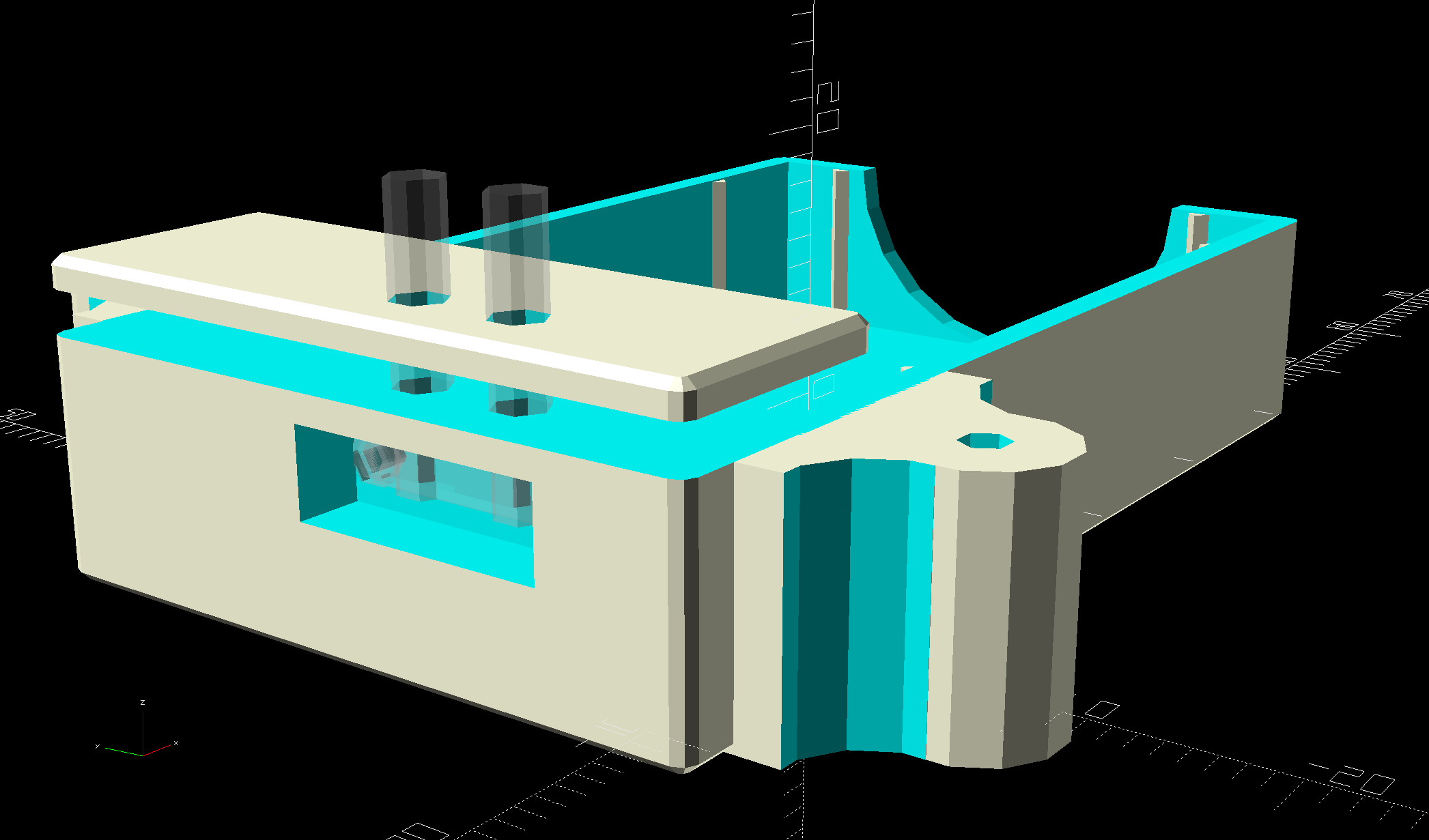
    The next step is to add sockets for those 14 AWG wires:

    NP-BX1 Battery Holder - Wire Posts - solid model
    NP-BX1 Battery Holder – Wire Posts – solid model

    Start by reaming / hand-drilling all the holes to their nominal size and cleaning out the pogo pin pocket.

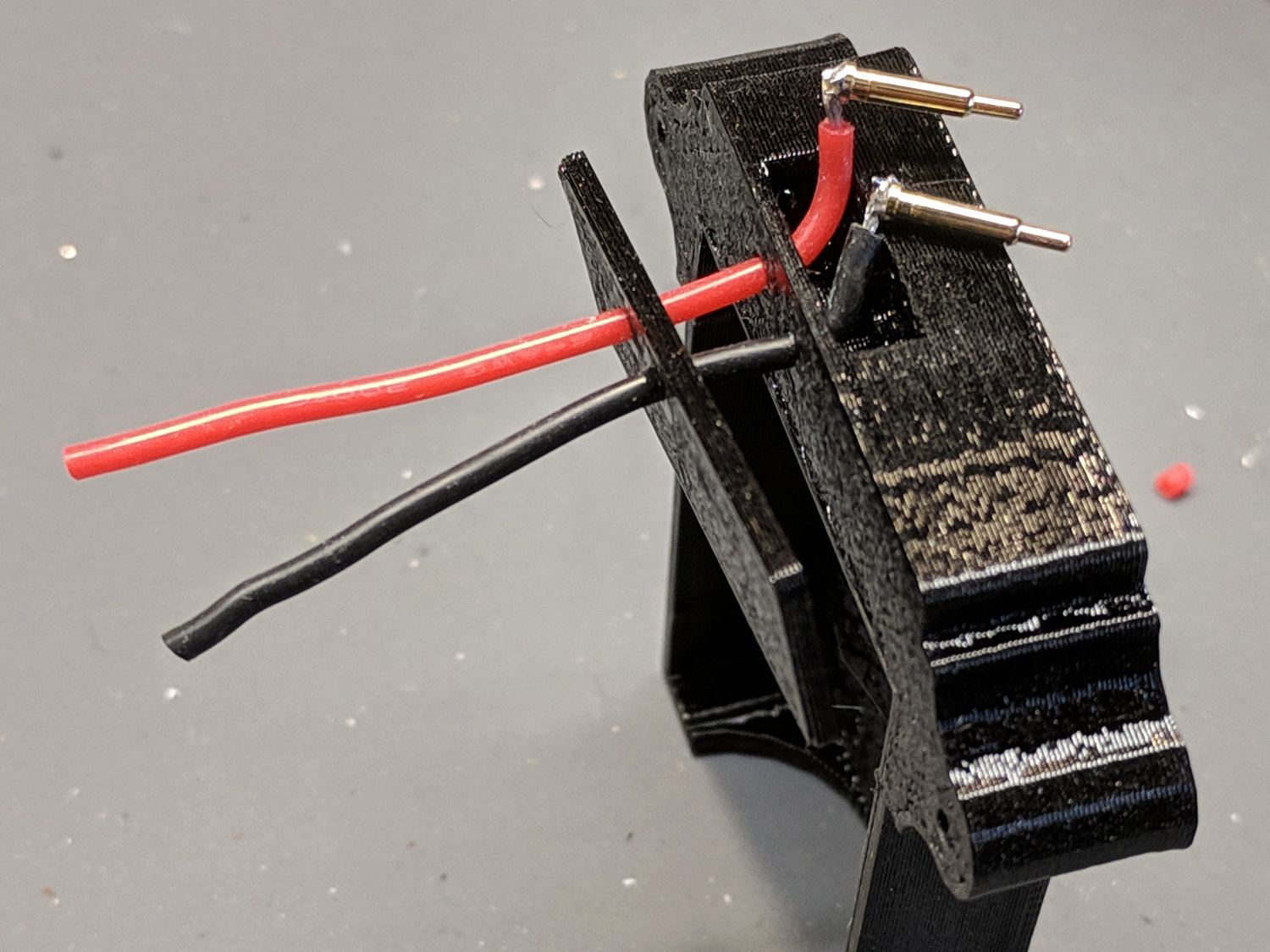
    Solder wires to the pogo pins and thread them through the holder and lid:

    Astable - NP-BX1 holder - pogo pin soldering
    Astable – NP-BX1 holder – pogo pin soldering

    That’s nice, floppy silicone-insulated 24 AWG wire, which may be a bit too thick for this purpose.

    The pogo pins will, ideally, seat with the end of the body flush at the holder wall. Make it so:

    Astable - NP-BX1 holder - pogo pin protrusion
    Astable – NP-BX1 holder – pogo pin protrusion

    Dress the wires neatly into their pocket:

    Astable - NP-BX1 holder - pogo pin wiring
    Astable – NP-BX1 holder – pogo pin wiring

    Butter the bottom of the lid with epoxy, clamp in place, set it up for curing, then fill the recess:

    Astable - NP-BX1 base - curing
    Astable – NP-BX1 base – curing

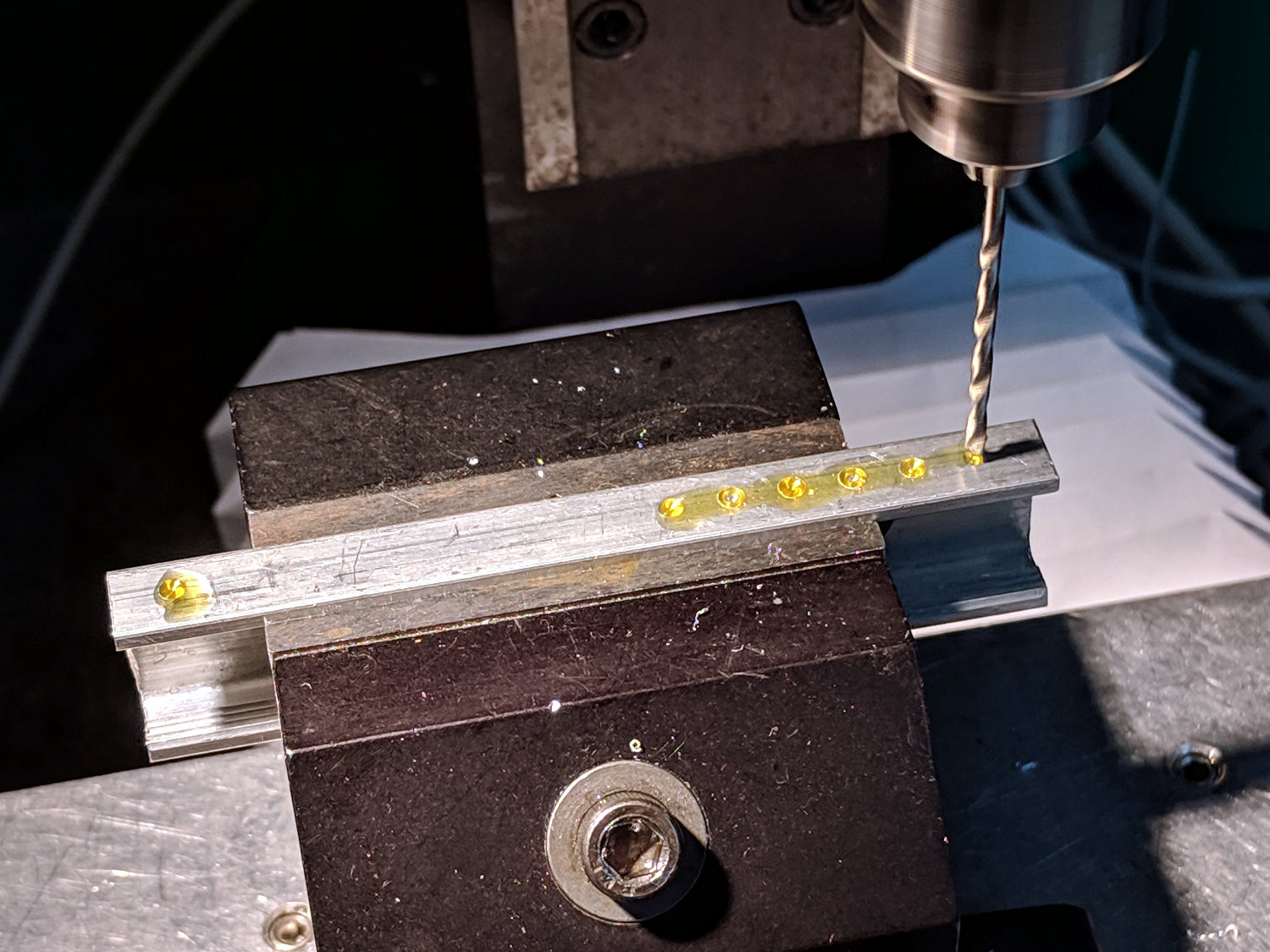
    While it’s curing, make a soldering fixture for the 14 AWG wires:

    Astable - drilling strut soldering fixture
    Astable – drilling strut soldering fixture

    The holes are on 5 mm centers, in the expectation other battery holders will need different spacing.

    Solder it up and stick the wires into the base:

    Astable - NP-BX1 base - detail
    Astable – NP-BX1 base – detail

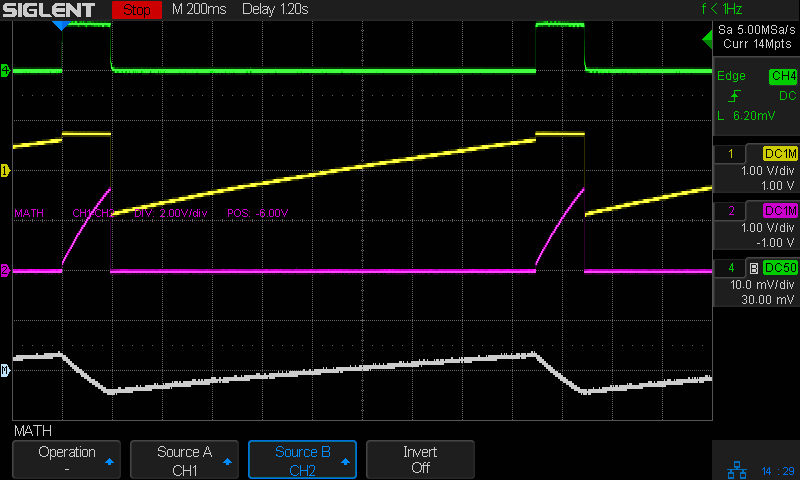
    Jam a battery in and It Just Works™:

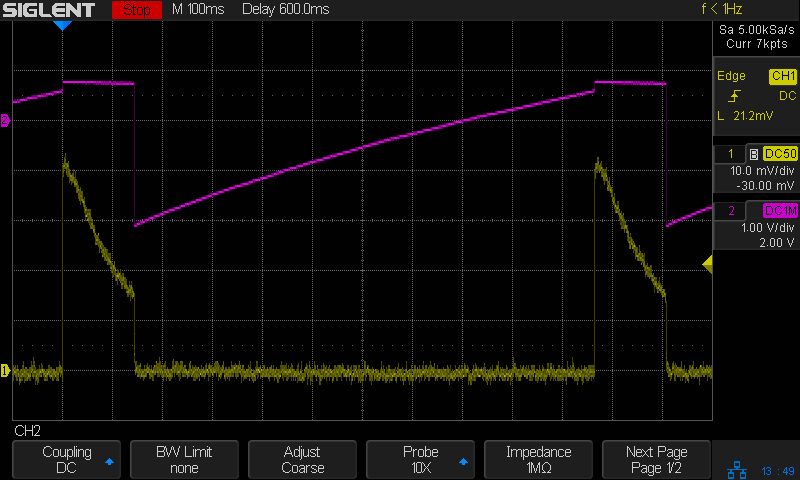
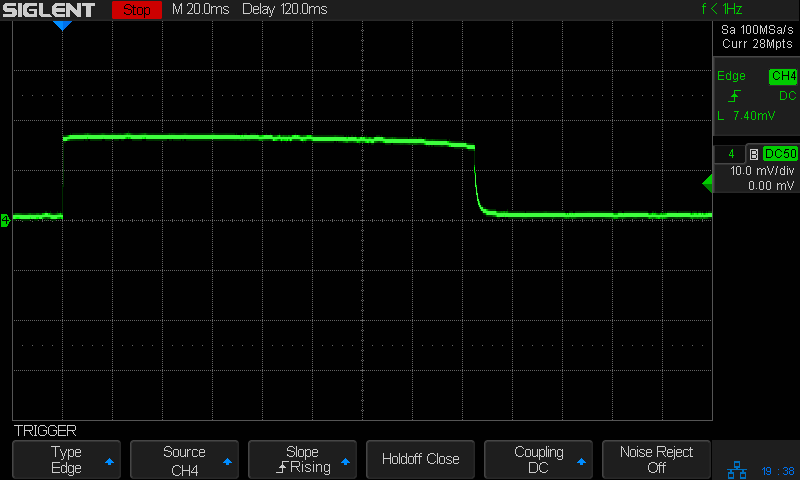
    Astable - NP-BX1 3.8V - 20ma-div - cap V
    Astable – NP-BX1 3.8V – 20ma-div – cap V

    The traces:

    • Green = supply current at 20 mA/div
    • Yellow = LED driver transistor base voltage
    • Purple = other transistor collector voltage
    • White = base – collector voltage = capacitor voltage

    The measurement setup was a bit of a hairball:

    Astable - NP-BX1 base - current probe
    Astable – NP-BX1 base – current probe

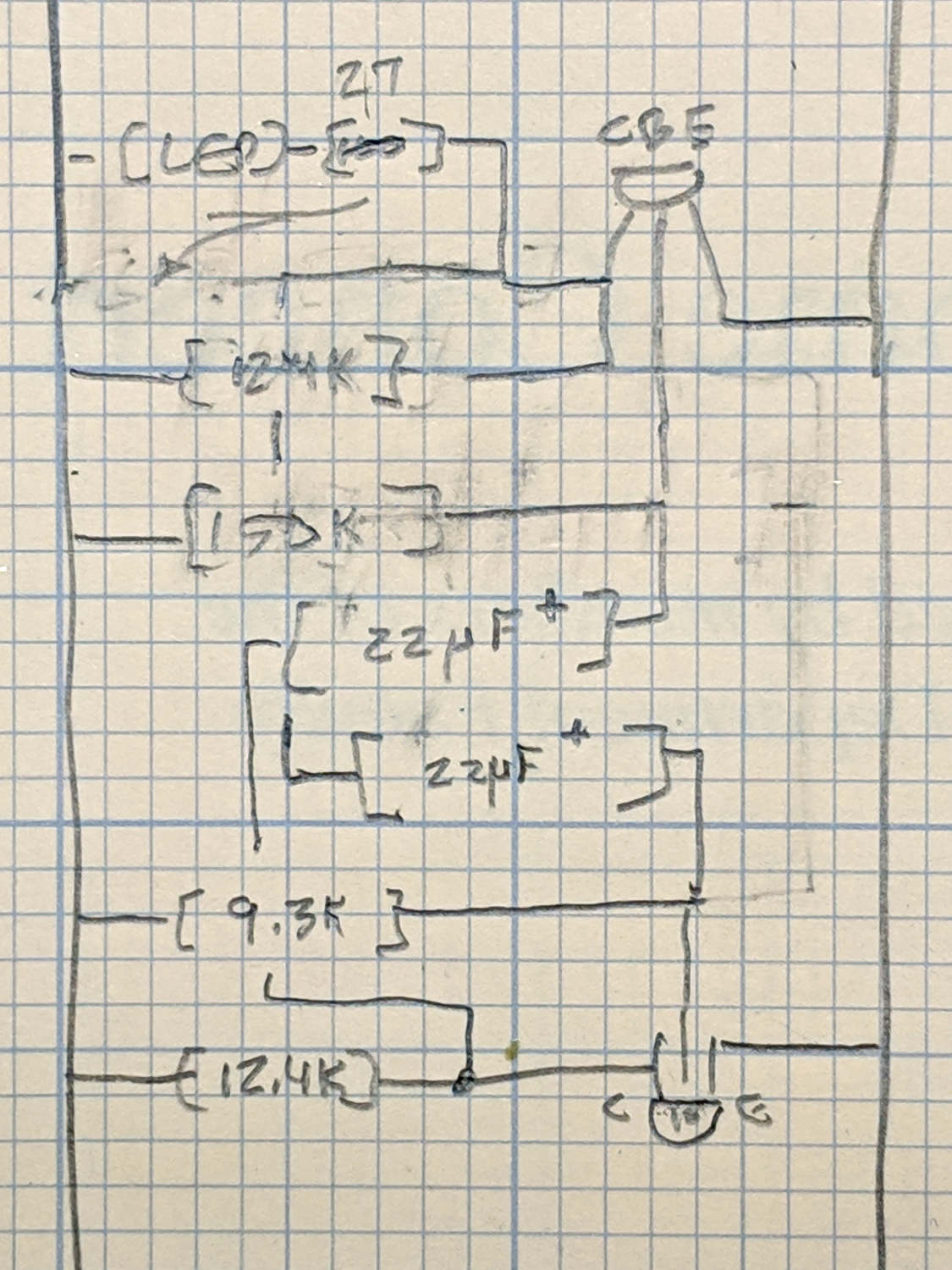
    For completeness, here’s the schematic-and-layout diagram behind the circuitry:

    Astable - NP-BX1 base - schematic
    Astable – NP-BX1 base – schematic

    I love it when a plan comes together!

    The OpenSCAD source code as a GitHub Gist:

    // Holder for Sony NP-BX1 Li-Ion battery
    // Ed Nisley KE4ZNU January 2013
    // 2018-11-15 Adapted for wire leads from 1.5 mm test pins, added upright wire bases
    // Layout options
    Layout = "Fit"; // Show Build Fit Case Lid Pins
    //- Extrusion parameters – must match reality!
    // Print with +2 shells and 3 solid layers
    ThreadThick = 0.25;
    ThreadWidth = 0.35;
    HoleWindage = 0.2;
    function IntegerMultiple(Size,Unit) = Unit * ceil(Size / Unit);
    Protrusion = 0.1; // make holes end cleanly
    inch = 25.4;
    BuildOffset = 3.0; // clearance for build layout
    Gap = 2.0; // separation for Fit parts
    //- Basic dimensions
    WallThick = 4*ThreadWidth; // holder sidewalls
    BaseThick = 6*ThreadThick; // bottom of holder to bottom of battery
    TopThick = 6*ThreadThick; // top of battery to top of holder
    //- Battery dimensions – rationalized from several samples
    // Coordinate origin at battery contact face with key openings below contacts
    Battery = [43.0,30.0,9.5]; // X = length, Y = width, Z = thickness
    Contacts = [[-0.75,6.0,6.2],[-0.75,16.0,6.2]]; // relative to battery edge, front, and bottom
    ContactOC = Contacts[1].y – Contacts[0].y;
    ContactCenter = Contacts[0].y + ContactOC/2;
    KeyBlocks = [[1.75,3.70,2.90],[1.75,3.60,2.90]]; // recesses in battery face set X position
    //- Pin dimensions
    ID = 0;
    OD = 1;
    LENGTH = 2;
    PinShank = [1.5,2.0,6.5]; // shank, flange, compressed length
    PinFlange = [1.5,2.0,0.5]; // flange, length included in PinShank
    PinTip = [0.9,0.9,2.5]; // extended spring-loaded tip
    PinChannel = PinFlange[LENGTH] + 0.5; // cut behind flange for solder overflow
    PinRecess = 3.0; // recess behind pin flange end for epoxy fill
    echo(str("Contact tip dia: ",PinTip[OD]));
    echo(str(" .. shank dia: ",PinShank[ID]));
    OverTravel = 0.5; // space beyond battery face at X origin
    //- Holder dimensions
    GuideRadius = ThreadWidth; // friction fit ridges
    GuideOffset = 7; // from compartment corners
    ThumbRadius = 10.0; // thumb opening at end of battery
    CornerRadius = 3*ThreadThick; // nice corner rounding
    CaseSize = [Battery.x + PinShank[LENGTH] + OverTravel + PinRecess + GuideRadius + WallThick,
    Battery.y + 2*WallThick + 2*GuideRadius,
    Battery.z + BaseThick + TopThick];
    CaseOffset = [-(PinShank[LENGTH] + OverTravel + PinRecess),-(WallThick + GuideRadius),0]; // position around battery
    LidOverhang = 2.0; // over top of battery for retention
    LidSize = [-CaseOffset.x + LidOverhang,CaseSize.y,TopThick];
    LidOffset = [0.0,CaseOffset.y,0];
    //- Wire struts
    StrutDia = 1.6; // AWG 14 = 1.6 mm
    StrutOC = 45;
    StrutSides = 3*4;
    StrutBase = [StrutDia,StrutDia + 4*WallThick,CaseSize.z – TopThick]; // ID = wire, OD=buildable
    //———————-
    // Useful routines
    module PolyCyl(Dia,Height,ForceSides=0) { // based on nophead's polyholes
    Sides = (ForceSides != 0) ? ForceSides : (ceil(Dia) + 2);
    FixDia = Dia / cos(180/Sides);
    cylinder(r=(FixDia + HoleWindage)/2,h=Height,$fn=Sides);
    }
    //——————-
    //– Guides for tighter friction fit
    module Guides() {
    translate([GuideOffset,-GuideRadius,0])
    PolyCyl(2*GuideRadius,(Battery.z – Protrusion),4);
    translate([GuideOffset,(Battery.y + GuideRadius),0])
    PolyCyl(2*GuideRadius,(Battery.z – Protrusion),4);
    translate([(Battery.x – GuideOffset),-GuideRadius,0])
    PolyCyl(2*GuideRadius,(Battery.z – Protrusion),4);
    translate([(Battery.x – GuideOffset),(Battery.y + GuideRadius),0])
    PolyCyl(2*GuideRadius,(Battery.z – Protrusion),4);
    translate([(Battery.x + GuideRadius),GuideOffset/2,0])
    PolyCyl(2*GuideRadius,(Battery.z – Protrusion),4);
    translate([(Battery.x + GuideRadius),(Battery.y – GuideOffset/2),0])
    PolyCyl(2*GuideRadius,(Battery.z – Protrusion),4);
    }
    //– Contact pins
    // Rotated to put them in their natural oriention
    // Aligned to put tip base / end of shank at Overtravel limit
    module PinShape() {
    translate([-(PinShank[LENGTH] + OverTravel),0,0])
    rotate([0,90,0])
    rotate(180/6)
    union() {
    PolyCyl(PinTip[OD],PinShank[LENGTH] + PinTip[LENGTH],6);
    PolyCyl(PinShank[ID],PinShank[LENGTH] + Protrusion,6); // slight extension for clean cuts
    PolyCyl(PinFlange[OD],PinFlange[LENGTH],6);
    }
    }
    // Position pins to put end of shank at battery face
    // Does not include recess access into case
    module PinAssembly() {
    union() {
    for (p = Contacts)
    translate([0,p.y,p.z])
    PinShape();
    translate([-(PinShank[LENGTH] + OverTravel) + PinChannel/2, // solder space
    ContactCenter,
    Contacts[0].z])
    cube([PinChannel,(Contacts[1].y – Contacts[0].y),PinFlange[OD]],center=true);
    for (j=[-1,1]) // wire channels
    translate([-(PinShank[LENGTH] + OverTravel – PinChannel/2),
    j*ContactOC/4 + ContactCenter,
    Contacts[0].z – PinFlange[OD]/2])
    rotate(180/6)
    PolyCyl(PinFlange[OD],CaseSize.z,6);
    }
    }
    //– Case with origin at battery corner
    module Case() {
    difference() {
    union() {
    difference() {
    union() {
    translate([(CaseSize.x/2 + CaseOffset.x), // basic case shape
    (CaseSize.y/2 + CaseOffset.y),
    (CaseSize.z/2 – BaseThick)])
    hull()
    for (i=[-1,1], j=[-1,1], k=[-1,1])
    translate([i*(CaseSize.x/2 – CornerRadius),
    j*(CaseSize.y/2 – CornerRadius),
    k*(CaseSize.z/2 – CornerRadius)])
    sphere(r=CornerRadius/cos(180/8),$fn=8); // cos() fixes undersize spheres!
    hull() // wire strut bases
    for (j=[-1,1])
    translate([0,j*StrutOC/2 + Battery.y/2,-BaseThick])
    rotate(180/StrutSides)
    cylinder(d=StrutBase[OD],h=StrutBase[LENGTH],$fn=StrutSides);
    translate([0,Battery.y/2,StrutBase[LENGTH]/2 – BaseThick])
    cube([2*StrutBase[OD],StrutOC,StrutBase[LENGTH]],center=true);
    }
    translate([-OverTravel,-GuideRadius,0])
    cube([(Battery.x + GuideRadius + OverTravel),
    (Battery.y + 2*GuideRadius),
    (Battery.z + Protrusion)]); // battery space
    }
    Guides(); // improve friction fit
    translate([-OverTravel,-GuideRadius,0]) // battery keying blocks
    cube(KeyBlocks[0] + [OverTravel,GuideRadius,0],center=false);
    translate([-OverTravel,(Battery.y – KeyBlocks[1].y),0])
    cube(KeyBlocks[1] + [OverTravel,GuideRadius,0],center=false);
    }
    translate([2*CaseOffset.x, // battery top access
    (CaseOffset.y – Protrusion),
    Battery.z])
    cube([2*CaseSize.x,(CaseSize.y + 2*Protrusion),(TopThick + Protrusion)]);
    if (false)
    translate([(CaseOffset.x – Protrusion), // battery insertion allowance
    (CaseOffset.y – Protrusion),
    Battery.z])
    cube([(CaseSize.x + 2*Protrusion),(CaseSize.y + 2*Protrusion),(TopThick + Protrusion)]);
    for (j=[-1,1]) // strut wires
    translate([0,j*StrutOC/2 + Battery.y/2,-(BaseThick + Protrusion)])
    PolyCyl(StrutBase[ID],StrutBase[LENGTH] + 2*Protrusion,6);
    for (i=[-1,1], j=[-1,1])
    translate([i*StrutBase[OD],j*StrutOC/2 + Battery.y/2,-(BaseThick + Protrusion)])
    rotate(180/StrutSides)
    PolyCyl(StrutBase[OD],StrutBase[LENGTH] + 2*Protrusion,StrutSides);
    translate([(Battery.x – Protrusion), // remove thumb notch
    (CaseSize.y/2 + CaseOffset.y),
    (ThumbRadius)])
    rotate([90,0,0])
    rotate([0,90,0])
    cylinder(r=ThumbRadius,
    h=(WallThick + GuideRadius + 2*Protrusion),
    $fn=22);
    PinAssembly();
    translate([CaseOffset.x + PinRecess + Protrusion,(Contacts[1].y + Contacts[0].y)/2,Contacts[0].z])
    translate([-PinRecess,0,0])
    cube([2*PinRecess,
    (Contacts[1].y – Contacts[0].y + PinFlange[OD]),
    2*PinFlange[OD]],center=true);
    }
    }
    // Lid position offset to match case
    module Lid() {
    difference() {
    translate([-LidSize.x/2 + LidOffset.x + LidOverhang,LidSize.y/2 + LidOffset.y,0])
    difference() {
    hull()
    for (i=[-1,1], j=[-1,1], k=[-1,1])
    translate([i*(LidSize.x/2 – CornerRadius),
    j*(LidSize.y/2 – CornerRadius),
    k*(LidSize.z – CornerRadius)]) // double thickness for flat bottom
    sphere(r=CornerRadius,$fn=8);
    translate([0,0,-LidSize.z/2]) // remove bottom
    cube([(LidSize.x + 2*Protrusion),(LidSize.y + 2*Protrusion),LidSize.z],center=true);
    translate([LidSize.x/8,0,0])
    cube([LidSize.x/4,0.75*LidSize.y,4*ThreadThick],center=true); // epoxy recess
    }
    translate([0,0,-(Contacts[0].z + PinFlange[OD])]) // punch wire holes
    PinAssembly();
    }
    }
    //——————-
    // Build it!
    if (Layout == "Case")
    Case();
    if (Layout == "Lid")
    Lid();
    if (Layout == "Pins") {
    color("Silver",0.5)
    PinShape();
    PinAssembly();
    }
    if (Layout == "Show") { // reveal pin assembly
    difference() {
    Case();
    translate([(CaseOffset.x – Protrusion),
    Contacts[1].y,
    Contacts[1].z])
    cube([(-CaseOffset.x + Protrusion),
    CaseSize.y,
    (CaseSize.z – Contacts[0].z + Protrusion)]);
    translate([(CaseOffset.x – Protrusion),
    (CaseOffset.y – Protrusion),
    0])
    cube([(-CaseOffset.x + Protrusion),
    Contacts[0].y + Protrusion – CaseOffset.y,
    CaseSize.z]);
    }
    translate([0,0,Battery.z + Gap])
    Lid();
    color("Silver",0.15)
    PinAssembly();
    }
    if (Layout == "Build") {
    translate([-(CaseSize.x/2 + CaseOffset.x),-(CaseOffset.y – BuildOffset),BaseThick])
    Case();
    translate([CaseSize.x/2,-LidSize.x/2,0])
    rotate(90)
    Lid();
    }
    if (Layout == "Fit") {
    Case();
    translate([0,0,(Battery.z + Gap)])
    Lid();
    color("Silver",0.25)
    PinAssembly();
    }
  • Halogen Desk Lamp Conversion

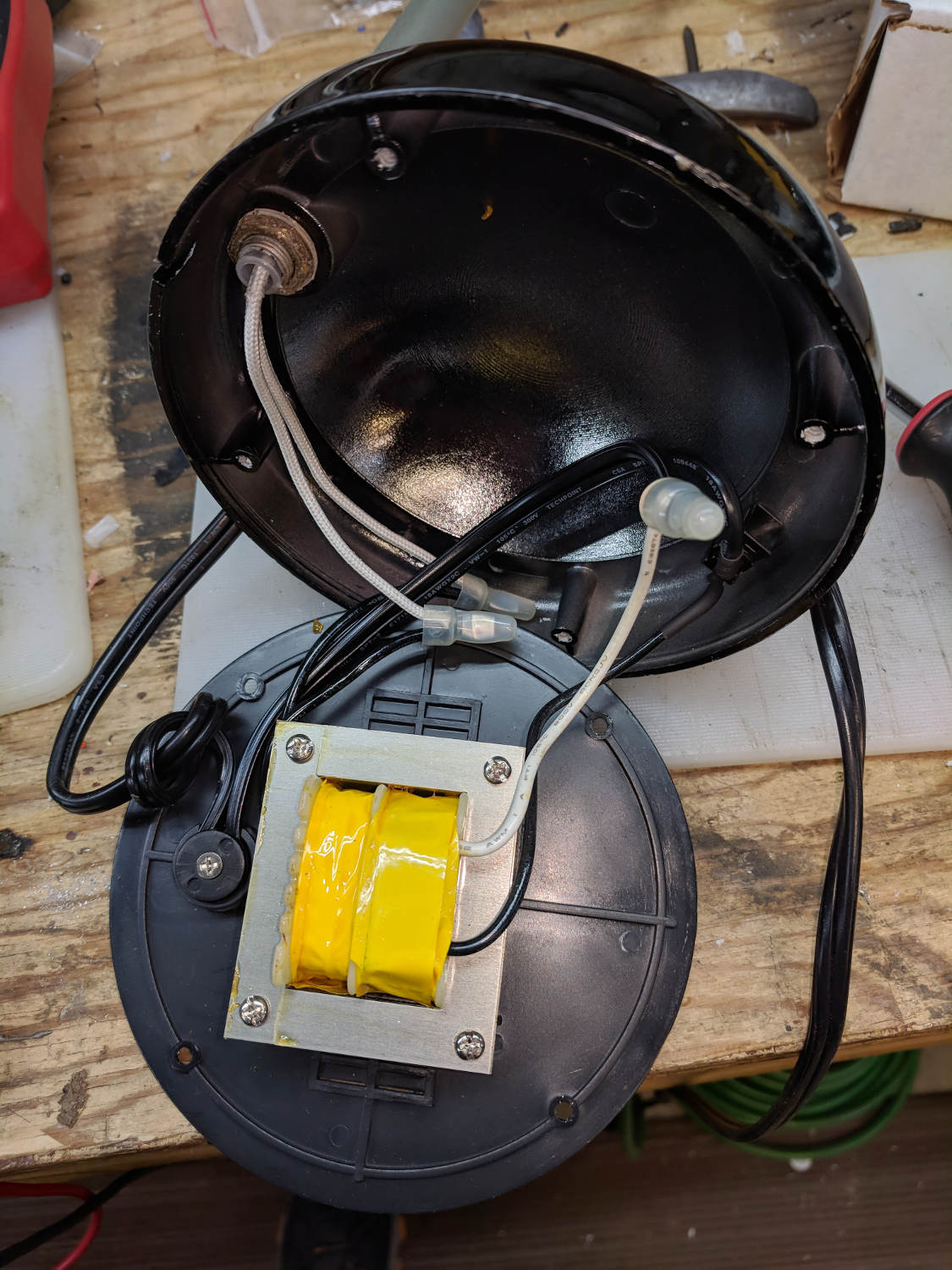
    As part of converting the halogen desk lamp to LEDs, I replaced the hulking iron transformer with a flatter counterweight:

    Halogen Desk Lamp - 12 V 20 W transformer
    Halogen Desk Lamp – 12 V 20 W transformer

    Under normal circumstances, you’d use something like steel or lead sheets, but Tiny Bandsaw™ can’t cut any appreciable thickness of steel and I gave away my entire lead stockpile, so I sawed disks from a pile of non-stick pancake griddles and drilled suitable mounting holes:

    Parallel clamps in action
    Parallel clamps in action

    Another disk (from a formal aluminum sheet!) goes into the lamp head, with a trio of 3W COB LEDs epoxied in place:

    Ex-Halogen Desk Lamp - 3x3W COB LED assembly
    Ex-Halogen Desk Lamp – 3x3W COB LED assembly

    The other side of the disk sports a heatsink harvested from a PC, also epoxied in place:

    Ex-halogen Desk Lamp - heatsink fitting
    Ex-halogen Desk Lamp – heatsink fitting

    Realizing the head required only a little filing to accommodate the heatsink sealed both their fates.

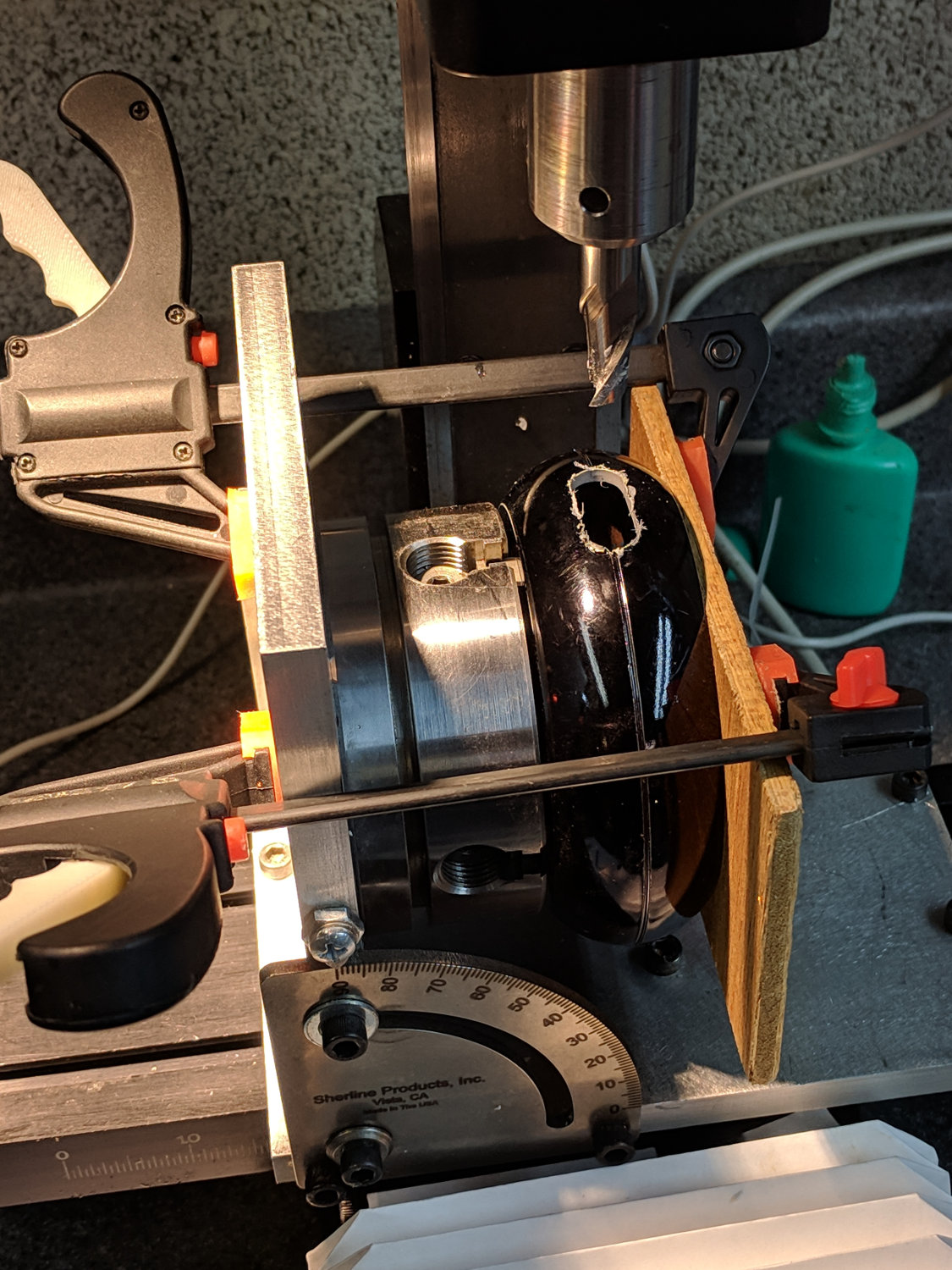
    A test firing showed the heatsink needed more airflow, which didn’t come as much of a surprise, so I milled slots in the lamp head:

    Ex-halogen Desk Lamp - vent slot milling
    Ex-halogen Desk Lamp – vent slot milling

    Deburring the holes, blackening the sides with a Sharpie, and tucking a bit of black window screen behind the opening made the vents look entirely professional.

    The small dome in the base originally cleared the transformer and now holds the entire 10 W LED driver, along with all the wiring, atop the counterweight sheets:

    Ex-halogen Desk Lamp - base wiring
    Ex-halogen Desk Lamp – base wiring

    A cork pad covers the base for a bit of non-skid action:

    Ex-halogen Desk Lamp - cork pad
    Ex-halogen Desk Lamp – cork pad

    I couldn’t convince myself filling in those sectors would improve anything, so I didn’t.

    And then It Just Worked:

    Ex-halogen Desk Lamp - in use
    Ex-halogen Desk Lamp – in use

    All without a trace of solid modeling or G-Code …

  • JYE Tech DSO150 Oscilloscope vs. Actual Signals

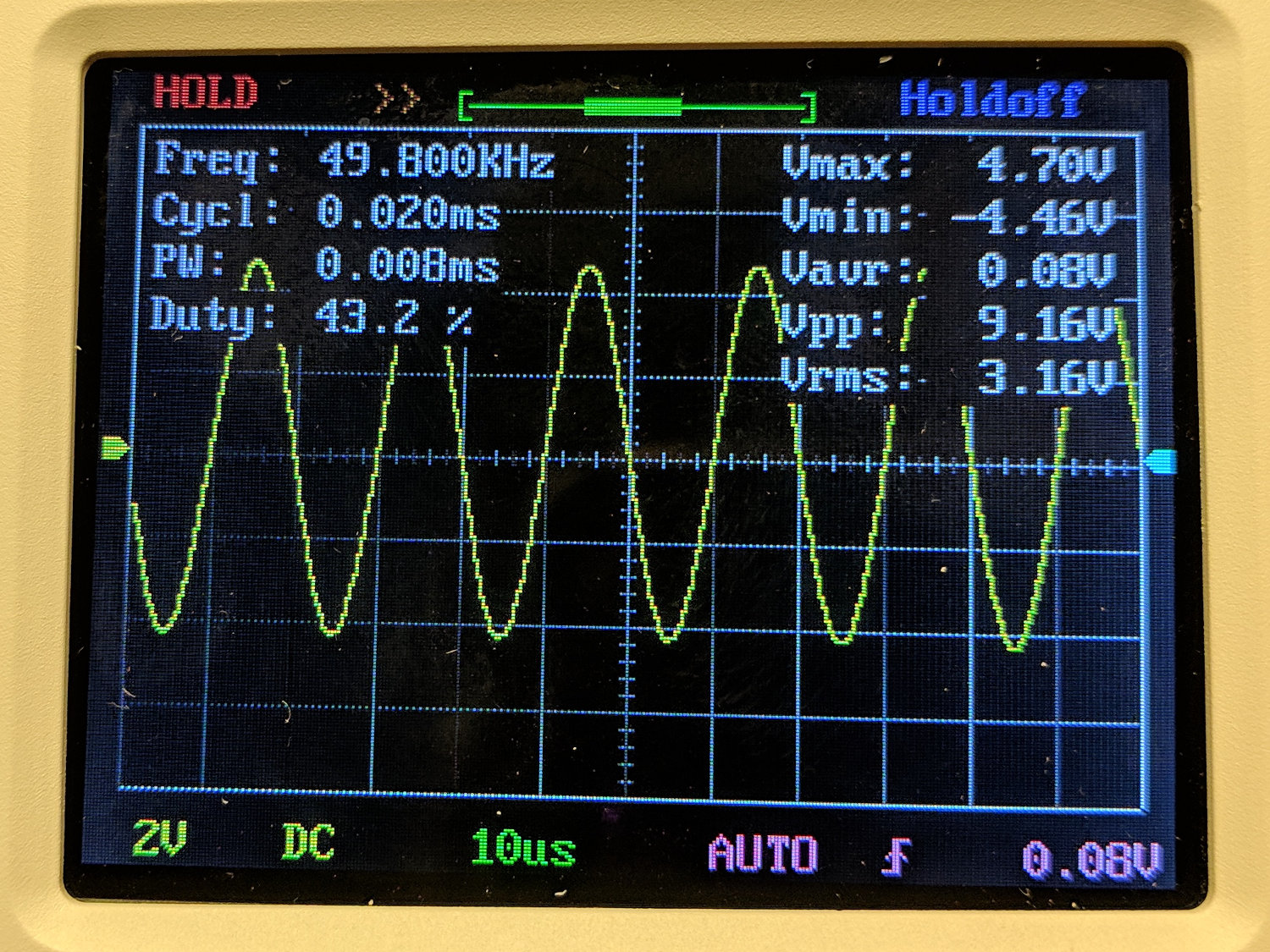
    The DSO150 oscilloscope’s specs give a 200 kHz bandwidth, so a 50 kHz sine wave looks pretty good:

    DSO150 - sine wave 50 kHz 10 us-div
    DSO150 – sine wave 50 kHz 10 us-div

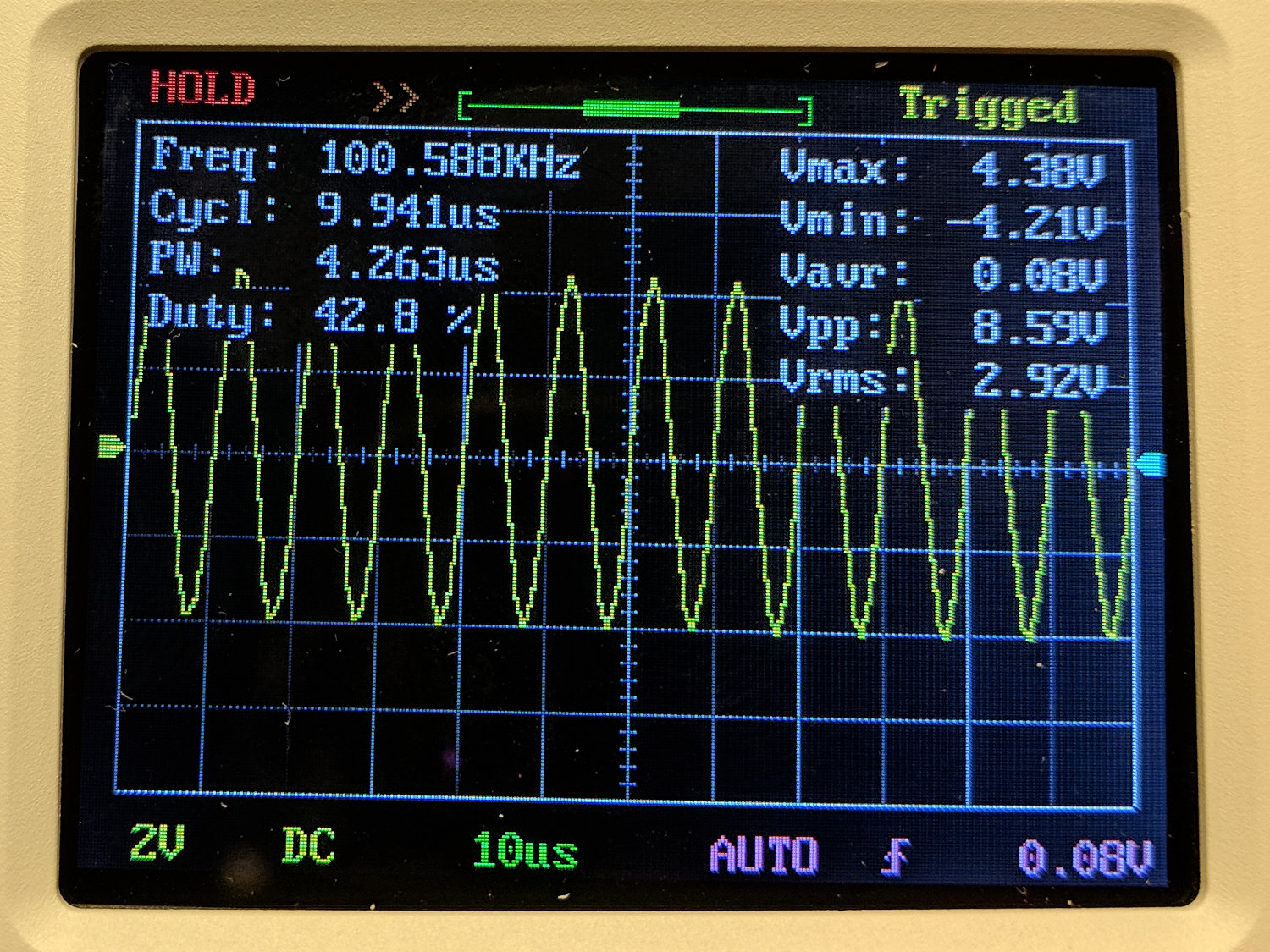
    A 100 kHz sine wave looks chunky, with maybe 25 samples per cycle:

    DSO150 - sine wave 100 kHz 10 us-div
    DSO150 – sine wave 100 kHz 10 us-div

    The DSO150 tops out at 10 µs/div, so you can’t expand the waveform more than you see; 25 samples in 10 µs seems to be 2.5 Msample/s, exceeding the nominal 1 Msample/s spec. I have no explanation.

    A 10 kHz square wave shows a blip just before each transition that isn’t on the actual signal:

    DSO150 - square wave 10 kHz 20 us-div
    DSO150 – square wave 10 kHz 20 us-div

    At 50 kHz, there’s not much square left in the wave:

    DSO150 - square wave 50 kHz 10 us-div
    DSO150 – square wave 50 kHz 10 us-div

    And, just for completeness, a 200 kHz square wave completely loses its starch:

    DSO150 - square wave 200 kHz 10 us-div
    DSO150 – square wave 200 kHz 10 us-div

    A 10% (-ish) duty cycle pulse at 25 kHz has frequency components well beyond the scope’s limits, so it’s more of a blip than a pulse:

    DSO150 - pulse 25 kHz 10 us-div
    DSO150 – pulse 25 kHz 10 us-div

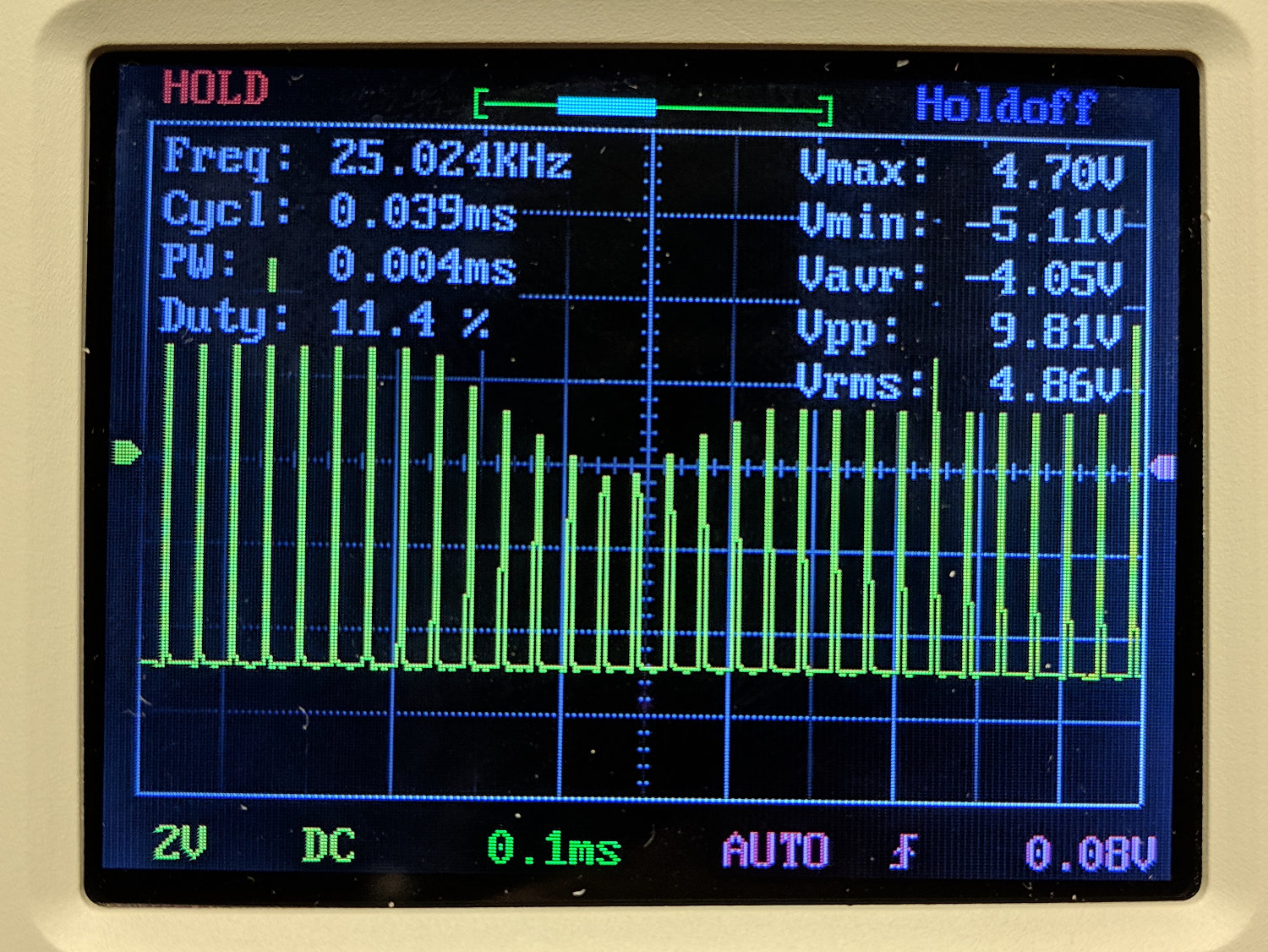
    The pulse repetition frequency beats with the scope sampling and sweep speeds to produce weird effects:

    DSO150 - pulse 25 kHz 100 us-div
    DSO150 – pulse 25 kHz 100 us-div

    Tuning the pulse frequency for maximum weirdness:

    DSO150 - pulse 15 kHz 200 us-div
    DSO150 – pulse 15 kHz 200 us-div

    None of this is unique to the DSO150, of course, as all digital scopes (heck, all sampled-data systems) have the same issues. The DSO150’s slow sampling rate just makes them more obvious at lower frequencies.

    Key takeaway: use the DSO150 for analog signals in the audio range, up through maybe 50 kHz, and it’ll produce reasonable results.

    Using it for digital signals, even at audio frequencies, isn’t appropriate, because the DSO150’s low bandwidth will produce baffling displays.


  • JYE Tech DSO150 Oscilloscope: Battery Power

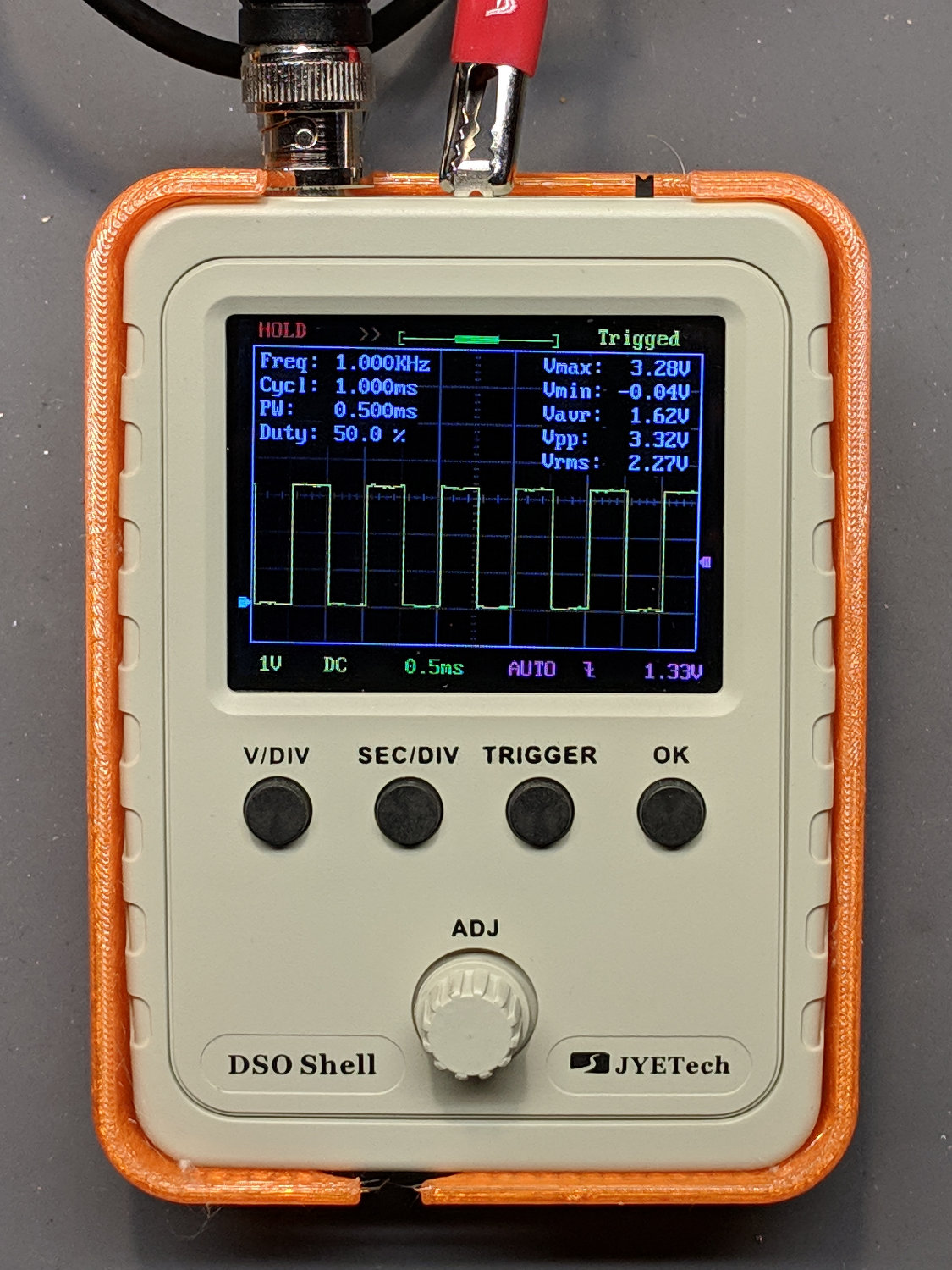
    With the DSO150 scope running, I printed Geoff’s DSO150 case + battery holder from Thingiverse, added a few bits & pieces from the heap, and came up with a completely portable scope:

    DSO150 battery hack - first light
    DSO150 battery hack – first light

    The only scope mod consists of embedding a JST-ish connector in the back panel:

    DSO150 battery hack - rear panel connector
    DSO150 battery hack – rear panel connector

    Then soldering it to the battery pads and applying generous hot-melt glue blobs:

    DSO150 battery hack - PCB power
    DSO150 battery hack – PCB power

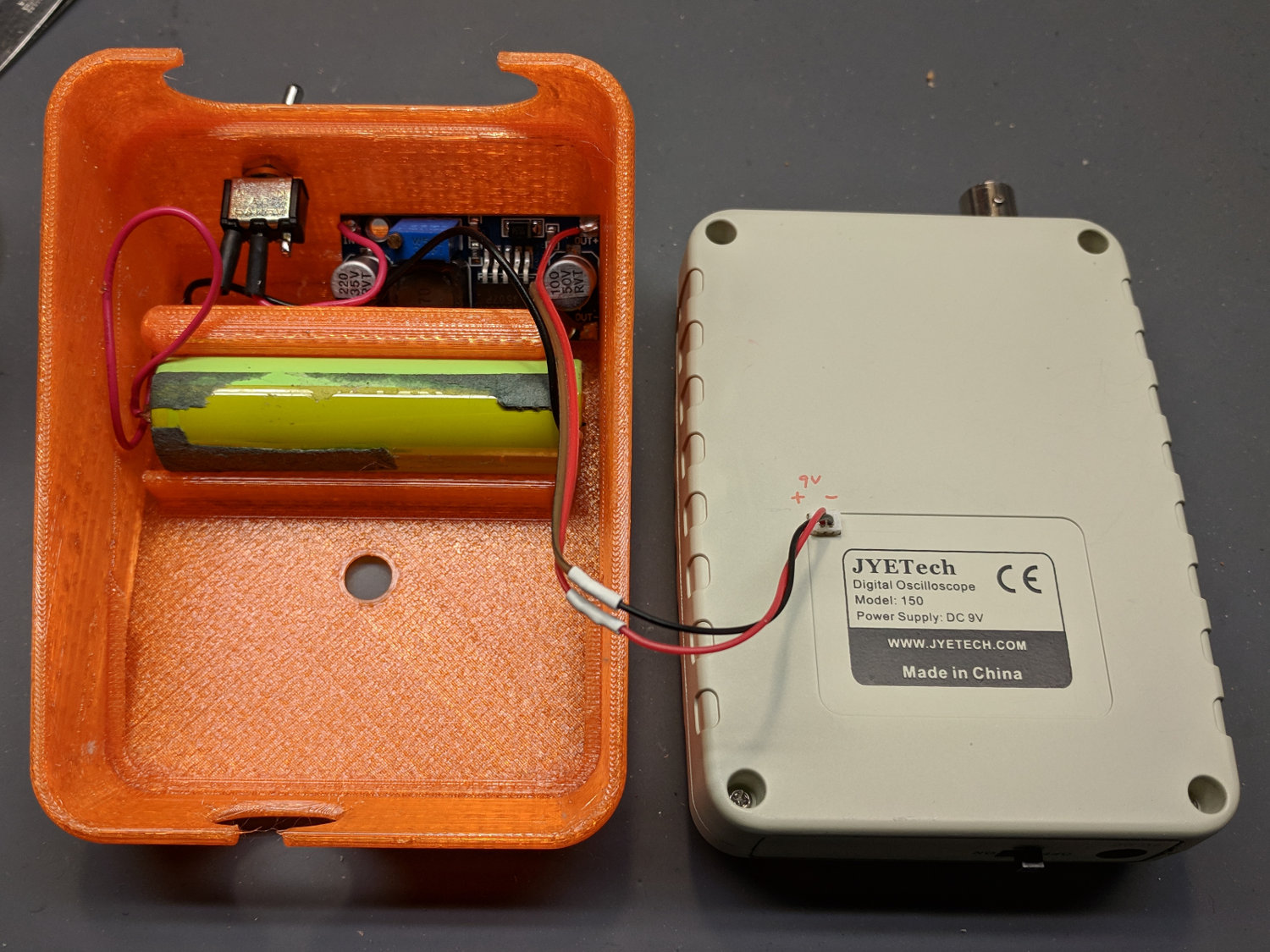
    Add a scrap 18650 Li-Ion cell, a regulated boost converter, and a switch:

    DSO150 battery hack - interior
    DSO150 battery hack – interior

    The switch is directly below the DSO150 BNC connector to get a little protection for its handle, which would otherwise stick out in harm’s way. This being an afterthought, I drilled the switch hole, rather than modify the solid model.

    Some testing with a bench supply showed that the DSO150 will not operate correctly from the voltages produced by a pair of lithium cells, despite what you’d think from looking at the case. Below 8 V, the internally generated negative supply becomes larger than the positive supply, so the 0 V point isn’t properly centered and the scope loses headroom for large signals; monitoring the internal 3.3 V test signal makes the problem painfully obvious.

    More color commentary from my summary email:

    • Combining a case from Thingiverse with a Li-Ion cell and a regulated boost converter produces a portable scope.
    • The PCB has provision for battery input, so I drilled / filed a square hole for a teeny JST-ish connector on the back panel, secured it with a blob of hot melt glue, and globbed the wires onto the PCB battery pads.
    • The boost converter draws about 400 mA from the cell, so a 2500-ish mA·h cell should last Long Enough™. This is a scrap cell from the recycle box and gave out after maybe four hours.
    • It idles at 8 mA, so I drilled a hole in the back of the case for a toggle switch disconnecting the battery; you’d want the hole in the solid model. Perhaps a better converter would have lower idle current; you’d never be able to tell from the eBay descriptions.
    • Aaaaand it switches around 200 kHz under load, just barely beyond the scope bandwidth. It doesn’t add much noise to the signal, at least with a 50 Ω terminator jammed in the BNC, but the square-wave “cal” output looks awful at 50 mV/div; a real scope shows even more noise. I assume the noise comes directly from the logic supply; with luck, the DSO150’s analog circuitry has Good Enough™ filtering.
    • Which might not matter for logic-level and moderate analog signals, of course, which is the whole point of the DSO150.
    • Conspicuous by their absence: a Li-Ion cell protection PCB and any way to recharge the poor thing …

    I’ve occasionally wanted a portable scope and now I have one!

  • JYE Tech DSO150 Oscilloscope: Build Notes

    I did a quick build of a JYE Tech DSO150 oscilloscope to see how it’d work in a proposed Squidwrench advanced soldering class / kit build session.

    The main board requires adding only a few switches and headers, then removing a 0 Ω jumper resistor:

    DSO150 - main board - bottom
    DSO150 – main board – bottom

    The analog board requires a handful of 1/8 W resistors, various capacitors, switches, and the BNC connector:

    DSO150 - main board - front
    DSO150 – main board – front

    Some (lightly edited) color commentary from my summary email:

    • Just finished assembling the kit, which required two hours; I’m admittedly fussy. The one joint I missed on the input coupling switch required a complete disassembly, but all the rest worked fine.
    • The UI is much better than the DSO138.
    • Soldering the BNC connector requires lots of heat. My ordinary Hakko iron had inadequate grunt, so I deployed the hulking Radio Shack 150 W gun and did the job in seconds.
    • The resistors require a meter to measure them during installation, because they’re 1% 1/8 W jobbies with many teeny color strips in Chinese tints you’ve never seen before. I could not sort them visually, even with a lighted headband magnifier, and I know what I’m looking for.
    • The caps are marked, but using a meter builds confidence.
    • And, yes, the kit had all the right parts and they all worked. The instructions call for powering up the main board before starting assembly, then again after removing a 0 Ω jumper resistor, but that’s the extent of the “testing” required.
    • They recommend a flush cutter and I’d say it’s pretty much required. An ordinary diagonal cutter won’t get close enough to the PCB.
    • I needed an angle-tip tweezer to lay the PCB screws in place.
    • Don’t install the knob until the very last step and maybe wait until you’ve verified all the functions. You have been warned.
    • The minimum power supply voltage really is 8.0 V, not the 7.4 V from a not-quite-fully-charged pair of lithium cells. A 9 V alkaline battery will last a few minutes. A noisy boost converter / crappy 9 V wall wart translates directly into noise on the display, particularly on the internal calibration signal.
    • The “0.1 V” calibration signal turned out to be 150 mV, as measured on a real scope, at 1 kHz. The 3.3 V signal is closer to reality. Both are noisy from a noisy supply.
    • All in all, it’s a pretty good scope for thirty bucks!
    • Newbies will find it a challenging three hour build, for sure.

    The next step involves adding a case and battery power:

    DSO150 battery hack - first light
    DSO150 battery hack – first light