The Smell of Molten Projects in the Morning

Ed Nisley's Blog: Shop notes, electronics, firmware, machinery, 3D printing, laser cuttery, and curiosities. Contents: 100% human thinking, 0% AI slop.

Category: Electronics Workbench

Electrical & Electronic gadgets

  • PolyDryer: Noctua Fan Upgrade

    PolyDryer: Noctua Fan Upgrade

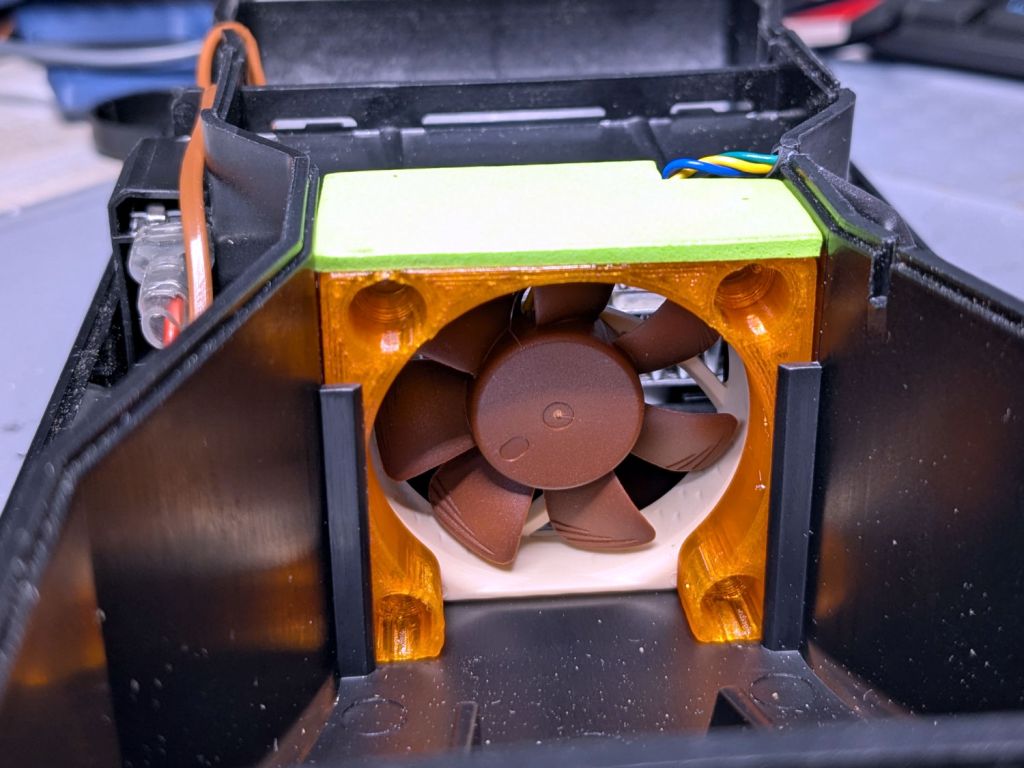
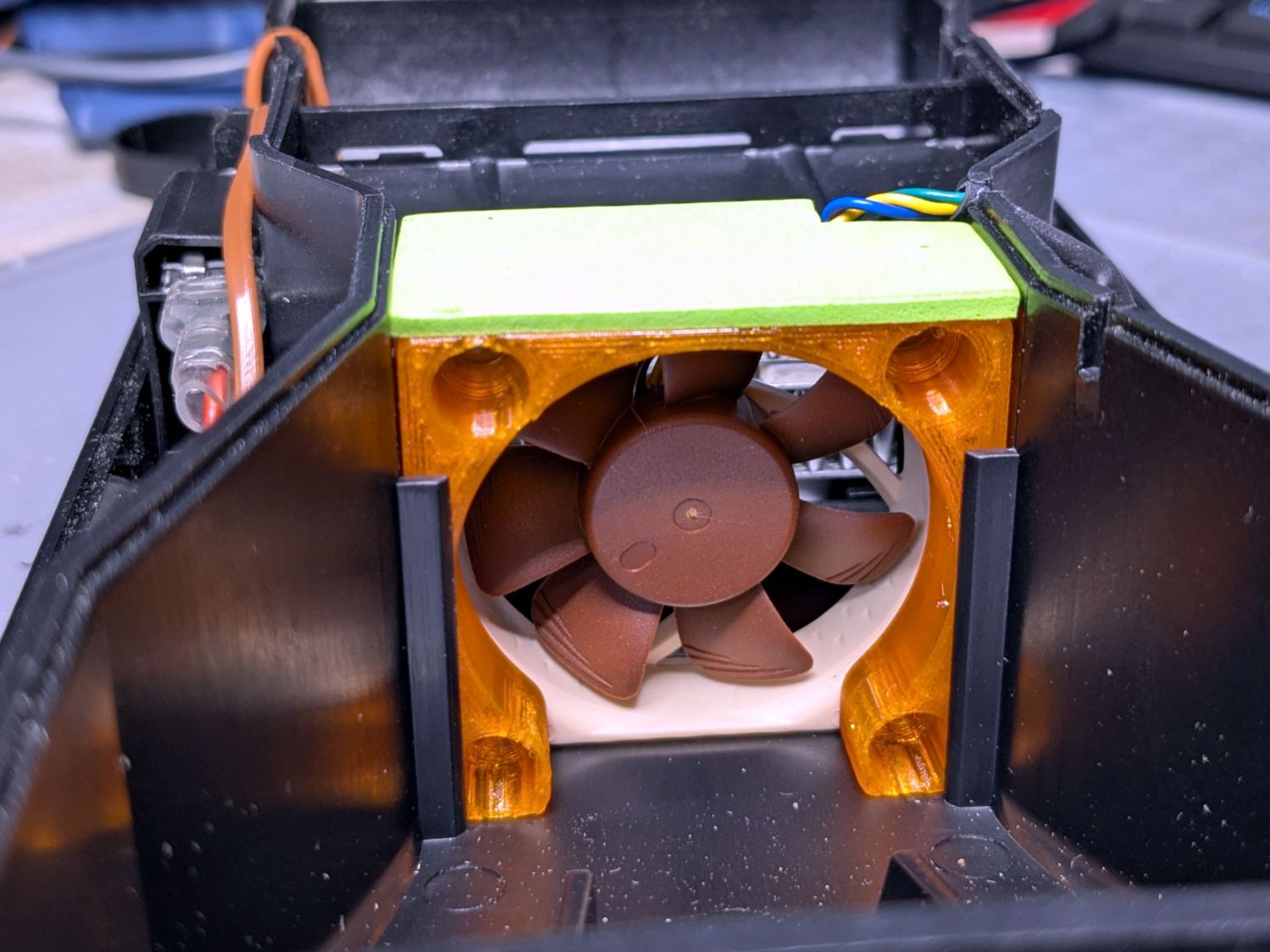
    The OEM fan inside the PolyDryer is annoyingly loud, even to my deflicted hearing, so I printed a Noctua NF-A4x10 fan adapter and installed a much quieter fan:

    PolyDryer - Noctua fan installed
    PolyDryer – Noctua fan installed

    The adapter is upside-down from the suggested orientation, I didn’t bother screwing it to the fan because it has sleeves fitting into the fan screw holes, the slot holds everything together, the vivid green EVA foam sheet sits atop a craft adhesive sheet (both cut with scissors!) ensuring they don’t part company, and it works just fine.

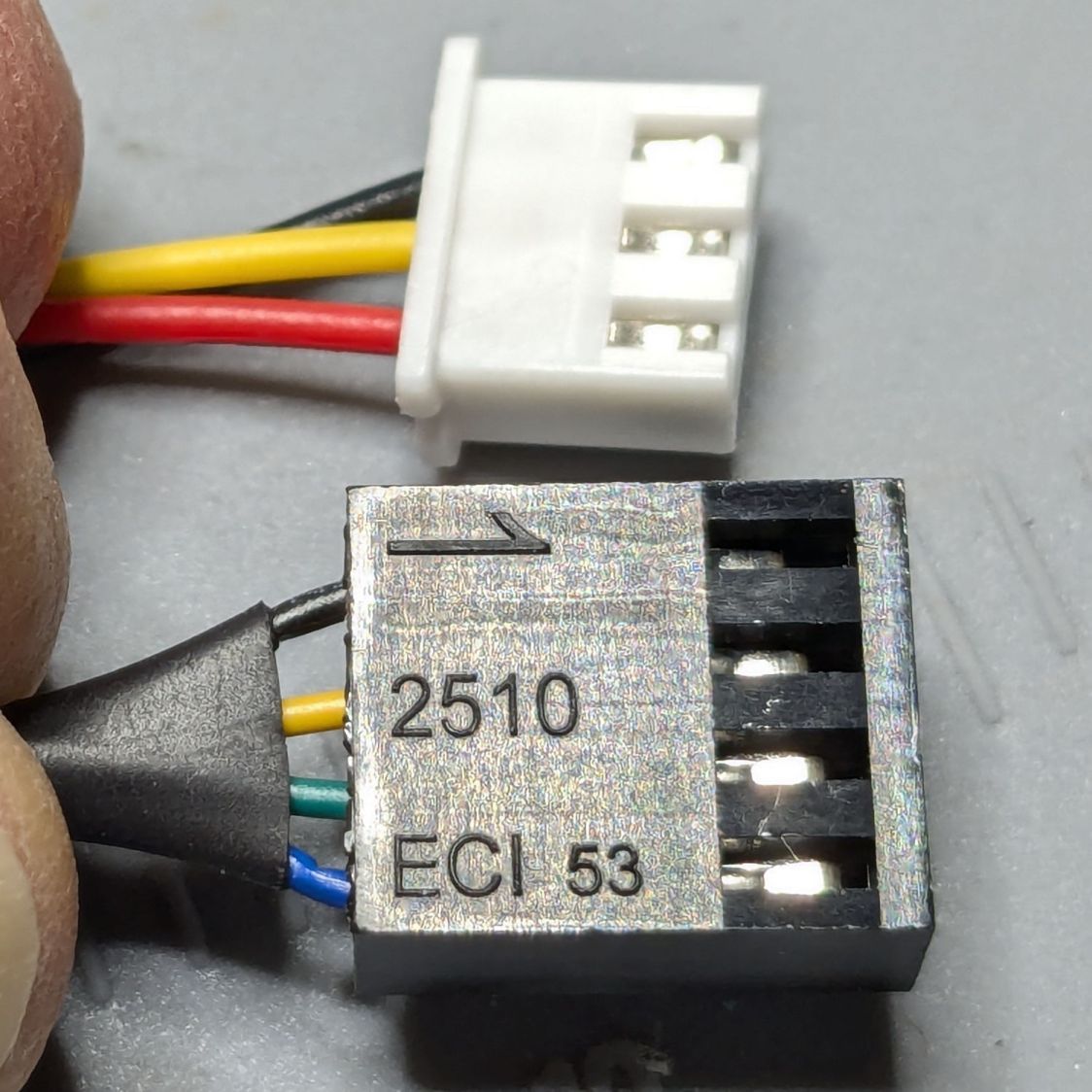
    Of course, the OEM fan has a three-wire cable and the Noctua has a four-wire cable:

    PolyDryer - OEM vs Noctua fan cables
    PolyDryer – OEM vs Noctua fan cables

    Although you can’t quite make it out on the white plastic, both connectors have their Pin 1 marks adjacent to each other. I oriented them like that to put the pin release latches on top; a foolish consistency is the hobgoblin of small minds.

    Fortunately, Noctua documents their pinout, a bit of probing verified the OEM fan pinout (which does not match the Noctua 3-wire pinout), and the Basement Warehouse Wing emitted an assortment of matching JST XHP connectors. Chop off the black connector and rewire it in a 3-pin XHP connector:

    • Pin 1 = OEM Red → Noctua Yellow = +24 V
    • Pin 2 = OEM Yellow → Noctua Green = Tachometer
    • Pin 3 = OEM Black → Noctua Black = Ground / Common
    • unused = Noctua Blue = PWM Speed Control

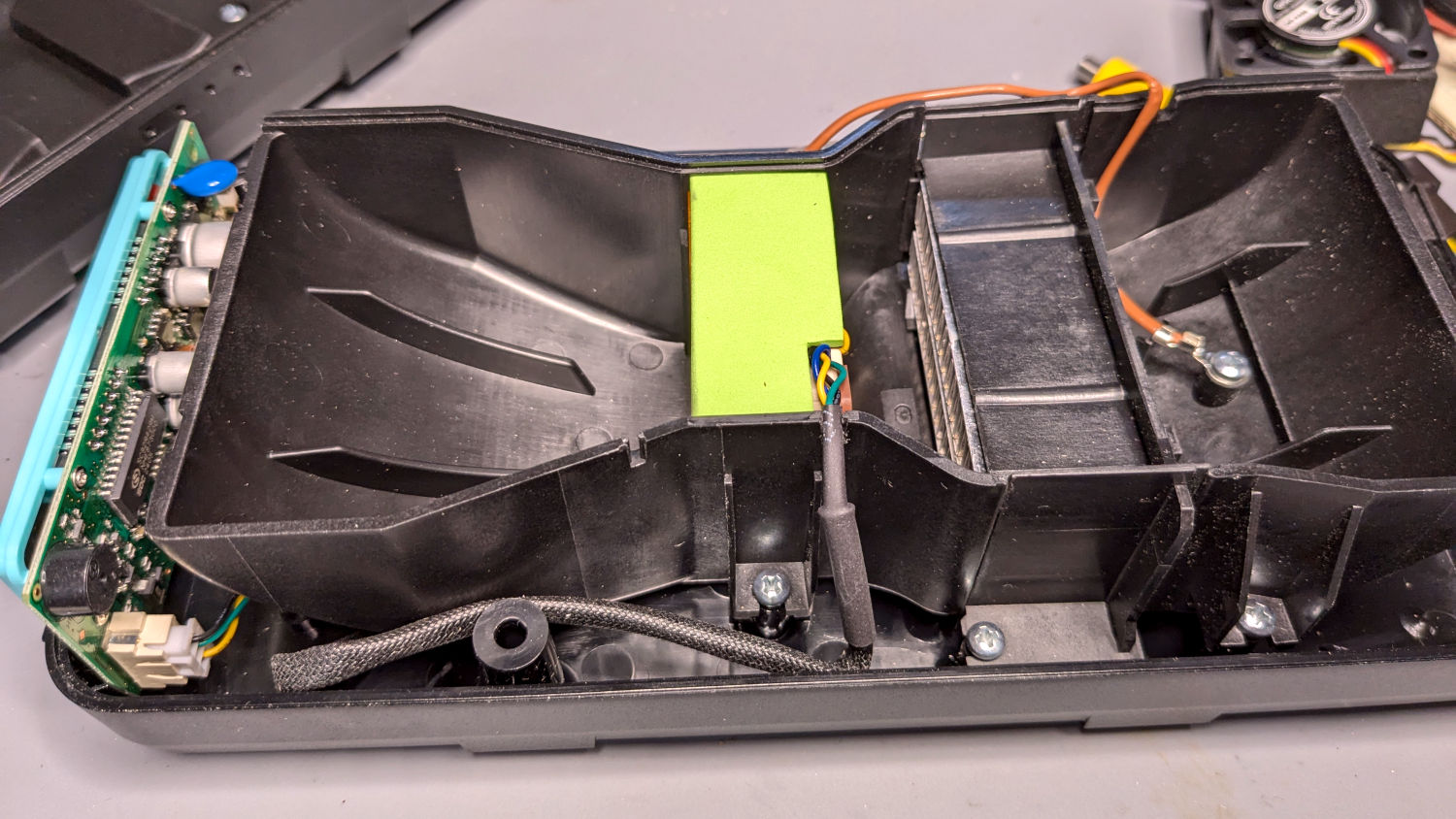
    Which is barely visible plugged into the control PCB on the left:

    PolyDryer - Noctua fan wiring
    PolyDryer – Noctua fan wiring

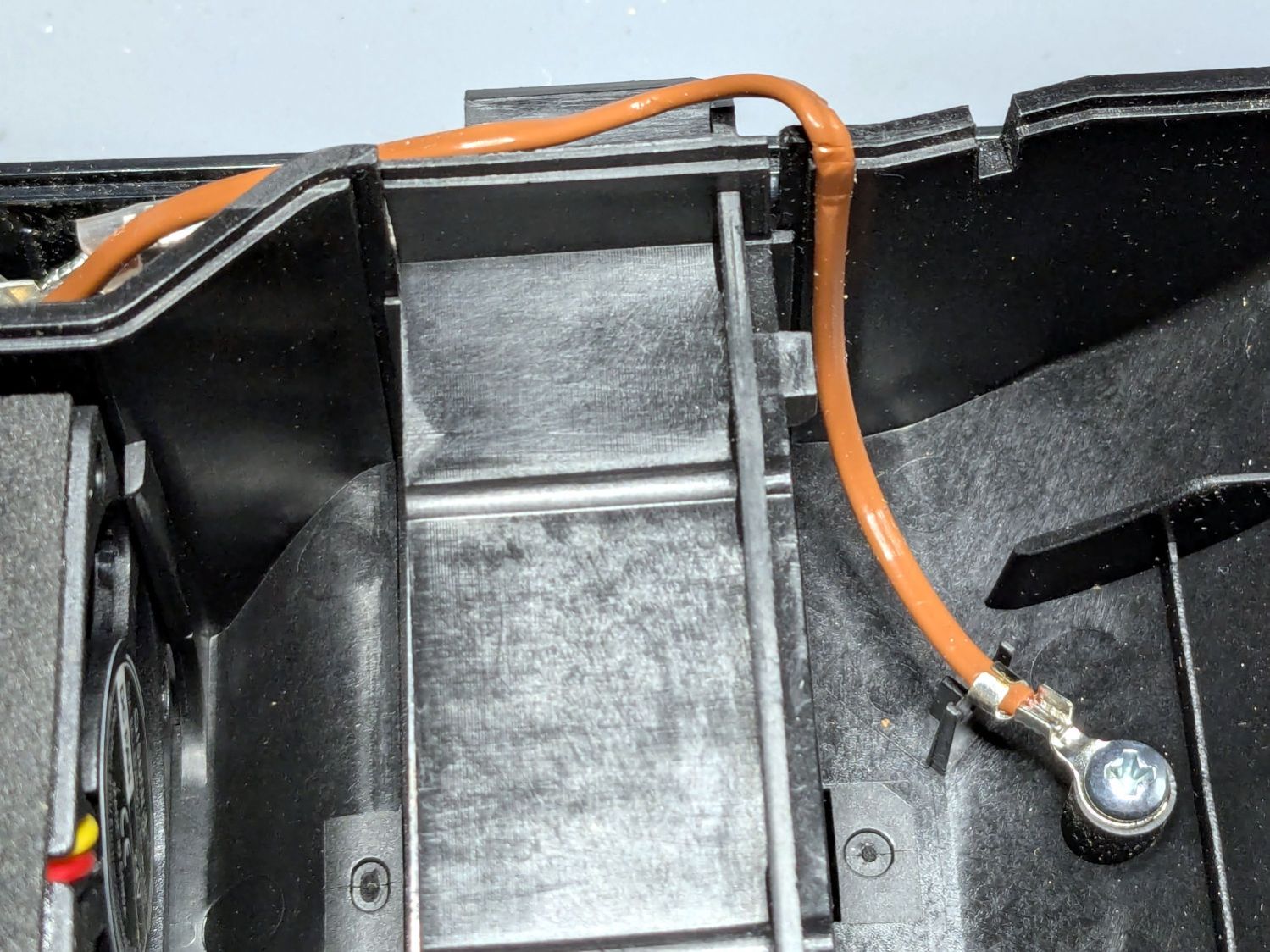
    The brown thermocouple wire in the upper right didn’t start out in the notch intended to pass it out of the air flow downwind of the heater:

    PolyDryer - crunched thermocouple wire
    PolyDryer – crunched thermocouple wire

    The wire is exceedingly stiff and requires some persuasion, but it will eventually stay in that slot.

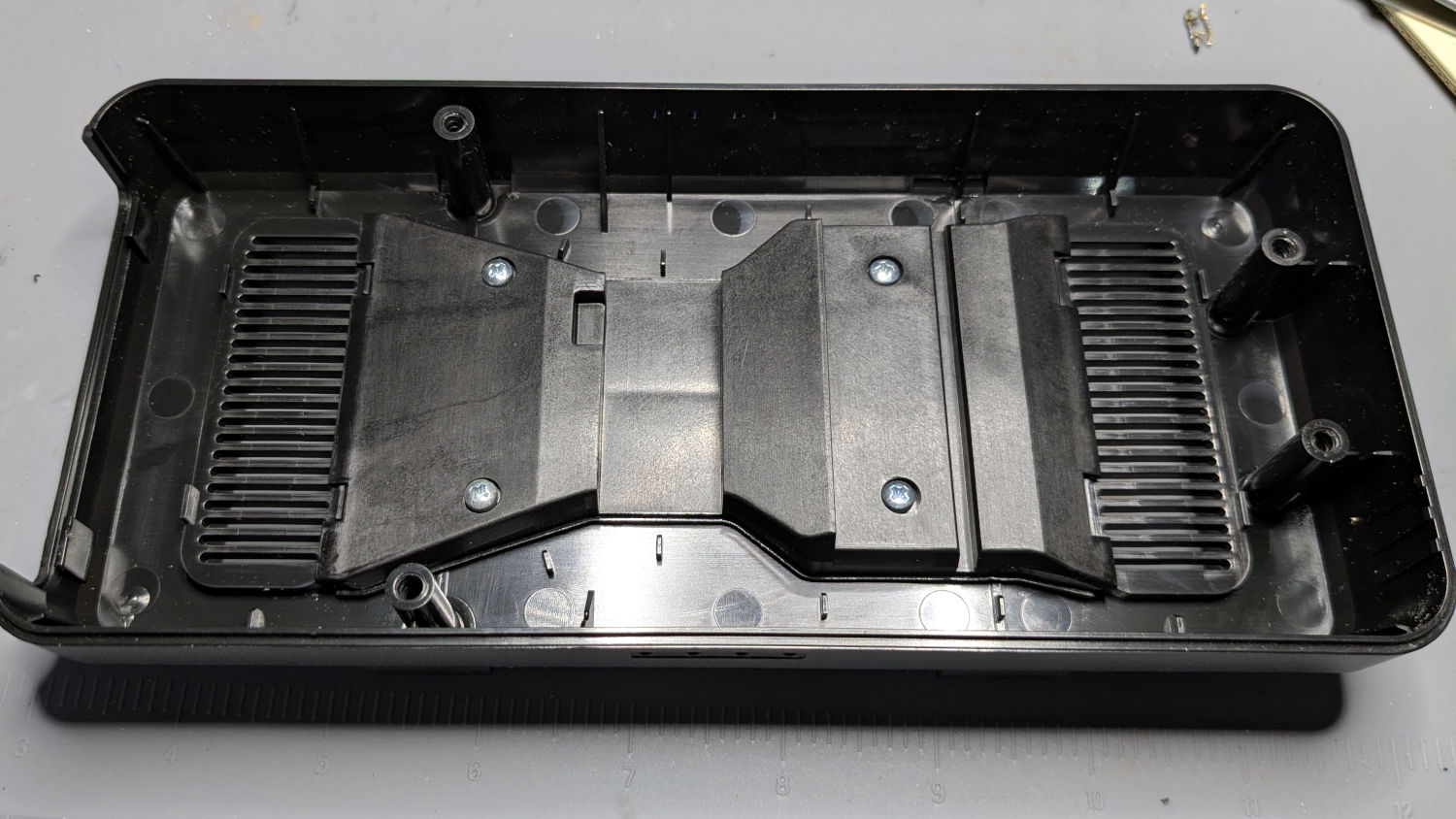
    One of the PolyDryer modifications (which I can no longer find) suggested improving the vent openings, because the default slats block more than half of the surface area:

    PolyDryer - molded vent slats
    PolyDryer – molded vent slats

    I chopped out all but three of the slats and stuffed an arch of aluminum window screen into each recess:

    PolyDryer - vent screens installed
    PolyDryer – vent screens installed

    Admittedly, it looks a bit raggedy:

    PolyDryer - vent screen - detail
    PolyDryer – vent screen – detail

    As far as I can tell without actually measuring anything, the air flow has increased.

    Now, to see how whether all that makes any difference.

  • HQ Sixteen: Nose Ring Lights Power Supply

    HQ Sixteen: Nose Ring Lights Power Supply

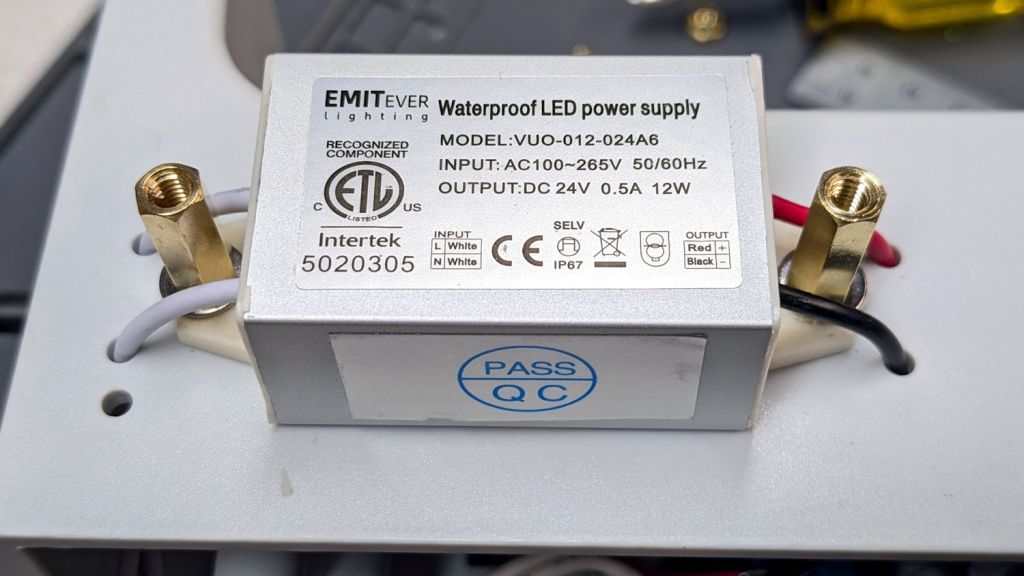
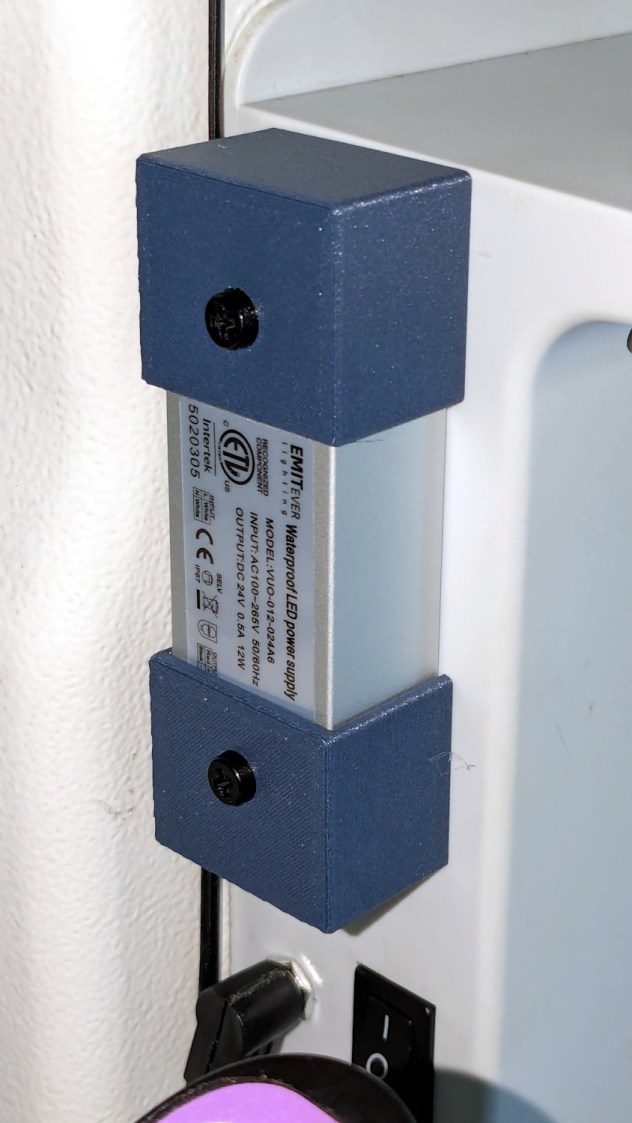
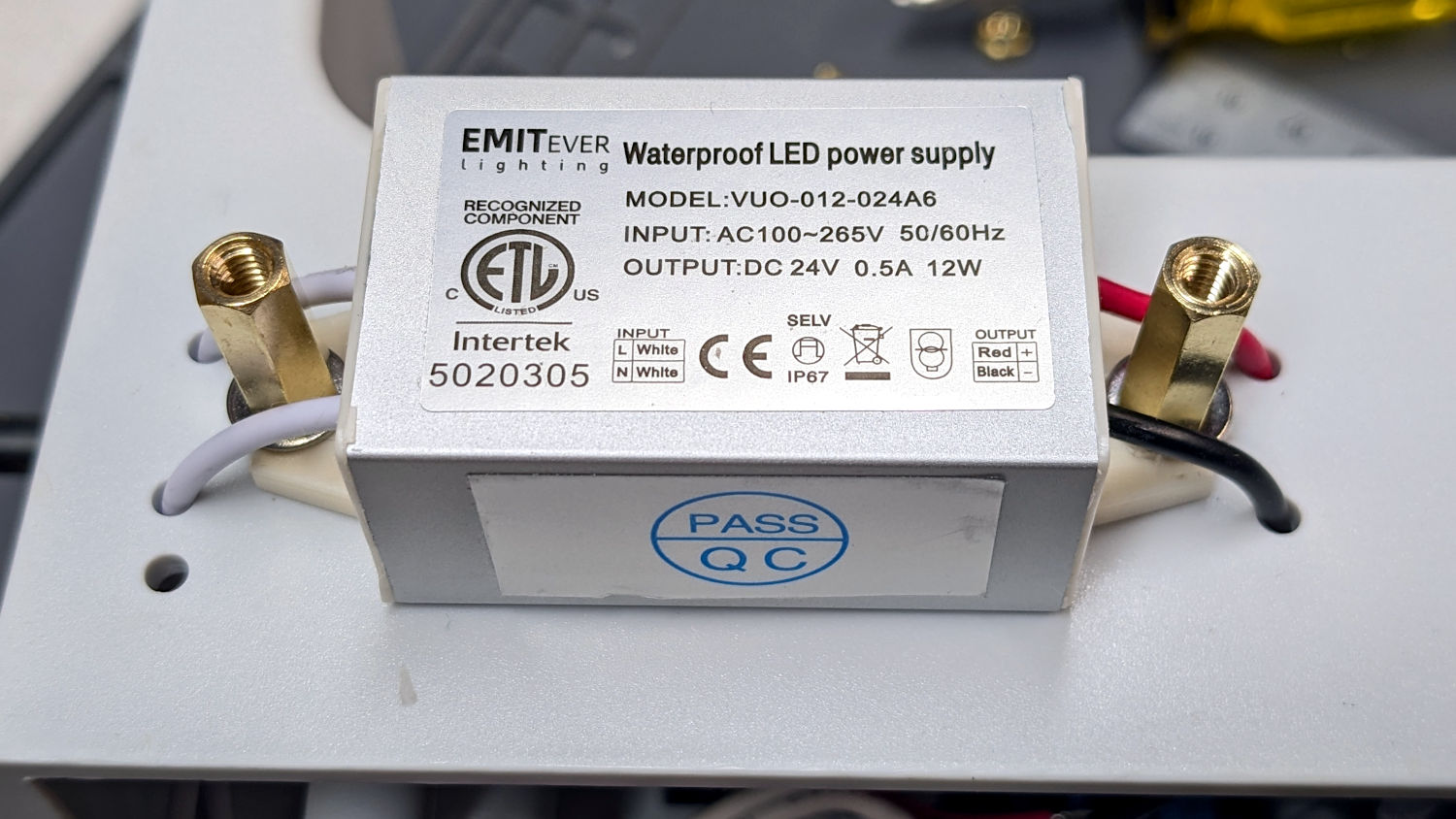
    With the quilt off the HQ Sixteen, I could install the 24 V power supply for the Nose Ring Lights:

    HQ Sixteen Nose Ring Lights - power supply installed
    HQ Sixteen Nose Ring Lights – power supply installed

    IMO, black nylon screws look spiffier than brass.

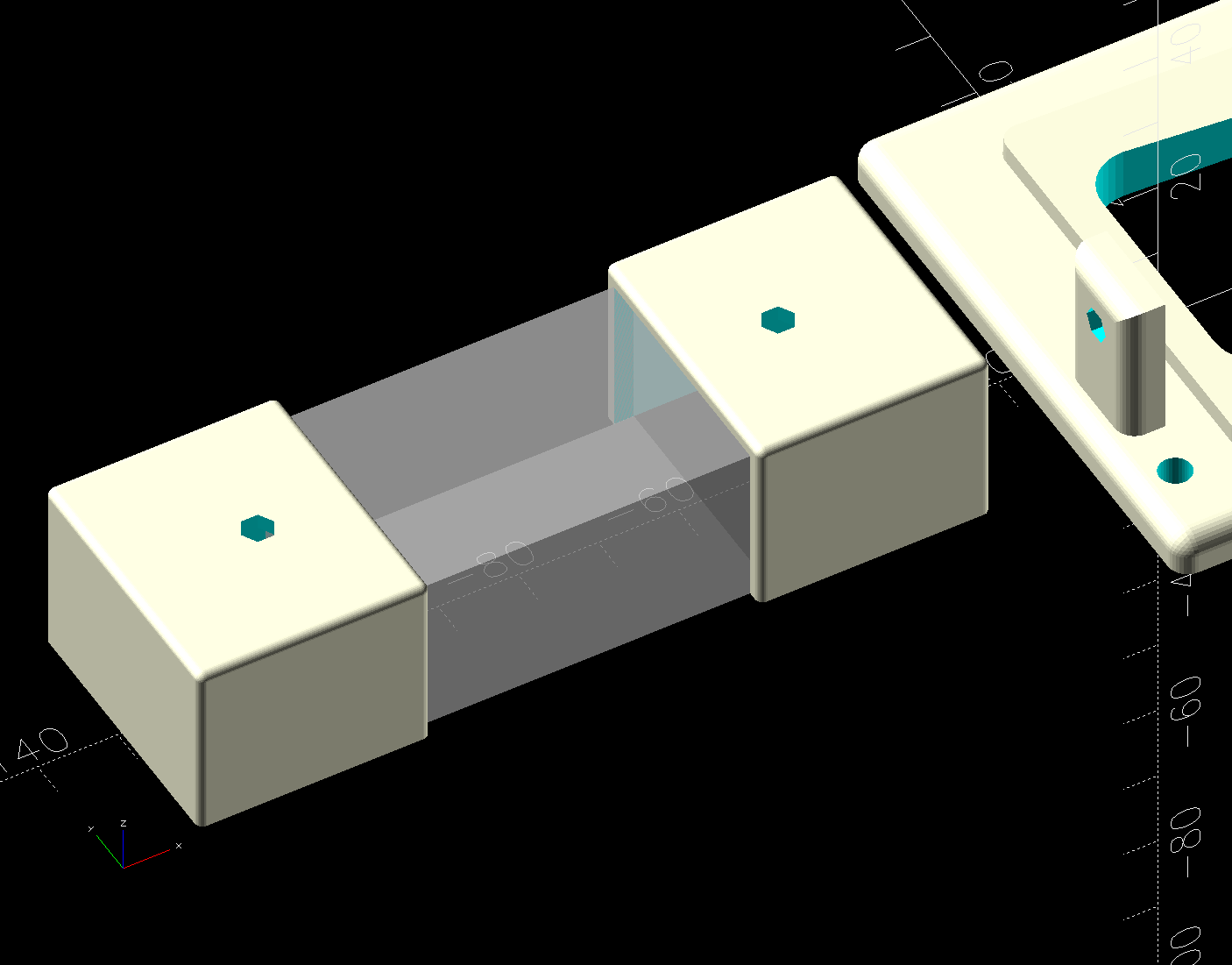
    The solid model shows the covers have a 2 mm overlap with the power supply case to keep them lined up:

    HQ Sixteen Nose Ring Lights - power supply cover - solid model
    HQ Sixteen Nose Ring Lights – power supply cover – solid model

    I managed to reuse three of the five holes from the previous 12 V power supply and drill only three more:

    HQ Sixteen Nose Ring Lights - power supply detail
    HQ Sixteen Nose Ring Lights – power supply detail

    The tops of the power supply ears aren’t quite flat, giving the standoffs a slight tilt that the covers mostly drag back into alignment.

    The M4 brass standoffs screw into holes tapped in the thick plastic, thus eliminating nuts inside the power pod:

     HQ Sixteen Nose Ring Lights - power supply wiring
    HQ Sixteen Nose Ring Lights – power supply wiring

    The yellow silicone tape wraps two pairs of Wago connectors that dramatically simplify electrical connections in anything with enough space for their chonky bodies.

    In the unlikely event you need such things, the original post links the OpenSCAD source code.

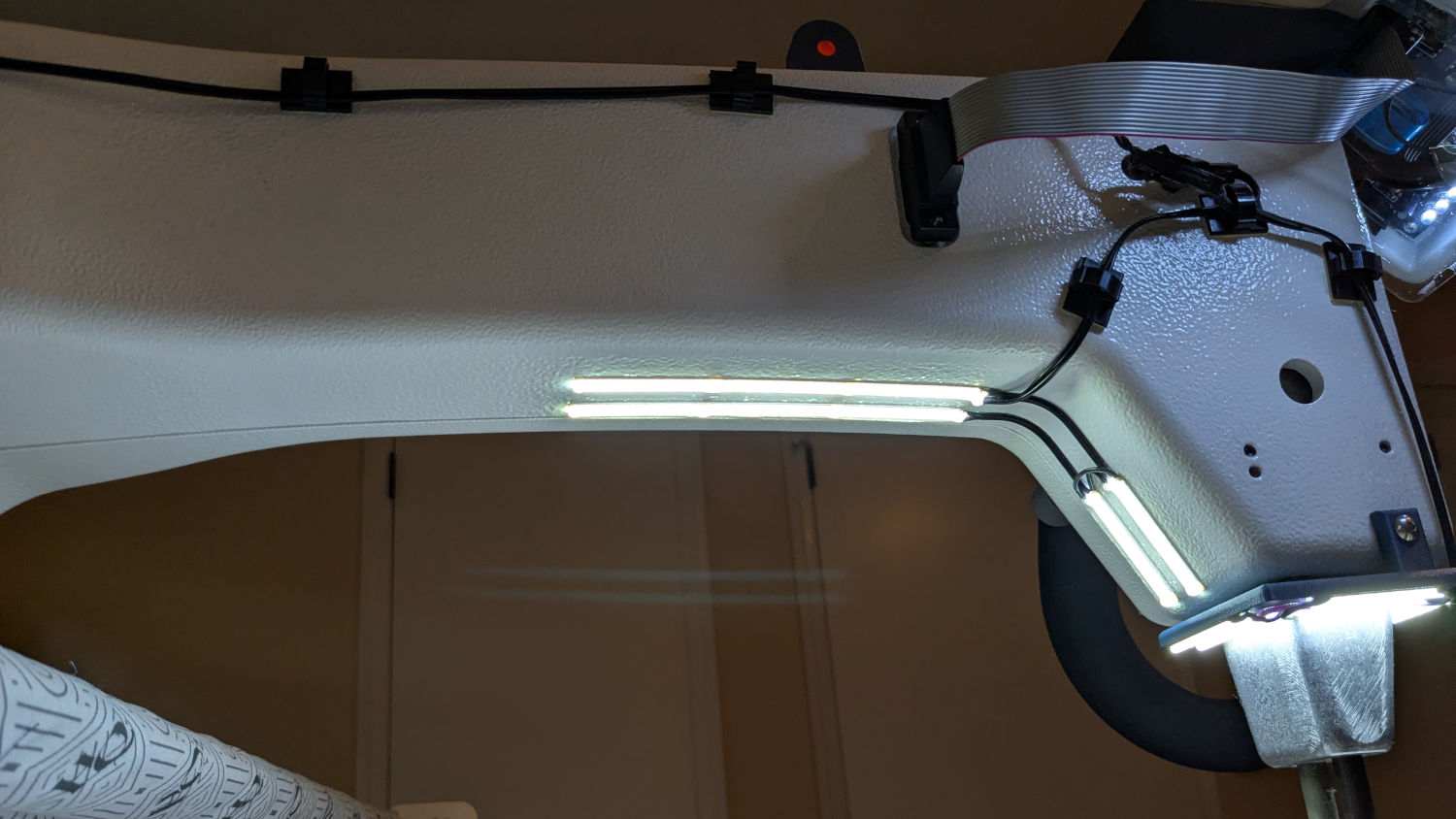
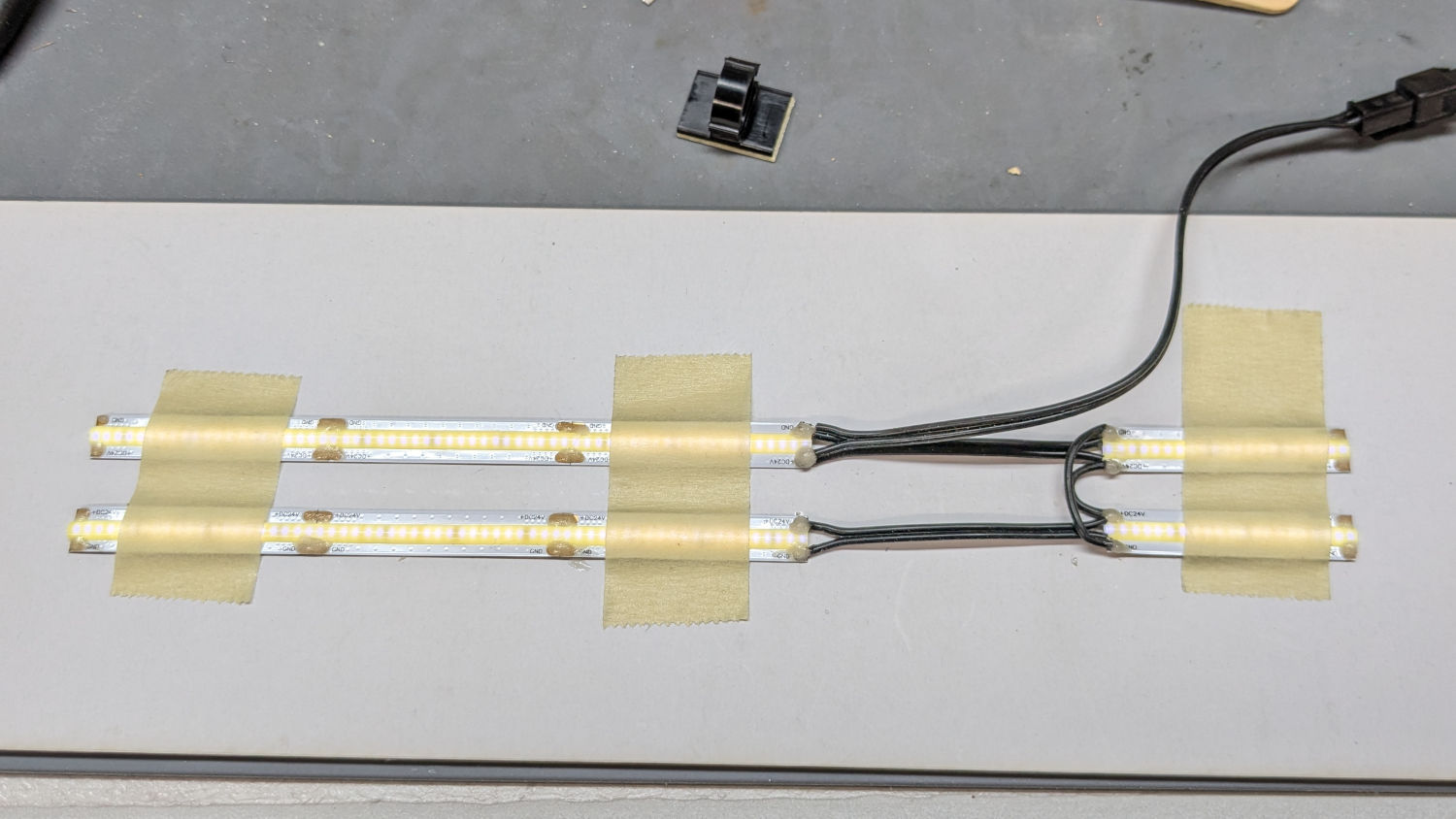
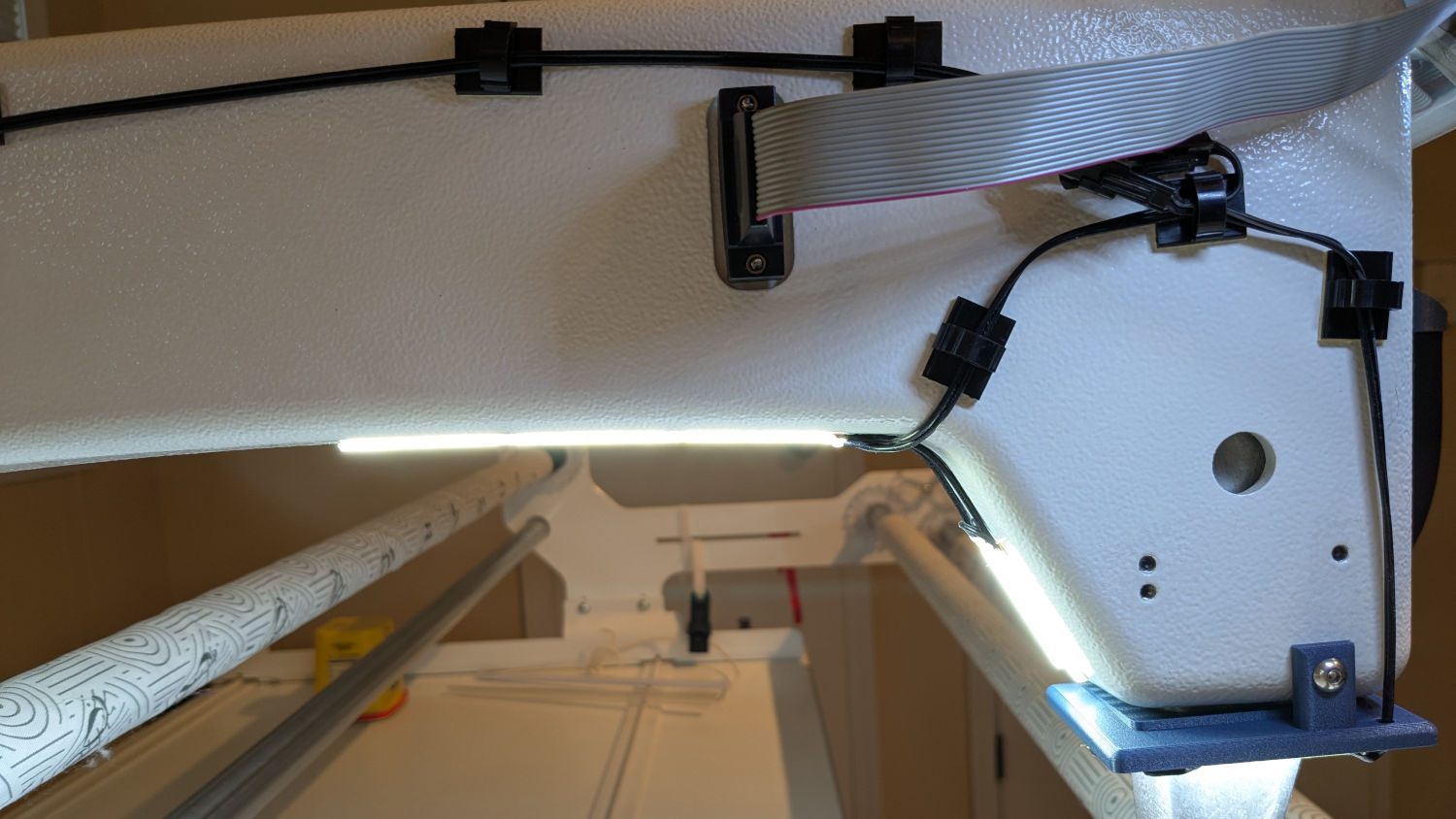
    With the power supply in place, I think I can put some LED strips under the arm of the machine to light up more of the quilt than the nose lights can reach. More pondering is in order.

  • SJCAM M50 Trail Camera: Power Supply FAIL

    SJCAM M50 Trail Camera: Power Supply FAIL

    The power supply converting the battery’s raw 6 V into whatever voltage is required by my troublesome SJCAM M50 trail camera failed, despite the replaced wire between the battery and the camera remaining intact. The camera continued to work with 5 V power supplied through its USB-C jack, so I think it can accomplish most of its goals with a USB battery pack nearby.

    Unfortunately, the USB-C jack isn’t accessible with the case closed, so I decided to repurpose the battery compartment’s external 6 V input jack.

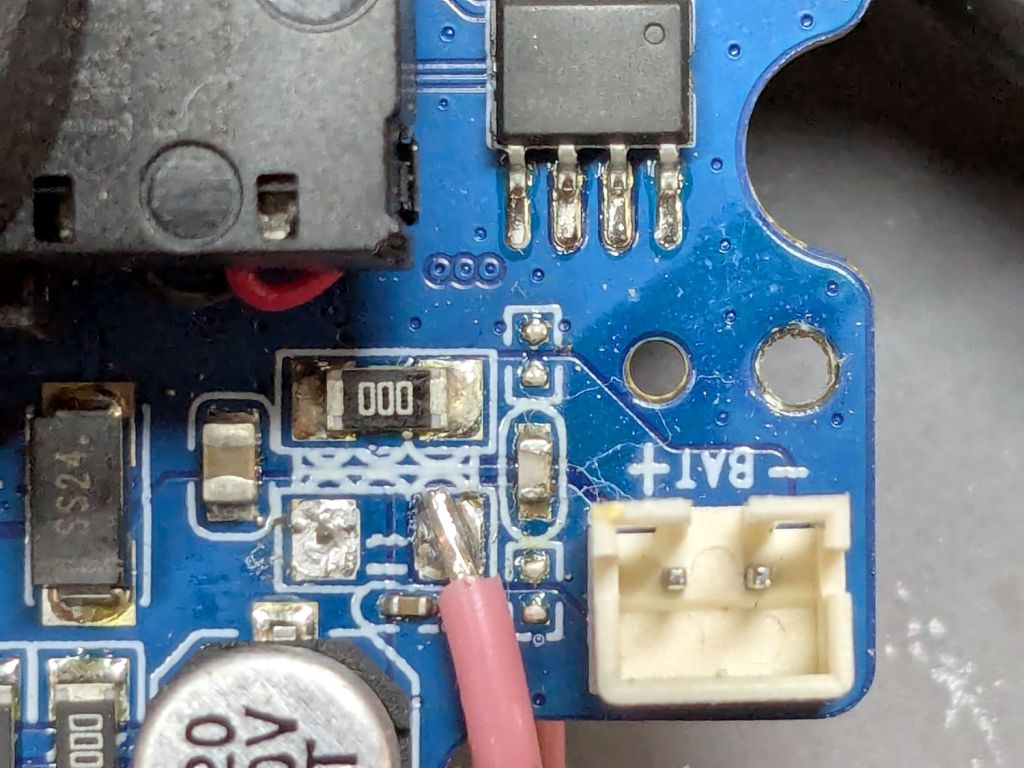
    I removed the 000 (0 Ω) SMD “resistor” connecting the battery + terminal to the power supply circuitry and soldered one end of a wire to that pad:

    SJCAM M50 - battery input pad
    SJCAM M50 – battery input pad

    The adjacent 000 “resistor” connects the battery - input terminal to the circuit, so it remains in place.

    The other end of the wire goes to the high side of the +5 V filter caps for the USB-C input:

    SJCAM M50 - USB power input pad
    SJCAM M50 – USB power input pad

    The battery pack produced 6 V from two parallel-ish banks of four AA cells or an external source arriving through a 3.5 / 1.35 mm coaxial power plug, with a Schottky diode dropping 250 mV before reaching the BAT connector in the first picture. The camera seems happy to run from slightly under 5 V.

    Unfortunately, “happy to run” means the camera remains in Setup mode, ready to dump its stored images through the USB port, and won’t take pictures regardless of the switch normally controlling such things. It seems I must either troubleshoot the switching regulator generating the internal power supply voltage(s)or junk the camera.

    I’m not red-hot pleased with the several SJCAM cameras I’ve used, as they seem to feature under-designed durability for their intended use. The fact that SJCAM cameras seem to be on the better side of a bad lot is not comforting.

    I did the probing & doodling during a Squidwrench remote meeting and was assured I would not regret directly applying five volts to the circuit, said with the intonation of this meme:

    You will certainly not regret 67 amps
    You will certainly not regret 67 amps

    Nah, I’ve never done anything like that …

  • HQ Sixteen: Nose Ring Lights

    HQ Sixteen: Nose Ring Lights

    We don’t know what the proper term might be for this part of the machine, but it looks sorta like a nose and the lights form most of a ring around it, so I’m going with “Nose Ring Lights”:

    HQ Sixteen Nose Ring lights - front view
    HQ Sixteen Nose Ring lights – front view

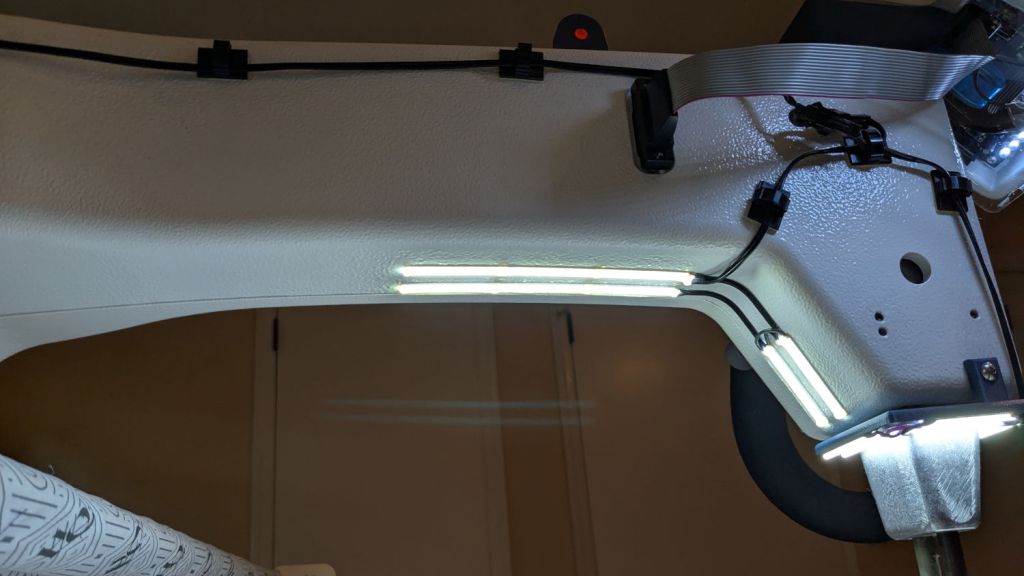
    The general idea is to put more light on the quilt than the Chin Light, which looked pretty good until the COB LED strip started flickering as the LEDs failed.

    Handi-Quilter sells a ring light for machines manufactured a decade later than ours, but it uses a built-in USB jack this machine lacks.

    One of two (apparently) unused M4 holes on the left side of the machine frame suggested a mounting point for a 3D printed bracket:

    HQ Sixteen Nose Ring Lights - solid model
    HQ Sixteen Nose Ring Lights – solid model

    The ramp matches the 3° (-ish) mold draft of the machine frame, which I initially ignored by angling the tab, but a tilted frame looked awful; it’s now aligned with local horizontal..

    A few iterations got all the pieces & holes in their proper places:

    HQ Sixteen Nose Ring lights - iterations
    HQ Sixteen Nose Ring lights – iterations

    The smaller (rampless) bracket has three LED strips, but a quick test showed more light would be better:

    HQ Sixteen Nose Ring lights - bottom view
    HQ Sixteen Nose Ring lights – bottom view

    The lack of a transparent-ish cover is obviously unsuitable for a commercial product, but the key design goal is to not interfere with spreading as much light as possible across as much of the quilt as possible. The black JB Weld Plastic Bonder blobs keep the 24 VDC supply out of harm’s way, which is as good as it needs to be for now.

    The bracket has three sides, because the right side of the machine has all the thread guide hardware. Putting anything over there seemed likely to interfere with either thread movement or fingers making adjustments.

    Fortunately, the wider bracket doesn’t stick out too far beyond the machine frame and the doubled LED strips create a much smoother light pool:

    HQ Sixteen Nose Ring lights - left front view
    HQ Sixteen Nose Ring lights – left front view

    Yes, the quilt is focused and the LED frame is blurred.

    The larger light-emitting area reduces the shadow under the left rod (supporting the ruler foot) enough to be unobjectionable.

    A 0.2 mm layer thickness transforms the smooth ramp into stair steps:

    HQ Sixteen Nose Ring Lights - PrusaSlicer
    HQ Sixteen Nose Ring Lights – PrusaSlicer

    They’re inconspicuous after the bracket is installed.

    The Chin Light ran on 12 V and these strips require 24 V, so the OpenSCAD code creates a pair of endcaps for the new supply, which is of course completely different than the old supply. Setting that up must await quilt completion.

    The OpenSCAD source code as a GitHub Gist:

    // HQ Sixteen Nose Ring Lights
    // Ed Nisley – KE4ZNU
    // 2025-05-23
    include <BOSL2/std.scad>
    Layout = "Show"; // [Show,Build,NosePlan,PowerCap]
    // Number of side-by-side LED strips
    Strips = 2;
    /* [Hidden] */
    HoleWindage = 0.2;
    Protrusion = 0.1;
    NumSides = 3*3*4;
    $fn=NumSides;
    ID = 0;
    OD = 1;
    LENGTH = 2;
    Gap = 5.0;
    WallThick = 5.0; // default thickness for things
    NoseRadius = 6.0; // corner roundoff
    NoseOA = [44.0,36.5]; // overall nose size
    NoseAngles = [87,87]; // front & rear inward angles wrt left side
    NoseCenters = [ // centers of circles defining the nose corners
    [NoseRadius, NoseOA.y/2 – NoseRadius],
    [NoseRadius,-(NoseOA.y/2 – NoseRadius)],
    [NoseOA.x – NoseRadius, NoseOA.y/2 – NoseRadius – (NoseOA.x – 2*NoseRadius)*tan(90 – NoseAngles[0])],
    [NoseOA.x – NoseRadius,-(NoseOA.y/2 – NoseRadius – (NoseOA.x – 2*NoseRadius)*tan(90 – NoseAngles[1]))],
    ];
    LEDMargin = 1.0;
    LEDStrip = [41.5 + LEDMargin,8.0 + LEDMargin,1.8 + 0.2]; // 24 V COB LED strip unit + windage
    LEDBaseOA = [LEDStrip.x + Strips*LEDStrip.y,NoseOA.y + 2*Strips*LEDStrip.y,WallThick]; // LED mount
    DraftAngle = 3.0; // angle of frame wrt horizontal at right end of nose
    DraftWedge = [NoseOA.x,NoseOA.y + 2*LEDStrip.y,NoseOA.x*tan(DraftAngle)];
    HoleOffset = [-10.0,5.5,DraftWedge.z + 10.0]; // from left front corner of nose
    HolePosition = HoleOffset + [0,-NoseOA.y/2,WallThick]; // absolute coordinates from origin
    Screw = [4.0 + HoleWindage,9.0,2.0]; // LENGTH=button head
    Bracket = [WallThick,Screw[OD] + 4.0,HoleOffset.z + Screw[OD/2] + 2.0 + WallThick];
    Supply = [46.0,30.0,21.0]; // 24 VDC power supply
    SupplyScrewOffset = 5.0; // … M4 screw hole from end of supply case
    CapWall = 3.0;
    CapRadius = CapWall – 1.0;
    CapInset = 1.0;
    CapOA = [20.0,Supply.y + 2*CapWall,Supply.z + CapWall]; // x & y to cover existing holes
    //———-
    // Define Shapes
    //—– 2D outline of nose piece just under frame casting
    module NosePlan() {
    hull()
    for (p = NoseCenters)
    translate(p) circle(r=NoseRadius);
    }
    //—– LED mounting plate
    module Mount() {
    union() {
    difference() {
    union() {
    right(LEDBaseOA.x/2 – Strips*LEDStrip.y)
    cuboid(LEDBaseOA,rounding=WallThick/2,except=BOTTOM,anchor=BOTTOM);
    up(LEDBaseOA.z) left(-HoleOffset.x/2)
    yrot(DraftAngle)
    cuboid(DraftWedge,rounding=WallThick/2,edges="Z",anchor=LEFT+BOTTOM);
    }
    down(Protrusion)
    linear_extrude(LEDBaseOA.z + DraftWedge.z + Protrusion)
    NosePlan();
    if (Strips > 1)
    translate([HolePosition.x – Bracket.x/2,HolePosition.y – Bracket.y,-Protrusion])
    cyl(LEDBaseOA.z + 2*Protrusion,d=4.0,anchor=BOTTOM);
    }
    difference() {
    union() {
    translate([HolePosition.x,HolePosition.y,(Bracket.x/2)*sin(DraftAngle)])
    left(Bracket.x)
    cuboid(Bracket,rounding=WallThick/2,edges=LEFT,anchor=BOTTOM+LEFT);
    translate([HolePosition.x – Bracket.x/2,HolePosition.y,0]) // rounding filler
    cuboid([LEDStrip.y,Bracket.y,WallThick],anchor=BOTTOM+LEFT);
    }
    translate(HolePosition)
    xrot(180/6) xcyl(l=NoseOA.x,d=Screw[ID],$fn=6);
    }
    }
    }
    //—– Endcap for power supply
    module EndCap() {
    difference() {
    cuboid(CapOA,rounding=CapRadius,except=BOTTOM,anchor=LEFT+BOTTOM);
    right(CapOA.x – CapWall) down(Protrusion)
    cuboid(Supply + [0,0,Protrusion],anchor=RIGHT+BOTTOM);
    right(CapInset + SupplyScrewOffset)
    zcyl(l=2*CapOA.z,d=Screw[ID],$fn=6,anchor=BOTTOM);
    }
    }
    //———-
    // Build things
    if (Layout == "NosePlan") {
    NosePlan();
    }
    if (Layout == "PowerCap") {
    EndCap();
    }
    if (Layout == "Show") {
    Mount();
    ctr = 80;
    ofs = Supply.x/2 – CapInset;
    left(ctr – ofs)
    EndCap();
    left(ctr + ofs)
    xflip()
    EndCap();
    color("Silver",0.6)
    left (ctr)
    cuboid(Supply,anchor=BOTTOM);
    }
    if (Layout == "Build") {
    Mount();
    back((LEDBaseOA.y + CapOA.y)/2 + Gap) right(Gap) up(CapOA.z) zflip()
    EndCap();
    back((LEDBaseOA.y + CapOA.y)/2 + Gap) left(Gap) zrot(180) up(CapOA.z) zflip()
    EndCap();
    }

  • HQ Sixteen: Chin Light Failure

    HQ Sixteen: Chin Light Failure

    The COB LED module I stuck under the HQ Sixteen’s chin worked well at first:

    HQ Sixteen Chin Light - results
    HQ Sixteen Chin Light – results

    Last month it began to flicker and I eventually caught it in the act:

    HQ Sixteen Chin Light - first failure
    HQ Sixteen Chin Light – first failure

    That’s taken with the phone’s selfie camera from the quilt’s viewpoint, which is much too close for the camera’s focus, but you get the general idea.

    Pulling it off, putting it on the bench, applying 12 V, and letting it heat up produced this:

    HQ Sixteen Chin Light - hot failure
    HQ Sixteen Chin Light – hot failure

    That’s with the voltage backed off to 8 V to avoid burning out the exposure.

    Letting it cool a bit:

    HQ Sixteen Chin Light - cool failure
    HQ Sixteen Chin Light – cool failure

    You may recall I stuck the aluminum backing plate to the HQ Sixteen’s case aluminum body with some heatsink tape and the thing ran just warm to the touch, so I suspect the initial failure had little-or-nothing to do with overheating and a lot to do with buying stuff from eBay.

    That suspicion is supported by having two more of those in the drawer with their failed chips circled.

    So a better design is in order …

  • Lamp Socket Adapter: Weld Failure

    Lamp Socket Adapter: Weld Failure

    The basement came with several LED bulbs screwed into old-school ceramic sockets with pull-chain switches. This adapter had an LED bulb in its socket and another LED fixture plugged into an outlet:

    Lamp socket adapter - failed weld
    Lamp socket adapter – failed weld

    The fixture began flickering some days ago, which I attributed to a problem with its power supply. When both the bulb and the fixture went dark, I had enough of a clue to locate the real cause.

    The scorched plastic near the discolored weld nugget on the threaded shell suggests something ran overly hot in there for a while.

    Peeling the aluminum shell off reveals the problem:

    Lamp socket adapter - detail
    Lamp socket adapter – detail

    Looks to me like the weld started out weak and gradually fell apart as the socket heated / cooled in use, with increasing resistance producing more heat every time.

    The LED lamp + fixture added up to 100 W, so about 1 A is all it takes.

  • Whirlpool Clothes Dryer Thermal Switches

    Whirlpool Clothes Dryer Thermal Switches

    The venerable (circa 1993) Whirlpool clothes dryer (LER443AQ0) that Came With The House™ failed in action: the drum occasionally stopped turning (and, fortunately, heating) while the control timer continued ticking along. The symptoms suggested one of the many thermal switches / thermostats / fuses was bad, but because the problem was intermittent, the only practical alternative was replacing all the things.

    Which, it turns out, costs about ten bucks from the usual source. I remain unconvinced paying an order of magnitude more for what look to be identical parts will, in fact, bring either different parts or higher quality.

    The wiring diagram, which I consulted only after the fact, shows it was most likely the “Not Resettable” Thermal Fuse in series with the drum motor, because the other contestants are in series with the heater and the Operating Thermostat would trip when the blower stopped blowing:

    Whirlpool dryer - wiring diagram - detail
    Whirlpool dryer – wiring diagram – detail

    The fact that the Thermal Fuse should not “reset” after it trips seems worrisome, but failures are like that.

    All those parts are accessible only through the rear cover, but you should definitely vacuum out as much fuzz as possible before popping the cover (with vacuum in hand):

    Whirlpool dryer - heater duct top
    Whirlpool dryer – heater duct top

    Of course, all the old parts show fine continuity, because intermittent:

    Whirlpool dryer - thermal switches
    Whirlpool dryer – thermal switches

    With the new parts in place, the dryer has chugged through half a dozen loads without incident: so all’s well that ends well.