The Smell of Molten Projects in the Morning

Ed Nisley's Blog: Shop notes, electronics, firmware, machinery, 3D printing, laser cuttery, and curiosities. Contents: 100% human thinking, 0% AI slop.

Category: Electronics Workbench

Electrical & Electronic gadgets

  • Astable Multivibrator: Amber LED

    Astable Multivibrator: Amber LED

    Adding an amber LED to the collection:

    Astable AA - Amber - overview
    Astable AA – Amber – overview

    Because a yellow / amber LED runs at a lower voltage than blue and green LEDs, it sits atop an astable multivibrator, rather than a discrete LM3909. The battery holder has a pair of carbon-zinc “Extra-Heavy Duty” AAA cells, so corrosion and leakage pose a foreseeable hazard.

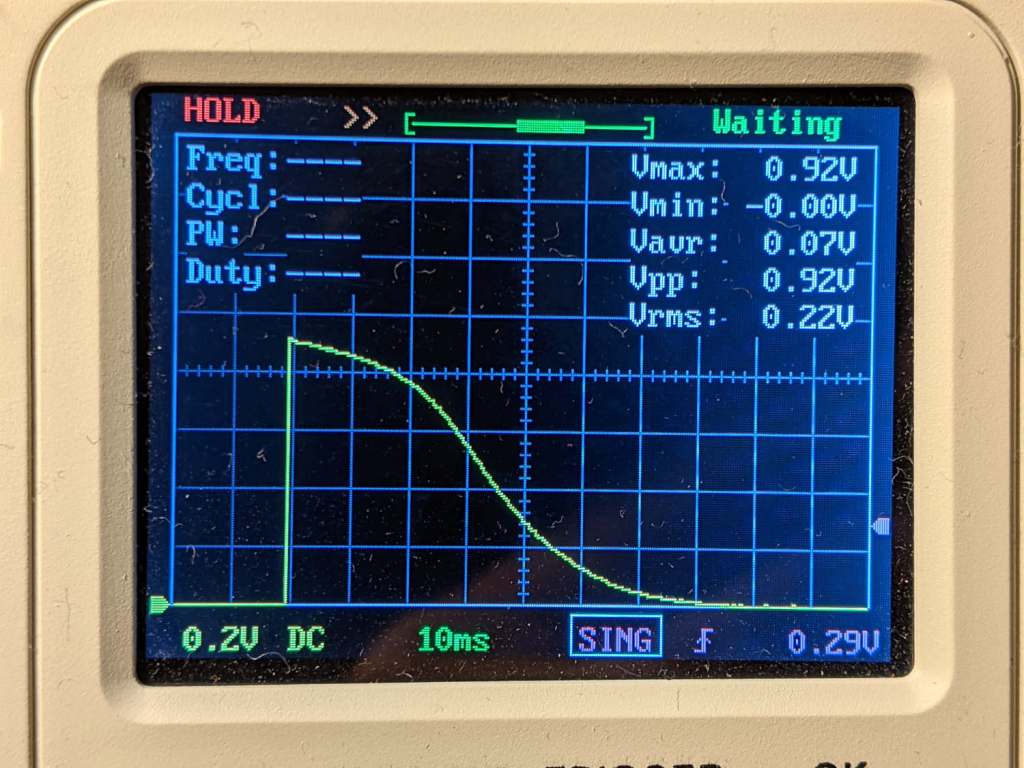
    The voltage across the 100 Ω LED ballast indicates a 9 mA peak LED current, which is somewhat dim in ordinary room light:

    Astable AA - Amber - LED current 100 ohm
    Astable AA – Amber – LED current 100 ohm

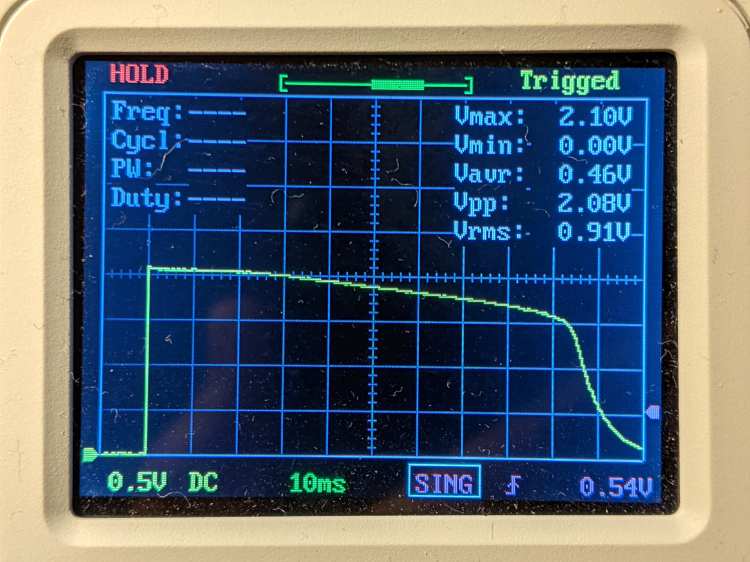
    The corresponding LED voltage says the LED runs at 2.1 V for that much current:

    Astable AA - Amber - LED V
    Astable AA – Amber – LED V

    Something around 39 Ω should make it more visible.

  • Monthly Science: Batmax NP-BX1 Status

    Monthly Science: Batmax NP-BX1 Status

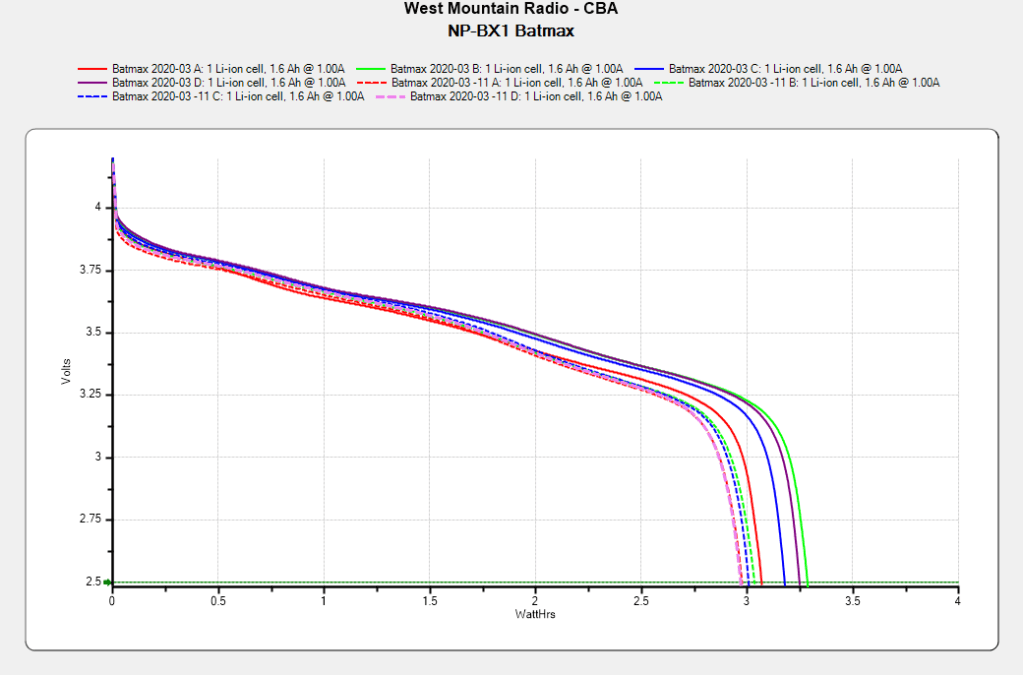
    After powering my Sony HDR-AS30V helmet camera for nearly all of this year’s riding, the Batmax NP-BX1 lithium batteries still have roughly 90% of their original capacity:

    Batmax NP-BX1 - 2020-11
    Batmax NP-BX1 – 2020-11

    Those are hot off the Official Batmax charger, which appears identical to other randomly named chargers available on Amazon.

    They’re holding up much better after a riding season than the DOT-01 batteries I used two years ago:

    Sony DOT-01 NP-BX1 - 2019-10-29
    Sony DOT-01 NP-BX1 – 2019-10-29

    Empirically, they power the camera for about 75 minutes, barely enough for our typical rides. I should top off the battery sitting in the camera unused for a few days, although that hasn’t happened yet.

    Of course, the Batmax NP-BX1 batteries I might order early next year for the new riding season have little relation to the ones you see here.

  • Astable Multivibrator: Dressed-up LED Spider

    Astable Multivibrator: Dressed-up LED Spider

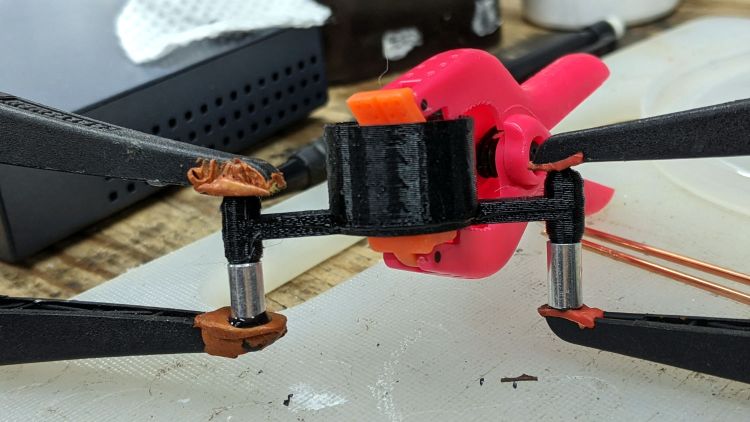
    Adding a bit of trim to the bottom of the LED spider makes it look better and helps keep the strut wires in place:

    Astable Multivibrator - Alkaline - Radome trim
    Astable Multivibrator – Alkaline – Radome trim

    It’s obviously impossible to build like that, so it’s split across the middle of the strut:

    Astable Multivibrator - Alkaline - Radome trim
    Astable Multivibrator – Alkaline – Radome trim

    Glue it together with black adhesive and a couple of clamps:

    LED Spider - glue clamping
    LED Spider – glue clamping

    The aluminum fixtures (jigs?) are epoxied around snippets of strut wire aligning the spider parts:

    LED Spider - gluing fixture
    LED Spider – gluing fixture

    Those grossly oversized holes came pre-drilled in an otherwise suitable aluminum rod from the Little Tray o’ Cutoffs. I faced off the ends, chopped the rod in two, recessed the new ends, and declared victory. Might need better ones at some point, but they’ll do for now.

    Next step: wire up an astable with a yellow LED to go with the green and blue boosted LEDs.

  • Atreus Keyboard: LED Thoughts

    Atreus Keyboard: LED Thoughts

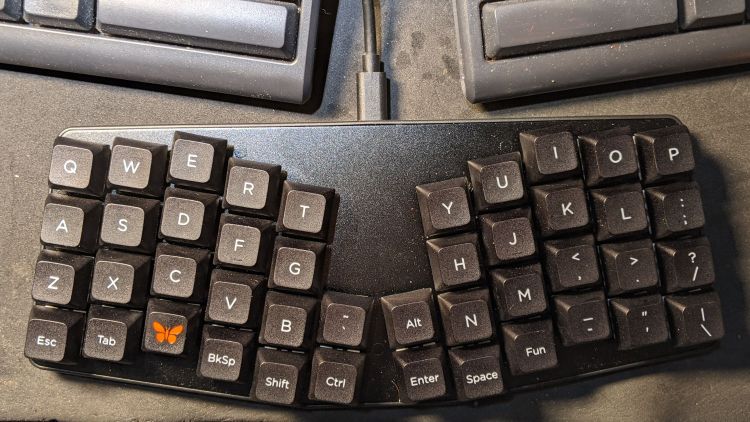
    Having helped grossly over-fund the Atreus Kickstarter earlier this year, a small box arrived pretty much on-time:

    Atreus keyboard - overview
    Atreus keyboard – overview

    I did get the blank keycap set, but have yet to screw up sufficient courage to install them. The caps sit atop the stock Kailh (pronounced, I think, kale) BOX Brown soft tactile switches; they’re clicky, yet not offensively loud.

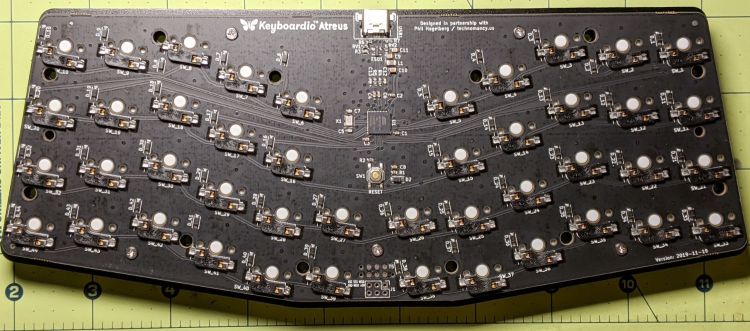
    Removing a dozen screws lets you take it apart, revealing all the electronics on the underside of the PCB:

    Atreus keyboard - PCB overview
    Atreus keyboard – PCB overview

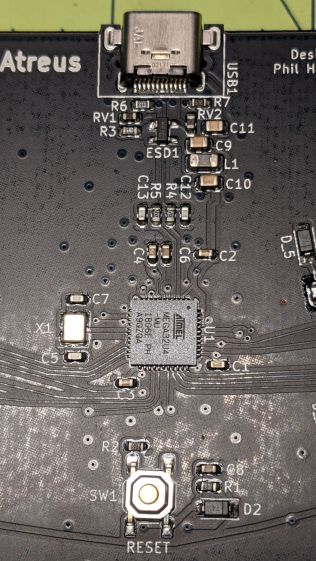
    The central section holds most of the active ingredients:

    Atreus keyboard - USB 32U4 Reset - detail
    Atreus keyboard – USB 32U4 Reset – detail

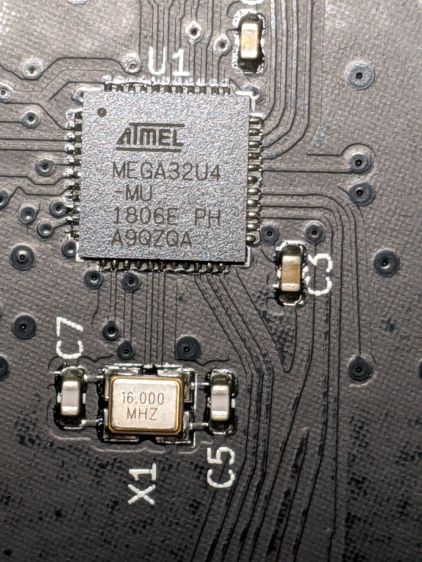
    The Atmel MEGA32U4 microcontroller runs a slightly customized version of QMK:

    Atreus keyboard - 32U4 - detail
    Atreus keyboard – 32U4 – detail

    Of interest is the JTAG header at the front center of the PCB:

    Atreus keyboard - JTAG header
    Atreus keyboard – JTAG header

    I have yet to delve into the code, but I think those signals aren’t involved with the key matrix and one might be available to drive an addressable RGB LED.

    For future reference, they’re tucked into the lower left corner of the chip (the mauled format comes from the original PDF):

    Atmel 32U4 - JTAG pins
    Atmel 32U4 – JTAG pins

    The alternate functions:

    • SCK = PB1
    • MOSI = PB2
    • MISO = PB3

    I don’t need exotic lighting, but indicating which key layer is active would be helpful.

    Love the key feel, even though I still haven’t hit the B key more than 25% of the time.

  • MOSFET Astable: NP-BX1 Rundown

    MOSFET Astable: NP-BX1 Rundown

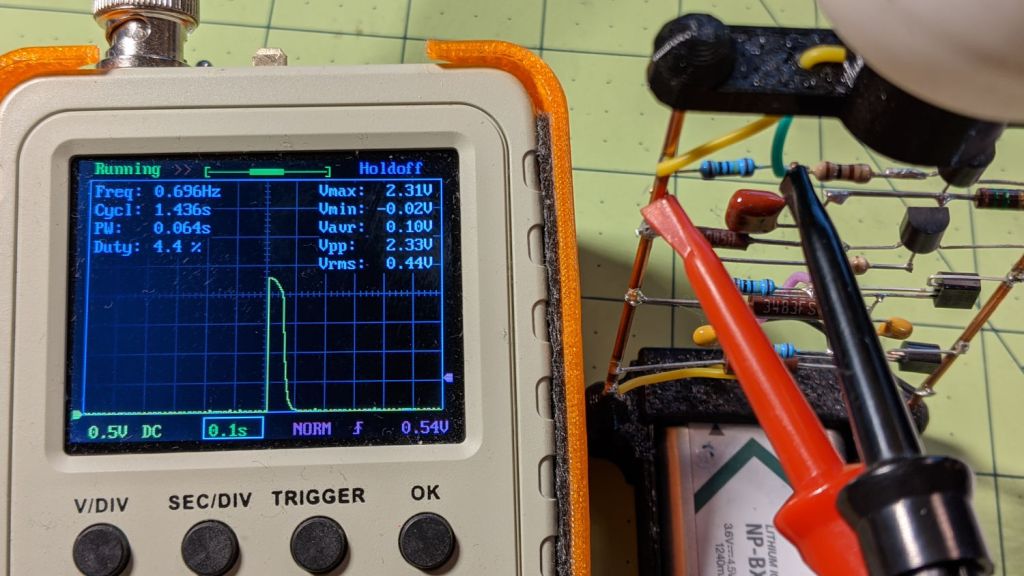
    After eight months from a full charge, an old NP-BX1 lithium battery has come to this:

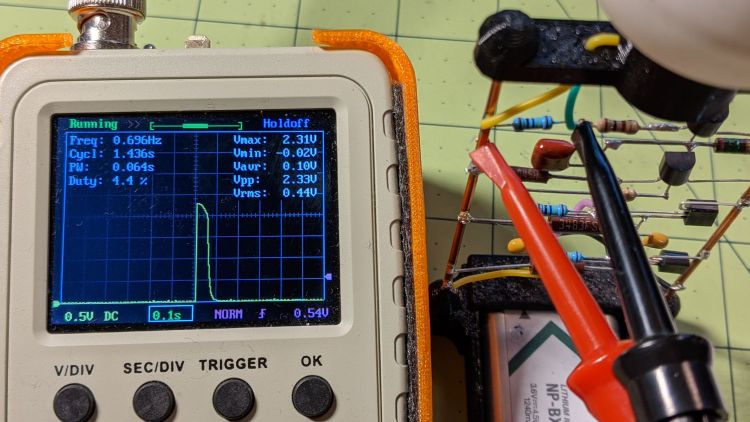
    Astable green - NP-BX1 - 2.31 V
    Astable green – NP-BX1 – 2.31 V

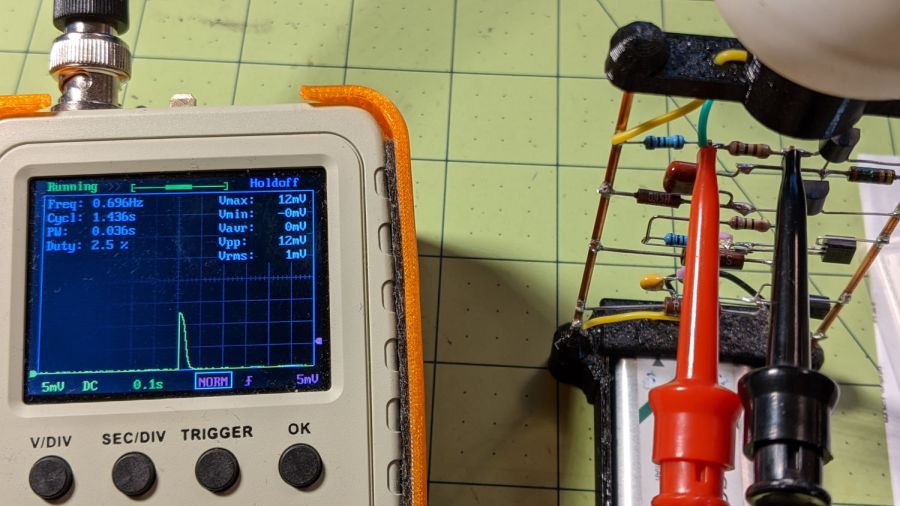
    The astable still ticks along at 1.4 seconds per blink, but the green LED barely lights up from a 2.1 V battery:

    Astable green - NP-BX1 - 12 mV 100 ohm
    Astable green – NP-BX1 – 12 mV 100 ohm

    A pulse of 12 mV across the 100 Ω resistor puts the LED current at a mere 120 µA: no wonder the poor thing wasn’t visible in ordinary room light.

    Another full charge restored its vigor for another couple of seasons.

  • Mini-lathe DRO Battery Lifetime

    Mini-lathe DRO Battery Lifetime

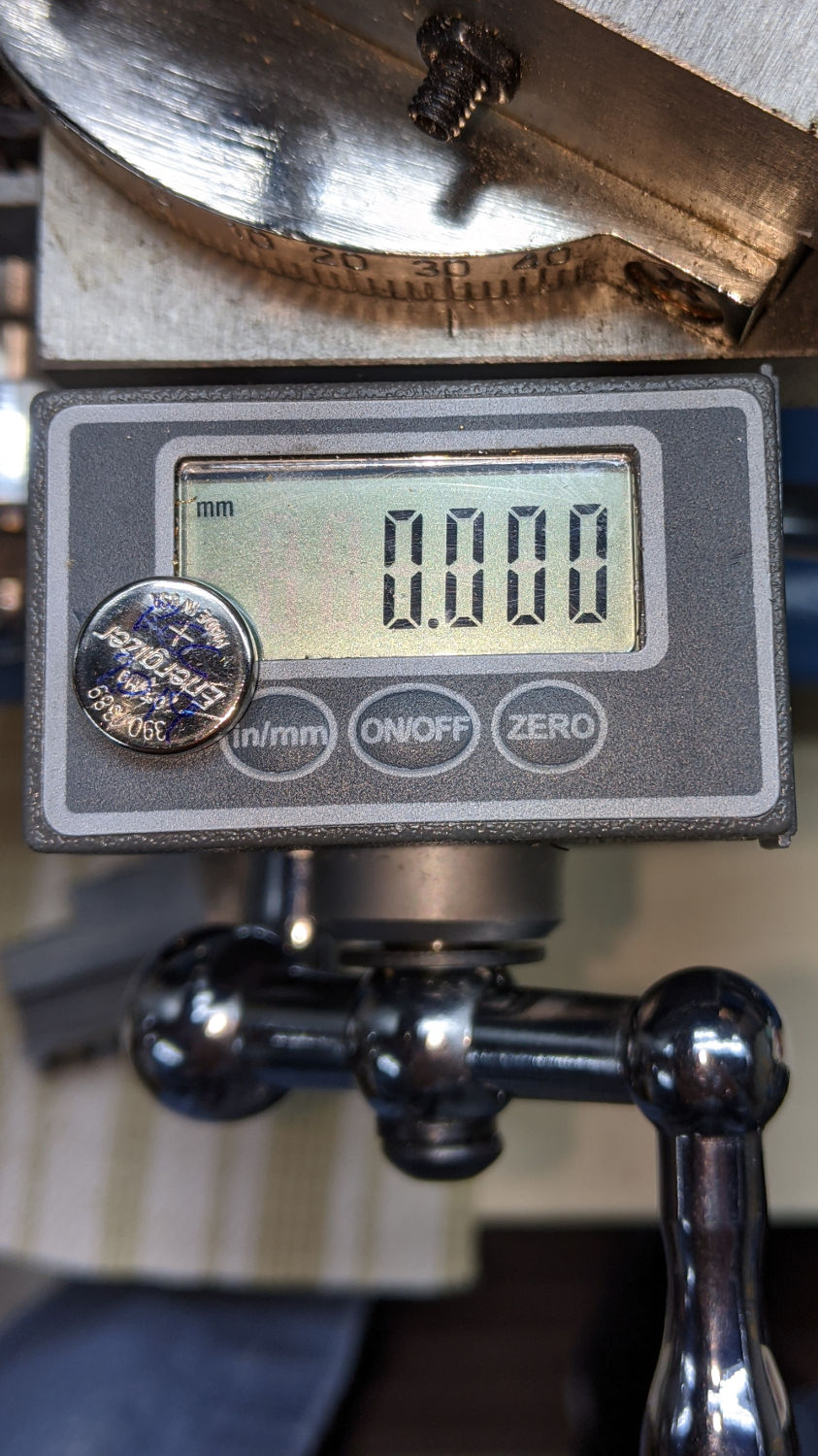
    It seems 390/389 alkaline button cells can power the mini-lathe’s DROs for about a year:

    Mini-lathe DRO battery replacement - 11 months
    Mini-lathe DRO battery replacement – 11 months

    Given that the replacement cells all come from the same batch, they’re aging on the shelf as well as in the DROs.

    Once again, I replaced both of them.

  • Raspberry Pi Camera vs. RTSP Streaming

    Raspberry Pi Camera vs. RTSP Streaming

    It Would Be Nice to turn the various Raspberry Pi camera boxen around here into more-or-less full-automatic IP streaming cameras, perhaps using RTSP, so as to avoid having to start everything manually, then restart the machinery after a trivial interruption. I naively thought video streaming was a solved problem, especially on an RPi, particularly with an Official RPi Camera, given the number of solutions found by casual searching with the obvious keywords.

    As far as I can tell, however, all of the recommended setups fail in glorious / amusing / tragic ways. Some failures may be due to old configurations no longer applicable to new software, but I’m nowhere near expert experienced enough to figure out what’s broken and how to fix anything in particular.

    Doing RTSP evidently requires the live555.com Streaming Media libraries & test suite. Compiling requires adding -DNO_SSL=1 to the COMPILE_OPTS line in the Makefile, then letting it bake it for a while.

    The v4l2rtspserver code fetches & cleanly compiles its version of the live555 code, then emits various buffer overflow errors while streaming; the partial buffers clearly show how the compression works on small blocks in successive lines. Increasing various buffer sizes from 60 kB to 100 kB to 300 kB had little effect. This may have to do with the stream’s encoding / compression methods / bit rates, none of which seem amenable to random futzing.

    Another straightforward configuration compiled fine, but VLC failed to actually show the stream, perhaps due to differences between the old version of Raspbian (“Stretch”) and the new version of Raspberry Pi OS (“Buster”).

    Running the RPi camera through the Video4Linux2 interface to create a /dev/video0 device seems to work, but controlling the camera’s exposure (and suchlike) with v4l2_ctl behaves erratically. Obvious effects, like rotation & flipping, work fine, but not the fine details along the lines of auto exposure and color modes.

    Attempting to fire raspivid through cvlc to produce an RTSP stream required installing VLC on a headless Raspberry Pi, plus enough co-requisite packages to outfit world+dog+kitchenSink. After all the huffing & puffing wound down, the recommended VLC parameters failed to produce an output stream. The VLC doc regarding streaming is, to me, impenetrable, so I have no idea how to improve the situation; I assume RTSP streaming is possible, just not by me.

    Whenever any of those lashups produced any video whatsoever, the images suffered from tens-of-seconds latency, dropped frames, out-of-order video updates, and generally poor behavior. Some maladies certainly came from the aforementioned inappropriate encoding / compression methods / bit rates.

    The least horrible alternative seems to be some variation on the original theme of using raspivid to directly create a tcp stream or firing raspivid into netcat to the same effect, then re-encoding it on a beefier PC as needed. I’m sure systemd can automagically restart raspivid (or, surely, a script with all the parameters) after it shuts down.

    So far, this has been an … unsatisfactory … experience, but now I can close a dozen browser tabs.