The Smell of Molten Projects in the Morning

Ed Nisley's Blog: Shop notes, electronics, firmware, machinery, 3D printing, laser cuttery, and curiosities. Contents: 100% human thinking, 0% AI slop.

Category: Electronics Workbench

Electrical & Electronic gadgets

  • ATX Power Supply: Pushbutton Control

    Given that the GX270 case has a power pushbutton on the front panel, it seemed only reasonable to let it control the ATX power supply just like it used to. Most of the parts clumped in front of the panel’s ribbon cable handle that logic:

    Low Voltage Interface Board - detail
    Low Voltage Interface Board – detail

    The pushbutton on the far left parallels the front-panel button so I don’t have to reach around the box just to turn it on.

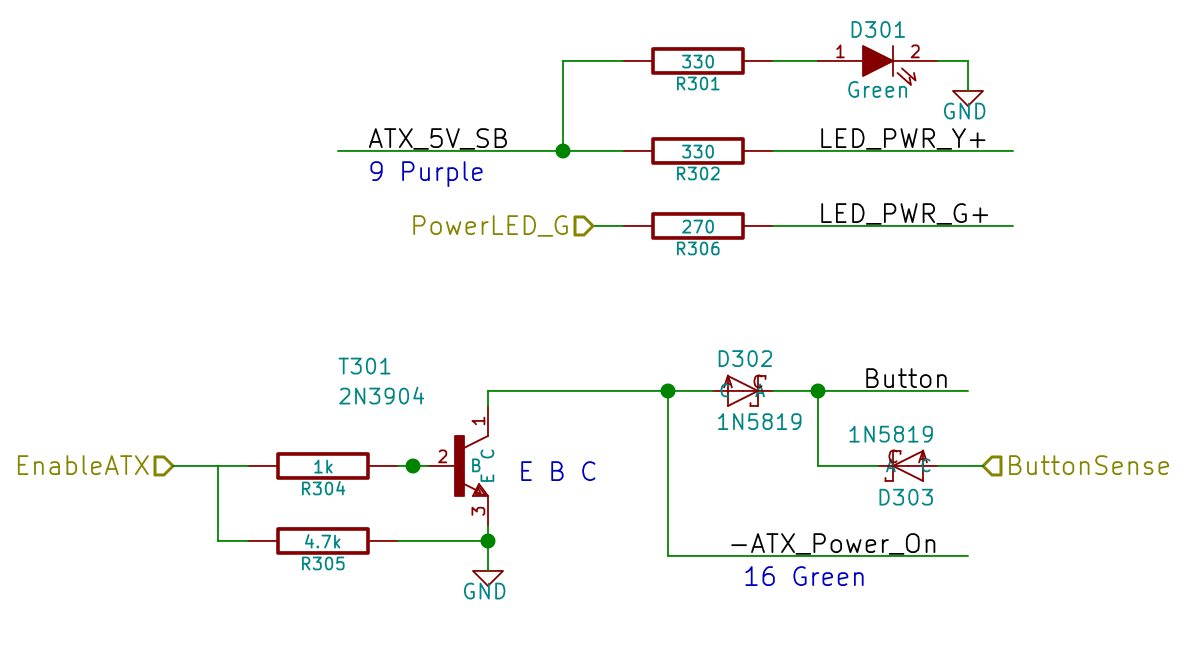
    The schematic shows the relevant bits:

    LV Power Interface - Power Button
    LV Power Interface – Power Button

    The ATX +5 V Standby output remains turned on all the time, so I wired that to the power button’s yellow LED, to show that the plug is in the wall.

    The pushbutton pulls the ATX Power_On line down, which turns on the supply outputs, which fires up the Arduino, which turns on the transistor, which holds the Power_On line down. D302 isolates the transistor from the button, so the code can sense the button’s on/off state with the power on. D303 isolates the Power_On line from the sense input to prevent the pullup on the Power_On line from back-powering the Arduino through its input protection diodes when the power is off.

    The Arduino code starts by arranging the I/O states, turning the transistor on, pulsing the green power LED until until the button releases, then leaving the green LED on:

    	pinMode(PIN_PWR_G,OUTPUT);
    	digitalWrite(PIN_PWR_G,HIGH);				// visible on front panel
    
    	pinMode(PIN_ENABLE_ATX,OUTPUT);				// hold ATX power supply on
    	digitalWrite(PIN_ENABLE_ATX,HIGH);
    
    	pinMode(PIN_ENABLE_AC,OUTPUT);				// turn on AC power
    	digitalWrite(PIN_ENABLE_AC,HIGH);
    
    	pinMode(PIN_BUTTON_SENSE,INPUT_PULLUP);		// wait for power button release
    	while (LOW == digitalRead(PIN_BUTTON_SENSE)) {
    		delay(50);
    		TogglePin(PIN_PWR_G);					// show we have control
    	}
    	digitalWrite(PIN_PWR_G,HIGH);
    

    Every time around the main loop, this chunk of code checks the button input:

    	if (LOW == digitalRead(PIN_BUTTON_SENSE)) {
    		printf("Shutting down!\r\n");
    		digitalWrite(PIN_ENABLE_AC,LOW);
    		digitalWrite(PIN_ENABLE_ATX,LOW);
    		while(true) {
    			delay(20);
    			TogglePin(PIN_PWR_G);				// show we have shut down
    		}
    	}


    The never-ending loop blinks the green LED until the power goes down, which happens when the button releases. That terminates the loop with extreme prejudice., which is the difference between embedded programming and high-falutin’ Webbish stuff.

    And it Just Worked the first time I fired it up…

  • Model 158 Sewing Machine Controller: AC Interface Circuitry

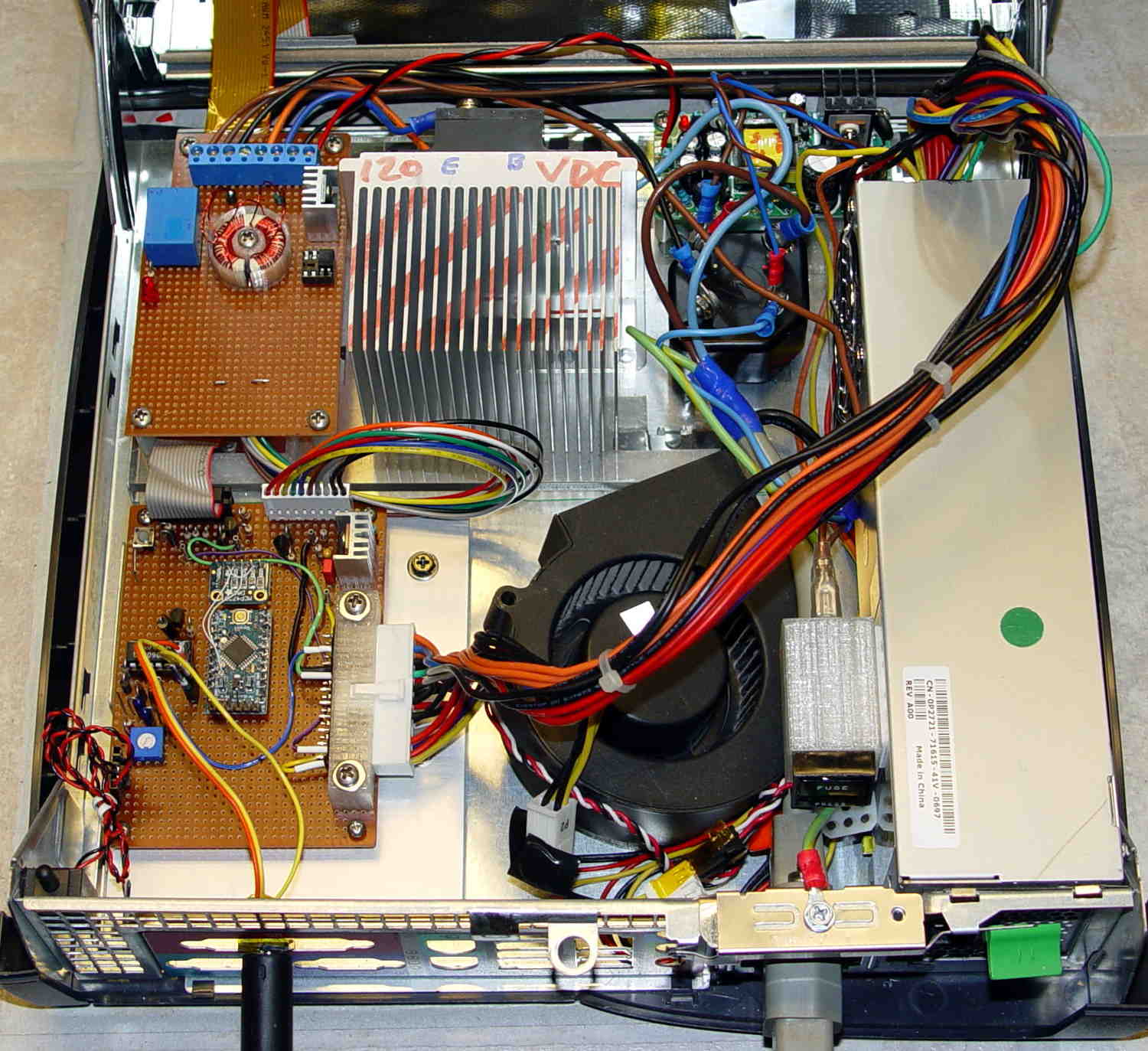
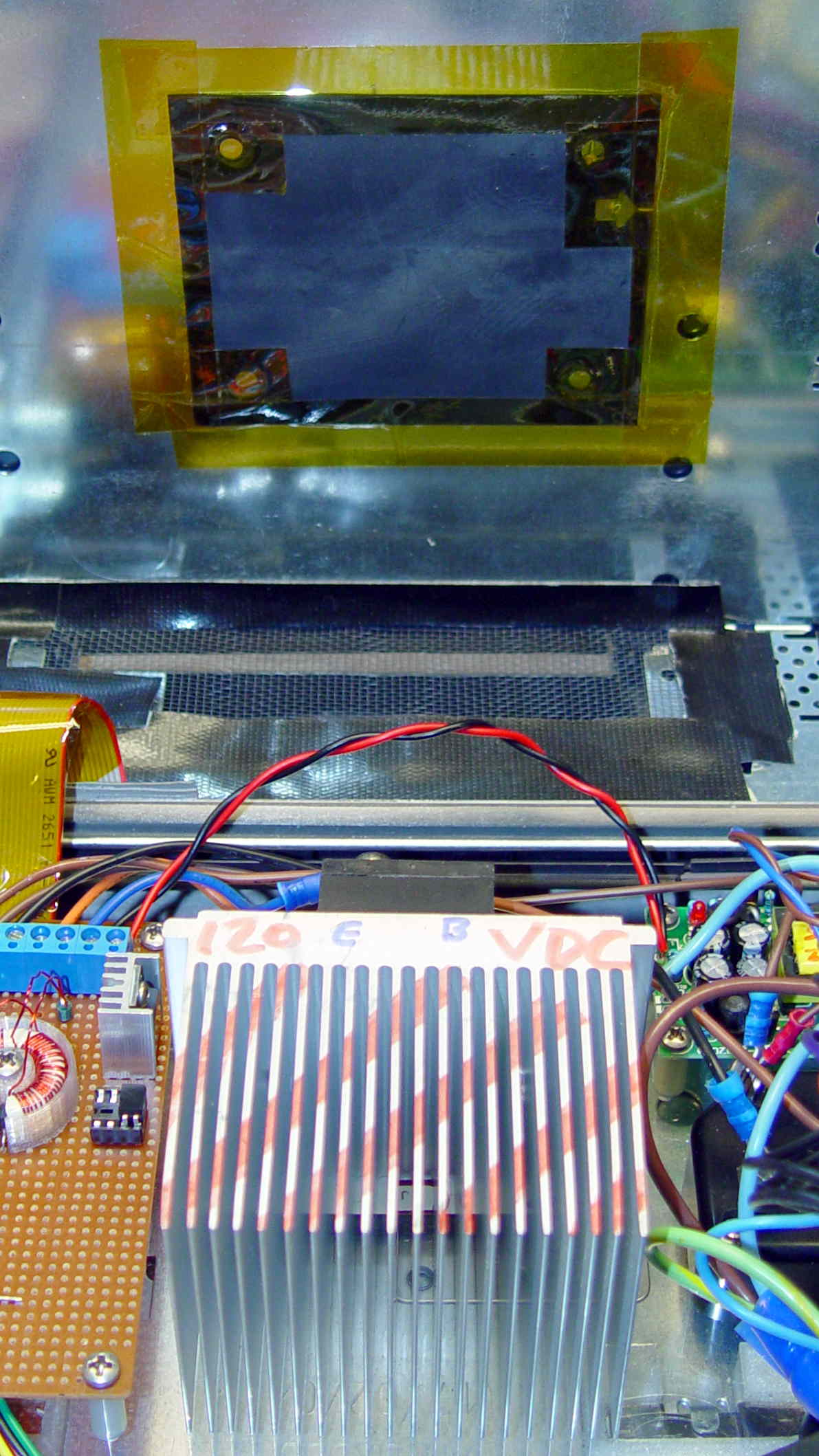
    That polycarbonate slab holds most of the pieces in place, with the rest on the prototype board to the left of the monster heatsink:

    Model 158 Controller - Interior Overview
    Model 158 Controller – Interior Overview

    That bulky wire harness got bent out of the way for the photo; normally, it’s jammed down beside the ATX power supply and over the blower.

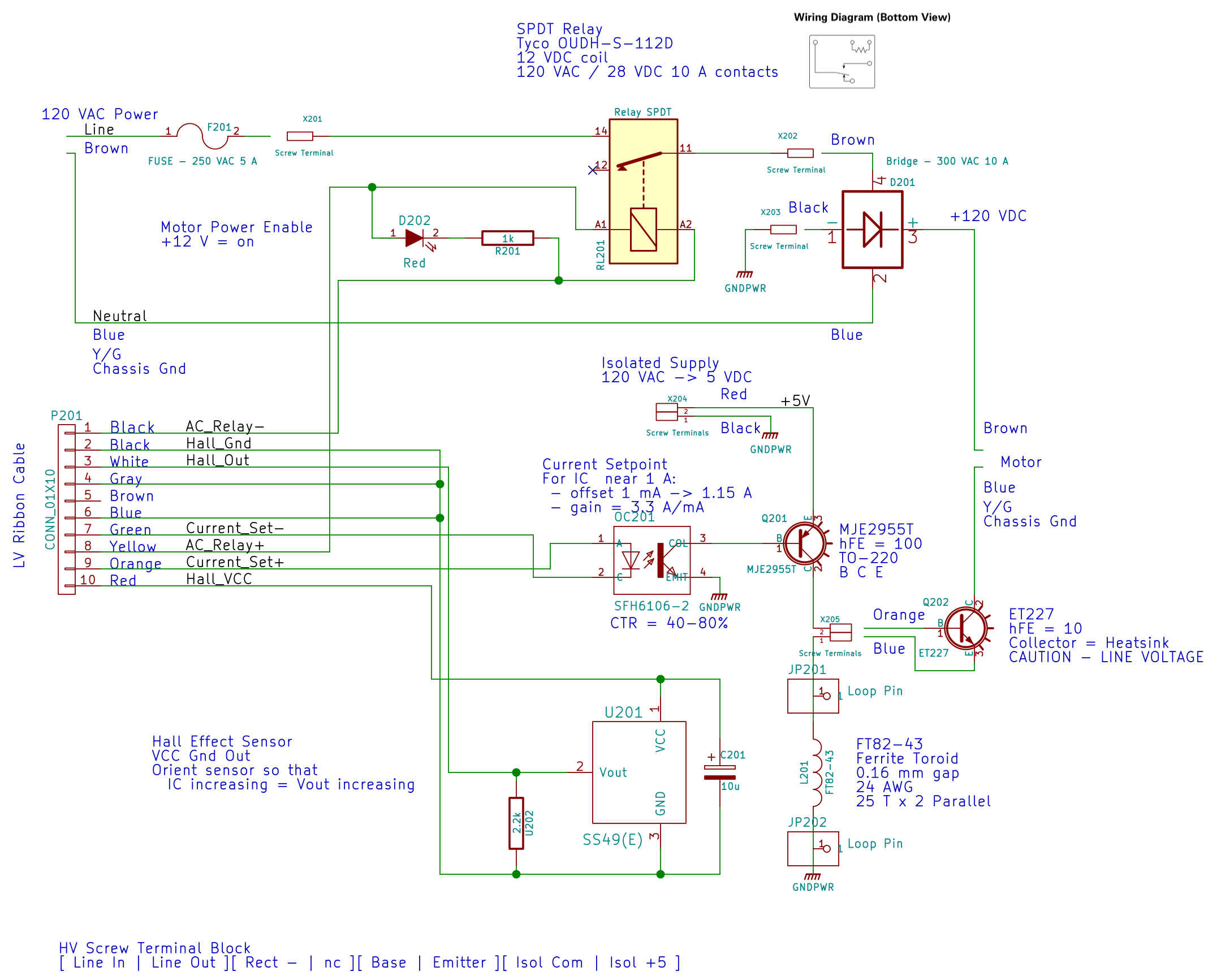
    The AC Interface circuitry looks like this:

    AC Power Interface
    AC Power Interface

    The relay on the top disconnects the AC line from the circuitry when the clamshell case opens.

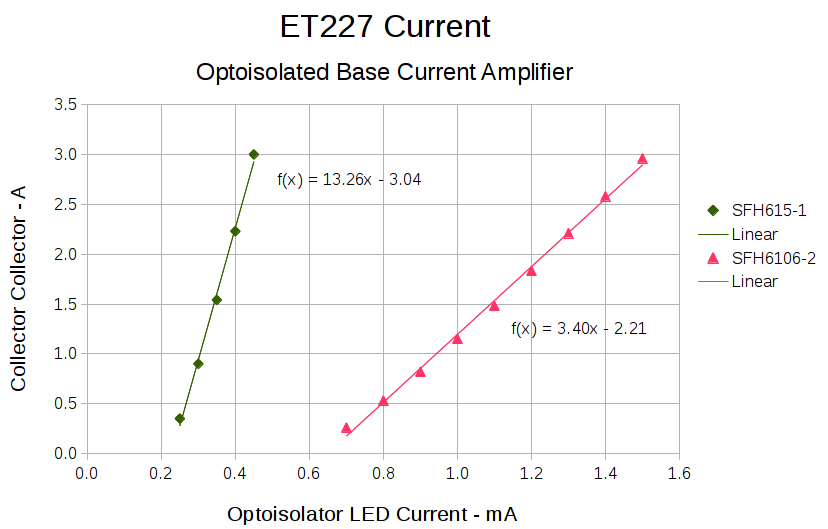
    The key hardware spreads neatly across the middle: the optoisolator, a 2955 PNP power transistor in a TO-220 case on a heatsink as a current amplifier, and the ET227 controlling the motor current. The gain of that mess depends strongly on the transistor temperatures, so there’s not much point in calibrating it. More on that later.

    Down at the bottom of the schematic is the slit toroid and knockoff SS49(E) Hall effect sensor that senses the actual motor current.

    A closer look at that board:

    HV Interface board - detail
    HV Interface board – detail

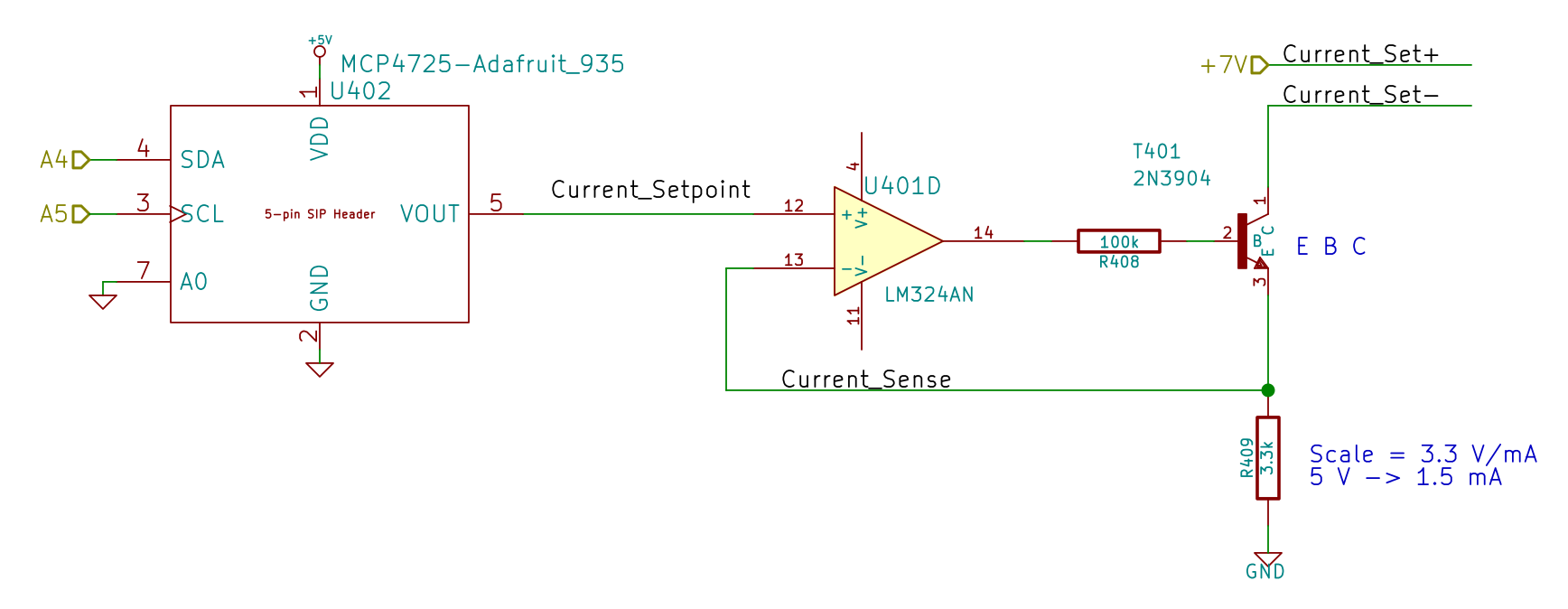
    The board in the bottom left corner of the overview picture holds the Arduino Pro Mini that runs the whole show (so far, anyway), along with various & sundry analog circuitry that I’ll write up in a bit.

    Conspicuous by their absence:

    • Motor speed sensing
    • Shaft position sensing
    • Power to the LED strip lights
    • Permanent mount for the pedal cable socket

    Now I can make measurements without killing myself…

  • ATX Power Supply: System Board Connector Bracket

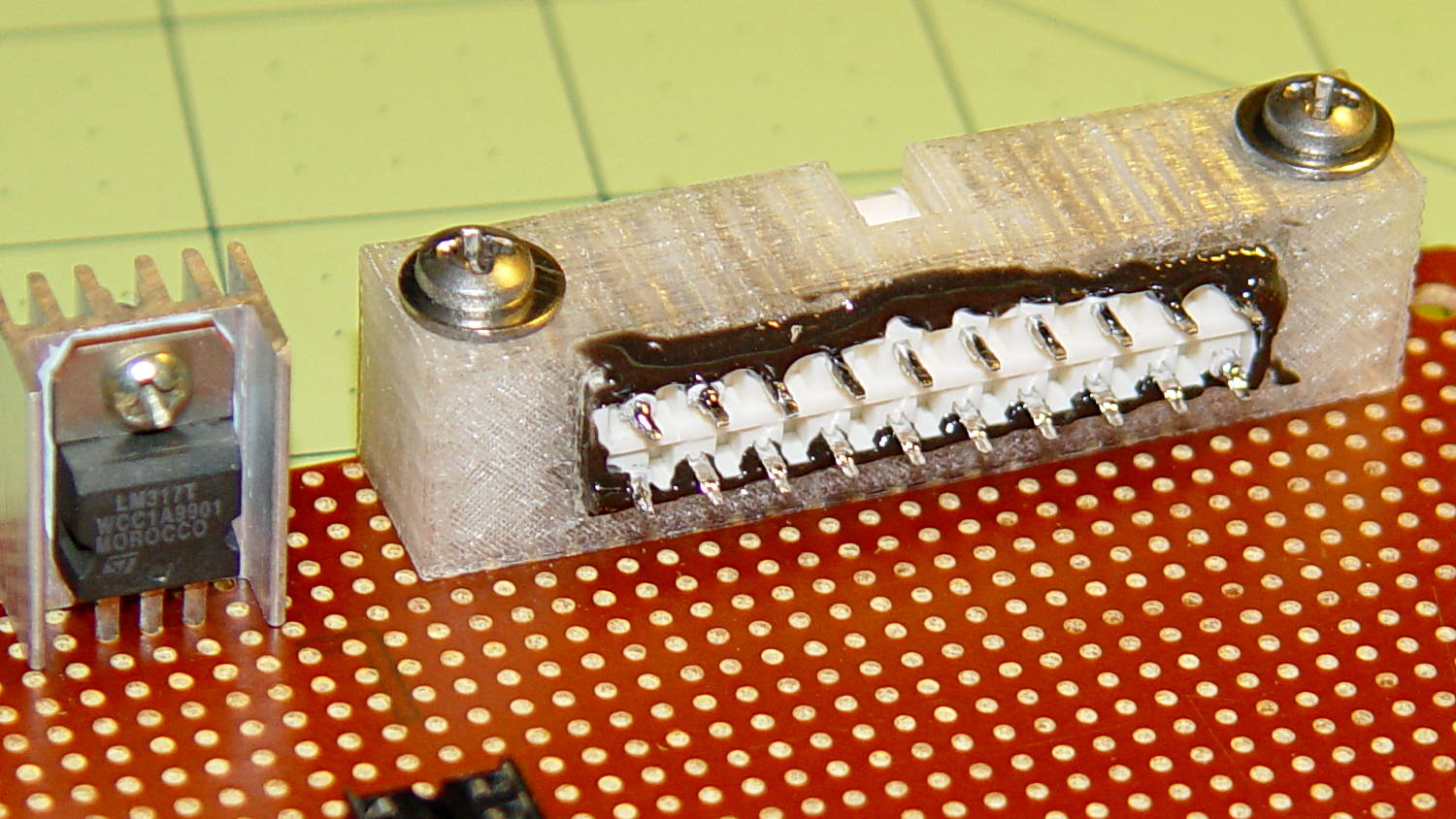
    The GX270 case contains a perfectly serviceable ATX power supply that can power all the bits & pieces that don’t run directly from the AC power line. I torched the connector off the system board, but there’s no practical way to mount it standing up through the prototyping board I’m using for the low voltage electronics. This bracket surrounds that connector and holds it at right angles to the board, with a pair of screws clamping it in place:

    ATX Connector Bracket - front
    ATX Connector Bracket – front

    I invoked the shade of Willy McCoy, slashed the outside of the connector with a razor knife, buttered it up with epoxy, and shoved it flush inside the adapter. That messy epoxy bead around the joint should prevent it from pulling out to the front:

    ATX Connector Bracket - rear
    ATX Connector Bracket – rear

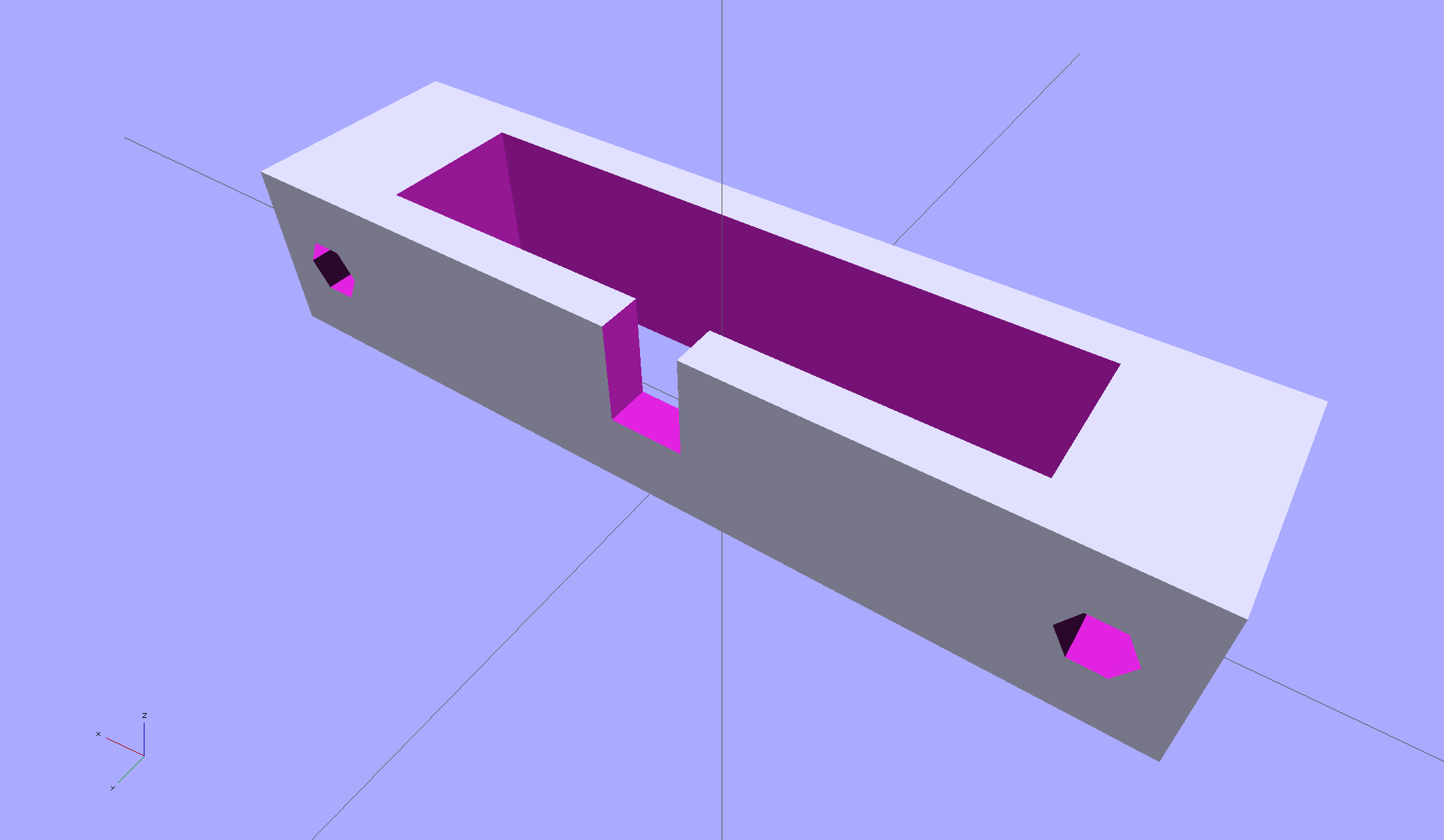
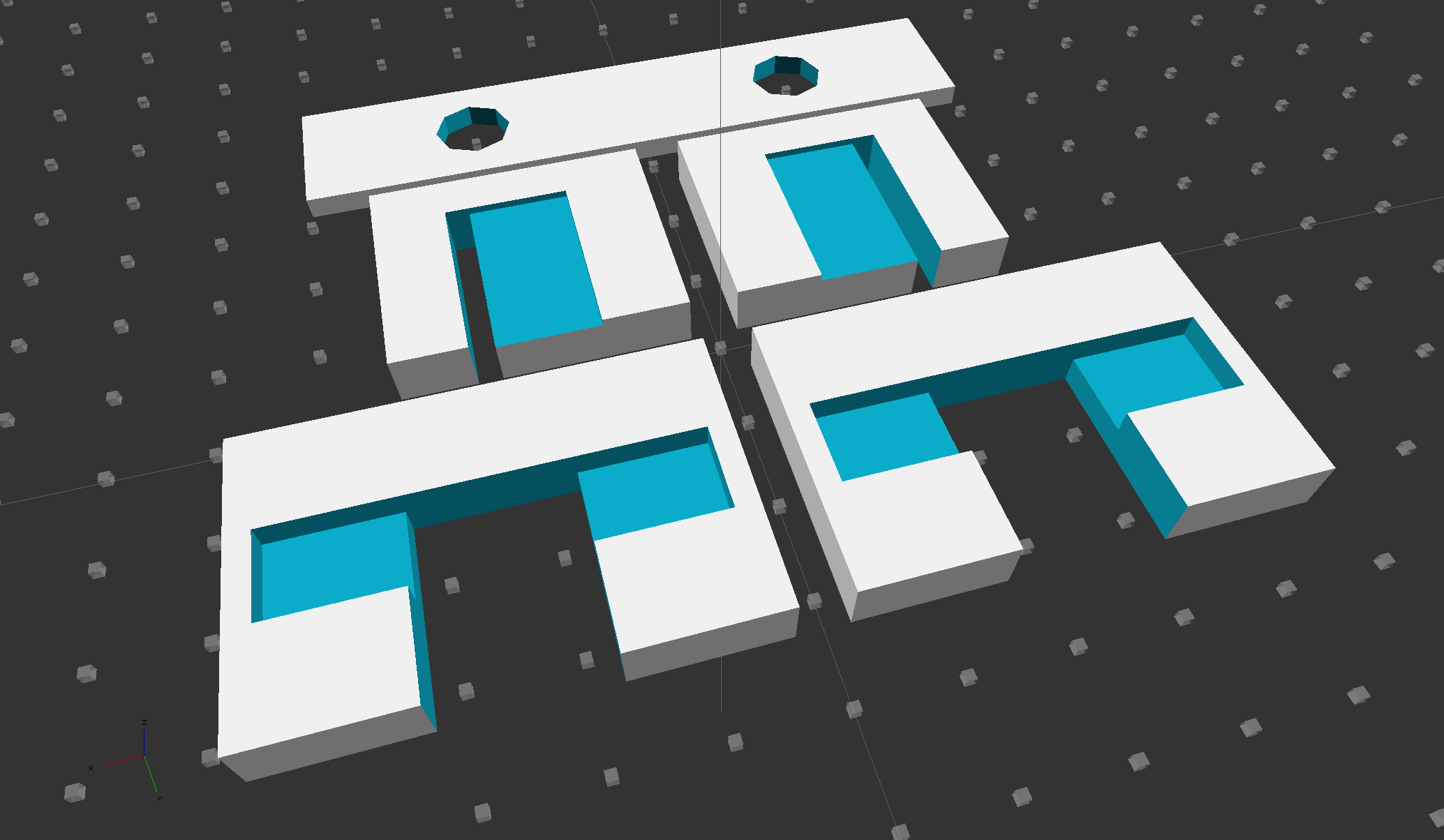
    The solid model looks like you’d expect:

    ATX Connector Mount
    ATX Connector Mount

    In the unlikely event you need one, make sure the slot clears the locking clip on your ATX connector, as they differ between (at least) the 20 and 24 pin versions. This is actually a split 20/24 connector, with the smaller connector terminating elsewhere to power the LED strips.

    The OpenSCAD source code:

    // ATX power supply connector mounting bracket
    // Ed Nisley - KE4ZNU - September 2014
    
    //- Extrusion parameters must match reality!
    
    ThreadThick = 0.20;
    ThreadWidth = 0.40;
    
    HoleWindage = 0.2;			// extra clearance
    
    Protrusion = 0.1;			// make holes end cleanly
    
    AlignPinOD = 1.70;			// assembly alignment pins: filament dia
    
    function IntegerMultiple(Size,Unit) = Unit * ceil(Size / Unit);
    
    //----------------------
    // Dimensions
    
    Screw = [3.5,7.0];						// mounting screws
    OD = 0;
    HEAD_OD = 1;
    
    Wall = 3.0;
    
    ATX = [43.5,9.75,12.0];					// connector outline
    
    Shell = ATX + [2*(2*Wall + Screw[OD]),2*Wall,0.0];	// mount outline
    
    Latch = [5.0,5.0,7.0];							// latch overlay
    
    ScrewOC = ATX[0] + Screw[OD] + 2*Wall;
    
    echo(str("Screw OC: ",ScrewOC," mm"));
    
    //----------------------
    // Useful routines
    
    module PolyCyl(Dia,Height,ForceSides=0) {			// based on nophead's polyholes
    
      Sides = (ForceSides != 0) ? ForceSides : (ceil(Dia) + 2);
    
      FixDia = Dia / cos(180/Sides);
    
      cylinder(r=(FixDia + HoleWindage)/2,
               h=Height,
               $fn=Sides);
    }
    
    module ShowPegGrid(Space = 10.0,Size = 1.0) {
    
      RangeX = floor(100 / Space);
      RangeY = floor(125 / Space);
    
    	for (x=[-RangeX:RangeX])
    	  for (y=[-RangeY:RangeY])
    		translate([x*Space,y*Space,Size/2])
    		  %cube(Size,center=true);
    
    }
    
    ShowPegGrid();
    
    difference() {
    	translate([0,0,Shell[2]/2])						// mount shell
    		cube(Shell,center=true);
    	translate([0,0,ATX[2]/2])					// connector shell
    		cube(ATX + [0,0,2*Protrusion],center=true);
    
    	translate([0,(Latch[1]/2 + ATX[1]/2 - Protrusion),(-Latch[2]/2 + Shell[2])])
    		cube(Latch + [0,Protrusion,Protrusion],center=true);
    
    	for (i=[-1,1])
    		translate([i*ScrewOC/2,(Shell[1]/2 + Protrusion),Shell[2]/2])
    			rotate([90,0,0])
    				PolyCyl(Screw[OD],(Shell[1] + 2*Protrusion));
    
    }
    
  • Low Voltage Interface Adapter Plate

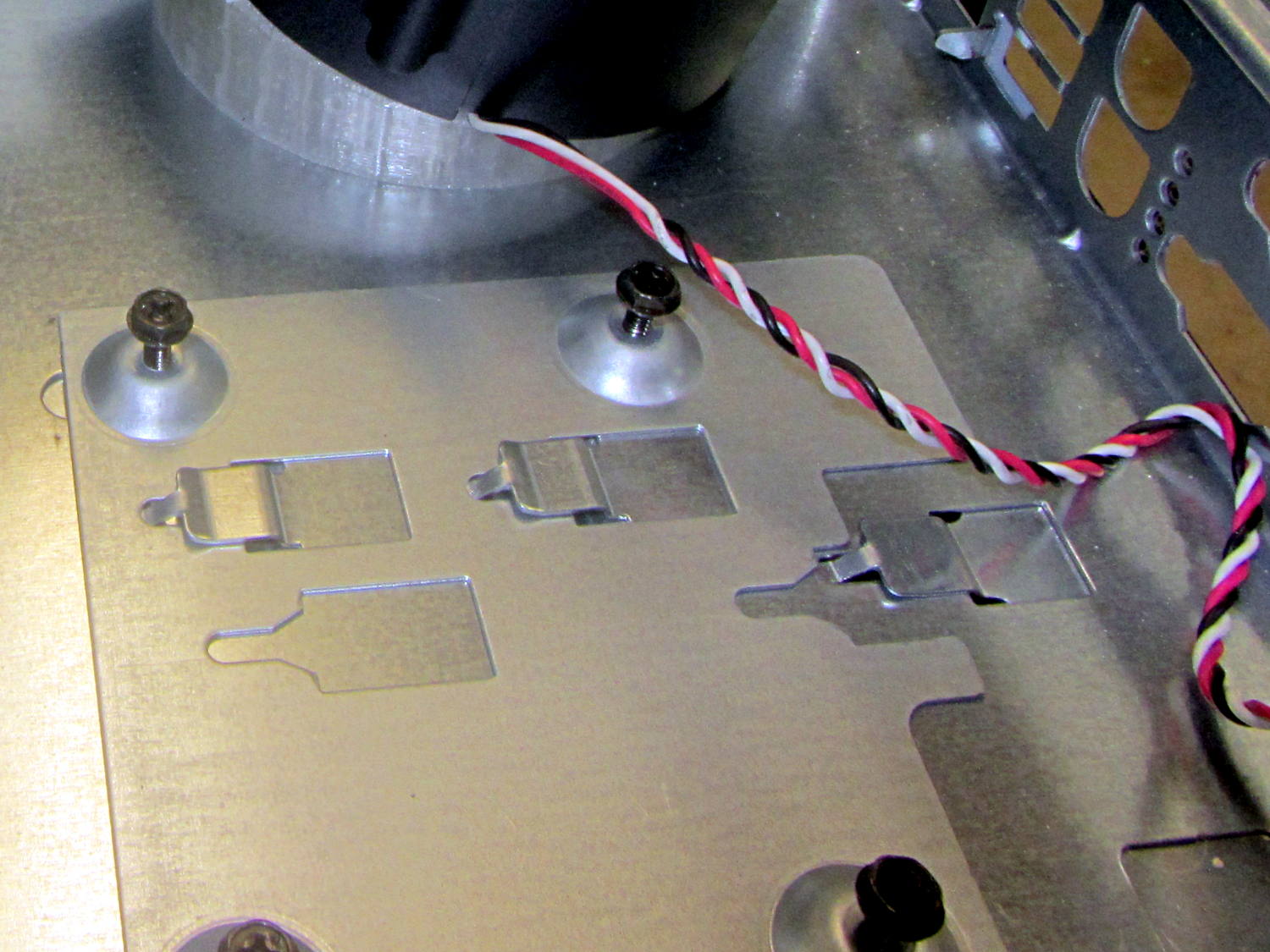
    The Dell GX270 chassis has a small support plate under the CPU, evidently to support the heatsink and fan:

    Optiplex GX270 CPU heatsink mount
    Optiplex GX270 CPU heatsink mount

    It slides neatly into those clips on the system board tray, but it’s not actually locked into position. I think that allows it to slide around a bit under the system board, providing vertical support without constraining the board’s horizontal position. Anyhow, it looked like the easiest way to support the prototyping board that will hold the low voltage interface circuitry.

    By some mischance, I found a nice aluminum plate exactly the right width, so only one side needed a saw cut and squaring. Coordinate drilling four #6 clearance holes matched the support:

    LV Interface Adapter Plate - drilling
    LV Interface Adapter Plate – drilling

    That corner of the tray had another system board retaining clip, but rather than bashing it flat, I just sawed a slit in the plate so it can slide right into position. Note the perfect alignment of that screw hole:

    LV Interface Adapter Plate - retainer
    LV Interface Adapter Plate – retainer

    I love it when all my mistakes cancel out!

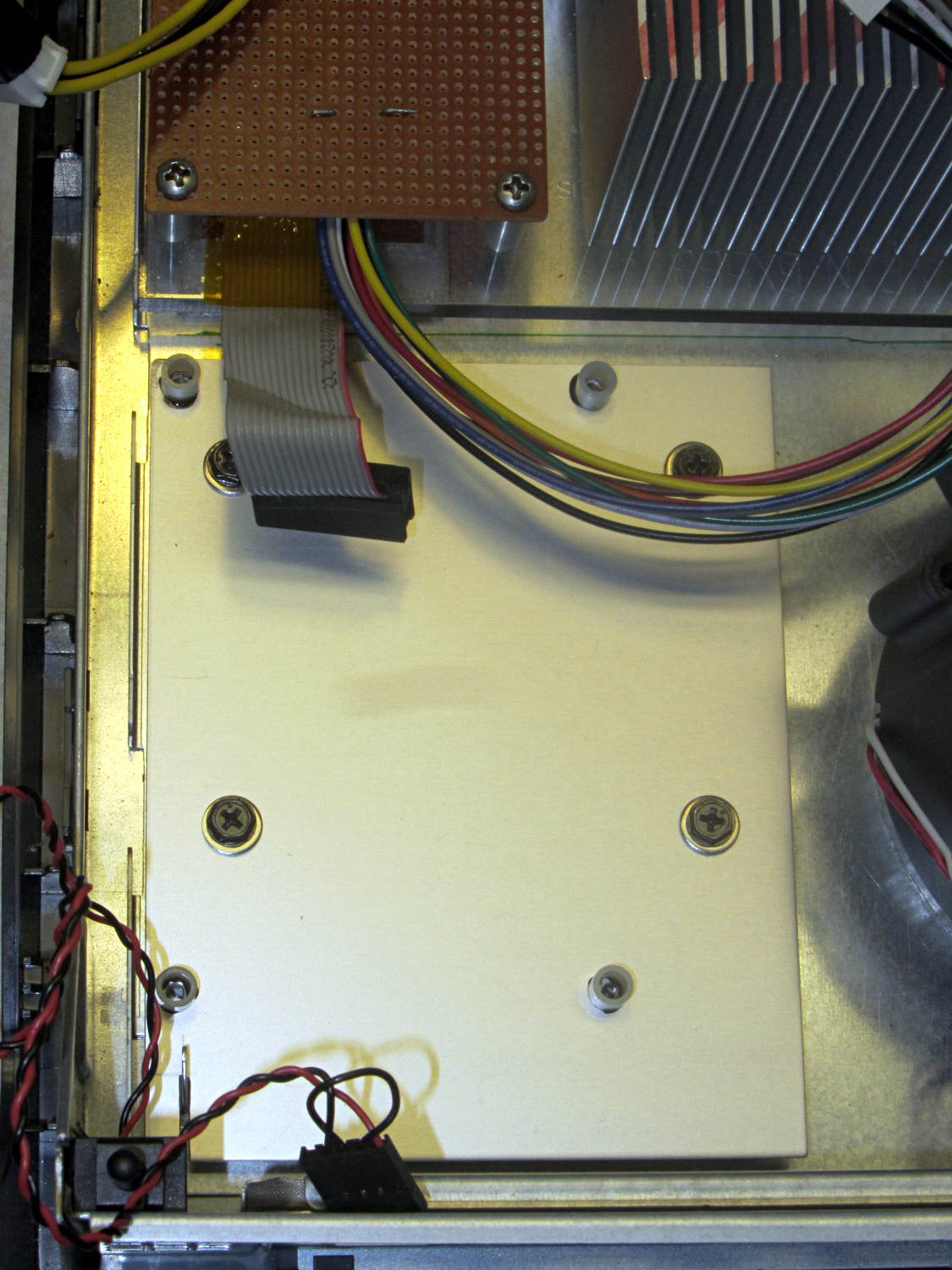
    Four more holes matched the prototyping circuit board and, while I had some epoxy mixed up for another part, I fastened four standoffs over the holes. A washer under each original screw soaked up exactly enough space that the screws barely indented the case and, as if by magic, hold the support plate firmly in place:

    LV Interface Adapter Plate - installed
    LV Interface Adapter Plate – installed

    Of course, that means I must remove the circuit board to get the tray out, but the AC interface board must also come out, so we’re not talking a spur-of-the-moment operation.

    The switch in the lower left corner is the original Dell “intrusion monitoring” switch harvested from a complex metal stamping in the diagonally opposite corner of the case. It’s epoxied to the case wall, with the plunger contacting a shim epoxied to the top of the case, and will eventually disconnect the AC line power from the drive electronics: case open = switch closed = lethal power off.

  • ET227 Transistor: Monster Heatsink Mounting

    Back in the day, heatsinks like this sat atop Moah Powah Pentium CPUs:

    ET227 transistor on heatsink
    ET227 transistor on heatsink

    I picked it because the hulking ET227 transistor fit neatly on its backside, it seemed capable of handling 30 to 50 W of power, and I have several of them in the Big Box o’ Heatsinks. No careful thermal analysis was involved…

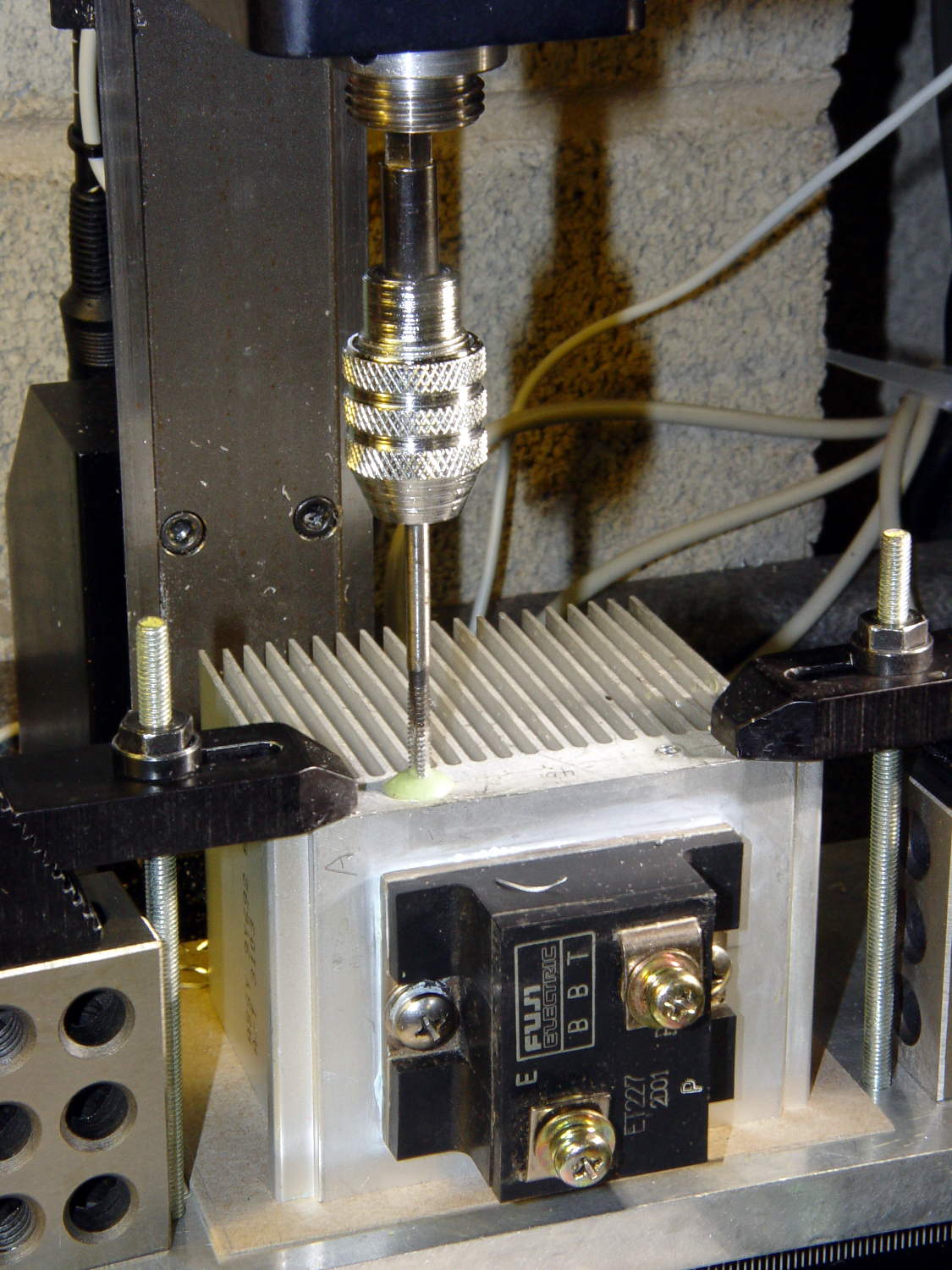
    Mounting it on the polycarbonate sheet inside the repurposed GX270 case involved drilling & tapping a pair of 6-32 holes in one side:

    ET227 Heatsink - tapping
    ET227 Heatsink – tapping

    That’s not rigid tapping on a Sherline, it’s aligning a hand-turned tap in the spindle bore. Sorry.

    And, yeah, you’re not supposed to leave the semiconductors mounted when you’re drilling the heatsink. I figure there’s nothing I can possibly do without using a hammer that will bother that transistor in the slightest. What, me worry?

    The transistor collector runs at line voltage, which means the entire heatsink will pose a lethal shock hazard. I thought about isolating the collector and failed to come up with anything I’d trust to be both thermally conductive and electrically insulating over the long term; the screw heads must be isolated from the collector plate, too.

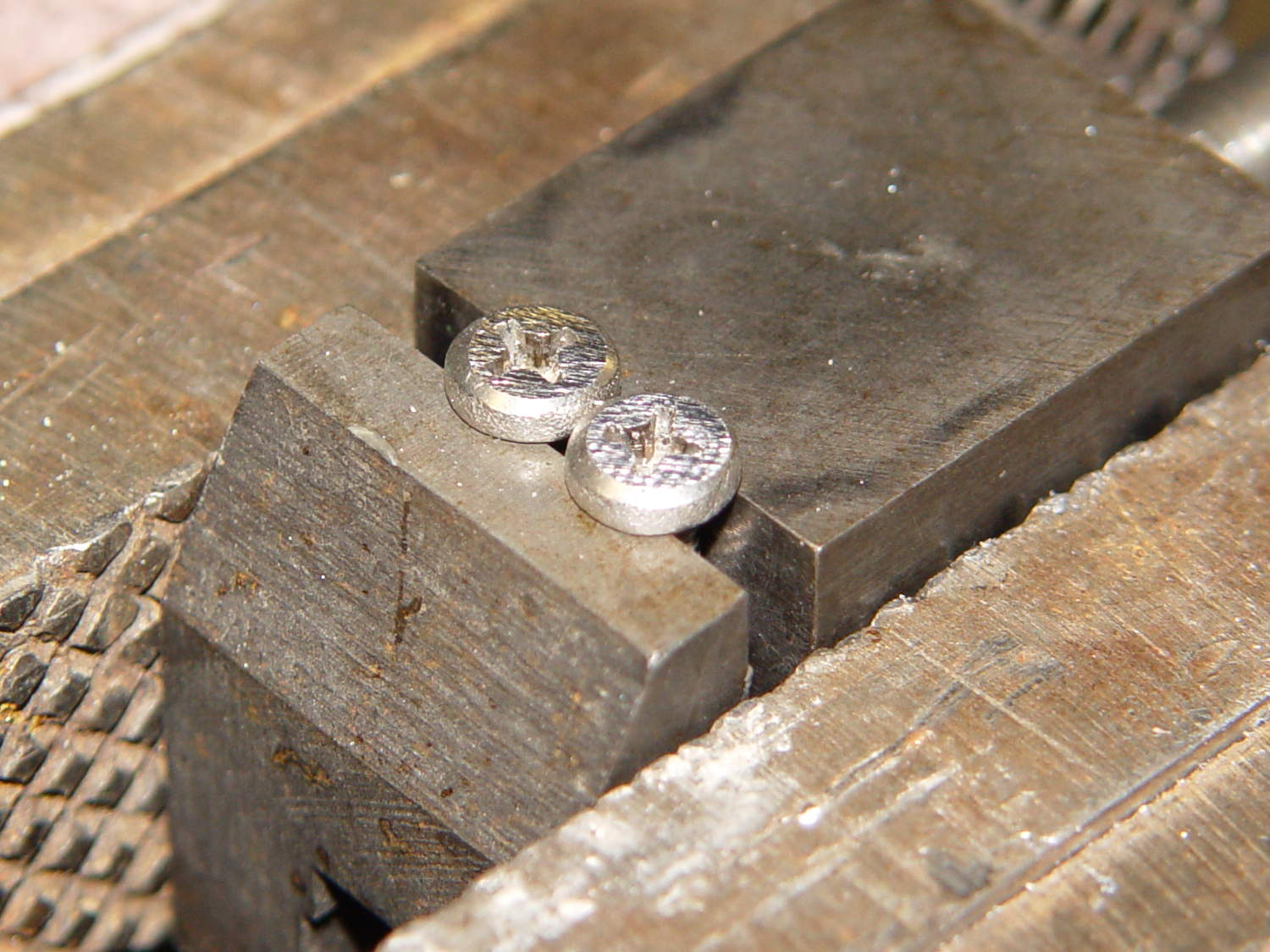
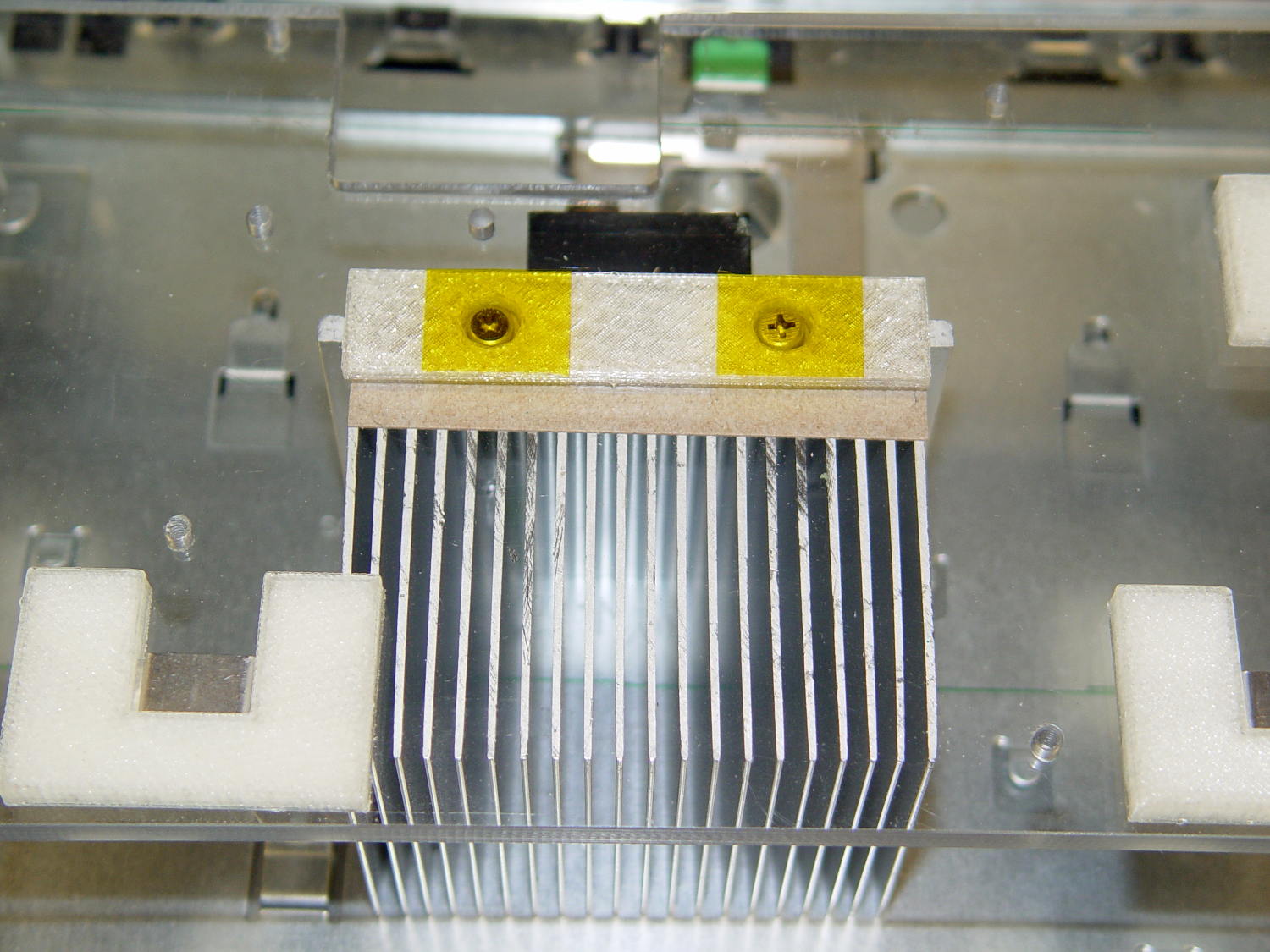
    The screws stick out below the polycarbonate sheet, just above the grounded EMI shell lining the case, so I flattened them a bit:

    ET227 Heatsink - mounting screws
    ET227 Heatsink – mounting screws

    The simple rectangular strip to the rear of the chassis mounting clips is just slightly thicker than the screw heads, so they can’t possibly contact the case:

    Chassis Clips
    Chassis Clips

    It gets glued to the underside of the nearly invisible sheet:

    ET227 heatsink - gluing screw shield
    ET227 heatsink – gluing screw shield

    With Kapton tape over the heads, Just In Case:

    ET227 Heatsink - mounted
    ET227 Heatsink – mounted

    It makes a nice linear counterpoint to the jumble of AC interface wiring:

    AC Interface Chassis
    AC Interface Chassis

    The insulating sheet on the case lid came from the bottom of the original GX270 system board, where I think it served much the same purpose. It’s surely not rated for AC line voltages, but the thought must count for something:

    AC Interface Chassis
    AC Interface Chassis

    More of the parts are flying in formation…

  • Rectifier Mounting Screw Tweakage

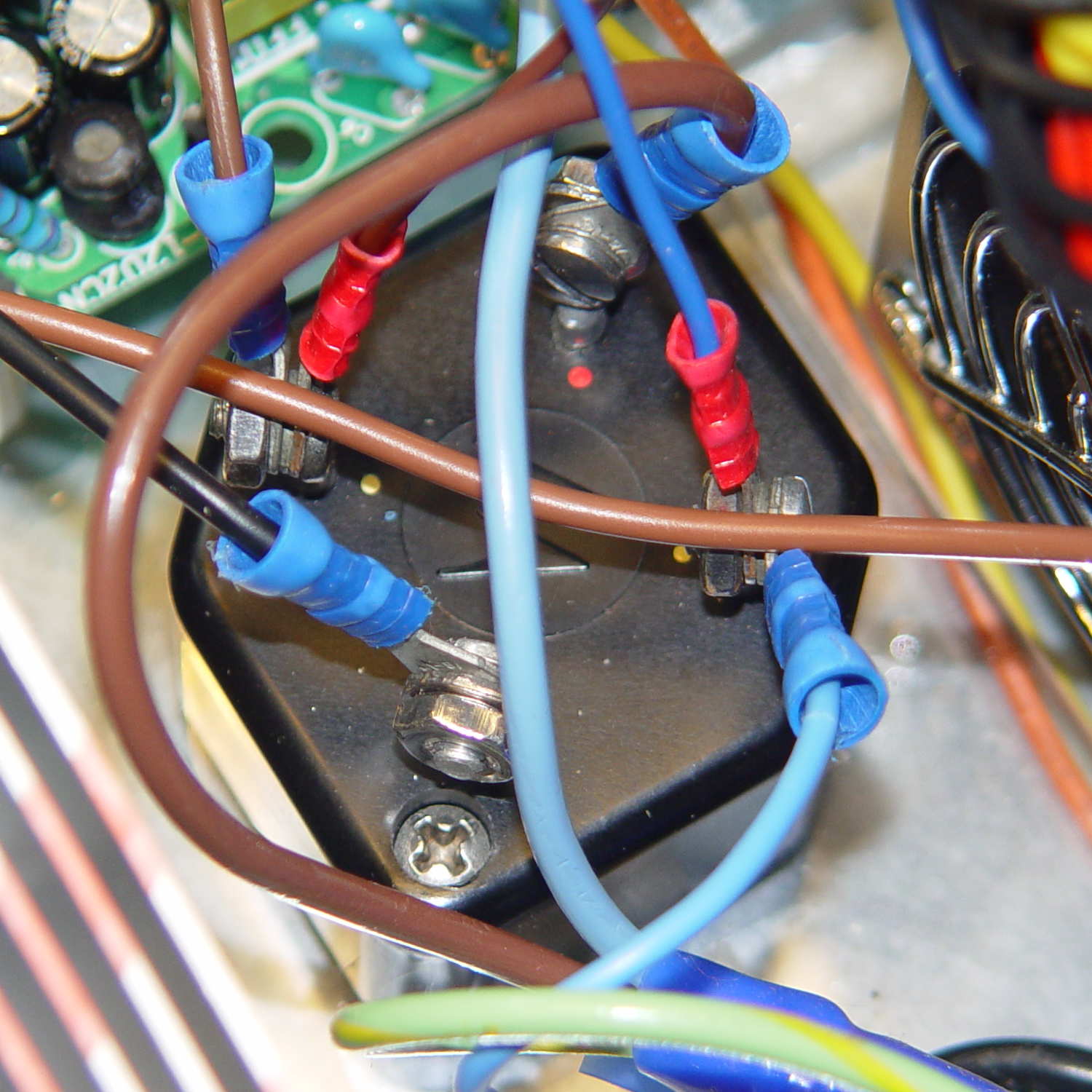
    The sewing machine motor runs from 120 V AC or DC, drawing a few amps with the rotor locked, so a hulking 300 V 10 A bridge rectifier (Motorola MDA962-4, if you’re keeping score) seems grossly overrated. On the other paw, I have one, so why not?

    The mounting holes pass 6-32 machine screws, but the recesses in the top seem meant for fillister head screws that I don’t have. Fortunately, I do have a lathe:

    MDA962-4 rectifier - screw head adjustment
    MDA962-4 rectifier – screw head adjustment

    And then they just drop into place:

    MDA962-4 Bridge Rectifier - installed
    MDA962-4 Bridge Rectifier – installed

    You can see why recessing the screw head below the top of the rectifier is a Good Thing.

    That was easy…

  • If You Can Get To BNC, You Can Get To Anything

    That’s what Mad Phil taught me, back in the day, and it’s still true:

    15 W Dummy Load - Stacked Adapters
    15 W Dummy Load – Stacked Adapters

    From the top:

    • 15 W dummy load with N female
    • N male to BNC female
    • BNC male to UHF female
    • UHF male to UHF male
    • UHF female on homebrew antenna mount

    Obviously, I don’t have enough adapters: I need one with N male to UHF male.

    I actually spent money to get from the reverse-polarity SMA connector on the Wouxun radios directly to UHF female, matching the cable to the antenna mount in one step.

    Sometimes an unsteady ziggurat of adapters isn’t appropriate.