The Smell of Molten Projects in the Morning

Ed Nisley's Blog: Shop notes, electronics, firmware, machinery, 3D printing, laser cuttery, and curiosities. Contents: 100% human thinking, 0% AI slop.

Author: Ed

  • Sears Kenmore HE3 Washer Teardown: Toe Panel

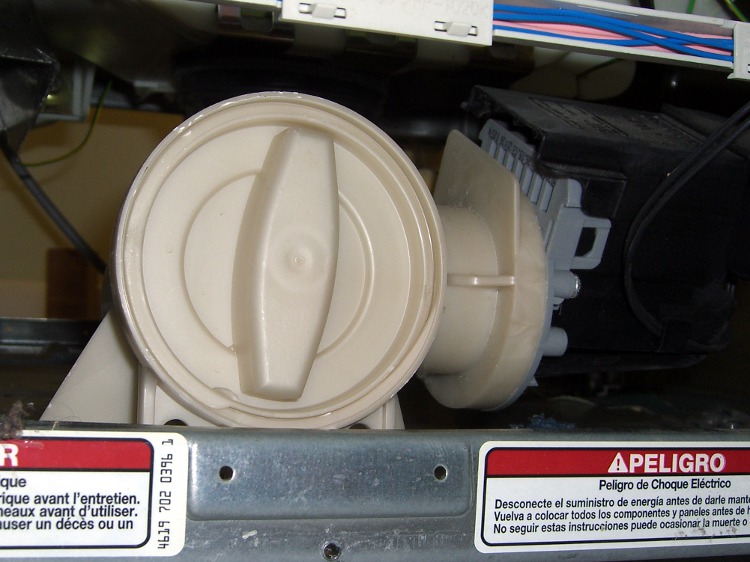
    It turns out you can get access to the extractor pump from the front of the washer, without having to take the back off and reach all the way through. If any of the problems we’ve ever had with the washer could have been fixed just by reaching into the pump, that’d be nice to know.

    Remove three Torx T-20 screws at the very bottom of the lower front panel, known as the Toe Panel, and it drops right out.

    If you have something jammed in the pump, you can put a tray underneath, unscrew the obvious plug, and bloosh water all over the place. I don’t know how you’d know you had something in jammed in the pump, but that’s how you get to it.

    Pump access from Toe Panel
    Pump access from Toe Panel

    In our case, the junk was spread all through the washer

  • Sears Kenmore HE3 Washer Drum: The Rot

    Corroded Aluminum Spider - Overview
    Corroded Aluminum Spider – Overview

    Our Kenmore HE3 washer emitted a dramatic KLONK that had all hands racing for the Cancel button. After a bit of to-ing and fro-ing, some Web searching, and a few hours of teardown, I determined that the washer had failed in the usual HE3 way: the cast aluminum spider connecting the back of the lah-dee-dah stainless steel drum to the shaft had corroded and fractured.

    Now, class, let’s review our chemistry. What do we call a pair of dissimilar metals in an ionic solution?

    Very good. Can you spell “battery”?

    Bonus points: what happens to the battery electrodes as the current flows?

    Excellent! I’m sure you can spell “corrosion”, too.

    The stuff that looks (and feels!) like cheese is aluminum corrosion filling every nook & cranny in the back of the spider. The fact that the drum spins at 900 rpm tells you it’s rather tenacious gunk, but evidently we’ve been washing our clothes in corrosion products for several years.

    If you have a Sears or Whirlpool HE washer, so are you.

    Mary noticed the washer made a strange noise during the spin parts of the cycle, starting a few weeks ago, but it wasn’t anything you’d tear down the washer to diagnose. I’ll have more to say about that in a bit.

    The KLONK happened when a third fracture finally disconnected the drum from the shaft and it started whacking against the outer tub. All that’s holding the shaft in place is the remaining thickness of the spider casting and the interlocking fracture pattern; I can move the shaft, but not easily.

    Here are closeups of the three sections near the hub between the arms. Anything that looks like a crack really is one…

    Corroded Spider - Fracture 1
    Corroded Spider – Fracture 1

    The next section has a nice crack running along the circumference, too…

    Corroded Spider - Fracture 2
    Corroded Spider – Fracture 2

    And the third section…

    Corroded Spider - Fracture 3
    Corroded Spider – Fracture 3

    I hauled it to the driveway and hosed off the corrosion. There isn’t supposed to be that little hole where the sun shines through…

    Corroded Spider - After Rinsing
    Corroded Spider – After Rinsing

    The washer is six years old and cost $1100 new.

    Needless to say, We Are Not Amused.

    More on this as I sort things out. Search for HE3 and you’ll find more than you want to know (at least after I’ve gotten it posted).

  • You Must Learn

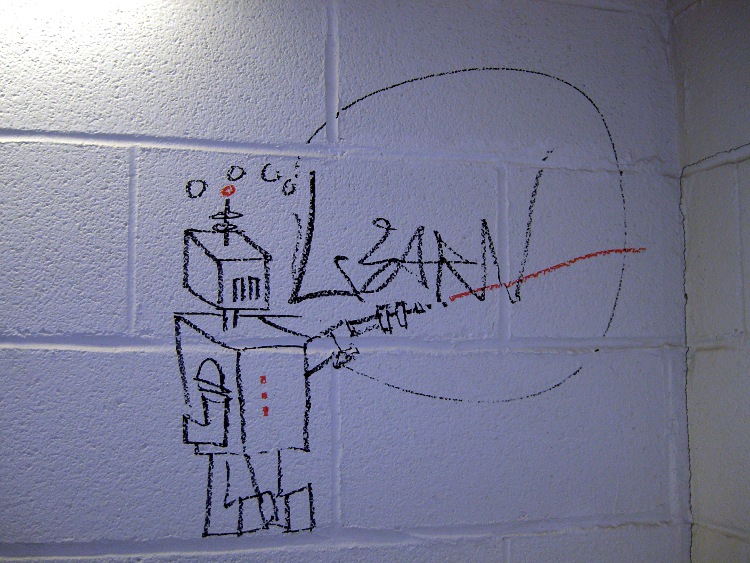
    Spotted this one in a stairwell while trotting upstairs for my annual physical.

    Learn Graffiti
    Learn Graffiti

    The artist’s message would have been far more powerful had he (it’s always a he) not scrawled Learn along all five floors.

    Maybe he never heard of KRS One?

  • X10 Controller Lid Tweak

    The new X10 controller on our dresser has a nice lid over the buttons. Unfortunately, the lid lacks any affordance to raise it: smooth edges all around, slick surface, no notches or bumps.

    The obvious, albeit ugly, solution: add some black and very grippy rubber strips to the front and side edges of the lid. Now one finger suffices…

    Griptivity Enhancement
    Griptivity Enhancement

    Puzzle: how did the designers expect us to lift the lid?

  • Desktop Background From the Deep

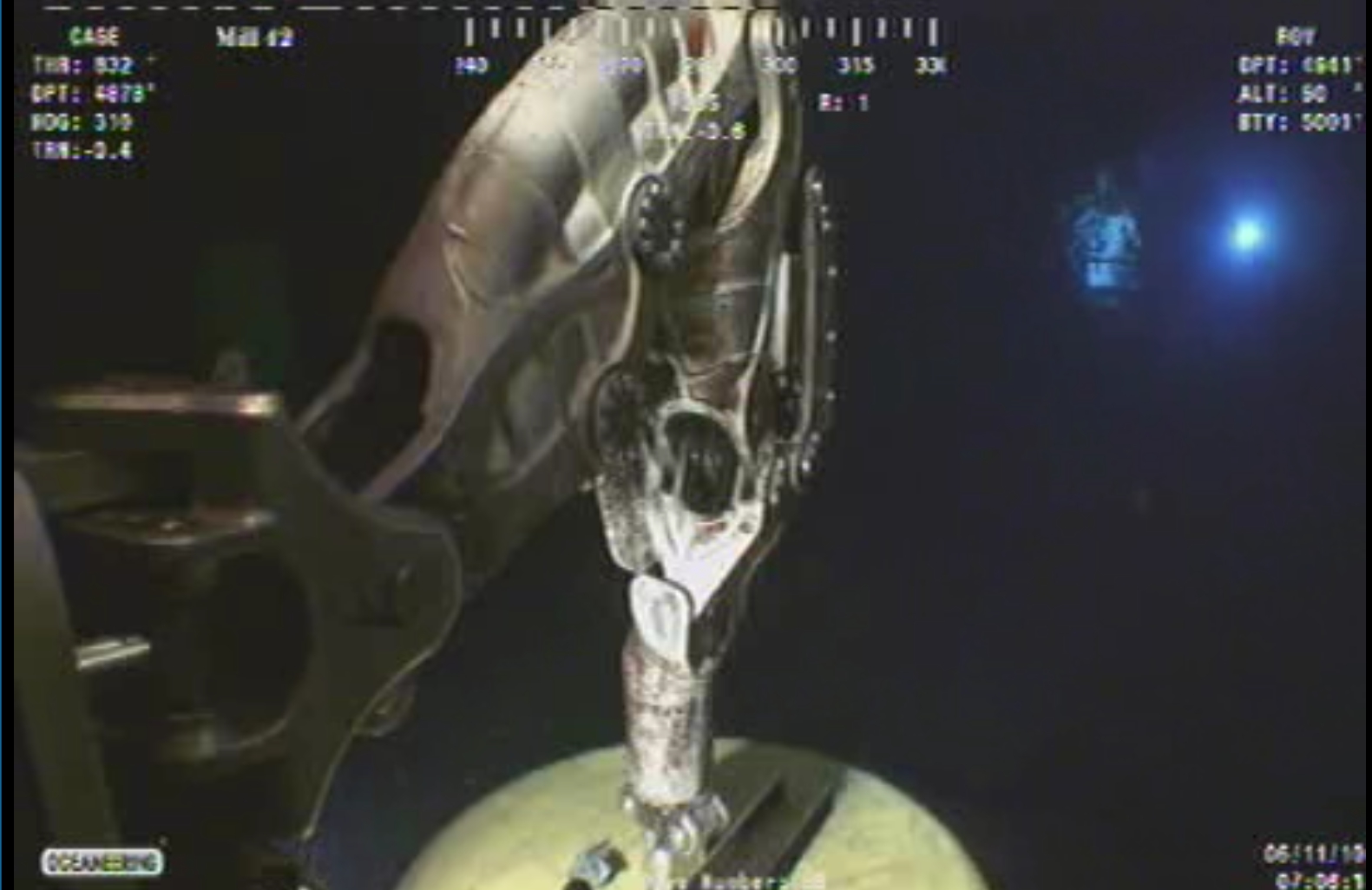
    I snagged this gem from the Deep Horizons spillcam site a while back; it’s a screen grab at 1600×1200 with all the extraneous junk cropped off. Scaling it back to fit a 4:3 screen doesn’t do it a bit of damage: it looks just as weird.

    Something from Alien, perhaps?

    Deepwater Horizon capping - manipulator arm
    Deepwater Horizon capping – manipulator arm

    I’m pretty sure that’s Sweet Babby Jeebus™ floating over there in the background…

    [Update: Some “best of” the ROV video feeds, speeded up by a factor of 7, are there.]

  • DC Motor Speed Control

    Got a question by email, which I discourage, because then nobody else can chime in to add details or correct errors.

    Here’s the transcript:

    Hi,

    I want to control a brushed DC motor (speed and direction) with a PWM driver (L298) controlled by a microcontroller (Arduino), with the following requirements:
    – Motor voltage range: 6 – 12 V dc.
    – Forward / Reverse
    – Power Supply : 12 v battery (No regulator (12 → 6 V)
    – The motor must perform as being supplied at 6 V dc.

    It means to me that the motor should be supplied at 6 V with some kind of PWM magic. I was told that it can be accomplished but not how to do it.

    Yes I can set 50% Duty Cicle (PWM), then I have 6 V in the motor, but it means constant speed (or I just misunderstood PWM) so I cannot increase/decrease speed.

    I have 0 – 127 (0 – 50%) control speed but below motor specs (6 – 12 V) son motor stops.
    And above (127 – 255) I have control too but in the 6 – 12 V range so above 6 V.

    I have searched forums and Google, but I can´t find the way to do it. It´s likely an odd question but I am simply lost.

    Any clue?

    And my reply, which may seem curt, but remember that I really can’t do design work by email…

    > then I have 6 V in the motor,
    > but it means constant speed
    > (or I just misunderstood PWM)
    > so I cannot increase/decrease speed.

    PWM allows you to supply a DC voltage equivalent to

    (PWM duty cycle) x (DC input voltage)

    You can change the speed of the DC motor by changing the PWM duty cycle, thus increasing or decreasing the voltage applied to the motor. But that’s the limit of your control.

    > below motor specs (6 – 12 V) son motor stops.

    That, unfortunately, is the nature of DC motors. Their torque depends strongly on the input voltage and below the rated input, the torque drops off sharply.

    This introduction may help. I found it by searching on

    “dc motor” torque pwm

    and you will find other references using similar searches.

    http://homepages.which.net/~paul.hills/SpeedControl/SpeedControllersBody.html

    Good hunting!

  • New 1.5 TB USB Backup Drive

    Just got a new 1.5 TB USB drive (Western Digital Elements; every manufacturer has produced horror stores) for $85 delivered; I do not understand the economics of that business in the least. Anyway, this will become the external drive onto which the rsnapshot routine dumps the daily changes from the file server; the old 500 GB drive was 99% full, so it’s time to tuck that one in the fireproof safe.

    The NTFS partition had some weird-ass peculiarities that choked cfdisk, so I used parted to blow away the NTFS type=7 partition and create a new Linux type-83 partition. Strangely, the drive came with no shovelware, for which I’m grateful.

    sudo fdisk /dev/sde
    Command (m for help): d
    Selected partition 1
    Command (m for help): n
    Command action
       e   extended
       p   primary partition (1-4)
    p
    Partition number (1-4): 1
    First cylinder (1-182401, default 1):
    Using default value 1
    Last cylinder, +cylinders or +size{K,M,G} (1-182401, default 182401):
    Using default value 182401
    Command (m for help): w
    The partition table has been altered!
    

    Then build an ext3 filesystem:

    sudo mke2fs -j -m 0 -L 'Backup-1.5TB' -O sparse_super /dev/sde1
    

    The sparse_super option seems to make sense; if the drive fails to the point where you must go rummaging for more than one spare superblock, you’re probably not going to find any of them.

    Turns out you really should unplug / replug a USB drive after walloping its partition table. Took me a while to figure that out. Again. You’d think I’d remember.

    Then you find the partitions’s new UUID using any of:

    ll /dev/disk/by-uuid/
    vol_id /dev/sde1
    

    Then plug the UUID into fstab so the rsnapshot routine can mount the drive regardless of which device it wakes up as on any given day:

    UUID=77c75554-26a0-4bbc-a452-201c2150bf1a  /mnt/backup ext2 defaults,noatime,noauto,nodev,noexec,nosuid 0 0
    

    More on that from the last go-round there.

    The first backup took about six hours to copy 430-some-odd GB of data from the internal SATA drive. Call it almost exactly 20 MB/s; such a nice round number surely means a drive-limited data rate.

    Incidentally, if you need a shiny new UUID for some reason, uuidgen is your friend.

    Memo to Self: Just unplug the [mumble] drive.