Ed Nisley's Blog: Shop notes, electronics, firmware, machinery, 3D printing, laser cuttery, and curiosities. Contents: 100% human thinking, 0% AI slop.
The Moen sink faucet in our black bathroom (so named because of its black tile, white trim, and gray floor) began piddling a few days ago, which seemed odd: Moen says it has a good-for-your-lifetime ceramic valve. So I took it apart, extracting an impressive vector of internal parts in the process.
The “notch” that indicates the hot-cold alignment isn’t particularly obvious, but evidently forward corresponds to the usual hot-on-the-left plumbing:
Moen valve cartridge alignment notch
The retainer clip holding that white stop sleeve in place requires a bit of tweaking from a small pointy probe, but after you expose the hole in that notch the clip comes out easily enough:
Moen faucet retainer clip
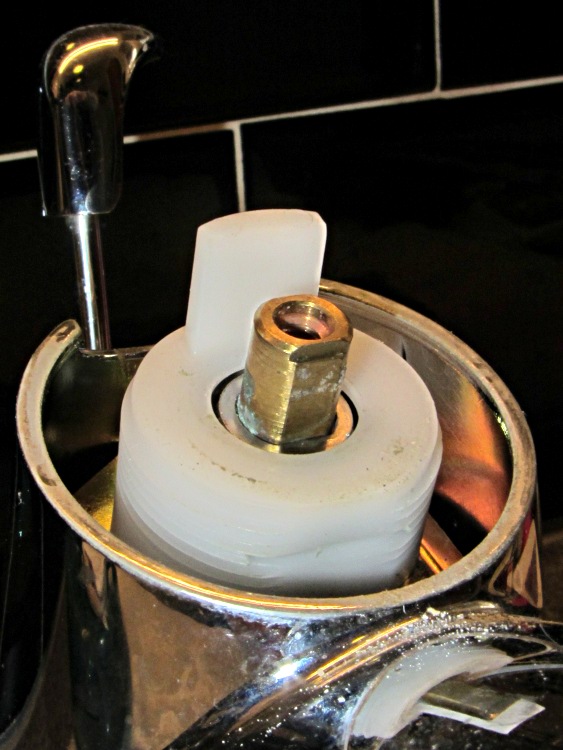
With all the frippery out of the way, then “Using pliers, pull the cartridge out of the body by the stem”, which simply did not work for me. No matter what, the cartridge body didn’t budge:
Moen faucet cartridge top
There’s nothing about turning / unscrewing the transparent (looks black here) shell around the stem, so I didn’t try.
Putting enough of the parts back together to keep the cartridge from blowing out in my face (even if I can’t remove it, it’ll certainly blow out on its own), the faucet valve worked fine. You’re supposed to turn the gray pivot retainer 1/4 turn beyond hand tight, which compresses a wavy washer under the retainer. The retainer had been quite loose when I dismantled the faucet, which suggests that either it hadn’t been tightened at the factory or had worked itself loose. That would tend to hold the handle up just a bit, perhaps enough to prevent the valve from completely closing.
After snugging that retainer down tight and reassembling everything, the faucet worked perfectly: happy dance!
I removed the nozzle aerator and found a surprising amount of grit for something that’s downstream of the whole-house water filter and softener:
Flushed with success on the small-hole front, I conjured up a large hole testpiece using the same HoleAdjust function that proved unnecessary with the little ones:
Circle Calibration – solid model
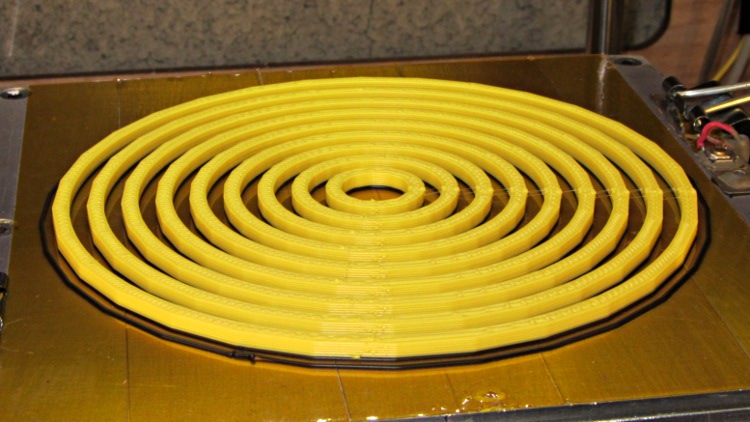
The first version didn’t have the cross bars, which turned out to be a mistake, because the individual rings distorted even under minimal pressure from the calipers:
Large circle cal – unlinked rings
However, measuring as delicately as I could, the holes seemed a scant 0.20 mm too small, more or less, kinda-sorta:
Nominal
Nom+0.0
10
9.83
20
19.75
30
29.85
40
39.84
50
49.84
60
59.72
70
64.76
80
79.28
90
89.77
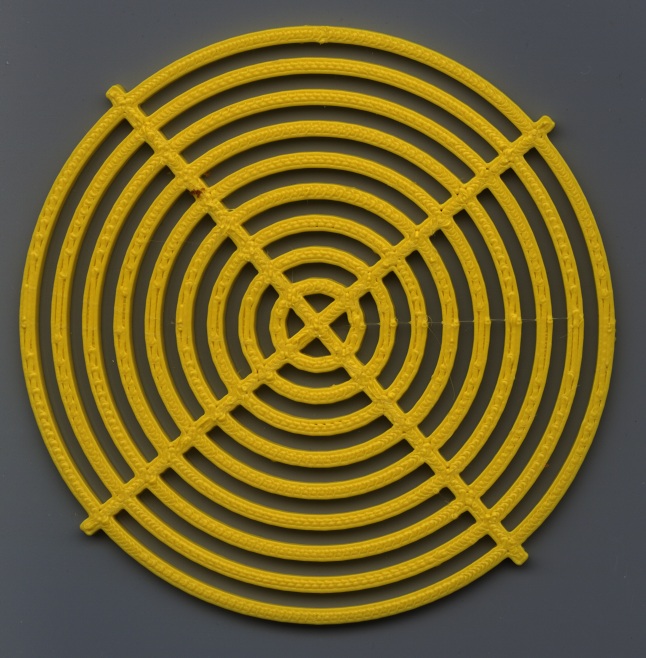
So I fed in HoleFinagle = 0.20 and the second iteration looks like it’d make a great, albeit leaky, coaster:
Large Circle Calibration object – HoleFinagle 0.20
Measuring those holes across the center with the calipers on facets (rather than vertices), produced somewhat more stable results:
Nominal
Nom+0.20
10
10.08
20
20.17
30
30.08
40
40.08
50
50.00
60
60.02
70
70.05
80
79.98
90
90.07
Frankly, I don’t believe those two least-significant digits, either, because a different set of measurements across different facets looked like this:
Nominal
Nom+0.20
10
10.13
20
20.11
30
29.84
40
39.90
50
49.88
60
59.90
70
69.84
80
79.82
90
89.66
I also printed a testpiece with HoleFinagle = 0.25 that averaged, by in-the-head computation, about 0.05 larger than that, so the hole diameter compensation does exactly what it should.
Applying the calipers to the 10.0 mm hole in the small-hole testpiece gives about the same result as in this one. The fact that HoleFinagle is different poses a bit of a mystery…
The only thing I can conclude is that the measurement variation and the printing variation match up pretty closely: the actual diameter depends more on where it’s measured than anything else. The holes are pretty nearly the intended size and, should the exact size matter, you (well, I) must print at least one to throw away.
All in all, a tenth of a millimeter is Good Enough. Selah.
Oh. The ODs are marginally too small, even using PolyCyl.
The OpenSCAD source, with both adjustments set to neutral:
// Large circle diameter calibration
// Ed Nisley KE4ZNU - Nov 2011

//-------
//- Extrusion parameters must match reality!
//  Print with +1 shells, 3 solid layers, 0.2 infill

ThreadThick = 0.33;
ThreadWidth = 2.0 * ThreadThick;

HoleFinagle = 0.00;
HoleFudge = 1.00;

function HoleAdjust(Diameter) = HoleFudge*Diameter + HoleFinagle;

Protrusion = 0.1;			// make holes end cleanly

function IntegerMultiple(Size,Unit) = Unit * ceil(Size / Unit);

//-------
// Dimensions

Width = 2.5;
Thickness = IntegerMultiple(2.0,ThreadThick);

DiaStep = 10.0;

NumCircles = 9;

echo(str("Width: ",Width));
echo(str("Thickness: ",Thickness));

BarLength = (NumCircles + 1)*DiaStep;

//-------

module PolyCyl(Dia,Height,ForceSides=0) {			// based on nophead's polyholes

  Sides = (ForceSides != 0) ? ForceSides : (ceil(Dia) + 2);

  FixDia = Dia / cos(180/Sides);

  cylinder(r=HoleAdjust(FixDia)/2,h=Height,$fn=Sides);
}

module ShowPegGrid(Space = 10.0,Size = 1.0) {

  Range = floor(50 / Space);

	for (x=[-Range:Range])
	  for (y=[-Range:Range])
		translate([x*Space,y*Space,Size/2])
		  %cube(Size,center=true);

}

//------

module Ring(RingID,Width,Thick) {

  difference() {
	PolyCyl((RingID + 2*Width),Thick);
	translate([0,0,-Protrusion])
	  PolyCyl(RingID,(Thick + 2*Protrusion));
  }
}

//------

ShowPegGrid();

union () {
  for (Index = [1:NumCircles])
	Ring(Index*DiaStep,Width,Thickness);
  for (Index = [-1,1])
	rotate(Index*45)
	  translate([-BarLength/2,-Width/2,0])
		cube([BarLength,Width,Thickness]);
}
The macro lens & microscope adapters for the Canon SX230HX camera required a bunch of large and fairly precise circles. The first-pass prints of the main tube and snouts came out with diameters about 2% too small, so I changed the hole diameter compensation to include a first-order Fudge Factor as well as the simple zero-order HoleWindage Finagle Constant I’d been using. In the process, I cooked up a simple OpenSCAD function with new coefficient names reflecting their order:
That solved the immediate issue, but I wondered whether I was working on the right problem.
In the past, nophead’s polyholes testpiece showed the need for the 0.2 mm HoleWindage adder to make small holes turn out correctly. I rewrote his code to:
Use my HoleAdjust function
Lay the two rows out nose-to-tail
Add a bit more clearance between the holes
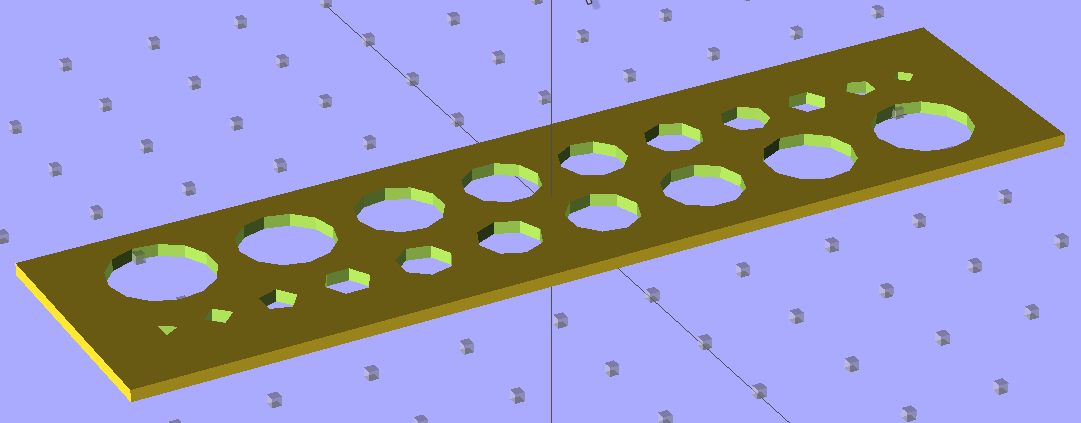
Which came out like this:
Small Hole Calibration – solid model
To find out where I’m starting from, I printed it (0.33 mm x 0.66 mm, 30 mm/s, 200 °C / 110 °C) with both correction factors set to “no change” and got a nice-looking plate that didn’t require any cleanup at all:
Small Hole Calibration object – HoleFinagle 0.00
Note that the similar-looking holes in the two rows aren’t the same size: the row with the tiny triangle has *.0 mm holes, the tiny square marks the *.5 mm holes.
The Skirt thread thickness was 0.31 to 0.38 mm, so this object’s size should be about as good as it gets.
The point of the game is to circumscribe polygonal holes around a cylinder of a given diameter. I don’t have a set of metric drills (or drill rods), so I bracketed the holes with the nearest sizes of hard-inch number and letter drills:
Nominal
Free fit
Snug fit
1.00
0.98
1.04
2.00
2.05
2.18
3.00
2.93
3.03
4.00
3.99
4.04
5.00
5.06
5.13
6.00
6.21
6.23
no-go
7.00
6.98
7.12
8.00
7.50
8.19
9.00
8.77
9.05
10.00
9.92
10.19
tight
The “snug fit” column means the holes are definitely smaller than that measurement, so the maximum hole size comes out just about spot on; an error of 0.1 mm or so seems too small to quibble over.
So, for whatever reason, my previous Finagle Constant of 0.20 seems no longer necessary and, for sure, the Fudge Factor doesn’t bring anything to the table at this scale.
It’s definitely true that the height of the first layer affects the hole size for the next few layers, even with the Z-minimum switch measuring the build plate height. The Skirt threads generally measure within ±0.05 mm of the nominal 0.33 mm and I think much of that variation comes from residual snot on the nozzle when it touches the switch. I have no idea what the firmware’s resolution might be.
Given that I’ve been adding 0.2 mm to small-hole diameters all along, I suspect all these errors are now of the same general size:
This look at the ingredients found in various commercial vanilla extracts (plus their prices) finally pushed me over the edge into brewing up that DIY vanilla extract.
We’ve been using McCormick vanilla forever, mostly because it has the simplest and shortest list of ingredients:
McCormick Vanilla
Nielson-Massey vanilla seemed about the same, although it’s not clear why it needs more sugar than those “vanilla bean extractives”:
Nielsen-Massey Vanilla
Wal-Mart vanilla doesn’t smell like vanilla, even though it has more “extractive” than corn syrup:
Wal-Mart Vanilla
All three extracts have “Pure” on the label, which (according to Wikipedia, anyway) means that they have at least 13.35 ounce of vanilla bean per gallon of extract. I didn’t weigh the three beans in my 8 ounces of hooch, but I suspect they weighed far less than the regulation 0.834 ounce. Next time, for sure, I’ll go for triple strength extract!
Despite that, my DIY hooch has turned brown and smells pretty good…
These full-frame pix used my new close-up lens gizmo; even with some vignetting the results seem perfectly usable. Normally I crop pix down to the central section, so this will be as bad as it gets.
All our bikes have Presta valves, which seem better suited for bike rims than the larger and more common automotive Schraeder valves:
Presta valve stem
For all these years, I’d been attaching the pump head so the obvious sealing ring near the nozzle opening lined up with the flat section adjacent to the valve core stem. The pump head never seemed stable on the stem, often leaked, and generally had a precarious hold:
Incorrect Presta pump head attachment
Come to find out, more by accident than intention, that the correct way to attach the pump head involves ramming it all the way down onto the stem so that it can seal along the entire length of the threads. That’s nice and secure, doesn’t leak, and even looks like it should work perfectly:
Correct Presta pump head attachment
I’d feel even more like a doof if I hadn’t learned to do it wrong by watching somebody else back in the day or if I haven’t observed many other people making exactly the same mistake. I think the fact that the short nozzles on the old-school Zéfal pumps I swore by back in my wedgie-bike days never got a good grip on Presta stems got me off to a bad start, but … dang do I feel stupid.
FWIW, the little tab sticking out under the latch handle makes up for a bit of slop in the valve head. When I got the pump, the Schraeder nozzle didn’t seal very well, either, and taking up a few mils of slack helped immeasurably. We don’t need that nozzle very often, but our bicycle touring guests frequently do; they know that they can top off a Schraeder-valved tube at any gas station or with any pump anywhere around the world.
[Update: I hate it when I misspell a word in the title…]
The discussion about drying my silica gel stash prompted me to toss a Hobo datalogger into the safe along with the desiccant bag. We now have enough data to spot a trend:
Basement Safe Humidity – Oct-Nov 2011
Verily, one measurement trumps a thousand opinions: I was totally wrong about the door seal. Either that or the safe’s contents started out a lot wetter than I thought.
The basement humidity runs about 55% RH, pumped down by a dehumidifier in the summer and ambient air in the winter, which (I think) sets the upper limit. Modulo having hygroscopic stuff like paper in the safe, I suppose.
I’ll toss a fresh bag in there, tape over the door crack, and see what happens during the next month.
FWIW, the Onset HOBOware program doesn’t run under Wine and Wine doesn’t support USB hardware anyway, which is one of the few reasons I have a Token Windows Laptop. I’ve set it up to automagically export the data into CSV files, from which this went into OpenOffice 3.2 for a quick look. Surprisingly, HOBOware is a Java program, but evidently written specifically to avoid portability; they have Windows and Mac versions and that’s all. Worse, there’s no way to extract data from the loggers without using that program, because Onset doesn’t document the interface protocol. Enough said.
Herewith, the script that you’ll apply to schematics built with parts from the hal-config-2.4.lbr.odt library (which you must rename to get ride of the ODT extension):
/******************************************************************************
 * HAL-Configurator
 *
 * Author: Martin Schoeneck 2008
 * Additional gates and tweaks: Ed Nisley KE4ZNU 2010
 *****************************************************************************/
#usage "<h1>HAL-Configurator</h1>Start from a Schematic where symbols from hal-config.lbr are used!";

string output_path =    "./";
string dev_loadrt =     "LOADRT";
string dev_loadusr =    "LOADUSR";
string dev_thread =     "THREAD";
string dev_parameter =  "PARAMETER";

string dev_names[] = {
"CONSTANT",								// must be first entry to make set_constants() work
"ABS",				// 2.4
"AND2",
"BLEND",			// 2.4
"CHARGE-PUMP",		// 2.4
"COMP",
"CONV_S32_FLOAT",	// 2.4
"DDT",				// 2.4
"DEADZONE",			// 2.4
"DEBOUNCE",			// 2.4
"EDGE",
"ENCODER",			// 2.4
"ENCODER-RATIO",	// 2.4
"ESTOP-LATCH",
"FLIPFLOP",
"FREQGEN",			// 2.4
"LOWPASS",
"MULT2",			// 2.4
"MUX2",
"MUX4",				// 2.4
"MUX8",				// 2.4
"NEAR",				// 2.4
"NOT",
"ONESHOT",
"OR2",
"SAMPLER",			// 2.4
"SCALE",			// 2.4
"SELECT8",			// 2.4
"SUM2",
"TIMEDELAY",		// 2.4
"TOGGLE",			// 2.4
"WCOMP",			// 2.4
"XOR2",				// 2.4
""					// end flag
};

/*******************************************************************************
 * Global Stuff
 ******************************************************************************/

string FileName;
string ProjectPath;
string ProjectName;

void Info(string Message) {
	dlgMessageBox(";<b>Info</b><p>\n" + Message);
}

void Warn(string Message) {
	dlgMessageBox("!<b>Warning</b><p>\n" + Message + "<p>see usage");
}

void Error(string Message) {
	dlgMessageBox(":<hr><b>Error</b><p>\n" + Message + "<p>see usage");
	exit(1);
}

string replace(string str, char a, char b) {
	// in string str replace a with b
	int pos = -1;
	do {
		// find that character
		pos = strchr(str, a);
		// replace if found
		if(pos >= 0) {
			str[pos] = b;
		}
	} while(pos >= 0);

	return str;
}

// the part name contains an index and is written in capital letters
string get_module_name(UL_PART P) {
	// check module name, syntax: INDEX:NAME
	string mod_name = strlwr(P.name);
	// split string at the : if exists
	string a[];
	int c = strsplit(a, mod_name, ':');
	mod_name = a[c-1];
	// if name starts with '[' we need uppercase letters
	if(mod_name[0] == '[') {
		mod_name = strupr(mod_name);
	}

	return mod_name;
}

string comment(string mess) {
	string str = "\n\n####################################################\n";
	if(mess != "") {
		str += "# " + mess + "\n";
	}

	return str;
}

// if this is a device for loading a module, load it (usr/rt)
string load_module(UL_PART P) {
	string str = "";

	// it's a module if the device's name starts with LOADRT/LOADUSR
	if((strstr(P.device.name, dev_loadrt) == 0) ||
	   (strstr(P.device.name, dev_loadusr) == 0)) {

		// now add the string to our script
		str += P.value + "\n";
	}

	return str;
}

// count used digital gates (and, or, etc) and load module if neccessary
string load_blocks() {
	string str = "";

	int index;

	int dev_counters[];
	string dname[];

	// count the gates that are used
	schematic(S) { S.parts(P) {
		strsplit(dname,P.device.name,'.');		// extract first part of name
		if ("" != lookup(dev_names,dname[0],0)) {
			for (index = 0;  (dname[0] != dev_names[index]) ; index++) {
				continue;
			}
			dev_counters[index]++;
		}
	} }

// force lowercase module names...

	for (index = 0; ("" != dev_names[index]) ; index++) {
		if (dev_counters[index]) {
			sprintf(str,"%sloadrt %s\t\tcount=%d\n",str,strlwr(dev_names[index]),dev_counters[index]);
		}
	}

	return str;
}

string hook_function(UL_NET N) {
	string str = "";

	// is this net connected to a thread (work as functions here)?
	int    noclkpins       = 0;
	string thread_name     = "";  // this net should be connected to a thread
	string thread_position = "";
	N.pinrefs(PR) {
		// this net is connected to a clk-pin
		if(PR.pin.function == PIN_FUNCTION_FLAG_CLK) {
			// check the part: is it a thread-device?
			if(strstr(PR.part.device.name, dev_thread) == 0) {
				// we need the name of the thread
				thread_name = strlwr(PR.part.name);
				// and we need the position (position _ is ignored)
				thread_position = strlwr(PR.pin.name);
				thread_position = replace(thread_position, '_', ' ');
			}
		} else {
			// no clk-pin, this is no function-net
			noclkpins++;
			break;
		}
	}

	// found a thread?
	if(noclkpins == 0 && thread_name != "") {
		// all the other pins are interesting now
		N.pinrefs(PR) {
			// this pin does not belong to the thread
			if(strstr(PR.part.device.name, dev_thread) != 0) {
				// name of the pin is name of the function
				//string function_name = strlwr(PR.pin.name);
				string function_name = strlwr(PR.instance.gate.name);
				// if functionname starts with a '.', it will be appended to the modulename
				if(function_name[0] == '.') {
					// if the name is only a point, it will be ignored
					if(strlen(function_name) == 1) {
						function_name = "";
					}
					function_name = get_module_name(PR.part) + function_name;
				}
				str += "addf " + function_name + "\t\t" + thread_name + "\t" + thread_position + "\n";
			}
		}
	}

	return str;
}

string set_parameter(UL_NET N) {
	string str = "";

	// is this net connected to a parameter-device?
	int    nodotpins       = 0;
	string parameter_value = "";
	N.pinrefs(PR) {
		// this net is connected to a dot-pin
		if(PR.pin.function == PIN_FUNCTION_FLAG_DOT) {
			// check the part: is it a parameter-device?
//			str += "** dev name [" + PR.part.device.name + "] [" + dev_parameter + "]\n";
			if(strstr(PR.part.device.name, dev_parameter) == 0) {
				// we need the value of that parameter
				parameter_value = PR.part.value;
//				str += "**  value [" + PR.part.value +"]\n";
			}
		} else {
			// no clk-pin, this is no function-net
			nodotpins++;
			break;
		}
	}

	// found a parameter?
	if(nodotpins == 0 && parameter_value != "") {
		// all the other pins are interesting now
		N.pinrefs(PR) {
//			str += "** dev name [" + PR.part.device.name + "] [" + dev_parameter + "]\n";
			// this pin does not belong to the parameter-device
			if(strstr(PR.part.device.name, dev_parameter) != 0) {
				// name of the pin is name of the function
				//string parameter_name = strlwr(PR.pin.name);
				string parameter_name = strlwr(PR.instance.gate.name);
				// if functionname starts with a '.', it will be appended to the modulename
//				str += "** param (gate) name [" + parameter_name + "]\n";
				if(parameter_name[0] == '.') {
					// if the name is only a point, it will be ignored
					if(strlen(parameter_name) == 1) {
						parameter_name = "";
					}
					parameter_name = get_module_name(PR.part) + parameter_name;
//					str += "** param (part) name [" + parameter_name + "]\n";
				}
				str += "setp " + parameter_name + "\t" + parameter_value + "\n";
			}
		}
	}

	return str;
}

// if this is a 'constant'-device, set its value
// NOTE: this is hardcoded to use the first entry in the dev_names[] array!
string set_constants(UL_PART P) {
	string str = "";

	// 'constant'-device?
	if(strstr(P.device.name, dev_names[0]) == 0) {
		str += "setp " + get_module_name(P) + ".value\t" + P.value + "\n";
	}

	return str;
}

string connect_net(UL_NET N) {
	string str = "";

	// find all neccessary net-members
	string pins = "";
	N.pinrefs(P) {
		// only non-functional pins are connected
		if(P.pin.function == PIN_FUNCTION_FLAG_NONE) {
			string pin_name =  strlwr(P.pin.name);
			string part_name = strlwr(P.part.name);
			pin_name =  replace(pin_name,  '$', '_');
			part_name = replace(part_name, '$', '_');
			pins += part_name + "." + pin_name + " ";
		}
	}

	if(pins != "") {
		string net_name = strlwr(N.name);
		net_name = replace(net_name, '$', '_');
		str += "net " + net_name + " " + pins + "\n";
	}

	return str;
}

/*******************************************************************************
 * Main program.
 ******************************************************************************/
// is the schematic editor running?
if (!schematic) {
	Error("No Schematic!<br>This program will only work in the schematic editor.");
}

schematic(S) {
	ProjectPath = filedir(S.name);
	ProjectName = filesetext(filename(S.name), "");
}

// build configuration

string cs = "# HAL config file automatically generated by Eagle-CAD ULP:\n";
cs += "# [" + argv[0] + "]\n";
cs += "# (C) Martin Schoeneck.de 2008\n";
cs += "# Mods Ed Nisley 2010\n";

FileName = ProjectPath + ProjectName + ".hal";

cs += "# Path        [" + ProjectPath + "]\n";
cs += "# ProjectName [" + ProjectName + "]\n";

//cs += "# File name: [" + FileName + "]\n\n";

// ask for a filename: where should we write the configuration?

FileName = dlgFileSave("Save Configuration", FileName, "*.hal");

if(!FileName) {
	exit(0);
}

cs += "# File name   [" + FileName + "]\n";
cs += "# Created     [" + t2string(time(),"hh:mm:ss dd-MMM-yyyy") + "]\n\n";

schematic(S) {
	// load modules
	cs += comment("Load realtime and userspace modules");
	S.parts(P) {
		cs += load_module(P);
	}

	// load blocks
	cs += load_blocks();

	// add functions
	cs += comment("Hook functions into threads");
	S.nets(N) {
		cs += hook_function(N);
	}

	// set parameters
	cs += comment("Set parameters");
	S.nets(N) {
		cs += set_parameter(N);
	}

	// set constant values
	cs += comment("Set constants");
	S.parts(P) {
		cs += set_constants(P);
	}

	// build nets and connect them
	cs += comment("Connect Modules with nets");
	S.nets(N) {
		cs += connect_net(N);
	}
}

// open/overwrite the target file to save the configuration
output(FileName, "wt") {
	printf(cs);
}







 The Smell of Molten Projects in the Morning