The Smell of Molten Projects in the Morning

Ed Nisley's Blog: Shop notes, electronics, firmware, machinery, 3D printing, laser cuttery, and curiosities. Contents: 100% human thinking, 0% AI slop.

Author: Ed

  • Chocolate Mold Height Map

    Given that you really don’t care about the absolute dimensions, you can generate a positive mold from a height map image and avoid the entire solid modeling process. Having already solved the cookie press problem, this was a quick-and-easy feasibility study…

    Start by selecting the logo, growing the selection by a few pixels, and feathering the edges to produce the mold draft. Then apply a square gradient behind the Squidwrench logo to produce the height map for the edge of the mold. This one is scaled at 3.0 pixel/mm and is 100×100 pixel, thus producing a 33 mm square mold:

    Squidwrench Mold Pocket

    One could, of course, produce a non-square mold with a different gradient outline shape.

    Hand the image to a slightly modified version of the cookie press script (see below) to get an STL file of the mold:

    SqWr solid model - oblique view
    SqWr solid model – oblique view

    Feed the STL into Slic3r, hand the G-Code to Pronterface, fire the M2!, and you get a positive mold that looks enough like black chocolate to seem ready-to-eat:

    SqWr - mold positive
    SqWr – mold positive

    I have no idea whether that will work as a mold, but I suspect flexy silicone putty won’t reproduce much of the fine plastic filament detail, so the negative mold won’t grab the chocolate. The logo is six threads deep with a little bit of draft, if that makes any difference.

    The backing plate is 1 mm thick and the height map is 5 mm stacked atop that. A few iterations suggested using about 0.75 gray for the logo; working backwards says 5 mm = 25 layers @ 0.20 mm/layer, so a depth of 0.25 * 25 is about six threads.

    For production use, I’d be tempted to import maybe a dozen copies of the STL into OpenSCAD, mount them on a platform with a gutter and a lip on the outside, and then print the whole positive multi-cavity mold in one shot.

    The Bash script that produces the mold strongly resembles my cookie cutter script and contains about as much cruft as you’d expect. Because we need a positive mold, not a negative press, the script doesn’t invert the colors or flop the image left-to-right, nor does it generate the cookie cutter STL around the outside of the press:

    #!/bin/bash
    DotsPerMM=3.0
    MapHeight=7
    ImageName="${1%%.*}"
    rm ${ImageName}_* ${ImageName}-press.stl ${ImageName}-cutter.stl
    echo Normalize and prepare grayscale image...
    convert $1 -type Grayscale -depth 8 -auto-level -trim +repage -flip +set comment ${ImageName}_prep.png
    echo Create PGM files...
    convert ${ImageName}_prep.png -compress none ${ImageName}_map.pgm
    convert ${ImageName}_prep.png -white-threshold 1 -compress none ${ImageName}_plate.pgm
    echo Create height map data files...
    ImageX=`identify -format '%[fx:w]' ${ImageName}_map.pgm`
    ImageY=`identify -format '%[fx:h]' ${ImageName}_map.pgm`
    echo Width: ${ImageX} x Height: ${ImageY}
    cat ${ImageName}_map.pgm   | tr -s ' \012' '\012' | tail -n +5 | column -x -c $((8*$ImageX)) > ${ImageName}_map.dat
    cat ${ImageName}_plate.pgm | tr -s ' \012' '\012' | tail -n +5 | column -x -c $((8*$ImageX)) > ${ImageName}_plate.dat
    echo Create cookie press...
    time openscad -D BuildPress=true \
    -D fnPlate=\"${ImageName}_plate.dat\" \
    -D fnMap=\"${ImageName}_map.dat\" -D Height=$MapHeight \
    -D ImageX=$ImageX -D ImageY=$ImageY -D DotsPerMM=$DotsPerMM \
    -o ${ImageName}-press.stl Cookie\ Cutter.scad
    

    The OpenSCAD program are unchanged from the cookie cutter process.

  • NP-BX1 Lithium-ion Batteries: Sony vs. Wasabi

    With this NP-BX1 battery test fixture in hand:

    Sony NP-BX1 battery holder
    Sony NP-BX1 battery holder

    The discharge tests run at 250 mA, which is probably a bit low, as the HDR-AS30V camera can capture video for about two hours on a single battery. Given the Sony’s nominal 1.24 A·h (love that precision!) capacity and derating the Wasabi’s ambitious 1.6 A·h, two hours suggests a current around 500 mA would be more appropriate, but we’ll go with a lower current for now.

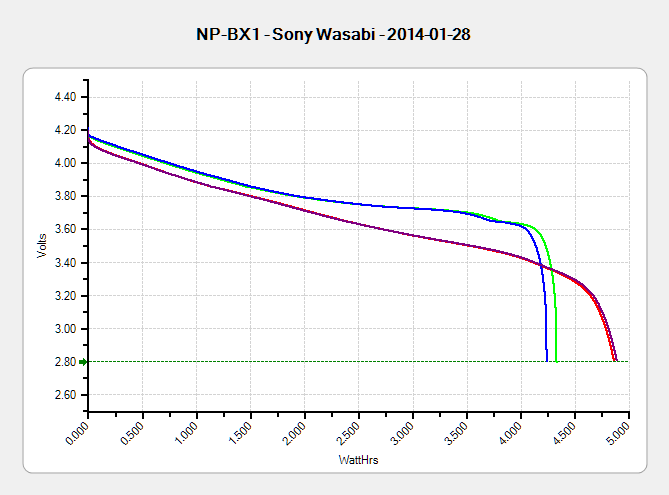
    Oddly, the two Wasabi batteries (green & blue traces) outperform the Sony OEM battery (red and purple) in terms of voltage:

    Sony NP-BX1 - OEM Wasabi - 2014-01-28
    Sony NP-BX1 – OEM Wasabi – 2014-01-28

    I can’t explain the small kink just before the big dropoff for both Wasabi batteries. Perhaps the protection circuitry behind the battery terminals has a slight peculiarity?

    Looking at the total energy delivered, however:

    Sony NP-BX1 - OEM Wasabi - Wh - 2014-01-28
    Sony NP-BX1 – OEM Wasabi – Wh – 2014-01-28

    The Sony battery says it’ll deliver 4.5 W·h and actually produces 4.8 W·h. The Wasabi batteries claim 5.7 W·h and don’t even come close at 4.25 W·h.

    I cross-checked those results by importing the CSV data into a spreadsheet, computing the point-by-point power, finding the average, and then multiplying by the total test time in hours. Doing it a couple different ways says you can eyeball a reasonable value by multiplying the median voltage by the test current to get average wattage, then multiplying by the total test time to get W·h. That’s within a few percent, which is good enough for me.

    The camera’s power supply undoubtedly has a low-voltage cutoff, but it’s a single-cell battery and they might just run it down around 2.8 V; in that case, the Sony batteries will last longer. If the voltage cutout is 3.5 V, similar to the Canon camera, then the Wasabi batteries win.

    I don’t have enough experience with the camera or the batteries to predict anything based on actual use.

  • Oxygen Sensor Wrench Pricing

    The price for this specialized wrench used to extract oxygen sensors took a big jump some time after I added a link to it:

    Northern Tool Sensor Socket - Absurd Lowest Price
    Northern Tool Sensor Socket – Absurd Lowest Price

    Were it not for the very specific part number that’s certainly not available anywhere else, you could take advantage of their “Guaranteed Lowest Prices” to make a quick $494.

    As my buddy dBm puts it: “Such a deal!”

  • Powers of Two: The List

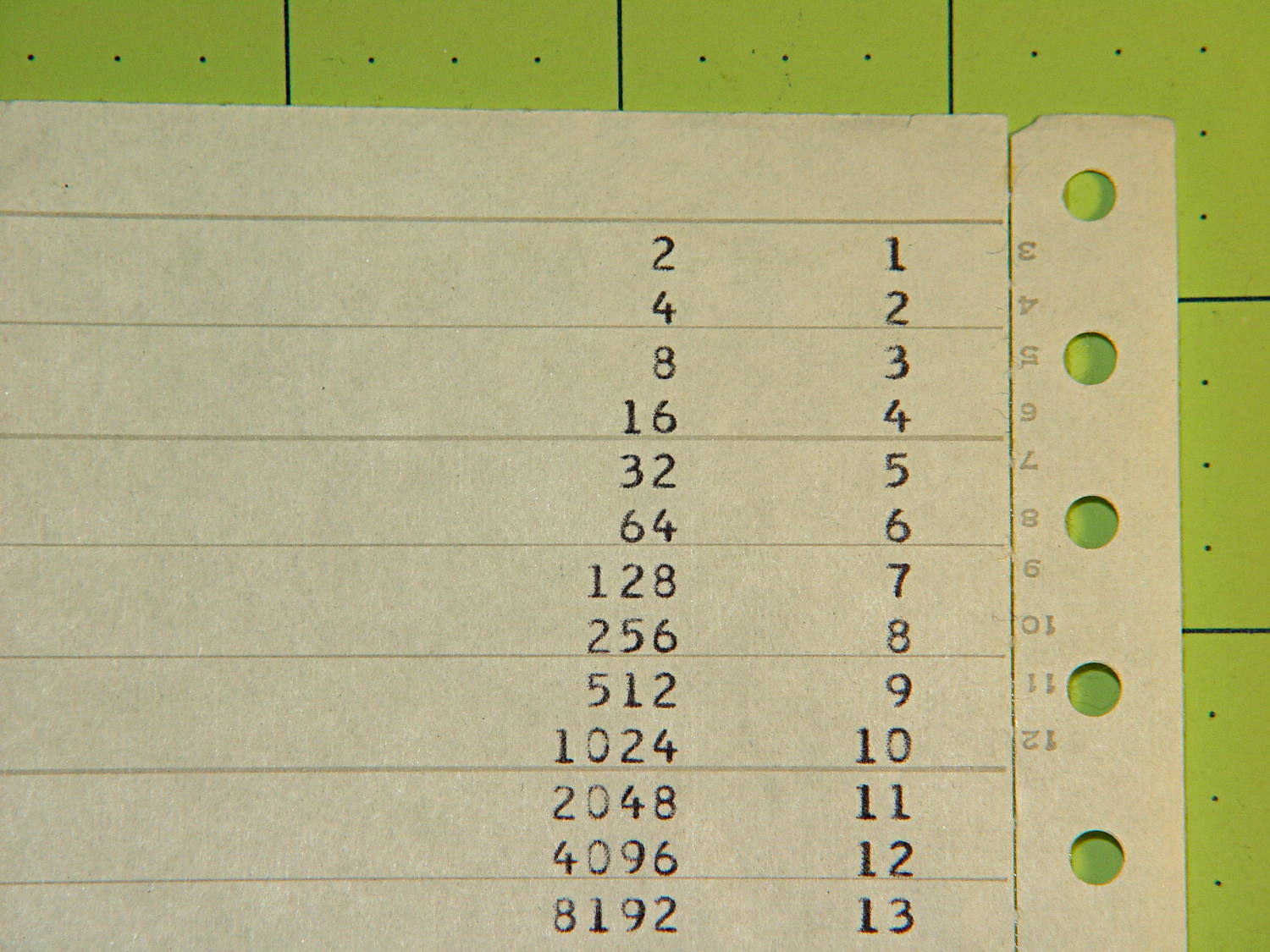
    A few sheets of fanfold “computer paper” emerged while tossing stuff out. The first page suggests somebody was trying out some simple programming:

    Powers of 2 Listing - top
    Powers of 2 Listing – top

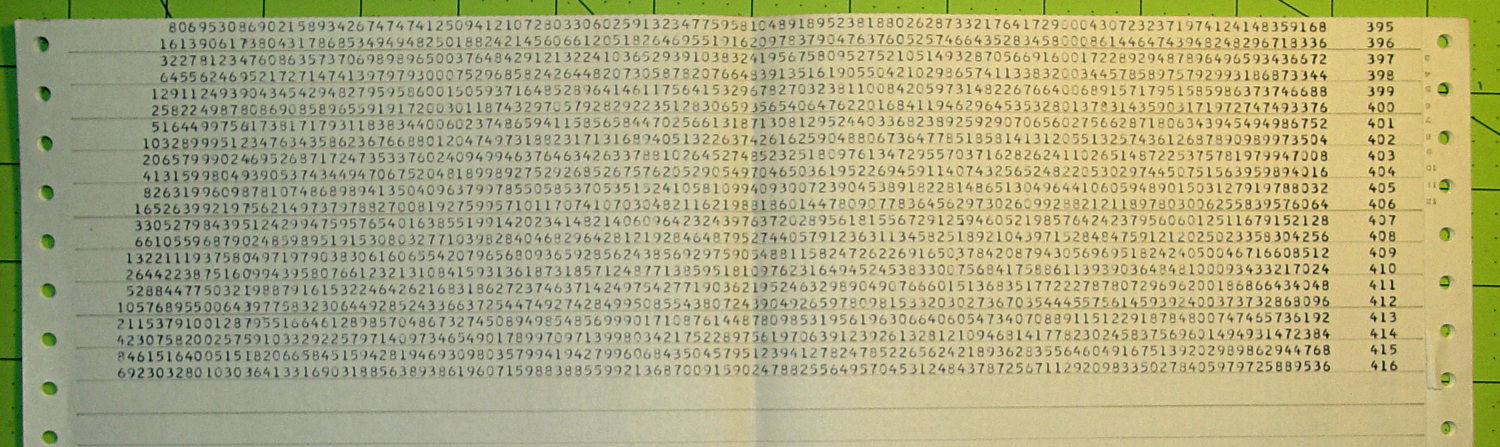
    Seven pages later, you can tell an extended-precision library was hard at work:

    Powers of 2 Listing - bottom
    Powers of 2 Listing – bottom

    This being mainframe line printer paper, somebody must have donated it to my heap; I have no memory of ever doing (or needing to do) extended-precision math. That’s my story and I’m sticking with it.

    More than you care to know about Powers of Two.

  • HRECOS Display: Forecast Calls For Continued Condensation

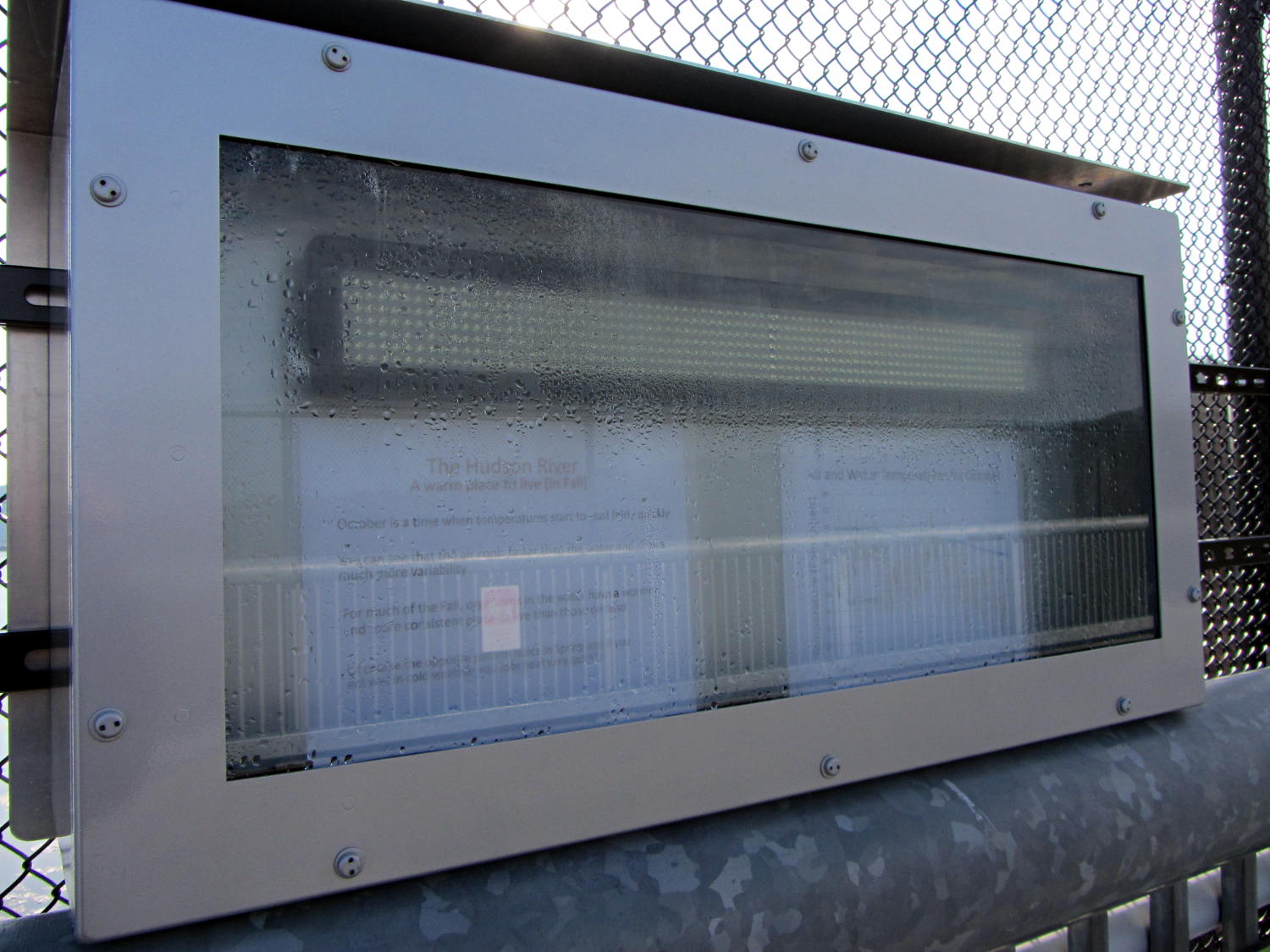
    They may have added a block heater since I took that picture, but warm moist air will always condense on cold metal and glass:

    HRECOS display - condensation
    HRECOS display – condensation

    It really needs a dehumidifier…

  • Renaming Files With Sequential Numbers, Plus Moviemaking Therefrom

    The avconv (formerly ffmpeg) image-to-video programs expect sequentially numbered files, with the numbers in a fixed-width part of the file name, thusly: dsc00001.jpg.

    Given a set of files (previously normalized to lowercase) like this:

    ll | head
    total 286576
    -rwxr-xr-x 1 ed ed 595708 Jan 23 19:14 dsc00940.jpg
    -rwxr-xr-x 1 ed ed 515561 Jan 23 19:14 dsc00941.jpg
    -rwxr-xr-x 1 ed ed 580190 Jan 23 19:14 dsc00942.jpg
    -rwxr-xr-x 1 ed ed 571387 Jan 23 19:14 dsc00943.jpg
    -rwxr-xr-x 1 ed ed 573207 Jan 23 19:14 dsc00944.jpg
    -rwxr-xr-x 1 ed ed 571086 Jan 23 19:14 dsc00945.jpg
    -rwxr-xr-x 1 ed ed 571600 Jan 23 19:14 dsc00946.jpg
    -rwxr-xr-x 1 ed ed 571547 Jan 23 19:14 dsc00947.jpg
    -rwxr-xr-x 1 ed ed 565706 Jan 23 19:15 dsc00948.jpg
    

    A Bash one-liner loop does the renumbering:

    sn=1 ; for f in *jpg ; do printf -v dn 'dsc%05d.jpg' "$(( sn++ ))" ; mv $f $dn ; done
    

    The results look pretty much like you’d expect:

    ll | head
    total 286556
    -rwxr-xr-x 1 ed ed 595708 Jan 23 19:14 dsc00001.jpg
    -rwxr-xr-x 1 ed ed 515561 Jan 23 19:14 dsc00002.jpg
    -rwxr-xr-x 1 ed ed 580190 Jan 23 19:14 dsc00003.jpg
    -rwxr-xr-x 1 ed ed 571387 Jan 23 19:14 dsc00004.jpg
    -rwxr-xr-x 1 ed ed 573207 Jan 23 19:14 dsc00005.jpg
    -rwxr-xr-x 1 ed ed 571086 Jan 23 19:14 dsc00006.jpg
    -rwxr-xr-x 1 ed ed 571600 Jan 23 19:14 dsc00007.jpg
    -rwxr-xr-x 1 ed ed 571547 Jan 23 19:14 dsc00008.jpg
    -rwxr-xr-x 1 ed ed 565706 Jan 23 19:15 dsc00009.jpg
    

    Because you’re renaming the files anyway, don’t bother to normalize ’em:

    sn=1 ; for f in *JPG ; do printf -v dn 'dsc%05d.jpg' "$(( sn++ ))" ; mv $f $dn ; done
    

    And, of course, you can fetch ’em from the camera while doing that:

    sn=1 ; for f in /mnt/part/DCIM/100MSDCF/*JPG ; do printf -v dn 'dsc%05d.jpg' "$(( sn++ ))" ; cp -a $f $dn ; done
    

    That leaves the DSC*JPG original files on the camera, where you can delete all of them in one operation when you’re happy with the results.

    If you don’t need the full resolution, reserialize and resize each picture on the fly:

    sn=1 ; for f in /mnt/part/DCIM/100MSDCF/*JPG ; do printf -v dn 'dsc%05d.jpg' "$(( sn++ ))" ; convert $f -resize 50% $dn ; done
    

    That’s based on combining several hints turned up by the usual Google search.

    To assemble a quick-and-simple movie from the images:

    avconv -r 30 -i dsc%05d.jpg -q 5 movie.mp4
    

    The image quality certainly isn’t up to what you (well, I) would expect from a 1920×1080 “HD” file, but the Sony HDR-AS30V Zeiss camera lens seems to be a fisheye pinhole (170° view angle, 2.5 mm f/2.8) backed with relentless image compression:

    Sony HDR-AS30V Action Camera
    Sony HDR-AS30V Action Camera

    Memo to Self: It’s not worth creating and remembering Yet Another Script.

  • Can Opener Drive Gear: FAIL

    The fancy OXO can opener doesn’t work well on #10 cans, so we bought a not-bottom-dollar can opener with comfy handles to replace the one that convinced us to get the OXO. After maybe a year, tops, it gradually stopped working well, too, which prompted a trip to the Basement Shop Workbench.

    The symptoms:

    • The handle wouldn’t move the cutter during maybe 1/4 of its revolution
    • It pushed the handles apart during another quarter turn

    Look carefully and you’ll see the teeth sticking out slightly more on the right side of the drive wheel:

    Can opener - drive gear misalignment
    Can opener – drive gear misalignment

    When those protruding teeth line up with the gear behind the cutter wheel, the handles open and the drive wheel loses its grip. When the low side lines up with the cutter gear, the gears very nearly disengage.

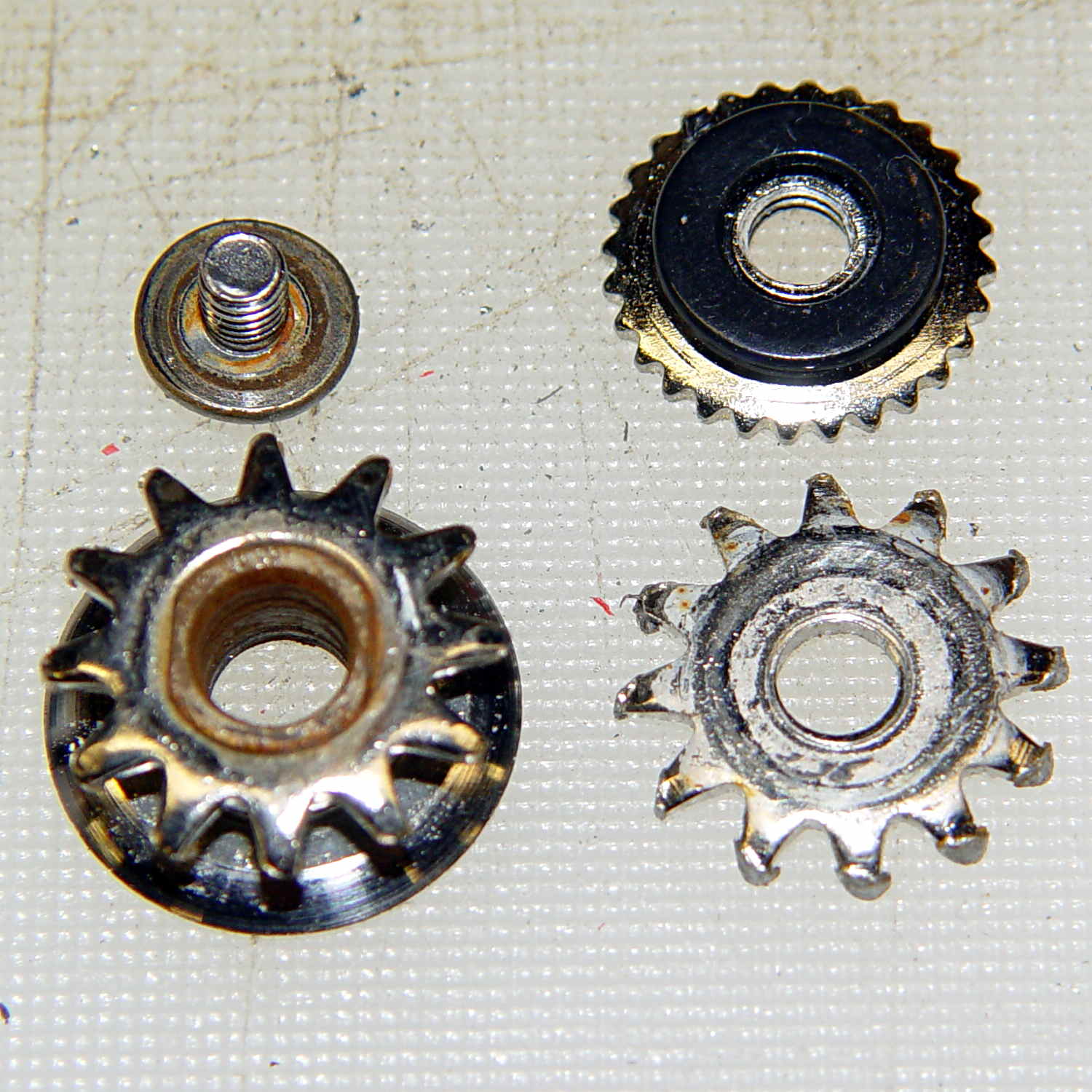
    Taking it apart shows that both “gears” (which is using the term loosely) have been pretty well chewed up:

    Can opener - gears and cutters
    Can opener – gears and cutters

    Destroying those gears should require a lot more strength than either of us can deploy on a regular basis, which suggests they used mighty soft steel. It’s not obvious, but the drive gear hole is just slightly larger than the screw thread OD; it doesn’t ride on an unthreaded part of the screw shaft.

    I’m not in the mood for gear cutting right now, so I filed down the wrecked teeth and buttoned them up with some attention to centering the gear. The can opener works, but sheesh this is getting tedious…