Ed Nisley's Blog: Shop notes, electronics, firmware, machinery, 3D printing, laser cuttery, and curiosities. Contents: 100% human thinking, 0% AI slop.
At some point I got two strap wrenches with rubber straps. No reinforcements, just pure rubber or neoprene or whatever. I’d cinch up on something, apply some torque, and the straps would stretch beyond belief. I’d always wanted to replace the straps and, finally, when I had the shop replace the van’s belts, I asked for a timing(*) belt from their scrap can.
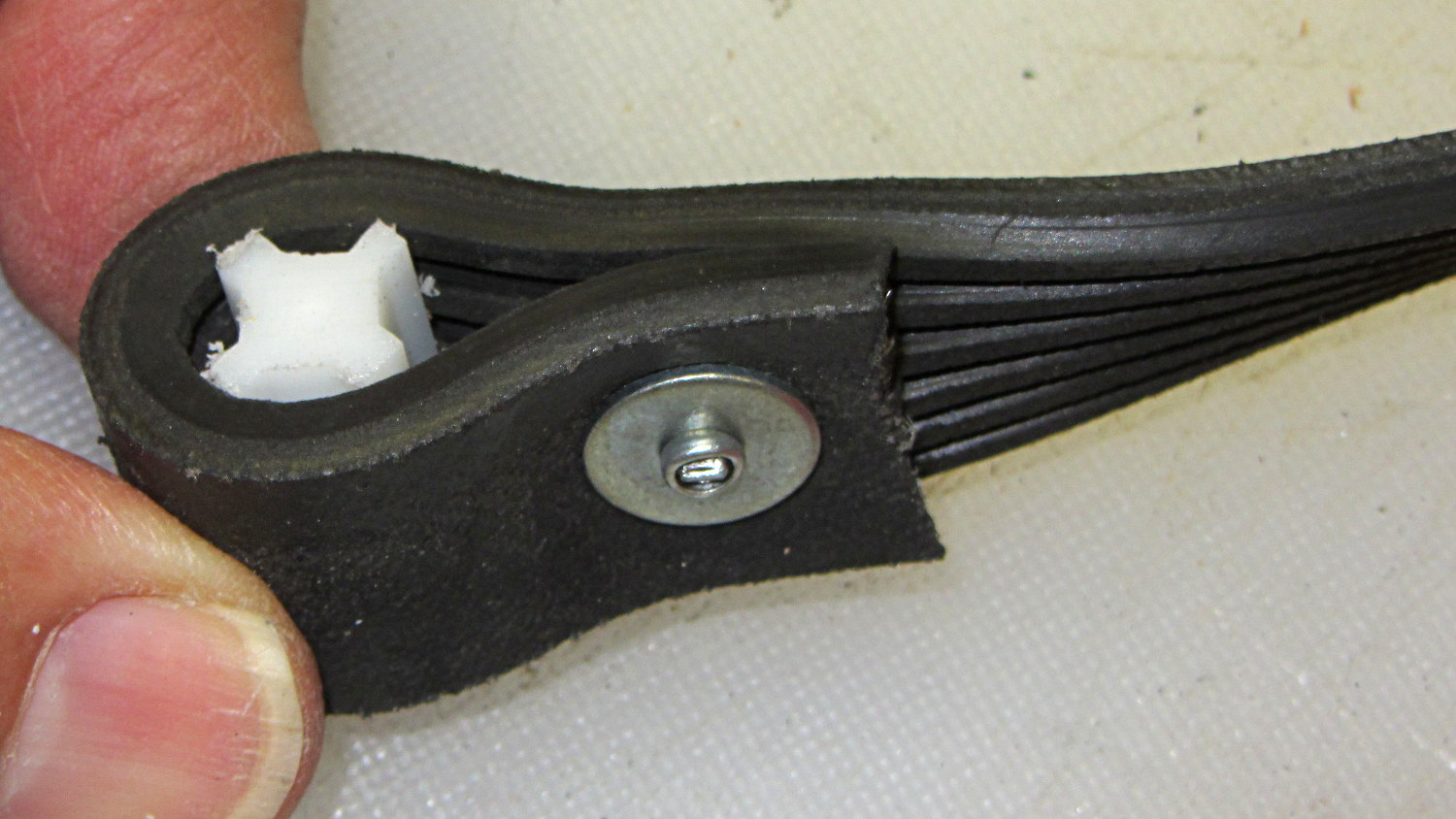
The smaller wrench required slitting the belt lengthwise and discarding two ribs. A pop rivet attaches two small chunks of the belt to form a block; the original belt had a molded-in triangular end:
Strap Wrench timing belt refit – small
The larger belt required a plastic filler, cut from something that might once have been a flag holder, riveted into a loop that firmly jams inside the wrench handle:
Strap Wrench timing belt refit – large
Nothing fancy, but strap wrenches work much better when the straps don’t stretch!
Found these pix while I was looking for something else…
(*) As Dan points out in the comments, this is a serpentine belt. I got it while the shop replaced the Sienna’s timing belt; that’s my story and I’m sticking with it…
Well, that’s not what I expected: the “new” Wasabi batteries perform worse than the three year old Canon OEM battery and no better than the crap batteries from eBay.
Just to be sure, I ran two tests on each of the three new batteries. Unlike the NP-BX1 batteries, these deliver a lower voltage than the Canon OEM battery and have a much lower capacity. The camera cuts off at 3.5 V, so the new batteries deliver 2/3 the run time of the old OEM battery
Sheesh…
Tech support at Blue Nook (I am not making that up) says they’ll send me a couple of batteries from their next shipment to see if something’s wrong with this batch; all the batteries have date code BNF27.
The Sony HDR-AS30V helmet camera can record about 5.5 h of 1920×1080 60 fps video on a 64 GB Micro-SD card, but a single NP-BX1 battery provides a 1.5 h run time, tops. Having had a good experience with the previous Wasabi batteries, I picked up three more and ran all six through the battery tester:
Sony NP-BX1 – OEM Wasabi – 2014-10-03
The red curve is the Sony OEM battery, the two lower curves are the Wasabi batteries from January, and the upper three come from the new Wasabi batteries. All in all, they look good to me.
These curves aren’t directly comparable to the older ones, as I’ve bumped the discharge to 500 mA to better match the actual camera load. These worked out to about two hours apiece, so the camera must draw around 600 or 700 mA.
The Wasabi batteries deliver a higher voltage than the Sony OEM battery over nearly all of the discharge curve. The older ones delivered almost exactly the same run time, which leads me to believe the camera cuts off at 2.8 V, too, with a boost power supply extracting all the energy under the curve.
I suppose a 1.5 h run time makes sense for downhill skiiing, but it’s painfully short for bike trips.
Seeing as how we live in The Internet Age, I must fetch my statements from Big Bank’s website, rather than extract quaint sheets of paper from an envelope. Seeing as how the start of the Internet Age is over, I run a fairly well armored version of Firefox that ruthlessly suppresses ads (have you ever bought anything as a result of an Internet ad?), crushes cookies, rejects malware, and generally defends my interests.
Big Bank’s website doesn’t work without adjusting the armor and, equally unsurprisingly, those adjustments seem to depend on both their website’s current revisions and my browser / plugin / extension versions. It seems mildly odd that Big Bank would depend on the same techniques that identify advertisers and scammers and malware purveyors, but so it goes.
My most recent attempts to retrieve an account statement produced an indefinite “busy” loop instead of a PDF file, which usually means something got blocked. Big Bank outsources its statements and I’ve already whitelisted internet-estatements.com and allowed its popups, so it must be something else.
A bit of rummaging in the sump revealed cookies from several domains that didn’t get set whenever I tried to access my statement:
adsrvr.org
bigbankcardus.com
casalemedia.com
doubleclick.net
mookie1.com
serving-sys.com
Pop Quiz: which domains in that list would you trust without question?
Bonus: Explain why “mookie1.com” isn’t funny in this context.
Double Bonus: Why is a banking website dealing with doubleclick?
It seems the missing cookies came from bigbankcardus.com, as the statement PDF appeared after I whitelisted that domain and reloaded everything.
I could understand (if not enthusiastically approve of) getting advertising cookies from Big Bank’s main page, but there should be exactly none of that crap when I access my statements.
There is no point in complaining: it’s like that, and that’s the way it is.
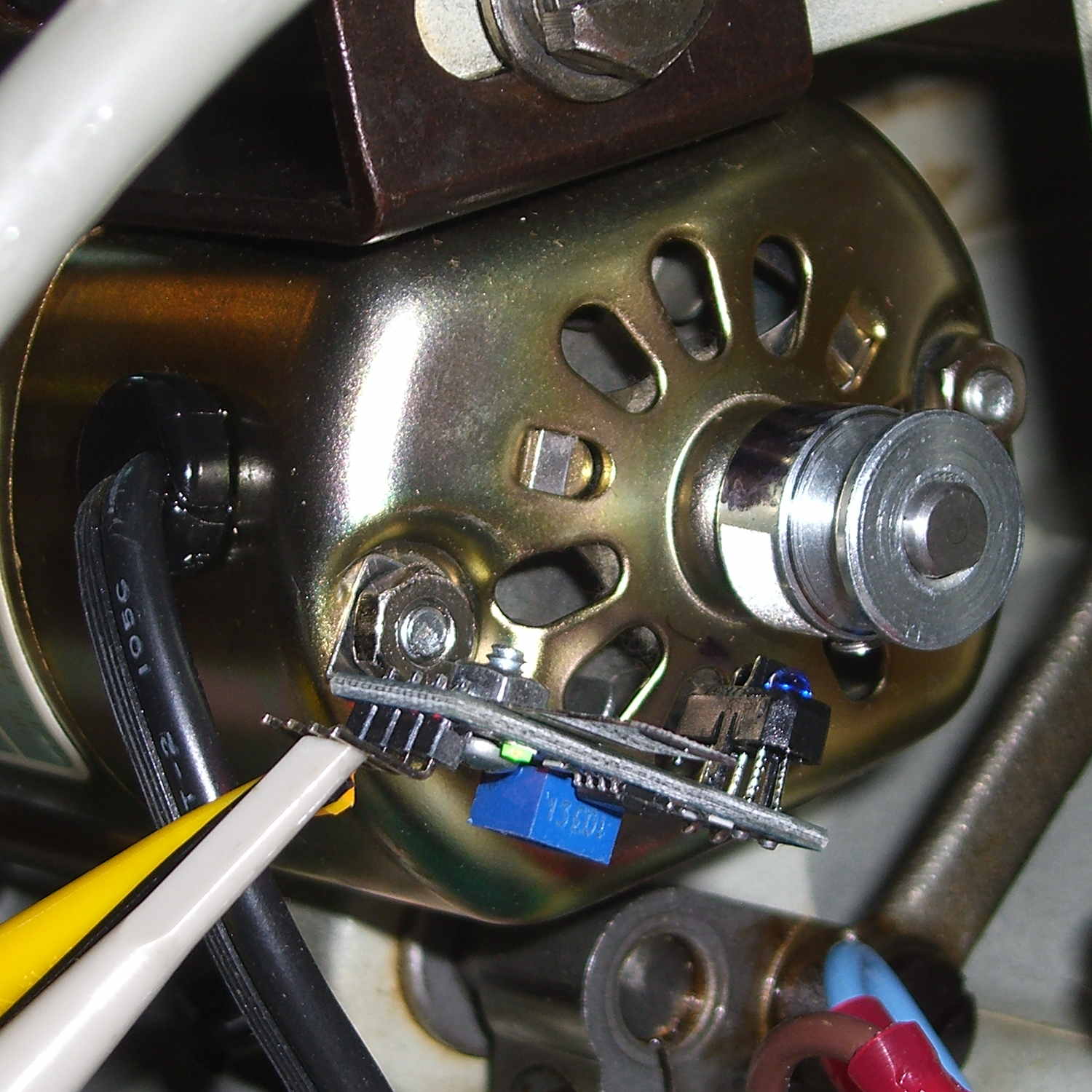
A quick-and-dirty bracket (made from a leftover strip in the pile of chassis clips) affixed an IR reflective sensor (based on the ubiquitous TCRT5000 module) to the sewing machine motor:
TCRT5000 sensor on motor
That’s scribbling black Sharpie around the retroreflective tape for the laser tachometer, which worked just about as poorly as you’d expect. Retroreflective tape, by definition, reflects the light directly back at the LED, but in this case you want it bounced to the photosensor.
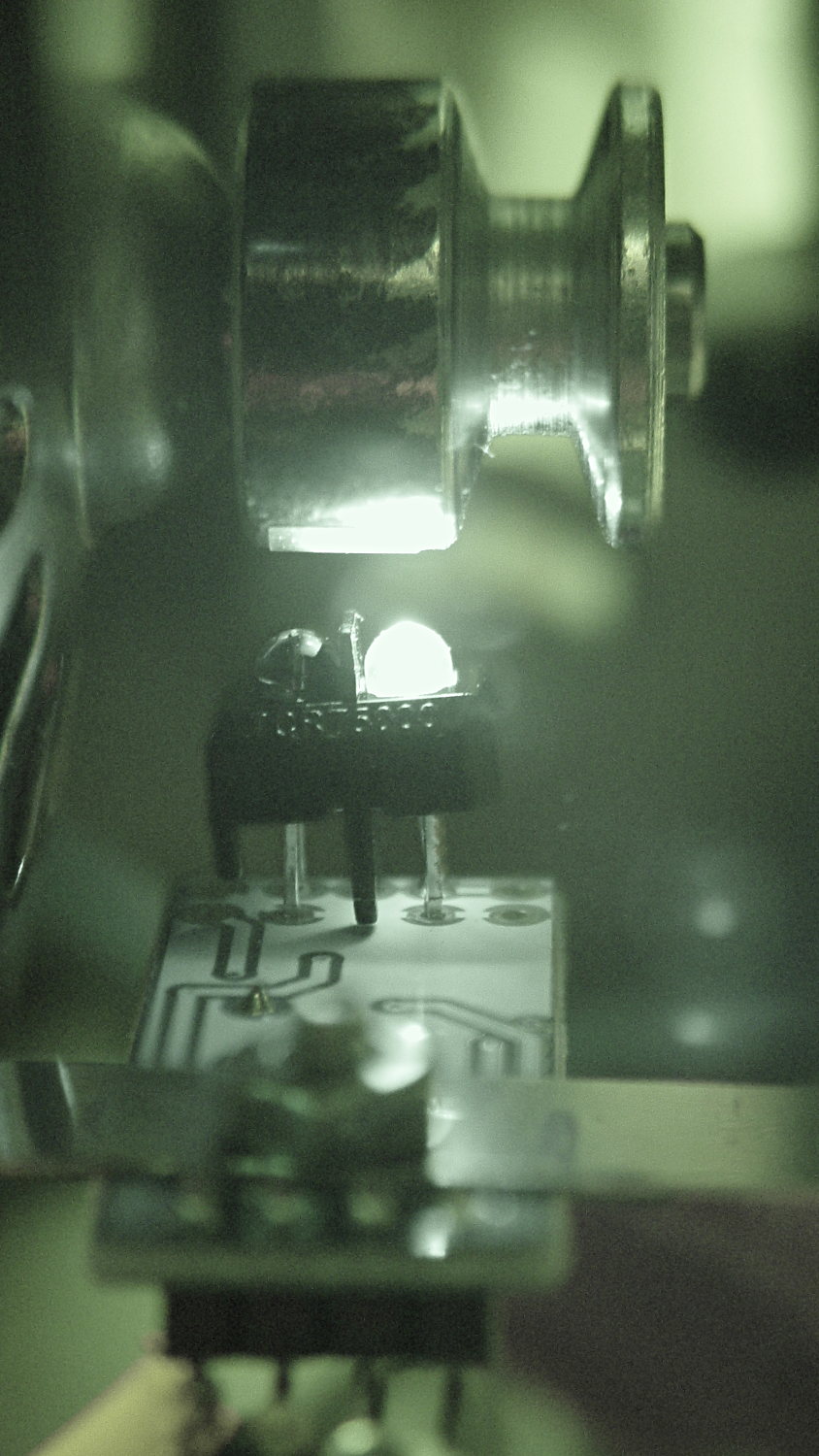
An IR view shows the geometry and highlights the LED:
TCRT5000 sensor – IR view
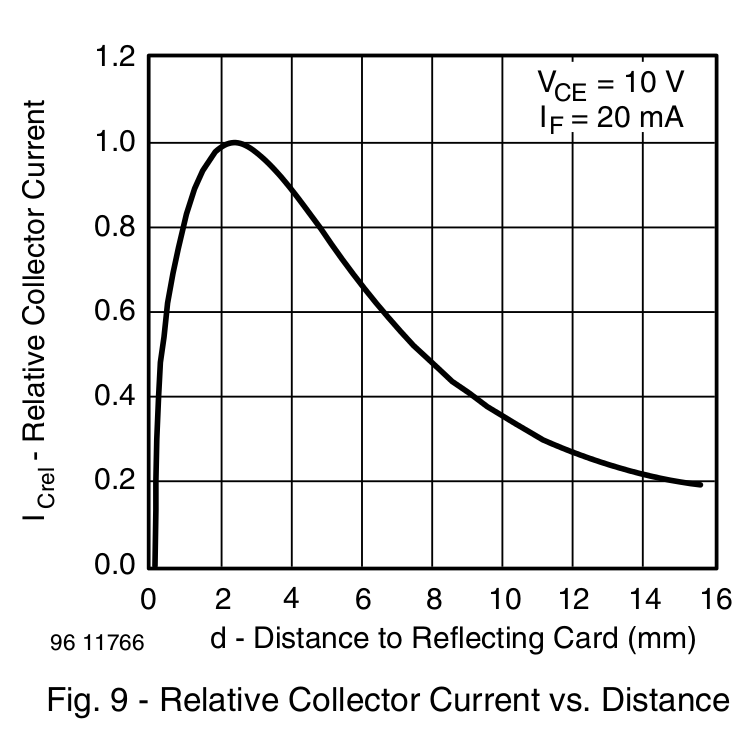
The TCRT5000 datasheet suggests that the peak operating distance is 2.5 mm, roughly attained by tinkering with the bracket. The datasheet graph shows that anything between 1 and 5 mm should be just fine:
IR Reflective Sensor module – TCRT5000 – response vs distance
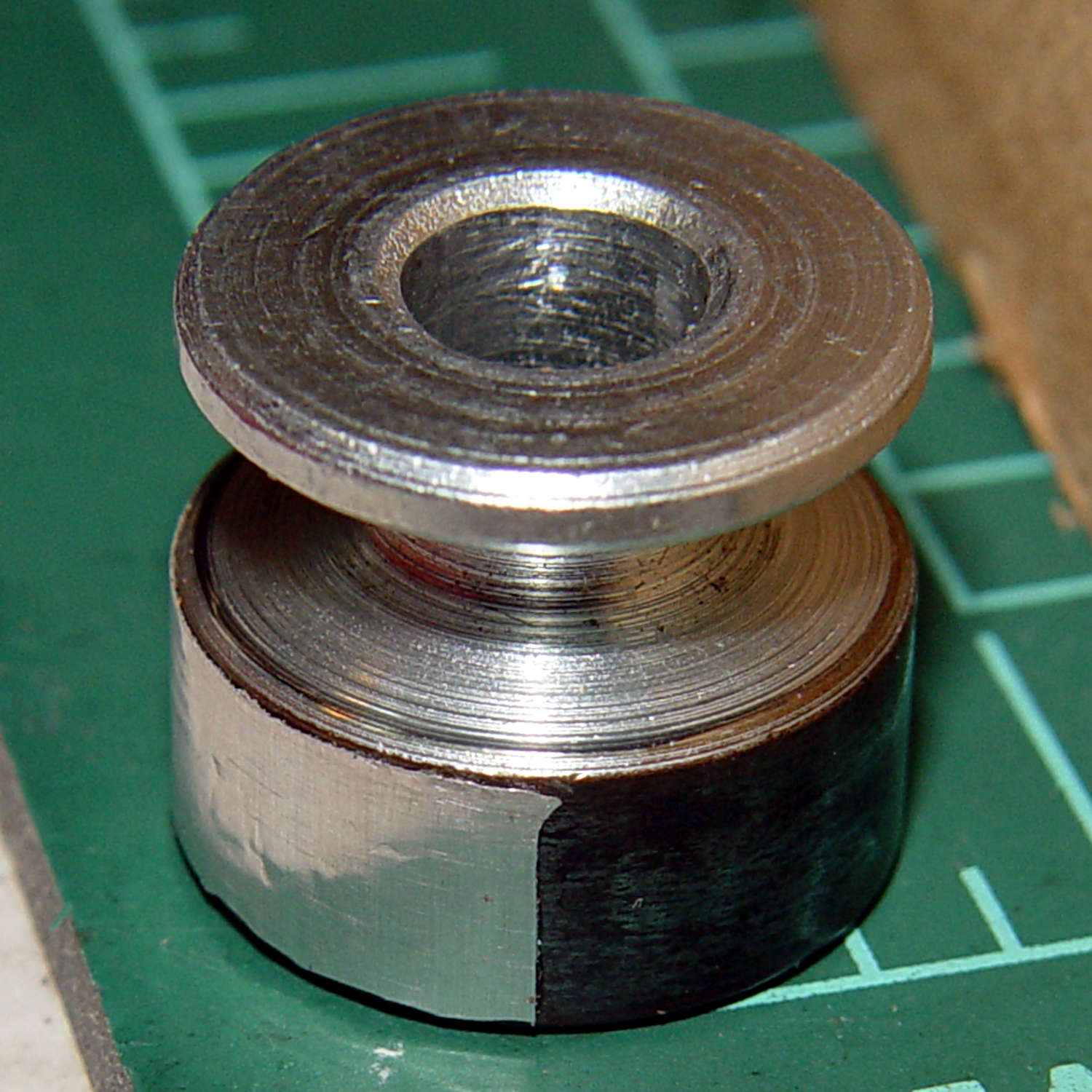
Apply stainless steel tape around half the circumference
Burnish flat
Which looks pretty good:
Kenmore 158 motor pulley – black-silver
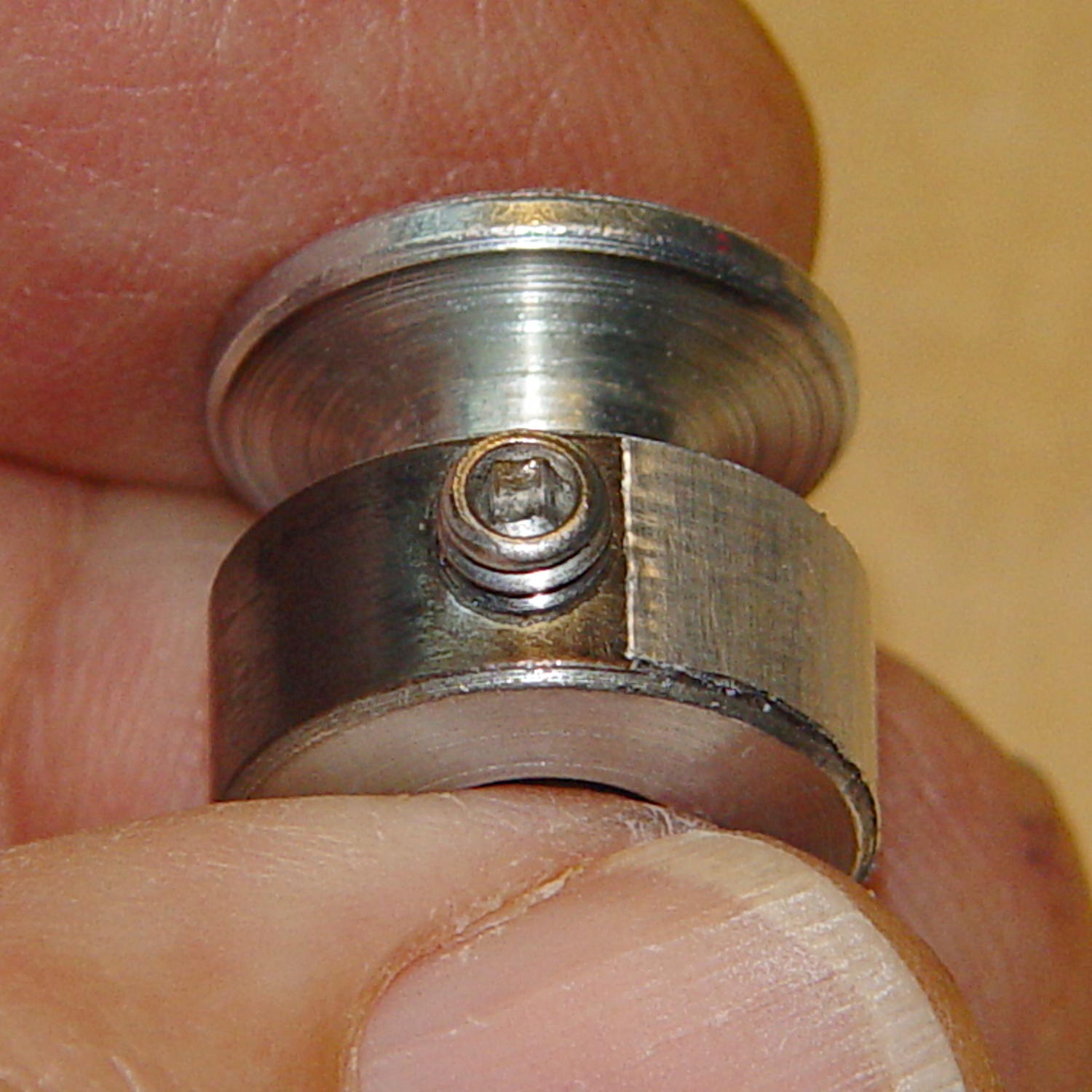
The stainless tape butts up against the setscrew:
Kenmore 158 motor pulley – black-silver at setscrew
Adjusting the sensitivity midway between the point where the output is low (OFF) over the black and high (ON) over the tape seems reasonable.
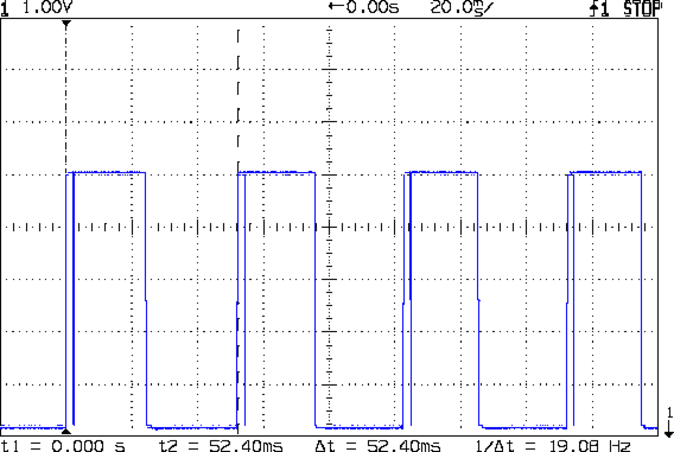
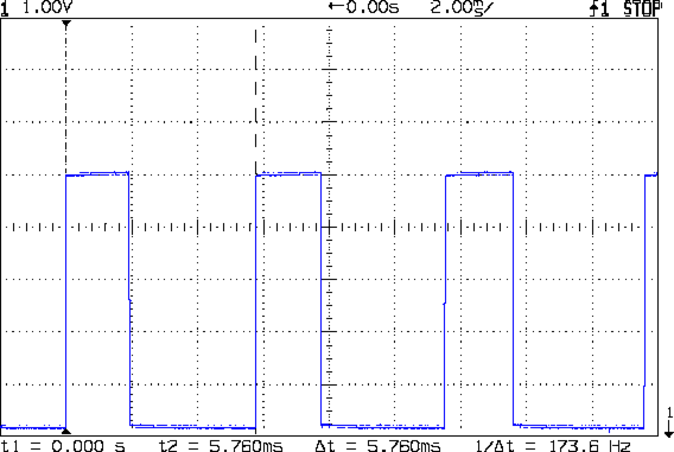
Running at the slowest possible speed produces this pulse train:
Motor sense – min speed
The motor at 19 rev/s = 1140 RPM corresponds to about 2 rev/s of the sewing machine shaft= 2 stitch/s. Slower than, that, the pedal won’t go in simple open-loop mode.
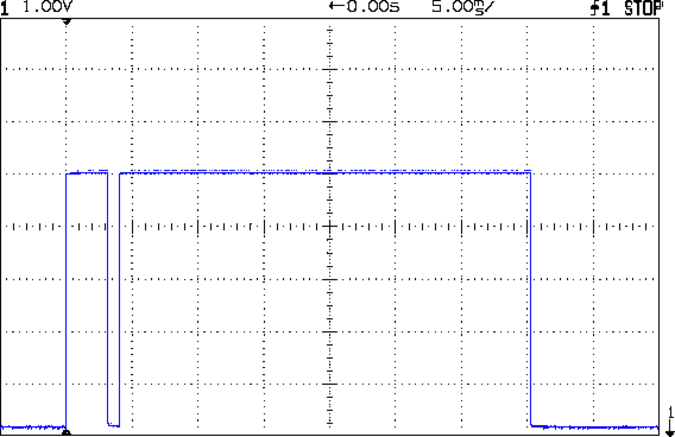
The setscrew causes those “glitches” on the rising edge. They look like this at a faster sweep:
Motor sense – min speed – setscrew
At maximum speed, the setscrew doesn’t show up:
Motor sense – max speed
The motor at 174 rev/s = 10440 RPM would do 1000 stitch/s, but that’s just crazy talk: it runs at that speed with the handwheel clutch disengaged and the motor driving only the bobbin winder. I was holding the machine down with the shaft engaged and all the gimcrackery flailing around during that shot.
The sensor board may have an internal glitch filter, but it’s hard to say: the eBay description has broken links to the circuit documentation.
I could grind the setscrew flush with the pulley OD and cover it with tape, but that seems unreasonable. Fixing the glitch in firmware shouldn’t be too difficult: ignore a rising edge that occurs less than, say, 1/4 of the previous period following the previous edge.
Perhaps buffing half the pulley’s circumference to a reasonable shine (minus the bluing) would eliminate the need for the stainless steel tape.
Iterating the bluing operation / scrubbing with steel wool should produce a darker black, although two passes yields a nice flat black.
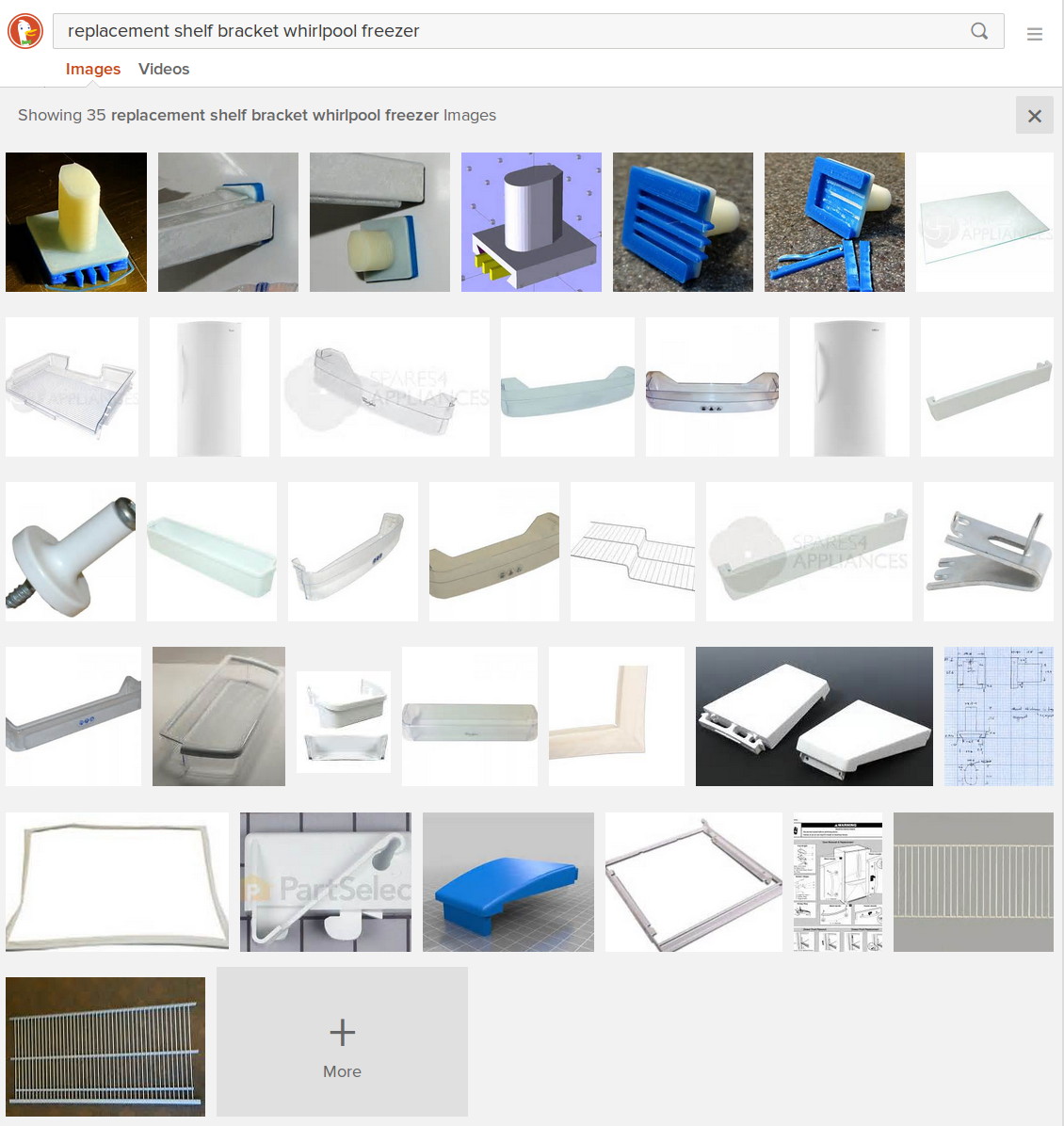
Now, that looks like Search Engine Optimization it is to die for! Google will give you a different set of pictures, but I own that all-important top row.
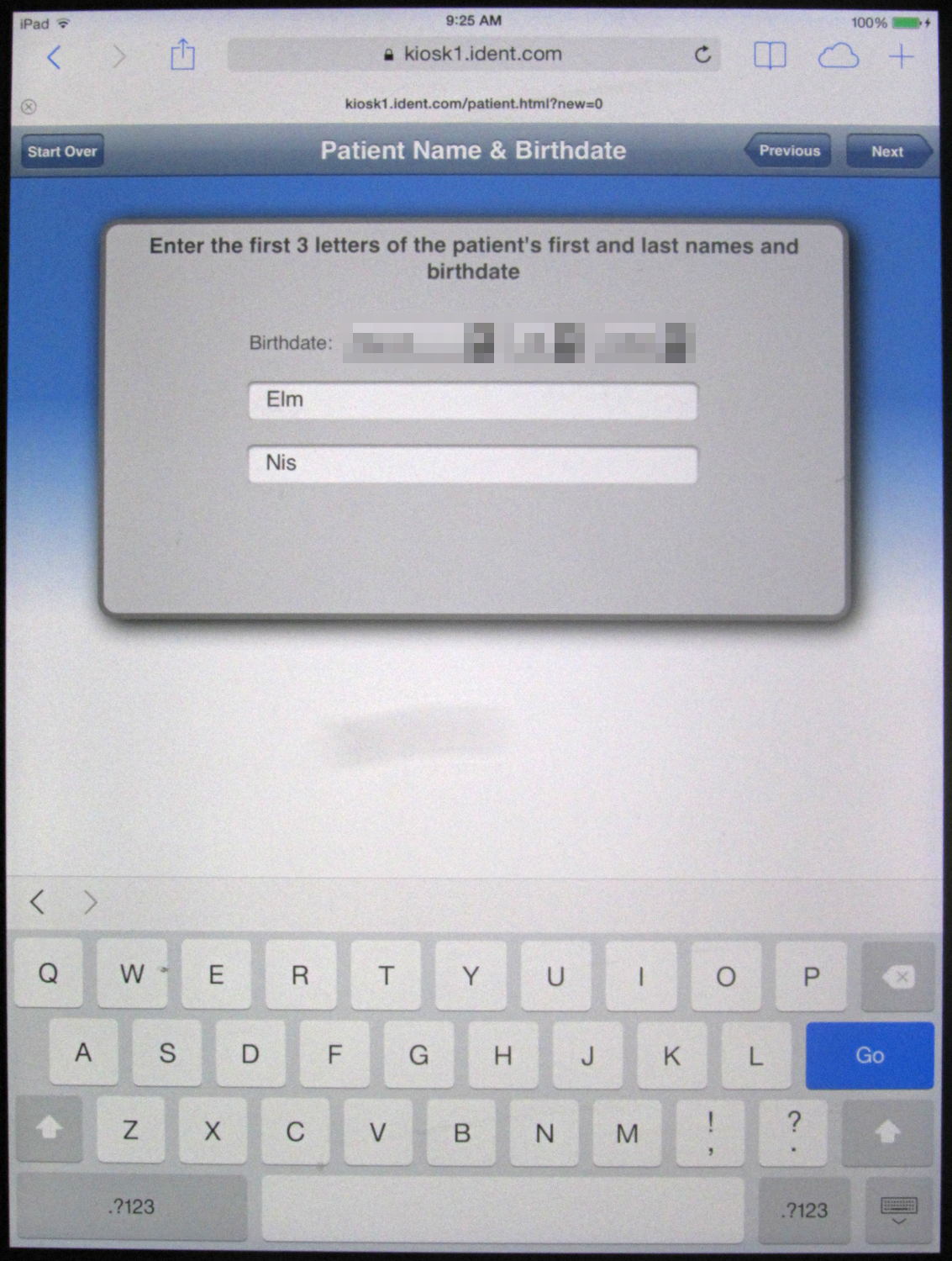
It used to be we “signed in” at the dentist by exchanging pleasantries with the folks behind the desk, but that was so 20th Century. Now we’re confronted with an iPad sporting a form:
Patient Sign-in Tablet Form
Pop Quiz: Assuming you filled in your birthdate and remembered how their files have recorded your name, where do you tap to proceed onward?
Reasoning by analogy from my Kindle Fire’s keyboard, I assumed the conspicuous bright blue Go button would do the trick.
Nope. That’s not it.
After a bit of fumbling around, it turns out to be the dark blue Next button (on the non-contrasting light gray title bar) at the right edge of the title bar.
I betcha I could have fun with some of those little icons…
In fact, the next time we showed up, the iDingus sported a popup asking if I wanted to update the firmware (or some such). Of course, I gave the receptionist an evil grin and tapped “Hit me!”
Word: this app nonsense isn’t ready for prime time.



 The Smell of Molten Projects in the Morning