The Smell of Molten Projects in the Morning

Ed Nisley's Blog: Shop notes, electronics, firmware, machinery, 3D printing, laser cuttery, and curiosities. Contents: 100% human thinking, 0% AI slop.

Author: Ed

  • Laser Cutter: Letter Paper Storage Trays

    Laser Cutter: Letter Paper Storage Trays

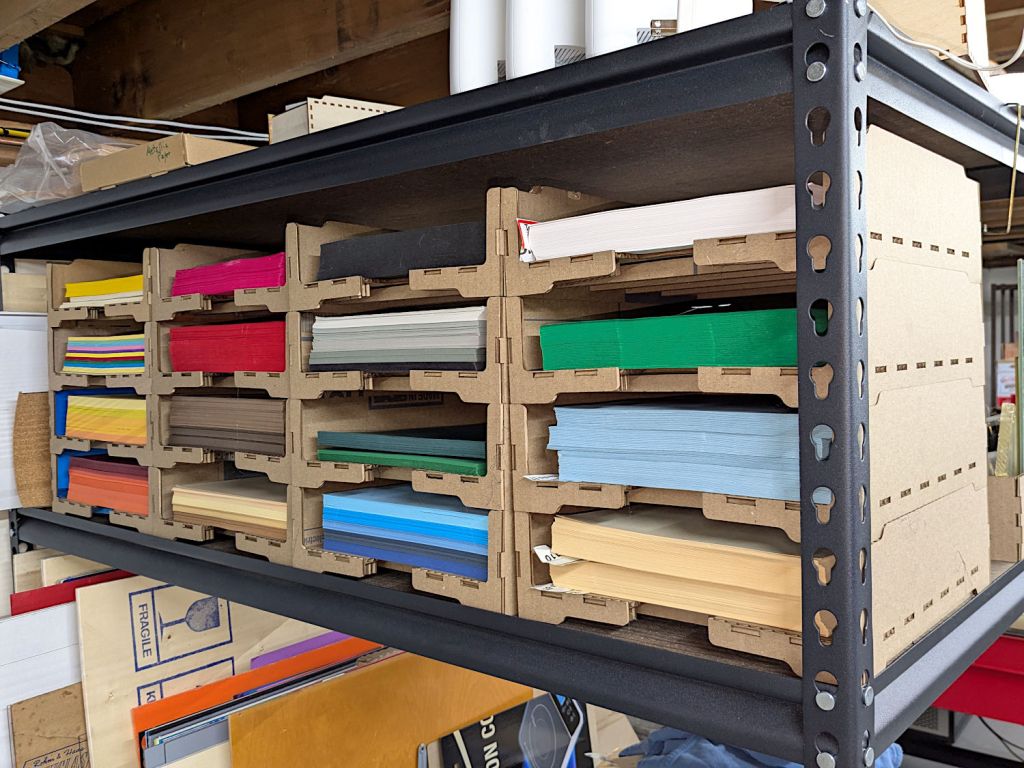
    Paper sheets must lay flat in storage, but it’s impossible to extract a single sheet from a tall pile. So I converted some moving boxes into stackable trays, each holding about a ream of paper:

    Letter Paper Tray - installed
    Letter Paper Tray – installed

    The starting point is a stackable Universal Box from boxes.py, with one end reshaped to become a tray. One Home Depot Large moving box provides enough 4.0 mm cardboard to make four trays, with one side of the box left over for future projects:
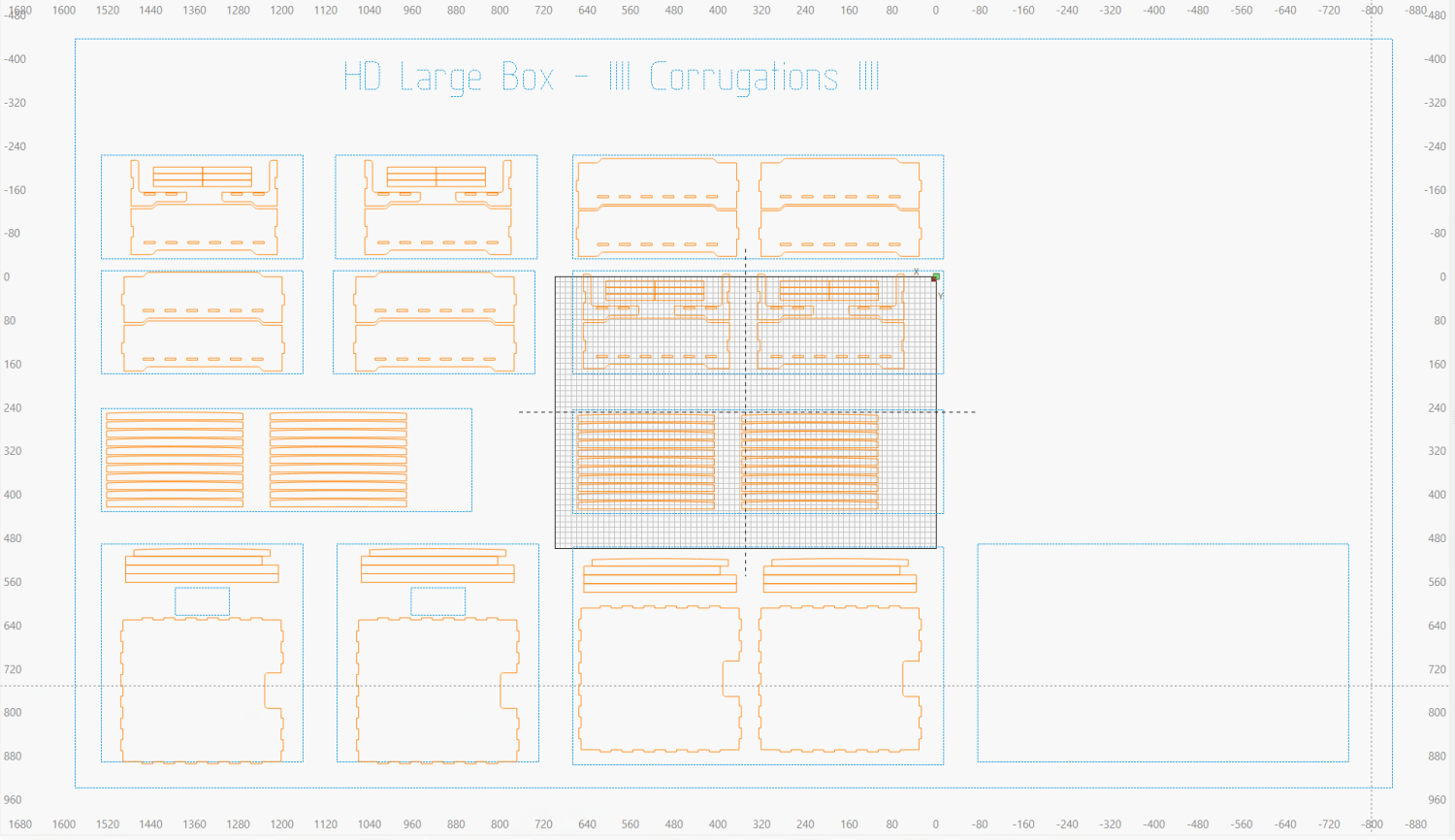
    Letter Paper Storage Racks - LightBurn screenshot
    Letter Paper Storage Racks – LightBurn screenshot

    The gray rectangle in the middle is the LightBurn workspace grid representing the 700×500 mm laser platform:

    Letter Paper Tray - laser cutting
    Letter Paper Tray – laser cutting

    Contrary to the screenshot, I move all the layouts off to the side leaving the platform grid clear. The blue rectangles around the layouts represent the various box flaps / sides, so I can:

    • Click a layout (which is grouped with the surrounding rectangle)
    • Click Ctrl-D to duplicate it
    • Hit P to put the duplicate at the middle of the platform grid
    • Lay the corresponding cardboard sheet from that box part on the platform
    • Align the layout with the cardboard using the camera
    • Fire The Laser

    Copious application of hot melt glue gloms all the pieces together.

    I added support beams under the cardboard bottom plate:

    Letter Paper Tray - bottom
    Letter Paper Tray – bottom

    A 2 mm arch in the top of those strips puts a camber into the sheet to counteract the natural sag from carrying five pounds of paper. The four trays at the far left lack that camber and cry out for a Mulligan.

    Some day the Basement Shop™ won’t smell like a campfire.

    The LightBurn SVG layout as a GitHub Gist:
    Loading
    Sorry, something went wrong. Reload?
    Sorry, we cannot display this file.
    Sorry, this file is invalid so it cannot be displayed.

  • Wrights SideWinder Bobbin Winder: Laying On Of Hands

    Wrights SideWinder Bobbin Winder: Laying On Of Hands

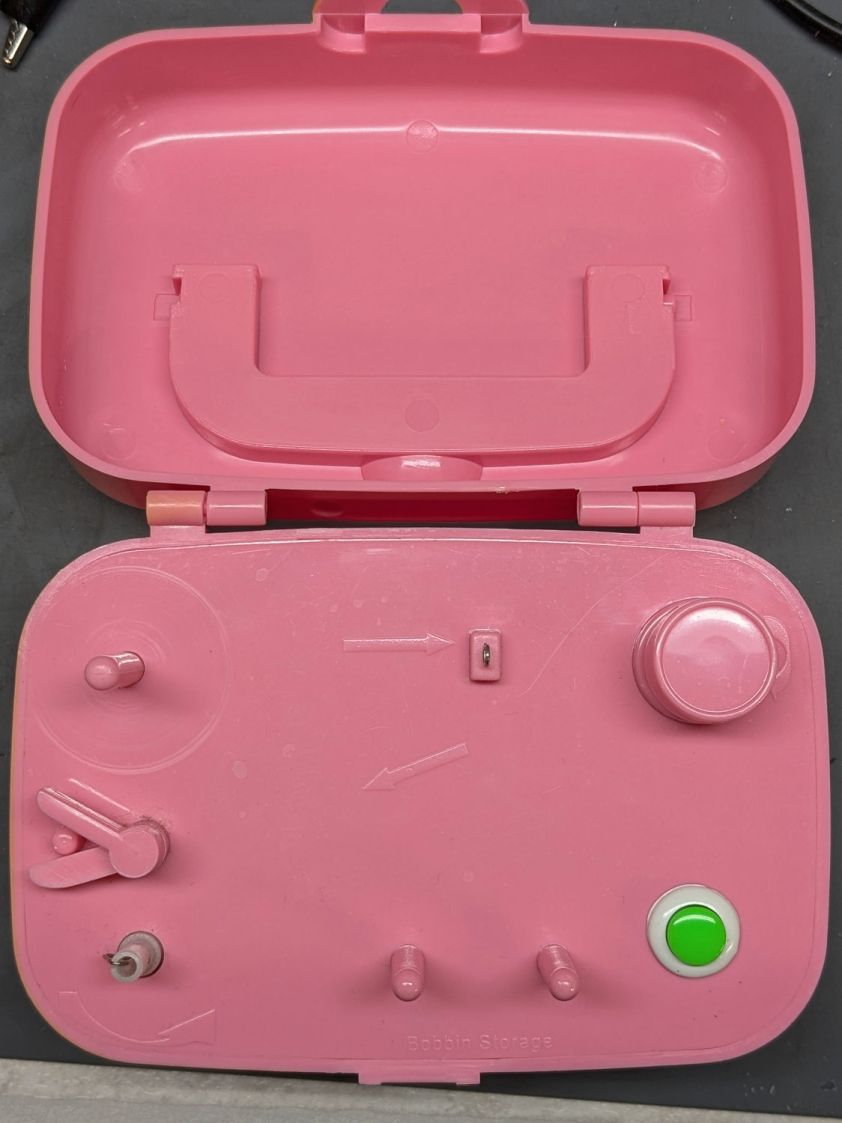
    Mary attempted to wind a bobbin using the Wrights SideWinder Bobbin Winder she got from a friend:

    Sidewinder bobbin winder - top
    Sidewinder bobbin winder – top

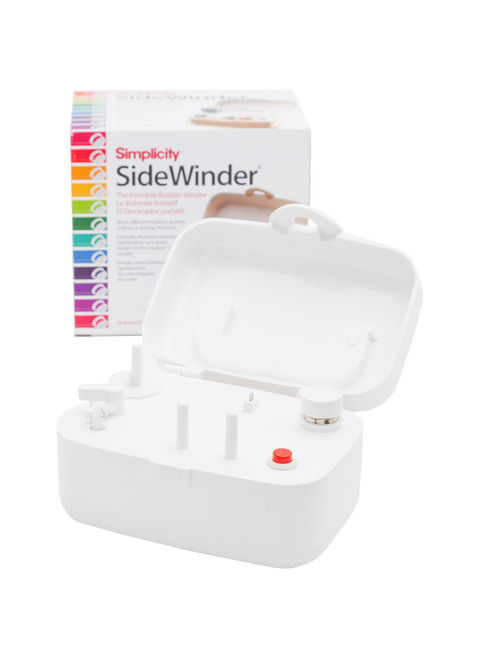
    The URL in the instructions is dead, but the Sidewinder lives on as the Simplicity SideWinder Portable Bobbin Winder:

    Simplicity Sidewinder Bobbin Winder
    Simplicity Sidewinder Bobbin Winder

    Looks kinda pallid to me, too, although hardcore BarbieCore is also most definitely not our thing.

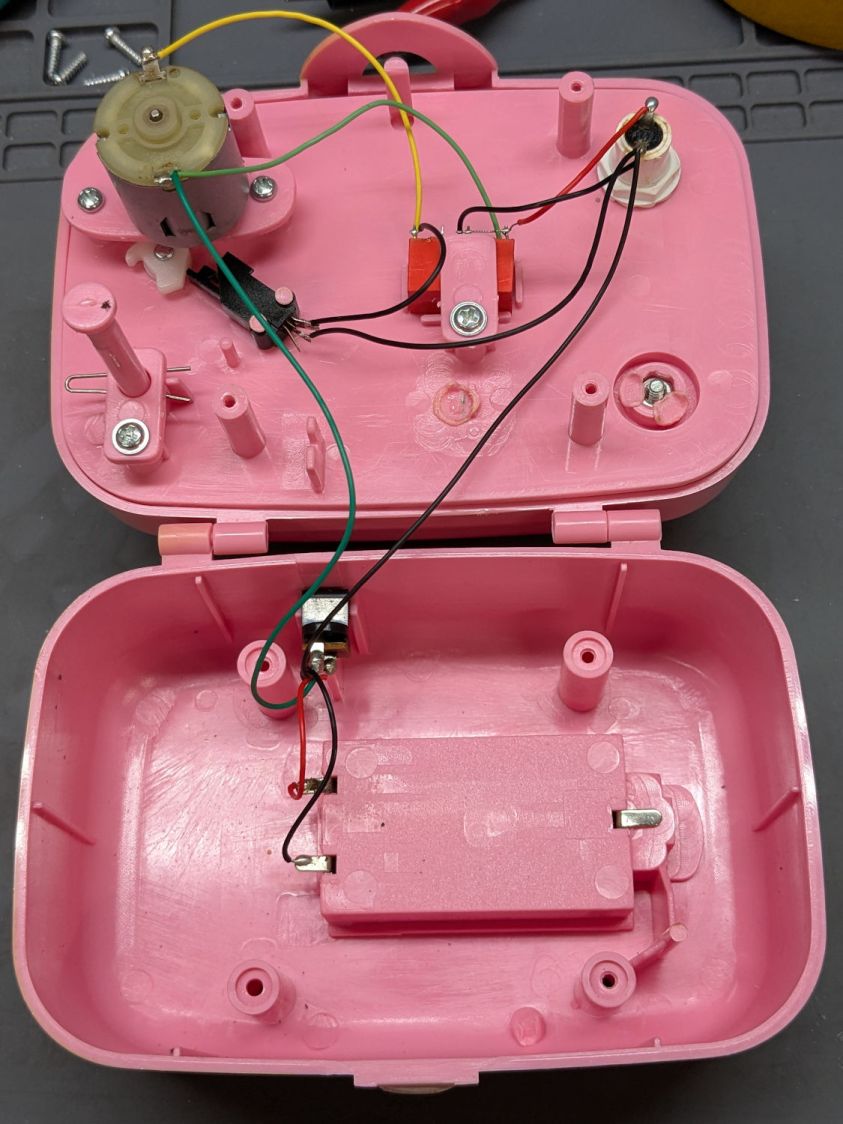
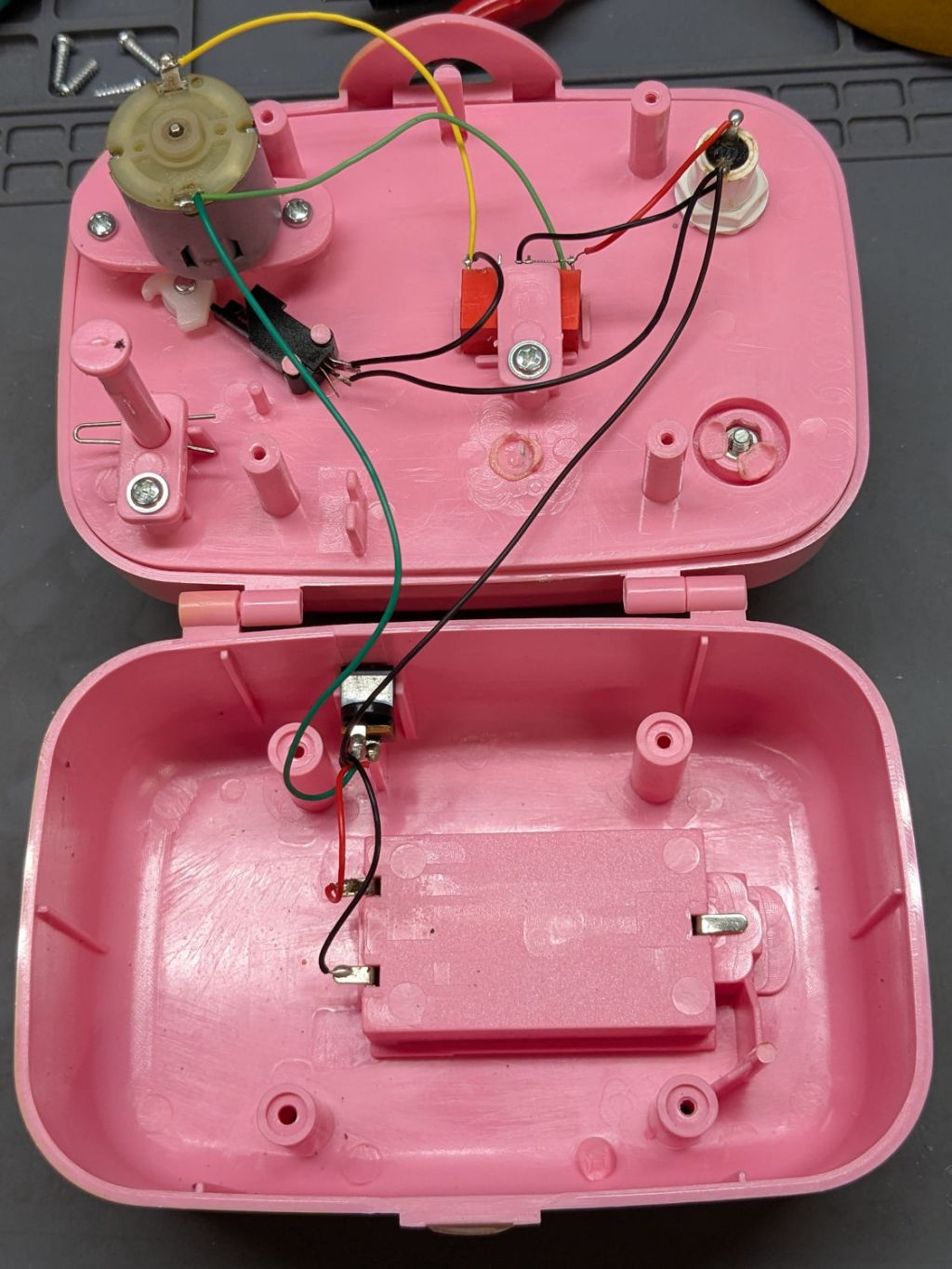
    Anyhow, the motor didn’t even twitch when pressing the button, so after I verified the two AA alkaline cells were Just Fine, I laid it on the Electronics Bench and popped the top to see what was the matter:

    Sidewinder bobbin winder - interior wiring
    Sidewinder bobbin winder – interior wiring

    For the record, the red and black wires at the battery compartment are exactly reversed from what you might expect based on, say, the colors of your multimeter probes. I know better, but it comes as a surprise every time.

    The pushbutton switch pulls in the relay (red block in the middle), which latches on until the bobbin fills and the accumulated thread lifts the finger riding on the bobbin to rotate the white cam (under the motor), thus opening the switch (black block), releasing the relay, and shutting off the motor.

    Which, of course, worked perfectly after I stuck the alkalines back in place on the bench and poked the button to watch the proceedings.

    It’s all back together again and continues to run, so I’ll declare victory until the next time she fills a bobbin and, predictably, it doesn’t start.

  • Juki TL-2010Q Bottom Cover

    Juki TL-2010Q Bottom Cover

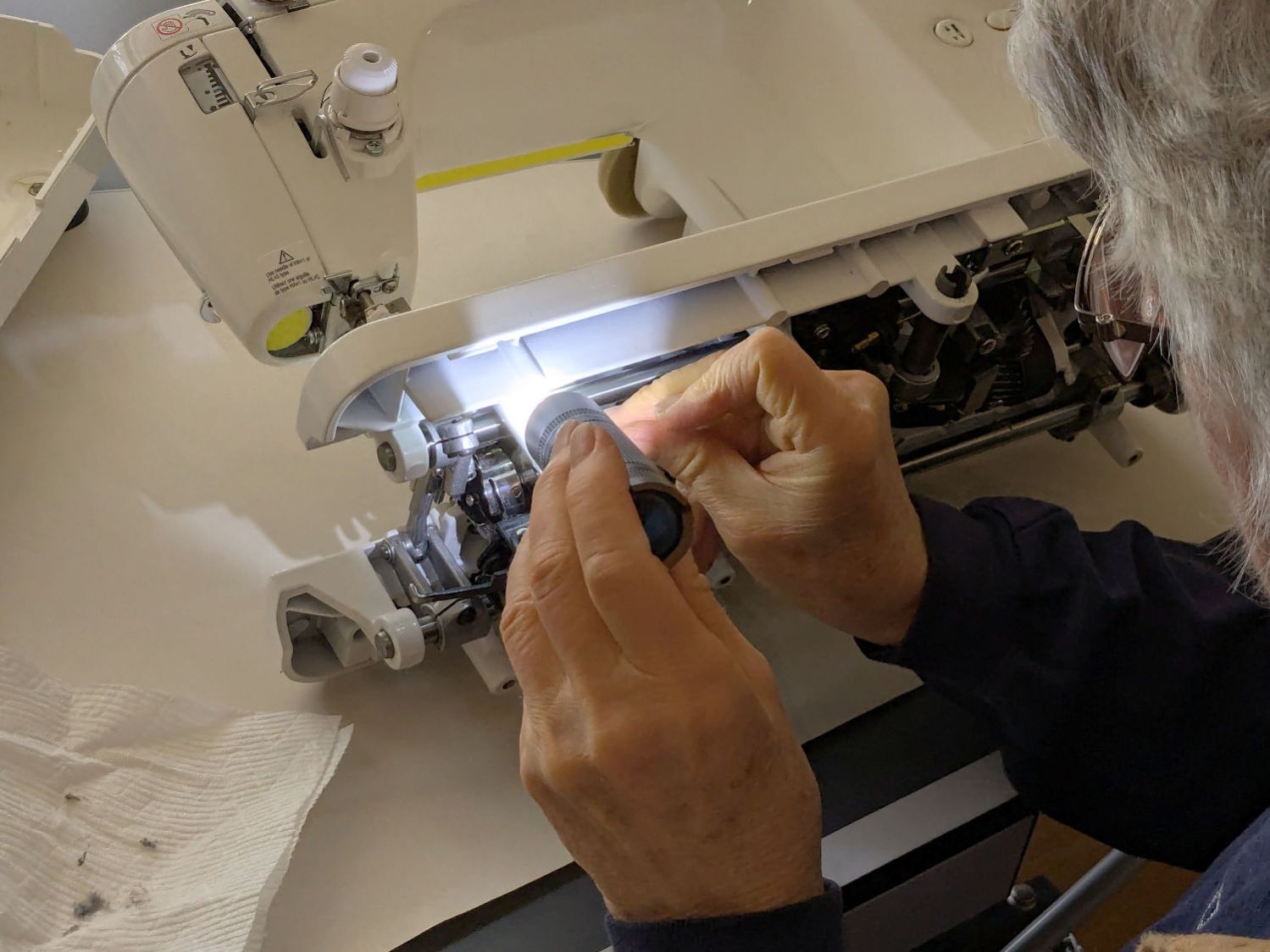
    Mary gave her Juki TL-2010Q sewing machine a deep cleaning & oiling, deputizing me to remove & replace the covers.

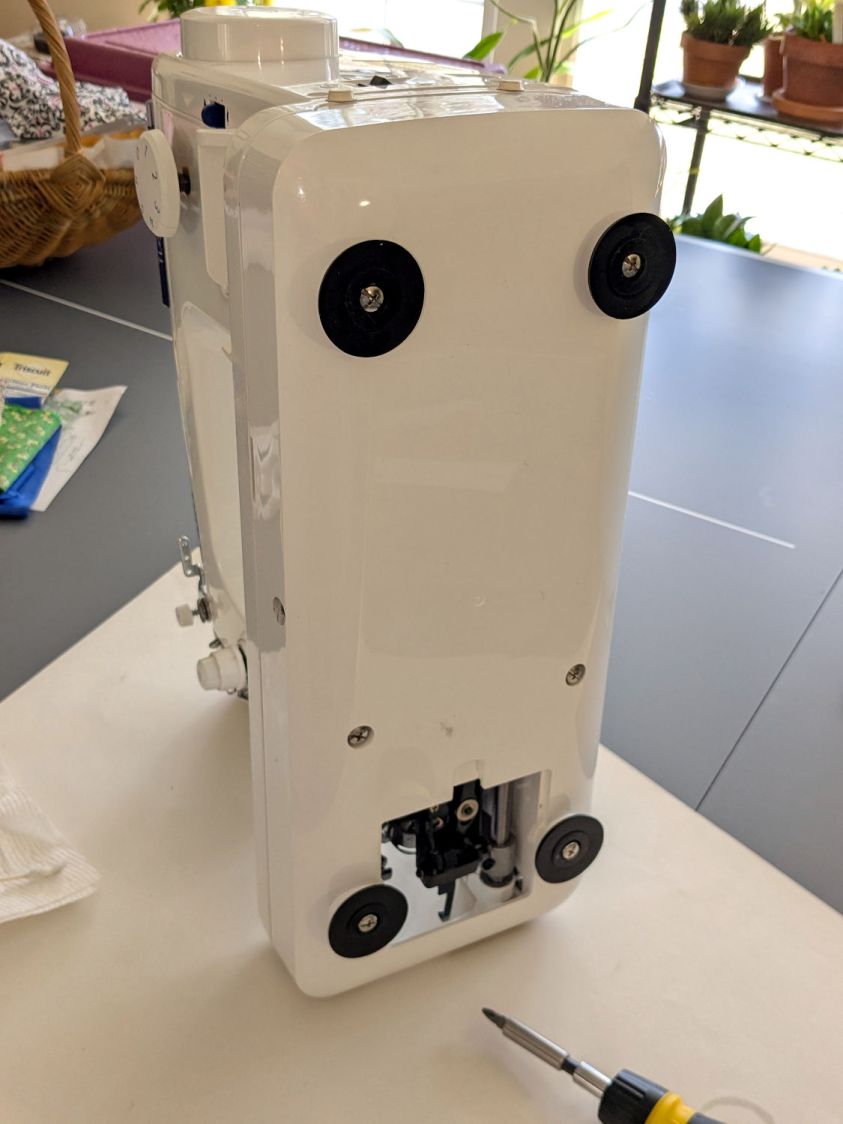
    For the record, standing the machine on its left end is the least-awful way to get the bottom cover off and on:

    Juki TL2010Q - bottom cover on end
    Juki TL2010Q – bottom cover on end

    You must remove all six of those husky screws; the black feet remain firmly stuck in their recesses. It’s not particularly stable in that orientation, so keep a firm hand on the top to prevent an expensive fall.

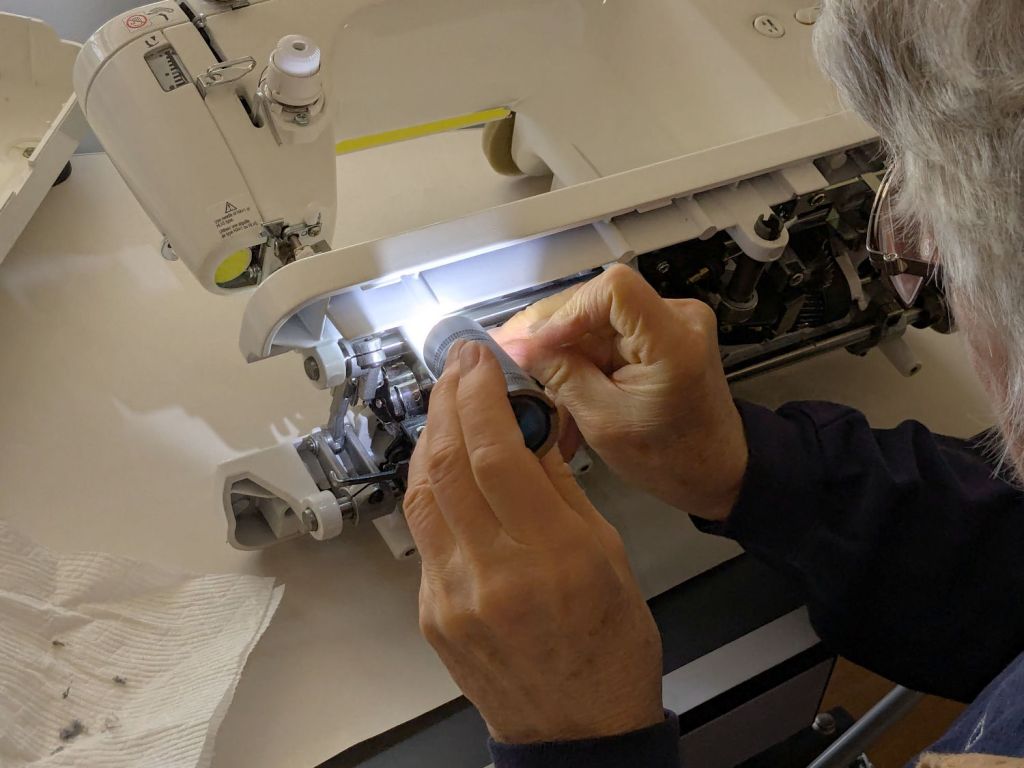
    I laid it down for the rest of the session:

    Juki TL2010Q - interior cleaning
    Juki TL2010Q – interior cleaning

    She was unenthusiastic about wearing my headband light. Maybe next time.

    It reassembled in reverse order and, after a brief tussle with the bobbin winder finger in the upper covers, runs smoothly.

  • Metallic Layered Paper

    Metallic Layered Paper

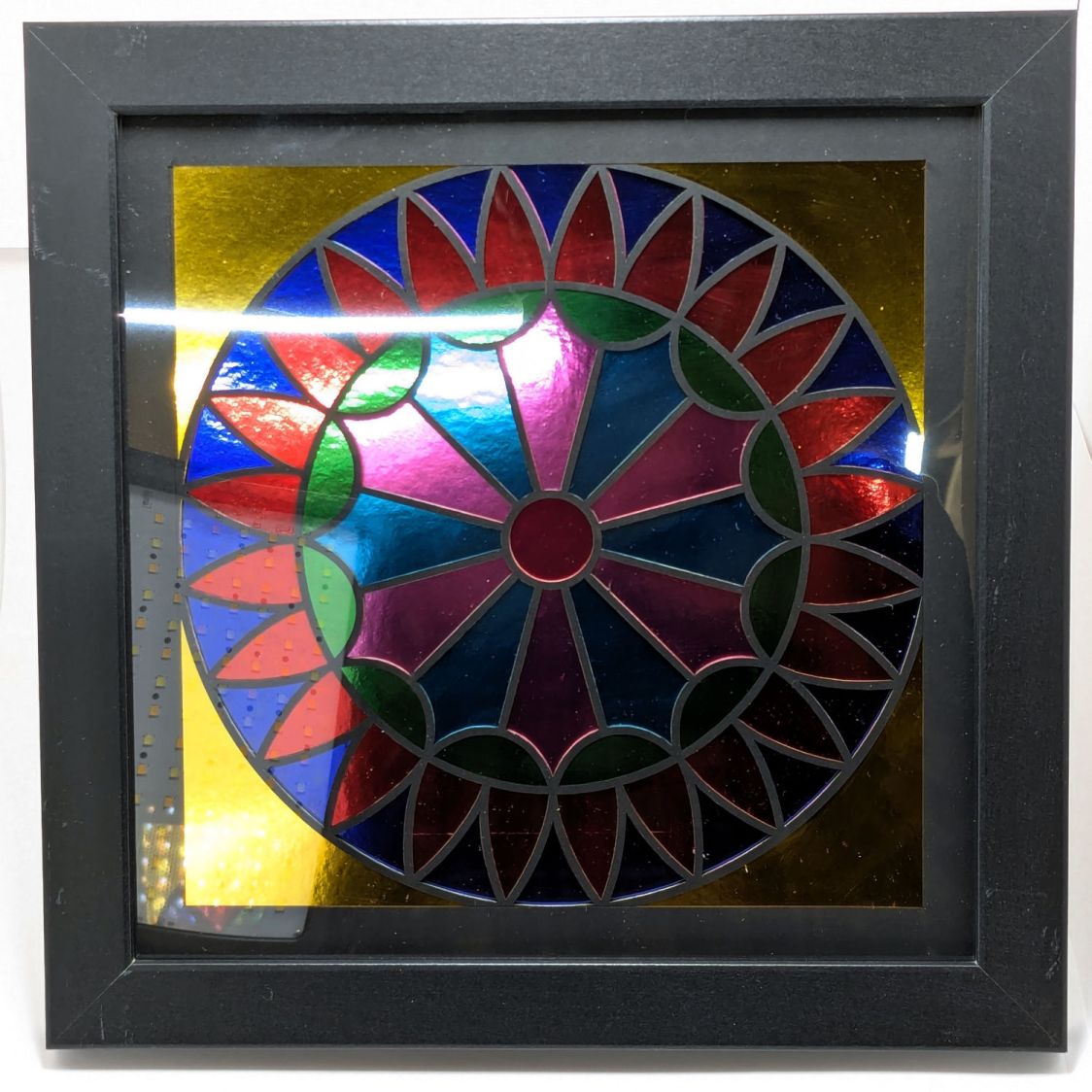
    With various iterations of the Letter sheet fixture in place, I made some layered paper “art” using metallic paper:

    Metallic layered paper - Pyrotechnics block
    Metallic layered paper – Pyrotechnics block

    That’s the Pyrotechnics quilt block pattern.

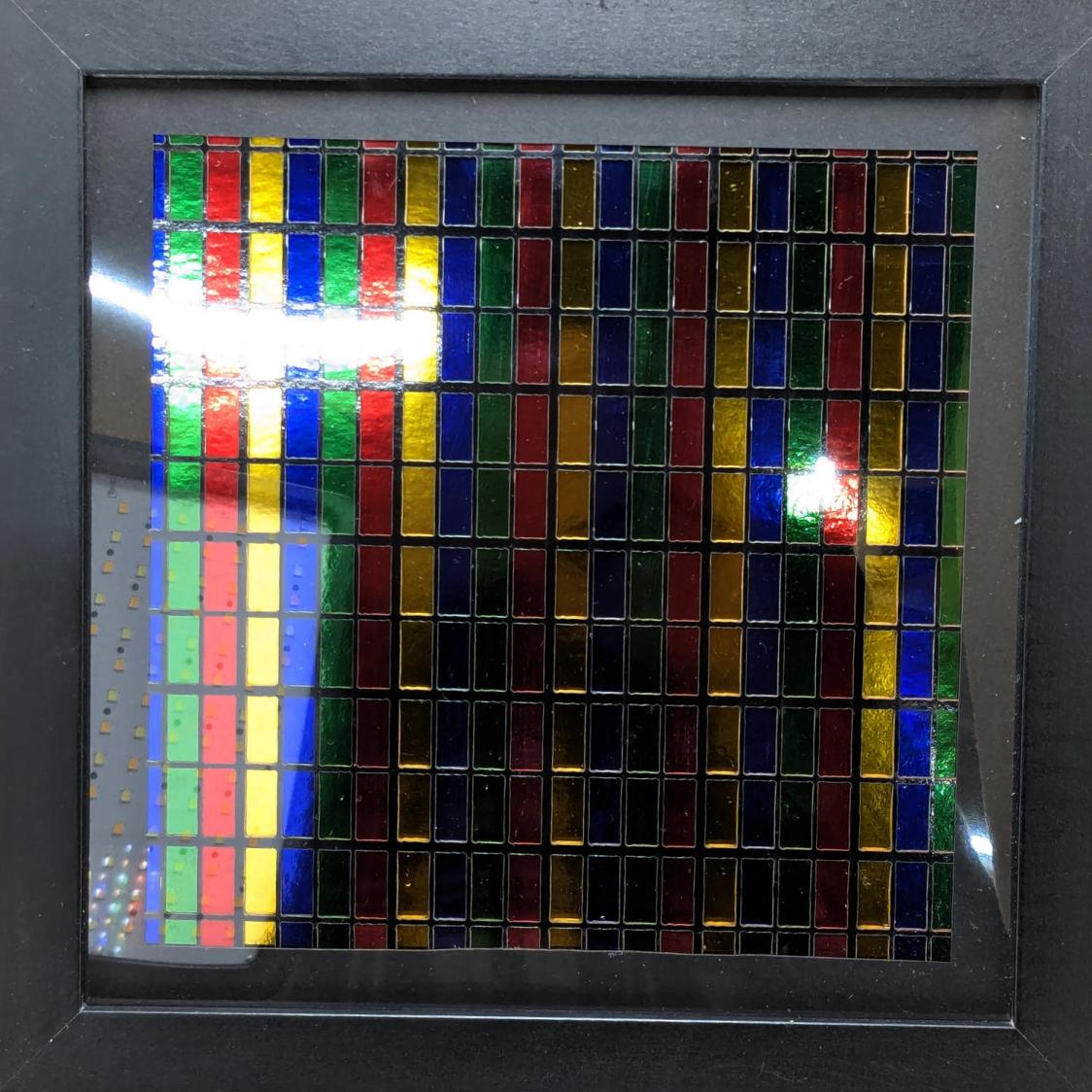
    This is the RGBY Subpixel pattern:

    Metallic layered paper - RGBY subpixels
    Metallic layered paper – RGBY subpixels

    The dotted rectangle in the lower left corner is the (turned off) front light in my low-budget light box and the glare in the upper left comes from the overhead basement LED strip lights.

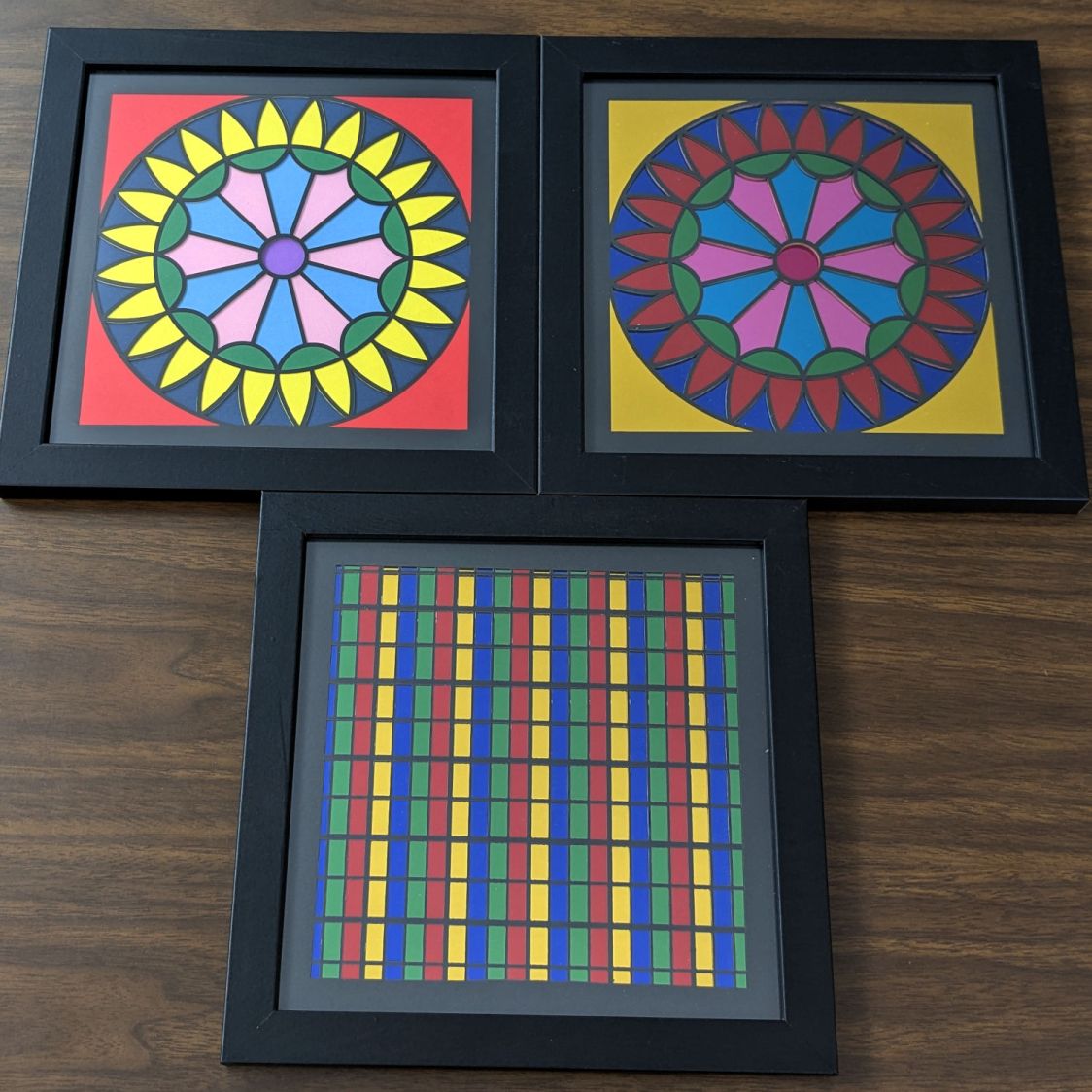
    AFAICT, “metallic paper” consists of shiny aluminum film bonded to heavy paper / cardstock, with transparent colored film bonded atop the aluminum. The sheet is, of course, highly reflective, which looks dark unless it’s reflecting a bright surface, like the well-lit Sewing Room ceiling:

    Metallic layered paper - vs art paper
    Metallic layered paper – vs art paper

    I made the bright Pyrotechnics block in the upper left with art paper that looks bright & cheerful in any lighting:

    Metallic layered paper - art paper Pyrotechnics block
    Metallic layered paper – art paper Pyrotechnics block

    That’s the difference between specular reflectors and Lambertian reflectors.

    I cut the metallic paper face-down in the fixture:

    Pyrotechnics - metallized paper fixture
    Pyrotechnics – metallized paper fixture

    Although I’m underwhelmed by the metallic-layered-paper results, the stuff does make spectacular chaff:

    Letter paper fixture - on knife bars
    Letter paper fixture – on knife bars

    I should give our neighbor’s two-year-old lad a gift box …

  • Laser Cutter: Letter Page Fixture

    Laser Cutter: Letter Page Fixture

    Making 200×200 mm layered paper “pictures” involved cutting the square blanks from 8½×11 Letter sheets, putting those blanks in a fixture to hold them flat, then cutting the layer patterns:

    Layered Paper cutting fixture - in use
    Layered Paper cutting fixture – in use

    That worked well enough, but it occurred to me that I should cut the patterns directly into the Letter sheet, with a couple of tabs on each edge holding the square to the sheet so it didn’t fall free.

    A cardboard prototype showed this would actually work, at least after I fixed the tab width to keep them from just evaporating:

    Pyrotechnics - metallized paper fixture
    Pyrotechnics – metallized paper fixture

    The top and bottom strips of tape hold cardboard bars that flatten the slightly curled metallic paper. The tape on the sides holds the cardboard flat to the knife bars across the laser platform.

    A few adjustments later, I had an MDF version:

    Letter paper fixture - cardboard vs MDF
    Letter paper fixture – cardboard vs MDF

    Which fits atop the bars even better:

    Letter paper fixture - on knife bars
    Letter paper fixture – on knife bars

    Cutting colored paper definitely makes for cheerful chaff!

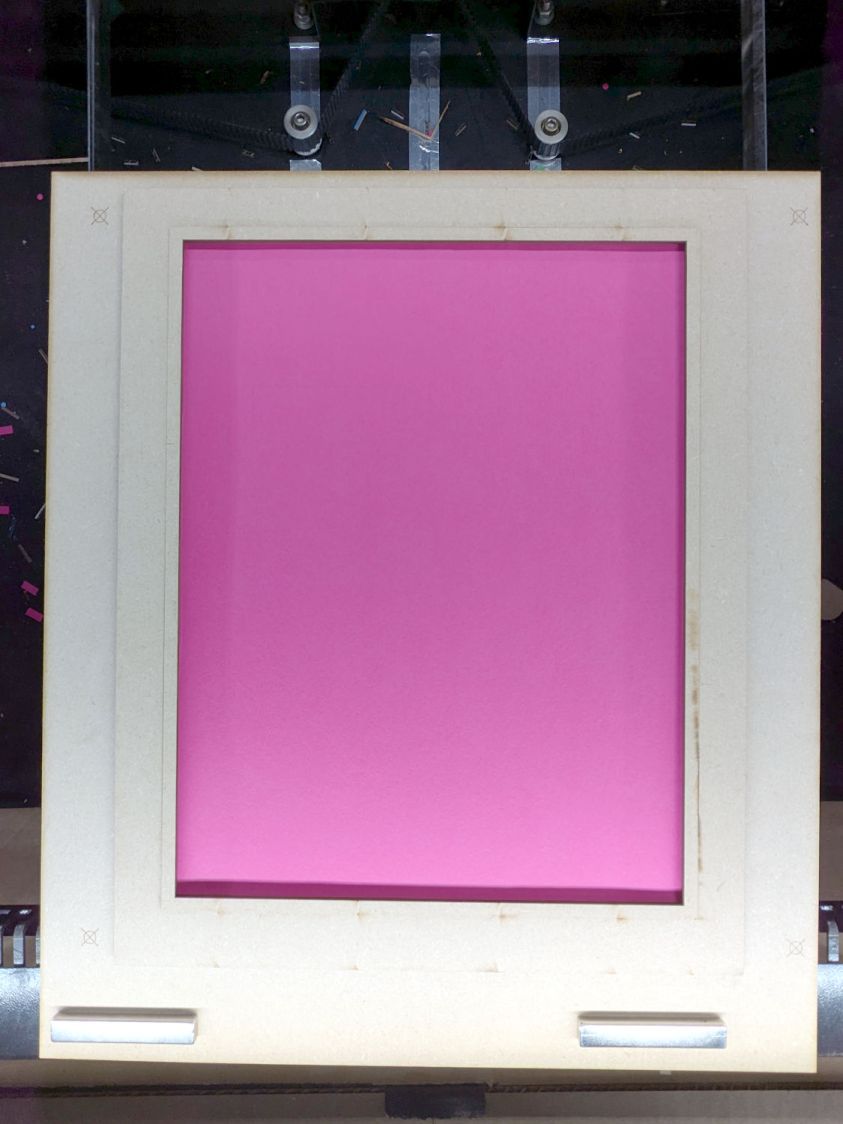
    The two bar magnets hold the fixture in place on the steel platform rim. The aluminum knife bars stand slightly proud of the steel, so there’s a 1.4 mm chipboard shim glued under the fixture to put it flat on the bars.

    The opening is 10 mm smaller than the Letter sheet to support it all around. The recess is 1 mm larger than the sheet to allow for slight size variations, with an MDF ring flattening the sheet:

    Letter paper fixture - sheet in place
    Letter paper fixture – sheet in place

    The four targets in the corners correspond to targets in the LightBurn template suitable for Print and Cut alignment:

    Letter sheet template - LightBurn layout
    Letter sheet template – LightBurn layout

    The alert reader will note the fixture targets on the MDF fixture sit juuuust slightly to the right of where they are in the template. It turns out the targets cannot be grouped with anything else (or even each other), because when you select a target on the template for Print and Cut the center of the selection must match the location of the physical target on the fixture.

    However, it’s convenient to have the rest of the template grouped into a single lump, so it’s painfully easy to select and move only the template while leaving the targets behind. It seems while setting up to mark & cut the template, I managed to click-n-drag the group a few millimeters to the left.

    I eventually used Print and Cut to align the template and target with the corners of that MDF frame, re-engrave the targets at the correct locations, and scribble over the misplaced targets. If I don’t tell anybody, they’ll never know.

    The LightBurn SVG layout as a GitHub Gist:
    Loading
    Sorry, something went wrong. Reload?
    Sorry, we cannot display this file.
    Sorry, this file is invalid so it cannot be displayed.
  • Road Construction: Right Turn Only

    Road Construction: Right Turn Only

    The previous layout of Rt 376 had two lanes approaching the Raymond Avenue intersection from the south (from the right in this rotated & ruthlessly contrast-blown Google Maps screenshot):

    Rt 376 at Raymond - prior two-lane striping
    Rt 376 at Raymond – prior two-lane striping

    The right lane is marked Only ↱ for the Raymond intersection, starting just past the Vassar Security Office entrance in the top middle of the screenshot.

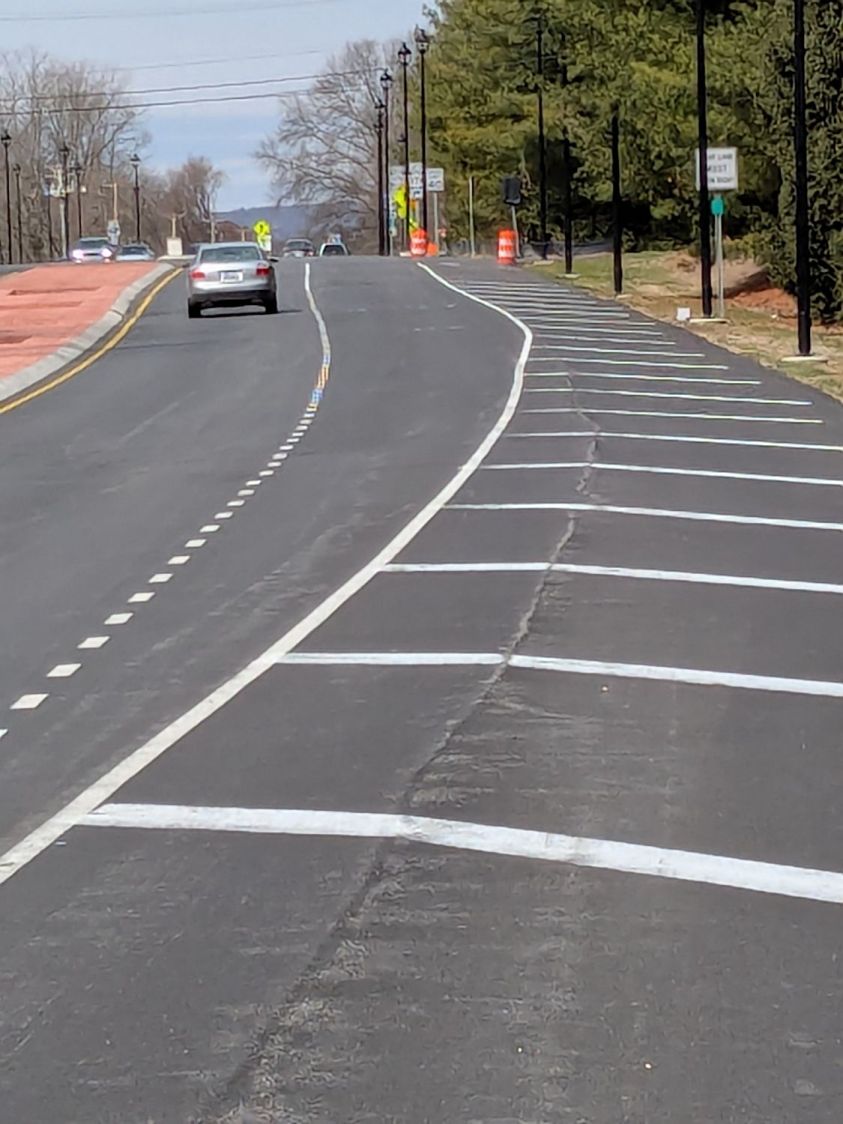
    Given this preliminary striping with faded Only ↱ markings, one might assume a similar lane layout is in effect for the new traffic circle at the intersection:

    Vassar Security Office Lane - A
    Vassar Security Office Lane – A

    The lighting poles may seem snugly placed, but not too much out of the ordinary:

    Some drivers seem concerned at this point:

    Vassar Security Office Lane - C
    Vassar Security Office Lane – C

    With any luck, they can swerve back into what is the only lane going all the way to the circle, because the right lane is dedicated to Vassar Security Office traffic:

    Vassar Security Office Lane - D
    Vassar Security Office Lane – D

    If you happen to be walking southbound, toward the traffic, in the middle of the shoulder beyond the turn lane, you will look that driver directly in the eye, as happened to me while walking back from Mary’s garden.

    As I mentioned last week, my money says that first lamp post, the one with the barrel guarding it, won’t survive the year.

    Given the utter lack of pedestrian facilities (f.k.a. “sidewalks”) south of the circle, I can only hope the road furniture will absorb all the damage / fatalities.

  • Laser-Cut Vole Trap Boxes

    Laser-Cut Vole Trap Boxes

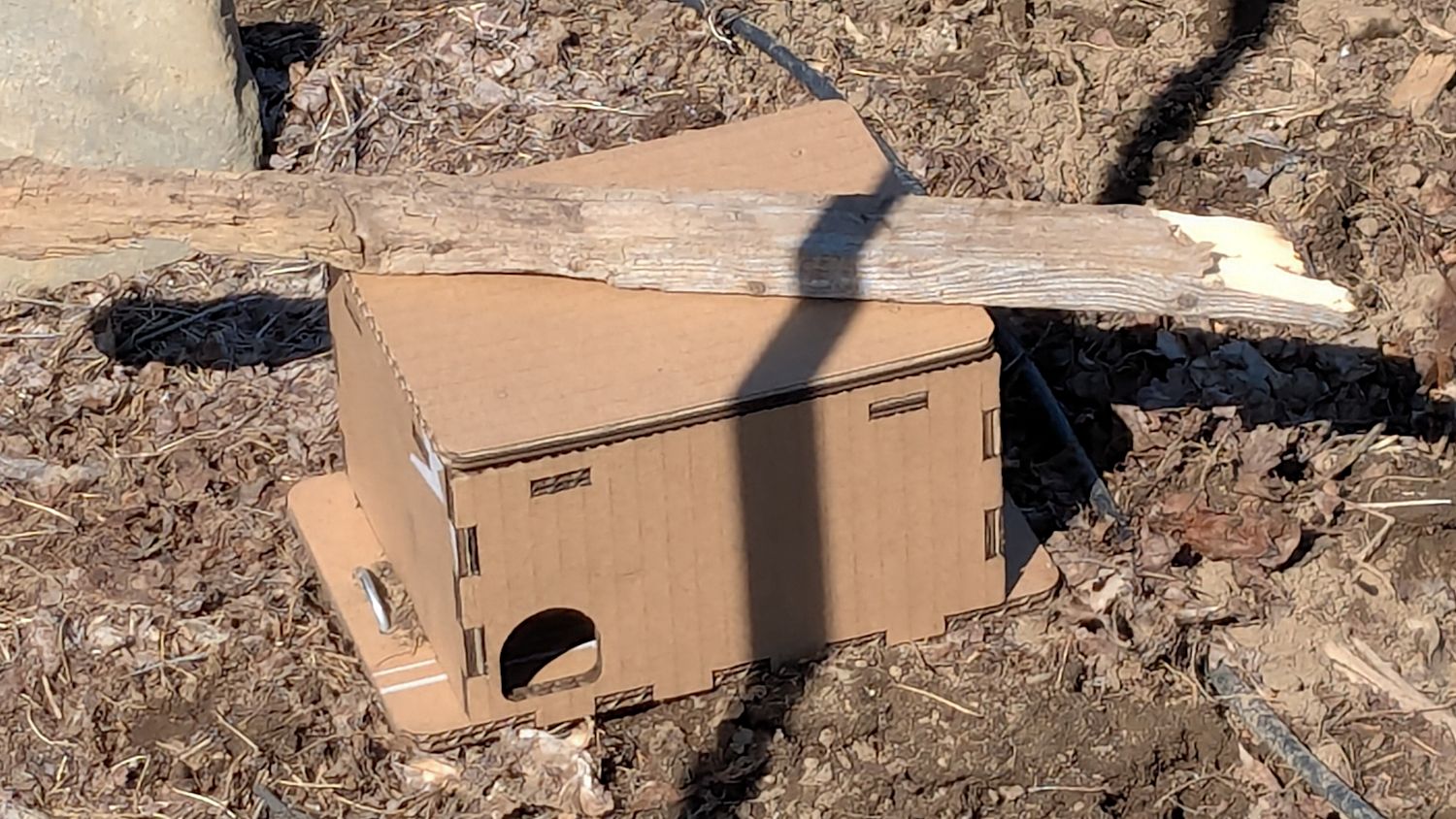
    We deployed low-effort vole trap boxes a few weeks ago, only to discover no voles checked in, most likely due to wintertime gardens consisting of bare earth. I had weighted the boxes with convenient rocks that pretty much crushed them flat during rainstorms.

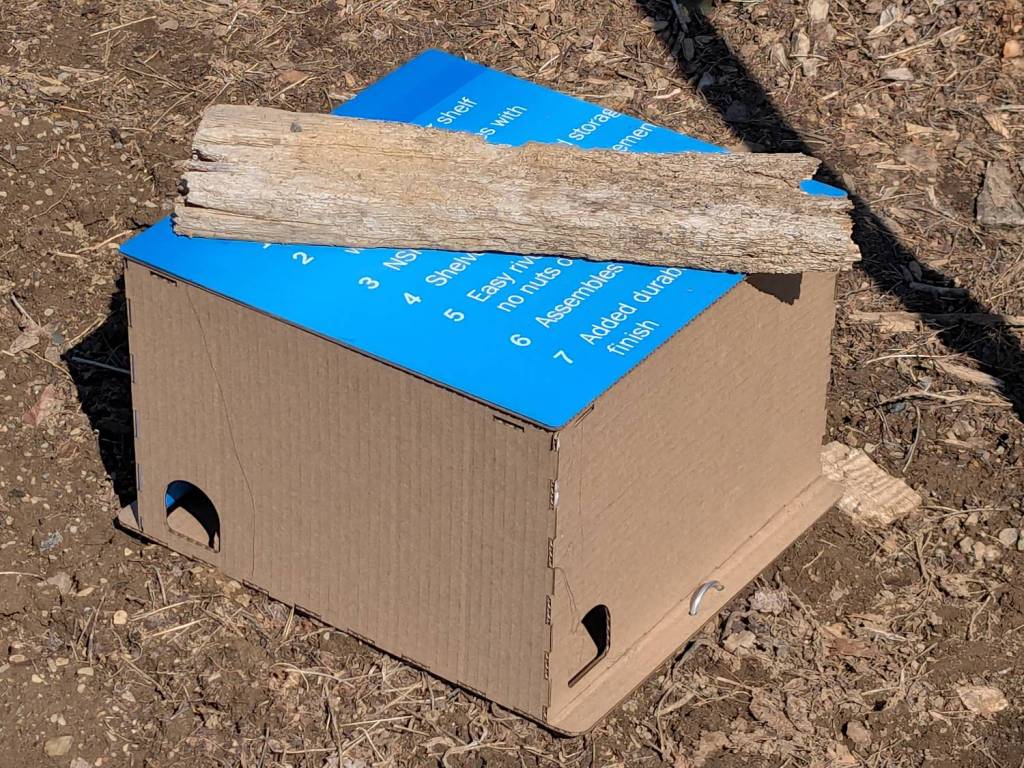
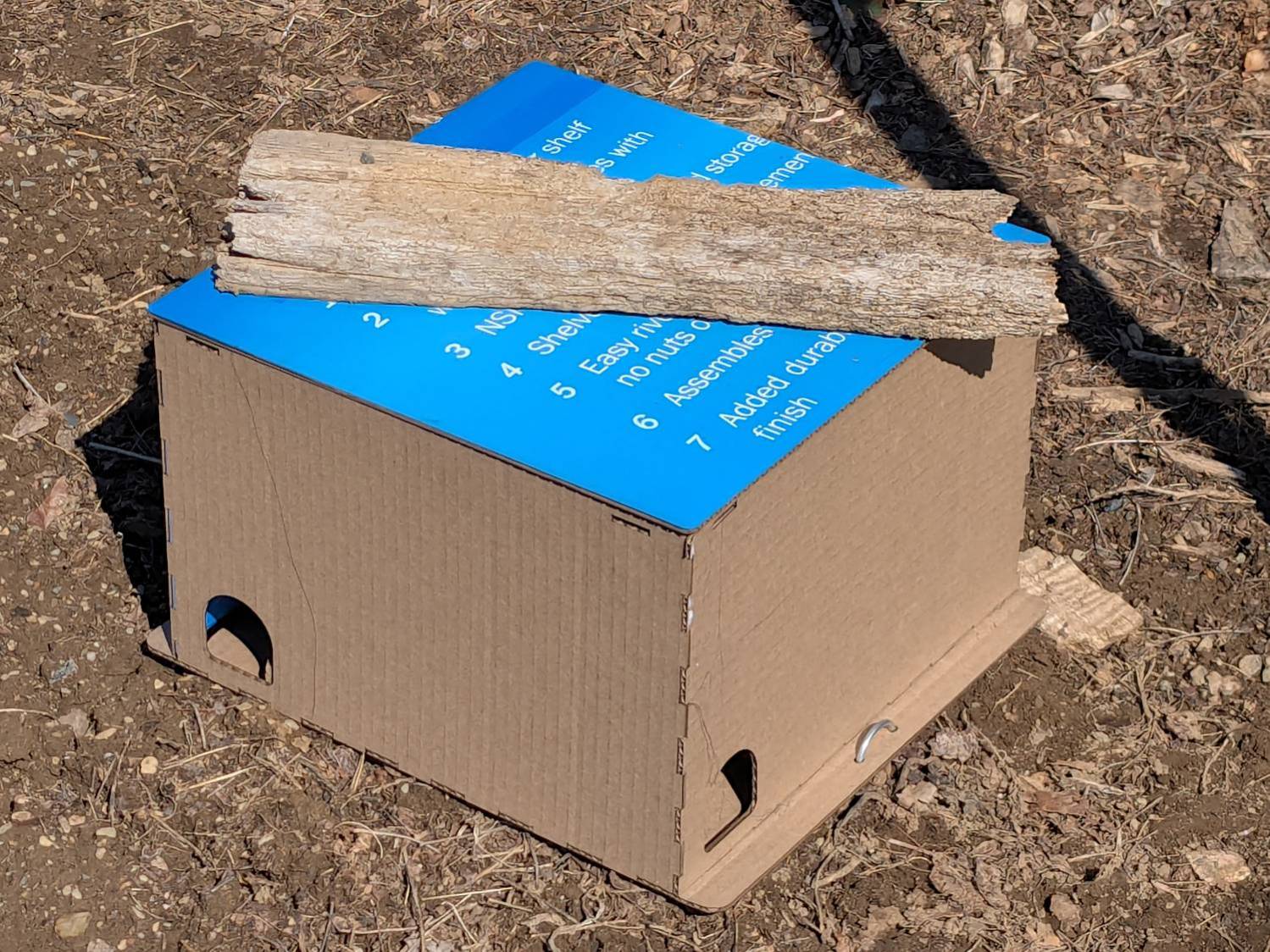
    So I converted a few dozen square feet of cardboard into better-looking boxes and transferred the traps:

    Vole Finger Box - large
    Vole Finger Box – large

    That one has a rat trap inside.

    Smaller boxes hold mouse traps:

    Vole Finger Box - small
    Vole Finger Box – small

    Two pairs of 4 mm holes on the bottom flanges fit some spare irrigation pipe holddowns to, yes, hold them down, with those rotten planks keeping their lids in place.

    They’re lightly customized “Electronics Boxes” held together by hot-melt glue. The jawbreaker URLs will get you started:

    Cardboard remains the wrong material, but my stockpile remains well-stocked.