The Smell of Molten Projects in the Morning

Ed Nisley's Blog: Shop notes, electronics, firmware, machinery, 3D printing, laser cuttery, and curiosities. Contents: 100% human thinking, 0% AI slop.

Author: Ed

  • MPCNC – Autolevel Probe, Collet Edition

    Although putting a Z-axis height probe in a rigid pen holder worked well enough, it’d be handy to have a probe with a stud suitable for clamping in the DW660 spindle (with the power off!):
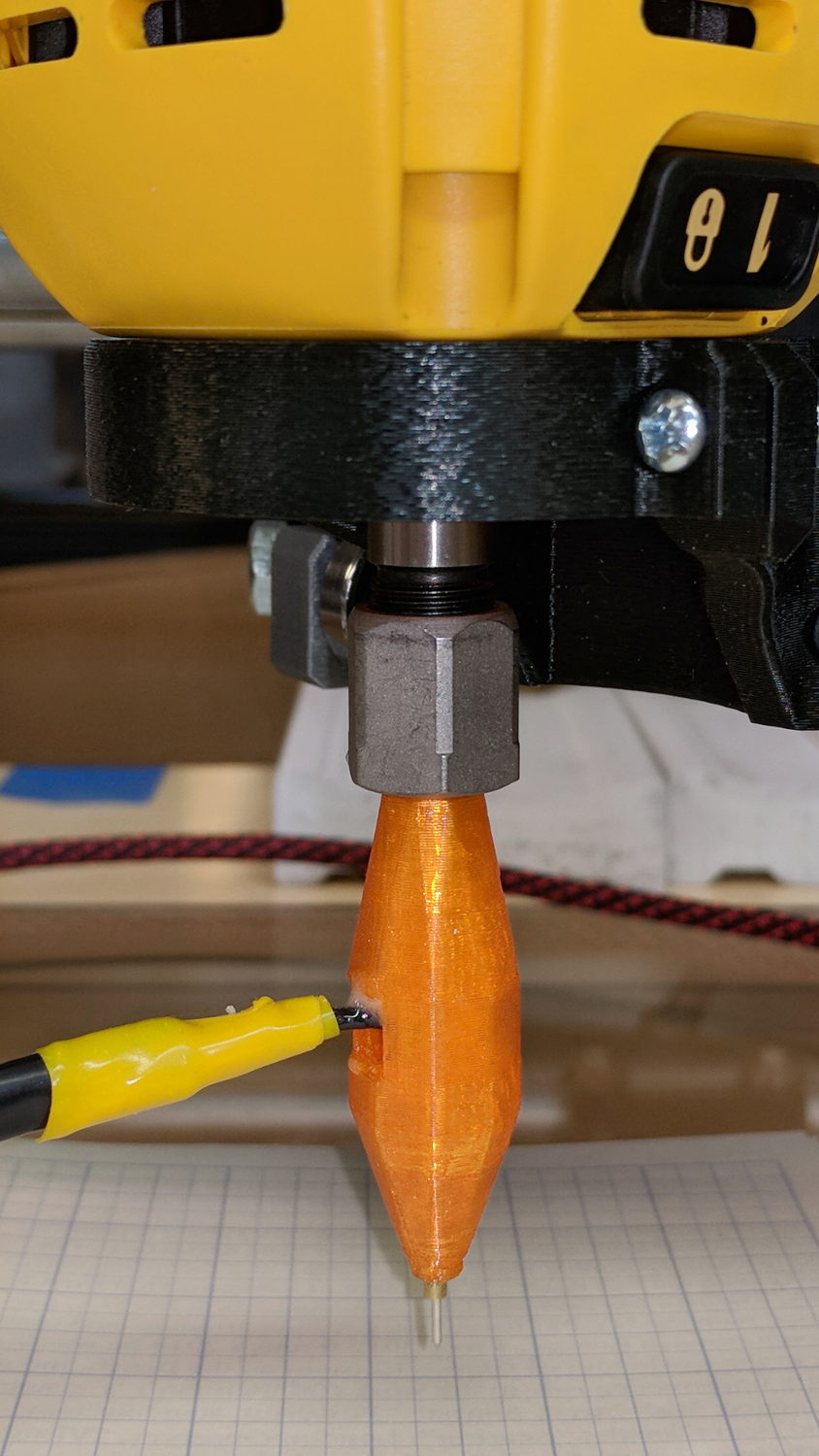
    MPCNC - Z probe - DW660 - 0.25 collet
    MPCNC – Z probe – DW660 – 0.25 collet

    Inside, it uses the same pushbutton and pogo pin as the pen holder design, with a similar brass tube around the pogo pin.

    There’s a conspicuous lack of good wire management; we all know where those wires will snap. In practice, you’d secure it to the DW660 power cord, way up on top, to eliminate most of the flexing. Still, it wants better strain relief than its gets from those heatstink tubes.

    The solid model looks like a weaving shuttle:
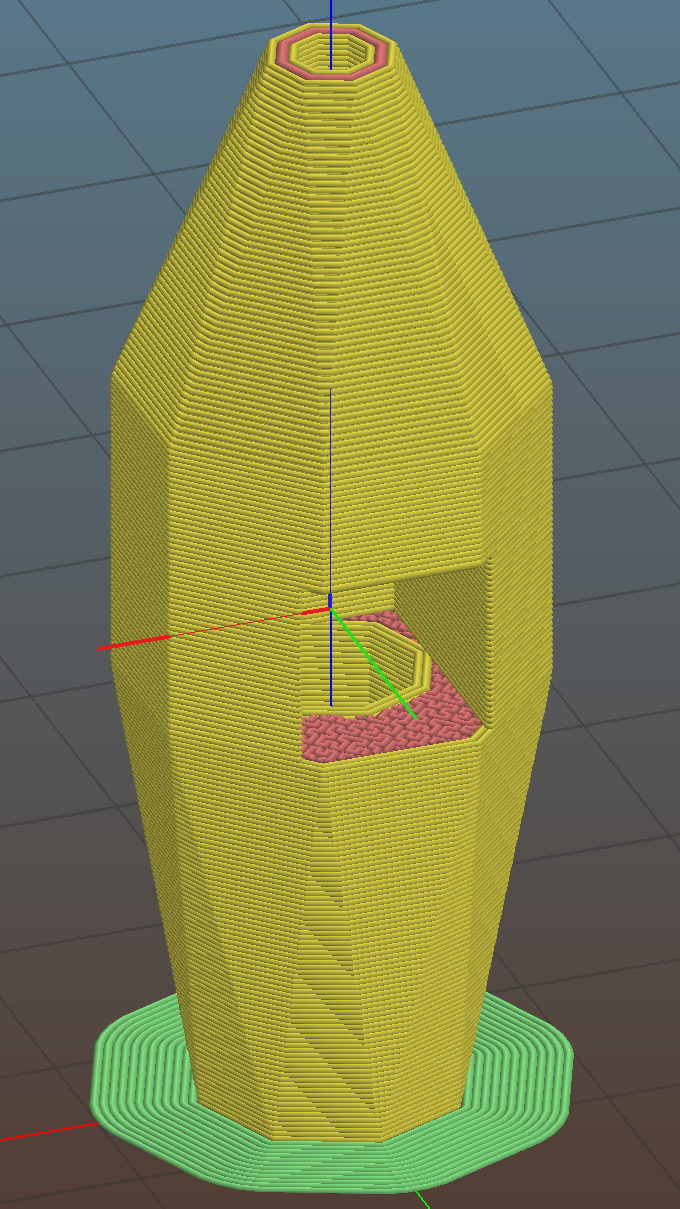
    MPCNC - Autolevel probe - collet - Slic3r preview
    MPCNC – Autolevel probe – collet – Slic3r preview

    It’s sitting upside-down in a 5 mm brim for more platform adhesion.

    The next one will have a 1/8 inch stud to fit the DW660’s other collet and shorten the top by 3/8 inch, because I want the rod inserted three diameters for stability. The bottom can’t get much shorter, because the pogo pin determines the switch-to-tip distance. Maybe a simple membrane switch will work well enough?

    You can see the depression in the glass sheet pretty clearly in a bCNC Autolevel scan on 30 mm centers (clicky for more dots):
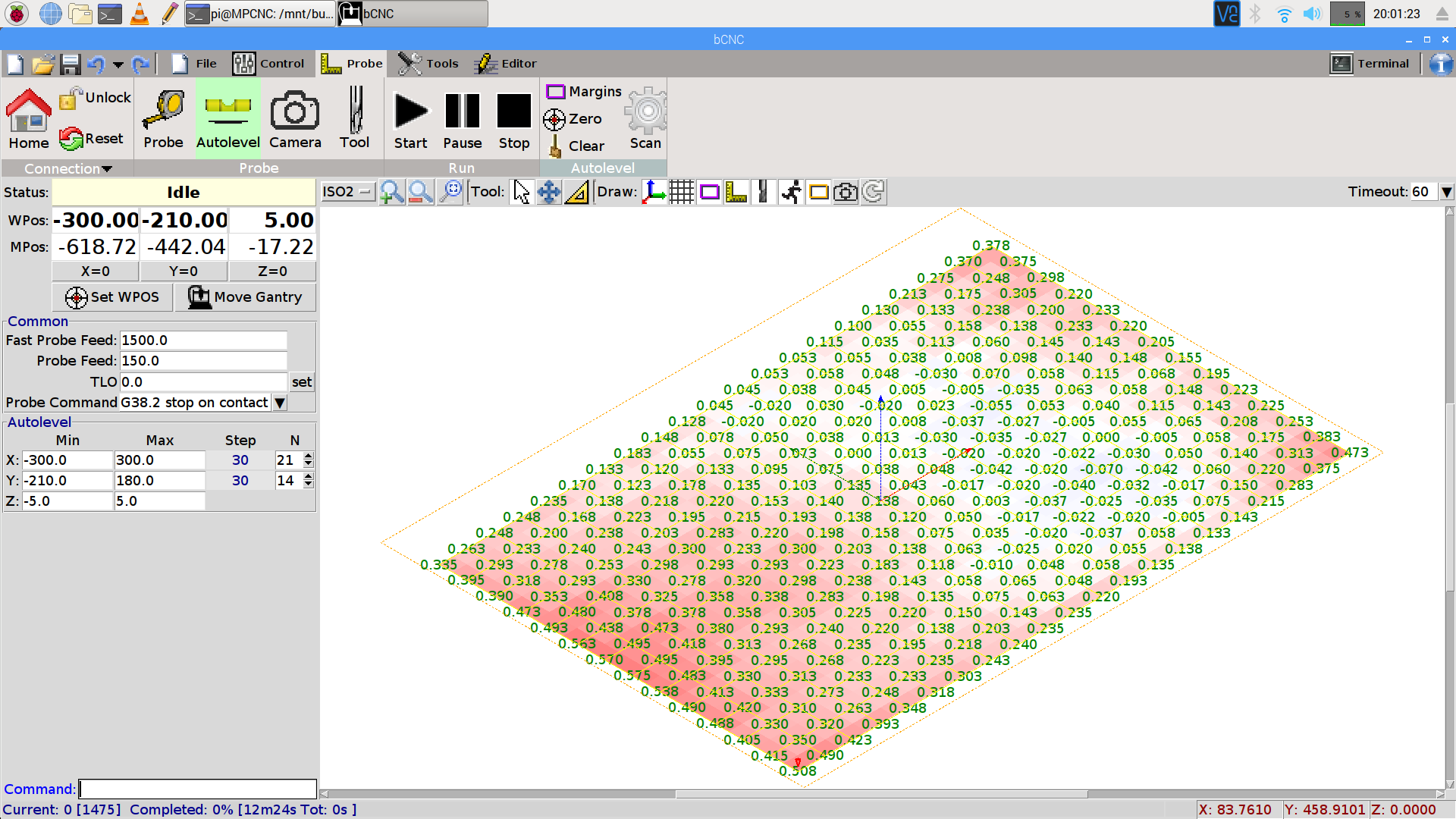
    bCNC - Probe Array - 600x390 30 mm OC - ISO2
    bCNC – Probe Array – 600×390 30 mm OC – ISO2

    The OpenSCAD source code as a GitHub Gist:

    // MPCNC Z Axis Height Probe for router collet
    // Ed Nisley KE4ZNU – 2018-02-14
    Layout = "Build"; // Build, Show
    Section = false;
    /* [Extrusion] */
    ThreadThick = 0.25; // [0.20, 0.25]
    ThreadWidth = 0.40; // [0.40]
    /* [Hidden] */
    Protrusion = 0.1; // [0.01, 0.1]
    HoleWindage = 0.2;
    inch = 25.4;
    function IntegerMultiple(Size,Unit) = Unit * ceil(Size / Unit);
    ID = 0;
    OD = 1;
    LENGTH = 2;
    //- Adjust hole diameter to make the size come out right
    module PolyCyl(Dia,Height,ForceSides=0) { // based on nophead's polyholes
    Sides = (ForceSides != 0) ? ForceSides : (ceil(Dia) + 2);
    FixDia = Dia / cos(180/Sides);
    cylinder(r=(FixDia + HoleWindage)/2,h=Height,$fn=Sides);
    }
    /* [Switch] */
    SwitchBody = [7.8,6.8,7.0]; // PCB mount hardware extends infinitely to +Y
    SwitchButton = [3.5,5.0,1.0]; // OD allows some clearance
    SwitchClear = 5.0; // room for pad atop probe rod
    SwitchZ = SwitchBody.z + SwitchButton.z + SwitchClear;
    Sleeve = [1.5,2.5,15.0]; // tube around pogo pin
    ShankOD = 0.25 * inch; // rod into tool collet
    /* [Hidden] */
    WallThick = 3.0; // basic wall & floor thickness
    ProbeBody = [Sleeve[OD],
    2*WallThick + sqrt(pow(SwitchBody.x,2) + pow(SwitchBody.y,2)),
    3*ShankOD + SwitchZ + Sleeve[LENGTH]];
    echo(str("Probe Body: ",ProbeBody));
    NumSides = 2*4;
    //—–
    // Define shapes
    module Switch() {
    union() {
    translate([0,0,SwitchBody.z/2])
    cube(SwitchBody,center=true);
    translate([0,ProbeBody[OD]/2 – SwitchBody.y/2,(SwitchBody.z + SwitchButton.z)/2])
    cube([SwitchBody.x,ProbeBody[OD],SwitchBody.z + SwitchButton[LENGTH]],center=true);
    translate([0,0,SwitchBody.z])
    PolyCyl(SwitchButton[OD],SwitchButton[LENGTH] + SwitchClear,6);
    }
    }
    module ProbeHolder() {
    difference() {
    hull() {
    PolyCyl(Sleeve[OD] + 6*ThreadWidth,Protrusion,NumSides);
    translate([0,0,Sleeve.z])
    rotate(180/8)
    PolyCyl(ProbeBody[OD],SwitchZ,NumSides);
    translate([0,0,Sleeve.z + SwitchZ + 3*ShankOD – Protrusion])
    PolyCyl(ShankOD + 10*ThreadWidth,Protrusion,NumSides);
    }
    translate([0,0,SwitchZ + Sleeve[LENGTH]])
    rotate([0,180,0])
    Switch();
    translate([0,0,-Protrusion])
    PolyCyl(Sleeve[OD],Sleeve[LENGTH] + 2*Protrusion,NumSides);
    translate([0,0,Sleeve.z + SwitchZ – Protrusion])
    PolyCyl(ShankOD,3*ShankOD + 2*Protrusion,NumSides);
    if (Section)
    translate([ProbeBody[OD]/2,0,ProbeBody[LENGTH]/2])
    cube([ProbeBody[OD],2*ProbeBody[OD],ProbeBody[LENGTH] + 2*Protrusion],center=true);
    }
    }
    //—–
    // Build it
    if (Layout == "Show")
    ProbeHolder();
    if (Layout == "Build") {
    translate([0,0,ProbeBody.z])
    rotate([0,180,0])
    ProbeHolder();
    }
  • Streaming Radio Player: OLED Garble

    Even in the dim light of dawn, it’s obvious slowing the SPI clock to 1 MHz didn’t quite solve the problem:

    RPi OLED display - garbled
    RPi OLED display – garbled

    The display started up fine, became encrypted during the next few hours, and remained garbled as the track information changed. This is almost certainly a bad SPI transfer trashing the OLED module’s control registers.

    Dropping the clock to the absolute minimum of 0.5 MHz didn’t help, either:

    serial = spi(device=0,port=0,bus_speed_hz=500000)
    device = sh1106(serial)
    

    This particular display woke up blank after loading the new code, then worked OK after another reset. The other streamers lit up as expected on the first try, so the slower SPI isn’t making the situation instantly worse.

    Running the clock at 1 MHz definitely reduced the failure rate, which suggests it’s a glitchy thing.

    Good embedded systems practice suggests resetting the entire display from scratch every now and again, but my streamer code has no concept of elapsed time. Opening that particular can o’ worms would almost certainly result in an on-screen clock and I do not want to go there.

    I suppose I must get a new oscilloscope with SPI bus decoding to verify all the SPI setup and hold times …

  • Quilting Ruler Pivot Pin Sharpening

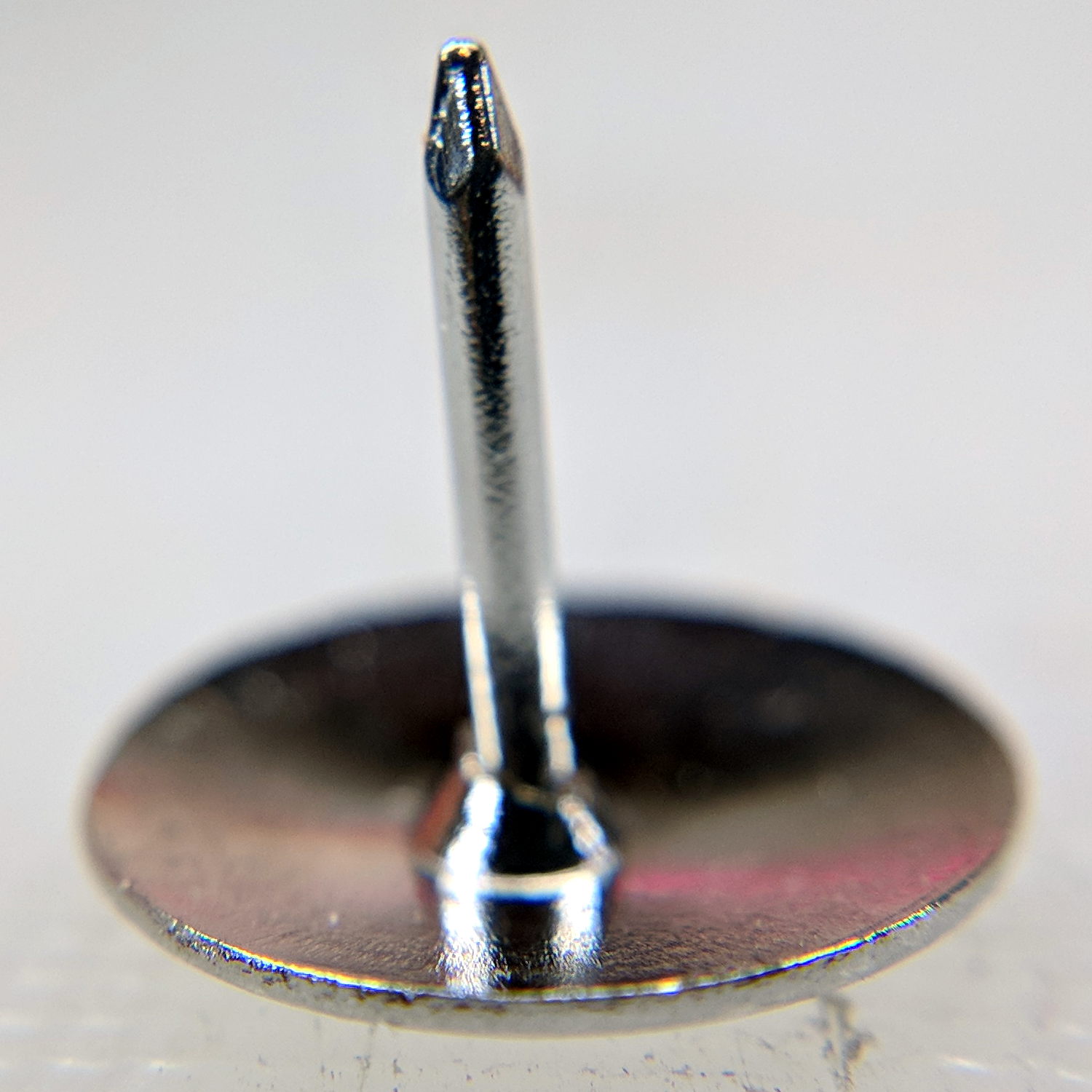
    Mary mentioned the pivot pin supplied with a quilting ruler tended to hang up on the layers of fabric and batting in the quilt squares she’s been making. A quick look showed the pin bore a remarkable resemblance to an ordinary thumb tack:

    Ruler Quilting Pivot Pin - as delivered
    Ruler Quilting Pivot Pin – as delivered

    I reset the pin shaft perpendicular to the head, grabbed a small brass tube in the lathe tailstock, inserted pin in tube, grabbed the head in the chuck, ignored a slight radial offset, and attacked the pin with fine files and sandpaper:

    Ruler Quilting Pivot Pin - sharpened
    Ruler Quilting Pivot Pin – sharpened

    The lathe chuck seemed the easiest way to firmly hold the head; I rotated the chuck by hand while filing.

    Most of the remaining scratches go mostly parallel to the pin, but it really didn’t work much better than before. We decided polishing the pin wouldn’t improve the situation enough to make it worthwhile.

    That’s the difference between sharp and keen, which cropped up with the cheap ceramic knife from a while ago. The point may penetrate the fabric, but the shaft can’t get through the tight weave.

    She’s now using a scary thin and pointy embroidery pin, having successfully rebuffed my offer to mount it in a suitable base.

  • Suet Feeder Temporary Fix

    The neighborhood raccoons made off with our steel-cage suet feeder, leaving a dangling chain, several puzzled woodpeckers, and a potential gap in Mary’s FeederWatch data. A quick Thingiverse search turned up a likely candidate and a few hours of 3D printing produced a replacement:

    3D printed suet feeder
    3D printed suet feeder

    The cheerful party colors just sort of happened after I realized orange wasn’t the new steel.

    I bandsawed the top plate from an acrylic sheet, rather than devote several hours to printing a simple disk with two slots. Said slots came from a bit of freehand work with the drill press, a step drill bit, and a nasty carbide milling bur(r).

    The loops holding the chains won’t last for long, as hairy and red-bellied woodpeckers land with thump.

    It hangs from the stub of a former ski pole, loosely secured to the bracket holding the former feeder, and extending another two feet over the abyss beyond the patio. I doubt the raccoons will remain daunted for long, but maybe they’ll catch a heart attack when it collapses.

  • Kinesis Freestyle2 Keyboard: Linux Fix

    Someone who found my original post about the Freestyle2’s dysfunctional media keys came up with a fix: https://github.com/whereswaldon/kfreestyle2d.

    Kinesis Freestyle2 Media Keys
    Kinesis Freestyle2 Media Keys

    Some notes for the next time this comes up:

    After doing sudo modprobe uinput, lsmod | grep uinp returns nothing at all (Xubuntu 16.04), but evtest seems perfectly happy:

    sudo evtest /dev/input/event17
    Input driver version is 1.0.1
    Input device ID: bus 0x3 vendor 0x58f product 0x9410 version 0x0
    Input device name: "KB800 Kinesis Freestyle"
    Supported events:
      Event type 0 (EV_SYN)
      Event type 1 (EV_KEY)
        Event code 113 (KEY_MUTE)
        Event code 114 (KEY_VOLUMEDOWN)
        Event code 115 (KEY_VOLUMEUP)
        Event code 140 (KEY_CALC)
    Properties:
    Testing ... (interrupt to exit)
    Event: time 1518199358.454619, type 1 (EV_KEY), code 113 (KEY_MUTE), value 1
    Event: time 1518199358.454619, -------------- SYN_REPORT ------------
    Event: time 1518199358.454638, type 1 (EV_KEY), code 113 (KEY_MUTE), value 0
    Event: time 1518199358.454638, -------------- SYN_REPORT ------------
    Event: time 1518199361.014681, type 1 (EV_KEY), code 114 (KEY_VOLUMEDOWN), value 1
    Event: time 1518199361.014681, -------------- SYN_REPORT ------------
    Event: time 1518199361.014699, type 1 (EV_KEY), code 114 (KEY_VOLUMEDOWN), value 0
    Event: time 1518199361.014699, -------------- SYN_REPORT ------------
    Event: time 1518199361.654701, type 1 (EV_KEY), code 115 (KEY_VOLUMEUP), value 1
    Event: time 1518199361.654701, -------------- SYN_REPORT ------------
    Event: time 1518199361.654721, type 1 (EV_KEY), code 115 (KEY_VOLUMEUP), value 0
    Event: time 1518199361.654721, -------------- SYN_REPORT ------------
    Event: time 1518199362.294715, type 1 (EV_KEY), code 140 (KEY_CALC), value 1
    Event: time 1518199362.294715, -------------- SYN_REPORT ------------
    Event: time 1518199362.294733, type 1 (EV_KEY), code 140 (KEY_CALC), value 0
    Event: time 1518199362.294733, -------------- SYN_REPORT ------------
    

    And the keys work without any special configuration on my part. Apparently they’re already built into XFCE, despite the sound keys not showing up in the Keyboard Shortcuts control panel where you assign programs to keys.

    This is wonderful work!

    I’ve never seen so many calculators before! Oops.

    There should be some udev-rule-ish way to automagically figure out which /dev/hidraw? device to use and symlink to a suitable alias, so the program could use it without knowing the actual device. A casual search turns up:

    https://unix.stackexchange.com/questions/105144/udev-rule-for-assigning-known-symlinks-for-identical-usb-serial-devices#105218

    With which I’d produce /dev/input/kinesis0 and kinesis1, then use:

    /home/ed/bin/kinesis/kfreestyle2d /dev/input/kinesis1
    

    If only the Kinesis Fn key was momentary, rather than a push-on / push-off toggle. Le sigh. I can cope.

  • Monthly Image: Red Sky in the Morning

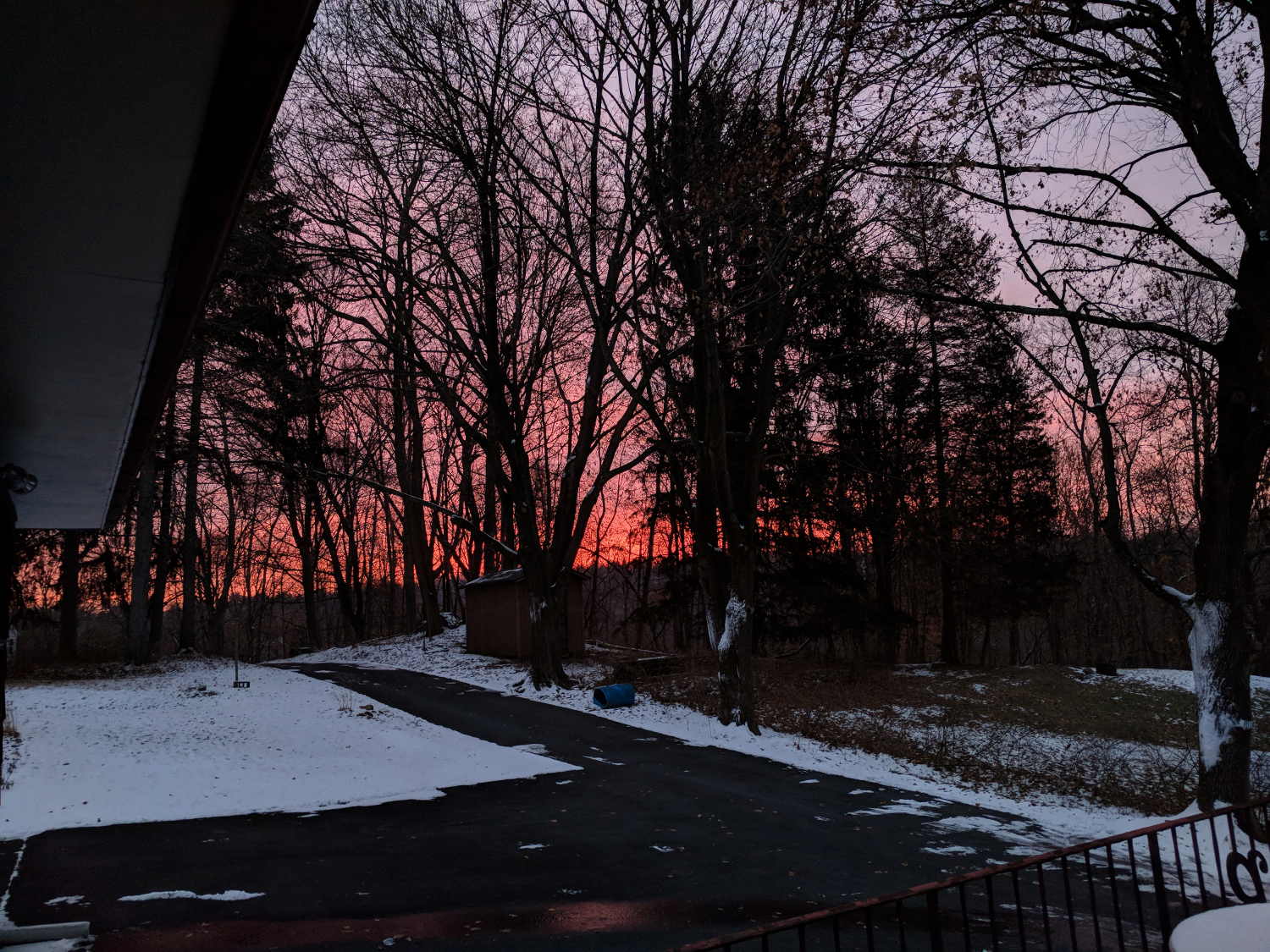
    You can tell the day’s weather won’t be good when you see this:

    Red Sky in the Morning - 2018-02-07
    Red Sky in the Morning – 2018-02-07

    Taken just before the snow started …

    I wish I could run the snowblower up and down the driveway to preemptively level it at -5 inches, so the snowfall would end with almost bare asphalt.

    Long ago, they promised me heated driveways and sidewalks to eliminate snow shoveling, but it hasn’t worked out that way, either.

  • Stepper Motor Current Measurement Setup

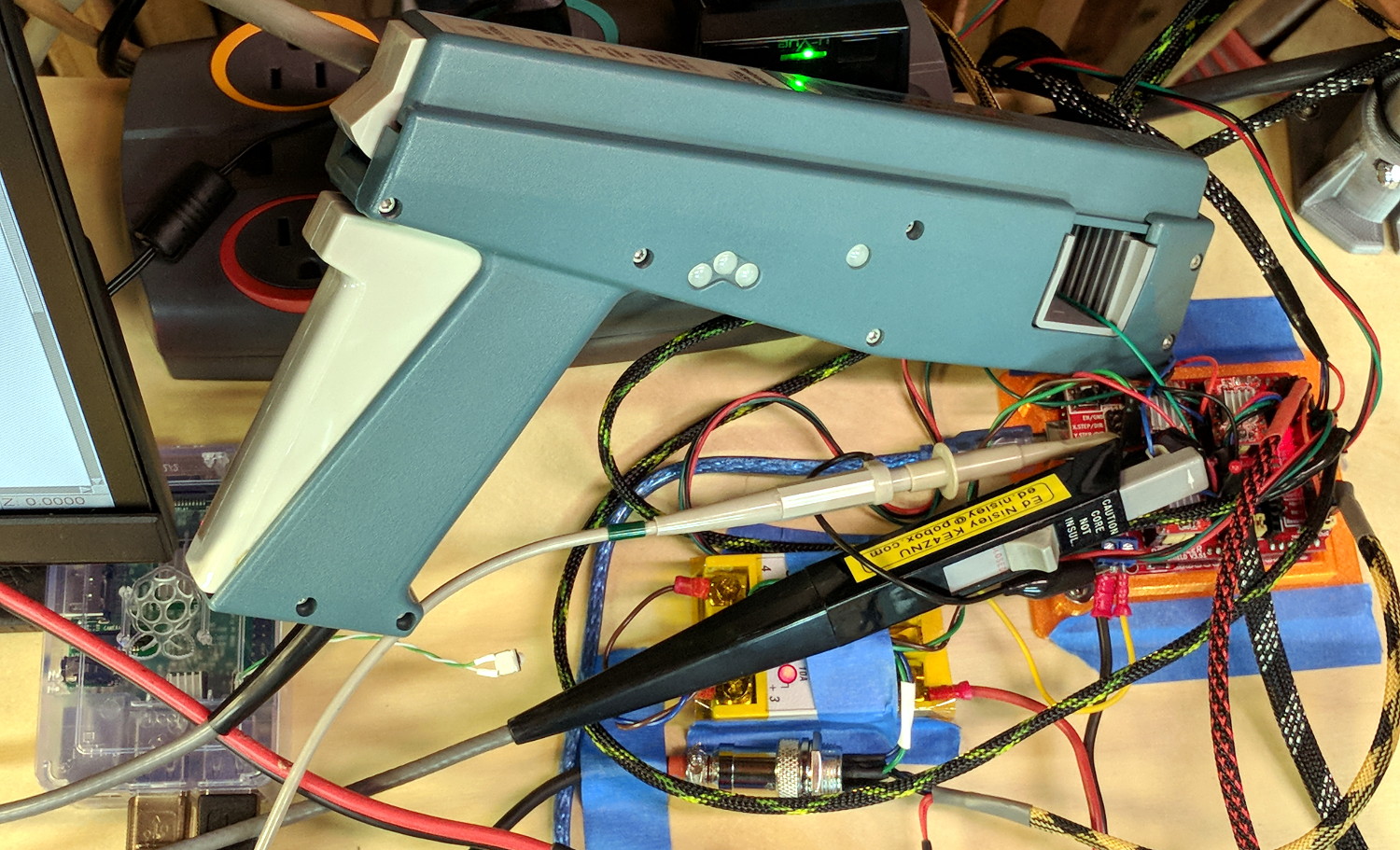
    As part of installing the bar clamps, I packed away the Tek Hall effect current probes measuring the stepper winding currents:

    MPCNC Z Axis AB current probe - overview
    MPCNC Z Axis AB current probe – overview

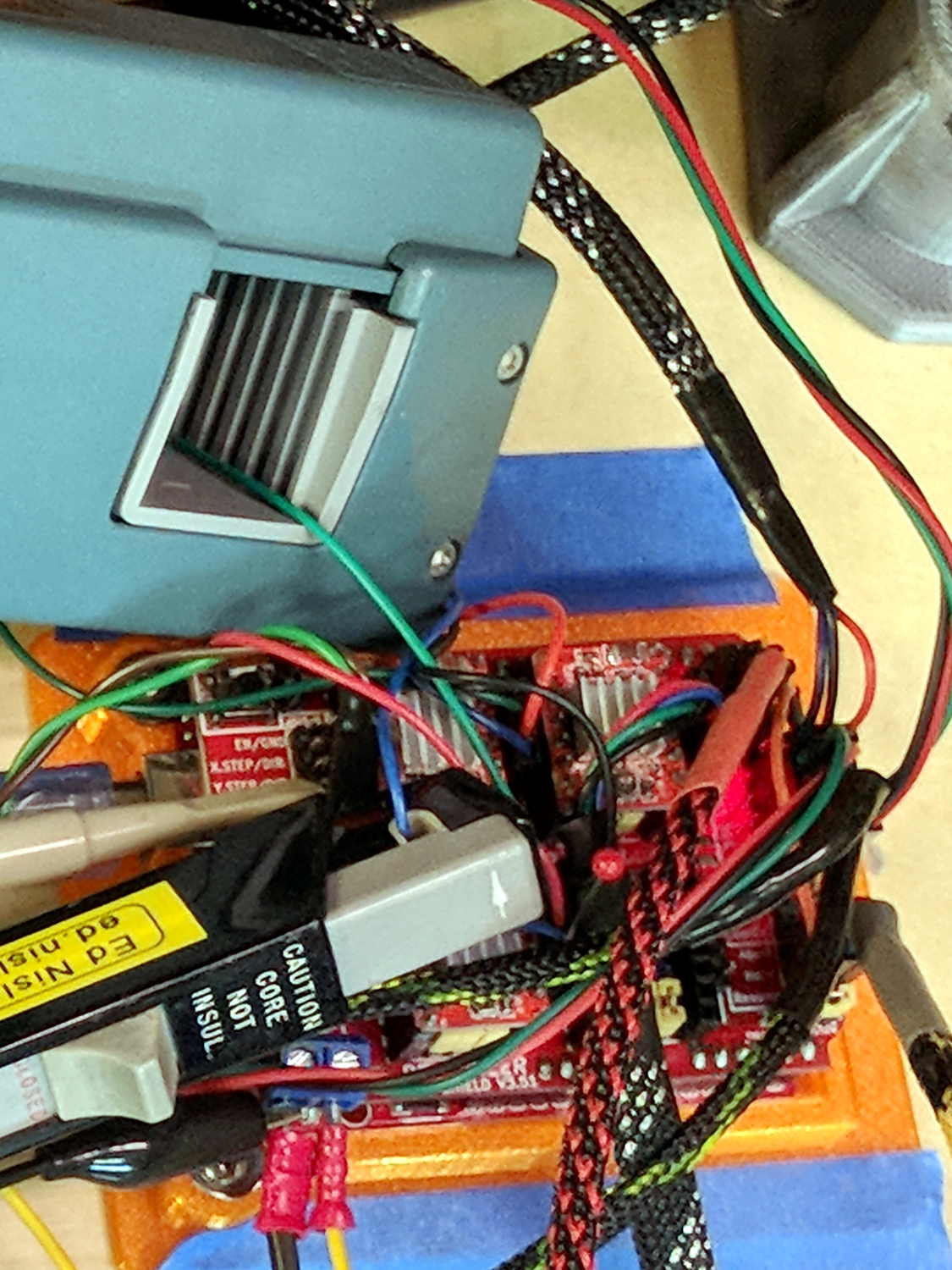
    The hulking pistol is a Tektronix A6203 100 A probe, the little black pencil is a Tek A6302 20 A probe:

    MPCNC Z Axis AB current probe - detail
    MPCNC Z Axis AB current probe – detail

    The absurdity of measuring a 600 mA (peak!) current with a 100 A probe isn’t lost on me, but those things have become genuine eBay collectibles over the last few years.

    For low-frequency signals, you could probably get by with a Fluke i410 Hall effect current clamp.

    Yo, Eks, babes, remember me in your will … [grin]