With SVG scaling more-or-less settled, converting a line of text into the SVG layouts for printing and punching is reasonably straightforward feasible.
The Python program contains several test patterns:
TestStrings = ( " " * NumCols,      # blank card for printing
                "█" * NumCols,      # lace card for amusement
                "0123456789 ABCDEFGHIJKLMNOPQRSTUVWXYZ abcdefghijklmnopqrstuvwxyz",
                "¢.<(+|!$*);¬,%_>?:#@'=" + '"' + "&-/█",
                "▯" * NumCols,      # hack for row number alignment
                )
A Contents string contains the characters going onto the card, which can come from either the command line or TestStrings:
if args.test:       # test patterns used without changes
    Contents = TestStrings[args.test - 1].ljust(NumCols,' ')

else:               # real cards need cleaning
    Contents = ''.join(itertools.chain(*args.contents))

    if args.seq:
        nl = 8 - len(args.prefix)
        Contents = Contents.ljust(NumCols - 8,' ')[:(NumCols - 8)]
        Contents = Contents + f"{args.prefix}{args.seq:0{nl}d}"
    else:
        Contents = Contents.ljust(NumCols,' ')[:NumCols]

    if not args.lower:
        Contents = Contents.upper()
The args.seq command line option gives either the starting sequence number or, when zero, leaves the original text unchanged. Adding sequence numbers to the Apollo AGC source code is non-canon; so be it. All of the adjusting turns Contents into an 80 character string.
The CharMap converts each Unicode character in Contents into a list of the holes to be punched in that column:
CharMap = {
    " ": (),
    "0": (0,),
    "1": (1,),
… snippage …
    "Z": (10,9),
    "a": (12,10,1),
… snippage …
    "&": (12,),
    "-": (11,),
    "/": (10,1),
    "█": (12,11,10,1,2,3,4,5,6,7,8,9),      # used for lace card test pattern
    "▯": (12,10,2,4,6,8),      # used for alignment tests with hack for row numbers
}
The numbers in the list are effectively “row names” which must be translated into the physical row index (from the top of the card, because Y coordinates increase downward in SVG files):
RowMap = (2,3,4,5,6,7,8,9,10,11,2,1,0)
The top three card rows are named “12 / 11 / 10”, with the “10 row” in the same place as the “0 row” = third row from the top = index 2, which is why the mapping is not one-to-one.
Whereupon punching the holes goes a little something like this:
if args.layout == "laser":
    for c in range(len(Contents)):
        glyph = Contents[c]
        if not (glyph in CharMap):
            glyph = ' '
        for rn in CharMap[glyph]:
            r = RowMap[rn]
            HoleEls.append(
                svg.Rect(
                    x=svg.mm(BaseHoleAt[X] + c*HoleOC[X] - HoleSize[X]/2),
                    y=svg.mm(BaseHoleAt[Y] + r*HoleOC[Y] - HoleSize[Y]/2),
                    width=svg.mm(HoleSize[X]),
                    height=svg.mm(HoleSize[Y]),
                    stroke=HoleCut,
                    stroke_width=svg.mm(DefStroke),
                    fill="none",
                )
            )
Mercifully, everything is in millimeters and LightBurn plunks the holes exactly where they should be:
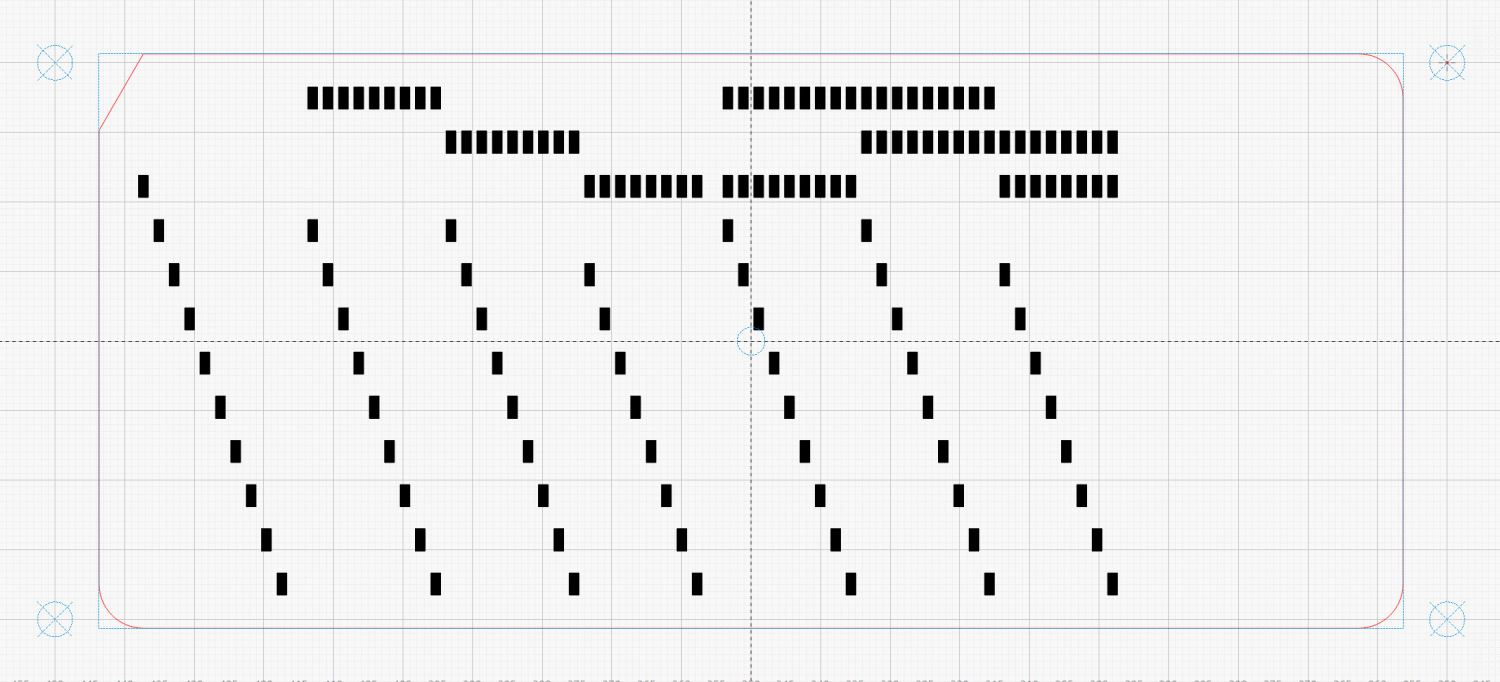
That’s the LightBurn layout with the rectangles on the black layer set to Fill. The SVG rectangles have fill="none" because LightBurn uses only the vector stroke, so you’ll see hollow rectangles in any other program. The card outline goes on the red layer set to Line for cutting.
Punching evaporating those holes must happen on the printed card made with the same text string, which requires another pass through the program with different command-line parameters.
A real blank card has a digit corresponding to the row name printed in every column, much like the bottom card:
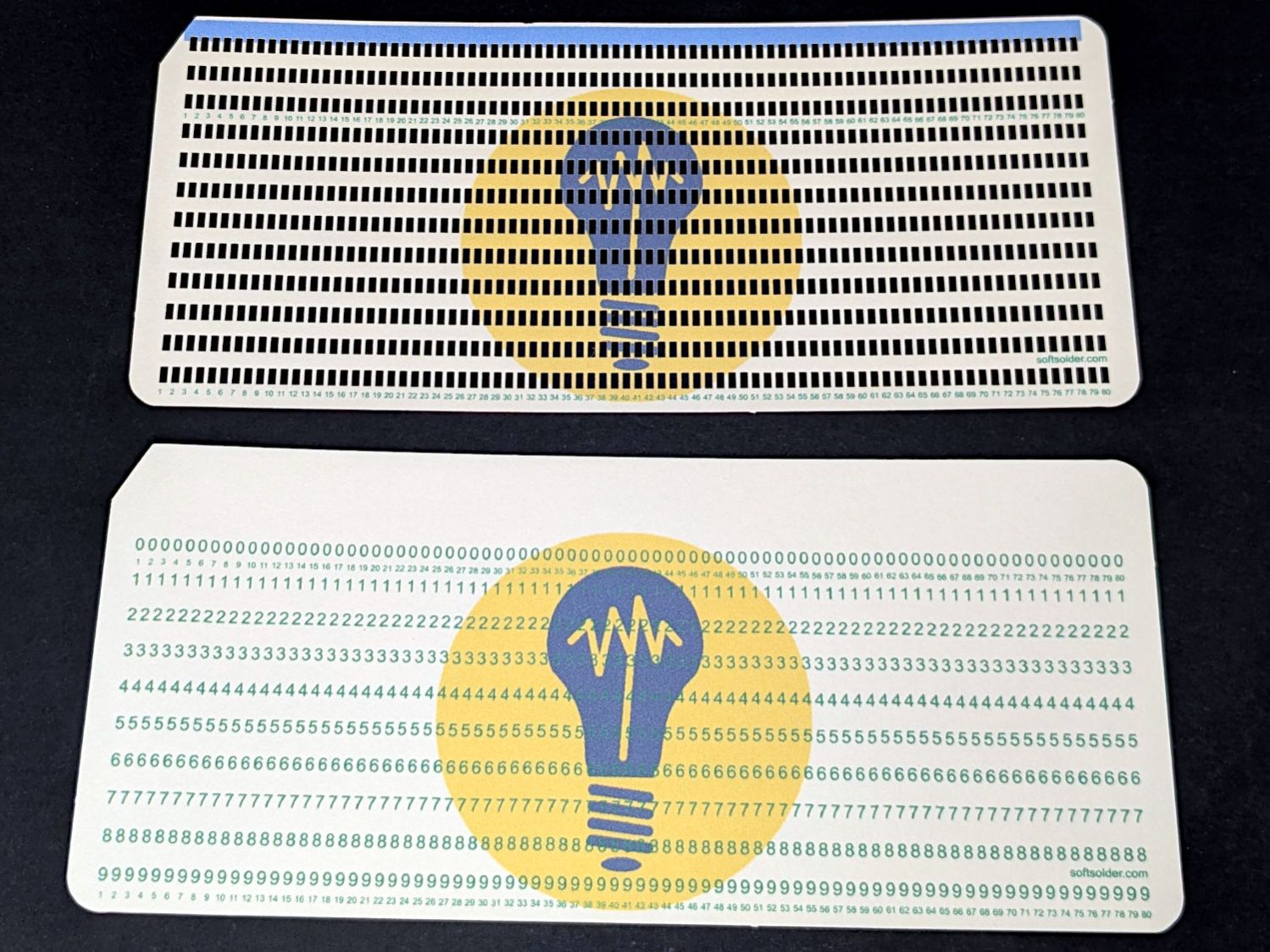
In these cards, the digits aren’t printed at the positions where holes will appear:
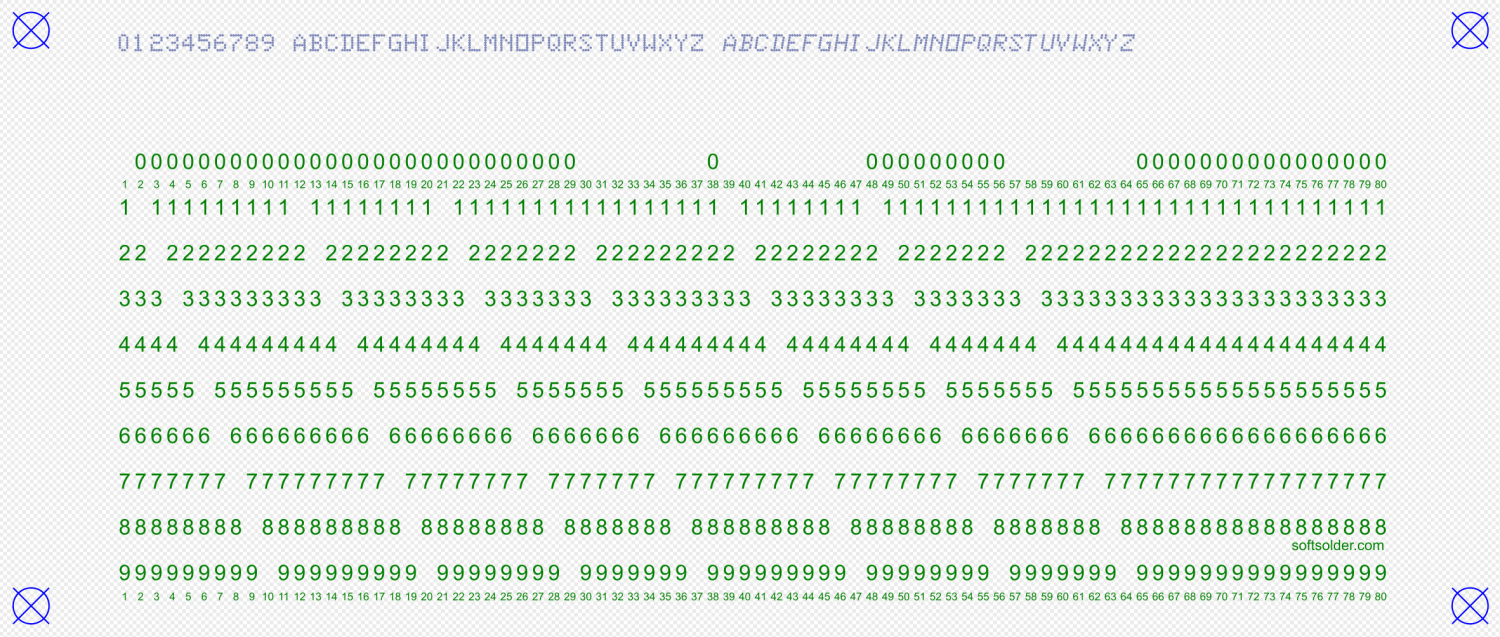
Preventing a digit sliver from peeking around the edge of a hole makes the text-to-hole alignment look better than it really is. As a bonus, if the holes evaporated in the 9 row don’t match up with the missing digits, poking the STOP button on the laser minimizes the damage; for these cards, I can tolerate a slight punching error.
FWIW, back in the day you could get cards printed with any ink color you wanted, as long as you were buying a million or two. While green ink is non-canon for the cards I remember, it was possible.
Not printing a digit requires some gyrations:
if args.layout == "print":
    xoffset = 0.3                  # tiny offsets to align chars with cuts
    yoffset = 1.5
    for c in range(NumCols):
        glyph = Contents[c]
        rnx = CharMap[glyph]        # will include row name 10 aliased as row name 0
        for rn in range(10):
            pch = RowGlyphs[rn]     # default is digit for row
            if ((rn in rnx) or ((rn == 0) and (10 in rnx))):  # suppress punched holes
                pch = RowGlyphs[-1] if glyph == "▯" else " "  # except for alignment tests
            r = RowMap[rn]
            TextEls.append(
                svg.Text(
                    x=svg.mm(BaseHoleAt[X] + c*HoleOC[X] + xoffset),
                    y=svg.mm(BaseHoleAt[Y] + r*HoleOC[Y] + yoffset),
                    class_=["holes"],
                    font_family="Arial",        # required by LightBurn
                    font_size="3.0mm",          # required by LightBurn
                    text_anchor="middle",
                    text=pch
                )
            )
The xoffset and yoffset values come from empirical measurements and will likely not match whatever your printer produces.
The text and hole layout assume the corner targets have been aligned, so the final alignment depends on at least:
- Eyeballometric positioning of red dot at target center
- Red dot pointer to actual laser spot alignment
- Correct focus distance
- Printer stability in both X and Y
The font gets selected by the class_ and font_family attributes, with Inkscape requiring the former and LightBurn the latter. Just to keep things interesting, each program ignores the other attribute. The class_ attribute selects one of the Style entries emitted while blurting out the accumulated SVG elements:
 if not args.debug:
    canvas = svg.SVG(
        width=svg.mm(PageSize[X]),
        height=svg.mm(PageSize[Y]),
        elements=[
           svg.Style(
               text =   f"\n.attrib{{ font: 2mm Arial;  fill:{CardText}}}" +
                        f"\n.holes{{ font: 3.0mm Arial;  fill:{CardText}}}" +
                        f"\n.cols{{ font: 1.5mm Arial;  fill:{CardText}}}" +
                        f"\n.dotty{{ font: 4.0mm KEYPUNCH029; fill:{CardGray}}}" +
                        f"\n.dottylc{{ font: italic 4.0mm KEYPUNCH029; fill:{CardGray}}}"
            ),
            ToolEls,
            MarkEls,
            CardEls,
            TextEls,
            HoleEls,
        ],
    )

    print(canvas)
The print(canvas) statement squirts the SVG text to stdout, where the Bash script directs it into a suitable file.
The Contents string appears across the top of the card in a dark-ish gray-ish color resembling a well-worn IBM 029 keypunch machine ribbon, with the KEYPUNCH029 font providing gritty 5×7 verisimilitude:
if args.layout == "print":
    xoffset = 0.3
    for c in range(len(Contents)):
        glyph = Contents[c]
        if not (glyph in CharMap):
            glyph = ' '
        fc = "dottylc" if curses.ascii.islower(glyph) else "dotty"
        glyph = svg.escape(glyph)               # escape the characters that wreck SVG syntax
        TextEls.append(
            svg.Text(
                x=svg.mm(BaseHoleAt[X] + c*HoleOC[X] + xoffset),
                y=svg.mm(5.0),                  # align just below card edge
                class_=[fc],
                font_family="KEYPUNCH029",      # required by LightBurn
                font_size="4.0mm",              # required by LightBurn
                text_anchor="middle",
                text=glyph
            )
        )
Although lowercase letters on a punched card are definitely non-canon, the args.lower command-line switch applies italic to them and the font maps them to uppercase.
Dumping unfiltered text into an SVG file allows code injection attacks, which I discovered when this test card passed through:
"¢.<(+|!$*);¬,%_>?:#@'=" + '"' + "&-/█"
The svg.escape() function replaces characters like “&” with “&”., which I filed under “Things I should have learned by now.”
Two passes through the program with appropriate switches and the same text will produce two matching SVG files. Although they’re scaled to the same size, the SVG-to-be-printed requires considerable processing before the printer sees it …
 The Smell of Molten Projects in the Morning
Spam comments get trashed, so don’t bother. Comment moderation may cause a delay.