Experimenting with little squares showed the Y axis has a definite wobble:

Which suggested a simple test:
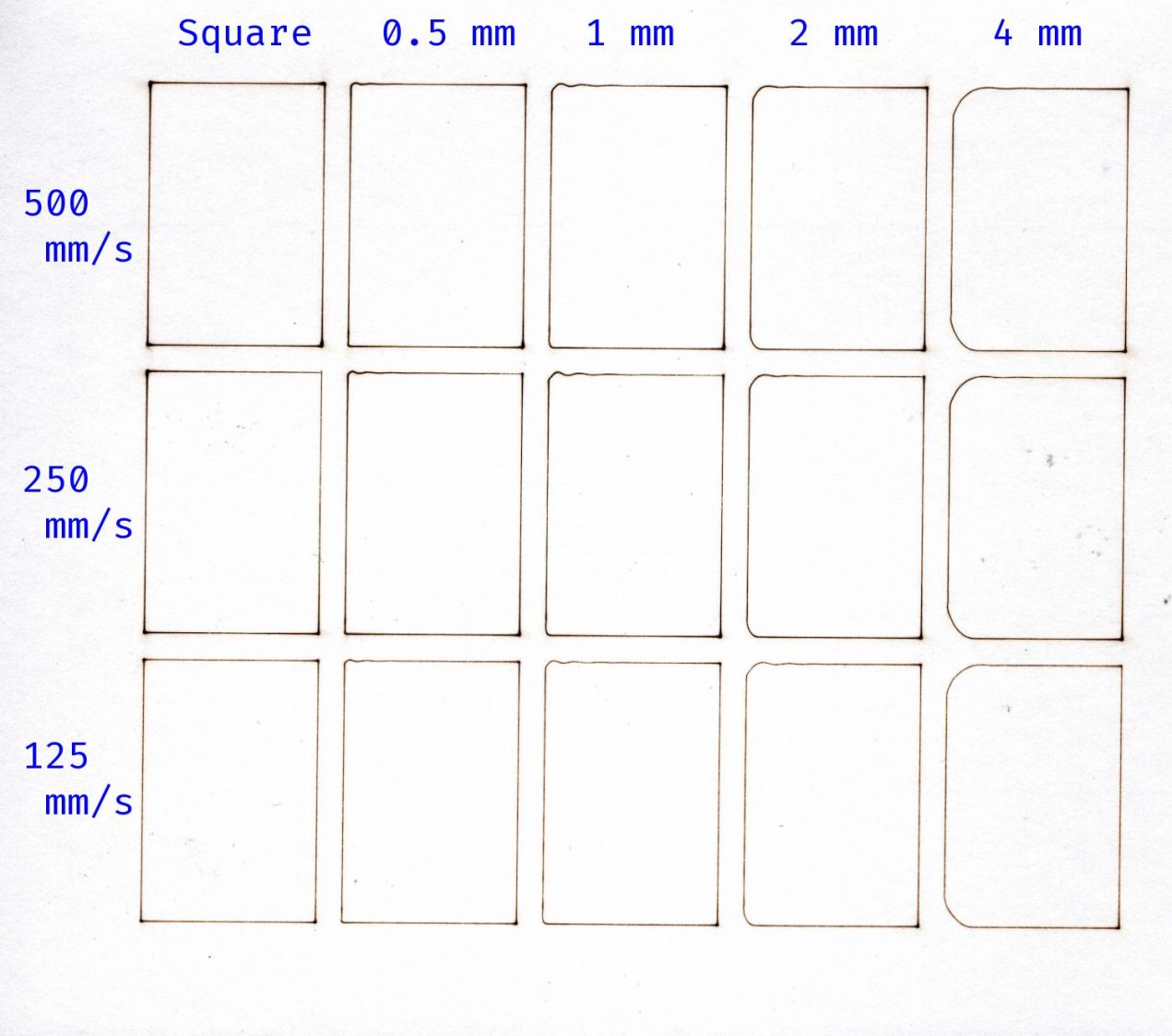
I adjusted the laser power to compensate for the speed, with the result being a line burned into white cardboard. The lines are a bit under 0.2 mm wide, roughly the width of the focused spot.
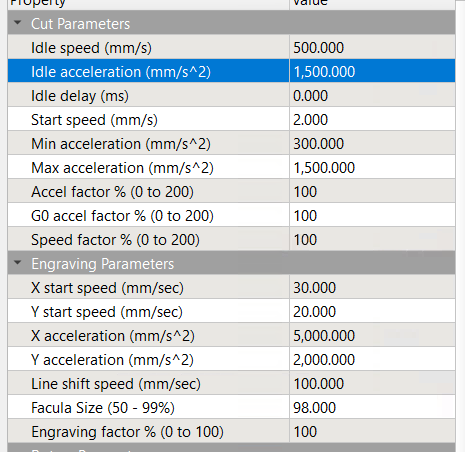
The controller settings for the X and Y axes:

The acceleration values may be affected by the limits in this section:
Assuming the Y axis acceleration is 3000 mm/s², the RepRap calculator shows the Y axis speeds within the 30 mm distance along the vertical sides:

Extracting the useful bits and lining them up for comparison:

The first column in the test results shows perfectly square corners have no problem at any speed, because the controller decelerates to nearly a stop before changing direction.
Rounding the corner to 0.5 mm introduces a distinct wobble in the Y axis that doesn’t change much, probably because the controller still decelerates as it approaches the corner.
The 1 mm radius corners show a distinct overshoot at all speeds. The peak overshoot doesn’t change much between 250 and 500 mm/s, because the RepRap calculator shows the machine barely reaches 250 mm/s by the middle of the side, so 500 mm/s isn’t any faster.
The first overshoot is about 0.2 mm, the first undershoot is a little over 0.1 mm, and the rest are barely visible.
The 2 and 4 mm radius corners have barely visible wobbles. Whether that is due to the head not flexing as much due to the lower acceleration around the larger radius I cannot say.
The machine may not follow the simple RepRap acceleration profile when approaching a corner, let alone a rounded corner.
I think attempting to reduce the overshoot by fiddling with the belt tension / hardware fasteners / whatever will be unavailing. The laser head runs on a linear rail along the gantry with plenty of unbalanced mass hanging off the bottom:
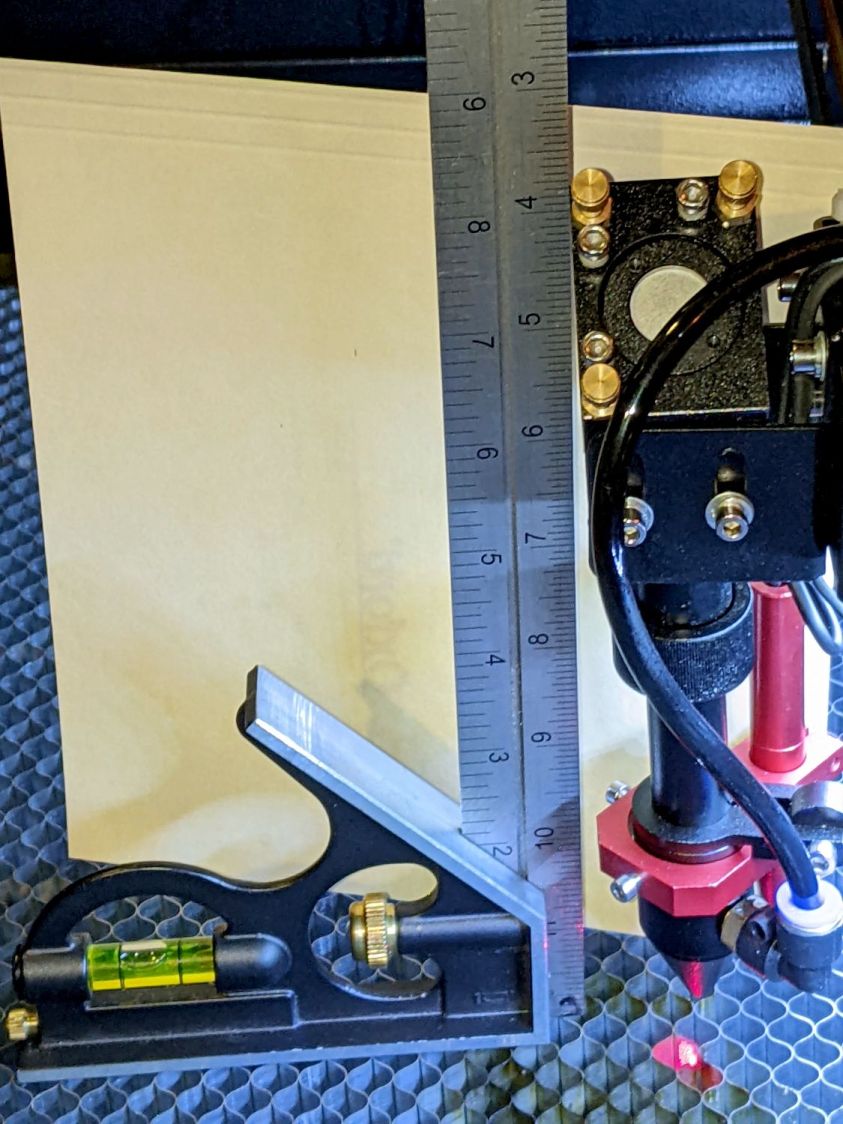
Moving the beam 0.2 mm on the platform by pivoting around the rail 6 inch = 150 mm above amounts to only 0.08°, far less than anything I can measure while adjusting the mechanics.
Slowing down doesn’t help nearly as much as I expected and rounding the corners makes it worse.
Word has it that much spendier machines behave better, which is both comforting and unhelpful.
 The Smell of Molten Projects in the Morning
Comments
3 responses to “OMTech 60 W Laser: Speed vs. Corner Radius Wobbulation”
I wonder if the fancy new “input shaping” algorithms that 3D printers are using could help?
Also it looks like your min power could stand to be a touch lower; those zero-radius corners look a little toasty!
Prusa definitely nailed the MK4 resonance flat!
I’m sure someone could improve Ruida’s motion algorithms, but none of us will ever know what’s going on inside their controllers.
Poking at Lasersaur’s firmware doc suggests I do not understand what they’re doing, but it seems vastly different than anything else on the planet.
Mostly, those little wobbles don’t matter to anyone except overly fussy folks. :grin:
[…] the experiments on Y axis wobbling produced this shaky […]