The Dell AC511 USB SoundBars have volume control knobs, which this udev rule turns into the /dev/input/volume device:
ATTRS{name}=="Dell Dell AC511 USB SoundBar", SYMLINK+="input/volume"
I recently wanted to use an ordinary USB “sound card” that did not, of course, have a volume knob:
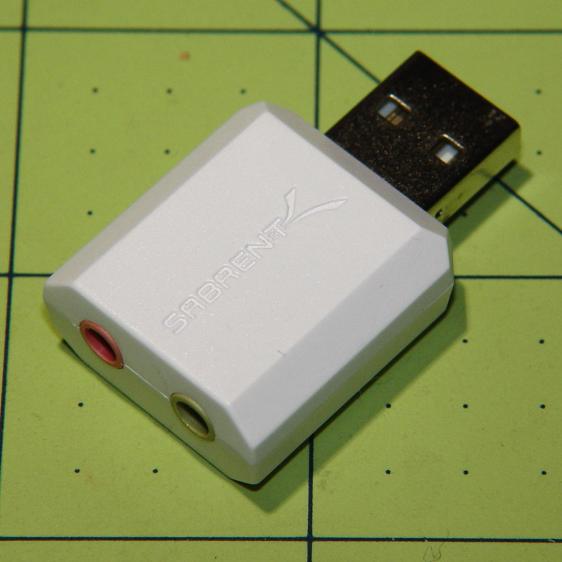
This hack skips the configuration that makes the knob’s events visible to the Python program:
import os.path

... snippage ...

# if volume control knob exists, then set up its events

VolumeDevice = '/dev/input/volume'

vp = select.poll()
if os.path.exists(VolumeDevice):
  v = InputDevice(VolumeDevice)
  v.grab()
  vp.register(v.fileno(),select.POLLIN + select.POLLPRI + select.POLLERR)
It turns out that if you never register a device with the event polling interface, then the interface never reports any events and the rest of the code remains blissfully undisturbed: the non-existent knob doesn’t do anything, while the volume control buttons on the keypad continue to function as usual.
The end result of this fiddling puts a Raspberry Pi 2 Model B to work as a streaming player on my Electronics Workbench, untethering the laptop from those powered speakers:

It’s a shame that USB audio gadget is so big, because it crowds out standard USB plugs to the side.
The most satisfactory LED configuration for a translucent case with an external WiFi adapter seems to be:
dtparam=pwr_led_trigger=cpu0
dtparam=act_led_trigger=mmc0
The rest of the code remains unchanged as shown in that GitHub Gist.
 The Smell of Molten Projects in the Morning
Comments
2 responses to “Raspberry Pi Streaming Radio Player: Ignoring a Missing Volume Knob”
My usual approach to chunky USB devices is to use a short USB extension cable to move them out of the way of adjacent connectors.
That’s the short black cable arching up and over to the white lump: Yet Another Overly Stiff Wire. The whole tangle should migrate to the long-disused receiver atop the long-disused speakers across the room, where I’ll never notice it again…