The Smell of Molten Projects in the Morning

Ed Nisley's Blog: Shop notes, electronics, firmware, machinery, 3D printing, laser cuttery, and curiosities. Contents: 100% human thinking, 0% AI slop.

Month: November 2016

  • Compose Key Sequences for Useful Unicode Characters

    If you activate a Compose key on your keyboard:

    Compose key selection
    Compose key selection

    Then you can insert Unicode characters without memorizing their hex values. Of course, you must memorize the Compose key sequences. Fortunately, they’re more-or-less mnemonic for the ones I occasionally use, which are hereby cherrypicked from that list.

    Press-and-release the Compose key (right-Win), then type the characters as shown to get the symbol in quotes:

    • o c “©” copyright # COPYRIGHT SIGN
    • o o “°” degree # DEGREE SIGN
    • o r “®” registered # REGISTERED SIGN
    • t m “™” U2122 # TRADE MARK SIGN
    • s m “℠” U2120 # SERVICE MARK
    • . . “…” ellipsis # HORIZONTAL ELLIPSIS
    • . – “·” periodcentered # MIDDLE DOT
    • . = “•” enfilledcircbullet # BULLET
    • + – “±” plusminus # PLUS-MINUS SIGN (∓ MINUS-PLUS is U2213)
    • x x “×” multiply # MULTIPLICATION SIGN
    • < < “«” guillemotleft # LEFT-POINTING DOUBLE ANGLE QUOTATION MARK
    • > > “»” guillemotright # RIGHT-POINTING DOUBLE ANGLE QUOTATION MARK
    • c / “¢” cent # CENT SIGN
    • – – . “–” U2013 # EN DASH
    • – – – “—” U2014 # EM DASH
    • < – “←” U2190 # LEFTWARDS ARROW
    • | ^ “↑” U2191 # UPWARDS ARROW
    • – > “→” U2192 # RIGHTWARDS ARROW
    • | v “↓” U2193 # DOWNWARDS ARROW
    • = > “⇒” U21D2 # RIGHTWARDS DOUBLE ARROW
    • ? ! “‽” U203D # INTERROBANG
    • p o o “💩” U1F4A9 # PILE OF POO
    • m u “µ” mu # MICRO SIGN
    • d i “⌀” U2300 # DIAMETER SIGN
    • 1 4 “¼” onequarter # VULGAR FRACTION ONE QUARTER
    • 1 2 “½” onehalf # VULGAR FRACTION ONE HALF
    • 3 4 “¾” threequarters # VULGAR FRACTION THREE QUARTERS
    • 1 1 0 “⅒” U2152 # VULGAR FRACTION ONE TENTH (and similar)
    • ^ 1 “¹” onesuperior # SUPERSCRIPT ONE (also 0 2 3 + -…)
    • _ 1 “₁” U2081 # SUBSCRIPT ONE (also 0 2 3 + -…)
    • e ‘ “é” eacute # LATIN SMALL LETTER E WITH ACUTE
    • e ` “è” egrave # LATIN SMALL LETTER E WITH GRAVE

    Producing Greek letters requires a “dead_greek” key, so it’s easier to start with bare hex Unicode values at U0391 (Α) and U03b1 (α) and work upward until you find what you need:

    • U03A3 Σ uppercase sigma
    • U03a9 Ω uppercase omega
    • U03C3 σ lowercase sigma
    • U03c9 ω lowercase omega
    • U03c4 τ lowercase tau
    • U03c0 π lowercase pi
    • U0394 Δ uppercase delta
    • U03F4 ϴ uppercase theta
    • U03B8 θ lowercase theta
    • U03D5 ϕ phi math symbol
    • U03A6 Φ uppercase phi
    • U03C6 φ lowercase phi

    Odds and ends:

    • U00a0 | | non-breaking space
    • U2007 | | figure space (invisible digit space)
    • U202F | | narrow space
    • U2011 ‑ non-breaking hyphen
    • U2030 ′ prime (not quote)
    • U2033 ″ double-prime (not double-quote)
    • U2018 ‘ left single quote
    • U2019 ’ right single quote
    • U201C “ left double quote
    • U201D ” right double quote
    • U2245 ≅ approximately equal
    • U2264 ≤ less-than or equal
    • U2265 ≥ greater-than or equal
    • U221A √ square root
    • U221B ∛ cube root
    • U221C ∜ fourth root (yeah, right)
    • U221D ∝ proportional to
    • U2300 ⌀ diameter
    • U25CA ◊ lozenge

    If you set the keyboard layout to US International With Dead Keys, maybe you (definitely not I) could remember all the dead keys.
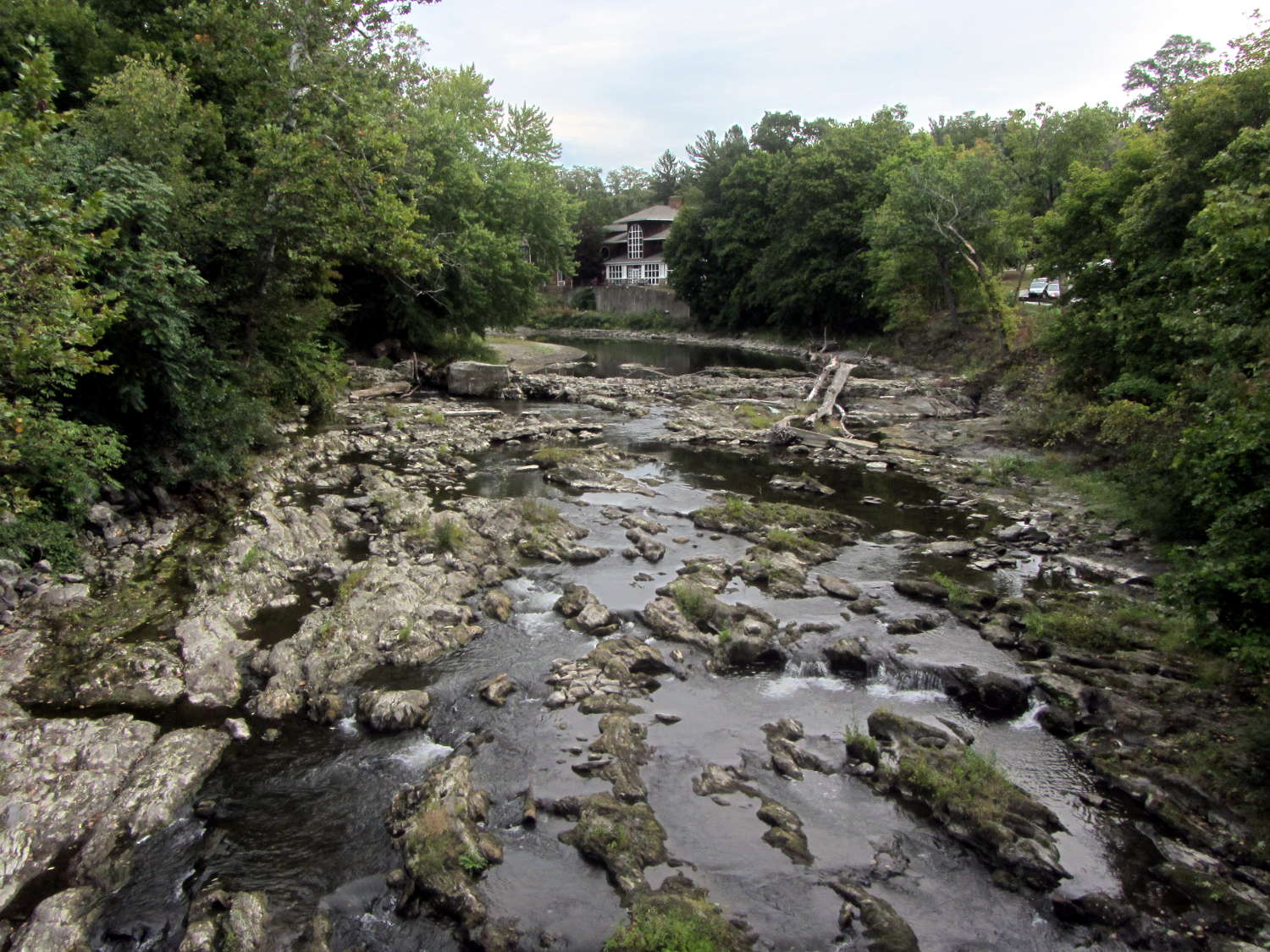

  • Monthly Image: Potholes in Wappinger Creek at Red Oaks Mill

    The Mighty Wappinger Creek runs low after months with very little rain and we saw more of the rocky streambed than any time in recent memory:

    Wappinger Creek - streambed at Red Oaks Mill - 2016-09-23
    Wappinger Creek – streambed at Red Oaks Mill – 2016-09-23

    Much of the deteriorated Red Oaks Mill Dam stands high and dry:

    Wappinger Creek - Red Oaks Mill Dam - 2016-09-23
    Wappinger Creek – Red Oaks Mill Dam – 2016-09-23

    Just upstream from the bridge, you can see how water carves potholes into the rock:

    This slideshow requires JavaScript.

    Back in the day, my parents took us to see the far more impressive Susquehanna River potholes (*) near Harrisburg. They range from finger-size pits up to craters large enough to comfortably hold an adult. I’m sure one of their photo albums, now tucked in our closet, contains similar pictures of those holes.

    Searching for red oaks mill dam will turn up previous posts and pictures for comparison.

    (*) Exploration of the pages linked there will show how, with sufficient mental effort, one can force-fit a non-erosion-based explanation of eroded potholes to match a pre-conceived timeline and narrative. Your opinion of that narrative and the effort required to fit evidence into it may differ from mine.

  • TCRT5000 Proximity Sensor Mount

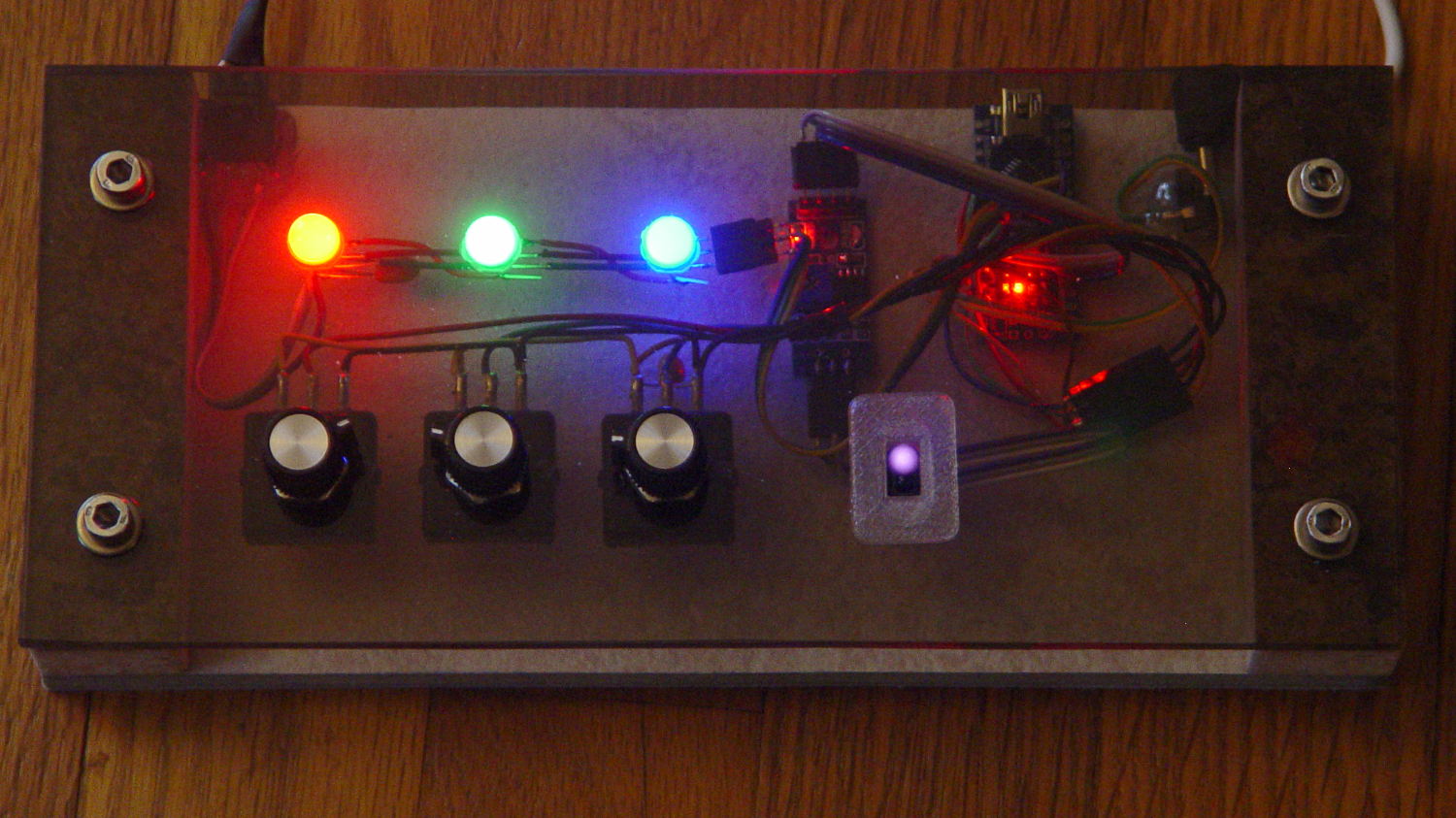
    Having a few TCRT5000 proximity sensors lying around, I used one for the Color Mixer so folks could just wave a finger to flip the LED colors, rather than pound relentlessly on the top plate:

    Color mixer - controls
    Color mixer – controls

    The stem fits into a slot made with a 3/8 inch end mill:

    Prox Sensor Bezel - Slic3r preview
    Prox Sensor Bezel – Slic3r preview

    You move the cutter by the length of the sensor (10.0 mm will work) to make the slot. In practical terms, drill a hole at the midpoint, insert the cutter, then move ±5.0 mm from the center:

    Prox sensor panel cut
    Prox sensor panel cut

    A bead of epoxy around the stem on the bottom of the panel should hold it in place forevermore.

    The rectangular inner hole came out a tight push fit for the TCRT5000 sensor, so I didn’t bother gluing it in place and, surprisingly, it survived the day unscathed!

    The OpenSCAD source code as a GitHub Gist:

    // TCRT5000 Proximity switch sensor mount
    // Ed Nisley KE4ZNU – October 2016
    Layout = "Build"; // Show Build
    //- Extrusion parameters must match reality!
    ThreadThick = 0.25;
    ThreadWidth = 0.40;
    HoleWindage = 0.2;
    Protrusion = 0.1; // make holes end cleanly
    inch = 25.4;
    function IntegerMultiple(Size,Unit) = Unit * ceil(Size / Unit);
    //———————-
    // Dimensions
    Sensor = [5.9,10.0,7.0];
    SensorHoleCutter = 3/8 * inch;
    echo(str("Cutter dia: ",SensorHoleCutter," mm"));
    echo(str("Cutter motion: ",Sensor[1]," mm"));
    PanelThick = 5.0;
    StemLength = PanelThick + 6*ThreadThick;
    FlangeThick = 3 * ThreadThick;
    //———————-
    // Flange model
    module ProxFlange() {
    difference() {
    union() {
    linear_extrude(height=FlangeThick)
    hull()
    for (i=[-1,1], j=[-1,1])
    translate([i*Sensor[0],j*Sensor[1]])
    circle(r=Sensor[0]/2,$fn=8*4);
    translate([0,0,-StemLength])
    linear_extrude(height=StemLength)
    hull()
    for (j=[-1,1])
    translate([0,j*Sensor[1]/2])
    circle(d=SensorHoleCutter,$fn=8*4);
    }
    translate([0,0,-Protrusion])
    cube(Sensor + [HoleWindage,HoleWindage,2*(PanelThick + Protrusion)],center=true);
    }
    }
    //———————-
    // Build it
    if (Layout == "Show")
    ProxFlange();
    if (Layout == "Build")
    translate([0,0,FlangeThick])
    rotate([180,0,0])
    ProxFlange();

  • Money For Nothing: Gfk MRI TV Survey

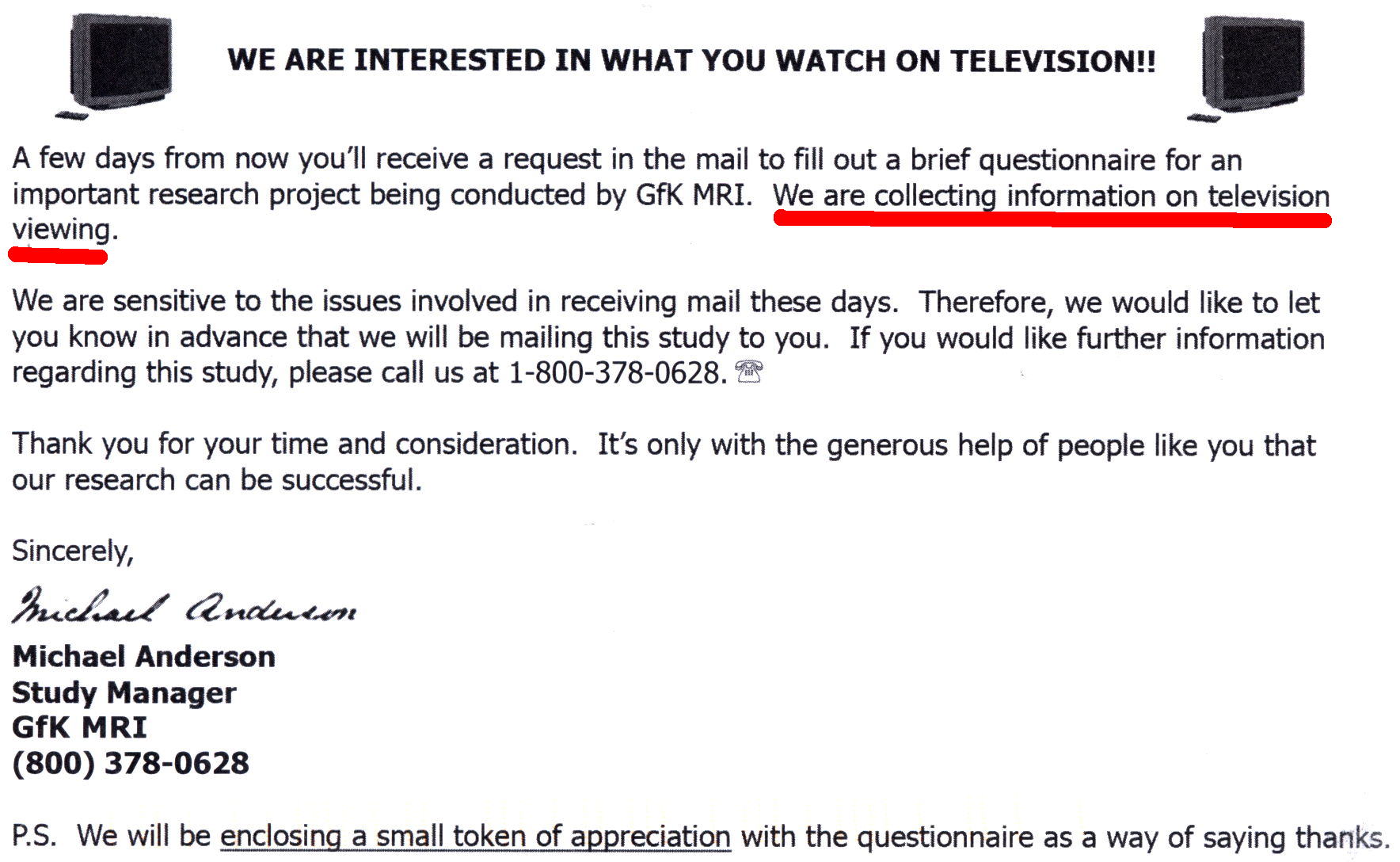
    This arrived a week ago:

    GfK MRI postcard
    GfK MRI postcard

    You cannot imagine my excitement when the actual survey arrived, complete with a crisp $5 bill:

    GfK MRI Survey
    GfK MRI Survey

    These folks are cheapskates; Nielsen paid better, although I haven’t gotten anything further from them.

    It didn’t take long to fill out; my fat Sharpie slashed through the NO columns at a pretty good clip. I did attach a note saying we didn’t have a TV and regarded all TV programs as crap, just in case they didn’t get the message.

    Now they know.

    FWIW, I did not fill out the form that would enter us in a drawing for one of five $500 prizes, because that would let them associate my name with my response without fattening my wallet. The survey itself probably encodes my identity, even though it didn’t have any obvious bar codes or other ID; they could simply print the questions in a unique order in each survey.

  • Vacuum Tube Lights: Poughkeepsie Day School Mini Maker Faire 2016

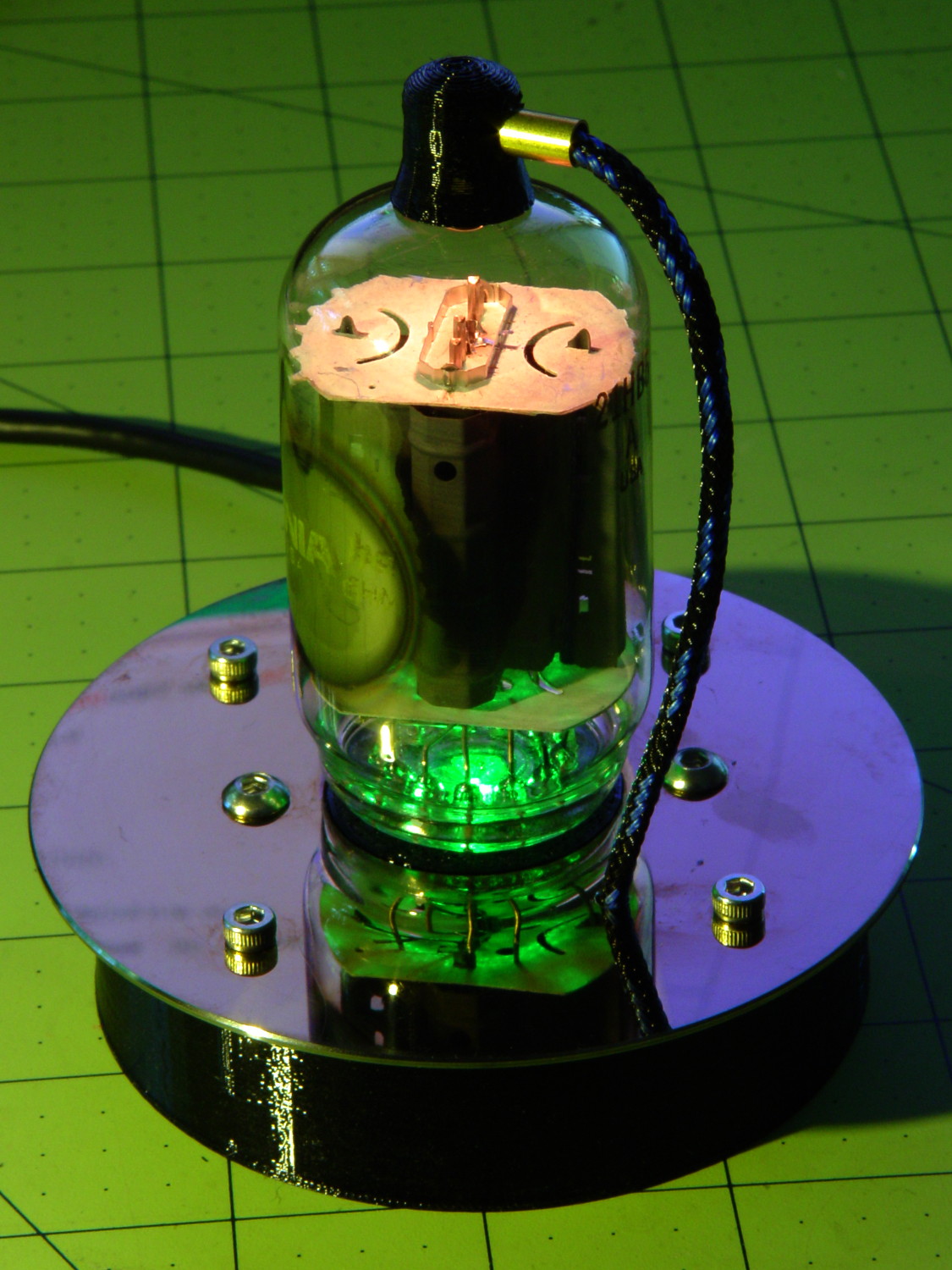
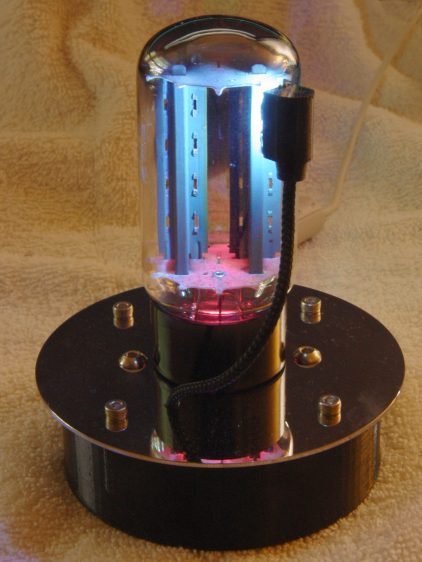
    Should you be around Poughkeepsie today, drop in on the Poughkeepsie Day School’s Mini Maker Faire, where I’ll be showing off some glowy LED goodness:

    21HB5A on platter - orange green
    21HB5A on platter – orange green

    The 5U4GB side lighted dual rectifier looks pretty good after I increased the phase between the two LEDs:

    5U4GB Full-wave vacuum rectifier - cyan red phase
    5U4GB Full-wave vacuum rectifier – cyan red phase

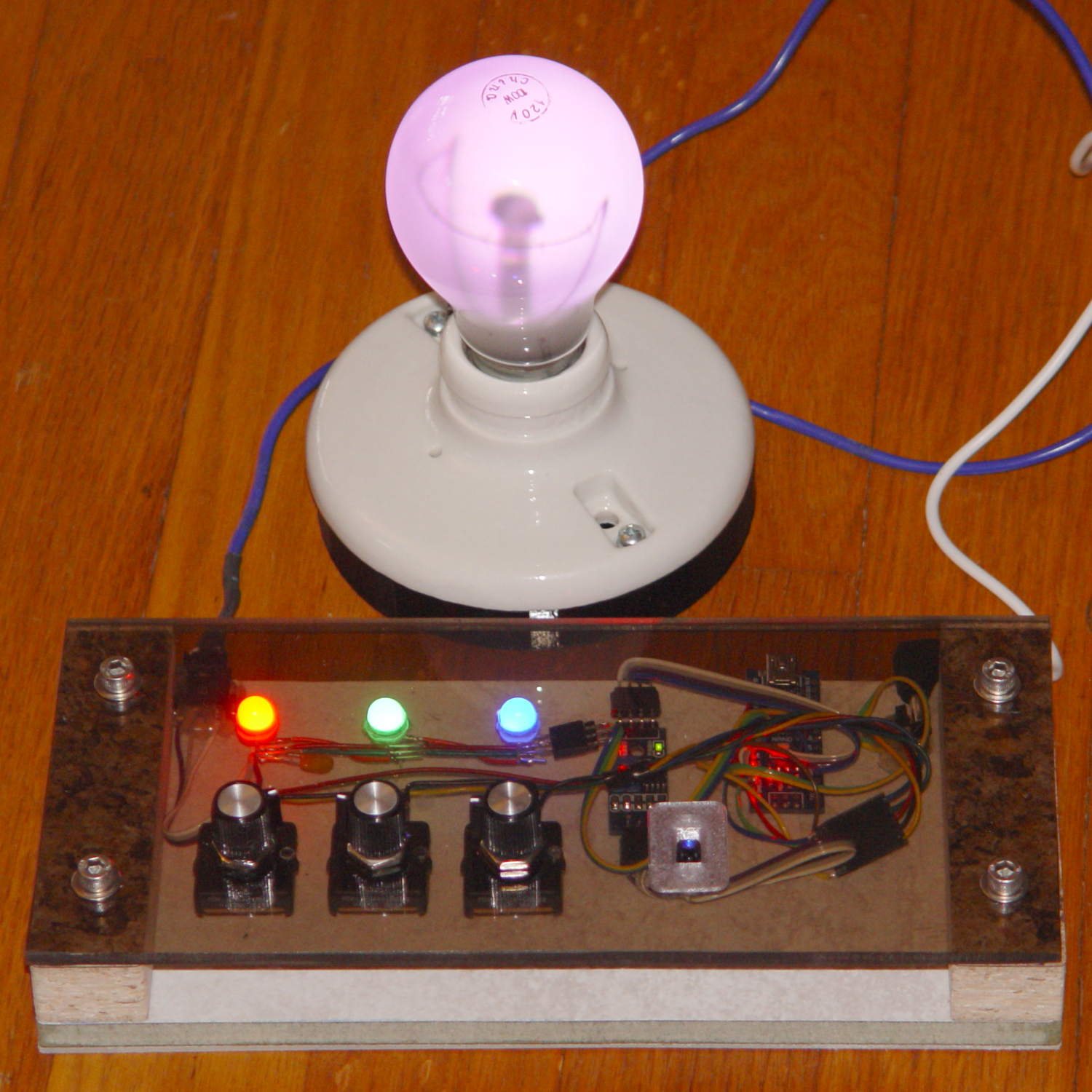
    A gaggle of glowing vacuum tubes makes for a rather static display, though, so I conjured a color mixer so folks could play with the colors:

    Color mixer - overview
    Color mixer – overview

    Three analog potentiometers set the intensity of the pure RGB colors on the 8 mm Genuine Adafruit Neopixels. A closer look at the circuitry shows it’s assembled following a freehand “the bigger the blob, the better the job” soldering technique:

    Color mixer - controls
    Color mixer – controls

    The blended RGB color from a fourth Neopixel backlights the bulb to project a shadow of the filament on the front surface:

    Color mixer - bulb detail
    Color mixer – bulb detail

    It’s worth noting that the three Genuine Adafruit 8 mm Neopixels have a nonstandard RGB color layout, while the knockoff 5050 SMD Neopixel on the bulb has the usual GRB layout. You can’t mix-n-match layouts in a single Neopixel string, so a few lines of hackage rearrange the R and G values to make the mixed colors come out right.

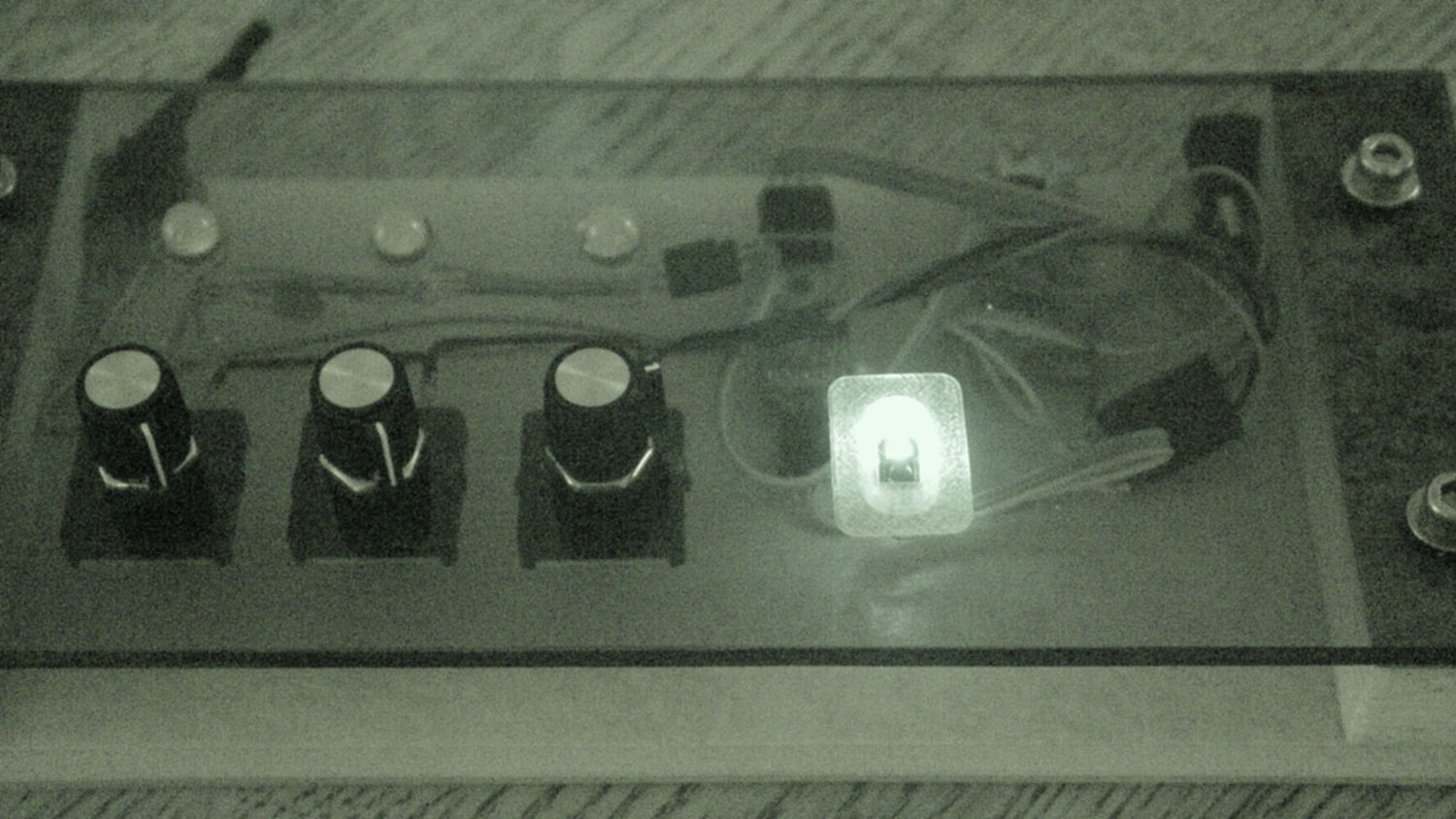
    An IR proximity sensor lets you invert the colors with the wave of a fingertip to send Morse code in response to (some of) the vacuum tubes on display nearby. The sensor glows brightly in pure IR, with all the other LEDs going dark:

    Color mixer - controls - IR image
    Color mixer – controls – IR image

    The switch sits in a little printed bezel to make it big enough to see. The slight purple glow in the visible-light picture comes from the camera’s IR sensitivity; you can’t see anything with your (well, my) unaided eyes.

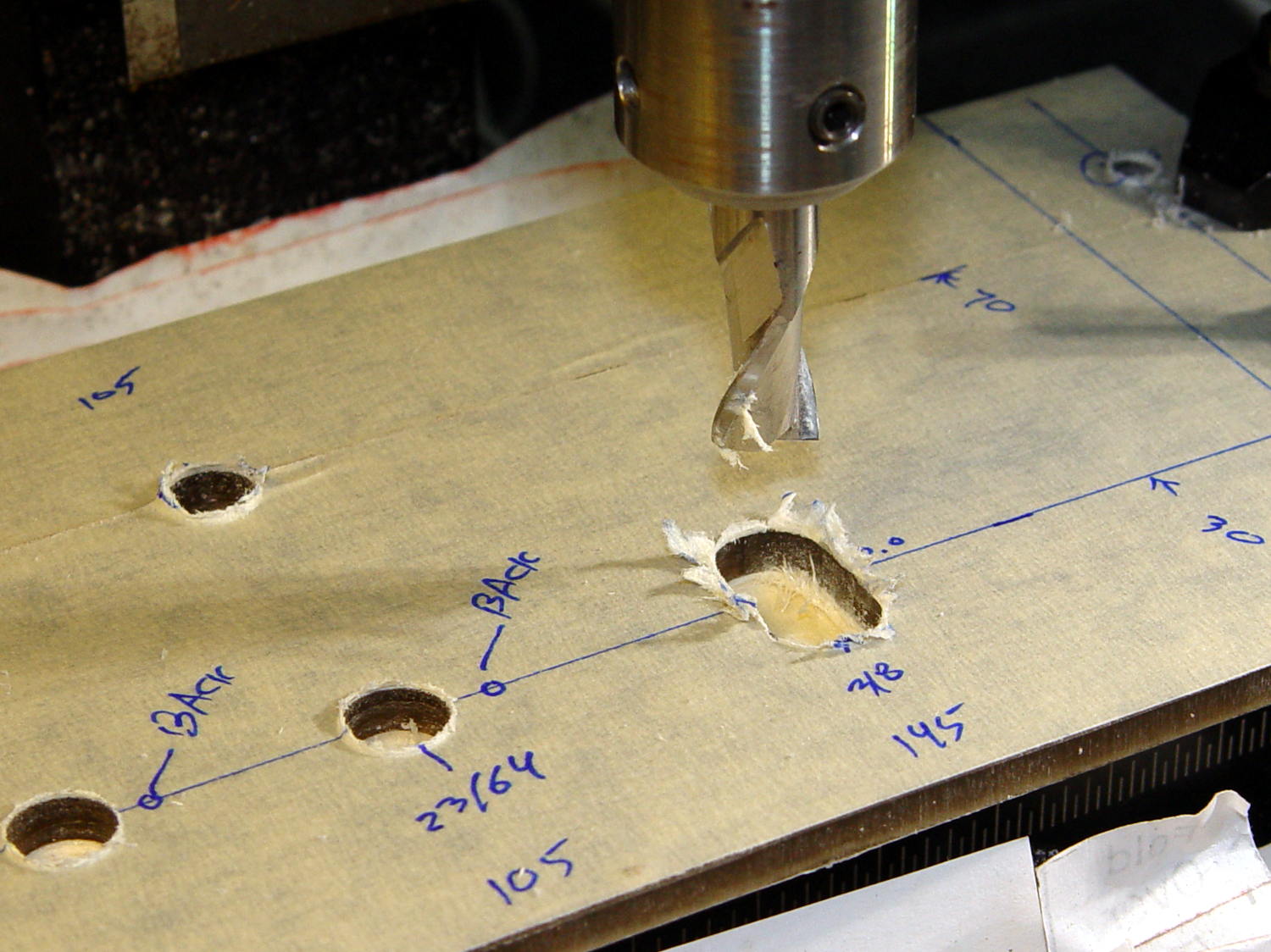
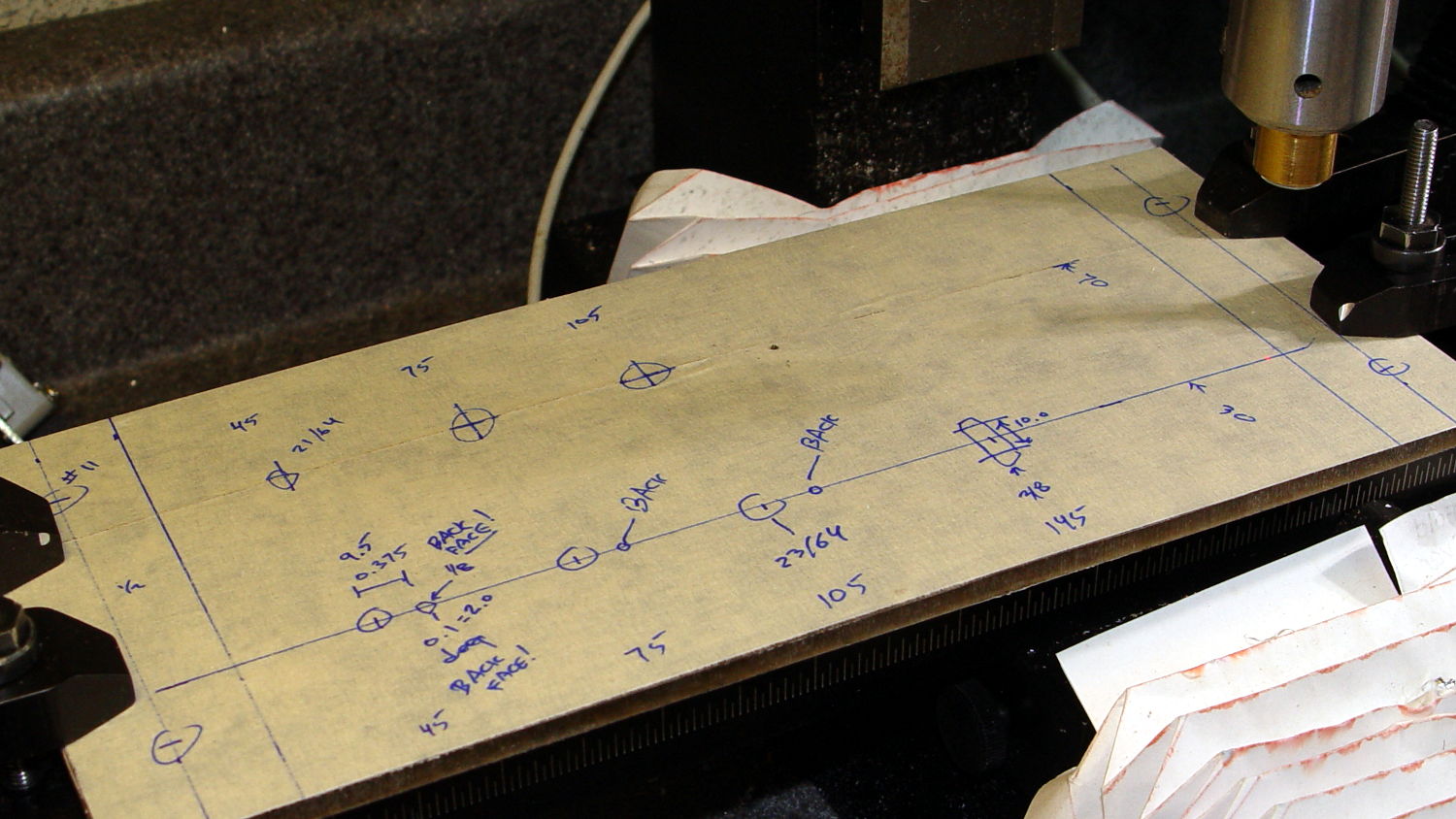
    The “chassis” emerged from the wood pile: a slab of laminate flooring and two strips of countertop, with a slab of bronze-tint acrylic from a Genuine IBM PC Printer Stand that had fallen on hard times quite a while ago. Bandsaw to size, belt-sand to smooth; nothing particularly precise, although I did use the Sherline for coordinate drilling:

    Color mixer panel - drill setup
    Color mixer panel – drill setup

    That’s laying it all out by hand to get a feel for what it’ll look like and drilling the holes at actual coordinates to make everything line up neatly.

    Hot melt glue and epoxy hold everything together, with foam tape securing the two PCBs. Those cap screws go into 10-32 brass inserts hammered into the laminate flooring strip.

    There’s no schematic. Connect the pots to A0 through A2, wire the Neopixels in series from D8 with the bulb LED last in the string, wire the prox sensor to D9, and away you go.

    It’s fun to play with colors!

    The Arduino source code as a GitHub Gist:

    // Color mixing demo for Mini Maker Faire
    // Ed Nisley – KE4ANU – November 2016
    #include <Adafruit_NeoPixel.h>
    //———-
    // Pin assignments
    #define PIN_NEO 8 // DO – data out to first Neopixel
    #define PIN_HEARTBEAT 13 // DO – Arduino LED
    #define PIN_FLASH 9 // DI – flash button
    #define PIN_POTRED A0 // AI – red potentiometer
    #define PIN_POTGREEN A1 // AI – green potentiometer
    #define PIN_POTBLUE A2 // AI – blue potentiometer
    //———-
    // Constants
    #define PIXELS 4 // number of pixels
    #define PIXEL_RED 2 // physical channel layout
    #define PIXEL_GREEN 1
    #define PIXEL_BLUE 0
    #define PIXEL_MIX (PIXELS – 1) // pixel with mixed color
    #define PIXEL_FLASH (PIXELS – 1) // pixel that flashes
    // update LEDs only this many ms apart (minus loop() overhead)
    #define UPDATEINTERVAL 25ul
    #define UPDATEMS (UPDATEINTERVAL – 1ul)
    //———-
    // Globals
    // instantiate the Neopixel buffer array
    // color order is RGB for 8 mm diffuse LEDs, GRB for mixed 5050 LED at end
    Adafruit_NeoPixel strip = Adafruit_NeoPixel(PIXELS, PIN_NEO, NEO_RGB + NEO_KHZ800);
    uint32_t FullWhite = strip.Color(255,255,255);
    uint32_t FullOff = strip.Color(0,0,0);
    // colors in each LED
    enum pixcolors {RED, GREEN, BLUE, PIXELSIZE};
    uint32_t PotColors[PIXELSIZE];
    uint32_t UniColor;
    unsigned long MillisNow;
    unsigned long MillisThen;
    //– Helper routine for printf()
    int s_putc(char c, FILE *t) {
    Serial.write(c);
    }
    //——————
    // Set the mood
    void setup() {
    pinMode(PIN_HEARTBEAT,OUTPUT);
    digitalWrite(PIN_HEARTBEAT,LOW); // show we arrived
    Serial.begin(57600);
    fdevopen(&s_putc,0); // set up serial output for printf()
    printf("Color Mixer Demo for Mini Maker Faire\r\nEd Nisley – KE4ZNU – November 2016\r\n");
    // set up pixels
    strip.begin();
    strip.show();
    // lamp test: a brilliant white flash on all pixels
    // pixel color layout doesn't matter for a white flash
    printf("Lamp test: flash white\r\n");
    for (byte i=0; i<5 ; i++) {
    for (int j=0; j < strip.numPixels(); j++) { // fill LEDs with white
    strip.setPixelColor(j,FullWhite);
    }
    strip.show();
    delay(500);
    for (int j=0; j < strip.numPixels(); j++) { // fill LEDs with black
    strip.setPixelColor(j,FullOff);
    }
    strip.show();
    delay(500);
    }
    // lamp test: walk a white flash along the string
    printf("Lamp test: walking white\r\n");
    strip.setPixelColor(0,FullWhite);
    strip.show();
    delay(500);
    for (int i=1; i<strip.numPixels(); i++) {
    digitalWrite(PIN_HEARTBEAT,HIGH);
    strip.setPixelColor(i-1,FullOff);
    strip.setPixelColor(i,FullWhite);
    strip.show();
    digitalWrite(PIN_HEARTBEAT,LOW);
    delay(500);
    }
    strip.setPixelColor(strip.numPixels() – 1,FullOff);
    strip.show();
    delay(500);
    MillisNow = MillisThen = millis();
    }
    //——————
    // Run the mood
    void loop() {
    MillisNow = millis();
    if ((MillisNow – MillisThen) >= UPDATEMS) { // time for color change?
    digitalWrite(PIN_HEARTBEAT,HIGH);
    PotColors[RED] = strip.Color(analogRead(PIN_POTRED) >> 2,0,0);
    PotColors[GREEN] = strip.Color(0,analogRead(PIN_POTGREEN) >> 2,0);
    PotColors[BLUE] = strip.Color(0,0,analogRead(PIN_POTBLUE) >> 2);
    strip.setPixelColor(PIXEL_RED,PotColors[RED]); // load up pot indicators
    strip.setPixelColor(PIXEL_GREEN,PotColors[GREEN]);
    strip.setPixelColor(PIXEL_BLUE,PotColors[BLUE]);
    strip.setPixelColor(PIXEL_MIX,strip.getPixelColor(PIXEL_RED) |
    strip.getPixelColor(PIXEL_GREEN) |
    strip.getPixelColor(PIXEL_BLUE));
    if (PIXEL_FLASH != PIXEL_MIX) {
    strip.setPixelColor(PIXEL_FLASH,strip.getPixelColor(PIXEL_MIX));
    }
    if (LOW == digitalRead(PIN_FLASH)) { // if flash input active, overlay flash
    strip.setPixelColor(PIXEL_FLASH,0x00FFFFFF ^ strip.getPixelColor(PIXEL_FLASH));
    strip.setPixelColor(PIXEL_RED, 0x00FF0000 ^ strip.getPixelColor(PIXEL_RED));
    strip.setPixelColor(PIXEL_GREEN,0x0000FF00 ^ strip.getPixelColor(PIXEL_GREEN));
    strip.setPixelColor(PIXEL_BLUE, 0x000000FF ^ strip.getPixelColor(PIXEL_BLUE));
    }
    UniColor = 0x000000ff & strip.getPixelColor(PIXELS – 1); // hack to rearrange colors for 5050 LED
    UniColor |= 0x00ff0000 & (strip.getPixelColor(PIXELS – 1) << 8);
    UniColor |= 0x0000ff00 & (strip.getPixelColor(PIXELS – 1) >> 8);
    strip.setPixelColor(PIXELS – 1,UniColor);
    strip.show(); // send out colors
    MillisThen = MillisNow;
    digitalWrite(PIN_HEARTBEAT,LOW);
    }
    }
    view raw ColorMixer.ino hosted with ❤ by GitHub

  • Vacuum Tube LEDs: Mogul Socket With Platters

    Adding two hard drive platters draws attention away from the printed puck holding the microcontroller:

    500 W Incandescent - Mogul socket with platters
    500 W Incandescent – Mogul socket with platters

    Granted, it looks odd. I think it’s a step in the right direction, if there is any right direction at all.

  • Silver-Mica Capacitor Assortment

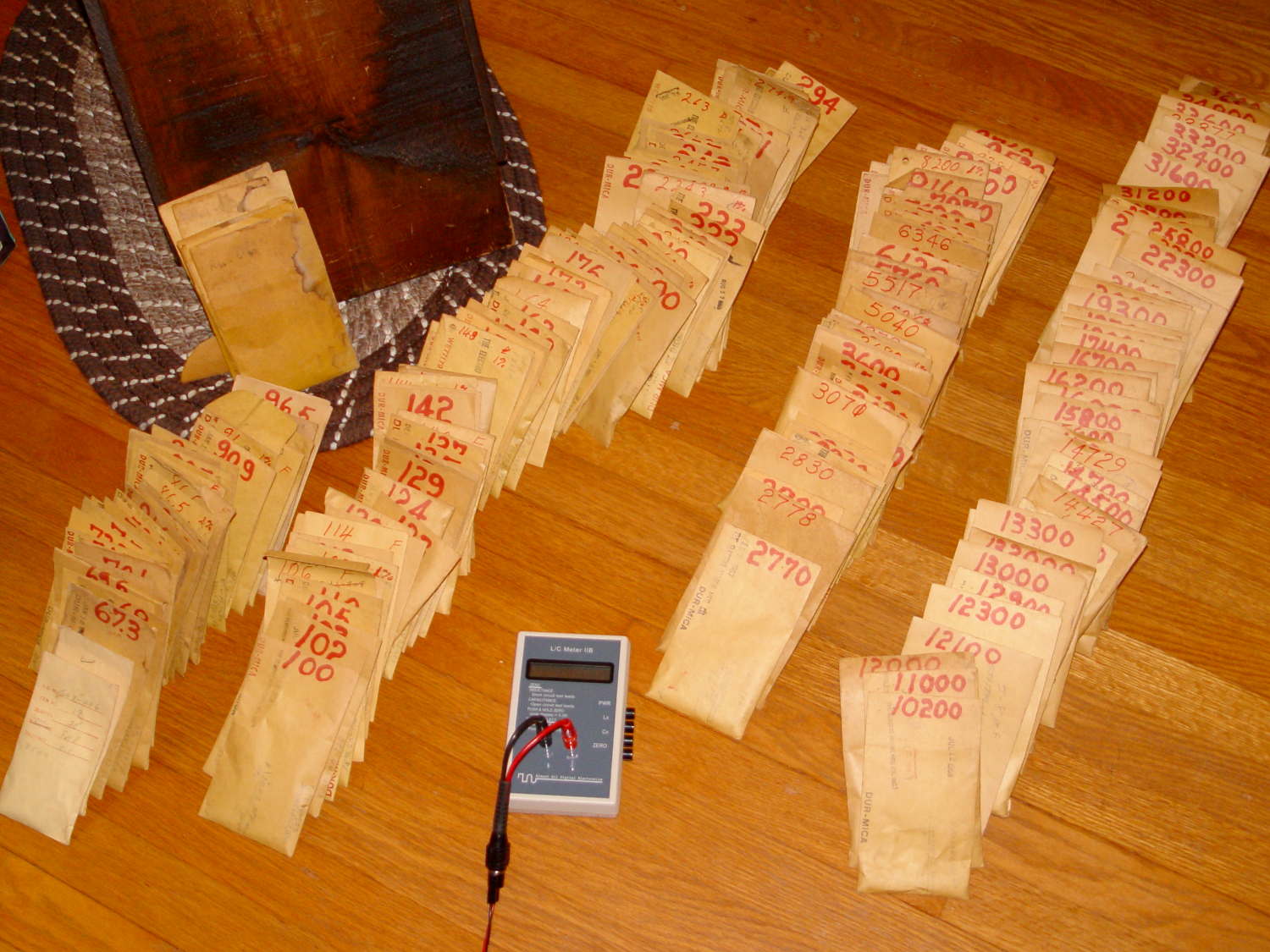
    With RF projects looming on the horizon, now seemed like a good time to restock the silver-mica capacitor supply:

    Silver-mica capacitor - assortment
    Silver-mica capacitor – assortment

    That’s 150-ish little brown envelopes, found on eBay in the lowest-entropy state I can imagine, with about 11 pounds of caps delivered for a bit under $5/pound.

    The envelopes bear date stamps from the mid- to late-60s:

    Silver-mica capacitor - 188 pF 0.5 pct - envelope
    Silver-mica capacitor – 188 pF 0.5 pct – envelope

    I think these came directly from the Electro-Motive Mfg Co production line or QC lab, because some of the envelopes have notes about “WE”, “Bell Labs”, and suchlike. They seem to be special-production items, not the usual caps from your usual distributor.

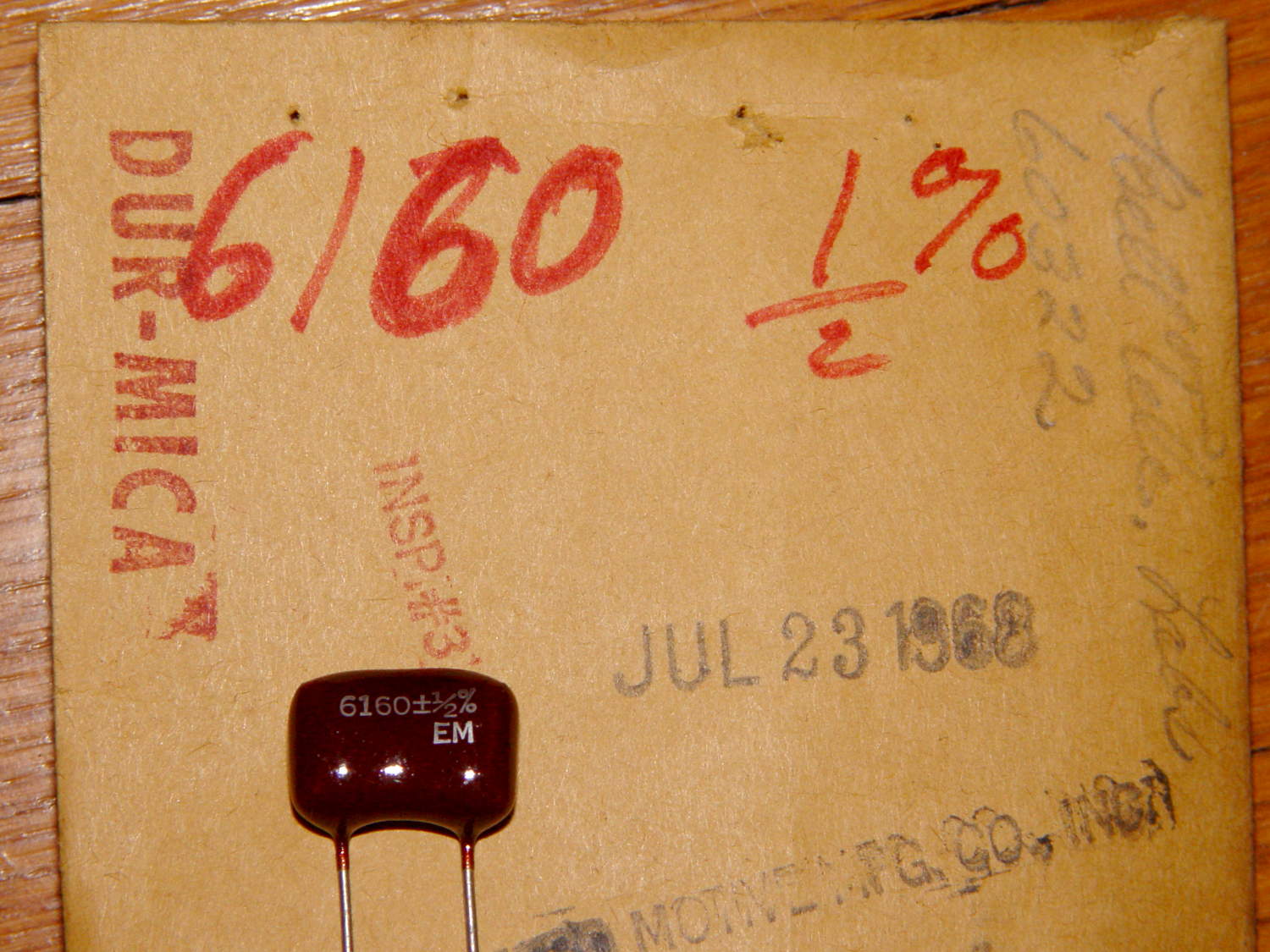
    The values and tolerances are weird beyond belief:

    Silver-mica capacitor - 6160 pF 0.5 pct - on envelope
    Silver-mica capacitor – 6160 pF 0.5 pct – on envelope

    If you’re taking notes, 6160 pF lies halfway between the 6120 and 6190 values in the E192 series.

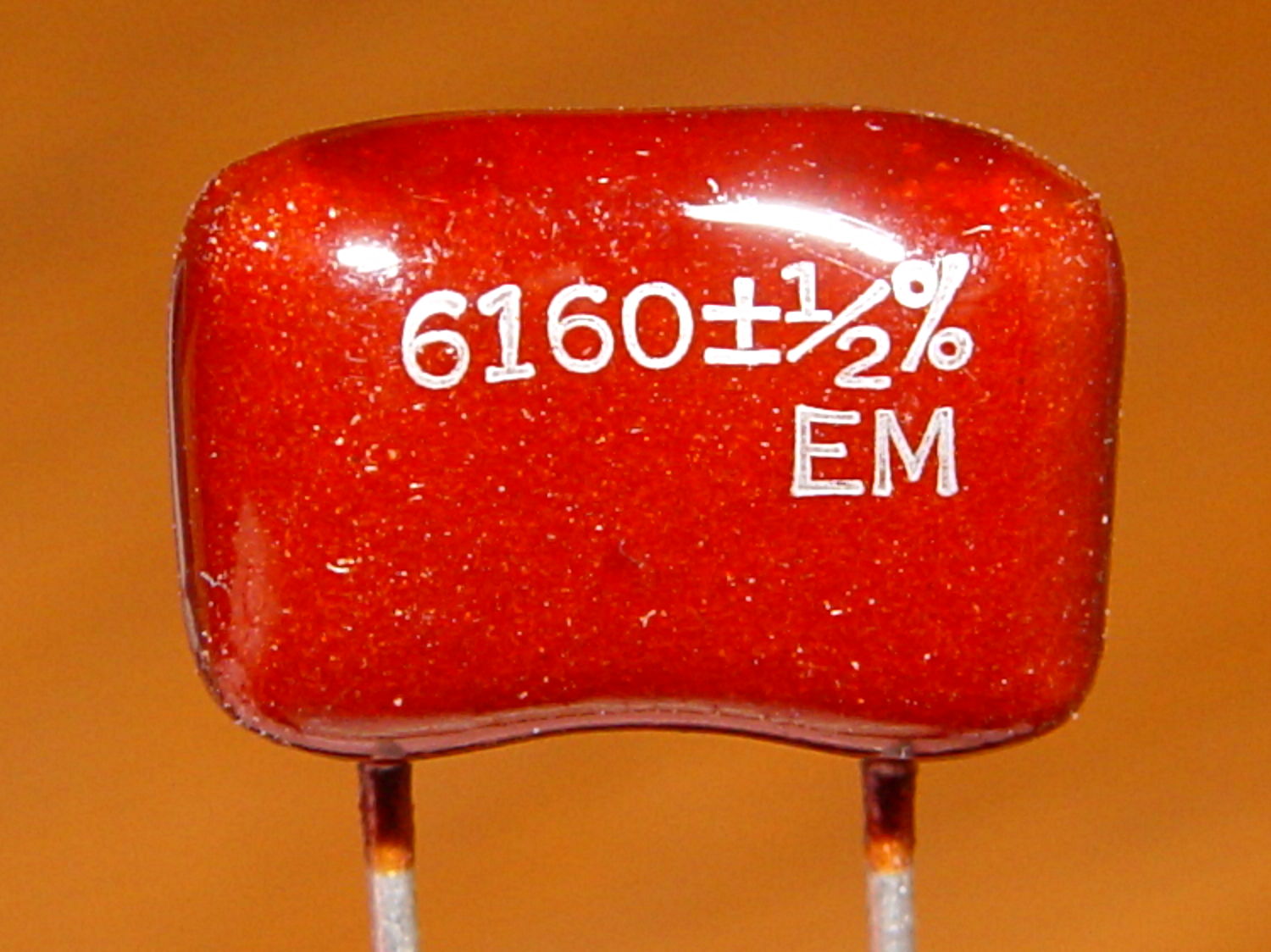
    And, yes, that’s a cap with ½% tolerance (forgive the bright-red color imbalance):

    Silver-mica capacitor - 6160 pF 0.5 pct - detail
    Silver-mica capacitor – 6160 pF 0.5 pct – detail

    Most of the caps are 1%, which is kinda-sorta typical for silver-mica. Then you find something unbelievable:

    Silver-mica capacitor - 22.8 pF 0.1 pct
    Silver-mica capacitor – 22.8 pF 0.1 pct

    Stipulated, I’ve lived a sheltered existence. Have you ever seen a 0.1% tolerance cap? The assortment has more of those, scattered throughout the range.

    Regrettably, the entire decade from just over 300 pF to just under 3000 pF has gone missing: somewhere out there, someone has another box from the room that housed this collection. So it goes; given the plethora of values, I can always make series-parallel combinations to get what’s needed.