The Smell of Molten Projects in the Morning

Ed Nisley's Blog: Shop notes, electronics, firmware, machinery, 3D printing, laser cuttery, and curiosities. Contents: 100% human thinking, 0% AI slop.

Month: March 2016

  • Kenmore 158.17032: Mystery Spring

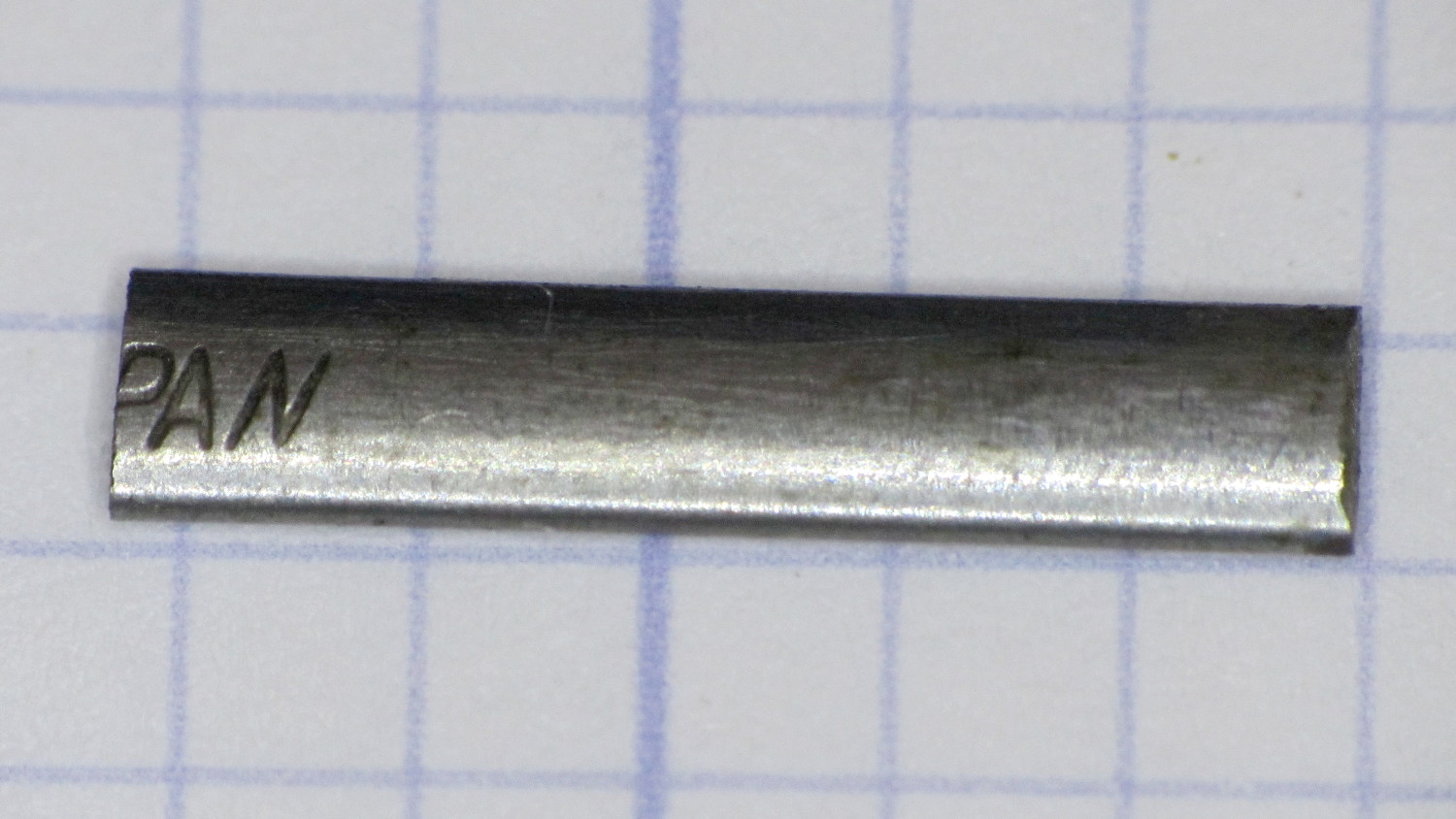
    This steel strip emerged from inside the arm of the Kenmore 158.17032 sewing machine that we’ve been reconditioning for one of Mary’s friends:

    Kenmore 158.17032 - mystery spring
    Kenmore 158.17032 – mystery spring

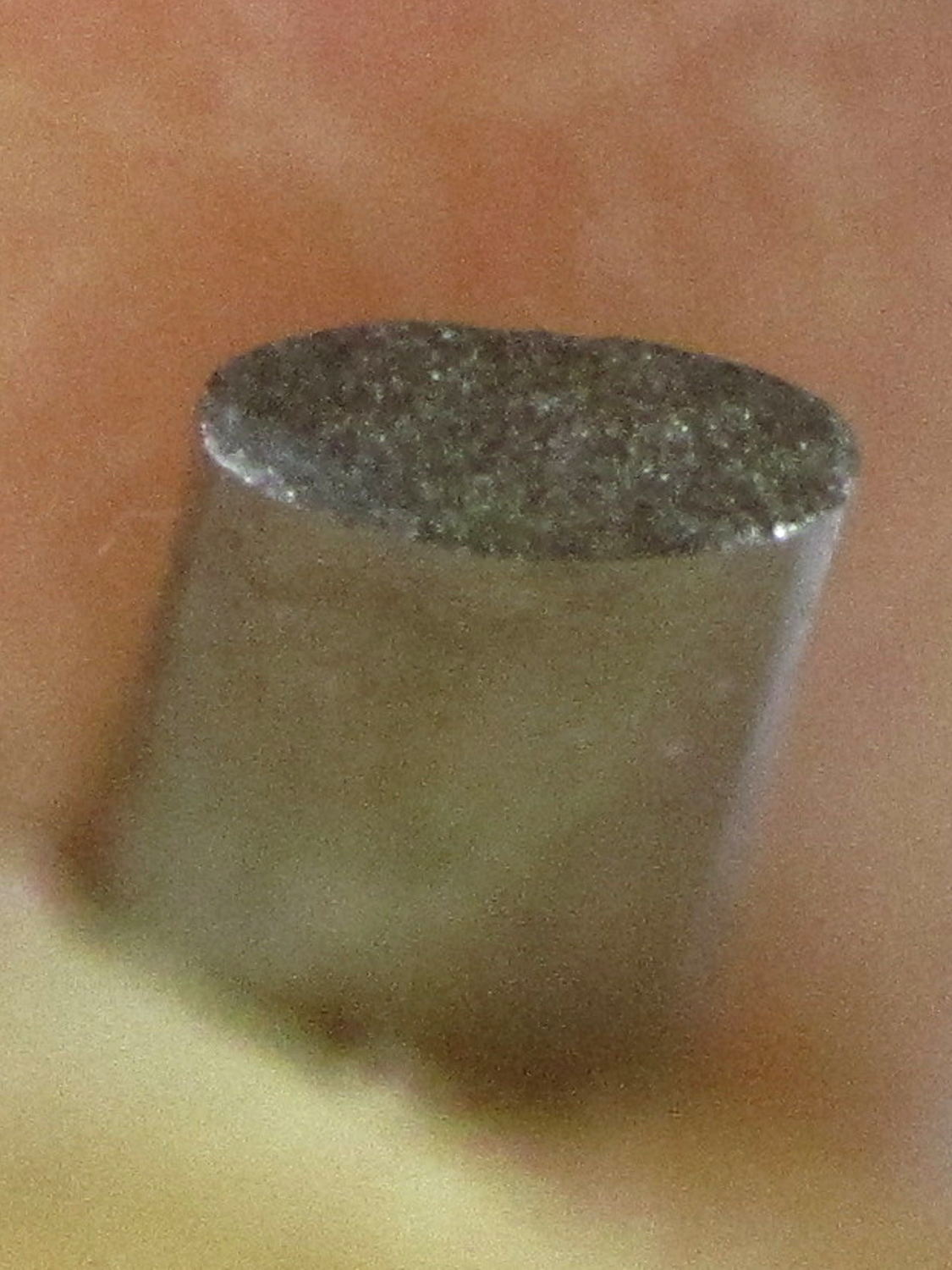
    The ends show the granular fracture of hard steel:

    Kenmore 158.17032 - mystery spring - end view
    Kenmore 158.17032 – mystery spring – end view

    It’s 13.3 mm long, 1.0 mm thick, tapers slightly from 2.8 mm on the end that once said “Japan” to 2.76 mm on the other, and that’s all we know about it.

    The sewing machine seems to work well enough without it (after some clean-and-lube action) and we haven’t found where the piece came from, but circumstantial evidence suggests it’s part of a spring somewhere inside the arm. It’s in a little bag with all the other random sewing machine parts I’ve collected along the way; perhaps some day we’ll know more and I can fabricate a replacement.

  • Square Chain Mail Armor: Back From The Abyss

    After a Slic3r commit fixed the bridging regression, I ran off chain mail patches to celebrate:

    Square Chain Mail Armor - 3.3 3.5 4.0 thread bars
    Square Chain Mail Armor – 3.3 3.5 4.0 thread bars

    Two more Scli3r improvements calculate thin-wall and gap infill based on the available space, then vary the extrusion width to make the answers come out right for a given nozzle diameter. As a result, infill between close-set perimeter walls works much better than before; some of my long-held assumptions became invalid.

    The only differences between the sheets: tweaking the BarWidth and SheetSize parameters. The links recalculate themselves around those values.

    The OpenSCAD source code as a GitHub gist:

    // Chain Mail Armor Buttons
    // Ed Nisley KE4ZNU – December 2014
    Layout = "Build"; // Link Button LB Joiner Joiners Build PillarMod
    //——-
    //- Extrusion parameters must match reality!
    // Print with 1 shell and 2+2 solid layers
    ThreadThick = 0.25;
    ThreadWidth = 0.40;
    HoleWindage = 0.2;
    Protrusion = 0.1; // make holes end cleanly
    function IntegerMultiple(Size,Unit) = Unit * ceil(Size / Unit);
    //——-
    // Dimensions
    //- Set maximum sheet size
    SheetSizeX = 125; // 170 for full sheet on M2
    SheetSizeY = 125; // 230 …
    //- Diamond or rectangular sheet?
    Diamond = false; // true = rotate 45 degrees, false = 0 degrees for square
    BendAround = "X"; // X or Y = maximum flexibility *around* designated axis
    Cap = true; // true = build bridge layers over links
    CapThick = 4 * ThreadThick; // flat cap on link: >= 3 layers for solid bridging
    Armor = true && Cap; // true = build armor button atop (required) cap
    ArmorThick = IntegerMultiple(2.0,ThreadThick); // height above cap surface
    ArmorSides = 4;
    ArmorAngle = true ? 180/ArmorSides : 0; // true -> rotate half a side for best alignment
    //- Link bar sizes
    BarThick = 3 * ThreadThick;
    BarWidth = 3.3 * ThreadWidth;
    BarClearance = 3 * ThreadThick; // vertical clearance above & below bars
    VertexHack = false; // true to slightly reduce openings to avoid coincident vertices
    //- Compute link sizes from those values
    //- Absolute minimum base link: bar width + corner angle + build clearance around bars
    // rounded up to multiple of thread width to ensure clean filling
    BaseSide = IntegerMultiple((4*BarWidth + 2*BarWidth/sqrt(2) + 3*(2*ThreadWidth)),ThreadWidth);
    BaseHeight = 2*BarThick + BarClearance; // both bars + clearance
    echo(str("BaseSide: ",BaseSide," BaseHeight: ",BaseHeight));
    //echo(str(" Base elements: ",4*BarWidth,", ",2*BarWidth/sqrt(2),", ",3*(2*ThreadWidth)));
    //echo(str(" total: ",(4*BarWidth + 2*BarWidth/sqrt(2) + 3*(2*ThreadWidth))));
    BaseOutDiagonal = BaseSide*sqrt(2) – BarWidth;
    BaseInDiagonal = BaseSide*sqrt(2) – 2*(BarWidth/2 + BarWidth*sqrt(2));
    echo(str("Outside diagonal: ",BaseOutDiagonal));
    //- On-center distance measured along coordinate axis
    // the links are interlaced, so this is half of what you think it should be…
    LinkOC = BaseSide/2 + ThreadWidth;
    LinkSpacing = Diamond ? (sqrt(2)*LinkOC) : LinkOC;
    echo(str("Base spacing: ",LinkSpacing));
    //- Compute how many links fit in sheet
    MinLinksX = ceil((SheetSizeX – (Diamond ? BaseOutDiagonal : BaseSide)) / LinkSpacing);
    MinLinksY = ceil((SheetSizeY – (Diamond ? BaseOutDiagonal : BaseSide)) / LinkSpacing);
    echo(str("MinLinks X: ",MinLinksX," Y: ",MinLinksY));
    NumLinksX = ((0 == (MinLinksX % 2)) && !Diamond) ? MinLinksX + 1 : MinLinksX;
    NumLinksY = ((0 == (MinLinksY % 2) && !Diamond)) ? MinLinksY + 1 : MinLinksY;
    echo(str("Links X: ",NumLinksX," Y: ",NumLinksY));
    //- Armor button base
    ButtonHeight = BaseHeight + BarClearance + CapThick;
    echo(str("ButtonHeight: ",ButtonHeight));
    //- Armor ornament size & shape
    // Fine-tune OD & ID to suit the number of sides…
    TotalHeight = ButtonHeight + ArmorThick;
    echo(str("Overall Armor Height: ",TotalHeight));
    ArmorOD = 1.0 * BaseSide; // tune for best base fit
    ArmorID = 10 * ThreadWidth; // make the tip blunt & strong
    //——-
    module ShowPegGrid(Space = 10.0,Size = 1.0) {
    RangeX = floor(95 / Space);
    RangeY = floor(125 / Space);
    for (x=[-RangeX:RangeX])
    for (y=[-RangeY:RangeY])
    translate([x*Space,y*Space,Size/2])
    %cube(Size,center=true);
    }
    //——-
    // Create link with armor button as needed
    module Link(Topping = false) {
    LinkHeight = (Topping && Cap) ? ButtonHeight : BaseHeight;
    render(convexity=3)
    rotate((BendAround == "X") ? 90 : 0)
    rotate(Diamond ? 45 : 0)
    union() {
    difference() {
    translate([0,0,LinkHeight/2]) // outside shape
    intersection() {
    cube([BaseSide,BaseSide,LinkHeight],center=true);
    rotate(45)
    cube([BaseOutDiagonal,BaseOutDiagonal,(LinkHeight + 2*Protrusion)],center=true);
    }
    translate([0,0,(BaseHeight + BarClearance + 0*ThreadThick – Protrusion)/2])
    intersection() { // inside shape
    cube([(BaseSide – 2*BarWidth),
    (BaseSide – 2*BarWidth),
    (BaseHeight + BarClearance + 0*ThreadThick + (VertexHack ? Protrusion/2 : 0))],
    center=true);
    rotate(45)
    cube([BaseInDiagonal,
    BaseInDiagonal,
    (BaseHeight + BarClearance + 0*ThreadThick + (VertexHack ? Protrusion/2 : 0))],
    center=true);
    }
    translate([0,0,((BarThick + 2*BarClearance)/2 + BarThick)]) // openings for bars
    cube([(BaseSide – 2*BarWidth – 2*BarWidth/sqrt(2) – (VertexHack ? Protrusion/2 : 0)),
    (2*BaseSide),
    BarThick + 2*BarClearance – Protrusion],
    center=true);
    translate([0,0,(BaseHeight/2 – BarThick)])
    cube([(2*BaseSide),
    (BaseSide – 2*BarWidth – 2*BarWidth/sqrt(2) – (VertexHack ? Protrusion/2 : 0)),
    BaseHeight],
    center=true);
    }
    if (Topping && Armor)
    translate([0,0,(ButtonHeight – Protrusion)]) // sink slightly into the cap
    rotate(ArmorAngle)
    cylinder(d1=ArmorOD,d2=ArmorID,h=(ArmorThick + Protrusion), $fn=ArmorSides);
    }
    }
    //——-
    // Create split buttons to join sheets
    module Joiner() {
    translate([-LinkSpacing,0,0])
    difference() {
    Link(false);
    translate([0,0,BarThick + BarClearance + TotalHeight/2 – Protrusion])
    cube([2*LinkSpacing,2*LinkSpacing,TotalHeight],center=true);
    }
    translate([LinkSpacing,0,0])
    intersection() {
    translate([0,0,-(BarThick + BarClearance)])
    Link(true);
    translate([0,0,TotalHeight/2])
    cube([2*LinkSpacing,2*LinkSpacing,TotalHeight],center=true);
    }
    }
    //——-
    // Build it!
    //ShowPegGrid();
    if (Layout == "Link") {
    Link(false);
    }
    if (Layout == "Button") {
    Link(true);
    }
    if (Layout == "LB") {
    color("Brown") Link(true);
    translate([LinkSpacing,LinkSpacing,0])
    color("Orange") Link(false);
    }
    if (Layout == "Build")
    for (ix = [0:(NumLinksX – 1)],
    iy = [0:(NumLinksY – 1)]) {
    x = (ix – (NumLinksX – 1)/2)*LinkSpacing;
    y = (iy – (NumLinksY – 1)/2)*LinkSpacing;
    translate([x,y,0])
    color([(ix/(NumLinksX – 1)),(iy/(NumLinksY – 1)),1.0])
    if (Diamond)
    Link((ix + iy) % 2); // armor at odd,odd & even,even points
    else
    if ((iy % 2) && (ix % 2)) // armor at odd,odd points
    Link(true);
    else if (!(iy % 2) && !(ix % 2)) // connectors at even,even points
    Link(false);
    }
    if (Layout == "Joiner")
    Joiner();
    if (Layout == "Joiners") {
    NumJoiners = max(MinLinksX,MinLinksY)/2;
    for (iy = [0:(NumJoiners – 1)]) {
    y = (iy – (NumJoiners – 1)/2)*2*LinkSpacing + LinkSpacing/2;
    translate([0,y,0])
    color([0.5,(iy/(NumJoiners – 1)),1.0])
    Joiner();
    }
    }
    if (Layout == "PillarMod") // Slic3r modification volume to eliminate pillar infill
    translate([0,0,(BaseHeight + BarClearance)/2])
    cube([1.5*SheetSizeX,1.5*SheetSizeY,BaseHeight + BarClearance],center=true);
  • Raspberry Pi Power Heartbeat LED

    While looking for something else, I found a reference to the /boot/overlays/README file, wherein it is written:

            act_led_trigger         Choose which activity the LED tracks.
                                    Use "heartbeat" for a nice load indicator.
                                    (default "mmc")
    
            act_led_activelow       Set to "on" to invert the sense of the LED
                                    (default "off")
    
            act_led_gpio            Set which GPIO to use for the activity LED
                                    (in case you want to connect it to an external
                                    device)
                                    (default "16" on a non-Plus board, "47" on a
                                    Plus or Pi 2)
    
    ... snippage ...
    
            pwr_led_trigger
            pwr_led_activelow
            pwr_led_gpio
                                    As for act_led_*, but using the PWR LED.
                                    Not available on Model A/B boards.
    

    Although the power LED isn’t (easily) visible through the Canakit cases I’m using (it’s under the barely visible hole in front of the small hole near the hacked RUN connector), turning it into a heartbeat pulse distinguishes the CPU’s “running” and “halted” states; whether it will also distinguish “crashed” is up for grabs.

    It’s not at all clear what other choices you have.

    To enable heartbeating, add this to /boot/config.txt:

    # turn power LED into heartbeat
    dtparam=pwr_led_trigger=heartbeat
    #
    

    I expected a simple 50% duty cycle heartbeat, but it’s an annoying double blink: long off / on / off / on / long off. Fortunately, it still isn’t (easily) visible …

    While you have that file open, reduce the GPU memory to the absolute minimum for headless operation:

    # minimal GPU memory for headless operation
    gpu_mem=16
    #
    

    Some further ideas, including a way to turn off the HDMI interface.

  • Road Conditions: 695 Rt 44 Squeeze Play

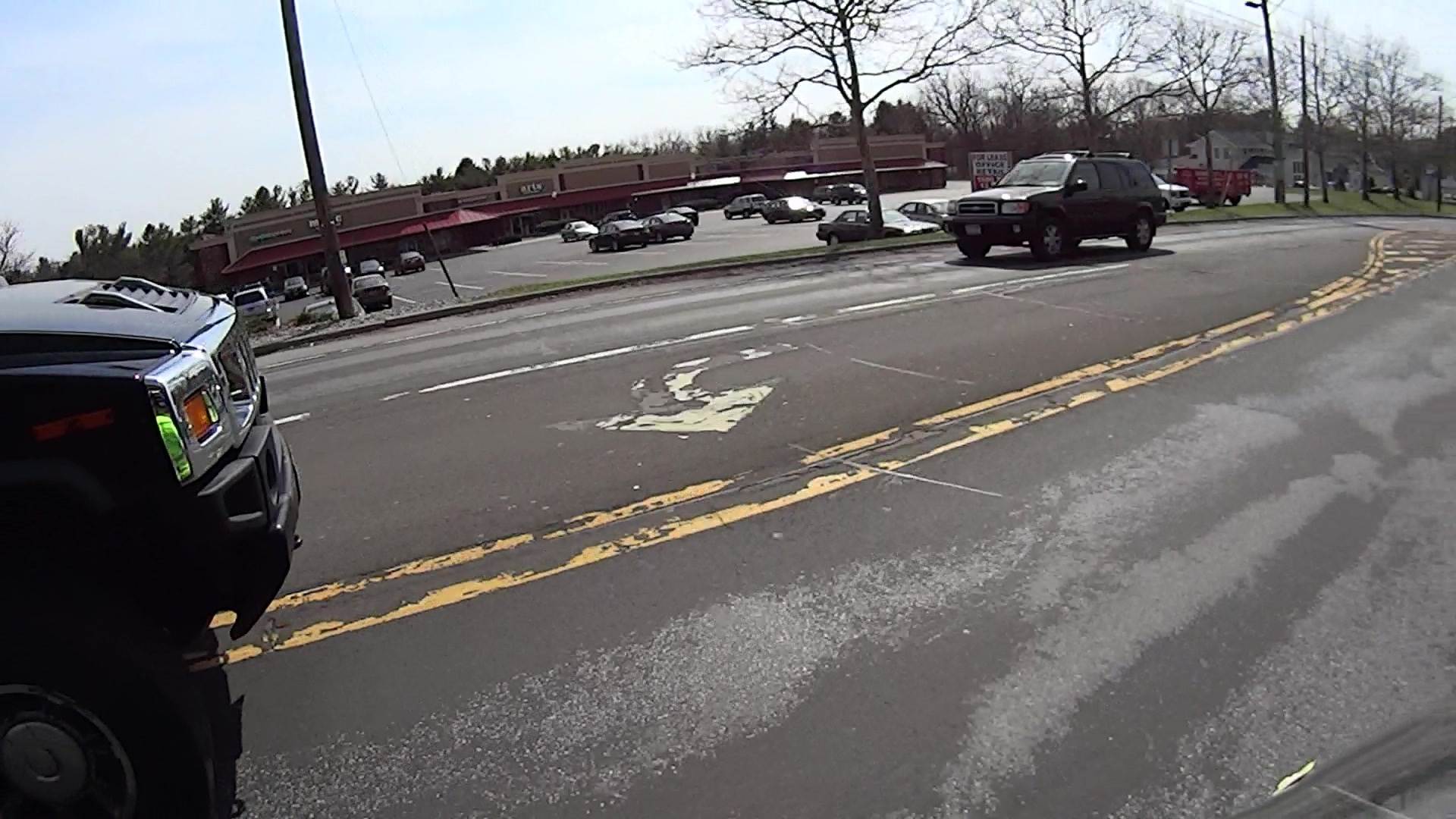
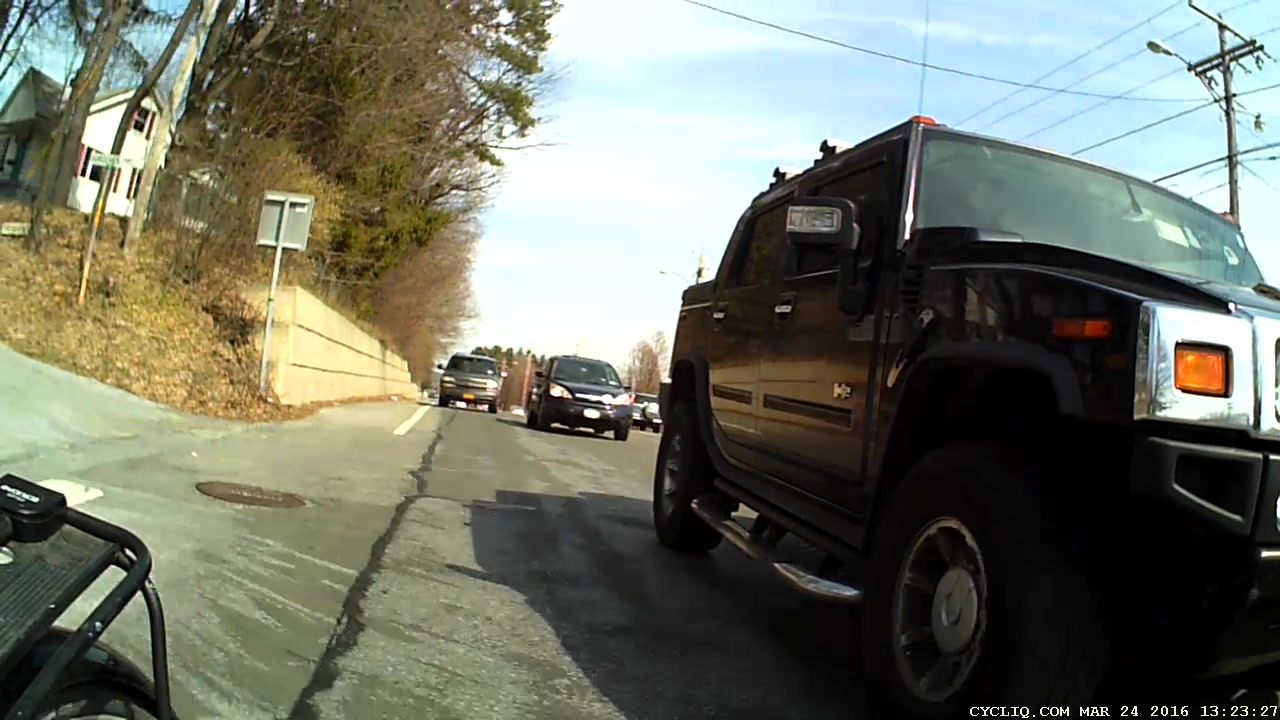
    You can’t hear the horn that’s been honking for the last few seconds (sequence numbers = 1/60 s) as we approach 695 Dutchess Turnpike (a.k.a. Rt 44, a.k.a. NYS Bike Route 44):

    Rt 44 at 695 - H2 Overtaking - front camera - 0113
    Rt 44 at 695 – H2 Overtaking – front camera – 0113

    You’ll note my fluorescent green shirt reflected in all that chrome. You can’t see the groceries tucked into the two under-seat bags; I’m not towing the trailer.

    He gave us a surprising amount of clearance, given the aggressive honking:

    Rt 44 at 695 - H2 Overtaking - front camera - 0186
    Rt 44 at 695 – H2 Overtaking – front camera – 0186

    That’s one reason I ride a bit to the left of Mary’s track.

    We’re riding to the left of the fog line along that stretch of Rt 44, because the upcoming shoulder and right edge aren’t usable. Despite that, the honking pushed Mary over the decaying fog line:

    Rt 44 at 695 - H2 Overtaking - front camera - 0369
    Rt 44 at 695 – H2 Overtaking – front camera – 0369

    She crossed back before the worst part, although the camera doesn’t do justice to the 3D aspect of the crumbling asphalt:

    Rt 44 at 695 - H2 Overtaking - front camera - 0489
    Rt 44 at 695 – H2 Overtaking – front camera – 0489

    If you think that pavement doesn’t seem all that bad, let’s go for a ride, OK?

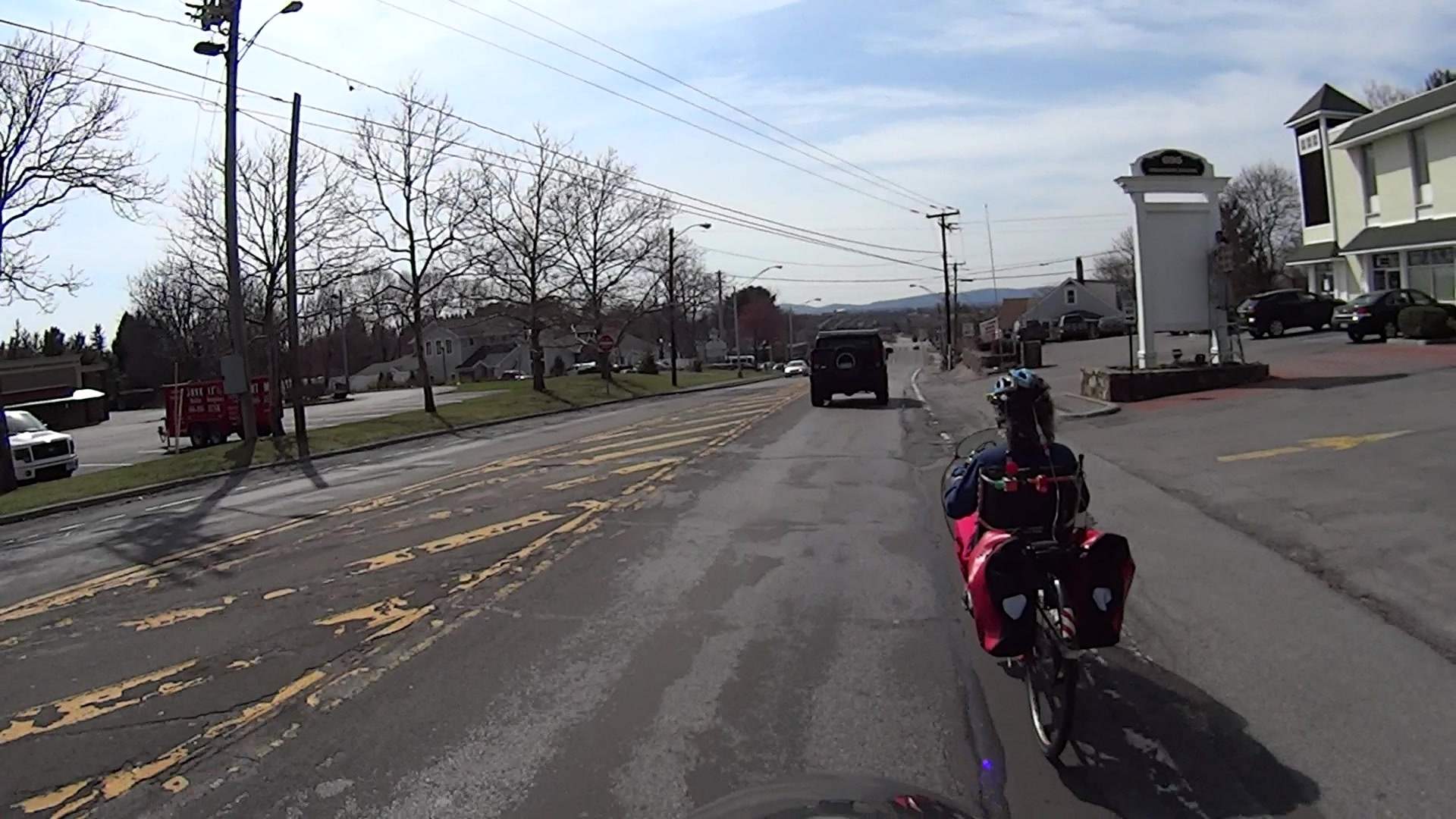
    The events behind us show what happens when somebody in a really big vehicle really wants to squeeze past a bicyclist in a constricted lane.

    Looks like he’s easing over enough to get by (sequence numbers = 1/30 s):

    Rt 44 at 695 - H2 Overtaking - rear camera - 0155
    Rt 44 at 695 – H2 Overtaking – rear camera – 0155

    Looks snug, but I’ve seen worse:

    Rt 44 at 695 - H2 Overtaking - rear camera - 0185
    Rt 44 at 695 – H2 Overtaking – rear camera – 0185

    That was close, but perhaps not atypical for Hummer drivers:

    Rt 44 at 695 - H2 Overtaking - rear camera - 0257
    Rt 44 at 695 – H2 Overtaking – rear camera – 0257

    Now he can rev up and cross the double-yellow line:

    Rt 44 at 695 - H2 Overtaking - rear camera - 0305
    Rt 44 at 695 – H2 Overtaking – rear camera – 0305

    Total elapsed time from first honk to when I finished shouting out the license plate: 16 s.

    At the next traffic signal and the better part of 70 s from the first honk, he turned left and we turned right, pretty much simultaneously:

    Rt 44 at 695 - H2 Overtaking - rear camera - 2274
    Rt 44 at 695 – H2 Overtaking – rear camera – 2274

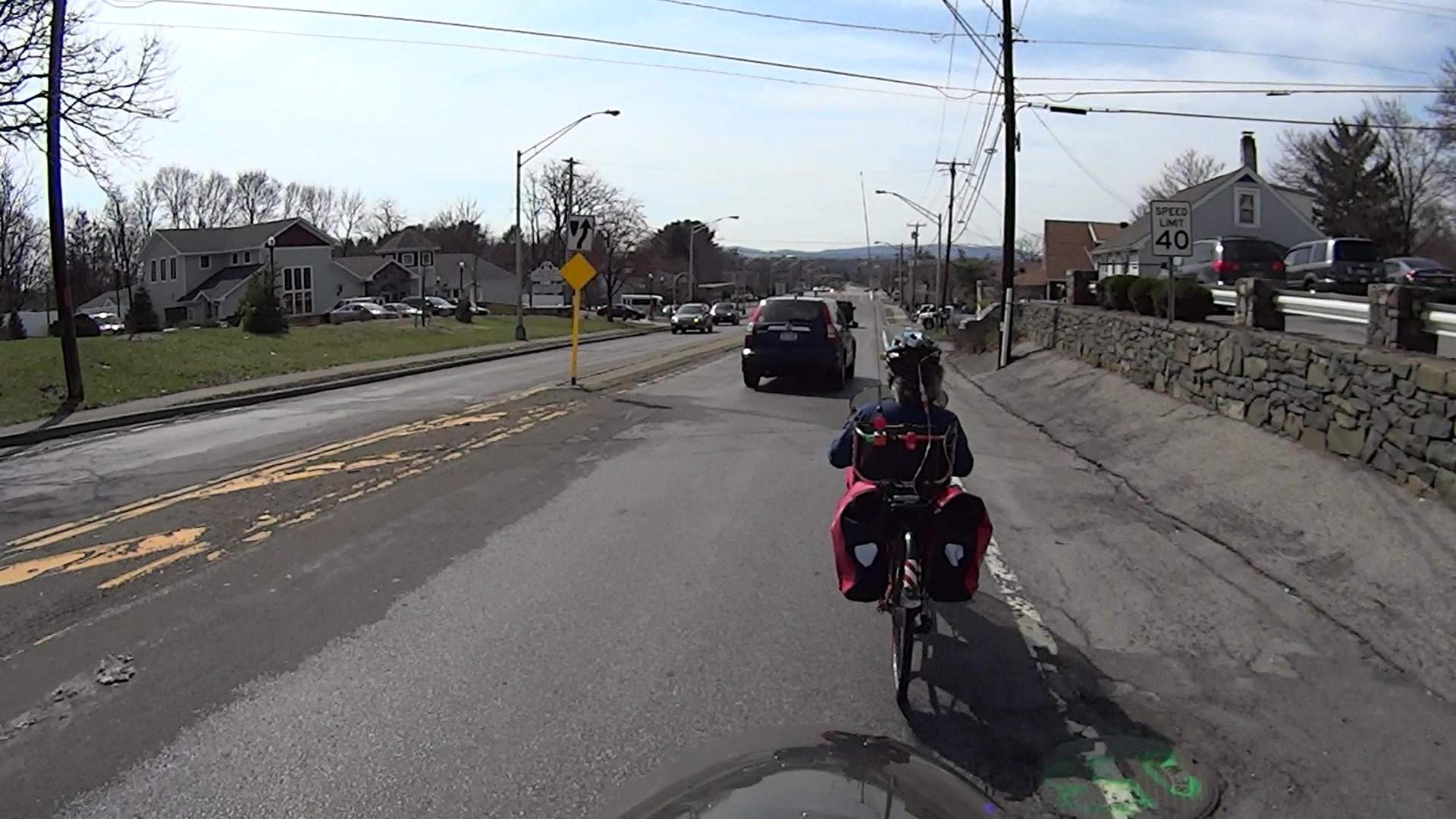
    In lighter news, the green-painted manhole cover suggests some construction may be in-plan:

    Rt 44 at 695 - H2 Overtaking - front camera - 0697
    Rt 44 at 695 – H2 Overtaking – front camera – 0697

    I’m not holding my breath for an improvement over the status quo, though.

    Part of the problem may be that Hummers aren’t nearly the fashion statement they used to be; that failed Chinese deal didn’t help their image in the least.

    FWIW and much to my surprise, H2s have chickenshit horns …

  • LED Bulbs: Train Station Chandelier

    The three big chandeliers in the Poughkeepsie Train Station now sport LED bulbs:

    Poughkeepsie Train Station - LED bulbs
    Poughkeepsie Train Station – LED bulbs

    All three had 36 working bulbs and, with a bit of good QC, should continue that way for a long, long time.

    LED bulbs don’t have the intense point-source brilliance of clear tungsten bulbs and even the warm-white ones tend toward the cool end of the spectrum, but they’re Good Enough …

  • Recommended Screwdriver Set: Brownells Magna-Tip Super Set

    More on the Kenmore 158.17032 that started all this appears elsewhere, but I found myself deploying several bits from my Brownells Magna-Tip screwdriver set:

    Brownells Magna-Tip Super-Set on bench
    Brownells Magna-Tip Super-Set on bench

    The matrix of bits covers nine slot lengths (= screw head diameters) with four / five / six slot widths. This is the set with 44 bits; the 58 bit set fills the empty holes with 14 hex / square / Phillips bits that I already have in multiples.

    I reserve these lovely hollow-ground bits for specialty screws that must not be goobered; most of the time ordinary drivers work just fine and there’s no reason to chew these up.

    Even these tips won’t fit every screw in existence, but you’ll go a long way before this set isn’t the right hammer for the job at hand.

    Highly recommended, even at today’s prices …

  • Kenmore 158.17032 Handwheel Clutch Disassembly

    One of Mary’s friends asked us to take a look at her Kenmore 158.17032 sewing machine that suffered from a Showstopper Problem: the handwheel turned the main shaft, but the motor pulley spun freely. You could rev the motor to maximum speed without budging the shaft, which suggested something was wrong with the clutch joining the handwheel and the belt pulley to the main shaft. This being a slightly newer model than the others in our stable, I was mildly surprised to find a completely different clutch mechanism between the drive belt and the main shaft.

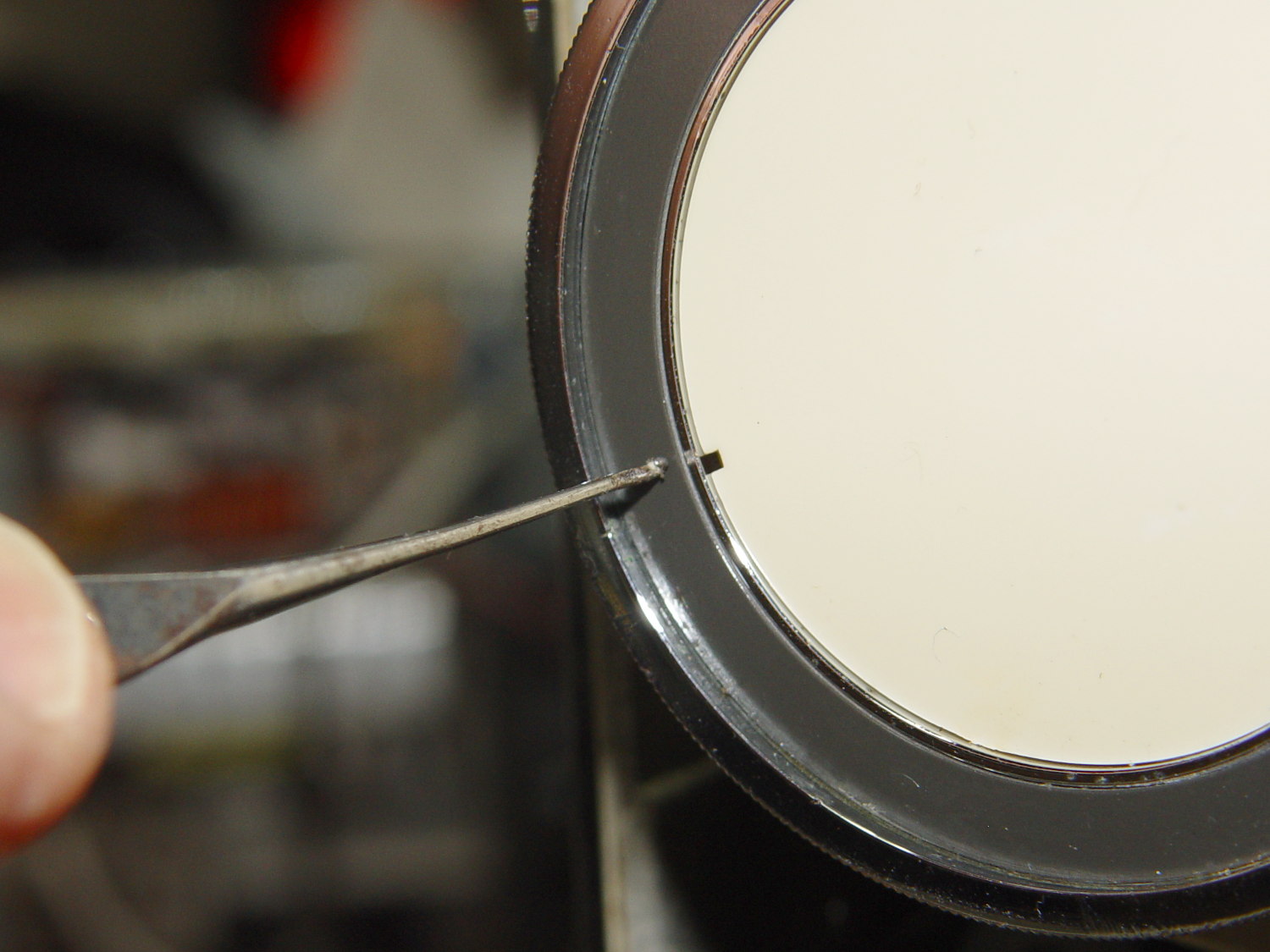
    The plastic cover plate in the handwheel yielded to an old crochet hook:

    Kenmore 158.17032 - Handwheel cap removal
    Kenmore 158.17032 – Handwheel cap removal

    Stick the hook into the tiny notch, engage hook with cover, pull outward, and it’ll fall into your other hand.

    That exposes a simple screw holding the chromed plastic handwheel in place on the motor shaft. After taking the pulley and clutch off the Hard Way, I discovered the Right Way, which is hereby documented for The Next Time Around. In order to show what’s needed, I’ll start in the middle and work outward.

    Pull the handwheel off and remove the machine’s end cover.

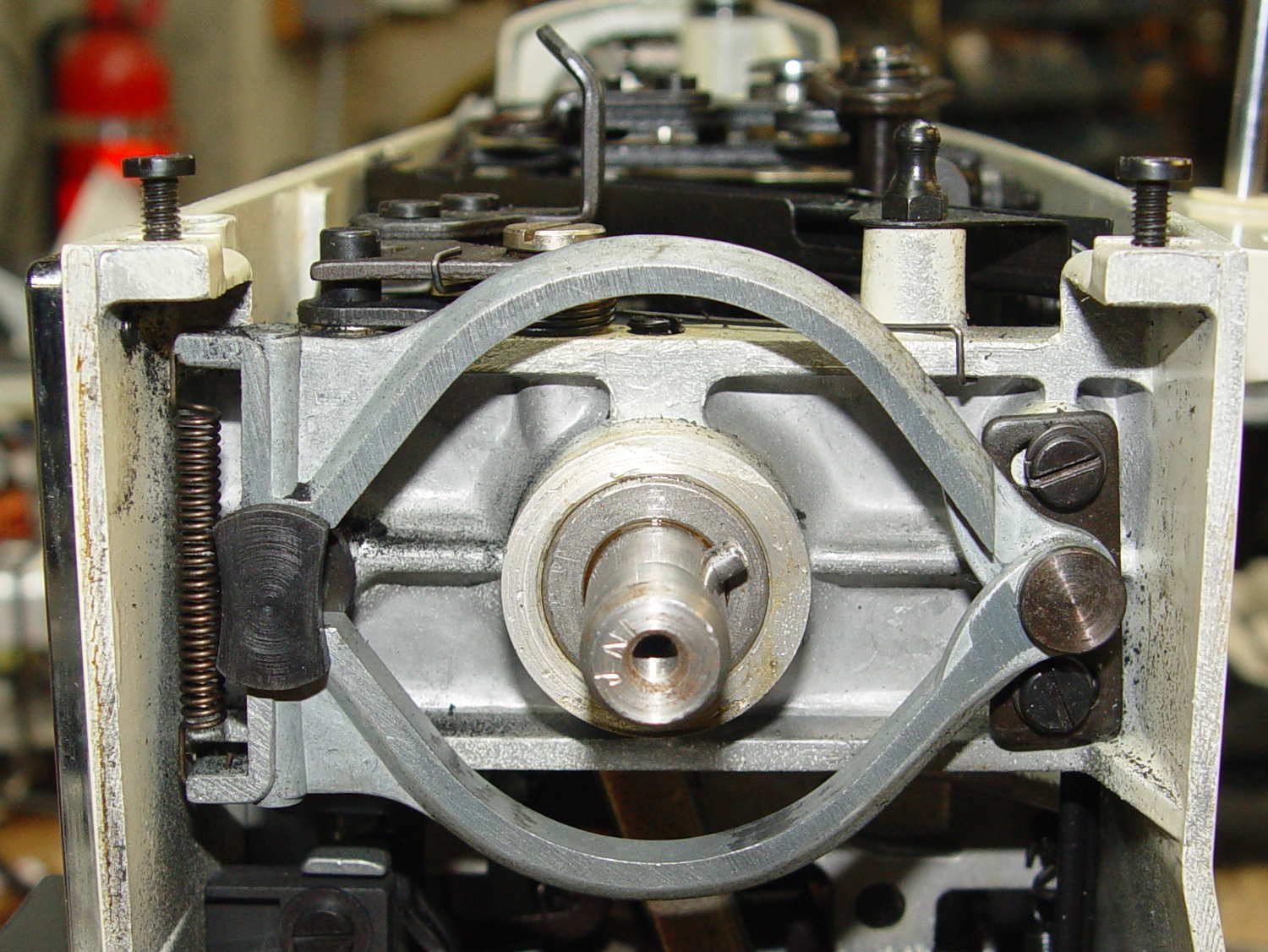
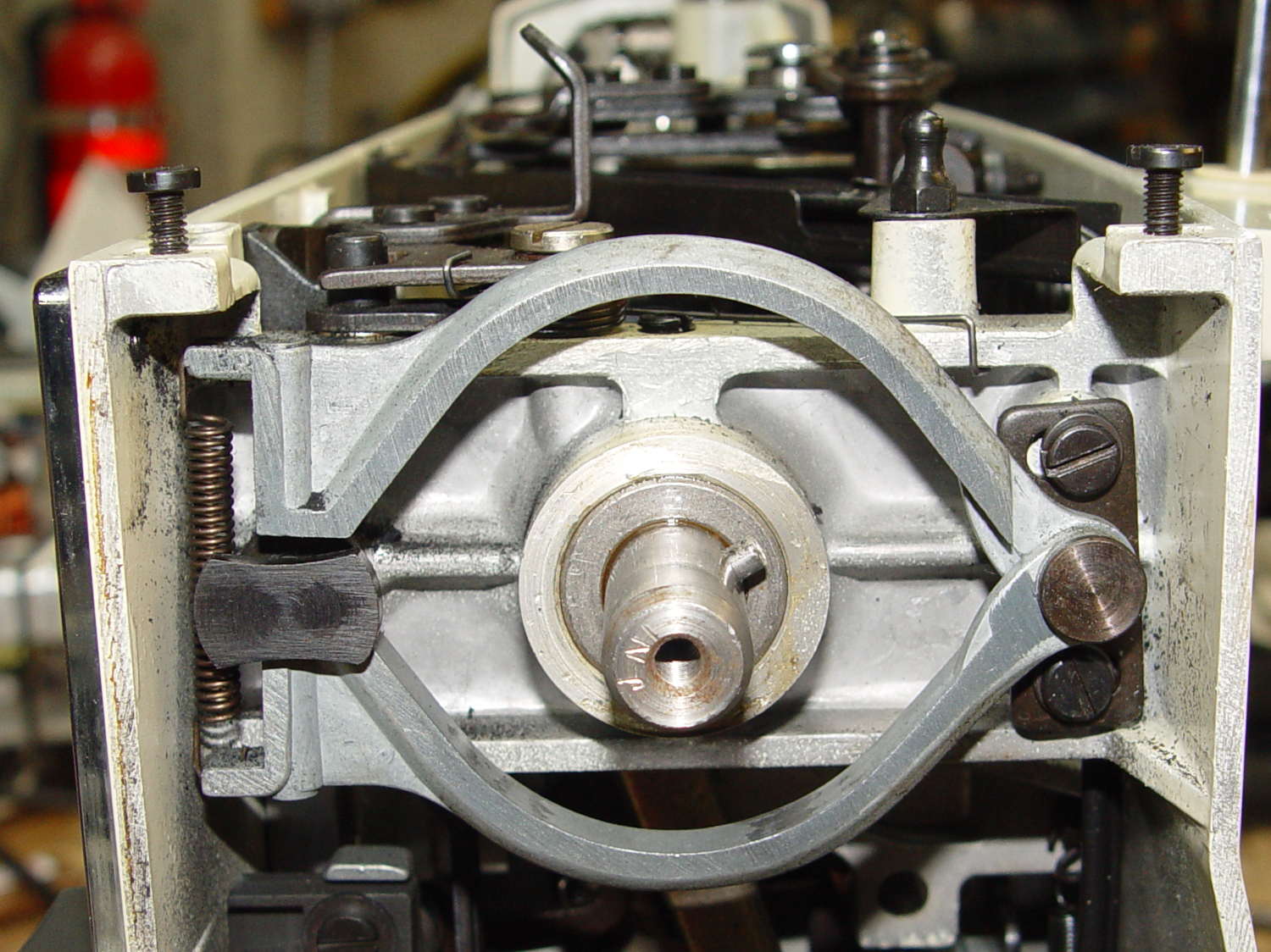
    With the clutch assembly removed (which you can’t do yet), you can see a pair of pot metal bands that act as a brake when the bobbin winder snaps off a full bobbin. They look like this in the normal running position:

    Kenmore 158.17032 - Clutch trip lever - normal position
    Kenmore 158.17032 – Clutch trip lever – normal position

    The black bow-tie at 9 o’clock is vertical, holding the brake bands apart and clearing the tab on the clutch asembly (which you haven’t seen yet).

    They look like this when the bobbin winder has just snapped:

    Kenmore 158.17032 - Clutch trip lever - bobbin wind position
    Kenmore 158.17032 – Clutch trip lever – bobbin wind position

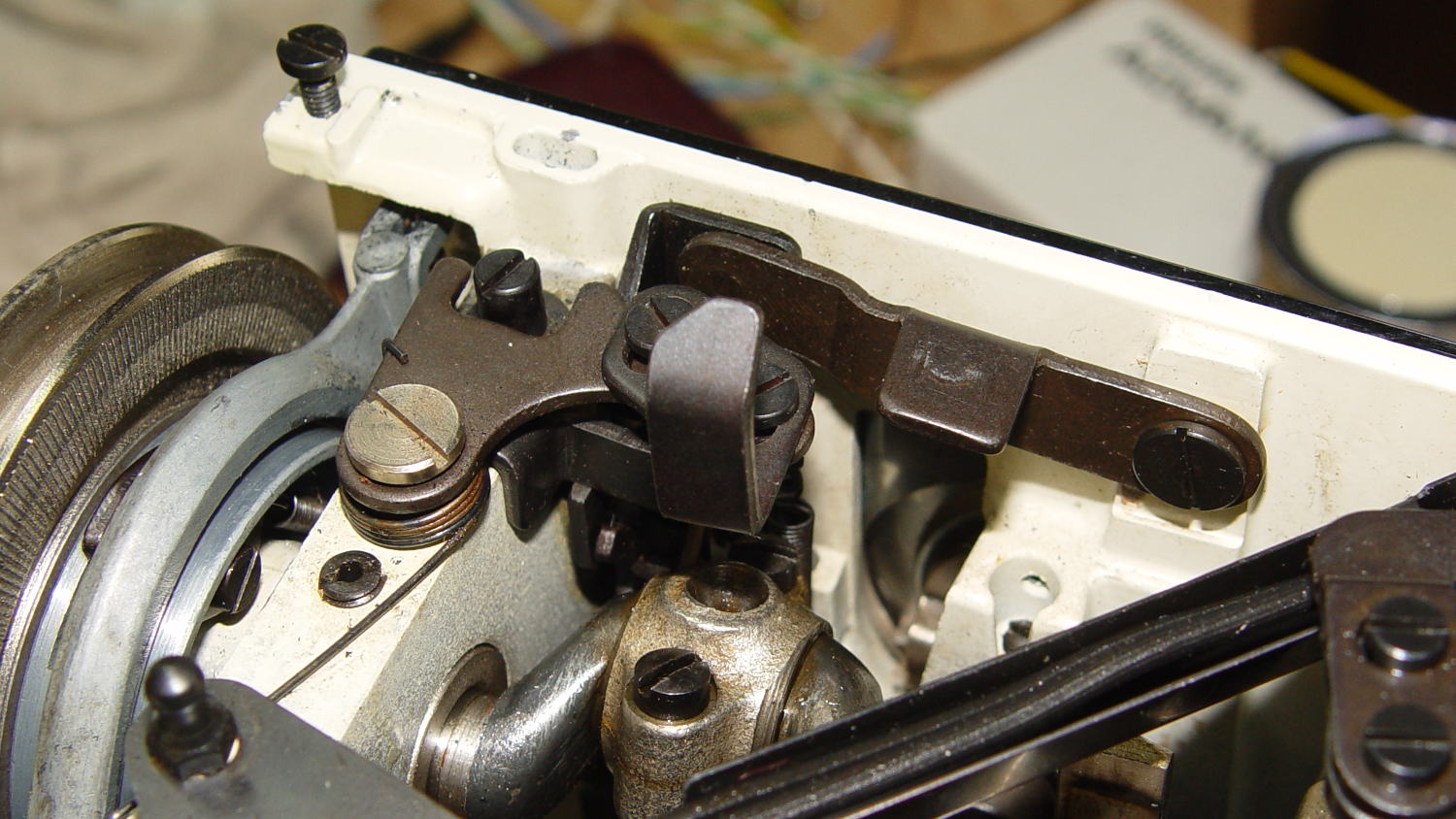
    The Bobbin Winder Reset Button atop the machine (which our machines don’t have and this one does) presses on the tab sticking out toward you on the horizontal bar pivoting on the front of the machine:

    Kenmore 158.17032 - Bobbin winder reset lever
    Kenmore 158.17032 – Bobbin winder reset lever

    In that position, the button is up, the bobbin is ready to load, the brake bands are off, and you can gently tap the clutch assembly off the main crankshaft:

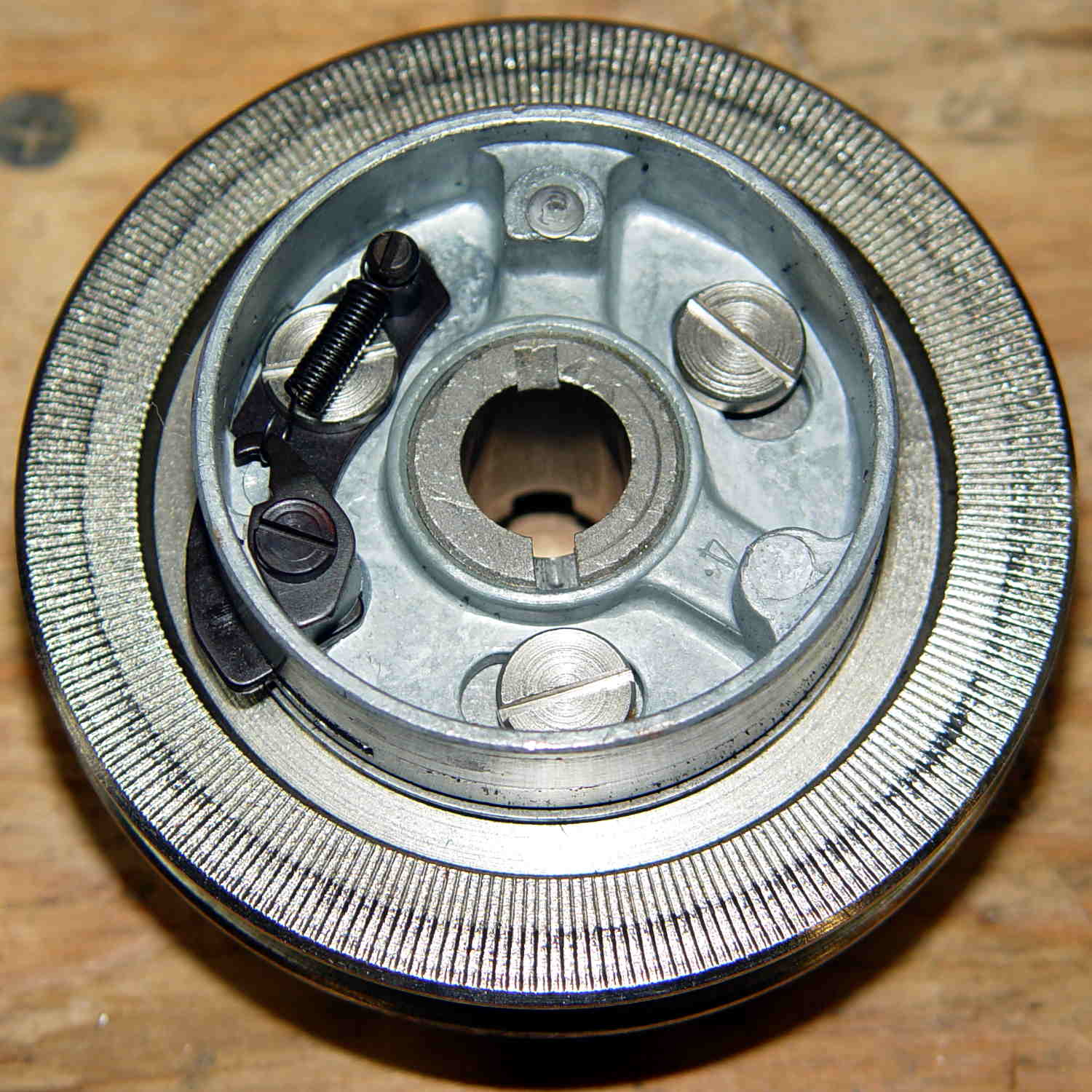
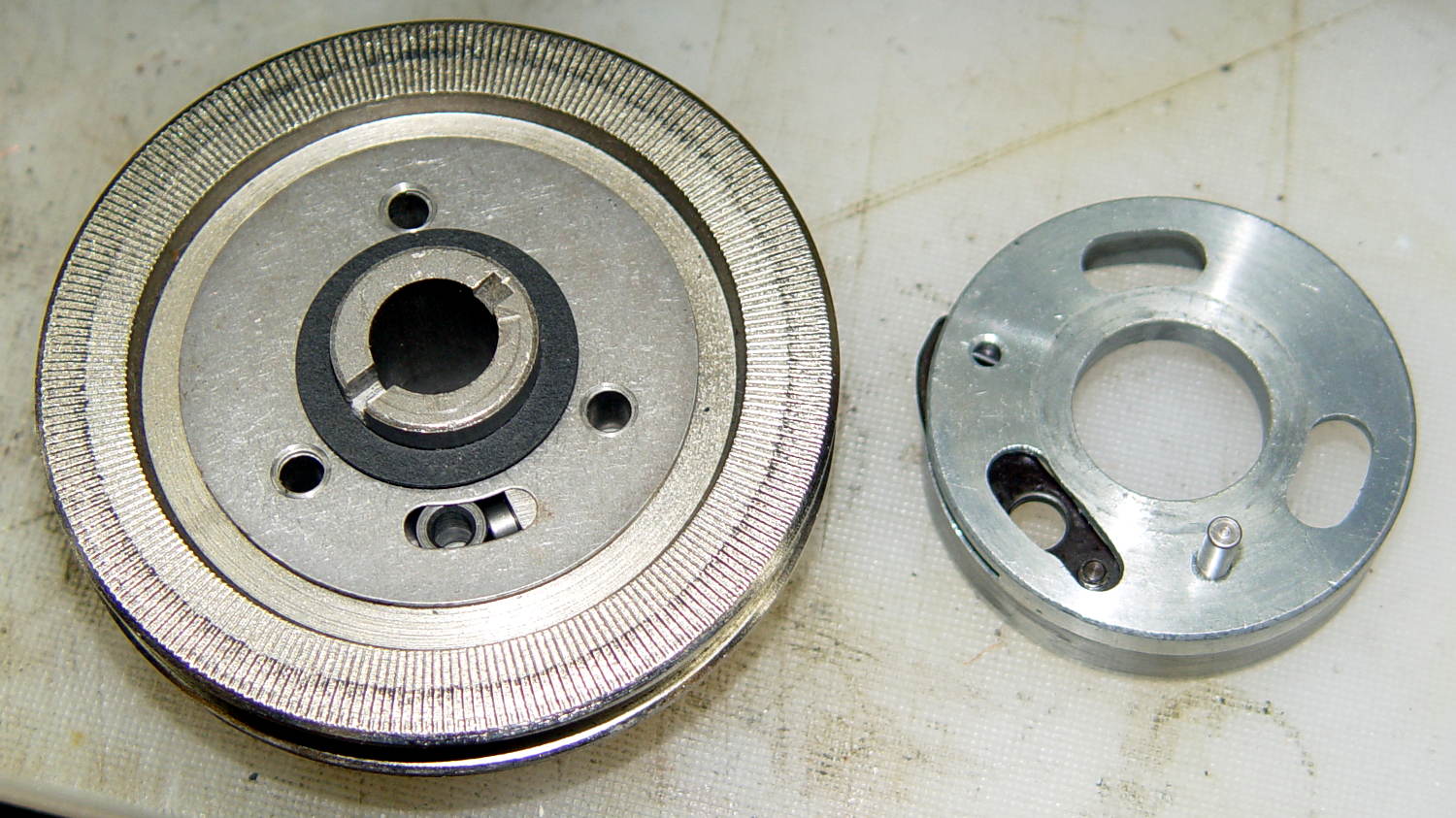
    Kenmore 158.17032 - Handwheel clutch assembly
    Kenmore 158.17032 – Handwheel clutch assembly

    The inner hub rotates very slightly with respect to the belt drive pulley (which has the grooves that drive the bobbin winder tire). That didn’t quite work on this machine, due to the usual lack of lubrication / mechanical wear / what-have-you.

    The innermost part (with the notches for the pin visible at 2 o’clock on the main shaft) rotates with the handwheel. The belt pulley rotates with the motor belt. The clutch lets you turn the handwheel with the motor stopped. Normal rotation is clockwise in this view; on the machine, you turn the top of the wheel toward you.

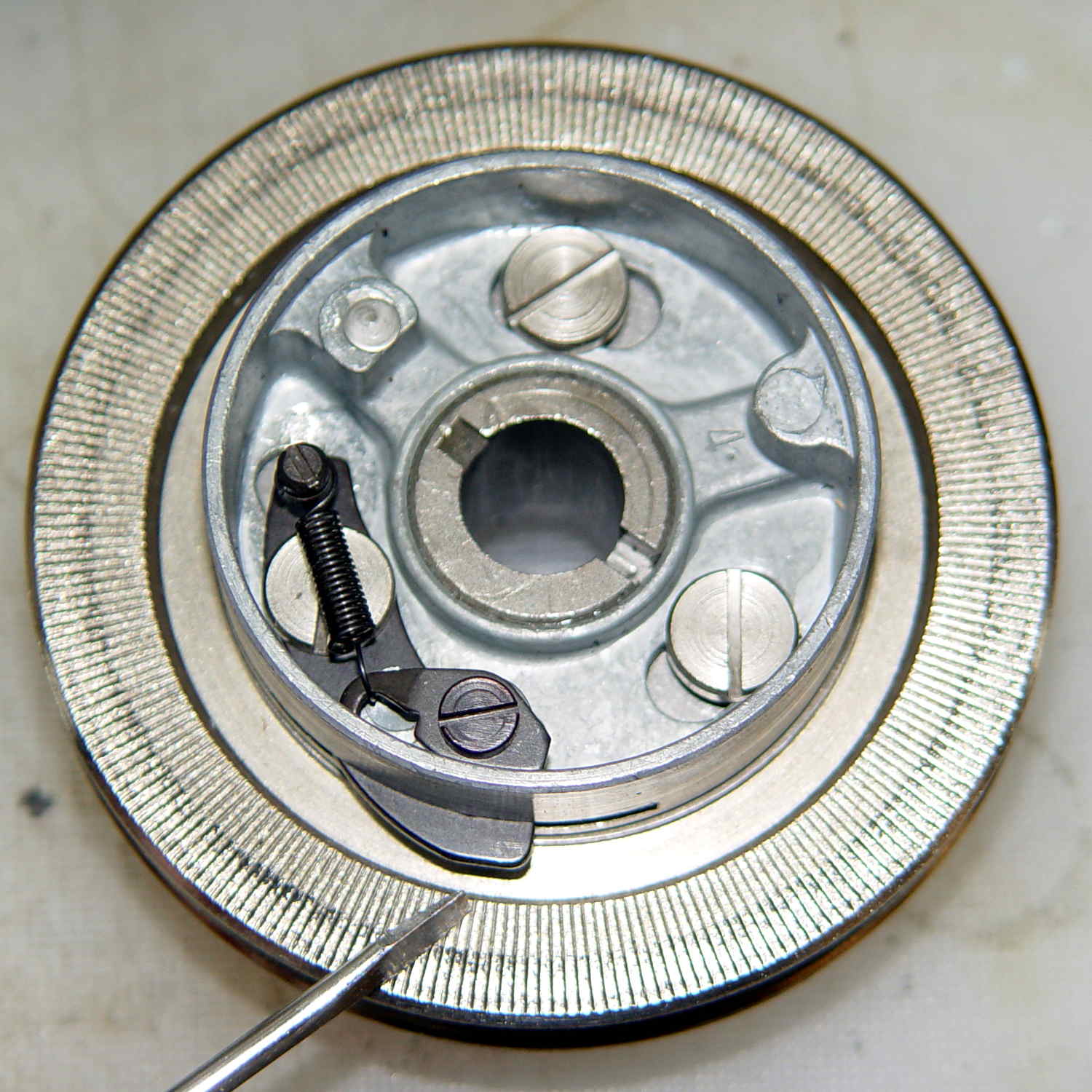
    Carefully remove the spring that retracts the clutch lever, remove both black screws, remove the big flat head screw, and slide the black lever out to the side.

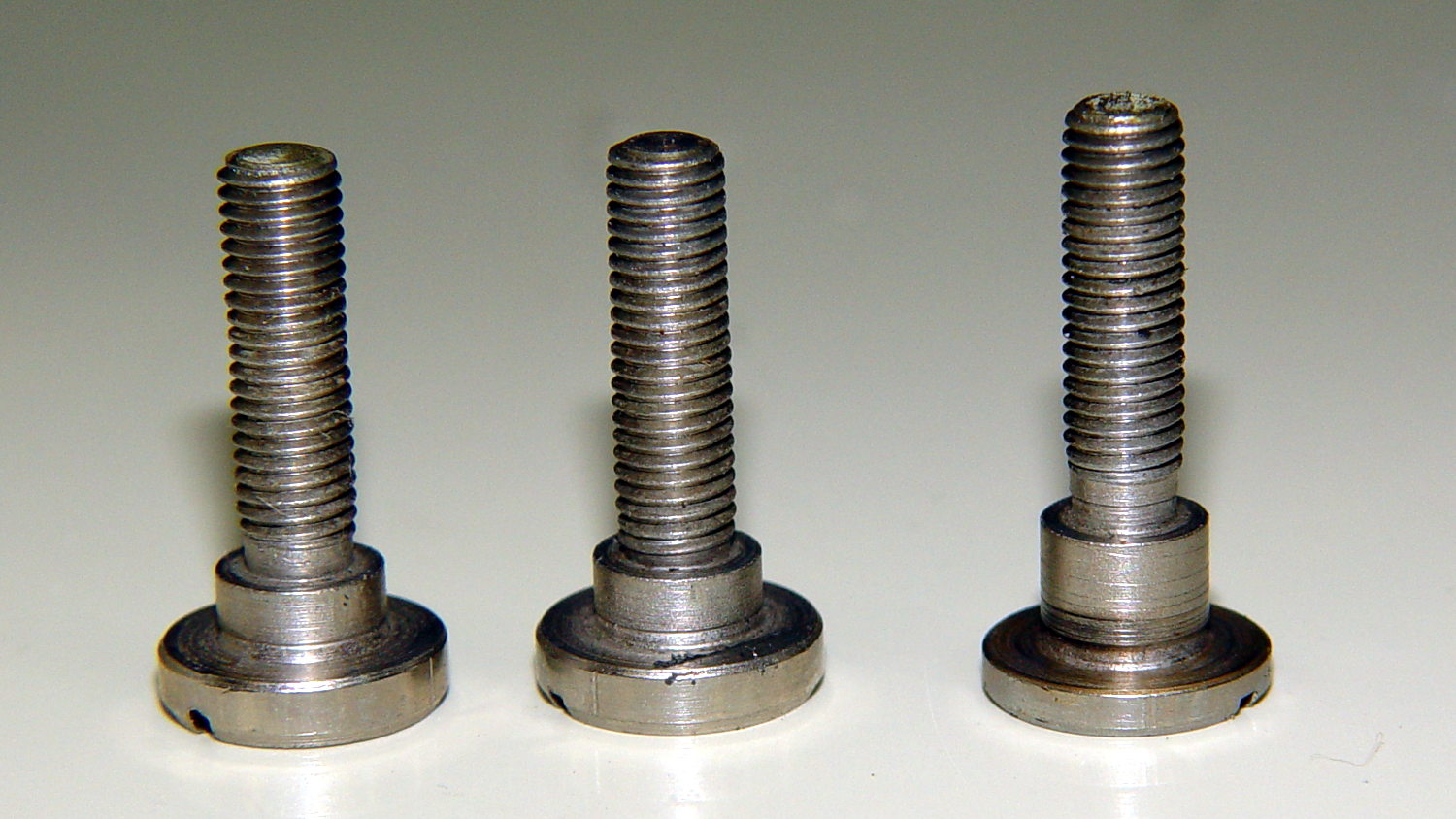
    Unscrew the two remaining flat-head screws holding the hub / lever in place. The one with the longer shoulder goes into the lever:

    Kenmore 158.17032 - Handwheel clutch screws
    Kenmore 158.17032 – Handwheel clutch screws

    Removing the hub reveals the pin that engages the clutch mechanism visible through the slot at 6 o’clock in the handwheel:

    Kenmore 158.17032 - Handwheel clutch dog
    Kenmore 158.17032 – Handwheel clutch dog

    Remove the fiber washer and the steel cover plate to expose the clutch mechanism:

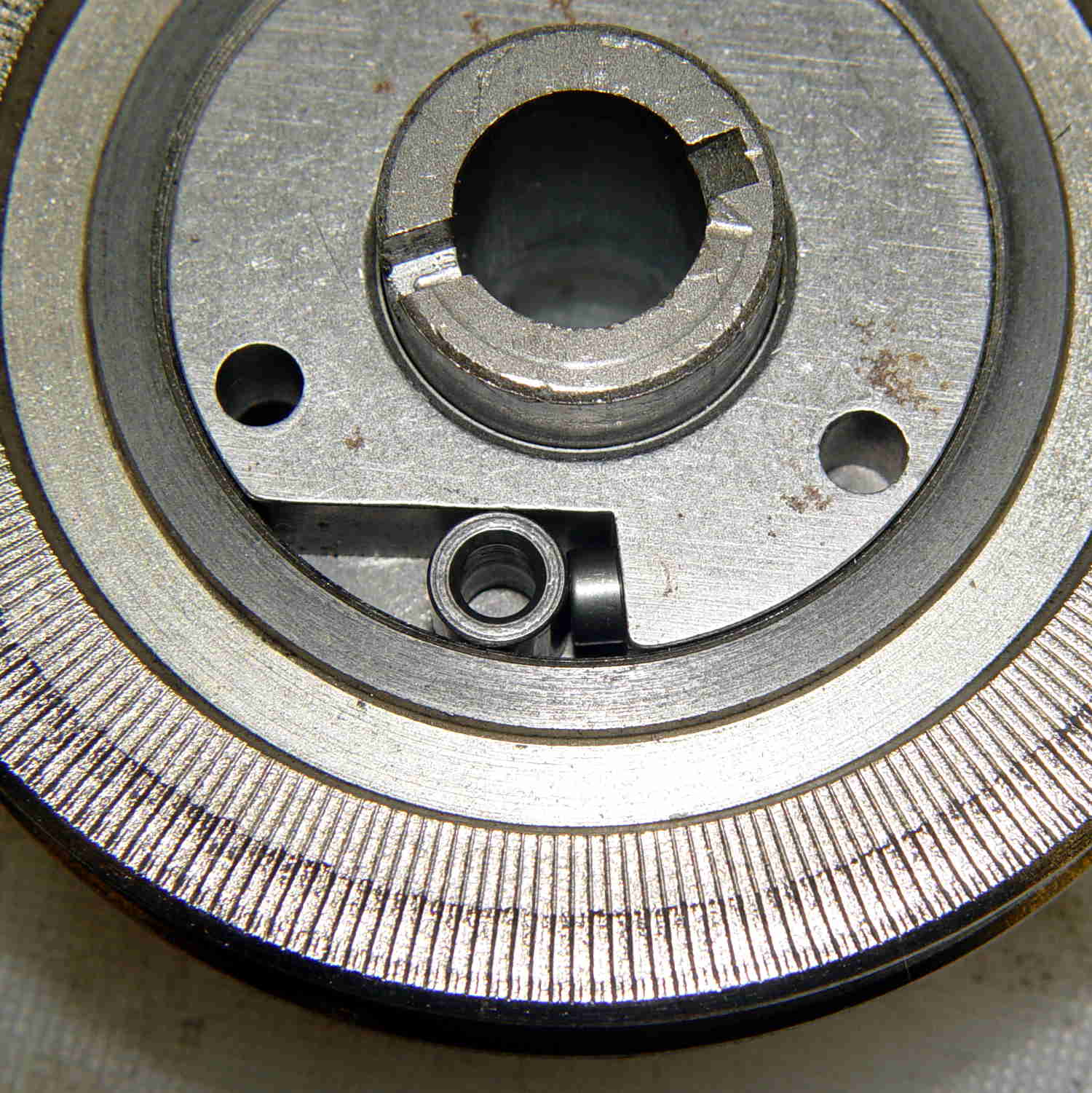
    Kenmore 158.17032 - Handwheel clutch - detail
    Kenmore 158.17032 – Handwheel clutch – detail

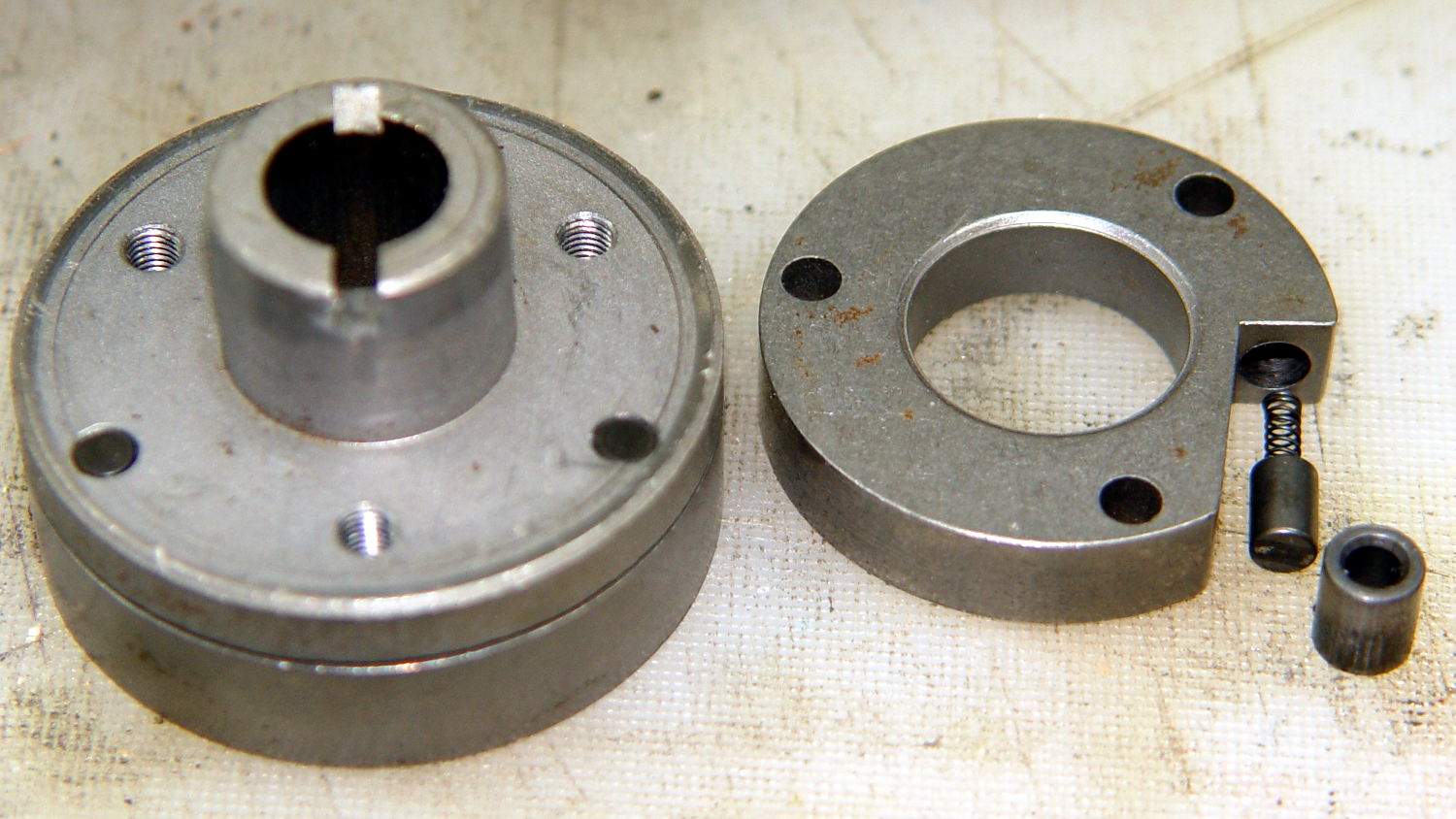
    The pin pressing against the hollow cylinder (which is the actual clutch!) has a powerful spring:

    Kenmore 158.17032 - Handwheel clutch interior
    Kenmore 158.17032 – Handwheel clutch interior

    If you hold the cylinder in place, you can rotate the clutch body enough to unload the spring just enough to let you ease the cylinder out and gently release the spring. Good luck!

    With all the parts on the bench, clean everything, lube only the parts that need it (like the spring-loaded pin, but not the clutch cylinder), put everything back together, and it should Just Work.

    The screwdriver points out the tab engaging the black bow-tie doodad:

    Kenmore 158.17032 - Handwheel clutch tab
    Kenmore 158.17032 – Handwheel clutch tab

    The object of the games is to make the tab pivot smoothly around the large flat-head screw under the spring as you press the part that sticks out, so the clutch will be either completely disengaged or firmly engaged.

    When you get it working smoothly, release the brake bands, slide the clutch assembly back on the shaft, reinstall the cover, install the handwheel, install the screw, pop the plastic hub back in, and you’re done!

    Update:

    Even though I write this stuff down to help me remember what I did, sometimes other folks find it useful:

    Just read your article about Kenmore 158.17032 Handwheel clutch and was able to repair a machine because of you. I so appreciate that you take the time to post such things. I would not have taken the thing apart had I not found your article and I just wanted to say THANKS. I browsed some of your other projects also. Wow.

    Thanks Again,
    Donnie

    … and …

    I have spent weeks searching for how to fix the Kenmore 158.1703 clutch ( a very weird one) for a friend of mine. I was pointed to your post by the Vintage Kenmore sewing machine groups.io.
    I jumped up and down with joy to read and see the photos.
    Yes! I can fix this and get it back to her. THANK YOU! I will try later today with your post printed out.
    Thank you!
    Linda

    More small victories in the struggle against entropy!

    The Kenmore Vintage Sewing Machine group may come in handy.