Ed Nisley's Blog: Shop notes, electronics, firmware, machinery, 3D printing, laser cuttery, and curiosities. Contents: 100% human thinking, 0% AI slop.
The strut supporting the two drawers in the bottom of the refrigerator came out in two pieces during a recent cleaning session. To judge from the condition of the joint, I’d done this once before in its history:
Refrigerator strut – tab clamps
That tab inserts into a slot in the front of the elaborate frame that supports the drawers, where it’s captured by a metal bar. Should you lift the rear of the strut without first removing the bar, the tab snaps off at the base. I’ve annotated the top of the strut in the hopes of reminding me the next time around.
A pair of bumps at the front of the drawer guides should hold the drawers closed, but it’s pretty obvious that’s not working as intended:
Refrigerator strut – worn retainers
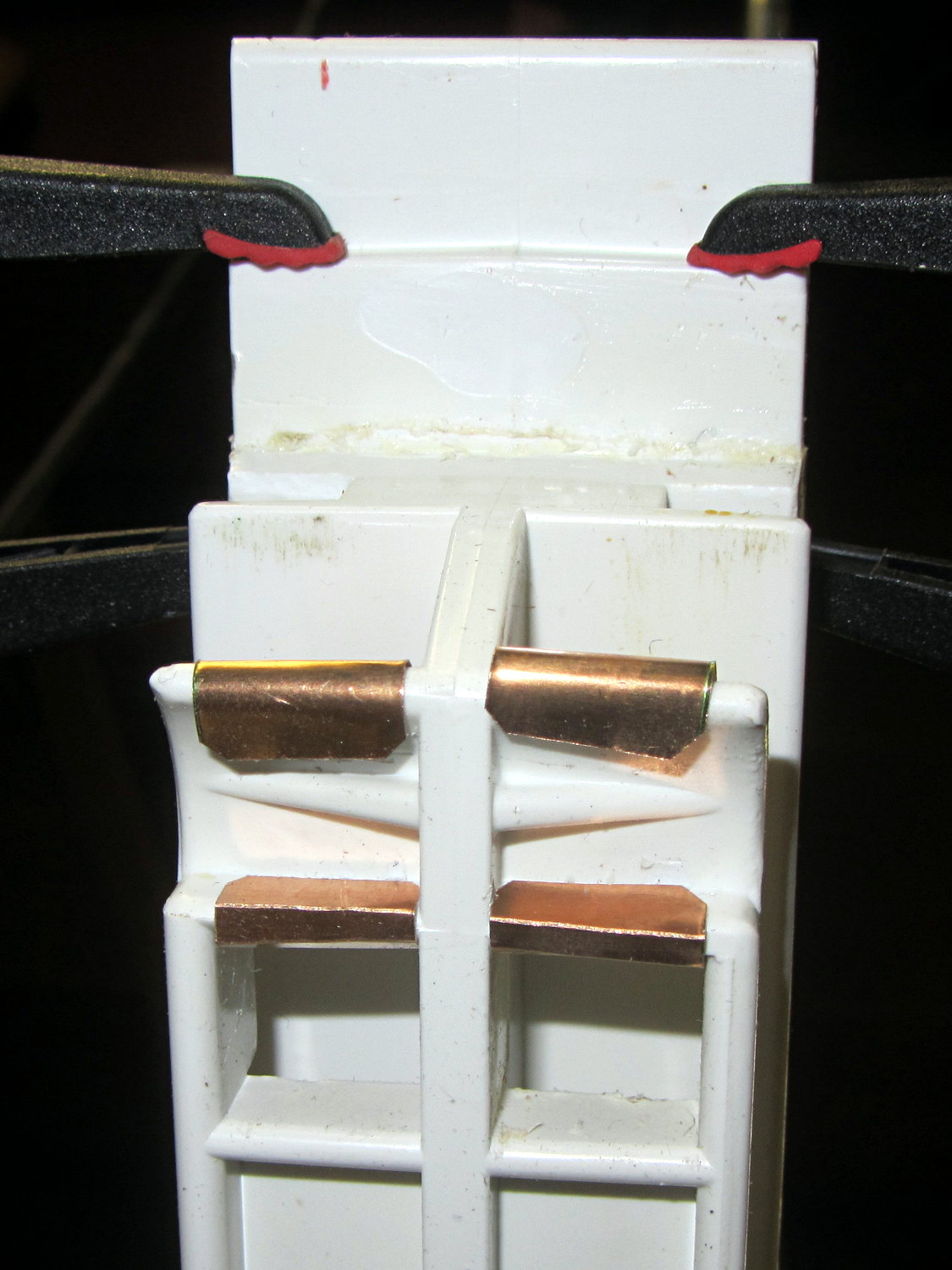
I shaped strips of phosphor bronze spring stock around the bumps:
Refrigerator strut – phosphor bronze covers – top
The bottom view shows they’re held in place by crimps and a generous dollop of faith:
That should serve until I know whether the plastic drawer rail will carve through the metal. The drawers slide out with much more enthusiasm now, so it’s a Good Thing until something else breaks.
Yes, this is the refrigerator with the Freezer Dog…
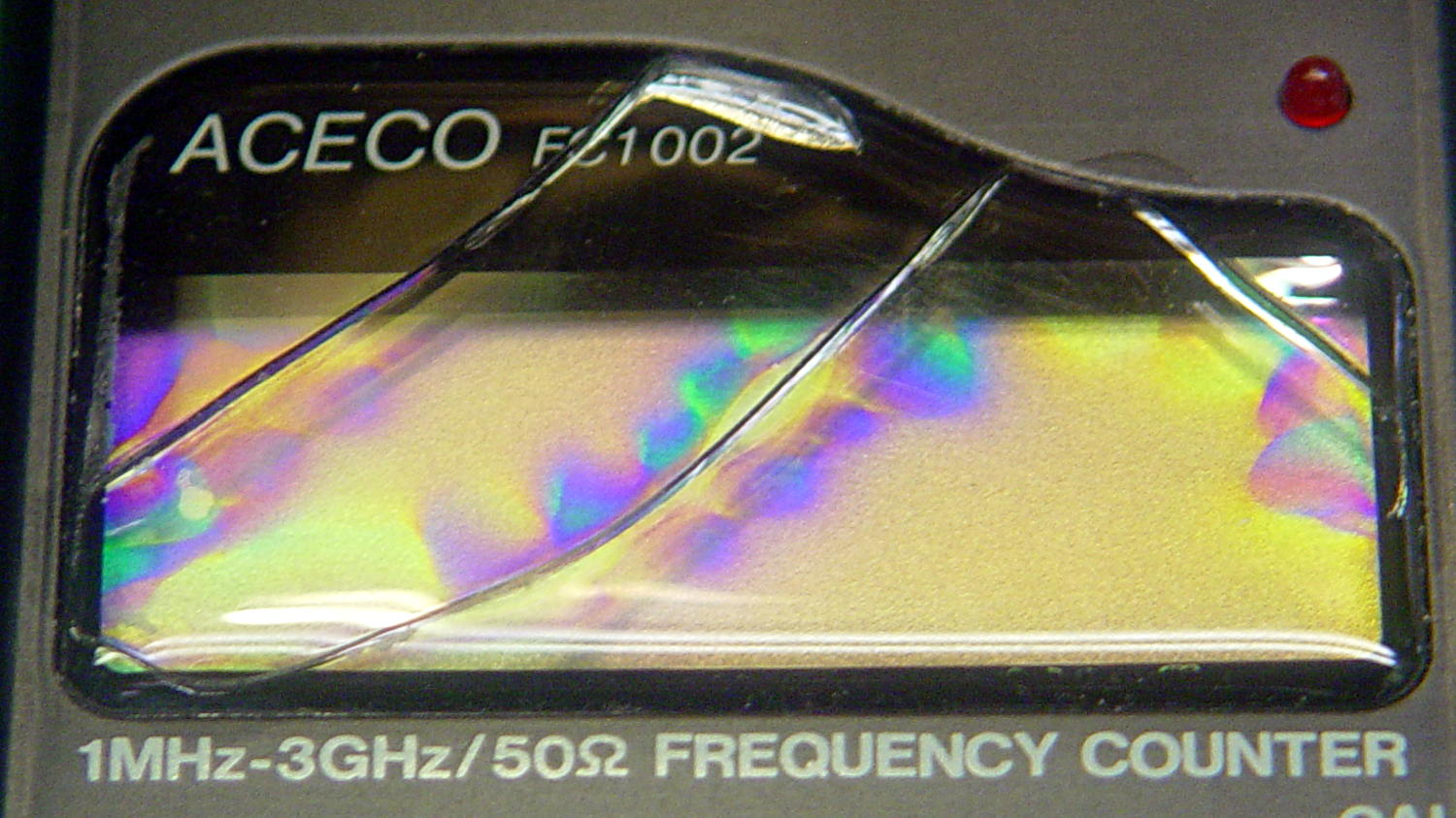
FC1002 Frequency Counter – faceplate – circular polarizer
A sheet of linear polarizing film held in front of the lens:
FC1002 Frequency Counter – faceplate – linear polarizer
For reference, none of the other instrument faceplates on the bench show anything other than uniform gray, with one exception that points directly to the plastic injection point.
I’d say this plate cracked due to unrelieved internal stresses and not anything I did or didn’t do.
Our Larval Engineer’s new camera uses Canon NB-6LH batteries, which have exactly the same nominal capacity as the NB-5L batteries for my camera, despite being not quite the same size. I cannot imagine any reason for that, other than brand fractionation, but there it is.
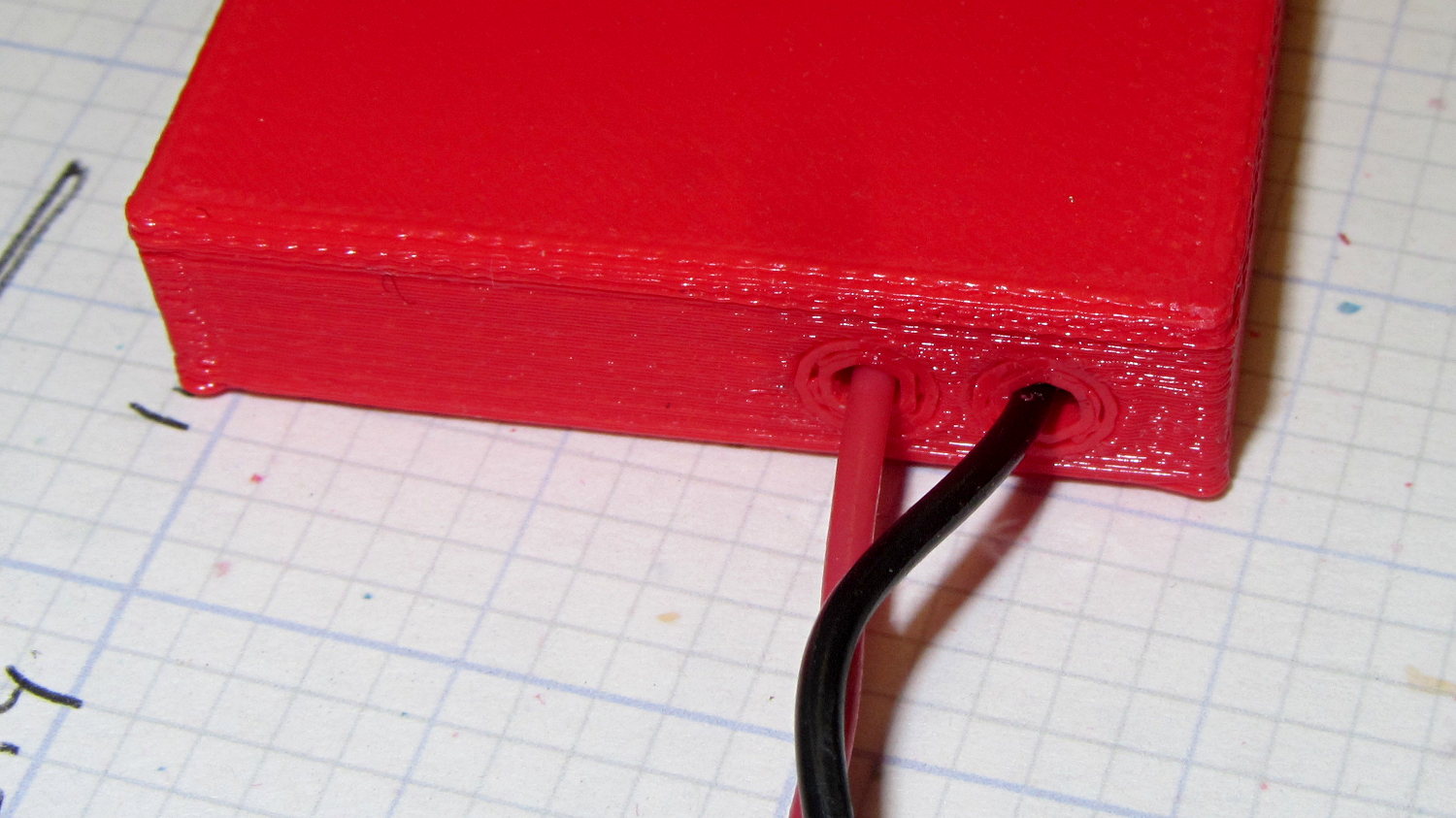
That hideous Powerpole thing came from one of the AA cell packs I’d been using to power the HTs on the bikes, before switching to lithium battery packs. It’s easier to harvest something suitable than to build a new thing, particularly for such a low duty cycle gadget.
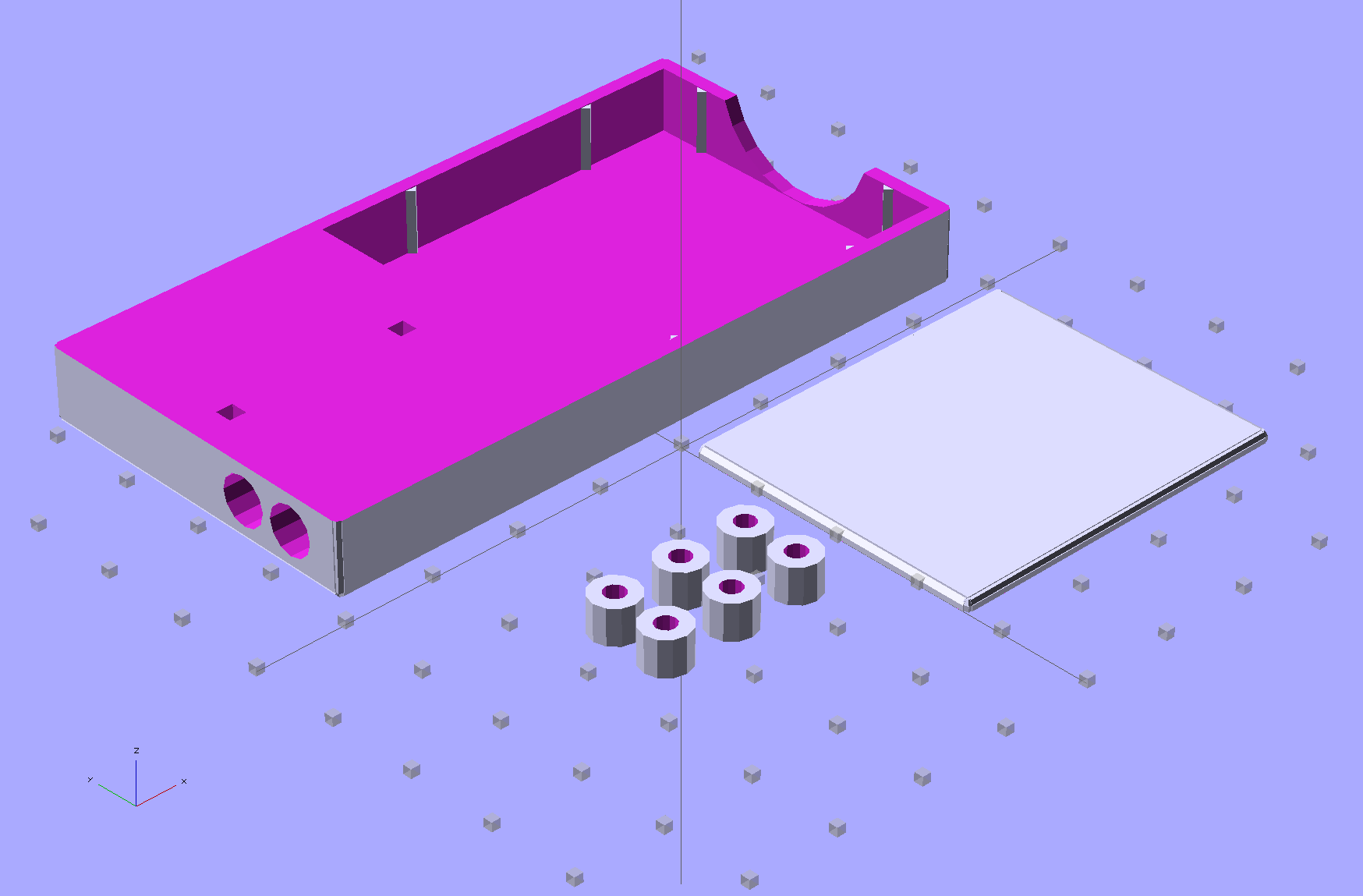
This view of the solid model shows the contact pins, with the lid floating over its alignment pegs (made from snippets of 1.75 mm filament):
NB-6L Holder – fit layout
The pegs simplify gluing the lid in place, a process for which you can never have enough clamps:
Canon NB-6L holder – lid gluing
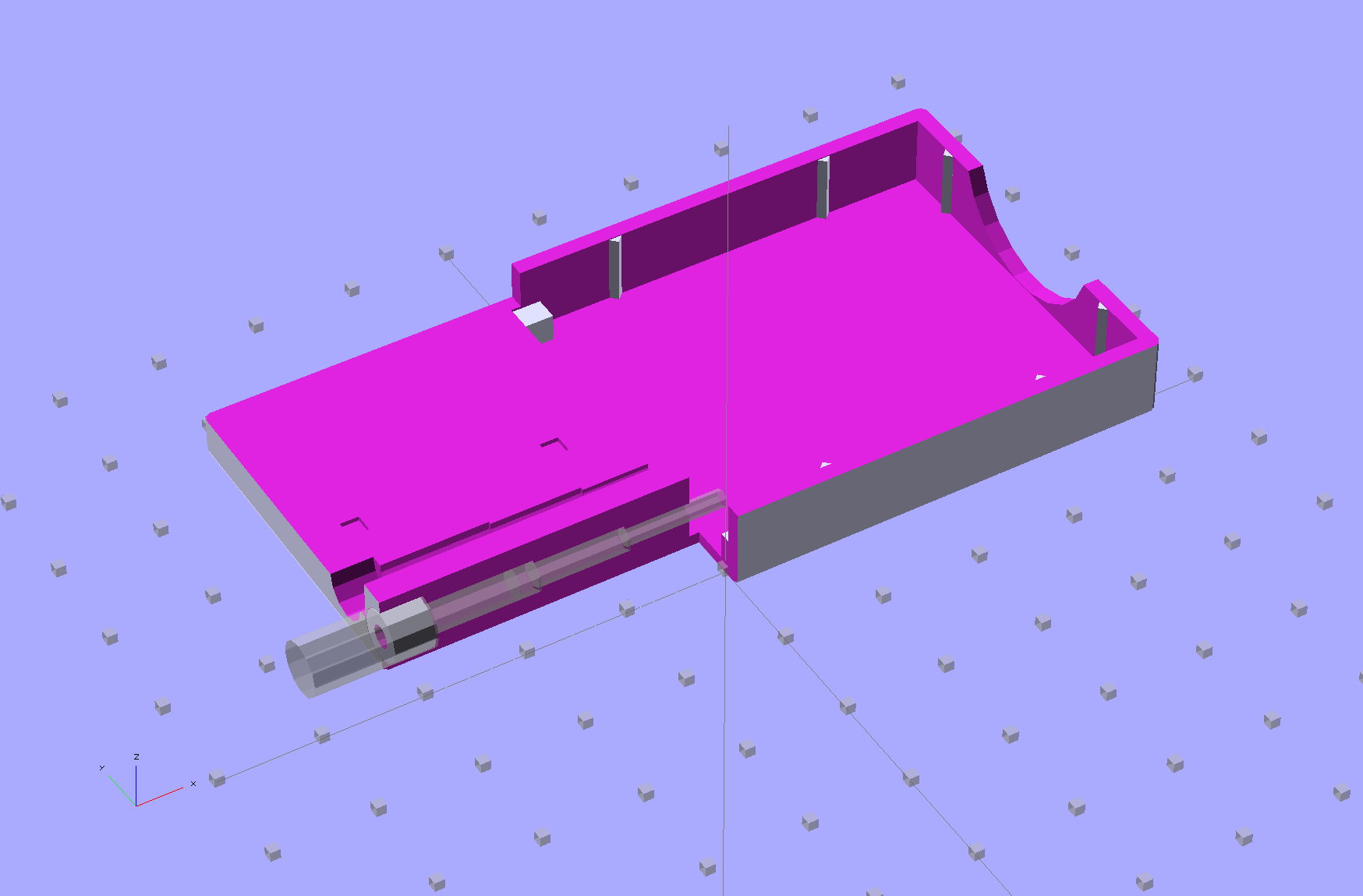
A cutaway shows the stepped holes around the contact pin, with the coil springs being the largest cylinder to the right of the solid-looking plug:
NB-6L Holder – show layout
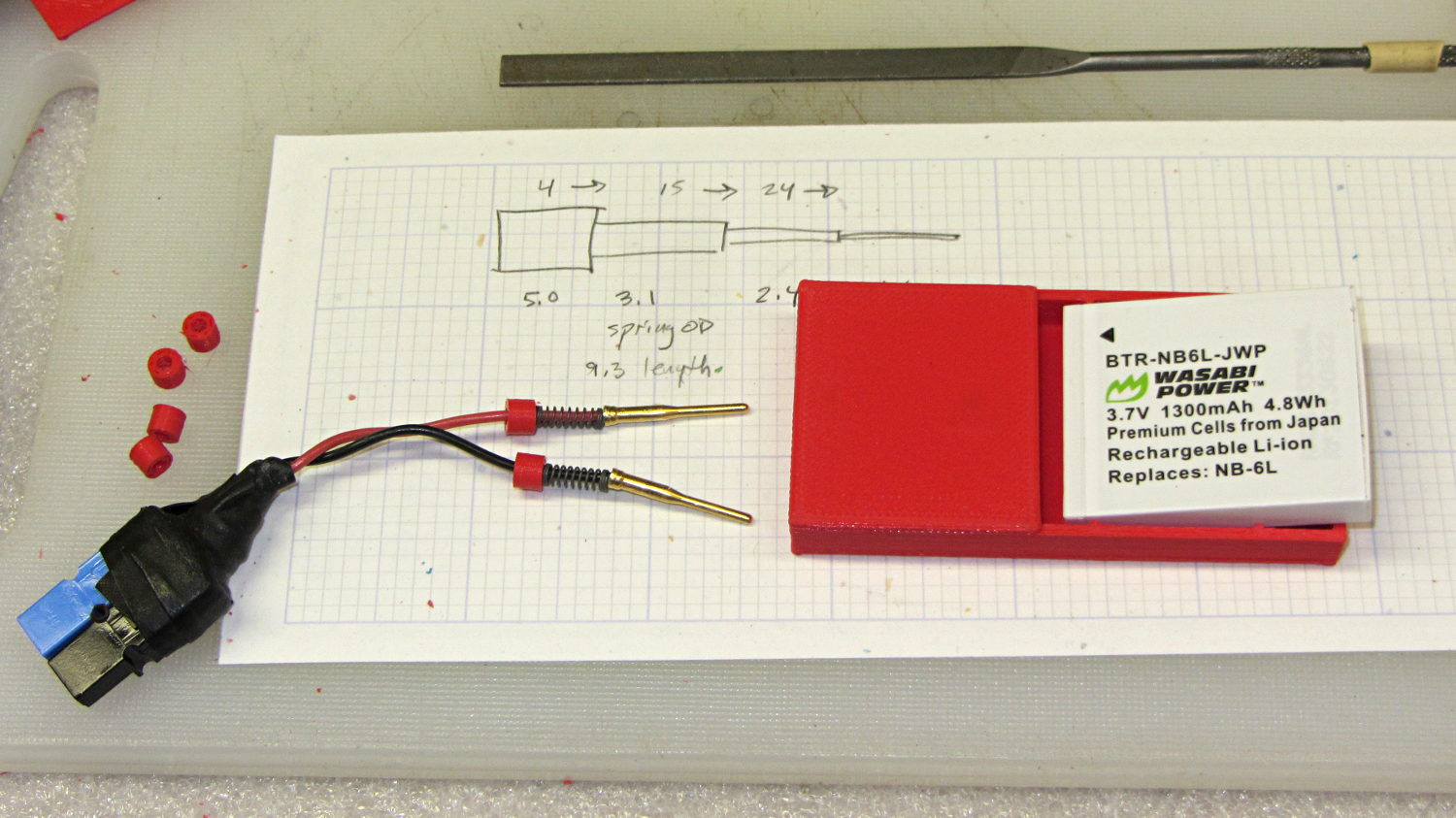
The contact pins look like this, at least after one remembers to slide on all the parts before soldering the wires in place:
Canon NB-6L holder – contact pin detail
I filed off the inevitable solder bumps, rounded the butt ends with gentle suasion, and generally tidied the pins up so they’re smooth and symmetrical. The springs don’t have a lot of oomph, so wasting any force on friction or binding is a Bad Thing.
The holes require reaming with twist drills for a nice slip fit around the pins. The OpenSCAD script prints out the relevant diameters and depths:
ECHO: "Contact pin tip dia: 1.6"
ECHO: "Drill depth to taper end: 24.1 -- Dia: 2.4"
ECHO: "            to ferrule end: 15 -- Dia: 3.1"
ECHO: "            to plug end: 4 -- Dia: 5.2"
Grab the proper drill in a pin punch, adjust so that length protrudes, and have at it. Making the holes about 0.2 mm larger than nominal works well, although your mileage will definitely vary.
The build layout includes extra retaining plugs, as they tend to go walkabout under the bench:
NB-6L Holder – build layout
Add a dab of PVC cement with THF inside the holes and the plugs push firmly into place:
Although the TOM286 conversion won’t need any fancy firmware, I forked Marlin’s Github repository and created a TOM286 branch based on the Marlin_v1 branch for the Azteeg X3 modifications; in theory, we can blend in future Marlin updates without too much hassle.
The Pronterface serial port tops out at 115200, so that’s a mandatory change right up front. [grin]
Marlin has a motherboard definition for an Azteeg X3 (type 67), but without the optional thermocouple inputs. I added motherboard 671, following the lead of the Megatronics board definitions (types 70, 701, and 702). In addition to the changes below, any test for motherboard 67 now includes 671, as the other pins and suchlike (should) be the same.
Motherboard 671 selects new pin definitions for the temperature inputs in pins.h:
  #if MOTHERBOARD == 671
	#define TEMP_0_PIN         11   // TC1 on shield
	#define TEMP_1_PIN          4   // TC2 on shield
	#define TEMP_2_PIN         13   // T0 thermistor on Azteeg X3 motherboard
  #else
    #define TEMP_0_PIN         13   // ANALOG NUMBERING
    #define TEMP_1_PIN         15   // ANALOG NUMBERING
    #define TEMP_2_PIN         -1   // ANALOG NUMBERING
#endif
There’s now a TCOUPLE_AMP_TYPE definition in Configuration.h to select AD595 or AD849x thermocouple interfaces:
// Thermocouple sensor amplifier type
//  0 = AD595 gain = 10 mV/C
//  1 = AD849[4567] gain = 5 mV/C

#define TCOUPLE_AMP_TYPE 1
That picks the proper offset and gain definitions in Configuration_adv.h:
// The AD849[4567] has 5 mv/C gain, half that of the AD595, and requires _GAIN = 2

#if TCOUPLE_AMP_TYPE == 1
  #define TEMP_SENSOR_AD595_OFFSET 0.0
  #define TEMP_SENSOR_AD595_GAIN   2.0
#else
  #define TEMP_SENSOR_AD595_OFFSET 0.0
  #define TEMP_SENSOR_AD595_GAIN   1.0
#endif
With those in hand, these temperature sensor selections in Configuration.h will work:
I tweaked the temperature limits and preheat settings; the absolute minimum temperatures are now 10 °C, although I have not verified that a disconnected thermocouple or thermistor will actually trip that limit.
Given the completely arbitrary stepper motor wiring connections, I set all the direction inversions to false and then swapped wires to make the motors turn in the proper direction.
I enabled EEPROM_SETTINGS, but haven’t verified that values can actually store and recall themselves.
The XYZ=0 origin is in the middle of the platform, just where I like it, but that will require some fine tuning:
I think it’s possible to use the Z_SAFE_HOMING position to force Z-minimum homing on the platform height switch I built for the original firmware, but that operation also seems to be tied in with the three-point auto-leveling firmware and rotating switch assembly. Right now, the firmware homes to the Z-max switch as a stock Thing-O-Matic should, but I’ve never liked that arrangement; don’t start with me, you know how I get.
I backed the speeds and accelerations down from the values I’d been using, mostly because the driver hardware and currents are different:
// Computing steps/mm
// for XY = (motor steps/rev * microstepping) / (pulley teeth * tooth pitch)
// for  Z = (motor steps/rev * microstepping) / (screw lead) // for  E = (motor steps/rev * microstepping) / (gear ratio * drive circumference) //  make sure ratios use floating point to avoid integer division!
#define DEFAULT_AXIS_STEPS_PER_UNIT   {(200*16)/(17*2.0), (200*16)/(17*2.0), (200*8)/8.0, (200*4)/((7*30.23)/51)}
#define DEFAULT_MAX_FEEDRATE          {5000/60, 5000/60, 1500/60, 4000/60}    // (mm/sec)
#define DEFAULT_MAX_ACCELERATION      {5000, 2500, 1000, 250}    // X, Y, Z, E maximum start speed for accelerated moves. E default values are good for skeinforge 40+, for older versions raise them a lot.

#define DEFAULT_ACCELERATION          10000   // X, Y, Z and E max acceleration in mm/s^2 for printing moves
#define DEFAULT_RETRACT_ACCELERATION  10000   // X, Y, Z and E max acceleration in mm/s^2 for retracts
I’m not sure how to calculate the “jerk” settings, but taken as the maximum un-accelerated speed, these seem conservative:
// The speed change that does not require acceleration (i.e. the software might assume it can be done instantaneously)
#define DEFAULT_XYJERK                25    // (mm/sec)
#define DEFAULT_ZJERK                 5    // (mm/sec)
#define DEFAULT_EJERK                 5     // (mm/sec)
More tuning is in order; that should at least start it up.
Our Larval Engineer reported that her camera, which is my old Casio pocket camera, has begun fading away, so we’re getting her a shiny new camera of her very own. Being a doting father, I picked up a pair of Wasabi NB-6L batteries (and a charger, it not costing much more for the package) so she’s never without electrons, and did the usual rundown test on all three batteries:
Canon NB-6L – 2014 OEM vs Wasabi
Fairly obviously, the Wasabi batteries aren’t first tier products, but they’re definitely better than that bottom-dollar crap from eBay.
For some unknown reason, one of the very rare updates to the Ubuntu 10.04 LTS infrastructure (for LinuxCNC 2.5.3 on my Foxconn D510 box, driving the Sherline mill) stopped supporting the system board’s built-in NIC: networking stopped working. The only symptom was that the NIC didn’t respond and all the usual tricks were unproductive.
After some fruitless searching, I took the easy way out:
NIC added to Foxconn D510 PC
That’s the backside of an ancient NIC using the classic Tulip driver. It used to have a full-size bracket, which I chopped off, bent, and filed to suit, much as with that one in the D525.
Fired it up, the kernel automagically picked the proper driver, and networking Just Worked again.
Used to be, back in the day, that when you got a box full of shiny new electronics, it bore stickers: “Do not accept if seal is broken” or “Factory sealed” or “Genuine product” or something like that. When you slit the seal, you had some confidence that the last person to look in the box sat at the end of their production line; I’ll grant you that counterfeit stickers have become cheap & readily available, but it’s the principle of the thing.
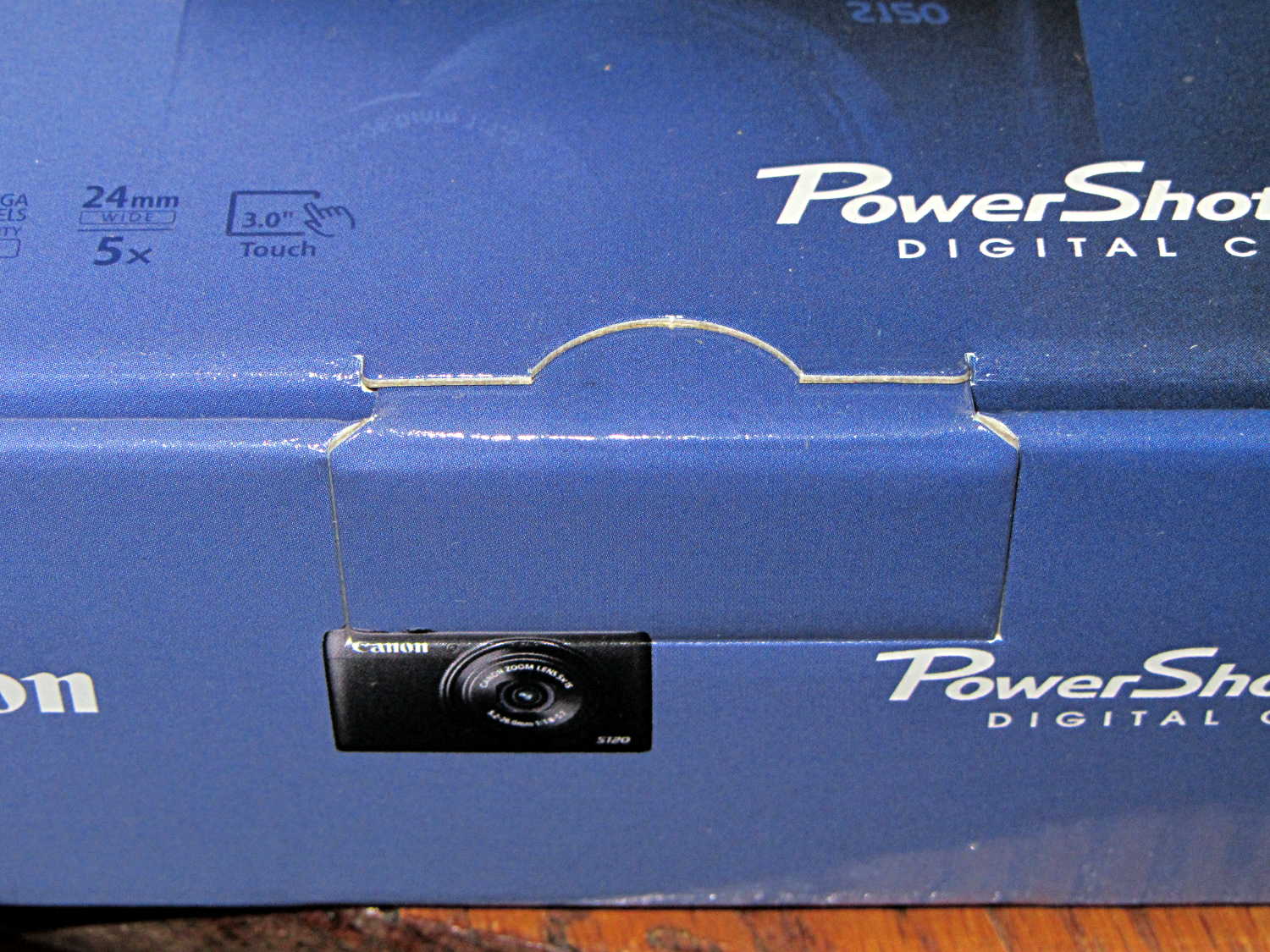
Nowadays, a shiny new Canon camera arrives in a box with a tab tucked into a slit:
Canon Camera box – unopened and unsealed
The box looked unopened and everything inside seemed in order, but … even though I’d seen this before on other cameras, it’s still disconcerting.







 The Smell of Molten Projects in the Morning