Just got another off-lease Dell, fired it up for the first time, and the BIOS presented this splash screen:
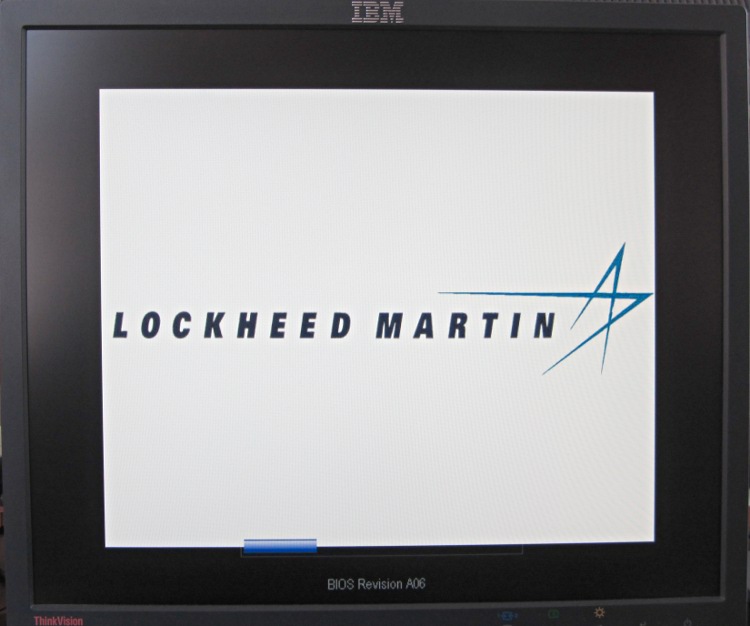
Updating the BIOS from A06 to A13 restored the default Dell logo, but I really miss having a Genuine Lockheed Martin PC.
The Windows 7 Professional installed on the disk started up in “first time” mode, so they did scrub the drive. It does have RAID enabled, though, which may confuse the Linux installation I have yet to do.
I wish I could put my logo on the BIOS splash screen…
 The Smell of Molten Projects in the Morning
Comments
5 responses to “Sanitizing A PC: Another Item For The Checklist”
I’ve added custom logos to splash screens myself, but only on the sort of computers that run openprom, not BIOS.
All the Dell BIOS hacks I’ve found include the warning “This may brick your computer”, which is enough to discourage me. That and the fact they’re version-specific.
It’d be nice, but it’s not that important…
Openprom has nothing to do with Dell class hardware. It’s the Forth based one used in Sun (now Oracle) machines.
Openprom, coreboot, openbios, open firmware, uefi … a standard for every occasion!
[…] bought an off-lease Optiplex 780 in the Small Form Factor (SFF) version to replace my ancient Pentium D; it’s also available […]