The Smell of Molten Projects in the Morning

Ed Nisley's Blog: Shop notes, electronics, firmware, machinery, 3D printing, laser cuttery, and curiosities. Contents: 100% human thinking, 0% AI slop.

Month: February 2011

  • Homebrew Shell Drills

    One of my Shop Assistant’s friends asked for help with a Science Project: building a trumpet-like musical instrument from some sort of tubing. We adjourned the meeting to the local Big Box home supply store, measured various options, and returned with a stock of CPVC pipe and fittings.

    Given the budget and physical size of the valves, plus the fact that she planned to make tuning stubs from vinyl tubing, I suggested making all the connectors from fishmouthed sections of the CPVC pipe, which called for a bit of Quality Shop Time before the next build session.

    A shell drill is what you use when you want a really big hole all the way through something, so the middle just falls right out. They’re handy for drilling in fragile / delicate material, because the shell supports the material until the drill reaches the far side. They’re also dead simple to make, at least when you’re drilling soft materials, which is pretty much all I do.

    I always start by rummaging through the collection to find an existing shell drill that’s close enough to the right size that I can cut it down or bore it out. Here’s the assortment, some of which are obviously victims of previous modifications:
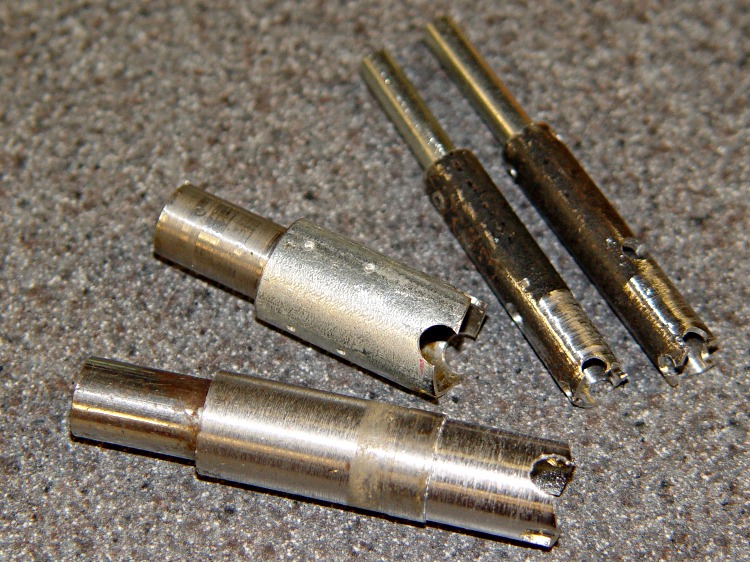
    Shell drill assortment
    Shell drill assortment

    This one was slightly too chubby, with plenty of meat:
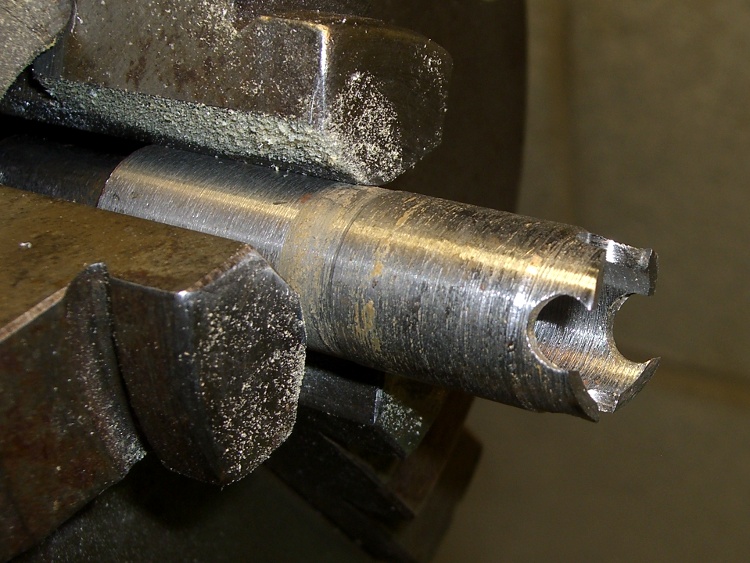
    Original shell drill
    Original shell drill

    That was easy to fix:

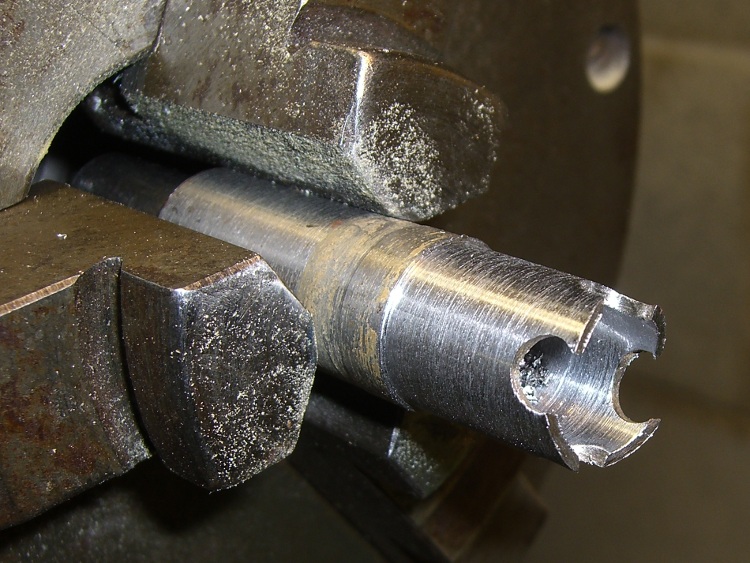
    Shell drill with reduced OD
    Shell drill with reduced OD

    While I was at it, I cleaned out the ID to reduce the tooth thickness. That reduces the force applied to the workpiece, which I figured would be a Good Thing considering the size of the pipe.
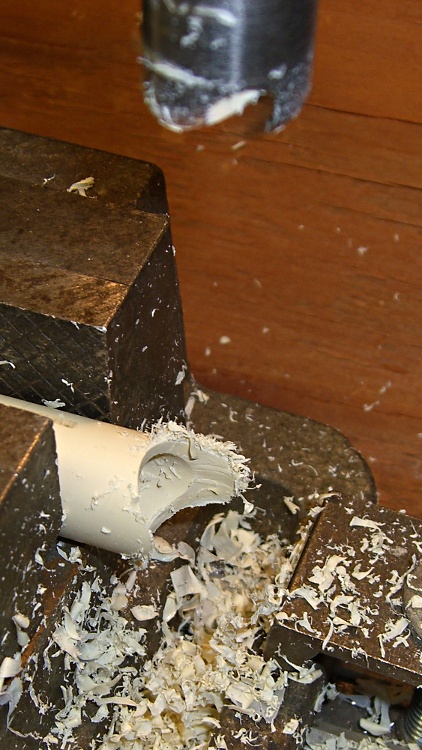
    Fishmouthing CVPC tubing
    Fishmouthing CVPC tubing

    If you must start from scratch, all you need is a rod that fits inside a tube of some sort: the rod must be chuckable in your drill press and the tube must be about the right diameter for the hole-to-be-drilled. Turn them to suit on the lathe, then press / bash / braze / epoxy / pin them together, paying some attention to concentricity and alignment.

    Cross-drill two holes near the business end of the tube, with diameters 1/4 to 1/2  of the tube diameter. Cut off the end to remove about 1/4 of the drilled holes. File some relief on the web between each pair of holes and you’re done.

    The holes provide all the rake you could possibly want (take off more of the hole if you need less rake) and filing gives plenty of relief (what you see is grossly too much). None of this is critical for drilling soft stuff; you’ll need more attention to detail in a steel-cuttin’ shell drill.

    Then clamp the pipe in the drill press and have at it! The teeth have enough rake that it’ll be grabby, so control the downward force and be sure the vise has a good grip on the pipe.

    The trick is to support the pipe by ramming a dowel into its snout from one end or the other, thus preventing the sideways forces from deforming the ever-thinning end. This will take some practice, so buy a spare length of pipe.

    After some of that and a bit of cleanup, we had a handful of connectors like these:
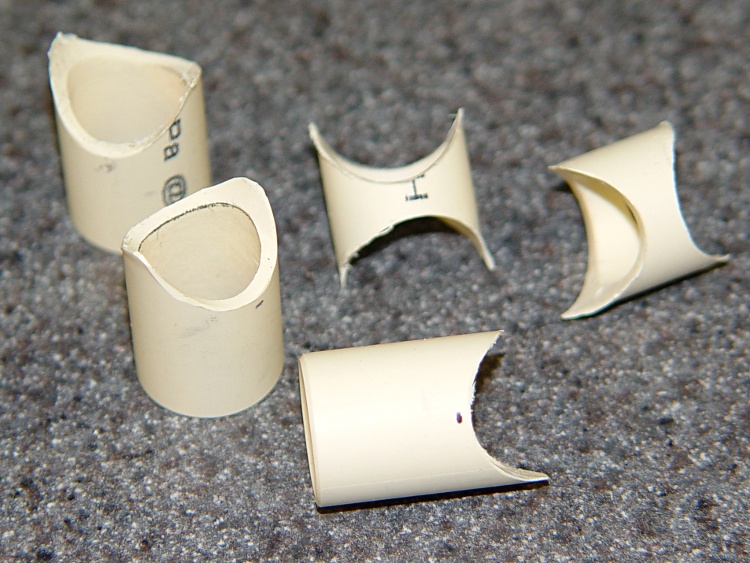
    Fishmouthed tube connectors
    Fishmouthed tube connectors

    Which eventually became the trumpet’s valve assembly:

    CPVC trumpet valve assembly
    CPVC trumpet valve assembly

    My Shop Assistant turned wood dowels to a slip fit in the pipe, we drilled suitable holes and Dremeled passageways to convert the dowels into pistons, and it actually worked pretty well. Not nearly as resonant as a brass trumpet, but that wasn’t the design objective.

    Haven’t heard how they fared in the competition, but it was a fun project!
  • Thing-O-Matic: MK5 Plastruder Feet

    The MBI assembly instructions blithely direct you to:

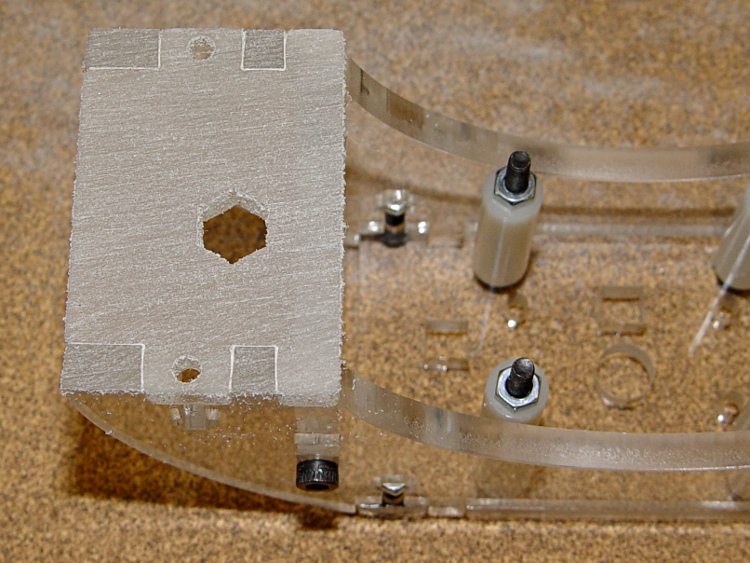
    Using superglue, or ideally acrylic cement, you’ll want to attach the spacer feet to the bottom of the supports.

    As it turns out, though, the tabs on the Support sides stand just a bit proud of the Bottom plates, so that any attempt to glue the Feet in place will simply attach them to the side tabs and nothing else. Not what you want…

    So I rubbed the Bottom plates on a sheet of coarse sandpaper until everything was nice and flat:

    Flattened Plastruder Support bottom plates
    Flattened Plastruder Support bottom plates

    Then the spacer feet glued neatly in place:

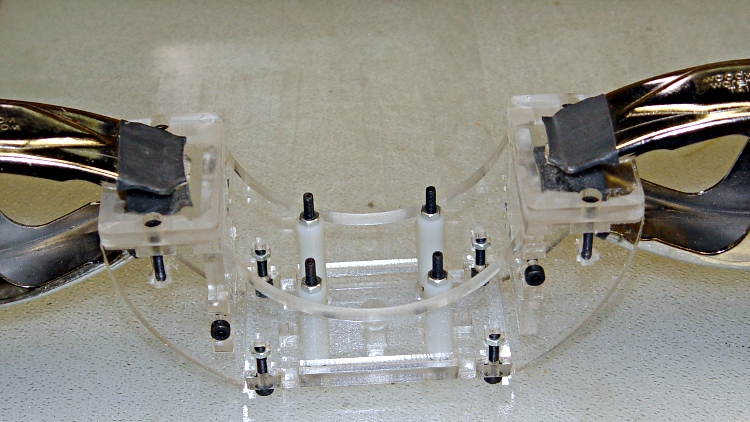
    Gluing Plastruder feet
    Gluing Plastruder feet

    I tried to keep the acrylic cement off the tabs, so it’s theoretically possible to dismantle the whole thing, but I suspect that’ll never happen.

  • Sears Water Softener Venturi Gasket

    So I finally noticed that the water wasn’t nearly as soft as it used to be, which usually means I forgot to dump a bag of salt in the tank. This time, the water was halfway up the tank, which usually means something’s broken.

    The usual cause: crud clogging the filter screen upstream of the venturi that sucks brine out of the tank. The usual fix: rinse the screen.

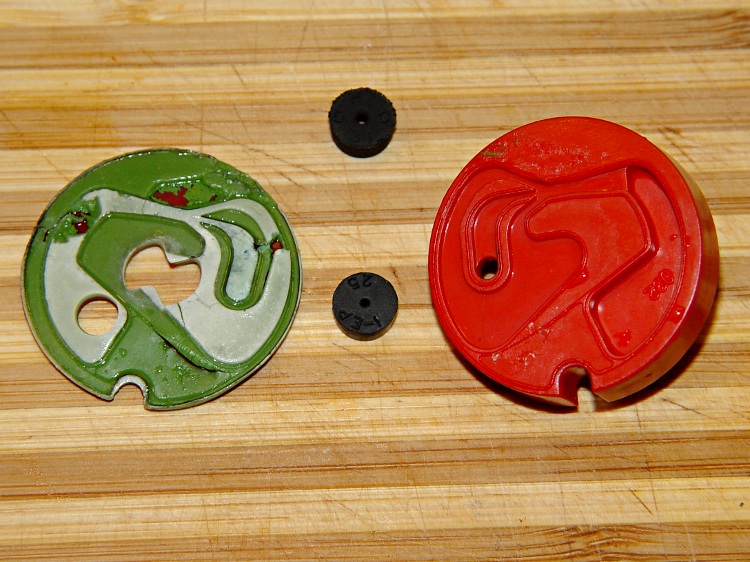
    This time, however, the screen was clean. Pulling the gasket off the nozzle assembly revealed a collection of particles and chunks inside the fluidic channels; this is what the gasket looked like after I sorted everything out.

    Original gasket and venturi
    Original gasket and venturi

    The gasket has at least three layers: a stiff red backing, a compliant green middle layer, and a white surface layer with molded channels matching the red nozzle. The two black cylinders are metering plugs with precisely shaped orifices that control the 0.1 and 0.3 gallon/minute brine and rinse flows.

    The green and white layers evidently disintegrated into chunks that blocked the nozzle. With no flow through the venturi, the tank could fill until the float valve limited the flow, but the brining step had a very, very low flow and the resin bed eventually ran out of capacity.

    I ordered a replacement nozzle and gasket assembly, figuring that Sears (actually, its OEM supplier) might have changed things in a non-compatible way. The old part numbers, which will get you the new equivalents:

    • Gasket: 7163663
    • Nozzle + gasket: 7187772

    The new parts looked like this:

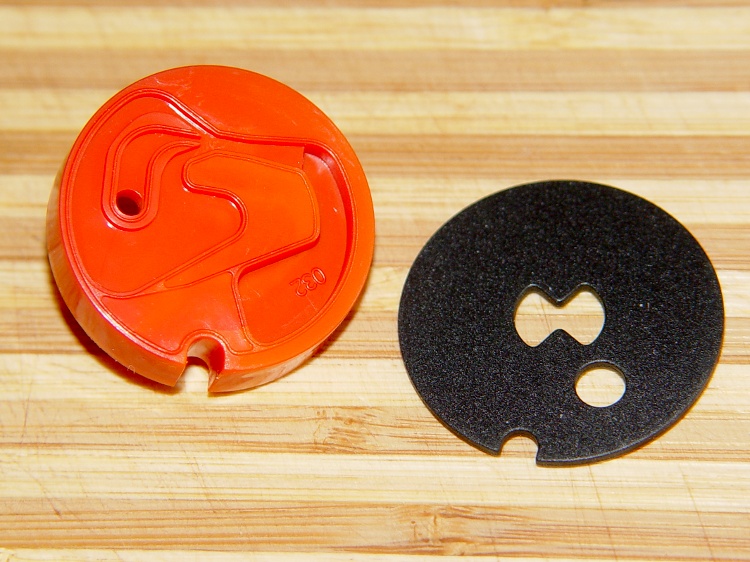
    Replacement venturi and gasket
    Replacement venturi and gasket

    Surprise! The fancy molded gasket is no more; the replacement is a flat rubber sheet with the appropriate alignment notches and holes. The nozzle assembly might have come out of the same molding machine on the same shift.

    I reassembled all the fiddly parts, manually set the softener to its Brine stage, let it suck a few inches of salt water out of the tank, and then returned it to automatic operation. At this point, the water heater is full of hard water and it’ll take a few repetitions of that cycle to get back to normal.

    Given the limits of the gasket’s resolution, I’m sure the Batman icon is completely coincidental and sincerely regretted…

  • Miniature Ball Bearing Sizes

    Having had to look up ball bearing sizes far too often, here’s the table…

    Bearing ID OD Thick
    603 3 9 5
    623 3 10 4
    633 3 13 5
    683 3 7 3
    693 3 8 4
    605 5 14 5
    625 5 16 5
    635 5 19 6
    606 6 17 6
    626 6 19 6
    608 8 22 7
    629 9 26 8

    The first digit is something like the bearing type; I think 6xx = miniature bearings.

    The second digit has something to do with the overall size, but is a code rather than an actual dimension.

    The last digit is, hal-lay-loo-ya, the actual bore diameter.

    [Update: Shows what I know; an excellent explanation of the numbers lives there. The short summary:

    • First digit: bearing type, 6 = single row deep groove
    • Second digit: series, 0 = extra light, 2 = light, 3 = medium duty, 8 & 9 = thinner
    • If three digits, third digit = ID in mm
    • If four digits, last two = ID/5, except 00-03 = 10/12/15/17

    Moral: always verify everything you read on the InterTubes!]

    Of course, a randomly chosen eBay listing will list the bearing size as:

    • ID x thickness x OD
    • OD x thickness x ID
    • ID x OD x thickness
    • and be wrong in at least one dimension

    Of most interest to Thing-O-Matic hackers: a 635 bearing ought to fit a NEMA 17 stepper shaft (pay attention if you’re buying surplus: not all are 5 mm) and slip into the same hole as a 626 bearing.

    Alas, there seems to be no 5 mm ID bearing equivalent to the 606 bearing in the MK5 extruder head, but a 0.5 mm = 20 mil shim around the outside would adapt a 625 to that hole. Might take some careful forming, though.

    Buy ’em in bulk and save…

  • Thing-O-Matic: Ouch!

    This should be obvious, but don’t reach across the build platform of your Thing-O-Matic with the extruder at 215 °C: you might bump the nozzle with the back of your hand.

    Scorch mark from TOM nozzle
    Scorch mark from TOM nozzle

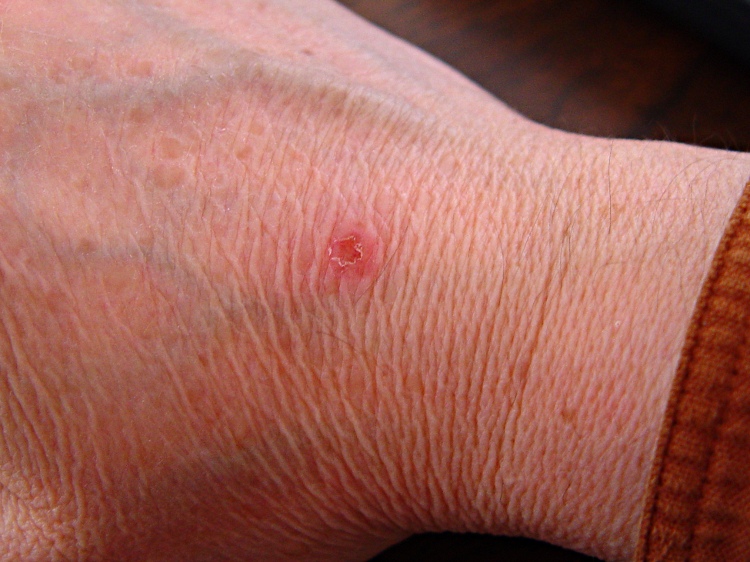
    It never really hurt, but the nozzle tip made a nasty punch mark in the middle of a disk of scorched skin.

    Ah, you’re not that stupid, are you…

    Memo to Self: Gloves?

  • Sherline Laser Alignment: Aligning the Laser

    Laser spot entering spindle bore
    Laser spot entering spindle bore

    This is a better view of the alignment process that I endure once a year when I haul my Sherline mill back from Cabin Fever. The whole thing depends on a laser level that I’ve gutted and clamped to the floor joists over the mill, as described there.

    The first step uses a plumb bob to position the hacked laser level lens directly over the Sherline’s spindle bore. I’ve shimmed the countertop under the mill to be pretty much level, so a vertical line from the bore determines where the lens must be.

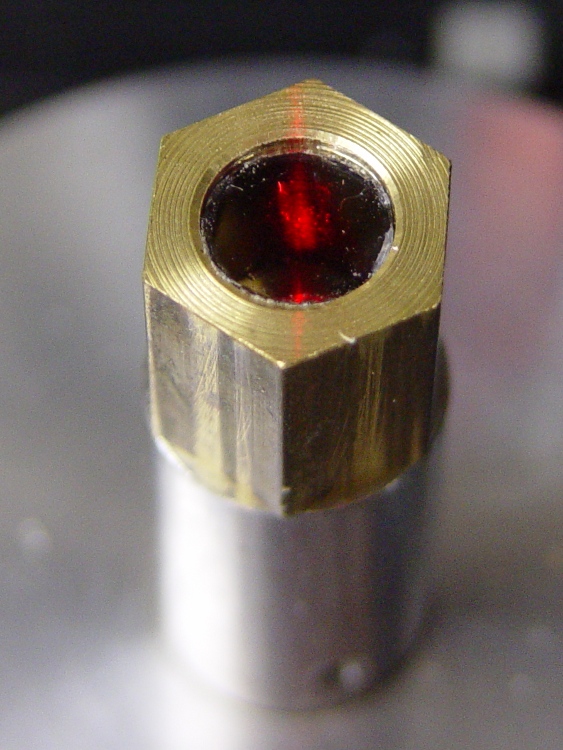
    Then I fiddle around to get the beam directly in the middle of the spindle bore, using a slip of paper to figure out where it’s going. The top picture shows the result.

    Having done this a few times, the laser level starts out pretty much aligned, but the first setup required quite a bit of back-and-forth twiddling of the screws.

    Then I put a mirror flat on the Sherline’s table / tooling plate to reflect the beam back up the spindle. More fiddling around gets the reflected spot pretty close to the outgoing beam; this picture shows the spot just off-center near the top (actually, toward the base of the laser level’s frame) of the aperture.

    Reflected spot near laser aperture
    Reflected spot near laser aperture

    When the outgoing and reflected beams converge, then I put the bushing (without the polarizing filter) in the top of the spindle bore to reduce the beam size and fine-tune the positions & angles.

    Surprisingly, it stays in position quite solidly. I do twiddle it every now & again, but as long as the beam gets through the bore it’s close enough.

  • Sherline Laser Alignment: Polarizing Filter

    Laser aligner polarizing filter detail
    Laser aligner polarizing filter detail

    A display across the aisle from the CNC Ghetto at Cabin Fever featured a nice Laser Center Edge Finder with their new polarizing attachment. I played with it for a while and decided that, although my crude lashup gave similar results, I just had to have a polarizing filter, too.

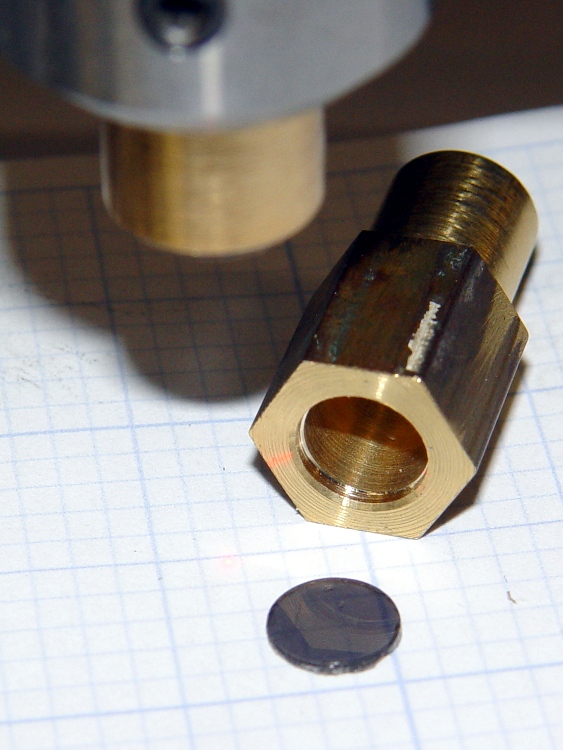
    I’d already made a bushing to fit the top of the spindle bore with a small aperture that aids in lining up the laser, so I just added a small recess for a disk of polarizing film. I have, for reasons that should not require any explanation by now, a lifetime supply of polarizing film…

    Anyhow, the new polarizing filter sits neatly atop the spindle. The main laser beam lights up the middle of the filter, with junk light spilling on the bushing to the front and rear.

    Polarizing film in upper bushing
    Polarizing film in upper bushing

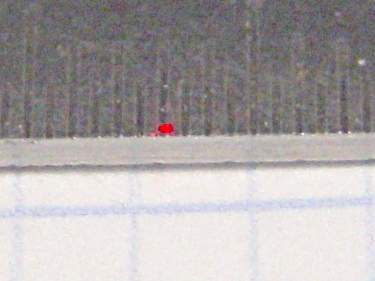
    Getting a good photograph of the spot size poses some problems, but here goes. This is the original, un-attenuated spot on a scale with 0.5 mm divisions: in round numbers, it’s half a millimeter across.

    Normal laser spot size
    Normal laser spot size

    Cross-polarizing the beam produces this attenuated spot on the same scale: it’s 0.25 mm in diameter, maybe a bit less. Call it 10 mils.

    Attenuated laser spot size
    Attenuated laser spot size

    Obviously, what you’re seeing are overexposed more-or-less Gaussian spots, so their diameters aren’t fixed numbers. But at this level, the inaccuracies of my Orc Engineering lens mount are comparable to the spot size, so reducing the spot any further isn’t going to improve the overall positioning accuracy.

    It’s worth noting that the spot size isn’t the same as the positioning accuracy: you can visually align a workpiece mark to less than 1/4 the spot diameter. Claiming 1/10 the diameter would be more brag than fact, at least for me, but somewhere around 2 mils is close. That’s good enough for most of what I do.

    I like it!