Mary’s Handi-Quilter HQ Sixteen is new-to-her, but it’s had two previous owners over the past two decades. Neither of them reported any particular problems with it, but it now displays an intermittent Motor Stall error on its LCD panel(s). This post summarizes what I know and guesstimate to date.
The Motor Stall error happens at the first motor motion after turning the machine on, upon pressing either the Needle Up/Down or Start/Stop button on the handlebars. The motor does not move at all during the slight pause between pushing the button and seeing the error message. Pressing either button again clears the error message, although I (obviously) do not know if doing so affects any of the microcontroller’s internal status flags; the error dependably reoccurs after doing so.
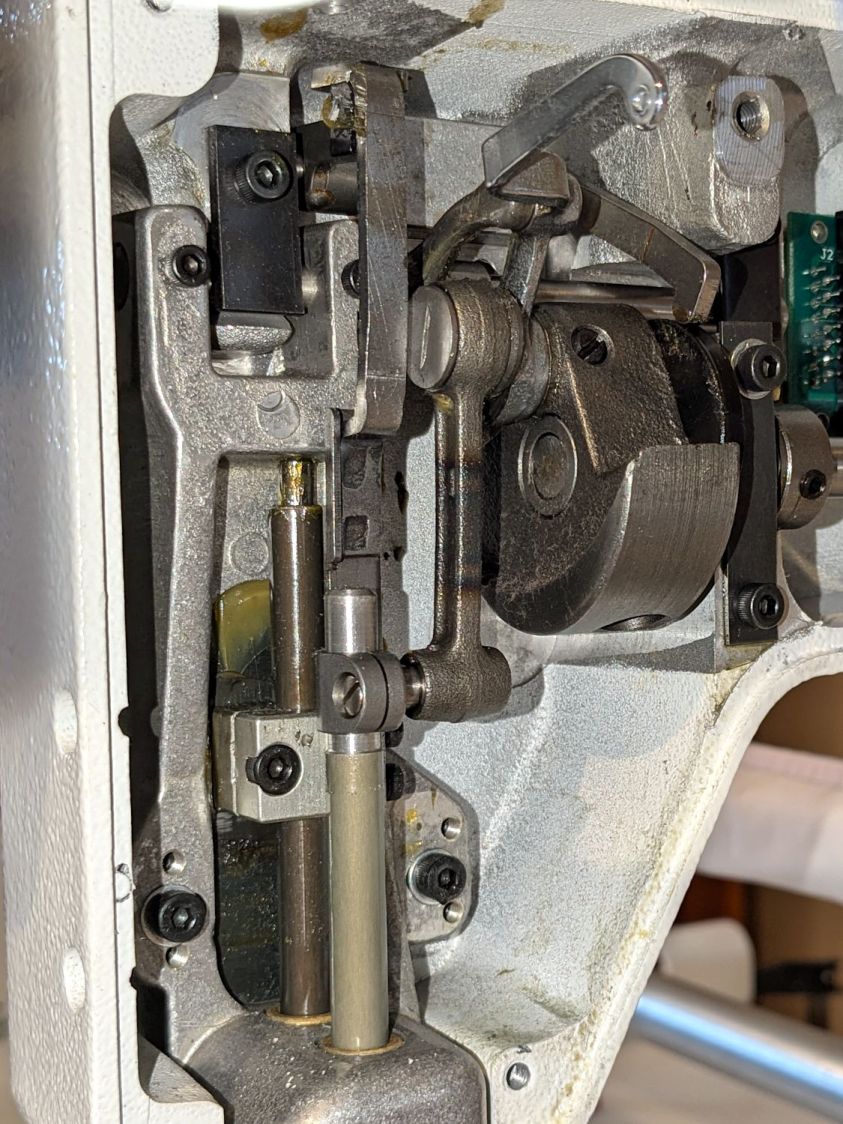
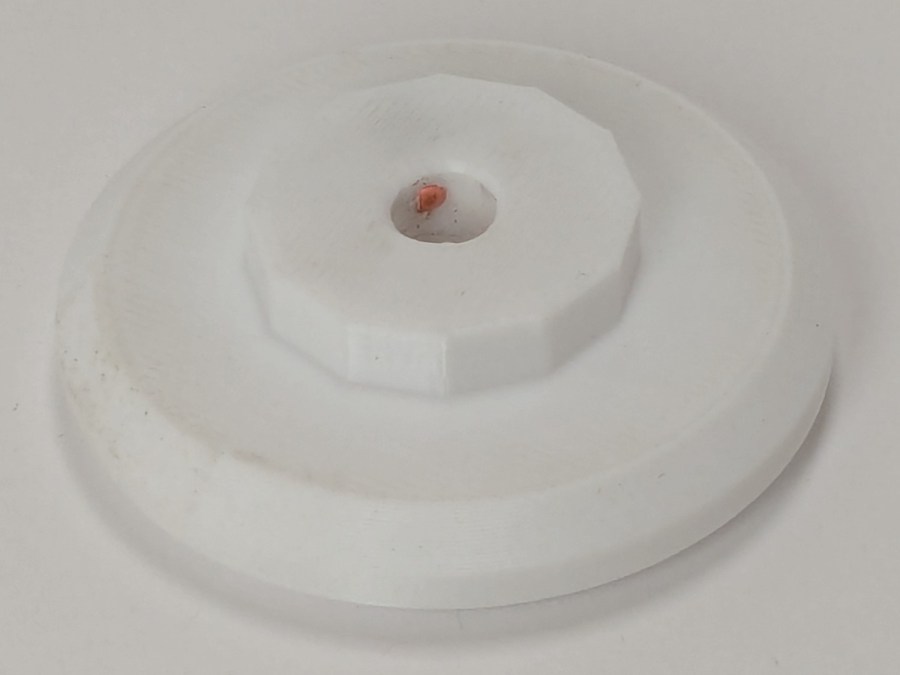
A separate sector disk on the machine’s shaft sets the needle-up and needle-down positions through an optointerrupter:

The white silicone snot on the interrupter connector is original.
After the error occurs, slowly turning the machine handwheel while pressing either button generally prevents the error message from reappearing, suggesting the “stalled” signal from the motor is working and the signal reaches the microcontroller.
Turning the handwheel while pressing the Up/Down button does not produce an error message due to the “motor” not stopping at the appropriate edge of the sector disk.
The InterWebs suggest a thread jam, crud in the bobbin, and a needle crash can trigger a Motor Stall. When the machine is operating correctly, running it at slow speed and stopping the handwheel by hand (it has little torque) triggers the Motor Stall error message. However, the controller will clear the message and the machine will resume normal operation thereafter.
Conversely, when the Motor Stall error occurs at startup, it remains absolutely consistent and survives the usual “Reboot that sucker!” power cycle. Leaving the machine turned off and untouched for a few hours / overnight may reset whatever is wrong, after which it will run normally through many power cycles.
Long enough, indeed, to finish an entire practice quilt over the course of several days:

The component side of the power supply / motor interface PCB inside the pod:

Connections:
- Microcontroller board at top left
- BLDC shaft motor middle right
- Frame ground on green wire
- AC power input on the IEC jack
- Power switch just above IEC jack
A closer view of the ICs:

Some initial thoughts on the circuitry, without detailed PCB tracing …
Although the date codes suggest it was built in 2005, the electrolytic caps show no signs of The Plague.
The TO-220 package is a classic LM7815 regulator with its tab soldered to a copper pad. No extensive copper pour on either side serves as a heat spreader.
The 8 pin DIP is an MCT62 dual optoisolator handling the motor speed control and stall sense feedback.
The big transformer at the bottom sends raw DC to the microcontroller board through B3 and J1, filtered by two of the electrolytic caps along the left edge. I think the low side remains isolated from the power board’s common, thus isolating the microcontroller from the AC power line.
The Skynet (‽‽) transformer produces +15 V through the 7815 regulator and B21 bridge, filtered by the middle electrolytic cap along the left edge of the board. All of the circuitry on the board uses that supply, with the low side as circuit common.
The 160 VDC (!) supply for the BLDC motor comes directly from the AC power line with no isolation through the Current Limiter PTC, the B1 bridge, and the hulking electrolytic cap in the middle of the board. The relay in the upper right energizes just after the power goes on, connecting the motor power return lead to circuit common through the 5W 4.7Ω sandbox resistor. The “common” side of B1 is, thus, not connected to the neutral side of the power line and, more importantly, none of the circuitry on the PCB is isolated from the power line.
As a result, casually clipping a line-powered oscilloscope’s “ground” probe lead to what’s obviously the circuit “common” will, in the best case, turn the ground lead into a fuse. I’ve done this exactly once, deep in the past, with a Tektronix 7904 mainframe oscilloscope priced (with plugins) somewhat higher than the house we owned at the time; suffice it to say I learned from that mistake.
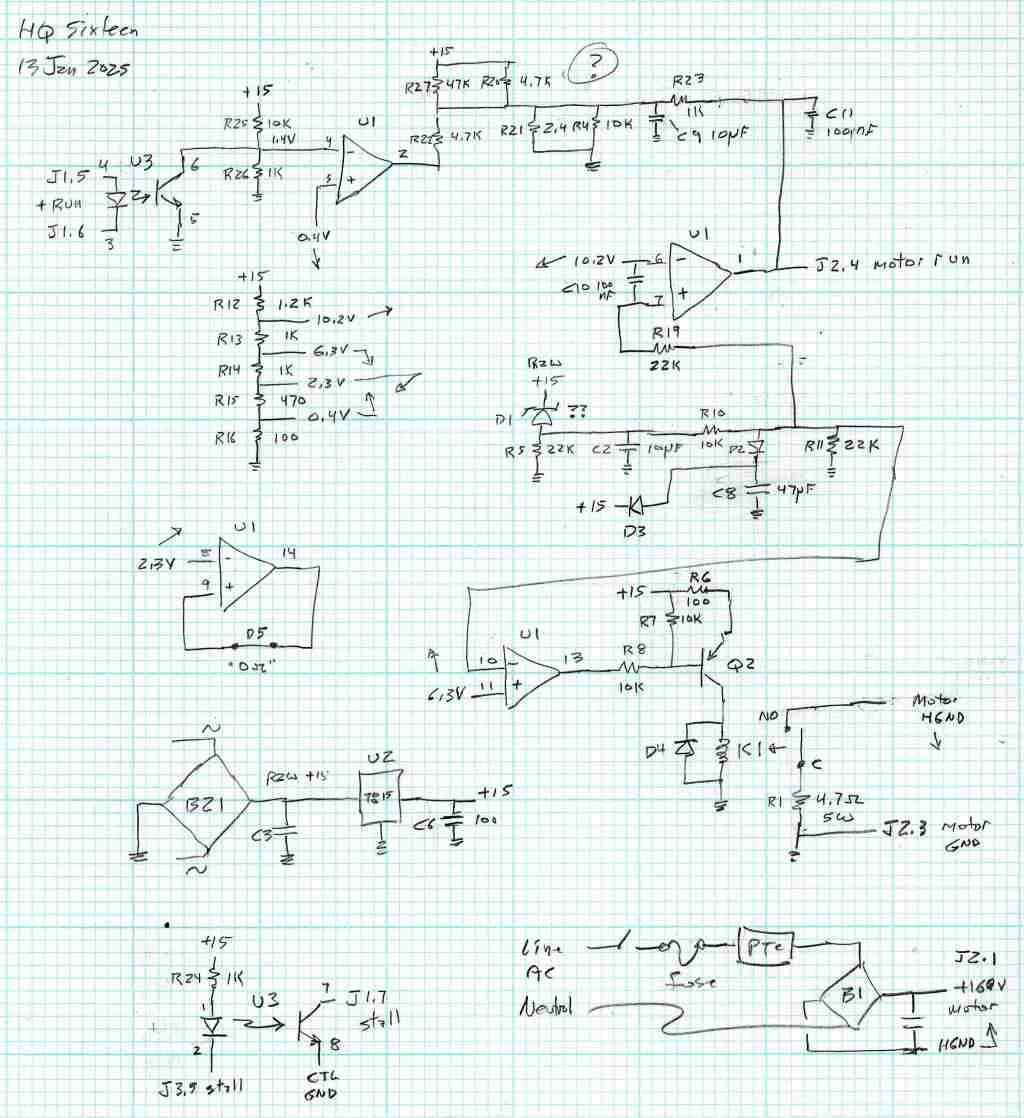
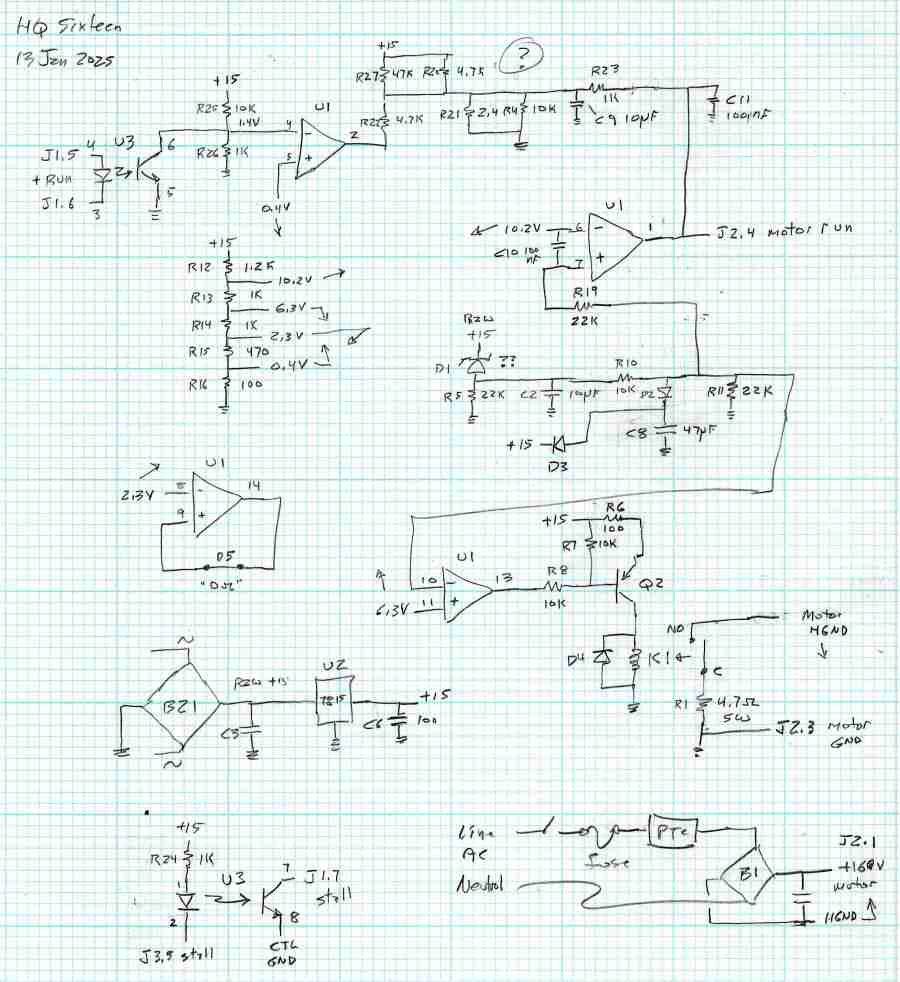
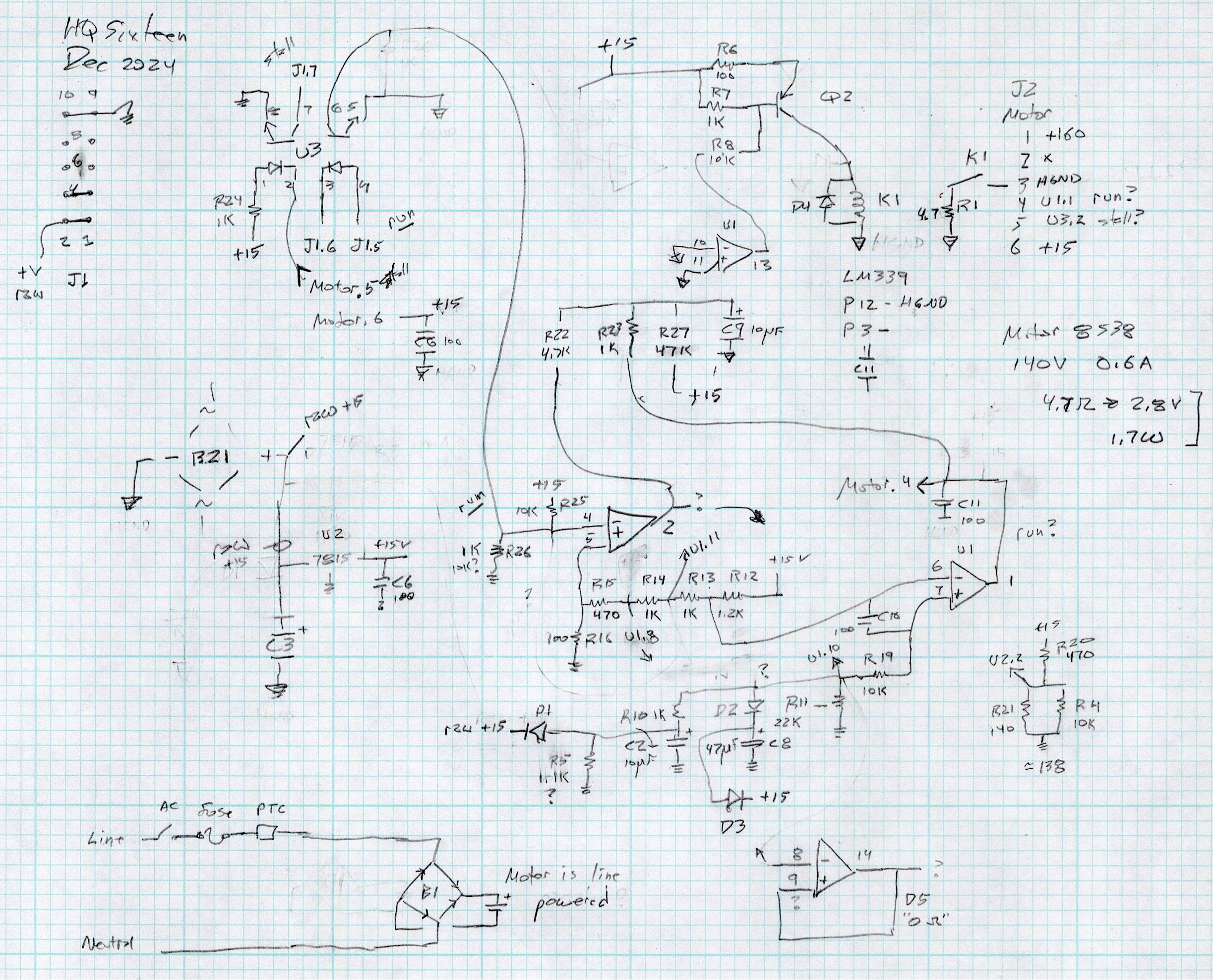
I think (part of) the LM339 quad comparator determines the relay’s time delay, perhaps in response to a signal from the microcontroller after it wakes up.
The solder side of the same board:

The two green wires and trace cuts are original, apparently to power just B21 (the motor supply) from the AC line through the fuse + PTC, with the two transformers connected directly to the AC line through the switch & fuse. The two white wires on the bottom go to the power supply I added for the Chin Light; the Motor Stall problem predates that modification and the handlebar relocation.
After cleanup / squaring / tweaking, the two images combine into an X-ray view:

With all that in mind, some possible causes …
Taking the power supply and microcontroller pods off the machine and poking all the obvious spots has no effect. Not taking them off and not touching the machine may resolve the problem by the next day, after having it fail consistently during most of the previous day.
The motor label says DR-8538-937, which does not appear anywhere online, so this must be a unique Handi-quilter part. An overview of DR-8538 motors suggests they’re available with a variety of windings, none of which match the machine’s 160 VDC supply voltage. Because the PCB has no high-voltage / high-current switching components, other than the bulk DC supply, the motor contains the BLDC control & drive circuitry. The closest matching catalog page conspicuously does not identify the motor wiring connections.
This figure from another catalog suggests the motor accepts a DC speed control and outputs an open-collector “locked rotor” signal:

The Handi-Quilter DR-8538-937 motor has five leads in the J2 six pin header which could match thusly to the four pins in the figure:
- Pin 1 = 160 VDC (pin 1 → 24 VDC )
- Pin 2 = missing
- Pin 3 = common (pin 2 →
GND) - Pin 4 = ? (pin 3 →
-On) - Pin 5 = ? (pin 4 →
Lock?) - Pin 6 =
+Buzzerand elsewhere (?)
This will obviously require reverse engineering the schematic from the PCB traces, thus the X-ray view above.
The most obvious cause of a Motor Stall would be a defective / failing motor. Through a cosmic coincidence, a motor “removed from a working HQ Sixteen” was available on eBay when I looked. It behaves no differently than the original motor and, while it’s possible both motors have the same internal fault, that seems unlikely. The “new” motor now runs the machine, with the original motor neatly bagged in a box against future need.
Re-seating all the ICs on both boards produced ominous crunching sounds, but no improvement. Wiping DeoxIT on the leads of the two ICs on the power board had no effect.
Replacing the 10-conductor ribbon cable between the two boards had no effect. I knew I was saving those insulation displacement connectors for a good reason.
The MCT62 optoisolator has a minimum current transfer ratio of 100% at 10 mA diode current. A gimmicked test setup produced 8 mA in the output transistors with 6 mA through the diodes, which seems good enough.
The relay clicks audibly, even with my deflicted ears, suggesting that it’s working, although we have not had a motor failure while we were listening. It is possible the contacts are intermittent, letting the relay click without making contact; we’re now listening intently.
The machine lives upstairs, my instruments live in the basement, and I am unwilling to lug an awkward and invaluable 50 pound lump between the two. The next time the motor stalls, I must dismount the power pod from the side of the machine, haul a bunch of gear (including an isolation transformer!) upstairs, and probe various points while it remains defunct.
Things to find out:
- What each of the five motor wires do
- Discover the circuitry handling the optoisolator signals
- What drives the relay?
Even though the machine ran perfectly for a week, a fundamental Debugging Rule applies: If you didn’t fix it, it ain’t fixed.
You’ve just seen more tech info on the HQ Sixteen than previously existed on The InterWebs.
More to follow …