The Smell of Molten Projects in the Morning

Ed Nisley's Blog: Shop notes, electronics, firmware, machinery, 3D printing, laser cuttery, and curiosities. Contents: 100% human thinking, 0% AI slop.

Tag: Sewing

Fabric arts and machines

  • HQ Sixteen: Custom Small-arc Quilting Ruler

    HQ Sixteen: Custom Small-arc Quilting Ruler

    For reasons not relevant here, Mary is completing a friend’s quilt for the family. Part of the existing design involves stitching arcs around each side of a myriad small blocks across the quilt:

    Small arc quilting ruler - block border
    Small arc quilting ruler – block border

    After free-motion quilting a few blocks, Mary decided the peak of the curve looked good at ⅜ inch from the block edge. This sort of thing is generally done by “ruler quilting” with the machine’s foot guided by a ruler, but none of her considerable assortment of quilting rulers had exactly the arc required for that curve.

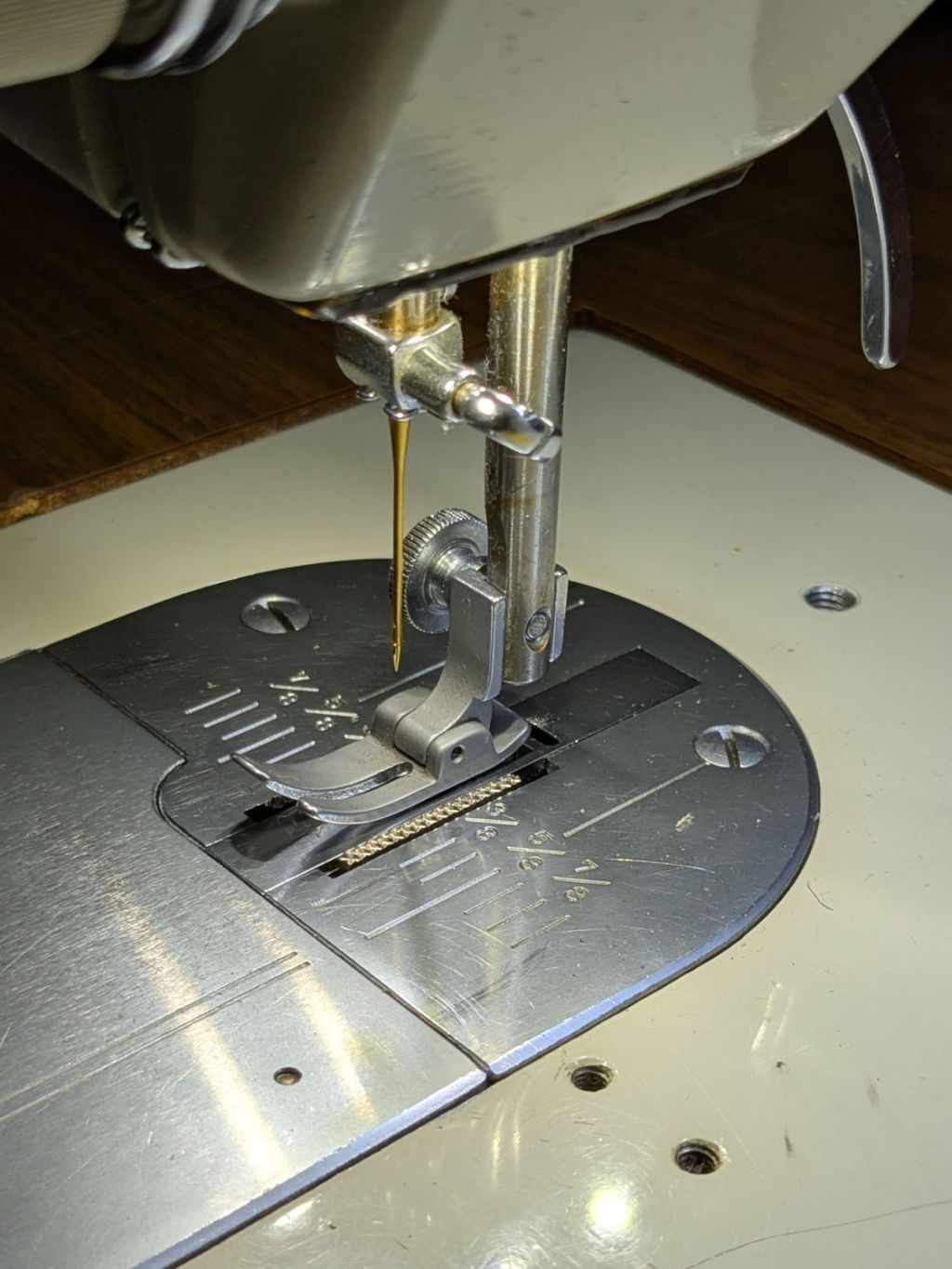
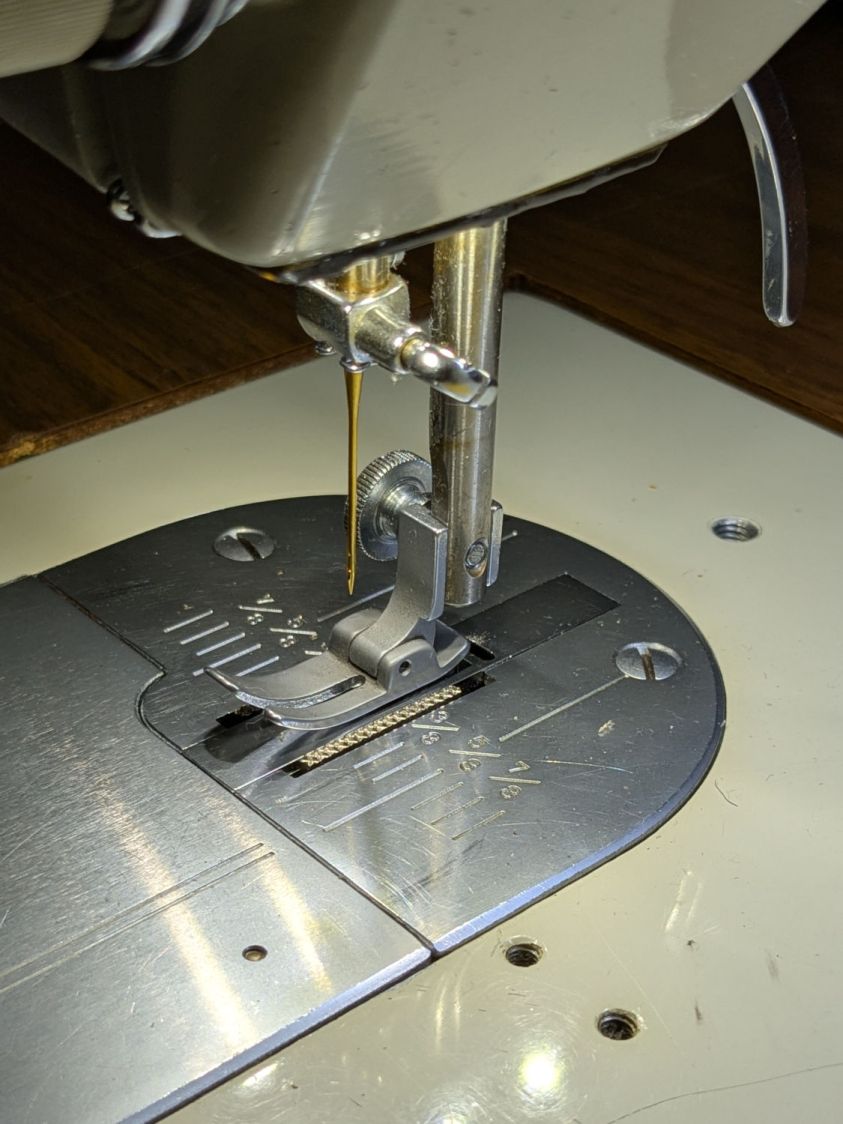
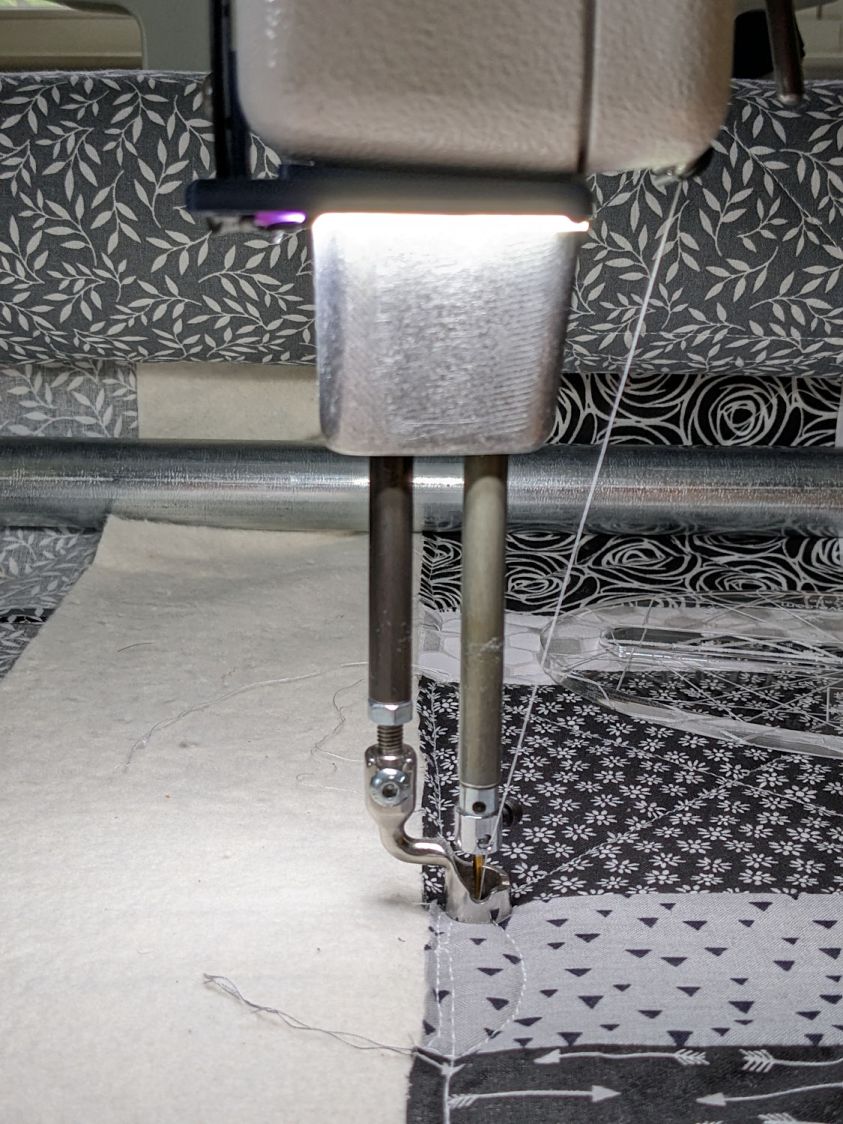
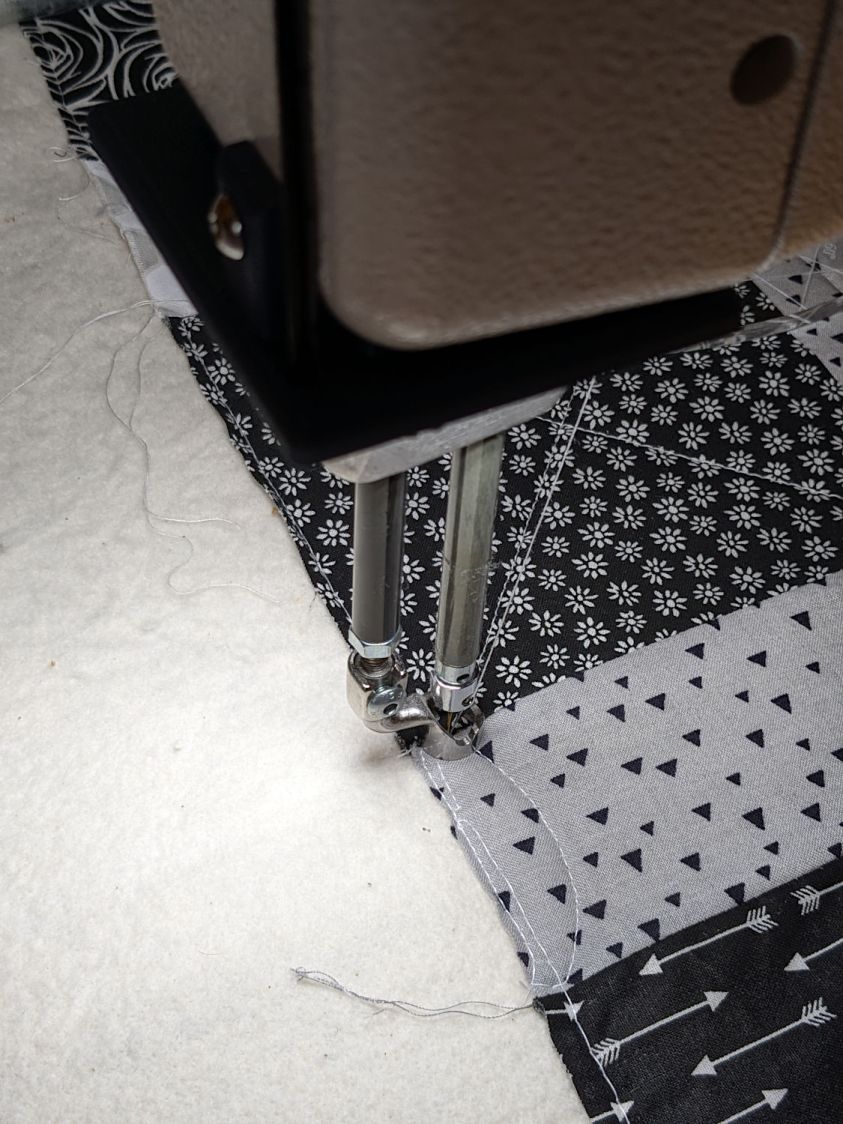
    The stitch path will be ¼ inch away from the edge of the ruler, as set by the ½ inch OD Handi-Feet Sure Foot centered on the needle:

    HQ Sixteen Handi-feet conversion - Sure-foot installed
    HQ Sixteen Handi-feet conversion – Sure-foot installed

    Knowing the blocks are 2-¼ inch on a side and the arc is ⅜ inch tall, the Chord Equation gives the 1-⅞ inch radius of the circle matching the arc. Using proper terminology:

    With those numbers in hand, producing a suitable quilting ruler is straightforward:

    Judy Quilt - small arcs - LightBurn layout
    Judy Quilt – small arcs – LightBurn layout

    The legends are backwards, because the lines must be engraved on the bottom of the ruler to eliminate parallax through the ¼ inch acrylic sheet:

    Small arc quilting ruler - alignment
    Small arc quilting ruler – alignment

    She can now eyeballometrically align the engraved square with the edges of the block to put the curved edge at the right place to guide the foot:

    Small arc quilting ruler - stitch line
    Small arc quilting ruler – stitch line

    After half a dozen blocks, she reports the ruler works as intended and the duplicated Start / Stop buttons on the improved hand grips let her control the machine with either thumb. She uses Stitch Regulator mode to produce a uniform line of stitches regardless of speed variations around the arc.

    Now she can finish the quilt and have all those curves look the way she wants.

    I knew that laser cutter would come in handy …

  • HQ Sixteen: Improved Control Cap Wiring

    HQ Sixteen: Improved Control Cap Wiring

    The new control caps on the HQ Sixteen’s handlebars have three switches apiece:

    HQ Sixteen - grip cap installed - left
    HQ Sixteen – grip cap installed – left

    A six-conductor ribbon cable brings those switch terminal through the handlebars, across the smaller PCBs where the original switches plugged in, and atop the main PCB behind / under the LCD panel where they get wired together:

    HQ Sixteen - Control Button switch cable
    HQ Sixteen – Control Button switch cable

    The gray ribbon cable carries power for the LEDs and returns the original switch signals formerly plugged into one of the four-pin headers on the right PCB. The same PCB is used on the other side and the switches over there plug into the other header.

    The central PCB is also used for the rear handlebars, which do not have the smaller PCBs, and those switch cables plug directly into four-pin headers mounted instead of the headers for the gray ribbon cables:

    HQ Sixteen - Control Button central PCB
    HQ Sixteen – Control Button central PCB

    Some probing and doodling produced a diagram of the switch connections:

    HQ Sixteen - Control Button Wiring
    HQ Sixteen – Control Button Wiring

    Working with the handlebars either inverted or flipped left-for-right on the workbench makes this far more confusing than it really should be.

    In any event, the bottom diagram shows the connections between the two four-pad header positions on the central PCB and the two six-pin headers for the new switches. I used a 2×6 pin header block to plug in the new switches, connected the pins with soldered Wire-Wrap wire, and used three-wire ribbon cable to the PCB pads.

    The general idea was to duplicate the Start-Stop and Needle Up/Down switches on both sides, while maintaining the same relative positions of the Fast / Slow switches. In effect, the two new switches on each side are wired in parallel to the original switch pads on the PCB.

    Surprisingly, I got the three-wire ribbon cables from the four-pad headers right on the second try, which involved flipping it over. The top and bottom pads on those headers are connected together, so the three-wire cable can go on either way to reverse the positions of the other two wires.

    And then the new switches Just Worked™ … whew!

  • HQ Sixteen: Improved Control Cap Final Assembly

    HQ Sixteen: Improved Control Cap Final Assembly

    My version of the Handi-Quilter HQ Sixteen grip control caps requires some assembly:

    Control Button Caps - solid model - build view
    Control Button Caps – solid model – build view

    Getting the OEM caps off the handlebars required carefully applying torque through a strap wrench, but they eventually came free:

    HQ Sixteen - OEM grip cap - screw holes
    HQ Sixteen – OEM grip cap – screw holes

    I don’t know what the unused screw hole between the two gnarly holes was for; perhaps they discovered one hole was inadequate.

    The alert reader will note the two screw holes are not the same distance from the end of the tube, which required rebuilding the plug model to match:

    Control Button Caps - solid model - plug holes
    Control Button Caps – solid model – plug holes

    Which is why I didn’t glue the plug into the cap before I got the OEM caps off.

    Redrill the tube holes to 3 mm, file the burrs from both the OEM and my drilling, smooth the edges, and the plug fit perfectly. Then I seated the M3 square nuts behind those hole and, after installing the new plugs in the handlebars, glued the caps in place with a simple fixture to ensure the front faced forward:

    - HQ Sixteen - grip cap faceplate gluingHQ Sixteen - grip cap gluing
    – HQ Sixteen – grip cap faceplate gluingHQ Sixteen – grip cap gluing

    The clamp gently compresses the foam enough to hold the flats against the bench block while the JB Plastic Bonder cures.

    After verifying all the buttons worked, I glued the faceplates to the cap bodies:

    HQ Sixteen - grip cap faceplate gluing
    HQ Sixteen – grip cap faceplate gluing

    The tape held the faceplate in place while I snugged the clamps.

    Modulo my weak graphic design skills, the caps look pretty good:

    HQ Sixteen - grip cap installed - right
    HQ Sixteen – grip cap installed – right

    And, after a bit of wiring yet to be described, the buttons do exactly what their legends suggest:

    HQ Sixteen - grip cap installed - left
    HQ Sixteen – grip cap installed – left

    The white sheet with feeble graphics can be peeled off, so I have another chance to tart it up.

    The overall idea was to replace the failing Start/Stop switch while duplicating that switch on both caps. While I was at it, I also duplicated the Needle Up/Down button, because who wants asymmetric caps?

    Mary is assembling another quilt and the new switches will get plenty of action …

  • HQ Sixteen: Handlebar Control Button Labels

    HQ Sixteen: Handlebar Control Button Labels

    The recessed faceplate on the new handlebar control caps for Mary’s HQ Sixteen puts the label flush with the rim:

    Control Button Caps - solid model - show view assembled
    Control Button Caps – solid model – show view assembled

    The current version of the labels isn’t much to look at:

    HQ Sixteen control caps - new caps
    HQ Sixteen control caps – new caps

    The OpenSCAD code produces an SVG outline of the faceplate, surrounded by four alignment targets:

    Control Button Caps - solid model - face view
    Control Button Caps – face view

    Import the SVG into Inkscape and tart it up:

    Control Button Caps - Inkscape
    Control Button Caps – Inkscape

    The alert reader will note the labels are swapped left-for-right.

    The black characters on the left get printed on heavy white paper and laminated; feel free to add artistic embellishments. You must delete the cyan-ish shapes showing the faceplate and switch openings, which just show where the characters will end up, but you must print the four corner targets for alignment.

    The red and orange shapes on the right define the outlines for laser-cutting the laminated paper and adhesive sheet after you import the Inkscape SVG file into LightBurn. The Inkscape colors will automagically put the shapes on separate LightBurn layers, with the cyan-ish shapes going onto non-cutting Tool Layer T2.

    Set the cutting speed & feed to match your machine, lay the laminated labels on the platform, use Print and Cut to align two diagonal corner targets with the corresponding printed targets, then Fire. The. Laser.

    The orange shapes have half a millimeter inset to leave a slight non-sticky margin around the edges:

    HQ Sixteen control caps - adhesive layer
    HQ Sixteen control caps – adhesive layer

    Although those shapes have the same four targets, you align the adhesive by hand and eye. Cut them out, peel one side, stick adhesive to the label, peel the other side, stick adhesive to the faceplate, and you’re done.

    Now, to figure out the switch wiring …

  • HQ Sixteen: Handlebar Control Button Caps

    HQ Sixteen: Handlebar Control Button Caps

    Each of the HQ Sixteen’s handlebars has a cap with control buttons:

    HQ Sixteen control caps - side view
    HQ Sixteen control caps – side view

    The left cap:

    HQ Sixteen control caps - left
    HQ Sixteen control caps – left

    The right cap:

    HQ Sixteen control caps - OEM right
    HQ Sixteen control caps – OEM right

    The membrane switch overlay has textured bumps, although both of us have trouble finding them.

    The Start / Stop switch gets the most use and, as you’d expect, has become intermittent after two decades of use.

    Mary thinks a Start / Stop switch on both caps would be an improvement, letting her position quilting rulers with her right hand and run the machine with her left hand & thumb. I don’t know how the switches are wired, but the wiring suggests either simple single-bit inputs or a small matrix.

    She also finds membrane switches difficult to press, so I’m in the process of replacing the control caps with something more to her liking.

    The current concept goes a little something like this:

    HQ Sixteen control caps - new caps
    HQ Sixteen control caps – new caps

    Stipulated: my art hand is weak.

    Those are little bitty SMD switches:

    HQ Sixteen control caps - new caps overview
    HQ Sixteen control caps – new caps overview

    They’re easy to locate by touch, with a stem length chosen to “feel right” when pushed.

    They have been grievously misapplied:

    HQ Sixteen control caps - switches
    HQ Sixteen control caps – switches

    The solid model has three main pieces and a lock for the ribbon cable:

    Control Button Caps - solid model - build view
    Control Button Caps – solid model – build view

    Those pockets keep the switches oriented while the glue cures.

    Two screws through the handlebar secure each cap. Handi-Quilter drove sheet metal screws into their OEM caps, distorting them enough to jam solidly into the handlebars. I’ve been reluctant to apply enough force to loosen them, so they remain frozen in place until the current quilt is done.

    The new plugs have recesses for M3 square nuts to make them easily removable. As with the handlebar angle adapters, I’ll glue the plugs into the caps.

    A slightly exploded view shows how the pieces fit together:

    Control Button Caps - solid model - show view gapped
    Control Button Caps – solid model – show view gapped

    The switch plate sits recessed into the cap to allow room for the label (about which, more later):

    Control Button Caps - solid model - show view assembled
    Control Button Caps – solid model – show view assembled

    The OpenSCAD source code as a GitHub Gist:

    // Handiquilter HQ Sixteen handlebar control button caps
    // Ed Nisley – KE4ZNU
    // 2025-04-05
    include <BOSL2/std.scad>
    Layout = "Show"; // [Show,Build,Grip,Body,Face,FaceBack,Plug,CableLock]
    // Angle w.r.t. handlebar
    FaceAngle = 30; // [10:45]
    // Separation in Show display
    Gap = 5; // [0:20]
    /* [Hidden] */
    HoleWindage = 0.2;
    Protrusion = 0.1;
    NumSides = 2*3*4;
    WallThick = 3.0;
    ID = 0;
    OD = 1;
    LENGTH = 2;
    Grip = [19.7,22.4,15.0]; // (7/8)*INCH = 22.2 mm + roughness, LENGTH=OEM insertion depth
    GripRadius = Grip[OD]/2;
    FoamOD = 34.0; // handlebar foam
    FoamRadius = FoamOD/2;
    SwitchBody = [6.3,6.3,4.0]; // does not include SMD leads
    SwitchStemOD = 3.5 + 2*HoleWindage;
    SwitchOC = 10.0; // center-to-center switch spacing
    LabelThick = 0.5; // laminated overlay
    FaceRim = 2.0; // rim around faceplate
    FaceThick = 2.0; // … plate thickness
    FaceDepth = FaceThick + LabelThick; // inset allowing for faceplate label
    CapOD = 38.0; // overall cap diameter
    CapTrim = FoamRadius; // flat trim on front
    CapBase = 5.0; // bottom thickness
    Cap = [FoamOD – FaceRim,CapOD,CapBase + CapOD*tan(FaceAngle)];
    echo(Cap=Cap);
    TargetSize = 4.0; // laser alignment targets
    TargetsOC = [40.0,40.0];
    Cable = [10.0,2.0,WallThick]; // aperture for cable lock
    ScrewAngles = [-45,45]; // mounting screws
    Screw = [2.0,3.0,7.0]; // OEM = sheet metal screw
    ScrewOffset = 6.0; // from top of grip tube
    SquareNut = [3.0,5.5,2.3 + 0.4]; // M3 square nut OD = side, LENGTH + inset allowance
    NutInset = GripRadius – sqrt(pow(GripRadius,2) – pow(SquareNut[OD],2)/4);
    PlugOA = [(Grip[ID] – 2*WallThick),(Grip[ID] – 1.0),(CapBase + ScrewOffset + 10.0)];
    echo(PlugOA=PlugOA);
    //———-
    // Define objects
    //—–
    // Handlebar tube
    module GripTube() {
    difference() {
    tube(3*Grip[LENGTH],GripRadius,Grip[ID]/2,anchor=TOP);
    for (a = ScrewAngles) {
    down(ScrewOffset) zrot(a-90)
    right(GripRadius)
    yrot(90) cylinder(d=Screw[OD],h=Screw[LENGTH],center=true,$fn=6);
    }
    }
    }
    //—–
    // SVG outline of faceplate for laser cuttery
    module FaceShape(Holes=true,Targets=false) {
    difference() {
    scale([1,1/cos(FaceAngle)])
    difference() {
    circle(d=(Cap[OD] – 2*FaceRim),$fn=144);
    fwd(CapTrim – FaceRim)
    square(Cap[OD],anchor=BACK);
    }
    if (Holes)
    for (i=[-1:1]) // arrange switch stem holes
    right(i*SwitchOC)
    zrot(180/8) circle(d=SwitchStemOD,$fn=32);
    }
    if (Targets)
    for (i = [-1,1], j = [-1,1])
    translate([i*TargetsOC.x/2,j*TargetsOC.y/2])
    square(2.0,center=true);
    }
    //—–
    // Faceplate backing sheet
    // Switch bodies indented into bottom, so flip to build
    module FacePlate(Thick=FaceThick,Holes=true) {
    difference() {
    linear_extrude(height=Thick,convexity=5)
    FaceShape(Holes);
    up(SwitchBody.z/4)
    for (i = [-1:1])
    right(i*SwitchOC)
    cube(SwitchBody,anchor=TOP);
    }
    }
    //—–
    // Cap body
    module CapBody() {
    $fn=48;
    up(CapBase + (Cap[OD]/2)*tan(FaceAngle)) xrot(FaceAngle)
    difference() {
    xrot(-FaceAngle)
    down(CapBase + (Cap[OD]/2)*tan(FaceAngle))
    difference() {
    cylinder(d=Cap[OD],h=Cap[LENGTH]);
    fwd(CapTrim) down(Protrusion)
    cube(2*Cap[LENGTH],anchor=BACK+BOTTOM);
    up(CapBase)
    difference() {
    cylinder(d=Cap[ID],h=Cap[LENGTH]);
    fwd(CapTrim – 2*FaceRim)
    cube(2*Cap[LENGTH],anchor=BACK+BOTTOM);
    }
    down(Protrusion)
    cylinder(d=Grip[ID],h=Cap[LENGTH]);
    }
    cube(2*Cap[OD],anchor=BOTTOM);
    down(FaceDepth)
    FacePlate(FaceDepth + Protrusion,Holes=false);
    }
    }
    //—–
    // Plug going into grip handlebar
    module CapPlug() {
    $fn=48;
    difference() {
    tube(PlugOA[LENGTH],id=PlugOA[ID],od=PlugOA[OD],anchor=BOTTOM)
    position(TOP)
    tube(CapBase,id=PlugOA[ID],od=Grip[ID],anchor=TOP);
    for (a = ScrewAngles)
    up(PlugOA.z – CapBase – ScrewOffset) zrot(a-90)
    right(PlugOA[ID]/2)
    yrot(90) {
    cube([SquareNut[OD],SquareNut[OD],SquareNut[LENGTH] + NutInset],center=true);
    zrot(180/6)
    cylinder(d=(SquareNut[ID] + 2*HoleWindage),h=PlugOA[ID],center=true,$fn=6);
    }
    }
    }
    //—–
    // Lock plate for ribbon cable
    module CableLock() {
    difference() {
    cuboid([2*Cable.x,PlugOA[ID],WallThick],rounding=WallThick/2,anchor=BOTTOM);
    for (j = [-1,1])
    back(j*Cable.y) down(Protrusion)
    cube(Cable + [0,0,2*Protrusion],anchor=BOTTOM);
    }
    }
    //———-
    // Build things
    if (Layout == "Grip") {
    color("Silver",0.5)
    GripTube();
    }
    if (Layout == "Face")
    FaceShape(Targets=true);
    if (Layout == "FaceBack")
    FacePlate();
    if (Layout == "Body")
    CapBody();
    if (Layout == "Plug")
    CapPlug();
    if (Layout == "CableLock")
    CableLock();
    if (Layout == "Show") {
    color("Green")
    up(CapBase)
    CableLock();
    color("Orange")
    down(Gap)
    down(PlugOA[LENGTH] – CapBase)
    CapPlug();
    color("Cyan",(Gap > 4)? 1.0 : 0.2)
    CapBody();
    color("White",(Gap > 4)? 1.0 : 0.5)
    up(Gap*cos(FaceAngle)) fwd(Gap*sin(FaceAngle))
    up(CapBase + (Cap[OD]/2)*tan(FaceAngle) – FaceDepth)
    back(FaceDepth*sin(FaceAngle)) xrot(FaceAngle)
    FacePlate();
    down(3*Gap) {
    color("Silver",0.5)
    GripTube();
    down(Gap)
    color("Gray",0.5)
    tube(3*Grip[LENGTH],FoamRadius,Grip[OD]/2,anchor=TOP);
    }
    }
    if (Layout == "Build") {
    right((Gap + Cap[OD])/2)
    CapBody();
    left((Gap + Cap[OD])/2)
    zrot(180) up(FaceThick) xrot(180)
    FacePlate();
    fwd(Gap + Cap[OD])
    up(PlugOA[LENGTH]) xrot(180) zrot(180)
    CapPlug();
    fwd(Cap[OD]/2)
    zrot(90)
    CableLock();
    }

  • HQ Sixteen: Bobbin Winder Split Shaft Tweak

    HQ Sixteen: Bobbin Winder Split Shaft Tweak

    The HQ Sixteen has much larger bobbins than Mary’s Kenmore and Juki sewing machines. It also came with a dedicated bobbin winder:

    HQ Sixteen bobbin winder - overview
    HQ Sixteen bobbin winder – overview

    That thing has a distinct Industrial Revolution aspect compared to the BarbieCore bobbin winder I laid hands on a while ago.

    Out of the photo on the right:

    • The thread cone and guide tower
    • The thread tension disks

    Mary had been having trouble winding the bobbins, as the tension seemed entirely too low and the thread did not lay smoothly across the bobbin, so she asked me to take a look.

    The motor shaft has an O-ring for friction drive against the large wheel driving the shaft with the bobbin on the other end. The small silver lever over on the left flips an over-center lock pressing the wheel against the O-ring and tripping the microswitch in the aluminum housing, thus turning the motor on. The bobbin fills until a small finger monitoring the thread level flips the lock back over center, the wheel disengages, the switch turns the motor off, and a spring drives the wheel against the rubber rod in the upper left.

    Which worked well, but all the bobbins had a loose-to-sloppy fit on the shaft, to the extent that the shaft really couldn’t drive them against any thread tension.

    Loosening the screw holding the drive wheel on the shaft lets it slip off and the shaft slides out to the front:

    HQ Sixteen bobbin winder - split shaft
    HQ Sixteen bobbin winder – split shaft

    The sides of the split shaft should press firmly against the bobbin core, but that just wasn’t happening.

    Measuring a dozen bobbins showed most had an ID of 6.04 mm, with a few around 6.01 mm; unsurprisingly, the latter had the best, albeit still loose, fit. Conversely, the split shaft had two isolated points 6.01 mm apart across a diameter, with the remainder around 5.95 mm. Those are not large differences, but it was obvious why the bobbins didn’t wind correctly.

    I filed some graunch off the split edges, then gently pushed the Designated Prydriver into the end of the split to spread the sides juuuust a little bit, until all the bobbins pushed on firmly and fit snugly:

    HQ Sixteen bobbin winder - split shaft test fit
    HQ Sixteen bobbin winder – split shaft test fit

    It reassembled in reverse order and we’ll see how it behaves during the next marathon bobbin-filling session.

  • HQ Sixteen: Front Horizontal Spool Adapter

    HQ Sixteen: Front Horizontal Spool Adapter

    Mary wanted a horizontal spool adapter mounted closer to the front of her HQ Sixteen, in the M5 threaded hole where the Official Horizontal Adapter would go:

    HQ Sixteen - front spool adapter - installed
    HQ Sixteen – front spool adapter – installed

    Yes, the pin through the spool is fluorescent edge-lit orange acrylic that looks wonderful in sunlight and is much more amusing than the black rod in the adapter atop the power supply pod.

    The top of the machine case is not flat, level, or easy to model, so I deployed the contour gauge again, with some attention to keeping the edge pins parallel & snug along the machine sides:

    HQ Sixteen - machine profile measurement
    HQ Sixteen – machine profile measurement

    Tracing the edge of the pins onto paper, scanning, and feeding it into Inkscape let me lay a few curves:

    HQ Sixteen - top profile curve - Inkscape fitting
    HQ Sixteen – top profile curve – Inkscape fitting

    The laser-cut chipboard test pieces show the iterations producing closer and closer fits to the machine.

    Importing the final SVG image into OpenSCAD and extruding it produced a suitable solid model of the machine’s case:

    HQ Sixteen - machine solid model
    HQ Sixteen – machine solid model

    Subtract that shape from the bottom of the adapter to get a perfect fit atop the machine:

    HQ Sixteen - horizontal thread spool adapter - front pin - solid model - show
    HQ Sixteen – horizontal thread spool adapter – front pin – solid model – show

    Early results are encouraging, although the cheap polyester thread Mary got from a friend’s pile and is using for practice untwists itself after passing through the tension disks on its way to the needle. She’ll load much better thread for the real quilt.

    The OpenSCAD source code and SVG of the HQ Sixteen’s top profile as a GitHub Gist:

    // HQ Sixteen – horizontal thread spool adapter for front pin
    // Ed Nisley – KE4ZNU
    // 2025-04-07
    include <BOSL2/std.scad>
    Layout = "Show"; // [Show,Build,Base,Wall,Frame]
    /* [Hidden] */
    Protrusion = 0.1;
    HoleWindage = 0.2;
    ID = 0;
    OD = 1;
    LENGTH = 2;
    WallThick = 8.0;
    BaseThick = 12.0;
    Washer = [5.0,10.0,1.0]; // M5 washer
    Spool = [0.25*INCH,50.0,55.0]; // maximum thread spool
    SpoolClearance = [2.0,5.0,5.0]; // spool pin pointed to +X axis
    SpoolPin = [Spool[ID],Spool[ID],Spool[LENGTH] + WallThick + SpoolClearance.x];
    BasePlate = [WallThick + SpoolClearance.x + 13.0, // X flush with side of machine
    Spool[OD]/2 + 2*SpoolClearance.y,
    BaseThick];
    BaseOffset = [-(BasePlate.x – Washer[OD]),-Washer[OD],0.0]; // left front corner w.r.t. pin
    SpoolOC = [0, // relative to left front top of Base
    BasePlate.y/2,
    SpoolClearance.z + Spool[OD]/2 + BaseThick/2];
    //———-
    // Construct the pieces
    // HQ Sixteen top frame profile
    // Aligned with hole somewhere along X=0, front edge at Y=0
    // Lengthened slightly to cut cleanly
    module MachineFrame(Length=BasePlate.y + 2*Protrusion) {
    back(BasePlate.y + Protrusion) xrot(90)
    linear_extrude(height=Length,convexity=5,center=false)
    import("HQ Sixteen – top profile curve.svg",layer="Top Profile");
    }
    // Baseplate
    // Aligned with hole one washer diameter in from corner
    module Base() {
    $fn=18;
    difference() {
    fwd(Washer[OD])
    difference() {
    right(Washer[OD])
    cuboid(BasePlate,anchor=RIGHT+FRONT+CENTER,rounding=BaseThick/2,edges=RIGHT);
    MachineFrame();
    }
    down(BasePlate.z)
    cylinder(d=SpoolPin[OD] + HoleWindage,h=2*BasePlate.z);
    up(BasePlate.z/2 – Washer[LENGTH])
    cylinder(d=Washer[OD] + HoleWindage,h=2*Washer[LENGTH]);
    }
    }
    // Wall holding spool pin
    module Wall() {
    $fn=36;
    translate(BaseOffset) {
    difference() {
    union() {
    translate(SpoolOC)
    right(WallThick)
    cylinder(SpoolClearance.x,d=Spool[OD]/2,orient=RIGHT);
    hull() {
    translate(SpoolOC)
    cylinder(WallThick,d=Spool[OD]/2,orient=RIGHT);
    up(BasePlate.z/2 – 1)
    cube([WallThick,BasePlate.y,1],center=false);
    }
    }
    translate(SpoolOC) left(Protrusion)
    cylinder(SpoolPin[LENGTH],d=SpoolPin[OD],orient=RIGHT);
    }
    }
    }
    module Adapter() {
    Base();
    Wall();
    }
    //———-
    // Show & build the results
    if (Layout == "Base")
    Base();
    if (Layout == "Wall")
    Wall();
    if (Layout == "Frame")
    MachineFrame();
    if (Layout == "Show") {
    Adapter();
    color("Gray",0.5)
    MachineFrame(60);
    color("Green",0.75)
    translate(BaseOffset)
    translate(SpoolOC)
    cylinder(SpoolPin[LENGTH],d=SpoolPin[OD],orient=RIGHT,$fn=18);
    }
    if (Layout == "Build")
    up(-BaseOffset.x)
    yrot(-90)
    Adapter();
    Loading
    Sorry, something went wrong. Reload?
    Sorry, we cannot display this file.
    Sorry, this file is invalid so it cannot be displayed.