The Smell of Molten Projects in the Morning

Ed Nisley's Blog: Shop notes, electronics, firmware, machinery, 3D printing, laser cuttery, and curiosities. Contents: 100% human thinking, 0% AI slop.

Tag: Repairs

If it used to work, it can work again

  • Stainless Steel Rule vs Ferric Chloride: Oops

    This is truly embarassing: I managed to leave a steel rule (not a ruler in the shop) atop a sploosh of ferric chloride for far too long. I eventually noticed the corrosion creeping around the edges.

    Top corrosion
    Top corrosion

    The bottom was hideous.

    Bottom corrosion
    Bottom corrosion

    So I sprayed it down with TopSaver, applied fine sandpaper, applied a Scotchbrite pad, and it came out surprisingly well.

    After treatment
    After treatment

    The ferric chloride, of course, came from a circuit board etching project. How you’re supposed to prevent that is to cover everything for about six feet around the spot marked X, but I don’t do that nearly as often as I should.

    Mostly I lay a sheet of packing paper atop the workbench and whisk it into the trash when I’m done, but this time I’d left it in place because my resistance soldering gizmo wound up anchoring the far end. Soooo, a drop or two soaked into the paper and of course the ruler wound up exactly atop that spot.

    The stuff is murder on stainless steel sinks, too…

  • Debugging Tube Circuitry: Open Resistor

    Open 2.2 meg resistor
    Open 2.2 meg resistor

    I dropped in to mooch some female header strips from my buddy Eks (which is not nearly as obscene as it sounds) and got the story behind this innocent-seeming 2.2 megohm carbon-composition resistor.

    It seems he was debugging a defunct tube-based audio amplifier. He’d probed everything and discovered that the grid bias on one of the tubes was totally wrong, which caused protracted headscratching over the associated circuitry.

    Now, in semiconductor work, a 2.2 meg resistor is an open circuit compared to the other circuit impedances. In fact, you can use pretty nearly any resistor with green or blue in the third band as a standoff in Manhattan-style construction in place of those small insulated pads.

    Megohm-value resistors are actually useful in tube circuitry; you’ll see plenty of green and blue bands sprinkled around those sockets. Although we didn’t get into details, I suspect this one was part of a grid-leak bias circuit that holds the grid voltage just a bit below the cathode; the bias comes from the few electrons that whack into the grid wires rather than passing through, so the total DC current is in the microamp range.

    After more headscratching, Eks yanked this resistor, measured it, and found it was a completely open circuit. A 2.2 meg resistor isn’t all that much different from an open circuit (it’s hard to tell the difference with an in-circuit measurement) when used in a transistor circuit, but the difference separates correct function from failure for a tube amp.

    Eks swapped in a new resisistor and the amp worked fine. Case closed!

    The digital multimeter in my desk drawer tops out at 2000 kΩ, which shows you just how much demand there is for high-value resistors these days…

  • Write Down What You Learn Where You’ll Need It

    A discussion there reminded me to mention a good habit taught by my buddy Eks: when you must look something up, write the information where you’ll see it the next time you need it.

    So, for example, each of the van wheels sports its own tire-rotation schedule inside the cover. When it’s time to swap tires in early spring and late autumn, I pry the cover off, read where the tire should go, and do the deed. I write ’em down four or five years at a time, so there’s not much thinking involved.

    The engine compartment has all the most-often-used wrench sizes and capacities.

    I write the oil change & inspection info in the maintenance schedule booklet that came with the van, although after a decade that’s pretty much full up.

    Sharpies FTW!

  • ICOM IC-Z1A Tone Squelch: Fixed?

    ICOM IC-Z1A HT with UT-93 Tone Board
    ICOM IC-Z1A HT with UT-93 Tone Board

    A few days ago I rode off to an eye doctor appointment and my ladies rode off later to meet me at the grocery store after they stopped in the garden to harvest root crops. This sort of thing is easy enough to synchronize with amateur radio, but this morning I didn’t hear a thing until they rolled up beside me in the store parking lot.

    It seemed they could hear each other and me, but I couldn’t hear either of them. We’re all on 144.39 MHz, the APRS data frequency, with 100 Hz tone squelch to keep the robots out of our ears. Our daughter has the GPS APRS tracker feeding data into the mic input, which is why we’re using a data channel for tactical comm.

    This has happened once or twice before, but it’s very intermittent. I now had sufficient motivation to disconnect the radio, an ancient ICOM IC-Z1A, from the bike and pith it on the Electronics Workbench for examination. The UT-93 Tone Squelch board is unplugged & flipped over, resting on the front half of the radio body at the lower-left of the photo.

    Turns out that there’s nothing visibly wrong in there. I suspect it’s a molecule or two of oxidation on the (gold-plated!) connector between the UT-93 and the main board, because the UT-93’s held firmly in position by the black foam square you can see in the lower-left of the photo. The small white plug near the top of the UT-93 mates with the equally small socket on the main board, just to the left of the lithium secondary cell in the middle.

    It’s all CMOS logic, of course, and there’s no actual load current involved. That’s the worst condition for contacts, as a dry connection simply doesn’t produce enough energy to burn through the least hint of oxidation. That’s why they use gold plating on connectors, but it’s been a long time since that board has moved at all; the foam square is deeply indented.

    So I wiggled & jiggled all the ribbon-cable connectors while I was in there, buttoned everything back up, and the tone decoding works again. I hope this will continue…

    Memo to Self: remove only the four black corner screws on the upper case, plus the two silver screws near the very bottom inside the battery compartment, and the two halves pop apart. No need to remove the mic and earphone plugs, whew!

  • Mysterious Noise in Toyota Sienna Minivan: Fixed!

    For about the last week I’ve noticed a soft clicking-buzzing sound somewhere near the dashboard / center console of our 2000 Toyota Sienna. I tried some on-the-fly isolation, but it wasn’t related to motion, engine on/off, CD or tape player, fan, or anything else. Finally Mary noticed it, too, and we spent half an hour in the garage yanking fuses and wiggling things until we tracked it down to below the passenger seat.

    Now, in the good old days, that was empty space, but in the Sienna it’s where the rear-area heater lives. Shoving the seat forward to the stop exposed the heater and, sure enough, it’s buzzing and clicking. Intermittently, somewhat randomly, but very steadily.

    Rear Temperature Control
    Rear Temperature Control

    With that as a hint, I twisted the rear-area temperature control (on the headliner behind the driver seat) and shazam the noise stopped. The control has detents and when moving the control to each detent the heater makes a faint buzzing. I suspect the control adjusts a valve that regulates engine coolant flow inside the heater.

    It’s not obvious whether the control is a pure-digital rotary encoder or a potentiometer, so I decided to investigate: it’s already sorta busted, what’s to lose? The bezel comes off by prying its door-side edge outward. The white plastic frame has two screws into the metal structure under the roof. The two electrical connectors are, of course, the positive-latching kind that you pull the little tab until you break your fingernail and then realize that you should push it instead.

    Temperature Control - Interior View
    Temperature Control – Interior View

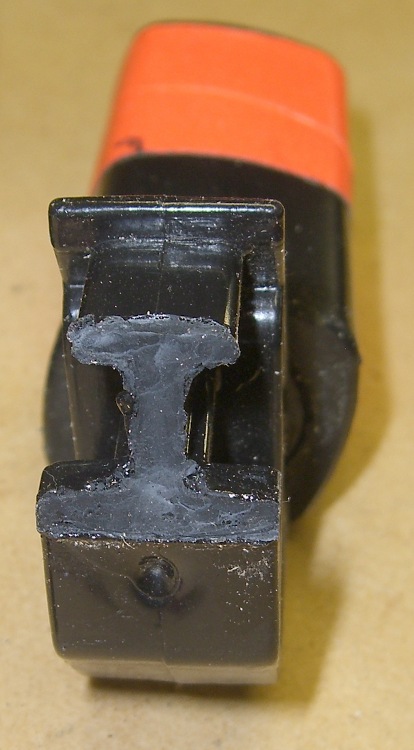
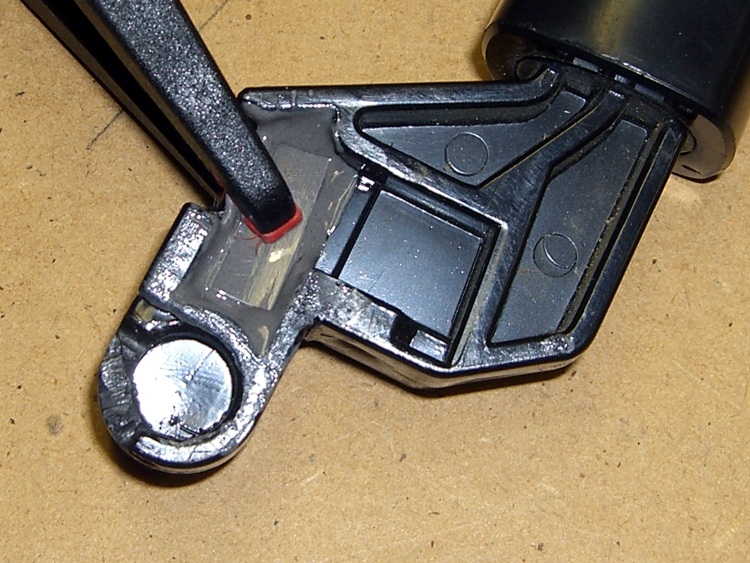
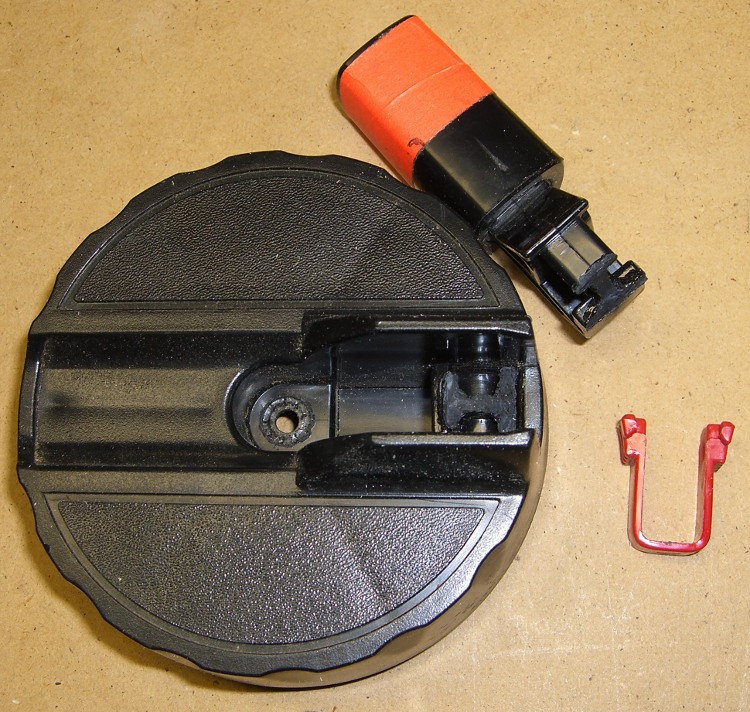
    Taking the control apart reveals that it’s a potentiometer with some switching contacts. The two bifurcated spring-finger contacts on the black plastic disk short the resistive element to the inner metallic track.

    Resistive Element
    Resistive Element

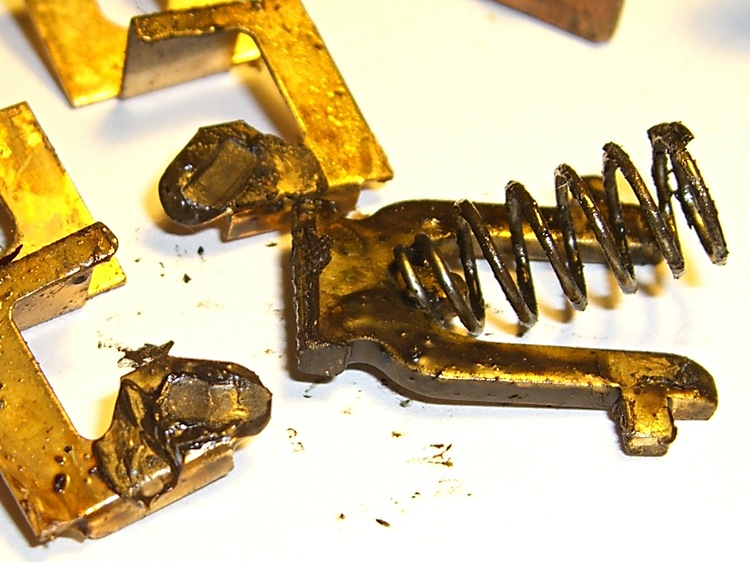
    The metal contacts appeared slightly grody, but with no major corrosion. The resistive track looked just fine.

    The offending control position would be to the left side of the element as shown in the pictures here: there’s nothing obviously wrong at that spot. I think the maximum-heat position is off the resistive element entirely, resting on the far left end of the metal traces, but the control wasn’t quite set to that spot. Perhaps the problem was that the contacts became intermittent at the exact edge of the element.

    I smoothed the collection of anti-oxidation grease over the tracks, covered the contacts with their own blobs, put everything back together, and it works fine.

    We tend to put the control at A/C during the summer and at maximum heat during the winter. I suppose the poor thing got frustrated after we moved it a month or so ago…

    The money saved with this repair might just pay to have the Toyota dealer replace the spark plugs. The shop manual says that task starts by removing the windshield bezel and all the stuff above the engine intake manifold; the job costs upwards of 300 bucks. I can barely see the rear plugs with a looong inspection mirror angled just so while lying on the floor under the van, so it’s truly a nontrivial operation.

    I [delete] all over their [censored]…

  • American Standard Faucet Aerator Disassembly

    American Standard Faucet Aerator Disassembly

    Aerator filter disassembly
    Aerator filter disassembly

    I’m sure they have more different versions of these things than anyone can count, but when I unscrewed the kitchen sink aerator, this is what I found inside.

    The yellow plastic filter actually has two parts, held together by a minuscule clickstop on the central post. You can pry the whole thing off the main body with your thumbnail or, as in the photo, just pop the top screen off.

    Rinse the grit off the screen, snap it back together, screw everything back onto the spout. Done!

    It’s amazing how much grit accumulates downstream of the whole-house water filter. On the other paw, having just replaced the water heater, I’m not that amazed.

  • American Standard Elite Kitchen Faucet Disassembly

    American Standard Elite Kitchen Faucet Disassembly

    Once again, the faucet O-ring seals are leaking. This happens about every two years, perhaps due to mineral buildup in the spout body despite the water softener. Fortunately, it’s a dribble rather than a spurt, so it’s not an emergency.

    This is a Home Depot (or was it Lowe’s?) faucet, but they do not stock repair parts. Go to FaucetDirect.com, order these parts:

    • 060366-0070A SPOUT SEAL KIT (on the main column)
    • 060343-0070A SPACER WITH O-RINGS (below the valve cartridge)
    • 030126-0070A BUTTON AND SCREW KIT (if you booger the button)
    Popping off the button
    Popping off the button

    Of course, order two or three of each, because FD has punitive shipping rates. Ten bucks for a few envelopes of O-rings? Sheesh… but the last time I tried to get ’em locally, they were No Stock. If I’ve got to wait around, I’ll have ’em delivered to my door.

    [Update: that comment suggests you can now get ’em from Amazon.com]

    The first puzzle is how to get the faucet apart. After making a mess of it the first time, it turns out you poke a small flat screwdriver inside the handle and pop the red-blue button out. It’s held on by two small tabs, one on each side, and if you can just push one then it’ll ease right out. It is not a screw head, despite the recessed slot down the middle.

    Poke a 3/32″ hex key in the hole, back out the setscrew a few more turns than you think it takes, pull the handle off.

    The plastic cap retainer has two arms holding the escutcheon ring in place. Push inward, remove the escutcheon. The retainer is probably hopelessly jammed into the top of the faucet spout, so if it doesn’t come out, that’s OK.

    Loosen the three screws holding down the valve cartridge, pull it straight up and out. You did turn the water off first, right? Remove the plastic spacer plate and three O-rings below it if you can; the plate may not fit through the retainer.

    Faucet column
    Faucet column

    Now, get comfortable on the sink. Pull-and-twist the spout straight up with far more force than you think necessary. It will suddenly fly off and bloosh the water that’s been standing in the faucet column all over the place.

    You’re left with a rather grody column and the two offending O-rings. Note the orientation of the silver flange ring at the bottom and the lower white plastic bearing ring. There may be three O-rings stuck to the top surface; they belong inside the spacer plate.

    Remove all that hardware and scrub the grodosity off the column.

    Hint: if you’re weak of stomach, never look inside your drinking water fixtures, because you’ll never drink tap water again.

    I generally soak the spout in vinegar for a bit, scrub it out with a toothbrush, ease the remaining deposits off with a small screwdriver, then scrub the whole thing down with a ScotchBrite pad.

    I apply a very very very thin layer of silicone lubricant to the bearing surfaces inside the column, which makes the next step possible.

    Put the flange ring, the new O-rings, and plastic bearing rings in place, then slide the spout assembly straight down over the column until it bottoms out with a thump.

    Install the new spacer plate & its O-rings, then reassemble all the other doodads in reverse order, turn on the water, and you’re done.

    Then forget all the crud you saw in there that you couldn’t clean out.