The Smell of Molten Projects in the Morning

Ed Nisley's Blog: Shop notes, electronics, firmware, machinery, 3D printing, laser cuttery, and curiosities. Contents: 100% human thinking, 0% AI slop.

Tag: MK4

Prusa Mk 4 3D printer with MMU3 feeder

  • Printed Spiders

    Printed Spiders

    PETG gets remarkable traction on a Prusa Textured Powder-Coated Steel Sheet:

    Gizo spider - starting build
    Gizo spider – starting build

    The Gizo spider’s eight legs built right up to the top without incident:

    Gizo spider - nearly complete
    Gizo spider – nearly complete

    The Articulated Spider assembled from many flat pieces distributed over the sheet, with no excitement at all:

    Articulated and Gizo spiders
    Articulated and Gizo spiders

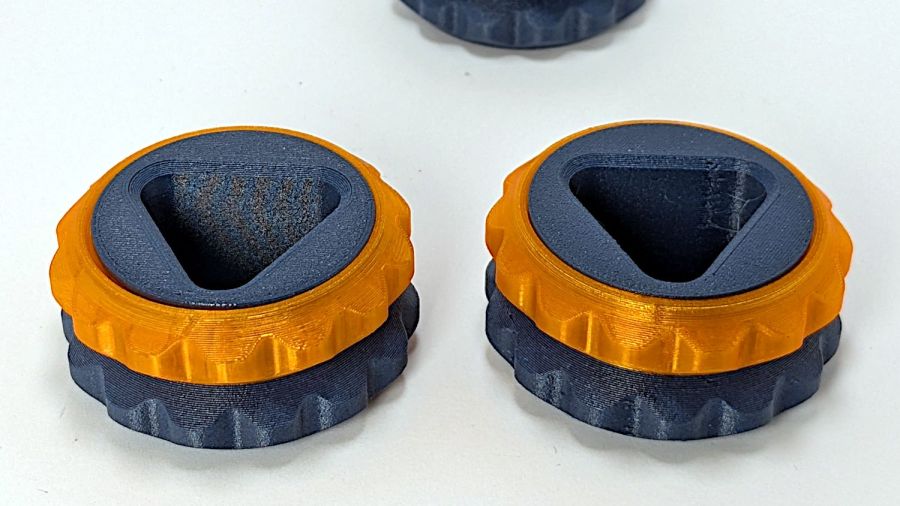
    The orange parts printed in a separate operation (the eyes push in and glue on, respectively), because multi-material printing doesn’t make sense unless there’s no other way.

    Those were test cases of joint fit without any model adjustments. The Gizo prints fully assembled and, as with the Steamopus, all eight joints worked smoothly after a few careful break-in motions. Each of the Articulated Spider’s many joints snapped together without incident, but benefited from a dot of silicone grease apiece.

    With the possible exception of the PETG-CF filaments, the MK4 prints accurately enough to not need much, if any, compensation.

  • Seasonally Appropriate Teapot Knob

    Seasonally Appropriate Teapot Knob

    Long years ago, the Bakelite (or some such) lid on our rarely used teapot disintegrated, whereupon I replaced it with an aluminum sheet and metal knob. Admittedly, a metal knob was not the brightest idea I ever had, but it sufficed for a few uses over the intervening decades.

    Mary hosted this month’s quilting bee and, after having someone else bring a larger teapot for the occasion, suggested I Make. A. Better. Knob. After a bit of searching, this statue seemed appropriate for the season:

    Skull teapot knob
    Skull teapot knob

    It’s printed with PETG filament that should easily withstand the no-more-than-boiling-water temperatures found atop a teapot.

    I imported the original model into PrusaSlicer, shrank it to 50 mm tall and simplified the mesh, exported it as an OBJ file, imported it into OpenSCAD, mashed it together with a 1/4-20 threaded_nut from BOSL2, added the finger protector, and got a suitable model:

    Teapot Knob - solid model bottom view
    Teapot Knob – solid model bottom view

    The as-printed threads were a bit snug with $slop=0, but running the screw in with a dot of silicone grease to ease the way worked fine.

    I should rebuild the whole lid in PETG-CF sometime.

    The OpenSCAD code stitches the parts together:

    // Teapot Knob
    // Ed Nisley - KE4ZNU
    // 2024-10-11
    
    include <BOSL2/std.scad>
    include <BOSL2/threading.scad>
    
    StackHeight = 50.0;
    ThreadLength = 25.0;
    HeatbreakOD = 40.0;
    HeatbreakThick = 3.0;
    
        intersection() {
            union() {
                cylinder(d=HeatbreakOD,h=HeatbreakThick,$fn=2*4*9);
                up(HeatbreakThick)
                    translate([-121,-105])      // totally eyeballometric
                        import("stackofskulls - 50mm.obj",convexity=10);
            }
    
            union() {
                threaded_nut(100,INCH/4,ThreadLength,INCH/20,        // flat size, root dia, height, pitch
                                         bevel=false,ibevel=false,anchor=BOTTOM);
                up(ThreadLength)
                    cylinder(d=100,h=StackHeight);
            }
        }


  • Dumbbell Nuts

    Dumbbell Nuts

    Being an Old Guy, I lift dumbbell weights after bike rides for load-bearing upper-body exercise, but need a few more dumbbell nuts (a.k.a. “collars”) to simplify adjusting the weights for each set. Such things are commercially available, but the reviews suggest abysmally bad thread QC and a high return rate.

    Given that I treat my toys carefully, this should suffice:

    Dumbbell Nut - finished
    Dumbbell Nut – finished

    Start with a scan of a steel nut in GIMP:

    Dumbbell Nut - scan
    Dumbbell Nut – scan

    Blow out the contrast, trace it, smooth out some irregularities, get a mask:

    Dumbbell Nut - mask
    Dumbbell Nut – mask

    Select by color, convert the selection to a path, save as SVG, import into OpenSCAD, add a nut with threads from the incomparably useful BOSL2 library, extrude a few features, and this pops out:

    Dumbbell Nut - solid model
    Dumbbell Nut – solid model

    Run it through PrusaSlicer, print on the MK4, and iterate a few times to get everything right:

    Dumbbell Nut - test pieces
    Dumbbell Nut – test pieces

    I naively thought the threads were something standard like Acme, but they’re full-frontal custom trapezoidal. I knew the first pass would be wrong, so the small hex nut on the left started the whole process. Upper left is a revised Acme thread with all the other features, lower middle is the custom trapezoidal thread, and the nut on the upper right worked. Make three more, just like the first one, enjoying the magic of 3D printing.

    Draw the bumper washer in LightBurn based on the dimensions in the OpenSCAD code, cut a set from stamp-pad rubber & adhesive sheet, then assemble:

    Dumbbell Nut - assembly
    Dumbbell Nut – assembly

    As the saying goes, we got nuts:

    Dumbbell Nut - installed
    Dumbbell Nut – installed

    The gray PETG-CF looks black against a white background and gray against black iron.

    With a set of precisely fitting nuts in hand, I discovered one of the four bars in my weight sets is slightly larger than the others, so the code now produces an embiggened root diameter and I have two spares.

    The OpenSCAD code assembles a nut:

    // Dumbbell nut
    // Ed Nisley - KE4ZNU
    // 2024-10-04
    
    include <BOSL2/std.scad>
    include <BOSL2/threading.scad>
    
    ID = 0;
    OD = 1;
    THICK = 2;
    
    NutOAH = 20.0;
    BossOD = 45.0;
    Bumper = [33.0,40.0,2.5];
    
    NumSides = 4*9;
    
    difference() {
        intersection() {
            union() {
                down(NutOAH/2)
                    linear_extrude(height=NutOAH/2,convexity=2)
                        import("Dumbbell Nut - path.svg",
                                center=true);
                linear_extrude(height=NutOAH/2,convexity=2)
                    circle(d=BossOD,$fn=NumSides);
            }
            rotate(180/6)
                trapezoidal_threaded_nut(100.0,26.5,20.0,INCH/4,        // flat size, root dia, height, pitch
                                        bevel=false,ibevel=false,
                                        flank_angle=30,thread_depth=1.8);
        }
    
        up(NutOAH/2 - Bumper[THICK]/2)
            linear_extrude(height=2*Bumper[THICK],convexity=2) {
                difference() {
                    circle(d=Bumper[OD],$fn=NumSides);
                    circle(d=Bumper[ID],$fn=NumSides);
                }
            }
    
    }
    
    
  • Garden Hose Fitting Grip: MVP

    Garden Hose Fitting Grip: MVP

    The garden hose leading from the standpipe / hose bibs outside Mary’s garden to her drip irrigation plumbing has an octagonal fitting requiring more torque than her hand can easily produce. I offered to make a larger grip for the fitting, which amounts to a disk with a grippy rim sized to her hand and an interior opening suitable for gluing to the fitting.

    A couple of laser-cut MDF sizing prototypes accompanied me to the garden:

    Hose Fitting Grip - MDF prototype
    Hose Fitting Grip – MDF prototype

    The springy fingers around the fitting soak up the inevitable distortions found in a battered hose and will eventually be filled with adhesive to lock the grip in place.

    MDF being obviously the wrong material for a permanent installation, the final grip will be 3D printed, with the LightBurn layout modified to produce the internal structure:

    Hose Fitting Grip - LightBurn layers
    Hose Fitting Grip – LightBurn layers

    From left to right:

    • The stacked pieces in order of printing
    • Main grip with springy fingers
    • Spacer keeping the fingers away from the narrower opening
    • Support layer
    • Narrow opening to align the grip with the end of the fitting

    Exporting the SVG images and making a bank shot off Inkscape to create layer names:

    Hose Fitting Grip - Inkscape layers
    Hose Fitting Grip – Inkscape layers

    The ascending layer name + numbers allow a simple OpenSCAD program to extract the SVG shapes by name, extrude them to the proper thickness, put them at the proper height, then combine the result:

    Recenter = [-140,-108,0];
    
    Thick = [0,8.0,1.0,0.2,1.0];
    Level = [0,
             Thick[1],
             Thick[1]+Thick[2],
             Thick[1]+Thick[2]+Thick[3],
             Thick[1]+Thick[2]+Thick[3]+Thick[4]];
    Colors = ["Black","Red","Gray","Yellow","Green"];
    
    union()
        for (i = [1:len(Thick)-1]) {
            color(Colors[i])
                translate(Recenter + [0,0,Level[i-1]])
                    linear_extrude(height=Thick[i],convexity=10)
                        import("/mnt/bulkdata/Project Files/Laser Cutter/Gardening/Hose Fitting Grip/Hose Fitting Grip - Inkscape layout.svg",
                               layer=str("Layer ",i));
        }
    

    The hideous mess generating the Level vector happens because OpenSCAD does not have mutable variables and I hate retyping numbers. One can use a recursive function to add the values, but copypasta makes more sense in this case.

    Which produces this solid model, with garish colors for pedagogic purposes:

    Hose Fitting Grip - top - solid model
    Hose Fitting Grip – top – solid model

    The thin yellow band will be one thread thick to provide support for the green layer with a smaller ID than the springs below it. The gray layer below the yellow is the air gap above the springs.

    Peering inside the bottom shows the (gray) layer providing clearance between the springs and the (yellow) support layer:

    Hose Fitting Grip - bottom interior - solid model
    Hose Fitting Grip – bottom interior – solid model

    Exporting the model as a 3mf file, importing it into PrusaSlicer, and slicing it with suitable parameters (Extrusion Multipler = 0.8) does what you’d expect. This top view shows the internal structure just below the support bridge across the middle:

    Hose Fitting Grip - spring detail - PrusaSlicer
    Hose Fitting Grip – spring detail – PrusaSlicer

    Printing it in gray PETG-CF was uneventful, with the bridging layer coming out surprisingly well:

    Hose Fitting Grip - as printed
    Hose Fitting Grip – as printed

    The springs definitely have an air gap in there:

    Hose Fitting Grip - printed interior
    Hose Fitting Grip – printed interior

    And the support layer cuts out neatly with an Xacto knife:

    Hose Fitting Grip - support removed
    Hose Fitting Grip – support removed

    We’ve had enough rain over the last few days (something to do with a continental-scale storm) to keep me and my adhesives out of the garden, but it hasn’t needed any watering, either.

  • Ceiling Lamp Nuts

    Ceiling Lamp Nuts

    While cleaning dead bugs out of the ceiling lamps, we discovered the kitchen light was missing one of the three nuts holding its cover in place. While spare nuts might be available, this seemed like a quicker & easier solution:

    Ceiling Lamp Nut - bottom view - solid model
    Ceiling Lamp Nut – bottom view – solid model

    The stepped interior fits a brass insert with 8-32 threads (not metric, to my utter astonishment) rammed in place with a heat-set tool:

    Ceiling Lamp Nut - insert staking
    Ceiling Lamp Nut – insert staking

    Using the nominal diameters seems to work fine, although I’m sure some finesse will be needed with smaller inserts.

    Printed four just to be sure, rammed three inserts, and they’re ready:

    Ceiling Lamp Nuts - as-built
    Ceiling Lamp Nuts – as-built

    The curved cap matches the original nut through the use of the Chord Equation to get the cap radius as a function of its height (sagitta) & base diameter. Admittedly, it looks kinda grotty with only a dozen layers, but it’s the thought that counts.

    The original nuts are heavy knurled steel and the new ones are cheap plastic, but nobody will ever know:

    Ceiling Lamp Nut - installed
    Ceiling Lamp Nut – installed

    Bonus: now I have two spare steel nuts for the next time …

    The OpenSCAD source code:

    // Nuts for LED ceiling light fixture
    // Ed Nisley KE4ZNU
    // 2024-09-27
    
    KnurlLength = 7.4;
    KnurlOD = 9.0;
    
    CapOD = 9.0;
    CapHeight = 2.0;
    CapRadius = (pow(CapHeight,2) + pow(CapOD,2)/4)/(2*CapHeight);
    echo(CapRadius=CapRadius);
    
    NumSides = 1*(2*3*4);
    $fn = NumSides;
    
    Protrusion = 0.1;
    
    difference() {
        union() {
            intersection() {
                translate([0,0,KnurlLength + CapHeight - CapRadius])
                    sphere(r=CapRadius);
                translate([0,0,KnurlLength])
                    cylinder(d=2*KnurlOD,h=KnurlLength);
            }
    
            cylinder(d=KnurlOD,h=KnurlLength);
    
        }
    
    // Ad-hoc 8-32 brass insert sizes
    
        cylinder(d=5.5,h=8.0);
        cylinder(d=5.9,h=5.7);
        cylinder(d=6.2,h=2.2);
        translate([0,0,-Protrusion])
            cylinder(d=6.2,h=2.2);
    
    }
    
  • Prusa MK4: Cart Coins vs. Extrusion Multiplier

    Prusa MK4: Cart Coins vs. Extrusion Multiplier

    A special request came in for cart coins with a handle:

    Overstuffed cart key - 1.0EM
    Overstuffed cart key – 1.0EM

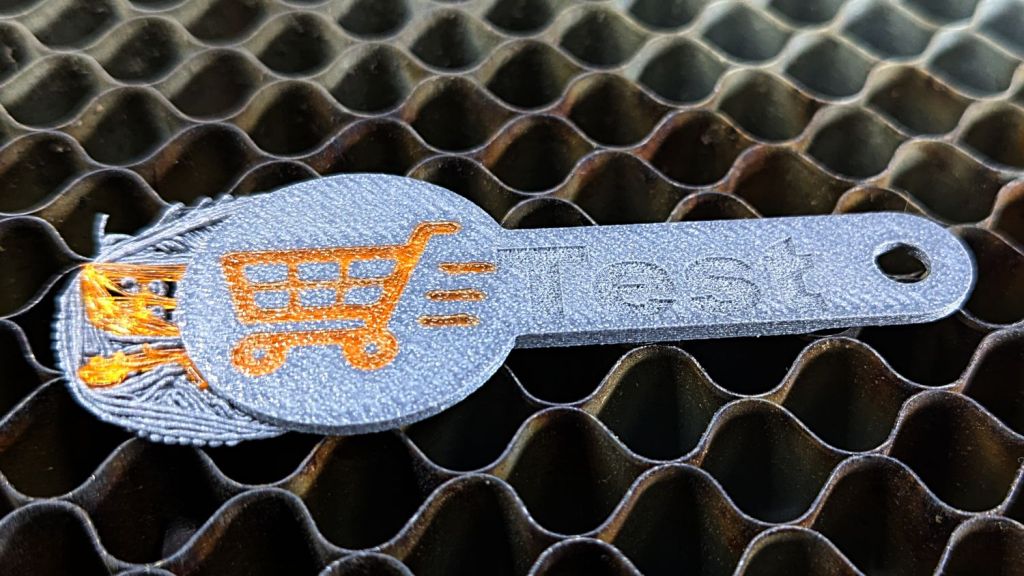
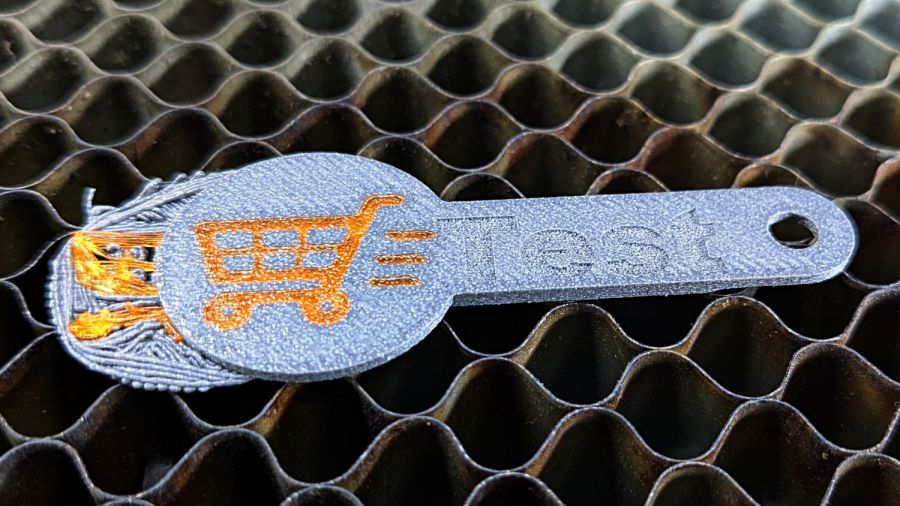
    That’s in gray PETG-CF (carbon fiber) with Extrusion Multiplier = 1.0 based on the Pill Tube tests and and slightly lower temperatures based on the temperature tower. It definitely looks overstuffed and so does the Wipe Tower for that set of six coins:

    Overstuffed cart key - wipe tower
    Overstuffed cart key – wipe tower

    The orange threads off to the right suggest something went terribly wrong with the top layer, which corresponds to the somewhat recessed cart image in the coin, but there were no other symptoms.

    All six of the next set failed completely:

    Failed cart key - 1.0EM
    Failed cart key – 1.0EM

    Apparently the nozzle hit the clotted gray filament in the Wipe Tower and stalled the X axis motor:

    Failed cart key - wipe tower
    Failed cart key – wipe tower

    That suggests the same thing happened to the first set during the last pass over the Wipe Tower, causing a less obvious failure.

    Setting the Extrusion Multiplier = 0.65 produced a better result:

    Cart key print - blue - 0.65EM
    Cart key print – blue – 0.65EM

    Albeit with a slightly understuffed top layer:

    Cart key print - 0.65EM
    Cart key print – 0.65EM

    But not by much:

    Cart key print - black - 0.65EM
    Cart key print – black – 0.65EM

    So the answer depends slightly on the PETG-CF filament color, but not by enough to justify defining three different filament types.

    Cart coins are essentially solid plastic layers with no empty infill, so they have nowhere for excess filament to hide. The Wipe Tower should have plenty of room, but even at EM=0.65 the tower looks overstuffed on the side with the carbon fiber purge lines:

    Cart key print 0.65EM - wipe towers
    Cart key print 0.65EM – wipe towers

    The default 110% line spacing in the tower seems too small for PETG-CF, so I’ll increase it to 150% to see if that reduces the clumping.

    Judged by the surface finish, a 0.65 Extrusion Multiplier is too low, so I’ll try a set of coins at 0.80.

  • Subaru Upholstery Peg

    Subaru Upholstery Peg

    One of the flat-topped pegs anchoring the fuzzy black upholstery / carpet to the back of the rear seats went walkabout a while ago, but the situation only became critical after I vacuumed the crud out of the car.

    Living in the future simplifies things:

    Upholstery Peg - solid model
    Upholstery Peg – solid model

    Rather than getting all fancy with barbed ends and suchlike, I just slathered the stem with hot-melt glue, jammed it in place, and waited a few breaths:

    Upholstery peg - installed
    Upholstery peg – installed

    The vivid yellow stuff is seat cushion foam.

    3D printing is wonderful for simple parts like that.

    The OpenSCAD source code is simple enough:

    // Upholstery pin for Subaru back seat
    // Ed Nisley KE4ZNU
    // 2024-09-13
    
    HeadThick = 1.5;
    HeadOD = 25.0;
    
    PegLength = 10.0;
    PegOD = 8.0;
    SlotWidth = 1.5;
    
    rotate_extrude(angle=360,$fn=32)
        polygon(points=[[0,0],[HeadOD/2 - 1,0],[HeadOD/2,HeadThick],[0,HeadThick]]);
    
    difference() {
        rotate(180/8)
            cylinder(d=PegOD,h=10.0,$fn=8);
    
        translate([0,0,HeadThick ])
            cylinder(d=PegOD/2,h=PegLength,$fn=8);
    
        for (a=[0,90])
            rotate(a)
                translate([0,0,PegLength/2 + HeadThick + 1.0])
                    cube([SlotWidth,10.0,PegLength],center=true);
    
    }