Ed Nisley's Blog: Shop notes, electronics, firmware, machinery, 3D printing, laser cuttery, and curiosities. Contents: 100% human thinking, 0% AI slop.
Tag: Improvements
Making the world a better place, one piece at a time
Our Larval Engineer acquired a free bicycle to get around at school: a Rollfast “girl’s bike” dating back to 1972 with 105 miles on the odometer. She completely dismantled it, cleaned everything, reassembled it in reverse order, and added a rear rack & panniers. Having touched every part of the bike, she’s now in a much better position to fix whatever may go wrong in the future.
It was an inexpensive bike to start with and we left everything as-is, with the exception of the brake pads. You’re supposed to bend the brake arms to align the pads with the rims, a technique which I didn’t like even back in the day. So we swapped the OEM pads with worn-but-serviceable Aztek pads sporting spherical washers:
They’re way grippier than the old pads, even on those chromed-steel rims. I had a bike with steel rims and old pads; given the slightest hint of water, it didn’t stop for squat. With any luck, the Azteks will at least slow this one down.
Although she wanted to take the Tour Easy, the bike must live outside under the apartment stairs all year and, frankly, that’d kill the recumbent in short order. Forgive me for being a domineering parent; when she has a good place to store a spendy bike, it’s hers for the taking.
We haven’t figured out how to mount the GPS/APRS tracker + radio and antenna. The evidence suggests she prefers to travel incognito from now on…
After having discovered, once again, that the vacuum cleaner wasn’t cleaning very well because the suction control was knocked halfway down the scale, I made the normal setting on the damn thing visible:
Samsung vacuum cleaner control labeling
I don’t know why a label in dark-gray-on-black is such a wonderful idea, given that SAMSUNG stands out in pure white-on-red. Designers love subtle touches; I suppose they expect you to just puzzle it out and memorize the right answer.
The embossed / raised black-on-black symbols don’t work for me, either. Did you spot the one to the left of the ON/OFF label? Didn’t think so.
So I bought a lurid green $8 Tomodachi Santoku knife at K-Mart, which was the first non-stick-coated Santoku-shaped knife I’d seen since that comment. It’s made by Hamilton Forge Ltd, one of those generic names that doesn’t produce any search results worth mentioning and so probably isn’t a real company:
Tomodachi Santoku knife
The knife has a huge steel blade with a solid plastic handle injection-molded around a short tang, which put the balance point maybe 50 mm out into the blade. I didn’t like the feel when I waved it around in the store and really didn’t like how it behaved on the cutting board.
The way I see it, I can fix a too-light handle…
Pursuant to that post, I have a bag of tungsten electrodes, some complete with a glass seal:
Tungsten electrode with glass seal
Wrapping some masking tape around the glass, tapping it with a hammer, then sliding the tape-with-fragments into the trash got rid of the glass. The bulbous tip seems to be a stainless steel tube welded around a thin tungsten shaft, so I clamped it in the vise and whacked it with a chisel; tungsten is strong-but-brittle and cracks easily:
Fracturing tungsten electrode
Of course, whacking a tungsten rod didn’t do the chisel the least bit of good, but it was about time to sharpen that thing anyway.
Why use tungsten electrodes instead of, say, ordinary drill rod? Tungsten has about the highest density you can get without going broke, getting poisoned, or dying of radiation exposure. That useful table gives elemental density in g/cm3:
aluminum = 2.7
iron = 7.9
lead = 11.4
gold = 19.32
tungsten = 19.35
osmium = 22.6
Can’t afford gold, not even I would put a lead slug in a kitchen knife, and I had the electrodes, so why not?
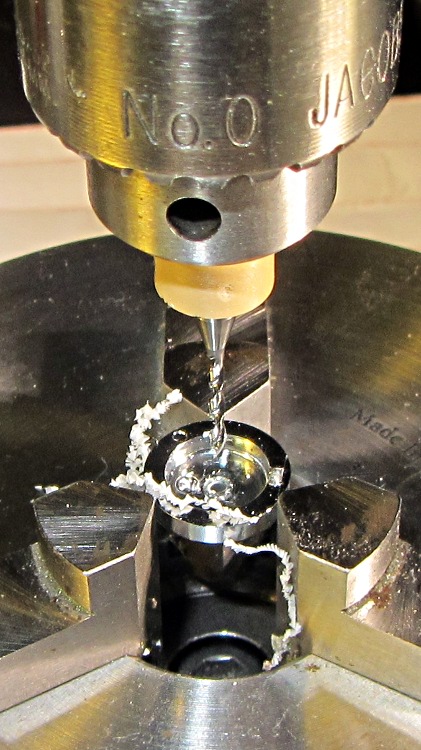
Waving a neodymium magnet over the handle convinced me that I could drill a hole slightly more than two inches deep without hitting the tang. I briefly considered drilling half a dozen smaller holes, but that started to look like a lot of work and I don’t have any suitable gun drills.
The business end of the electrode measures 1 inch long and 0.1375 inch in diameter. A hexagonal cluster of seven rods fits neatly into a round hole about 3×0.137 = 0.413 inch in diameter: quite conveniently a nice, long Z drill. So I clamped the knife between two strips in the drill press vise and had my way with it:
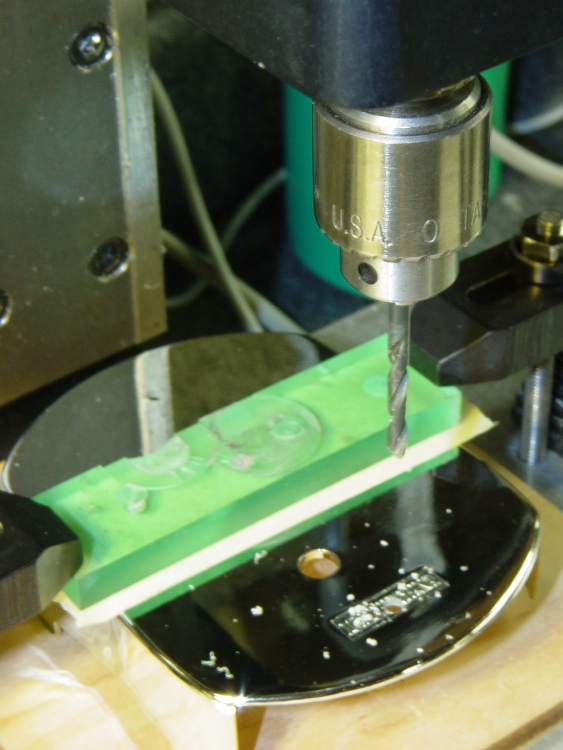
Drilling knife handle
Actually, I spot-drilled with a center drill, then used a long step drill, stopping with the 3/8 inch step just kissing the low side of the handle, to get the hole mostly on center, before running the Z drill down about 2-1/8 inch. The handle walls became so thin that they flexed around the drill to produce an undersized hole, so I reamed it with a hand-turned 7/16 inch drill and the electrodes fit with no room to spare:
Tungsten electrodes in knife handle
Yeah, that’s a crack in the top electrode: tungsten is brittle.
A dollop of epoxy atop the electrodes should seal them in place forever. I clamped the knife (in its color-matched scabbard) with the angled end of the handle water-level, so the epoxy settled in a neat, symmetric blob that looks better in person than it does here:
Epoxy seal over tungsten weights
The epoxy forms a plug over the ends of the electrodes and (probably) doesn’t extend very far down between them, but they’re firmly jammed in a snug hole and (probably) won’t ever rattle around.
Seven electrodes weighed 32 g and, figuring the missing plastic rounds off to slightly over nothing, the handle now has 60 g of additional weight out toward the end, producing a knife weighing 185 g that balances near the narrowest part of the handle. It’s somewhat heavier than I’d like, but I can cope.
The edge came from the factory reasonably sharp; a few passes over the sharpening steel touched it up nicely.
Early results: it cuts cheese perfectly, drifts to the right in melons, cuts wafer-thin slices from a loaf of my High-Traction Bread, and dismantles fruit with some clumsiness. Overall, I like it, although I could do without the bright green color in a big way.
The Wouxun KG-UV3D is advertised as a “dual band” radio, but it has only one hardware receiver: in TDR mode (there is no explanation of what TDR means, so there may not be an English equivalent; I suspect it’s not Time Domain Reflectometry) with two frequencies / channels displayed, the first to receive a transmission produces audio output until that signal stops, regardless of what happens on the other frequency / channel. In contrast, the ICOM Z1A and W32A radios we were using had two hardware receivers and the audio output was the sum of the two signals, with independent volume controls.
That wouldn’t matter, except that I monitor the E911 dispatch channel while riding, so that I know when an emergency vehicle will be coming along my route: distracted drivers are bad enough, but a distracted driver dodging an ambulance is really bad. The E911 transmitters have punchy audio compared to anything else, so it’d be nice to turn down the dispatcher’s level compared to the relatively quiet voice + APRS signals on the other channel.
No can do.
The KG-UV3D also requires much higher audio on the mic input than the Z1A for the equivalent output. Contrary to that schematic, I’m now running the op amp gain at about 4.5 (13 dB) instead of 1.6 (4 dB): it’s a 100 kΩ feedback resistor. That puts it on a par with the E911 audio, but it’s still somewhat quiet.
The TinyTrak3+ board produces audio tones through a 4-bit binary resistor network that feeds into a 220 kΩ resistor in series with the 10 kΩ trimpot that sets its output level. Cranking that pot all the way up produces roughly the same volume as the +13 dB helmet mic audio. If I increase the mic gain any further, however, I should also increase the TT3+ audio output, which means reducing the 220 kΩ resistor on the TT3+ board. The TT3+ doc advises:
Some mobile radios require more audio drive than TinyTrak3 puts out. If audio levels are too low, even with the R6 pot set to maximum, consider replacing the 220K R5 with a 100K resistor or shorting jumper. This should allow for about double the audio range.
Dunno if that means another 3 or 6 dB or what, but it might come in handy.
However, increasing the mic gain has the disadvantage of causing more wind noise: it’s always there and high mic gain makes it much worse. The foam balls over the mics work well, but the voice volume drops off dramatically as the mouth-to-mic distance increase; about half an inch is a good distance. So there’s an upper limit on mic gain.
I’ve also increased the earphone attenuation, with a 150 Ω resistor in series with the earbud, to give the receiver volume control more useful range.
It’s workable as it stands and the many APRS receivers have no trouble decoding the packets, so all this is in the nature of fine tuning. I do miss the dual audio outputs, though…
After a few sessions of soldering-and-checking, it looks good:
HT-GPS PCB – cabled in place
The yellow wires on the far right are temporary power connections; battery power enters through the contact studs in those large holes that press against the radio’s battery terminals. The cable in the lower right is the mis-color-coded USB cable that carries audio to & from the earbud & mic on the helmet. Not all the pads have components; I didn’t use all the parallel bypass cap locations because I wasn’t up for protracted self-resonance measurements.
The TinyTrak3+ cable solders into the empty DB9 footprint over on the left. I must cannibalize that from the ICOM IC-Z1A interface in Mary’s bike after the next Wouxun KG-UV3D arrives; with any luck, there’ll be a rainy day or two for that work.
The as-built schematic (clicky for more dots), which is pretty close to the original intent:
Schematic – Wouxun HT GPS+Voice Interface – August 2012
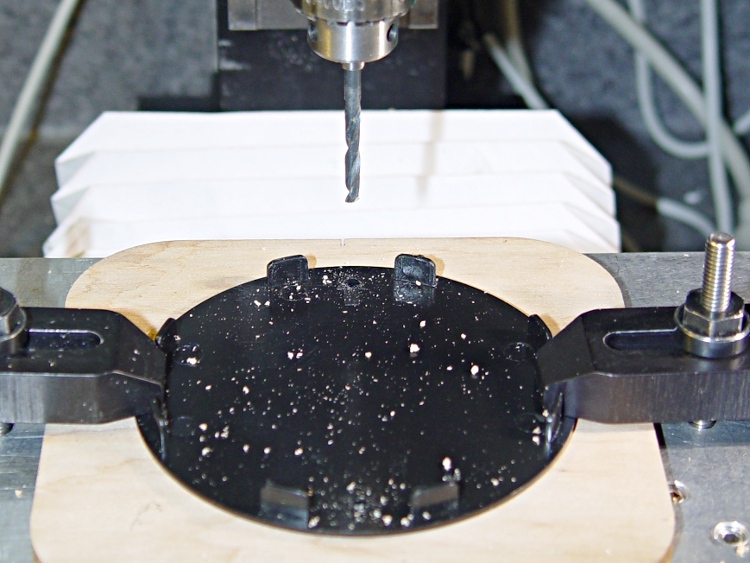
Drilling the PCB went fine, as did the etching & silver plating:
PCB with edge wrap – front
The rear side has a fine ground plane:
PCB with edge wrap – rear
The small spots scattered over the rear mark vias that stitch the front and back planes together; lacking plated-through holes, I solder nippets of 24 AWG wires to both sides. The wrinkly edge comes from solder on the copper foil binding the entire perimeter.
While I have no hard evidence that all of the fuss & bother matters, the most recent version of this circuit is the quietest yet: the machine noise from the TinyTrak3+ that plagued the first iteration has pretty much vanished.
I’ll grant you that the silver plating doesn’t look very silvery in these pix, but it’s quite different from the bare copper in person. Here’s the front just after rubbing it in with a vigorous circular motion:
After replacing the Y axis leadscrew, I decided that the X axis leadscrew was in fine shape, because it’s tucked under the table and not exposed to the swarf and grit that fell on the Y axis screw before I installed the bellows. Being that sort of bear, I couldn’t throw out the worn Y axis leadscrew, so I had two rather delicate rods that really needed more protection than a twist of paper.
So I sawed off a length of 1 inch PVC pipe, faced the ends in the lathe, and added two rubbery endcaps from the heap:
Sherline leadscrews stored in PVC pipe
That fits neatly into the big box alongside the rotary table, with the bag of assorted nuts so they’re all together.
Despite what you see there, the screws are wrapped in paper with a bit of oil, so it’s all good.