The Smell of Molten Projects in the Morning

Ed Nisley's Blog: Shop notes, electronics, firmware, machinery, 3D printing, laser cuttery, and curiosities. Contents: 100% human thinking, 0% AI slop.

Tag: CNC-3018XL

Small gantry router

  • CAMtool V3.3 vs. The Fat Fingers of Death

    As is my custom, the day before showtime I talked my way through a final full-up dress rehearsal, with the HP 7475A plotter and the CNC 3018XL running their demo plots. As if to justify my attention to detail, the 3018 refused to home, with its X axis motor grinding in a manner suggesting something had gone terribly wrong with its driver.

    OK, I can fix that™.

    Turn off the power, verify the leadscrew turns smoothly by hand, check all the connections & connectors, then pull the DRV8825 PCB to see if anything looks obviously wrong. It didn’t, so I carefully re-plugged the driver and moved the whole affair to the Electronics Workbench for further study.

    I turned on the scope and Tek current probes, then turned on the 3018 power supplies, whereupon a great cloud of Magic Smoke emerged from the CAMtool board and filled the Basement Laboratory with the acrid smell of Electrical Death.

    It seems I carefully and meticulously re-plugged the DRV8825 PCB into its socket exactly one pin too high, which, among other Bad Things, connects the +24 V motor power supply to the driver GND pin.

    Obviously, this did not end well:

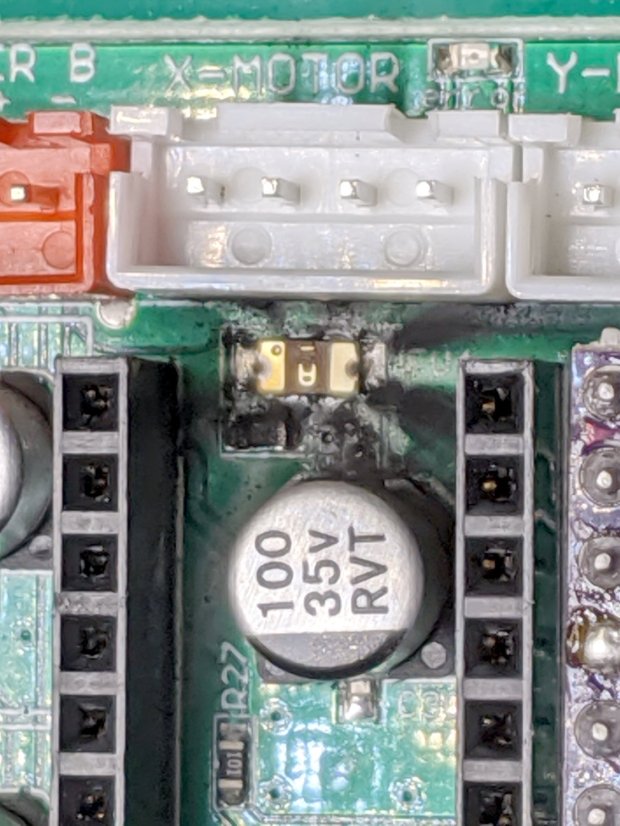
    CAMtool V3.3 - blown stepper fuse
    CAMtool V3.3 – blown stepper fuse

    The fuse, put under considerable stress, vented smoke & debris in all directions across the board; note the jets above the white motor connector. Surprisingly, the 1 kΩ resistor just below it is in fine shape, as is the rather blackened electrolytic cap.

    The fuse measures the same 150-ish mΩ as the fuses in the other two axes, but I doubt it’s actually a fuse any more.

    Astonishingly, the Arduino clone on the board worked fine, so I could extract the GRBL configuration.

    Memo to Self: Never plug things in with your head upside down!

  • ACM Poughkeepsie Presentation: Algorithmic Art

    In the unlikely event you’re in Poughkeepsie this evening, I’ll be doing a talk on my Algorithmic Art for the Poughkeepsie ACM chapter, with a look at the HPGL and G-Code transforming math into motion:

    Superformula - triangle burst - detail
    Superformula – triangle burst – detail

    The PDF of the “slides” lacks my patter, but the embedded linkies will carry you to the blog posts & background information:

    See you there! [grin]

  • CNC 3018XL: Pilot V5RT Pen Holder Lock Screw

    Flushed with success about the MPCNC drag knife locking screw, I installed a similar screw on the V5RT pen holder for the CNC 3018:

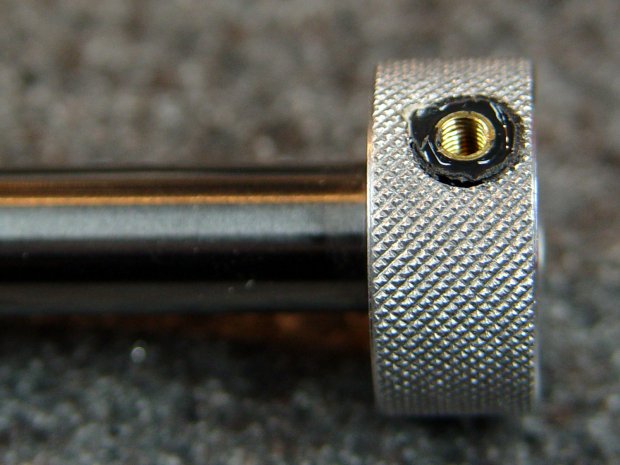
    Pilot V5RT holder - lock screw insert - assembled
    Pilot V5RT holder – lock screw insert – assembled

    A dark ring of epoxy around the screw holds a shortened M3 brass insert in place:

    Pilot V5RT holder - lock screw insert
    Pilot V5RT holder – lock screw insert

    As it turned out, the original recess left only a few threads for the M3 SHCS, so the much longer screw wobbulated alarmingly. I drilled out the threads, turned the knurls off the insert, shortened it a bit, masked the pretty knurls on the aluminum ring, then glopped the insert in place while the Sherline held the screw vertical:

    Pilot V5RT holder - insert epoxy
    Pilot V5RT holder – insert epoxy

    While I was at it, I added a thin ring of foam rubber under the knurled ring to keep it from clacking against the upper bushing.

    Now I can’t lose the hex wrench when I take the thing out for Show-n-Tell sessions …

  • Monthly Image: Digital Machinist 14.4 Cover

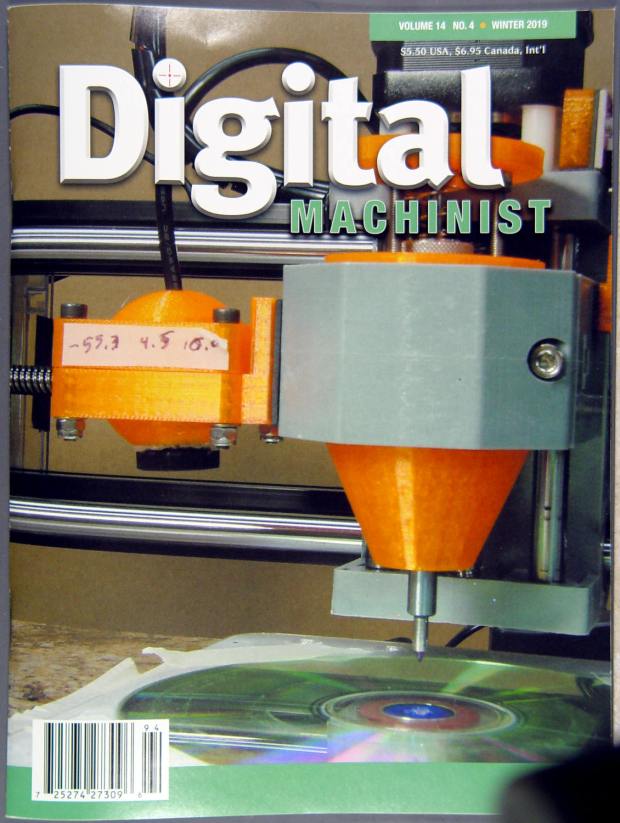
    I ain’t getting richer, but I did get mah pitcher onna cover of th’ Digital Machinist:

    Digital Machinist Cover DM14.4 - Winter 2019
    Digital Machinist Cover DM14.4 – Winter 2019

    I just caught George Bulliss in a weak moment. [grin]

    It’s the diamond drag holder on the CNC 3018-Pro, before the XL axis extension hackage., with the probe camera stuck to the left side.

    You can say you knew me before …

  • Homage Tektronix Circuit Computer: Colored Scales

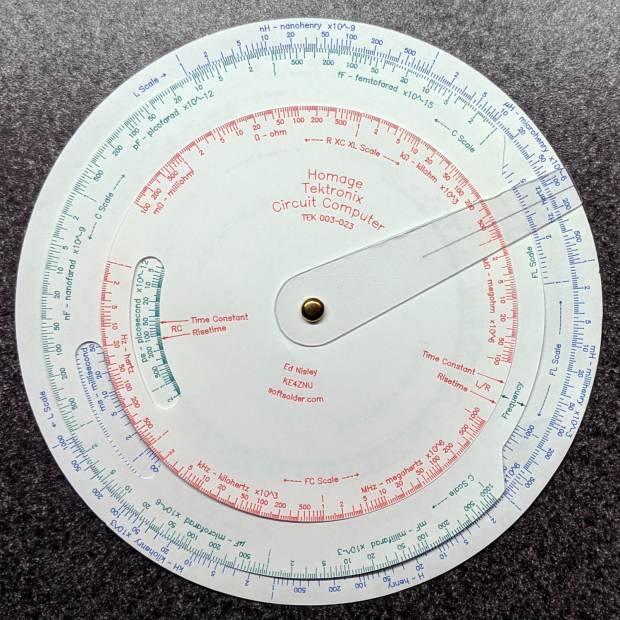
    Although the original Tektronix Circuit Computer had relentlessly monochrome scales, a dash of color added a festive holiday look:

    Tek CC - Pilot V5 - color test overview
    Tek CC – Pilot V5 – color test overview

    Well, OK, that’s excessive.

    The intent was to see how the pens behaved, with an eye toward accenting general-purpose circular slide rule scales with a few colored characters.

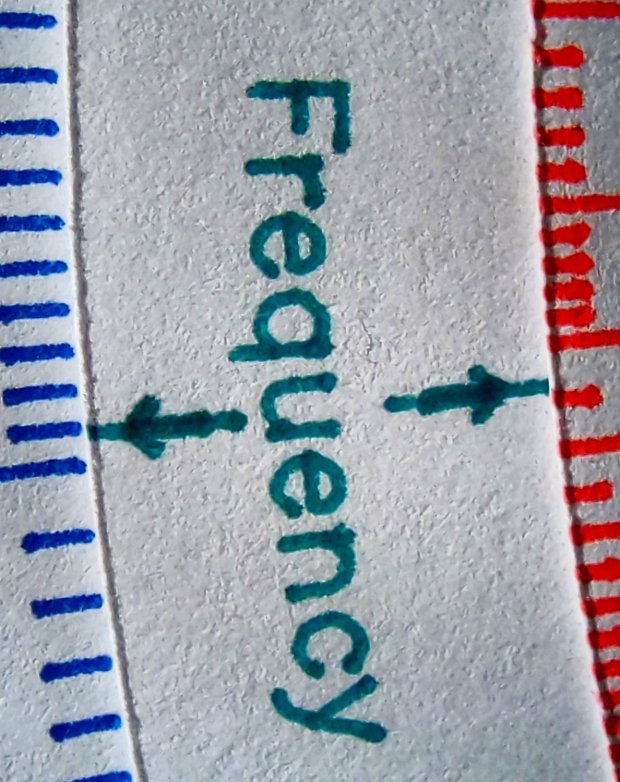
    The green pen shows how I built the arrows by drawing a line through vertical arrow characters:

    Tek CC - Pilot V5 - plain paper - letters
    Tek CC – Pilot V5 – plain paper – letters

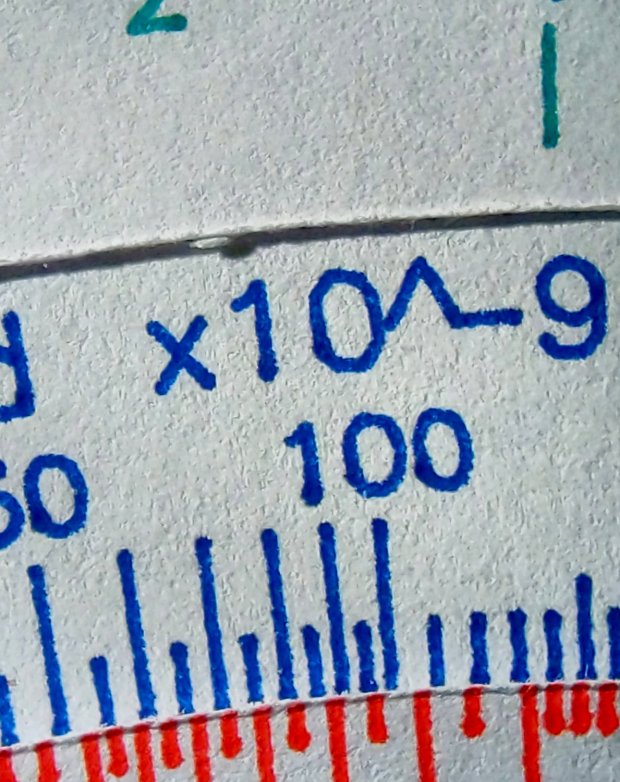
    I like blue ink entirely too much, having used a blue pen as my daily writer for most of my adult life:

    Tek CC - Pilot V5 - plain paper - red blue
    Tek CC – Pilot V5 – plain paper – red blue

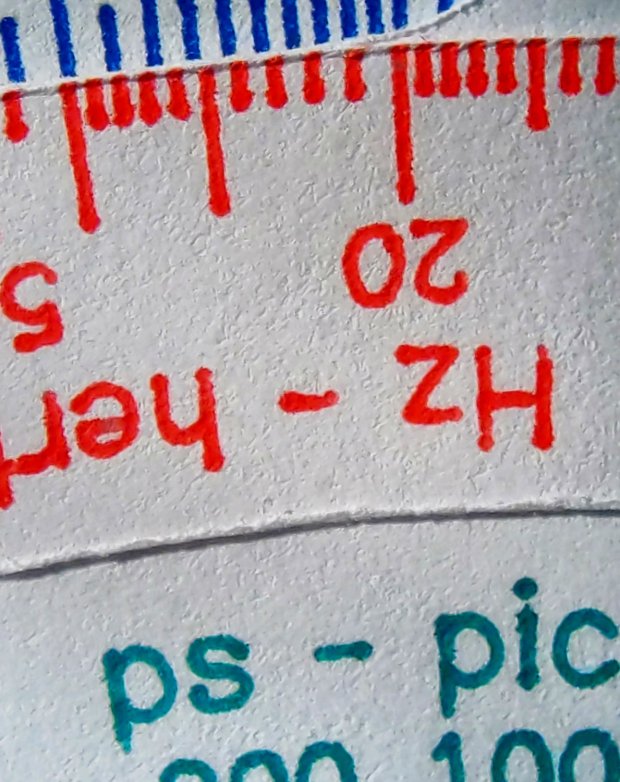
    Red ink for “backwards” scales and suchlike would work well, even if it’s too vivid for the tick marks:

    Tek CC - Pilot V5 - plain paper - red green
    Tek CC – Pilot V5 – plain paper – red green

    Those are all on unlaminated plain paper, with plenty of room for improvement.

    Seeing as how I’d be doing all the “tool changes” manually, optimizing the plotting sequence would be mandatory: one pen change per color per deck!

  • CNC 3018XL: Pen Variations

    Cheap 1 mm pens produce scratchy lines:

    CNC 3018 - Cheap pen - plain paper
    CNC 3018 – Cheap pen – plain paper

    More expensive 0.5 mm Pilot Precise V5RT pens produce well-filled lines:

    CNC 3018 - Pilot V5RT - plain paper
    CNC 3018 – Pilot V5RT – plain paper

    Both of those are on plain paper. Better paper would surely improve the results, while moving the cheap pen further into sow’s ear territory.

    For reference, the cheap pens use a collet holder:

    CNC3018 - Collet pen holder - assembled
    CNC3018 – Collet pen holder – assembled

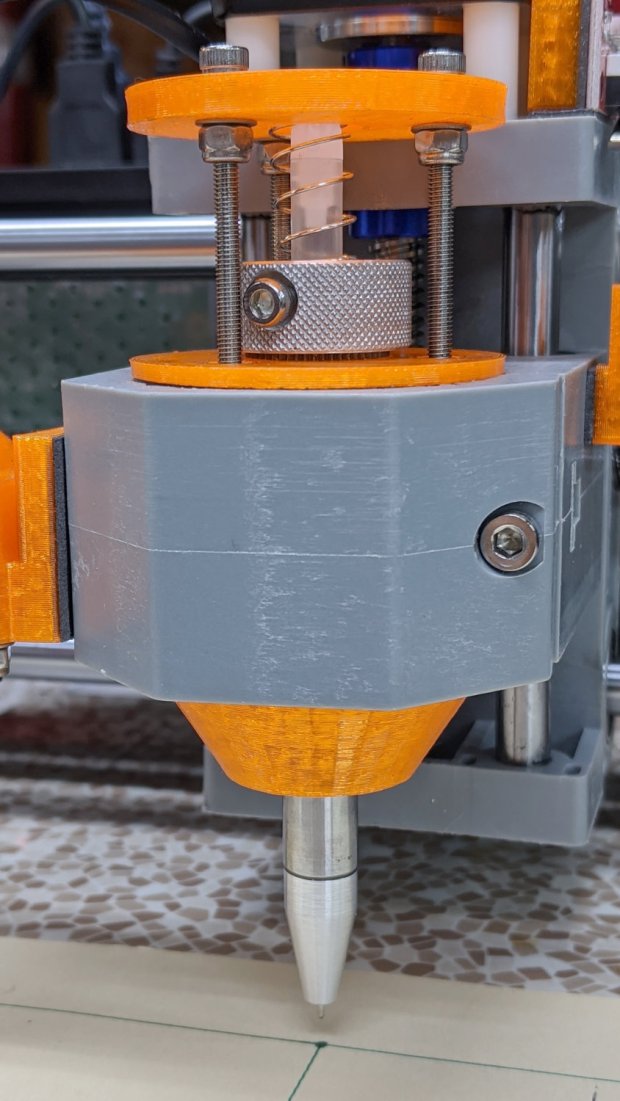
    The Pilot V5RT pens use a custom holder:

    Pilot V5RT holder - installed
    Pilot V5RT holder – installed

    A 3D printer really simplifies making things!

  • CNC 3018XL: Adding Run-Hold Switches

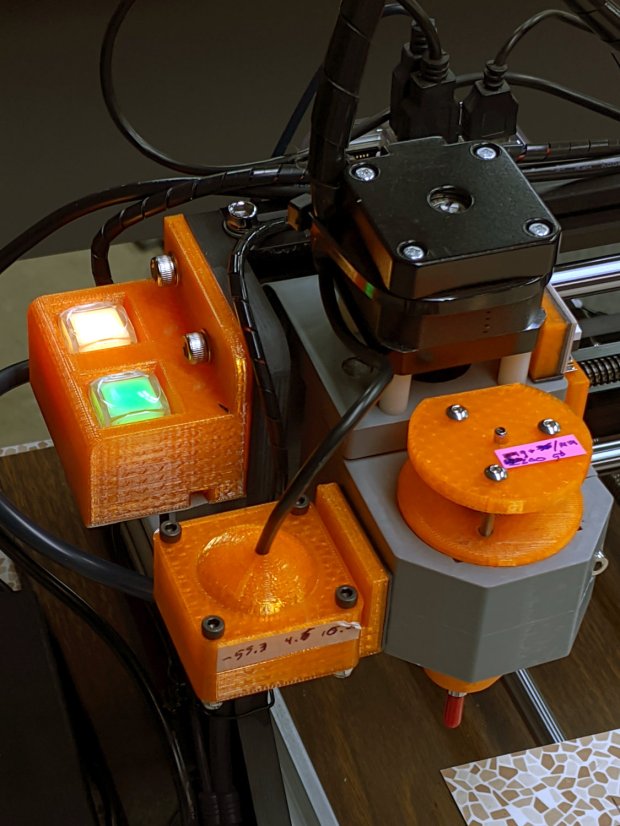
    Although the bCNC GUI has conspicuous Run / Hold buttons, it’s easier to poke a physical switch when you really really need a pause in the action or have finished a (manual) tool change. Rather than the separate button box I built for the frameless MPCNC, I designed a chunky switch holder for the CNC 3018XL’s gantry plate:

    CNC 3018-Pro - Run Hold Switches - installed
    CNC 3018-Pro – Run Hold Switches – installed

    The original 15 mm screws were just slightly too short, so those are 20 mm stainless SHCS with washers.

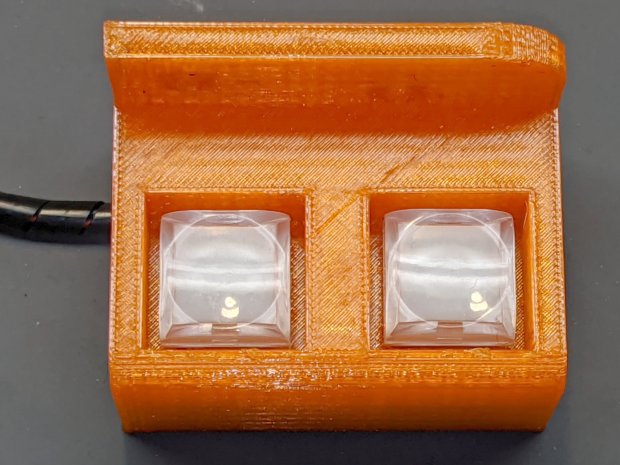
    The switches come from a long-ago surplus deal and have internal green and red LEDs. Their transparent cap shows what might be white plastic underneath:

    CNC 3018-Pro - Run Hold Switches - top unlit
    CNC 3018-Pro – Run Hold Switches – top unlit

    I think you could pry the cap off and tuck a printed legend inside, but appropriate coloration should suffice:

    CNC 3018-Pro - Run Hold Switches - lit
    CNC 3018-Pro – Run Hold Switches – lit

    Making yellow from red and green LEDs always seems like magic; in these buttons, red + green produces a creamy white. Separately, the light looks like what you get from red & green LEDs.

    The solid model shows off the recesses around the LED caps, making their tops flush with the surface to prevent inadvertent pokery:

    Run Hold Switch Mount - Slic3r
    Run Hold Switch Mount – Slic3r

    The smaller square holes through the block may require a bit of filing, particularly in the slightly rounded corners common to 3D printing, to get a firm press fit on the switch body. The model now has slightly larger holes which may require a dab of epoxy.

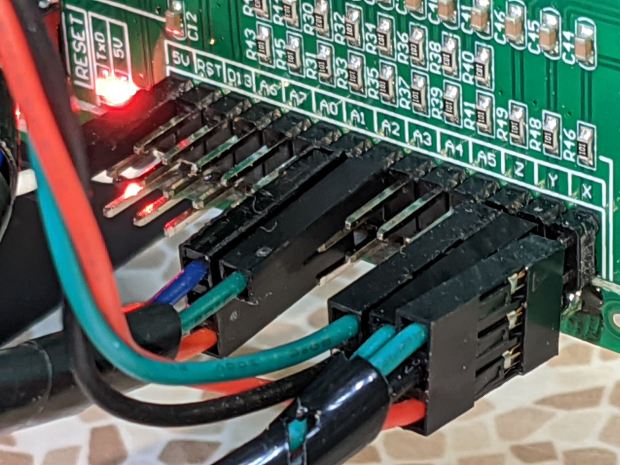
    A multi-pack of RepRap-style printer wiring produced the cable, intended for a stepper motor and complete with a 4-pin Dupont socket housing installed on one end. I chopped the housing down to three pins, tucked the fourth wire into a single-pin housing, and plugged them into the CAMtool V3.3 board:

    CNC 3018-Pro - Run Hold Switches - CAMtool V3.3 header
    CNC 3018-Pro – Run Hold Switches – CAMtool V3.3 header

    The CAMtool schematic matches the default GRBL pinout, which comes as no surprise:

    CAMtool schematic - Start Hold pinout
    CAMtool schematic – Start Hold pinout

    The color code, such as it is:

    • Black = common
    • Red = +5 V
    • Green = Run / Start (to match the LED)
    • Blue = Hold (because it’s the only color left)

    The cable goes into 4 mm spiral wrap for protection & neatness, with the end hot-melt glued into the block:

    CNC 3018-Pro - Run Hold Switches - bottom
    CNC 3018-Pro – Run Hold Switches – bottom

    The model now includes the wiring channel between the two switches, which is so obviously necessary I can’t imagine why I didn’t include it. The recess on the top edge clears the leadscrew sticking slightly out of the gantry plate.

    The LEDs require ballast resistors: 120 Ω for red and 100 Ω for green, producing about 15 mA in each LED. Those are 1/8 W film resistors; I briefly considered SMD resistors, but came to my senses just in time.

    A layer of black duct tape finishes the bottom sufficiently for my simple needs.

    Note: the CAMtool board doesn’t have enough +5 V pins, so add a row of +5 V pins just below the standard header. If you’ve been following along, you needed them when you installed the home switches:

    3018 CNC CAMTool - Endstop power mod
    3018 CNC CAMTool – Endstop power mod

    A doodle giving relevant dimensions and layouts:

    Run Hold Switch Mount - Layout Doodles
    Run Hold Switch Mount – Layout Doodles

    I originally planned to mount the switches on the other gantry plate and sketched them accordingly, but (fortunately) realized the stepper motor was in the way before actually printing anything.

    The OpenSCAD source code as a GitHub Gist:

    // CNC 3018-Pro Run-Hold Switches
    // Ed Nisley – KE4ZNU – 2020-01
    Layout = "Build"; // [Show,Build,ProjectionX,ProjectionY,ProjectionZ,Block]
    /* [Hidden] */
    ThreadThick = 0.25;
    ThreadWidth = 0.40;
    HoleWindage = 0.2;
    Protrusion = 0.1; // make holes end cleanly
    function IntegerMultiple(Size,Unit) = Unit * ceil(Size / Unit);
    ID = 0;
    OD = 1;
    LENGTH = 2;
    inch = 25.4;
    //———————-
    // Dimensions
    RodScrewOffset = [22,0,-14.5]; // X=left edge, Y=dummy, Z=from top edge
    BeamScrewOffset = [50,0,-10];
    LeadScrewOffset = [RodScrewOffset.x,0,-45]; // may be off the bottom; include anyway
    LeadScrew = [8.0,10.0,5.0]; // ID=actual, OD=clearance, LENGTH=stick-out
    Screw = [5.0,10.0,6.0]; // M5 SHCS, OD=washer, LENGTH=washer+head
    ScrewSides = 8; // hole shape
    WallThick = 3.0; // minimum wall thickness
    FlangeThick = 5.0; // flange thickness
    Switch = [15.0 + 2*HoleWindage,15.0 + 2*HoleWindage,12.5]; // switch body
    SwitchCap = [17.5,17.5,12.0]; // … pushbutton
    SwitchClear = SwitchCap + [2*2.0,2*2.0,Screw[OD]/(2*cos(180/ScrewSides))];
    SwitchContacts = 5.0; // contacts below switch
    SwitchBase = SwitchContacts + Switch.z; // bottom to base of switch
    MountOffset = abs(RodScrewOffset.z) + SwitchClear.z; // top of switch mounting plate
    FrameWidth = 60.0; // CNC 3018-Pro upright
    FrameRadius = 10.0; // … front corner rounding
    CornerRadius = 5.0; // pretty part rounding
    CornerSquare = 10; // dummy for square corner
    MountOAL = [FrameWidth, // covers machine frame
    2*FlangeThick + 2*Screw[LENGTH] + SwitchClear.y, // clear screw heads
    MountOffset + Switch.z + SwitchContacts
    ];
    echo(str("MountOAL: ",MountOAL));
    SwitchOC = [MountOAL.x/2,FlangeThick + 2*Screw[LENGTH] + SwitchClear.y/2,0];
    CableOD = 5.0;
    NumSides = 2*3*4;
    Gap = 2.0; // between build layout parts
    //———————-
    // Useful routines
    module PolyCyl(Dia,Height,ForceSides=0) { // based on nophead's polyholes
    Sides = (ForceSides != 0) ? ForceSides : (ceil(Dia) + 2);
    FixDia = Dia / cos(180/Sides);
    cylinder(r=(FixDia + HoleWindage)/2,
    h=Height,
    $fn=Sides);
    }
    // Projections for intersections
    module ProjectionX() {
    sr = CornerSquare/2;
    rotate([0,90,0]) rotate([0,0,90])
    linear_extrude(height=FrameWidth,convexity=3)
    // mirror([1,0]) // mount on motor side of gantry
    union() {
    translate([0,-MountOAL.z])
    square([FlangeThick,MountOAL.z]);
    hull() {
    translate([MountOAL.y – CornerRadius,-MountOffset + SwitchCap.z – CornerRadius])
    circle(r=CornerRadius,$fn=NumSides);
    translate([sr,-MountOffset + SwitchCap.z – sr])
    square(CornerSquare,center=true);
    translate([sr,-MountOAL.z + sr])
    square(CornerSquare,center=true);
    translate([MountOAL.y – sr,-MountOAL.z + sr])
    square(CornerSquare,center=true);
    }
    }
    }
    module ProjectionY() {
    sr = CornerSquare/2;
    rotate([90,0,0])
    translate([0,0,-FrameWidth])
    difference() {
    linear_extrude(height=2*FrameWidth,convexity=3)
    hull() {
    translate([FrameRadius,-FrameRadius])
    circle(r=FrameRadius,$fn=NumSides);
    translate([FrameWidth – sr,-sr])
    square(CornerSquare,center=true);
    translate([sr,-MountOAL.z + sr])
    square(CornerSquare,center=true);
    translate([MountOAL.x – sr,-MountOAL.z + sr])
    square(CornerSquare,center=true);
    }
    translate([RodScrewOffset.x,RodScrewOffset.z,-Protrusion])
    rotate(180/ScrewSides) PolyCyl(Screw[ID],2*(FrameWidth + Protrusion),ScrewSides);
    for (j=[-FlangeThick,FrameWidth + FlangeThick])
    translate([RodScrewOffset.x,RodScrewOffset.z,j])
    rotate(180/ScrewSides) PolyCyl(Screw[OD],FrameWidth,ScrewSides);
    translate([BeamScrewOffset.x,BeamScrewOffset.z,-Protrusion])
    rotate(180/ScrewSides) PolyCyl(Screw[ID],2*(FrameWidth + Protrusion),ScrewSides);
    for (j=[-FlangeThick,FrameWidth + FlangeThick])
    translate([BeamScrewOffset.x,BeamScrewOffset.z,j])
    rotate(180/ScrewSides) PolyCyl(Screw[OD],FrameWidth,ScrewSides);
    translate([LeadScrewOffset.x,LeadScrewOffset.z,FrameWidth – LeadScrew[LENGTH]])
    rotate(180/ScrewSides) PolyCyl(LeadScrew[OD],2*LeadScrew[LENGTH],ScrewSides);
    }
    }
    module ProjectionZ() {
    translate([0,0,-MountOAL.z])
    // mirror([0,1]) // mount on motor side of gantry
    difference() {
    linear_extrude(height=MountOAL.z,convexity=3)
    difference() {
    square([MountOAL.x,MountOAL.y]);
    translate([SwitchOC.x/2,SwitchOC.y])
    square([Switch.x,Switch.y],center=true);
    translate([3*SwitchOC.x/2,SwitchOC.y])
    square([Switch.x,Switch.y],center=true);
    }
    for (i=[-1,1])
    translate([i*SwitchOC.x/2 + MountOAL.x/2,SwitchOC.y,SwitchBase + MountOAL.z/2])
    cube([SwitchClear.x,SwitchClear.y,MountOAL.z],center=true);
    translate([-Protrusion,SwitchOC.y – 2*CableOD – Switch.y/2,-Protrusion])
    cube([MountOAL.x + 2*Protrusion,CableOD,CableOD + Protrusion],center=false);
    for (i=[-1,1])
    translate([i*SwitchOC.x/2 + MountOAL.x/2,SwitchOC.y – SwitchCap.y/2,CableOD/2 – Protrusion])
    cube([CableOD,SwitchClear.y/2,CableOD + Protrusion],center=true);
    translate([SwitchOC.x/2,SwitchOC.y – CableOD/2,-Protrusion])
    cube([SwitchOC.x,CableOD,CableOD + Protrusion],center=false);
    }
    }
    module Block() {
    intersection() {
    ProjectionX();
    ProjectionY();
    ProjectionZ();
    }
    }
    //- Build things
    if (Layout == "ProjectionX")
    ProjectionX();
    if (Layout == "ProjectionY")
    ProjectionY();
    if (Layout == "ProjectionZ")
    ProjectionZ();
    if (Layout == "Block")
    Block();
    if (Layout == "Show") {
    translate([-MountOAL.x/2,-MountOAL.y/2,MountOAL.z]) {
    Block();
    translate([MountOAL.x/2 + SwitchOC.x/2,SwitchOC.y,SwitchCap.z/2 – MountOAL.z + SwitchBase + 0*Switch.z])
    color("Yellow",0.75)
    cube(SwitchCap,center=true);
    translate([MountOAL.x/2 – SwitchOC.x/2,SwitchOC.y,SwitchCap.z/2 – MountOAL.z + SwitchBase + 0*Switch.z])
    color("Green",0.75)
    cube(SwitchCap,center=true);
    }
    }
    if (Layout == "Build")
    translate([-MountOAL.x/2,-MountOAL.y/2,MountOAL.z])
    Block();

    It seems bCNC doesn’t update its “Restart Spindle” message after a tool change when you poke the green button (instead of the GUI button), but that’s definitely in the nature of fine tuning.