Ed Nisley's Blog: Shop notes, electronics, firmware, machinery, 3D printing, laser cuttery, and curiosities. Contents: 100% human thinking, 0% AI slop.
The rise and fall times for the LEDs on the over-the-top blinky taillight left a bit to be desired, at least if you were interested in short pulses:
VG 1193 mV – ID 50 mA-div – 1 ms PWM filter – overview
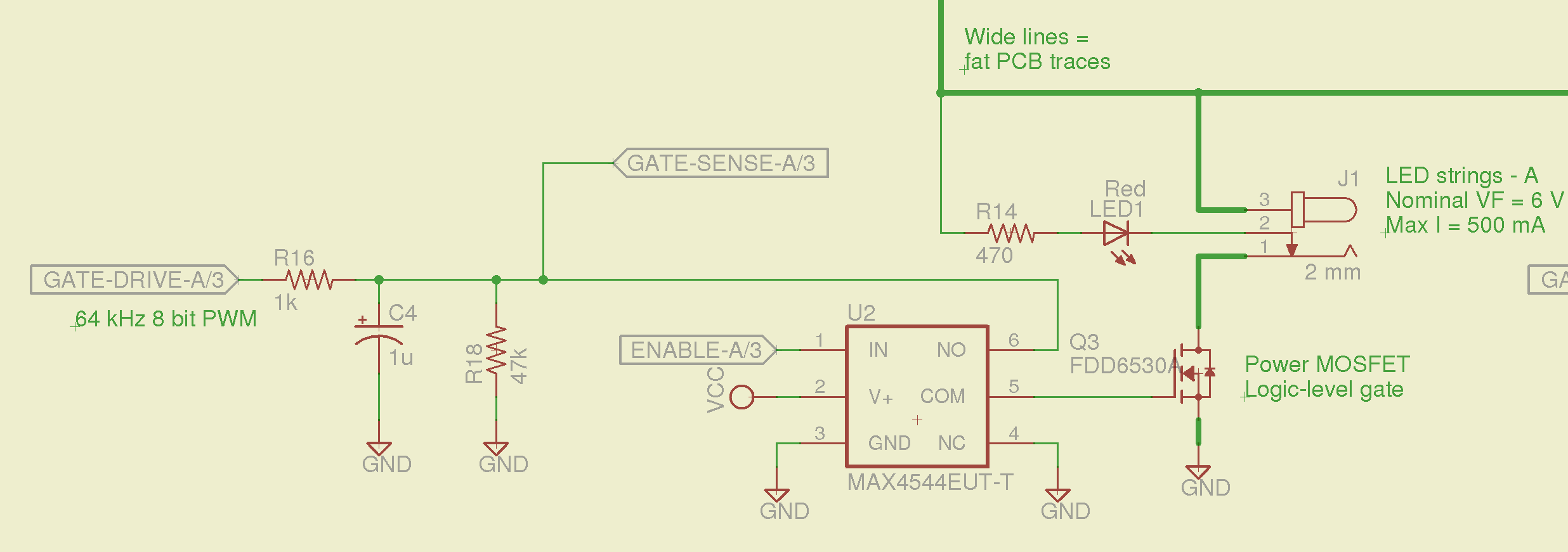
So I spliced an analog switch between the PWM filter and the gate, with inputs selecting ground and the PWM drive voltage:
Switched MOSFET gate – analog switch schematic
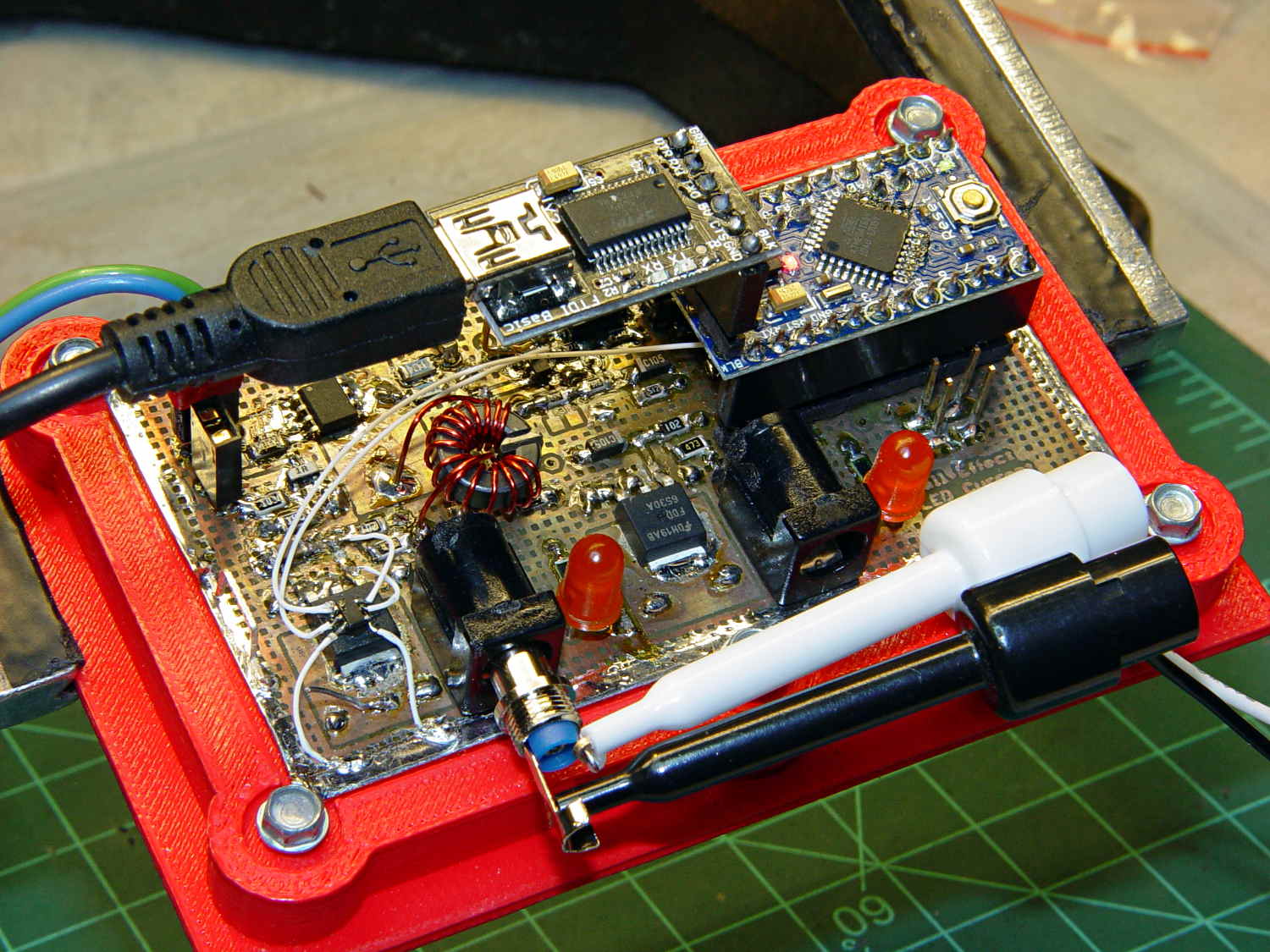
This being a prototype, that involved epoxying a SOT23-6 package atop the MOSFET, with flying wires all over the PCB:
Hall Effect PCB – MOSFET gate switch
It works pretty well:
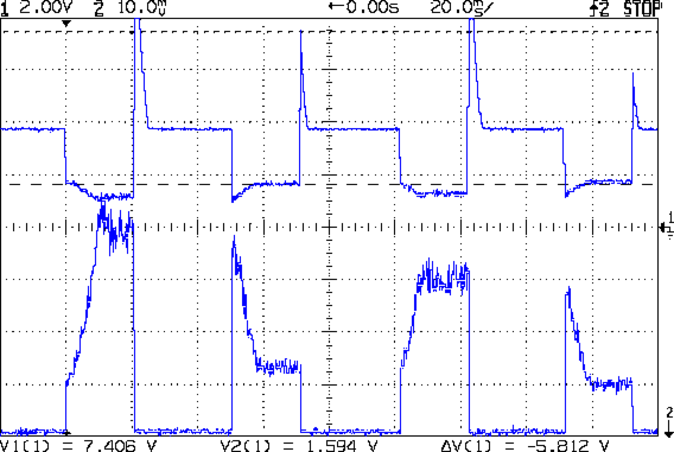
VDS ILED 50 mA div – 200 50 150 25 mA
The top trace is the drain voltage and the bottom trace is the LED current at 50 mA/div.
The current transitions come out vertical at any sweep speed, even through the Tek Hall effect current probe. The pulses would be rectangular if I weren’t changing the current for each one.
The current feedback loop closes through the Arduino’s main loop, which includes a 1 ms delay after each PWM output change before measuring the LED current. As a result, each loop takes just under 2 ms, but, fortunately, ramping from 25 mA (in the last pulse) to 200 mA (in the first pulse) requires less than 10 PWM increments; you can see the stairsteps if you squint.
Next up: bump the PWM to 64 kHz (from 32 kHz) and rip out the pull-down resistor that used to hold the gate near ground when the output floated as an input. That should improve the output ripple caused by the MOSFET’s bias as a perfectly serviceable linear amplifier.
The control loop now fetches durations & currents from an array-of-structs, so I can customize each pulse. An obvious enhancement: remember the gate drive that produced a given current, then restore the corresponding value as the starting PWM setting for each pulse, so the loop begins closer to reality. The gate drive varies with temperature and suchlike, so it can’t be a compile-time constant, but maybe the startup routine could preload the array / list / cache with values taken from a “lamp test”.
Four close-together flashes repeating at about 2 Hz, even with two runt pulses, turn the LEDs into a real eye magnet…
A solderless breadboard sufficed for the simple circuitry behind the strobe controller:
Strobe Photography – control breadboard
I used a separate 7.5 V supply for the Arduino Pro Mini to keep the relay noise out of the VCC circuit, but that’s probably not really necessary; you could back-drive the Pro Mini’s regulator with +5 V and it’d be perfectly happy. There’s a +5 V wall wart for the relay, LEDs, and so forth.
Protip: you do not want to drive all the other circuitry through the Pro Mini’s tiny little regulator. Work out the power dissipation in the regulator caused by a 130 Ω relay, about 10 mA for the laser, 100 mA for the white LED, and whatever the Pro Mini draws. Yeah, some of those are intermittent loads, but work it out anyway.
A 1.5 V bench supply powers the Xenon strobe in place of the AA alkaline cell I used at first. The boost circuit pins the supply at 3 A for a few seconds, then settles at about 350 mA (!) while idling; no wonder the poor little AA cells don’t last very long!
The control program is also dead simple; it’s mostly a state machine that notices when the photocurrent drops to zero, then steps through a series of fixed delays while turning the laser, LED, and strobe outputs on and off.
The default values highlight a falling object about 200 mm below the laser beam-break sensor, assuming you release the object just above the beam:
Ball at 200 mm – detail
The laser beam is at the 200 mm mark, so that ball passing 400 mm has dropped 200 mm.
The quadrature encoder knob recycles the same interrupt handler I used earlier, with the shaft button selecting either the LED delay (pushed) or the Xenon strobe delay (released). There’s precious little error checking, as befits a quick hack job, so use at your own risk…
The Arduino source code:
// Optical flash triggering
// Ed Nisley - KE4ANU - March 2014

//----------
// Pin assignments

const byte PIN_KNOB_A = 2;			// knob A switch - must be on ext interrupt 2
const byte PIN_KNOB_B = 4;			//  .. B switch
const byte PIN_KNOB_SWITCH = A3;	//  .. shaft push switch

const byte PIN_PHOTOCURRENT = A0;	// photodiode current input

const byte PIN_LASER = 8;   		// laser drive -active
const byte PIN_LED = 7;		   		// LED drive -active
const byte PIN_FLASH = 12;			// Xenon flash relay -active

const byte PIN_SYNC = 13;			// scope sync - and Arduino LED

//----------
// Constants

enum FALLING_STATES {F_IDLE,F_WAIT,F_DETECT,F_PREFALL,F_LED,F_MD,F_FLASH,F_CLEAR};

enum KNOB_STATES {KNOB_CLICK_0,KNOB_CLICK_1};

//----------
// Globals

const unsigned long UPDATEMS = 250;	// update displays only this many ms apart

volatile char KnobCounter = 0;
volatile byte KnobState;

byte Button, PrevButton;

byte Falling = F_IDLE;				// cold start the detection state machine

unsigned long FallStart;			// when we we detected the falling object

unsigned int DetectLevel = 200;		// ADC reading for object detection

unsigned int DelayLED = 1;			// ms from trigger detect to LED preflash

unsigned int DelayFlash = 180;		//  ... to Xenon flash

unsigned int DelayClear = 6000;		//  ... after impact to allow camera restart

const byte PulseLED = 50;			// ms LED on to pass motion detection threshold
const byte PulseFlash = 20;			// ms Xenon flash relay on

const unsigned int RelayAdvance = 3;	// ms relay activation to Xenon flash

unsigned long MillisNow;
unsigned long MillisThen;

//-- Helper routine for printf()

int s_putc(char c, FILE *t) {
  Serial.write(c);
}

//-- Knob interrupt handler

void KnobHandler(void)
{
	byte Inputs;
	Inputs = digitalRead(PIN_KNOB_B) << 1 | digitalRead(PIN_KNOB_A);  // align raw inputs
//	Inputs ^= 0x02;                             // fix direction

	switch (KnobState << 2 | Inputs) {
	case 0x00 : 				// 0 00 - glitch
        break;
	case 0x01 : 				 // 0 01 - UP to 1
        KnobCounter++;
		KnobState = KNOB_CLICK_1;
		break;
	case 0x03 : 				 // 0 11 - DOWN to 1
        KnobCounter--;
		KnobState = KNOB_CLICK_1;
		break;
	case 0x02 : 				 // 0 10 - glitch
        break;
	case 0x04 : 				 // 1 00 - DOWN to 0
        KnobCounter--;
		KnobState = KNOB_CLICK_0;
		break;
	case 0x05 : 				 // 1 01 - glitch
        break;
	case 0x07 : 				 // 1 11 - glitch
        break;
	case 0x06 : 				 // 1 10 - UP to 0
        KnobCounter++;
		KnobState = KNOB_CLICK_0;
		break;
	default :  					// something is broken!
        KnobCounter = 0;
		KnobState = KNOB_CLICK_0;
	}
}

//------------------
// Set things up

void setup() {

	pinMode(PIN_SYNC,OUTPUT);
	digitalWrite(PIN_SYNC,LOW);			// show we arrived

	pinMode(PIN_KNOB_B,INPUT_PULLUP);
	pinMode(PIN_KNOB_A,INPUT_PULLUP);
	pinMode(PIN_KNOB_SWITCH,INPUT_PULLUP);

    pinMode(PIN_LASER,OUTPUT);
    digitalWrite(PIN_LASER,HIGH);

    pinMode(PIN_LED,OUTPUT);
    digitalWrite(PIN_LED,HIGH);

    pinMode(PIN_FLASH,OUTPUT);
    digitalWrite(PIN_FLASH,HIGH);

	KnobState = digitalRead(PIN_KNOB_A);
	Button = PrevButton = !digitalRead(PIN_KNOB_SWITCH);

	attachInterrupt((PIN_KNOB_A - 2),KnobHandler,CHANGE);

	Falling = F_IDLE;

	Serial.begin(9600);
	fdevopen(&s_putc,0);				// set up serial output for printf()

	printf("Xenon Flash Trigger\r\nEd Nisley - KE4ZNU - March 2014\r\n");

	MillisThen = millis();

}

//------------------
// Go flash!

void loop() {

	MillisNow = millis();

	if (KnobCounter) {
		Button = !digitalRead(PIN_KNOB_SWITCH);
		if (Button)
			DelayLED += KnobCounter;
		else
			DelayFlash += KnobCounter;

		DelayLED = min(DelayLED,DelayFlash - PulseLED);
		printf("Knob: %d, LED: %d, Flash: %d\n",KnobCounter,DelayLED,DelayFlash);
		KnobCounter = 0;
	}

	digitalWrite(PIN_SYNC,HIGH);

	switch (Falling) {
	case F_IDLE :								// turn on laser for object detection
		digitalWrite(PIN_LASER,LOW);
		printf("Laser on, stabilizing... ");
		while (analogRead(PIN_PHOTOCURRENT) <= DetectLevel) {
			printf("*");
		}
		printf("\nReady!\n");
		Falling = F_WAIT;
		break;
	case F_WAIT :								// record starting time of beam break
		if (analogRead(PIN_PHOTOCURRENT) < DetectLevel) {
			FallStart = millis();
			Falling = F_DETECT;
		}
		break;
	case F_DETECT :								// turn off laser to signal detection
		digitalWrite(PIN_LASER,HIGH);
		Falling = F_PREFALL;
		break;
	case F_PREFALL :							// turn on LED to trigger camera motion detection
		if ((millis() - FallStart) >= DelayLED) {
			digitalWrite(PIN_LED,LOW);
			Falling = F_LED;
		}
		break;
	case F_LED : 								// turn off LED
		if ((millis() - FallStart) >= (DelayLED + PulseLED)) {
			digitalWrite(PIN_LED,HIGH);
			Falling = F_MD;
		}
		break;
	case F_MD :									// fire the strobe to take picture
		if ((millis() - FallStart) >= (DelayFlash - RelayAdvance)) {
			digitalWrite(PIN_FLASH,LOW);
			Falling = F_FLASH;
		}
		break;
	case F_FLASH :								// turn off strobe relay
		if ((millis() - FallStart) >= (DelayFlash - RelayAdvance + PulseFlash)) {
			digitalWrite(PIN_FLASH,HIGH);
    		printf("Flash with LED delay: %d, Xenon delay: %d ...",DelayLED,DelayFlash);
			Falling = F_CLEAR;
		}
		break;
	case F_CLEAR :								// wait for camera to recycle
		if ((millis() - FallStart) >= DelayClear) {
			printf("done\n");
			Falling = F_IDLE;
		}
		break;
	default :
		printf("** Bad Falling state: %02X",Falling);
		Falling = F_IDLE;
	}

	digitalWrite(PIN_SYNC,LOW);

	if ((MillisNow - MillisThen) > UPDATEMS) {
//		printf("State: %02X\n",Falling);
		MillisThen = MillisNow;
	}

}
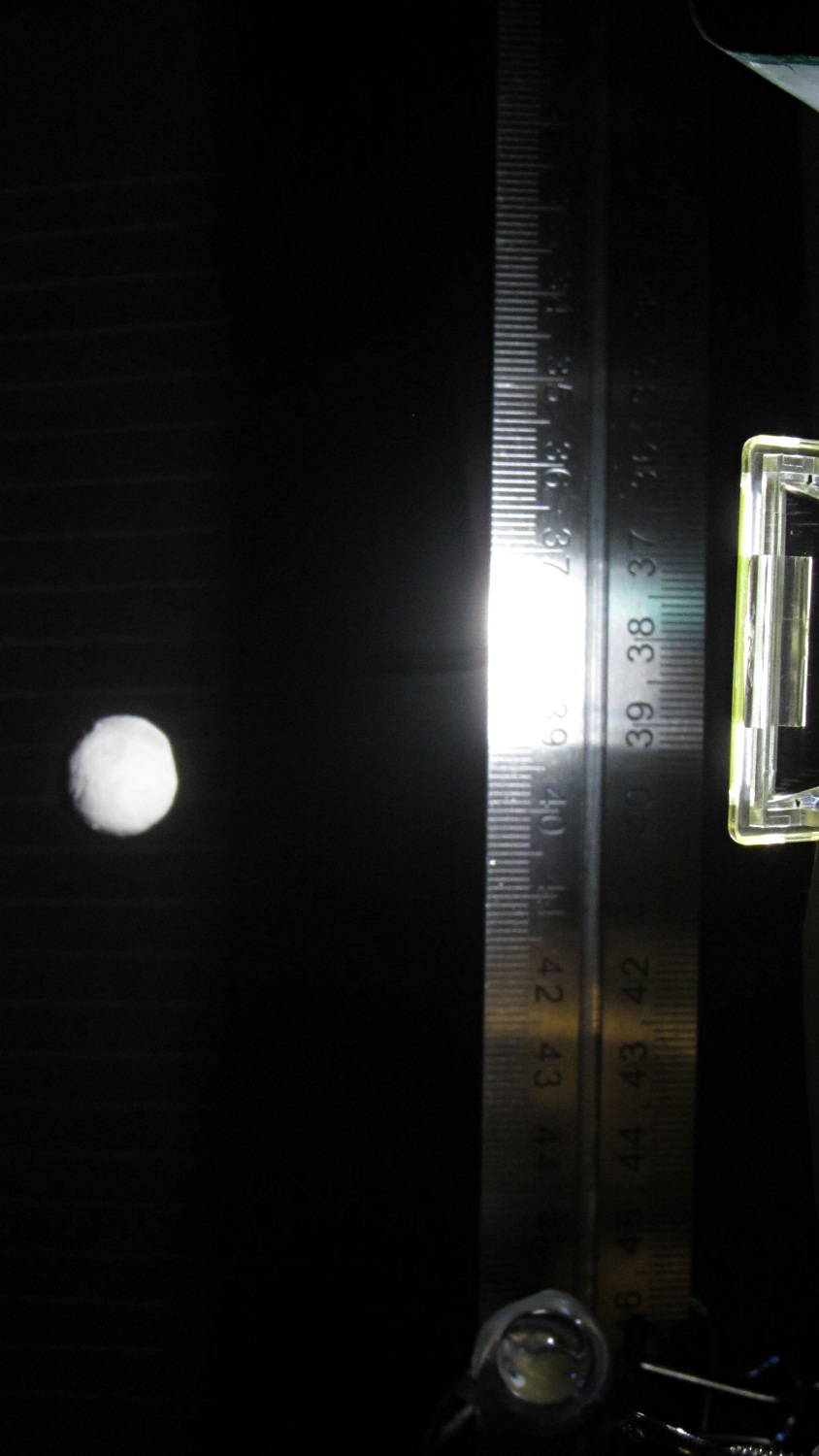
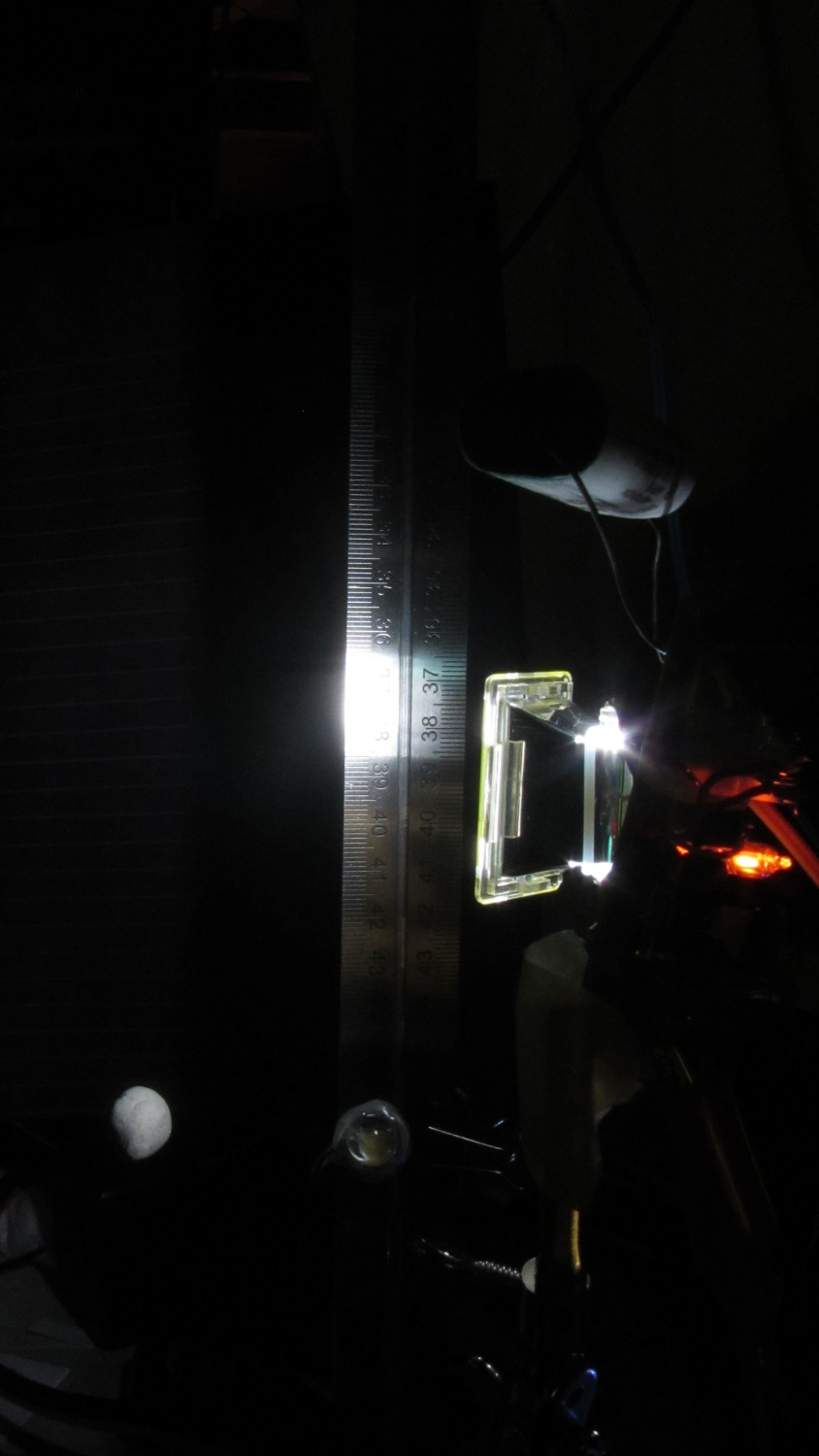
Small balls of modeling clay (2.2 g each, if you’re keeping score) make more tractable photographic targets than random benchtop clutter. The camera setup remains ISO 800, 1/10 s = 100 ms, f/8. The white LED blinks for 50 ms, starting 1 ms after the ball breaks the laser detector, and the Xenon strobe has a 1 µF capacitor.
Firing the Xenon flash 125 ms after the beam breaks produces intermittent results, with most shots being completely dark. That suggests the motion detection + shutter lag is roughly what I estimated based on the falling stars. Firing the flash earlier than 125 ms produces uniformly black images, so the lower numbers probably came from variations in my freehand release.
The ball at 125 ms:
Ball at 125 ms
With the shutter set to 1/10 s = 100 ms, the shutter will close at about 220 ms and, indeed the results become intermittent at that time.
The ball at 200 ms:
Ball at 220 ms
The 10 mm white LED that trips the CHDK motion detection script is just to the right of the ball in that picture. The orange glow to the right of the flash reflector comes from the unit’s neon “ready” indicator, which remains on until the flash happens.
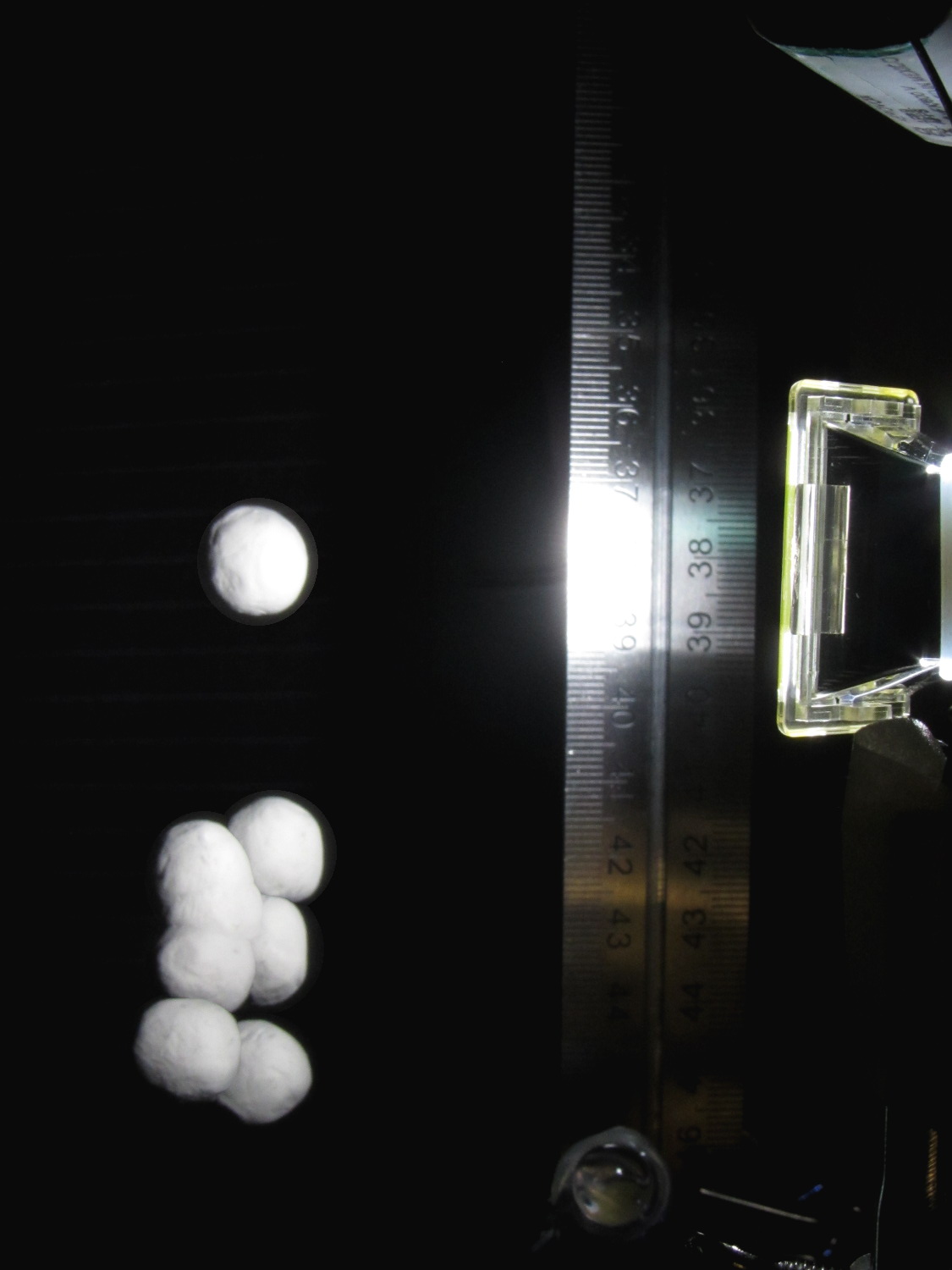
Dropping the ball by hand introduces considerable position jitter, mostly due to position error, early beam breaking, and general clumsiness. For example, here’s a composite view of eight successive drops captured at 200 ms after the beam break:
Ball at 200 ms – composite 47-54
The lower seven images cover a range of 30 mm, with the outlier (most likely due to sticky clay on my fingers) 40 mm above the top of the cluster. That’s measured at the bottom of the balls, because that’s what breaks the beam.
At 200 mm below the beam, the balls are traveling about 2 mm/ms (from v2 = 2ax), so the timing variation in the cluster is 15 ms and the top one is 20 ms off.
Switching the camera to ISO 1600 produced black images; evidently that changes the shutter delay time by far more than I expected. I suspect the only way to be sure involves more drop tests with good light and that meter stick; I’m not that motivated right now.
For what it’s worth, here’s a picture of the light output from the LED and Xenon flash, as captured by the 10AP photodiode aimed at the LED, with a card reflecting the flash toward the sensor:
Flash Timing – 10AP photodiode
The top trace is the beam break signal from the transconductance amp going into the Arduino. The bottom trace is the photovoltaic output of the 10AP photodiode, showing the LED and strobe flashes. The strobe delay is at 180 ms with 4 ms of relay delay compensation; dialing it back to 3 ms wouldn’t change things very much at all.
Tweaking the Arduino program to fire the LED 10 ms after the beam breaks, then fire the Xenon strobe 180 ms later produces this result:
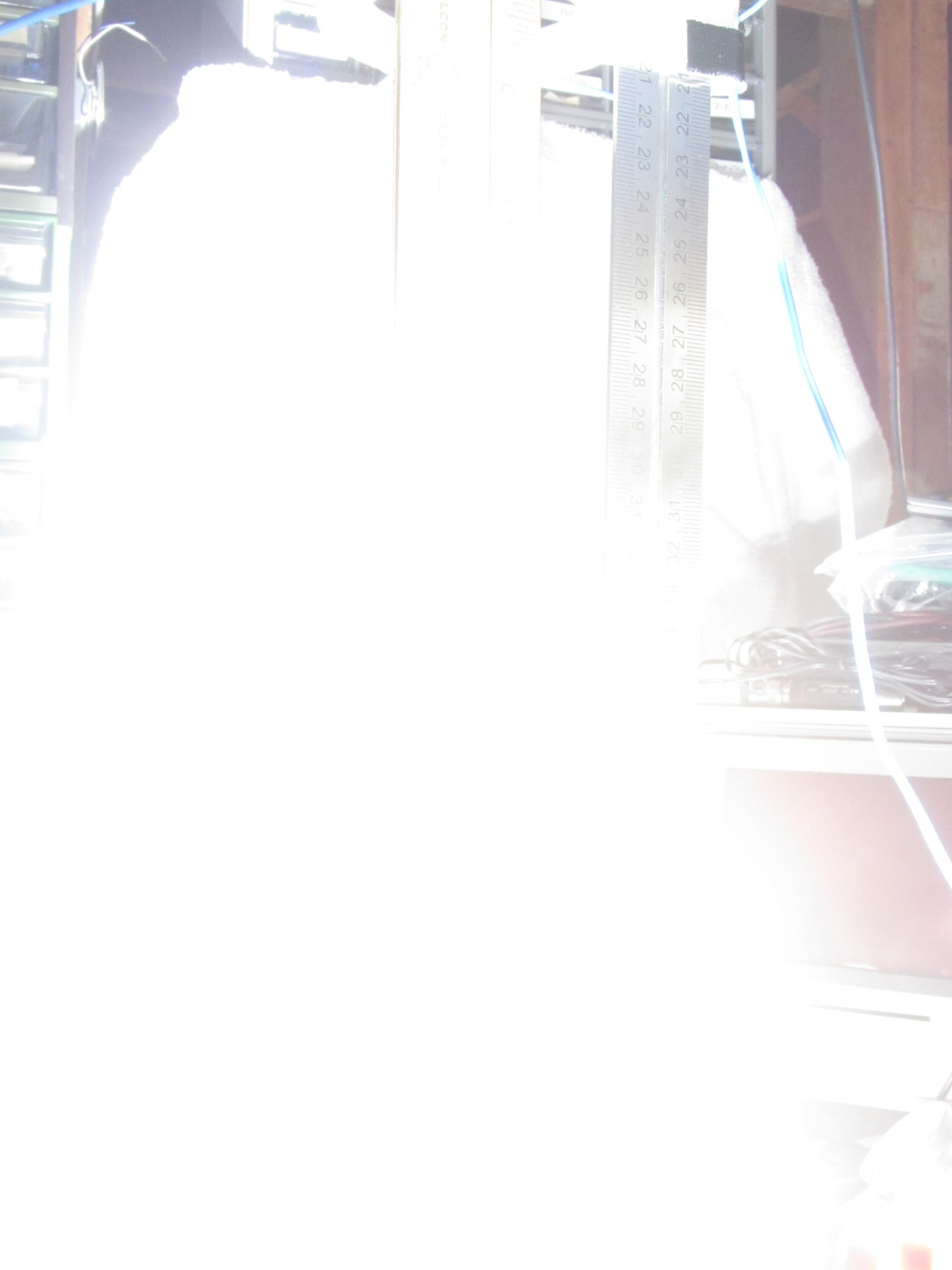
Drop test – ISO 800 – 100 ms f8 – overexposure
Obviously, that’s far too much light: ISO 800, 1/10 sec, f/8, with the flash a few inches from the action. There aren’t many free variables:
Shutter must be open long enough to span the timing jitter
Aperture is already as small as it gets for good depth of focus
ISO speed may be too high
Flash intensity is fixed for a given capacitor
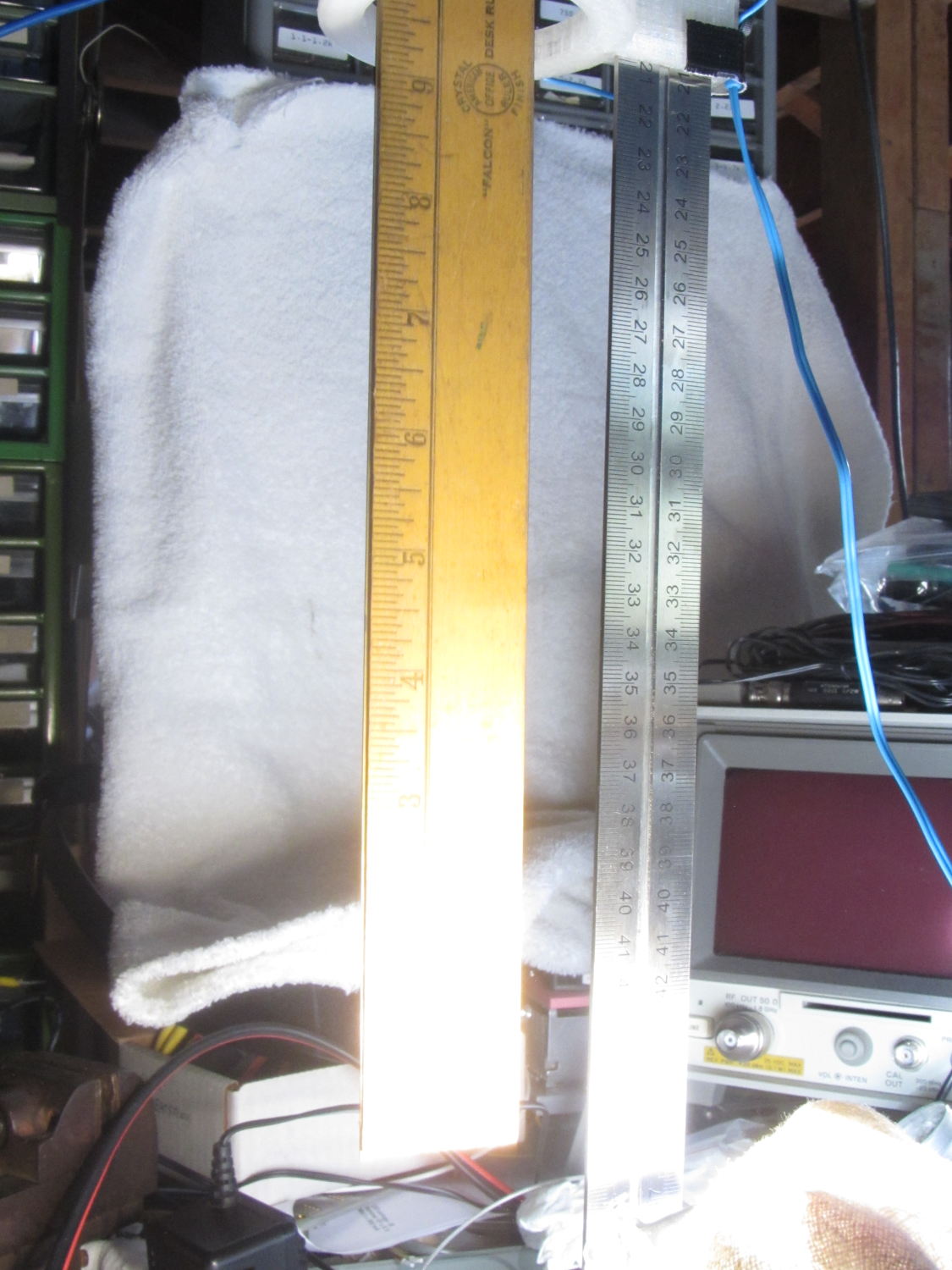
Throwing a shop rag over the flash helps a bit, capturing the ruler suspended in mid-air:
Drop test – ISO 800 – 100 ms f8 – cloth
However, replacing the 250 µF electrolytic flash capacitor with a 1 µF film cap reduces the stored energy by roughly an order of magnitude and reduces the flash pulse duration to about 100 µs.
The bottom two inches of the ruler now have lighting from the flash, while the rest of the image looks pretty good in natural light:
Drop test – ISO 800 – 100 ms f8 – 1 uF
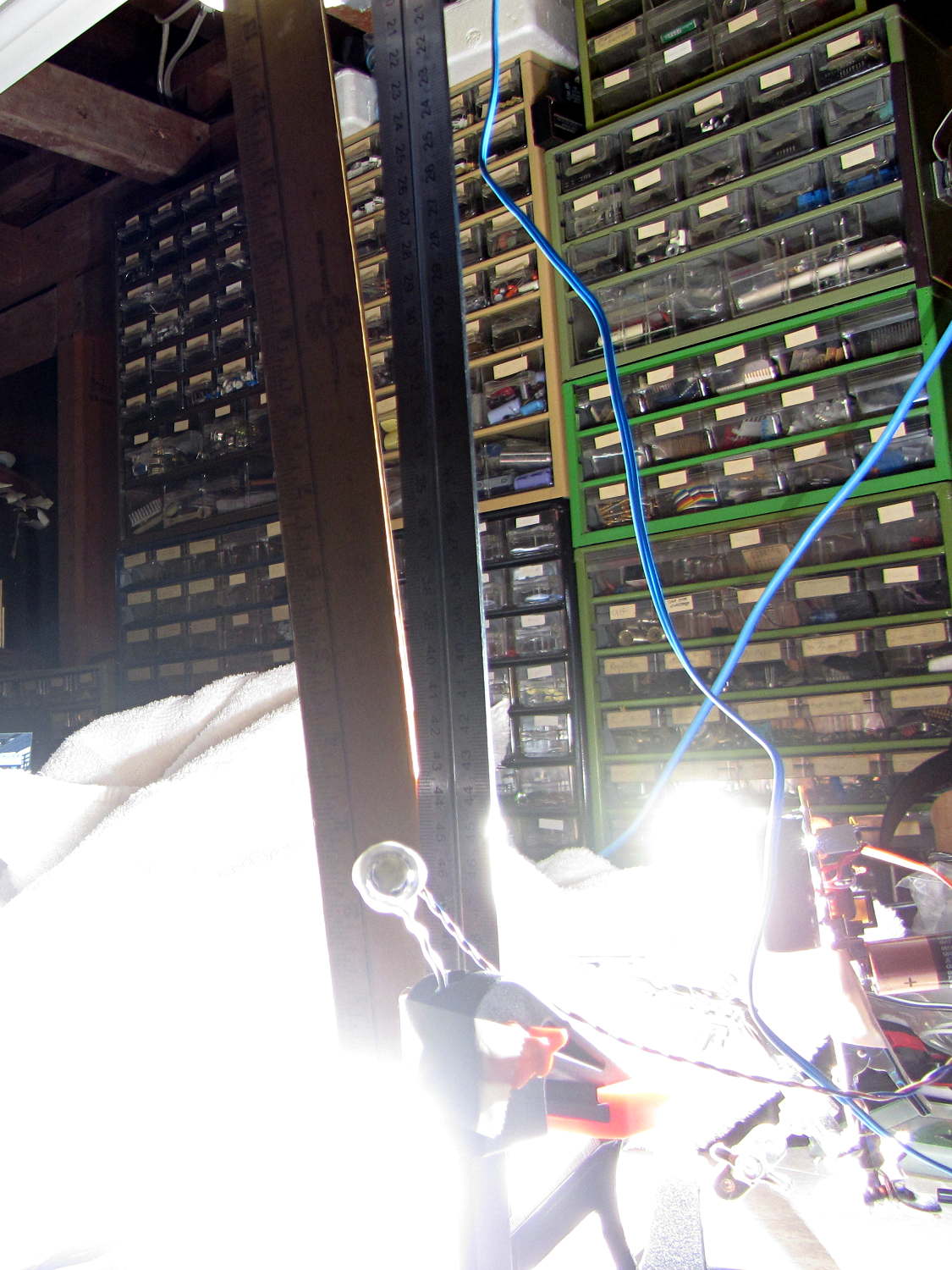
It turns out that having the laser and photodiode beam-break sensor within the view (the white ring at the top) doesn’t work, as the CHDK motion detector will notice the red spot on the ruler and trigger the shutter before the LED (clipped to the right of the vertical steel scale) flashes.
Several more trials showed that the flash fires consistently, but (as expected) the shutter triggering has some jitter. In this case, the shutter remained open after the flash and captured a blurred image as the ruler continued to fall:
Drop test – ISO 800 – 100 ms f8 – tail
Here, the shutter closed immediately after the flash, eliminating the blurred tail:
Drop test – ISO 800 – 100 ms f8 – no tail
Having the shutter close before the object reaches the bottom of the image is a Bad Thing, as it means the shutter triggered too early.
In both cases, the sharp image of the ruler overlays the blurred image captured in natural light. That’s more visible toward the top of the picture where the flash doesn’t reach very well.
I aligned the laser beam-break detector at 200 mm on the scale and the flash fired when the tip of the ruler was at 390 mm = 190 mm below the beam. The LED blinked 10 ms after the beam break and the Xenon flash fired at 180 ms; given all the vagaries involved, 190 mm is just about spot on the (revised) estimates.
Given those results showing that I had badly misjudged the delay from the time the CHDK motion-detection script notices a change until the time the shutter opens, some tests were obviously in order. I covered a door with black cloth, pinned a yardstick with metric divisions (it’s actually 4 ft long) to the cloth, set up the camera a meter away, zoomed in on the stick, fired up CHDK, and dropped a squishy foam star…
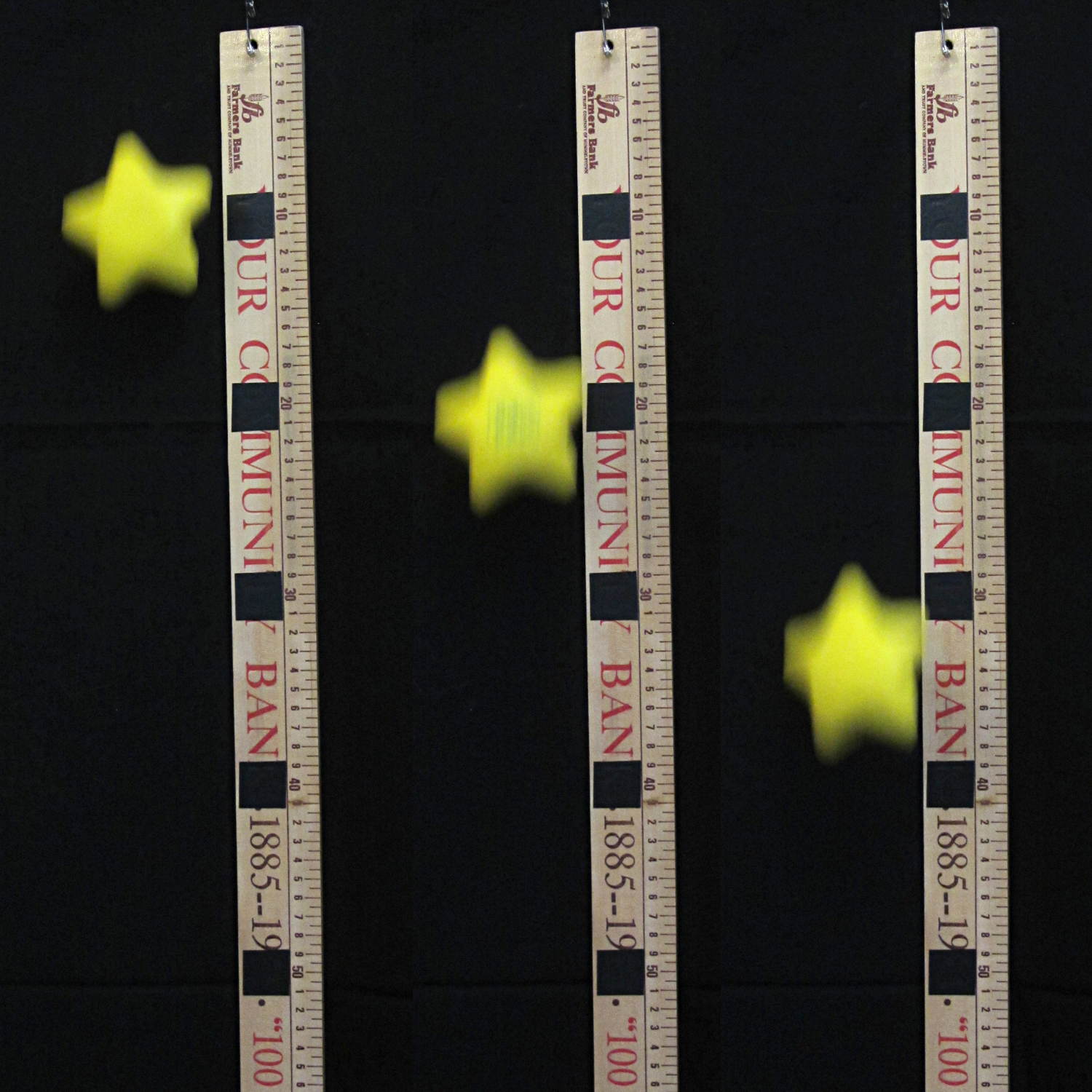
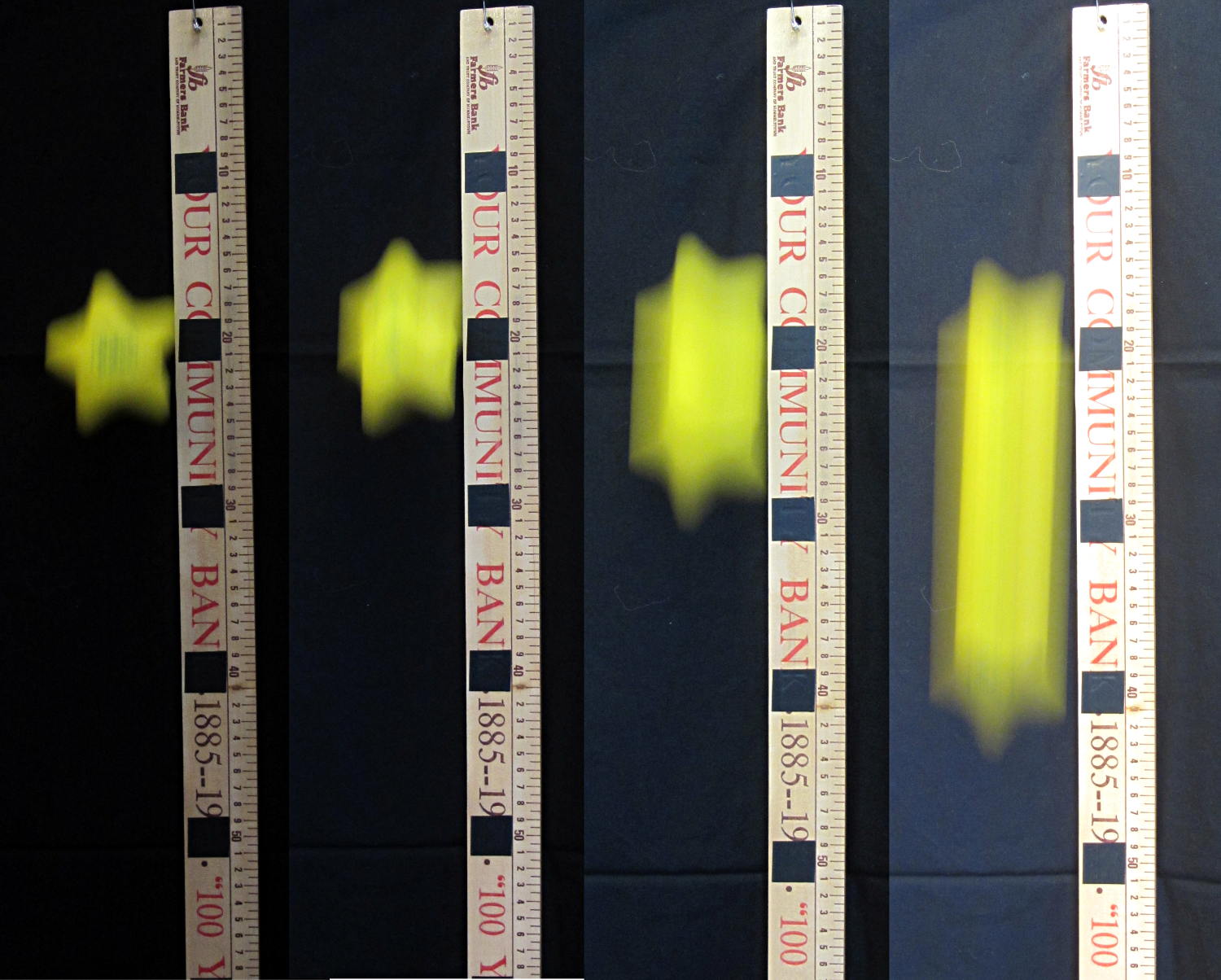
A composite image from three trials at 1/100 sec, ISO 800, manual everything, and the star starting with its bottom at the top of the stick:
SX230HS CHDK MD delay – 10 ms shutter
There’s no way to know exactly when the CHDK script detected the falling object, but I think it’s reasonable to assume the star was about halfway visible: call it a 50 mm drop that takes 100 ms.
In the left image, the bottom reaches 140 mm at 170 ms, which says the shutter delay is about 70 ms.
In the right image, the bottom is at 380 mm at 280 ms, so the delay is a whopping 180 ms.
The majority of the images, at all shutter speeds, seem to trigger with the bottom of the star around 250 mm at 225 ms, for a shutter delay of 125 ms. Based on a bunch of other pictures, a reasonable guesstimate would be a shutter delay of 125 -30 +30 ms, which says the shutter must be open for about 60 ms = 1/17 s; the camera can do 1/25, 1/20, 1/15, 1/13, and 1/10 in that range, so 1/15 s = 67 ms sounds about right.
Here’s a hand-picked assortment of shutter speeds, chosen for about the same vertical position when the shutter opens, showing that the motion blur scales exactly the way you’d expect:
SX230HS CHDK MD – shutter variations
Those are 1/100, 1/50, 1/25 and 1/13 s, respectively, all at ISO 800 with the iris wide open at f/4. You can see the increasing exposure from left to right.
In order to catch an object at 200 mm below the trigger point, the LED must flash almost immediately after the object breaks the laser beam in the sensor. Assuming the drop starts just above the beam, the timings for 1/15 s = 67 ms work out to (in round numbers):
Minimum: open @ 100 ms = 50 mm, remain open until 170 ms = 140 mm
Maximum: open @ 160 ms = 120 mm, remain open until 230 ms = 250 mm
That says the Xenon strobe must happen 165 ms after the beam breaks, with ±5 ms tolerance on either side, and the object will be 130 mm below the sensor.
The minimum shutter time might be 1/10 s = 100 ms, just to build up some slack:
Minimum: open @ 100 ms = 50 mm, remain open until 200 ms = 200 mm
Maximum: open @ 160 ms = 120 mm, remain open until 260 ms = 330 mm
That way, the strobe can happen anywhere between 160 and 200 ms, with some assurance of catching the object between 120 and 200 mm below the beam.
Adjusting those delays is a simple matter of software, but ya gotta know where to start…
The object being to light up a falling object at a known position, I ran off the usual Physics 1 spreadsheet relating position, time, and speed for the ideal case:
Initial Timing Estimates
I wanted the flash to occur when the object was about 200 mm below the trigger point (the laser-photodiode beam-break sensor), which turns out to be, conveniently enough, 200 ms after the drop. A 1/25 = 40 ms shutter time allowed for the ±10 ms or so of jitter that I assumed would be due to the CHDKmotion-detection script, but I did not have a good estimate of the delay from motion detection to shutter opening; I assumed it would be nearly zero. That meant the LED flash must occur about 50 ms earlier, at about 150 ms from the drop and 60 ms from the beam break; assuming I dropped the object about 30 mm above the beam break sensor.
Soooo, I baked those numbers into an Arduino program (more on that later), lashed the hardware together, and fired it up.
The beam-break sensor worked, the Arduino code worked, the LED and Xenon strobe fired, but all the pictures were black: the LED triggered the motion detection script, but the flash occurred either before or after the shutter opened.
After considerable adjustment of times, twisting of knobs, and general flailing around, this happened:
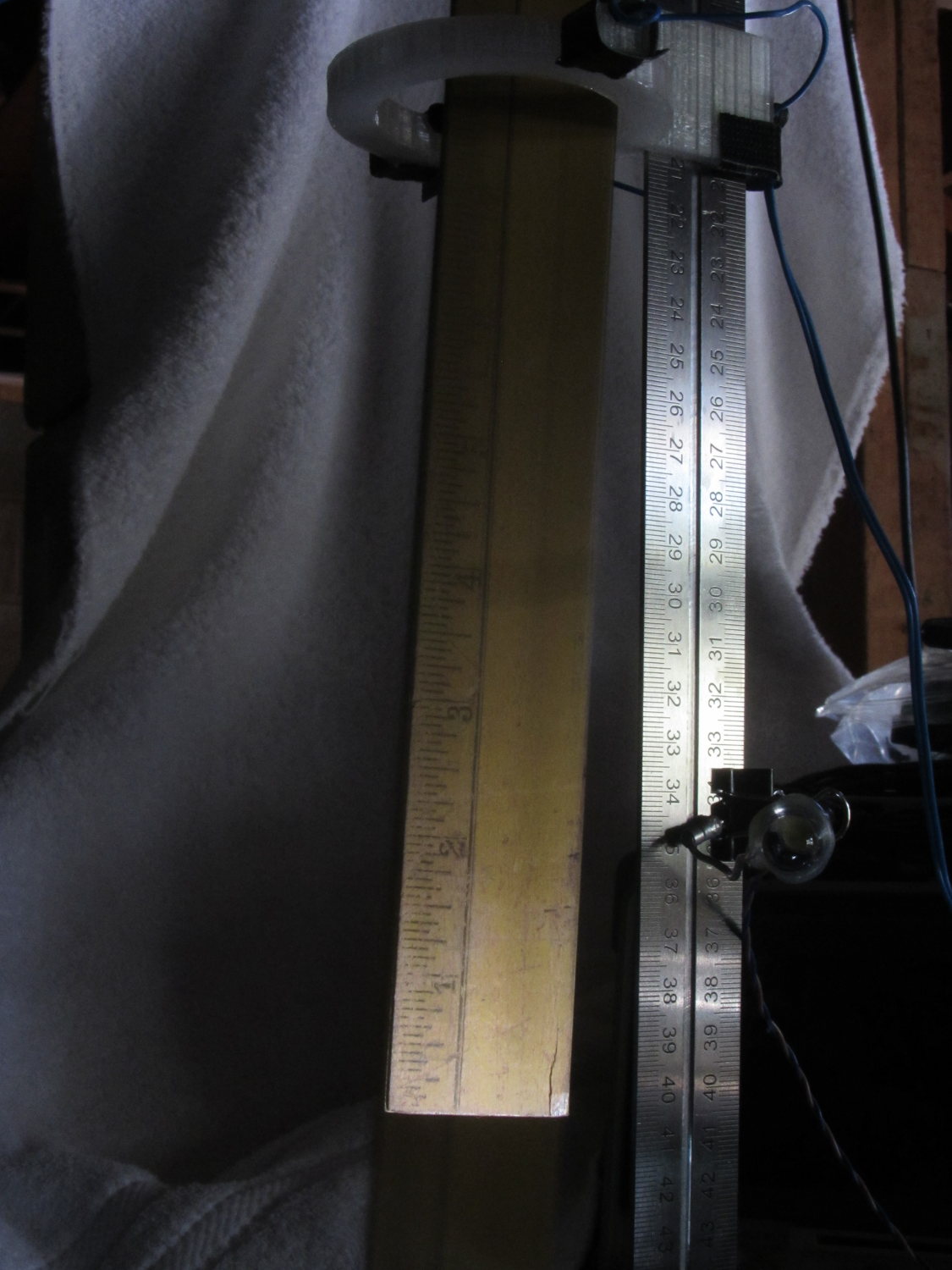
Strobe flash – falling ruler – top
If you look very, very closely, you can see a thin rectangular object at the top edge of the picture, just to the left of the machinist’s scale supporting the beam-break sensor, which, in turn, is barely visible to the left of the mysterious rectangle.
The round eye-like object peering at you from 1/3 up the scale is the 10 mm white LED that triggered the motion-detection script. It’s dark, because that flash ended long before the shutter opened.
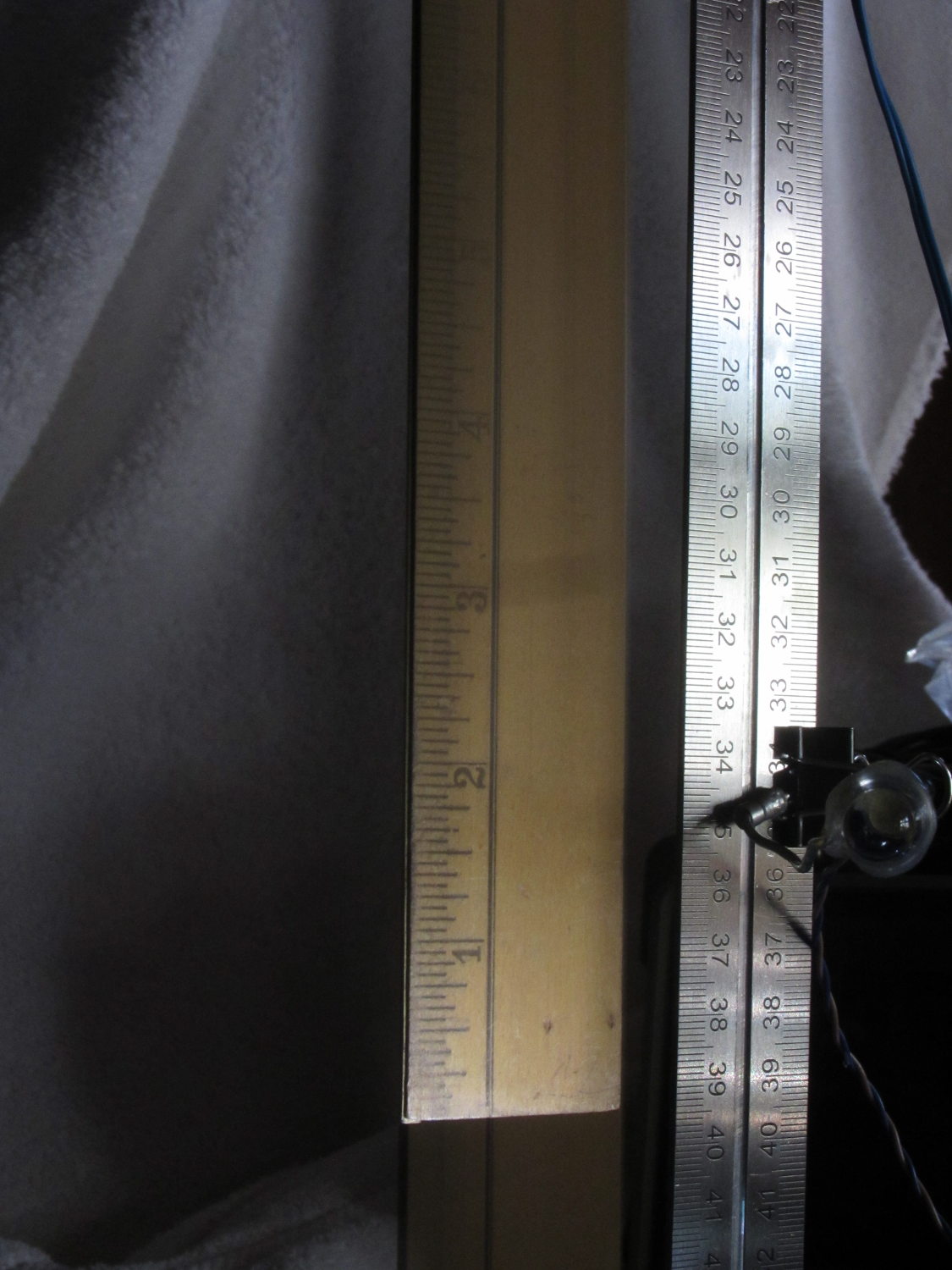
More flailing around stopped the object in the middle of the image:
Strobe flash – falling ruler – middle
The motivation for dropping a ruler: it’s long enough that you’re bound to catch at least part of it and the graduations let you estimate distances and times fairly accurately. That’s after you manage to catch at least part of it, of course.
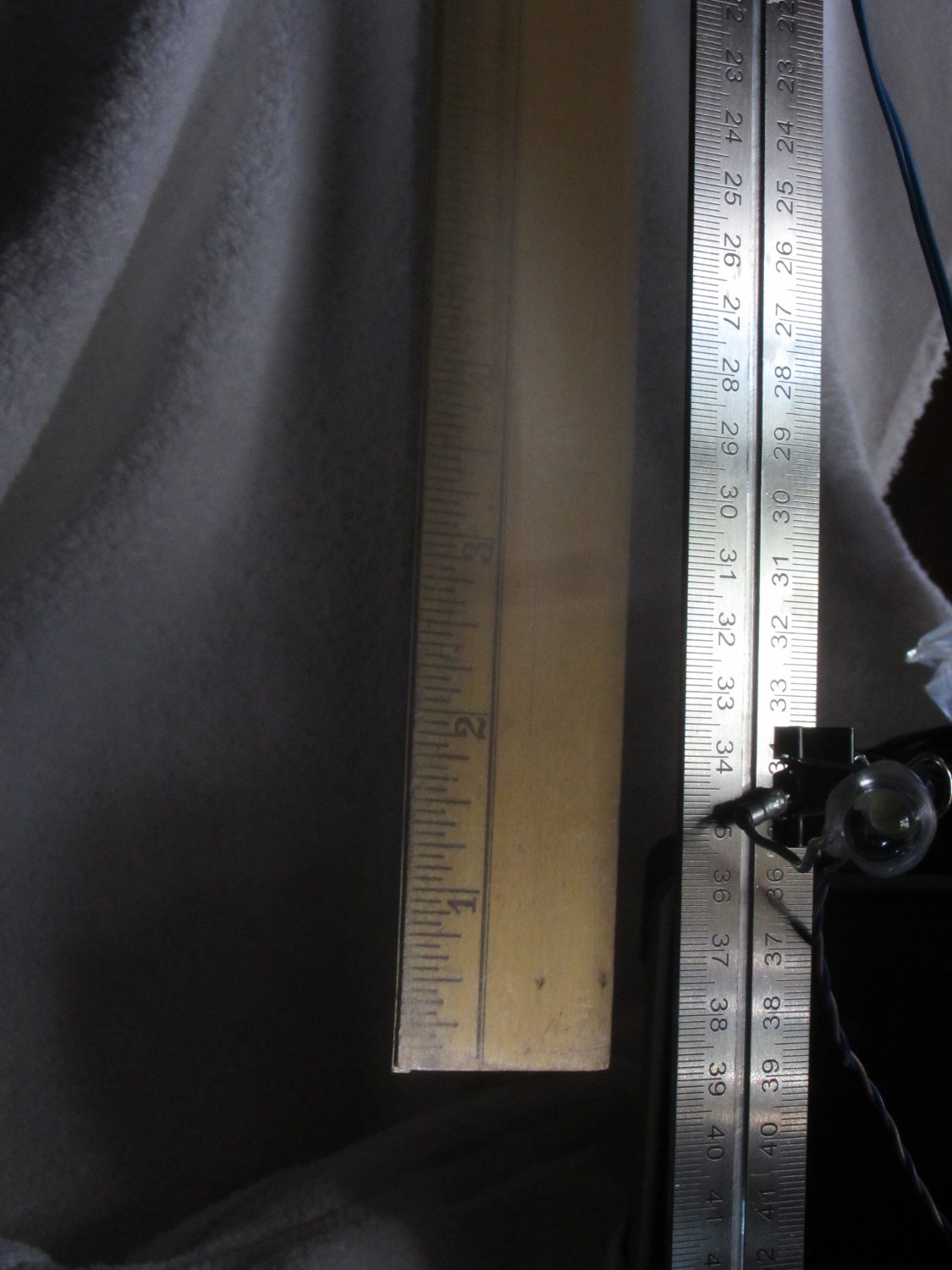
Increasing the flash delay caught it just before it hit the white towel causing the retina-burn glare at the bottom:
Strobe flash – falling ruler – bottom
A bit of detail from another picture with the ruler near the middle shows that the 1 ms Xenon strobe flash really does stop the action:
Strobe flash – falling ruler – detail
Even though the initial timing estimates were completely wrong, there’s some hope this will actually work…
There’s nothing too complicated about any of that. I used 2N2907A PNP transistors because I’m running out of those cute little ZVNL110A logic-level MOSFETs; remember that you can’t hitch the emitter to anything higher than +5 V, unless you want to toast the Arduino. Using a PNP switch means that the initial state of the Arduino pins won’t inadvertently turn the LED / laser / flash on.
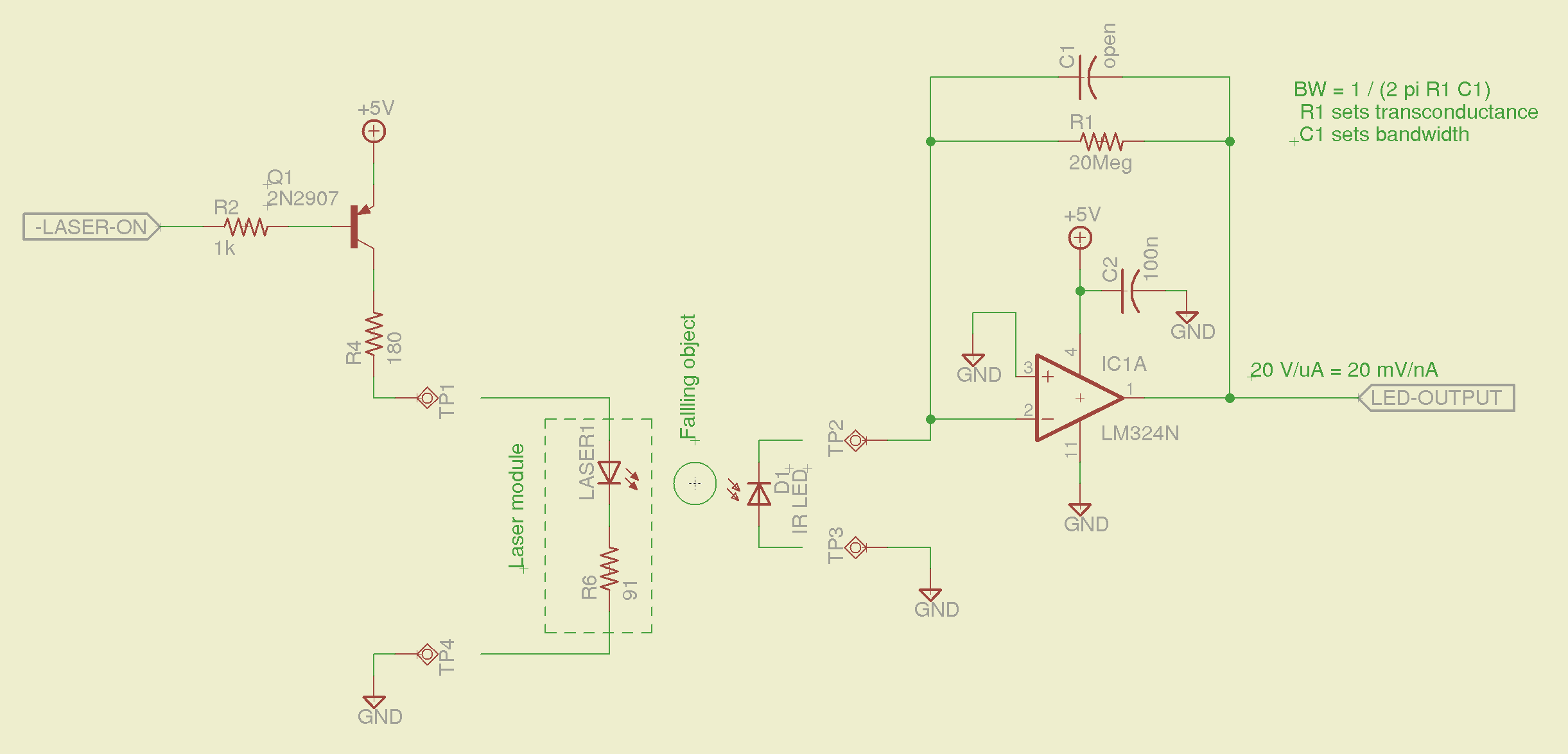
The laser-photodiode detector:
Laser-photodiode detector – schematic
The 20 MΩ resistor sets the gain at 20 mV/nA, which is both absurdly high and seems to work. The IR LED serving as the photodiode doesn’t pass much photocurrent, particularly with the laser running just above threshold, but the fact that it’s totally unresponsive to room light helps a lot; there’s something to be said for a narrow spectral response, which a real photodiode doesn’t have. I do have some IR photodiodes in tinted packages and might be forced to do some rummaging.
I expected to need a comparator after the transconductance amplifier, but with that much gain the LM324 has a nice, steep edge when the object goes past. The laser beam is small enough that there’s not much error due to convolving the object’s edge with the beam; it’s basically binary.
With the LM324 quad op amp running from +5 V, its output can’t get above +4 V. That’s good enough for a logic-level trigger, although a real circuit should use something like the MAX4330 I hacked into a DIP footprint.
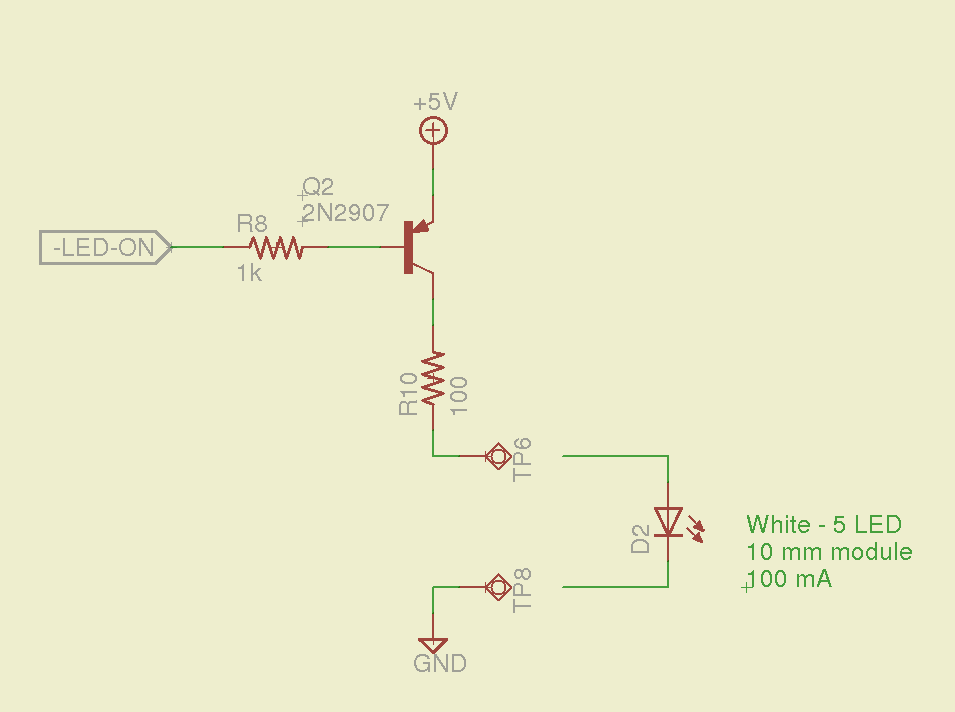
The white LED driver uses a 10 mm package with five white LED chips in parallel that runs at 100 mA:
White LED driver – schematic
I found an LED lashup that I’d built to light up a bird box, so the resistor (which is 12 Ω, not the 100 Ω due to a finger fumble) actually lives at the LED on the other end of the cable, inside a heatshrink strain relief.
The Xenon photoflash driver uses a small relay hacked into the trigger circuit, with a Schottky diode to recirculate the winding current when the transistor turns off:
Xenon flash relay driver – schematic
The diode increases the relay release time, which doesn’t matter here.
The delays from the laser beam break to the flashes should be variable, so there should be a knob with a pushbutton: turn to set the Xenon flash delay, push-and-turn to set the LED flash delay. I doubt that this calls for a digital display, as you can see whether the flash happens at the right time…








 The Smell of Molten Projects in the Morning